How to open Dell 15 (DC15250) – disassembly and upgrade options
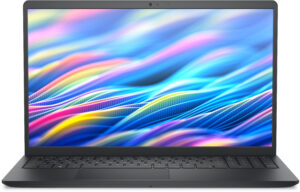
Step 1: Removing the bottom panel
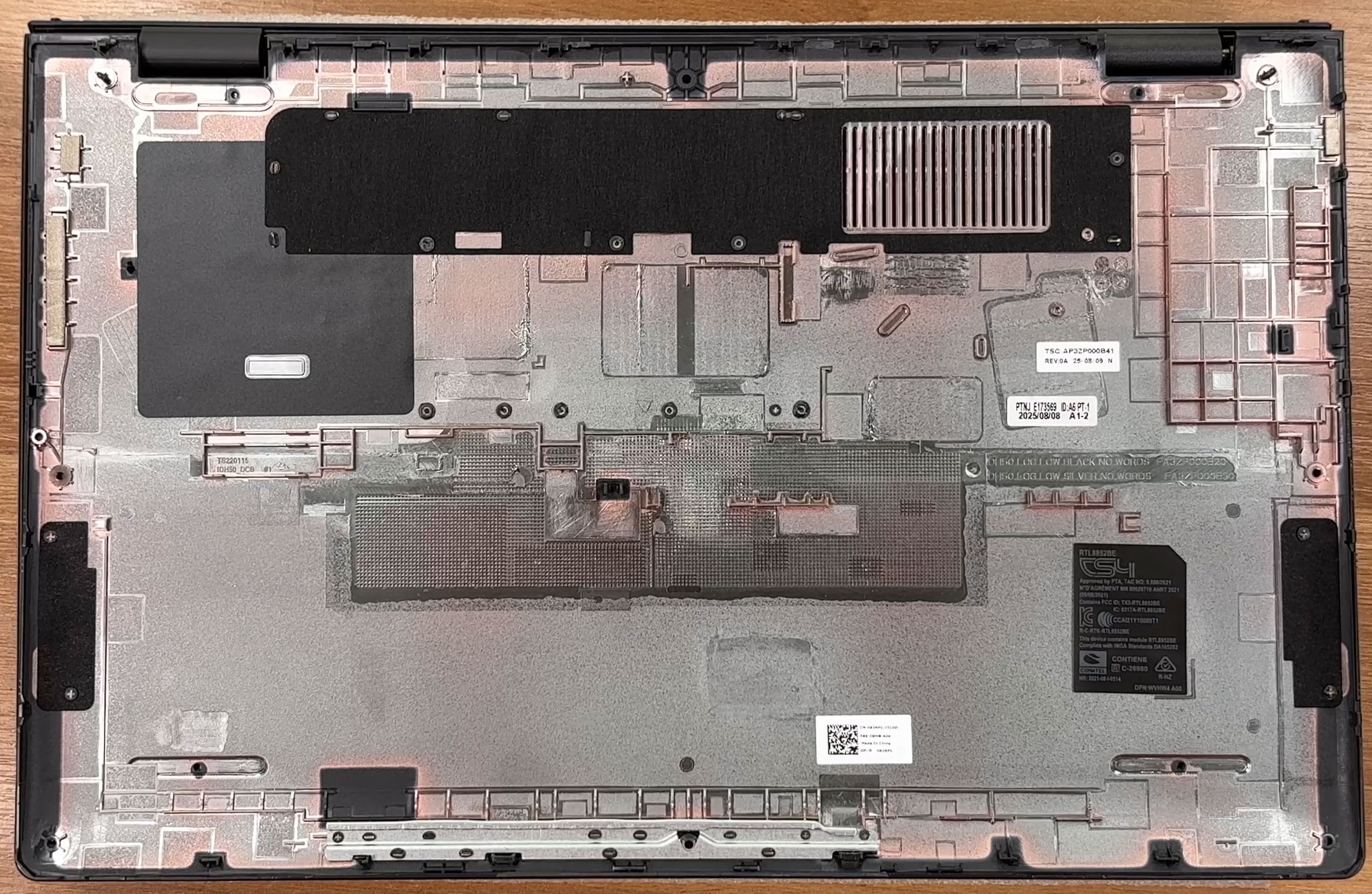
- Power off the laptop and place it on a soft, clean surface.
- Undo the 6 removable Phillips-head screws and loosen the 2 captive corner screws.
- The captive screws slightly lift the bottom cover, giving you a useful starting point for a thin plastic pry tool.
- Carefully release the clips around the edges and lift the bottom panel away from the chassis.
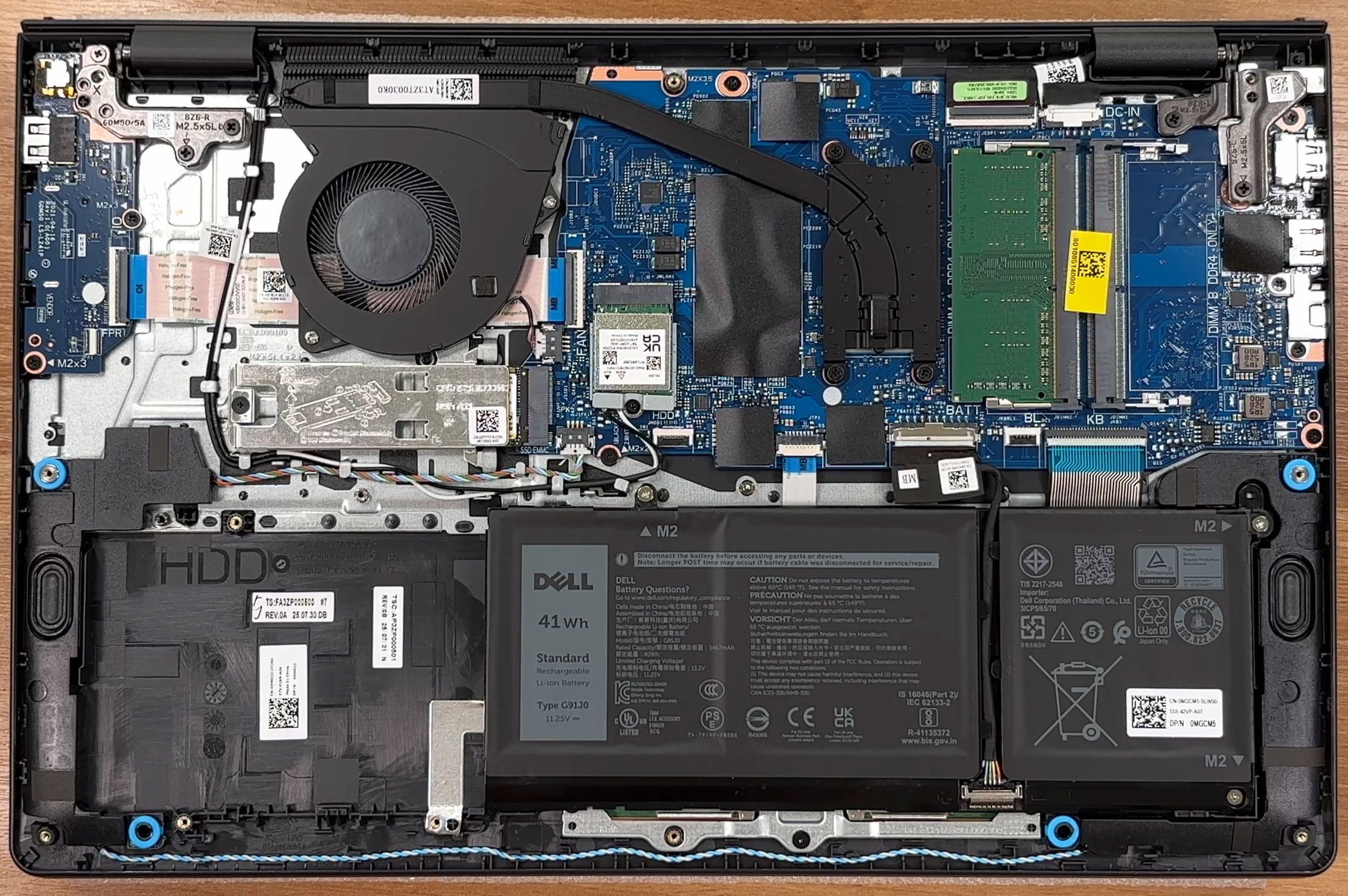
More info: Once inside, the layout is easy to read. The battery is positioned at the lower side, the single-fan cooling system sits on the left, the memory slots are near the center-right, and the SSD is close to the fan area.
Step 2: Battery removal
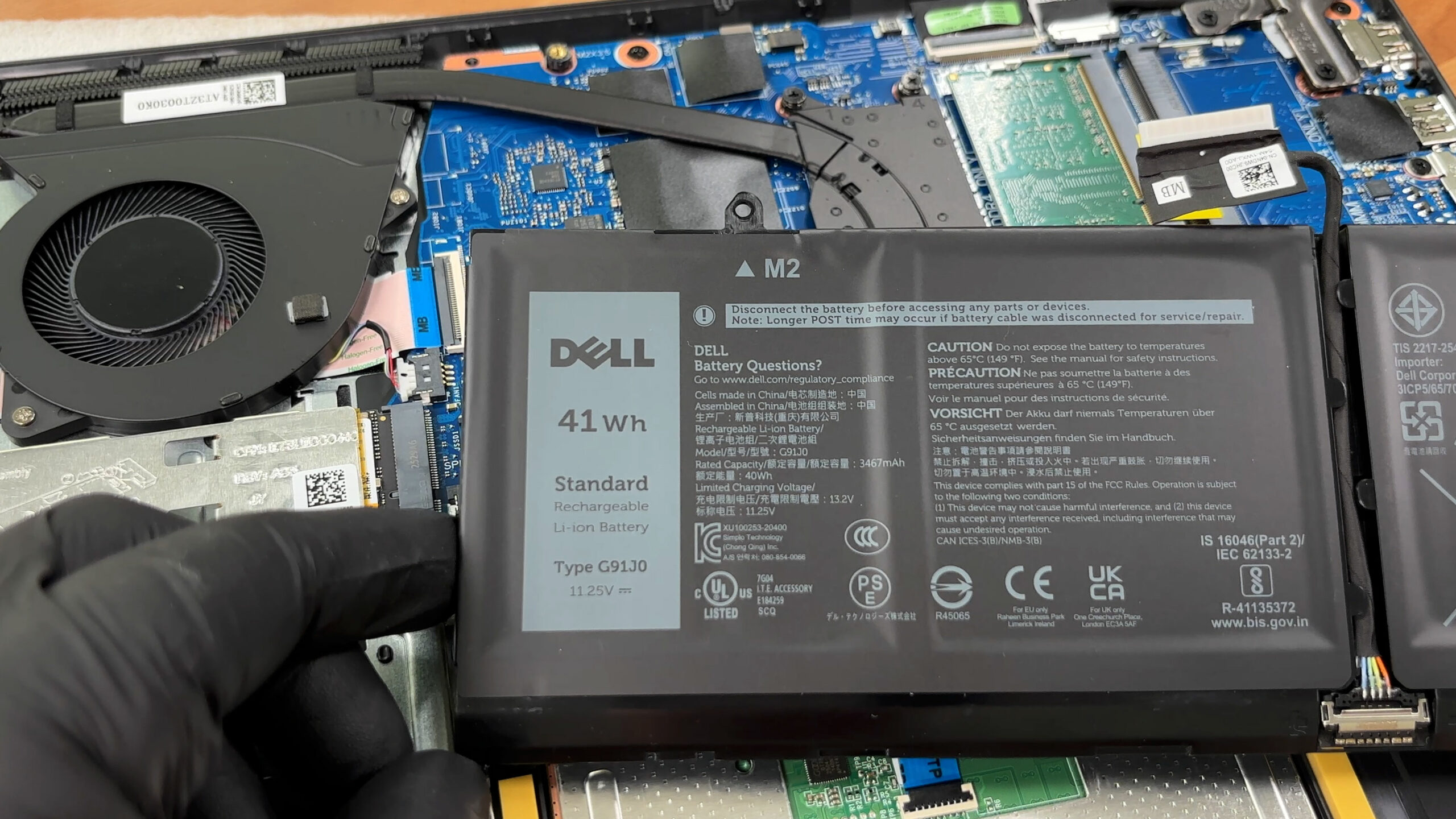
- Disconnect the battery cable from the motherboard before touching any other internal component.
- Undo the screws securing the battery pack.
- Lift the battery out of the chassis.
More info: Our unit has the smaller 3-cell, 41Wh lithium-ion polymer battery. Dell also lists a larger 4-cell, 54Wh option for the series, which occupies more internal space.
Step 3: Memory Upgrade
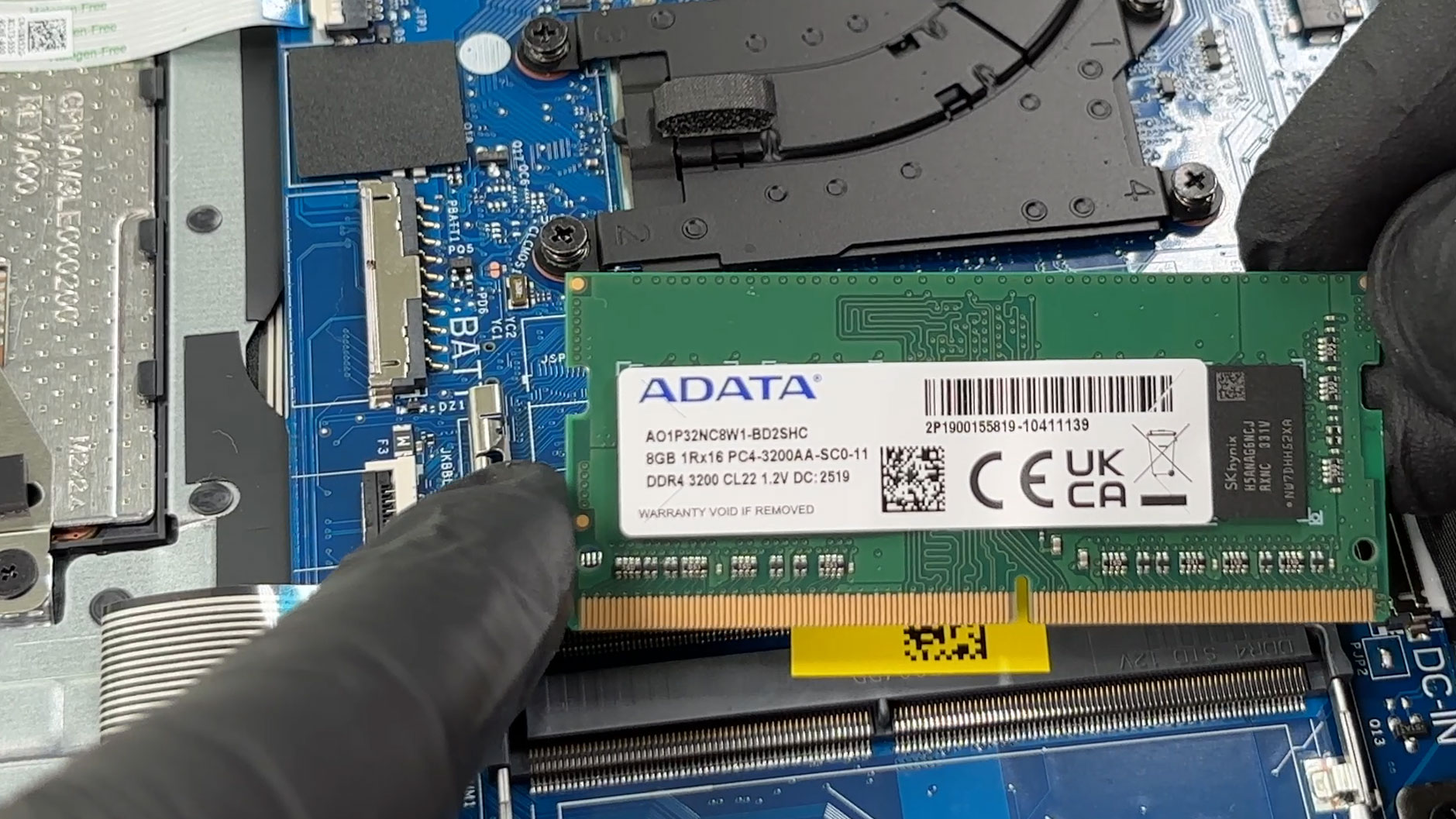
- The RAM is not soldered, which is a nice advantage for this class of laptop.
- There are two SODIMM slots.
- Our unit comes with one 8GB ADATA DDR4-3200 module installed, leaving the second slot free.
- Dell lists both DDR4 and DDR5 variants for the DC15250 series, depending on the exact configuration, so always match the memory type your laptop shipped with.
- Dell’s official maximum memory configuration is 16GB, though real-world upgrade compatibility may depend on the exact SKU, BIOS support, and memory modules used.
You can buy DDR4 RAM modules here: Buy from Amazon.com (#CommissionsEarned)
You can buy DDR5 RAM modules here: Buy from Amazon.com (#CommissionsEarned)
Step 4: Storage Upgrade
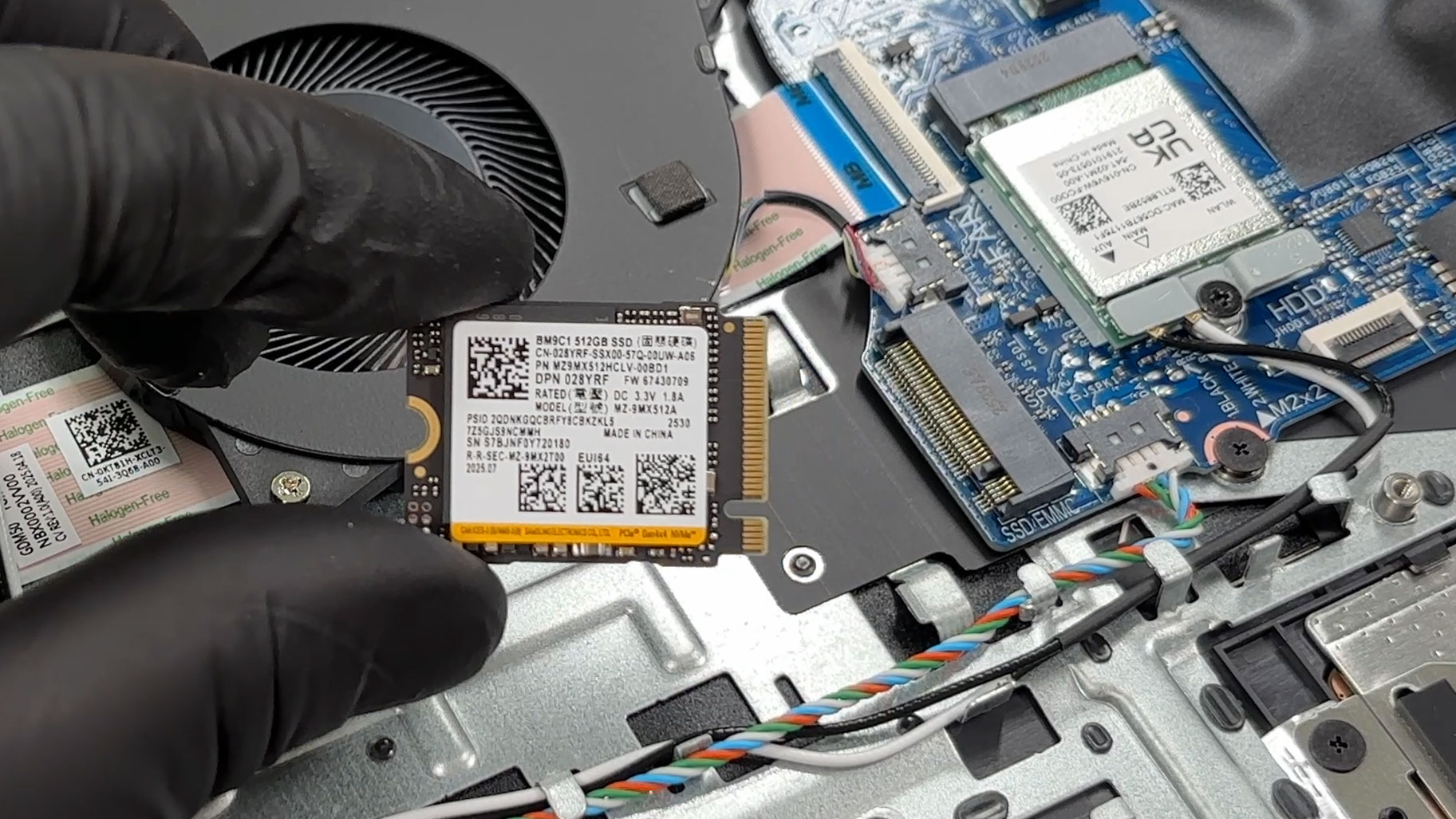
- The laptop has a single M.2 NVMe SSD slot.
- Our configuration uses a 512GB Samsung M.2 2230 drive.
- The SSD is covered by a metal EMI/RFI shield, which also acts as a support bracket and may help spread heat away from the drive.
- Dell lists PCIe 4.0 NVMe Gen 4 x4 SSD support with capacities up to 1TB.
- The internal slot description mentions M.2 Key-M 2230/2280 support, but Dell’s storage specifications and service screw list focus on the M.2 2230 format, so 2230 is the safest upgrade choice for this chassis.
More info: The left-side area of the chassis is shaped for an alternative layout, and the plastic tray is marked for HDD use, but Dell’s current storage specifications for this model focus on a single M.2 SSD. Treat secondary storage availability as configuration-dependent rather than guaranteed.
You can buy M.2 2230 NVMe SSDs here: Buy from Amazon.com (#CommissionsEarned)
Hint: Don’t forget to check out our Top M.2 SSDs Performance Rankings for insights on the best storage options available.
Step 5: Cooling system overview
- The cooling system is a basic single-fan setup, which is expected for an everyday 15-inch laptop.
- The processor sits under the heatsink assembly, while the fan exhausts heat through the rear section of the chassis.
- The fan is removable, so dust cleaning or replacement is possible without replacing the entire cooling system.
More info: The Wi-Fi card is replaceable. Our reviewed unit uses the Realtek RTL8852BE with Wi-Fi 6 and Bluetooth 5.3, while some configurations may come with the Realtek RTL8821CE, which is limited to Wi-Fi 5 and Bluetooth 5.0.
More info: The easier customer-replaceable parts include the base cover, battery, memory modules, SSD, wireless card, speakers, and fan. Deeper service items include the heatsink, touchpad, I/O daughterboard, power button, power-adapter port, display assembly, and system board.
More info: Overall, the Dell 15 (DC15250) is easy to maintain for its class, with quick access to RAM, storage, Wi-Fi, battery, and cooling. The main limitations are the single SSD slot, the 2230-focused storage implementation, and Dell’s official 16GB memory ceiling.
Dell 15 (DC15250) in-depth review
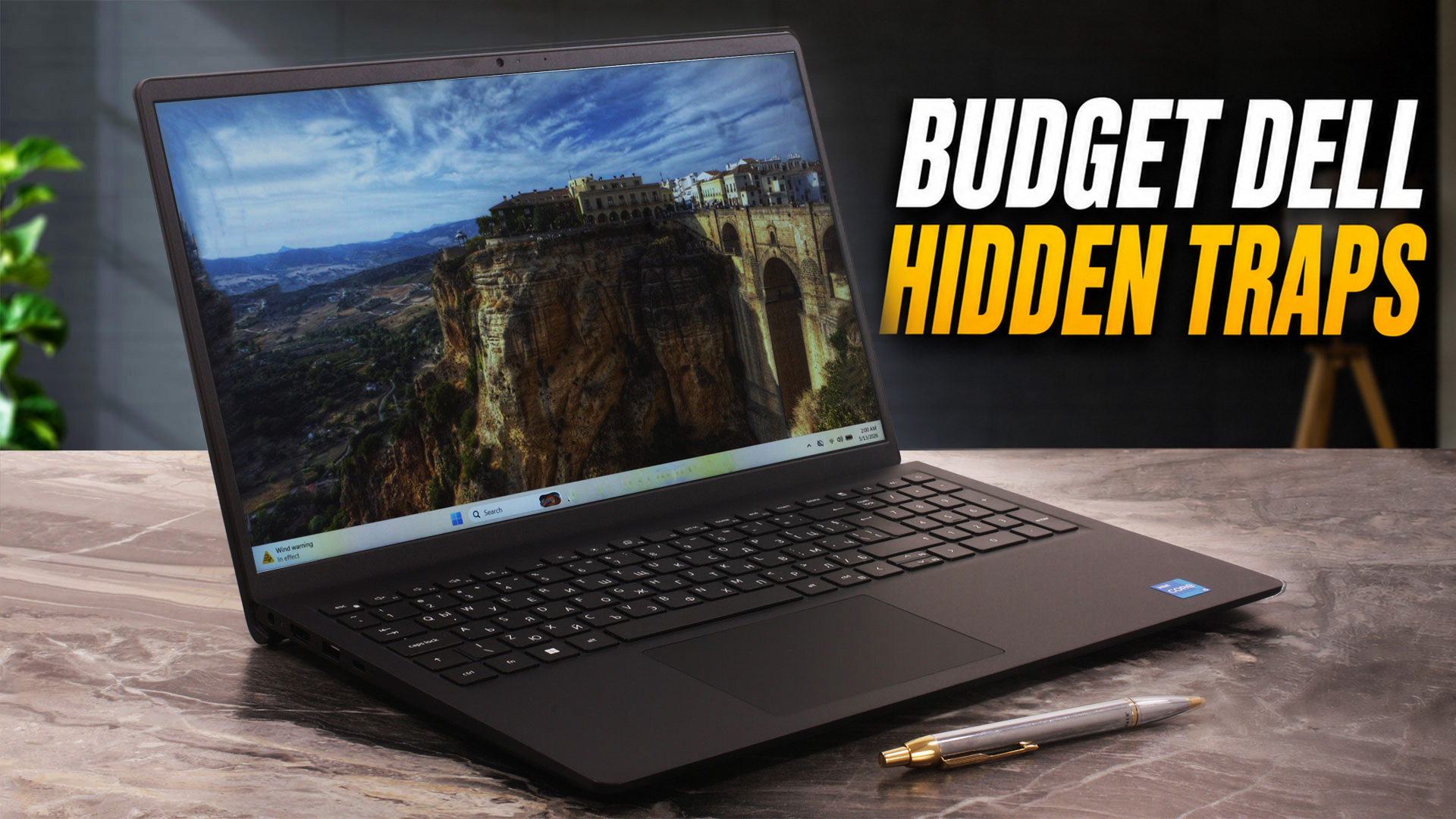
Budget laptops are supposed to be simple. You pick a processor, choose how much RAM and storage you need, and get on with your life. The Dell 15 (DC15250), however, is a bit more complicated than that. On the surface, it looks like a very standard 15.6-inch office laptop, but the exact configuration can change more than you might expect.For example, the chassis version affects the webcam, microphones, USB-C functionality, and even the overall user experience. The plastic Carbon Black model, which we chose and ordered, comes with a data-only USB-C port, a 720p webcam, and a single microphon[...]
Pros
- Very easy to service and maintain
- Two user-accessible SODIMM slots
- Replaceable SSD, Wi-Fi card, battery, and fan
- 120Hz display option makes everyday navigation feel smoother
- Includes a full-size keyboard with NumPad
- SD card reader is useful for a budget office laptop
- Samsung PCIe 4.0 NVMe SSD performs well for the class
- Carbon Black finish resists fingerprints better than expected
- Hinges feel stable in our unit despite online durability concerns
Cons
- Very limited color coverage – 51% sRGB and 41% DCI-P3
- Low-frequency PWM flickering below 100% brightness without Health-Guard
- Our 8GB single-channel configuration limits CPU and iGPU performance
- Very conservative sustained CPU power under long workloads
- Battery life is modest – 5 hours and 12 minutes in our video playback test
- HDMI is limited to 1080p at 60Hz
- USB-C on the plastic chassis is data-only, with no charging or DisplayPort
- 720p webcam, single microphone, and no privacy shutter on the plastic chassis
 Author: Dimitar Stalev

![[August 2026] Amazon Italy: Top 10 Best-Selling Laptops – Apple MacBook Neo Claims the Crown as Budget and Mid-Range Windows Machines Dominate Volume](https://laptopmedia.com/wp-content/uploads/2026/09/Best-Selling-Laptops-IT-Top-10-400x225.jpg)
![[August 2026] Amazon Italy: Top 7 Best-Selling Gaming Laptops – ASUS V16 Claims the #1 Spot Amid Strong Mid-Range Demand](https://laptopmedia.com/wp-content/uploads/2026/09/Best-Selling-Gaming-Laptops-IT-Top-10-400x225.jpg)
![[August 2026] Best-Selling Laptop Brands on Amazon Italy – Lenovo Dominates Market Share and Revenue Leadership](https://laptopmedia.com/wp-content/uploads/2026/09/IT-Best-Brands-400x225.jpg)
![[August 2026] Amazon India: Top 10 Best-Selling Laptops – Apple MacBook Neo Dominates the Charts with Massive Sales Lead](https://laptopmedia.com/wp-content/uploads/2026/09/Best-Selling-Laptops-IN-Top-10-400x225.jpg)
![[August 2026] Amazon India: Top 10 Best-Selling Gaming Laptops – HP Victus 15 Dominates the Market with Massive Unit Lead](https://laptopmedia.com/wp-content/uploads/2026/09/Best-Selling-Gaming-Laptops-IN-Top-10-400x225.jpg)
