Acer Predator Helios 18 AI (PH18-I71) review – Stunning Mini LED, Brutal RTX 5090 Performance, Hot CPU
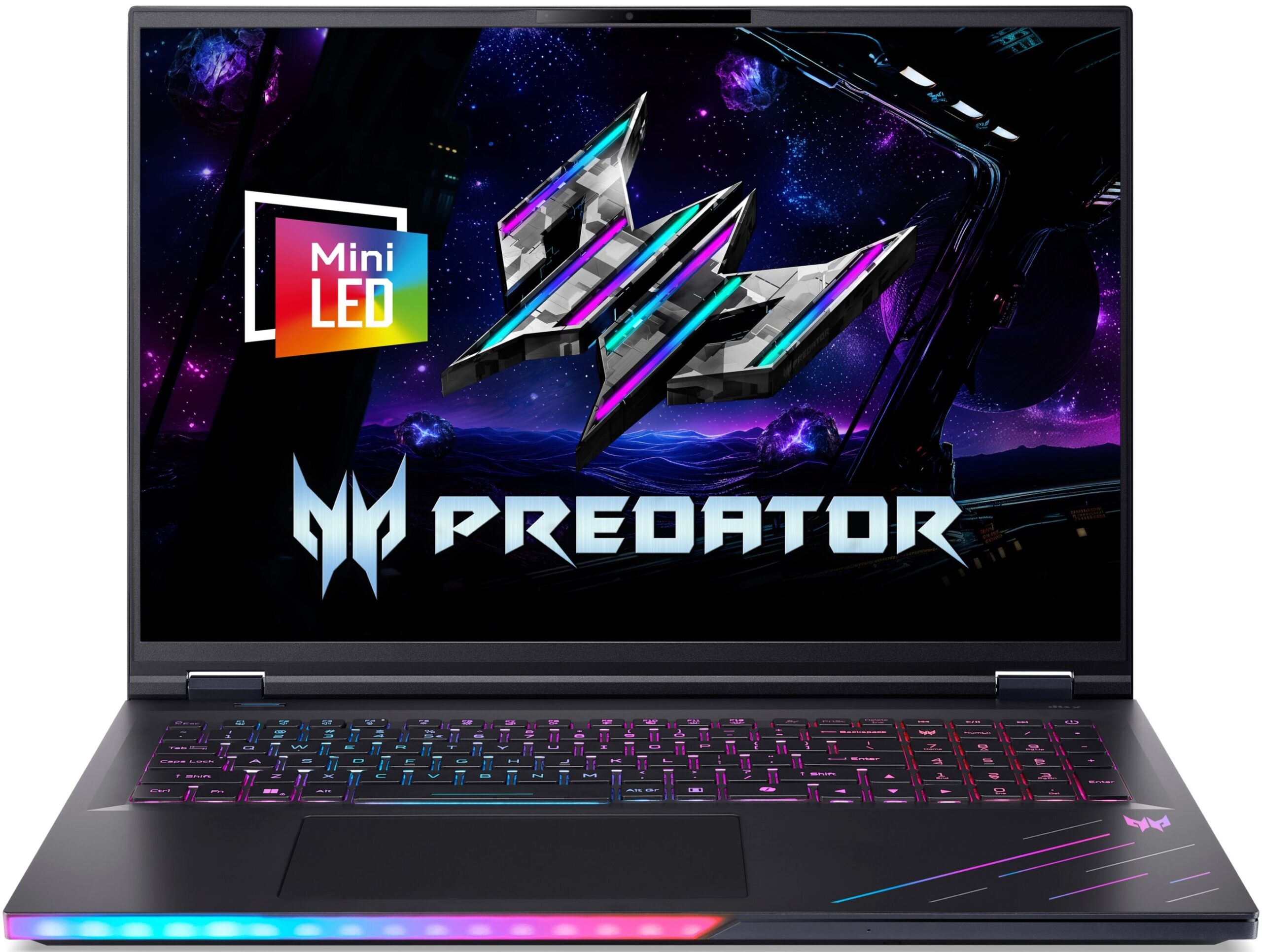
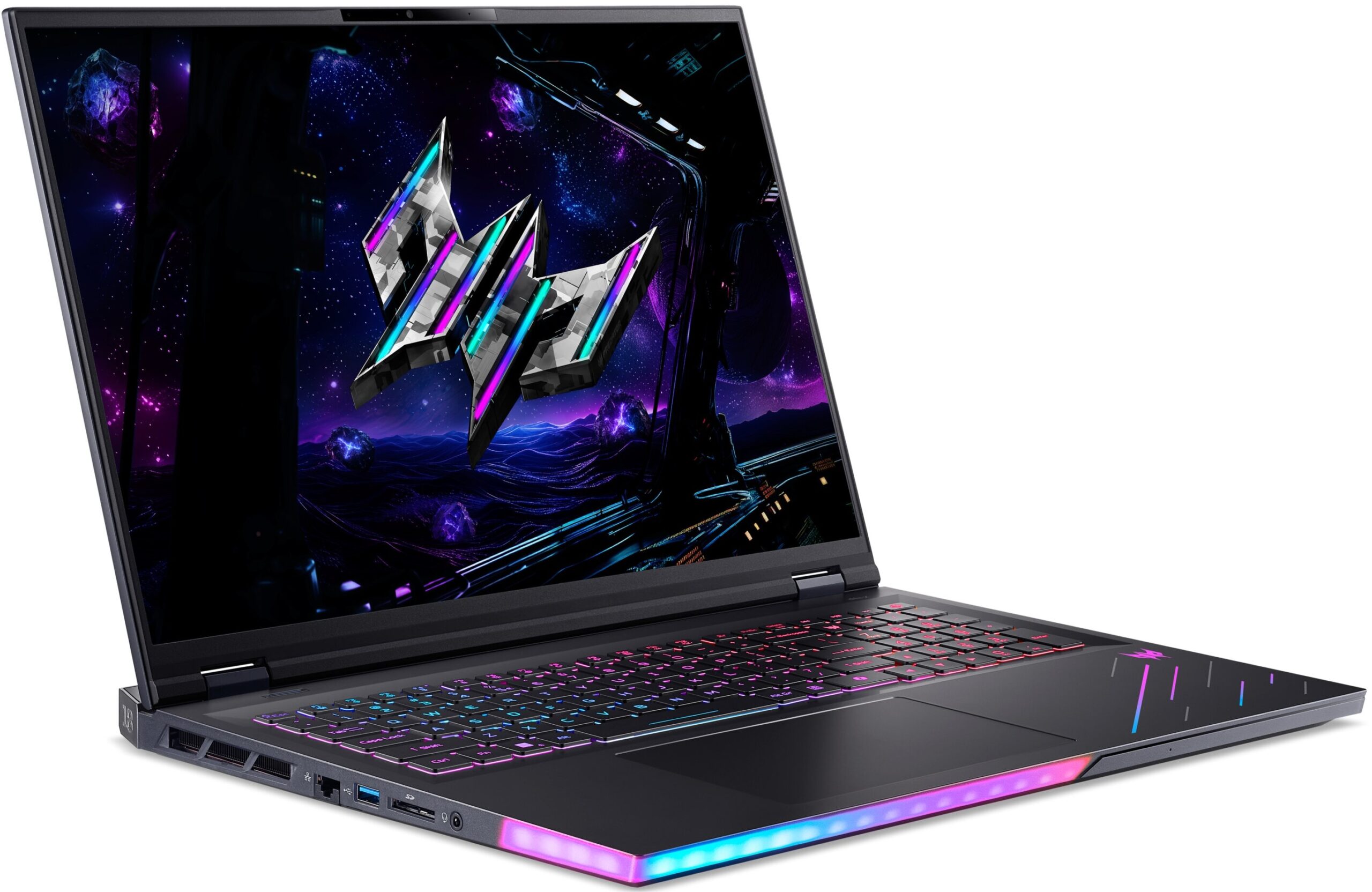
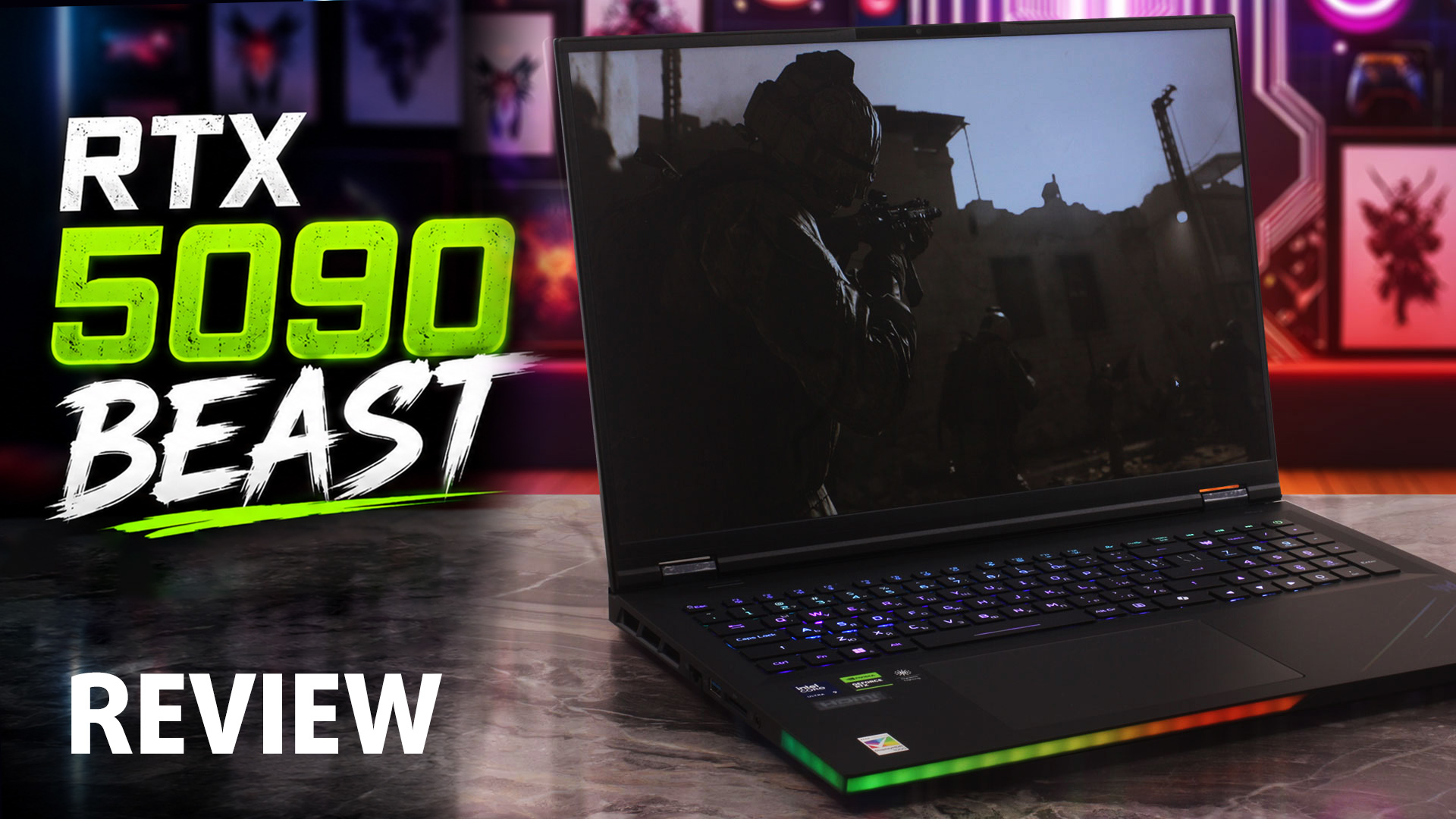 The Acer Predator Helios 18 AI (PH18-I71) is an ultra-premium, desktop-replacement behemoth engineered for hardcore gamers, creators, and extreme power users. The very first thing that strikes you is its colossal footprint, immediately followed by the stunning 18-inch Mini LED display – in our configuration, a razor-sharp 3840 × 2400 panel that can also switch to 1920 × 1200 at 240Hz when speed matters more than pixel density.
During our review, we were absolutely blown away by its staggering upgradeability: four RAM slots supporting up to 256GB and three M.2 slots, including one Gen 5 slot, are a massive surprise in today’s laptop market. Its RTX 5090 gaming performance, dual Thunderbolt 5 ports, 5GbE LAN, and Wi-Fi 7 connectivity are equally impressive. However, this brute force comes with serious trade-offs: the CPU runs extremely hot under sustained load, the fans are not always quiet even at idle, and the otherwise gorgeous Mini LED screen uses aggressive PWM flickering that sensitive users should take seriously.
The result is a machine that is brutally powerful, highly expandable, and genuinely exciting – but also far from flawless.
TESTED CONFIGURATION:
– Intel Core Ultra 9 290HX Plus
– NVIDIA GeForce RTX 5090
– 96GB RAM
– 2TB SSD NVMe
– 18.0”, UHD+ (3840 x 2400), 120 Hz, Mini LED / 1200p @ 240 Hz
You can check the prices and configurations in our Specs System: https://laptopmedia.com/series/acer-predator-helios-18-ai-ph18-i71/
Contents
Specs, Drivers, What’s in the box
Acer Predator Helios 18 AI (PH18-I71) - Specs

- HDD/SSD
- up to 2048GB SSD
- M.2 Slot
- 1x 2280 M.2 NVMe PCIe 5.0 x4 + 2x 2280 M.2 NVMe PCIe 4.0 x4 See photo
- RAM
- up to 256GB
- OS
- Windows 11 Pro, Windows 11 Home
- Battery
- 99.98Wh
- Body material
- Plastic / Polycarbonate, Aluminum
- Dimensions
- 400.96 x 307.9 x 17.3 - 29.55 mm (15.79" x 12.12" x 0.68")
- Weight
- 3.50 kg (7.7 lbs)
- Ports and connectivity
- 1x USB Type-A
- 3.2 Gen 1 (5 Gbps)
- 1x USB Type-A
- 3.2 Gen 2 (10 Gbps)
- 1x USB Type-A
- 3.2 Gen 2 (10 Gbps), Sleep and Charge
- 2x USB Type-C
- 3.2 Gen 2x2 (20 Gbps), Thunderbolt 5, Power Delivery (PD), DisplayPort, Sleep and Charge
- HDMI
- 2.1
- Card reader
- SD (SD, SDHC, SDXC)
- Ethernet LAN
- 10, 100, 1000, 2500, 5000 Mbit/s
- Wi-Fi
- Wi-Fi 7
- Bluetooth
- 5.4
- Audio jack
- 3.5mm Combo Jack
- Features
- Fingerprint reader
- Web camera
- FHD IR with Temporal Noise Reduction
- Backlit keyboard
- Microphone
- Speakers
- 6 speakers, DTS:X Ultra
- Security Lock slot
- Kensington Lock
All Acer Predator Helios 18 AI (PH18-I71) configurations
Drivers
All drivers and utilities for this notebook can be found here: https://www.acer.com/us-en/support/product-support/Predator_PH18-I71/
What’s in the box?
Unboxing the beastly Helios 18 AI feels more like opening a specialized gaming chest than a standard laptop box.
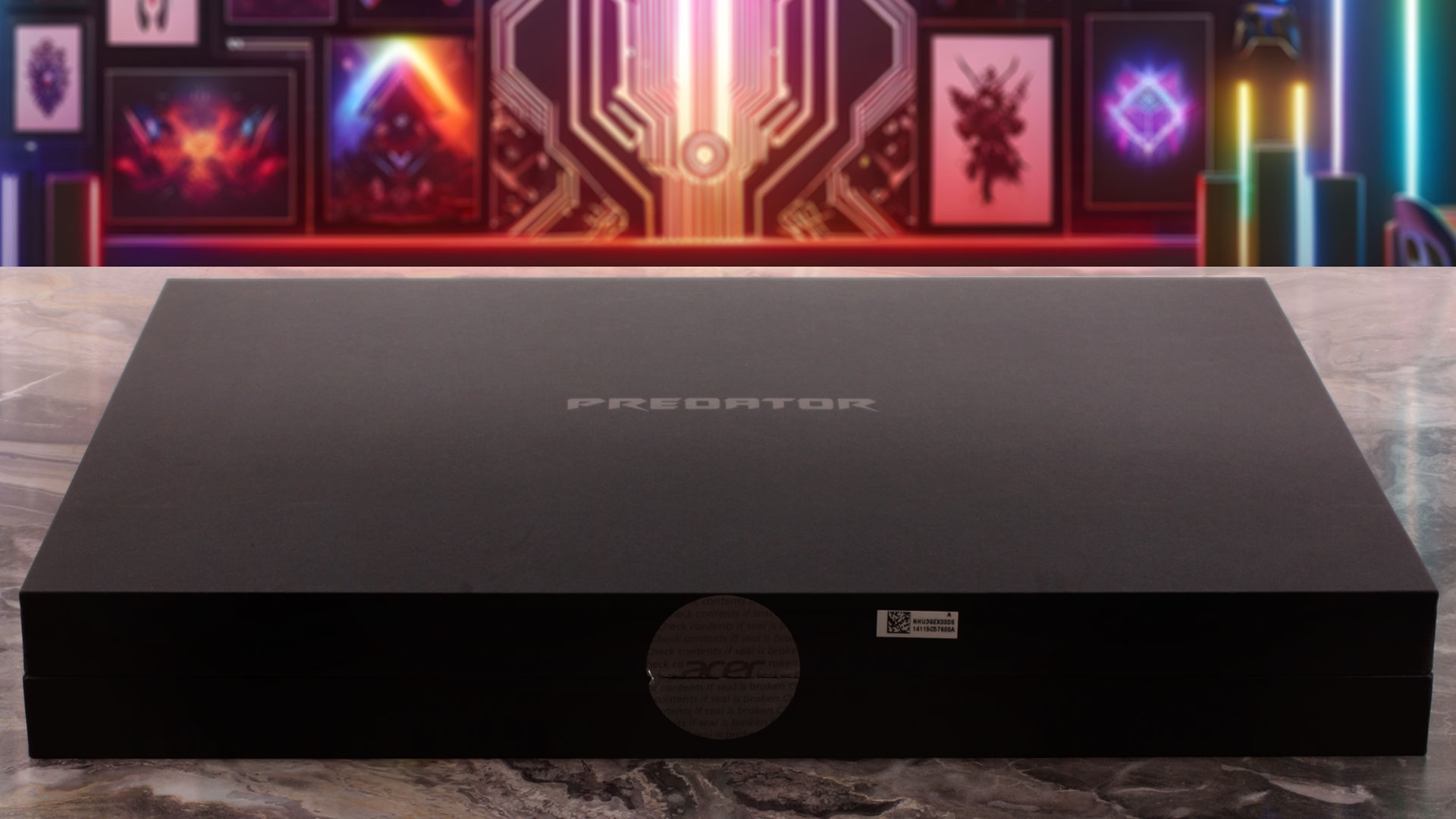
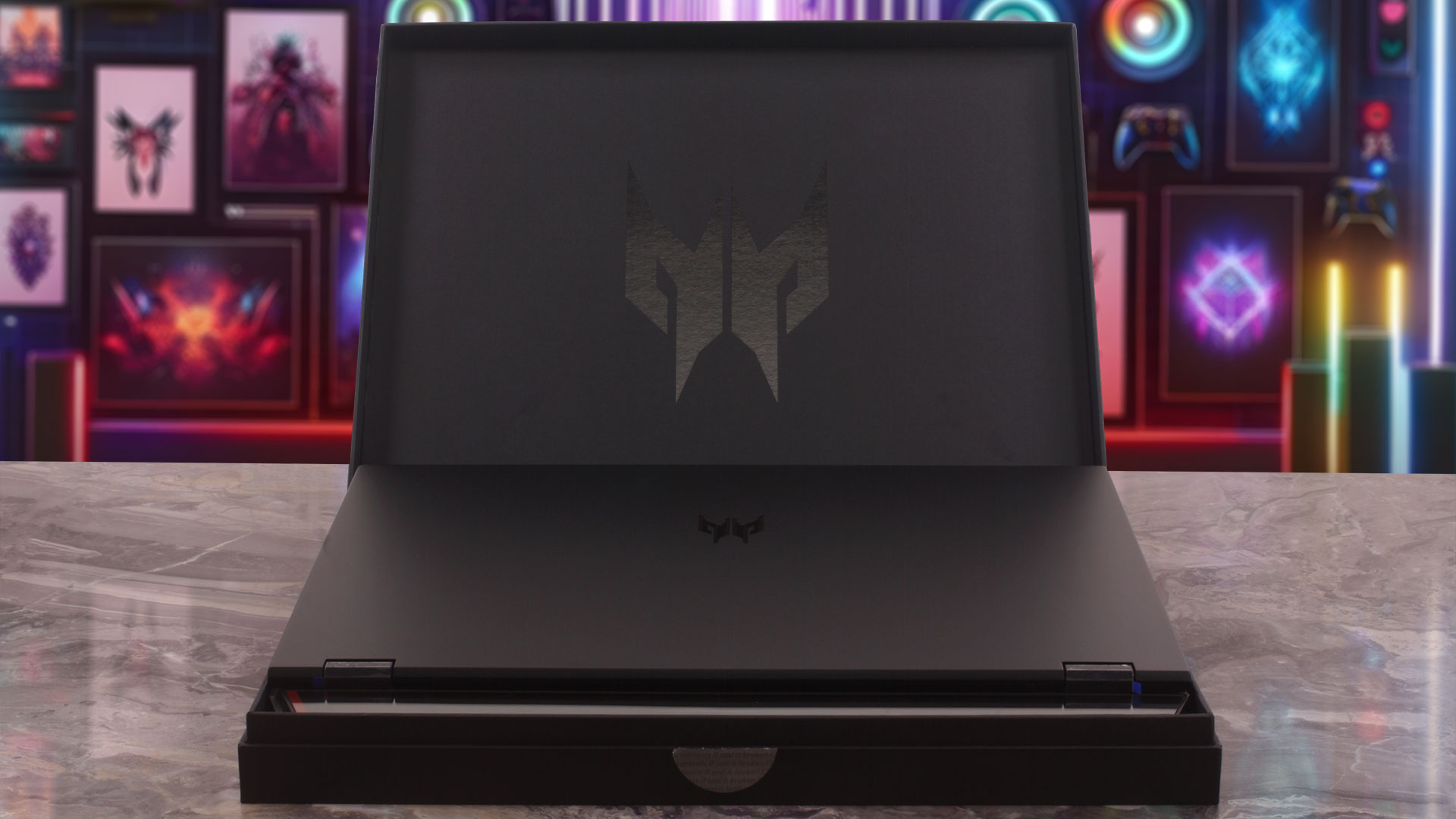
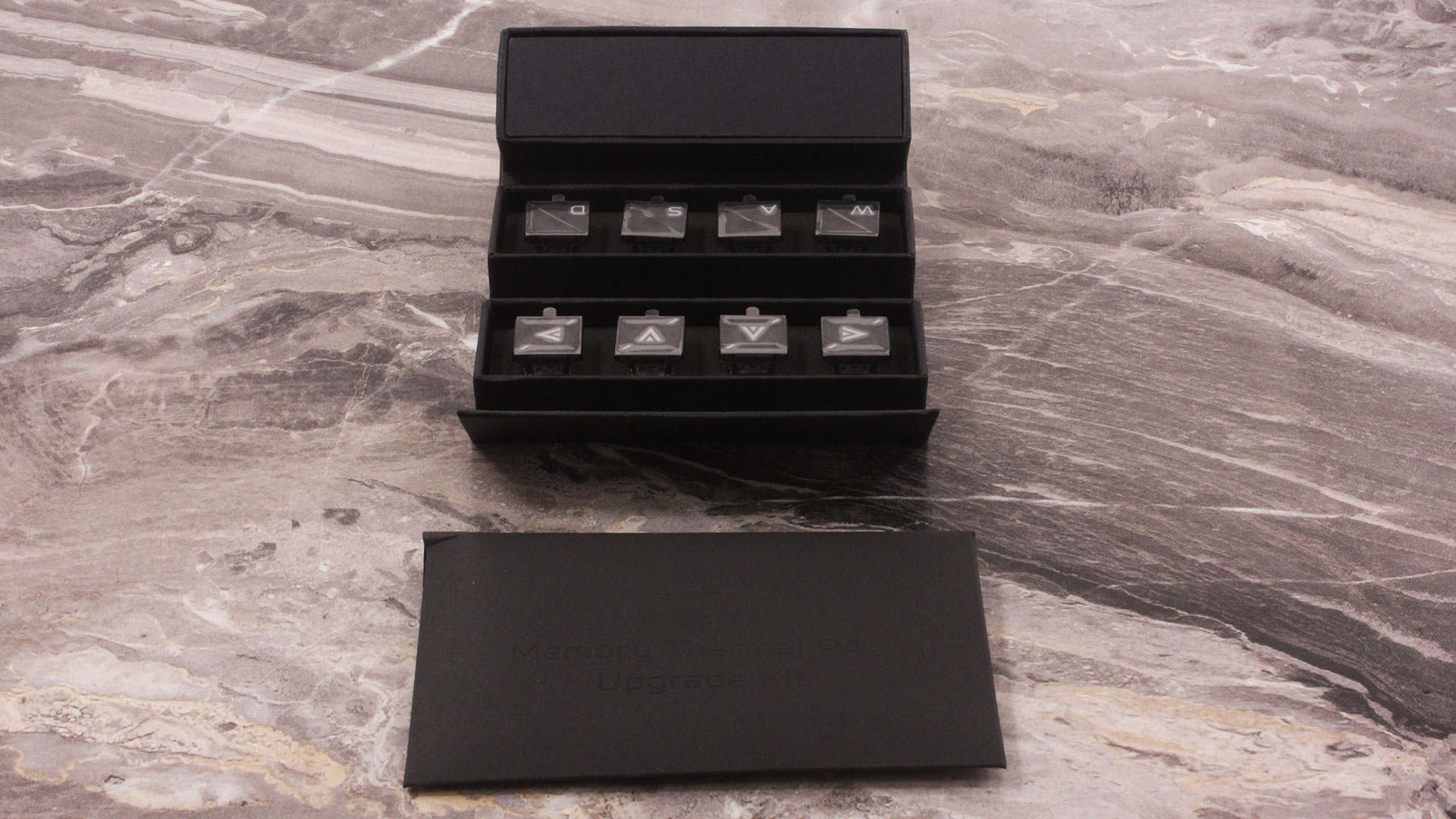
Alongside the massive 400W power brick (the adapter itself is close to 1 kg / 2+ lbs) and manuals, you get the Predator MagKey 4.0 set with eight swappable MagClick keycaps and a key-puller for physical customization. Another useful extra is the memory thermal upgrade kit. Depending on the RAM configuration, Acer provides either thermal sheets or thermal pads, which are meant to help with memory cooling when upgrading or changing the installed modules.
Design and construction
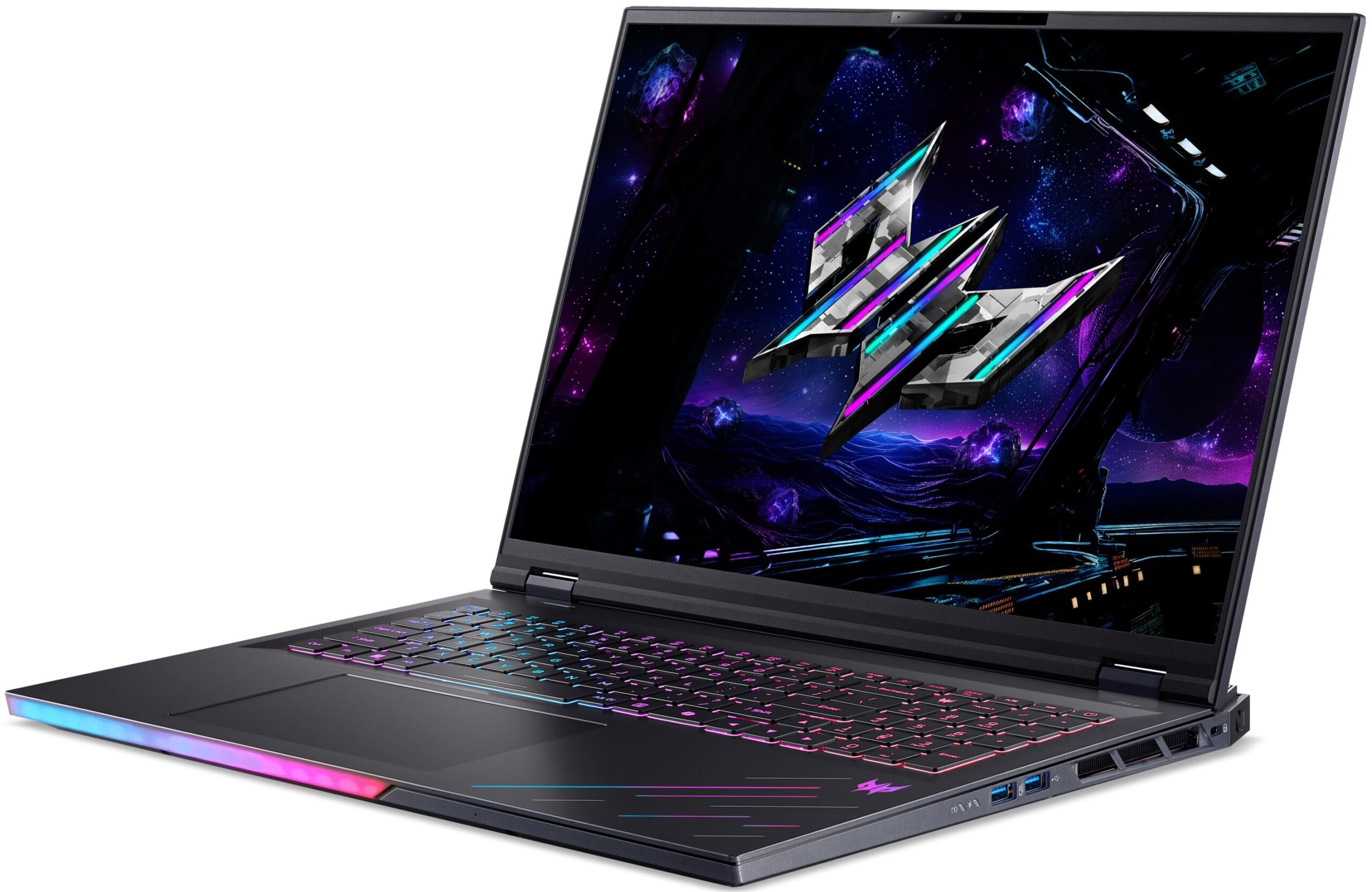
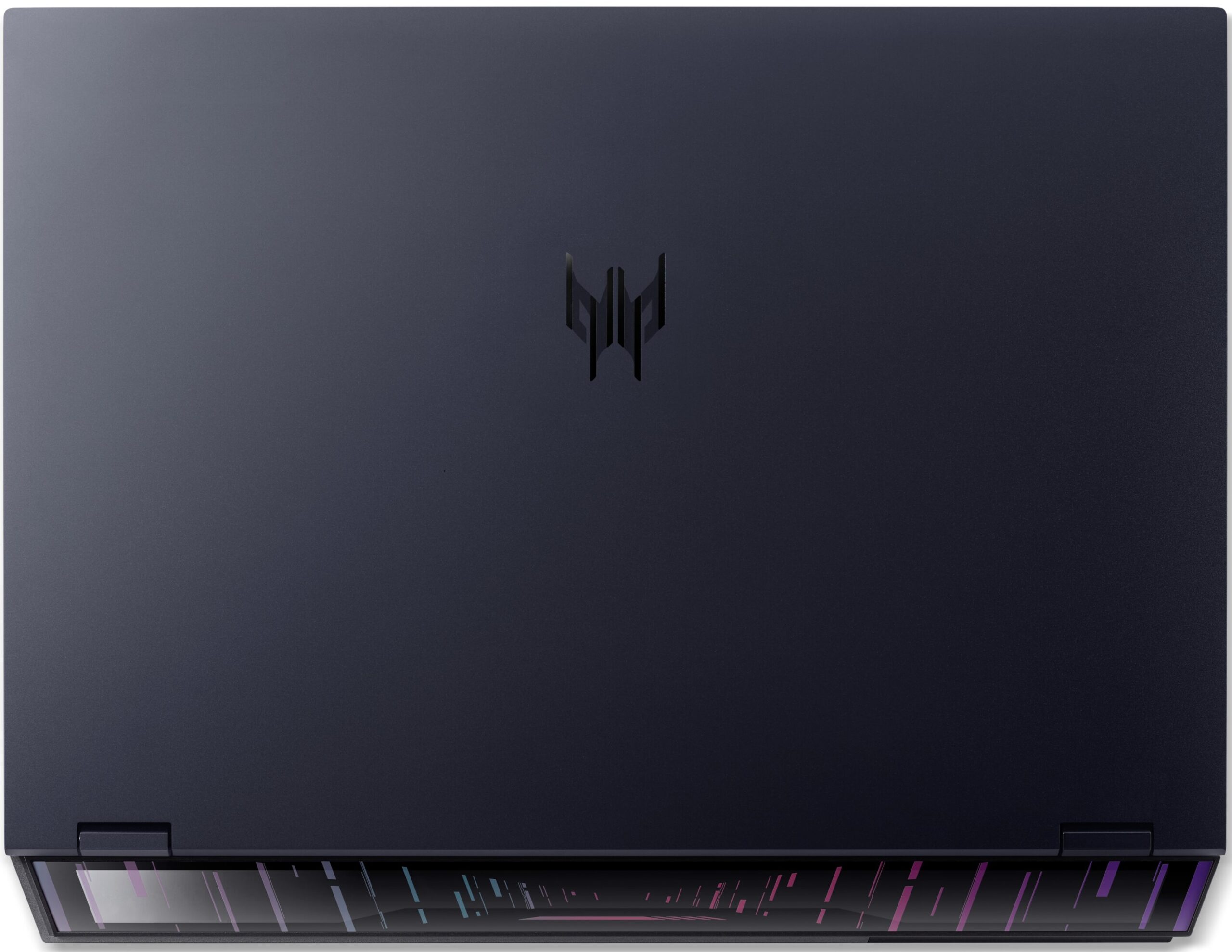
The Acer Predator Helios 18 AI (PH18-I71) makes absolutely no apologies for what it is: a colossal, desktop-replacement gaming behemoth. Instead of trying to blend into a boring office environment with a minimalist “stealth” design, it proudly wears its aggressive gaming identity on its sleeve.
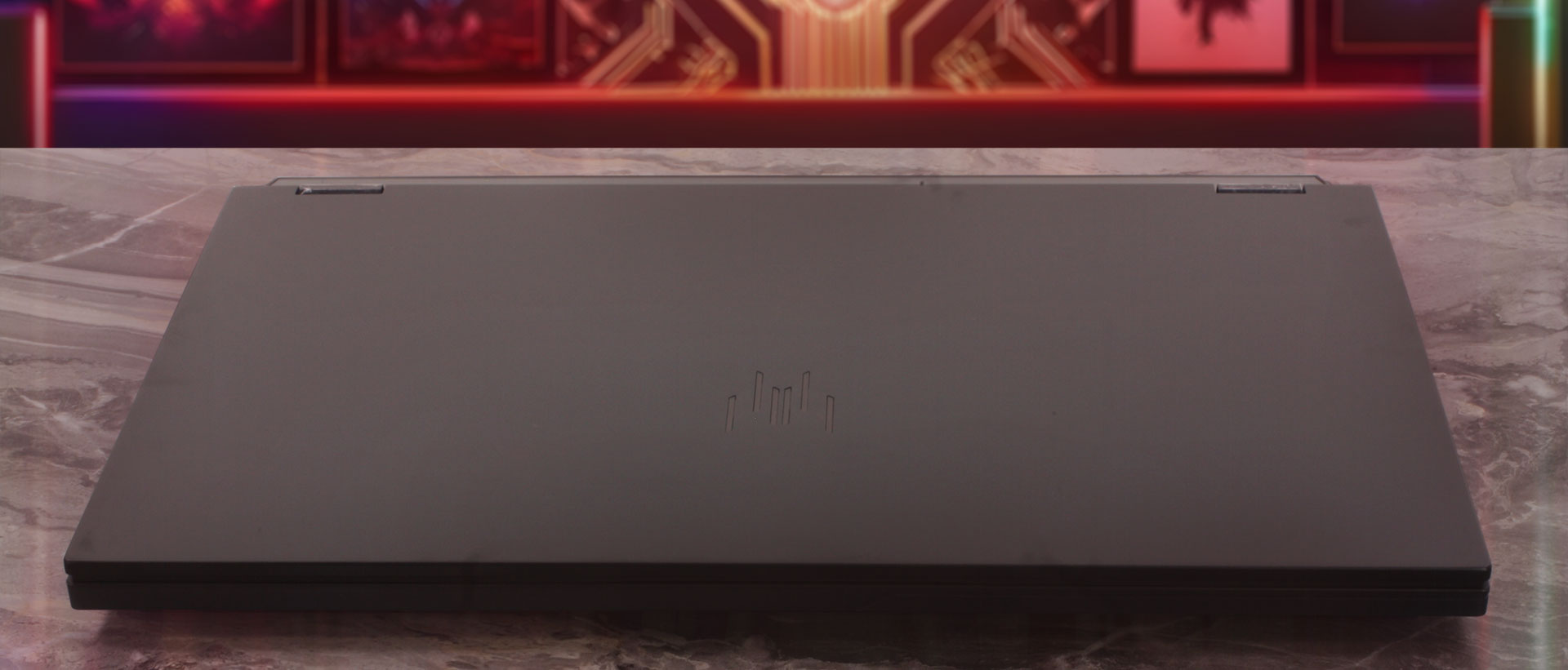
Our unit comes in black, and this is the only color option we found for this model. The design combines sharp lines, a massive 18-inch footprint, and striking RGB accents that immediately make its gaming character obvious. The lid is made of metal, while the interior palm rest and bottom base are plastic. Given the premium positioning of the machine, more metal would have been welcome, but the overall construction still feels massive and sturdy. You can provoke a slight flex in the center of the large lid if you press down hard, but it’s nothing concerning. A quick note on keeping it clean: the matte plastic palm rest does show fingerprint smudges when viewed at an angle, while the glossy finish on the lid surprisingly manages to hide them quite well.
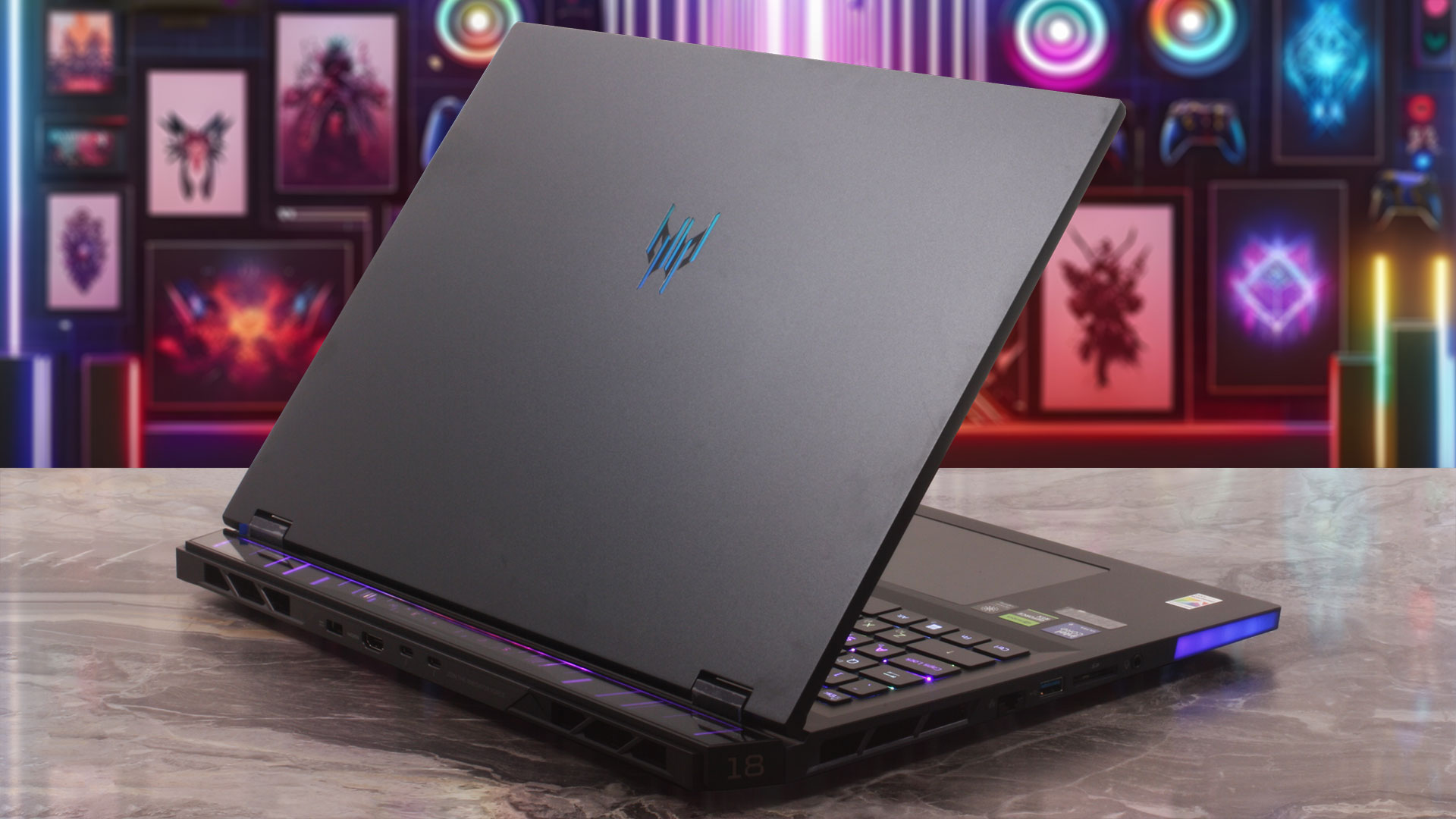
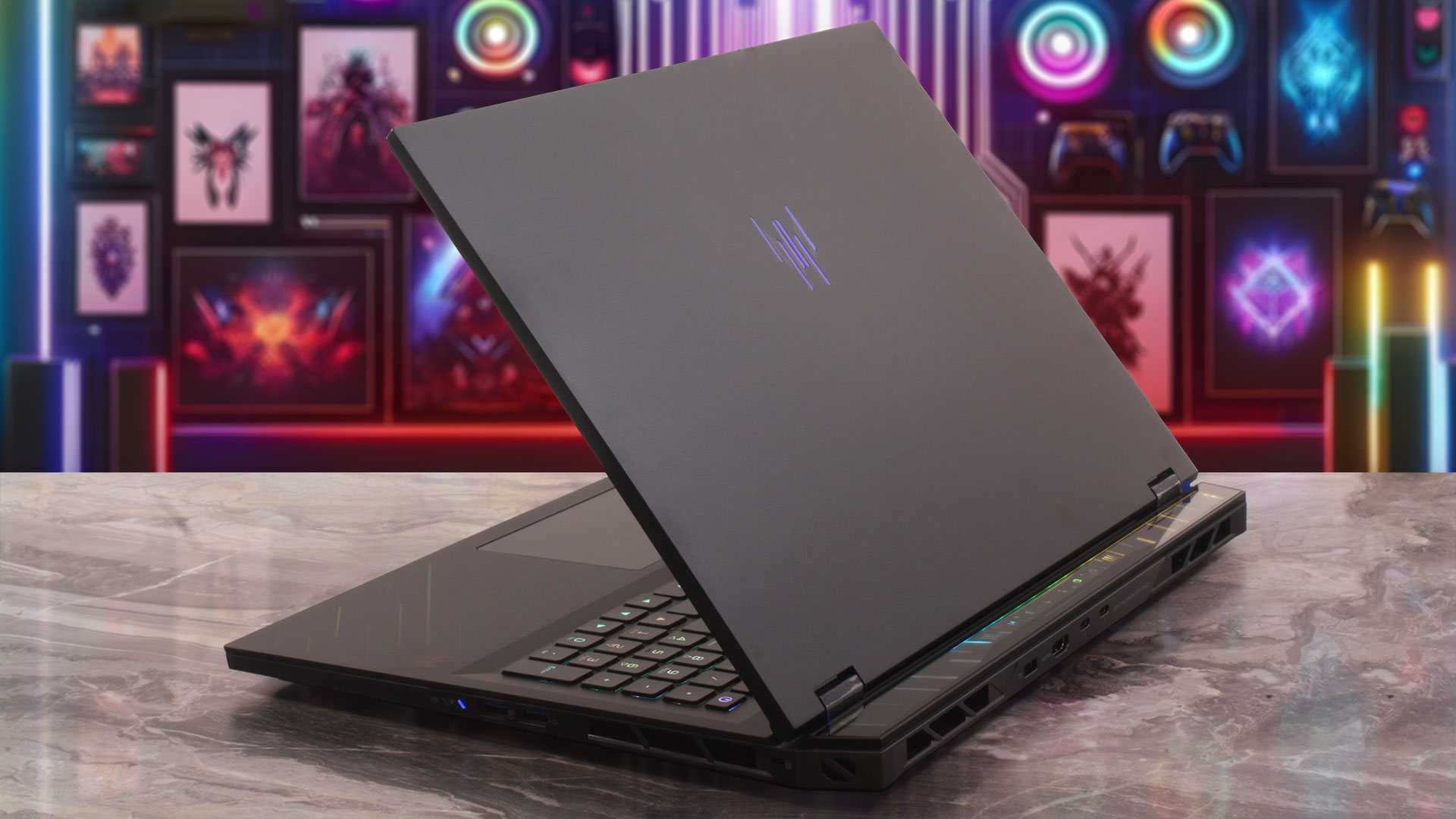
You don’t buy an 18-inch laptop expecting ultimate portability, and the Helios 18 AI certainly demands a sturdy backpack and a strong back. Here is a breakdown of its physical footprint:
| Acer Predator Helios 18 AI (PH18-I71) | Dimensions | Weight |
| Metric units | 400.96 mm x 307.9 mm x 17.3–29.55 mm | 3.5 kg |
| U.S. customary | 15.79 in x 12.12 in x 0.68–1.16 in | 7.72 lbs |
The display hinges are robust, allowing the massive screen to tilt back to a maximum angle of about 120 degrees, which is perfectly adequate for standard desk gaming scenarios. Once you open it up, the display is surrounded by bezels that are not the thinnest we have seen, but they look reasonably slim simply because they are visually dwarfed by the sheer 18-inch diagonal of the panel. The result is still modern and immersive. The slightly thicker top bezel houses a capable camera setup: an FHD + IR sensor with 1080p resolution, Temporal Noise Reduction, a blue glass lens, SHDR, and dual microphones. Unfortunately, Acer has once again skipped the physical privacy shutter — a small but highly appreciated feature we always look for.
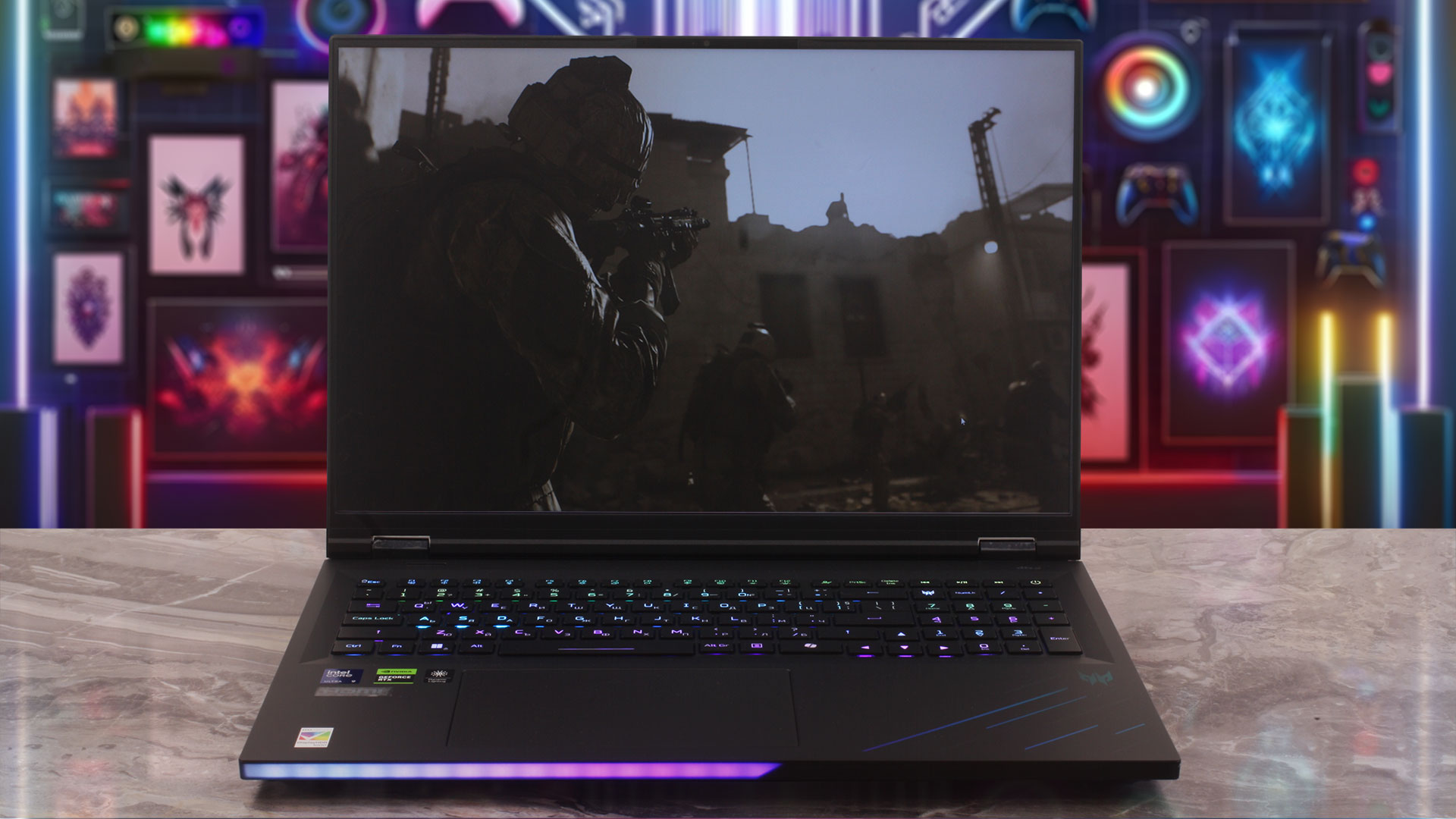
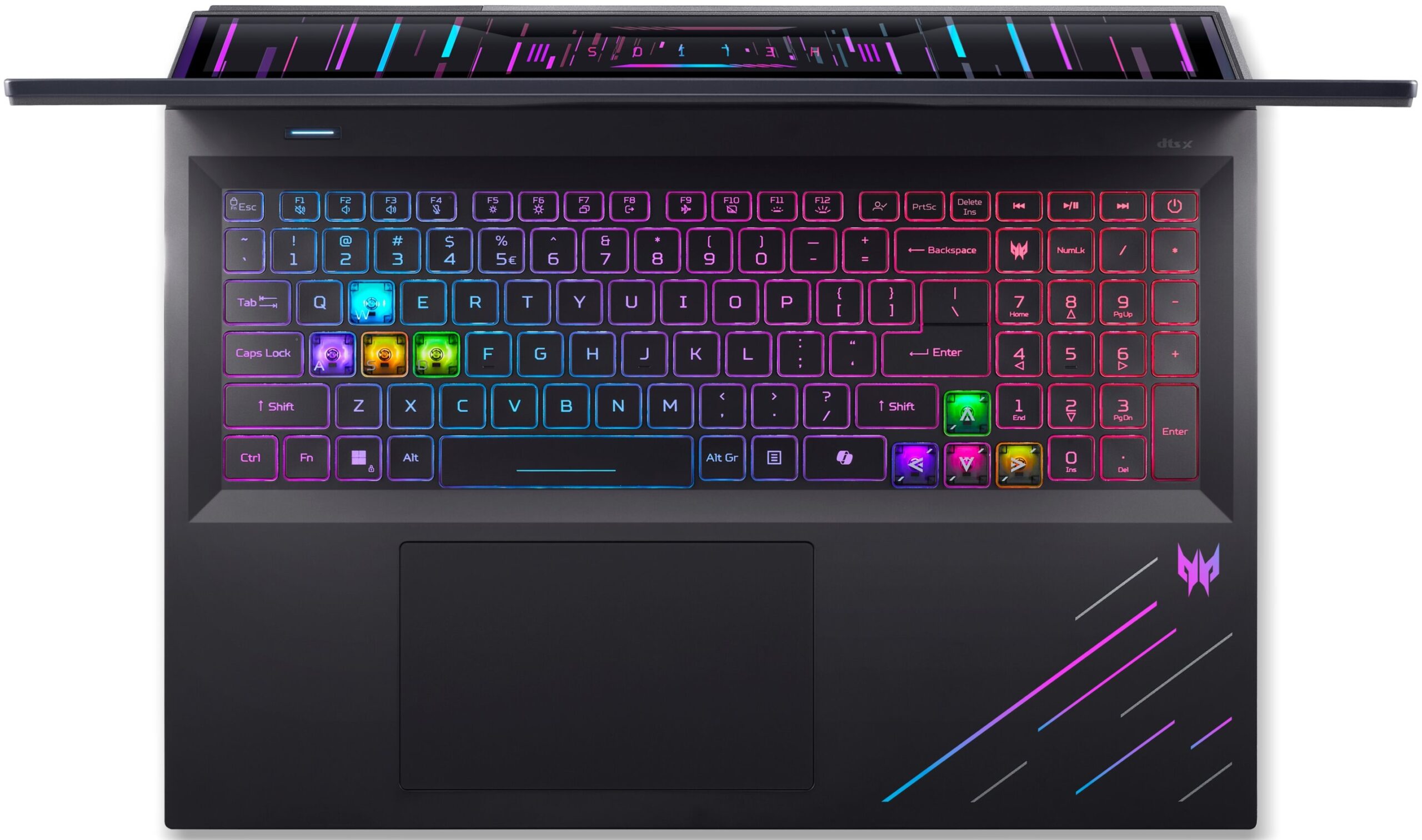
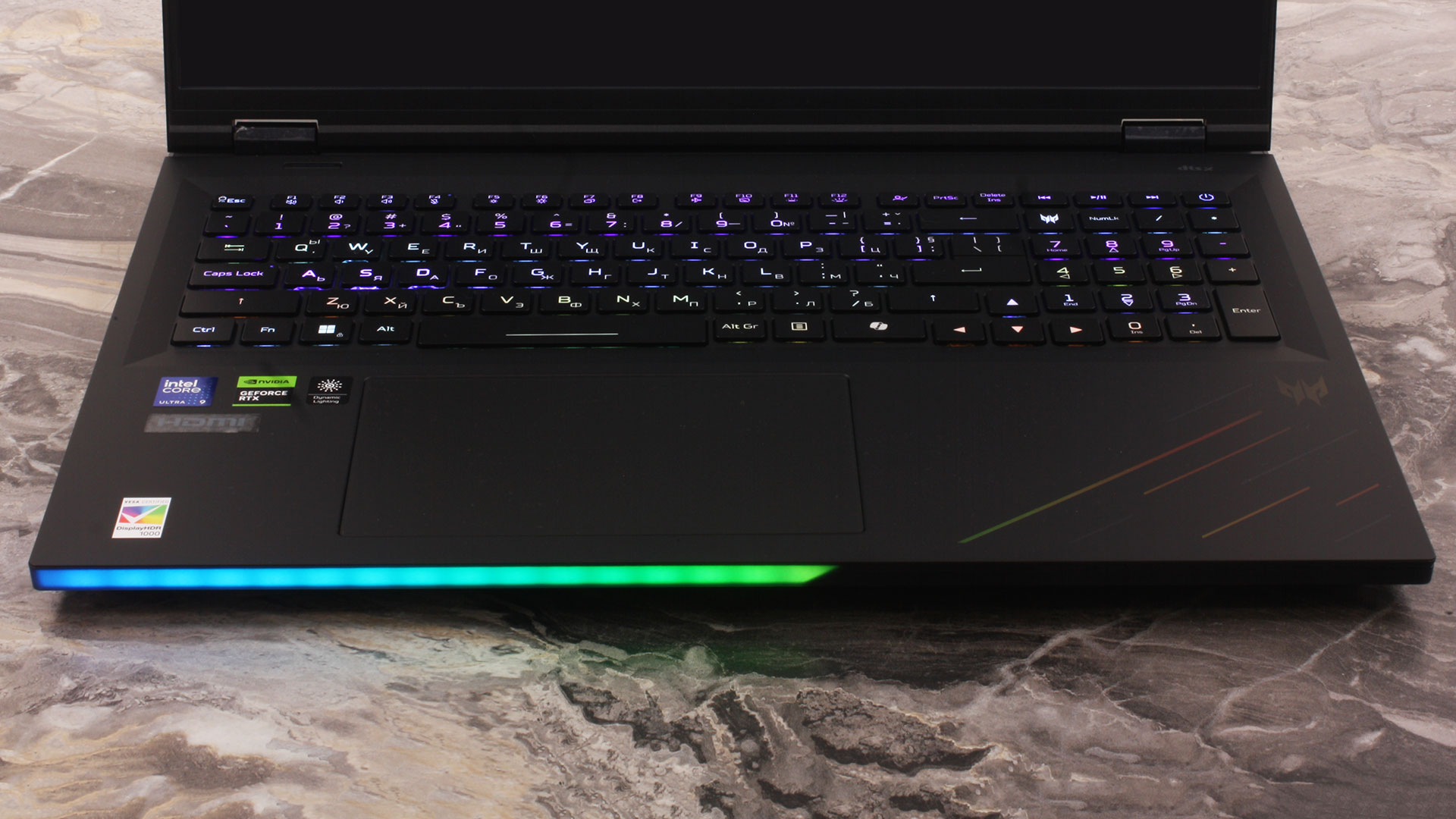
The sheer size of this machine allows for an impressively spacious input experience. You get a full-sized keyboard complete with a NumPad, which is great both for productivity and for users who like mapping extra controls in games. The typing and gaming experience is excellent, helped by deep 2.0 mm key travel, 100% anti-ghosting, a dedicated Copilot key, and FineTip mini-LED per-key RGB backlighting. Acer even includes swappable MagKey 4.0 caps for the WASD and arrow keys. Speaking of the arrow keys, we are thrilled they aren’t the dreaded half-height keys so common today, though we wish they had just a bit more physical separation from the main cluster to reduce the chance of accidental presses.
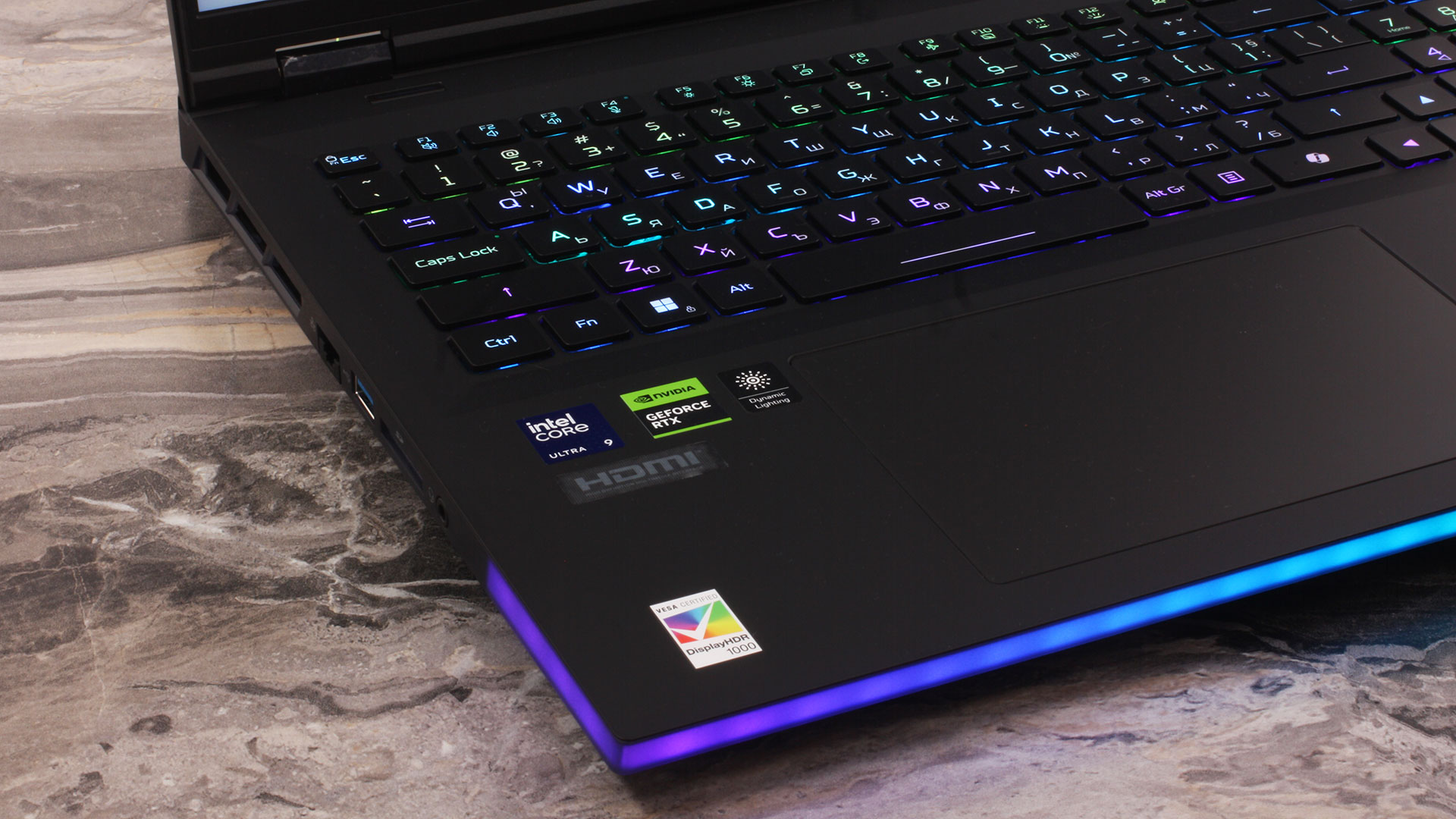
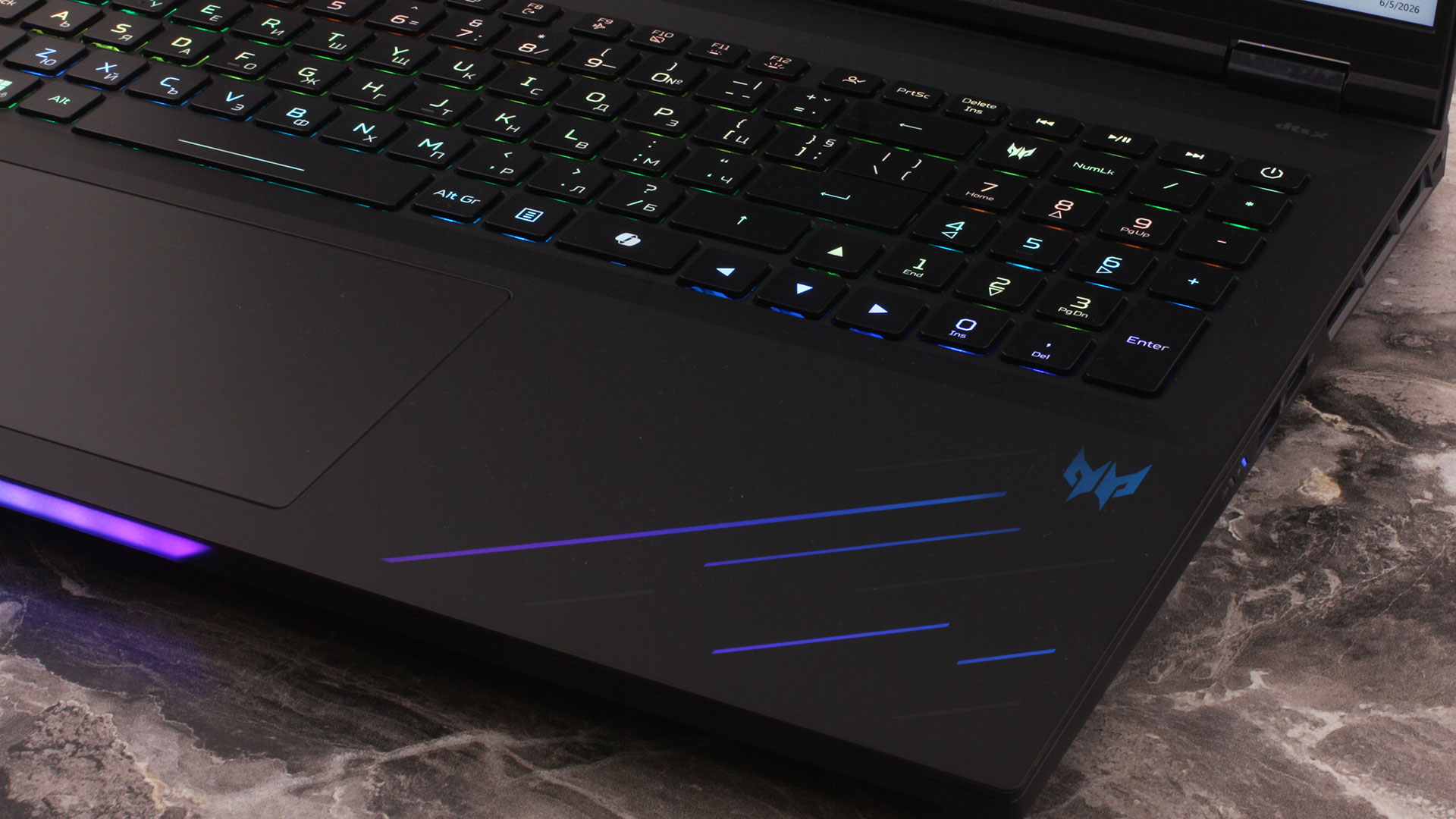
For biometric security, there is no fingerprint scanner, but the IR camera supports Windows Hello facial recognition. Finally, sitting below the keyboard is a huge Microsoft Precision Touchpad. It features a moisture-resistant surface topped with smooth Corning Gorilla Glass and full multi-gesture support, making it very comfortable for everyday use, even if most buyers will naturally pair this machine with a proper gaming mouse.
Ports and Connectivity
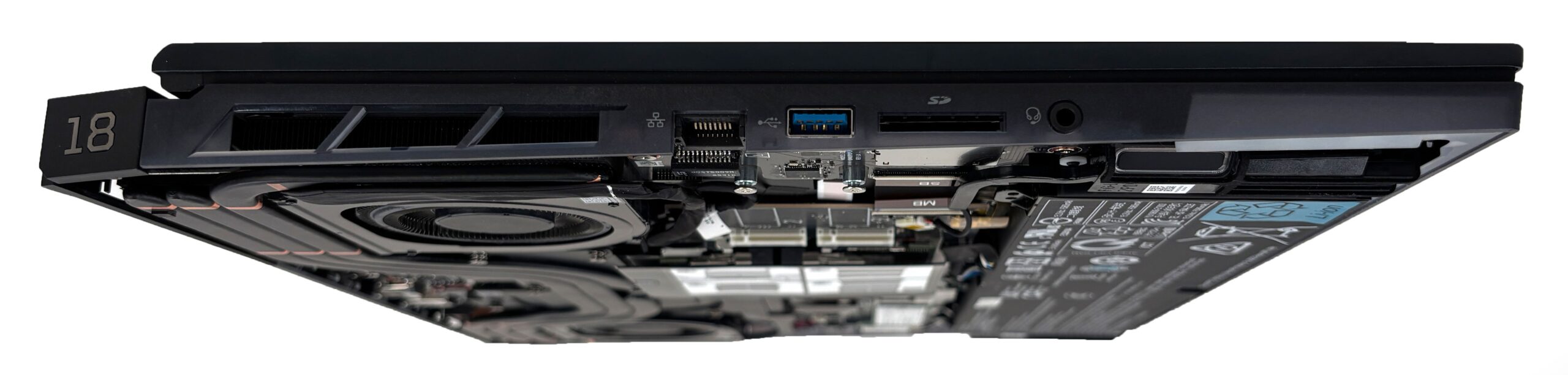
The Acer Predator Helios 18 AI (PH18-I71) distributes its extensive port selection in a very practical way, keeping most of the thick cables either on the left or at the back of the chassis. On the left flank, you get an RJ-45 LAN port, a USB Type-A port, a 3.5mm combo audio jack, and a full-size SD card reader — a highly practical inclusion for photographers and videographers who need quick access to high-resolution media. The right side is kept relatively clean to avoid interfering with mouse movements, housing a Kensington lock slot and two additional USB Type-A ports. One of these right-side ports supports power-off charging, allowing you to charge peripherals like a smartphone even when the laptop is shut down.
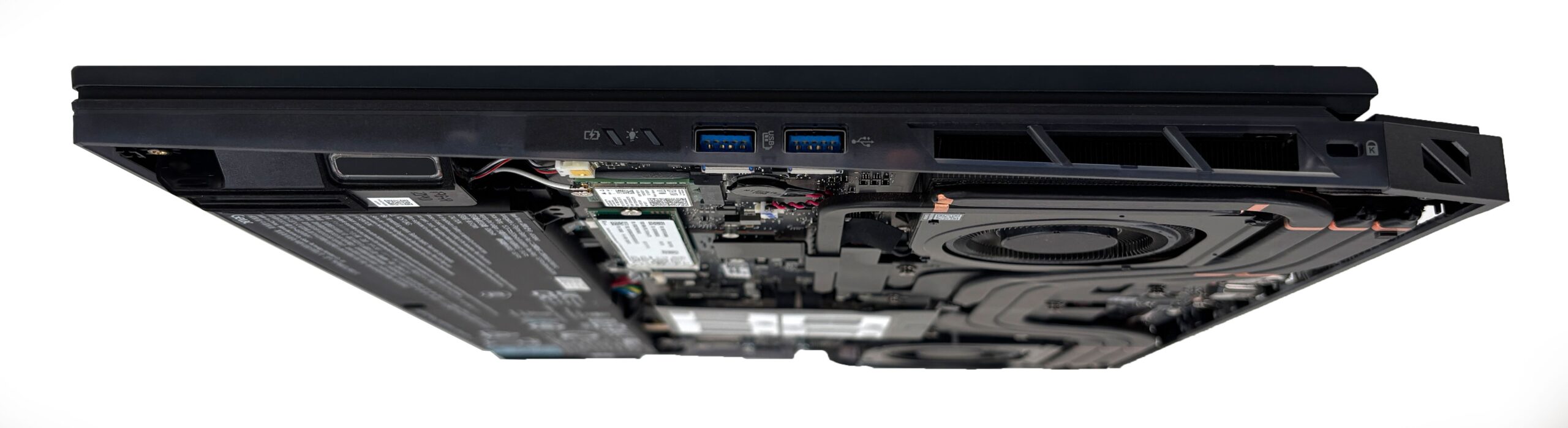
Here’s a photo of the left side plus a sneak peek of what’s inside the laptop — you’ll find more in the Disassembly section.
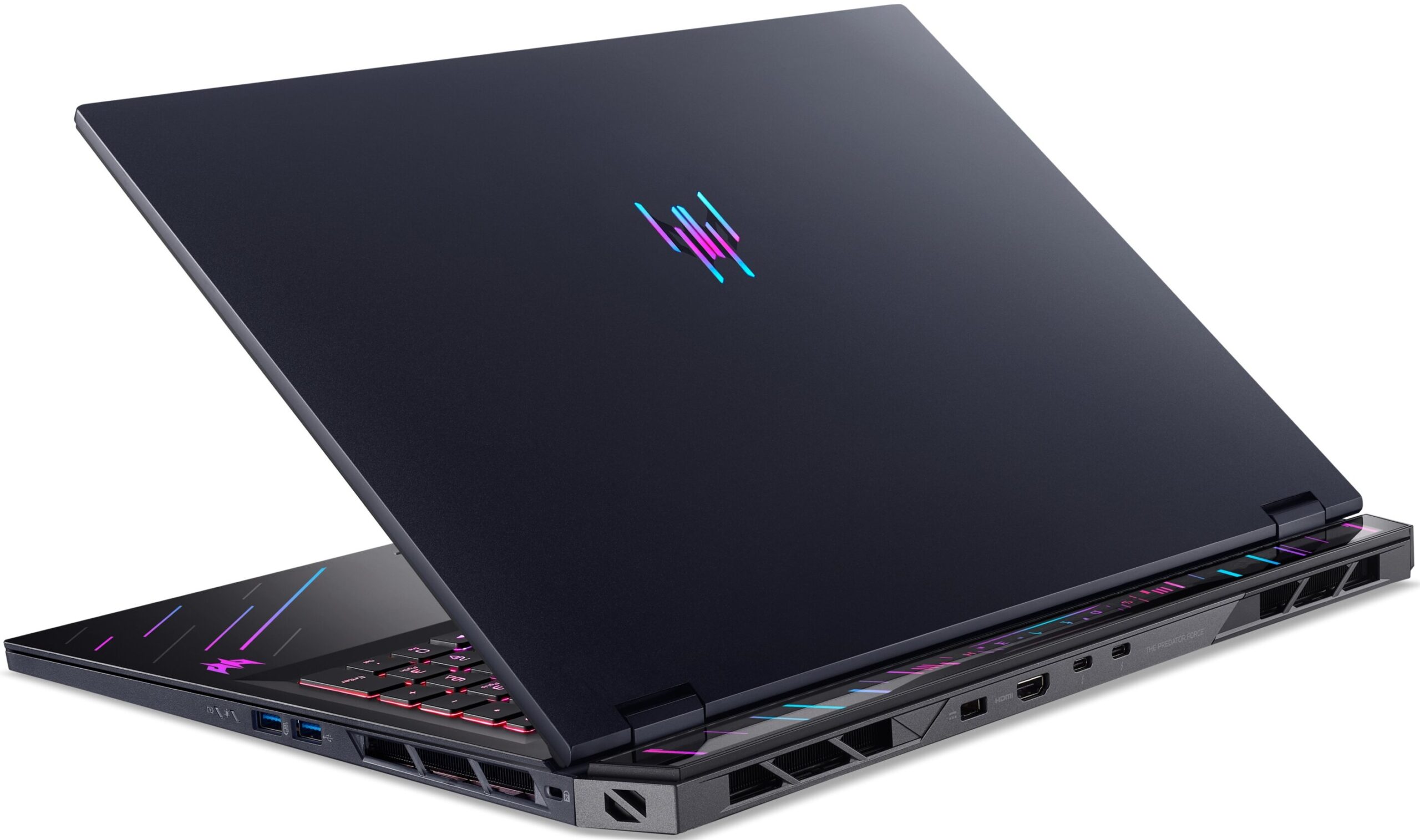
To keep the thickest cables out of sight, the rear of the chassis acts as the main high-performance I/O hub. This is where you plug in the DC-in connector for the system’s substantial 400W power adapter. You also get an HDMI 2.1 port with HDCP support for high-resolution external displays.
The standout feature on the back is the pair of USB Type-C ports with Thunderbolt 5 support. These ports also support USB 3.2 Gen 2×2 speeds of up to 20 Gbps, DisplayPort 2.1 output routed through the dedicated GPU, USB charging at 5V/3A, and up to 100W USB-C charging input. The dGPU-routed display output is especially important for users who plan to connect a high-refresh-rate external gaming monitor, as it avoids routing the signal through the integrated graphics.
The USB-C charging support is convenient, but it should be treated as a travel or emergency option for lighter work, not as a replacement for the 400W adapter. Acer’s own documentation makes it clear that 100W Type-C charging is intended for minimum usage, that slow charging is expected, and that full performance or gaming behavior is not guaranteed through USB-C power.
The networking capabilities are properly high-end. The physical RJ-45 connection is backed by a Killer Ethernet E5000B controller with 5Gbps wired support. Wireless connectivity is handled by a Killer Wi-Fi 7 module operating across the 2.4 GHz, 5 GHz, and 6 GHz bands with 2×2 MU-MIMO technology. Since both the wired and wireless solutions are Killer-branded, the laptop supports Killer DoubleShot Pro, which is designed to use both connections simultaneously and prioritize latency-sensitive traffic such as online gaming. The system also includes Bluetooth 5.4 or newer with Bluetooth LE Audio support. A SIM/WWAN option is not listed for this model.

Display and Sound Quality, Display Profiles
The display is one of the biggest attractions of the Acer Predator Helios 18 AI (PH18-I71), and also the most complicated part to summarize fairly. On the positive side, it is extremely bright, has exceptional contrast thanks to the mini-LED backlight, covers the full DCI-P3 gamut, supports HDR, and offers excellent sharpness. It is a very strong panel for gaming, movies, HDR content, and creative work.
However, it is not perfect. Factory color accuracy is good rather than studio-perfect, the sRGB mode in Chroma Tune is useful but not ideal, and the biggest drawback is eye comfort: the panel uses noticeable PWM with a very low duty cycle. This means the display quality is visually impressive, but users with sensitive eyes should be careful.
We ordered the Acer Predator Helios 18 AI (PH18-I71) with the sharpest display option: an 18-inch WQUXGA (3840 × 2400) IPS mini-LED panel at 120 Hz (AUO B180ZAN01.0 / AUO71B7). This is also a dual-mode panel, so it can switch to 1920 × 1200 at 240 Hz when you prefer higher refresh rate over maximum sharpness. Acer also offers a separate 18-inch WQXGA (2560 × 1600) mini-LED variant with up to 250 Hz.
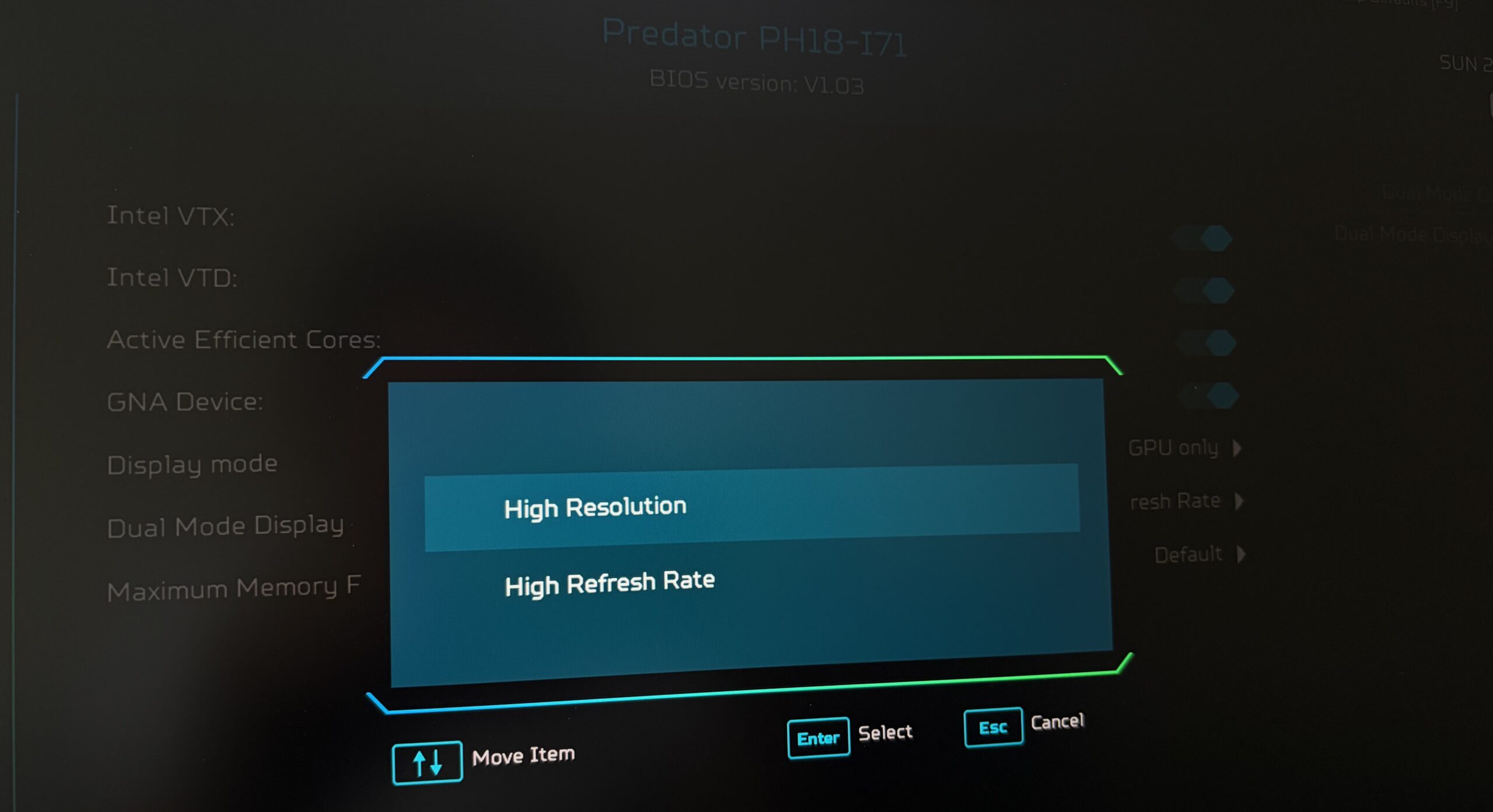
Both mini-LED options are listed with 100% DCI-P3 coverage, up to 600 nits in SDR mode, up to 1000 nits in HDR mode, NVIDIA Advanced Optimus support, and HDR 1000.
| Acer Predator Helios 18 AI (PH18-I71) | 18″, WQXGA (2560 x 1600), 250 Hz, IPS mini-LED | 18″, WQUXGA (3840 x 2400), 120 Hz, IPS mini-LED, Dual Mode (B180ZAN01.0 / AUO71B7) |
| Diagonal | 18.0 inches (45.7 cm) | 18.0 inches (45.7 cm) |
| Panel Type | IPS mini-LED | IPS mini-LED |
| Resolution | 2560 x 1600 pixels | 3840 x 2400 pixels, or 1920 x 1200 in high-refresh mode |
| Max Refresh Rate | 250 Hz | 120 Hz at 3840 x 2400, or 240 Hz at 1920 x 1200 |
| Aspect Ratio | 16:10 | 16:10 |
| Pixel Density | 168 PPI | 252 PPI |
| ‘Retina’ Distance | Greater than or equal to 52 cm | Greater than or equal to 35 cm |
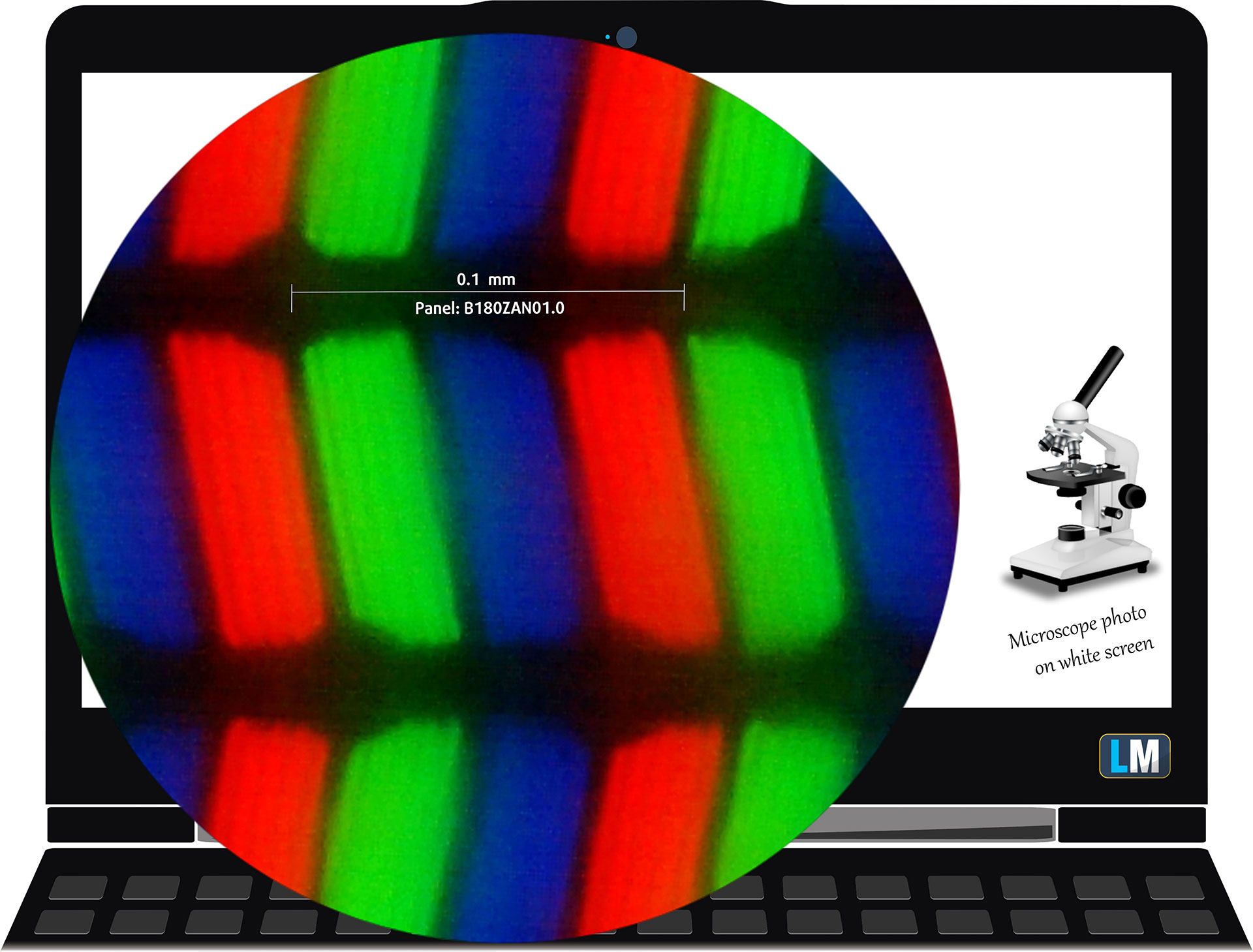
The WQUXGA (3840 x 2400), 120 Hz, IPS mini-LED display variant under our microscope
Viewing Angles
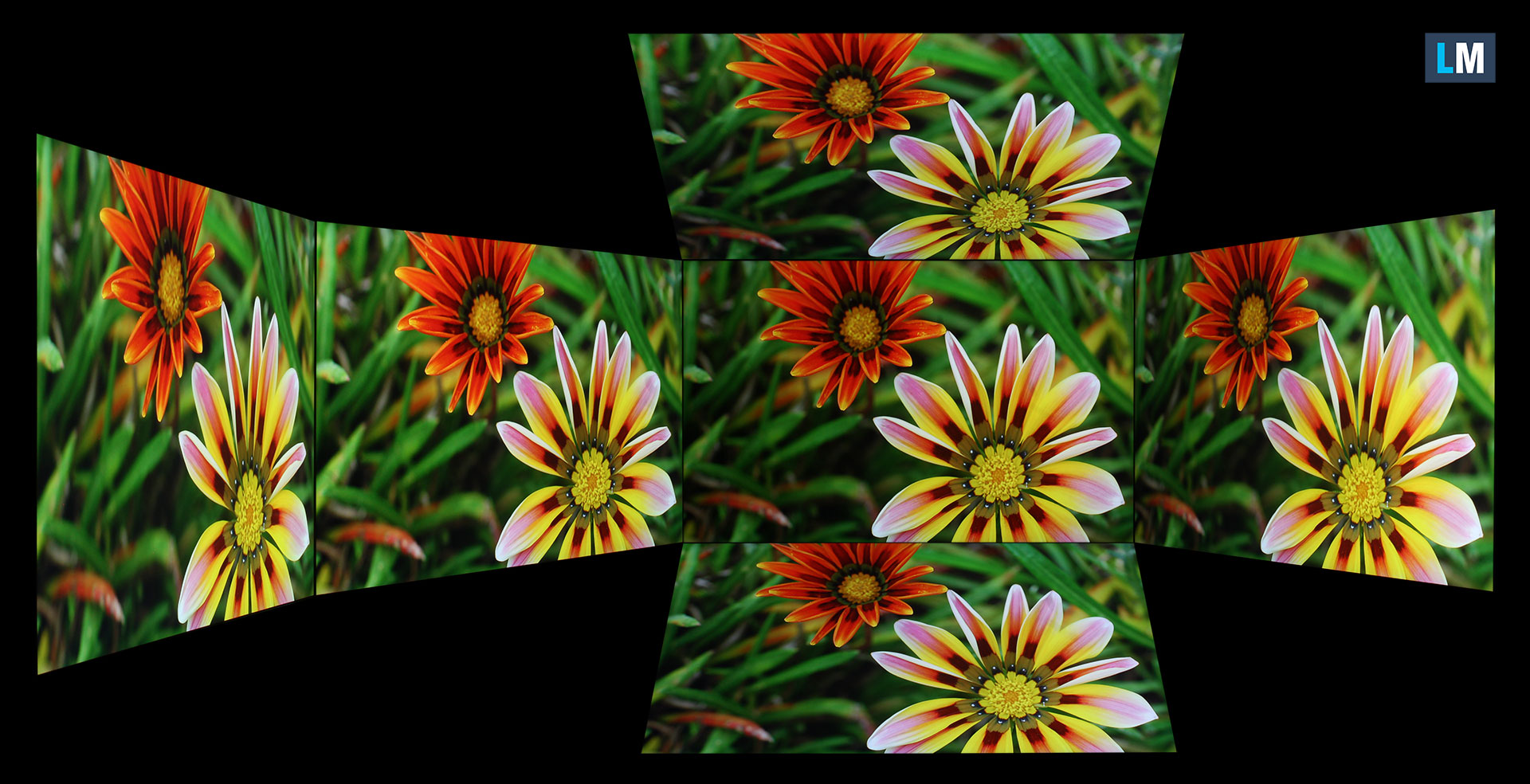
Viewing angles are good. We take photos from different angles to evaluate the quality.
We also include a video with locked focus and exposure.
Color Coverage
The entire “sail-shaped” diagram below (Fig. 1) consists of all the colors we can see, while the curved black line shows all the colors from real-world scenes and nature around us.
Then, we’ve drawn some of the most important and interesting color spaces and compared them to the colors the panel of Acer Predator Helios 18 AI (PH18-I71) can show:
Standard/For Web: sRGB – widely used color space for most consumer devices, ideal for Web design and development
For Print: AdobeRGB – used in professional photo editing, graphic design, and print
For Photographers/Video Editors: DCI-P3 – used in high-end film production, post-production, and digital cinema
Premium HDR: Rec. 2020 – the widest consumer ITU color standard, covering a massive 75.8% of the visible color gamut, a benchmark for premium HDR content.
Acer Predator Helios 18 AI (PH18-I71): the yellow dashed triangle (– – – – – –) represents the range of colors this display can show.
In our tests, we calculated the total color coverage of the display at 100% of the sRGB color gamut and 100% of the DCI-P3 color gamut.
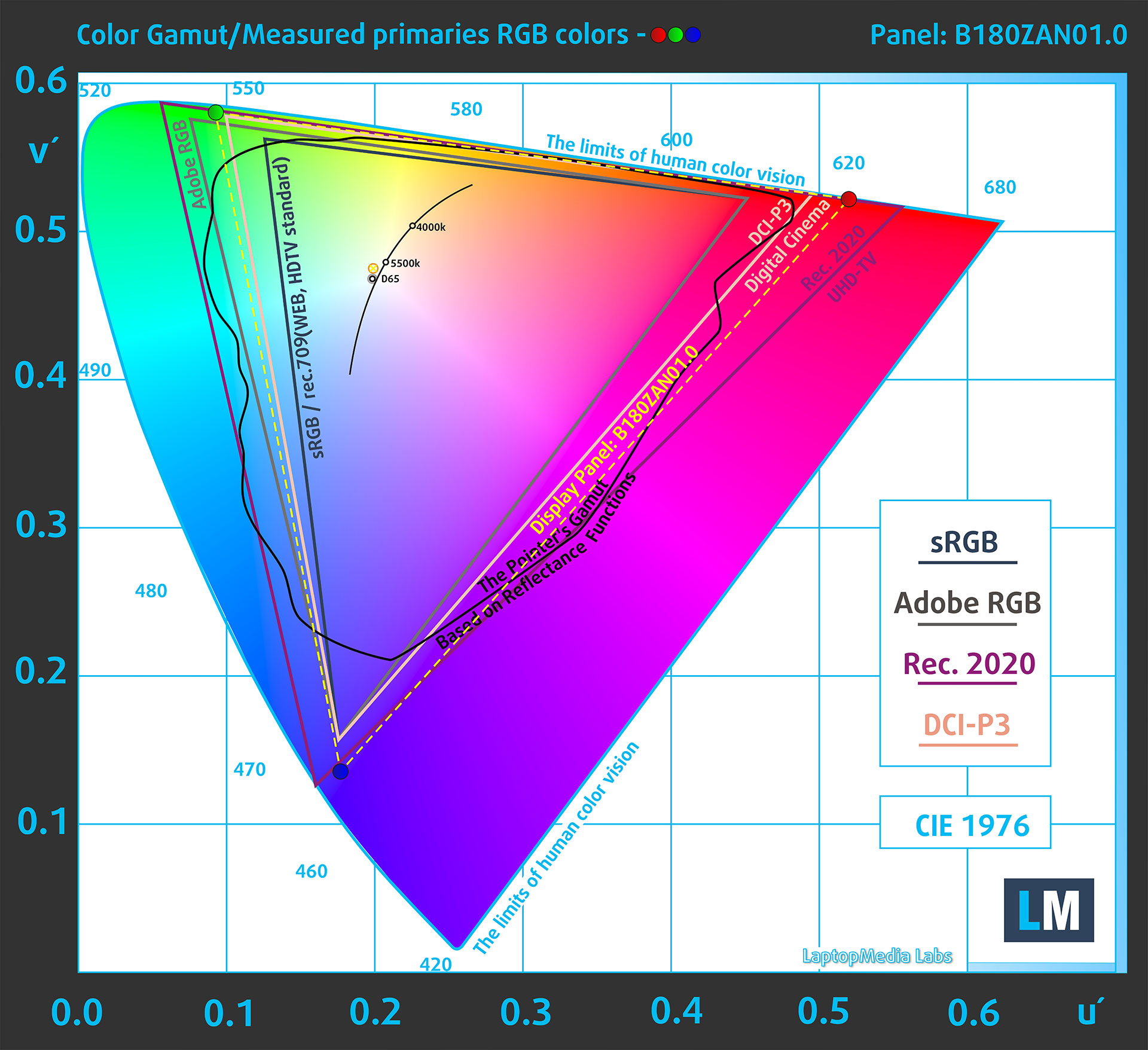
(Fig.1) Acer Predator Helios 18 AI (PH18-I71) covers 100% of the DCI-P3 gamut
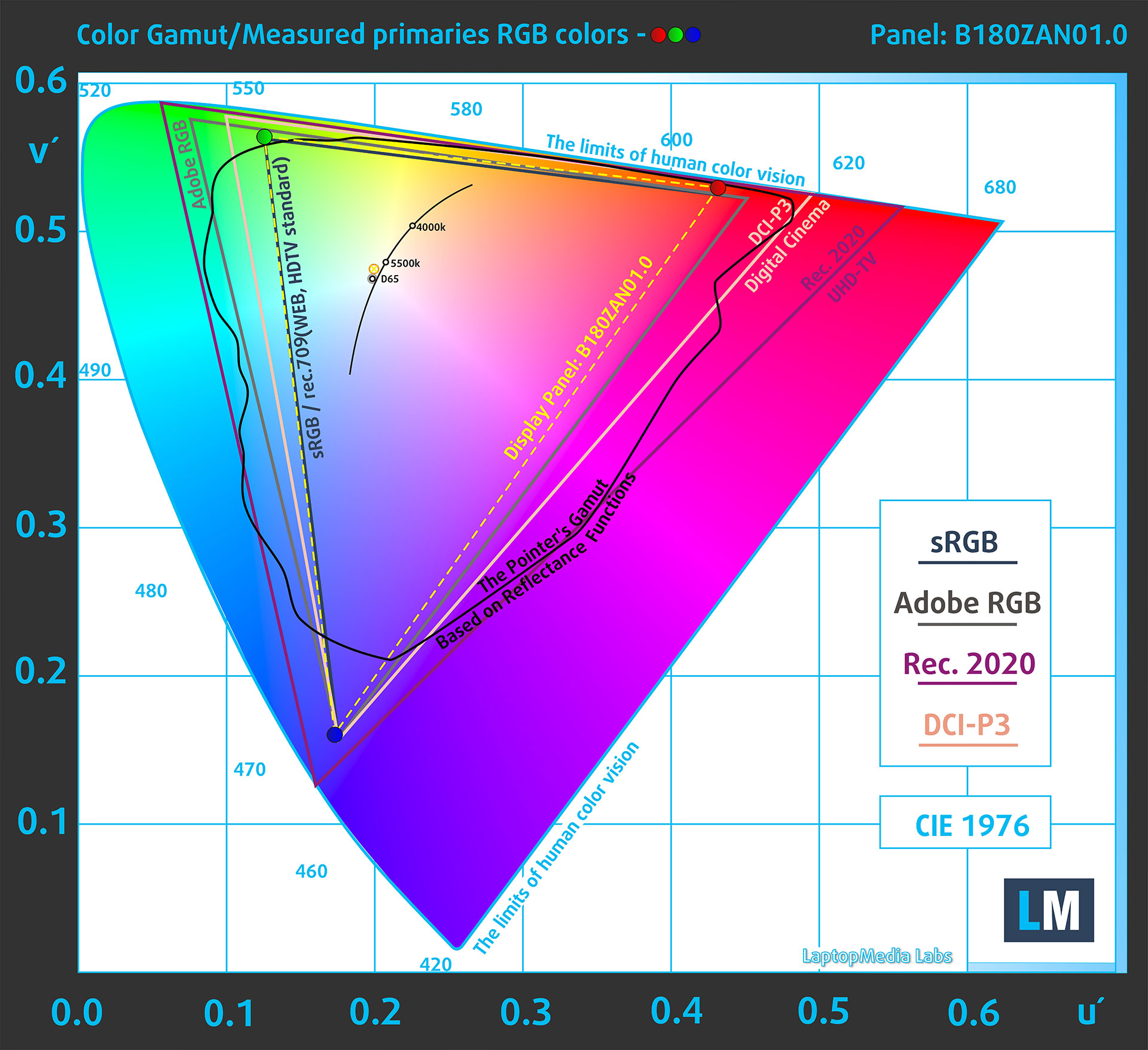
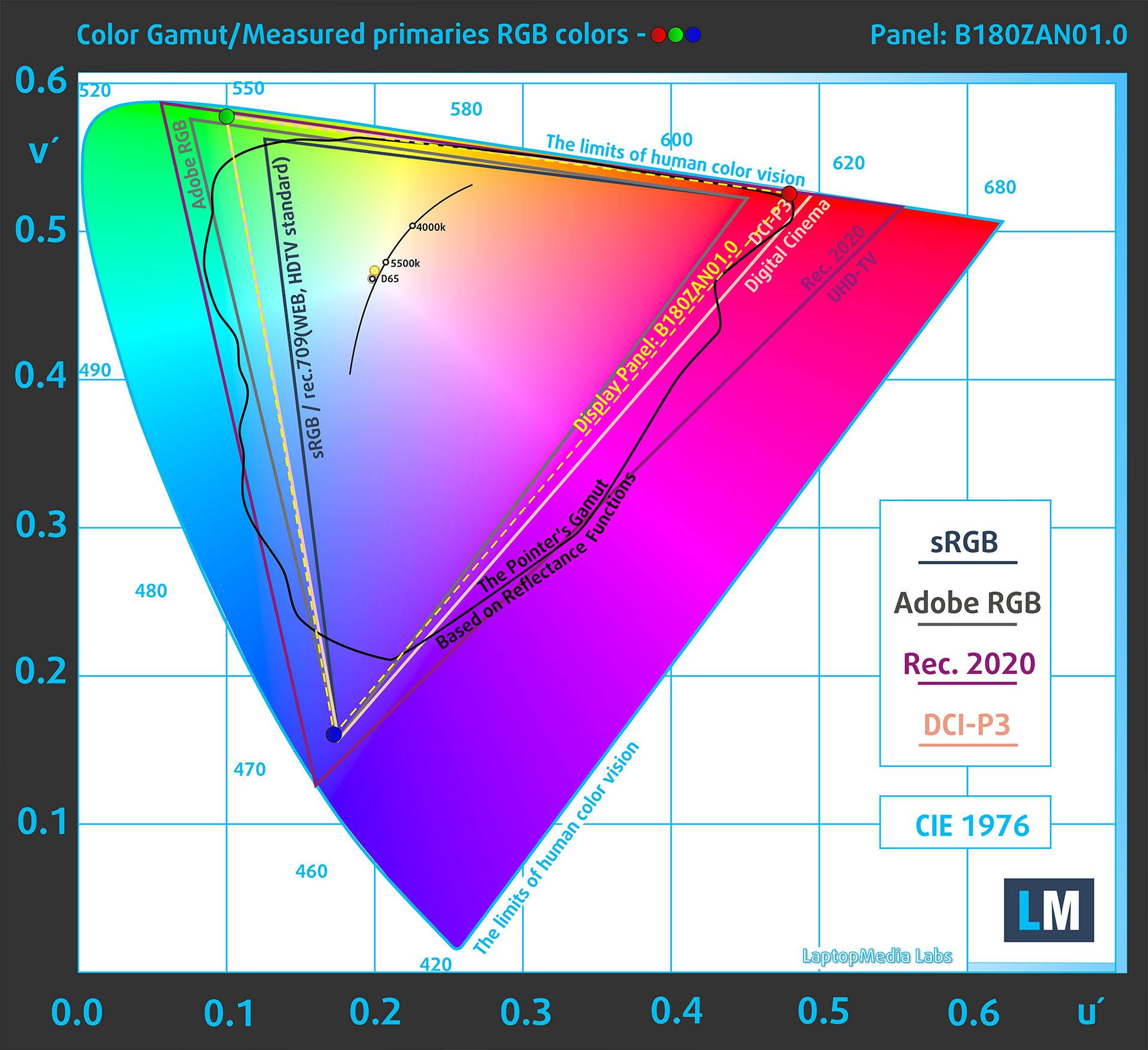
The Chroma Tune app provides Display P3 and sRGB color-space modes. They are useful, but the sRGB emulation is not perfect, so users who need strict color-managed work should keep this in mind.
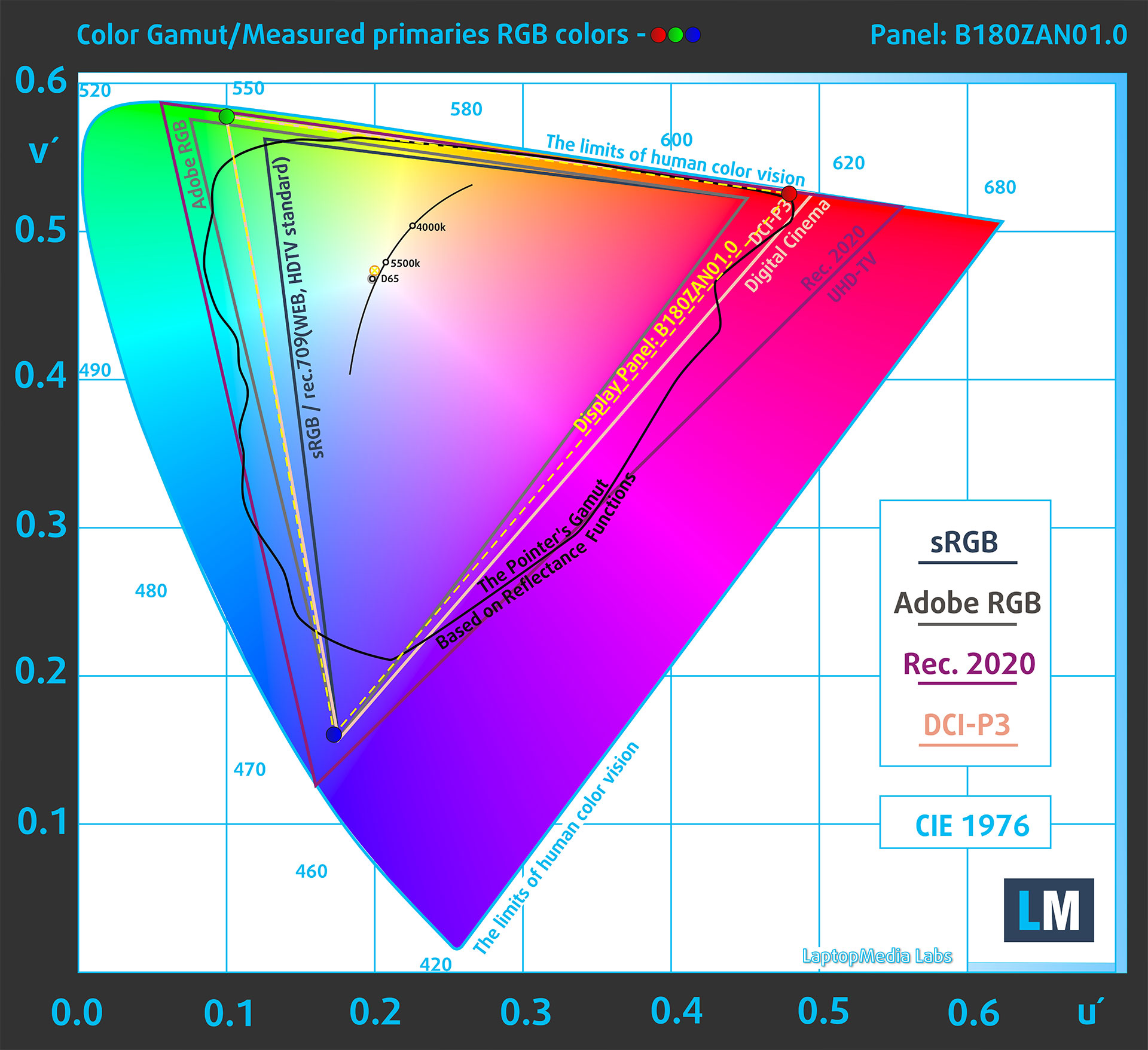
(Fig.2) Display P3 mode
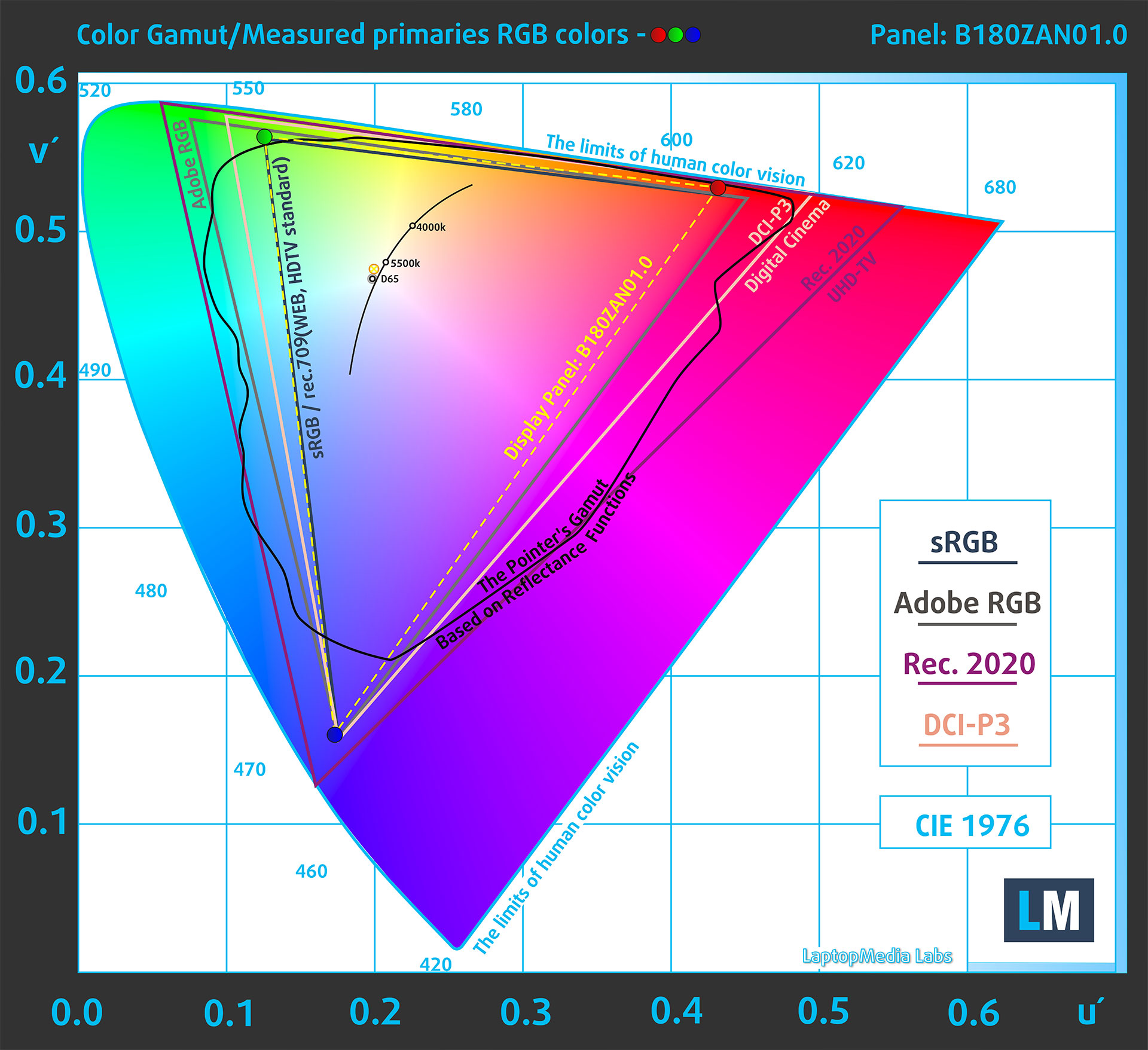
(Fig.3) sRGB mode
Brightness
The maximum brightness in HDR mode is 1060 cd/m² at 8% white fill and 1050 cd/m² on a full white screen. Windows also reports support for HDR video streaming, games, apps, and more.
The maximum brightness in SDR mode is 711 cd/m² in the center of the screen and 717 cd/m² averaged across the surface with a maximum deviation of 6%.
Uniformity: Luminance, Contrast, and Color Deviation
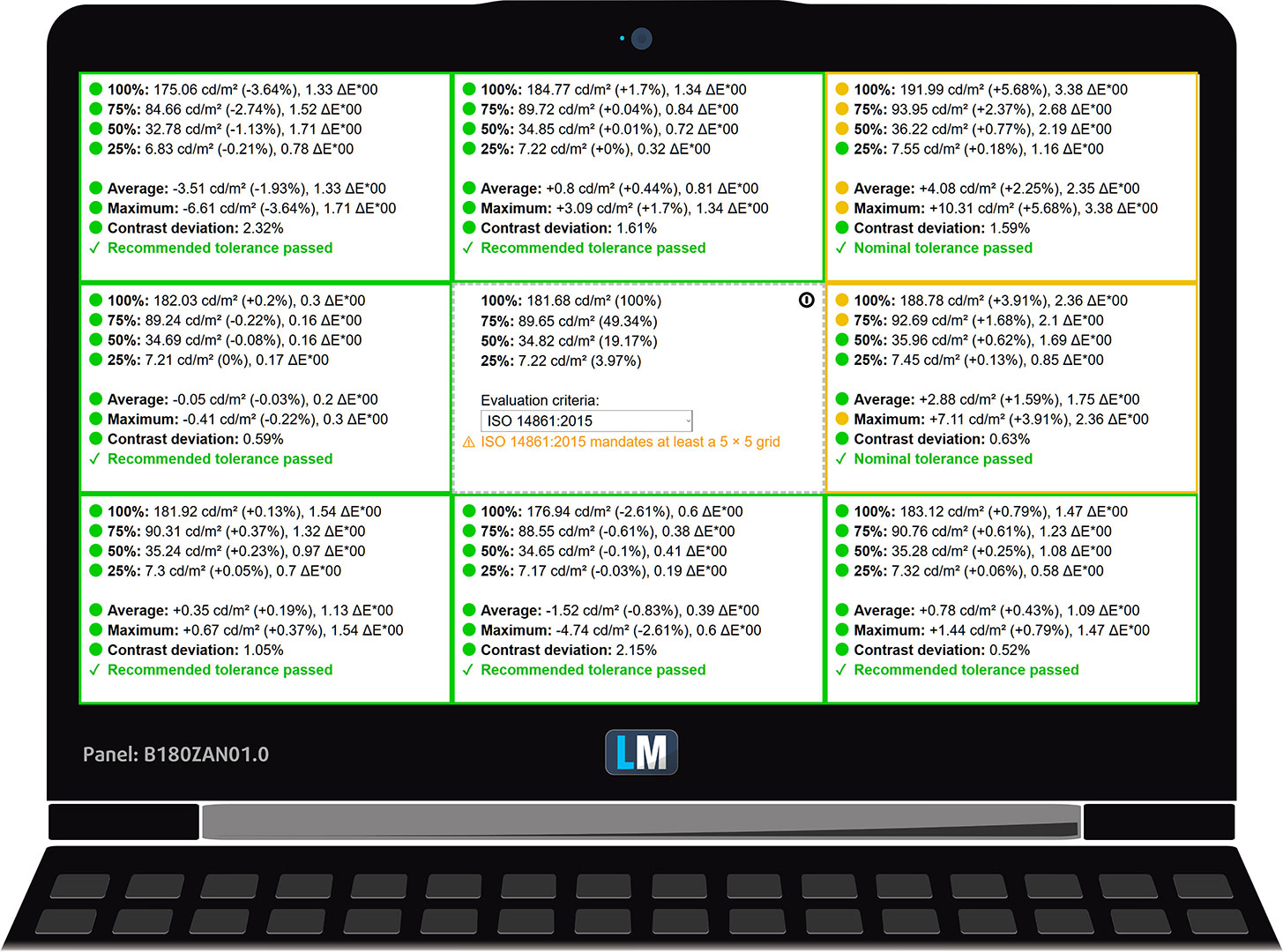
The figure below shows the results from our uniformity test across different sections of the screen. The measurements are taken at 182 nits (Windows slider = 40%) – a brightness level we consider typical for standard working conditions.
DeltaE values below 4.0 are acceptable for regular users. For those working with colors, screens with DeltaE values no higher than 2.0 are recommended.
Color Accuracy
Let’s check the difference between real colors and those you’ll see on the Acer Predator Helios 18 AI (PH18-I71). We measure that distance in DeltaE – the higher the number, the more different they look.
Values below 4.0 are acceptable for regular users, while values below 2.0 are suitable for color-sensitive work. A value below 1.0 means the difference is indistinguishable to the naked eye.
For the next graph, we’ve selected 24 common colors, including dark and light skin tones, blue sky, green grass, etc.
Below are the results of the Acer Predator Helios 18 AI (PH18-I71) in its factory condition (Chroma Tune app – sRGB mode) compared to the sRGB color space. Accuracy is good for everyday use, but not quite at the level we would call ideal for professional color work without further calibration.
Comparison in the sRGB color space.
Below are the results of the Acer Predator Helios 18 AI (PH18-I71) in its factory condition (Chroma Tune app – Display P3 mode) compared to the Display P3 color space.
Comparison in the Display P3 color space.
Health Impact: PWM (Screen flickering)
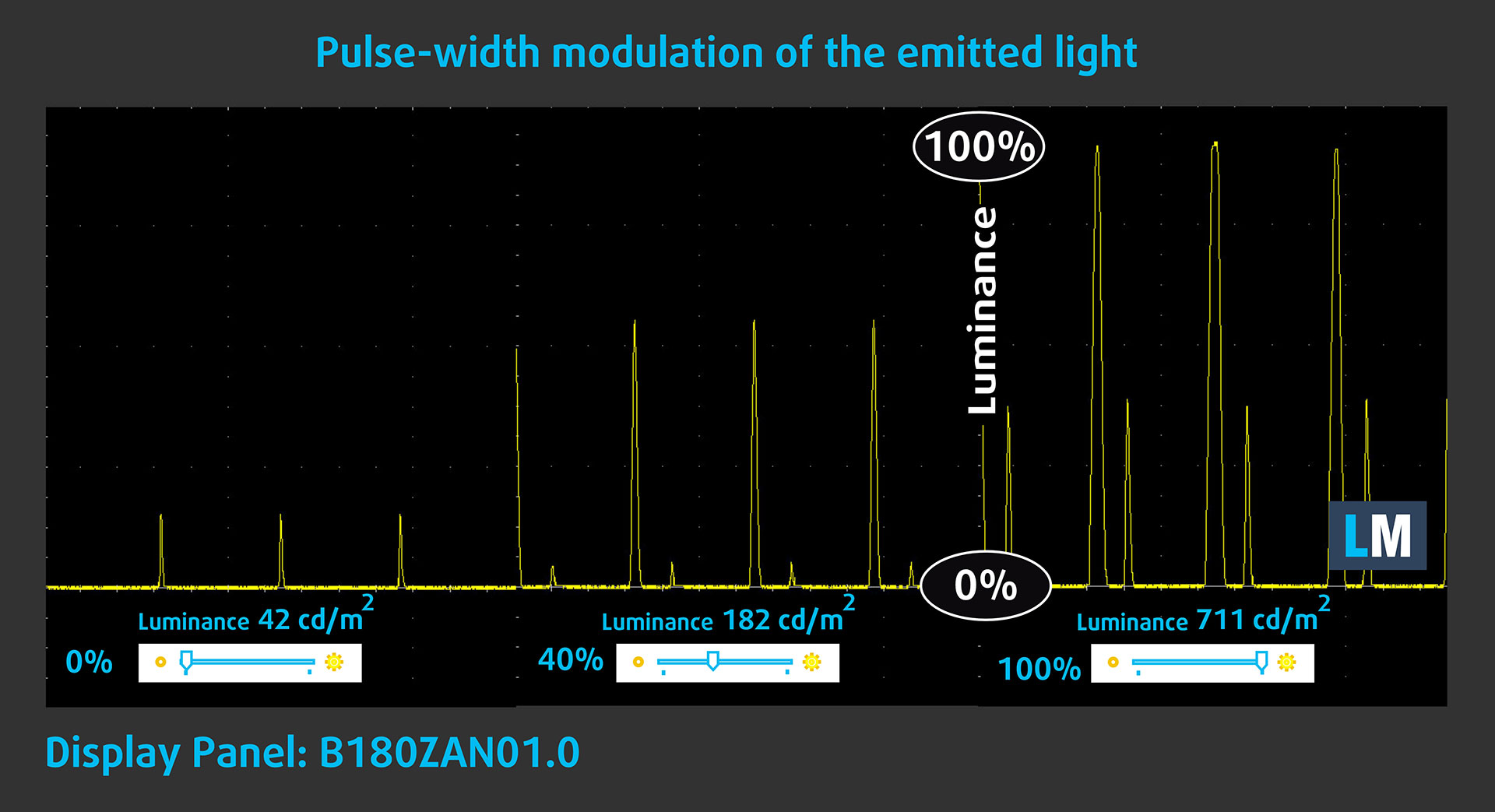
Some displays use PWM to regulate brightness, which means that instead of reducing the light intensity smoothly, they pulse or flicker. Our brain merges the image, so it appears darker, but this can increase eye strain, especially when the pulse behavior is aggressive. You can read more about that in our dedicated article on PWM.
In the graph below, you see the intensity of light at different brightness levels. The vertical axis shows the brightness of the emitted light, while the horizontal axis shows time.
The backlight of the Acer Predator Helios 18 AI (PH18-I71) display shows strong pulsations. The frequency is high, which helps, but the duty cycle is very low, making the flicker pattern unpleasant. Because of this, we cannot call this panel comfortable for sensitive eyes, especially during long sessions or when brightness is reduced. This is the main weakness of an otherwise excellent mini-LED display.
Health Impact: Screen Reflectance
Screen reflections can cause eye fatigue in bright environments, especially when strong light sources are visible behind the user. We measure the level of screen reflectance with the display turned off, at a 60° angle.
The screen reflectance of the Acer Predator Helios 18 AI (PH18-I71) is 49.0 GU. This places it in the medium-reflectance range, which is a good result for a bright mini-LED panel of this type. The screen is not mirror-like glossy, but reflections can still be visible in strong ambient light.
High Gloss: >70 GU
Medium Gloss: 30 – 70 GU
Low Gloss: <30 GU
Sound
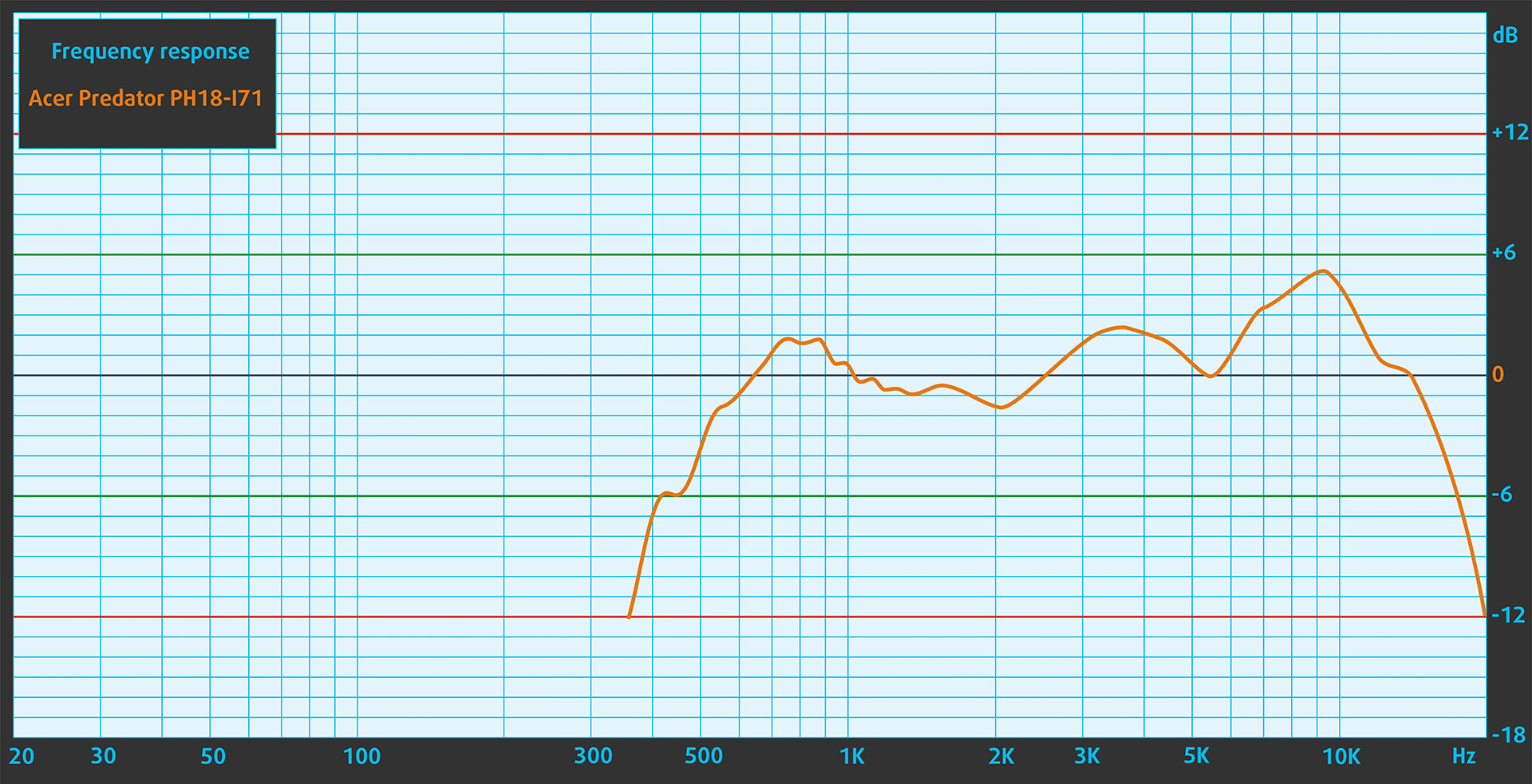
Acer Predator Helios 18 AI (PH18-I71) has a six-speaker (quad + dual) setup with smart amplifier enhancement. In our listening test, the built-in speakers deliver very good sound quality, with enough volume and fullness to match the large chassis. The frequency response is not perfectly flat, but for a gaming laptop, the overall presentation is strong.
Work Performance: CPU, Storage, AI
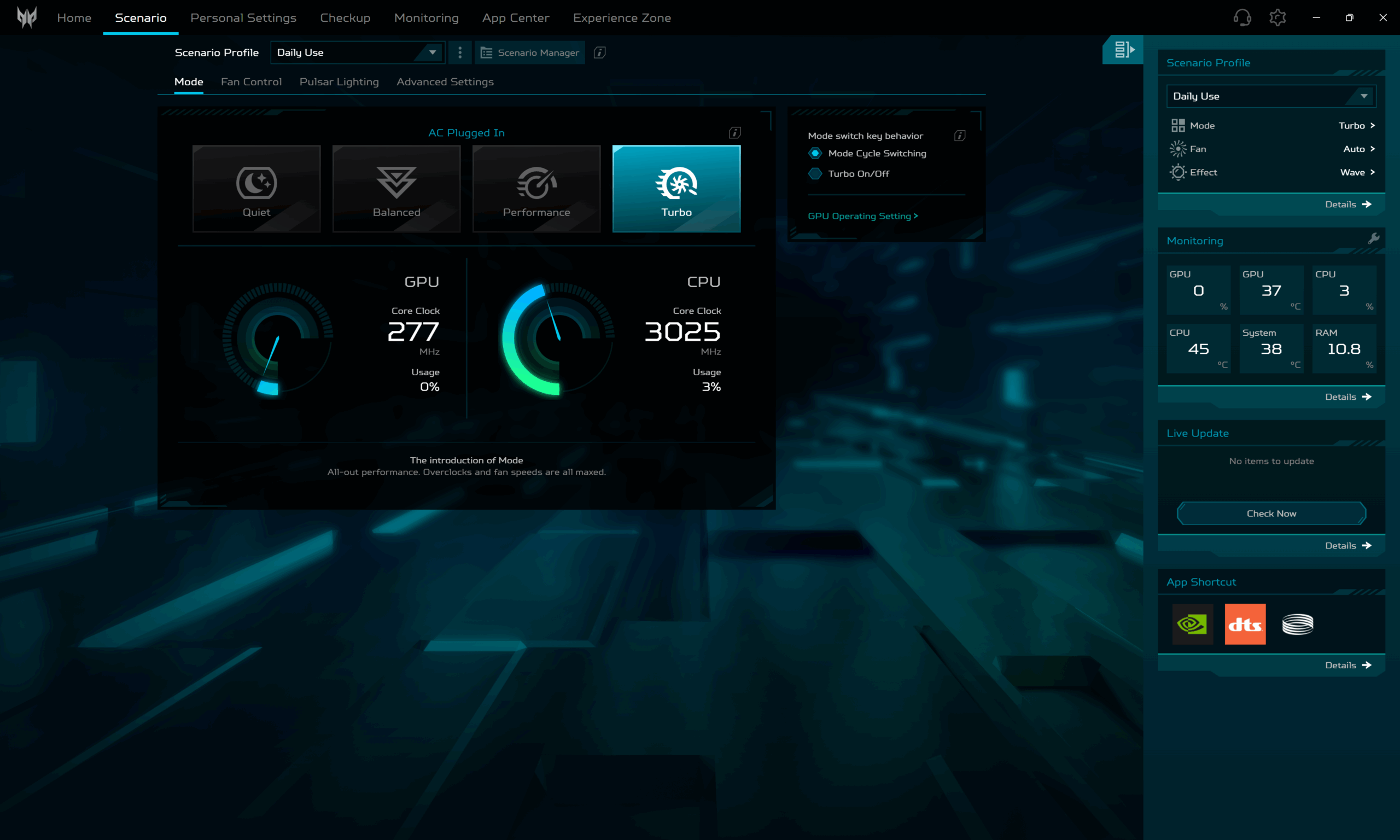
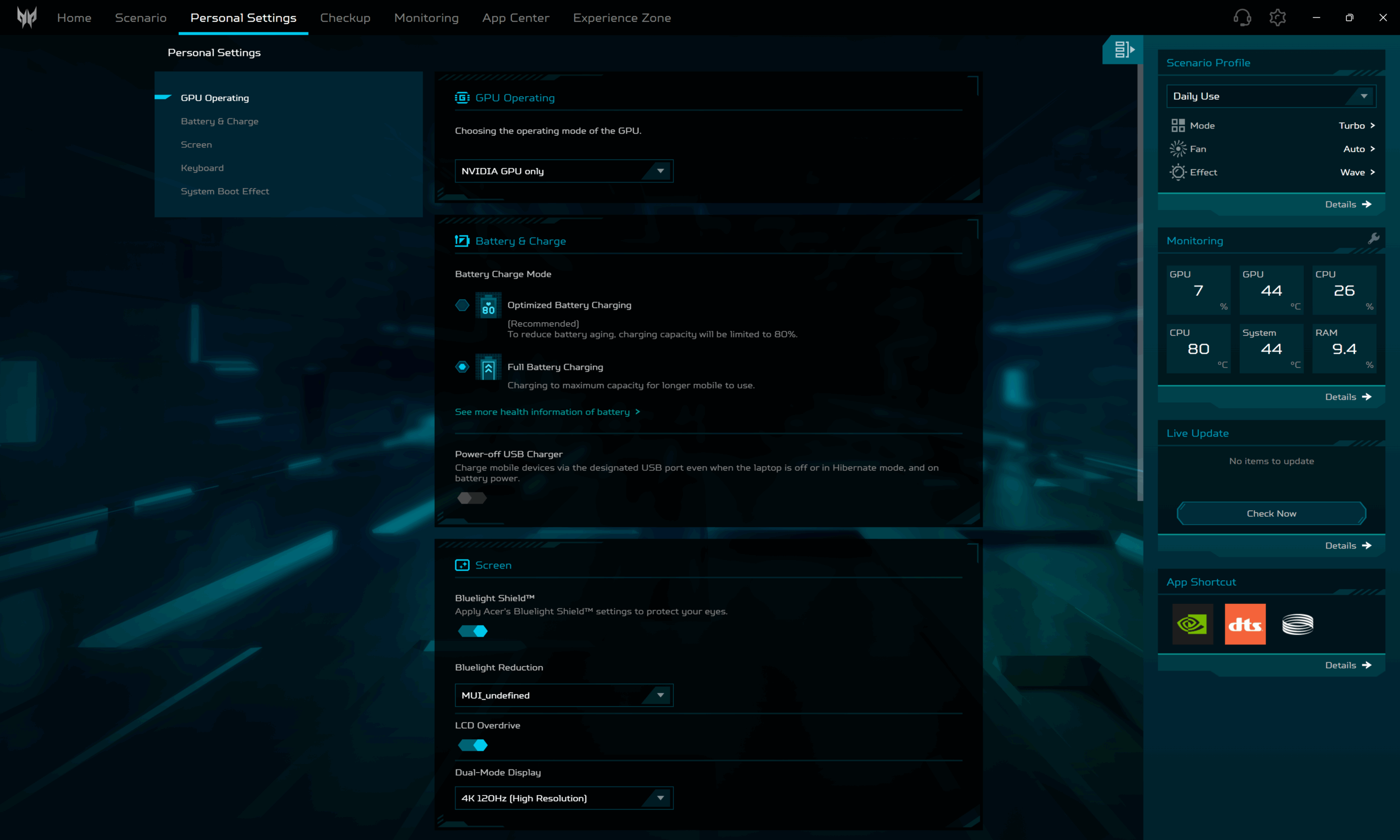
All performance and temperature tests are conducted with Turbo / dGPU mode activated in Predator Sense.
CPU and Work Performance
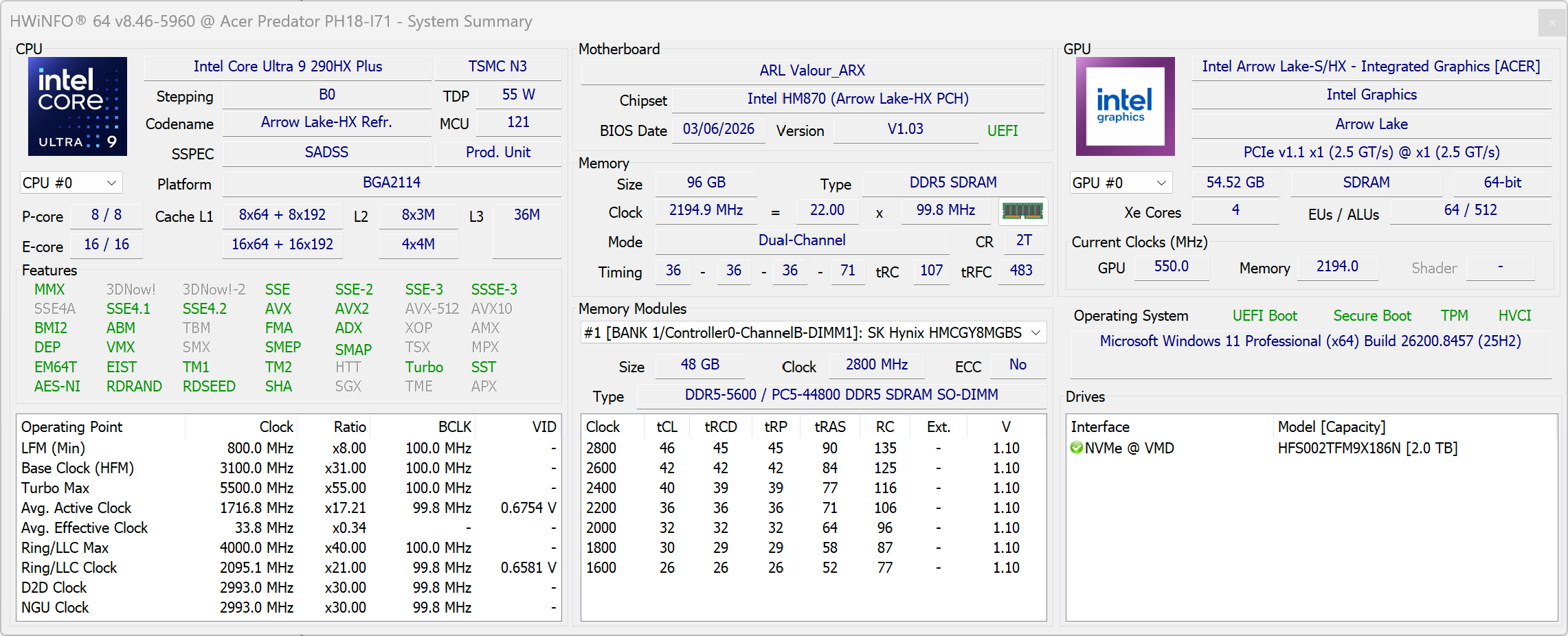
The Acer Predator Helios 18 AI (PH18-I71) is configured with the Intel Core Ultra 9 290HX Plus, a flagship-class processor intended for very demanding gaming, heavy multitasking, and professional workloads. Since this is the only CPU option listed for this series, the main differences between configurations will likely come from the graphics card, display, memory, and storage rather than processor choice. For a broader look at how laptop processors compare, check our Top Laptop CPU Ranking.
The Core Ultra 9 290HX Plus is a very fast CPU for gaming, content creation, compiling code, and heavy multitasking, but the Helios 18 AI is more impressive as a complete high-end platform than as a pure CPU benchmark champion.
Single-core performance ensures smooth operation and responsiveness in operating systems, providing a better user experience.
Results are from the Geekbench 6 Single-Core test (higher is better)
Multi-core performance is essential for handling complex and demanding tasks, such as Video editing, CAD, and Scientific simulations.
Results are from the Geekbench 6 Multi-Core test (higher is better)
Here, we evaluate the CPU's performance using a real-world 3D rendering task, assessing its ability to handle complex computations and rendering workloads efficiently.
Results are from the Cinebench 2024 Multi-Core test (higher is better)
Storage Performance
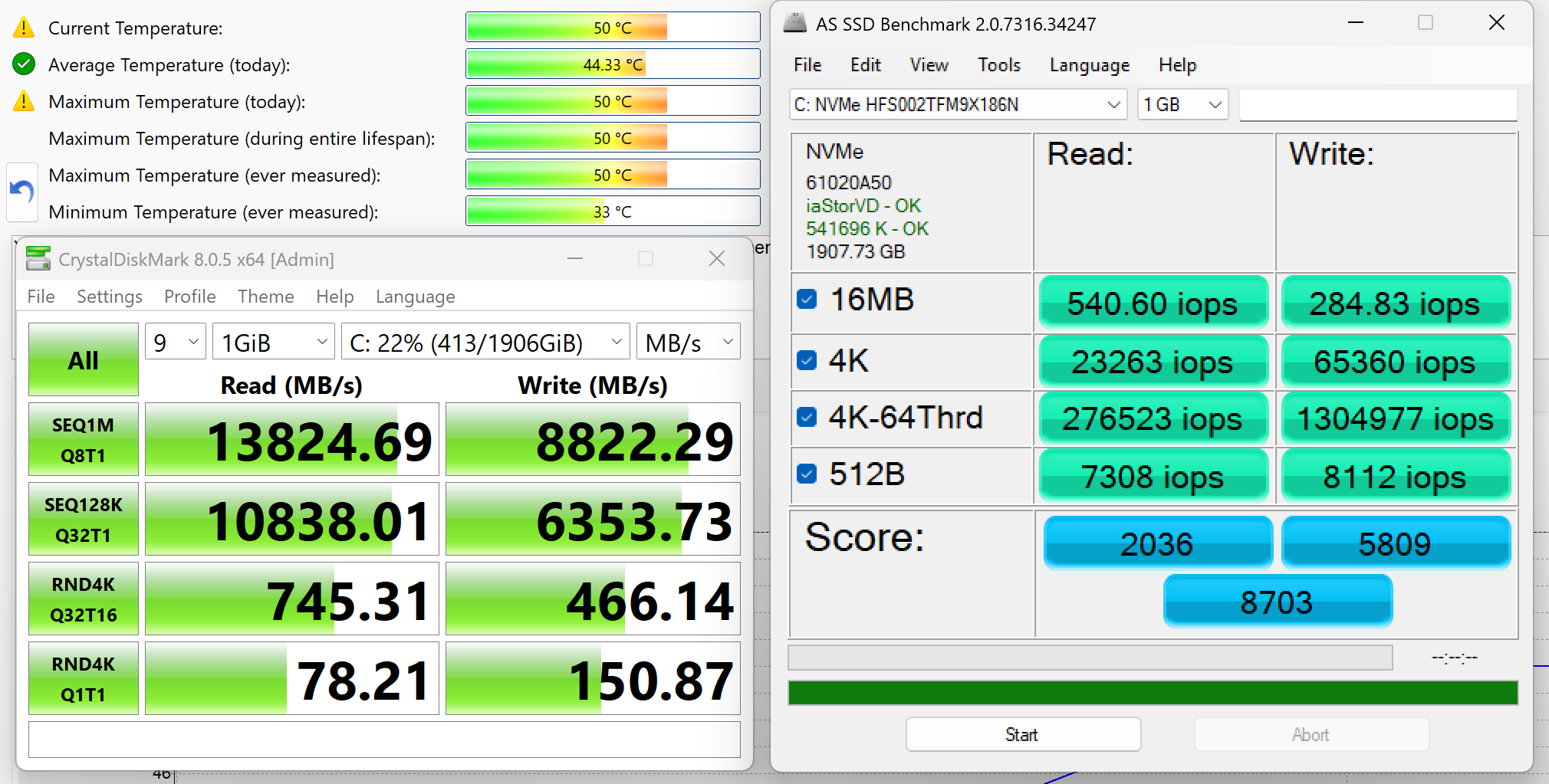
We ordered a configuration with 2TB of storage and the Helios 18 AI arrived with Hynix PCB01 SSD.
It’s a super fast PCIe 5.0 2280 NVMe drive, reaching 13.8GB/sec sequential read and 8.8GB/sec sequential write speeds in our benchmark, while keeping the temperatures rather low.
AI Performance
Here you can see the position of the GPUs and CPUs (NPUs) found within the Acer Predator Helios 18 AI (PH18-I71) in our AI Hardware Performance Rankings based on their AI processing power, measured in TOPS (Tera Operations Per Second) - a critical metric indicating the computational throughput, particularly for AI tasks.
The first column shows peak performance for INT8/FP8 precision, which is the most widespread metric for evaluating AI inference capabilities. We exclude Sparsity to provide a more accurate reflection of AI performance in dense computation scenarios where sparsity optimizations may not be applicable. The second and third columns show the performance with Sparsity, and FP4 TFLOPS, when supported.
For SoCs, the results reflect the peak performance of the integrated NPU. Additionally, it’s important to note that, according to Microsoft, a NPU must have at least 40 TOPS of AI computing power for the PC to be considered “AI-capable.”
| # | GPU / CPU (NPU) | TOPS INT8/FP8 No Sparsity | TOPS INT8/FP8 Sparsity | TFLOPS FP4 Sparsity |
|---|---|---|---|---|
| 170. | NVIDIA GeForce RTX 5090 (Laptop) | 363 | 726 | 1452 |
| 416. | NVIDIA GeForce RTX 5080 (Laptop) | 281 | 562 | 1124 |
| 1744. | Intel Core Ultra 9 290HX Plus | 13 | — | — |
GPU and Gaming Performance
Discrete GPU Mode Stability Issues and Driver Fix
⚠️ Important: Our Helios 18 AI (PH18-I71) is not a hand-picked press sample or a review unit supplied by the manufacturer. We ordered a retail configuration from an online store, just like a regular customer would.
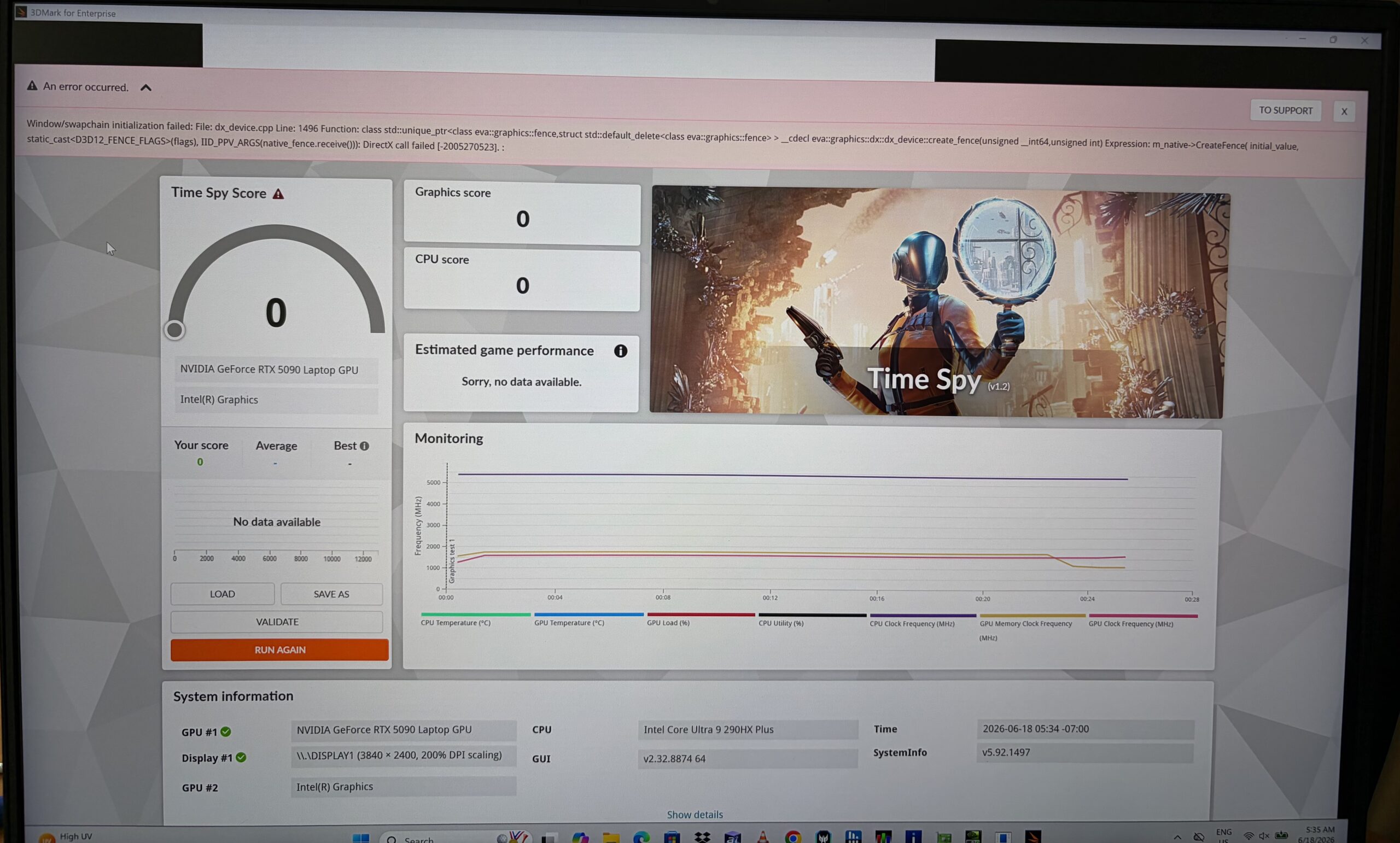
During our initial testing, Discrete GPU mode showed instability in some DX12 workloads. 3DMark Time Spy and Metro Exodus could trigger a grey or black screen followed by a crash or system freeze, while Shadow of the Tomb Raider was able to deliver normal fullscreen performance after a clean reboot.
The error logs also pointed in this direction, with DXGI / swapchain-related failures rather than a simple performance limitation. Because the issue appeared specifically in Discrete GPU mode and affected some DX12 fullscreen workloads more than others, our first suspicion was a problem in the current driver, BIOS, MUX, or fullscreen presentation path rather than a hardware limitation of the RTX 5090 Laptop GPU.
We also found a related Acer Community discussion where users report instability, TDR / NVIDIA driver crashes, black screens, flickering, artifacts, and problems in dGPU-only mode on Predator Helios 18-class machines. This does not prove that all units are affected, but it matched our initial symptoms closely enough to be worth mentioning.
After installing the newer 610.62 graphics driver, the issue disappeared. The previously problematic tests no longer produced crashes, grey screens, or freezes in Discrete GPU mode. For this reason, we performed the final tests with the updated driver and recommend updating the graphics driver immediately if similar behavior appears on your system.
GPU Performance
Graphics options include two high-end NVIDIA laptop GPUs: the GeForce RTX 5090 and RTX 5080. Both are aimed at users who need strong performance for modern games, high-resolution rendering, AI-assisted workloads, and GPU-accelerated creative applications, with the RTX 5090 being the more powerful option. You can compare these GPUs with other mobile graphics solutions in our Top Laptop Graphics Ranking.
Our configuration uses the GeForce RTX 5090 Laptop GPU, and after retesting with the newer NVIDIA driver, the GPU side of the machine looks properly dialed in. The Helios 18 AI is not always the absolute fastest RTX 5090 laptop in every synthetic benchmark, but it stays firmly in the top tier and performs very close to the best machines we have tested.
The results are from 3DMark Time Spy (Graphics). Higher is better.
The results are from 3DMark Wild Life Extreme Unlimited. Higher is better.
Gaming tests
After updating to the NVIDIA 610.62 driver, we repeated the gaming tests and the previous instability we observed in dGPU-only mode was gone. No grey/black screen freezes, no fatal crashes, and the RTX 5090 was finally able to show what this machine is really capable of.

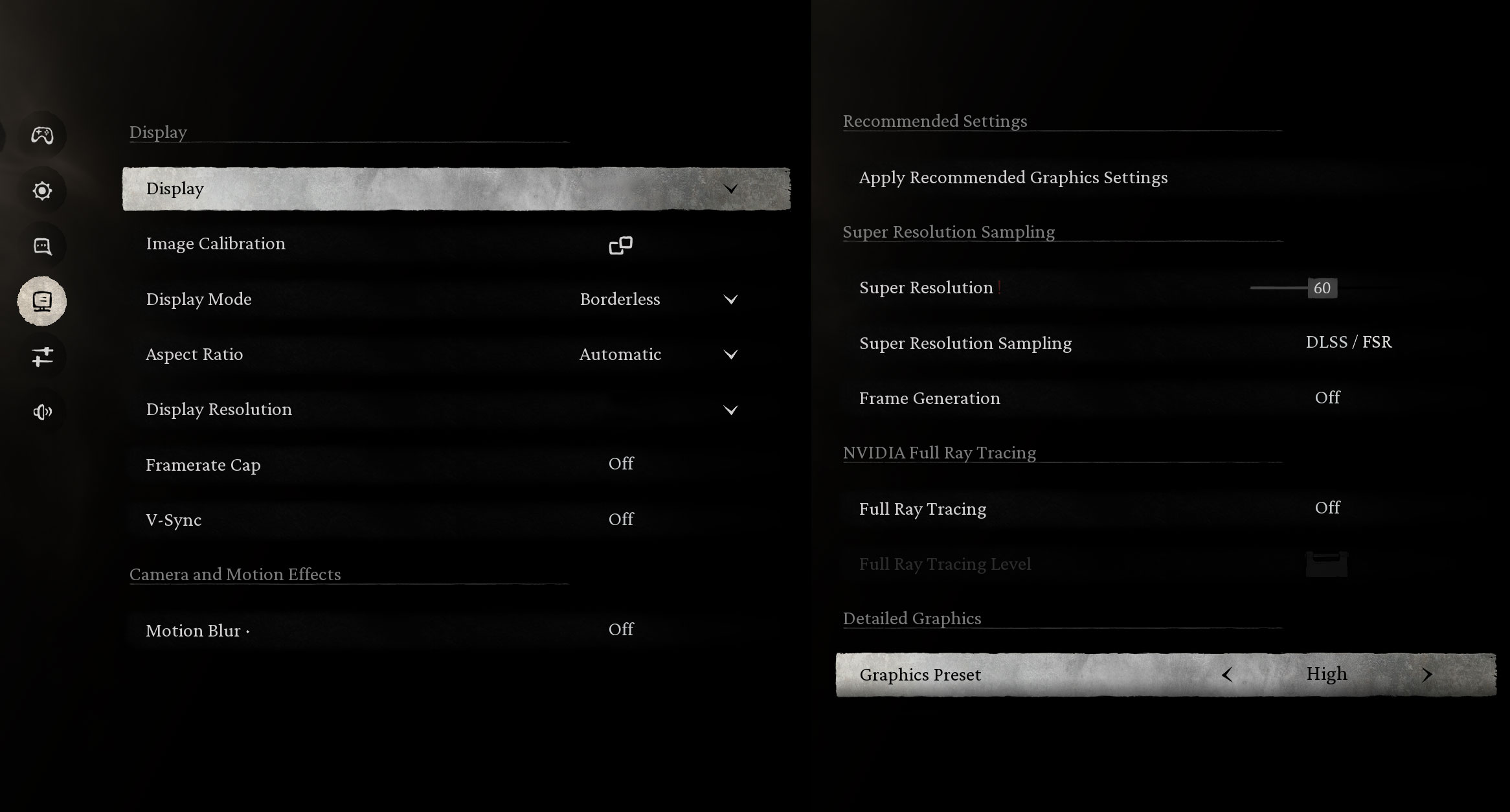
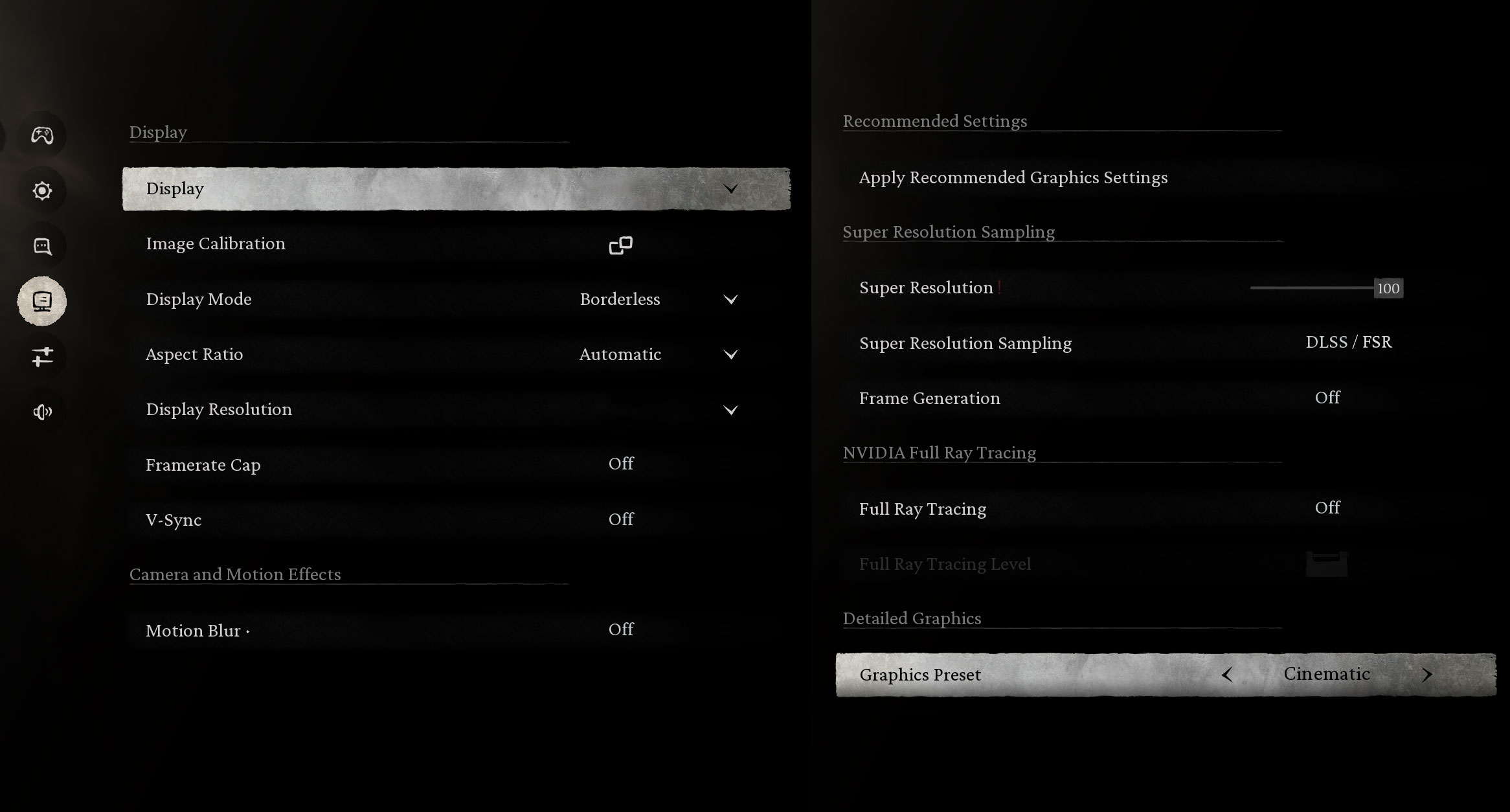
The Acer Predator Helios 18 AI is an absolute powerhouse. In the visually stunning Black Myth: Wukong, the RTX 5090 delivers a smooth 114 FPS on High settings at 1600p, while the punishing Cinematic preset still remains playable at 51 FPS. Pushing the resolution to an incredibly sharp 2400p still results in an impressive 85 FPS on High. Cinematic at 2400p drops to 32 FPS, which is exactly the kind of scenario where DLSS and Frame Generation make a lot of sense.
| Black Myth: Wukong | 1600p, High (Check settings) | 1600p, Cinematic (Check settings) | 2400p, High (Check settings) | 2400p, Cinematic (Check settings) |
| Average FPS | 114 FPS | 51 FPS | 85 FPS | 32 FPS |

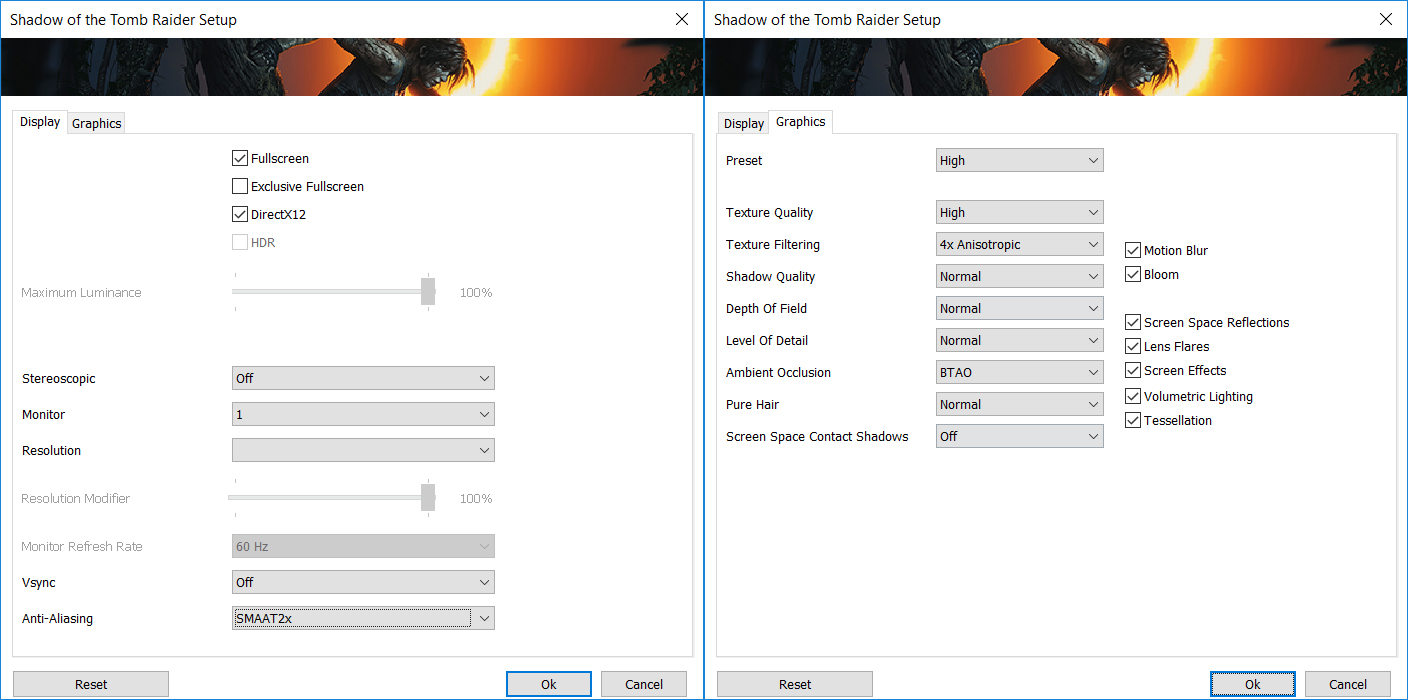
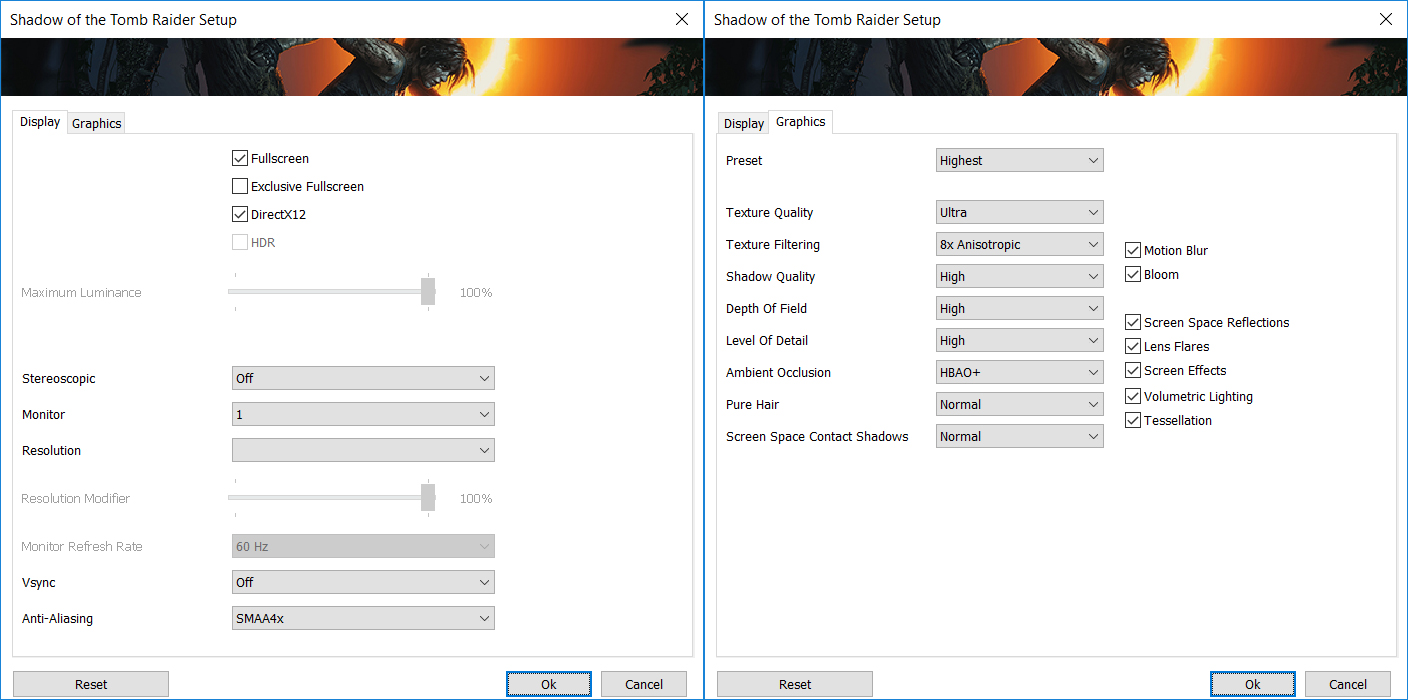
Shadow of the Tomb Raider runs extremely well on this machine. At 1600p, the Helios 18 AI reaches 182 FPS on High and 142 FPS on the Highest preset, which is excellent for a laptop GPU. Even at 2400p, it keeps the experience very fluid, with 119 FPS on High and 72 FPS on Highest.
| Shadow of the Tomb Raider | 1600p, High (Check settings) | 1600p, Highest (Check settings) | 2400p, High (Check settings) | 2400p, Highest (Check settings) |
| Average FPS | 182 FPS | 142 FPS | 119 FPS | 72 FPS |

Metro Exodus Enhanced Edition is a heavy ray-tracing workload by design, but the RTX 5090 handles it confidently. The laptop pushes 140 FPS on High settings at 1200p, and even at 2400p it maintains a strong 77 FPS average, making this one of the better showcases for the GPU inside the Helios 18 AI.
| Metro Exodus Enhanced Edition | 1200p, High (Check settings) | 2400p, High (Check settings) |
| Average FPS | 140 FPS | 77 FPS |
Temperatures and Comfort, Noise, Stability
At idle, the CPU package of the Intel Core Ultra 9 290HX Plus sits at around 57°C in the tested high-performance profile, while both the CPU and GPU fans spin at approximately 1700 RPM. The notebook is audible even without load, which is not ideal if you are looking for a silent desktop environment. Actually, we can say that sometimes it’s loud, even with all apps closed. For lighter work, a lower fan profile such as Balanced or Quiet makes more sense, but this also means giving up part of the machine’s maximum performance headroom.
Since this is the first Core Ultra 9 290HX Plus laptop in our database, we are comparing it to the MSI Titan 18 HX A2XW and its Intel Core Ultra 9 285HX. This comparison is useful, but it should not be read only as a CPU-versus-CPU battle – cooling design, power limits, firmware tuning, and fan behavior are also important, so the more interesting comparison here is Helios 18 vs Titan 18.
Office Work, Web Development, Design
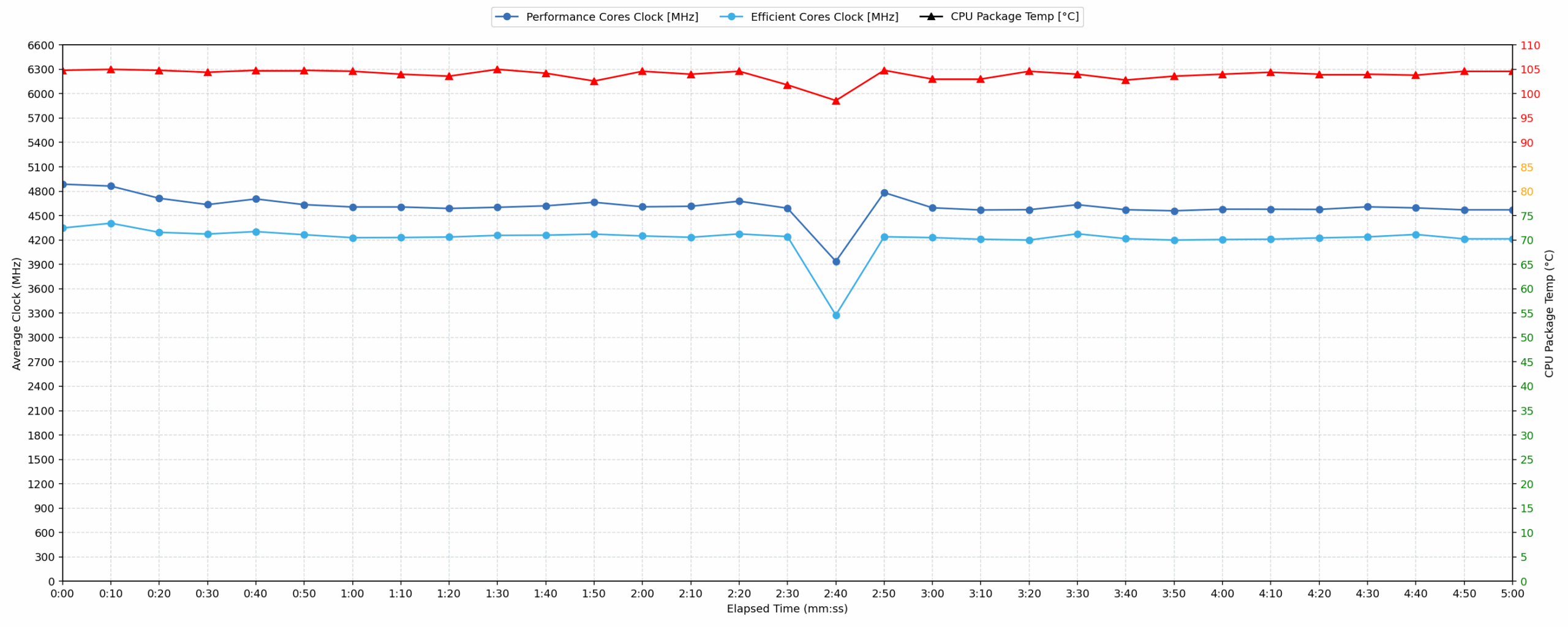
Short periods (0:00 – 0:10 s) of 100% CPU load
This test shows the CPU behavior during short periods of serious load. It’s important for users who are looking for laptops suitable for tasks like Web Design and Programming.
| Intel Core Ultra 9 290HX Plus VS 285HX | Avg. P-Core Clock | Avg. CPU Temp. | Avg. CPU Power |
| Acer Predator Helios 18 AI (PH18-I71) – Ultra 9 290HX Plus | 4887 MHz | 104 °C | 166 W |
| MSI Titan 18 HX A2XW – Ultra 9 285HX | 4743 MHz | 95 °C | 155 W |
During short bursts, the Acer Predator Helios 18 AI allows the Core Ultra 9 290HX Plus to stretch its legs aggressively. The processor peaks at 193 W and reaches a peak P-core clock of 5092 MHz. Over the first 10 seconds, it sustains an average P-core clock of 4887 MHz at 166 W, outperforming the Core Ultra 9 285HX in the MSI Titan 18 HX A2XW by 144 MHz.
The cost is clear: thermals are very high. The CPU reaches a peak temperature of 105°C and averages 104°C during this short-load test. This does not automatically mean instability, but it shows that Acer is prioritizing maximum short-term performance over conservative CPU thermals in this profile.
Video Editing, Scientific Computing, Software Compilation, 3D Rendering
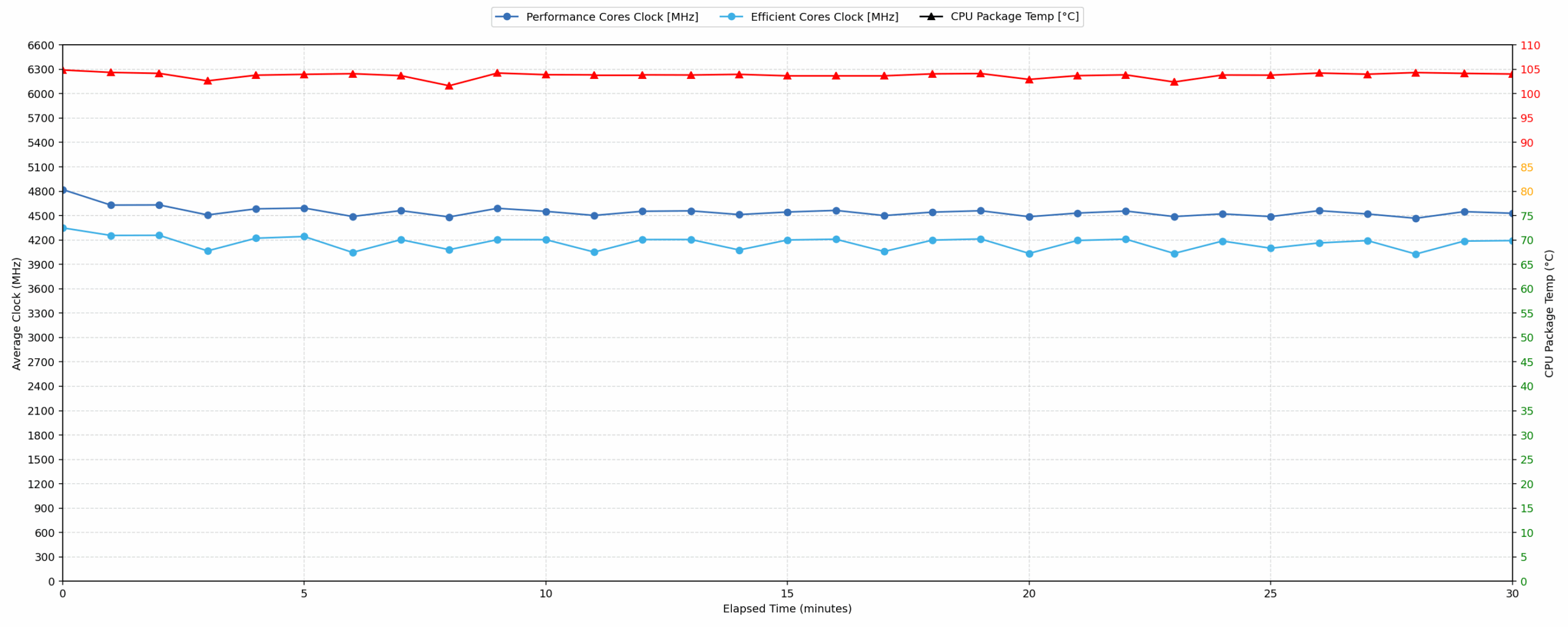
Long periods (0:00 – 30:00 min) of 100% CPU load
This test shows the CPU behavior during long periods of serious load. It’s important for users who are looking for laptops suitable for tasks like Video Editing and 3D Rendering.
| Intel Core Ultra 9 290HX Plus VS 285HX | Avg. P-Core Clock | Avg. CPU Temp. | Avg. CPU Power |
| Acer Predator Helios 18 AI (PH18-I71) – Ultra 9 290HX Plus | 4542 MHz | 103 °C | 136 W |
| MSI Titan 18 HX A2XW – Ultra 9 285HX | 4464 MHz | 99 °C | 184 W |
In long-duration CPU-heavy tasks, the Helios 18 AI maintains a high average P-core clock of 4542 MHz over 30 minutes while drawing 136 W. This is 78 MHz higher than the Core Ultra 9 285HX inside the MSI Titan 18 HX A2XW, despite the Titan reporting a much higher average CPU package power of 184 W in the same test.
Again, the main concern is the temperature. The Core Ultra 9 290HX Plus averages 103°C over the full 30-minute run, which is extremely high for sustained rendering or compilation workloads. In other words, performance remains strong, but the processor is operating close to its thermal ceiling for most of the test.
Gaming Stability
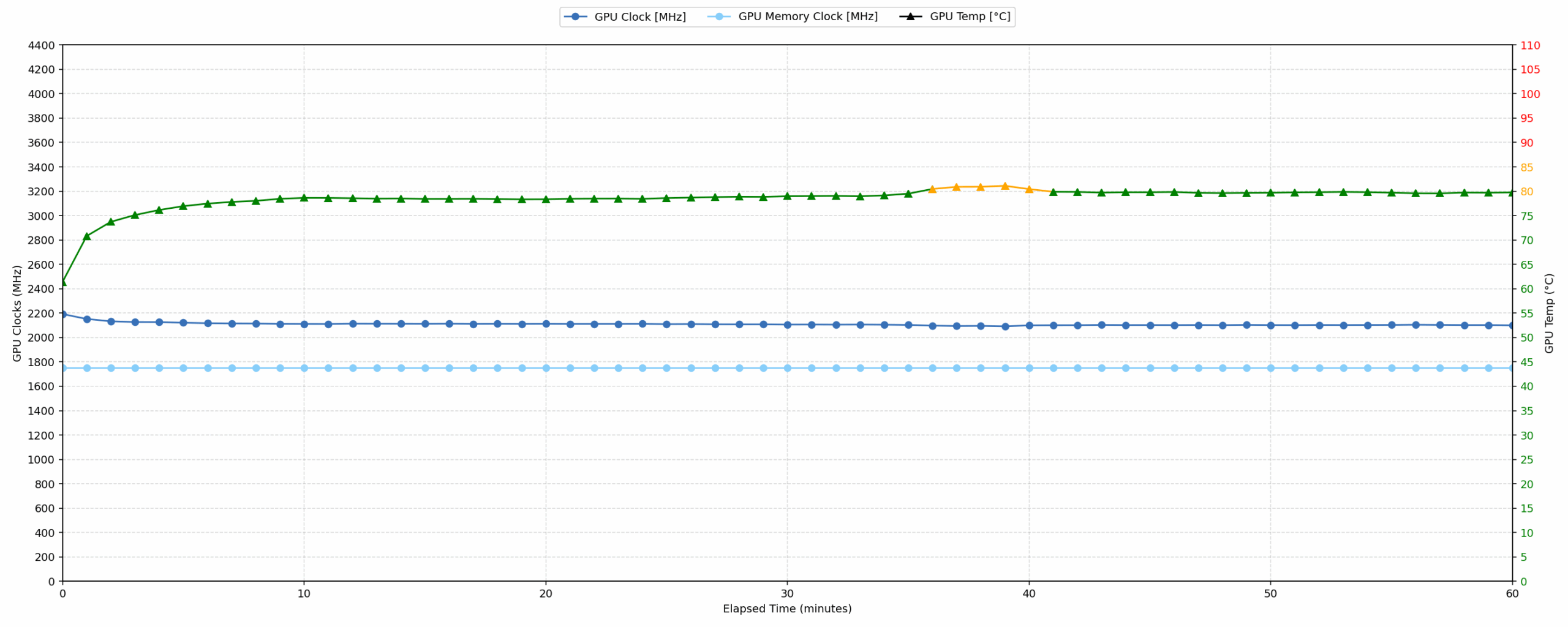
Continuous gaming simulation – 1-hour test
This test evaluates the laptop’s behavior under sustained GPU load and high CPU usage.
| NVIDIA GeForce RTX 5090 | Avg. GPU Clock | Avg. GPU Temp. | Avg. Memory Clock | Avg. GPU Mem Temp. | Avg. GPU Power |
| MSI Vector 18 HX AI A2XW | 2135 MHz | 74 °C | 1375 MHz | 69 °C | 172 W |
| MSI Vector 17 HX AI A2XW | 2128 MHz | 79 °C | 1381 MHz | 75 °C | 172 W |
| MSI Titan 18 HX A2XW | 2079 MHz | 83 °C | 1749 MHz | 81 °C | 172 W |
| HP OMEN MAX 16 (Intel, 16-ah0000) | 2051 MHz | 74 °C | 1659 MHz | 72 °C | 172 W |
| Lenovo Legion Pro 7i Gen 10 (16″ Intel) | 2238 MHz | 79 °C | 1463 MHz | 78 °C | 171 W |
| Acer Predator Helios 18 AI (PH18-I71) | 2109 MHz | 78 °C | 1750 MHz | 76 °C | 170 W |
| Lenovo Legion 9i (18″, Gen 10 / 18IAX10) | 2233 MHz | 68 °C | 1412 MHz | 63 °C | 164 W |
| Acer Predator Helios 16 AI (PH16-73) | 2053 MHz | 85 °C | 1626 MHz | 79 °C | 163 W |
| MSI Raider A18 HX (A9Wx) | 2046 MHz | 78 °C | 2313 MHz | 75 °C | 161 W |
| ASUS ROG Strix SCAR 18 G835 (2025) | 1959 MHz | 73 °C | 2350 MHz | 72 °C | 159 W |
The GPU side of the Helios 18 AI looks much healthier than the CPU side. During our 1-hour gaming stability test, the GeForce RTX 5090 sustains an average clock of 2109 MHz while drawing 170 W. This places the machine in the middle part of our RTX 5090 database: it is faster than the MSI Titan 18 HX A2XW in this test, but it trails the Lenovo Legion Pro 7i Gen 10 and the MSI Vector 18 HX AI.
Thermally, the GPU is well controlled. The average GPU core temperature is 78°C, with a peak of 81°C, while the GPU memory averages 76°C and peaks at 80°C. The graph is also very stable: after the initial warm-up, the GPU clock settles slightly above 2.1 GHz and stays there for the rest of the run. For gaming, this is a much more reassuring result than the CPU-only stress test.
Battery Life
The Acer Predator Helios 18 AI (PH18-I71) is equipped with a large 4-cell battery pack, model AP20BHU. Acer lists it as a 99.98Wh unit, while the label on our battery shows a rated capacity of 96.7Wh and a typical capacity of 99.99Wh.
We tested the laptop with Eco mode selected in PredatorSense, Best Power Efficiency in Windows Settings, Optimus mode enabled for the GPU, SDR display mode, and the screen set to 180 nits.
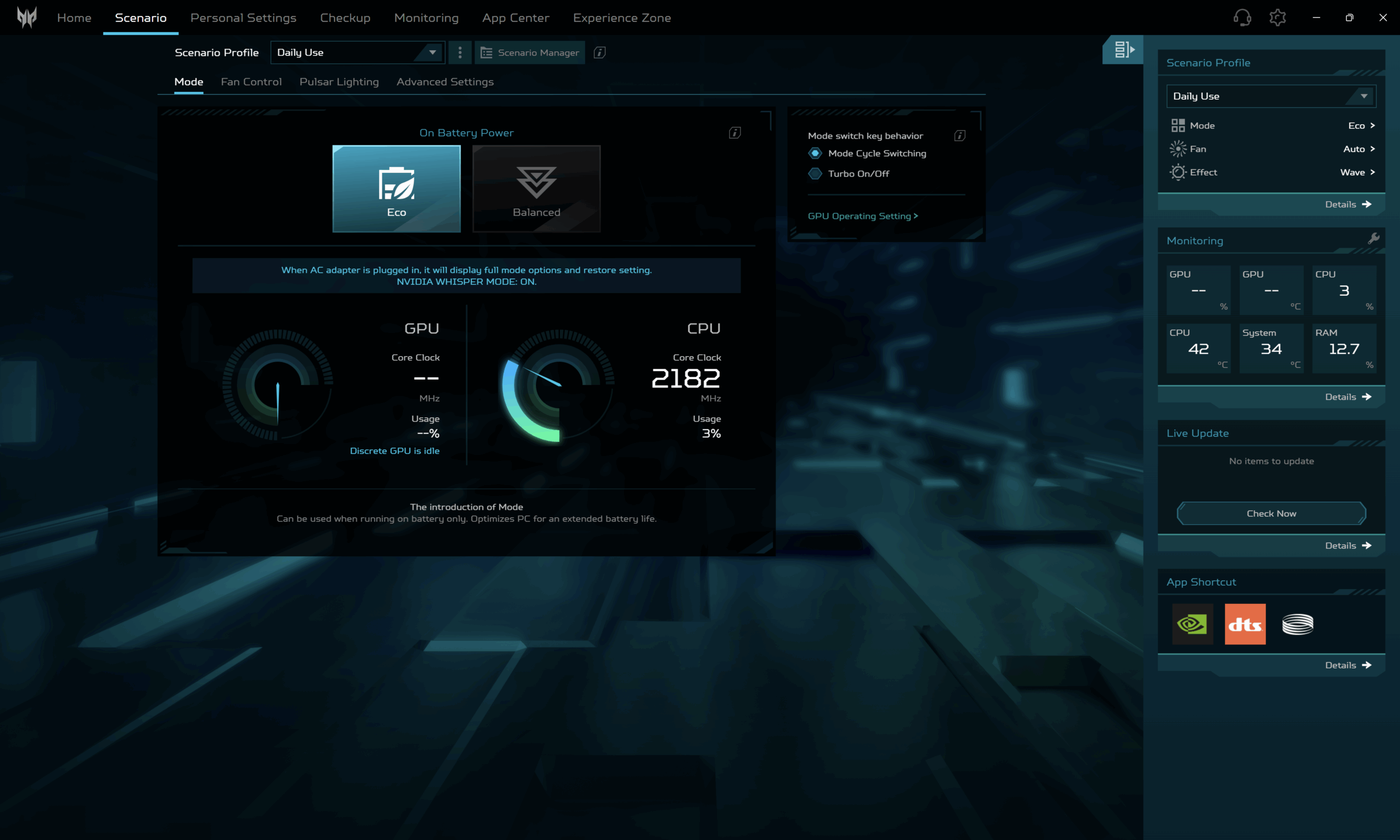
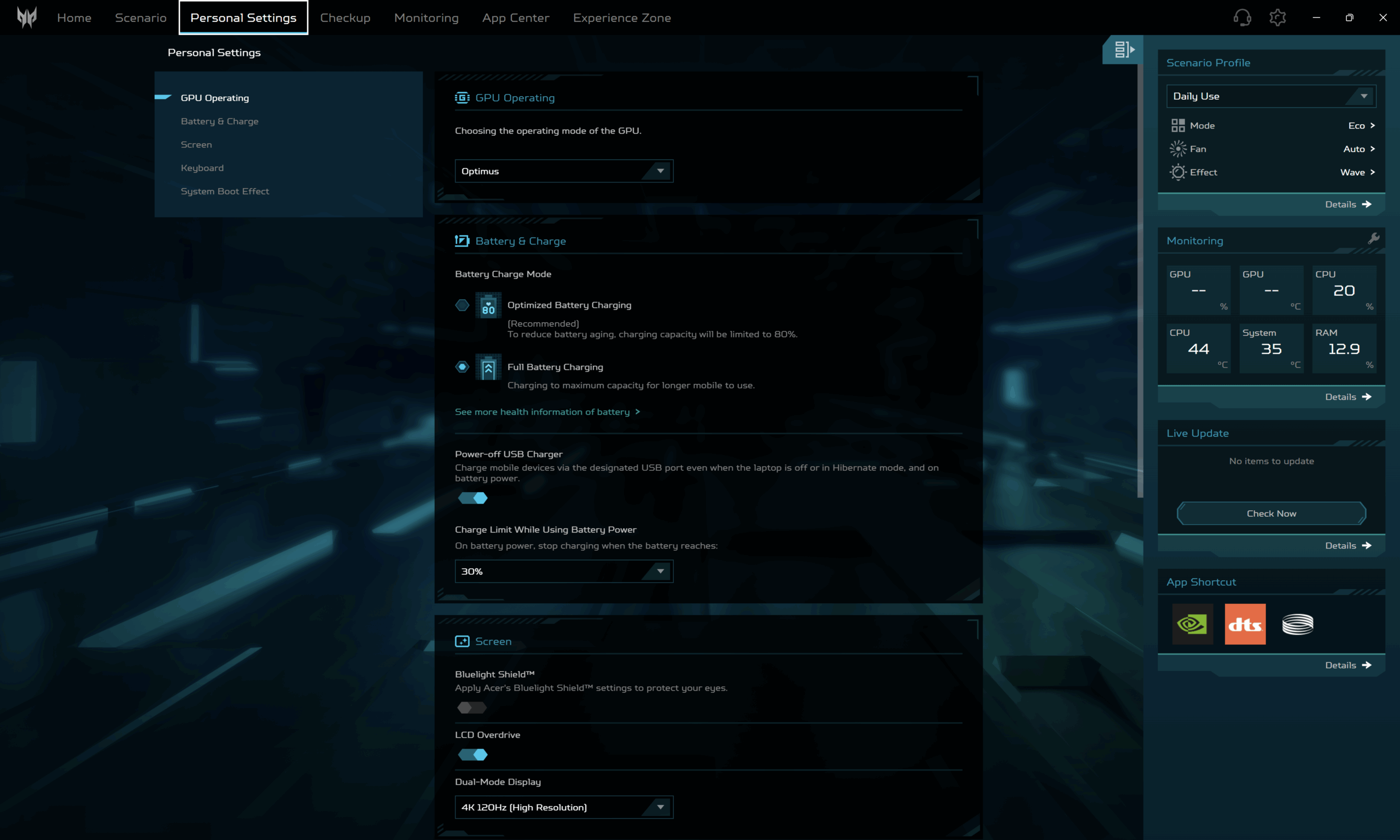
In our video playback test, the Helios 18 AI lasted 4 hours and 4 minutes. That is a respectable result for an 18-inch desktop-replacement machine with a Mini-LED display and RTX 5090-class hardware, especially since it outlasts machines like the MSI Titan 18 HX AI and MSI Raider A18 HX in the same test. However, it still trails the ASUS ROG Strix SCAR 18 G835, Lenovo Legion 9i, and especially the MSI Vector 18 HX AI. In other words, battery life is acceptable for the class, but this is still a laptop you buy for plugged-in performance first, not for long unplugged sessions.
Brightness: 180 nits; Display Mode: SDR
Time to Full Discharge: Higher is Better
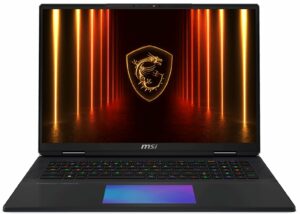
Disassembly, Upgrade options, and Maintenance
Getting inside the Acer Predator Helios 18 AI is straightforward for a machine of this size. The bottom panel is held by 10 Torx T6 screws, and all of them are the same length, which makes reassembly less annoying. After that, the cover can be released with a thin plastic tool, but it is worth keeping the tool shallow so it does not slide too far inside and touch the board.
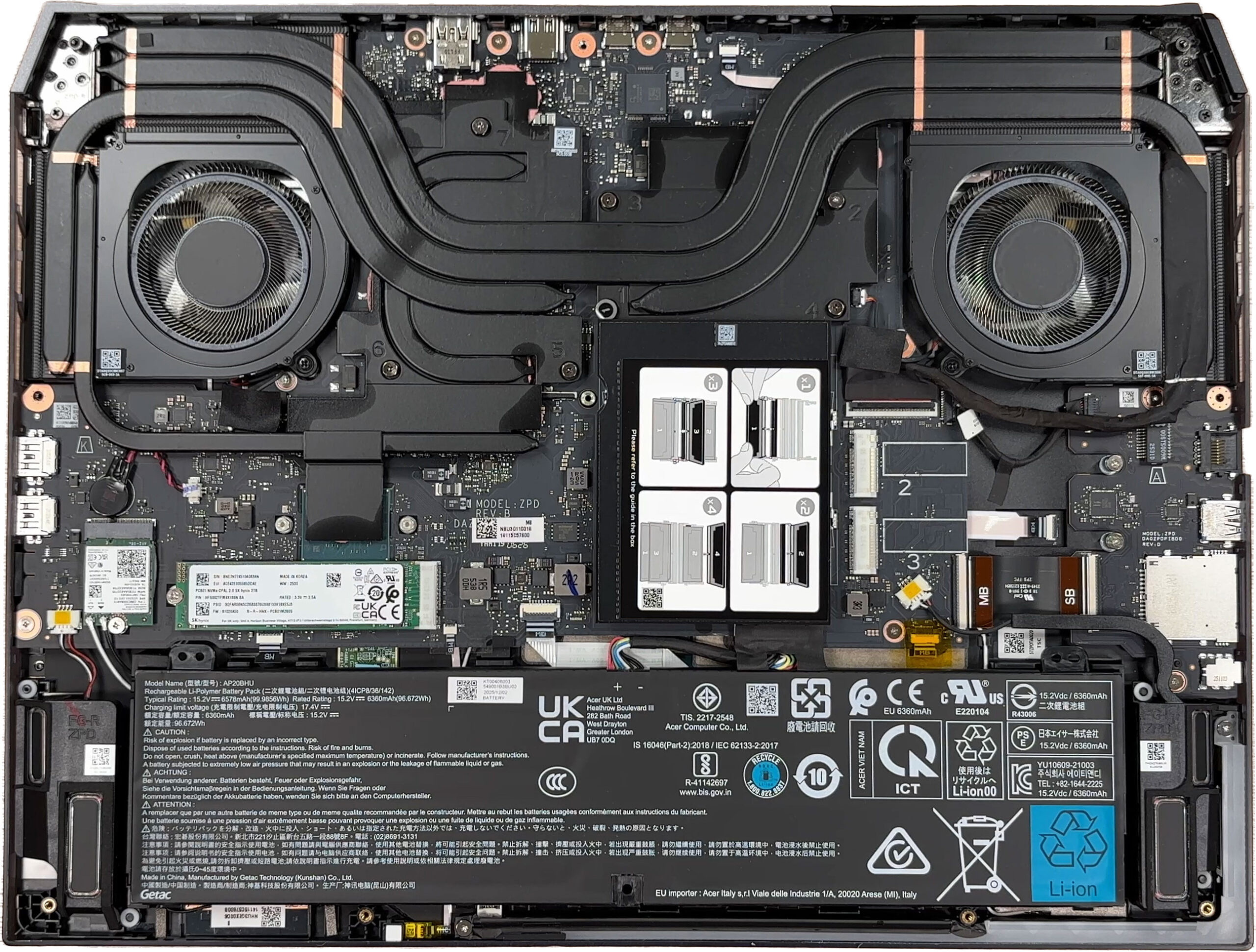
The cooling system is one of the main attractions here. Acer uses a large shared thermal module with two big fans and several heat pipes covering the CPU and GPU area. Our reviewed configuration is equipped with the NVIDIA GeForce RTX 5090 Laptop GPU, but Acer also lists RTX 5080 versions of this model, so the GPU choice is something you need to decide at purchase time.
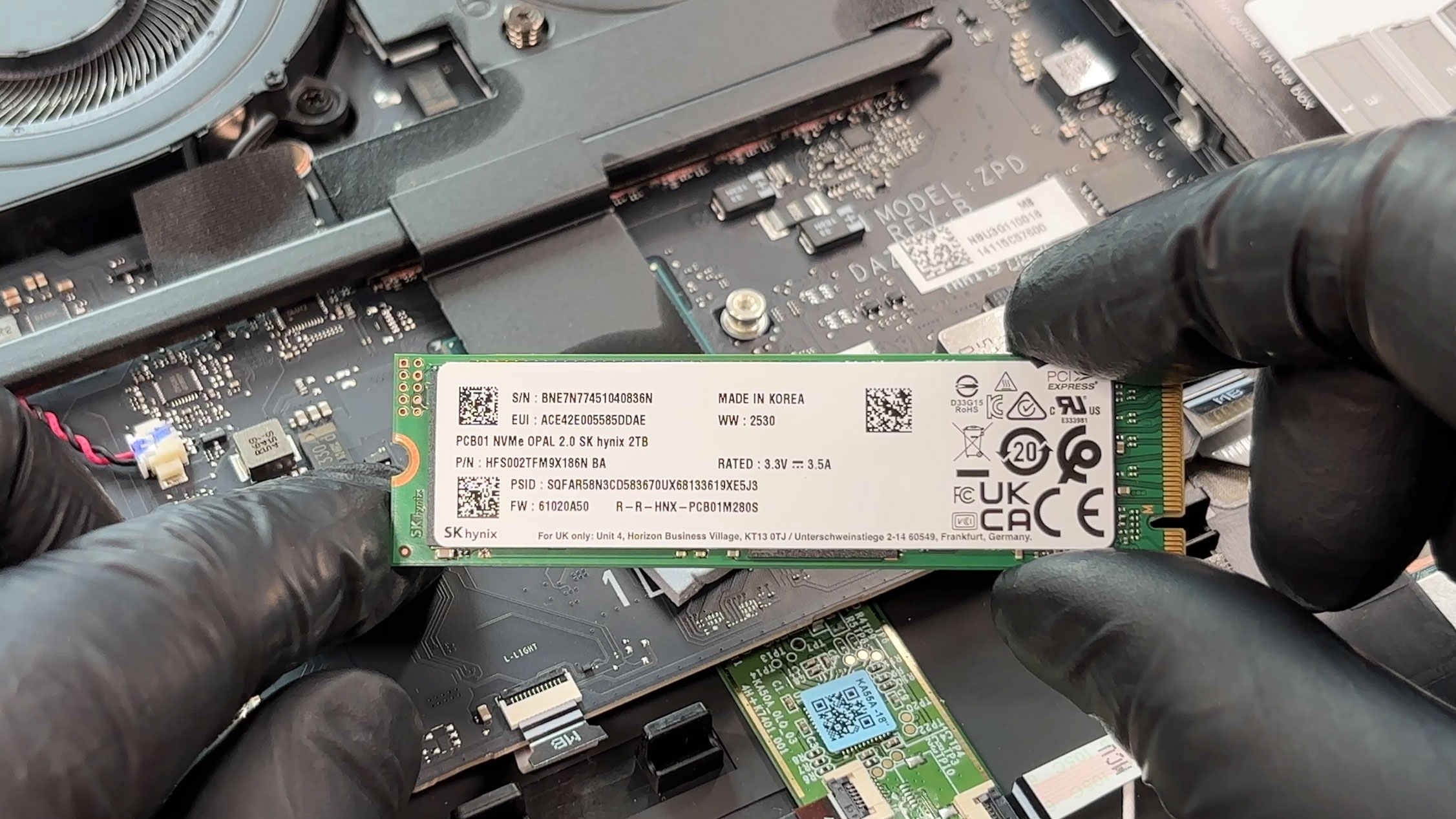
Storage upgradeability is excellent. There are three M.2 slots in total, and our unit ships with a 2TB SK Hynix NVMe SSD installed in the main M.2 2280 slot. Acer documents this primary slot as PCIe Gen 5, while the other two M.2 2280 slots are PCIe Gen 4 and are listed with up to 1TB support each in the official specifications. The bottom cover also has thermal pads and copper plates for the SSD area, including the empty upgrade positions, which is exactly what we like to see in a high-end desktop replacement.
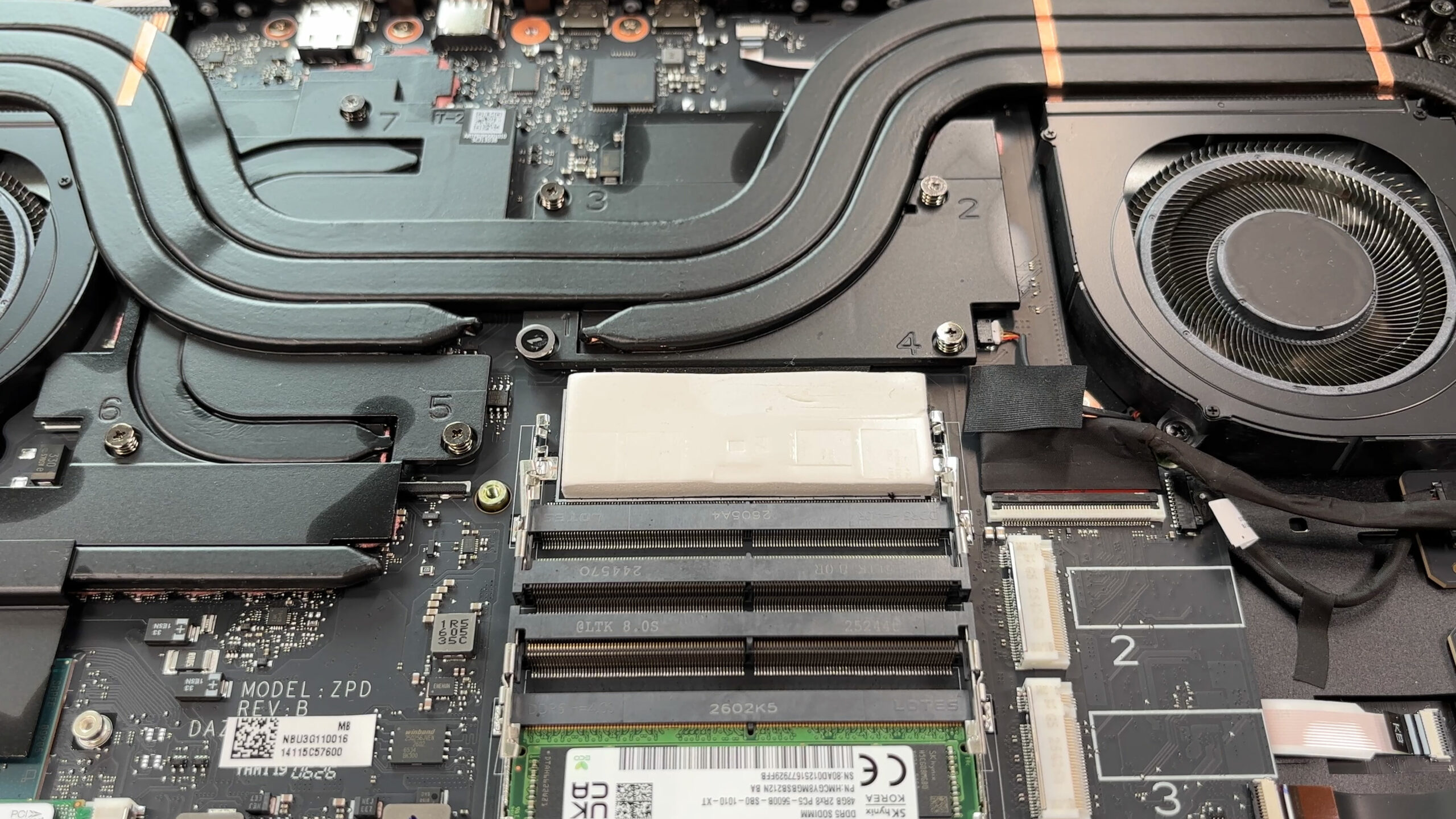
Memory access is also very good, although the modules are hidden under a protective shield. Under it, there are four DDR5 SO-DIMM slots. Our unit has 96GB of RAM installed as two 48GB SK Hynix DDR5-5600 modules, configured at 4400 MT/s. Acer officially lists support for up to 256GB of DDR5 memory across four SO-DIMM modules, but the speed depends on the configuration and CPU capability. With one or two modules, Acer lists a default 4400 MT/s setting, while four-module configurations are listed at 4000 MT/s. Memory overclocking has to be enabled manually in the BIOS. Acer also includes a memory thermal upgrade kit in the box, which is a useful extra if you plan to change or expand the RAM configuration later.
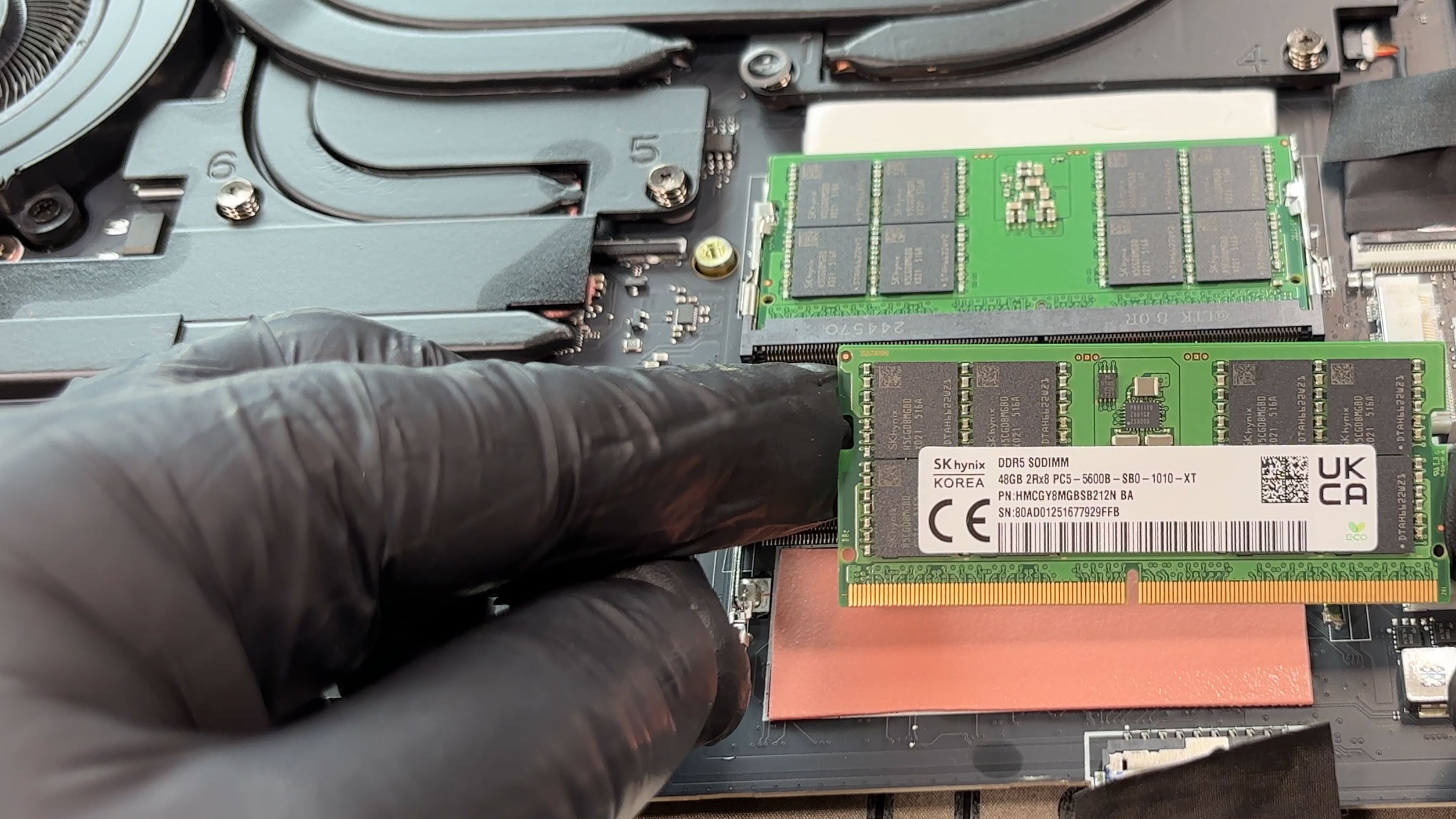
The wireless card is replaceable as well. Our laptop uses a Killer Wi-Fi 7 BE1750x 320MHz module based on the BE200NGW platform, and the official specification lists Wi-Fi 7 support over 2.4GHz, 5GHz, and 6GHz bands, together with Bluetooth 5.4 or newer. That is a nice touch because even on a high-end machine, having a standard removable WLAN module makes long-term servicing easier.
The battery is a large 4-cell lithium-ion pack. Acer lists it as a 99.98Wh unit, while the label on the battery also shows a typical value of 99.9856Wh and a rated value of 96.672Wh. The model name on the pack is AP20BHU. One important service note is that the battery is not fixed with screws, so after the bottom cover is removed, the laptop should not be flipped over until everything is secured again. As always, disconnecting the battery before deeper servicing is the safer approach.
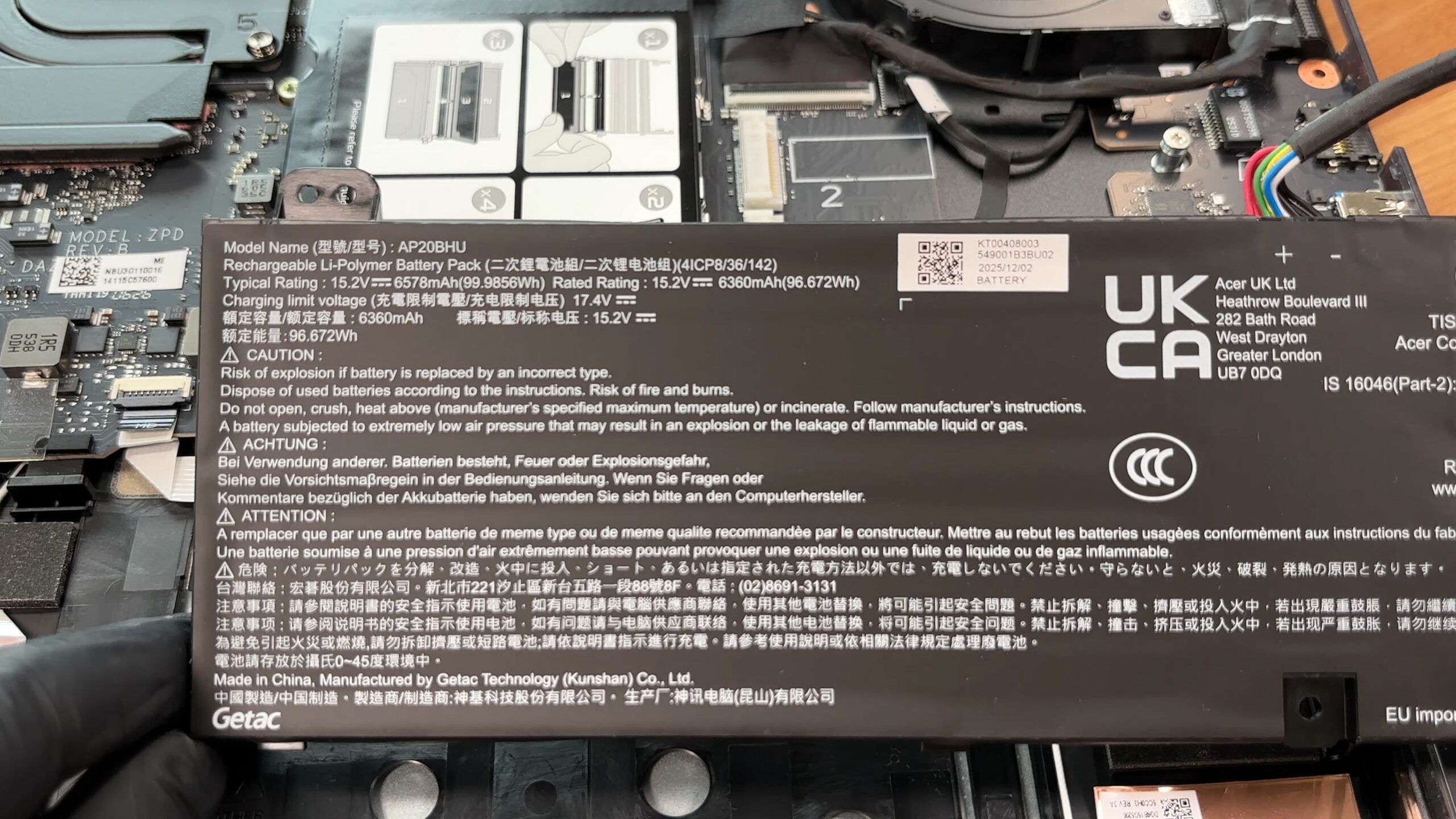
In terms of replaceable parts, the RAM, SSDs, Wi-Fi card, battery, and cooling-related service items are accessible once the bottom cover is off. The practical upgrade limits are generous for a laptop: up to four DDR5 SO-DIMM modules and three NVMe SSDs. The CPU and GPU, however, are soldered, so choosing between the RTX 5080 and RTX 5090 configurations matters at purchase time.
Overall, maintenance is very good for an 18-inch flagship gaming laptop, with easy panel removal, strong storage and memory options, a replaceable Wi-Fi card, and only the expected limits from soldered core components.
Verdict
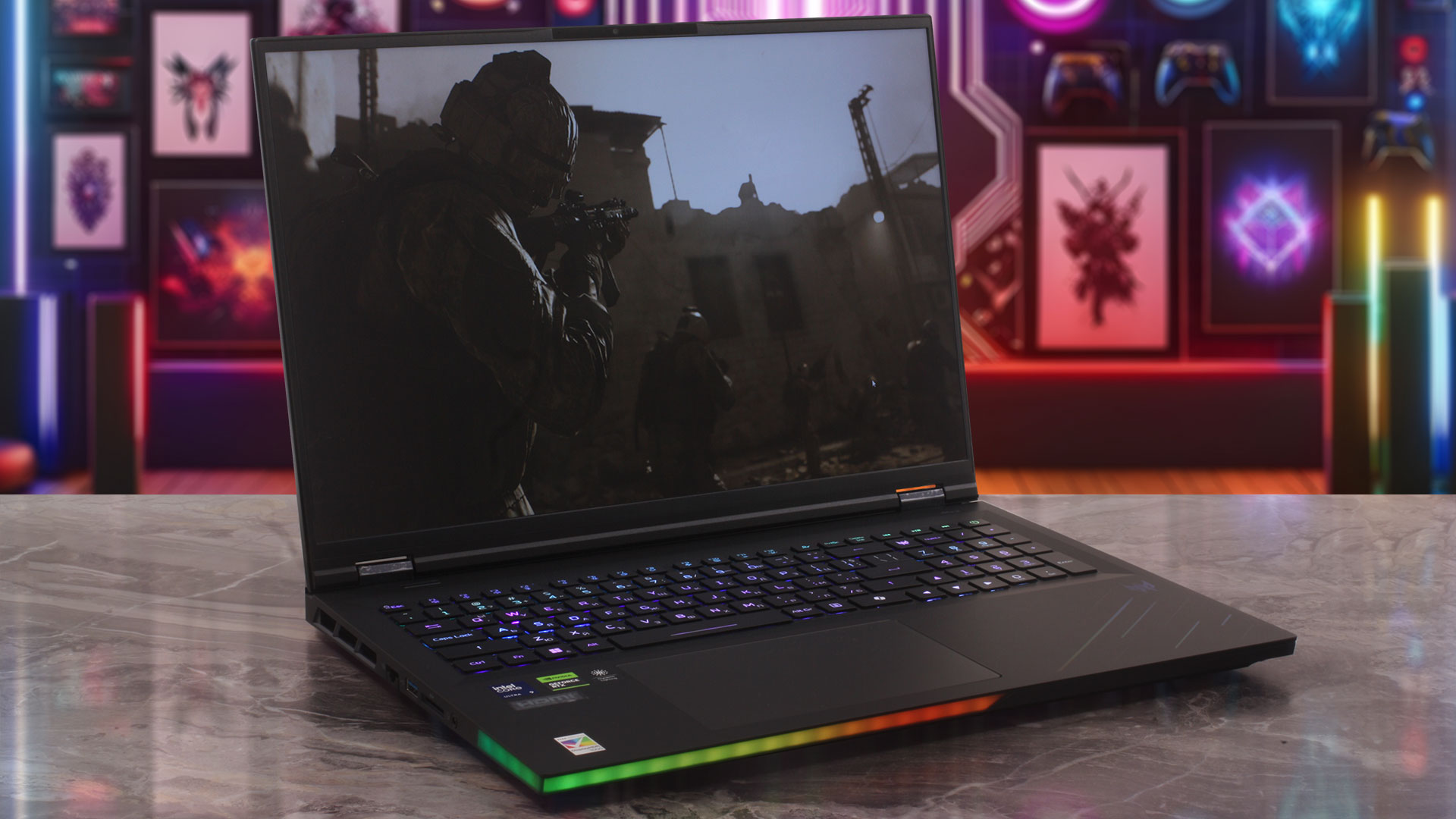 The Acer Predator Helios 18 AI (PH18-I71) is a colossal desktop replacement built for users who want extreme mobile performance without pretending that this is a thin-and-light machine. It is huge, aggressive, heavy, and unapologetically gaming-focused — exactly what you would expect from an 18-inch Predator with a Core Ultra 9 290HX Plus, RTX 5090 Laptop GPU, and a Mini LED display.
What makes this machine impressive is not just raw speed, but the overall platform. Our configuration combines top-tier gaming performance, a very bright dual-mode Mini LED display, Thunderbolt 5, 5GbE LAN, Wi-Fi 7, four RAM slots, and three M.2 SSD slots. This is much closer to a portable workstation/gaming battlestation than to a regular gaming notebook.
However, the Helios 18 AI is not a flawless monster. The CPU runs extremely hot under heavy sustained load, the fans can be clearly audible even when the system is not doing much, and the otherwise excellent Mini LED panel has aggressive PWM behavior that sensitive users should take seriously. This is a laptop with enormous strengths, but also with compromises that are impossible to ignore.
You can check the prices and configurations in our Specs System: https://laptopmedia.com/series/acer-predator-helios-18-ai-ph18-i71/
✅ The Good
The main highlight is the 18-inch WQUXGA Mini LED display. It is extremely bright, reaches over 1000 nits in HDR, covers 100% of DCI-P3, and delivers excellent contrast thanks to its mini-LED backlight. The dual-mode functionality is also a major advantage: you can use the full 3840 x 2400 resolution at 120Hz for maximum sharpness, or switch to 1920 x 1200 at 240Hz when you want higher refresh rate and more FPS.
The RTX 5090 Laptop GPU performance is excellent. After updating to the newer NVIDIA driver, the earlier dGPU-only instability we observed disappeared, and the final gaming results were exactly what we expected from a flagship GPU. Even better, the GPU side remains stable and well-controlled thermally during long gaming sessions.
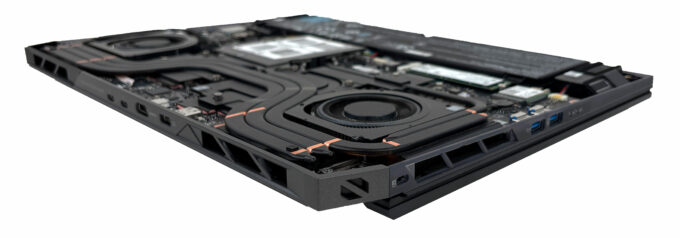
Upgradeability is another huge win. The Helios 18 AI offers four DDR5 SO-DIMM slots with support for up to 256GB of RAM, plus three M.2 SSD slots, including one PCIe Gen 5 slot. This is rare even among large flagship gaming laptops and makes the machine much more attractive for users who want long-term expansion.
Connectivity is also excellent. You get dual Thunderbolt 5 ports, HDMI 2.1, 5GbE LAN, Wi-Fi 7, a full-size SD card reader, and plenty of USB-A ports. The keyboard is very good for gaming, with deep travel, per-key RGB, full-sized arrow keys, and swappable MagKey caps, while the large glass touchpad is smooth and comfortable for everyday use.
❌ The Bad
The biggest concern is CPU thermals. The Core Ultra 9 290HX Plus maintains very high clocks, but it also operates extremely close to its thermal ceiling during heavy CPU-only workloads. This does not make the laptop unstable in our tests, but users who plan to run long rendering, compiling, or scientific workloads should know that Acer clearly prioritizes performance over conservative CPU temperatures.
The other serious drawback is PWM flickering. The Mini LED display looks fantastic, but its backlight shows strong pulsations with a very low duty cycle. The frequency is high, which helps, but the flicker pattern is still unpleasant enough that we cannot recommend this panel without caution to users with sensitive eyes.
Portability is also limited by design. The laptop itself weighs 3.5 kg, and the 400W power adapter is massive, so this is a machine you move from desk to desk rather than carry casually every day. We also miss a physical privacy shutter for the webcam on a premium device like this.
🆚 The Competitors
Compared to the MSI Titan 18 HX AI (detailed review), the Helios 18 AI is more attractive from an upgradeability perspective thanks to its three M.2 slots and four RAM slots, but the Titan shows a more controlled CPU thermal profile in our tests. Acer’s GPU performance is very strong, but the CPU side is clearly pushed harder thermally.
Against the Lenovo Legion 9i 18″, Gen 10 (detailed review), the Helios 18 AI again stands out with excellent expandability and a very capable Mini LED display, but Lenovo has the edge in raw GPU benchmark performance and a more exotic premium chassis design. The Acer feels more like a brutal, practical desktop replacement, while the Legion 9i feels more refined.
Overall, the Acer Predator Helios 18 AI (PH18-I71) is a spectacularly powerful 18-inch gaming laptop with outstanding upgrade potential and a gorgeous display, but it is not the most balanced flagship. Buy it if you want RTX 5090 performance, massive expansion options, and a huge Mini LED screen. Think twice if you need quiet idle behavior, cool CPU operation under sustained workloads, or a display that is gentle on sensitive eyes.
Pros
- Extremely bright 18-inch WQUXGA Mini LED display with HDR 1000 support
- Dual-mode panel: 3840 x 2400 at 120Hz or 1920 x 1200 at 240Hz
- Excellent RTX 5090 gaming performance after driver update
- Stable GPU thermals during long gaming sessions
- Exceptional upgradeability: 4x RAM slots and 3x M.2 SSD slots
- Supports up to 256GB DDR5 memory
- Strong connectivity: dual Thunderbolt 5, HDMI 2.1, 5GbE LAN, Wi-Fi 7, full-size SD card reader
- Very good keyboard with deep travel, per-key RGB, full-sized arrow keys, and MagKey caps
- Large and comfortable glass touchpad
- Good six-speaker audio system
Cons
- CPU runs extremely hot under sustained heavy load
- Fans can be clearly audible even at idle in the tested high-performance profile
- Aggressive PWM flickering may bother sensitive users
- Very large and heavy chassis (+ 1kg/2lbs adapter)
- No physical privacy shutter for the webcam
 Author: Simeon NikolovEditor-in-Chief at LaptopMedia.com with 20+ years of experience in testing and analyzing laptops and mobile devices.
 Author: eng. Kroum NikolovHead of Engineering at LaptopMedia.com, inventor and innovator with 40+ years of experience in electronics and high technology.

![[August 2026] Amazon Italy: Top 10 Best-Selling Laptops – Apple MacBook Neo Claims the Crown as Budget and Mid-Range Windows Machines Dominate Volume](https://laptopmedia.com/wp-content/uploads/2026/09/Best-Selling-Laptops-IT-Top-10-400x225.jpg)
![[August 2026] Amazon Italy: Top 7 Best-Selling Gaming Laptops – ASUS V16 Claims the #1 Spot Amid Strong Mid-Range Demand](https://laptopmedia.com/wp-content/uploads/2026/09/Best-Selling-Gaming-Laptops-IT-Top-10-400x225.jpg)
![[August 2026] Best-Selling Laptop Brands on Amazon Italy – Lenovo Dominates Market Share and Revenue Leadership](https://laptopmedia.com/wp-content/uploads/2026/09/IT-Best-Brands-400x225.jpg)
![[August 2026] Amazon India: Top 10 Best-Selling Laptops – Apple MacBook Neo Dominates the Charts with Massive Sales Lead](https://laptopmedia.com/wp-content/uploads/2026/09/Best-Selling-Laptops-IN-Top-10-400x225.jpg)
![[August 2026] Amazon India: Top 10 Best-Selling Gaming Laptops – HP Victus 15 Dominates the Market with Massive Unit Lead](https://laptopmedia.com/wp-content/uploads/2026/09/Best-Selling-Gaming-Laptops-IN-Top-10-400x225.jpg)