[The Bottleneck Effect] Gaming performance with single vs dual-channel memory
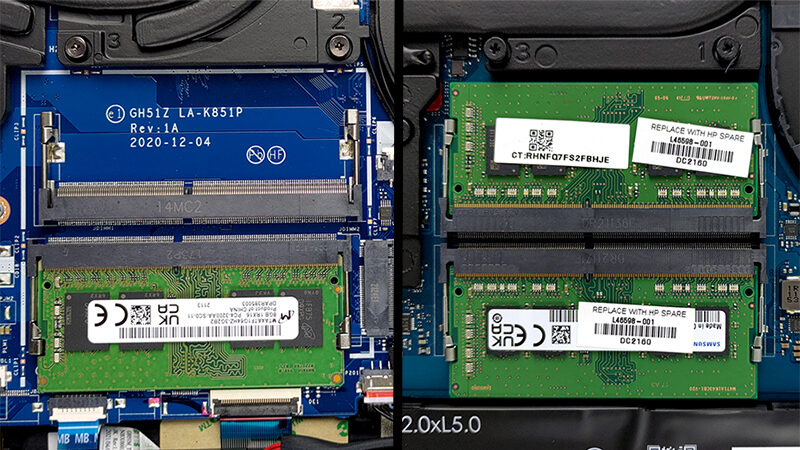 In the previous two articles, we showed you how much of a bottleneck is the Core i5-11300H compared to the Core i7-11370H, when either of them is paired with the 90W RTX 3050, and why you should check if your laptop has 1Rx8 memory, instead of 1Rx16 one. In our conquest for better performance, we want to compare single versus dual-channel performance.
This should provide an even higher bandwidth between the CPU and the GPU, which in theory, should lead to probably the best performance you can get from your laptop. Well, this is if we take cooling out of the equation.
You can buy 1Rx8 RAM modules here: Buy from Amazon.com (#CommissionsEarned)
You can buy 1Rx16 RAM modules here: Buy from Amazon.com (#CommissionsEarned)
Contents
Specs Sheet
| Testing machines | Laptop 1 | Laptop 2 |
|---|---|---|
| Processor | Intel Core i5-11300H / Intel Core i7-11370H | Intel Core i5-11300H / Intel Core i7-11370H |
| Graphics card | NVIDIA GeForce RTX 3050 (90W) | NVIDIA GeForce RTX 3050 (90W) |
| RAM | 8GB 1Rx8 / 1Rx16 DDR4 3200MHz | 2x 8GB 1Rx8 / 1Rx16 DDR4 3200MHz |
| Storage | 256GB SSD | 256GB SSD |
| Display | Full HD IPS 60Hz | Full HD IPS 60Hz |
| OS | Windows 10 | Windows 10 |
Synthetic benchmarks
Here, we see that neither memory type shows improvement in the Core i7-11370H-equipped machine. However, the biggest difference in the Core i5-11300H laptop, was when you compare 1Rx8 scores versus 1Rx16. Both in single, and dual-channel setup.
| GPU Benchmarks | 3DMark Firestrike (Graphics score) | 3DMark Timespy (Graphics score) | 3DMark Wildlife Unlimited | Unigine Heaven 4 | Unigine Superposition |
|---|---|---|---|---|---|
| Intel Core i5-11300H + RTX 3050 (90W) 8GB 1Rx16 | 12003 | 4923 | 29291 | 2717 | 2832 |
| Intel Core i5-11300H + RTX 3050 (90W) 2x8GB 1Rx16 | 12028 | 4946 | 29448 | 2763 | 2829 |
| Intel Core i5-11300H + RTX 3050 (90W) 8GB 1Rx8 | 12068 | 5014 | 30023 | 2765 | 2811 |
| Intel Core i5-11300H + RTX 3050 (90W) 2x8GB 1Rx8 | 12134 | 5010 | 30116 | 2787 | 2823 |
| GPU Benchmarks | 3DMark Firestrike (Graphics score) | 3DMark Timespy (Graphics score) | 3DMark Wildlife Unlimited | Unigine Heaven 4 | Unigine Superposition |
|---|---|---|---|---|---|
| Intel Core i7-11370H + RTX 3050 (90W) 8GB 1Rx16 | 12529 | 5121 | 31592 | 2922 | 3069 |
| Intel Core i7-11370H + RTX 3050 (90W) 2x8GB 1Rx16 | 12599 | 5170 | 31637 | 2995 | 3053 |
| Intel Core i7-11370H + RTX 3050 (90W) 8GB 1Rx8 | 12545 | 5141 | 31713 | 2982 | 3045 |
| Intel Core i7-11370H + RTX 3050 (90W) 2x8GB 1Rx8 | 12529 | 5121 | 31592 | 2922 | 3069 |
Gaming tests
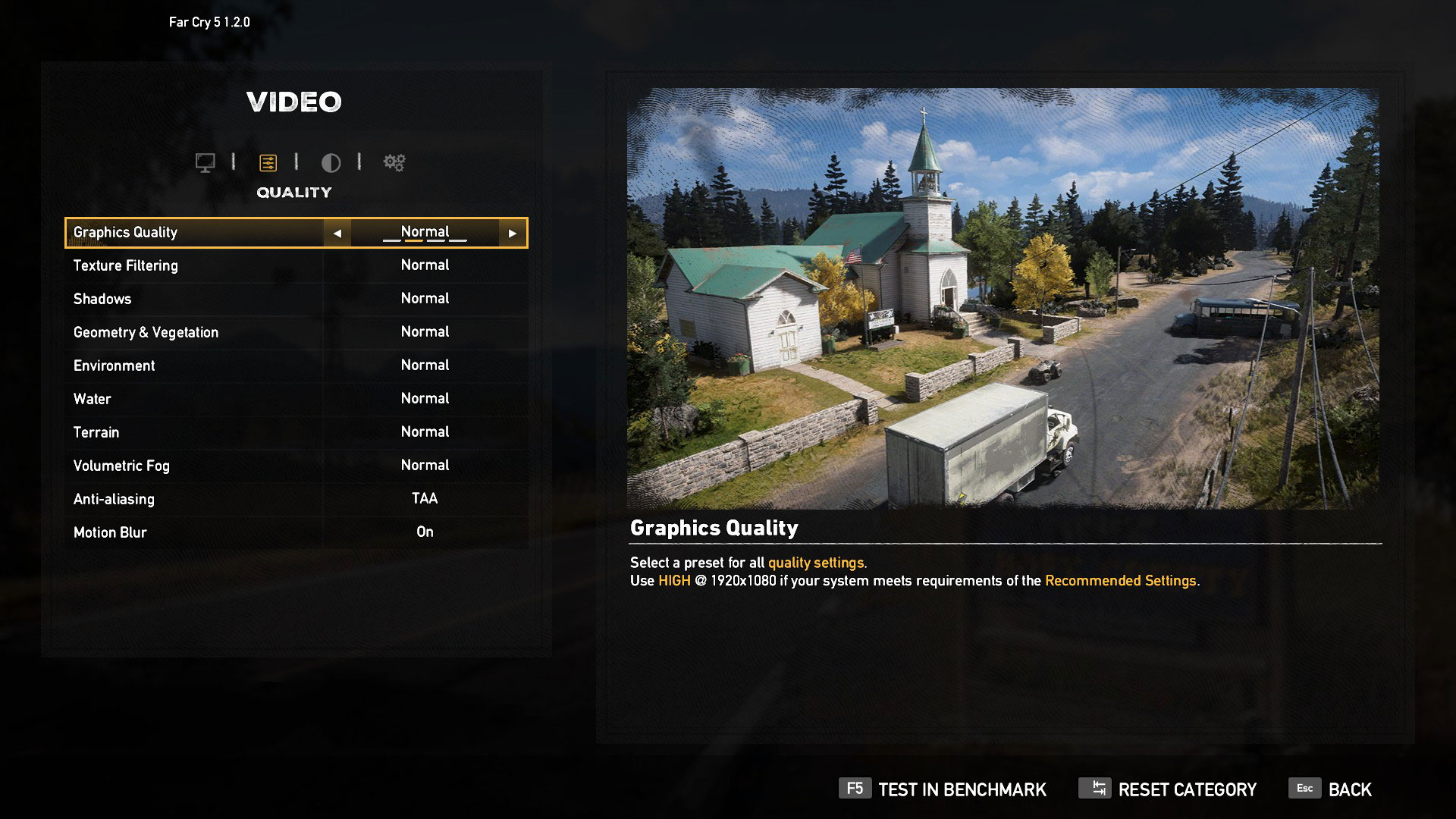
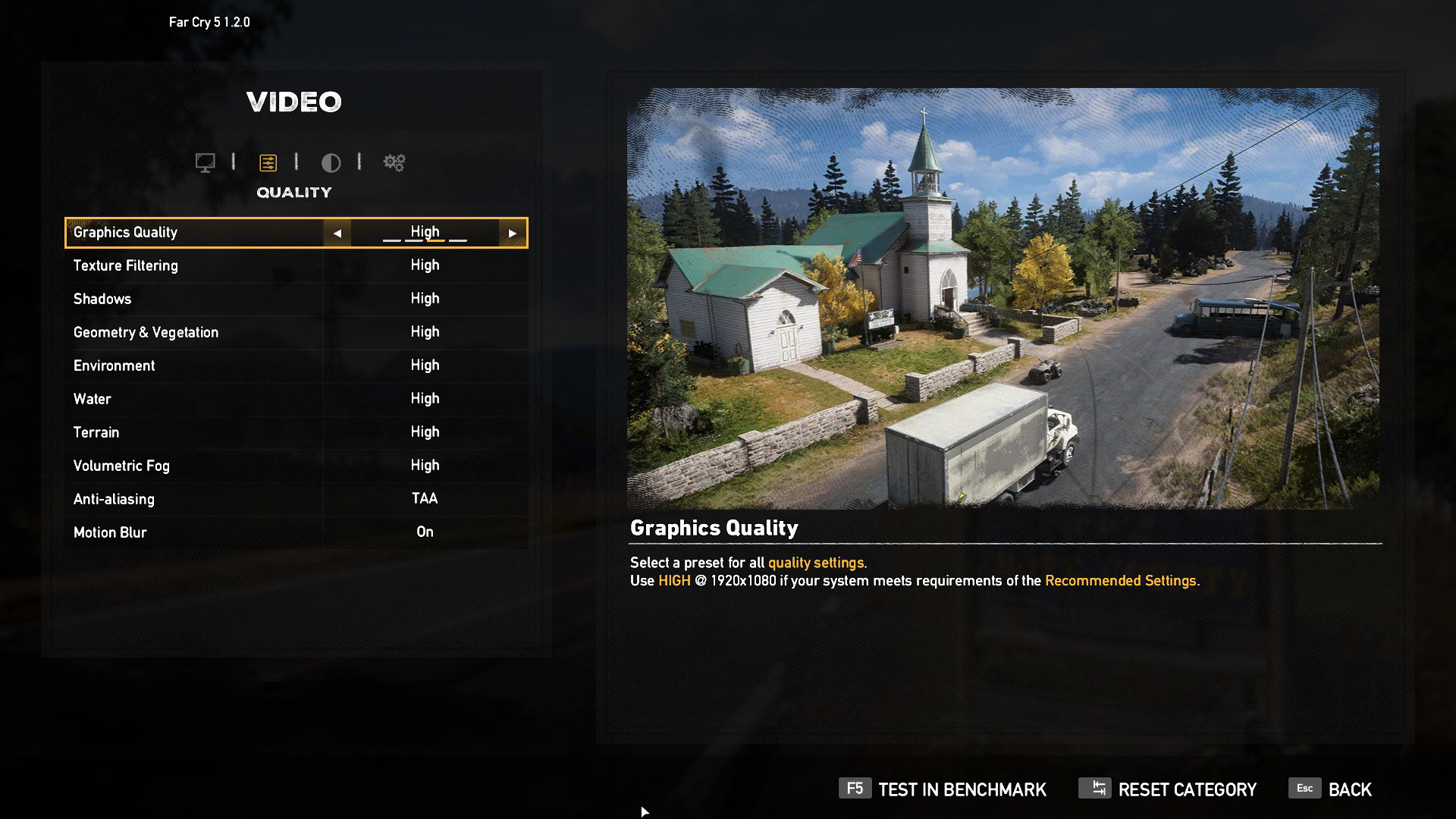
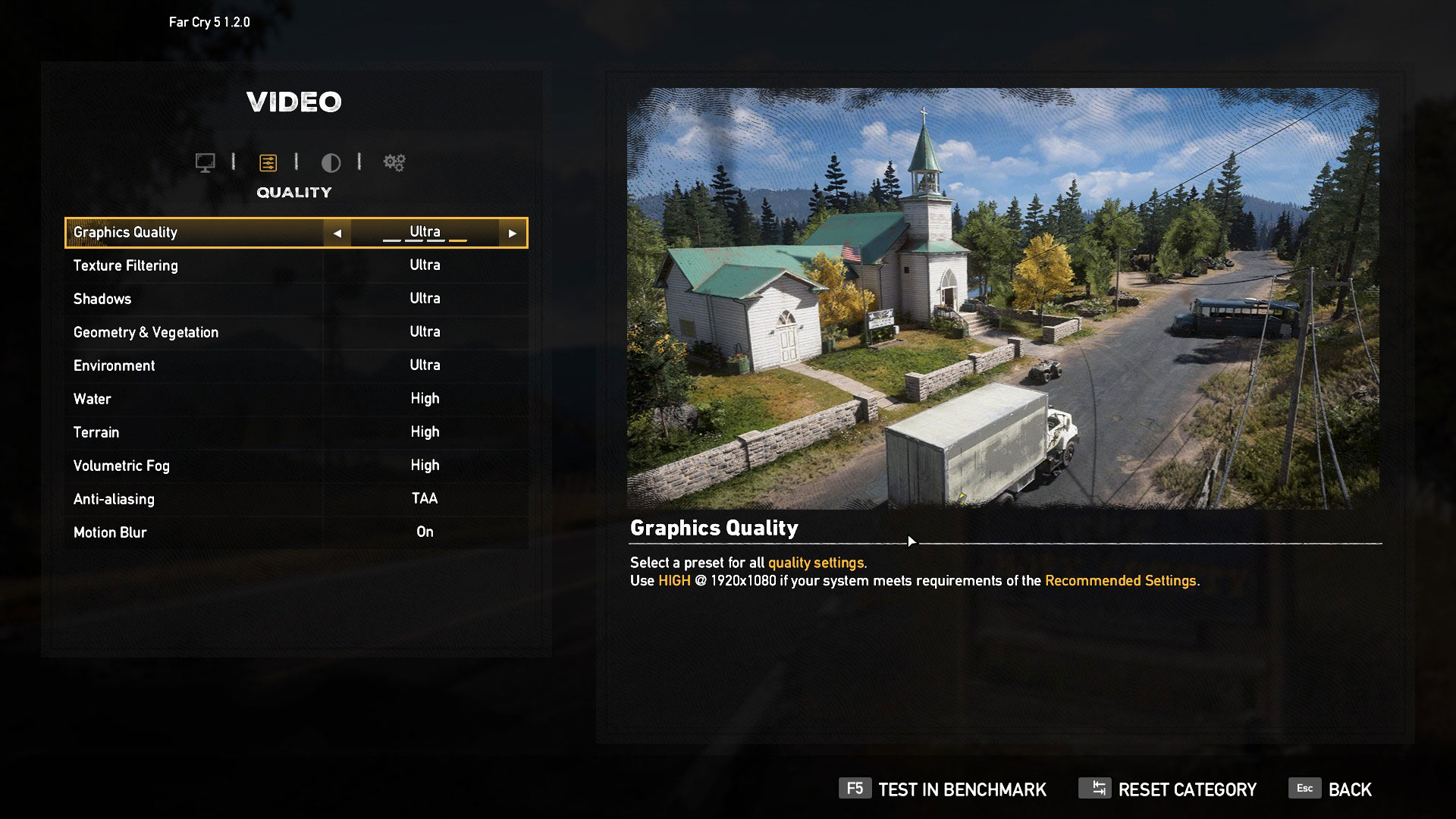
Then comes gaming. Here we see the true magnitude of the improvement dual-channel memory brings to a system. However, there are titles like Far Cry 5 and Shadow of the Tomb Raider, which show a big improvement across all graphics settings. Ghost Recon: Wildlands, on the other hand, shows a minor bump in the fps again at all presets. However, the game that showed the biggest bottleneck of the single-channel RAM is Rise of the Tomb Raider. Especially with the low graphics quality, the bandwidth of the system is crucial, as more frames per second need to be rendered onto the display. The difference we monitored was 75% for the Core i5 and 73% for the Core i7.

| Far Cry 5 | Full HD, Normal (Check settings) | Full HD, High (Check settings) | Full HD, Ultra (Check settings) |
|---|---|---|---|
| Intel Core i5-11300H + RTX 3050 (90W) 8GB 1Rx16 | 58 fps | 57 fps | 54 fps |
| Intel Core i5-11300H + RTX 3050 (90W) 2x8GB 1Rx16 | 77 fps | 73 fps | 66 fps |
| Intel Core i5-11300H + RTX 3050 (90W) 8GB 1Rx8 | 73 fps | 69 fps | 64 fps |
| Intel Core i5-11300H + RTX 3050 (90W) 2x8GB 1Rx8 | 79 fps | 73 fps | 67 fps |
| Far Cry 5 | Full HD, Normal (Check settings) | Full HD, High (Check settings) | Full HD, Ultra (Check settings) |
|---|---|---|---|
| Intel Core i7-11370H + RTX 3050 (90W) 8GB 1Rx16 | 59 fps | 57 fps | 54 fps |
| Intel Core i7-11370H + RTX 3050 (90W) 2x8GB 1Rx16 | 78 fps | 72 fps | 67 fps |
| Intel Core i7-11370H + RTX 3050 (90W) 8GB 1Rx8 | 73 fps | 69 fps | 64 fps |
| Intel Core i7-11370H + RTX 3050 (90W) 2x8GB 1Rx8 | 80 fps | 74 fps | 69 fps |

| Rise of the Tomb Raider (2016) | Full HD, Lowest (Check settings) | Full HD, Medium (Check settings) | Full HD, Very High (Check settings) |
|---|---|---|---|
| Intel Core i5-11300H + RTX 3050 (90W) 8GB 1Rx16 | 81 fps | 71 fps | 52 fps |
| Intel Core i5-11300H + RTX 3050 (90W) 2x8GB 1Rx16 | 133 fps | 97 fps | 52 fps |
| Intel Core i5-11300H + RTX 3050 (90W) 8GB 1Rx8 | 111 fps | 91 fps | 53 fps |
| Intel Core i5-11300H + RTX 3050 (90W) 2x8GB 1Rx8 | 142 fps | 101 fps | 53 fps |
| Rise of the Tomb Raider (2016) | Full HD, Lowest (Check settings) | Full HD, Medium (Check settings) | Full HD, Very High (Check settings) |
|---|---|---|---|
| Intel Core i7-11370H + RTX 3050 (90W) 8GB 1Rx16 | 81 fps | 73 fps | 52 fps |
| Intel Core i7-11370H + RTX 3050 (90W) 2x8GB 1Rx16 | 139 fps | 100 fps | 55 fps |
| Intel Core i7-11370H + RTX 3050 (90W) 8GB 1Rx8 | 119 fps | 96 fps | 53 fps |
| Intel Core i7-11370H + RTX 3050 (90W) 2x8GB 1Rx8 | 140 fps | 105 fps | 55 fps |

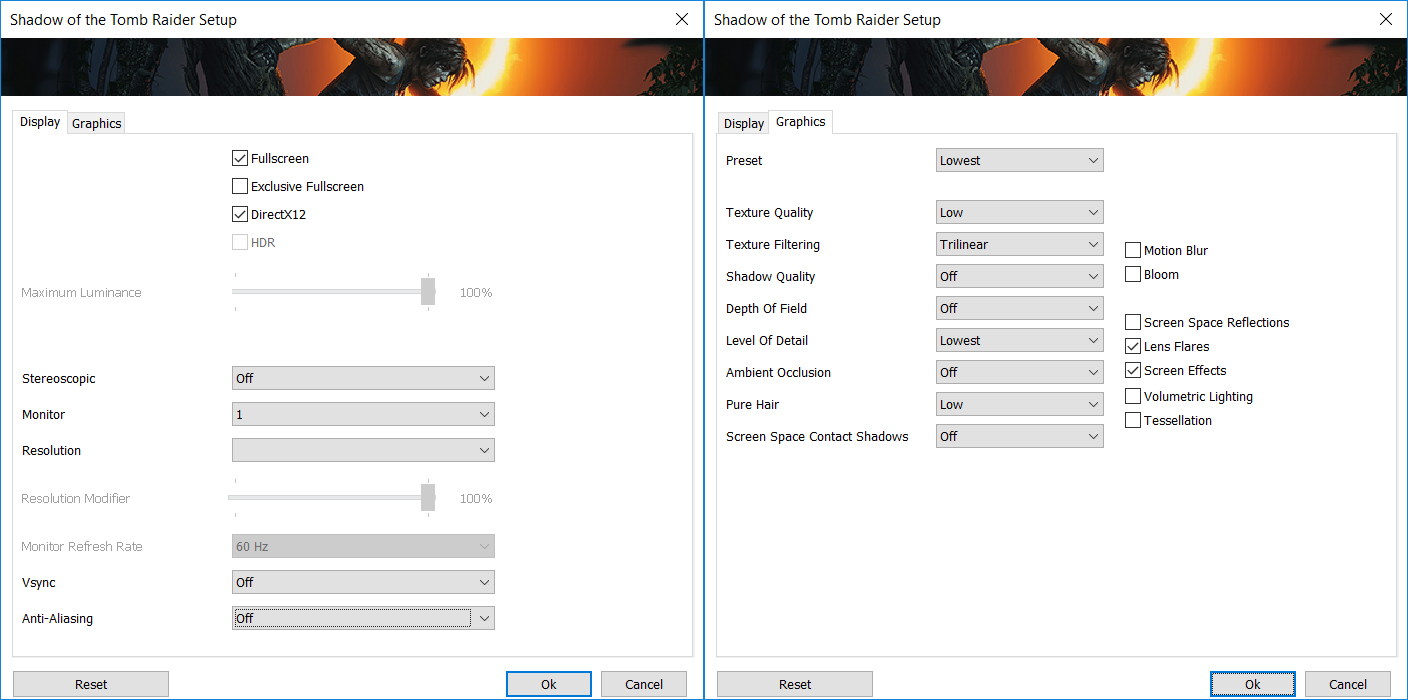
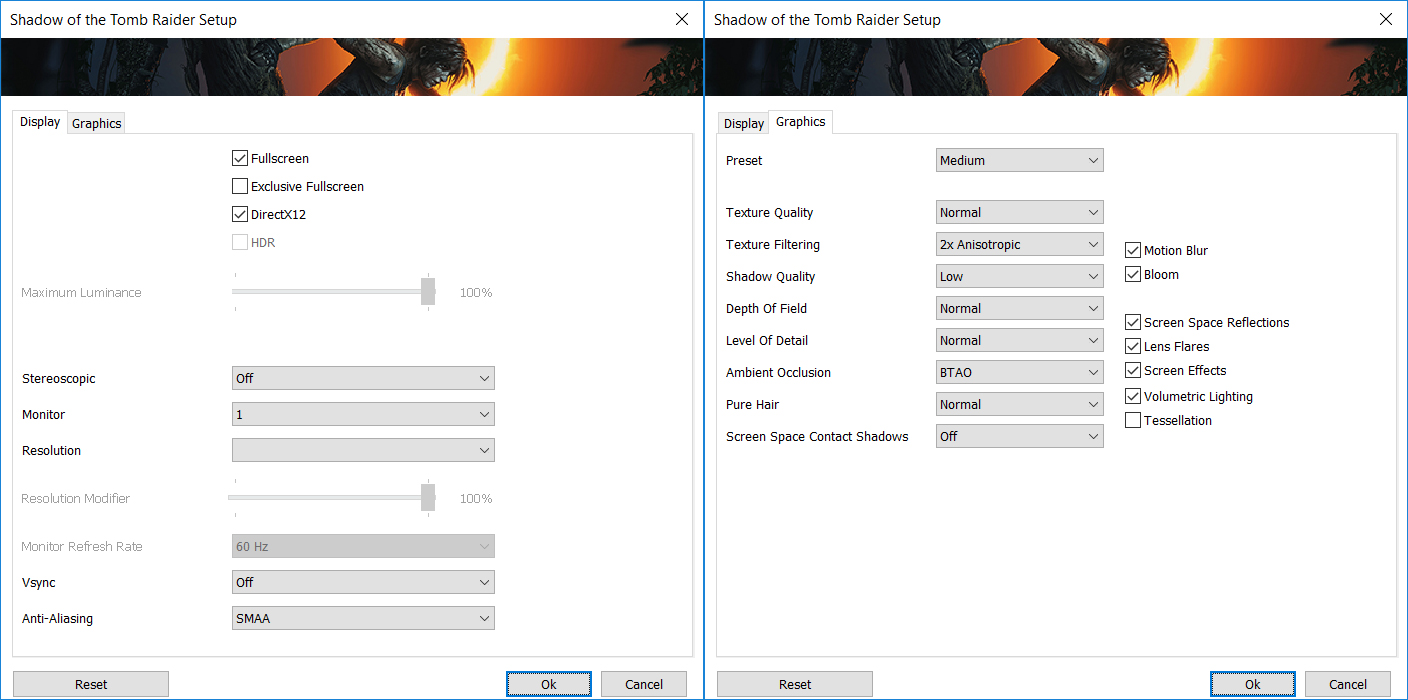
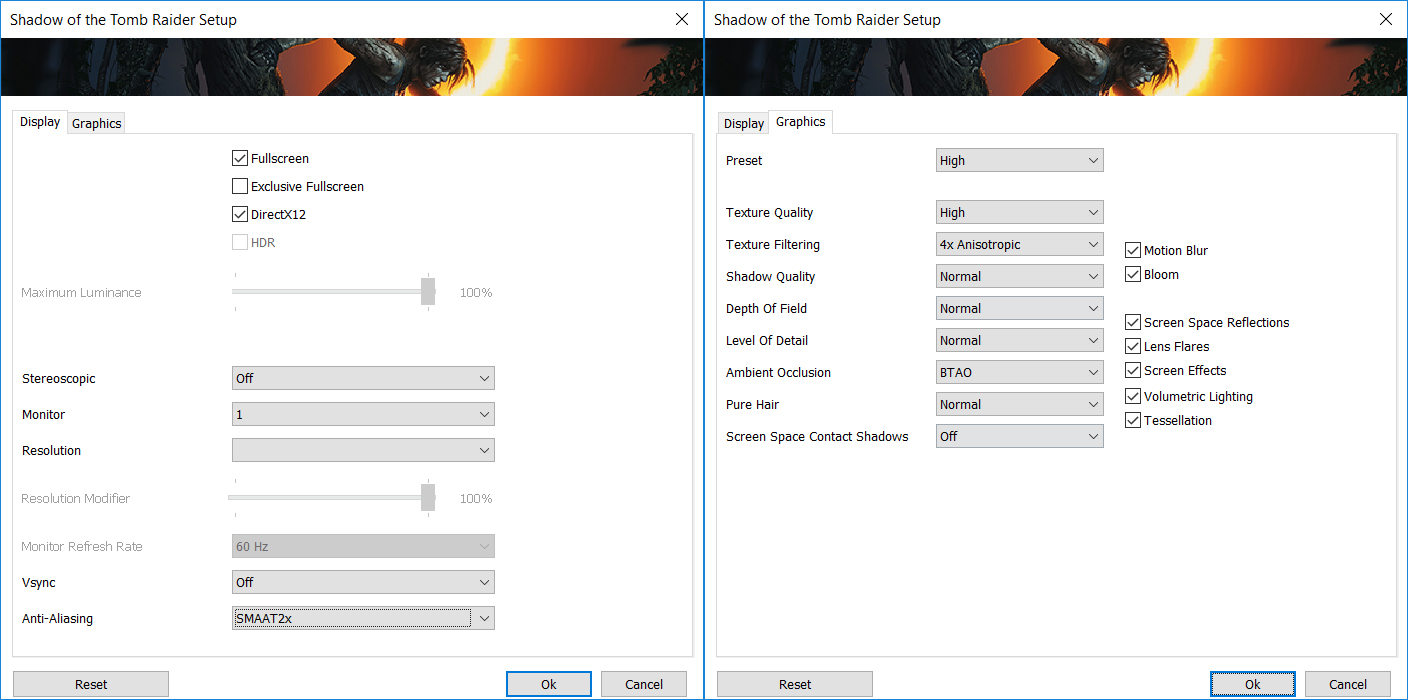
| Shadow of the Tomb Raider | Full HD, Lowest (Check settings) | Full HD, Medium (Check settings) | Full HD, High (Check settings) |
|---|---|---|---|
| Intel Core i5-11300H + RTX 3050 (90W) 8GB 1Rx16 | 63 fps | 54 fps | 46 fps |
| Intel Core i5-11300H + RTX 3050 (90W) 2x8GB 1Rx16 | 100 fps | 72 fps | 57 fps |
| Intel Core i5-11300H + RTX 3050 (90W) 8GB 1Rx8 | 83 fps | 69 fps | 56 fps |
| Intel Core i5-11300H + RTX 3050 (90W) 2x8GB 1Rx8 | 113 fps | 74 fps | 61 fps |
| Shadow of the Tomb Raider | Full HD, Lowest (Check settings) | Full HD, Medium (Check settings) | Full HD, High (Check settings) |
|---|---|---|---|
| Intel Core i7-11370H + RTX 3050 (90W) 8GB 1Rx16 | 59 fps | 53 fps | 47 fps |
| Intel Core i7-11370H + RTX 3050 (90W) 2x8GB 1Rx16 | 107 fps | 75 fps | 56 fps |
| Intel Core i7-11370H + RTX 3050 (90W) 8GB 1Rx8 | 83 fps | 70 fps | 58 fps |
| Intel Core i7-11370H + RTX 3050 (90W) 2x8GB 1Rx8 | 120 fps | 77 fps | 59 fps |

| Tom Clancy’s Ghost Recon Wildlands | Full HD, Medium (Check settings) | Full HD, High (Check settings) | Full HD, Very High (Check settings) |
|---|---|---|---|
| Intel Core i5-11300H + RTX 3050 (90W) 8GB 1Rx16 | 54 fps | 51 fps | 45 fps |
| Intel Core i5-11300H + RTX 3050 (90W) 2x8GB 1Rx16 | 60 fps | 55 fps | 49 fps |
| Intel Core i5-11300H + RTX 3050 (90W) 8GB 1Rx8 | 59 fps | 55 fps | 49 fps |
| Intel Core i5-11300H + RTX 3050 (90W) 2x8GB 1Rx8 | 61 fps | 57 fps | 49 fps |
| Tom Clancy’s Ghost Recon Wildlands | Full HD, Medium (Check settings) | Full HD, High (Check settings) | Full HD, Very High (Check settings) |
|---|---|---|---|
| Intel Core i7-11370H + RTX 3050 (90W) 8GB 1Rx16 | 55 fps | 51 fps | 46 fps |
| Intel Core i7-11370H + RTX 3050 (90W) 2x8GB 1Rx16 | 61 fps | 57 fps | 50 fps |
| Intel Core i7-11370H + RTX 3050 (90W) 8GB 1Rx8 | 61 fps | 56 fps | 50 fps |
| Intel Core i7-11370H + RTX 3050 (90W) 2x8GB 1Rx8 | 62 fps | 57 fps | 50 fps |
Conclusion
Ultimately, this provides insight on what is the best way to improve the performance of your laptop, regardless of whether you have an AMD or Intel CPU – four, six, or eight cores. Dual-channel memory will provide a worthwhile improvement. However, should you pick your IdeaPad Gaming 3i with a Core i7-11370H and 8GB of single-channel memory, or with a Core i5-11300H bundled with 16GB of dual-channel RAM. Generally, in terms of performance outputs, the latter option would be better. But… you have to keep in mind that very very few modern-day laptops offer the opportunity to swap their processor. This means you are better off going for the Core i7-11370H system, as you will have the option to upgrade your memory in the future. Plus, you will get a slightly higher raw performance, which will be needed if you are going to use this laptop to create content or render 3D objects. And obviously, make sure that the memory you get is of 1Rx8 type.
But after we’ve done these experiments, and spent hours on testing every scenario, one thing was left on the table. What if the manufacturer offers the option to overclock your graphics card in their own software. Ultimately, you can do that through 3rd party apps, but it is a hassle to find the sweet spot of voltage/clock speed. So, in the next article, you will learn if it’s worth overclocking your graphics card through the software provided by the laptop maker.
You can buy 1Rx8 RAM modules here: Buy from Amazon.com (#CommissionsEarned)
You can buy 1Rx16 RAM modules here: Buy from Amazon.com (#CommissionsEarned)
 Author: Alex Iliev

![[August 2026] Global Ranking of Best-Selling Laptop GPUs on Amazon – Apple Reigns Supreme, NVIDIA’s RTX 5060 Tops Dedicated Chart](https://laptopmedia.com/wp-content/uploads/2026/09/Best-Selling-GPUs-GLOBAL-Top-10-400x225.jpg)
![[August 2026] Global Ranking of Best-Selling Laptop CPUs on Amazon – Apple Dominates Both Budget and Premium: A18 Pro and M5 Crush Intel and AMD in August 2026](https://laptopmedia.com/wp-content/uploads/2026/09/Best-Selling-CPUs-GLOBAL-Top-10-400x225.jpg)
![[August 2026] Amazon Global: Top 10 Best-Selling Laptops – Apple MacBook Neo Dominates the Charts as Budget and Mid-Range Windows Portables Fight for Volume](https://laptopmedia.com/wp-content/uploads/2026/09/Best-Selling-Laptops-GLOBAL-Top-10-400x225.jpg)
![[August 2026] Best-Selling Laptop Brands on Amazon Global – Apple Dominates Revenue While HP Leads in Model Variety](https://laptopmedia.com/wp-content/uploads/2026/09/GLOBAL-Best-Brands-400x225.jpg)
![[August 2026] Amazon Global: Top 10 Best-Selling Gaming Laptops – HP Victus 15 Captures the Crown as Budget-Friendly Models Dominate the Charts](https://laptopmedia.com/wp-content/uploads/2026/09/Best-Selling-Gaming-Laptops-GLOBAL-Top-10-400x225.jpg)





This result could be biased to having more memory. Instead, I would be interested in running comparison between a single channel 1x16GB vs a dual-channel 2x8GB.