Acer Nitro 17
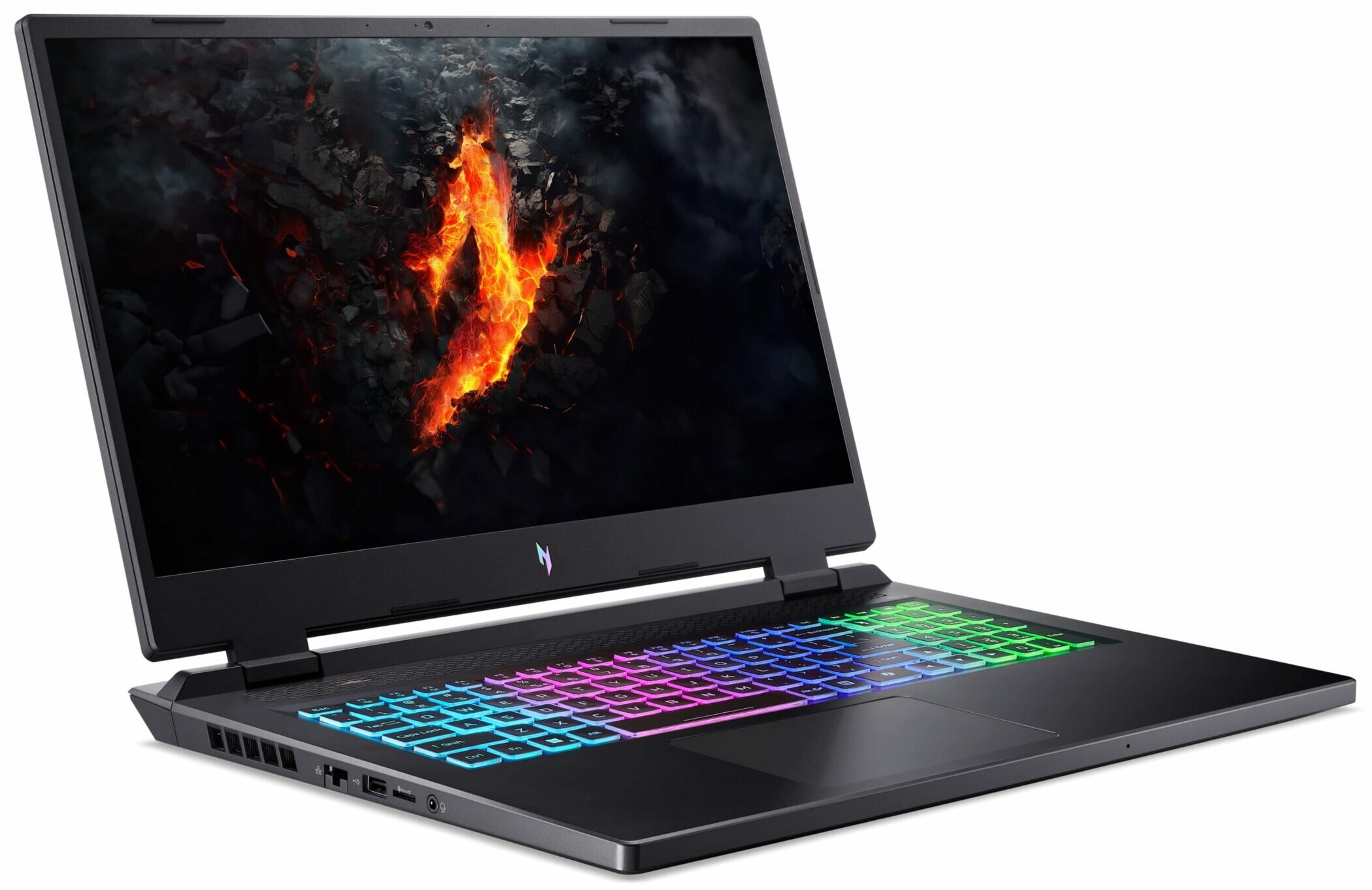
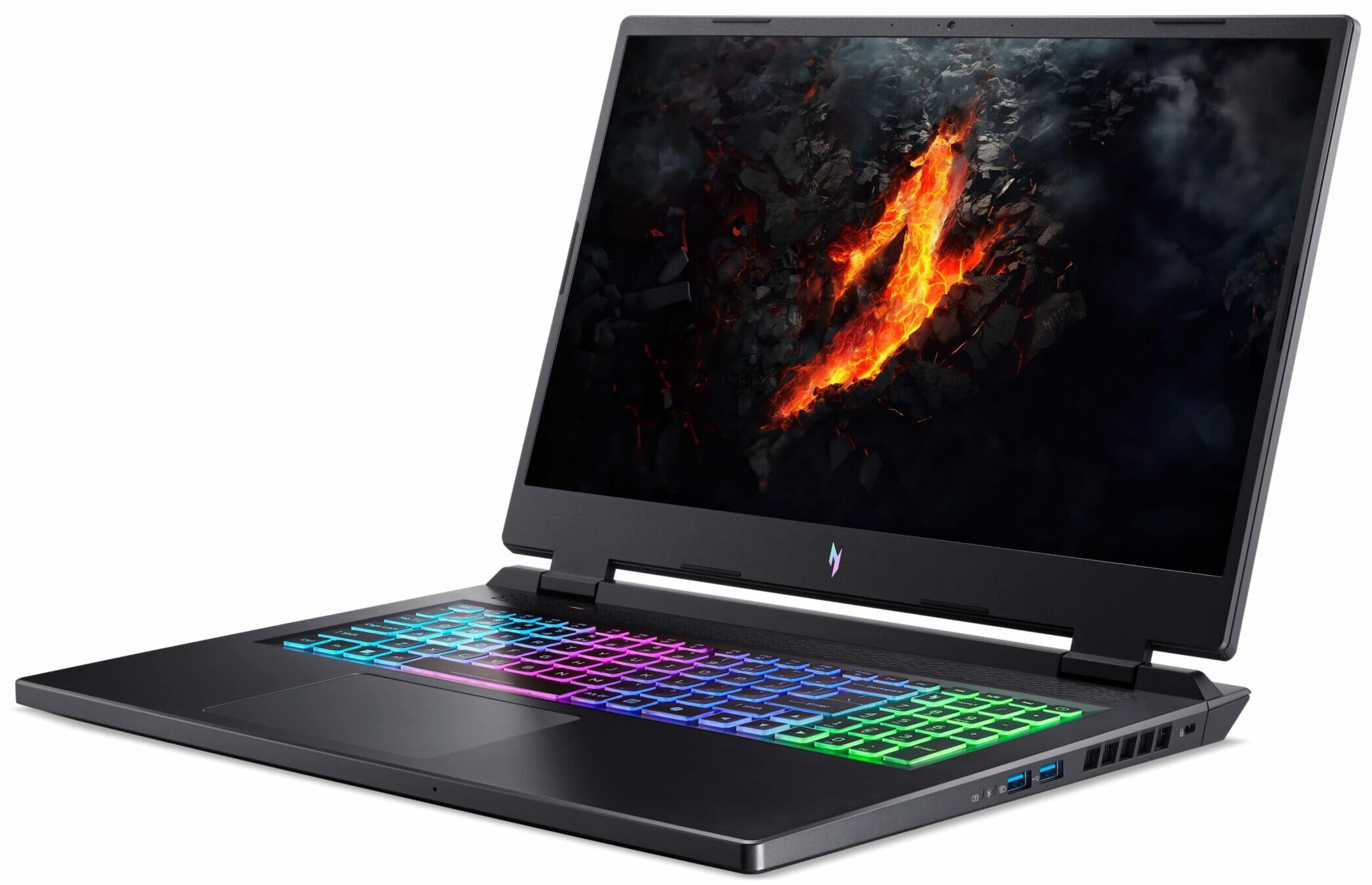
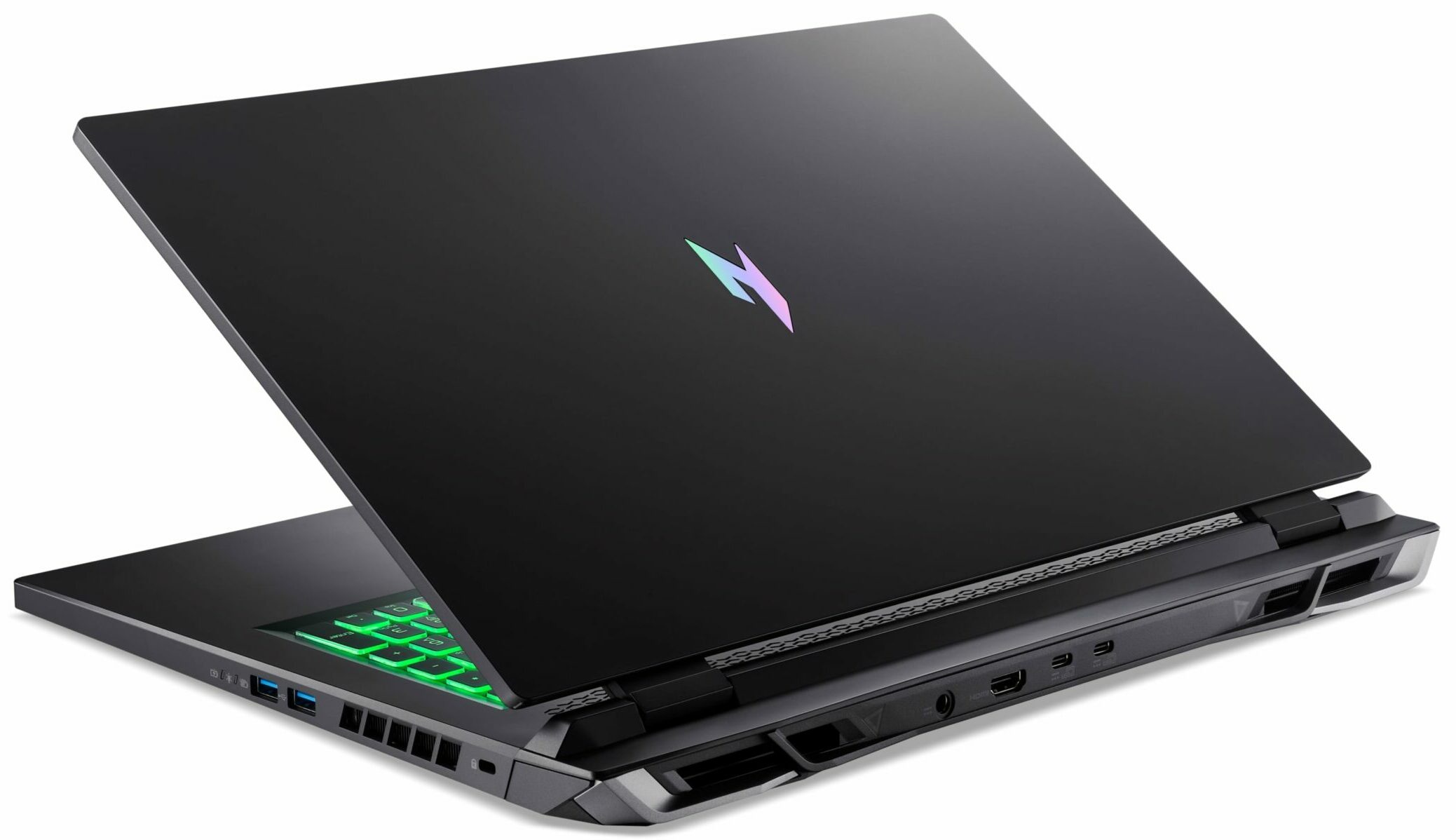
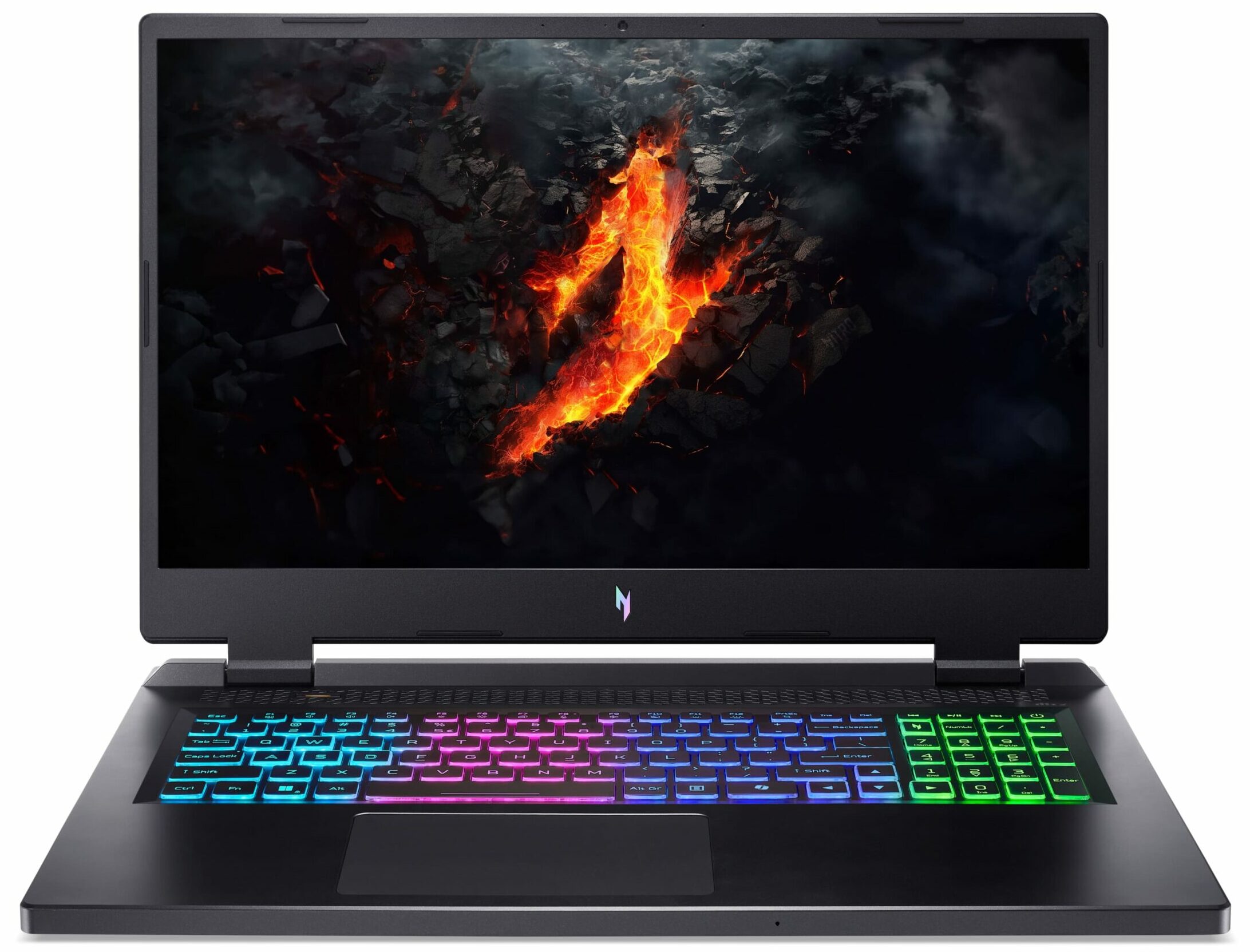
- Date Published: 04 Oct 2024
- AMD Ryzen 7 8845HS
- NVIDIA GeForce RTX 4060 (Laptop, 140W)
- 17.3”, Full HD (1920 x 1080), 165 Hz, IPS
- 1000GB SSD
- 16GB RAM
- 3.10 kg (6.8 lbs)
Specs
- HDD/SSD
- 1000GB SSD
- M.2 Slot
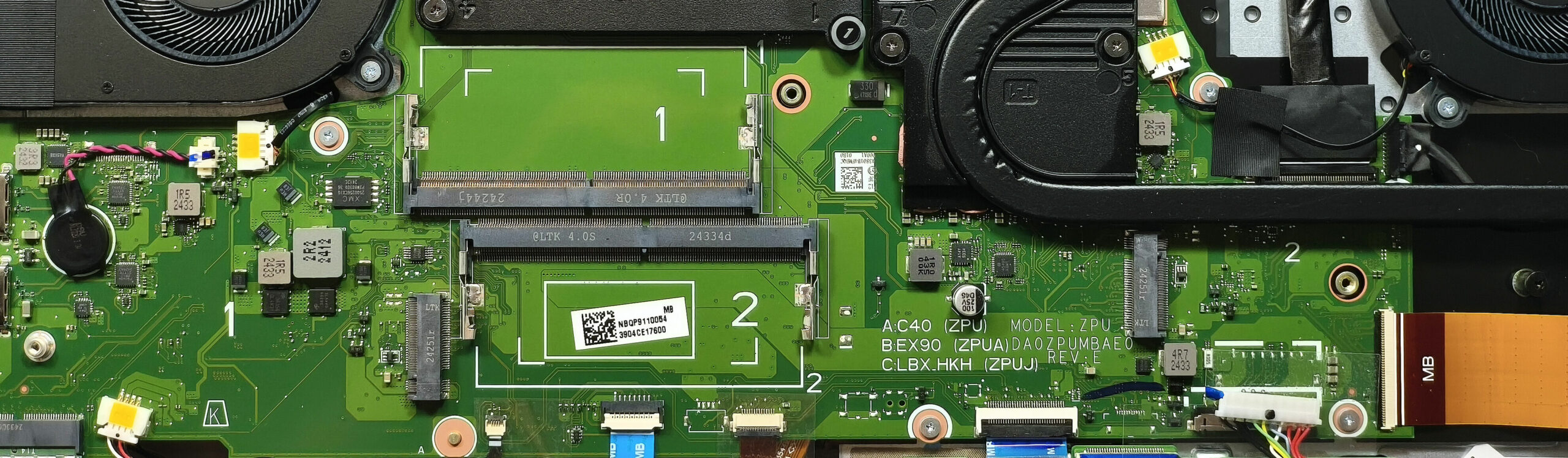
- 2x 2280 M.2 NVMe PCIe 4.0 x4 See photo
- RAM
- 16GB RAM
- OS
- Windows 11 Home
- Body Material
- Plastic / Polycarbonate
- Dimensions
- 400.2 x 293.25 x 27.9 - 28.9 mm (15.76" x 11.55" x 1.10")
- Weight
- 3.10 kg (6.8 lbs)
- Ports and connectivity
- 1x USB Type-A
- 2.0
- 1x USB Type-A
- 3.2 Gen 2 (10 Gbps)
- 1x USB Type-A
- 3.2 Gen 2 (10 Gbps), Sleep and Charge
- 1x USB Type-C
- 3.2 Gen 2 (10 Gbps), Power Delivery (PD), DisplayPort
- 1x USB Type-C
- 4.0, Power Delivery (PD), DisplayPort
- HDMI
- 2.1
- Card Reader
- microSD (microSD, microSDHC, microSDXC)
- Ethernet LAN
- 10, 100, 1000, 2500 Mbit/s
- Wi-Fi
- Wi-Fi 6E
- Bluetooth
- 5.3
- Audio jack
- 3.5mm Combo Jack
- Features
- Fingerprint reader
- Web camera
- HD with Temporal Noise Reduction
- Backlit keyboard
- Microphone
- Dual Microphones with Acer Purified Voice, AI noise reduction
- Speakers
- Speaker System optimized by DTS X:Ultra Audio
- Security Lock slot
- Kensington Lock
Portability
Review
Acer Nitro 17 in-depth review
The Nitro 17 (AN17-42) is for people who are on the hunt for a new big gaming laptop but don't want to spend a whole fortune on it. Features-wise, this Acer creation is a true powerhouse with its 45W Zen 4 Hawk Point-HS CPU options and RTX 4000 GPUs with hefty TGPs. It's nice to see that the upgradability isn't hindered despite the lower price tag - you still get a pair of SODIMMs and M.2 slots. On top of that, the port selection is also rich. There are no compromises in terms of extras because goodies such as G-Sync, Nvidia Advanced Optimus, and a MUX switch are on board. The optional 1440p 165Hz IPS panel is the way to go considering the big 17.3" form factor. However, if you don't mind the lower ppi of the base display, you could save some buck by choosing the default 1080p screen whic[...]
Read the full review
Pros
- Good overall performance for the class
- PWM-free (CSW1704)
- 165Hz refresh rate + wide viewing angles (CSW1704)
- 1440p resolution and 98% sRGB coverage (CSW1704)
- Very good color accuracy when our "Design and Office Work" profile is applied (CSW1704)
- Fast pixel response times for an IPS panel (8ms) (CSW1704)
- MUX switch
- G-Sync + Nvidia Advanced Optimus
- 5x USB ports + 2.5 Gbps LAN + HDMI 2.1
- MicroSD card slot
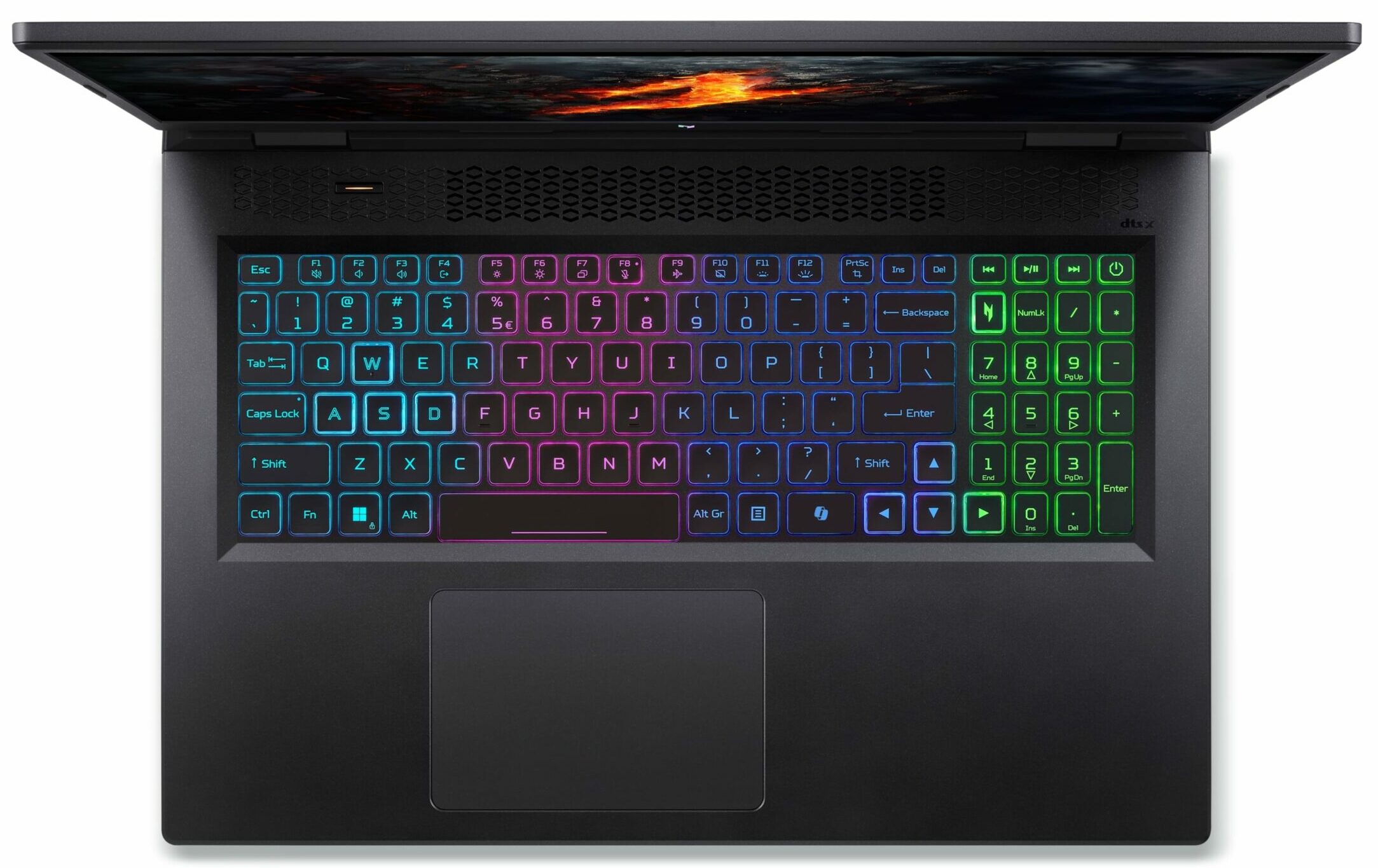
- Great 4-zone RGB backlit keyboard
- Solid base
- The Ryzen 9 8945HS sustains ~ 5GHz even in long loads in "Turbo" mode
- The RTX 4070 boosts to 2625 MHz during gaming in "Turbo" mode
- Great "Performance" preset with the same CPU frequency and GPU TGP as the "Turbo" presets + lower noise
- The keyboard barely gets warm
- Fast SSD (SK Hynix HFS001TEJ9X125N)
- 2x SODIMMs + 2x 2280 Gen 4 M.2 slots
- Good sound quality
- Well priced machine
- Acceptable battery life given the high-res panel and the powerful hardware (~ 6 hours of videos)
- Capable cooling system
Cons
- 1x USB 2.o port
- High noise in "Turbo" mode
Disassembly, maintenance and upgrade options
Opening the Acer Nitro 17 Hint: Ensure the laptop is powered off and unplugged before starting.Undo the 11 Phillips-head screws securing the bottom panel to the chassis. Hold the pair of plastic vents at the back and pop the rear of the panel. Pop the exhausts individually, gently separating the bottom cover until it reaches the level of the LAN connector. Use a thin plastic tool to pry the sides and the front to fully release the bottom panel.More info: The inside of the bottom panel features a dedicated socket for the battery and a large dust filter for the two [...]
Read more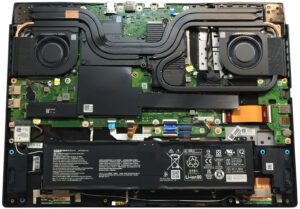


![[June 2026] Best-Selling Laptop Brands on Amazon Global – Apple’s Unrivaled Dominance in Units and Revenue](https://laptopmedia.com/wp-content/uploads/2026/07/GLOBAL-Best-Brands-400x225.jpg)
![[June 2026] Amazon Global: Top 10 Best-Selling Laptops – Apple’s New MacBook Neo Storms to #1, Reshaping the Market with Affordability](https://laptopmedia.com/wp-content/uploads/2026/07/Best-Selling-Laptops-GLOBAL-Top-10-400x225.jpg)
![[June 2026] Amazon Global: Top 10 Best-Selling Gaming Laptops – Acer’s Nitro V 16S AI Dominates Sales, While ASUS Leads Overall Revenue](https://laptopmedia.com/wp-content/uploads/2026/07/Best-Selling-Gaming-Laptops-GLOBAL-Top-10-400x225.jpg)
![[June 2026] Global Ranking of Best-Selling Laptop GPUs on Amazon – NVIDIA RTX 5060 is the Top-Selling Dedicated GPU](https://laptopmedia.com/wp-content/uploads/2026/07/Best-Selling-GPUs-GLOBAL-Top-10-400x225.jpg)
![[June 2026] Global Ranking of Best-Selling Laptop CPUs on Amazon – Apple M5 Dominates, AMD Ryzen 7 260 Gets Solid Premium Share](https://laptopmedia.com/wp-content/uploads/2026/07/Best-Selling-CPUs-GLOBAL-Top-10-400x225.jpg)