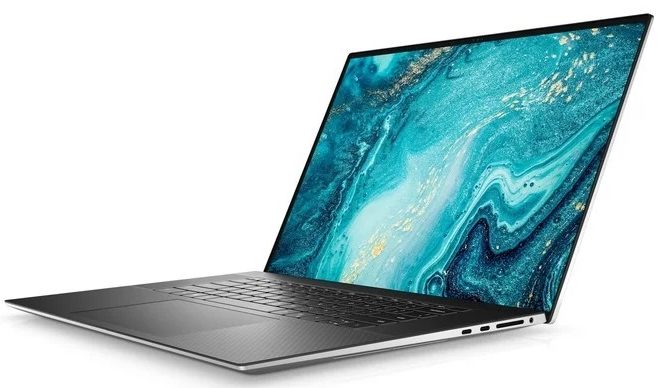
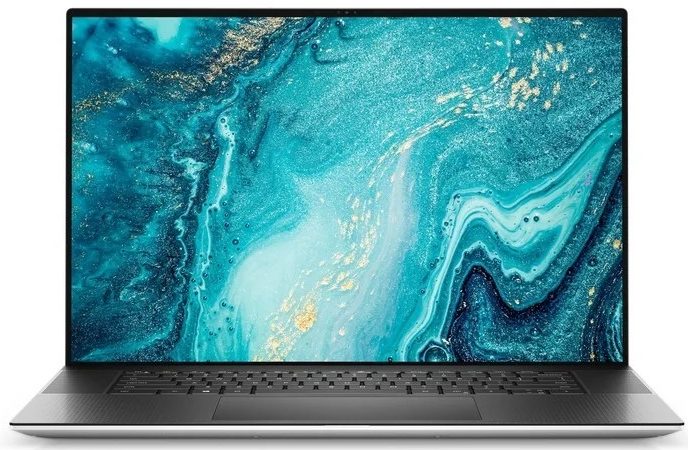
Dell XPS 9710

- Date Published: 02 Jul 2022
- Intel Core i9-11900H
- NVIDIA GeForce RTX 3060 (Laptop, 70W)
- 17.0”, FHD+ (1920 x 1200), IPS
- 2000GB SSD
- 64GB DDR4
- 2.53 kg (5.6 lbs)
Review
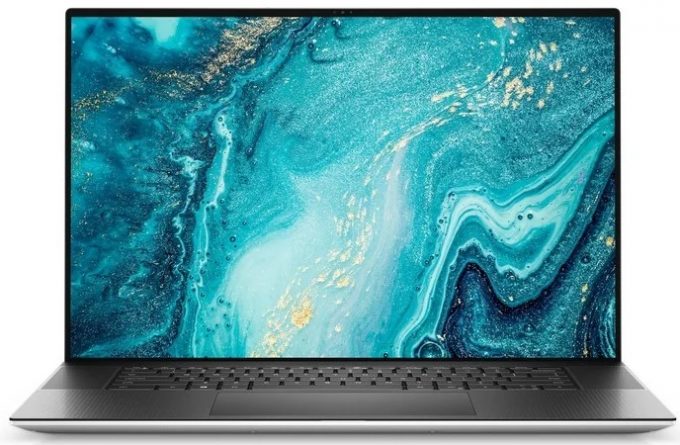
Dell XPS 9710 in-depth review
You know, if you are into premium notebooks, one that can do the job every day of the week, and look at a level, no one would expect them to be that powerful, you must have heard of the XPS brand. In fact, its name is synonymous with premium Windows devices. Unfortunately, last year we weren't able to properly put the 17-inch model through its paces. Now, however, we have one of the top-specs options.Speaking of specs, you can rely on a Tiger Lake CPU, starting from the Core i5-11400H, and going all the way up to the Core i9-11980HK. As for the graphics, the options are more limited with you only getting to pick from the RTX 3050, and the RTX 3060. Obviously, at this form factor, you shouldn't expect the latter to boast a 130W TGP. Instead, Dell has settled for the more efficient 70W [...]
Read the full review
Pros
- Strong body build of carbon fiber and aluminum
- Virtually bezel-less screen
- 467 nits maximum brightness, 100% sRGB coverage (100% Adobe RGB) (Sharp 5KKRM-LQ170R1 (SHP1517))
- Thin and light
- Boasts up to Core i9-11980HK processor
- Easy upgrade and maintenance
- Great keyboard, touchpad, and speakers
- Fingerprint reader embedded in the power button and optional IR face recognition system
- Four Thunderbolt 4 connectors, USB Type-C charging, and an SD card reader (+ tiny dongle inside the box)
- Doesn't use PWM to adjust its brightness (Sharp 5KKRM-LQ170R1 (SHP1517))
Cons
- Can't handle top trim CPUs
- Pricey
Disassembly, maintenance and upgrade options
It's remarkable how Dell managed to put any upgrade options on a device this thin.Check out all Dell XPS 17 9710 prices and configurations in our Specs System or read more in our In-Depth review.1. Remove the bottom plate To get inside of this device, you need to undo all 8 Torx-head screws. After that, pry the bottom panel, and be careful with the sharp aluminum edges.2. Battery The first thing we see inside is the 97Wh battery pack.3. Мemory and storage Thankfully, there are two RAM SODIMM slots, which support up to 64GB of DDR4 memory in total. In addition to th[...]
Read more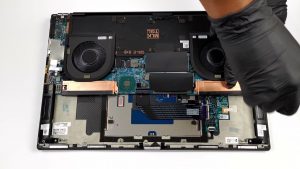


![[June 2026] Best-Selling Laptop Brands on Amazon Global – Apple’s Unrivaled Dominance in Units and Revenue](https://laptopmedia.com/wp-content/uploads/2026/07/GLOBAL-Best-Brands-400x225.jpg)
![[June 2026] Amazon Global: Top 10 Best-Selling Laptops – Apple’s New MacBook Neo Storms to #1, Reshaping the Market with Affordability](https://laptopmedia.com/wp-content/uploads/2026/07/Best-Selling-Laptops-GLOBAL-Top-10-400x225.jpg)
![[June 2026] Amazon Global: Top 10 Best-Selling Gaming Laptops – Acer’s Nitro V 16S AI Dominates Sales, While ASUS Leads Overall Revenue](https://laptopmedia.com/wp-content/uploads/2026/07/Best-Selling-Gaming-Laptops-GLOBAL-Top-10-400x225.jpg)
![[June 2026] Global Ranking of Best-Selling Laptop GPUs on Amazon – NVIDIA RTX 5060 is the Top-Selling Dedicated GPU](https://laptopmedia.com/wp-content/uploads/2026/07/Best-Selling-GPUs-GLOBAL-Top-10-400x225.jpg)
![[June 2026] Global Ranking of Best-Selling Laptop CPUs on Amazon – Apple M5 Dominates, AMD Ryzen 7 260 Gets Solid Premium Share](https://laptopmedia.com/wp-content/uploads/2026/07/Best-Selling-CPUs-GLOBAL-Top-10-400x225.jpg)
