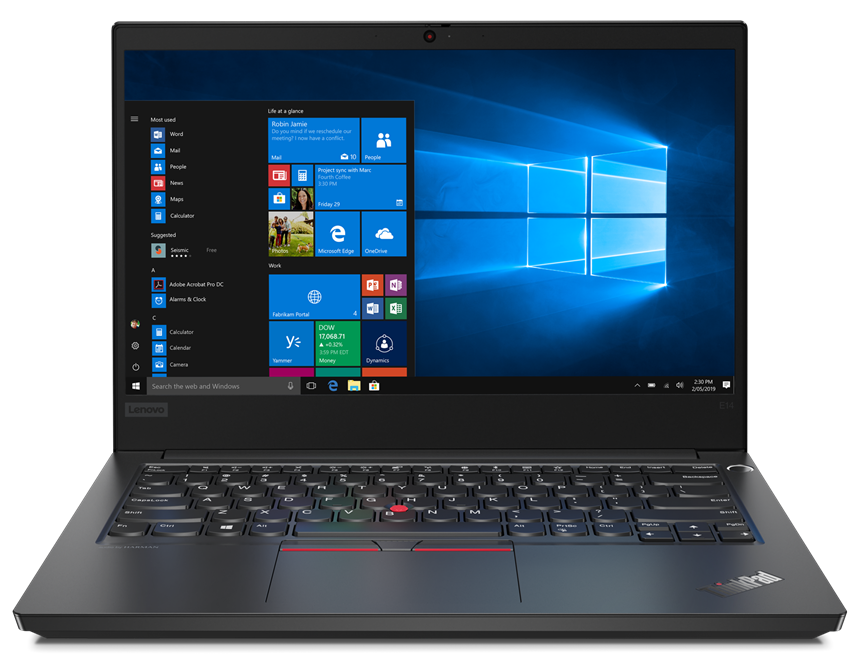
Lenovo ThinkPad E14
- Date Published: 04 Aug 2020
- Intel Core i5-10210U
- Intel UHD Graphics 620
- 14.0”, Full HD (1920 x 1080), IPS
- 256GB SSD
- 8GB DDR4
- 1.69 kg (3.7 lbs)

Specs

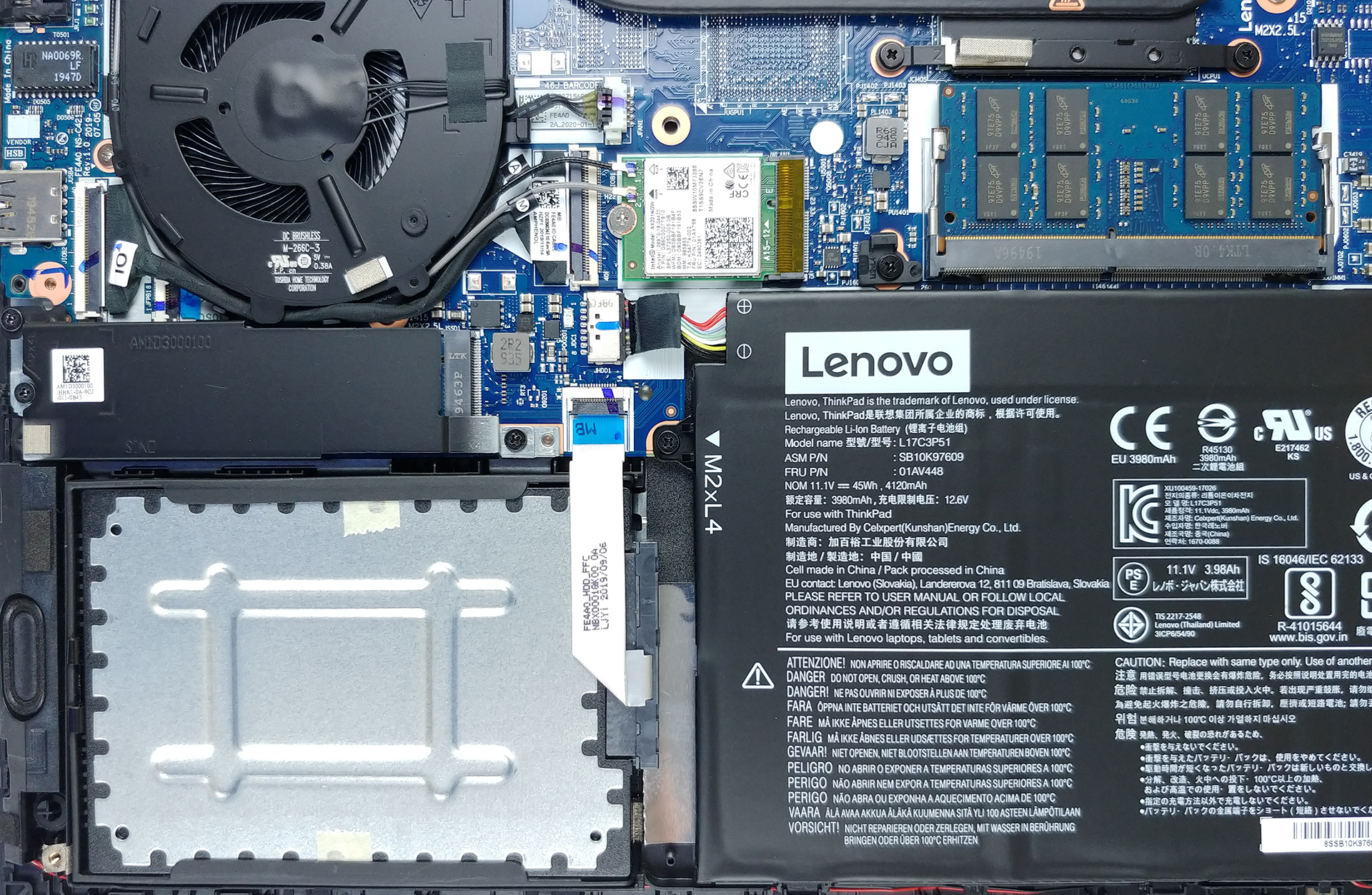
- HDD/SSD
- 256GB SSD
- M.2 Slot
- 1x 2280 PCIe NVMe 3.0 x4 See photo
- RAM
- 8GB DDR4
- OS
- Windows 10 Pro
- Body Material
- Plastic / Polycarbonate, Aluminum
- Dimensions
- 325 x 232 x 17.9 ~ 20.5 mm (12.80" x 9.13" x 0.70")
- Weight
- 1.69 kg (3.7 lbs)
- Ports and connectivity
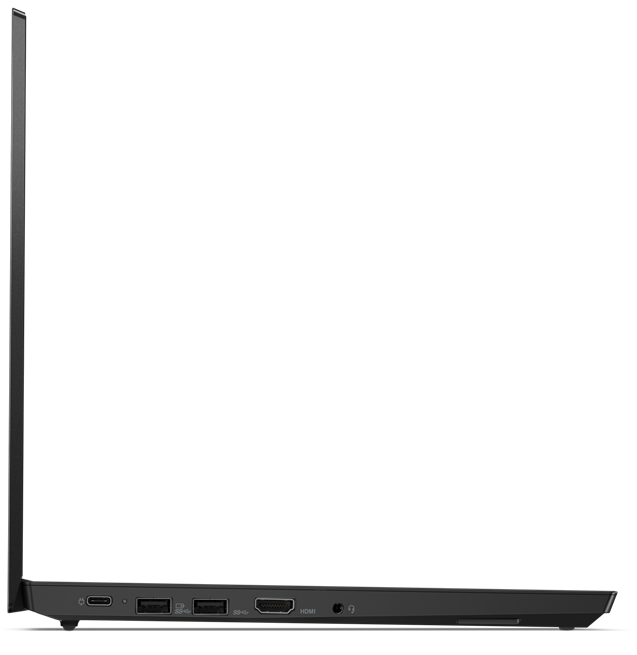
- 1x USB Type-C
- 3.2 Gen 1 (5 Gbps), Power Delivery (PD), DisplayPort
- 2x USB Type-A
- 3.2 Gen 1 (5 Gbps)
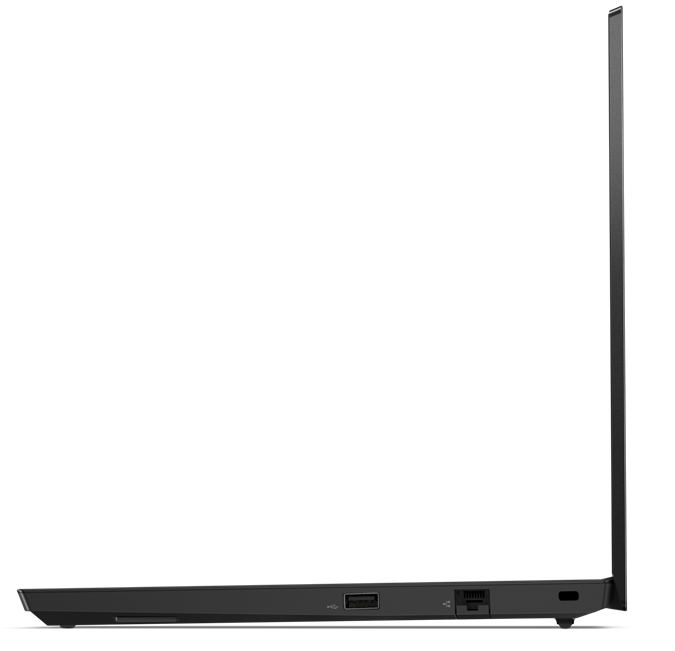
- 1x USB Type-A
- 2.0
- HDMI
- 1.4b
- Ethernet LAN
- Wi-Fi
- 802.11ac/ax
- Bluetooth
- 5.0
- Audio jack
- 3.5 Combo Jack
- Features
- Fingerprint reader
- Web camera
- HD
- Backlit keyboard
- Microphone
- Dual Array Microphone
- Speakers
- 2x 2W, Dolby Audio
- Optical drive
- Security Lock slot
Portability
Review
Lenovo ThinkPad E14 in-depth review
Lenovo is trying to deliver a good performance and decent versatility with its latest business machines. This one, in particular, is the ThinkPad E14 - a successor to the E490. Ultimately, it is the same good old, rigid design that Lenovo fancies to use on their ThinkPad devices. Of course, it is legacy to the IBM ThinkPad series, and the industrial package is something people look for when shopping for these laptops.Another thing that keeps people attracted, is the security devices all around. You've got a privacy shutter on top of the camera, a fingerprint reader inside of the Power button, a TPM chip soldered to the motherboard, and of course, all of the software goodies Lenovo provides.As of the hardware of the notebook - it comes with a Comet Lake processor, which depending o[...]
Read the full review
Pros
- Its keyboard is backlit and great for typing
- Has a Fingerprint reader that stores your finger's print upon pressing the power button
- Good contrast ratio and comfortable viewing angles
- Supports PCIe x4 SSDs, and some models feature a WiFi 6 card
- It is able to maintain its 25W TDP limit for quite a while
- Great battery life
- Charges via USB Type-C
Cons
- Lacks a Thunderbolt connector
- Uses harmful PWM for all brightness levels except the maximum (our Health-Guard profile fixes the issue)
- Covers only 52% of sRGB
- Lacks an SD card reader
Disassembly, maintenance and upgrade options
This device is equipped with some exciting features, like the Power button/fingerprint reader combo, which stores the print of your finger upon startup, and then sends it towards the OS for seamless logins. However, how easy it is to maintain and upgrade the ThinkPad E14? Let's take a look.Check out all Lenovo ThinkPad E14 prices and configurations in our Specs System or read more in our In-Depth review.1. Remove the bottom plate This device's bottom plate is held up in a place by 7 Phillips-head screws. Fortunately for clumsy people like us, they stay attached to the panel even[...]
Read more


![[June 2026] Best-Selling Laptop Brands on Amazon Global – Apple’s Unrivaled Dominance in Units and Revenue](https://laptopmedia.com/wp-content/uploads/2026/07/GLOBAL-Best-Brands-400x225.jpg)
![[June 2026] Amazon Global: Top 10 Best-Selling Laptops – Apple’s New MacBook Neo Storms to #1, Reshaping the Market with Affordability](https://laptopmedia.com/wp-content/uploads/2026/07/Best-Selling-Laptops-GLOBAL-Top-10-400x225.jpg)
![[June 2026] Amazon Global: Top 10 Best-Selling Gaming Laptops – Acer’s Nitro V 16S AI Dominates Sales, While ASUS Leads Overall Revenue](https://laptopmedia.com/wp-content/uploads/2026/07/Best-Selling-Gaming-Laptops-GLOBAL-Top-10-400x225.jpg)
![[June 2026] Global Ranking of Best-Selling Laptop GPUs on Amazon – NVIDIA RTX 5060 is the Top-Selling Dedicated GPU](https://laptopmedia.com/wp-content/uploads/2026/07/Best-Selling-GPUs-GLOBAL-Top-10-400x225.jpg)
![[June 2026] Global Ranking of Best-Selling Laptop CPUs on Amazon – Apple M5 Dominates, AMD Ryzen 7 260 Gets Solid Premium Share](https://laptopmedia.com/wp-content/uploads/2026/07/Best-Selling-CPUs-GLOBAL-Top-10-400x225.jpg)