HP OMEN MAX 16 (AMD, 16-ak0000) review – Record-Breaking Speed & 10-Hour Battery!

The HP OMEN MAX 16 arrives with a mission: to prove that you don’t need a loud, aggressive design to house record-breaking performance. It wraps some of the most powerful mobile hardware available (including top-tier AMD Ryzen AI processors and NVIDIA RTX 50-series GPUs) inside a sleek, understated chassis that looks as much at home in a boardroom as it does in a battlestation. But this isn’t just a “sleeper” hit; it’s a statement. With benchmark-crushing graphics scores and battery life that puts its rivals to shame, the OMEN MAX 16 challenges the very idea of what a high-performance gaming laptop should be. We put it to the test to see if it truly lives up to its “MAX” moniker.
You can check the prices and configurations in our Specs System: https://laptopmedia.com/series/hp-omen-max-16-16-ab0000/
Contents
Specs, Drivers, What’s in the box
HP OMEN MAX 16 (16-ab0000, ak0000) - Specs

- HDD/SSD
- up to 8000GB SSD
- RAM
- up to 64GB
- OS
- Windows 11 Home, No OS, Windows 11 Pro
- Battery
- 83Wh
- Body material
- Plastic / Polycarbonate, Aluminum
- Dimensions
- 356.62 x 268.99 x 22.86 - 27.69 mm (14.04" x 10.59" x 0.90")
- Weight
- 2.69 kg (5.9 lbs)
- Ports and connectivity
- 2x USB Type-A
- 3.2 Gen 2 (10 Gbps)
- 2x USB Type-C
- 4.0, Power Delivery (PD), DisplayPort, Sleep and Charge
- HDMI
- 2.1
- Card reader
- Ethernet LAN
- 10, 100, 1000, 2500 Mbit/s
- Wi-Fi
- Wi-Fi 7
- Bluetooth
- 5.4
- Audio jack
- 3.5mm Combo Jack
- Features
- Fingerprint reader
- Web camera
- HP True Vision 1080p FHD IR camera with temporal noise reduction
- Backlit keyboard
- Microphone
- Dual Array Digital Microphones
- Speakers
- Dual Speakers, HP Audio Boost, DTS:X Ultra, HyperX
- Security Lock slot
All HP OMEN MAX 16 (16-ab0000, ak0000) configurations
Drivers
All drivers and utilities for this notebook can be found here: https://support.hp.com/us-en/drivers/omen-max-16-inch-gaming-laptop-pc-16-ak0000/2102796843
What’s in the box?
HP keeps the unboxing experience for the OMEN MAX 16 focused squarely on the hardware essentials.
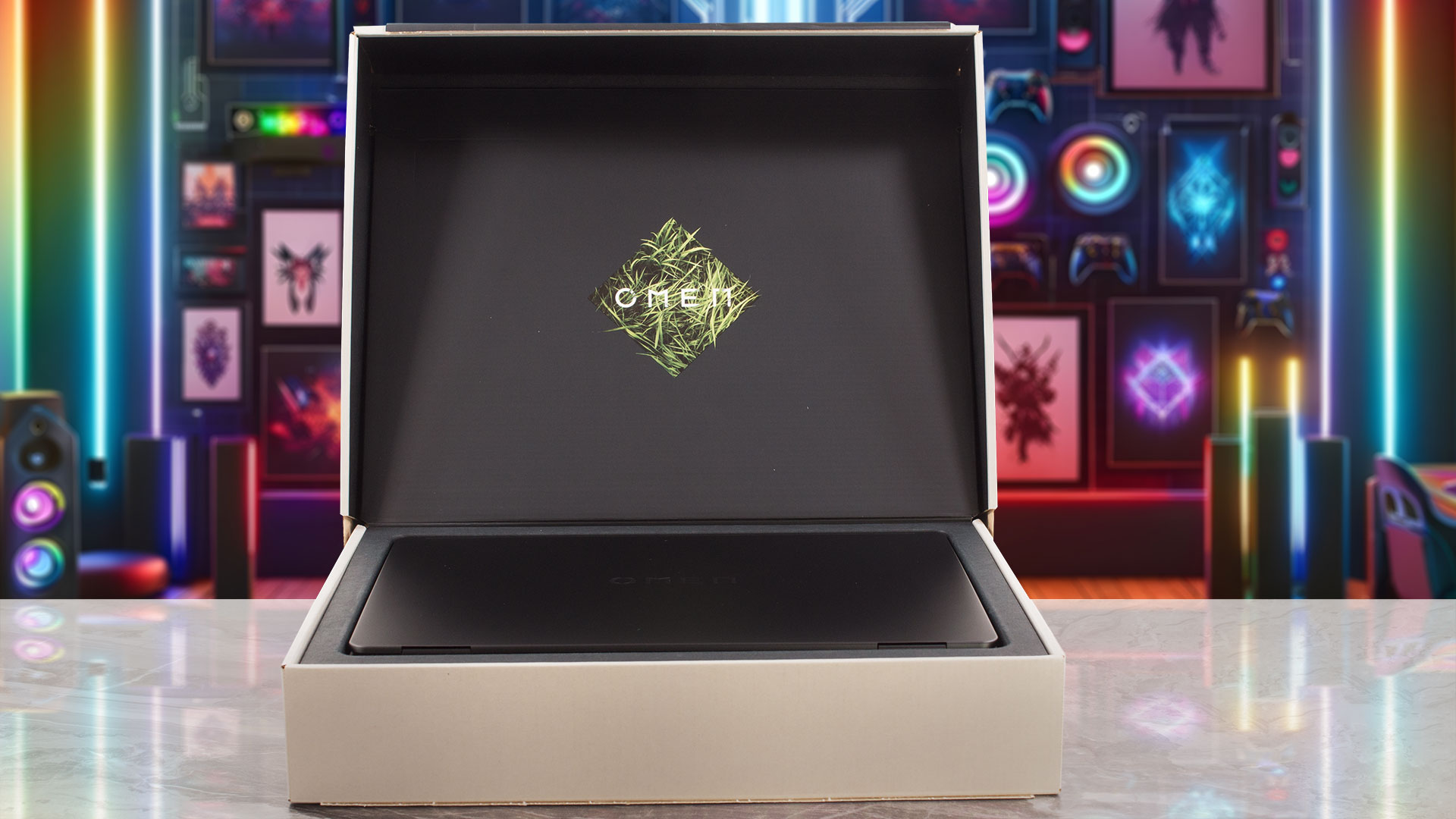
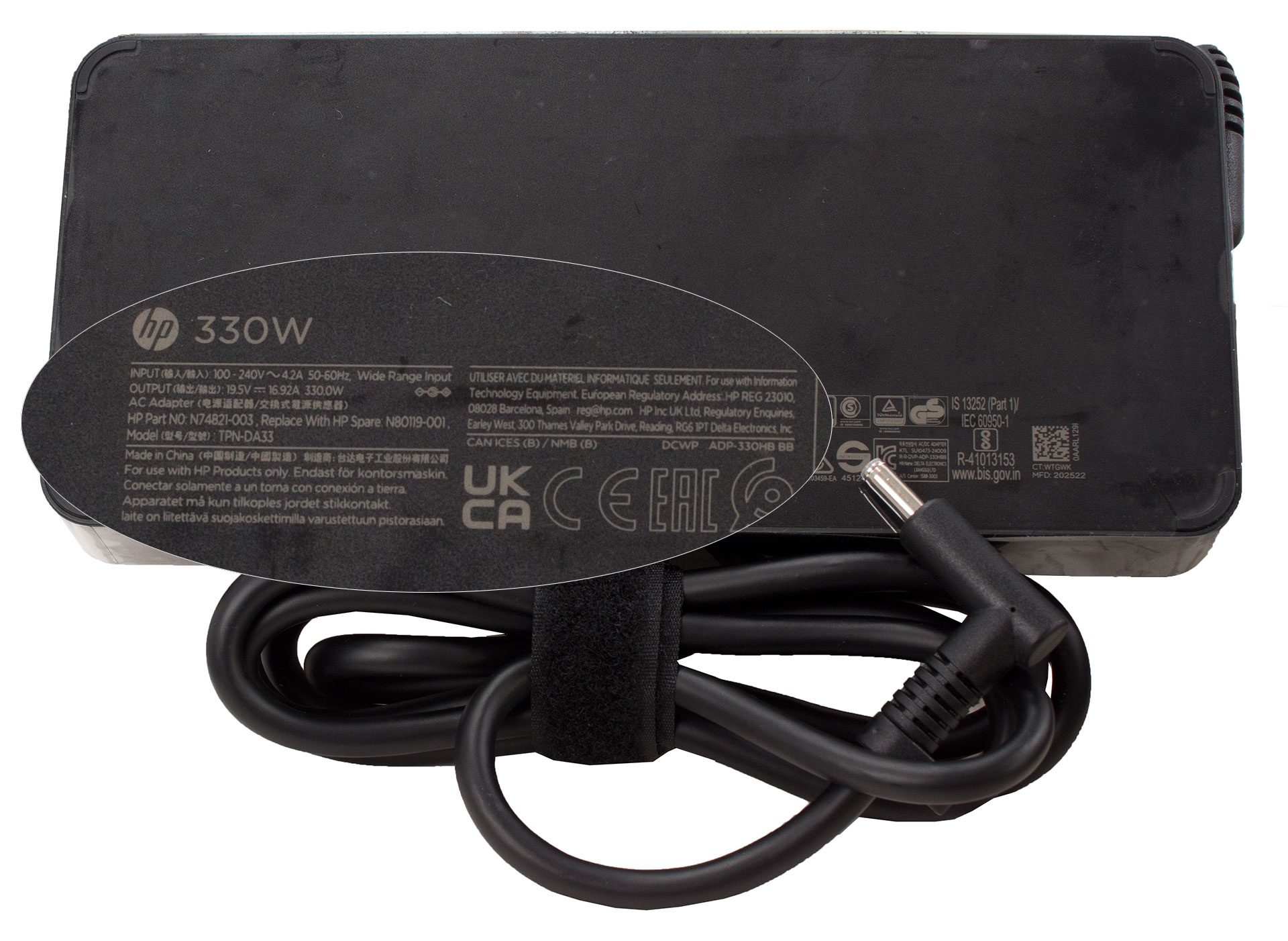
Inside, you’ll find the laptop itself, the mandatory set of booklets, and the substantial 330W power adapter needed to fuel this gaming machine.
Design and construction
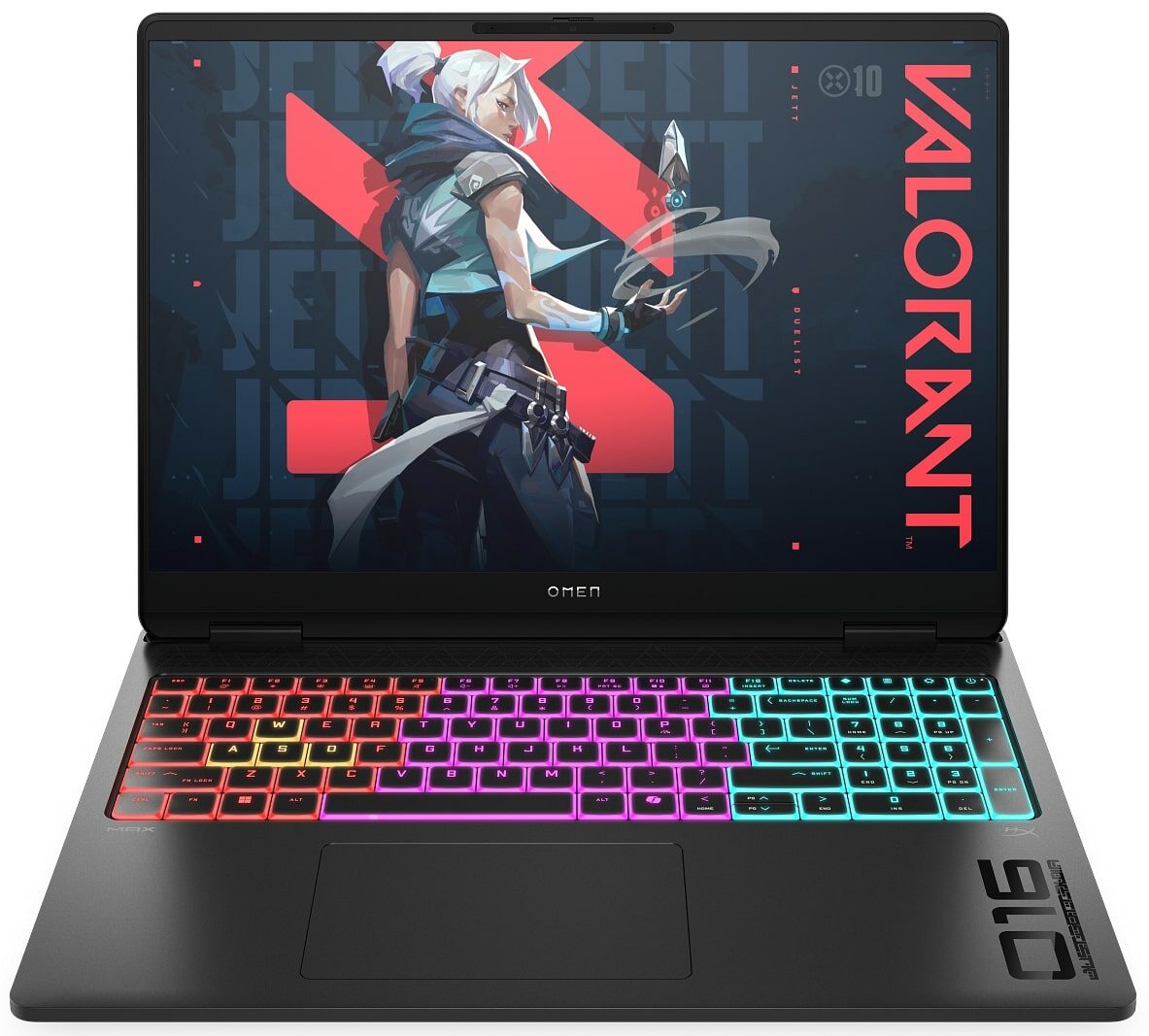
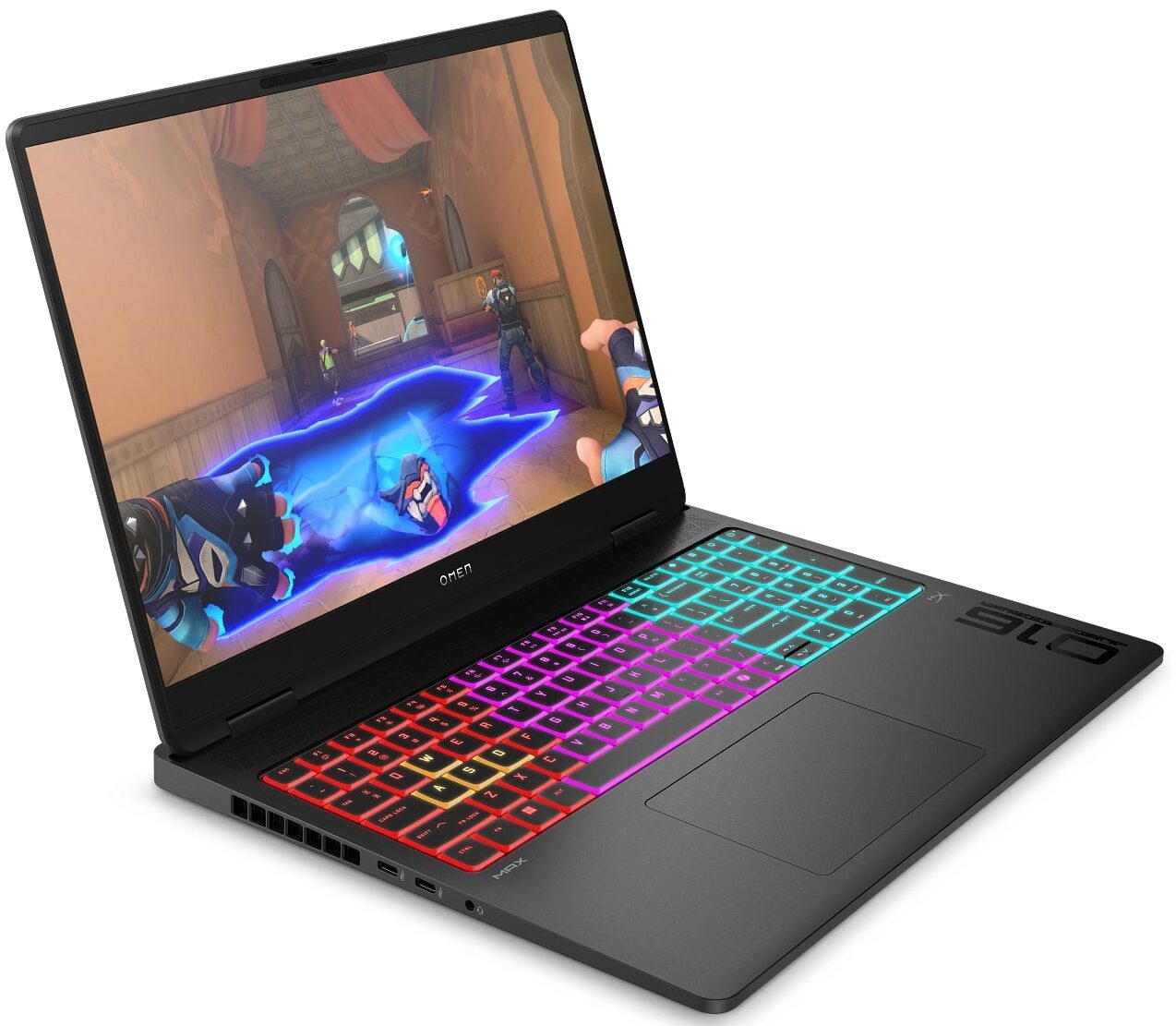
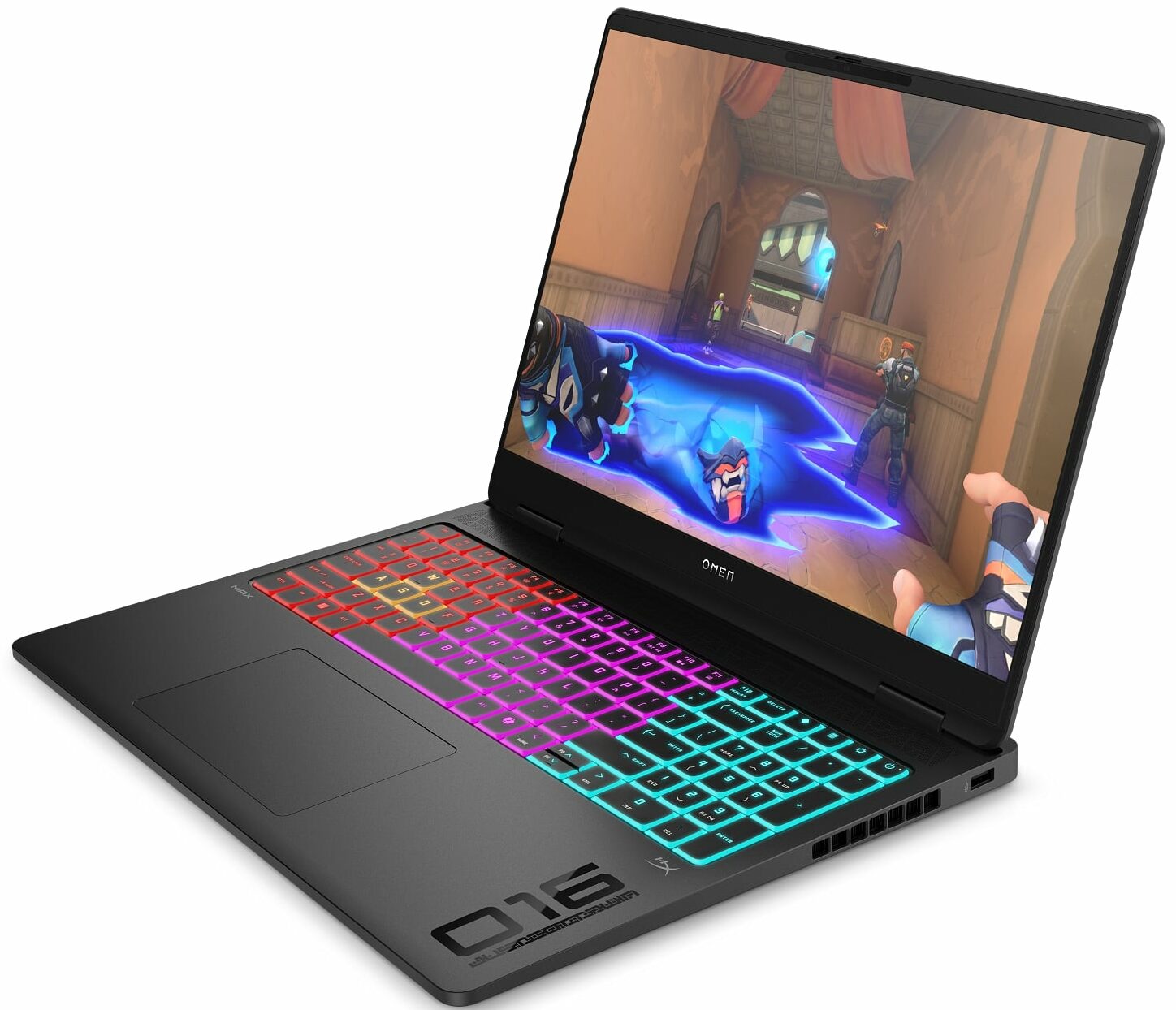
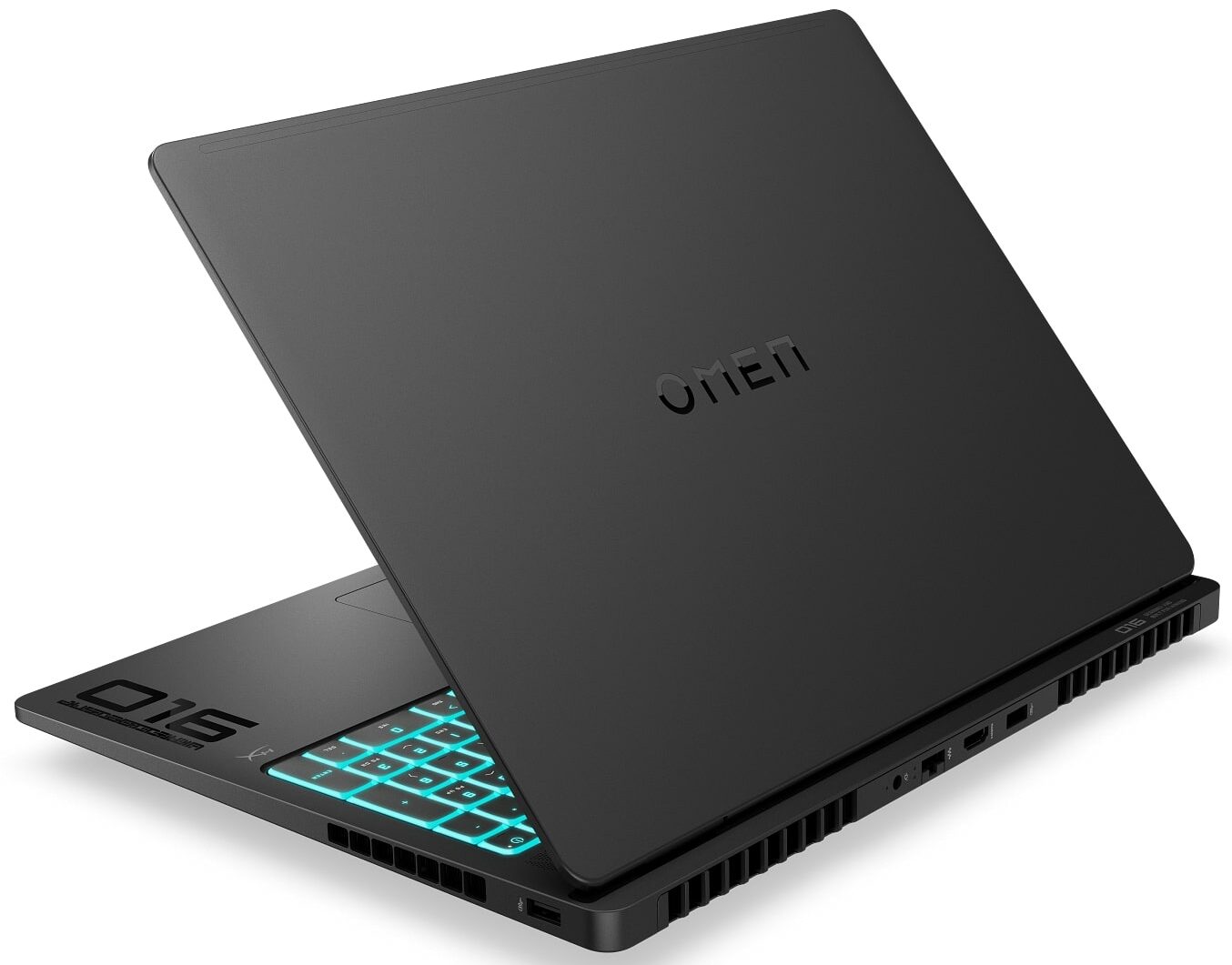
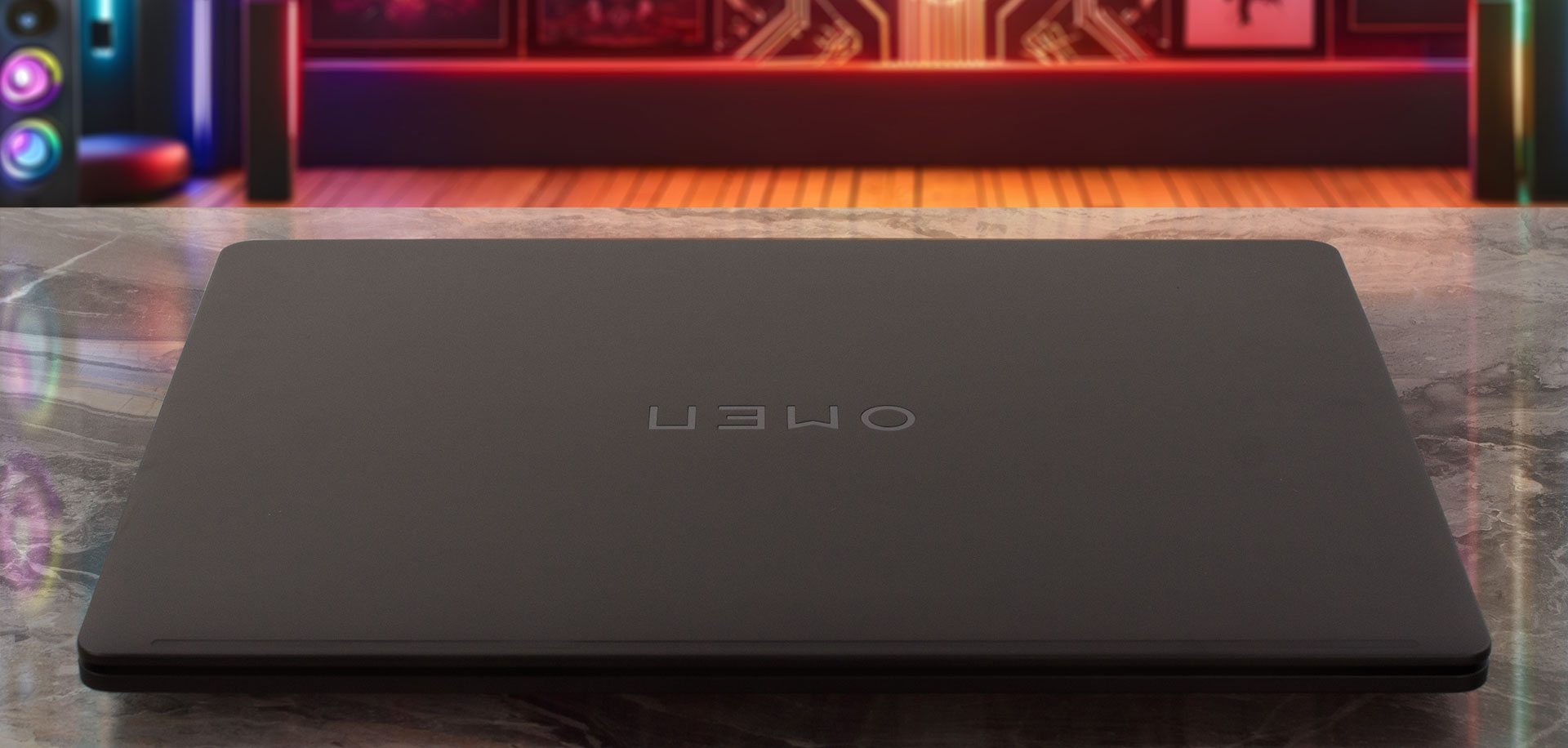
The HP OMEN MAX 16 (AMD, 16-ak0000) is a master of duality. In its powered-off state, it’s the epitome of stealth – a clean, all-black chassis with minimal distracting details. Even the OMEN logo on the lid is a subtle, glossy black texture that barely stands out against the matte finish. It’s a machine you could confidently bring into a professional setting without raising an eyebrow.
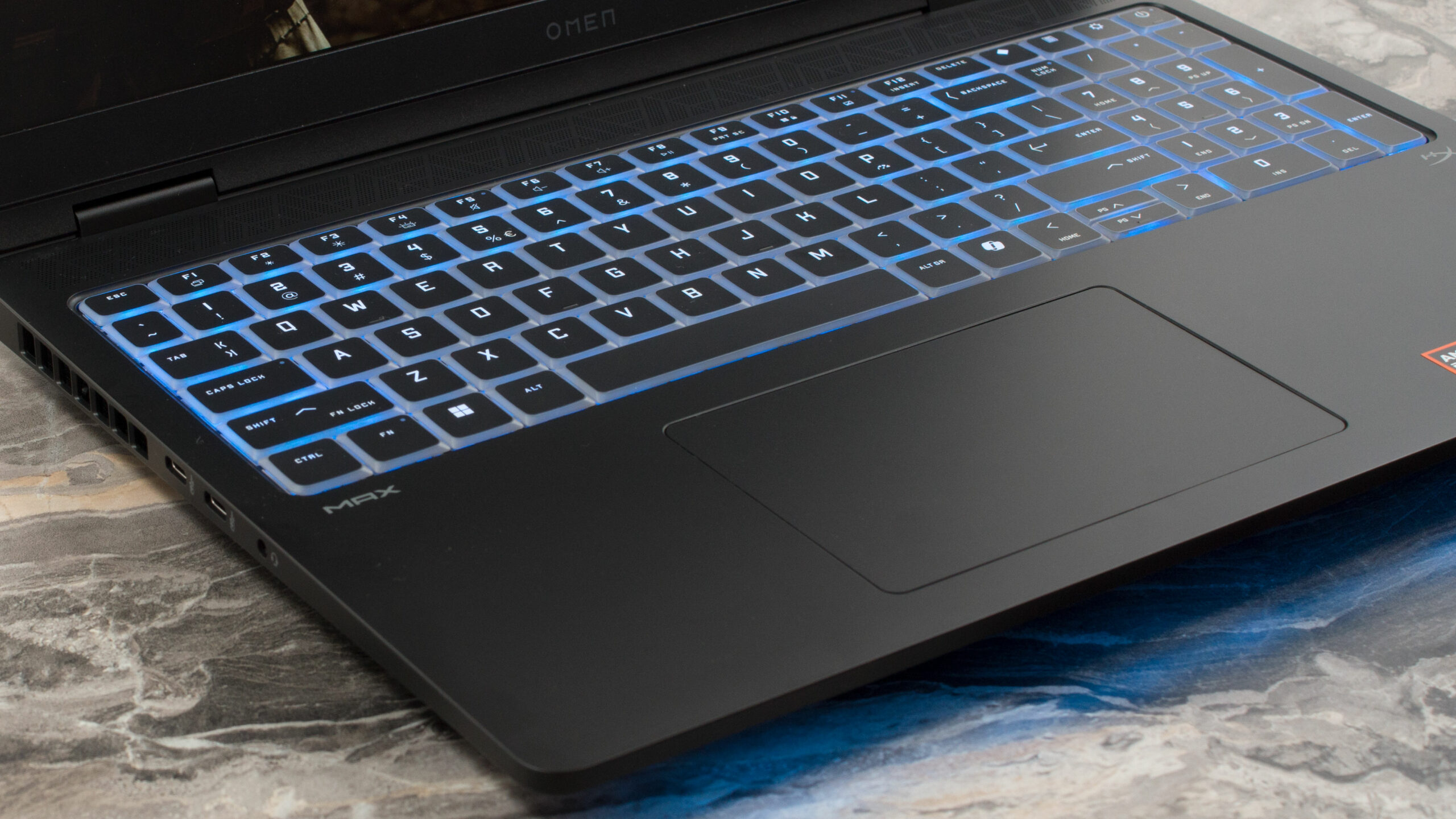
But if you want a show, oh, rest assured, you will get a show! A simple press of the Fn+F4 shortcut ignites the keyboard and a long RGB light bar along the front edge, transforming the OMEN from an incognito workhorse into a vibrant gaming command centre. Thankfully, the light bar is angled downwards, creating a pleasing ambient glow on your desk rather than a distracting glare in your eyes. Our unit is the “Shadow Black,” but a striking “Ceramic White” is also available for those who prefer the complete opposite aesthetic.
However, there’s a crucial and somewhat confusing detail for potential AMD buyers: the presence of that front light bar is tied to the GPU you choose. To clarify, here’s how it breaks down:
| CPU | GPU | Front Light Bar |
| Intel | RTX 5070, 5070 Ti, 5080, 5090 | ✅ Included |
| AMD | RTX 5070 Ti, 5080 | ✅ Included |
| AMD | RTX 5060, 5070 | ❌ Not Included |
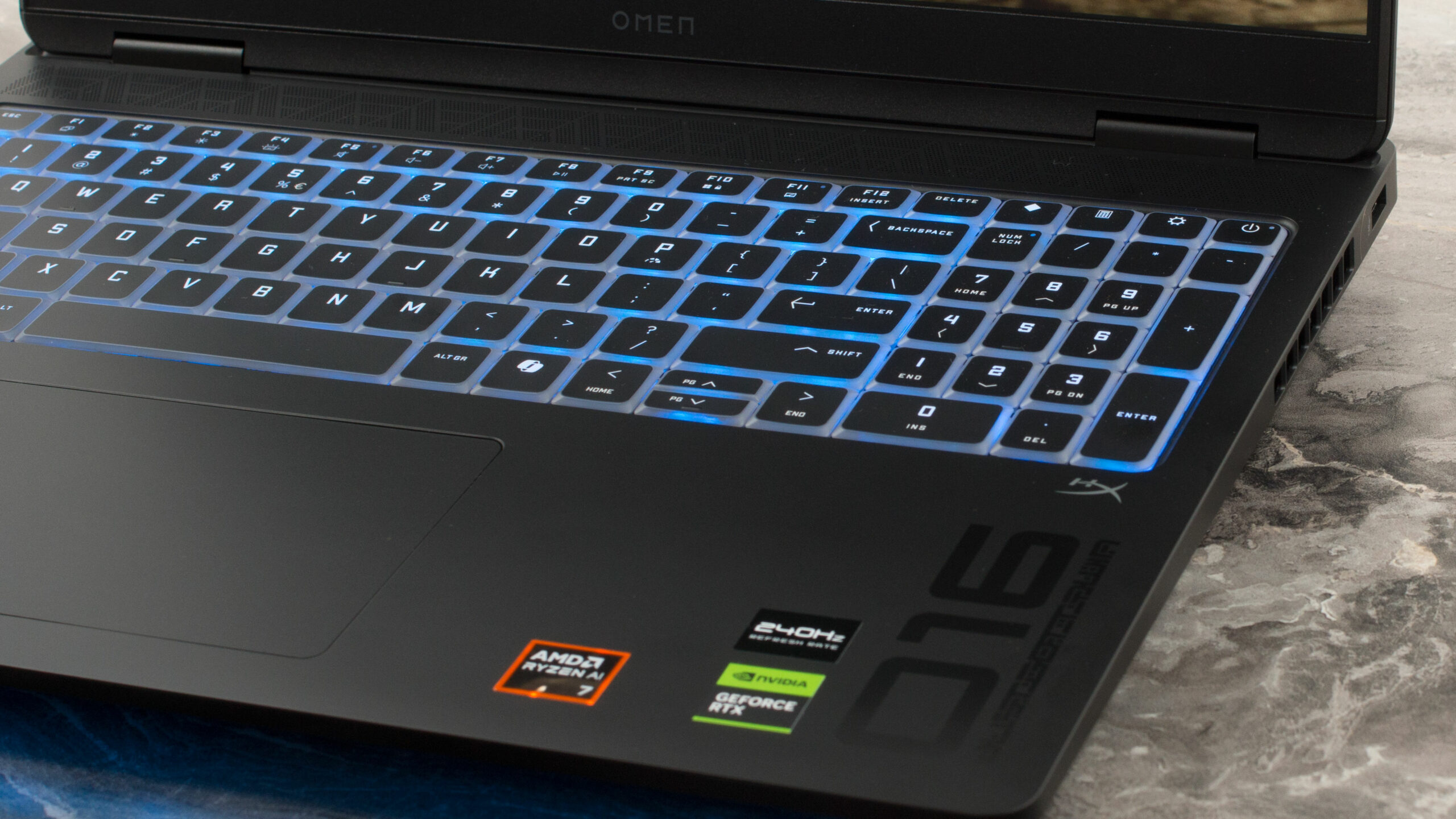
We specifically ordered our AMD model with an RTX 5070 Ti, so our unit does indeed have all the features as seen in the photos. Another small aesthetic difference we can confirm is that our higher-spec AMD model has the “Darkened Chrome” logo on the lid, not the standard silver one. The build quality itself is excellent; the lid and base are crafted from aluminium, with a plastic interior deck, resulting in a very stable and rigid chassis with no discernible flex. The finish does tend to pick up fingerprints, which aren’t overwhelming but are noticeable where you’ve handled the machine.
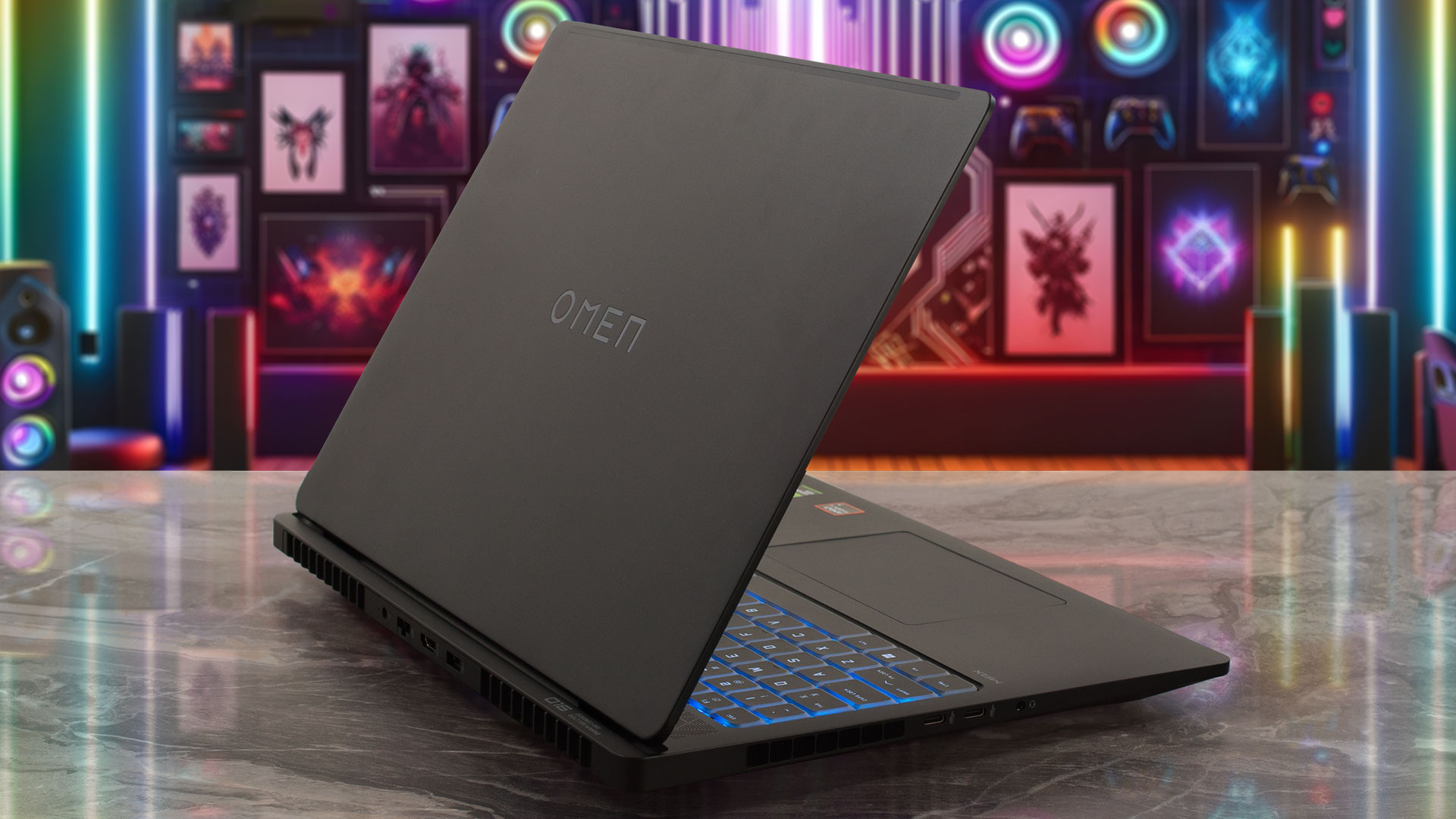
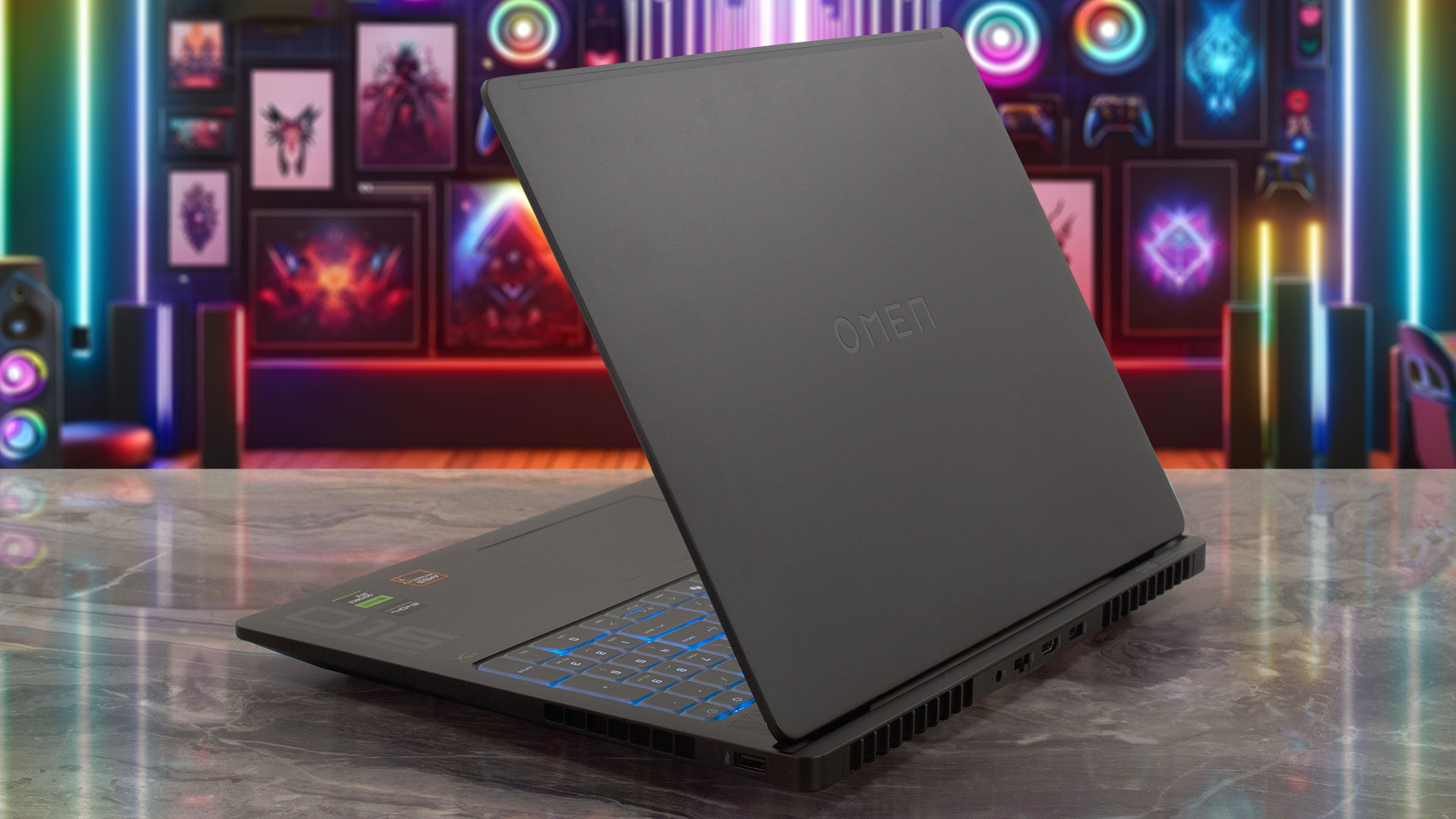
In terms of size, the OMEN MAX 16 measures 35.65 x 26.9 x 2.49 – 2.29 cm (14.04 x 10.59 x 0.98 – 0.90 inches). The official product page listed our specific configuration at 2.68 kg (5.92 lbs), but since the support page states a starting weight of 2.48 kg (5.47 lbs), we put it on our own scale, which read 2.63 kg (5.8 lbs). It’s possible the models without the light bar and other components dip below the 2.5 kg mark. Opening the lid is a smooth, one-handed operation, a nice touch of premium convenience. The screen tilts back to a maximum of about 125 degrees, which is perfectly sufficient as there are no touchscreen configurations available.
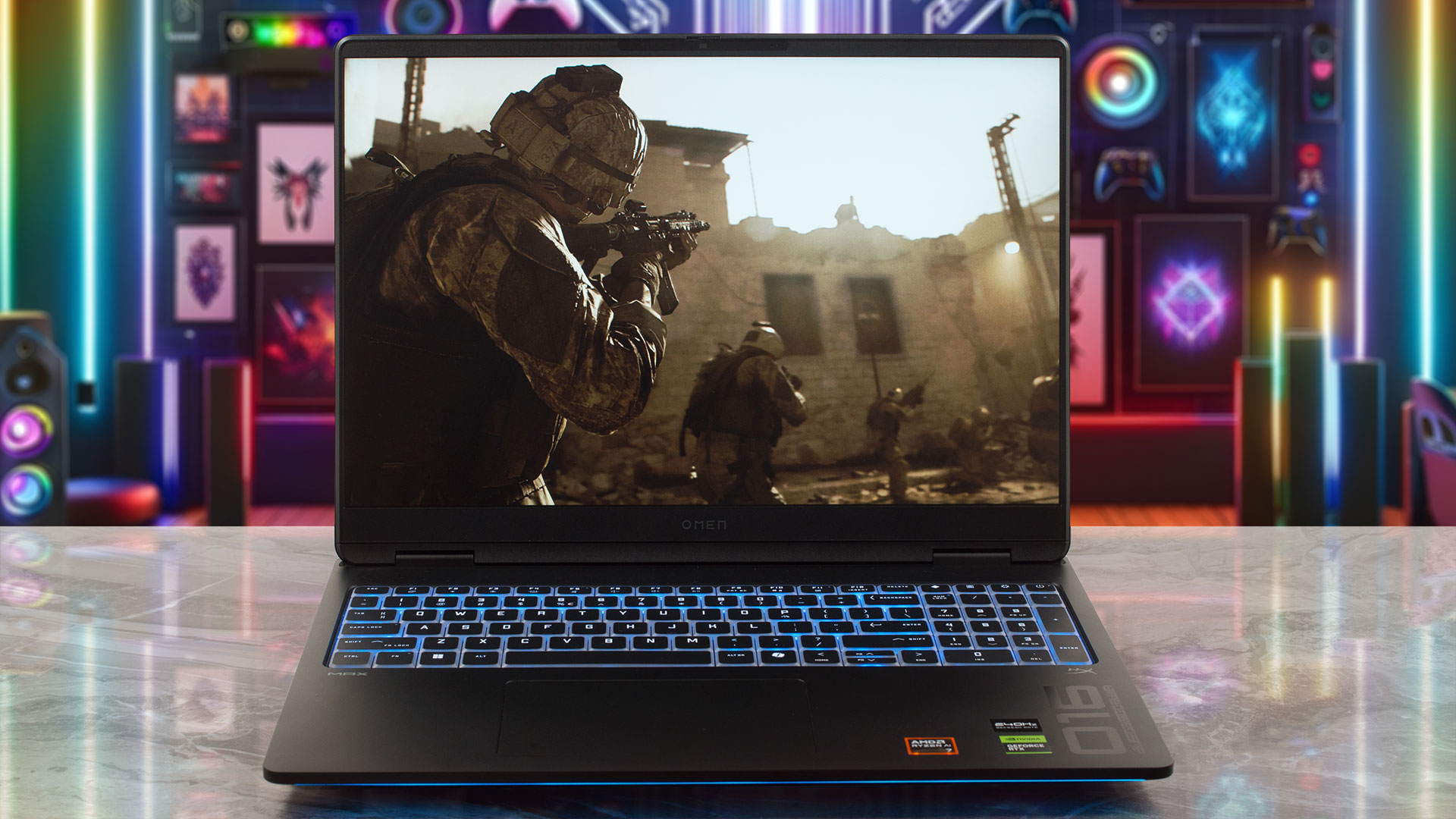
Once open, the display is framed by impressively thin bezels – just 5.7 mm (0.22 inches) on the sides and 12 mm (0.47 inches) at the top. This top bezel neatly houses the HP True Vision 1080p FHD IR camera with temporal noise reduction and dual microphones. And in a big win for privacy, HP has included a physical camera shutter slider!
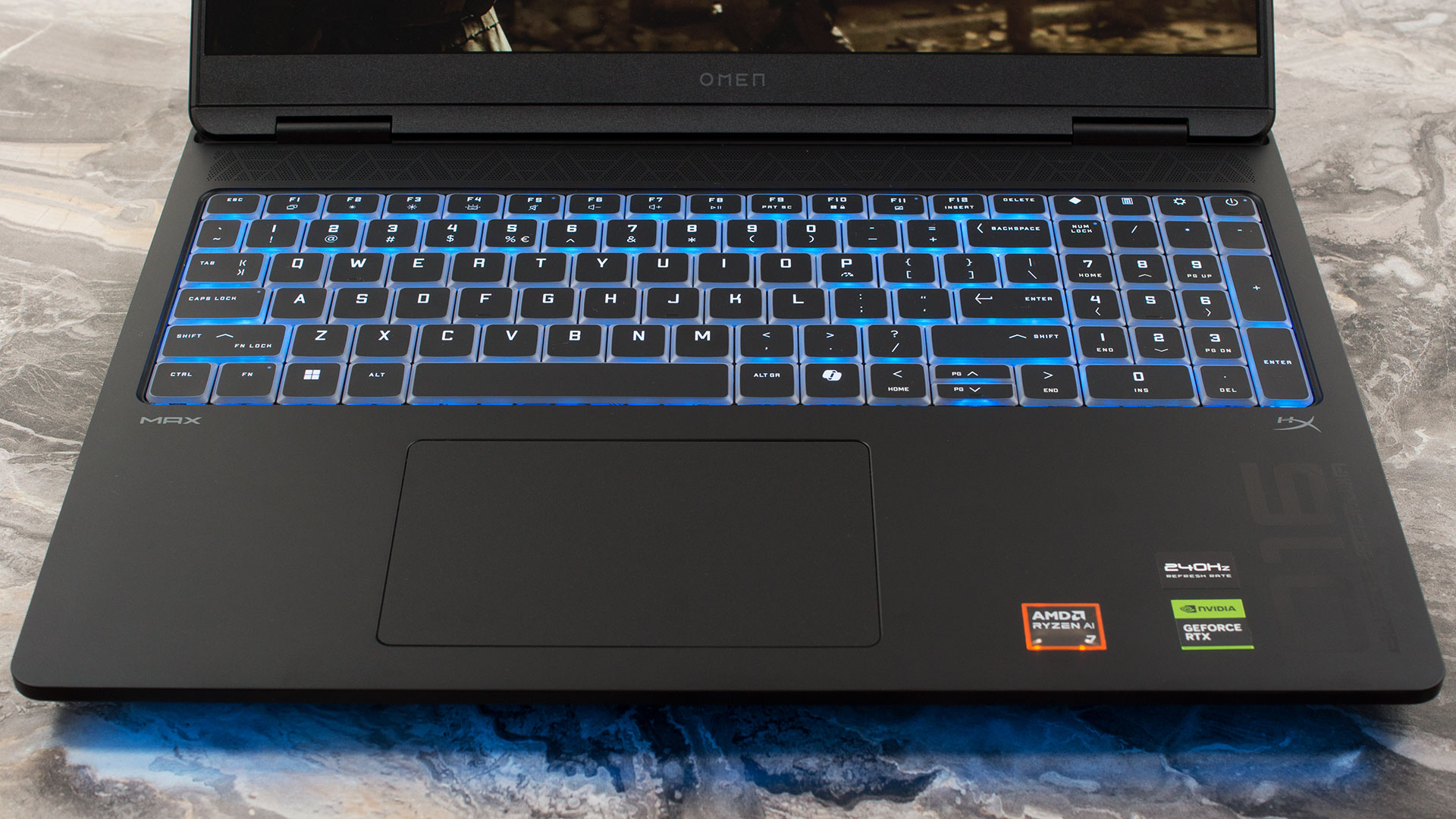
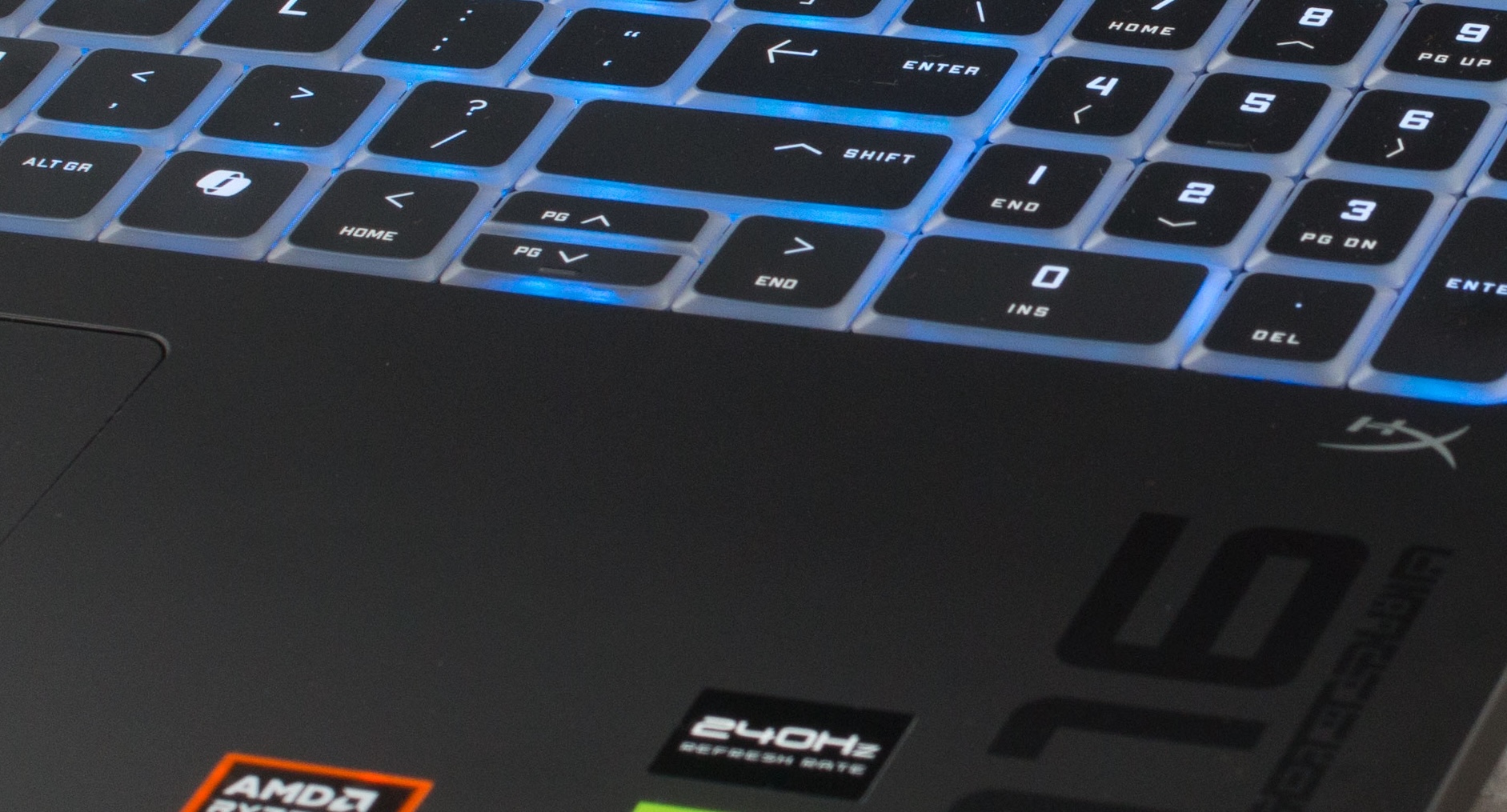
The keyboard deck is spacious and includes a NumPad with keys that are close to full-size. The keyboard itself is comfortable to use, although we’re not huge fans of the arrow key implementation. They are integrated directly into the main key cluster, and the Up and Down keys are half-height, which can take some getting used to. The type of backlighting also depends on the configuration. Based on our research, here’s the breakdown, but we always advise checking the specific product listing before you buy:
| GPU | Keyboard Backlight |
| RTX 5070 Ti, 5080 | Per-Key RGB |
| RTX 5060, 5070 | 4-zone RGB |
For biometric login, there’s no fingerprint reader, but all configurations come with the IR camera for fast and secure Windows Hello access. Below the keyboard sits a large and comfortable trackpad, measuring 125 x 80 mm (4.92 x 3.15 inches), providing plenty of smooth real estate for navigation.
Ports and Connectivity
The HP OMEN MAX 16 (AMD, 16-ak0000) features a modern and strategically distributed port selection. On the left side, you’ll find two high-performance USB Type-C ports, both offering a 40 Gbps signaling rate consistent with USB4 specifications. These versatile ports support Power Delivery, the advanced DisplayPort 2.1 standard for cutting-edge monitors, and HP’s Sleep and Charge feature, making them the primary hub for high-speed data and display. A standard headphone/microphone combo port is also conveniently located on this side. The right flank is kept intentionally minimal to avoid interfering with mouse movement, housing just a single, fast USB 3.2 Gen 2 Type-A port operating at a 10 Gbps signaling rate.

To improve cable management, several key connections are placed on the rear of the chassis. This includes the dedicated power connector, another high-speed USB 3.2 Gen 2 Type-A port (also 10 Gbps), and an HDMI 2.1 output port for external displays. The LAN port is also located here, but it’s important to note that its speed depends on the specific GPU configuration. Models equipped with RTX 5060 and 5070 graphics come with a standard Gigabit Ethernet (10/100/1000) port, while the higher-tier configurations with RTX 5070 Ti and 5080 graphics are upgraded to a faster 2.5GbE port.

Wireless connectivity is another area where the exact specification can vary, so potential buyers should pay close attention. The OMEN MAX 16 can be configured with either a MediaTek Wi-Fi 6E (MT7922) card, which is paired with Bluetooth 5.3, or the newer MediaTek Wi-Fi 7 (MT7925) card that includes Bluetooth 5.4. If having the latest Wi-Fi 7 standard is a priority for you, we recommend checking the detailed specifications of the exact model you intend to purchase to ensure it meets your requirements.
– Wi-Fi 6E vs Wi-Fi 6: Learn the Key Differences in 10 Seconds
– Wi-Fi 7 vs Wi-Fi 6E: Learn the Key Differences in 10 Seconds

Display and Sound Quality, Display Profiles
We ordered the OMEN MAX 16 (16-ak0000) with its 1600p (2560 x 1600) IPS panel that goes up to 240 Hz, which is the most premium display option listed for this model.
If you’re after a more affordable configuration, HP also offers a 1200p (1920 x 1200) IPS option that tops out at 165 Hz. Both are listed as 100% sRGB panels, with the 240 Hz screen rated at 500 nits and the 165 Hz one at 400 nits.
Note: The 1200p option is available only on configurations with NVIDIA GeForce RTX 5070 or RTX 5060 graphics. If you want more powerful GPU (5070 Ti or 5080), you have to order a 1600p panel.
| HP OMEN MAX 16 (16-ak0000) | 2K (1920 x 1200), up to 165 Hz IPS | WQXGA (2560 x 1600), up to 240 Hz IPS (CMN1652) |
| Diagonal | 16.0 inches (40.6 cm) | 16.0 inches (40.6 cm) |
| Panel Type | IPS | IPS |
| Resolution | 1920 x 1200 pixels | 2560 x 1600 pixels |
| Max Refresh Rate | 165 Hz | 240 Hz |
| Aspect Ratio | 16:10 | 16:10 |
| Pixel Density | 141 PPI | 189 PPI |
| ‘Retina’ Distance | Greater than or equal to 62 cm | Greater than or equal to 46 cm |
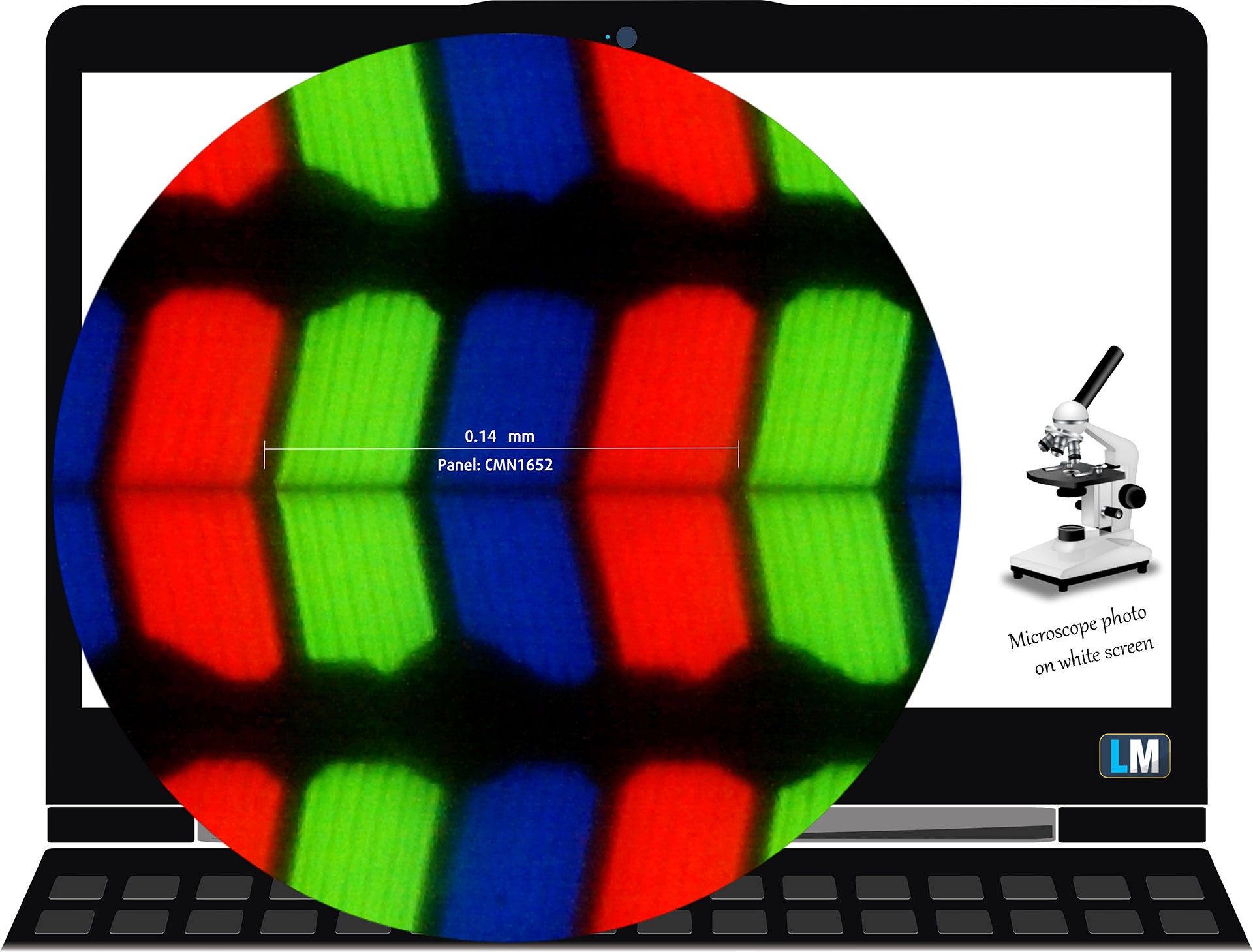 The QHD+ (2560 × 1600), 240 Hz, IPS display variant under our microscope
Viewing Angles
Viewing angles are good. We take photos from different angles to evaluate the quality.

Also, a video with locked focus and exposure.
Color Coverage
The whole “sail-shaped” map below (Fig. 1) consists of all the colors we can see, while the black crooked line shows all the colors from real-world scenes and nature around us.
Then, we’ve drawn some of the most important and interesting color spaces, compared to the colors the panel of HP OMEN MAX 16 (16-ak0000) can show:
Standard/For Web: sRGB – widely used color space for most consumer devices, ideal for Web design and development
For Print: AdobeRGB – used in professional photo editing, graphic design, and print
For Photographers/Video Editors: DCI-P3 – used in high-end film production, post-production, and digital cinema
Premium HDR: Rec.2020 – the widest consumer ITU color standard, covering a massive 75.8% of the visible spectrum, a benchmark for premium HDR content.
HP OMEN MAX 16 (16-ak0000): the yellow dashed triangle (– – – – – –) represents the range of colors this display can show.
In our tests, we calculated the total color coverage of the display at 90% of the sRGB color gamut and 73% of the DCI-P3 color gamut.
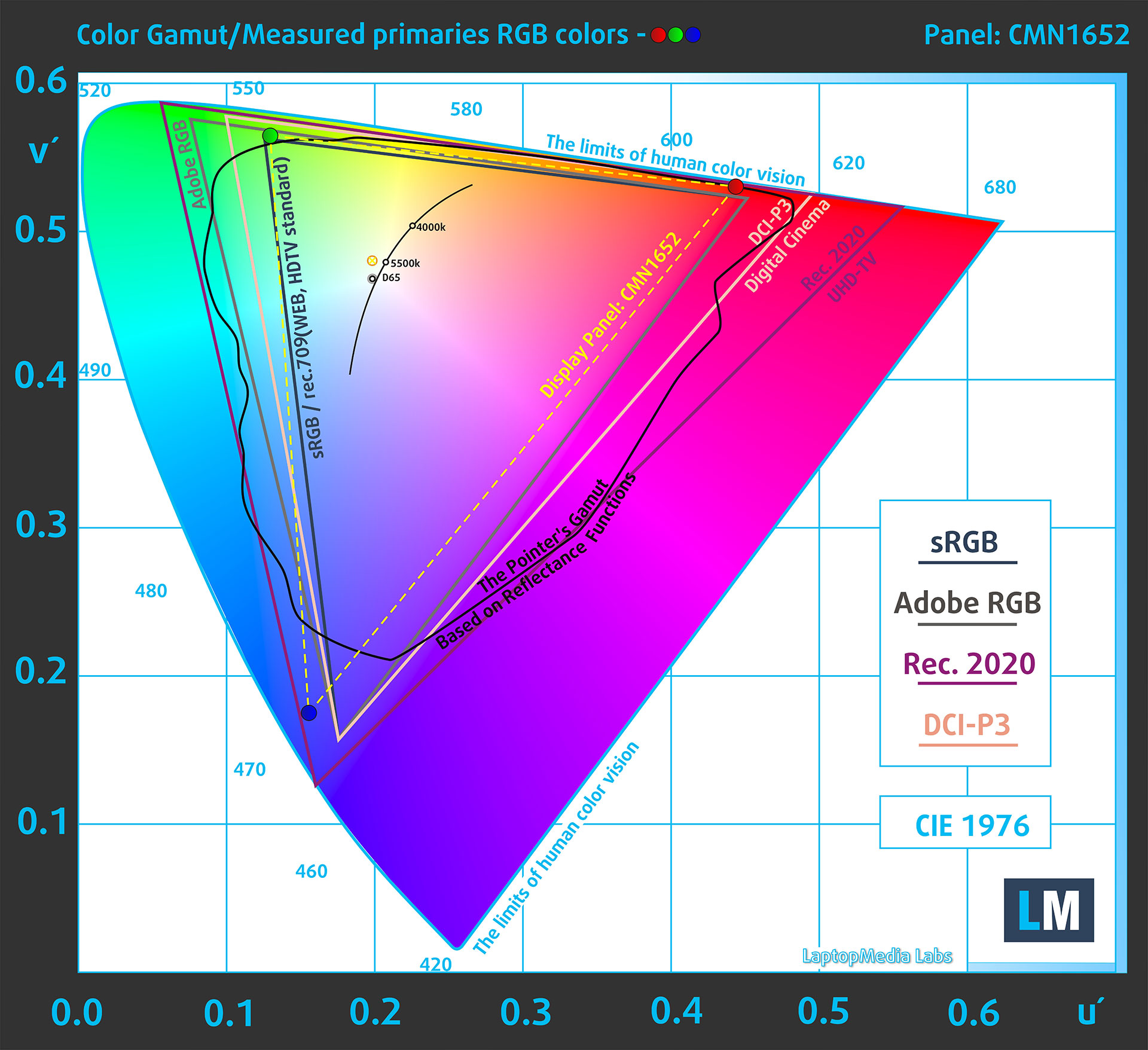
(Fig.1) HP OMEN MAX 16 (16-ak0000) covers 90% of the sRGB gamut
Brightness and Contrast
The maximum brightness in SDR mode is 506 cd/m² in the center of the screen and 486 cd/m² averaged across the surface with a maximum deviation of 8%.
The Correlated Color Temperature (CCT) on a white screen at maximum brightness is 6120K.
The contrast ratio is 1270:1.
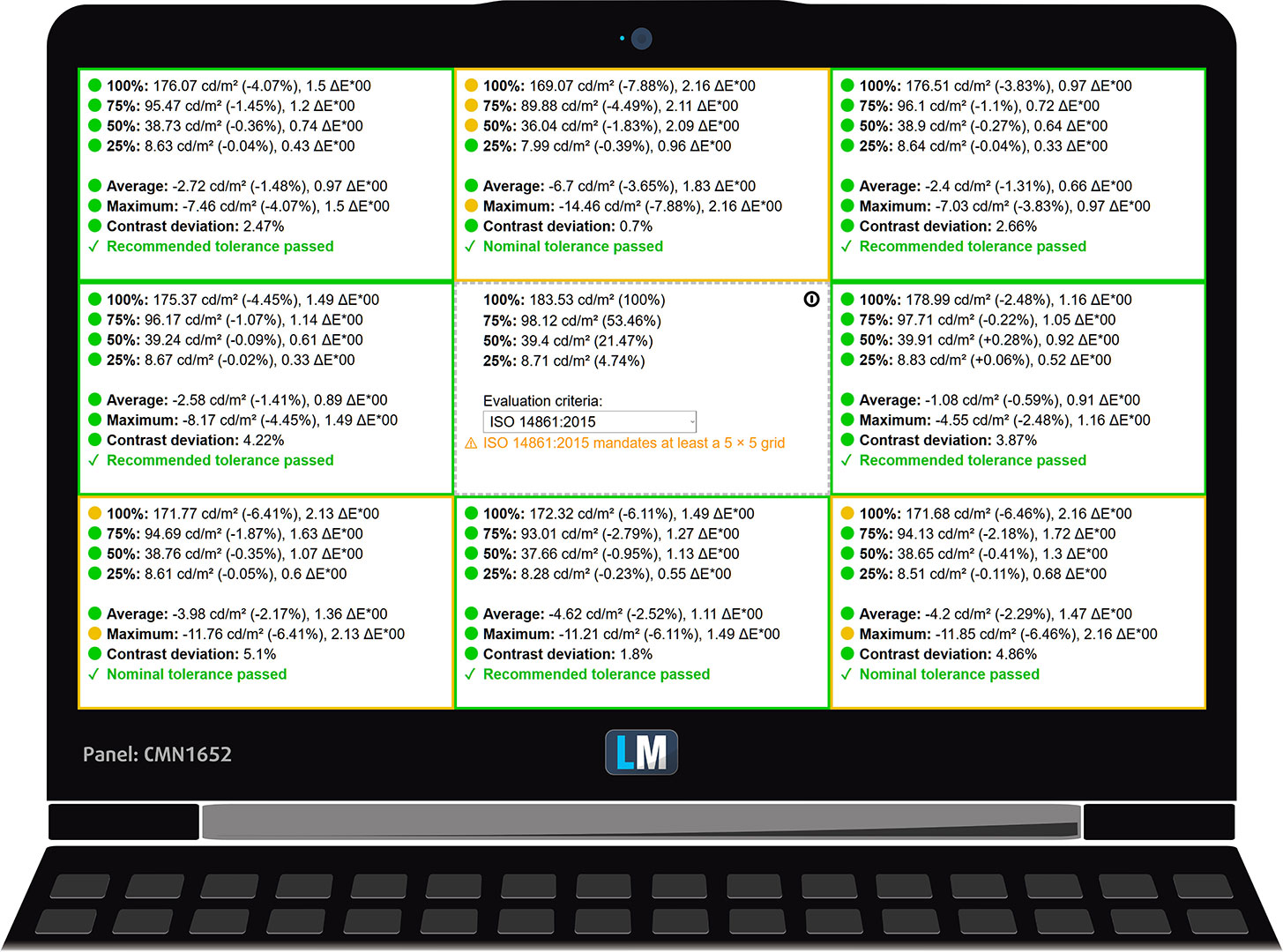
Uniformity: Luminance, Contrast, and Color Deviation
The figure below shows the results from our uniformity test across different sections of the screen. It’s measured at 183 nits (Windows slider = 55%) – a brightness level we consider typical for standard working conditions.
DeltaE values below 4.0 are acceptable for regular users. For those working with colors, screens with DeltaE values no higher than 2.0 are recommended.
Color Accuracy
Let’s check the difference between real colors and those you’ll see on the HP OMEN MAX 16 (16-ak0000). We measure that distance in DeltaE – the higher the number, the more different they look.
Values below 4.0 are acceptable for regular users, while values below 2.0 are suitable for color-sensitive work. A value below 1.0 means the difference is indistinguishable to the naked eye.
For the next graph, we’ve selected 24 common colors, including dark/light skin, blue sky, green grass, etc.
Before our calibration of the HP OMEN MAX 16 (16-ak0000), the Average color accuracy was 8.7 dE (Fig. 2), and with our Design and Gaming profile, it lowered to 1.5 dE (Fig. 3). This is a record-braking improvement, making the screen usable even for professional work!
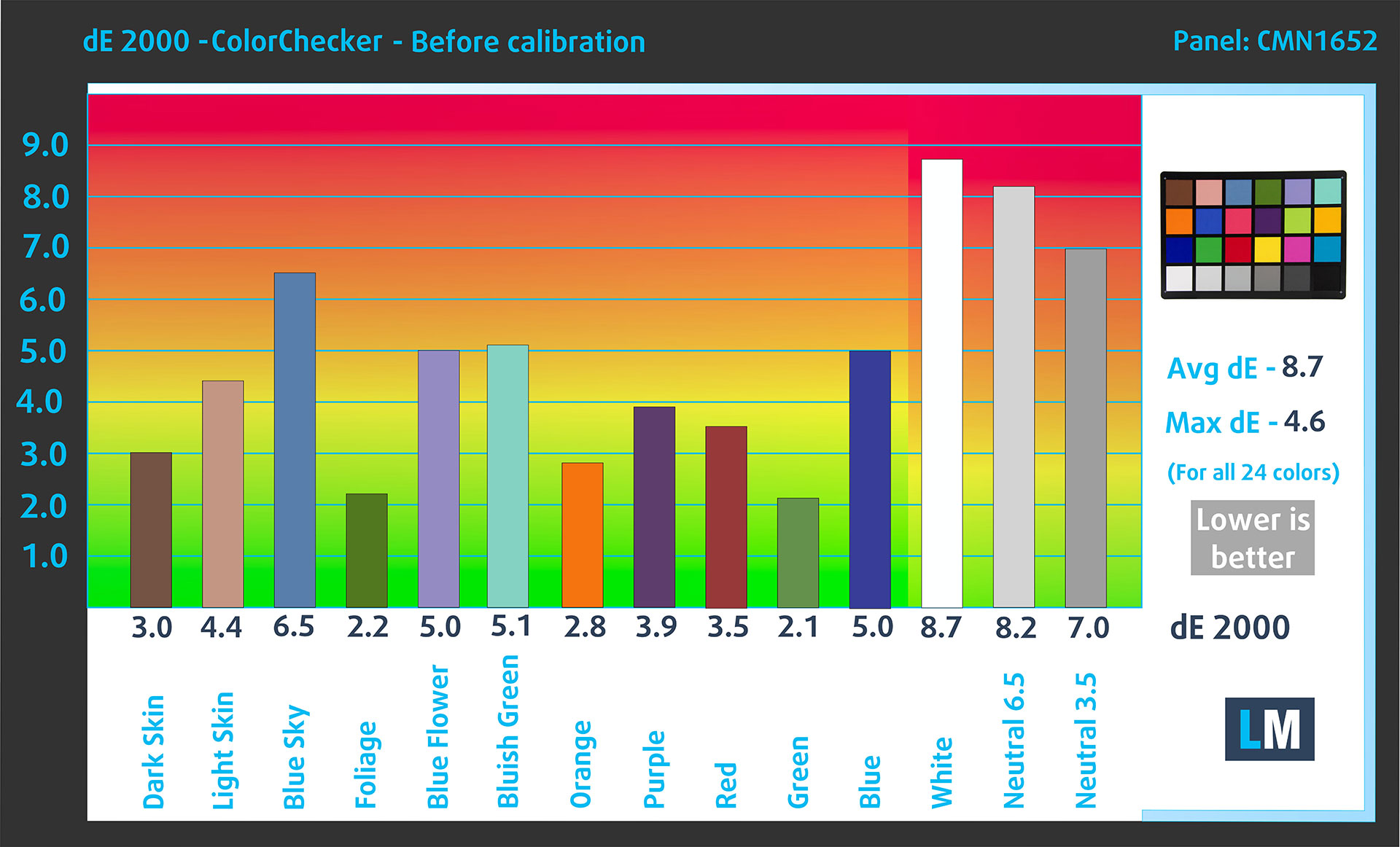
(Fig. 2) HP OMEN MAX 16 (16-ak0000) in its factory condition
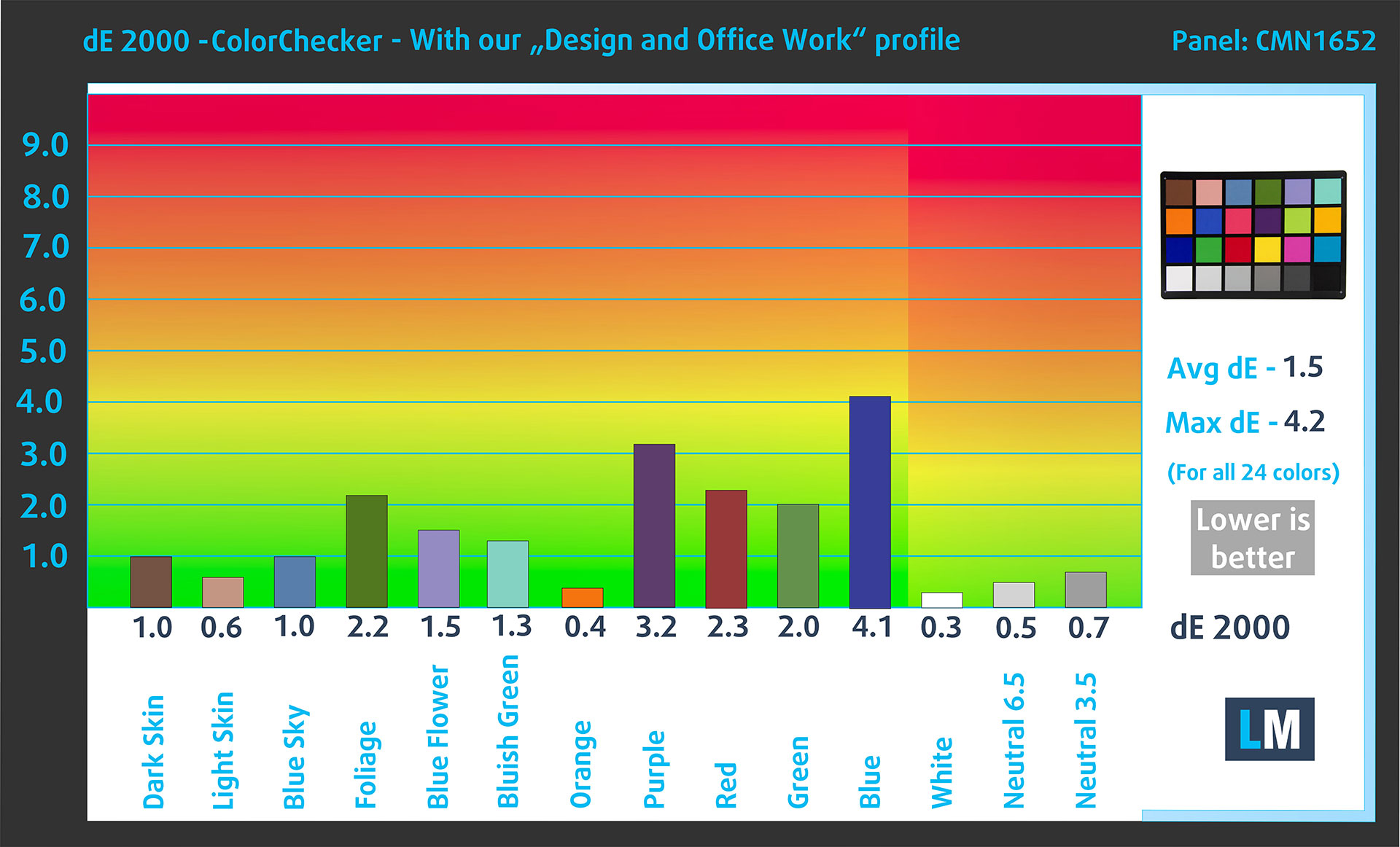
(Fig. 3) HP OMEN MAX 16 (16-ak0000) with our display profile
Comparison in the sRGB color space.
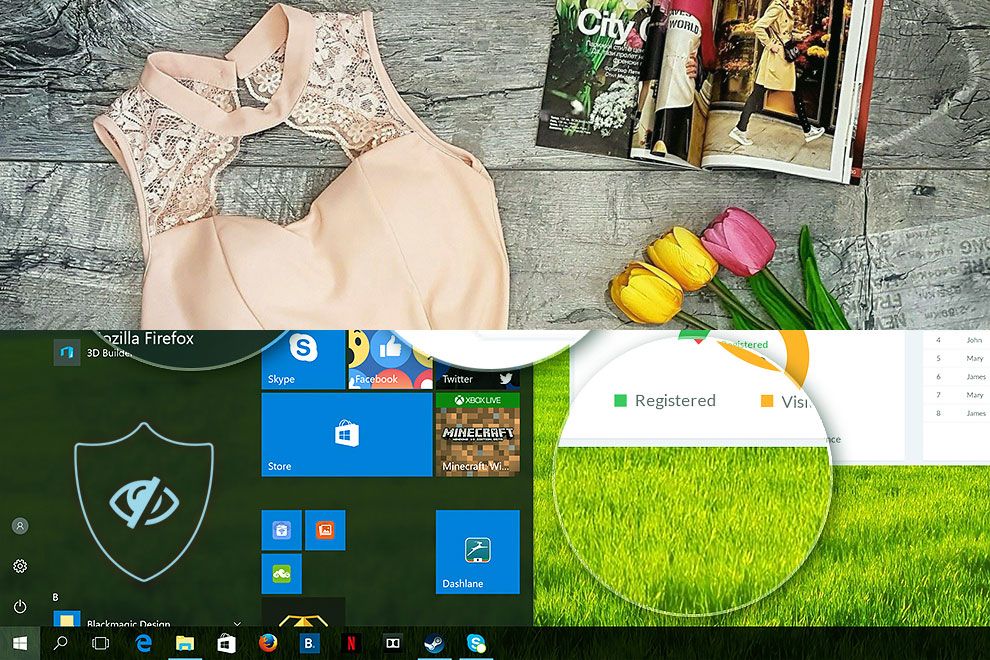
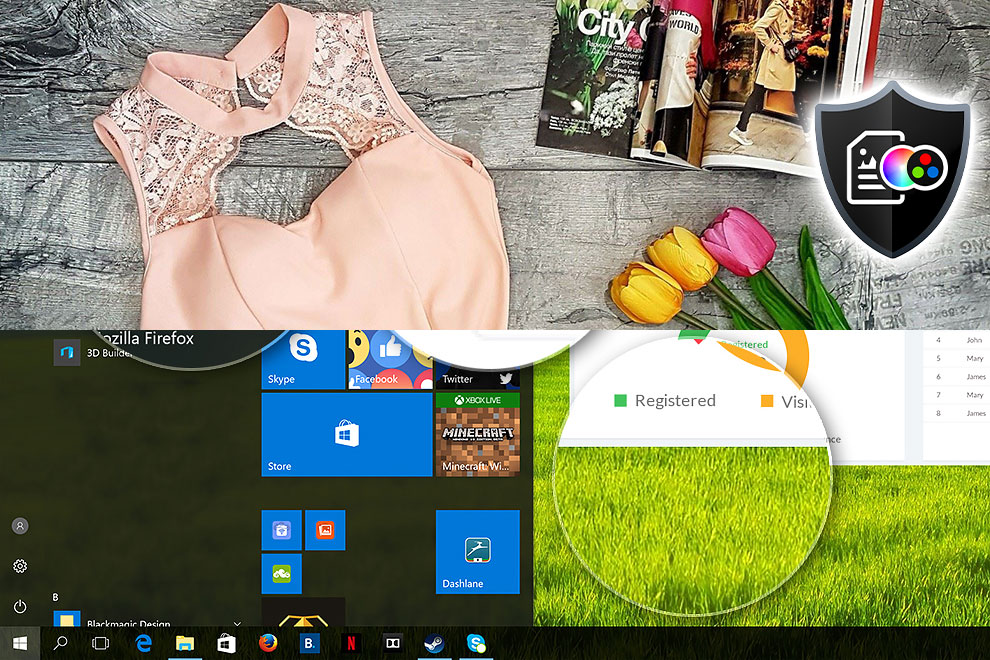
Here’s an illustration of what the Design and Office profile aims to deliver:
Left: No Profile | Drag the slider to see the difference | Right: Design & Office Profile
Visibility in dark scenes
Have you ever watched a movie with dark scenes where you could barely see anything? This often happens because many display panels struggle to differentiate the darkest nuances, making them appear the same.
The next figure illustrates how well the display reproduces these dark nuances. The left side of the image shows the display with stock settings, and the right side shows it with our Gaming and movies profile activated.
On the horizontal axis are the grayscale levels, and on the vertical axis – the corresponding display brightness.
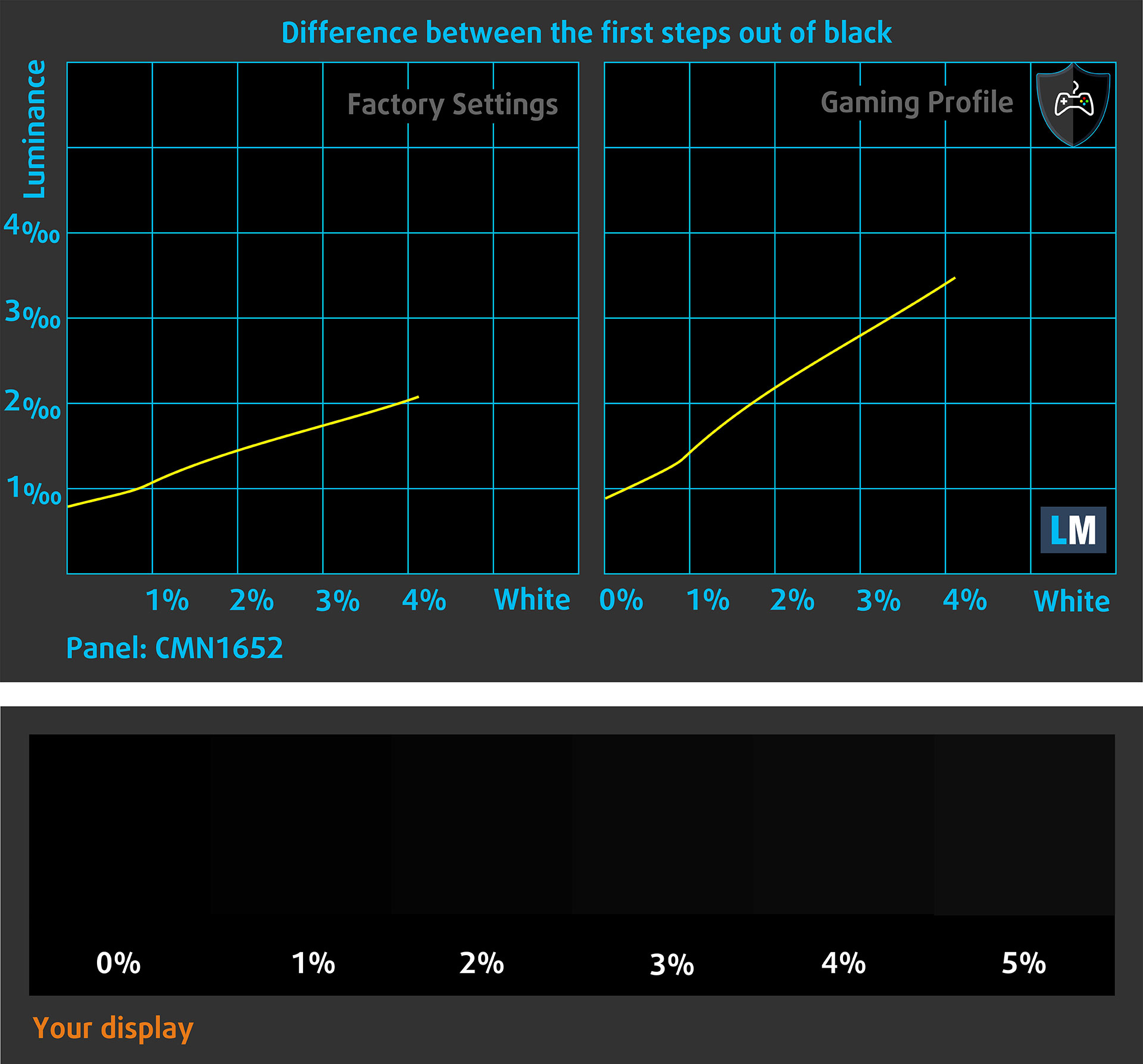
You can also check how your display handles the darkest nuances but keep in mind that this also depends on the settings of your current display and the surrounding light conditions.
Response time (Gaming capabilities)
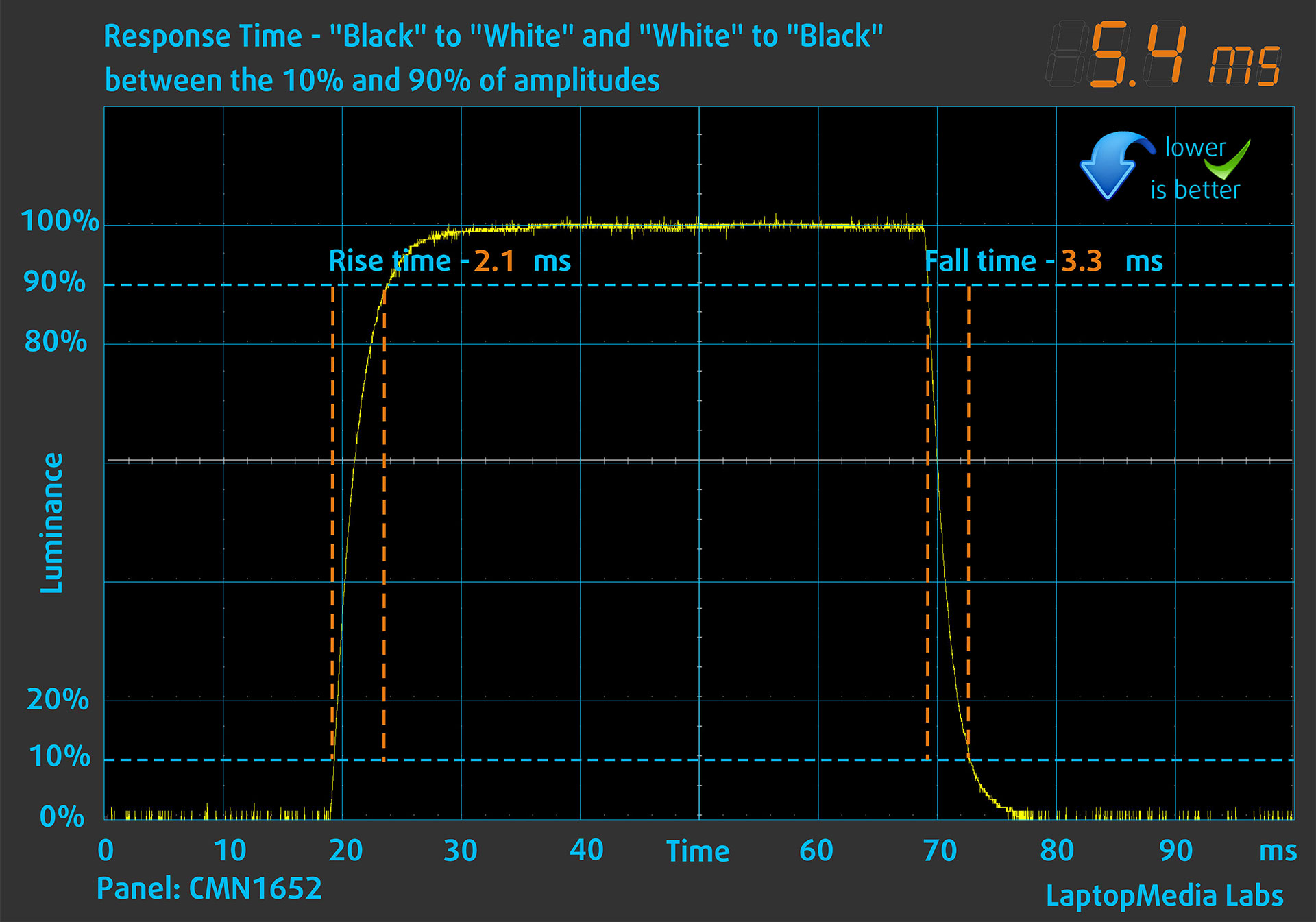
We test the reaction time of the pixels with the usual “black-to-white” and “white-to-black” method from 10% to 90% and vice versa.
We recorded Fall Time + Rise Time = 5.4 ms. Short pixel response time is a prerequisite for a smooth picture in dynamic scenes.
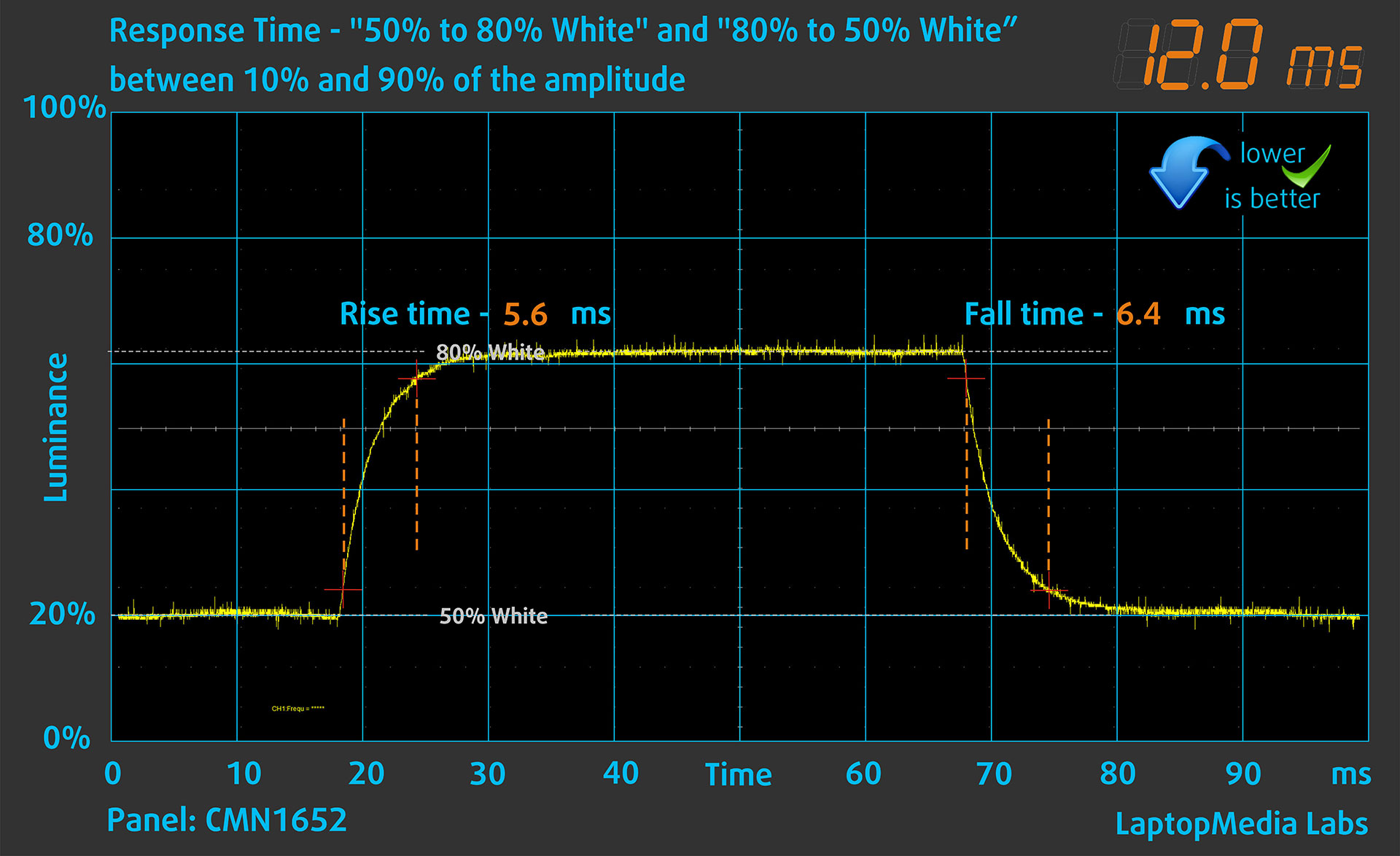
After that, we test the reaction time of the pixels with the usual “Gray-to-Gray” method from 50% White to 80% White and vice versa between 10% and 90% of the amplitude.
Health Impact: PWM (Screen flickering)
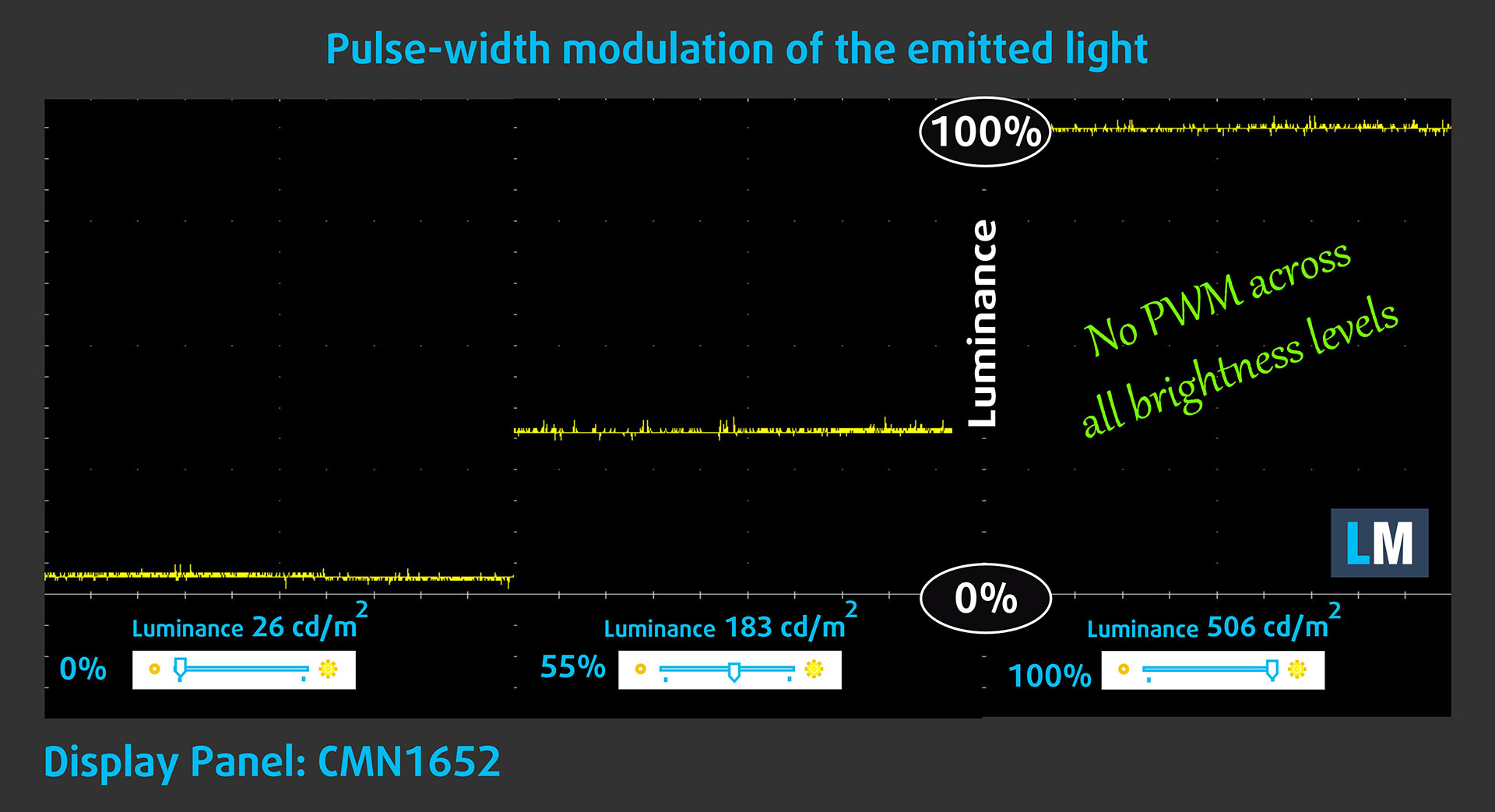
Some use PWM to regulate their brightness, which means that instead of reducing the light intensity, they pulse or flicker. Our brain merges the image, so it appears darker, but this strains both it and our vision, especially when the frequency of the pulses is low. You can read more about that in our dedicated article on PWM.
In the graph below, you see the intensity of light at different brightness levels—on the vertical axis is the brightness of the emitted light, and on the horizontal axis—time.
The light from the backlight of the HP OMEN MAX 16 (16-ak0000) display is not pulse-width modulated, providing visual comfort in the discussed aspect.
Health Impact: Blue light emissions
Installing our Health-Guard profile reduces harmful Blue Light emissions while keeping the colors of the screen perceptually accurate.
If you’re not familiar with the Blue light, the TL;DR version is – emissions that negatively affect your eyes, skin, and your whole body. You can find more information about that in our dedicated article on Blue Light.
Health Impact: Screen Reflectance
Glossy-coated displays can cause eye fatigue in high ambient light conditions due to reflections. We measure the level of screen reflection with the display turned off, at a 60° angle.
The reflectance of the HP OMEN MAX 16 (16-ak0000)’s screen is 48.2 GU. A very good result!
High Gloss: >70 GU
Medium Gloss: 30 – 70 GU
Low Gloss: <30 GU
Get our profiles
Since our profiles are tailored for each individual display model, this article and its respective profile package are meant for HP OMEN MAX 16 (16-ak0000) configurations with CMN1652, 2560 x 1600, IPS panel.
*Should you have problems with downloading the purchased file, try using a different browser to open the link you’ll receive via e-mail. If the download target is a .php file instead of an archive, change the file extension to .zip or contact us at [email protected].
Read more about the profiles HERE.
In addition to receiving efficient and health-friendly profiles, by buying LaptopMedia's products you also support the development of our labs, where we test devices in order to produce the most objective reviews possible.

Design and Office
The Design and Office profile makes display colors as close to real as possible.Ideal not only for professionals but also for everyday users, it meets sRGB standards (D65 white point, sRGB gamma) with minimal DeltaE for precise color reproduction on your panel.

Gaming and Movies
Have you ever watched a movie where, during dark scenes, you can barely see anything? Many displays fail to distinguish dark tones properly. Our Gaming and Movies profile enhances low-light performance, like HDR tech, using a gamma curve tailored to human perception — ideal for gamers seeking faster reactions and clearer visuals.

Health-Guard
Our Health-Guard profile protects your eyes by eliminating PWM flickering, reducing strain and fatigue, and minimizing harmful Blue light exposure that can disrupt sleep and health. It uses software dimming and a gamma curve tailored to human perception for comfort and safety during screen use.
Get All The Profiles With 33% Discount!

Sound
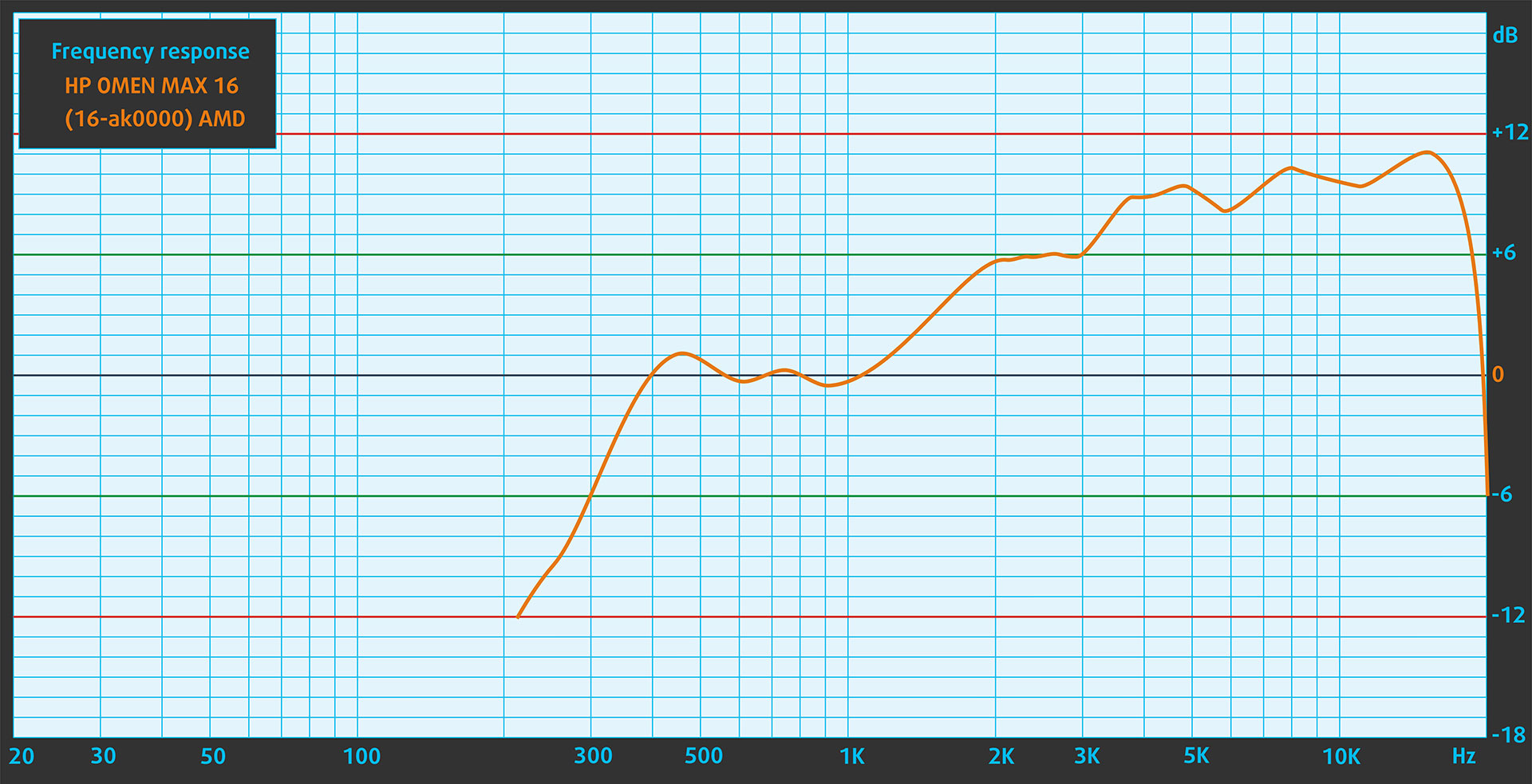
When we subjectively listen to a sound file through the built-in speakers (2x2W speakers), the sound quality offered by the HP OMEN MAX 16 (16-ak0000) is very good. The low, mid, and high frequencies are clear.
Work Performance: CPU, Storage, AI
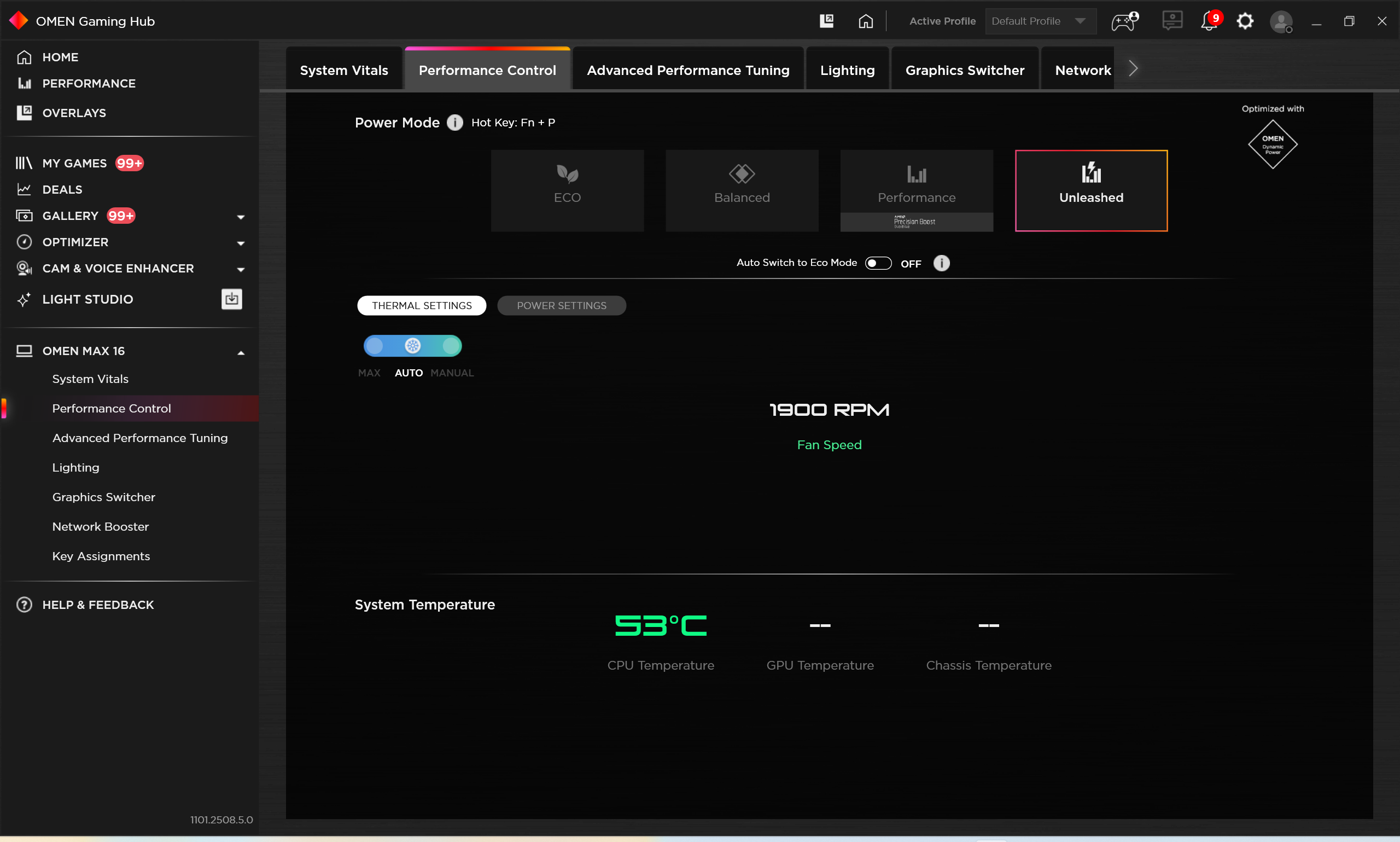
All performance and temperature tests are conducted with “Unleashed” mode activated in OMEN Gaming Hub:
CPU and Work Performance
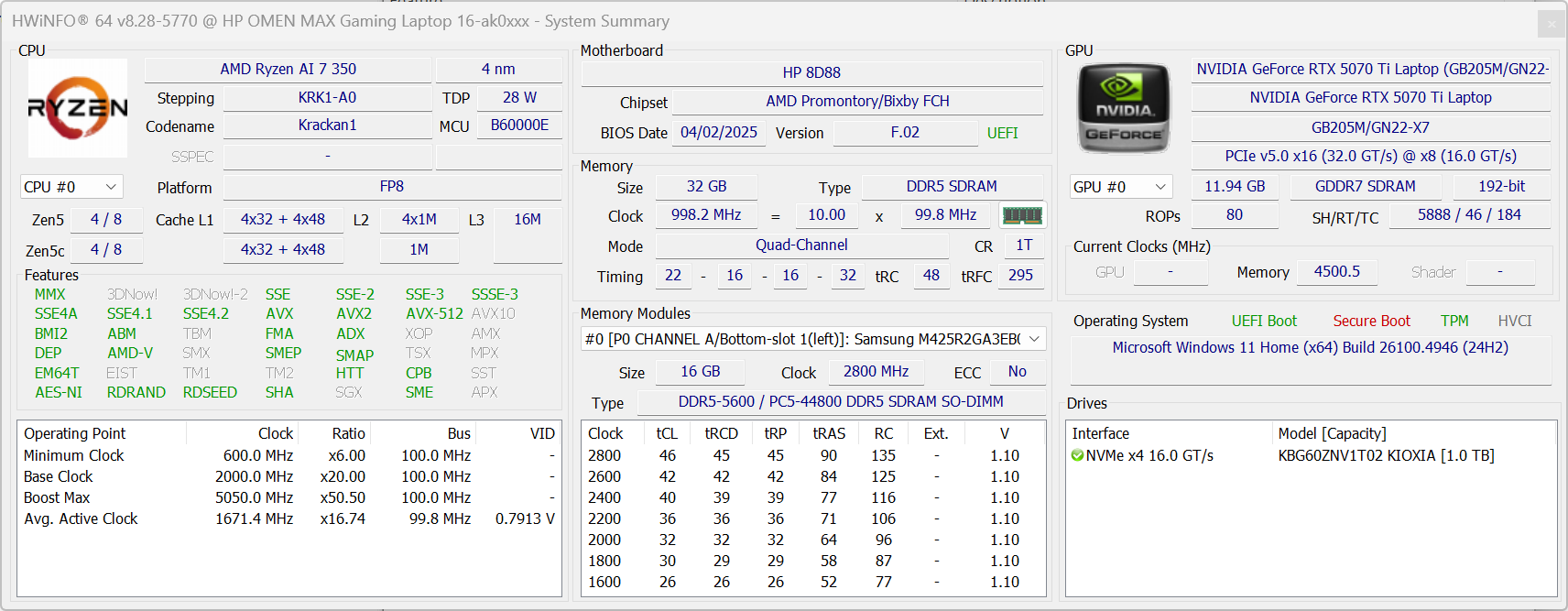
The HP OMEN MAX 16 (16-ab0000, ak0000) is equipped with powerful AMD Ryzen AI processors tailored for intensive workloads. At the top of the lineup is the Ryzen AI 9 HX 375 (or the PRO variant), currently ranked #23 in our Top Laptop CPU Ranking, followed by the Ryzen AI 7 350 at #58. These CPUs deliver strong multi-core performance ideal for gaming, AI-enhanced tasks, and demanding productivity work.
AMD Ryzen AI 7 350 is a solid choice for single-core work but when it comes to heavy computing tasks it trails behind most of its competitors. If you need something better in that regard, look for configurations with AMD Ryzen AI 9 HX 375.
Single-core performance ensures smooth operation and responsiveness in operating systems, providing a better user experience.
Results are from the Geekbench 6 Single-Core test (higher is better)
Multi-core performance is essential for handling complex and demanding tasks, such as Video editing, CAD, and Scientific simulations.
Results are from the Geekbench 6 Multi-Core test (higher is better)
Here, we evaluate the CPU's performance using a real-world 3D rendering task, assessing its ability to handle complex computations and rendering workloads efficiently.
Results are from the Cinebench 2024 Multi-Core test (higher is better)
Storage Performance
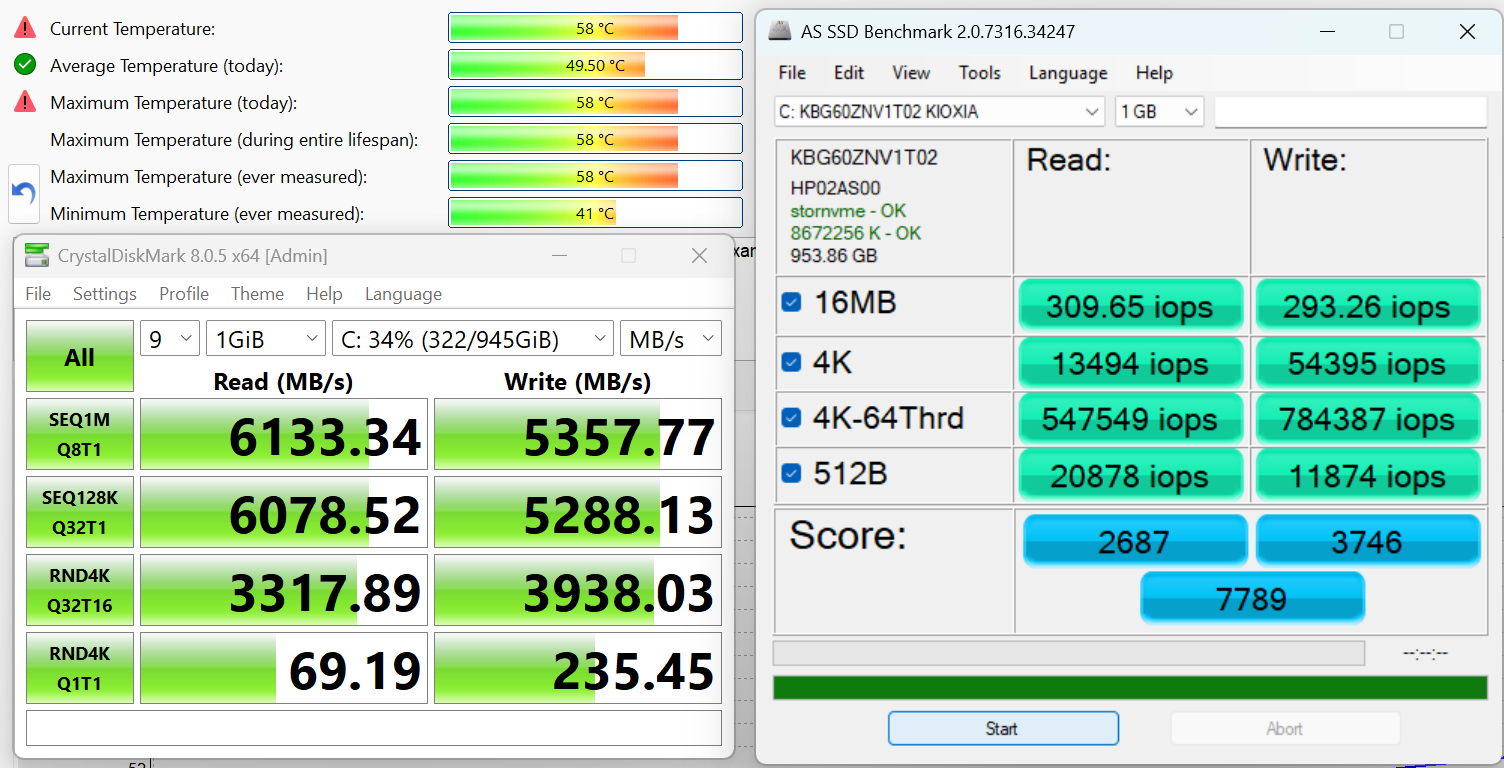
We ordered the 1TB storage variant and it arrived with a KIOXIA BG6 (KBG60ZNV1T02) SSD – not a bad choice, delivering 6.1GB/sec sequential read, and 5.4GB/sec sequential write speeds. The temperatures are in check.
AI Performance
Here you can see the position of the GPUs and CPUs (NPUs) found within the HP OMEN MAX 16 (16-ab0000, ak0000) in our AI Hardware Performance Rankings based on their AI processing power, measured in TOPS (Tera Operations Per Second) - a critical metric indicating the computational throughput, particularly for AI tasks.
The first column shows peak performance for INT8/FP8 precision, which is the most widespread metric for evaluating AI inference capabilities. We exclude Sparsity to provide a more accurate reflection of AI performance in dense computation scenarios where sparsity optimizations may not be applicable. The second and third columns show the performance with Sparsity, and FP4 TFLOPS, when supported.
For SoCs, the results reflect the peak performance of the integrated NPU. Additionally, it’s important to note that, according to Microsoft, a NPU must have at least 40 TOPS of AI computing power for the PC to be considered “AI-capable.”
| # | GPU / CPU (NPU) | TOPS INT8/FP8 No Sparsity | TOPS INT8/FP8 Sparsity | TFLOPS FP4 Sparsity |
|---|---|---|---|---|
| 416. | NVIDIA GeForce RTX 5080 (Laptop) | 281 | 562 | 1124 |
| 669. | NVIDIA GeForce RTX 5070 Ti (Laptop) | 209 | 418 | 836 |
| 849. | NVIDIA GeForce RTX 5070 (Laptop, 8GB GDDR7) | 173 | 346 | 692 |
| 1015. | NVIDIA GeForce RTX 5060 (Laptop) | 133 | 266 | 532 |
| 1471. | AMD Ryzen AI 9 HX 375 | 55 | — | — |
| 1472. | AMD Ryzen AI 9 HX PRO 375 | 55 | — | — |
| 1562. | AMD Ryzen AI 7 350 | 50 | — | — |
GPU and Gaming Performance
On the graphics side, the laptop offers several high-end NVIDIA laptop GPUs. The RTX 5080 (Laptop) stands out at #2 in our Top Laptop Graphics Ranking, followed by the RTX 5070 Ti at #12, RTX 5070 at #19, and RTX 5060 at #29. These GPUs support advanced technologies like real-time ray tracing and AI-accelerated rendering, delivering excellent gaming performance and creative workflow acceleration across all configurations.
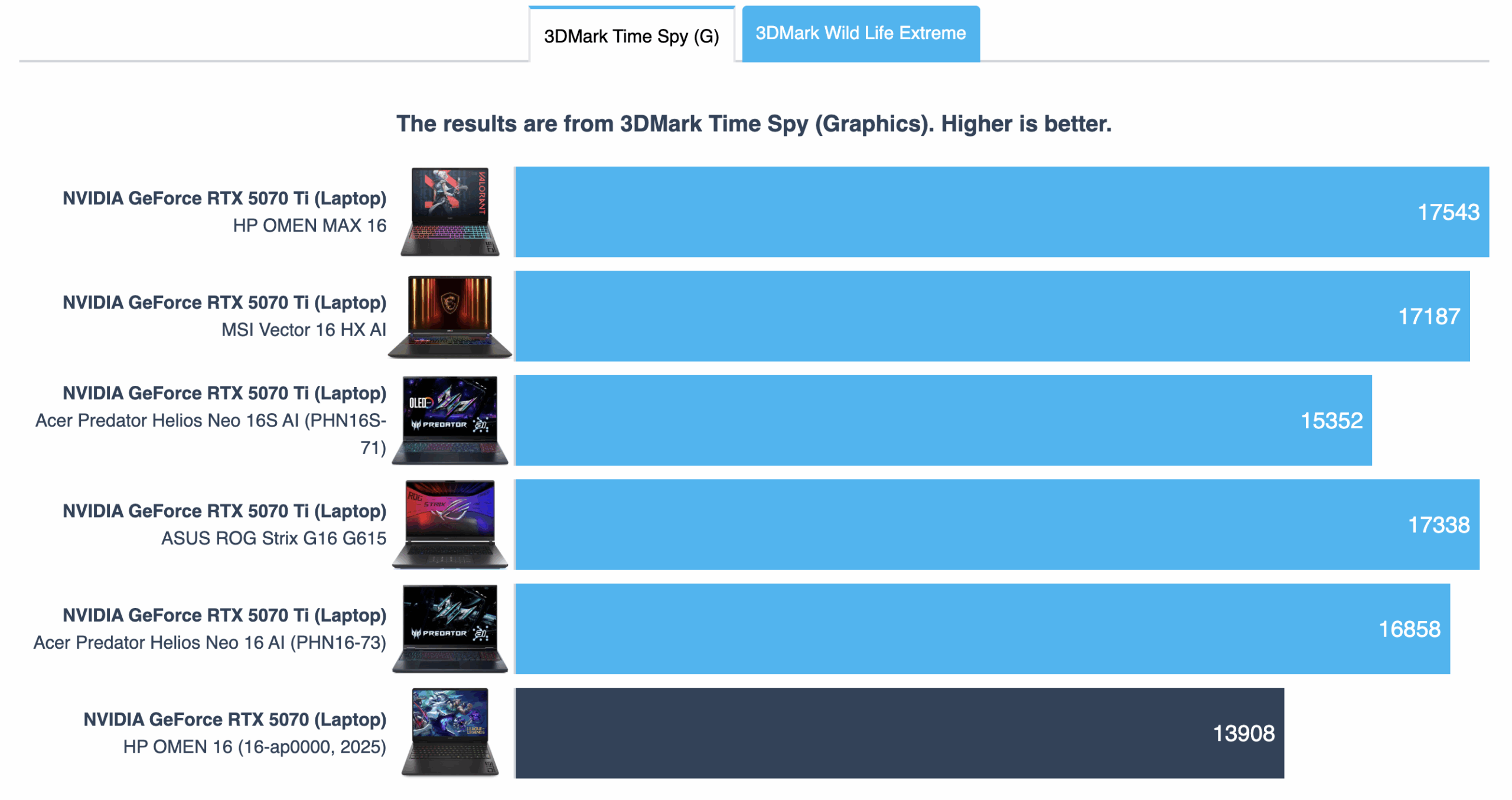
Great news, the HP OMEN MAX 16 broke the record for the highest scoring RTX 5070 Ti in 3DMark Time Spy Graphics! ASUS ROG Strix G16 G615 (detailed review) was the leader but now OMEN takes the crown!
The results are from 3DMark Time Spy (Graphics). Higher is better.
The results are from 3DMark Wild Life Extreme Unlimited. Higher is better.
Gaming tests

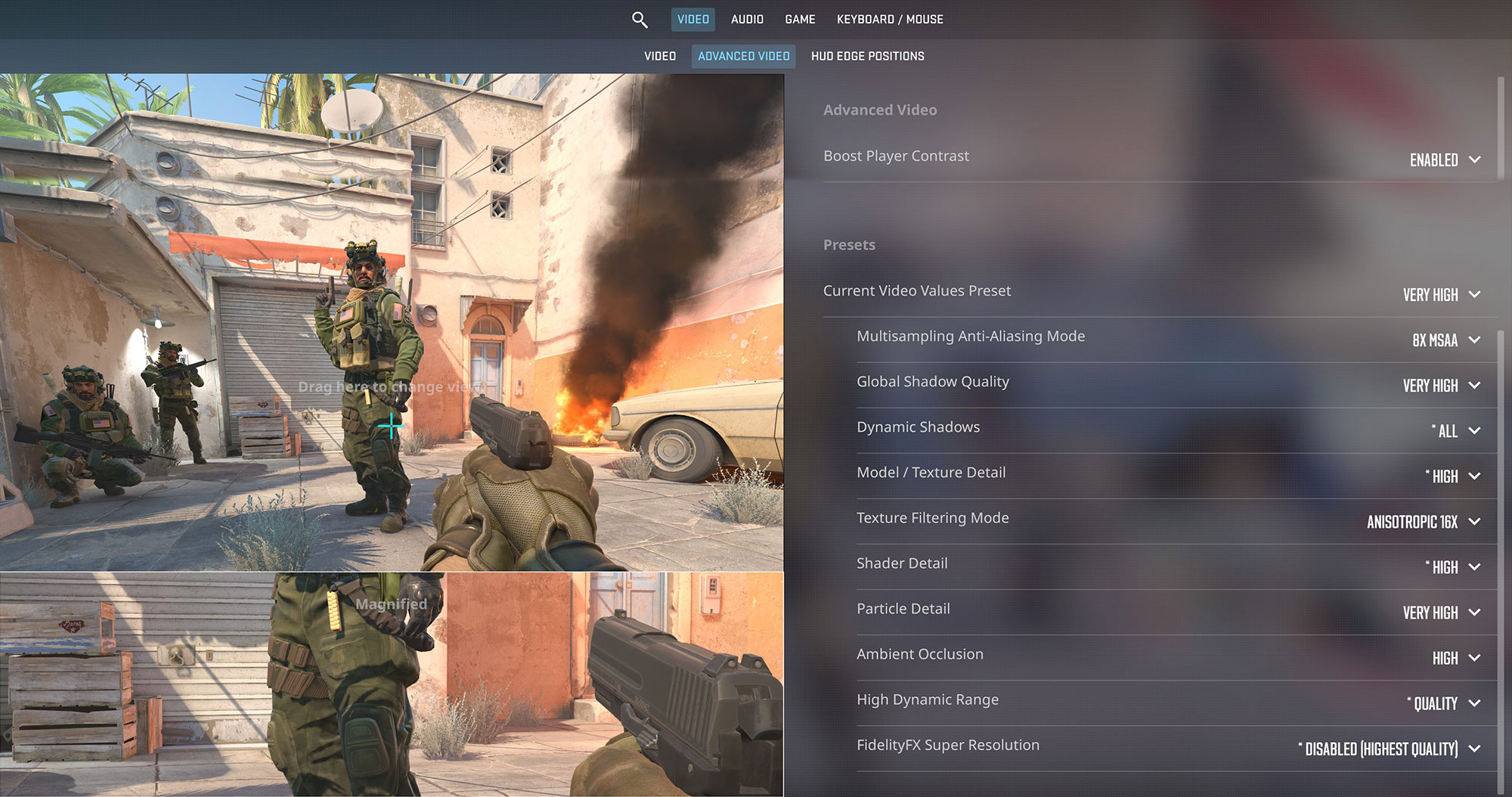
The HP OMEN MAX 16 is a monster when it comes to esports. In Counter-Strike 2, it achieves a breathtaking 278 FPS at its native 1600p resolution on Very High settings, perfectly utilizing the fast 240Hz refresh rate of the display for an ultimate competitive edge.
| Counter Strike 2 | 1600p, Very High (Check settings) |
| Average FPS | 278 FPS |

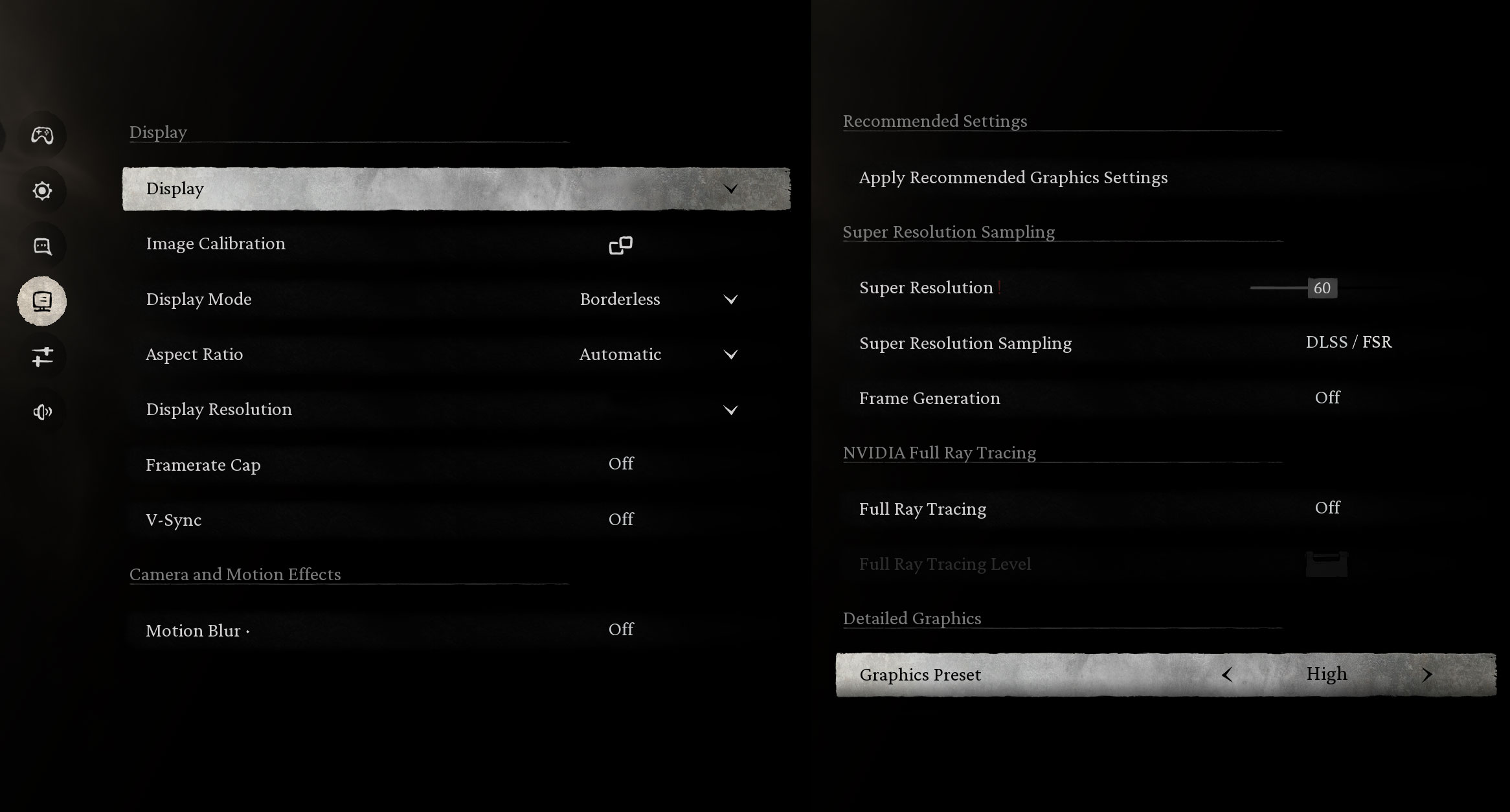
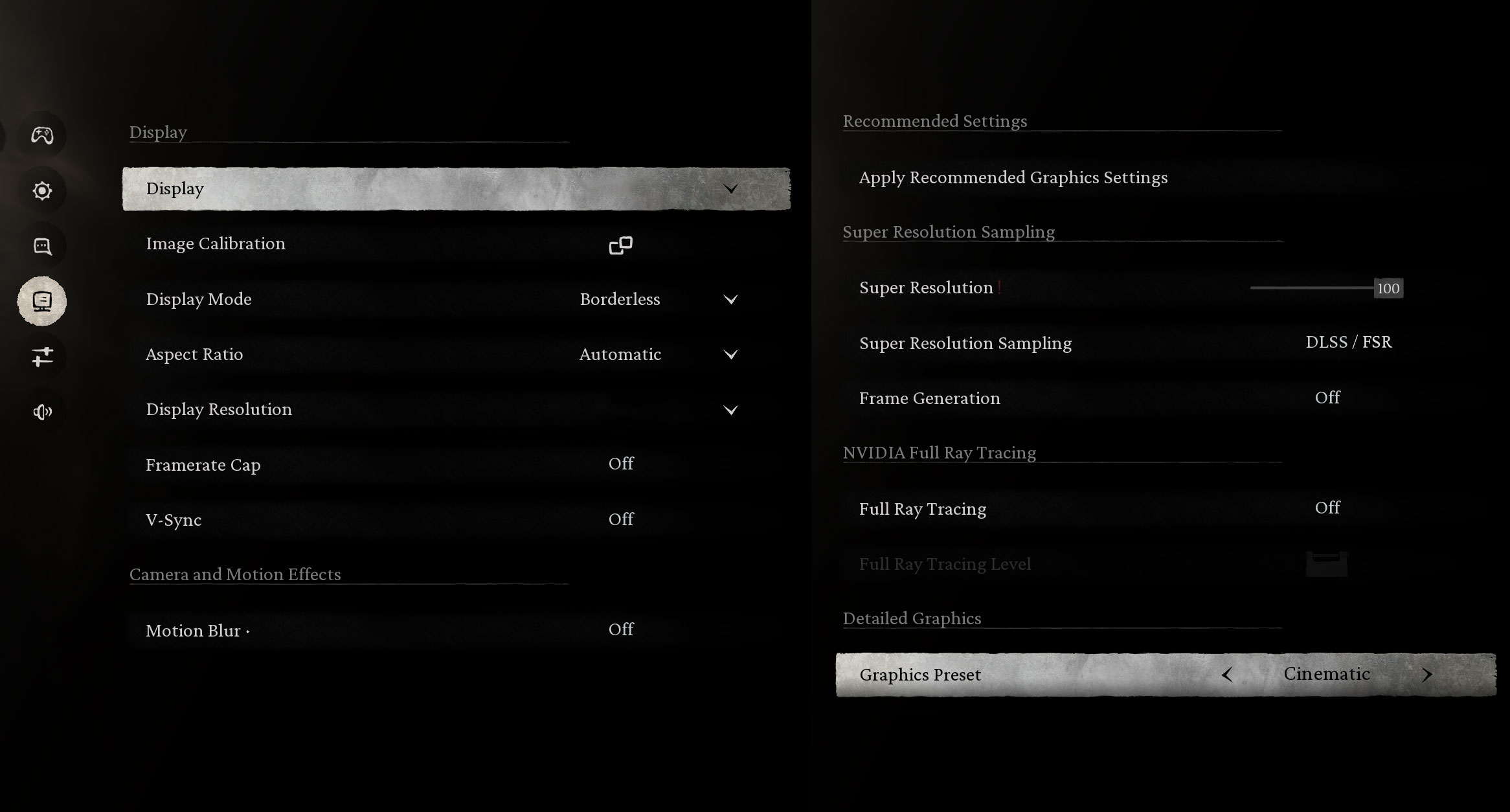
In the graphically intense Black Myth: Wukong, the laptop delivers a fantastic 100 FPS at 1600p on High settings. The demanding Cinematic preset yields 38 FPS, which is playable.
| Black Myth: Wukong | 1600p, High (Check settings) | 1600p, Cinematic (Check settings) |
| Average FPS | 100 FPS | 38 FPS |

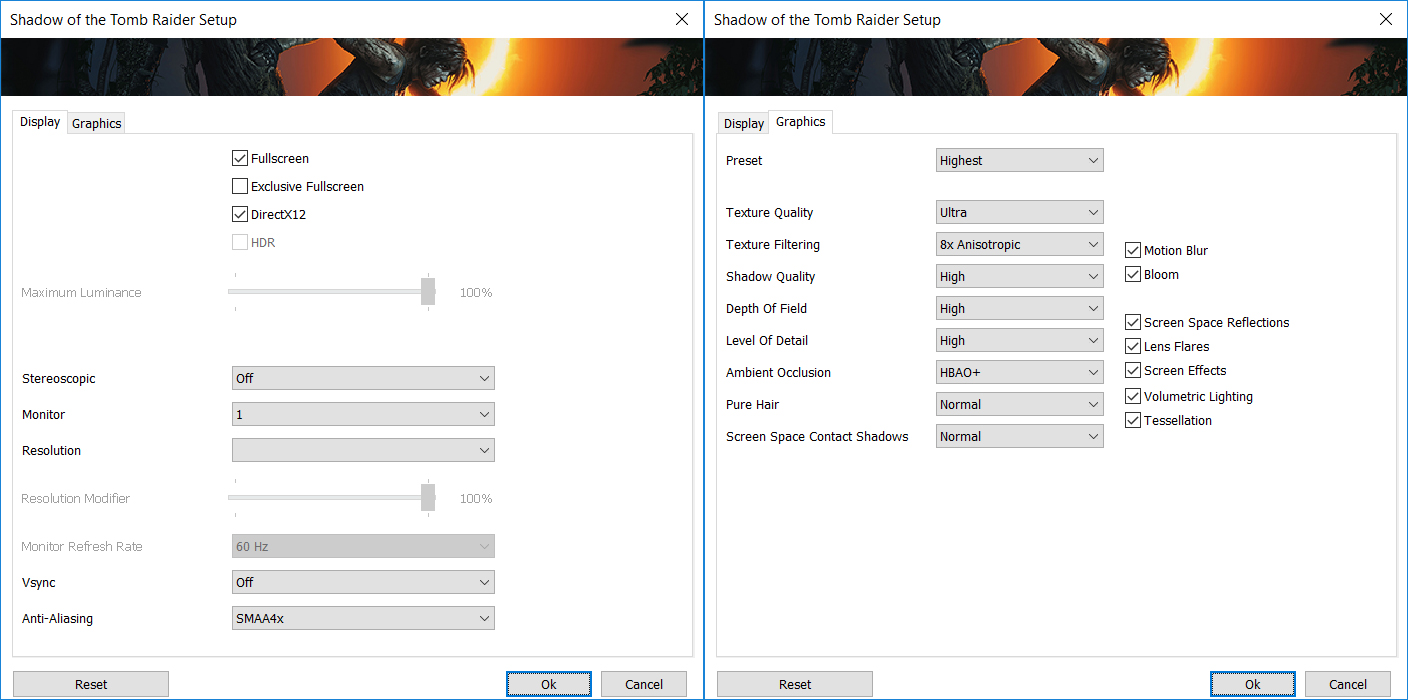
The RTX 5070 Ti chews through Shadow of the Tomb Raider, achieving an extremely high 157 FPS at 1200p. At the native 1600p resolution, it still maintains an excellent 102 FPS, both on the Highest preset, ensuring a stunning and fluid single-player journey.
| Shadow of the Tomb Raider | 1200p, Highest (Check settings) | 1600p, Highest (Check settings) |
| Average FPS | 157 FPS | 102 FPS |

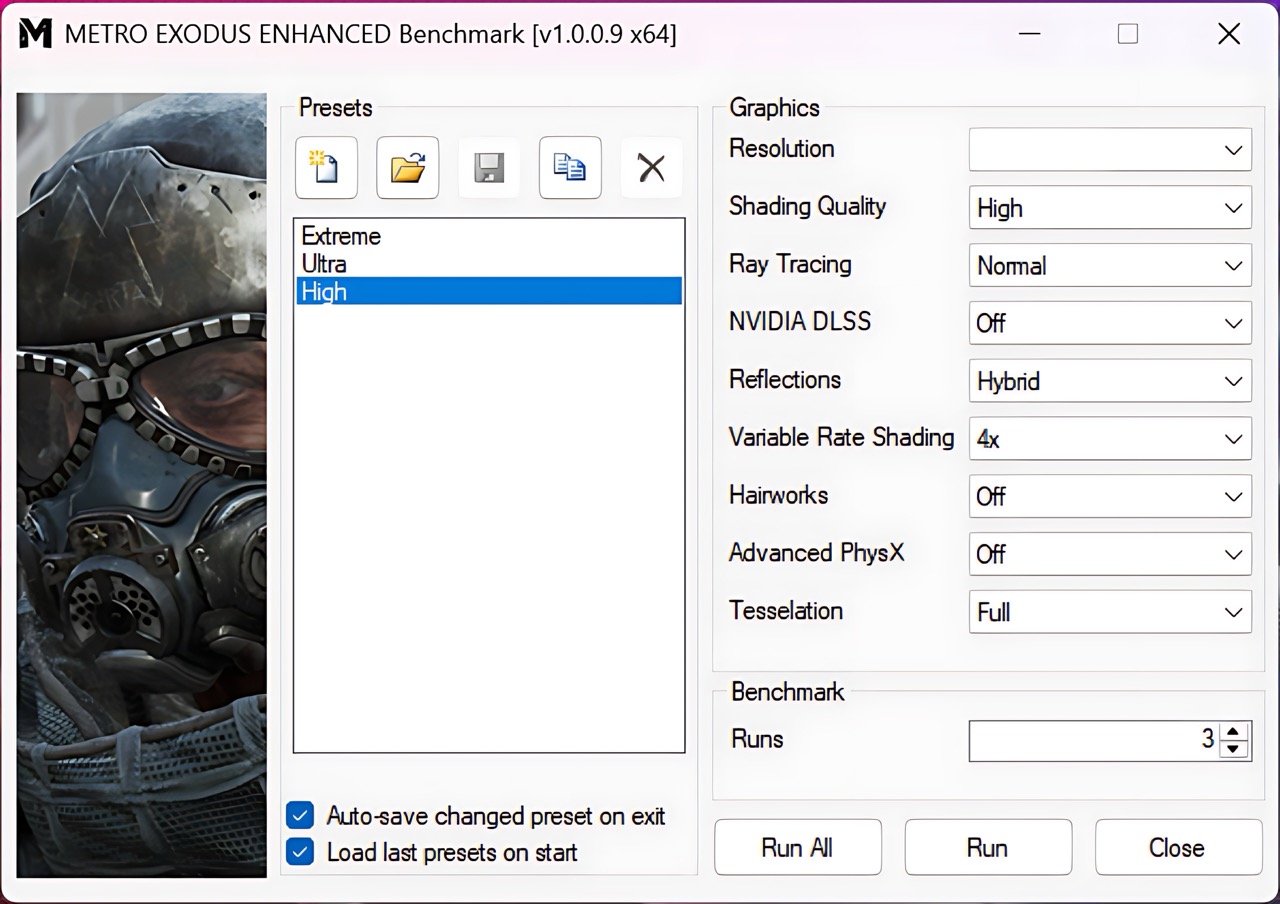
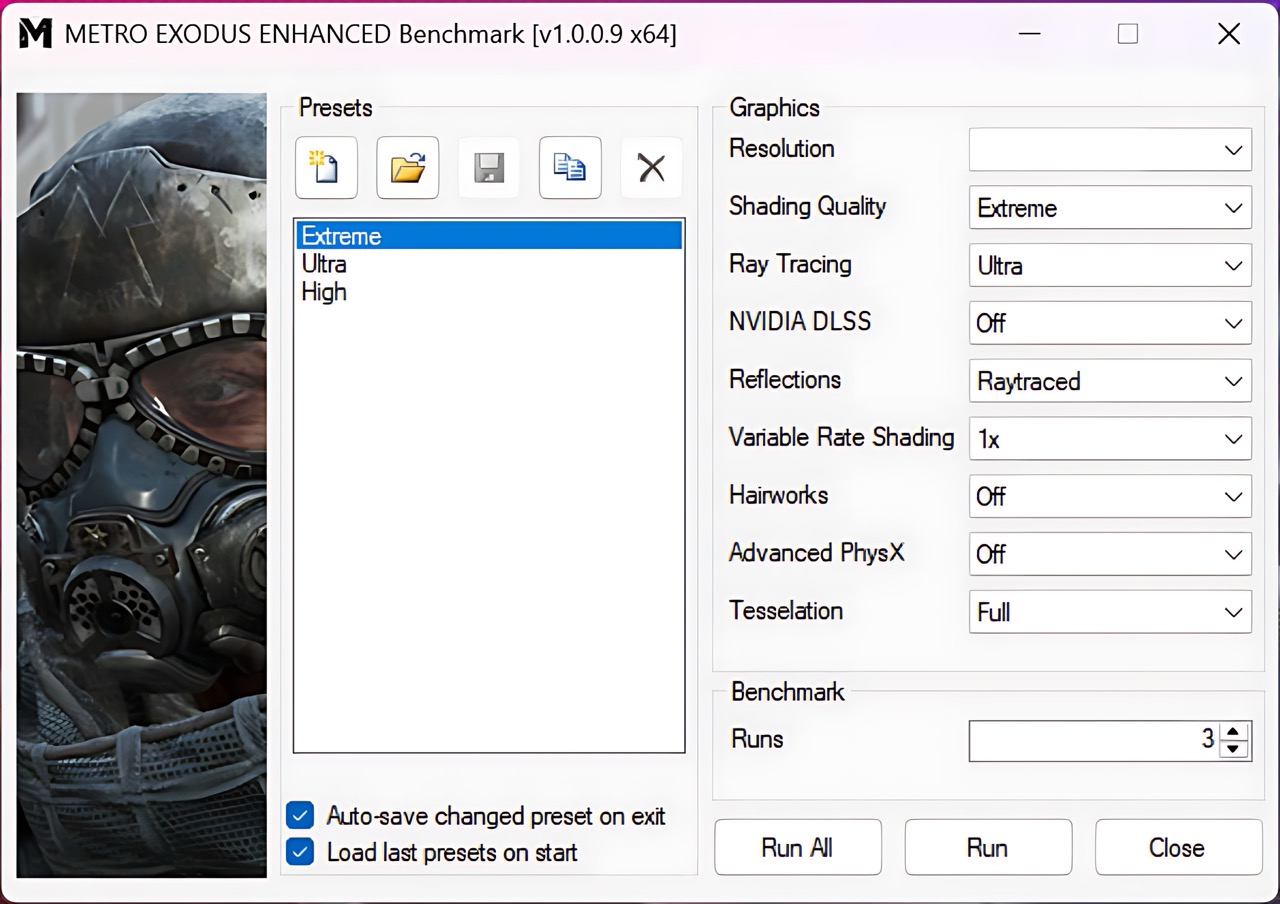
This laptop shows strong performance in the ray-tracing-heavy Metro Exodus Enhanced Edition. It scores a very playable 51 FPS at the native 1600p on the grueling Extreme preset. At 1200p, it delivers a smooth 70 FPS on Extreme and a blazing 133 FPS on High settings.
| Metro Exodus Enhanced Edition | 1200p, High (Check settings) | 1200p, Extreme (Check settings) | 1600p, Extreme (Check settings) |
| Average FPS | 133 FPS | 70 FPS | 51 FPS |
Temperatures and Comfort, Noise, Stability
At idle, the CPU package of the AMD Ryzen Al 7 350 maintains a temperature of 39ºC, and the notebook remains completely silent.
Office Work, Web Development, Design
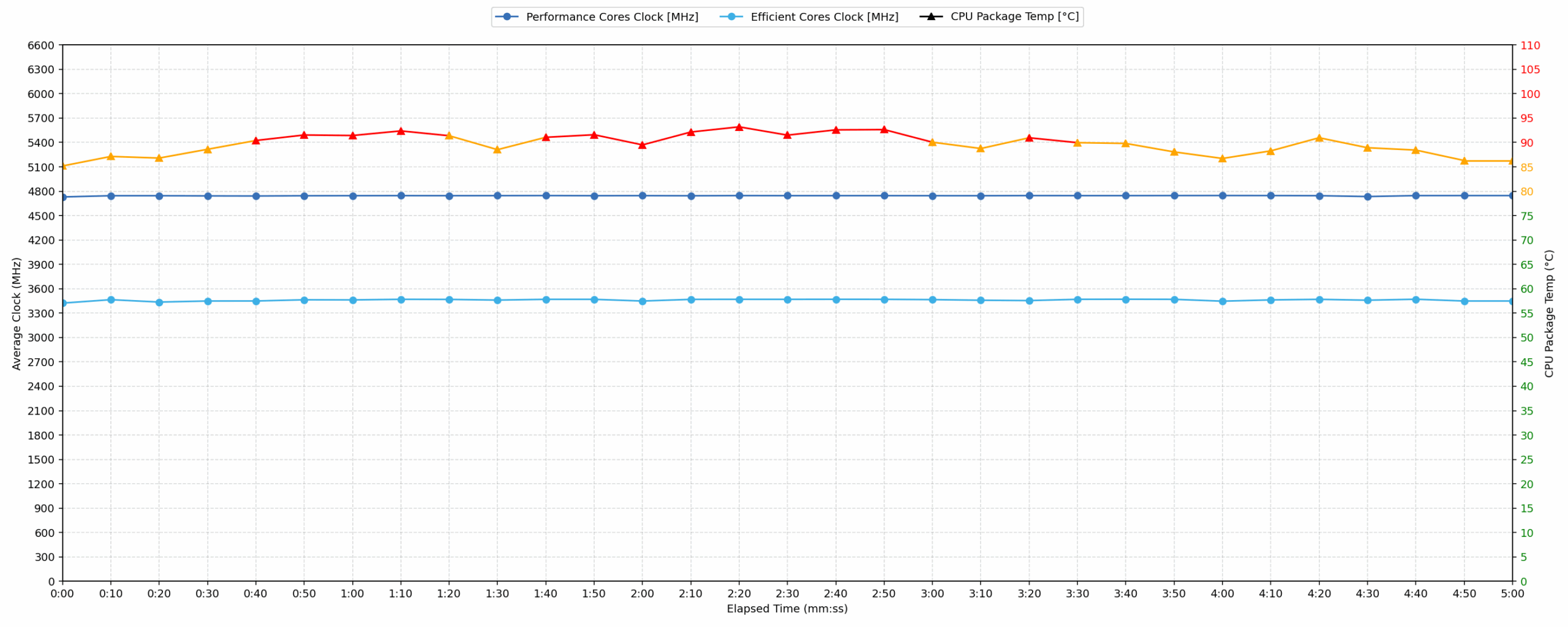
Short periods (0:00 – 0:10 s) of 100 % CPU load
This test shows the CPU behavior during short periods of serious load. It’s important for users who are looking for laptops suitable for tasks like Web Design and Programming.
| AMD Ryzen Al 7 350 | Avg. P-Core Clock | Avg. CPU Temp. | Avg. CPU Power |
| HP OMEN MAX 16 (AMD, 16-ab0000, ak0000) | 4729 MHz | 85 °C | 64 W |
The HP OMEN MAX 16 demonstrates strong initial performance under short CPU loads. The CPU maintained an impressive average clock speed of 4729 MHz over the first 10 seconds, with a peak of 4746 MHz within 5 seconds, driven by an average power of 64 W. While the average CPU temperature remained acceptable at 85 °C during this period, the peak temperature recorded was 94 °C. This peak indicates the CPU reaches high thermal levels during intense, brief operations. Despite this thermal spike, the high clock speeds suggest excellent responsiveness for tasks like web design and programming.
Video editing, Scientific computing, Software compilation, 3D rendering
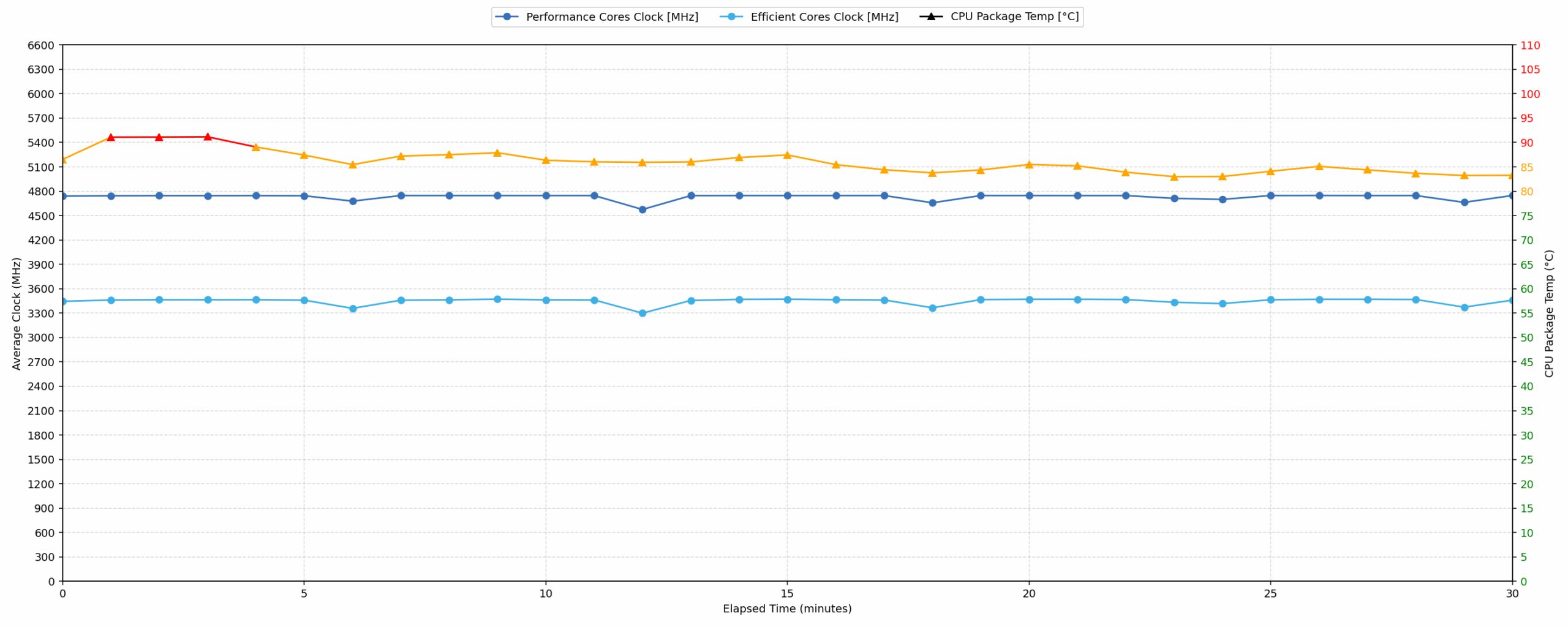
Long periods (0:00 – 30:00 min) of 100 % CPU load
This test shows the CPU behavior during long periods of serious load. It’s important for users who are looking for laptops suitable for tasks like Video Editing and 3D Rendering.
| AMD Ryzen Al 7 350 | Avg. P-Core Clock | Avg. CPU Temp. | Avg. CPU Power |
| HP OMEN MAX 16 (AMD, 16-ab0000, ak0000) | 4729 MHz | 86 °C | 66 W |
For extended CPU-intensive tasks, the HP OMEN MAX 16 maintains remarkable stability. Over 30 minutes, the CPU sustained an average clock speed of 4729 MHz, with only a minimal 28 MHz drop from its initial peak, indicating excellent long-term performance consistency. The average CPU temperature settled at an acceptable 86 °C, although the peak temperature of 94 °C suggests brief moments of high thermal stress. Drawing an average of 66 W, this laptop delivers powerful and consistent performance suitable for demanding applications like video editing, scientific computing, and 3D rendering without significant clock speed degradation.
Gaming Stability
Continuous gaming (1-hour test)
This test evaluates the laptop’s performance under sustained GPU load and high CPU usage.
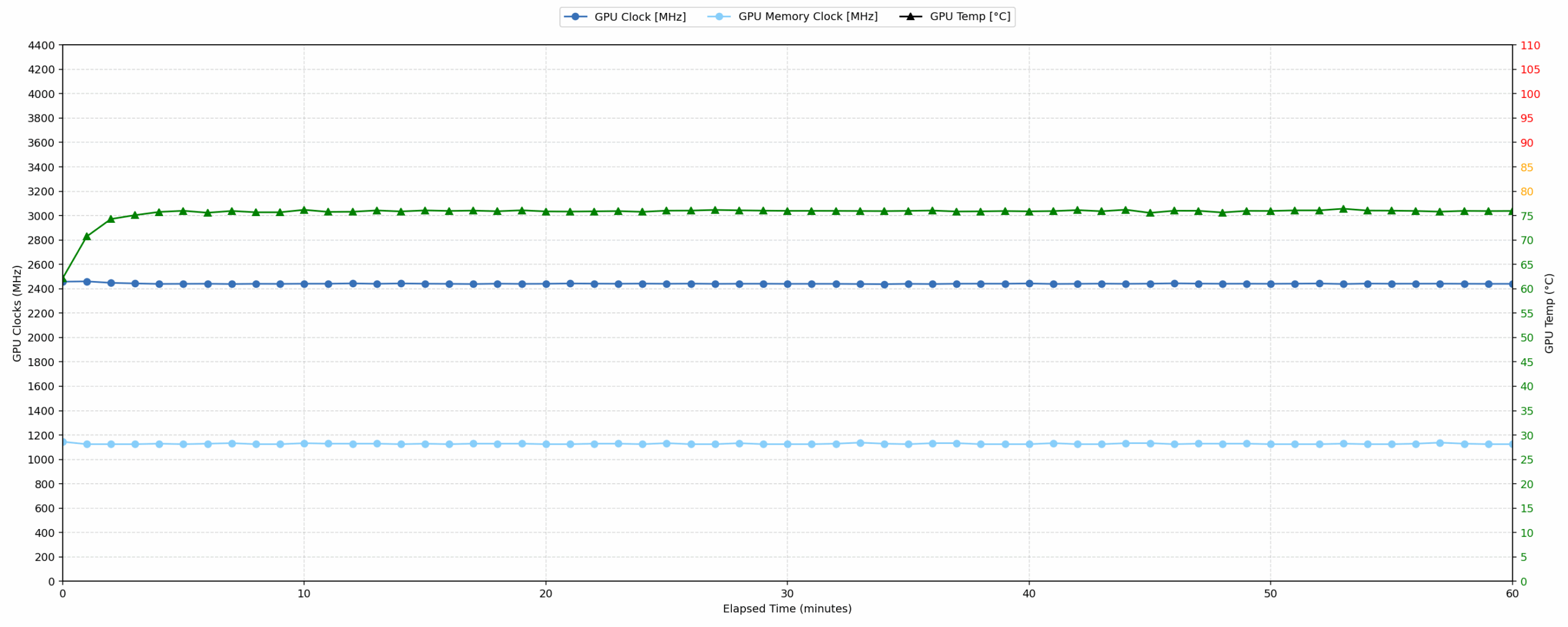
| NVIDIA GeForce RTX 5070 Ti | Avg. GPU Clock | Avg. GPU Temp. | Avg. Memory Clock | Avg. GPU Mem Temp. | Avg. GPU Power |
| HP OMEN MAX 16 (AMD, 16-ab0000, ak0000) | 2441 MHz | 75 °C | 1128 MHz | 76 °C | 138 W |
| ASUS ROG Strix G18 G815 (2025) | 2416 MHz | 71 °C | 1762 MHz | 72 °C | 138 W |
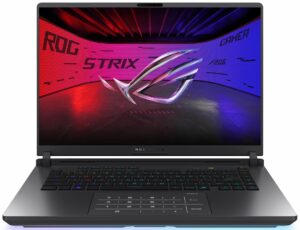
| ASUS ROG Strix G16 G615 | 2376 MHz | 79 °C | 1685 MHz | 77 °C | 138 W |
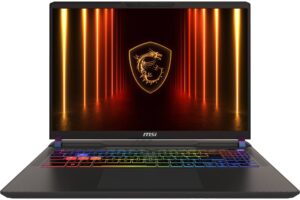
| MSI Vector 16 HX AI A2XW | 2362 MHz | 74 °C | 1750 MHz | 77 °C | 139 W |
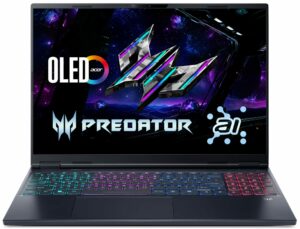
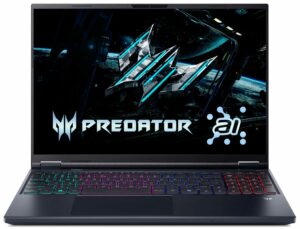
| Acer Predator Helios Neo 16 AI (PHN16-73) | 2315 MHz | 81 °C | 1561 MHz | 81 °C | — |
| Acer Predator Helios Neo 16S AI (PHN16S-71) | 1935 MHz | 79 °C | 1125 MHz | 83 °C | 89 W |
The HP OMEN MAX 16 exhibits excellent gaming stability over a continuous hour. The NVIDIA GeForce RTX 5070 Ti maintains a high average clock speed of 2441 MHz, peaking at 2512 MHz, while consuming 138 W. Crucially, GPU core temperature averaged 75 °C and memory 76 °C, with peak temperatures of 77 °C and 78 °C respectively, all remaining well within the good thermal limits. Compared to other RTX 5070 Ti laptops, this model achieves the highest average GPU clock speed, outperforming competitors while maintaining very good thermal control, ensuring consistent high performance during extended gaming sessions. As you see in the benchmarks chart, this leads to record-breaking results!
Battery Life
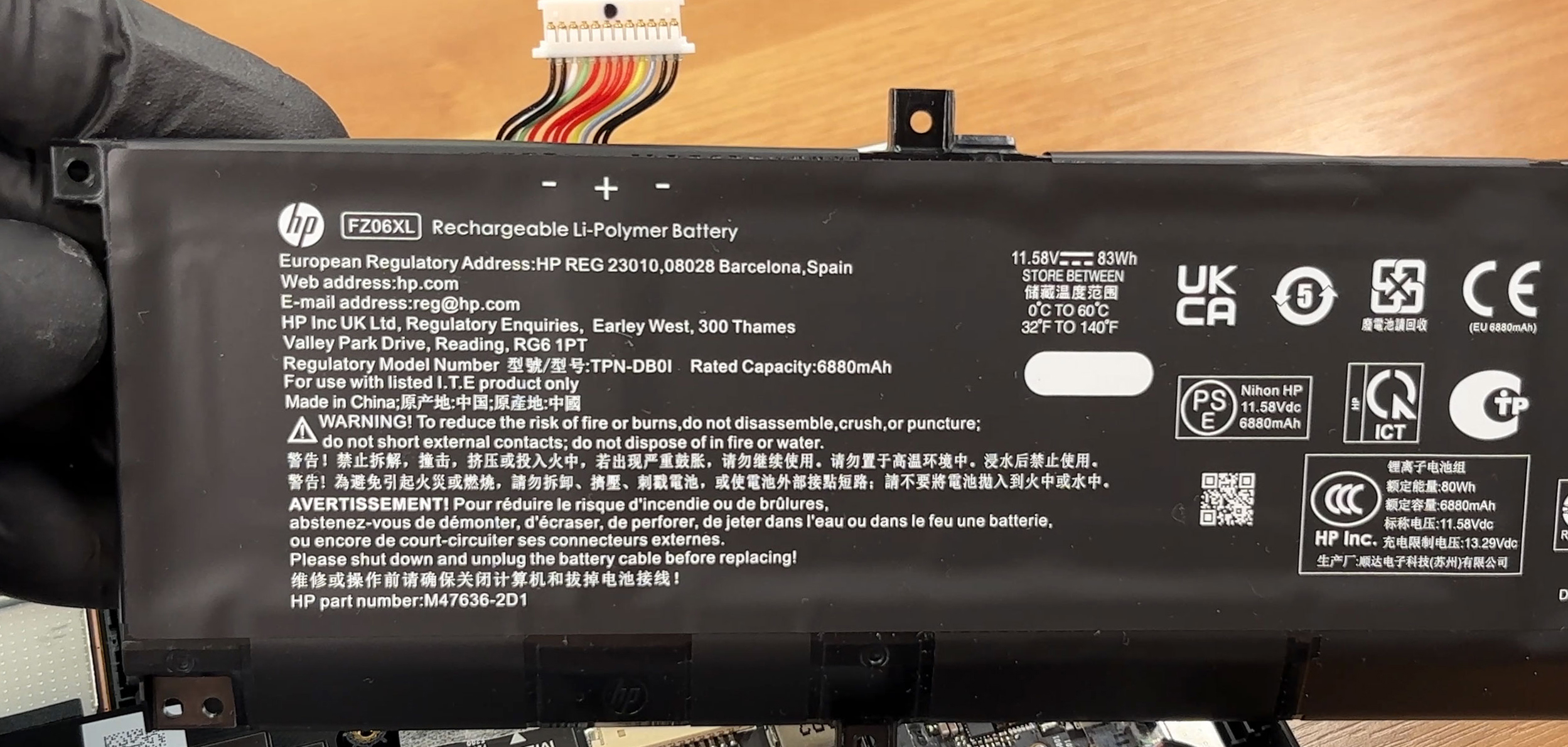
The battery of the HP OMEN MAX 16 (16-ak0000) is a 6-cell lithium-polymer, model TPN-DB01. Its nominal voltage is 11.58V and stores 83 Wh of electrical energy.
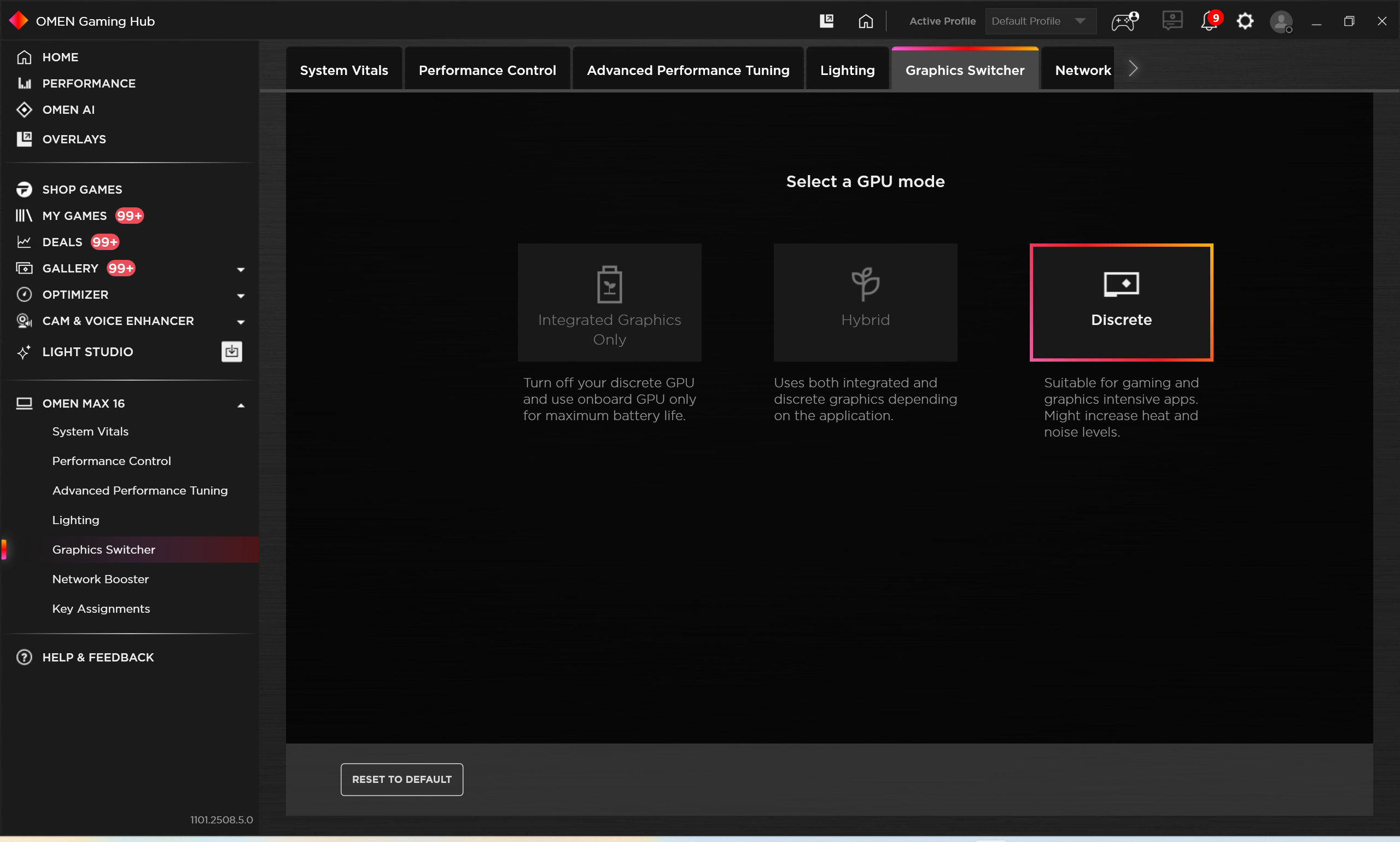
We conducted our test in ECO / Hybrid mode:
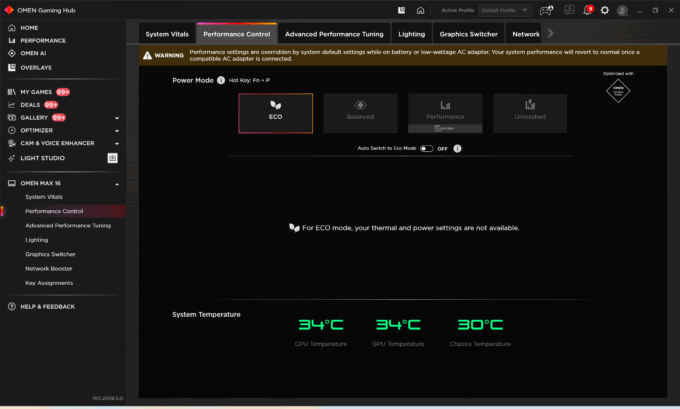
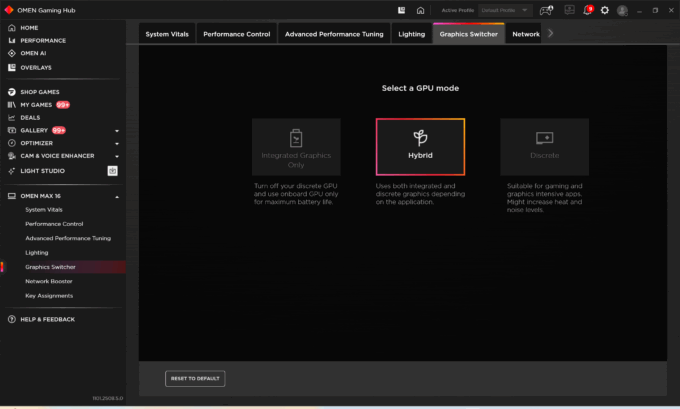
Thanks to the incredible optimization, it works 2 times longer than most of its competitors – for over 10 hours on a single charge! Here, the OMEN MAX once again gets the crown from ASUS ROG Strix G16 G615 (detailed review) which was the leader in this aspect too.
Brightness: 180 nits; Display Mode: SDR
Time to Full Discharge: Higher is Better
Disassembly, Upgrade options, and Maintenance
Getting inside the HP OMEN MAX 16 (16-ak0000) starts with removing the bottom panel, which is held in place by six screws and a line of plastic clips. Once the cover is off, the layout is clean and clearly organized around a large thermal assembly that dominates the top half of the chassis.
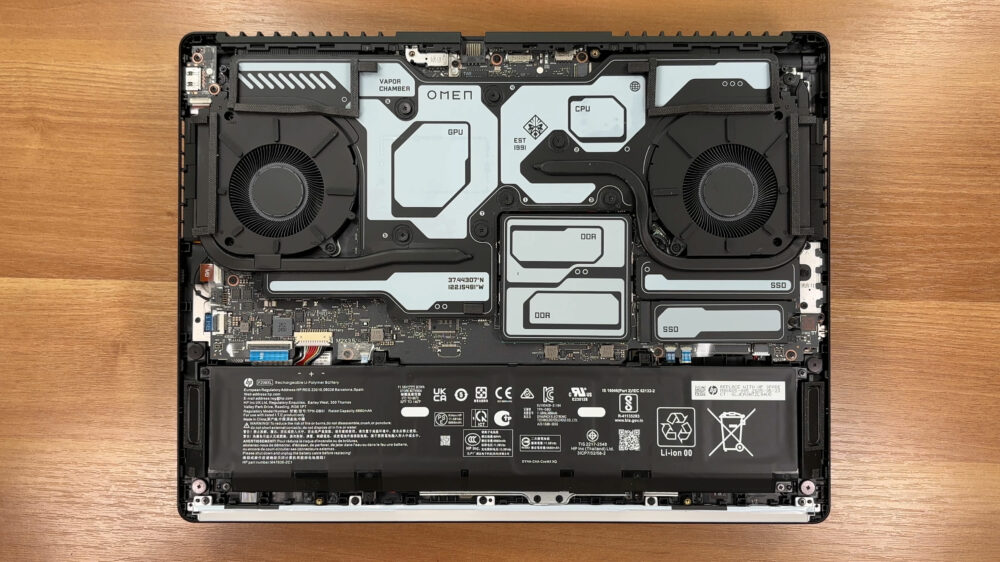
Cooling is handled by an active system with two internal fans and a vapor chamber that spreads heat across a wide area. HP also uses liquid metal as the thermal compound, which can help with heat transfer, but it also means repasting is a job you should approach carefully if you ever decide to service it yourself.
Memory is fully upgradeable thanks to two DDR5 SO-DIMM slots, with support for up to 64 GB of DDR5-5600 MT/s in a 2 x 32 GB configuration. In our unit, the installed memory includes Samsung DDR5 SO-DIMMs.
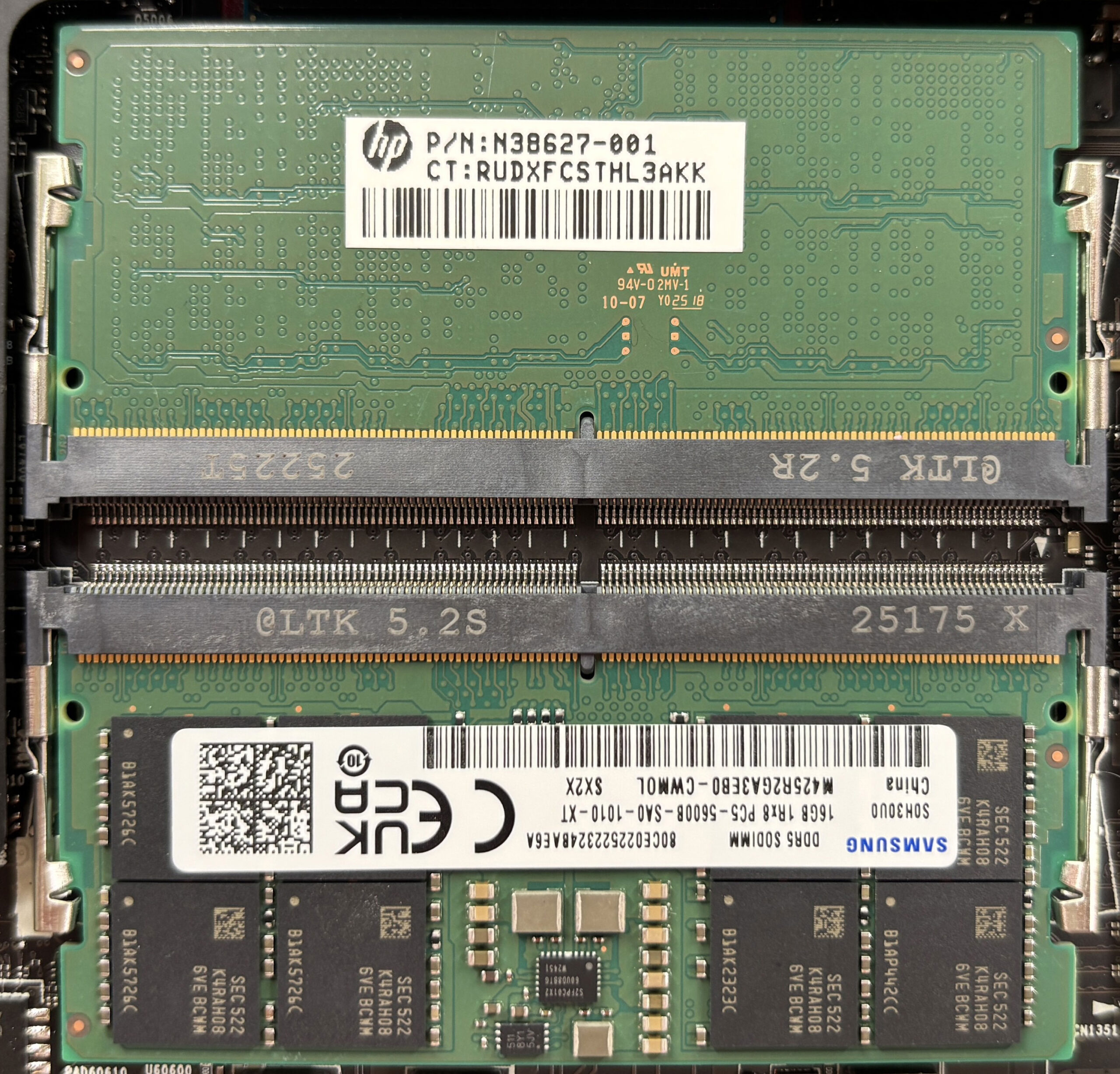
Storage is flexible in principle, but availability can depend on the exact configuration. Our unit is laid out for two M.2 NVMe SSD slots, and HP lists support for up to a 2 TB PCIe Gen4 NVMe Performance M.2 drive or up to a 1 TB PCIe Gen5 NVMe Performance M.2 drive. However, based on additional configuration information, some AMD-based variants paired with GeForce RTX 5060 or RTX 5070 may come with only a single M.2 slot for storage, while versions with RTX 5070 Ti or RTX 5080 may offer two. In our chassis, one SSD position sits under the vapor chamber area along with nearby power components, while the other slot is left uncovered and is much easier to access for quick upgrades.
For wireless connectivity, configurations may ship with either an Intel Wi-Fi 7 BE200 (2×2) card paired with Bluetooth 5.4, or an Intel Wi-Fi 6E AX211 (2×2) card paired with Bluetooth 5.3, so it’s worth checking which option you’re getting if that matters for your setup.
Power comes from an 83 Wh battery pack, rated at 11.58 V and labeled as a rechargeable Li-Polymer unit. It’s secured with screws and connects via a cable, and it should be disconnected before working on the RAM or SSDs for basic safety during servicing.
In terms of replaceable parts, you can realistically service and upgrade the SSDs, memory, and the battery, while the core chips sit under the main cooling hardware and aren’t user-upgradable. Overall, the OMEN MAX 16 offers good upgradeability for RAM and storage, with moderate service effort due to the vapor chamber coverage.
Verdict
 The HP OMEN MAX 16 is a quiet powerhouse, a gaming laptop that delivers record-breaking performance without the need for aggressive styling. It takes the “stealth” aesthetic to heart, housing some of the fastest components we’ve ever tested in a clean, professional-looking chassis. This is a machine for the gamer who wants to dominate the leaderboards but prefers a laptop that can blend seamlessly into any environment.
While it makes a few minor stumbles with its keyboard layout and display, the sheer performance and efficiency it offers make it an incredibly compelling choice. It stands as a testament to fantastic engineering, proving you don’t need a massive, flashy rig to get top-tier results.
You can check the prices and configurations in our Specs System: https://laptopmedia.com/series/hp-omen-max-16-16-ab0000/
✅ The Good
The performance of the OMEN MAX 16 is nothing short of spectacular. Our RTX 5070 Ti model is the fastest we have ever tested with this GPU, breaking records in benchmarks and delivering sublime frame rates in modern games. This is achieved thanks to an excellent cooling system that keeps both the CPU and GPU running cool and stable, even during long sessions.
Perhaps even more impressive is the phenomenal battery life. Lasting over 10 hours in our tests, it crushes its competition, offering more than double the endurance of many rivals. This, combined with the PWM-free display which is great for eye comfort, makes it a surprisingly versatile machine for work and play. We also appreciate the fantastic upgradeability with two RAM slots and support for Gen5 SSDs, along with a robust port selection that includes dual USB4 ports.
❌ The Bad
 The most significant compromise is the display’s color coverage. With only 90% sRGB coverage, it falls short of the full spectrum coverage we’d expect at this price point, making it less than ideal for professional color work, though still fine for gaming. The screen contrast is also merely average.
The keyboard layout has a frustrating quirk: the half-height arrow keys are squeezed into the main cluster, which is never ideal for gaming. Additionally, accessing the primary M.2 SSD slot is more difficult than it needs to be, as it sits under the vapor chamber cooling system, requiring extra effort for upgrades.
🆚 The Competitors
When compared to the ASUS ROG Strix G16 (detailed review), the OMEN MAX 16 pulls ahead significantly in battery life, offering nearly 4 hours more runtime. While the Strix has a slightly better display, the OMEN’s raw performance and endurance make it a very strong alternative.
Against the Acer Predator Helios Neo 16 AI (detailed review), the OMEN is the clear winner in efficiency. It runs cooler, quieter, and lasts more than twice as long on battery power. If you value a machine that is as good at being a laptop as it is at being a gaming rig, the HP OMEN MAX 16 is the superior choice.
Pros
- Record-breaking GPU performance (fastest RTX 5070 Ti tested)
- Phenomenal battery life (over 10 hours)
- Excellent thermal management for both CPU and GPU
- PWM-free display is great for eye comfort
- Great upgradeability with two RAM slots and Gen5 SSD support
- Sleek, understated design suitable for any environment
Cons
- Display color coverage (90% sRGB) is lower than advertised (100%)
- Half-height arrow keys are not ideal for gaming
- Primary SSD slot is difficult to access (under vapor chamber)
 Author: Simeon NikolovEditor-in-Chief at LaptopMedia.com with 20+ years of experience in testing and analyzing laptops and mobile devices.
 Author: eng. Kroum NikolovHead of Engineering at LaptopMedia.com, inventor and innovator with 40+ years of experience in electronics and high technology.

![[June 2026] Best-Selling Laptop Brands on Amazon Global – Apple’s Unrivaled Dominance in Units and Revenue](https://laptopmedia.com/wp-content/uploads/2026/07/GLOBAL-Best-Brands-400x225.jpg)
![[June 2026] Amazon Global: Top 10 Best-Selling Laptops – Apple’s New MacBook Neo Storms to #1, Reshaping the Market with Affordability](https://laptopmedia.com/wp-content/uploads/2026/07/Best-Selling-Laptops-GLOBAL-Top-10-400x225.jpg)
![[June 2026] Amazon Global: Top 10 Best-Selling Gaming Laptops – Acer’s Nitro V 16S AI Dominates Sales, While ASUS Leads Overall Revenue](https://laptopmedia.com/wp-content/uploads/2026/07/Best-Selling-Gaming-Laptops-GLOBAL-Top-10-400x225.jpg)
![[June 2026] Global Ranking of Best-Selling Laptop GPUs on Amazon – NVIDIA RTX 5060 is the Top-Selling Dedicated GPU](https://laptopmedia.com/wp-content/uploads/2026/07/Best-Selling-GPUs-GLOBAL-Top-10-400x225.jpg)
![[June 2026] Global Ranking of Best-Selling Laptop CPUs on Amazon – Apple M5 Dominates, AMD Ryzen 7 260 Gets Solid Premium Share](https://laptopmedia.com/wp-content/uploads/2026/07/Best-Selling-CPUs-GLOBAL-Top-10-400x225.jpg)