Inside Dell Latitude 15 5530 – disassembly and upgrade options
Here, Alder Lake doesn’t only bring higher performance, but also a Gen 4 PCIe x4 slot for storage.
Check out all Dell Latitude 15 5530 prices and configurations in our Specs System or read more in our In-Depth review.
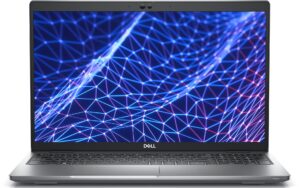
1. Remove the bottom plate
To take this notebook apart, you need to undo 8 captive Phillips-head screws. Then, pry the bottom panel starting from the hinge gaps. It would be best to use a plastic tool.
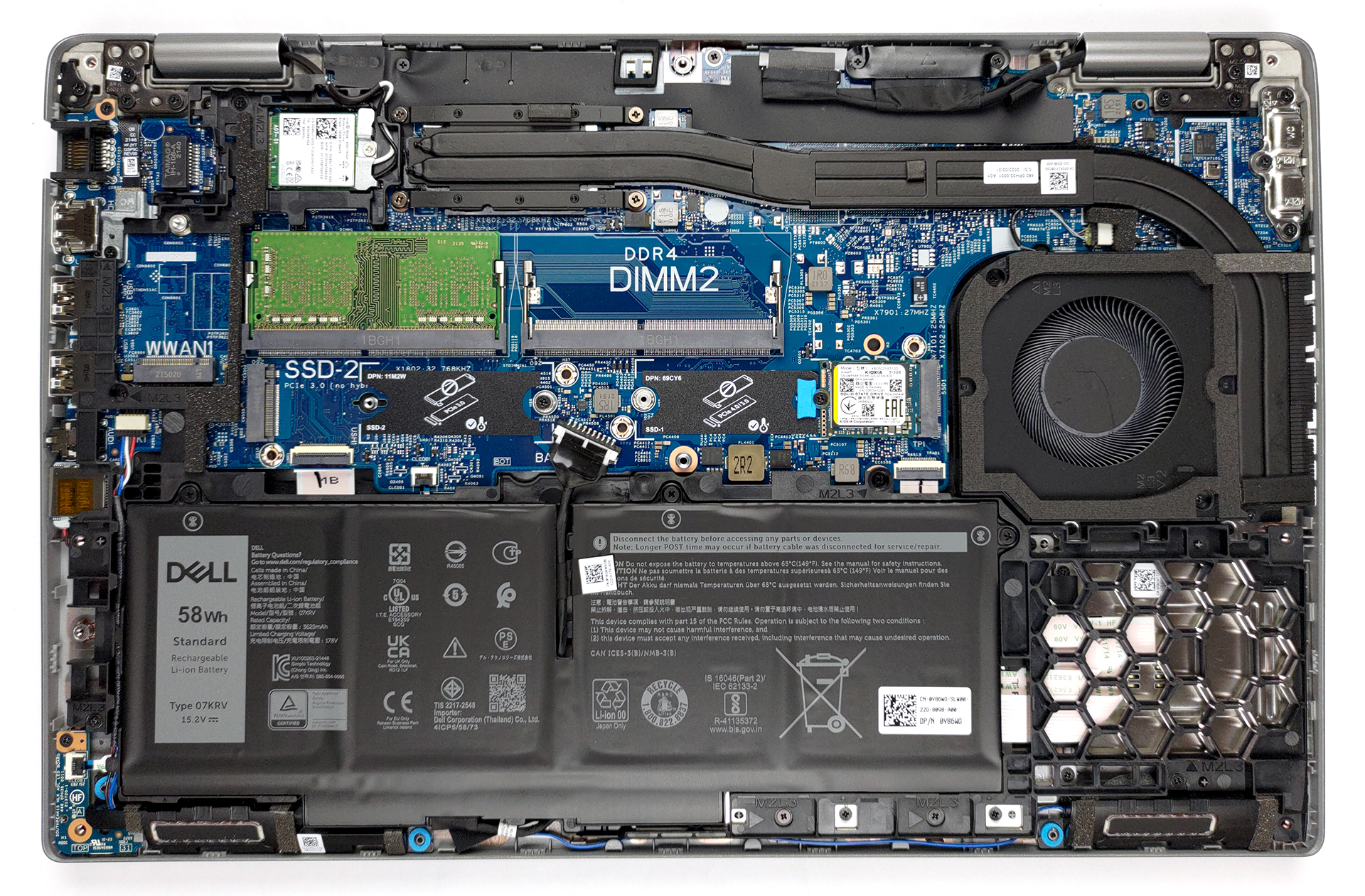
2. Battery
There are two battery options. A 41Wh and a 58Wh one. We got the bigger one, and it lasted us 11 hours of Web browsing, or 8 hours and 30 minutes of video playback. To take it out of the laptop, unplug the connector from the motherboard, and undo all three captive Phillips-head screws holding it in place.
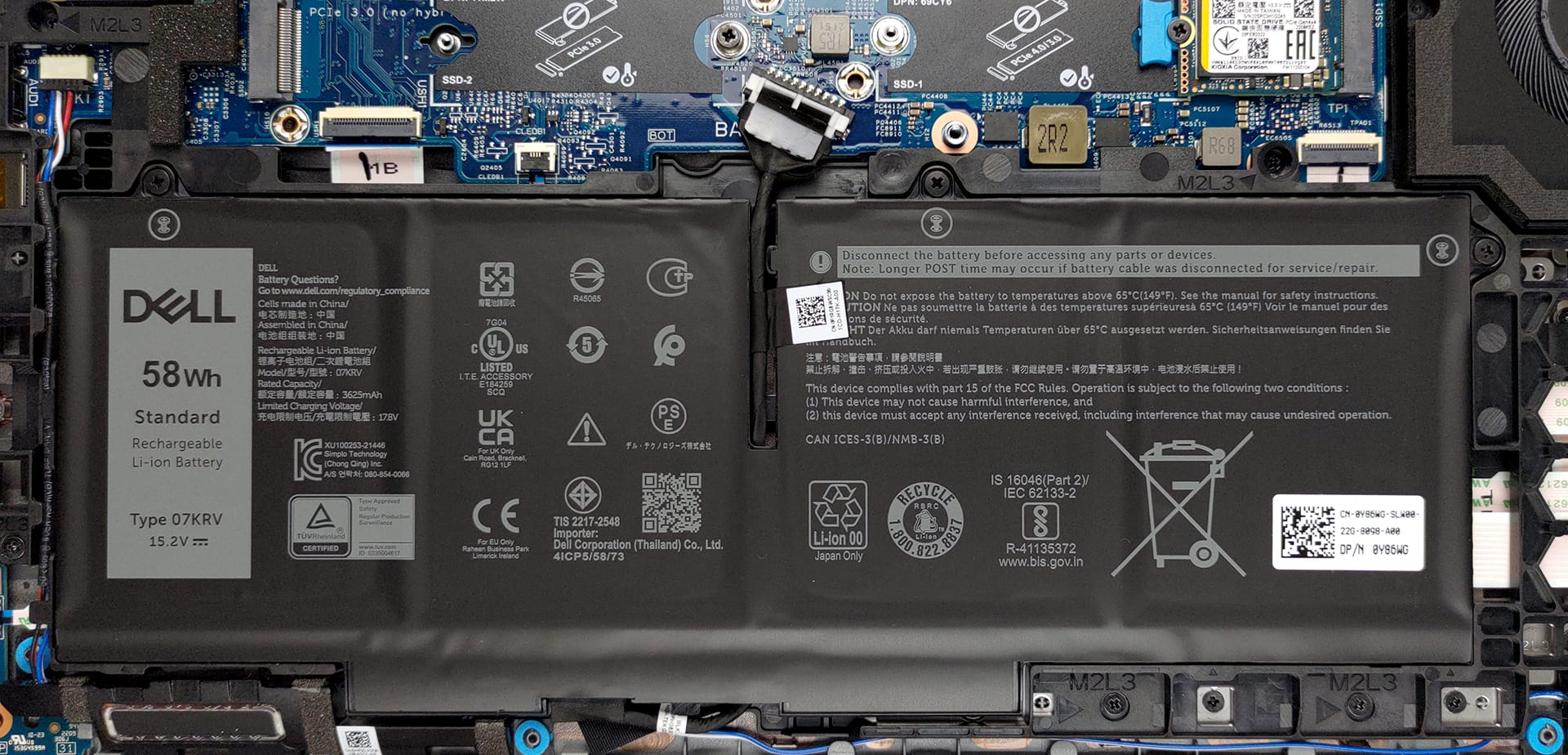
3. Memory and storage
In terms of memory, there are two SODIMM slots, which can add up to 64GB of DDR4 RAM in total. Storage-wise, you also get two M.2 PCIe x4 slots, one of which can fit Gen 4 drives.
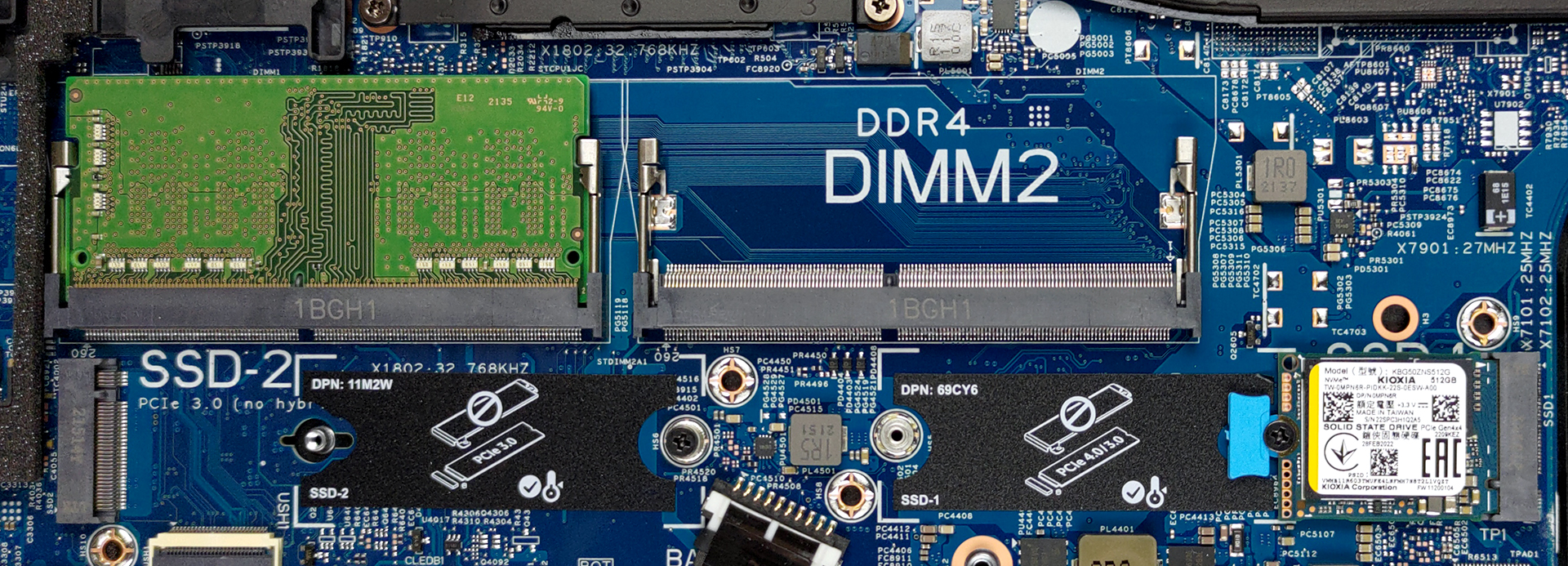
4. Cooling system
Here, the cooling comprises two heat pipes, which are approximately two miles long. They connect to a side-mounted heat sink, where a medium-sized fan blows the heat away.

Check out all Dell Latitude 15 5530 prices and configurations in our Specs System or read more in our In-Depth review.
Dell Latitude 15 5530 in-depth review
Dell has been increasingly conscious about the environment with their latest business series notebooks. What the company did with the Latitude 15 5530 is to include 21% bioplastics, 30% recycled plastics, and 20% reclaimed carbon fiber for its lid. Furthermore, the packaging has been really reworked to be fully sustainable.But hey, sustainability is not the only thing that drives your business towards success. Having a good laptop helps too. This is why we are going to focus on the more technical aspect of the Latitude 15 5530. First and foremost, it is one of the first Dell laptops that [...]
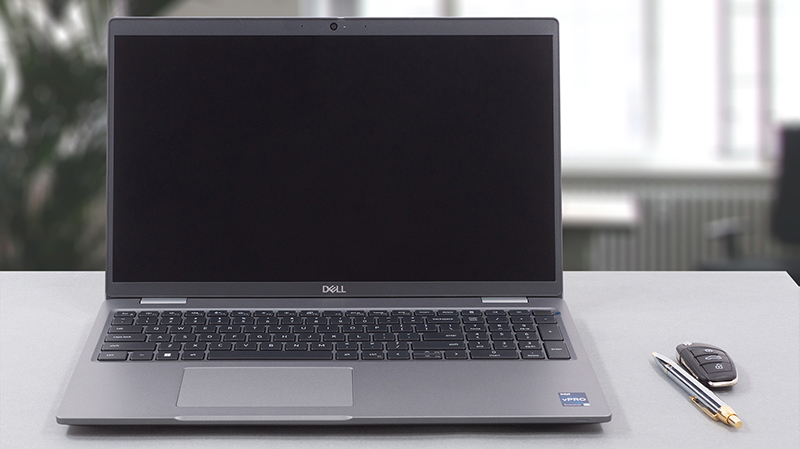
Pros
- Wide I/O, which includes a MicroSD card reader and 2x Thunderbolt 4 ports
- Two M.2 storage slots, one of which runs at 4.0 speeds + 2x RAM SODIMM slots
- Fingerprint reader embedded in the power button + optional IR face recognition
- Doesn't use PWM for brightness adjustment (BOE 1DW1M-NV15N4V (BOE0A86))
- Comfortable keyboard with a backlight
- Good battery life
- Fantastic performance in photo editing
Cons
- Covers only 53% of sRGB (BOE 1DW1M-NV15N4V (BOE0A86))
- No 5G support and no spill-resistance
 Author: Alex Iliev

![[June 2026] Best-Selling Laptop Brands on Amazon Global – Apple’s Unrivaled Dominance in Units and Revenue](https://laptopmedia.com/wp-content/uploads/2026/07/GLOBAL-Best-Brands-400x225.jpg)
![[June 2026] Amazon Global: Top 10 Best-Selling Laptops – Apple’s New MacBook Neo Storms to #1, Reshaping the Market with Affordability](https://laptopmedia.com/wp-content/uploads/2026/07/Best-Selling-Laptops-GLOBAL-Top-10-400x225.jpg)
![[June 2026] Amazon Global: Top 10 Best-Selling Gaming Laptops – Acer’s Nitro V 16S AI Dominates Sales, While ASUS Leads Overall Revenue](https://laptopmedia.com/wp-content/uploads/2026/07/Best-Selling-Gaming-Laptops-GLOBAL-Top-10-400x225.jpg)
![[June 2026] Global Ranking of Best-Selling Laptop GPUs on Amazon – NVIDIA RTX 5060 is the Top-Selling Dedicated GPU](https://laptopmedia.com/wp-content/uploads/2026/07/Best-Selling-GPUs-GLOBAL-Top-10-400x225.jpg)
![[June 2026] Global Ranking of Best-Selling Laptop CPUs on Amazon – Apple M5 Dominates, AMD Ryzen 7 260 Gets Solid Premium Share](https://laptopmedia.com/wp-content/uploads/2026/07/Best-Selling-CPUs-GLOBAL-Top-10-400x225.jpg)
thank you this explains everything….greatly appreciated