Lenovo Yoga Tab review – The Hidden Differences You Must Know
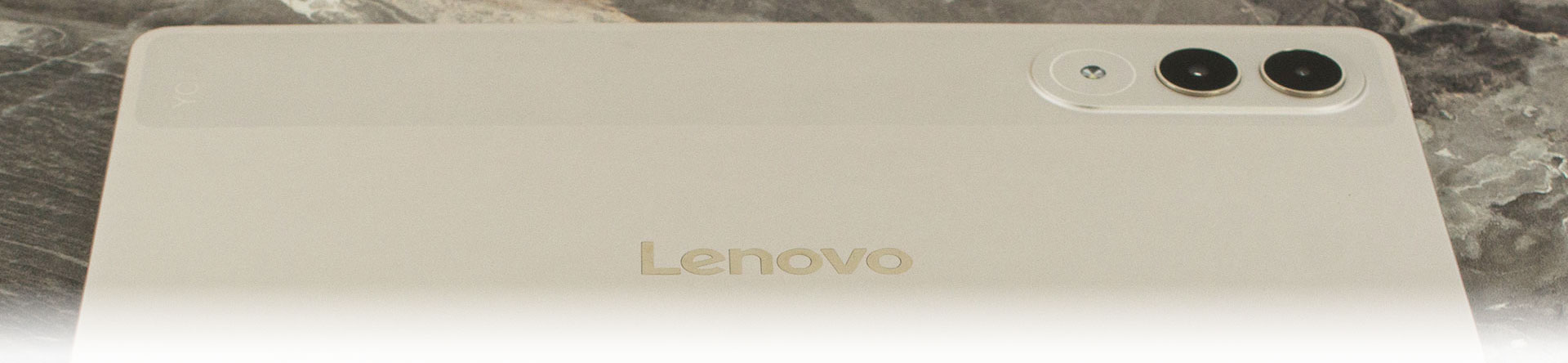
We recently reviewed the Lenovo Yoga Tab Plus (detailed review), a device that impressed us so much we went as far as calling it an “iPad Air killer.” However, there is another model in Lenovo’s lineup – the standard Lenovo Yoga Tab (without the “Plus”) …and many people are mistaking them for the same device. The difference, however, is massive… literally.
To start, the Tab Plus boasts a 12.7-inch screen, while the standard Tab is an 11.1-inch device, making it the better choice if you need a more portable machine. But you need to pay close attention to two crucial aspects that remain hidden if you only look at the spec sheet without reading our detailed reviews. First, despite sharing the same “Snapdragon 8 Gen 3” name, the chip in the Yoga Tab is not the same as the one in the Plus; the Plus version is actually 20-30% more powerful in computational performance. Second, while the Yoga Tab’s screen looks similar on paper and is actually even more detailed, it lacks the specialized anti-reflective coating found on the Plus model – a feature we consider a major advantage for the bigger tablet. There is a lot more to cover, so keep reading to see if the portable version stands on its own merits.
You can check the current price of Lenovo Yoga Tab here: Buy from Amazon.com (#CommissionsEarned)
Contents
| Lenovo Yoga Tab | |
|---|---|
| Processor | Qualcomm Snapdragon 8 Gen 3 (QCM8650Q) Mobile Platform (6-core, 1x Cortex-X4 @3.3GHz + 4x Cortex-A720 @2.95GHz + 1x Cortex-A520 @2.1GHz), up to 20 TOPS AI performance |
| GPU | Qualcomm Adreno 750 GPU |
| Operating System | Android 15 or later |
| Memory | 8GB or 12GB LPDDR5x (Soldered, not upgradable) |
| Storage | Up to 256GB UFS 4.0 (on systemboard) |
| Display | 11.1″ 3.2K (3200×2000) LTPS IPS, 16:10, 144Hz, 98% DCI-P3, 600 nits typical / 800 nits peak, anti-fingerprint, Dolby Vision, ~340 ppi |
| Battery | Integrated 8860mAh (typical), rechargeable Li-ion |
| Dimensions | 255.52 x 165.84 x 6.2 mm (10.06 x 6.53 x 0.24 inches) Note: height is 8.29 mm with camera deco |
| Weight | Around 458 g (1.01 lbs) |
| Color | Luna Grey / Seashell |
| Ports/Slots |
|
| WiFi and Bluetooth |
|
| Sensors |
|
| Cameras | Front: 13.0MP, f/2.2, 101° ultra wide, fixed focus, face unlock Rear: 13.0MP, f/2.2, autofocus + 2.0MP macro (fixed focus), with flashlight |
| Audio | 4-speaker system (2x tweeters + 2x woofers), optimized with Dolby Atmos, Dual Microphone |
| Security | Face unlock (front camera); no fingerprint reader listed in PSREF |
What’s in the box?
The box is larger than what you’d expect for an 11-inch tablet, mainly because Lenovo bundles Yoga Tab with accessories depending on the exact configuration and region.
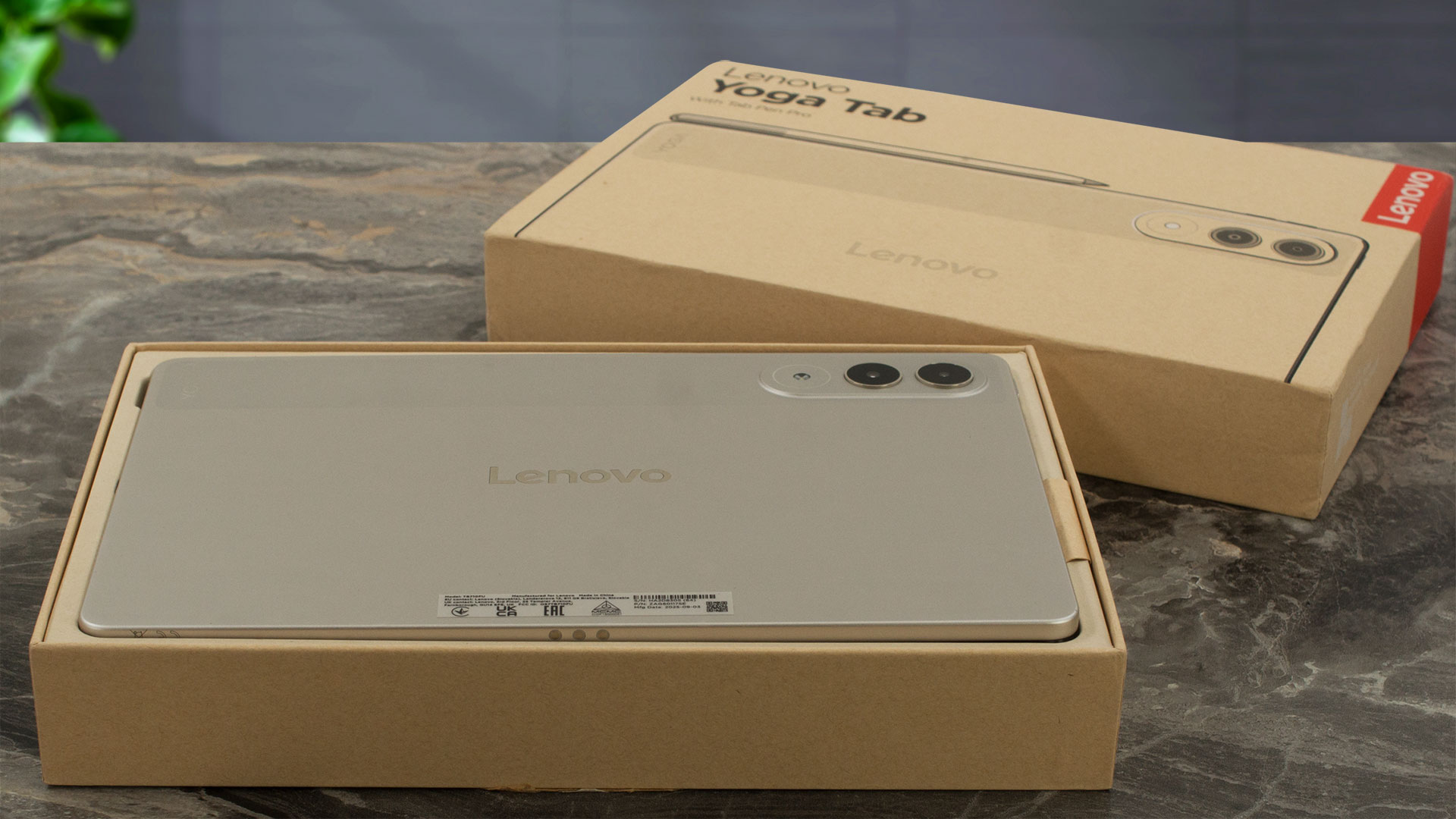
Inside, you may find a Folio back cover (we didn’t) and, in some bundles, a Keyboard Pack consisting of a protective back cover and a magnetically attached keyboard, allowing you to use the tablet in a light productivity setup right out of the box. Again, in Europe, we didn’t have this luck. The coolest accessory though is the Lenovo Tab Pen Pro which IS included in our bundle.
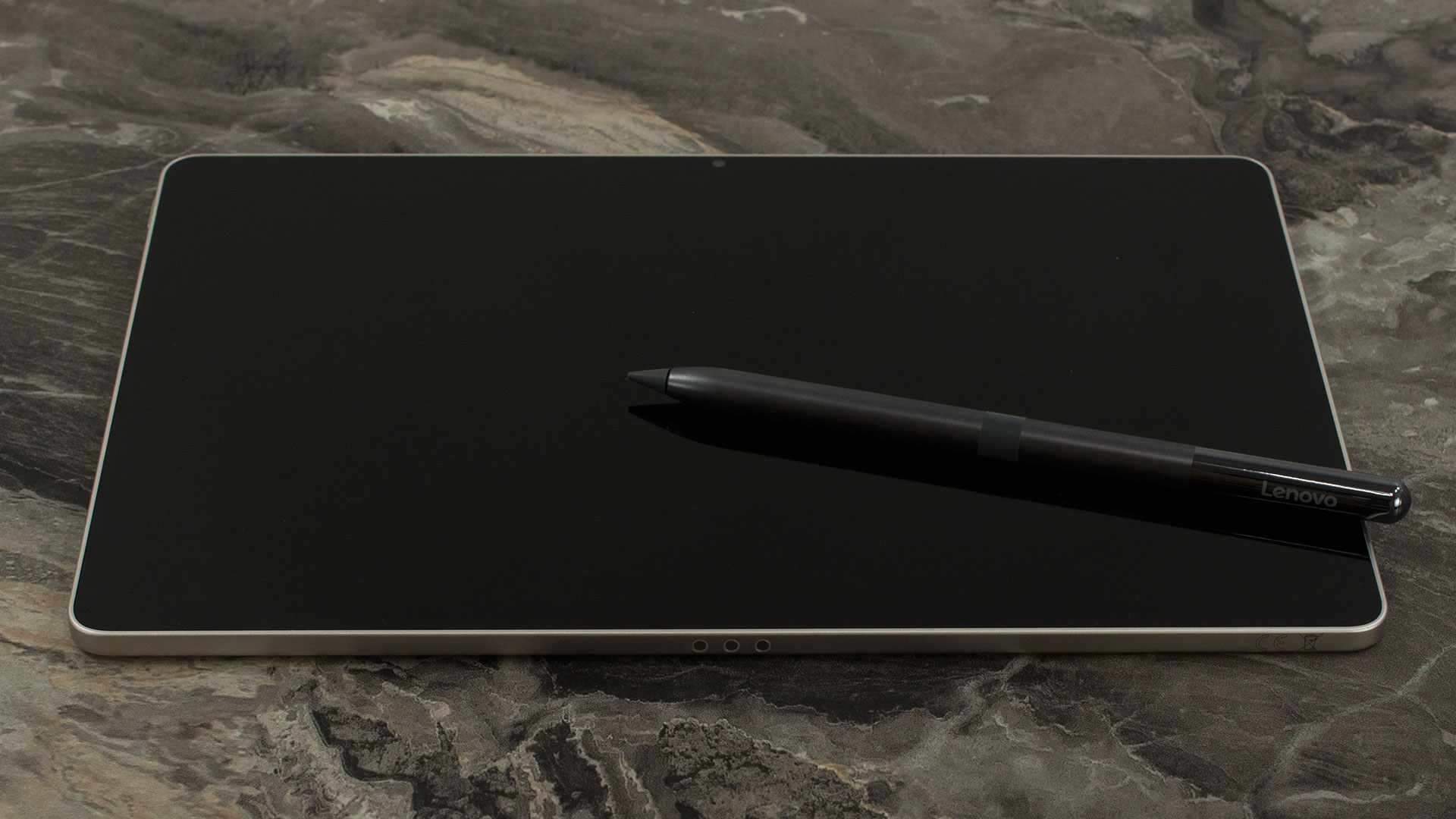
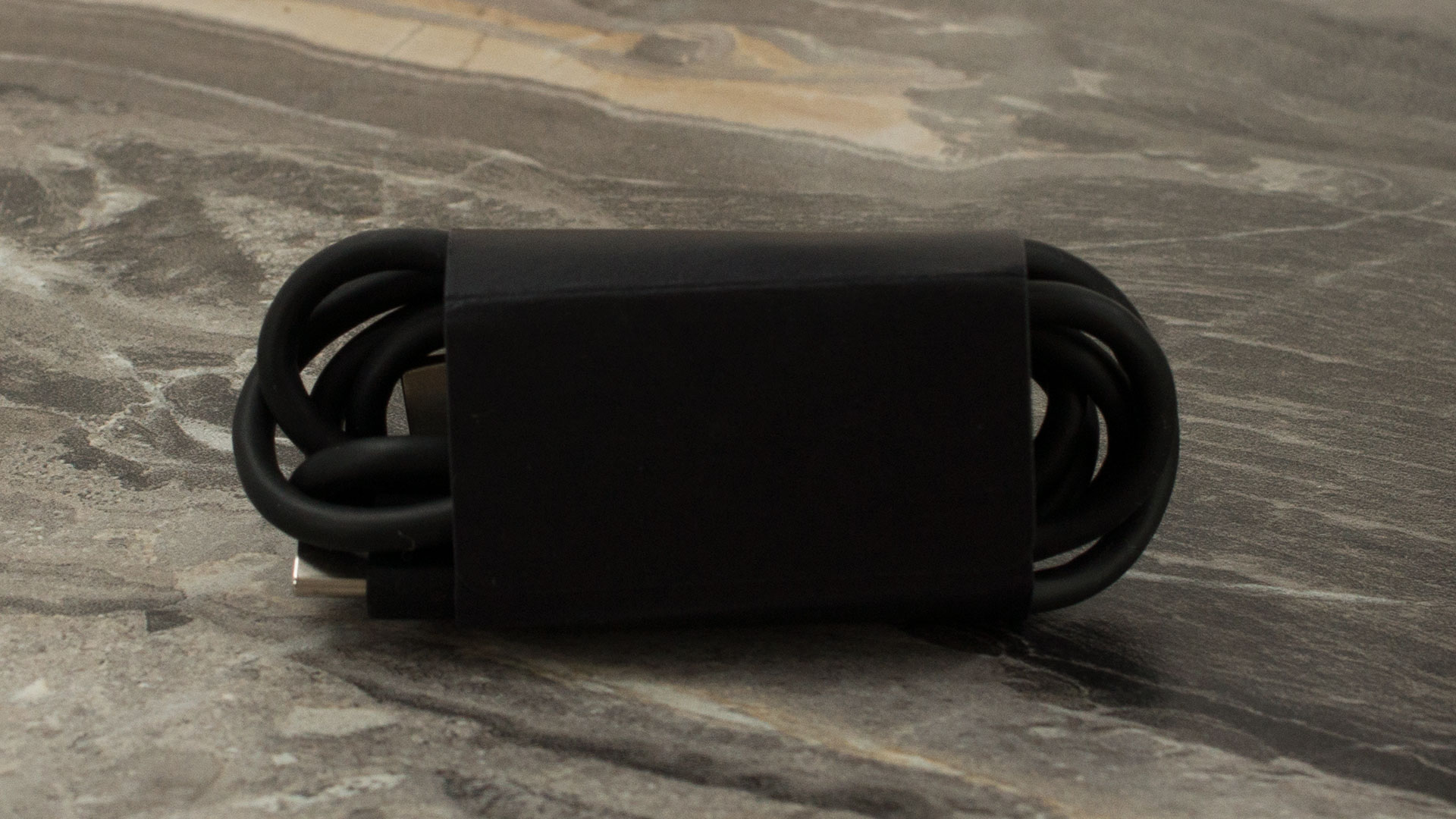
Continuing the unboxing, you’ll also find the standard documentation and paperwork. Some configurations include a USB-C charging cable.
A charging adapter is region- and SKU-dependent and may not be included in the box. The tablet supports USB-C charging up to 45W (5–11V / up to 4.5A), so keep this in mind if you plan to purchase a charger separately.
Design and construction
The Lenovo Yoga Tab 11 (model TB710FU) features an elegant, modern design with a refined silver finish that gives it a clean and contemporary appearance. Its slim profile measures approximately 6.5 mm at its thinnest point, contributing to a lightweight, comfortable feel during everyday use.
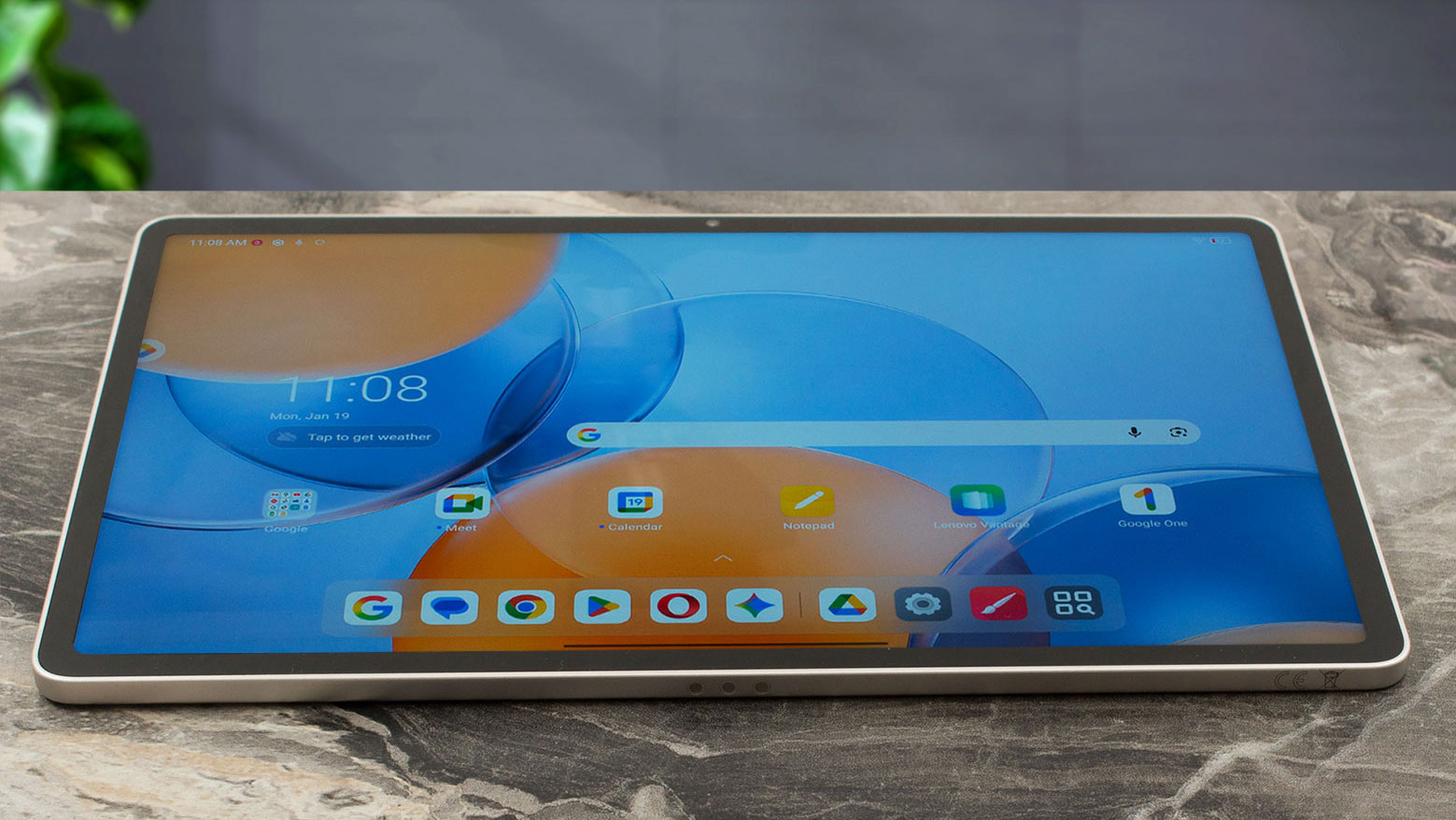
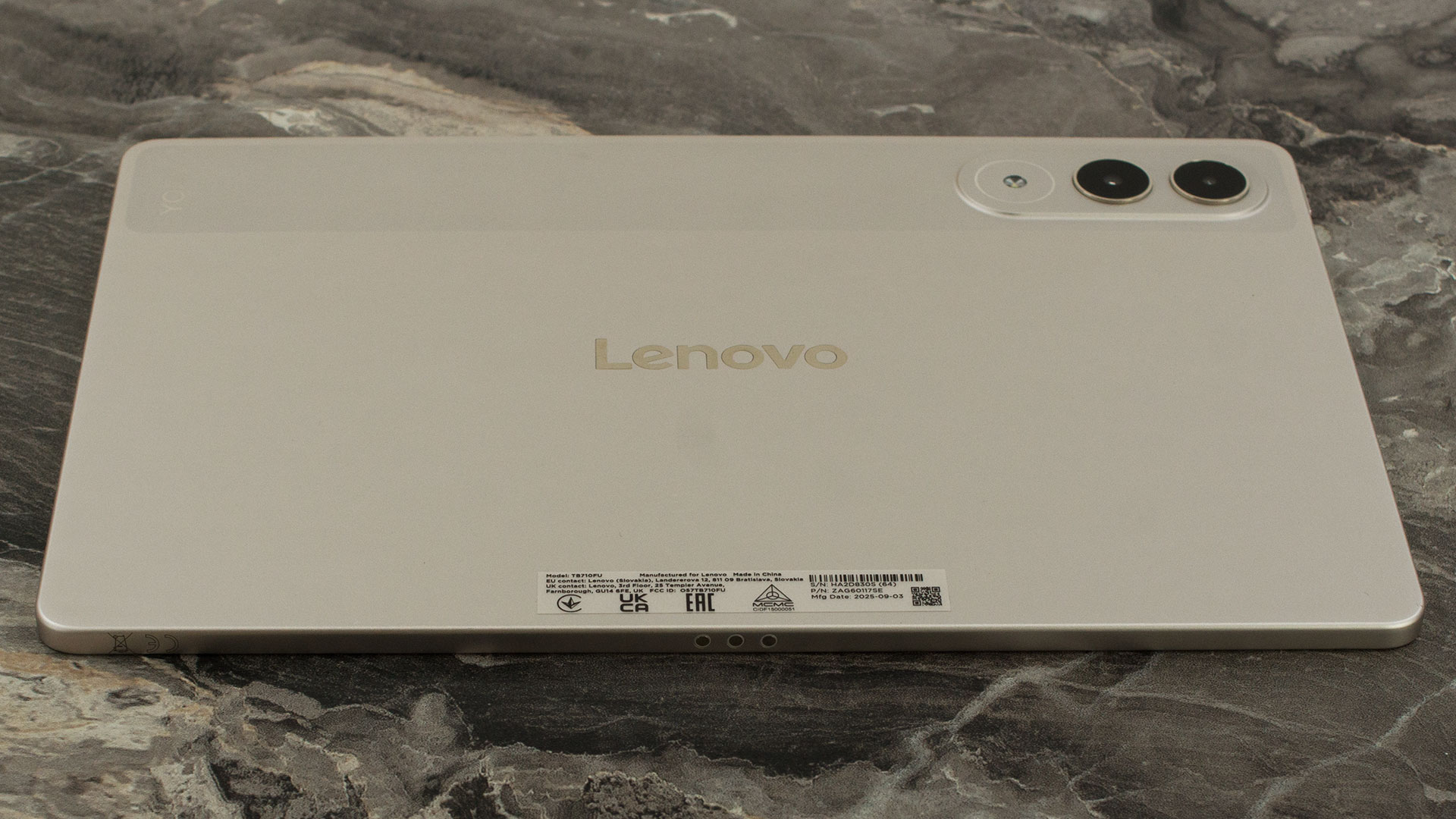
The tablet’s body feels solid and resistant to flex when pressure is applied, conveying a sense of structural rigidity. The surface finish is designed so that fingerprints are not easily visible during normal use, helping the device maintain a neat appearance over time. Overall, the Yoga Tab 11 (TB710FU) combines a refined visual style with a practical, sturdy build that fits well into Lenovo’s Yoga family of versatile tablets.
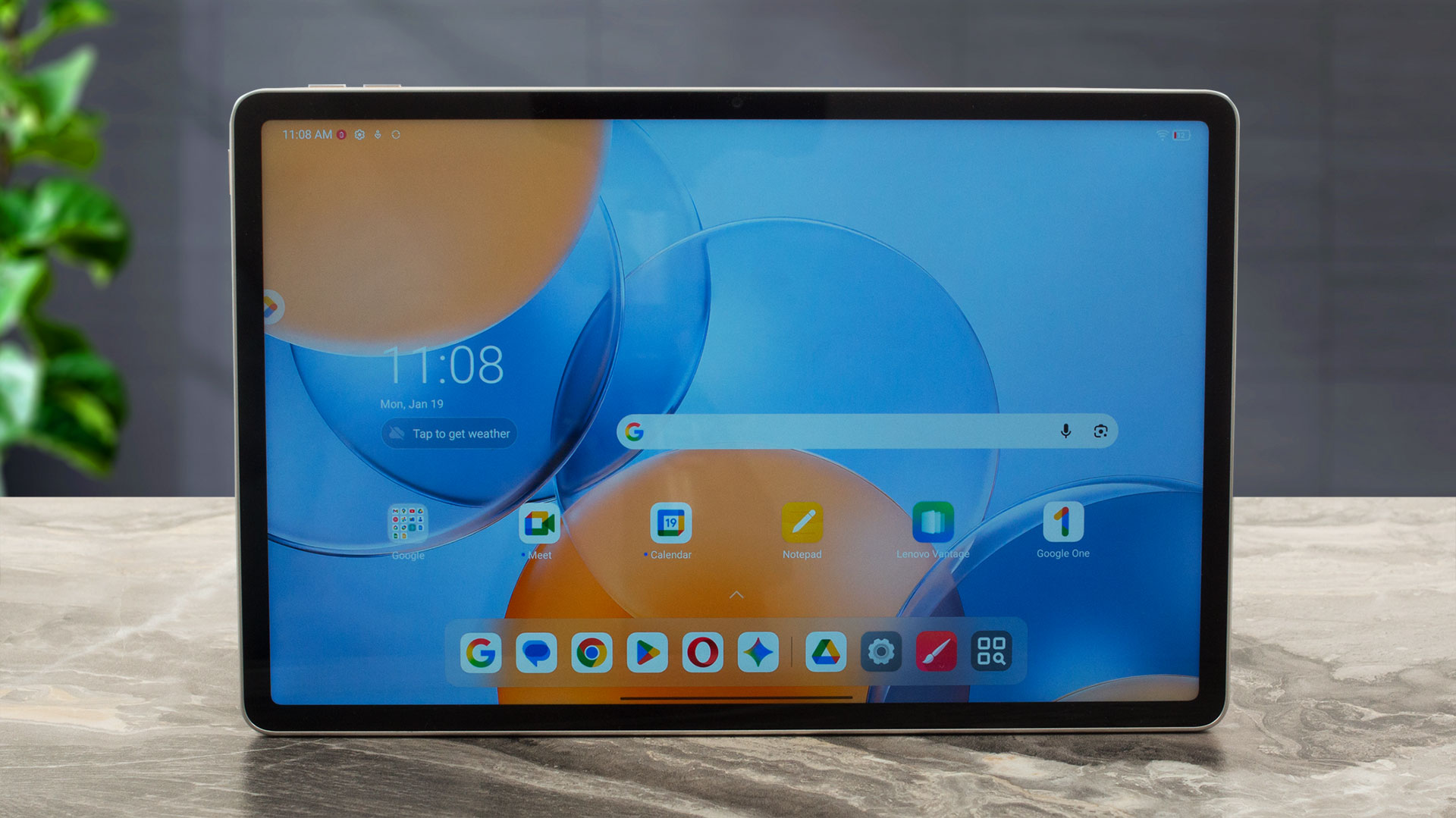
The display is surrounded by thin, uniform bezels, enhancing immersion while preserving comfortable grip space. This makes the tablet suitable for both entertainment and productivity tasks. Again, if 11-inches are not enough for you, than you should check out its bigger sibling – Lenovo Yoga Tab Plus (detailed review).
The Yoga Tab 11 (TB710FU) does not feature a fingerprint sensor, relying instead on standard Android authentication methods such as PIN, pattern, password, or facial recognition via the front camera.
Ports and Connectivity
 Lenovo Yoga Tab tablet, right side
The Lenovo Yoga Tab comes with a single USB-C (USB 3.2 Gen 1 / 5Gbps) port, which supports charging, DisplayPort out, and audio.
 Lenovo Yoga Tab tablet, left side
That doesn’t mean the tablet’s body is minimalistic, though. Around the chassis, you’ll find the power button, volume controls, a quad-speaker setup with Dolby Atmos tuning, and the 3-point Pogo pin connector used for magnetic attachment of compatible accessories.
 Lenovo Yoga Tab tablet, top side
Wireless connectivity is future-ready, thanks to Wi-Fi 7 (802.11be, 2×2) support, alongside Bluetooth 5.4. The tablet does not offer WWAN (cellular connectivity) or a card reader.
 Lenovo Yoga Tab tablet, bottom-side ports
Lenovo Tab Pen Pro
The Lenovo Tab Pen Pro is not just a basic stylus: it supports 8192 pressure levels, tilt detection, palm rejection, double-tap input, haptic feedback. In practice, this makes it useful both for precise drawing and for fast handwriting/annotation workflows.
The charging of the pen is realized pretty neat – you just put it on top of the tablet where it’s held by a magnet, and charged wirelessly.

Display and Sound Quality, Display Profiles
| Lenovo Yoga Tab 11 (TB710FU) | |
| Diagonal | 11.1 inches (28.2 cm) |
| Panel Type | IPS 10-point Multi-touch |
| Resolution | 3200 x 2000 pixels |
| Max Refresh Rate | 144 Hz |
| Aspect Ratio | 16:10 |
| Pixel Density | 340 PPI |
| ‘Retina’ Distance | Greater than or equal to 26 cm |
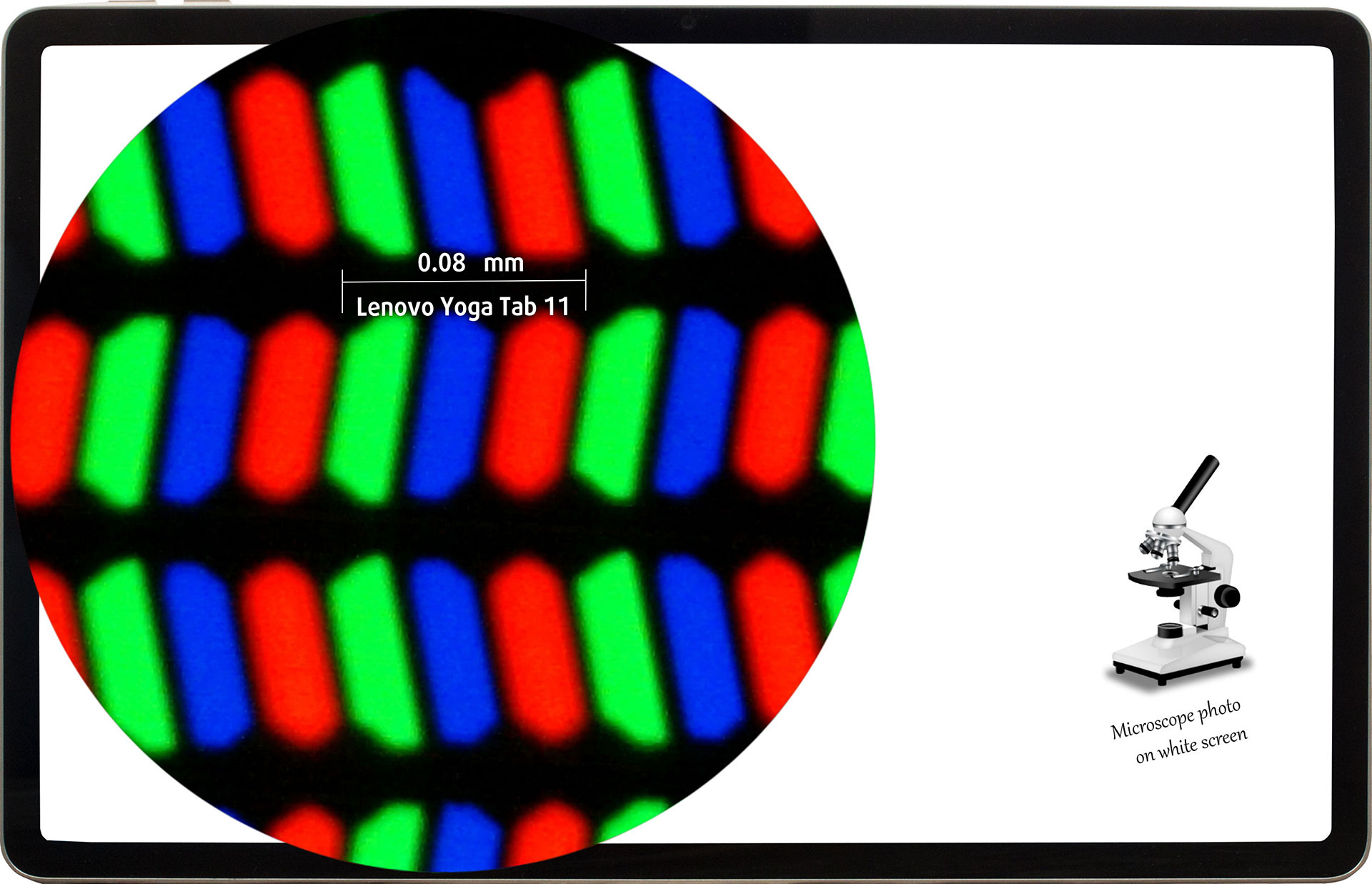
The 3.2K (3200 x 2000), 144 Hz, IPS 10-point Multi-touch display under our microscope
Viewing Angles
Viewing angles are good. We take photos from different angles to evaluate the quality.
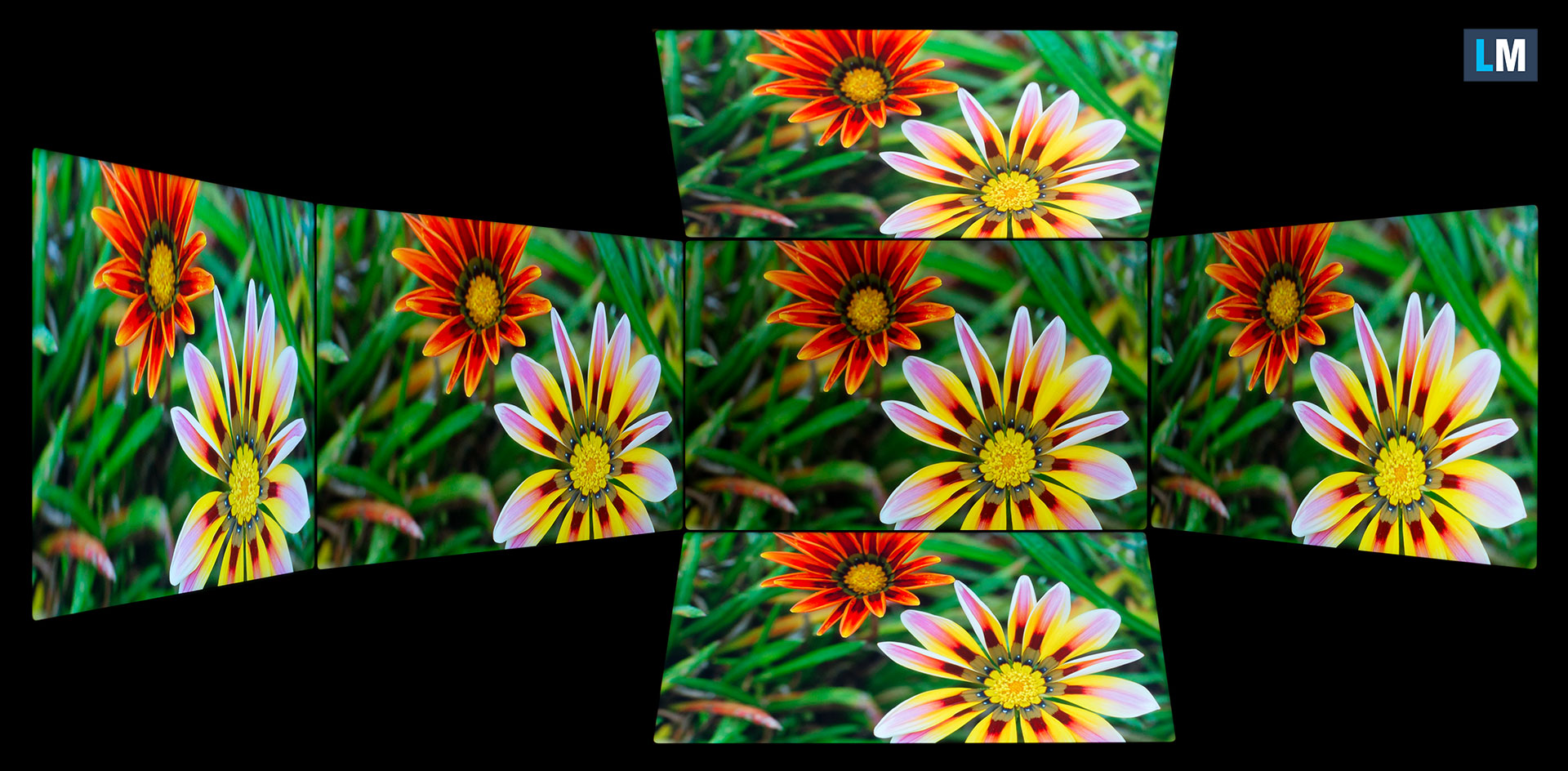
Also, a video with locked focus and exposure.
Color Coverage
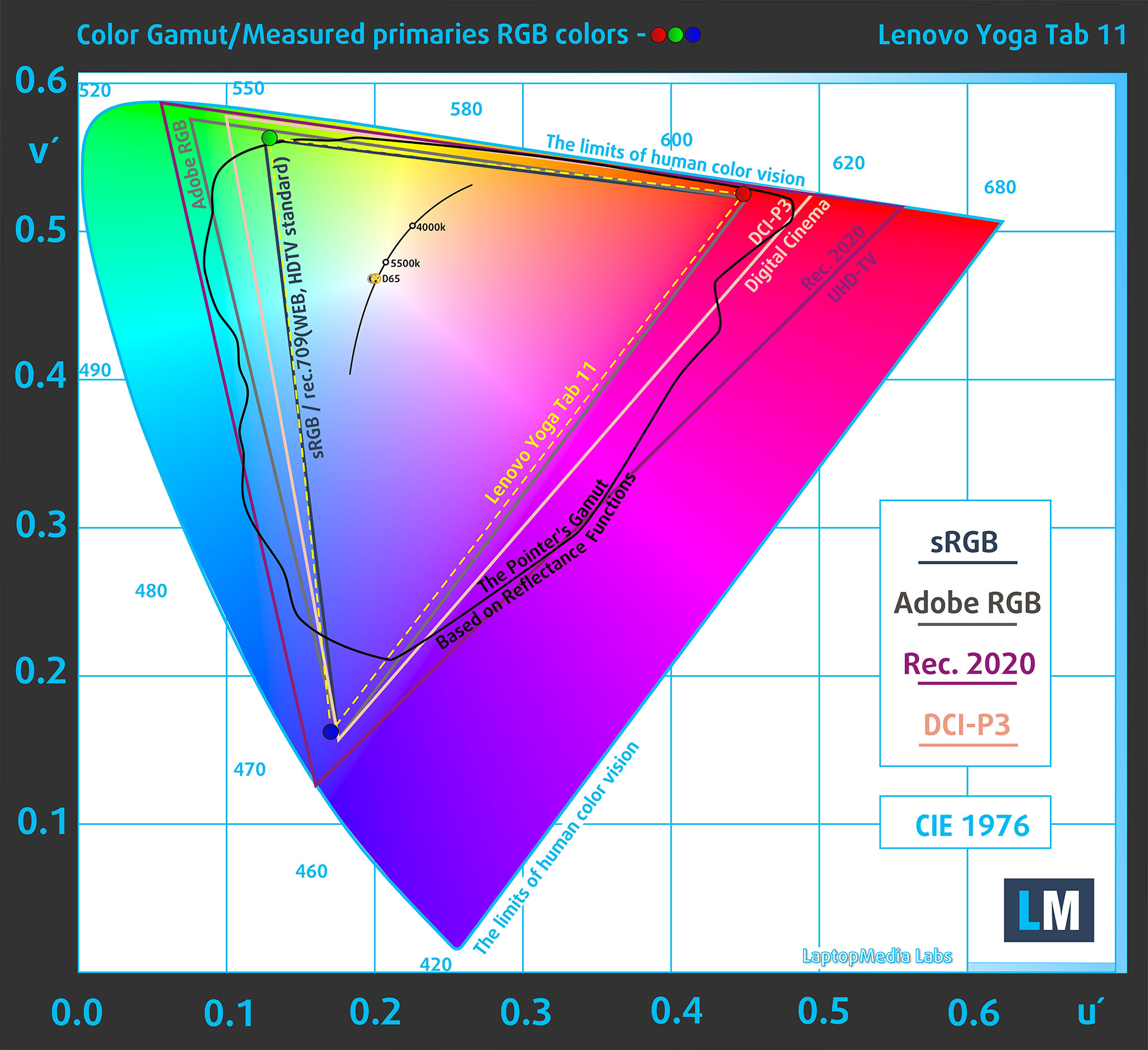
The whole “sail-shaped” map below (Fig. 1) consists of all the colors we can see, while the black crooked line shows all the colors from real-world scenes and nature around us.
Then, we’ve drawn some of the most important and interesting color spaces, compared to the colors the panel of Lenovo Yoga Tab 11 (TB710FU) can show:
Standard/For Web: sRGB – widely used color space for most consumer devices, ideal for Web design and development
For Print: AdobeRGB – used in professional photo editing, graphic design, and print
For Photographers/Video Editors: DCI-P3 – used in high-end film production, post-production, and digital cinema
Premium HDR: Rec.2020 – the widest consumer ITU color standard, covering a massive 75.8% of the visible spectrum, a benchmark for premium HDR content.
Lenovo Yoga Tab 11 (TB710FU): the yellow dashed triangle (– – – – – –) represents the range of colors this display can show.
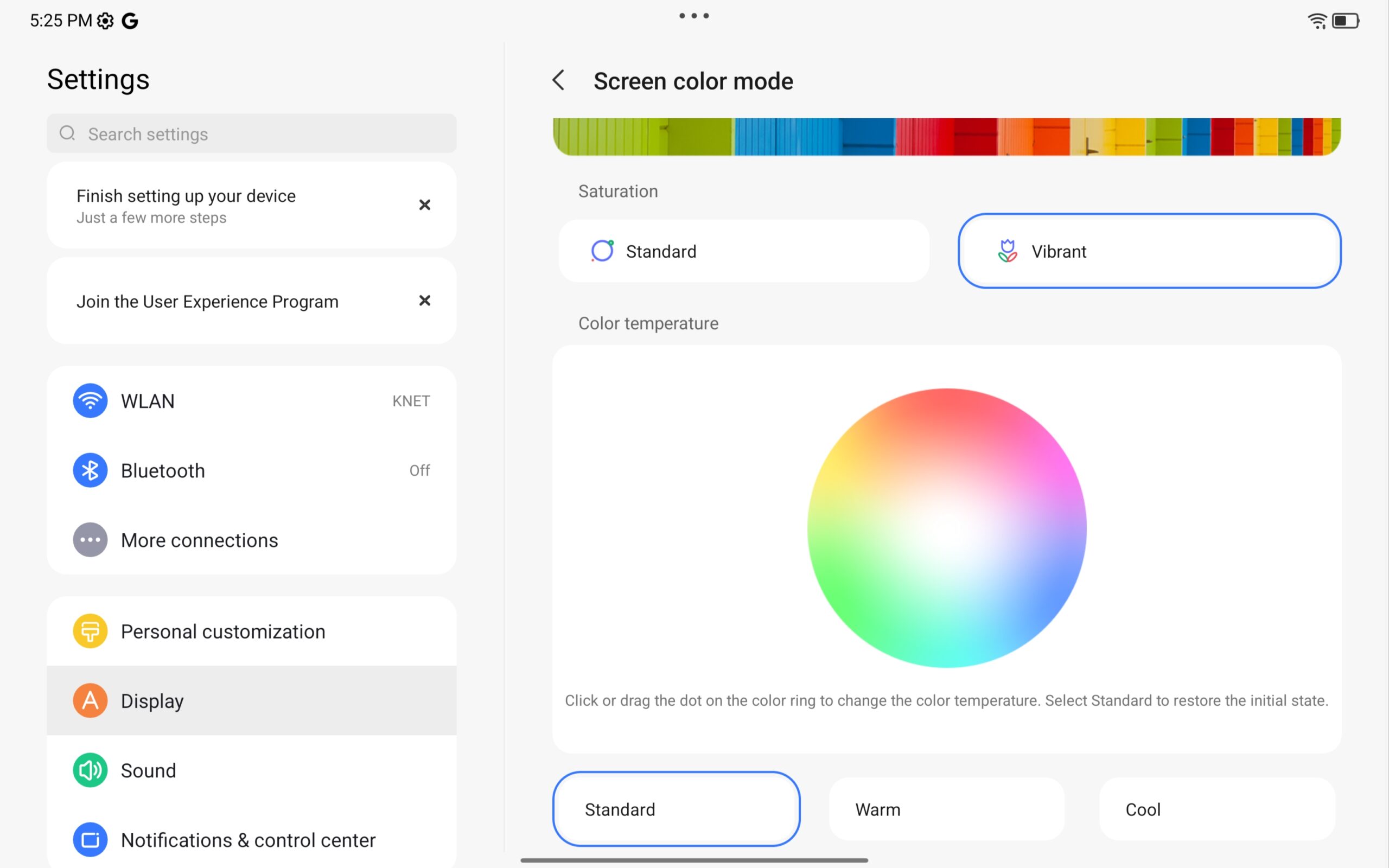
In our tests, we calculated the total color coverage of the display at 100% of the sRGB color gamut and 97% of the DCI-P3 color gamut (Display Vibrant mode).
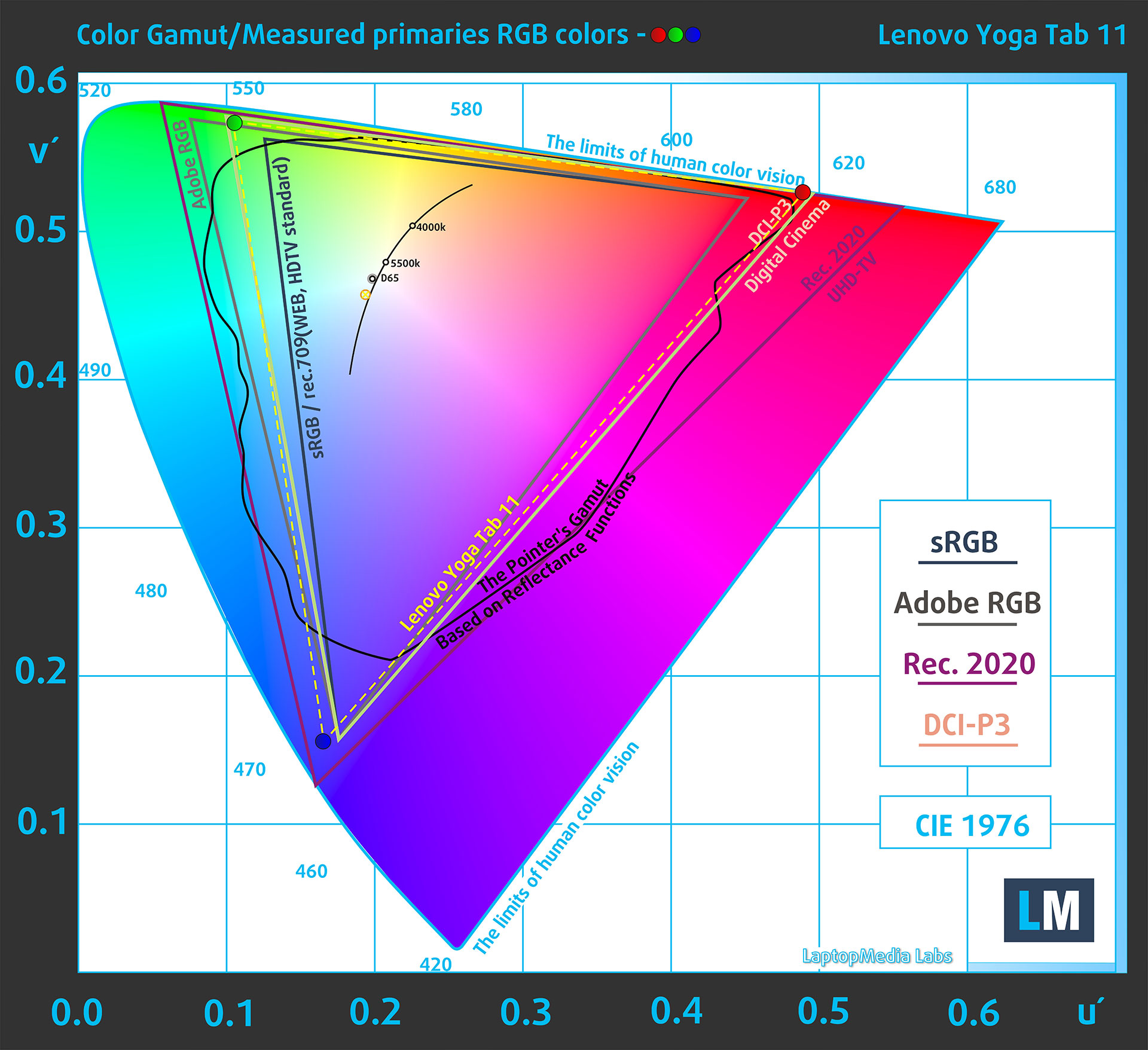
(Fig.1) Lenovo Yoga Tab 11 (TB710FU) covers 97% of the DCI-P3 gamut
In “Display Standard mode,” the Lenovo Yoga Tab 11 emulates the sRGB color space.

Brightness and Contrast
The maximum brightness (in Vibrant display mode) is 650 cd/m² in the center of the screen and 297 cd/m² averaged across the surface with a maximum deviation of 8%.
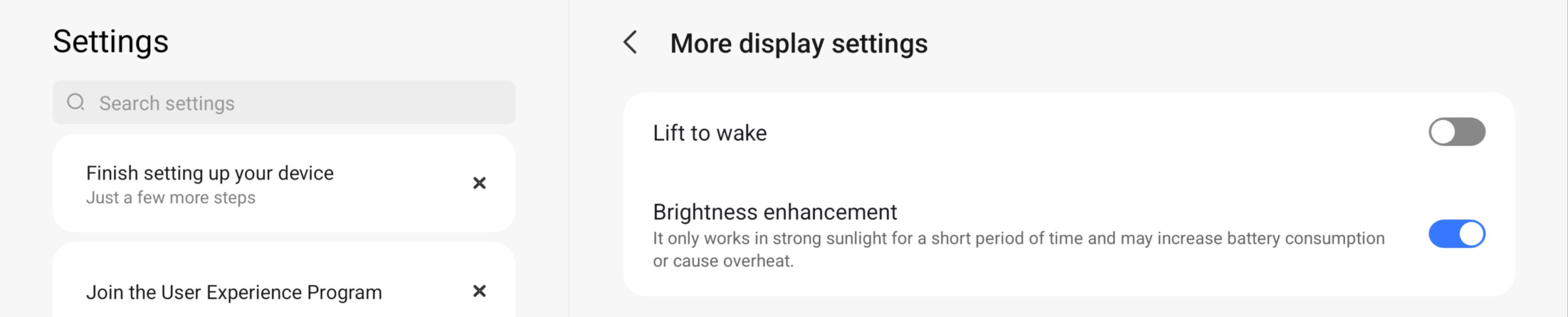
When turning on the “Brightness-enhancement ” mode and illuminating the tablet with a strong artificial light source, the maximum brightness reached 848 cd/m².
The Correlated Color Temperature (CCT) on a white screen at maximum brightness is 7700K.
The contrast ratio is 1350:1.
Uniformity: Luminance, Contrast, and Color Deviation
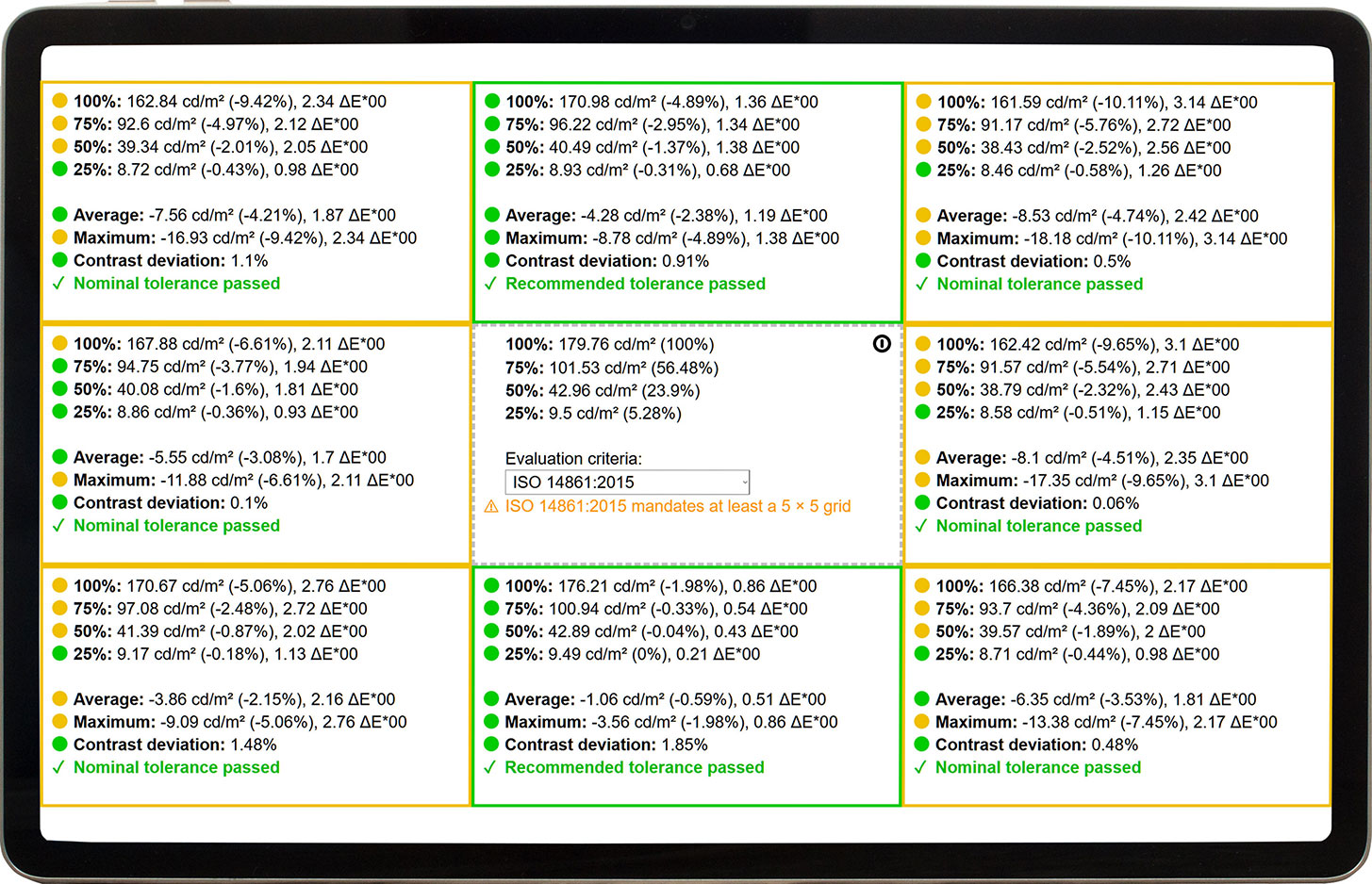
The figure below shows the results from our uniformity test across different sections of the screen. It’s measured at 180 nits (Windows slider = 49%) – a brightness level we consider typical for standard working conditions.
DeltaE values below 4.0 are acceptable for regular users. For those working with colors, screens with DeltaE values no higher than 2.0 are recommended.
Color Accuracy
Let’s check the difference between real colors and those you’ll see on the Lenovo Yoga Tab 11 (TB710FU). We measure that distance in DeltaE – the higher the number, the more different they look.
Values below 4.0 are acceptable for regular users, while values below 2.0 are suitable for color-sensitive work. A value below 1.0 means the difference is indistinguishable to the naked eye.
For the next graph, we’ve selected 24 common colors, including dark/light skin, blue sky, green grass, etc.
Lenovo Yoga Tab 11 (TB710FU) in its factory condition (Display Standard mode)
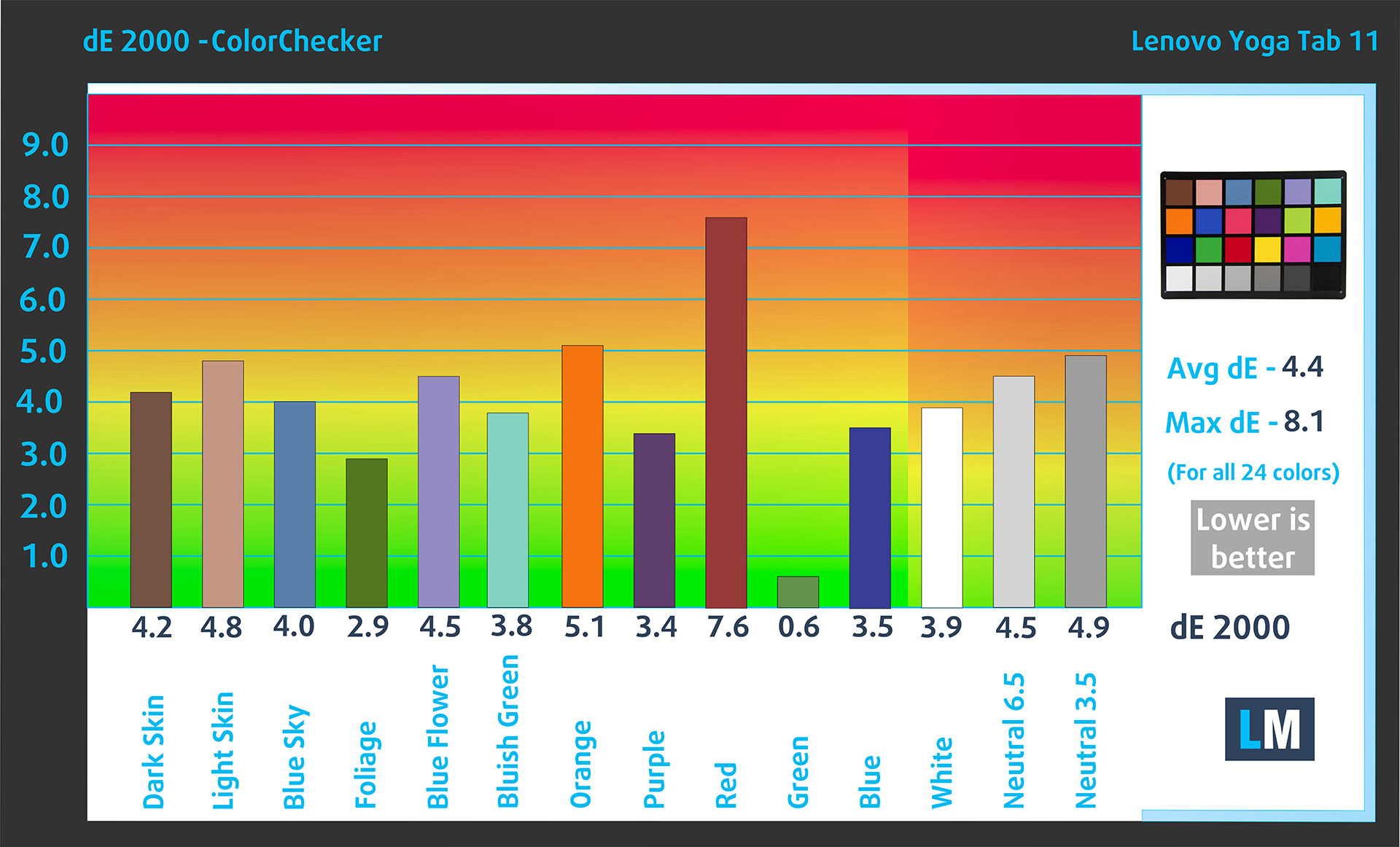 Comparison in the sRGB color space.
Response time (Gaming capabilities)
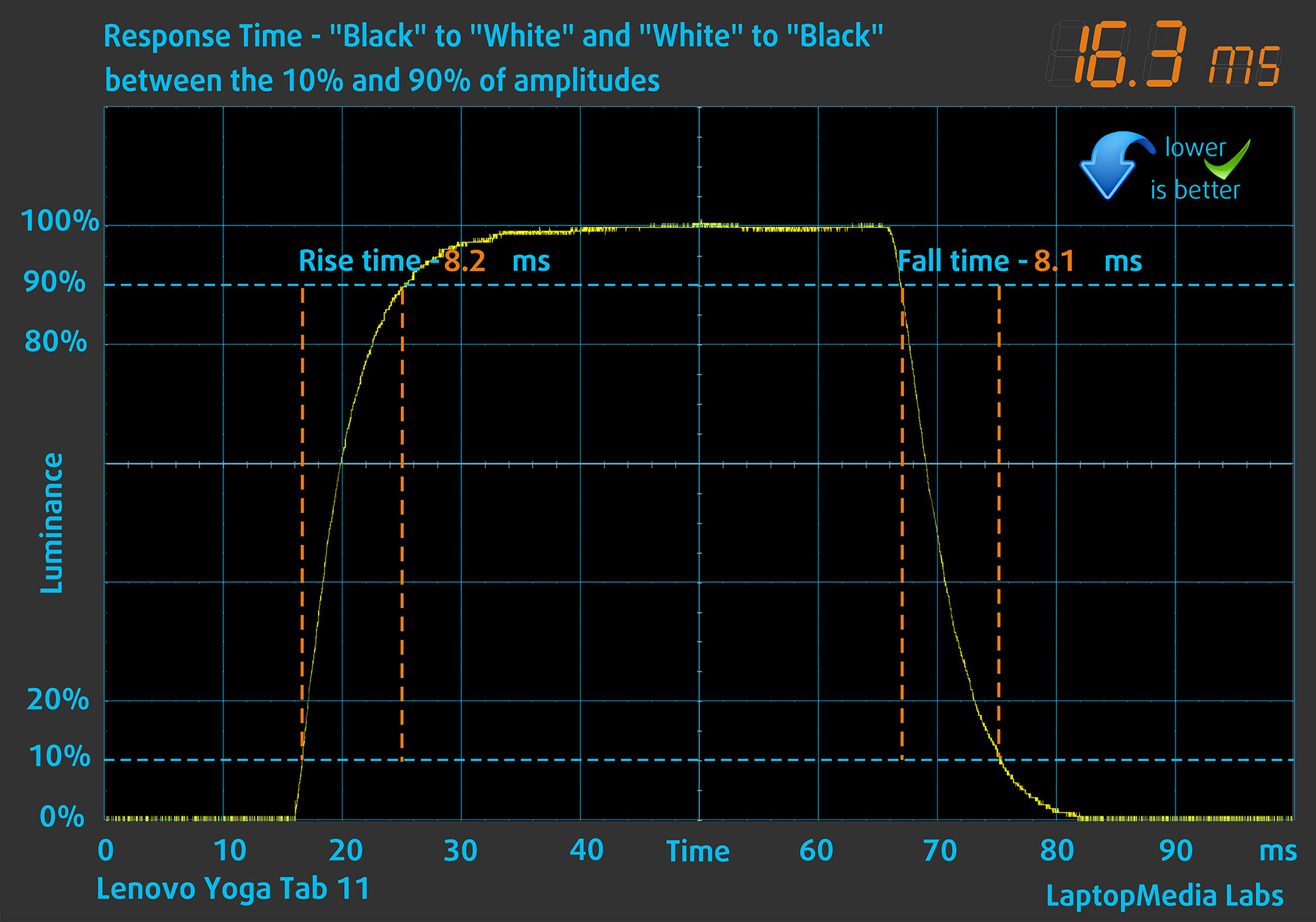
We test the reaction time of the pixels with the usual “black-to-white” and “white-to-black” method from 10% to 90% and vice versa.
We recorded Fall Time + Rise Time = 16.3 ms.
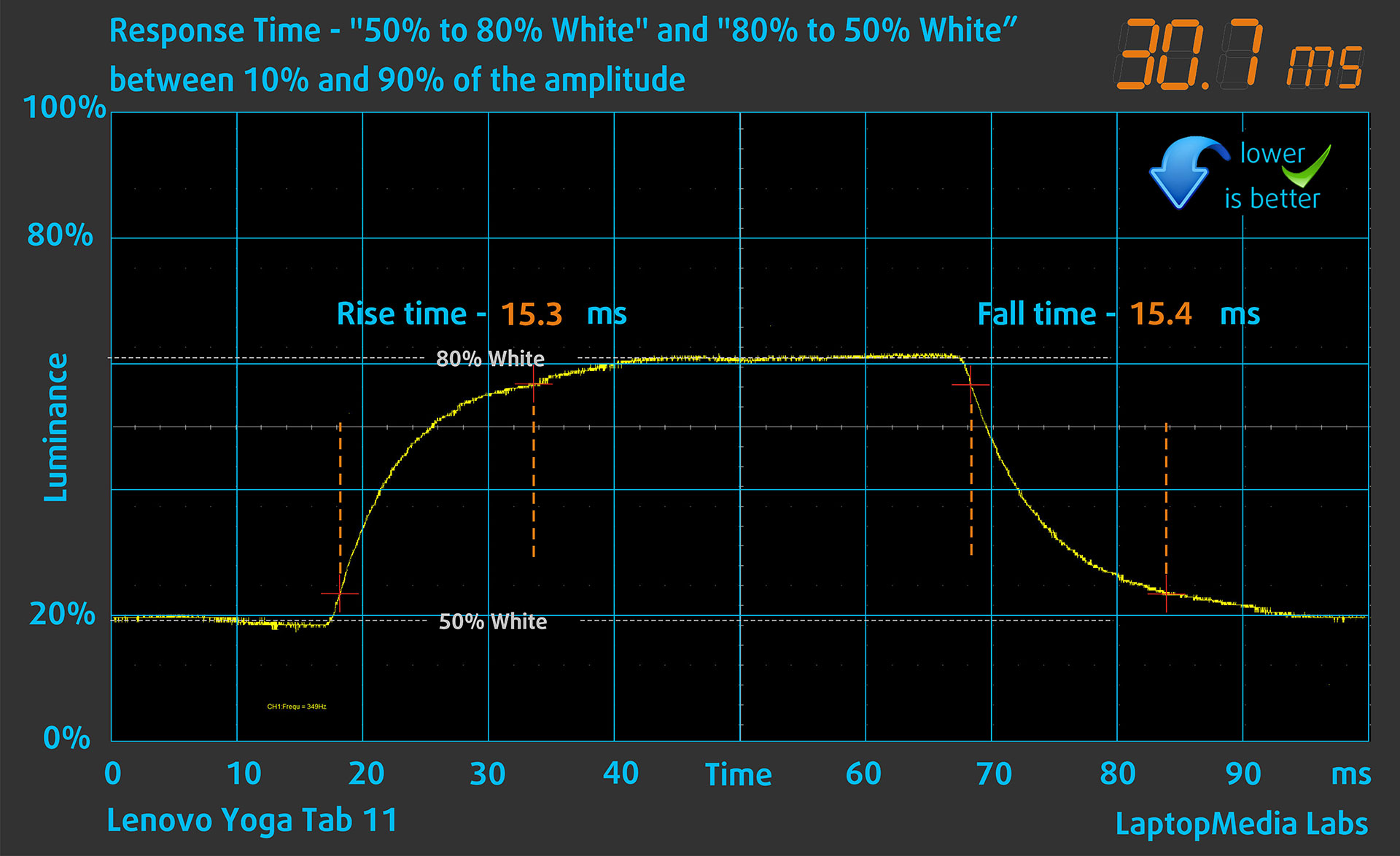
After that, we test the reaction time of the pixels with the usual “Gray-to-Gray” method from 50% White to 80% White and vice versa between 10% and 90% of the amplitude.
Health Impact: PWM (Screen flickering)
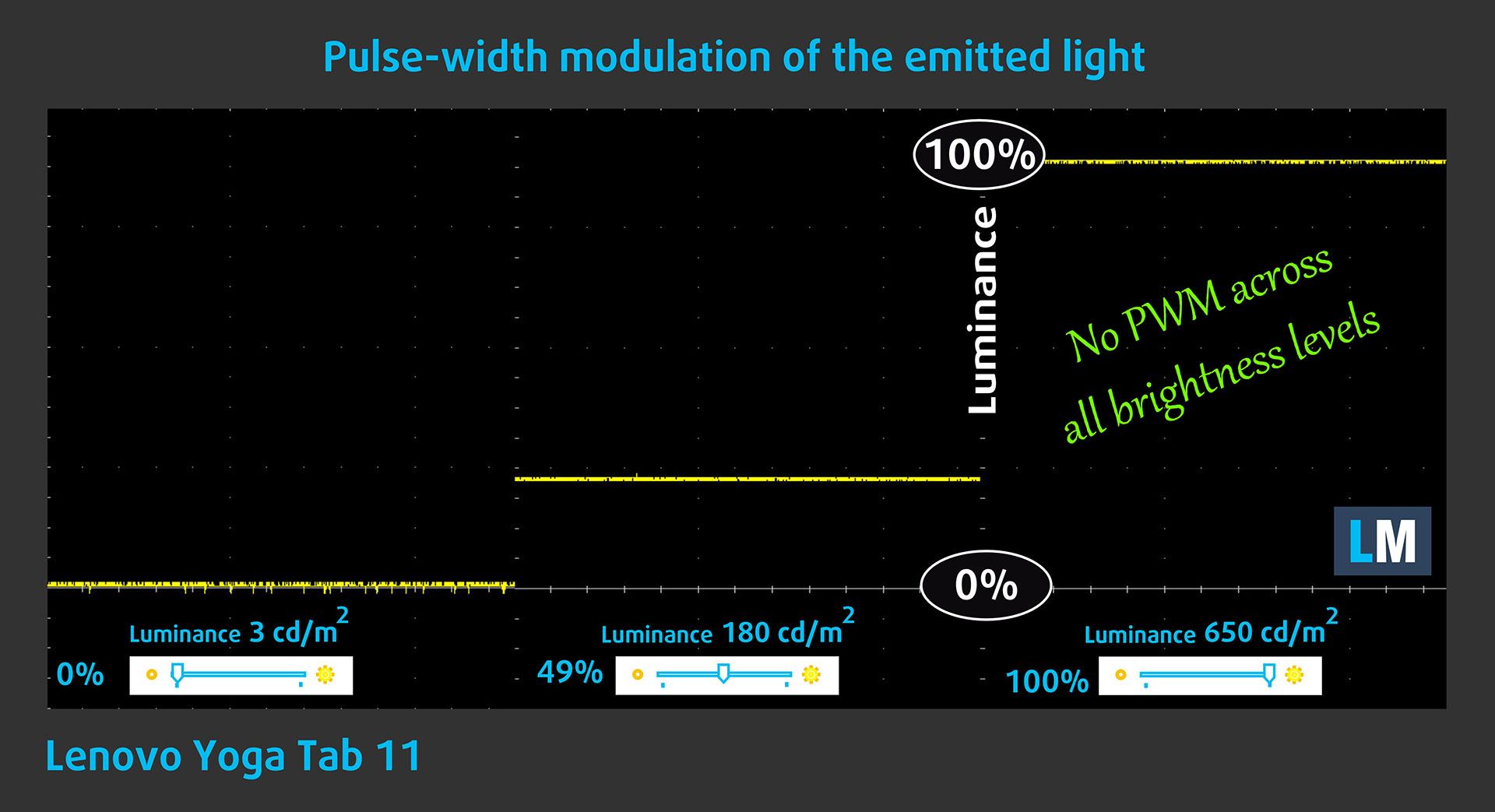
Some use PWM to regulate their brightness, which means that instead of reducing the light intensity, they pulse or flicker. Our brain merges the image, so it appears darker, but this strains both it and our vision, especially when the frequency of the pulses is low. You can read more about that in our dedicated article on PWM.
In the graph below, you see the intensity of light at different brightness levels—on the vertical axis is the brightness of the emitted light, and on the horizontal axis – time.
The light from the backlight of the Lenovo Yoga Tab 11 (TB710FU) display is not pulse-width modulated, providing visual comfort in the discussed aspect.
Health Impact: Screen Reflectance
Glossy-coated displays can cause eye fatigue in high ambient light conditions due to reflections. We measure the level of screen reflection with the display turned off, at a 60° angle.
The reflectance of the Lenovo Yoga Tab (TB710FU)’s screen is 119 GU. This is a rather high reflectance which could lead to eye-strain when using for prolonged time, especially outdoors.
This is contrasting to Yoga Tab Plus which we measured at just 45.7 GU, thanks to its reflective coating.
High Gloss: >70 GU
Medium Gloss: 30 – 70 GU
Low Gloss: <30 GU
Sound
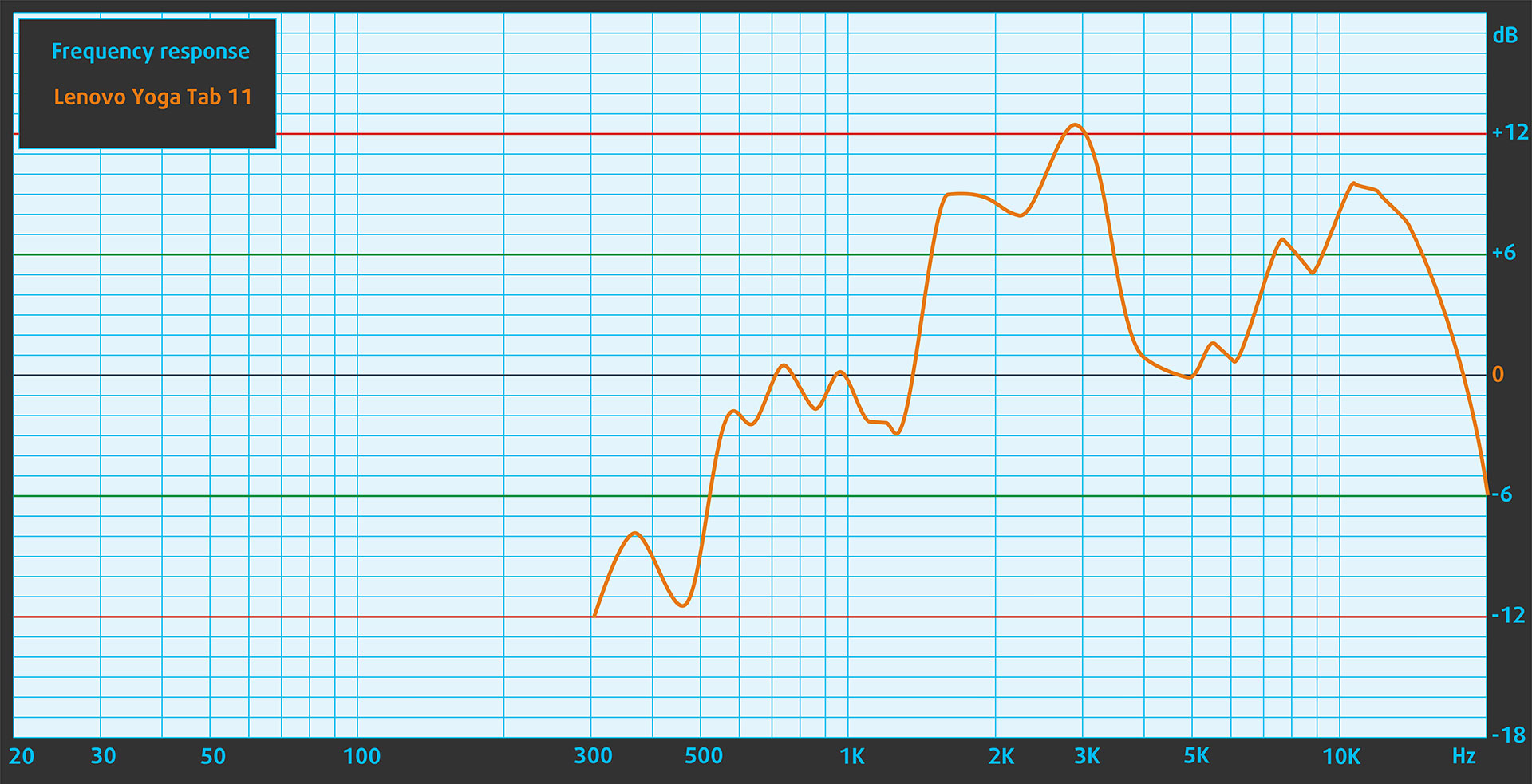
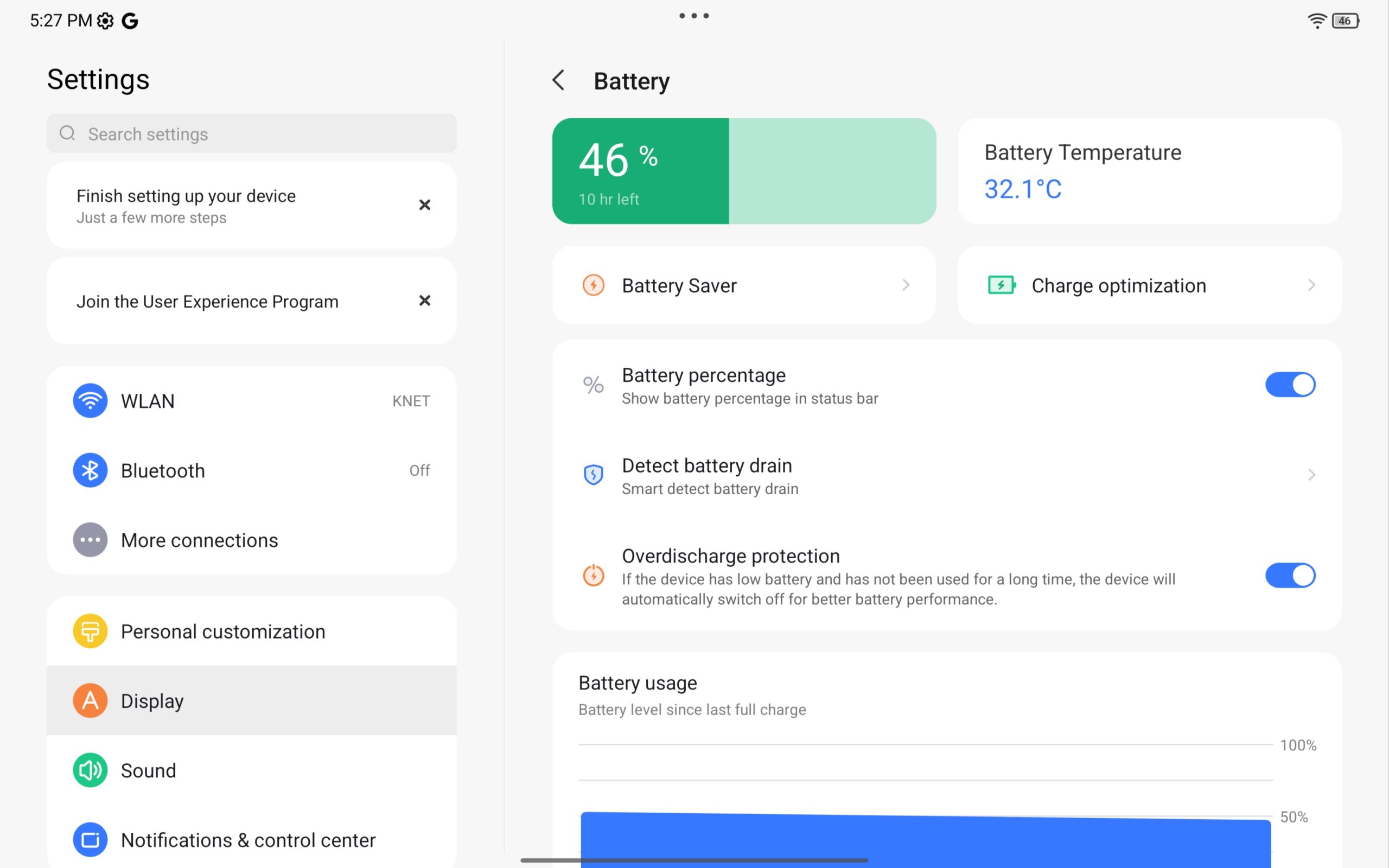
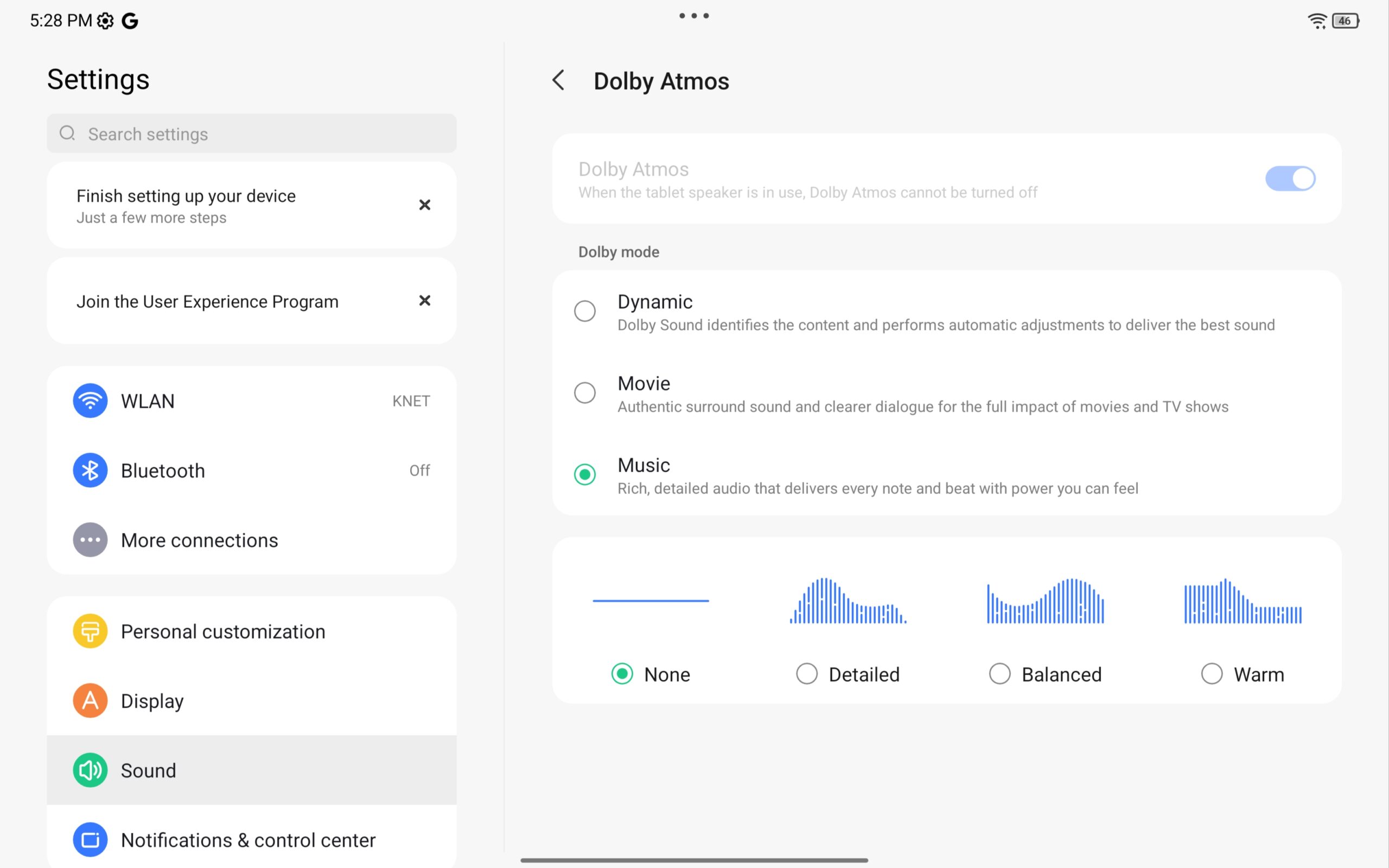
We have a 4-speaker system (2x tweeters + 2x woofers), optimized with Dolby Atmos and the sound quality offered by Lenovo Yoga Tab (TB710FU) is relatively good.
Performance: CPU, GPU, Gaming, Storage
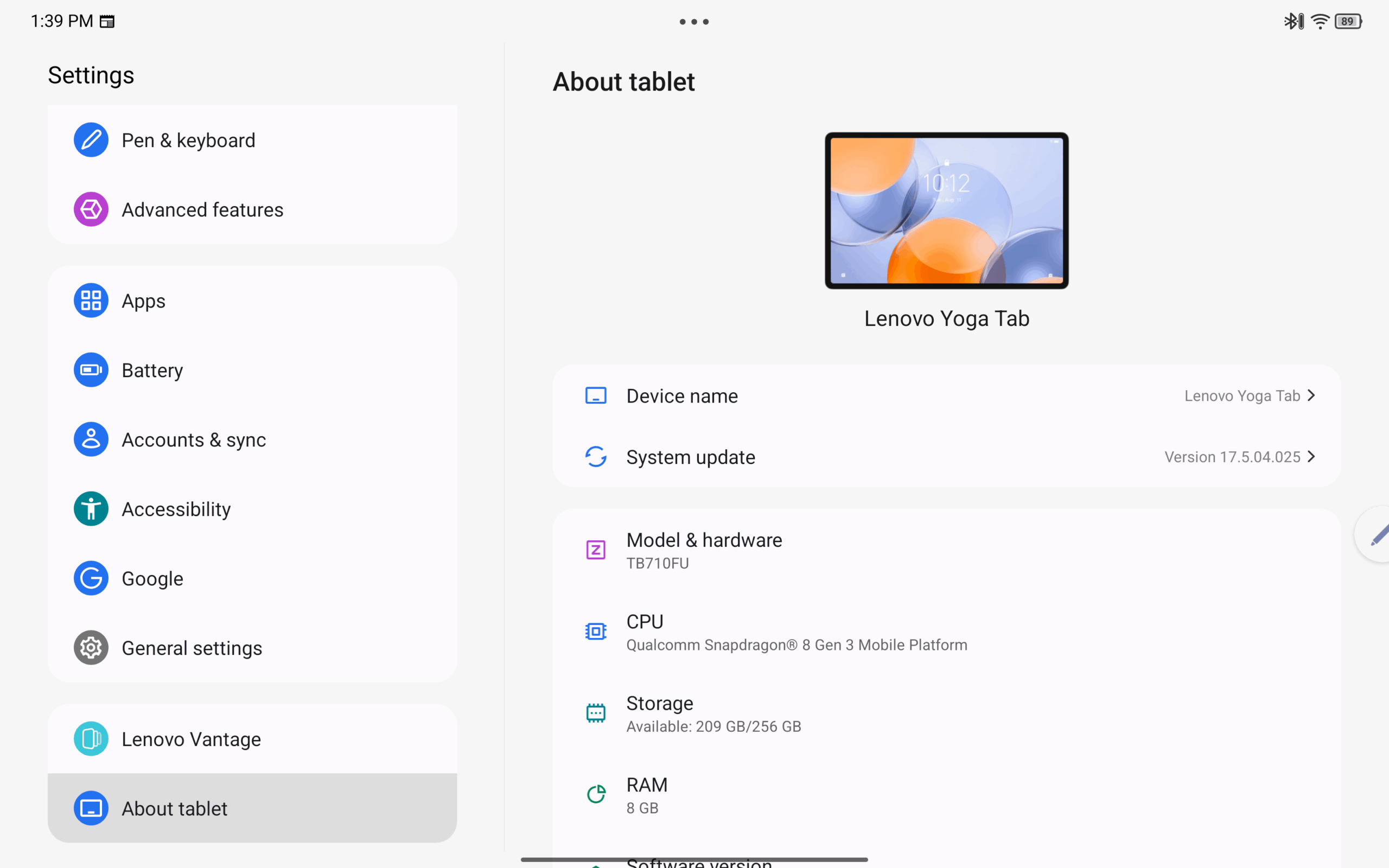
 Lenovo Yoga Tab is powered by the Qualcomm Snapdragon 8 Gen 3 (QCM8650Q) paired with the Adreno 750 GPU. While it belongs to the same Snapdragon 8 Gen 3 family as Yoga Tab Plus, Lenovo uses a different CPU configuration here – a 6-core layout (1× Cortex-X4 + 4× Cortex-A720 + 1× Cortex-A520) instead of the 8-core setup (1× X4 + 5× A720 + 2× A520) found in Yoga Tab Plus.
Expect lower CPU performance, yet it should be strong enough for everyday tablet use.
Graphics duties are handled by the same Adreno 750, meaning UI fluidity, high-refresh rendering, and modern mobile games run at the same high level as on Yoga Tab Plus, with no practical GPU-side downgrade.
CPU Performance
In Geekbench 6, Yoga Tab posts 2245 points in Single-Core and 5807 in Multi-Core. Single-core speed is usually the more visible metric in tablet use (app launches, UI response, web browsing), while multi-core becomes more relevant in prolonged heavy tasks.
Yoga Tab’s Geekbench 6 results (2245 single / 5807 multi) are naturally behind Yoga Tab Plus because this model uses fewer CPU cores.
| Device | CPU | Single-Core | Multi-Core |
| Lenovo Yoga Tab | Qualcomm Snapdragon 8 Gen 3 (QCM8650Q, 6-core) | 2245 | 5807 |
| Lenovo Yoga Tab Plus | Qualcomm Snapdragon 8 Gen 3 (8-core) | 2913 (+30%) | 6984 (+20%) |
| Apple iPad (2025, A16) | Apple A16 (5-core CPU) | 2580 (+15%) | 6152 (+6%) |
| Lenovo Tab P12 (TB370FU) | MediaTek Dimensity 7050 | 960 (-57%) | 2446 (-58%) |
GPU Performance
For graphics performance, we use 3DMark Wild Life Extreme and Steel Nomad Light. Yoga Tab scores 4612 and 1665 respectively, which puts it firmly in high-end Android tablet territory. Still, iPad Air is miles ahead in terms of GPU performance.
GPU Performance
For graphics performance, we use 3DMark Wild Life Extreme and Steel Nomad Light. Yoga Tab scores 4612 and 1665 respectively, which places it solidly in high-end Android tablet territory. In the public iPad (2025, A16) data, Wild Life Extreme is lower, while Steel Nomad Light is not supported in that dataset.
| Device | GPU | Wild Life Extreme | Steel Nomad Light |
| Lenovo Yoga Tab | Qualcomm Adreno 750 | 4612 | 1665 |
| Lenovo Yoga Tab Plus | Qualcomm Adreno 750 | 4560 (-1%) | 1643 (-1%) |
| Apple iPad (2025, A16) | Apple A16 GPU (4-core graphics) | 2535 (-45%) | – |
| Lenovo Tab P12 (TB370FU) | Arm Mali-G68 | 620 (-87%) | – |
Real Gaming
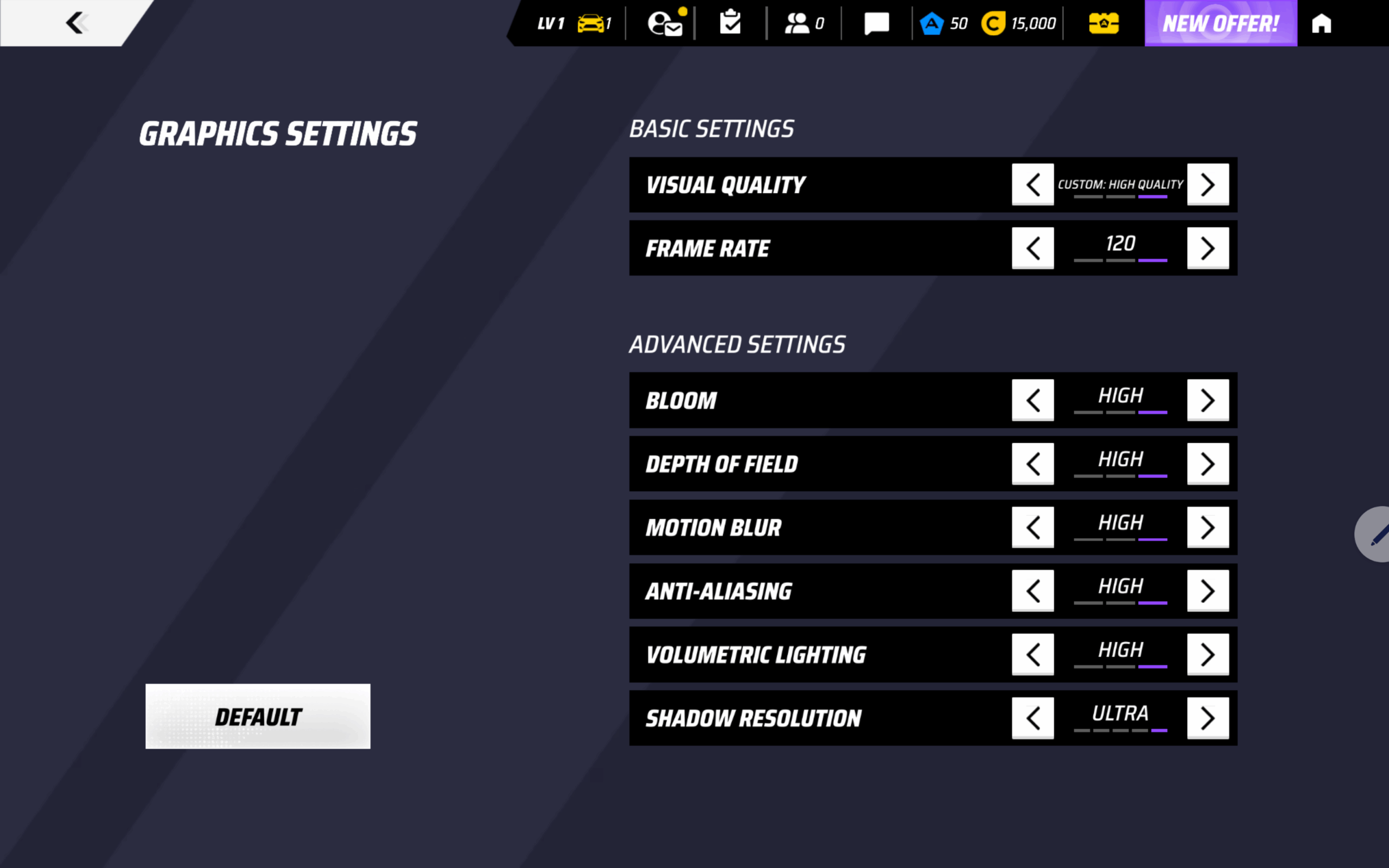
For real-world gaming we use Asphalt Legends. On Yoga Tab, gameplay stays smooth even at max settings, with no major stutter during regular sessions.

Storage Performance
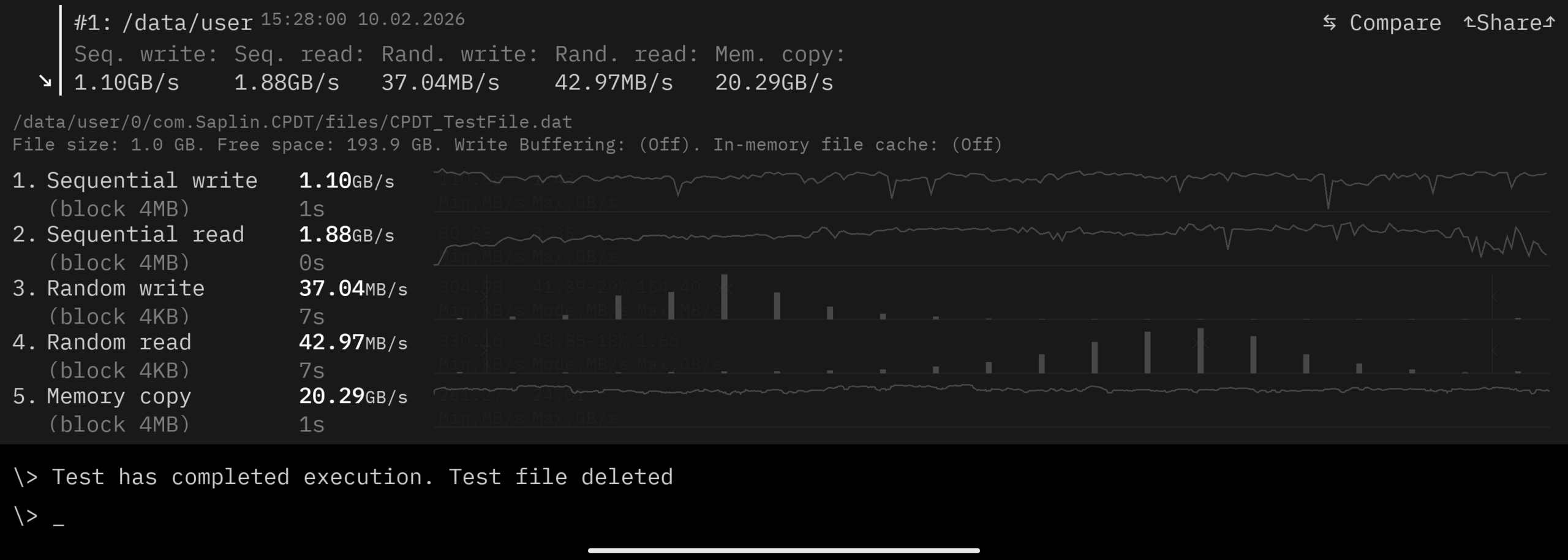
Yoga Tab uses UFS 4.0 storage (up to 256GB) and LPDDR5x memory (8GB/12GB variants). In everyday use this translates to quick app installs, fast loading, and responsive multitasking. There is no card reader, so storage capacity should be chosen carefully from the start.
Our test with CPDT Benchmark shows 1.88GB/sec sequential read speed, and 1.1GB/sec sequential write speed.
Software
Lenovo Yoga Tab ships with Android 15 or later and uses Lenovo’s custom software layer on top of Android.
In actual use, the UI feels very fluid – app launches are quick, animations are smooth, and multitasking is stable.
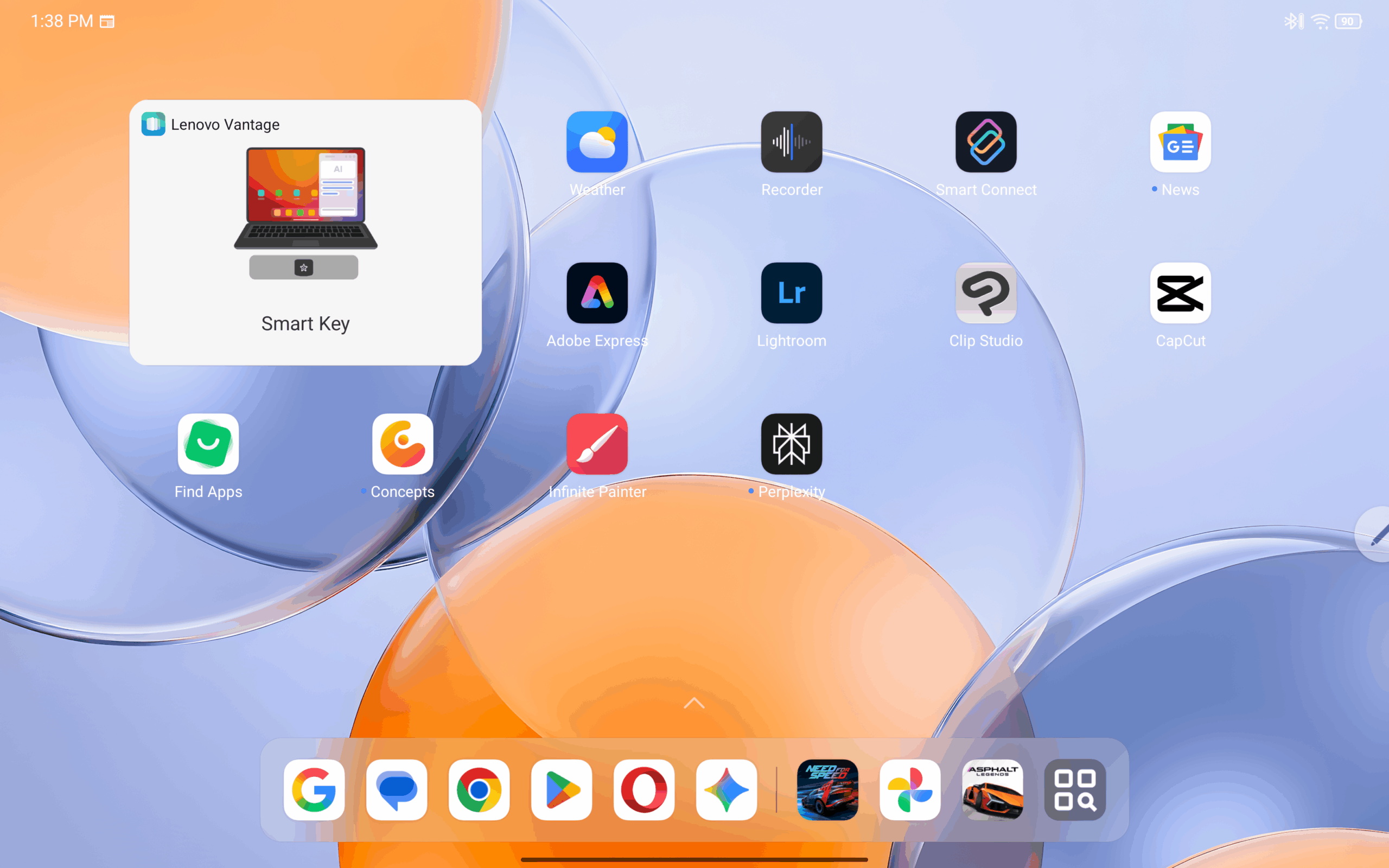
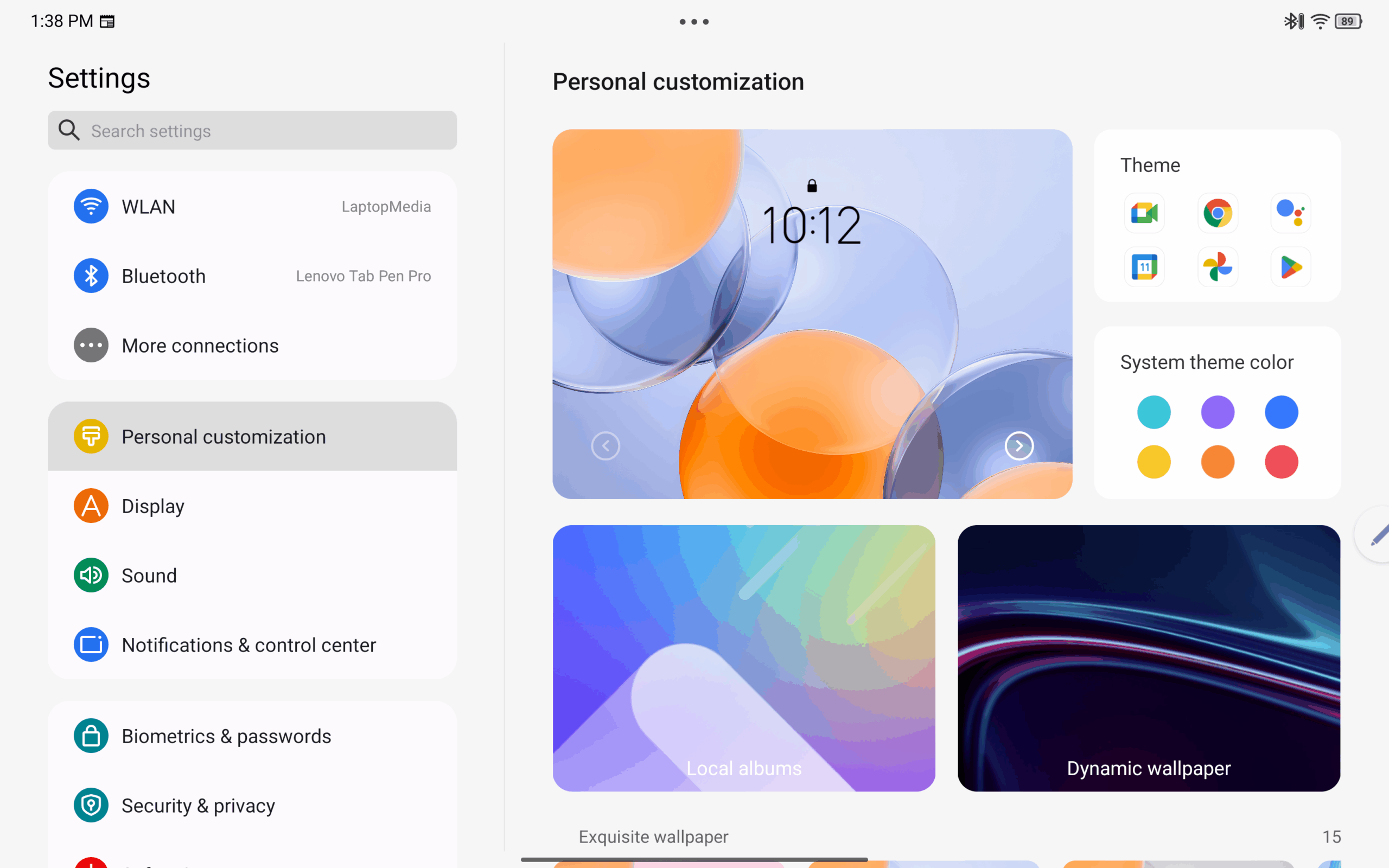
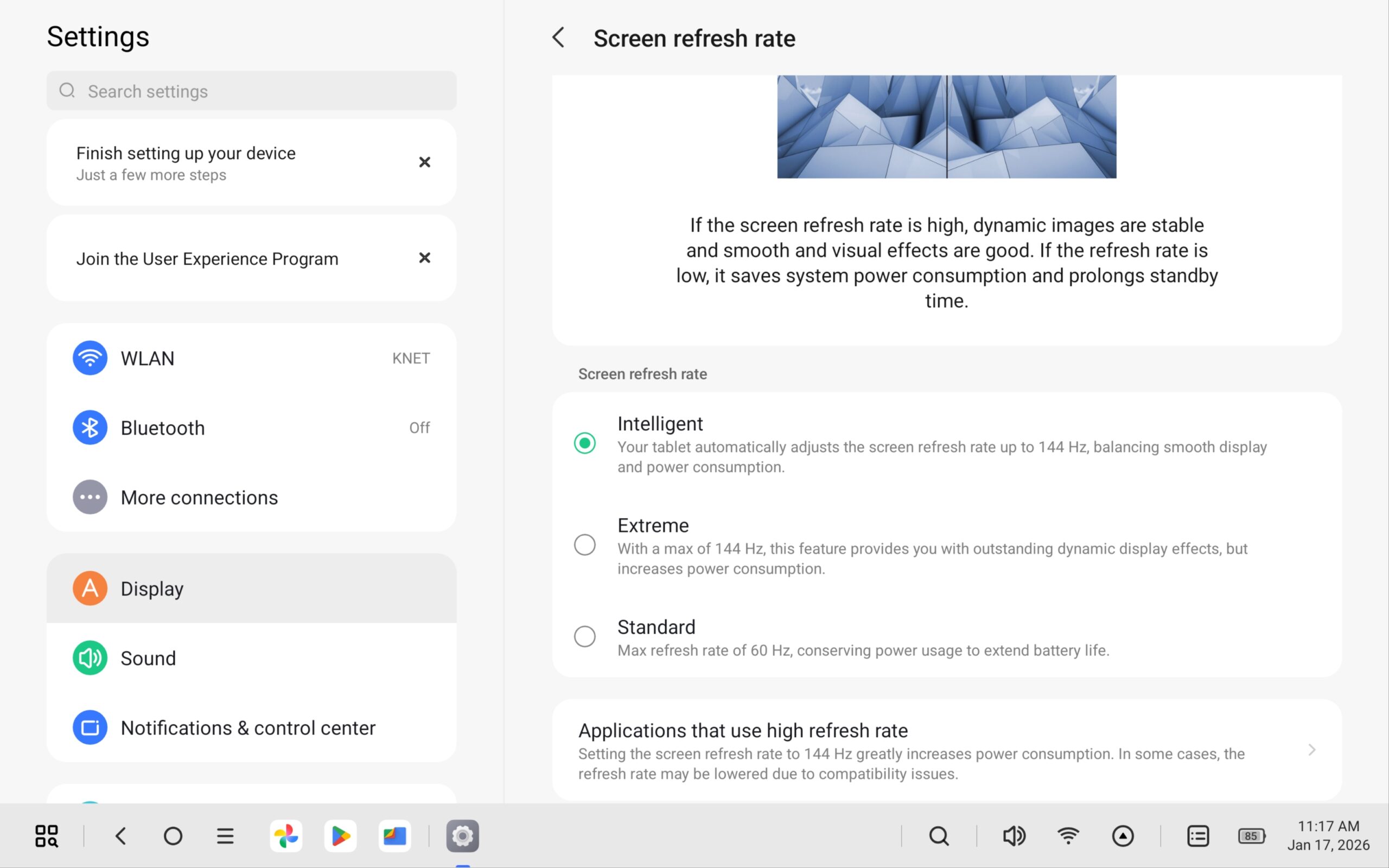
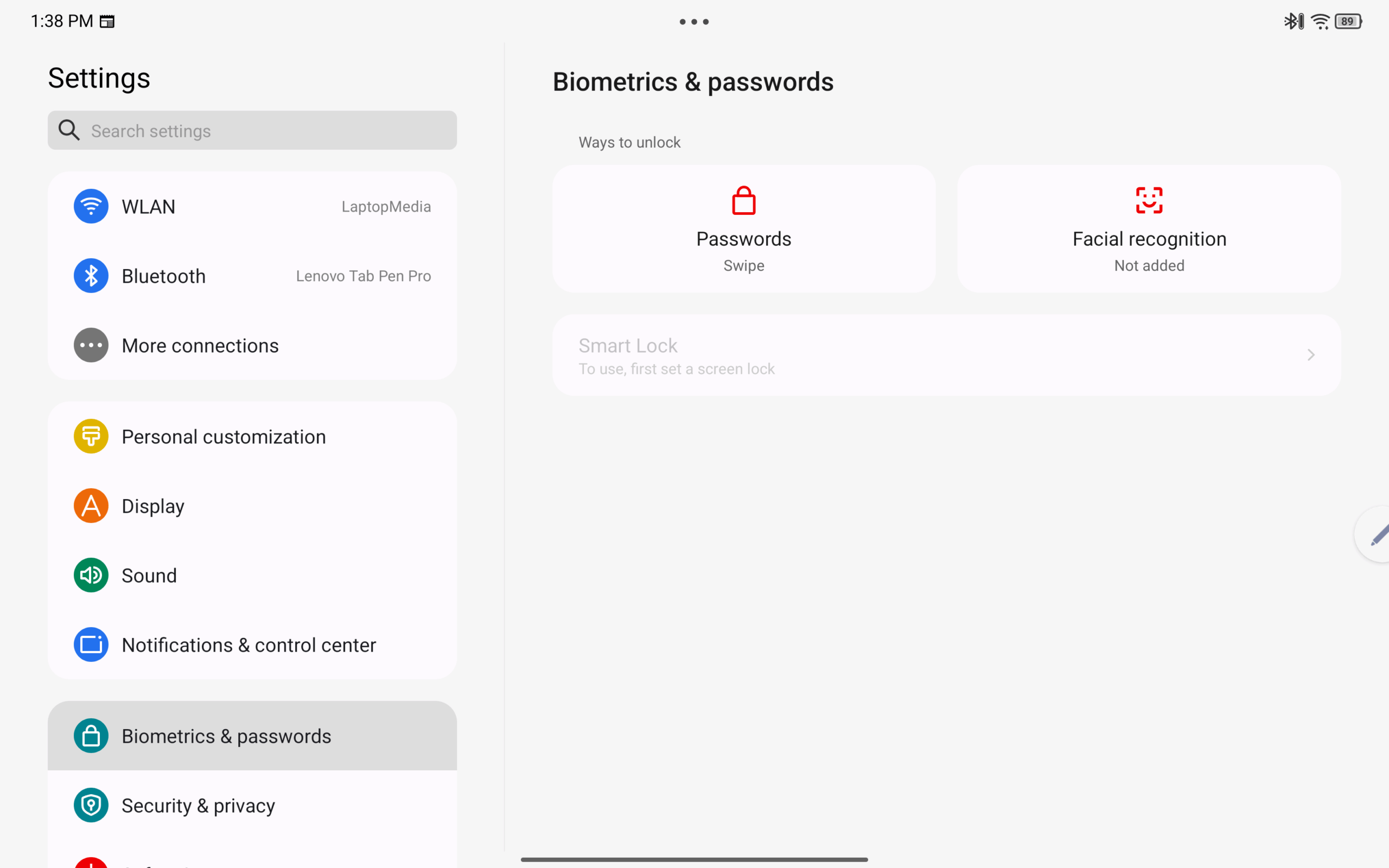
Out of the box, Lenovo includes a strong software bundle, especially for content creation and productivity, with apps such as Adobe Express, Adobe Lightroom, Clip Studio Paint, CapCut, Smart Connect, and Lenovo Vantage.
Our Yoga Tab does not include the keyboard pack, so we’re not re-testing keyboard + touchpad workflow here. For the desktop-style workflow demo, we’re embedding the same PC Mode video we already recorded on Yoga Tab Plus.
Camera
Lenovo Yoga Tab features a three-camera setup: a 13.0 MP front camera (f/2.2, 101° ultra-wide, fixed focus) with face unlock, plus a rear system with a 13.0 MP main camera (f/2.2, autofocus) and a 2.0 MP macro camera (fixed focus), accompanied by a flashlight.
The quality is good for a tablet.
MAIN CAMERA




MACRO CAMERA

Verdict
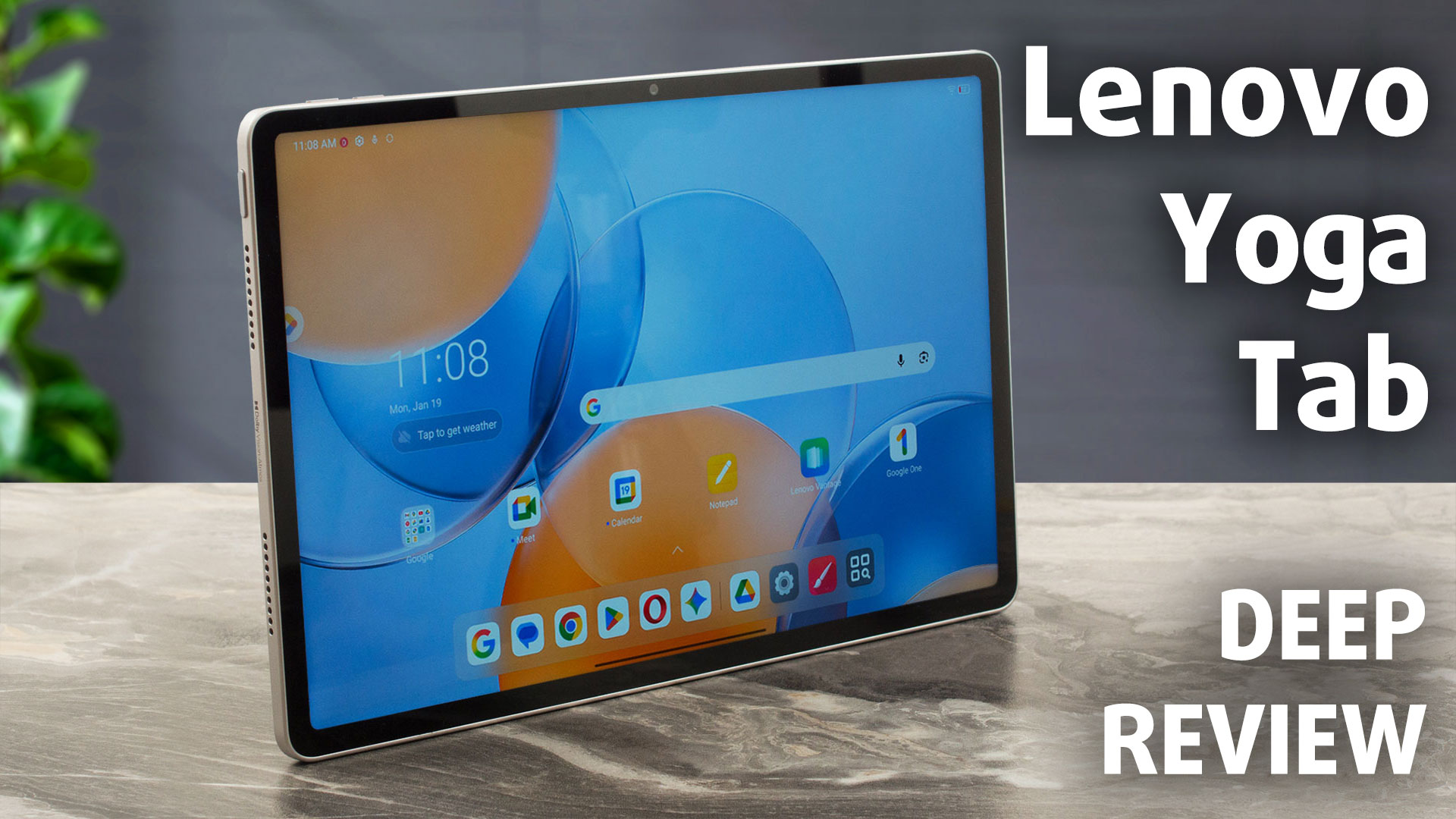 The Lenovo Yoga Tab (11-inch) is a sleek and capable Android tablet that serves as a more portable alternative to its larger sibling, the Yoga Tab Plus. It offers a premium build, a sharp high-resolution display, and solid performance for everyday tasks and gaming. However, its positioning is a bit tricky, as it cuts some corners compared to the “Plus” model that potential buyers need to be aware of.
While it shares the “Yoga Tab” name and even the processor branding, the experience is distinct. This is a device for users who prioritize portability and a compact form factor but are willing to accept slightly lower raw CPU performance and a more reflective screen in exchange for a smaller footprint.
You can check the current price of Lenovo Yoga Tab here: Buy from Amazon.com (#CommissionsEarned)
✅ The Good
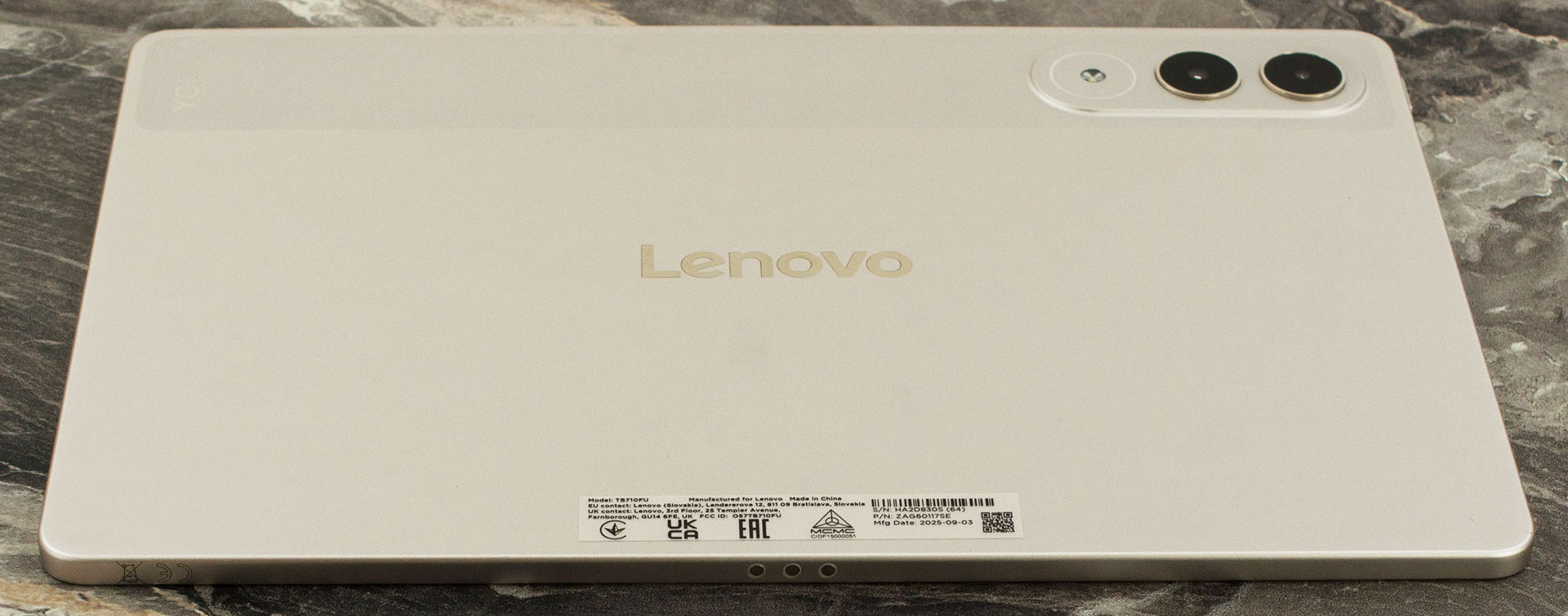 The standout feature is the excellent 3.2K 144Hz IPS display. With a high pixel density of 340 PPI, 97% DCI-P3 coverage, and a peak brightness of over 800 nits in high-brightness mode, it offers a visually stunning experience for media consumption. Importantly, it is also completely PWM-free, suggesting eye comfort during long viewing sessions (read below).
The build quality is premium, with a slim 6.2mm profile and a sturdy chassis that resists fingerprints well. The Snapdragon 8 Gen 3 (6-core) processor paired with the Adreno 750 GPU delivers smooth performance for Android gaming and daily tasks, matching the graphical prowess of the Plus model. We also appreciate the future-proof Wi-Fi 7 support and the inclusion of the Lenovo Tab Pen Pro in some bundles, which adds great value for creatives.
The software experience is fluid, with useful productivity apps included out of the box, and the quad-speaker system provides good audio quality for a tablet of this size.
❌ The Bad
The most significant downside is the screen’s high reflectivity. Unlike the Plus model, this standard Yoga Tab lacks an anti-reflective coating, which can make outdoor use or usage in bright rooms challenging due to glare. Additionally, the CPU performance is 20-30% lower than the Yoga Tab Plus due to fewer cores, which might be noticeable in heavy multitasking.
Storage expansion is somewhat limited as there is no microSD card slot, meaning you are stuck with the internal storage you choose at purchase. Finally, the absence of the charger and keyboard cover in some regions’ base packages reduces the out-of-the-box value.

🆚 The Competitors
When compared to its big brother, the Lenovo Yoga Tab Plus (detailed review), the standard Yoga Tab is more portable but technically inferior. The Plus offers significantly better CPU performance and a superior anti-reflective screen, making it the better choice for power users, provided they don’t mind the larger 12.7-inch size.
Against Apple iPad (2025, A16), Lenovo Yoga Tab is the fairer value play in this exact configuration. At €499, Yoga Tab includes the pen and folio (and Lenovo PSREF also lists a Keyboard Pack bundle option, depending on SKU/region), while an iPad A16 256GB starts at €509 before accessories.
With equivalent add-ons, iPad A16 totals €687 (509 + 89 + 89) with Apple Pencil (USB-C) + Smart Folio, or €717 (509 + 119 + 89) with Apple Pencil (1st gen) + Smart Folio. For pen-feature parity, Apple Pencil (1st gen) is the closer match to Lenovo Tab Pen Pro, because it supports pressure sensitivity and tilt. Apple Pencil (USB-C) supports tilt, but not pressure sensitivity.
You can check the current price of Lenovo Yoga Tab here: Buy from Amazon.com (#CommissionsEarned)
Pros
- Stunning 3.2K 144Hz IPS display with 97% DCI-P3 coverage
- PWM-free screen
- Premium, slim build quality with Wi-Fi 7 support
- Smooth gaming performance with Adreno 750 GPU
- Good quad-speaker sound system with Dolby Atmos
- Lenovo Tab Pen Pro included in some bundles
Cons
- Highly reflective screen (no anti-reflective coating)
- CPU is 20-30% slower than the Plus model
 Author: Simeon NikolovEditor-in-Chief at LaptopMedia.com with 20+ years of experience in testing and analyzing laptops and mobile devices.
 Author: eng. Kroum NikolovHead of Engineering at LaptopMedia.com, inventor and innovator with 40+ years of experience in electronics and high technology.

![[June 2026] Best-Selling Laptop Brands on Amazon Global – Apple’s Unrivaled Dominance in Units and Revenue](https://laptopmedia.com/wp-content/uploads/2026/07/GLOBAL-Best-Brands-400x225.jpg)
![[June 2026] Amazon Global: Top 10 Best-Selling Laptops – Apple’s New MacBook Neo Storms to #1, Reshaping the Market with Affordability](https://laptopmedia.com/wp-content/uploads/2026/07/Best-Selling-Laptops-GLOBAL-Top-10-400x225.jpg)
![[June 2026] Amazon Global: Top 10 Best-Selling Gaming Laptops – Acer’s Nitro V 16S AI Dominates Sales, While ASUS Leads Overall Revenue](https://laptopmedia.com/wp-content/uploads/2026/07/Best-Selling-Gaming-Laptops-GLOBAL-Top-10-400x225.jpg)
![[June 2026] Global Ranking of Best-Selling Laptop GPUs on Amazon – NVIDIA RTX 5060 is the Top-Selling Dedicated GPU](https://laptopmedia.com/wp-content/uploads/2026/07/Best-Selling-GPUs-GLOBAL-Top-10-400x225.jpg)
![[June 2026] Global Ranking of Best-Selling Laptop CPUs on Amazon – Apple M5 Dominates, AMD Ryzen 7 260 Gets Solid Premium Share](https://laptopmedia.com/wp-content/uploads/2026/07/Best-Selling-CPUs-GLOBAL-Top-10-400x225.jpg)