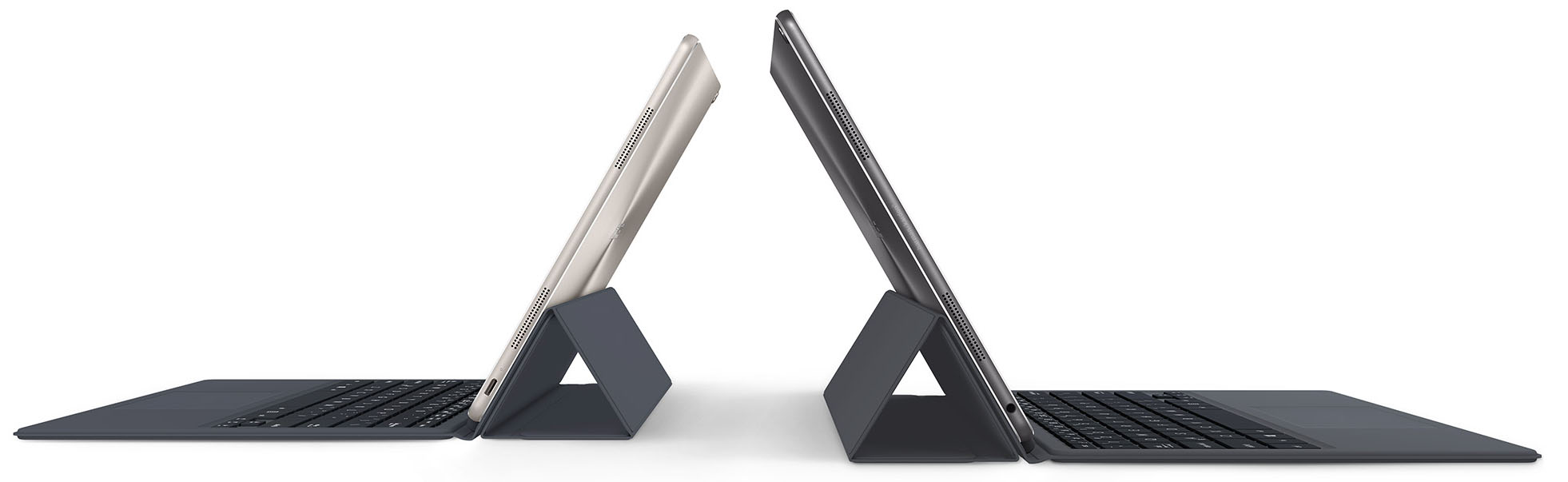
ASUS Transformer 3 T305CA

- Date Published: 23 Apr 2018
- Intel Core m3-7Y30
- Intel HD Graphics 615
- 12.6”, QHD+ (2880 x 1920), IPS
- 256GB SSD
- 4GB LPDDR3, 1866 MHz
- 0.69 kg (1.5 lbs)
Specs
- Display

- HDD/SSD
- 256GB M.2 SATA SSD
- M.2 Slot
- SATA3 M.2
- RAM
- 4GB LPDDR3, 1866 MHz
- OS
- Windows 10 Home
- Body Material
- Aluminum (Aluminum)
- Dimensions
- 303 x 202 x 7 mm (11.93" x 7.95" x 0.28")
- Weight
- 0.69 kg (1.5 lbs)
- Ports and connectivity
- 1x USB Type-C
- 3.2 Gen 2 (10 Gbps)
- Ethernet LAN
- Wi-Fi
- 802.11ac
- Bluetooth
- 4.1
- Audio jack
- combo audio/microphone jack
- Features
- Fingerprint reader
- Web camera
- 5MP
- Backlit keyboard
- Microphone
- Speakers
- Optical drive
- Security Lock slot
Portability
Review
ASUS Transformer 3 T305CA in-depth review
Ever since Intel launched its low-voltage SoCs and CPUs, OEMs have rushed to compete in the ultraportable and hybrid segment of the market. With the latest Kaby Lake generation, we saw even further improvement in this area and the company even renamed the Core m5 and Core m7 chips to Core i5 and Core i7 leaving only the Core m3 lineup as it is. While this suggests of closer to the full-fledged Core i5 and Core i7 series performance, it creates quite the confusion among users. Anyway, ASUS' latest alteration of the Transformer tablets is the Transformer 3 T305C and can be configured with up to Core i7-7Y75 but we settled for the most affordable Core m3-7Y30 chip.The real question is whether the new Transformer 3 can make a compelling case and will it beat the competitors like the iP[...]
Read the full review
Pros
- Good build quality, portable design
- Good keyboard and touchpad on the dock
- Excellent display quality
- Well-priced
Cons
- Some performance struggles with the Core M configurations
- The display uses aggressive PWM from 0 to 99% brightness (our Health-Guard profile takes care of that)
- Unsatisfactory battery life


![[June 2026] Best-Selling Laptop Brands on Amazon Global – Apple’s Unrivaled Dominance in Units and Revenue](https://laptopmedia.com/wp-content/uploads/2026/07/GLOBAL-Best-Brands-400x225.jpg)
![[June 2026] Amazon Global: Top 10 Best-Selling Laptops – Apple’s New MacBook Neo Storms to #1, Reshaping the Market with Affordability](https://laptopmedia.com/wp-content/uploads/2026/07/Best-Selling-Laptops-GLOBAL-Top-10-400x225.jpg)
![[June 2026] Amazon Global: Top 10 Best-Selling Gaming Laptops – Acer’s Nitro V 16S AI Dominates Sales, While ASUS Leads Overall Revenue](https://laptopmedia.com/wp-content/uploads/2026/07/Best-Selling-Gaming-Laptops-GLOBAL-Top-10-400x225.jpg)
![[June 2026] Global Ranking of Best-Selling Laptop GPUs on Amazon – NVIDIA RTX 5060 is the Top-Selling Dedicated GPU](https://laptopmedia.com/wp-content/uploads/2026/07/Best-Selling-GPUs-GLOBAL-Top-10-400x225.jpg)
![[June 2026] Global Ranking of Best-Selling Laptop CPUs on Amazon – Apple M5 Dominates, AMD Ryzen 7 260 Gets Solid Premium Share](https://laptopmedia.com/wp-content/uploads/2026/07/Best-Selling-CPUs-GLOBAL-Top-10-400x225.jpg)
