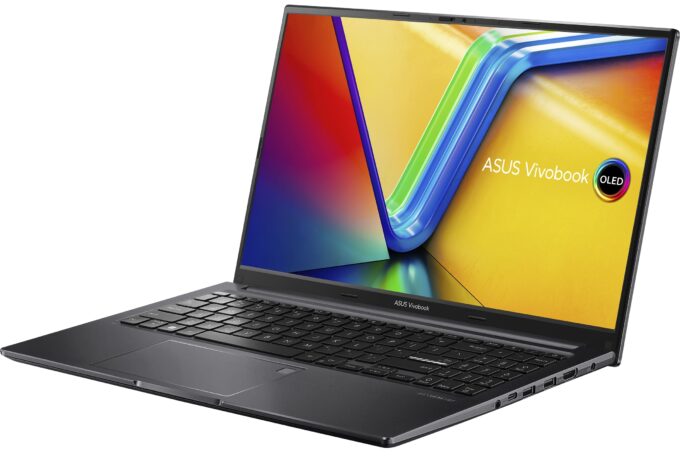
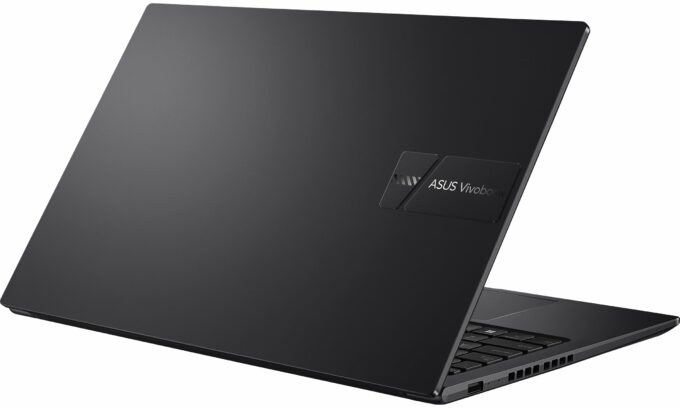
ASUS Vivobook 15 OLED



- Date Published: 16 Jun 2026
- AMD Ryzen 7 7730U
- AMD Radeon RX Vega 8 (R4000/5000, 15W)
- 15.6”, FHD (1920 x 1080), OLED
- 1000GB SSD
- 16GB RAM
- 1.70 kg (3.7 lbs)
Specs
- Display

- HDD/SSD
- 1000GB SSD
- M.2 Slot
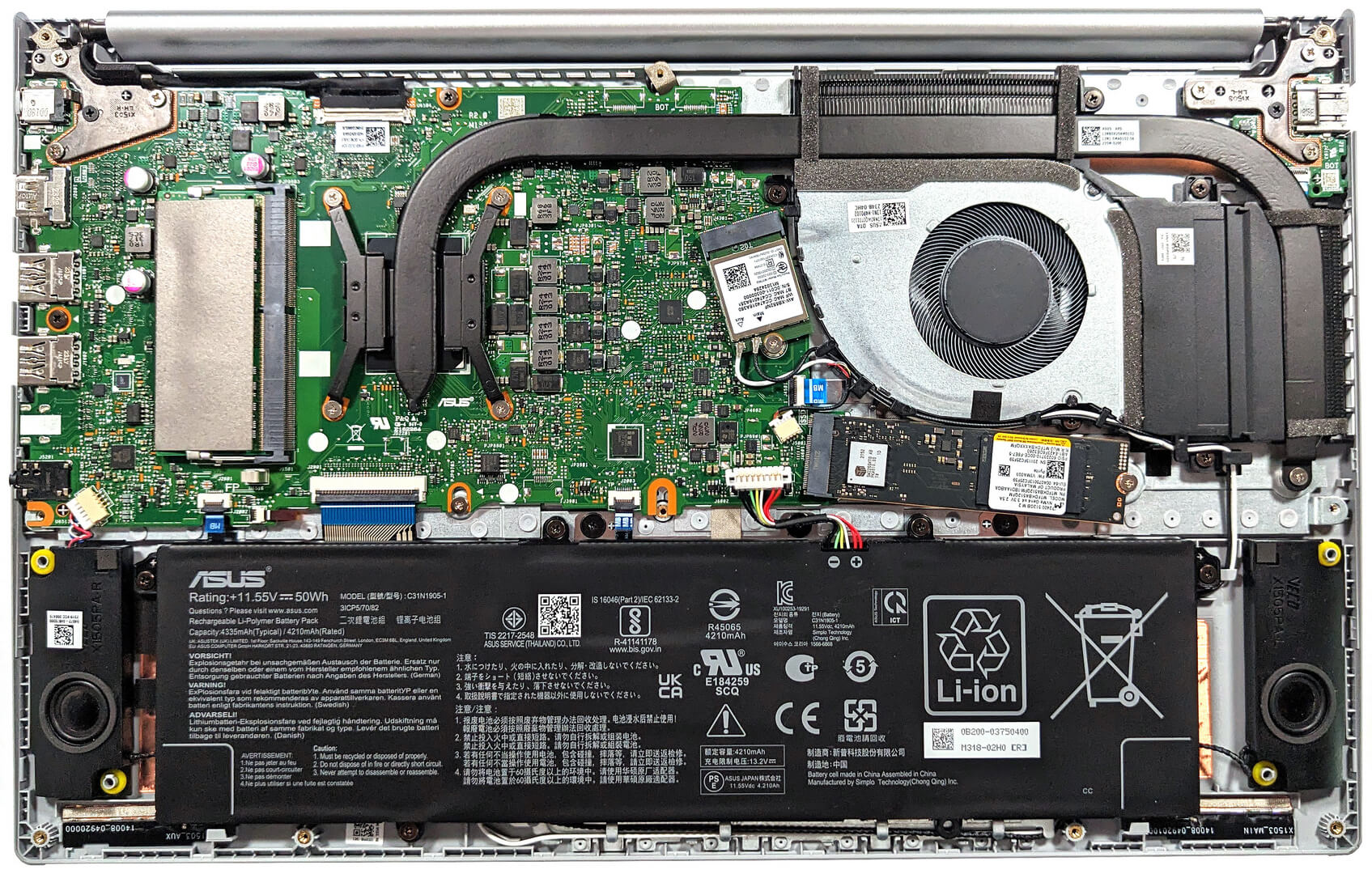
- 1x 2280 M.2 NVMe PCIe 3.0 x4 See photo
- RAM
- 16GB RAM
- OS
- Windows 11 Home
- Body Material
- Plastic / Polycarbonate
- Dimensions
- 356.8 x 227.6 x 19.9 mm (14.05" x 8.96" x 0.78")
- Weight
- 1.70 kg (3.7 lbs)
- Ports and connectivity
- 1x USB Type-A
- 2.0
- 1x USB Type-A
- 3.2 Gen 1 (5 Gbps)
- 1x USB Type-C
- 3.2 Gen 1 (5 Gbps), Power Delivery (PD)
- HDMI
- 1.4
- Card Reader
- Ethernet LAN
- Wi-Fi
- 802.11ax
- Bluetooth
- 5.0
- Audio jack
- 3.5mm Combo Jack
- Features
- Fingerprint reader
- Web camera
- HD with privacy shutter
- Backlit keyboard
- Microphone
- Array Microphone with Cortana and Alexa voice rec.
- Speakers
- Speakers, Sonic Master
- Security Lock slot
Portability
Review
ASUS Vivobook 15 OLED in-depth review
Thanks to technological advancement, nowadays OLED displays can be found even in not-so-expensive devices. Just like the ASUS Vivobook 15 OLED (M1505) - this one doesn't cost an arm and a leg but the laptop is offered with OLED panel options. The base one is a 1080p model and we decided to buy a machine with this unit since it seems like the smart choice. You don't have to pay an additional amount of money for it but the pixel response time and the color coverage are on point.The optional 2880 x 1620p variant is for people (with a bit wider wallets) who want to enjoy a crisper image. Under the bonnet, there is an AMD Zen 3 Barcelo-U Refresh CPU. If we have to be a bit more specific, you can choose between three processor variants. These chips are notorious for their great efficiency an[...]
Read the full review
Pros
- Great OLED display that covers the sRGB and DCI-P3 gamuts at 100% (Samsung ATNA56YX03-0 (SDC4161)
- Infinite contrast ratio (Samsung ATNA56YX03-0 (SDC4161)
- Fast pixel response times (Samsung ATNA56YX03-0 (SDC4161)
- "OLED Flicker-Free Dimming" mode in MyASUS software
- Antibacterial coating
- Comfortable keyboard and touchpad
- 720p Web camera with a privacy shutter
- Good performance for the class
- Quiet fan in "Whisper" mode
- 1x SODIMM for dual-channel memory
- Long battery life
- High CPU clocks and good temperatures under any kind of load
Cons
- Unimpressive I/O
- Just 5 Gbps USB ports
- PWM usage without the "Flicker-Free Dimming" mode (Samsung ATNA56YX03-0 (SDC4161)
- Not the best chassis rigidity
- Only one M.2 Gen 3 slot
- The max amount of memory is just 16GB
- Our laptop has a QLC SSD
Disassembly, maintenance and upgrade options
Step 1: Accessing the Internal ComponentsEnsure the ASUS Vivobook 15 OLED (M1505) is powered off and placed on a soft, clean surface to prevent scratches or damage. Remove the 10 Phillips-head screws securing the bottom panel of the laptop. Create a gap by gently lifting the bottom plate near one of the top corners, then use a thin plastic tool to start popping the panel off.Hint: Be careful not to apply too much force when prying open the plate to avoid damaging the clips or the laptop casing.Step 2: Removing the BatteryDisconnect the battery by unplugging i[...]
Read more


![[June 2026] Best-Selling Laptop Brands on Amazon Global – Apple’s Unrivaled Dominance in Units and Revenue](https://laptopmedia.com/wp-content/uploads/2026/07/GLOBAL-Best-Brands-400x225.jpg)
![[June 2026] Amazon Global: Top 10 Best-Selling Laptops – Apple’s New MacBook Neo Storms to #1, Reshaping the Market with Affordability](https://laptopmedia.com/wp-content/uploads/2026/07/Best-Selling-Laptops-GLOBAL-Top-10-400x225.jpg)
![[June 2026] Amazon Global: Top 10 Best-Selling Gaming Laptops – Acer’s Nitro V 16S AI Dominates Sales, While ASUS Leads Overall Revenue](https://laptopmedia.com/wp-content/uploads/2026/07/Best-Selling-Gaming-Laptops-GLOBAL-Top-10-400x225.jpg)
![[June 2026] Global Ranking of Best-Selling Laptop GPUs on Amazon – NVIDIA RTX 5060 is the Top-Selling Dedicated GPU](https://laptopmedia.com/wp-content/uploads/2026/07/Best-Selling-GPUs-GLOBAL-Top-10-400x225.jpg)
![[June 2026] Global Ranking of Best-Selling Laptop CPUs on Amazon – Apple M5 Dominates, AMD Ryzen 7 260 Gets Solid Premium Share](https://laptopmedia.com/wp-content/uploads/2026/07/Best-Selling-CPUs-GLOBAL-Top-10-400x225.jpg)