Dell Pro 14 Plus
- Date Published: 19 Nov 2025
- Intel Core Ultra 5 236V
- Intel Arc Graphics 130V
- 14.0”, WUXGA (1920 x 1200), IPS
- 512GB SSD
- 16GB RAM
- 1.40 kg (3.1 lbs)
Review
Dell Pro 14 Plus in-depth review
Recently, we navigated the sleek lines of the Dell Pro 14 Premium, model "PA14250" (in-depth review). Now, we have its sibling, the "PB14250," in our lab. First, a moment of appreciation for Dell's "beautifully intuitive naming scheme" (/s)... That "B" in PB14250? It stands for "Plus," slotting this model just below the "A" (Premium) tier, and above the base "C" variant in Dell's Pro Laptop hierarchy. The "P" signifies Pro Laptop, "14" the screen size, "25" the year (2025), and the final "0" points to an Intel CPU. The more you know!So, with the "Plus" designation, what can we expect from this all-aluminum business ultrabook? It certainly feels premium, boasts an impressive 16+ hours of battery life, and comes packed with security features. But does being one step down from "Premium" m[...]
Read the full review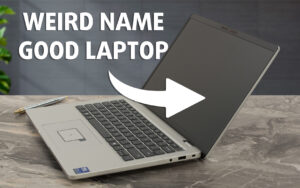
Pros
- Robust and premium all-aluminum construction with excellent fingerprint resistance
- Excellent battery life (16+ hours with 55Wh battery)
- Strong performance for productivity tasks with Intel Core Ultra CPUs
- Good thermal management, remaining quiet and cool under normal load
- Comprehensive security features (physical webcam shutter, fingerprint reader, optional Smartcard, NFC)
- Modern and versatile port selection including dual Thunderbolt 4 and HDMI 2.1
- Comfortable keyboard with backlight
- PWM-free display backlight for comfortable viewing
- Optional Wi-Fi 7 and WWAN connectivity
- Good sound quality
Cons
- Very limited display color gamut (only 51% sRGB on reviewed FHD+ panel)
- Mediocre factory color accuracy on reviewed FHD+ panel
- Soldered RAM limits upgradeability
- Single M.2 2230 slot for storage
- Optional RJ45 Ethernet port is limited to specific CPU configurations
- Keyboard backlighting is not standard on all configurations
Disassembly, maintenance and upgrade options
Opening the Dell Pro 14 Plus (PB14250)Power down the Dell Pro 14 Plus (PB14250) and unplug any connected cables. Loosen the eight captive JIS-1 screws securing the bottom plate. These screws will remain attached to the panel, reducing the chance of misplacement. Using a thin plastic pry tool, start between the hinges to release the clips along the edges. Carefully work your way around the chassis to lift off the bottom panel.Battery and CoolingThe 55 Wh Li-ion battery spans the laptop’s front edge. To remove it, gently pull the yellow tab vertically to disconnect[...]
Read more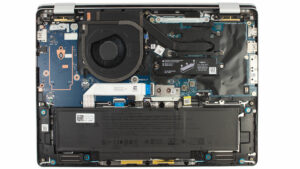


![[June 2026] Best-Selling Laptop Brands on Amazon Global – Apple’s Unrivaled Dominance in Units and Revenue](https://laptopmedia.com/wp-content/uploads/2026/07/GLOBAL-Best-Brands-400x225.jpg)
![[June 2026] Amazon Global: Top 10 Best-Selling Laptops – Apple’s New MacBook Neo Storms to #1, Reshaping the Market with Affordability](https://laptopmedia.com/wp-content/uploads/2026/07/Best-Selling-Laptops-GLOBAL-Top-10-400x225.jpg)
![[June 2026] Amazon Global: Top 10 Best-Selling Gaming Laptops – Acer’s Nitro V 16S AI Dominates Sales, While ASUS Leads Overall Revenue](https://laptopmedia.com/wp-content/uploads/2026/07/Best-Selling-Gaming-Laptops-GLOBAL-Top-10-400x225.jpg)
![[June 2026] Global Ranking of Best-Selling Laptop GPUs on Amazon – NVIDIA RTX 5060 is the Top-Selling Dedicated GPU](https://laptopmedia.com/wp-content/uploads/2026/07/Best-Selling-GPUs-GLOBAL-Top-10-400x225.jpg)
![[June 2026] Global Ranking of Best-Selling Laptop CPUs on Amazon – Apple M5 Dominates, AMD Ryzen 7 260 Gets Solid Premium Share](https://laptopmedia.com/wp-content/uploads/2026/07/Best-Selling-CPUs-GLOBAL-Top-10-400x225.jpg)
