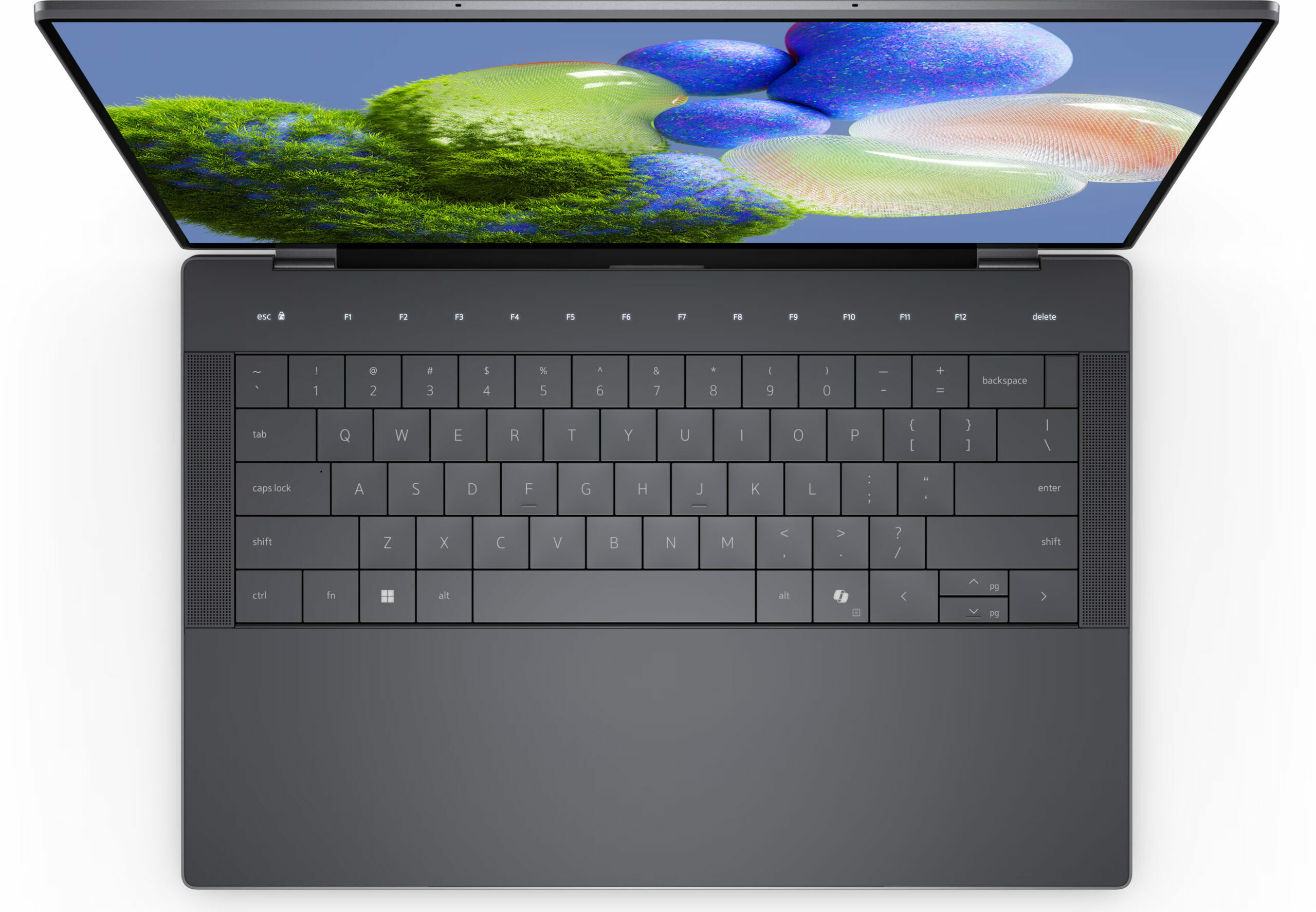
Dell XPS 9440



- Date Published: 30 May 2024
- Intel Core Ultra 7 155H
- Intel Arc (8-Cores)
- 14.5”, WUXGA (1920 x 1200), 120 Hz, IPS
- 512GB SSD
- 16GB RAM
- 1.68 kg (3.7 lbs)

Specs

- HDD/SSD
- 512GB SSD
- M.2 Slot
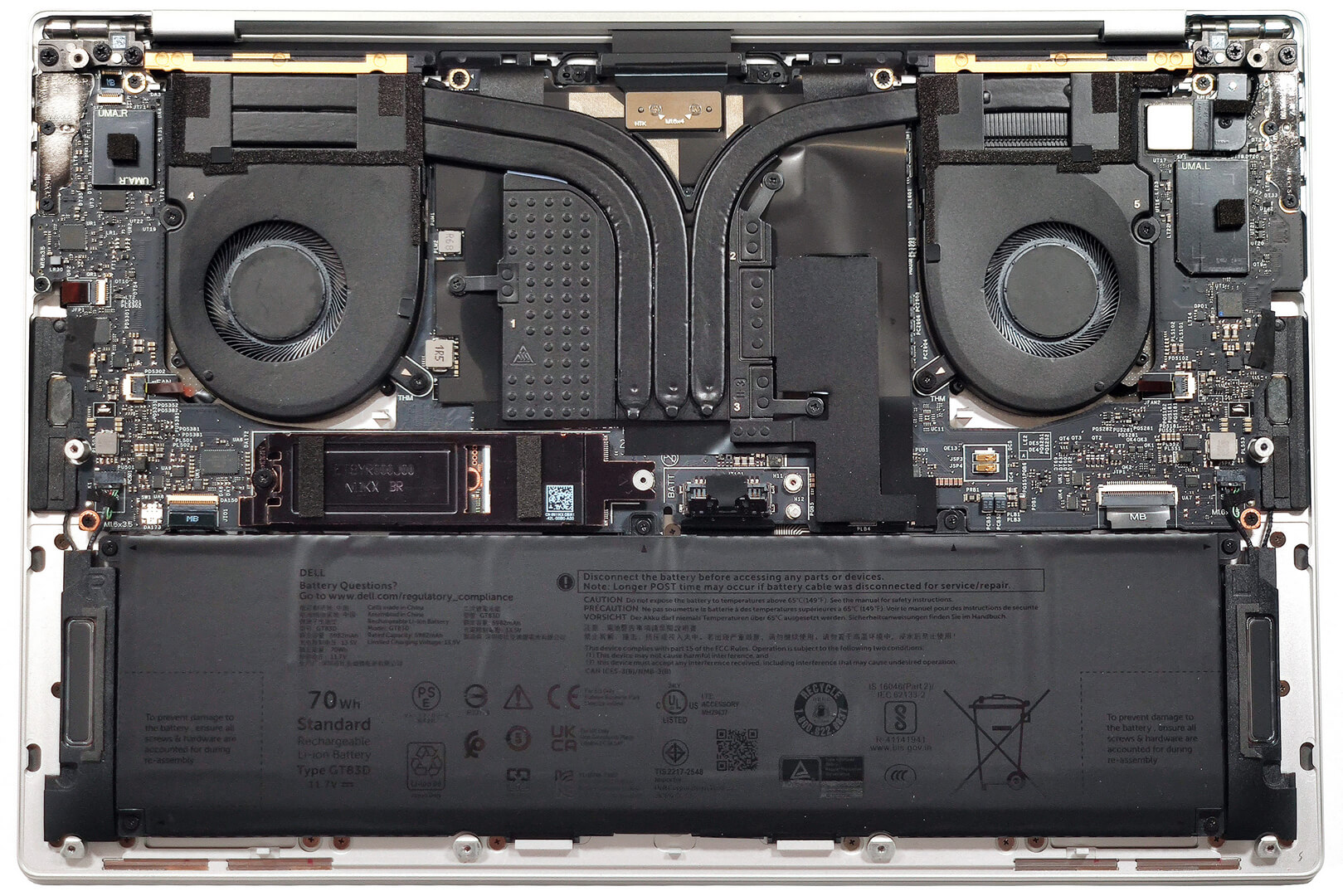
- 1x 2280 M.2 NVMe PCIe 4.0 x4 See photo
- RAM
- 16GB RAM
- OS
- Windows 11 Pro
- Body Material
- Aluminum
- Dimensions
- 320 x 215.98 x 6.70 - 18.03 mm (12.60" x 8.50" x 0.26")
- Weight
- 1.68 kg (3.7 lbs)
- Ports and connectivity
- 3x USB Type-C
- 4.0, Thunderbolt 4, Power Delivery (PD), DisplayPort
- Card Reader
- microSD (microSD, microSDHC, microSDXC)
- Ethernet LAN
- Wi-Fi
- 802.11ax
- Bluetooth
- 5.3
- Audio jack
- 3.5mm Combo Jack
- Features
- Fingerprint reader
- Web camera
- FHD with Windows Hello Face Authentication
- Backlit keyboard
- Microphone
- 2x Digital Array Microphones
- Speakers
- 2x 2W Stereo Speakers, Waves MaxxAudio
- Optical drive
- Security Lock slot
Portability
Review
Dell XPS 9440 in-depth review
Nowadays, offering a laptop with a distinctive design that stands out among the others is a hard job. However, the look of the Dell XPS 14 9440 is for sure fresh and different which is great. The chassis of this fella may be light but there are some powerful internals below the keyboard. We are talking about 28W Intel Meteor Lake CPUs with 16 cores and an optional NVIDIA GeForce RTX 4050 for gamers in the office. The memory is soldered but the max amount of 64GB should be enough for most people out there.Two 14.5" 120Hz panels are available (yay, no 60Hz screens!). The base one is a 1200p unit but you can get the optional touch-enabled 3200 x 2000 AMOLED display. We decided to go for the default option and we are pretty happy with our choice - this unit is just great! Still, if money i[...]
Read the full review
Pros
- Clean minimalistic design
- Compact
- High P and E core clocks during max CPU load, especially for a 14-incher
- The fans aren't noisy
- Premium build quality and fresh design
- PWM-free (HPXJN-145WU1)
- High max brightness + very good contrast ratio and 95% sRGB coverage (HPXJN-145WU1)
- Great color accuracy with our "Design and Gaming" profile (HPXJN-145WU1)
- Has three Thunderbolt 4 ports
- Outstanding battery life
- Comfortable keyboard
- Offers an optional fingerprint reader and IR camera
- Snappy performance
Cons
- Limited upgradability
- Pricey
- Invisible touchpad
Disassembly, maintenance and upgrade options
Opening the DeviceUndo the 8 Torx-head screws securing the bottom panel. Use a lever tool to pop the bottom panel in the hinge zone areas near the top two corners. Raise the central part of the back vent attached to the bottom plate. Press the chassis with a finger on the left or right to pop the mid-section. Work your way around the sides and front with a thin plastic tool to remove the bottom panel.More info: Here's how the bottom plate looks on the inside.Battery RemovalUndo the single Phillips-head screw securing the bracket on top of the battery[...]
Read more


![[June 2026] Best-Selling Laptop Brands on Amazon Global – Apple’s Unrivaled Dominance in Units and Revenue](https://laptopmedia.com/wp-content/uploads/2026/07/GLOBAL-Best-Brands-400x225.jpg)
![[June 2026] Amazon Global: Top 10 Best-Selling Laptops – Apple’s New MacBook Neo Storms to #1, Reshaping the Market with Affordability](https://laptopmedia.com/wp-content/uploads/2026/07/Best-Selling-Laptops-GLOBAL-Top-10-400x225.jpg)
![[June 2026] Amazon Global: Top 10 Best-Selling Gaming Laptops – Acer’s Nitro V 16S AI Dominates Sales, While ASUS Leads Overall Revenue](https://laptopmedia.com/wp-content/uploads/2026/07/Best-Selling-Gaming-Laptops-GLOBAL-Top-10-400x225.jpg)
![[June 2026] Global Ranking of Best-Selling Laptop GPUs on Amazon – NVIDIA RTX 5060 is the Top-Selling Dedicated GPU](https://laptopmedia.com/wp-content/uploads/2026/07/Best-Selling-GPUs-GLOBAL-Top-10-400x225.jpg)
![[June 2026] Global Ranking of Best-Selling Laptop CPUs on Amazon – Apple M5 Dominates, AMD Ryzen 7 260 Gets Solid Premium Share](https://laptopmedia.com/wp-content/uploads/2026/07/Best-Selling-CPUs-GLOBAL-Top-10-400x225.jpg)