_000046.jpg)




- Date Published: 23 Jan 2025
- Intel Core i7-13620H
- NVIDIA GeForce RTX 4060 (Laptop, 120W)
- 16.1″, Full HD (1920 x 1080), 165 Hz, IPS
- 1000GB SSD
- 32GB RAM
- 2.39 kg (5.3 lbs)
Specs
- HDD/SSD
- 1000GB SSD
- M.2 Slot
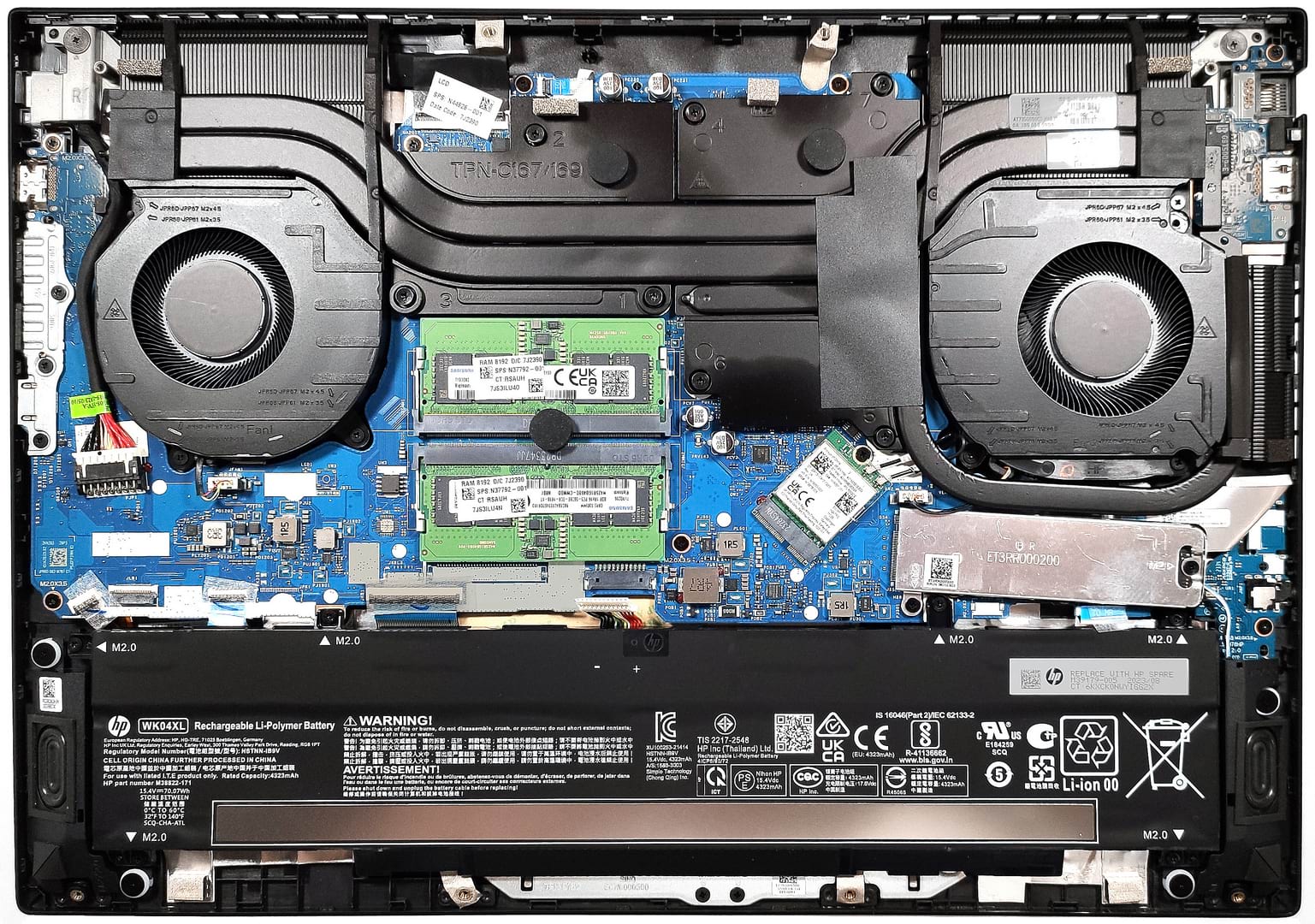
- 1x 2280 M.2 NVMe PCIe 4.0 x4 See photo
- RAM
- 32GB RAM
- OS
- Windows 11 Pro
- Body Material
- Plastic / Polycarbonate, Aluminum
- Dimensions
- 369.06 x 259.33 x 23.5 mm (14.53" x 10.21" x 0.93")
- Weight
- 2.39 kg (5.3 lbs)
- Ports and connectivity
- 2x USB Type-A
- 3.2 Gen 1 (5 Gbps)
- 1x USB Type-A
- 3.2 Gen 1 (5 Gbps), Sleep and Charge
- 1x USB Type-C
- 3.2 Gen 1 (5 Gbps), Power Delivery (PD), DisplayPort, Sleep and Charge
- HDMI
- 2.1
- Card Reader
- Ethernet LAN
- 10, 100, 1000 Mbit/s
- Wi-Fi
- 802.11ax
- Bluetooth
- 5.3
- Audio jack
- 3.5mm Combo Jack
- Features
- Fingerprint reader
- Web camera
- FHD with Temporal Noise Reduction
- Backlit keyboard
- Microphone
- Dual Array Digital Microphones
- Speakers
- Dual Stereo Speakers, Bang & Olufsen
- Security Lock slot
- Gifts
- DLCA Accessory
Portability
Review
HP OMEN 16 in-depth review
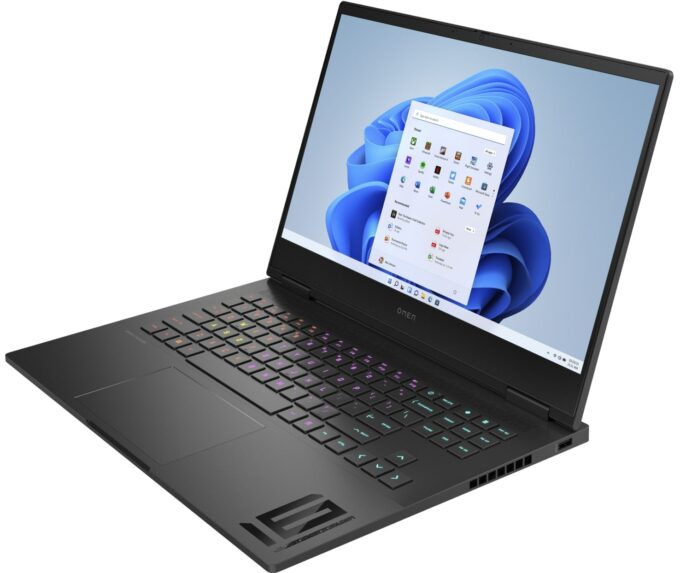
The HP Omen devices can be found in different price categories and form factors. Some of them are high-end laptops like the HP Omen 17 (2023, 17-ck2000) that have big displays and top-of-the-line hardware. On the other hand, not everyone wants to buy a machine that costs an arm and a leg. Today we are going to show you the HP Omen 16 (16-wd0000) which is meant for the masses or enthusiasts who don't want to spend a lot of money on a new notebook.The gadget can be found with 13th Gen Intel H-series CPUs. Some are based on the Alder Lake architecture, while others are Raptor Lake chips. All looks good in the GPU department - you have a choice of three GeForce RTX video cards that have high TGP values. Two IPS 1080p display options are available. The base one has a 144Hz refresh rate whil[...]
Read the full review
Pros
- Stealthy design
- Capable cooling system
- Stable and high CPU and GPU clocks and power limits under any kind of load
- Wide viewing angles and good contrast ratio (BOE BOE0B9F)
- Decent pixel response times (BOE BOE0B9F)
- No PWM (BOE BOE0B9F)
- 2x SODIMM slots
- Comfortable keyboard
- Decent I/O
- The fans aren't spinning in idle
- Reasonable noise levels in "Balanced" mode
- Long battery life
- The Omen Gaming Hub app is full of useful options
- Has a MUX switch
Cons
- Flexible and bouncy lid
- No NumberPad
- Noisy in "Performance" mode
- All USB ports are rated at 5 Gbps
- Just one M.2 slot
- Low sRGB coverage (BOE BOE0B9F)
Disassembly, maintenance and upgrade options
Step 1: Accessing the Internal ComponentsEnsure the HP Omen 16 (16-wd0000) is powered off and placed on a soft, clean surface to prevent scratches or damage. Remove the 8 Phillips-head screws from the bottom of the laptop. Use a plastic tool to gently pry the bottom panel off, starting from the front of the laptop.Hint: Be careful when prying to avoid damaging the internal clips or the laptop casing.Step 2: Removing the BatteryDisconnect the battery by unplugging its connector from the motherboard. Remove the 6 Phillips-head screws securing the battery to t[...]
Read more


![[June 2026] Best-Selling Laptop Brands on Amazon Global – Apple’s Unrivaled Dominance in Units and Revenue](https://laptopmedia.com/wp-content/uploads/2026/07/GLOBAL-Best-Brands-400x225.jpg)
![[June 2026] Amazon Global: Top 10 Best-Selling Laptops – Apple’s New MacBook Neo Storms to #1, Reshaping the Market with Affordability](https://laptopmedia.com/wp-content/uploads/2026/07/Best-Selling-Laptops-GLOBAL-Top-10-400x225.jpg)
![[June 2026] Amazon Global: Top 10 Best-Selling Gaming Laptops – Acer’s Nitro V 16S AI Dominates Sales, While ASUS Leads Overall Revenue](https://laptopmedia.com/wp-content/uploads/2026/07/Best-Selling-Gaming-Laptops-GLOBAL-Top-10-400x225.jpg)
![[June 2026] Global Ranking of Best-Selling Laptop GPUs on Amazon – NVIDIA RTX 5060 is the Top-Selling Dedicated GPU](https://laptopmedia.com/wp-content/uploads/2026/07/Best-Selling-GPUs-GLOBAL-Top-10-400x225.jpg)
![[June 2026] Global Ranking of Best-Selling Laptop CPUs on Amazon – Apple M5 Dominates, AMD Ryzen 7 260 Gets Solid Premium Share](https://laptopmedia.com/wp-content/uploads/2026/07/Best-Selling-CPUs-GLOBAL-Top-10-400x225.jpg)