Lenovo IdeaPad 5 2-in-1



- Date Published: 28 Apr 2025
- AMD Ryzen 5 8645HS
- AMD Radeon 760M
- 14.0”, WUXGA (1920 x 1200), IPS
- 1000GB SSD
- 16GB RAM
- 1.50 kg (3.3 lbs)

Review
Lenovo IdeaPad 5 2-in-1 in-depth review
If you need a small 2-in-1 laptop in 2024, you can choose from a lot of machines. Lenovo is one of the leading manufacturers in this category of devices. If the price of the all-metal Yoga 7i 2-in-1 (14, Gen 9) or Yoga 9i (14, Gen 9) is too hefty for your budget, you can have a look at the IdeaPad 5 2-in-1 (14″, Gen 9) which isn't that costly and it's offered with snappy hardware. This includes two 45W AMD Zen 4 Hawk Point-HS CPUs alongside AMD Radeon 760M or 780M for graphics tasks. Just like many other compact transformers, the upgradability is as limited as it gets. However, the port selection is surprisingly rich with two Type-C connectors plus a pair of Type-As and a MicroSD card reader.Display-wise, there are two 1200p 14" 16:10 glossy touchscreen units - one IPS and one OLED. If[...]
Read the full review
Pros
- Good build quality
- Compact and light (17.9 mm profile + 1.60 kg)
- Fair price
- The fan isn't too noisy during full CPU loads in "Performance" mode
- Comfortable viewing angles (LEN9125)
- 307 nits max brightness (LEN9125)
- Good audio quality
- Type-C charging
- Web camera with a privacy shutter
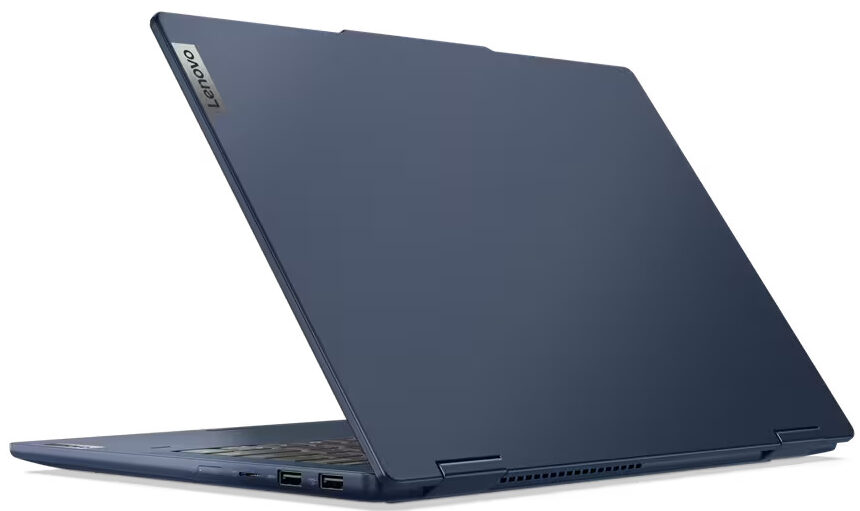
- Four USB ports and a MicroSD card reader
- Snappy NVMe (512GB SK Hynix HFS512GEJ4X112N)
- The keyboard with an optional backlight is suitable for typing
- Fingerprint reader, self-healing BIOS, fTPM 2.0 + fast charging
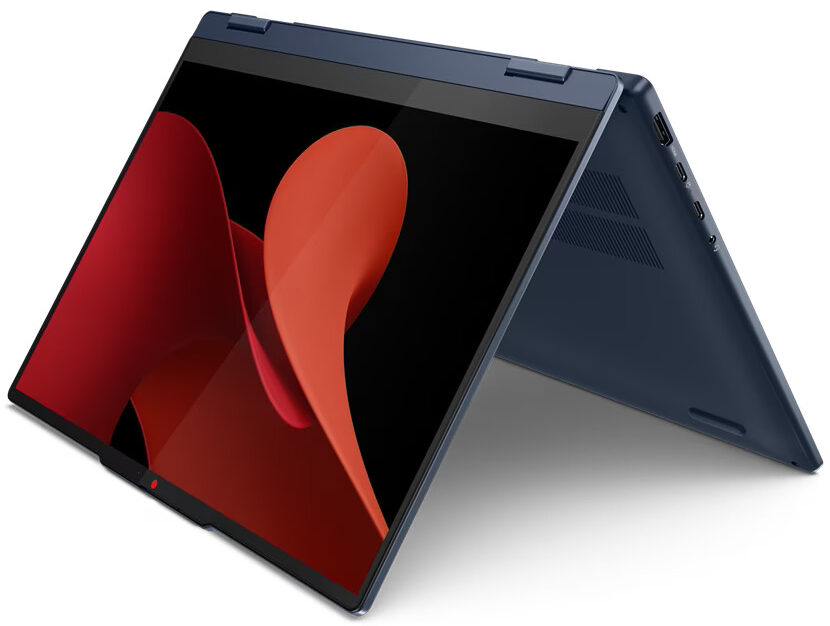
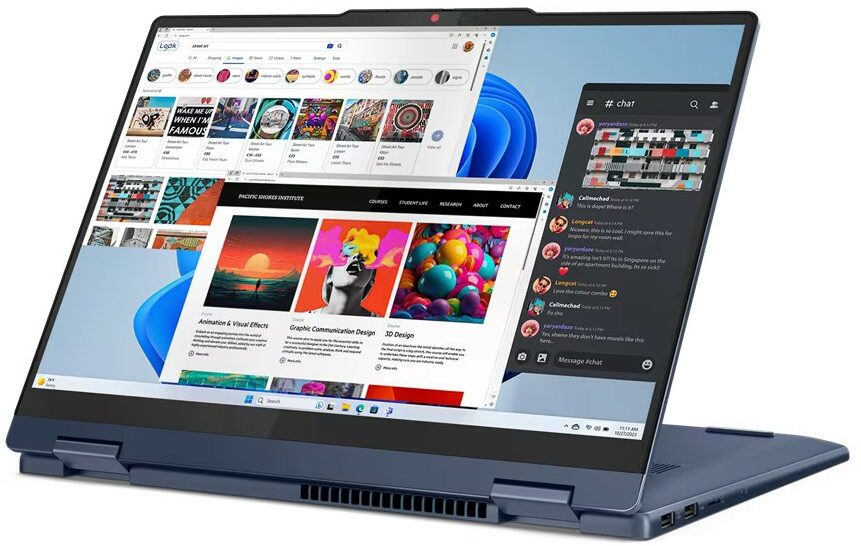
- 360-degree hinge that supports laptop, tent, stand, and tablet modes
- Optional Lenovo Pen
Cons
- Soldered memory and just one 2242 M.2 slot
- The CPU can't maintain its official base clock
- Low sRGB coverage (LEN9125)
Disassembly, maintenance and upgrade options
Opening the DeviceUndo the four Torx-head screws securing the bottom panel. Use a thin prying tool to open a gap by prying the top two corners or the zones behind the hinges. Pry the sides and the front, leaving the back for last.More info: Here's how the bottom panel looks on the inside.Battery RemovalUnplug the battery connector from the motherboard. Undo the 3 Phillips-head screws securing the battery. Lift the battery to remove it from the device.Note: The notebook uses a 57Wh battery, providing approximately 11 hours of video playback.[...]
Read more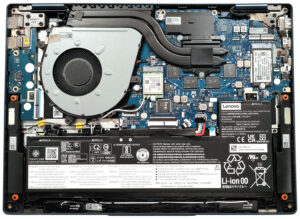
DISPLAY: 14.0-inch, 1920 x 1200, IPS
- Name
- LEN140WUXGA (LEN9125)
- Diagonal
- 14.0"
- Pixel density
- 161.73 ppi
- Brightness
- 296 cd/m2
- sRGB
- 54%
- Panel Type
- IPS
- Resolution
- 1920 x 1200
- Becomes "Retina" from
- 21 inches (54 cm)
- Contrast
- 1450:1
- dE Color Checker
- 6.3 3.3

Buy our profiles for LEN140WUXGA (LEN9125)
In addition to receiving efficient and health-friendly profiles, by buying LaptopMedia's products you also support the development of our labs, where we test devices in order to produce the most objective reviews possible.

Office Work
Office Work should be used mostly by users who spend most of the time looking at pieces of text, tables or just surfing. This profile aims to deliver better distinctness and clarity by keeping a flat gamma curve (2.20), native color temperature and perceptually accurate colors.

Design and Gaming
This profile is aimed at designers who work with colors professionally, and for games and movies as well. Design and Gaming takes display panels to their limits, making them as accurate as possible in the sRGB IEC61966-2-1 standard for Web and HDTV, at white point D65.

Health-Guard
Health-Guard eliminates the harmful Pulse-Width Modulation (PWM) and reduces the negative Blue Light which affects our eyes and body. Since it’s custom tailored for every panel, it manages to keep the colors perceptually accurate. Health-Guard simulates paper so the pressure on the eyes is greatly reduced.



![[August 2026] Global Ranking of Best-Selling Laptop GPUs on Amazon – Apple Reigns Supreme, NVIDIA’s RTX 5060 Tops Dedicated Chart](https://laptopmedia.com/wp-content/uploads/2026/09/Best-Selling-GPUs-GLOBAL-Top-10-400x225.jpg)
![[August 2026] Global Ranking of Best-Selling Laptop CPUs on Amazon – Apple Dominates Both Budget and Premium: A18 Pro and M5 Crush Intel and AMD in August 2026](https://laptopmedia.com/wp-content/uploads/2026/09/Best-Selling-CPUs-GLOBAL-Top-10-400x225.jpg)
![[August 2026] Amazon Global: Top 10 Best-Selling Laptops – Apple MacBook Neo Dominates the Charts as Budget and Mid-Range Windows Portables Fight for Volume](https://laptopmedia.com/wp-content/uploads/2026/09/Best-Selling-Laptops-GLOBAL-Top-10-400x225.jpg)
![[August 2026] Best-Selling Laptop Brands on Amazon Global – Apple Dominates Revenue While HP Leads in Model Variety](https://laptopmedia.com/wp-content/uploads/2026/09/GLOBAL-Best-Brands-400x225.jpg)
![[August 2026] Amazon Global: Top 10 Best-Selling Gaming Laptops – HP Victus 15 Captures the Crown as Budget-Friendly Models Dominate the Charts](https://laptopmedia.com/wp-content/uploads/2026/09/Best-Selling-Gaming-Laptops-GLOBAL-Top-10-400x225.jpg)
