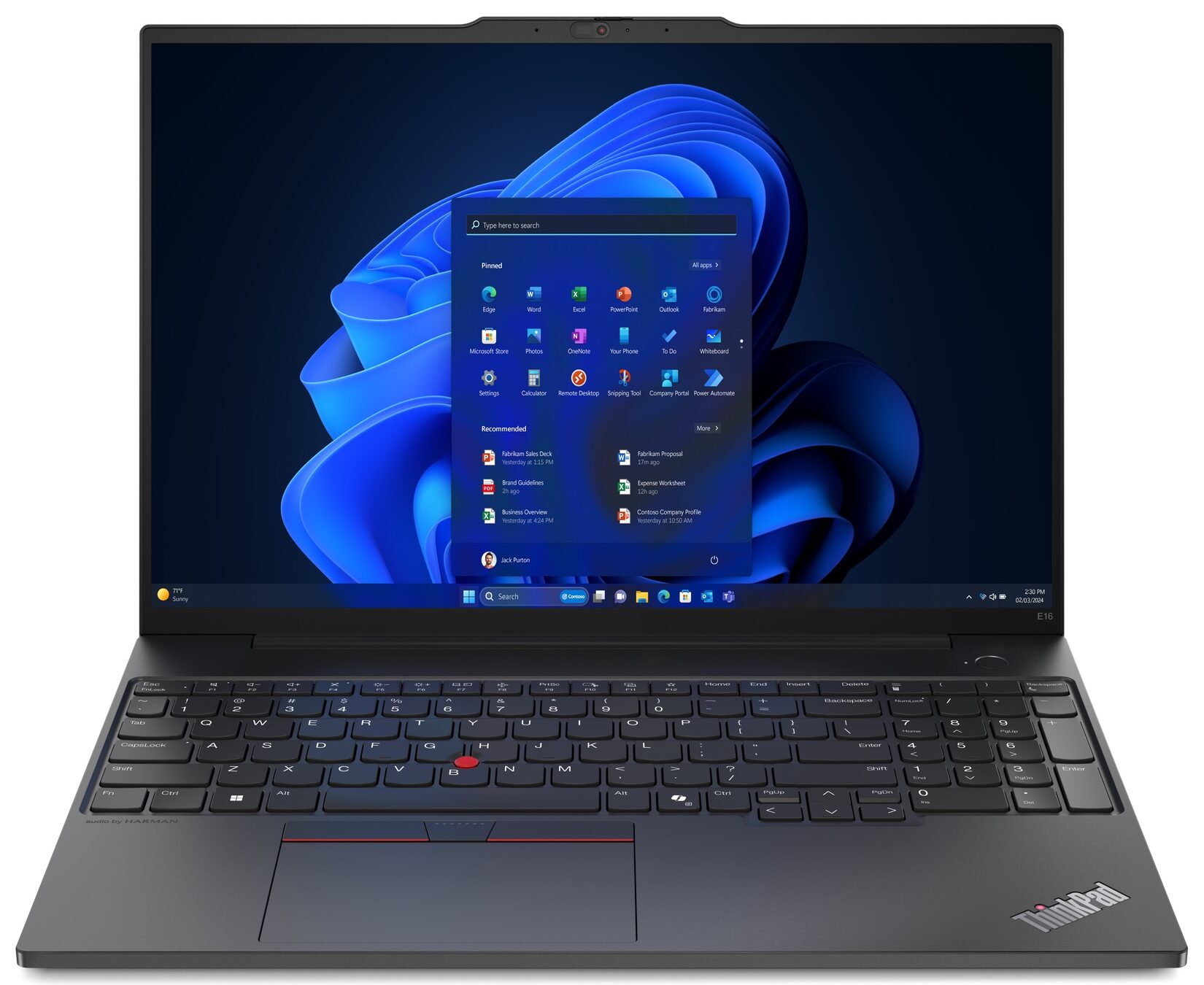
Lenovo ThinkPad E16 Gen 2


- Date Published: 14 Aug 2025
- Intel Core Ultra 7 155U
- Intel Graphics (4-Cores)
- 16.0”, WUXGA (1920 x 1200), IPS
- 2000GB SSD
- 64GB RAM
- 1.78 kg (3.9 lbs)

Specs
- Display

- HDD/SSD
- 2000GB SSD
- M.2 Slot
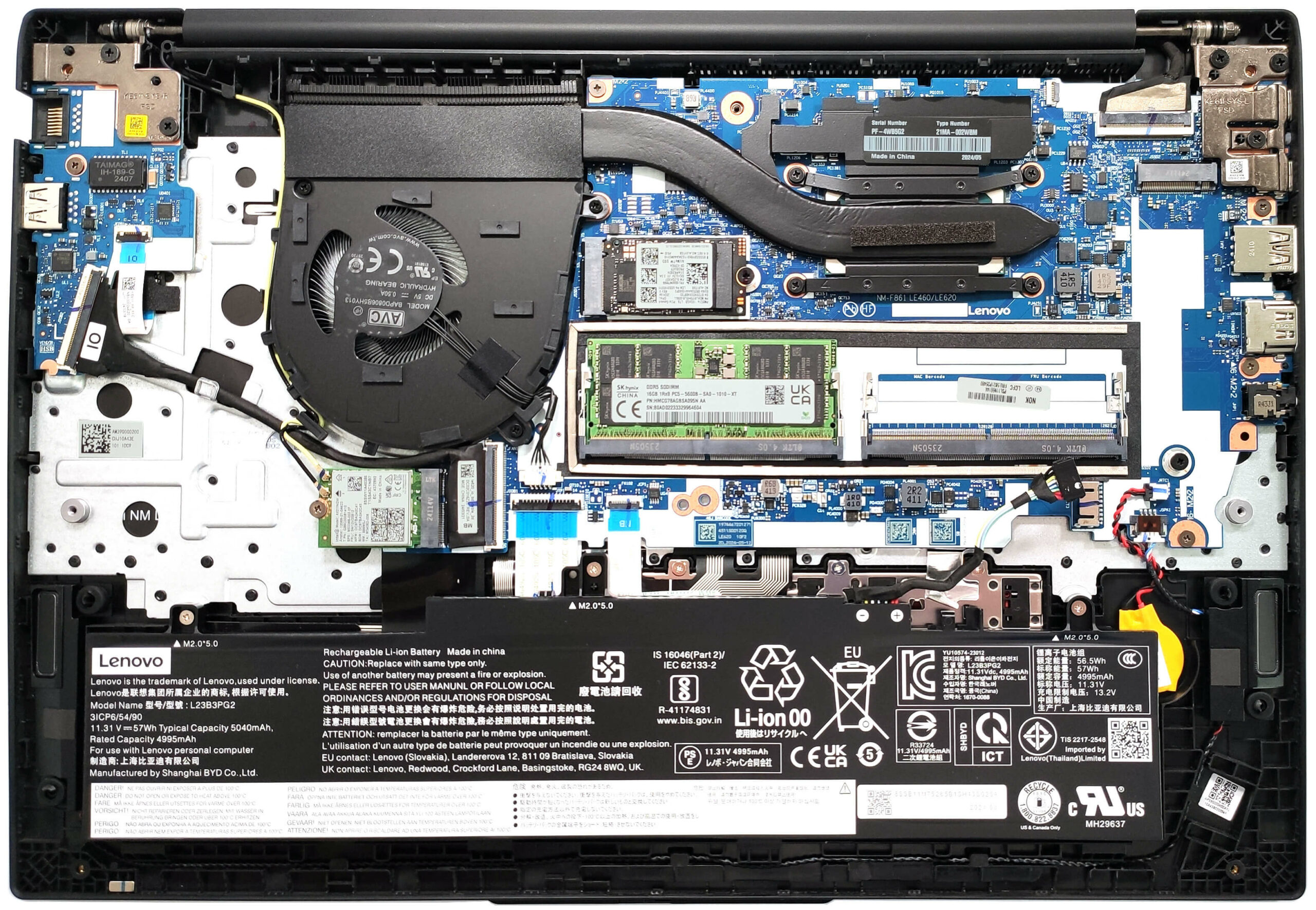
- 1x 2280 M.2 NVMe PCIe 4.0 x4 + 1x 2242 M.2 NVMe PCIe 4.0 x4 See photo
- RAM
- 64GB RAM
- OS
- Windows 11 Pro
- Body Material
- Plastic / Polycarbonate, Aluminum
- Dimensions
- 356.1 x 247.7 x 19.85 - 20.20 mm (14.02" x 9.75" x 0.78")
- Weight
- 1.78 kg (3.9 lbs)
- Ports and connectivity
- 1x USB Type-A
- 3.2 Gen 1 (5 Gbps)
- 1x USB Type-A
- 3.2 Gen 2 (10 Gbps), Sleep and Charge
- 1x USB Type-C
- 3.2 Gen 2x2 (20 Gbps), Power Delivery (PD), DisplayPort
- 1x USB Type-C
- 4.0, Thunderbolt 4, Power Delivery (PD), DisplayPort
- HDMI
- 2.1 (4K@60Hz)
- Card Reader
- Ethernet LAN
- 10, 100, 1000 Mbit/s
- Wi-Fi
- Wi-Fi 6E
- Bluetooth
- 5.3
- Audio jack
- 3.5mm Combo Jack
- Features
- Fingerprint reader
- Web camera
- FHD 1080p + IR hybrid, with privacy shutter, fixed focus
- Backlit keyboard
- Microphone
- Dual-microphone array with smart noise-cancelling
- Speakers
- 2x 2W Stereo Speakers, Dolby Atmos, audio by HARMAN
- Security Lock slot
- Kensington Nano Lock
Portability
Review
Lenovo ThinkPad E16 Gen 2 in-depth review
The Intel version of the Lenovo ThinkPad E16 Gen 2 has the right amount of features that make it a good choice for office work. You get a Meteor Lake-U or H-series CPU options with NPU units for AI-assisted productivity alongside fine upgradability and modern port selection. The full-sized keyboard is ready for tons of writing or calculations (yep, it has a NumPad).This device isn't too expensive and that's why goodies such as NFC, SD Card reader, or eSIM aren't available. Still, the security is on point which is important for a business-oriented laptop, It boasts a privacy shutter, a Lock slot, a self-healing BIOS, and a dTPM 2.0 chip. You have to pay an additional amount of money if you need extras such as an IR Web camera, fingerprint reader, or a vPro processor.Since that's not[...]
Read the full review
Pros
- Decently solid build
- Feels fast for normal work
- The fan is quiet during max CPU stress in "Best Performance" mode
- PWM-free panel (LEN41B5)
- Comfortable viewing angles (LEN41B5)
- 353 nits of max brightness (LEN41B5)
- Good audio quality
- Web camera with a privacy shutter
- Modern port selection with two Type-C ports
- Comfortable keyboard
- 2x SODIMMs + 2x Gen 4 M.2 slots
- vPro CPU, IR Web camera, and fingerprint reader (all are optional)
Cons
- Unimpressive CPU clocks
- Low sRGB coverage (LEN41B5)
Disassembly, maintenance and upgrade options
Opening the DeviceUndo the seven captive Phillips-head screws on the bottom panel. Insert a thin plastic tool into one of the top corners to create a gap in the rear and pop the panel. Pry the sides and the front to fully remove the bottom panel.More info: The inside of the bottom panel houses a socket for the SODIMMs and a thermal pad for the preinstalled SSD.Battery RemovalUnplug the battery connector from the mainboard. Undo the three Phillips-head screws that secure the battery to the chassis. Lift the battery to remove it.Note: This model is[...]
Read more


![[June 2026] Best-Selling Laptop Brands on Amazon Global – Apple’s Unrivaled Dominance in Units and Revenue](https://laptopmedia.com/wp-content/uploads/2026/07/GLOBAL-Best-Brands-400x225.jpg)
![[June 2026] Amazon Global: Top 10 Best-Selling Laptops – Apple’s New MacBook Neo Storms to #1, Reshaping the Market with Affordability](https://laptopmedia.com/wp-content/uploads/2026/07/Best-Selling-Laptops-GLOBAL-Top-10-400x225.jpg)
![[June 2026] Amazon Global: Top 10 Best-Selling Gaming Laptops – Acer’s Nitro V 16S AI Dominates Sales, While ASUS Leads Overall Revenue](https://laptopmedia.com/wp-content/uploads/2026/07/Best-Selling-Gaming-Laptops-GLOBAL-Top-10-400x225.jpg)
![[June 2026] Global Ranking of Best-Selling Laptop GPUs on Amazon – NVIDIA RTX 5060 is the Top-Selling Dedicated GPU](https://laptopmedia.com/wp-content/uploads/2026/07/Best-Selling-GPUs-GLOBAL-Top-10-400x225.jpg)
![[June 2026] Global Ranking of Best-Selling Laptop CPUs on Amazon – Apple M5 Dominates, AMD Ryzen 7 260 Gets Solid Premium Share](https://laptopmedia.com/wp-content/uploads/2026/07/Best-Selling-CPUs-GLOBAL-Top-10-400x225.jpg)