How to open Lenovo ThinkPad E16 Gen 2 – disassembly and upgrade options
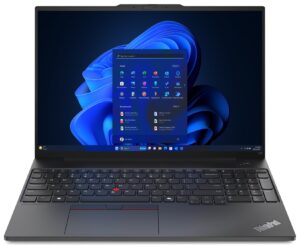
Opening the Device
- Undo the seven captive Phillips-head screws on the bottom panel.
- Insert a thin plastic tool into one of the top corners to create a gap in the rear and pop the panel.
- Pry the sides and the front to fully remove the bottom panel.
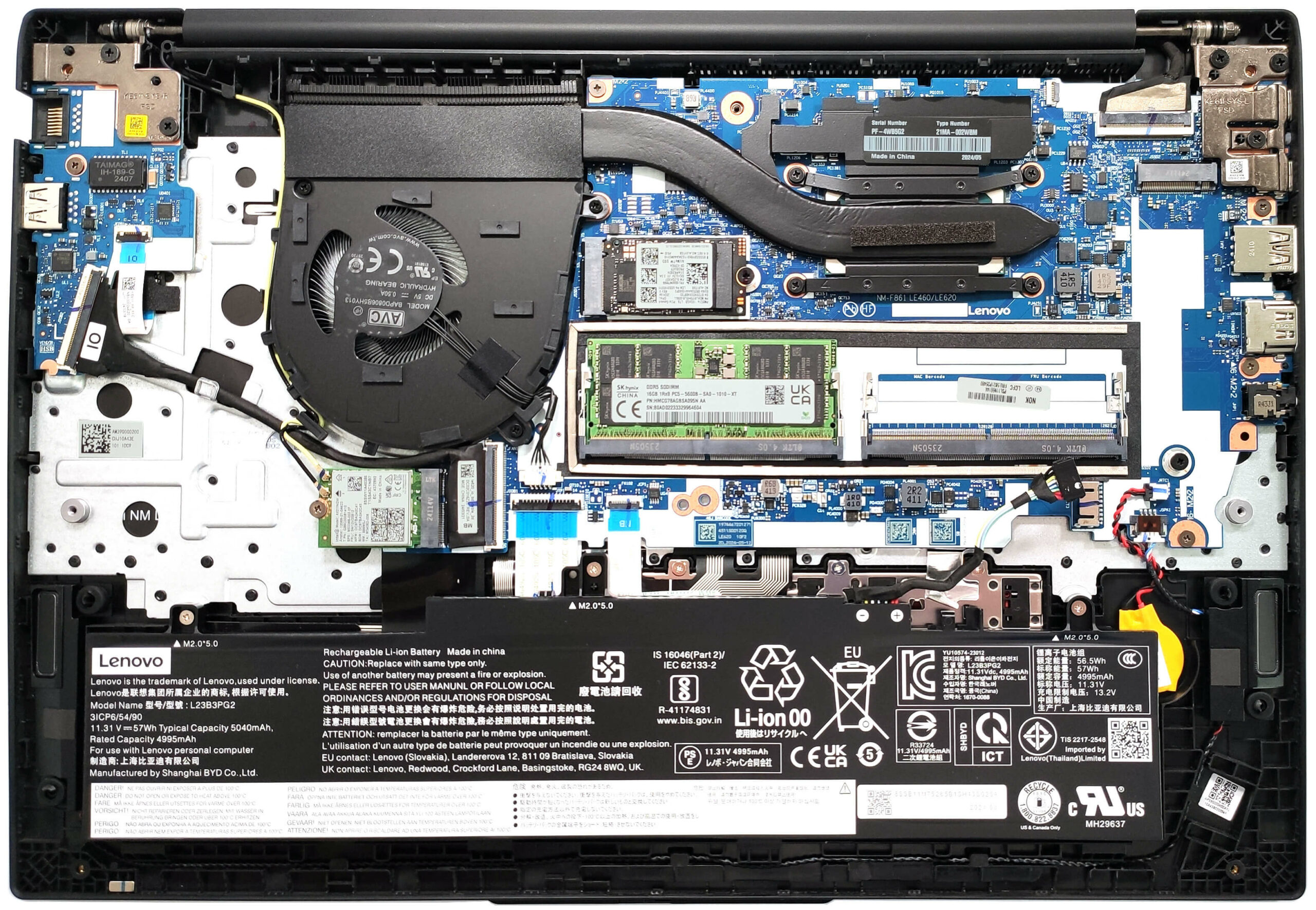
More info: The inside of the bottom panel houses a socket for the SODIMMs and a thermal pad for the preinstalled SSD.

Battery Removal
- Unplug the battery connector from the mainboard.
- Undo the three Phillips-head screws that secure the battery to the chassis.
- Lift the battery to remove it.
Note: This model is equipped with the optional 57Wh battery, which provides around 13 hours of video playback. The default variant comes with a 47Wh battery.

Memory Information
Note: The two SODIMMs support up to 64GB of DDR5-5600MHz RAM in dual-channel mode. The CPU can support up to 96GB, offering potential for future memory upgrades beyond the official specification.


Storage Upgrade
- This device has two M.2 slots for storage: one for 2242 Gen 4 SSDs and another for 2280 Gen 4 NVMe drives.
- There is a thermal pad beneath the preinstalled SSD to help with cooling.
Hint: Don’t forget to check out our Top M.2 SSDs Performance Rankings for insights on the best storage options available.
You can buy compatible SSDs here: Buy from Amazon.com (#CommissionsEarned)

Wi-Fi Card
- The Wi-Fi card is located below the cooling fan.

Cooling System Overview
- The thermal system consists of a single fan, one heat pipe, a heat sink, and a heat spreader.

Lenovo ThinkPad E16 Gen 2 (Intel) in-depth review
The Intel version of the Lenovo ThinkPad E16 Gen 2 has the right amount of features that make it a good choice for office work. You get a Meteor Lake-U or H-series CPU options with NPU units for AI-assisted productivity alongside fine upgradability and modern port selection. The full-sized keyboard is ready for tons of writing or calculations (yep, it has a NumPad).This device isn't too expensive and that's why goodies such as NFC, SD Card reader, or eSIM aren't available. Still, the security is on point which is important for a business-oriented laptop, It boasts a privacy shutter, a Lock[...]

Pros
- Decently solid build
- Feels fast for normal work
- The fan is quiet during max CPU stress in "Best Performance" mode
- PWM-free panel (LEN41B5)
- Comfortable viewing angles (LEN41B5)
- 353 nits of max brightness (LEN41B5)
- Good audio quality
- Web camera with a privacy shutter
- Modern port selection with two Type-C ports
- Comfortable keyboard
- 2x SODIMMs + 2x Gen 4 M.2 slots
- vPro CPU, IR Web camera, and fingerprint reader (all are optional)
Cons
- Unimpressive CPU clocks
- Low sRGB coverage (LEN41B5)
 Author: Severin Kolakov

![[August 2026] Amazon Italy: Top 10 Best-Selling Laptops – Apple MacBook Neo Claims the Crown as Budget and Mid-Range Windows Machines Dominate Volume](https://laptopmedia.com/wp-content/uploads/2026/09/Best-Selling-Laptops-IT-Top-10-400x225.jpg)
![[August 2026] Amazon Italy: Top 7 Best-Selling Gaming Laptops – ASUS V16 Claims the #1 Spot Amid Strong Mid-Range Demand](https://laptopmedia.com/wp-content/uploads/2026/09/Best-Selling-Gaming-Laptops-IT-Top-10-400x225.jpg)
![[August 2026] Best-Selling Laptop Brands on Amazon Italy – Lenovo Dominates Market Share and Revenue Leadership](https://laptopmedia.com/wp-content/uploads/2026/09/IT-Best-Brands-400x225.jpg)
![[August 2026] Amazon India: Top 10 Best-Selling Laptops – Apple MacBook Neo Dominates the Charts with Massive Sales Lead](https://laptopmedia.com/wp-content/uploads/2026/09/Best-Selling-Laptops-IN-Top-10-400x225.jpg)
![[August 2026] Amazon India: Top 10 Best-Selling Gaming Laptops – HP Victus 15 Dominates the Market with Massive Unit Lead](https://laptopmedia.com/wp-content/uploads/2026/09/Best-Selling-Gaming-Laptops-IN-Top-10-400x225.jpg)
