Lenovo ThinkPad L13 Yoga
- Date Published: 04 Aug 2020
- Intel Core i3-10110U
- Intel UHD Graphics
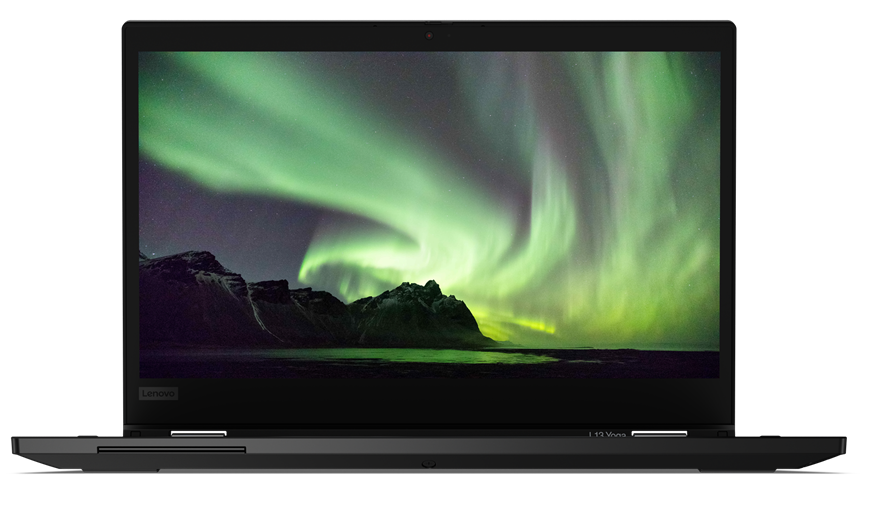
- 13.3”, Full HD (1920 x 1080), IPS
- 128GB SSD
- 4GB DDR4, 2666 MHz
- 1.43 kg (3.2 lbs)
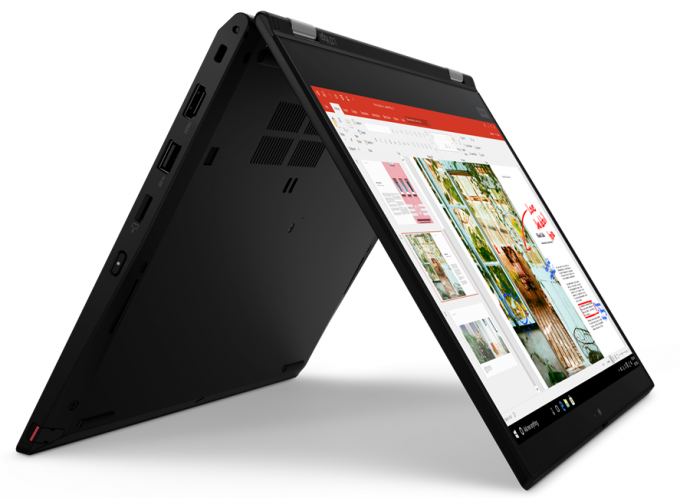
Specs

- HDD/SSD
- 128GB SSD
- M.2 Slot
- 1x 2280 PCIe NVMe 3.0 x4
- RAM
- 4GB DDR4, 2666 MHz
- OS
- Windows 10 Pro
- Body Material
- Plastic / Polycarbonate, Aluminum, Glass Fiber, Magnesium alloy
- Dimensions
- 312 x 219 x 17.6 mm (12.28" x 8.62" x 0.69")
- Weight
- 1.43 kg (3.2 lbs)
- Ports and connectivity
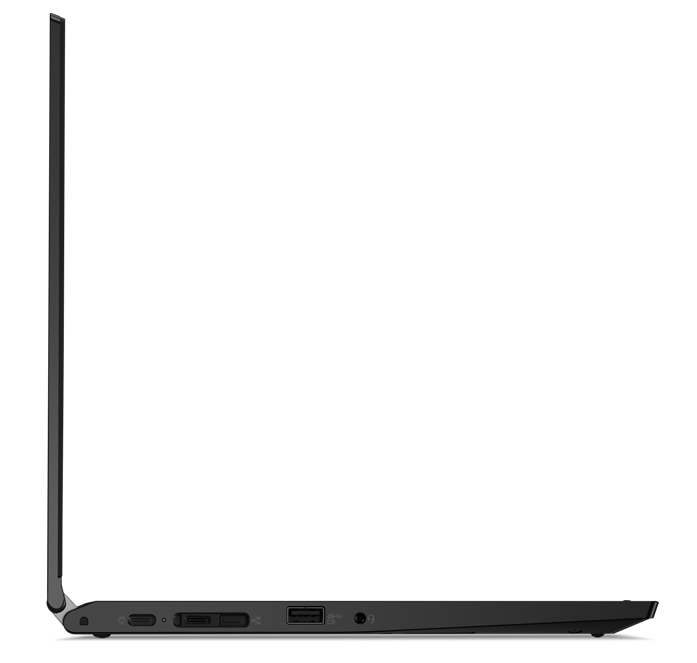
- 2x USB Type-C
- 3.2 Gen 1 (5 Gbps), Power Delivery (PD), DisplayPort
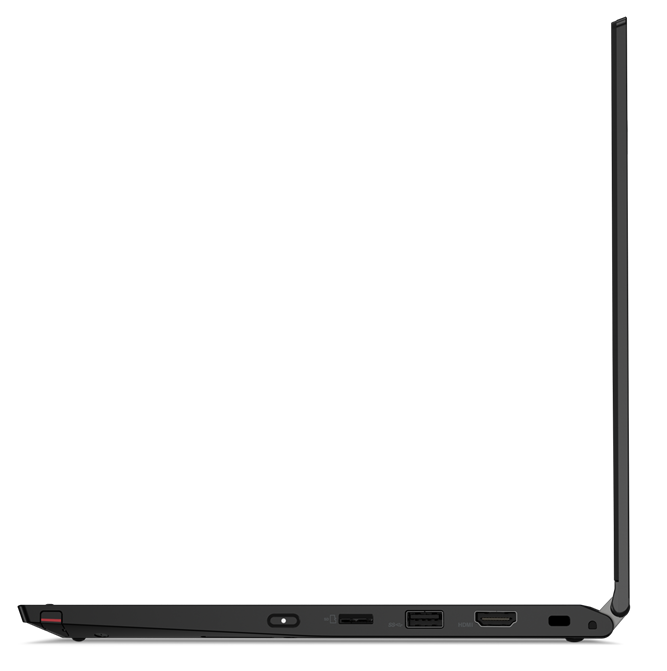
- 1x USB Type-A
- 3.2 Gen 1 (5 Gbps), Sleep and Charge
- 1x USB Type-A
- 3.2 Gen 1 (5 Gbps)
- HDMI
- 1.4b
- Card Reader
- microSD
- Wi-Fi
- 802.11ac
- Bluetooth
- 5.0
- Audio jack
- combo audio / microphone jack
- Features
- Fingerprint reader
- Web camera
- HD
- Backlit keyboard
- Microphone
- Speakers
- 2x 2W
- Optical drive
- Security Lock slot
Portability
Review
Lenovo ThinkPad L13 Yoga in-depth review
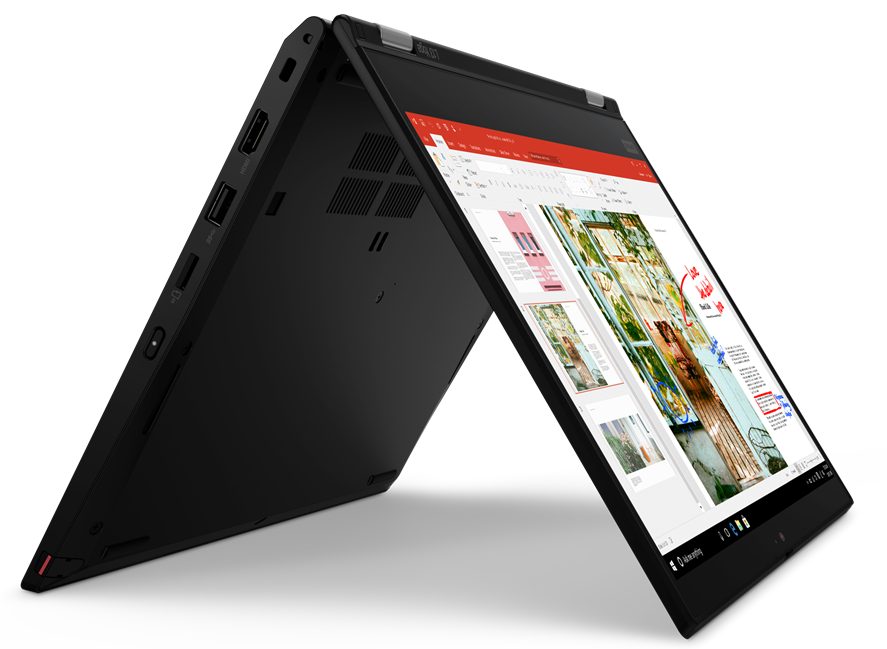
Guys, today we have a very special product from Lenovo. It is a neat combination of a business device and an artist's tool. By combining the security expertise of the ThinkPad family, and the versatility of the Yoga convertibles, they have created the ThinkPad L13 Yoga.It is a laptop that is aimed at both the business environment, and at people that need to sketch a project on the go. At your disposal, you have a 13.3-inch Full HD IPS panel and a ThinkPad Pen Pro, which has its own slot inside the chassis.Additionally, Lenovo relies on Intel's Comet Lake U series, which delivers processors like the Core i7-10510U (and a couple of vPro models, as well). It's petty that they don't offer the device with AMD's superior architecture, or at least with the Ice Lake CPU's of Intel.Nev[...]
Read the full review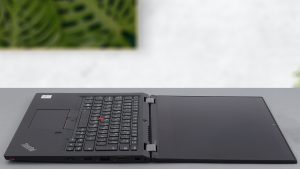
Pros
- ThinkPad Pen Pro has its home inside the chassis
- It supports Wi-Fi 6 and its keyboard is backlit, spill-resistant, and comfortable for typing
- The display doesn't flicker at any brightness level (LG LP133WF7-SPA1)
- Has a good contrast ratio and comfortable viewing angles (LG LP133WF7-SPA1)
- Covers 92% of sRGB and color accuracy is greatly improved with our Gaming and Web design profile (LG LP133WF7-SPA1)
- Very good build quality
Cons
- Memory cannot be upgraded
- Not the best cooling solution out there
- Our unit had poor uniformity of the colors of its screen (LG LP133WF7-SPA1)
Disassembly, maintenance and upgrade options
Being a ThinkPad and a Yoga, this laptop needs to mary two fundamentally different platforms.Check out all Lenovo ThinkPad L13 Yoga prices and configurations in our Specs System or read more in our In-Depth review.1. Remove the bottom plate What is separating you from this laptop's internals, are 9 Phillips-head captive screws, which are not detaching from the bottom plate, after being undone. After that, you need to remove the stylus, and then pry the panel away with a plastic tool, starting from the back.2. Battery When it comes to the battery, you get a 46Wh unit.[...]
Read more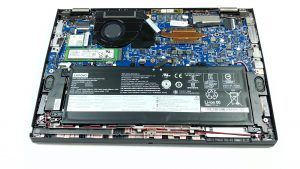


![[August 2026] Global Ranking of Best-Selling Laptop GPUs on Amazon – Apple Reigns Supreme, NVIDIA’s RTX 5060 Tops Dedicated Chart](https://laptopmedia.com/wp-content/uploads/2026/09/Best-Selling-GPUs-GLOBAL-Top-10-400x225.jpg)
![[August 2026] Global Ranking of Best-Selling Laptop CPUs on Amazon – Apple Dominates Both Budget and Premium: A18 Pro and M5 Crush Intel and AMD in August 2026](https://laptopmedia.com/wp-content/uploads/2026/09/Best-Selling-CPUs-GLOBAL-Top-10-400x225.jpg)
![[August 2026] Amazon Global: Top 10 Best-Selling Laptops – Apple MacBook Neo Dominates the Charts as Budget and Mid-Range Windows Portables Fight for Volume](https://laptopmedia.com/wp-content/uploads/2026/09/Best-Selling-Laptops-GLOBAL-Top-10-400x225.jpg)
![[August 2026] Best-Selling Laptop Brands on Amazon Global – Apple Dominates Revenue While HP Leads in Model Variety](https://laptopmedia.com/wp-content/uploads/2026/09/GLOBAL-Best-Brands-400x225.jpg)
![[August 2026] Amazon Global: Top 10 Best-Selling Gaming Laptops – HP Victus 15 Captures the Crown as Budget-Friendly Models Dominate the Charts](https://laptopmedia.com/wp-content/uploads/2026/09/Best-Selling-Gaming-Laptops-GLOBAL-Top-10-400x225.jpg)
