MSI E13 Summit Flip
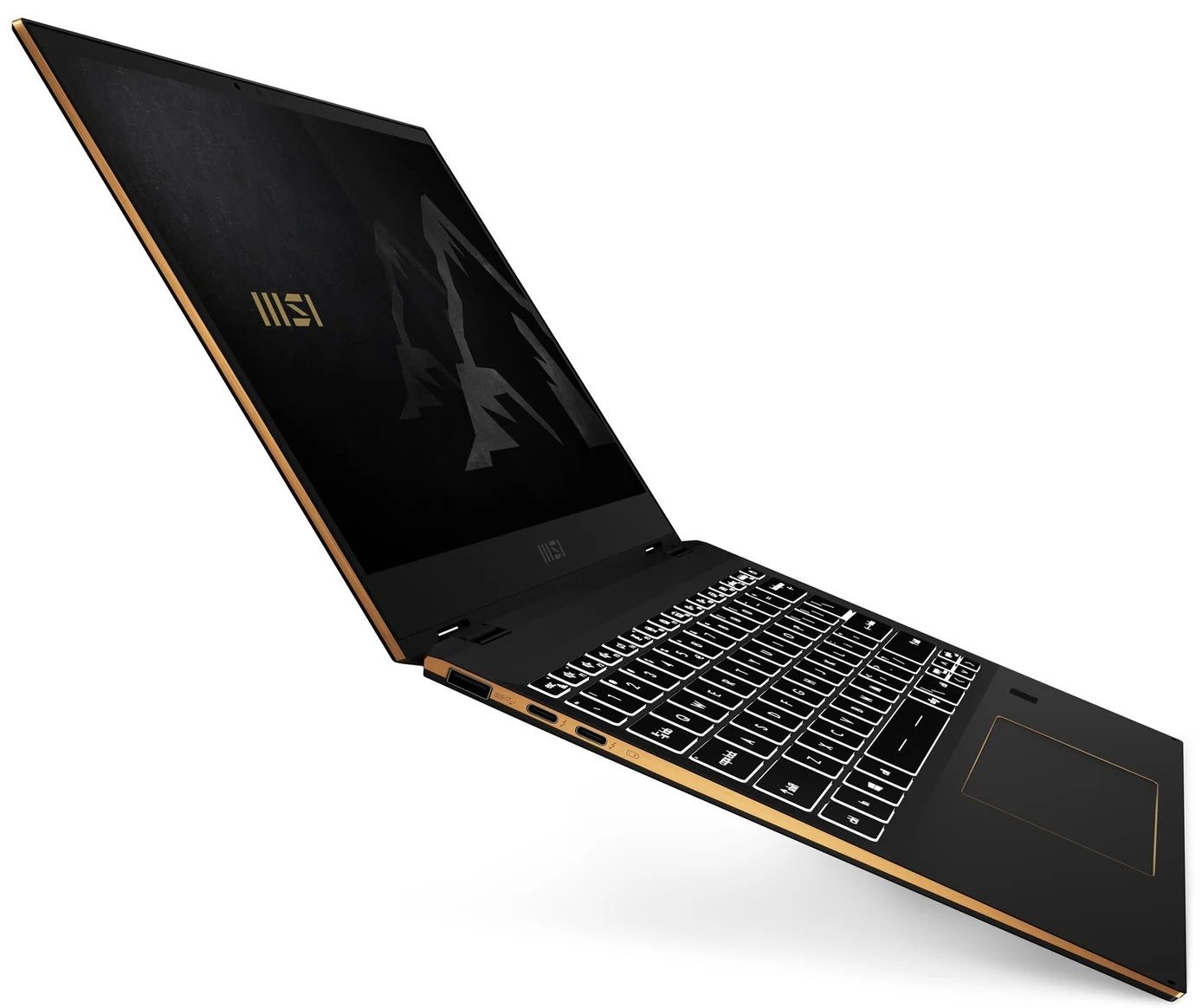

- Date Published: 22 Mar 2021
- Intel Core i7-1185G7
- Intel Iris Xe Graphics G7 (96EU)
- 13.4”, FHD+ (1920 x 1200), IPS
- 512GB SSD
- 16GB LPDDR4x, 4266 MHz
- 1.35 kg (3 lbs)
Review
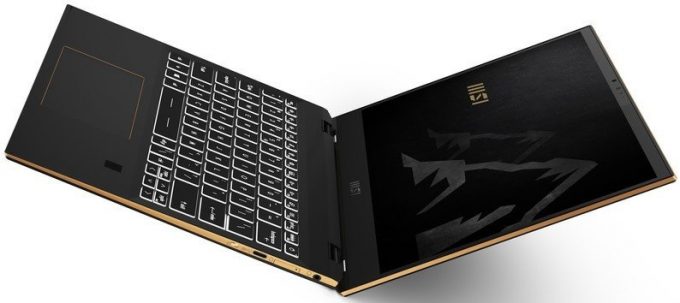
MSI E13 Summit Flip in-depth review
As with the 15-inch device from this series that we've reviewed recently, the Summit E13 Flip Evo aims to provide a balance between aesthetics and performance. Ultimately, this 13-incher is MSI's best effort to battle the Dell XPS 13 9310 2-in-1.From what we saw, beating the XPS 13 in its own game won't be that difficult of a task, but there is a lot of room for the Summit to fail. On the other hand, it matches its display with a 13.4-inch size, 16:10 aspect ratio, a Full HD+ resolution.Additionally, this is one of the first notebooks to confirm the use of the newly announced Core i5-1155G7, and Core i7-1195G7. However, we were only able to snatch a unit with the "older" Core i5-1135G7 processor.So, let's see if MSI's 13-inch convertible will be able to become a viable XPS 13 [...]
Read the full review
Pros
- Premium build quality and materials
- Covers 99% of sRGB colors (Sharp LQ134N1JW53)
- Very high color accuracy when Gaming and Web design profile is installed (Sharp LQ134N1JW53)
- Great battery
- Fingerprint reader and IR face recognition systems
- Top-notch performance
- 2x Thunderbolt 4, 1x USB Type-A 3.2 (Gen. 1), 1x USB Type-C, 1x MicroSD card reader
Cons
- Memory is soldered to the motherboard
- High internal and external temperatures under extreme workload
Disassembly, maintenance and upgrade options
This 13-incher proved to be one of the most versatile convertibles on the market. Plus, it comes with a beefy battery and a humongous amount of performance.Check out all MSI Summit E13 Flip Evo prices and configurations in our Specs System or read more in our In-Depth review.1. Remove the bottom plate To take this notebook apart, you need to remove its bottom panel. You can do that by undoing four Phillips-head screws, two of which are hidden beneath the rear rubber feet. Then, pry the panel with a plastic tool.2. Battery Here, the battery has a capacity of 70Wh.3. [...]
Read more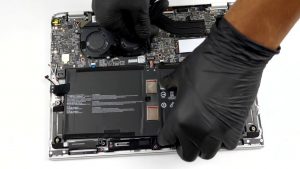
DISPLAY: 13.4-inch, 1920 x 1200, IPS
- Name
- Sharp LQ134N1JW53 (SHP1521)
- Diagonal
- 13.4"
- Pixel density
- 168.97 ppi
- Brightness
- 516 cd/m2
- sRGB
- 99%
- Panel Type
- IPS
- Resolution
- 1920 x 1200
- Becomes "Retina" from
- 20 inches (52 cm)
- Contrast
- 1470:1
- dE Color Checker
- 2.7 0.8

Buy our profiles for Sharp LQ134N1JW53 (SHP1521)
In addition to receiving efficient and health-friendly profiles, by buying LaptopMedia's products you also support the development of our labs, where we test devices in order to produce the most objective reviews possible.

Office Work
Office Work should be used mostly by users who spend most of the time looking at pieces of text, tables or just surfing. This profile aims to deliver better distinctness and clarity by keeping a flat gamma curve (2.20), native color temperature and perceptually accurate colors.

Design and Gaming
This profile is aimed at designers who work with colors professionally, and for games and movies as well. Design and Gaming takes display panels to their limits, making them as accurate as possible in the sRGB IEC61966-2-1 standard for Web and HDTV, at white point D65.

Health-Guard
Health-Guard eliminates the harmful Pulse-Width Modulation (PWM) and reduces the negative Blue Light which affects our eyes and body. Since it’s custom tailored for every panel, it manages to keep the colors perceptually accurate. Health-Guard simulates paper so the pressure on the eyes is greatly reduced.



![[June 2026] Best-Selling Laptop Brands on Amazon Global – Apple’s Unrivaled Dominance in Units and Revenue](https://laptopmedia.com/wp-content/uploads/2026/07/GLOBAL-Best-Brands-400x225.jpg)
![[June 2026] Amazon Global: Top 10 Best-Selling Laptops – Apple’s New MacBook Neo Storms to #1, Reshaping the Market with Affordability](https://laptopmedia.com/wp-content/uploads/2026/07/Best-Selling-Laptops-GLOBAL-Top-10-400x225.jpg)
![[June 2026] Amazon Global: Top 10 Best-Selling Gaming Laptops – Acer’s Nitro V 16S AI Dominates Sales, While ASUS Leads Overall Revenue](https://laptopmedia.com/wp-content/uploads/2026/07/Best-Selling-Gaming-Laptops-GLOBAL-Top-10-400x225.jpg)
![[June 2026] Global Ranking of Best-Selling Laptop GPUs on Amazon – NVIDIA RTX 5060 is the Top-Selling Dedicated GPU](https://laptopmedia.com/wp-content/uploads/2026/07/Best-Selling-GPUs-GLOBAL-Top-10-400x225.jpg)
![[June 2026] Global Ranking of Best-Selling Laptop CPUs on Amazon – Apple M5 Dominates, AMD Ryzen 7 260 Gets Solid Premium Share](https://laptopmedia.com/wp-content/uploads/2026/07/Best-Selling-CPUs-GLOBAL-Top-10-400x225.jpg)