MSI Titan 18 HX A2XW Review – How Much Power Do You Want? Yes.
When a laptop lands on our test bench with a staggering €6500 price tag (likely the most expensive we’ve ever ordered), expectations aren’t just high; they’re astronomical. On paper, the MSI Titan 18 HX A2XW promises the absolute maximum: the most powerful mobile CPU ever created, the most powerful GPU on the market, and a feature set that reads like an enthusiast’s dream. This isn’t just a laptop; it’s a no-compromise desktop replacement, a true monolith of engineering.
But does throwing the best of everything into a chassis, no matter how immense, result in a flawless experience? Or does the weight of such extreme ambition reveal equally extreme flaws? We pushed this titan to its limits to find out if it’s truly worth its colossal price.
You can check the prices and configurations in our Specs System: https://laptopmedia.com/series/msi-titan-18-hx-ai-a2xwx/
Contents
- Specs, Drivers, What’s in the box
- Design and construction
- Display and Sound Quality, Display Profiles
- Get our profiles
- Work Performance: CPU, Storage, AI
- GPU and Gaming Performance
- [eBook Guide + Tools] How to MAX OUT Your Laptop
- Temperatures and Comfort, Noise, Stability
- Battery Life
- Disassembly, Upgrade options, and Maintenance
- Verdict
Specs, Drivers, What’s in the box
MSI Titan 18 HX AI (A2XWx) - Specs
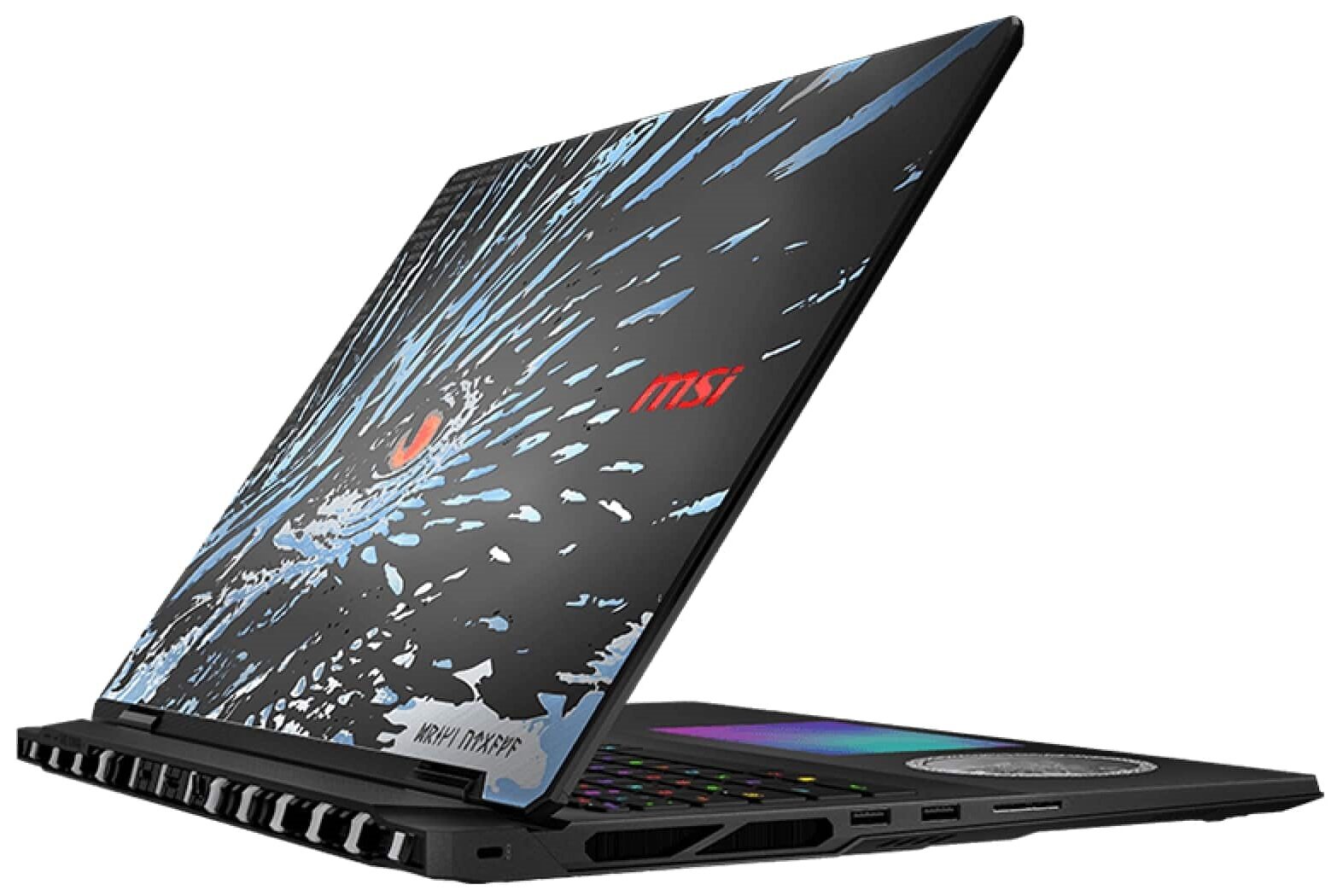
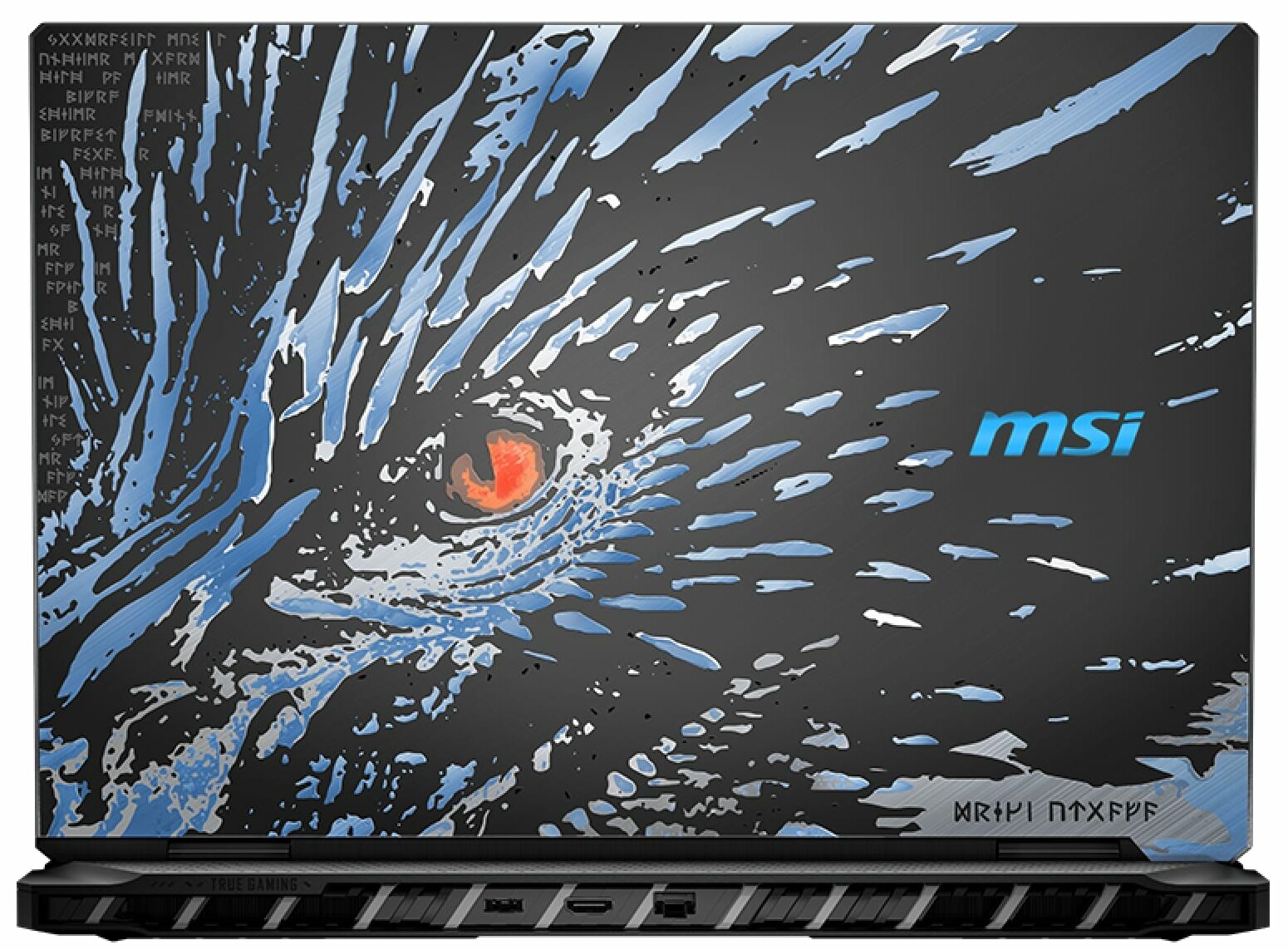
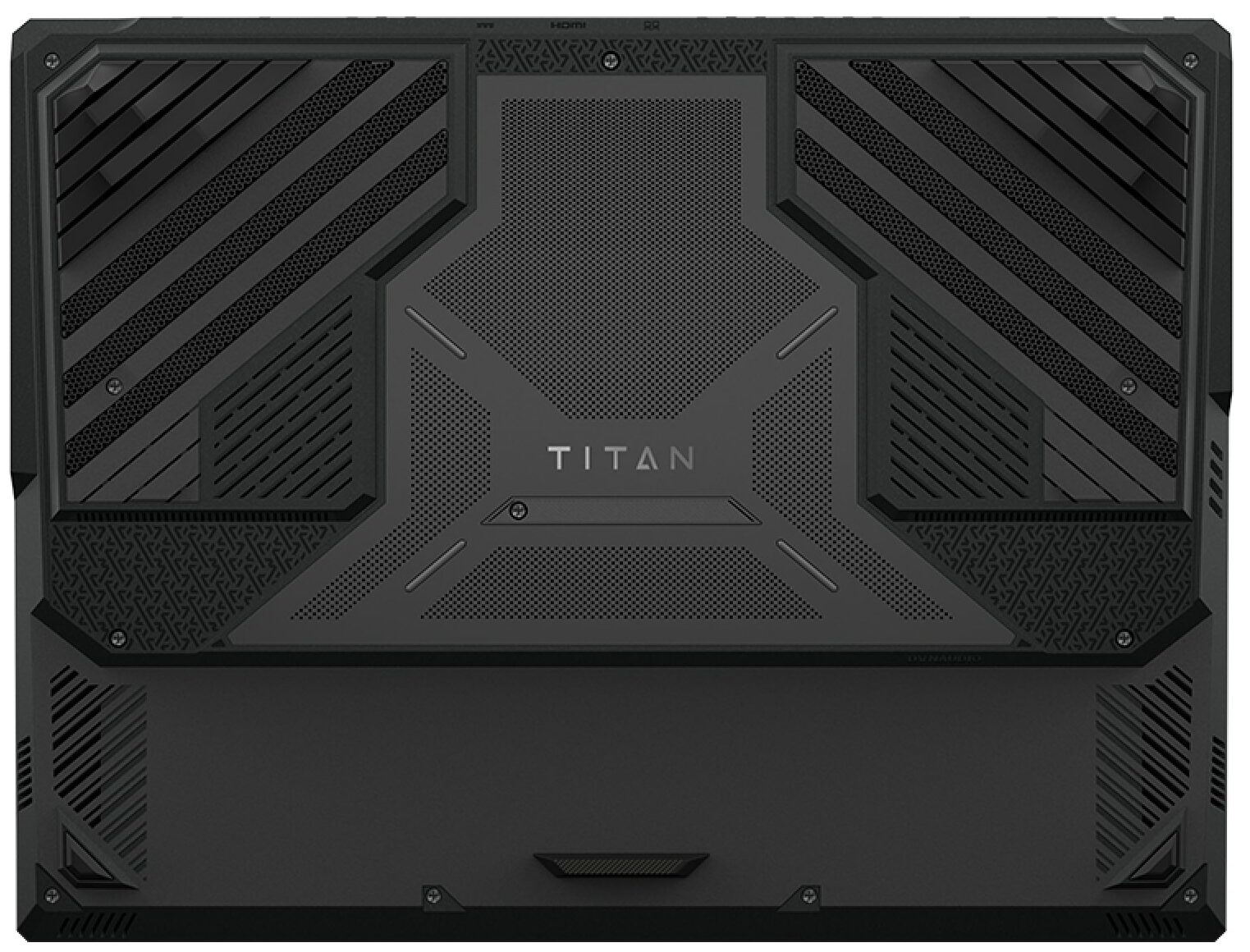

- HDD/SSD
- up to 18000GB SSD
- M.2 Slot
- 3x 2280 M.2 NVMe PCIe 4.0 x4 + 1x 2280 M.2 NVMe PCIe 5.0 x4 See photo
- RAM
- up to 96GB
- OS
- Windows 11 Pro, Windows 11 Home
- Battery
- 99.9Wh
- Dimensions
- 404 x 307.5 x 24 - 32.05 mm (15.91" x 12.11" x 0.94")
- Weight
- 3.60 kg (7.9 lbs)
- Ports and connectivity
- 3x USB Type-A
- 3.2 Gen 2 (10 Gbps)
- 2x USB Type-C
- 4.0, Thunderbolt 5, Power Delivery (PD), DisplayPort
- HDMI
- 2.1
- Card reader
- SD (SD, SDHC, SDXC)
- Ethernet LAN
- 10, 100, 1000, 2500 Mbit/s
- Wi-Fi
- Wi-Fi 7
- Bluetooth
- 5.4
- Audio jack
- 3.5mm Combo Jack
- Features
- Fingerprint reader
- Web camera
- FHD IR with HDR, 3D Noise Reduction+ (3DNR+)
- Backlit keyboard
- Microphone
- Speakers
- 4x 2W Speakers + 2x 2W Woofers, Dynaudio system, Nahimic 3 Audio Enhance, Hi-Res Audio
- Security Lock slot
- Kensington Lock
All MSI Titan 18 HX AI (A2XWx) configurations
Drivers
All drivers and utilities for this notebook can be found here: https://www.msi.com/Laptop/Titan-18-HX-AI-A2XWX/support
What’s in the box?
Unboxing the MSI Titan 18 HX A2XW feels like a proper flagship experience, with a bundle that goes well beyond the basics.
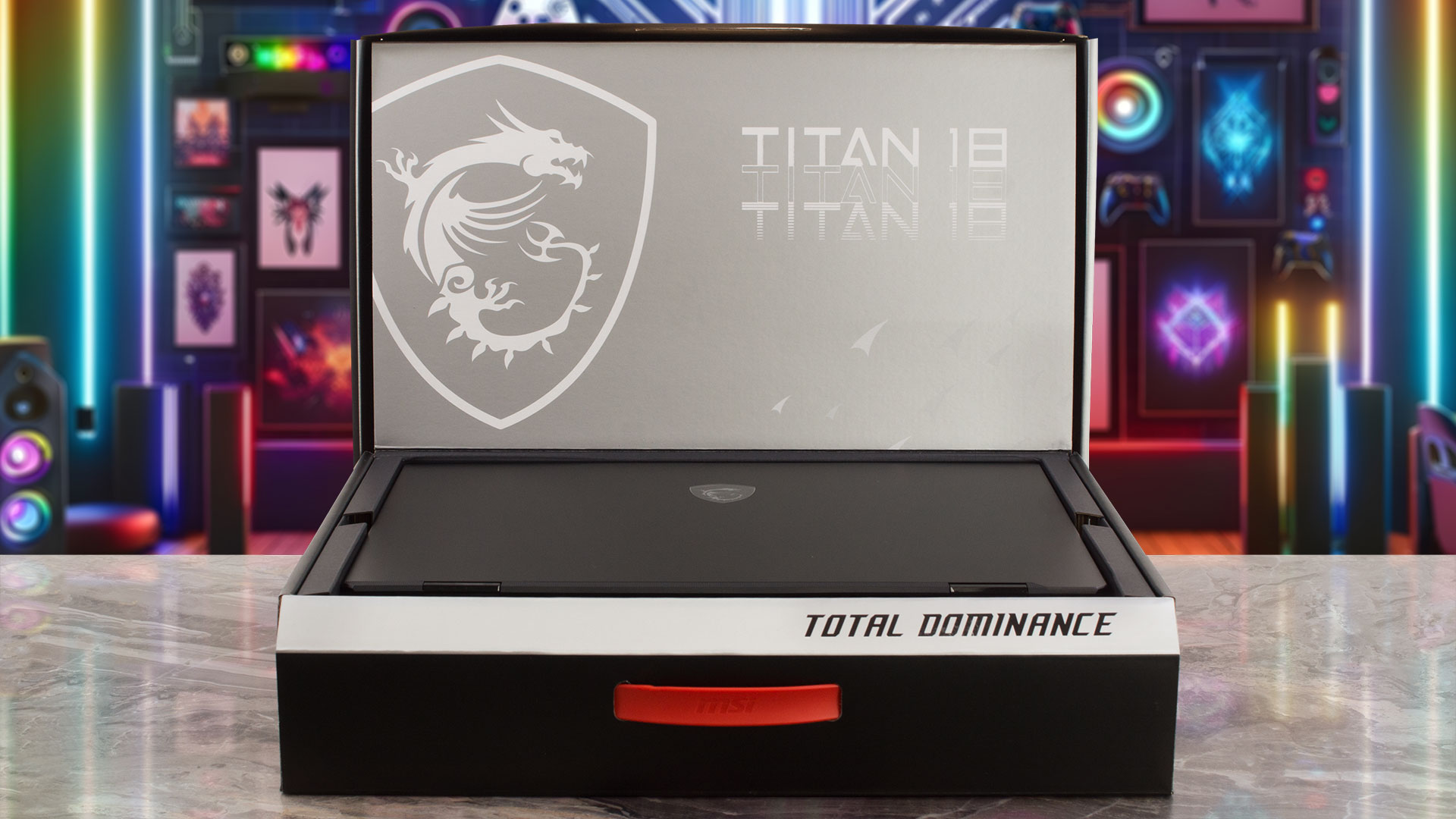
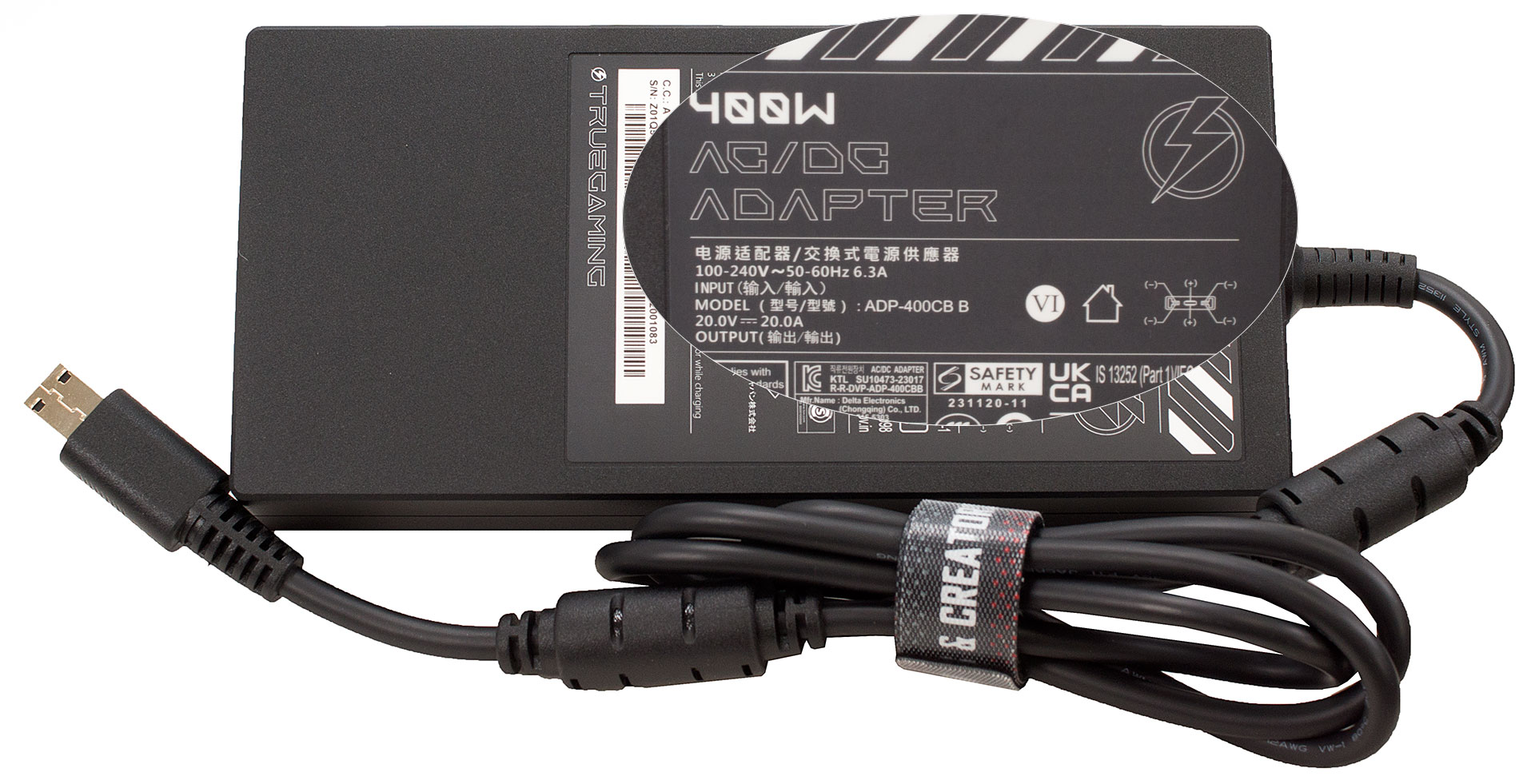
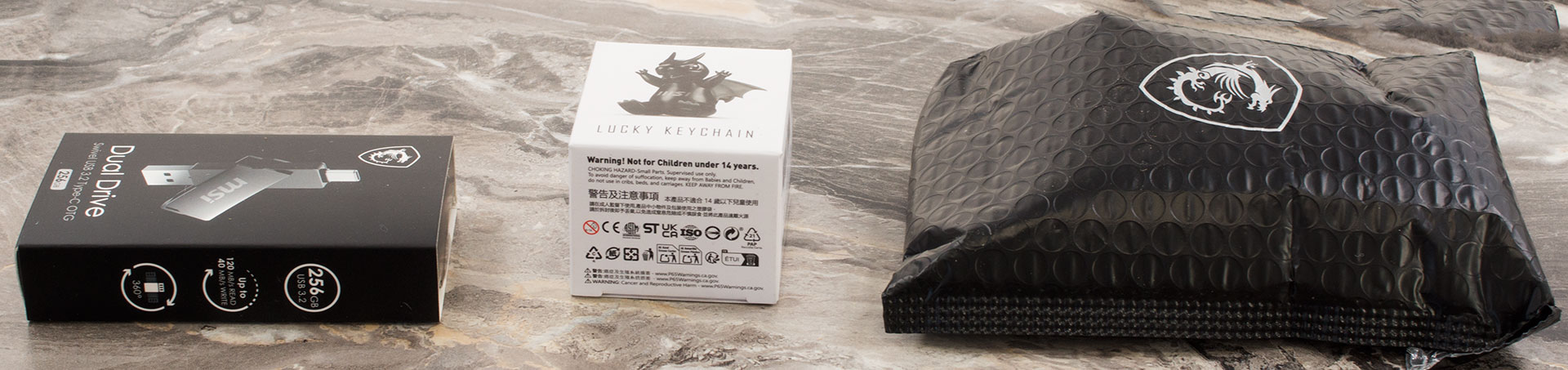
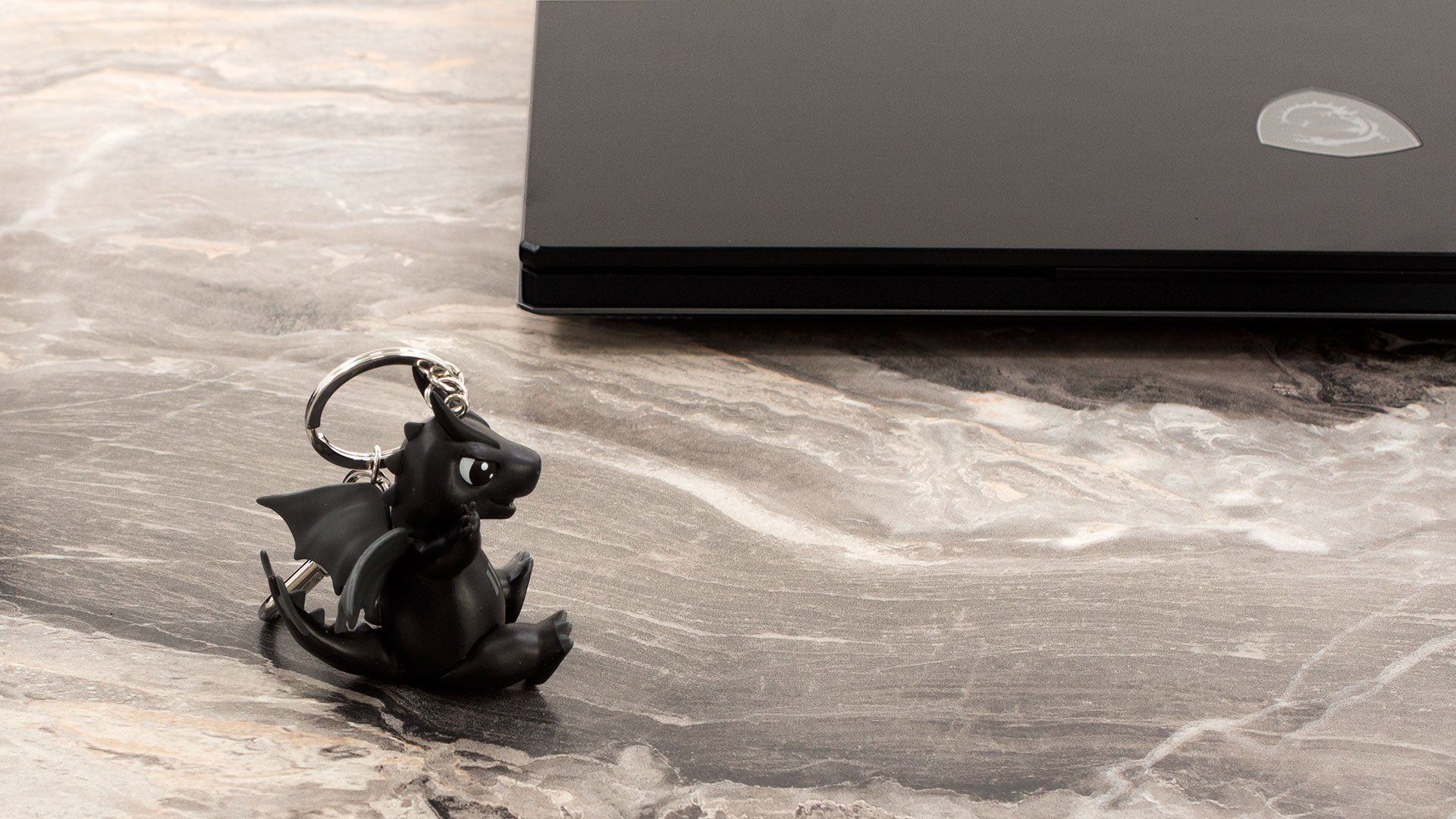
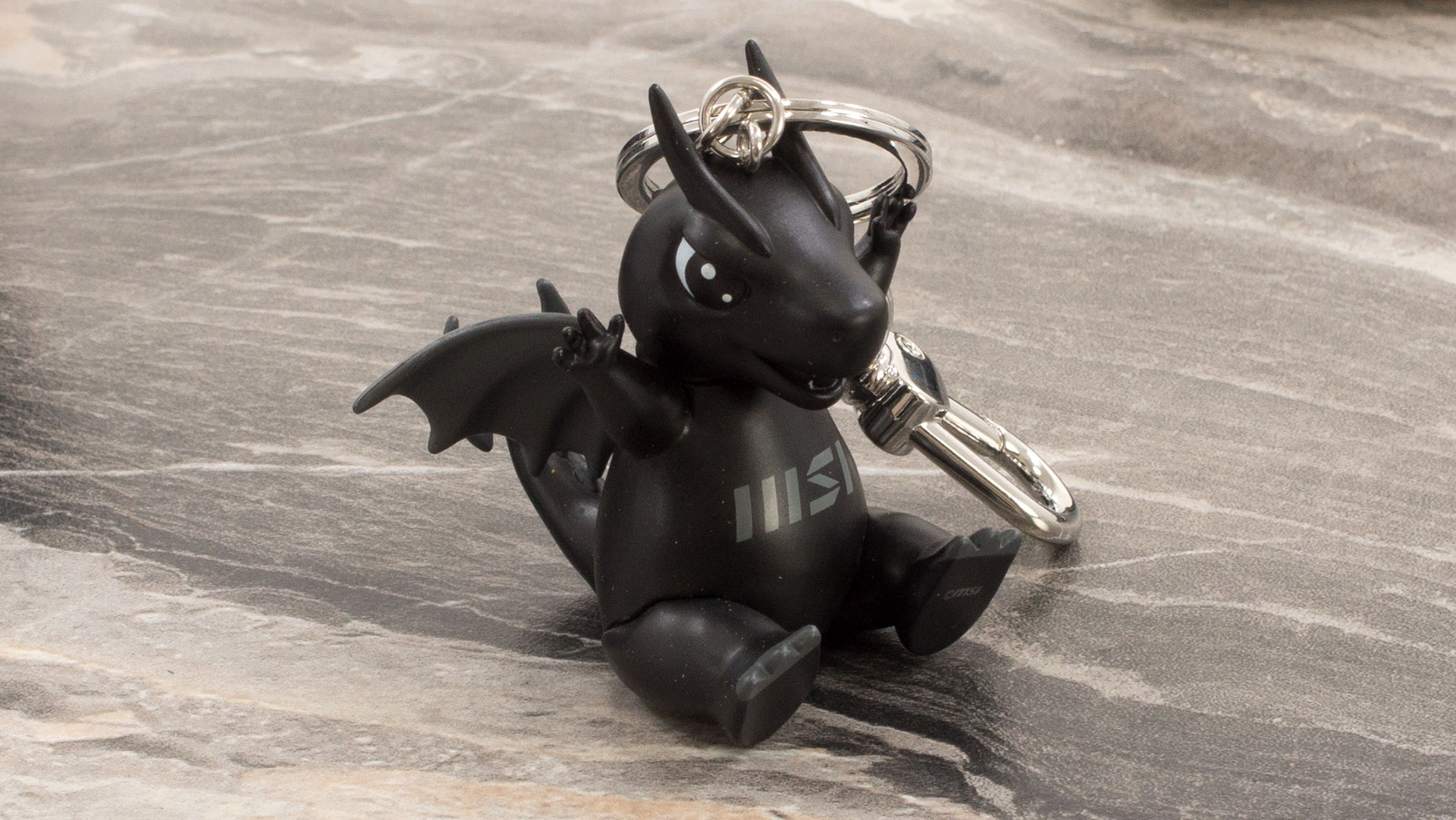
Alongside the enormous 400W power brick needed to tame this beast, we were delighted to find some excellent physical goodies: a gaming mouse, a neat keychain, and a very practical 256GB dual-connector USB drive.
The generosity even extends into the digital realm, with an included month of PC Game Pass to kickstart your gaming library right away.
Design and construction
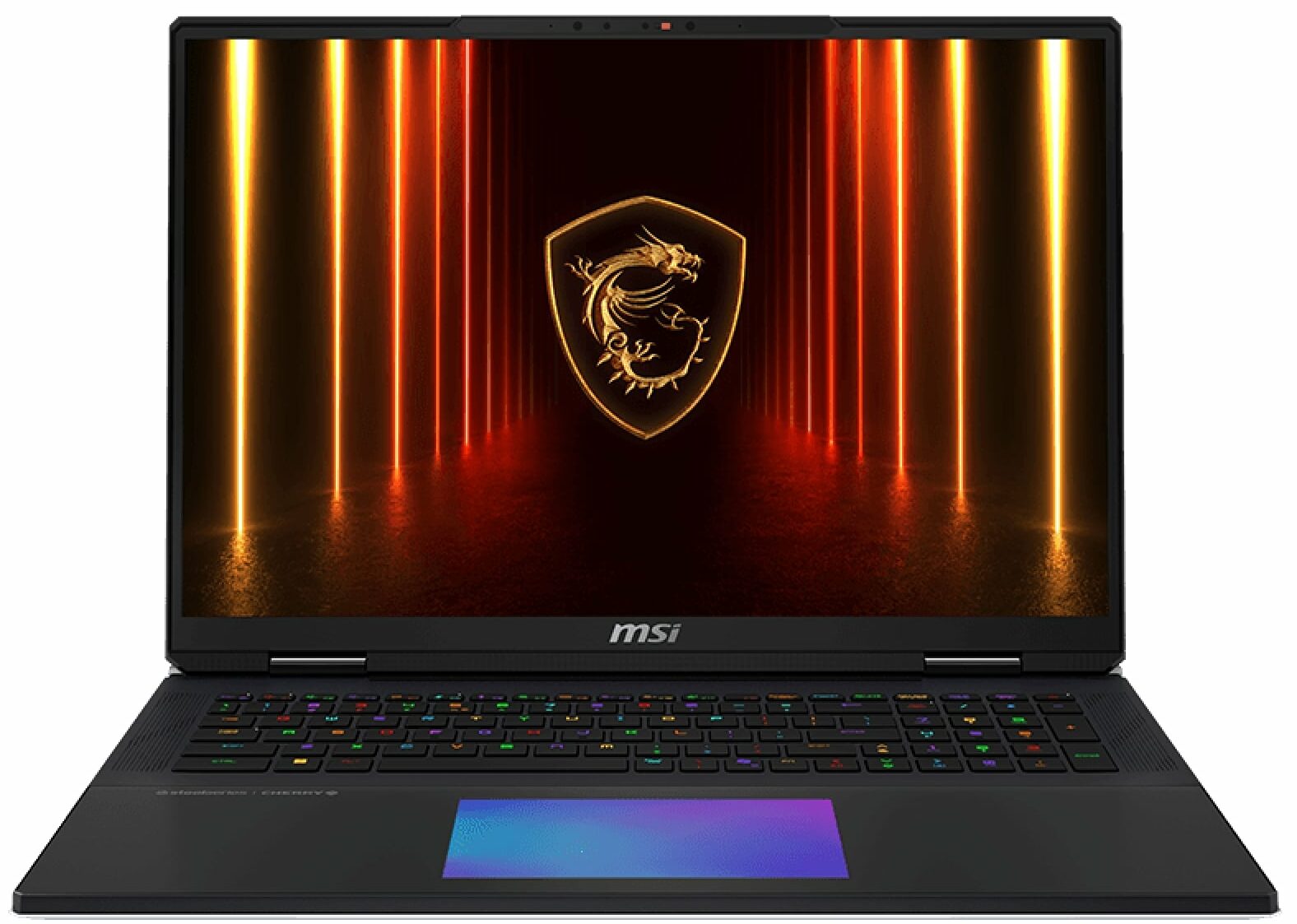
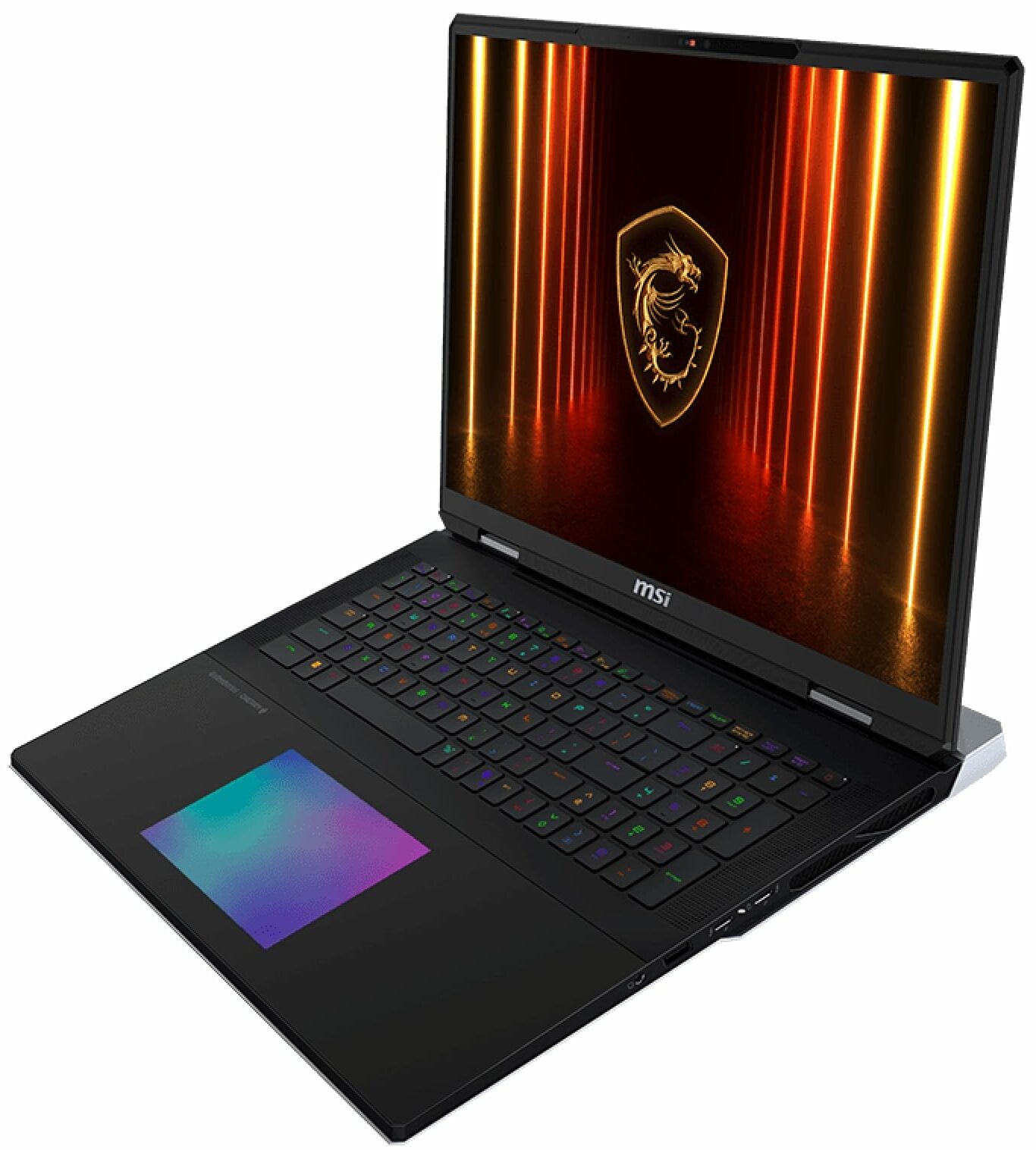
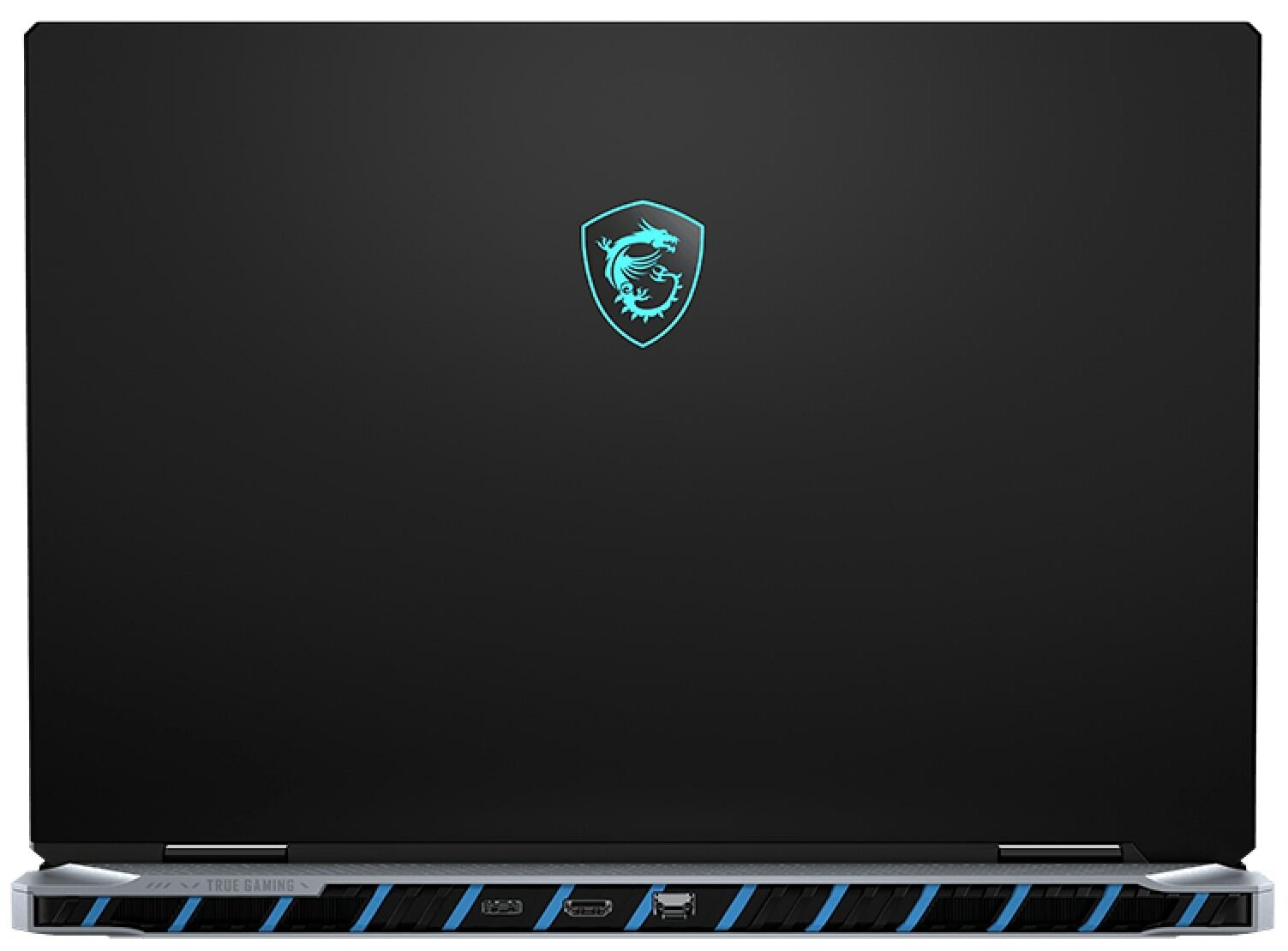
Let’s be perfectly clear about the MSI Titan 18 HX A2XW: this machine is an ABSOLUTE UNIT. It’s unapologetically massive, yet somehow, MSI has managed to imbue this behemoth with a degree of elegance without sacrificing its core gaming identity.
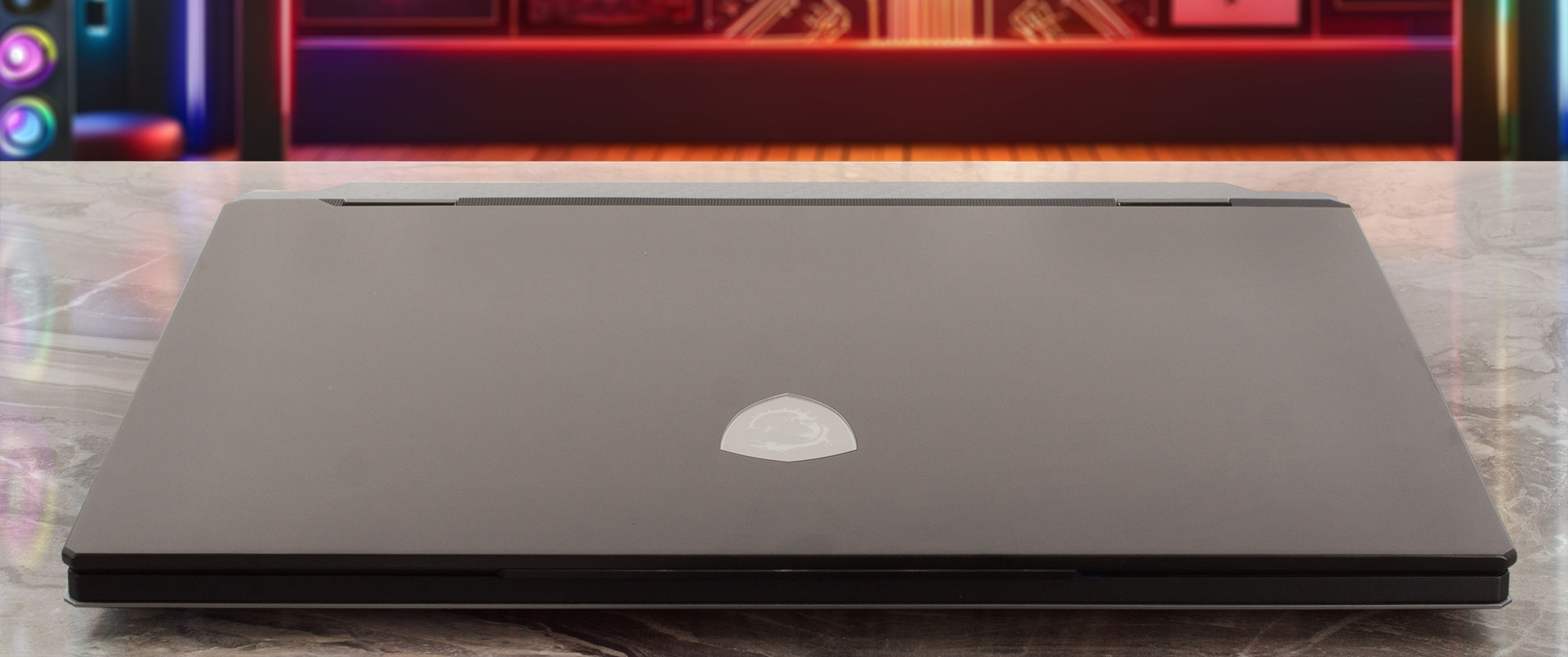
The “Core Black” finish, the only color option available, suits its powerful and premium persona perfectly.
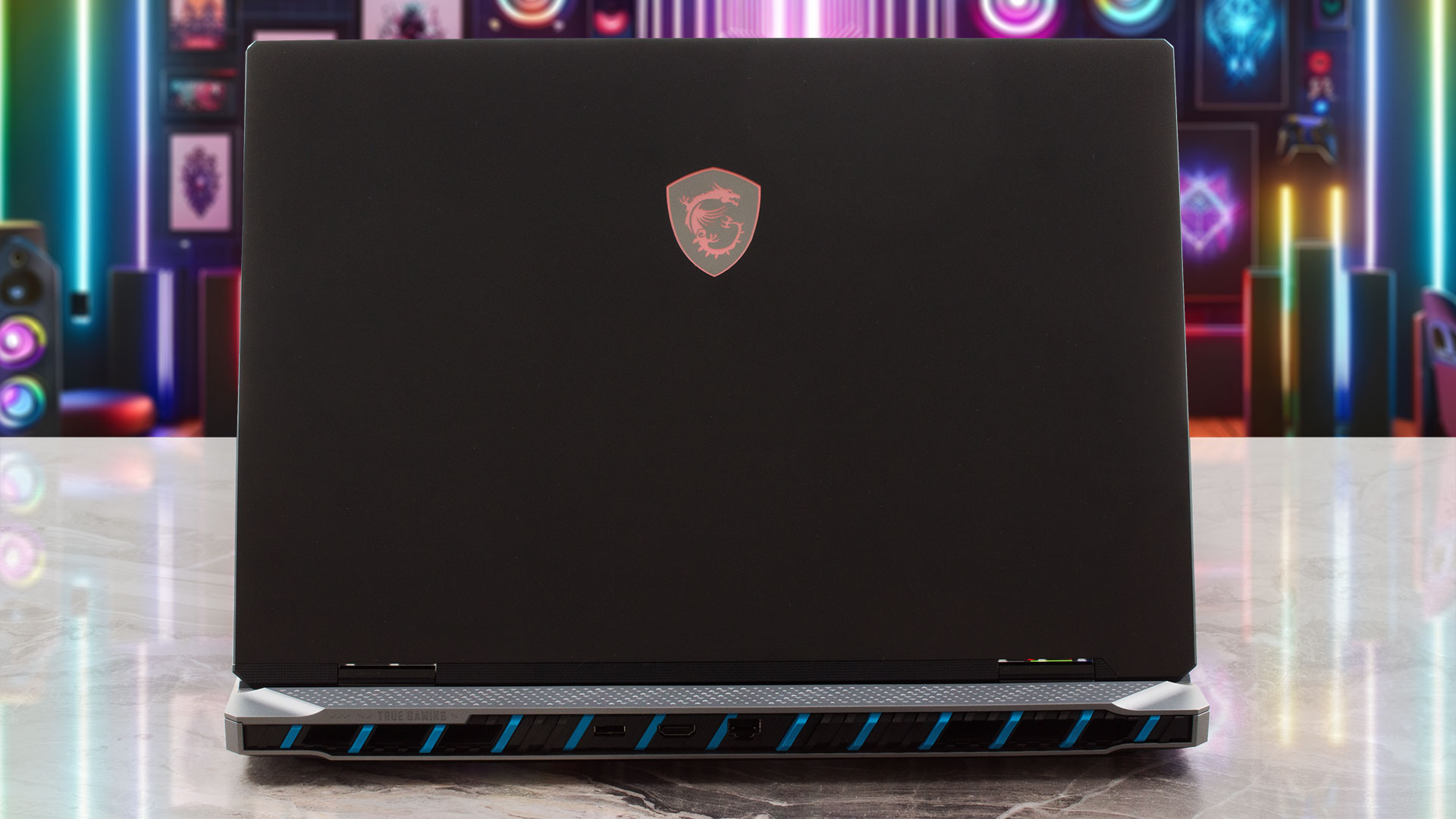
Lifting this laptop is an event in itself; at 3.6 kg (7.94 lbs) and measuring 404 x 307.5 x 24-32.05 mm, it’s one of the heaviest machines we’ve tested in recent years. But feeling that substantial weight brings a smile to your face, because you know it’s a direct consequence of the immense power packed within. The chassis is a marvel of material science, crafted from a magnesium-aluminium (Mg-Al) alloy using an advanced thixomolding process. This results in an exceptionally strong yet relatively lightweight frame with excellent thermal properties and a high-end feel. It’s built to last.
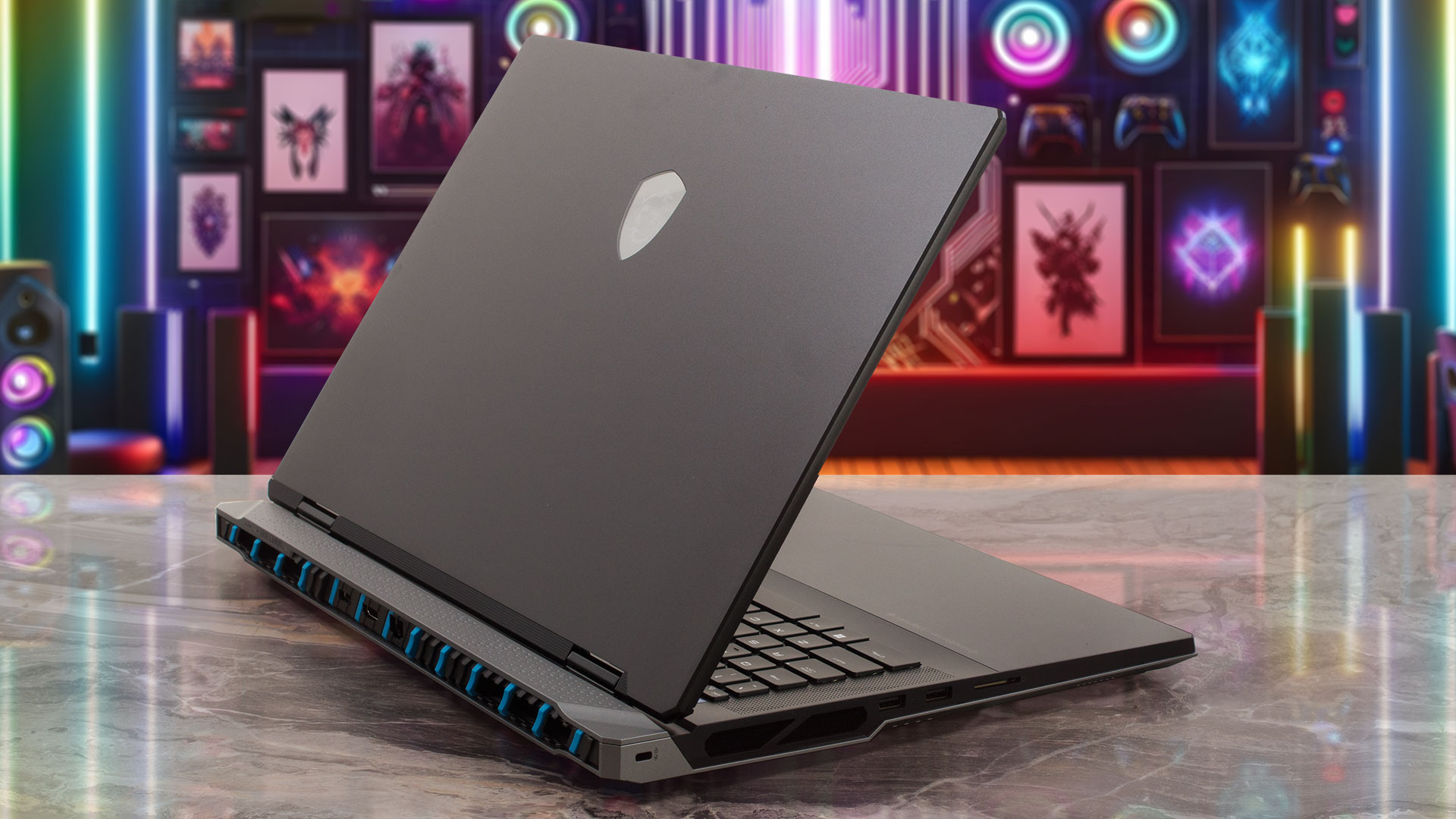
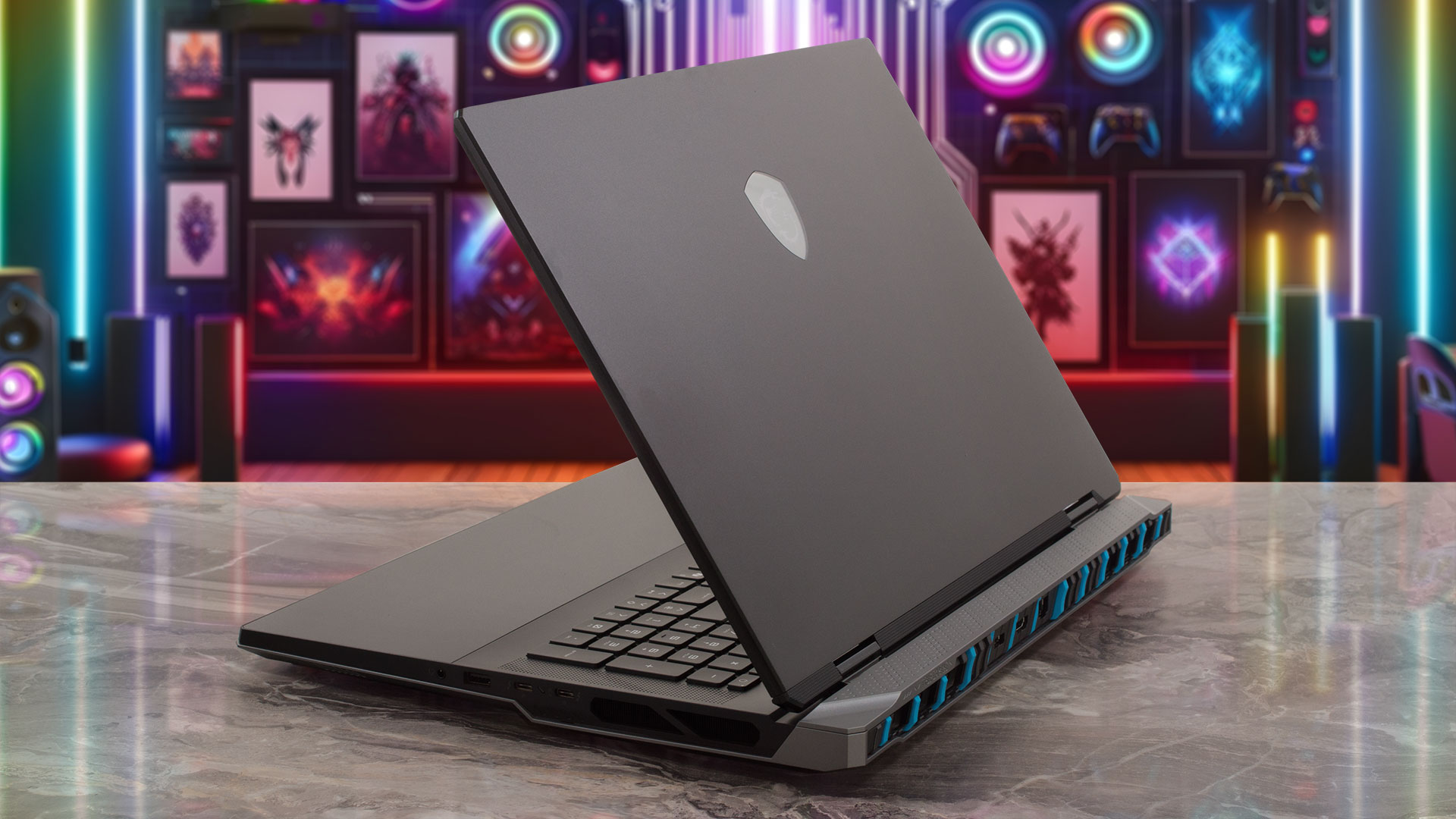
The premium construction feels incredibly robust with no flex, a testament to its high-class engineering. The lid’s surface can show some faint smudges after use, but the interior deck remains remarkably clean. Opening the lid is a smooth, one-handed affair, with hinges that are perfectly tensioned to hold the massive 18-inch display steady at any angle.
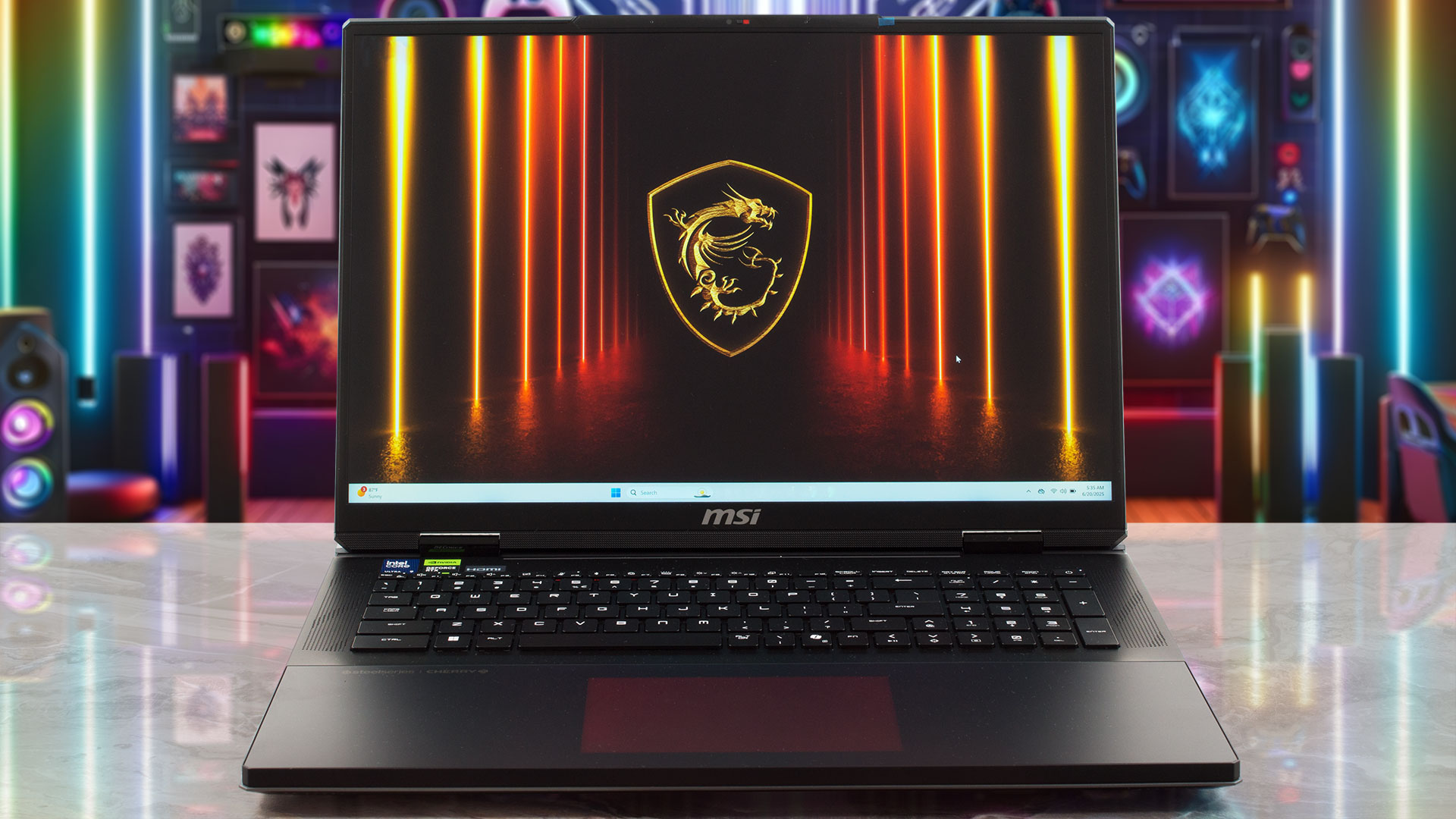
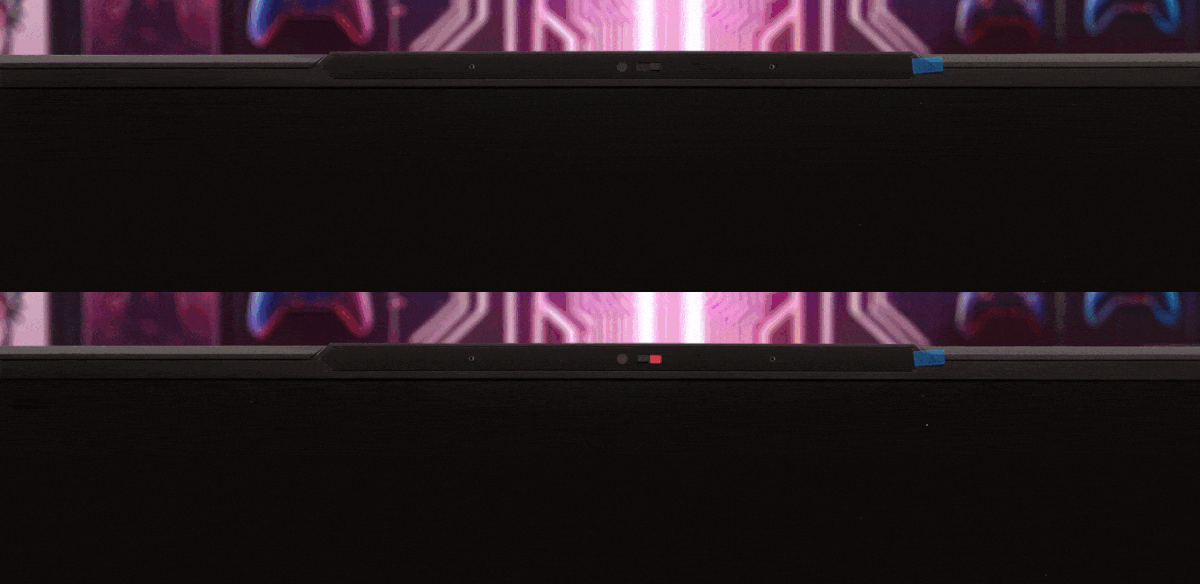
The screen opens to about 140 degrees, which is likely far more than you’ll ever need. Framing this huge display are bezels that feel quite slim in context: 7.5 mm (approximately 0.30 inches) on the sides and 10.5 mm (approximately 0.41 inches) on the top. This top bezel houses a sophisticated IR FHD camera (1080p @ 30fps) with HDR and 3D Noise Reduction+ (3DNR+), ensuring you look sharp on stream. Crucially, MSI has included a physical privacy shutter, a simple but vital feature.
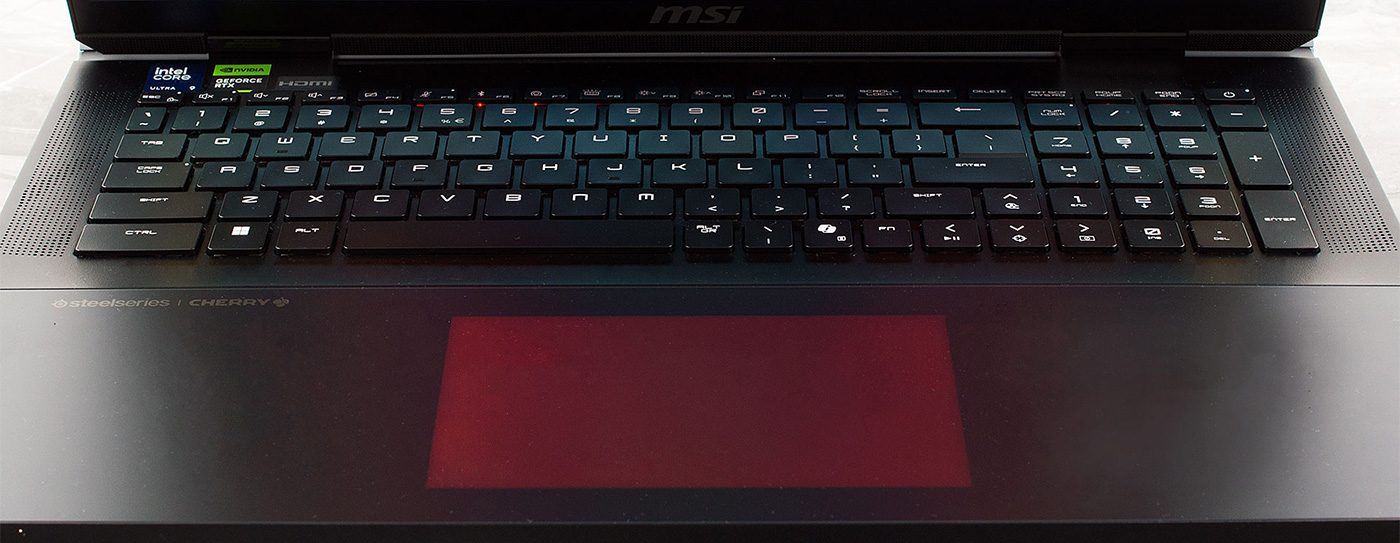
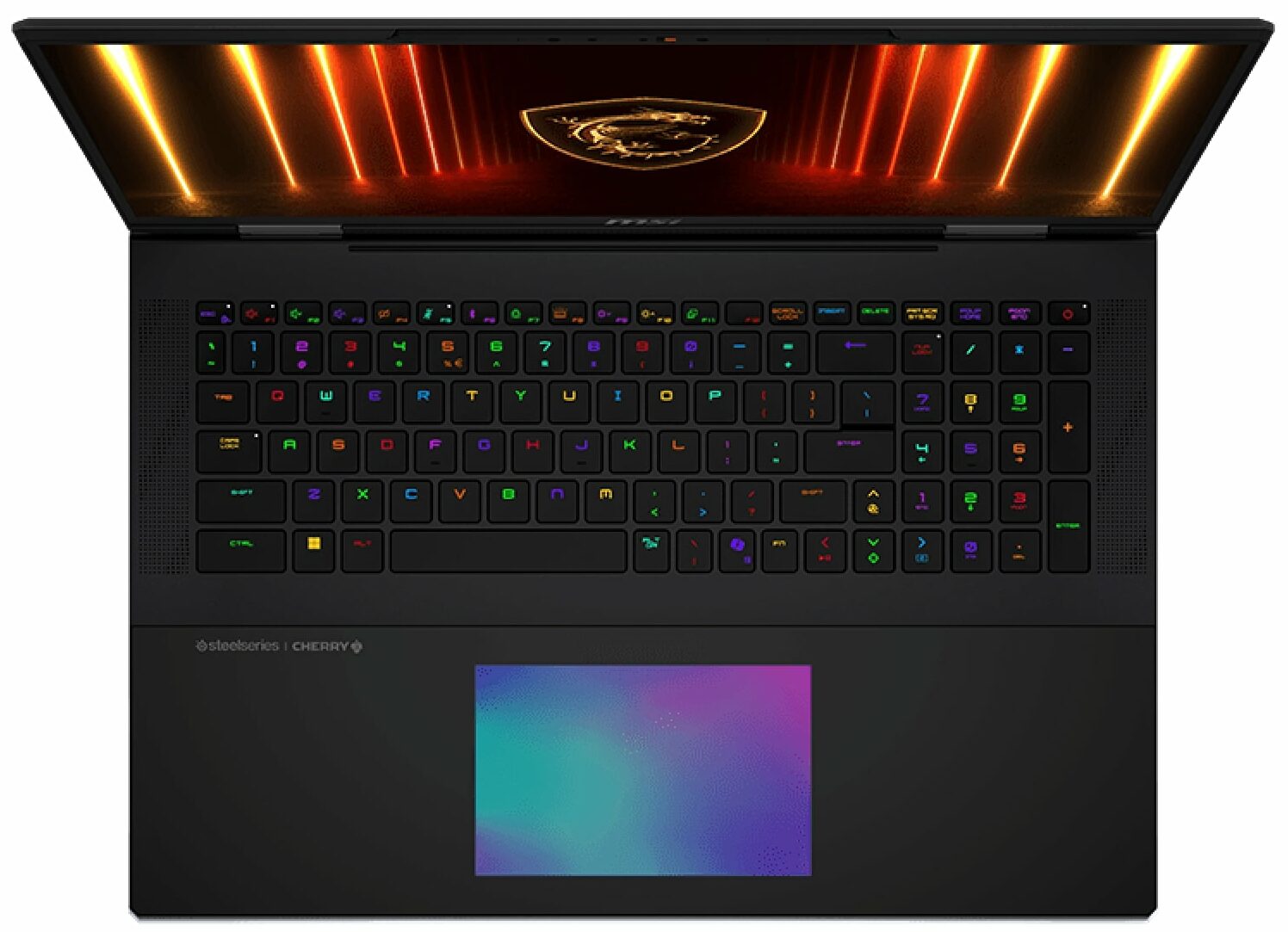
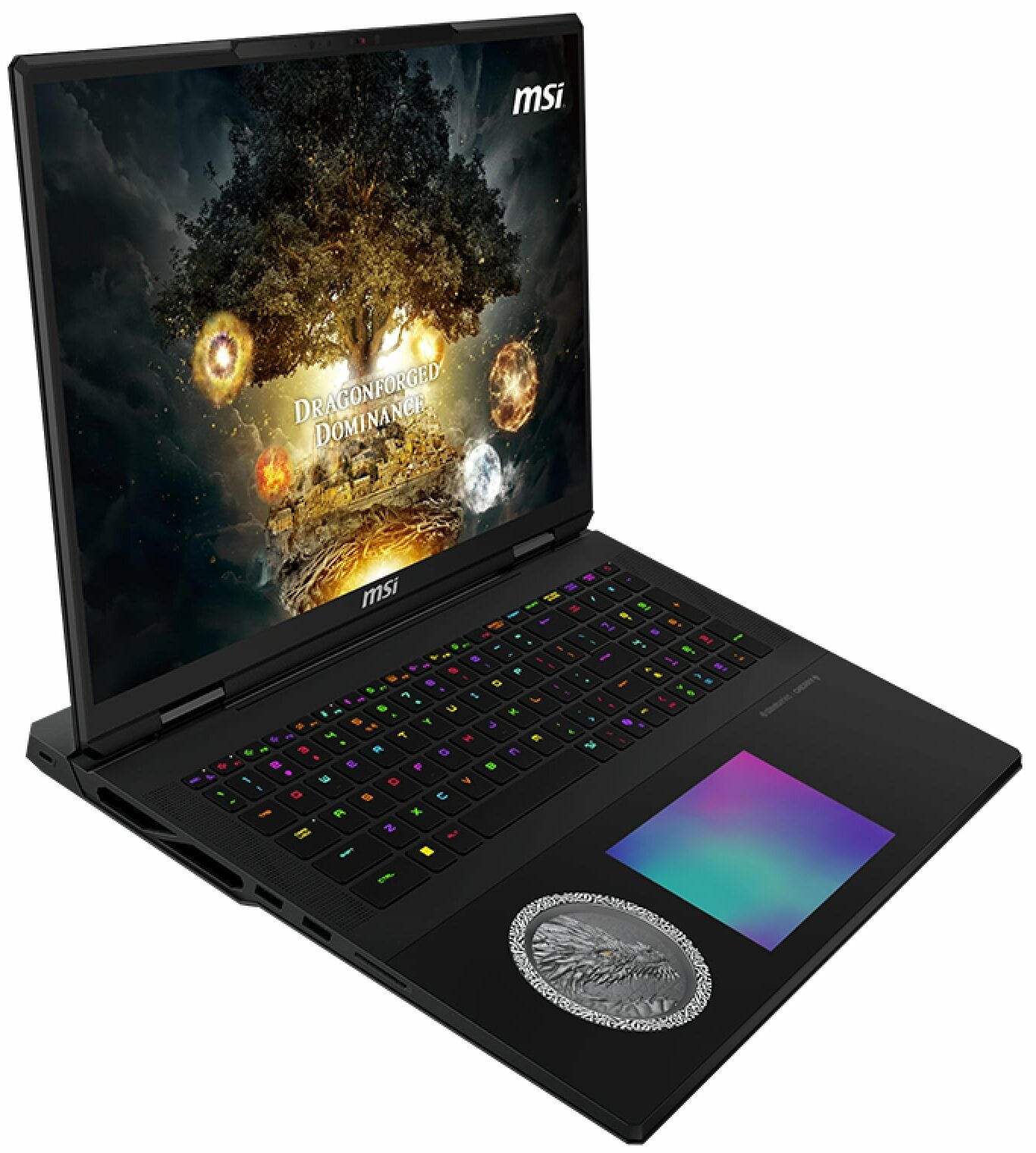
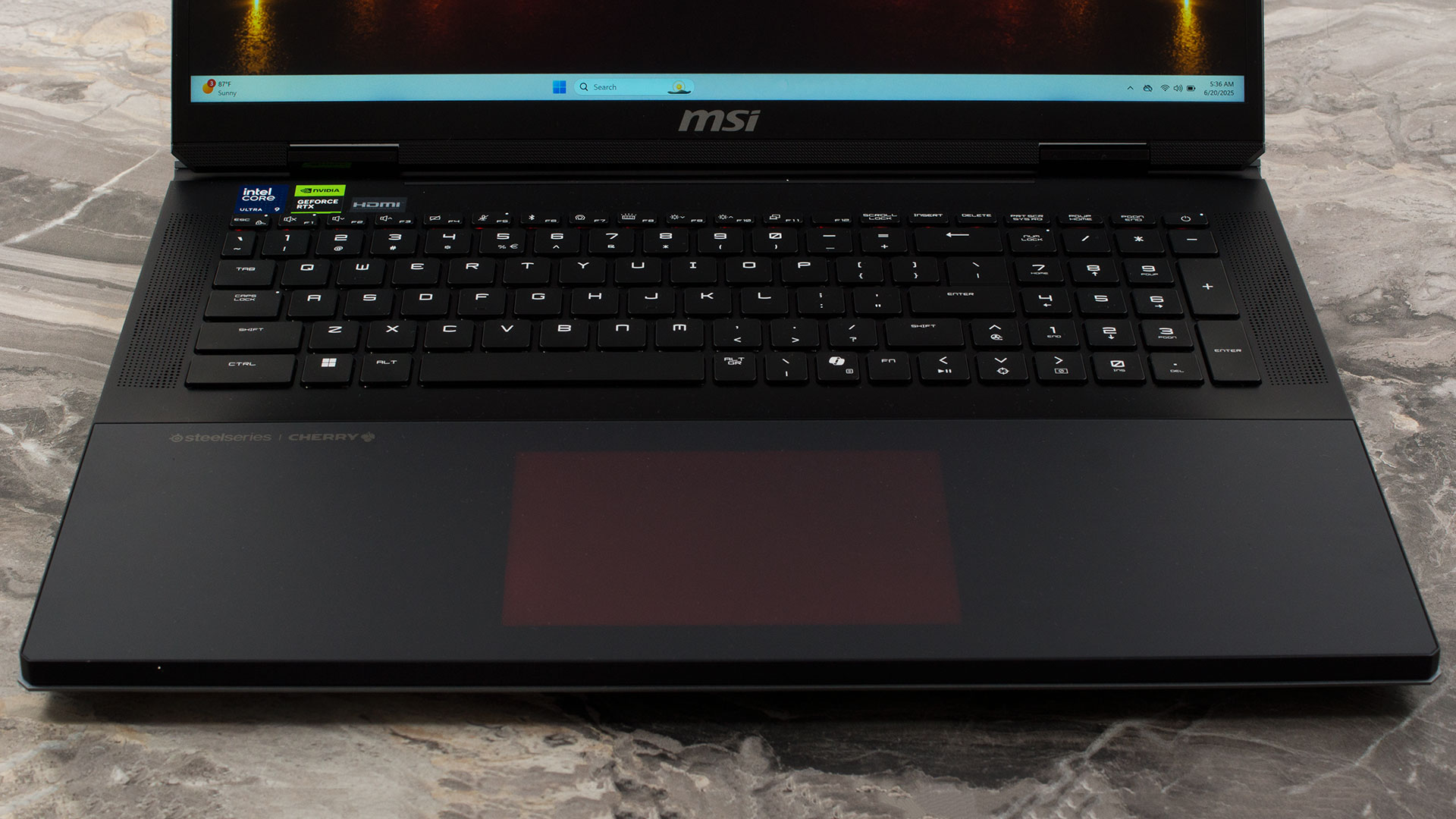
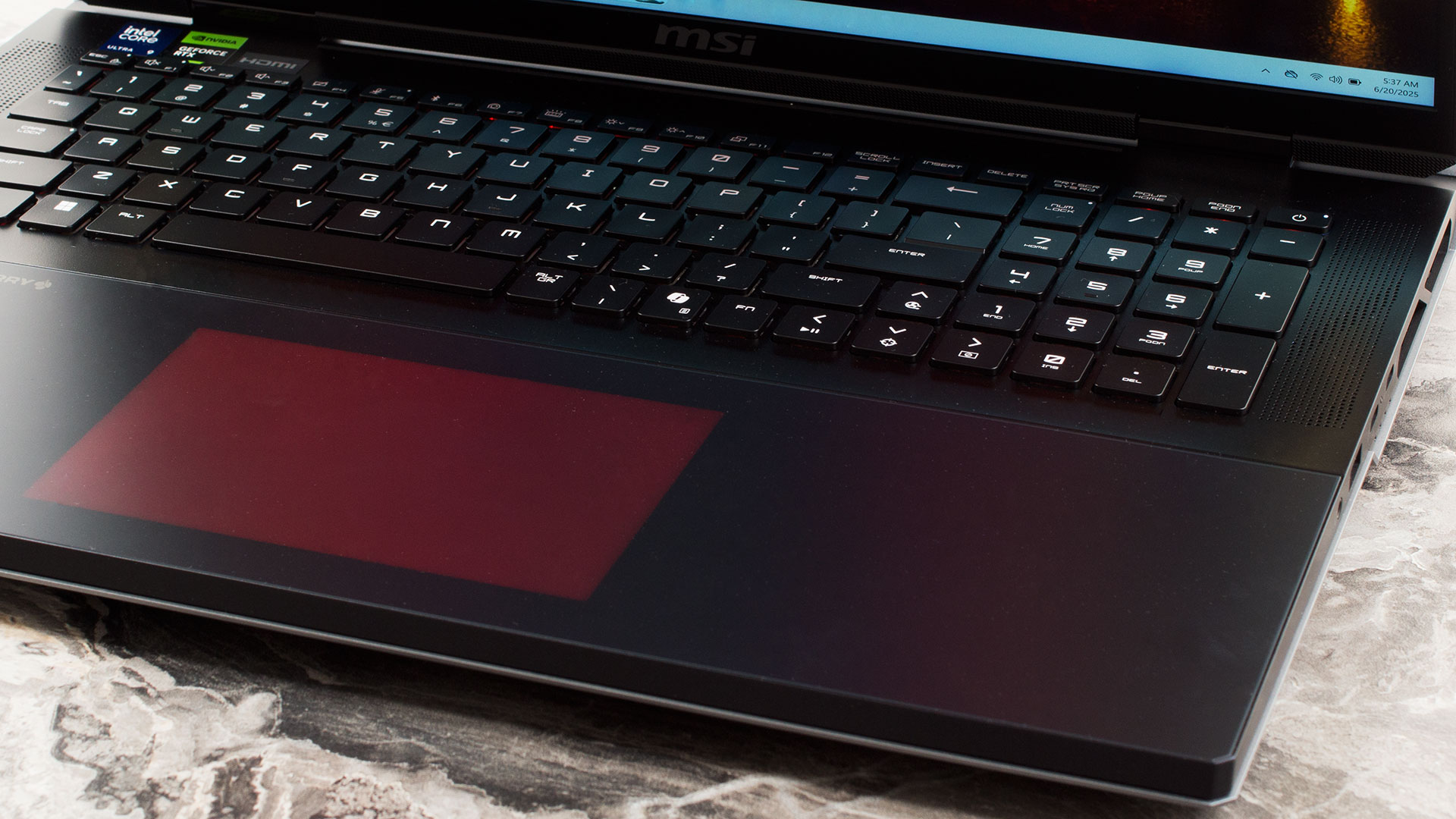
The keyboard deck is where the Titan truly flexes its muscles. It boasts a full-sized NumPad with equally full-sized keys – a genuine rarity that’s fantastic for productivity. The main keyboard, a Cherry MX Ultra Low Profile Mechanical unit by SteelSeries, is an absolute pleasure for the senses. The tactile click and satisfying sound make it perhaps the best laptop keyboard we have ever used. However, there’s a peculiar design choice to note: only the main QWERTY block features these wonderful mechanical switches. The Function row, arrow keys, and the NumPad are all membrane-based, which creates a noticeable and slightly jarring inconsistency in feel as you move your hands across the deck.
Of course, the keyboard features brilliant per-key RGB backlighting. For biometric login, there’s no fingerprint sensor, but the IR camera provides swift and secure access via Windows Hello.
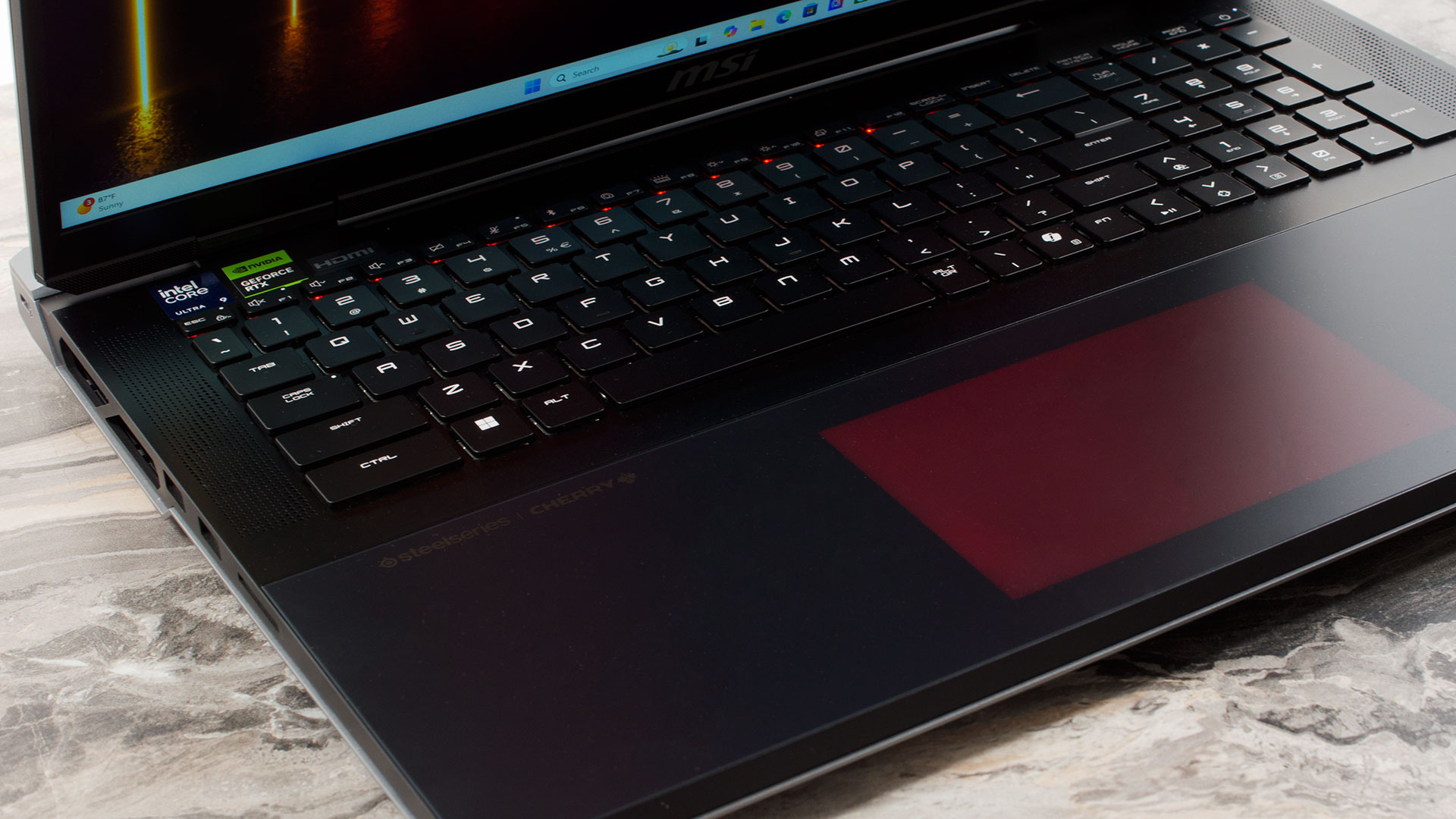
And then there’s the trackpad. It’s a design marvel that might initially perplex you. With its backlight turned off, the trackpad is completely invisible, seamlessly integrated into the palm rest. It took us a few days to build the muscle memory to use it confidently without visual cues, but once we did, the experience became second nature. We even grew to love the ultra-clean aesthetic it creates. But if you prefer to see its boundaries, MSI has a solution: simply press Fn+F8, and the entire trackpad “lights up,” revealing its RGB-illuminated perimeter, a truly stunning and unique feature.
Ports and Connectivity
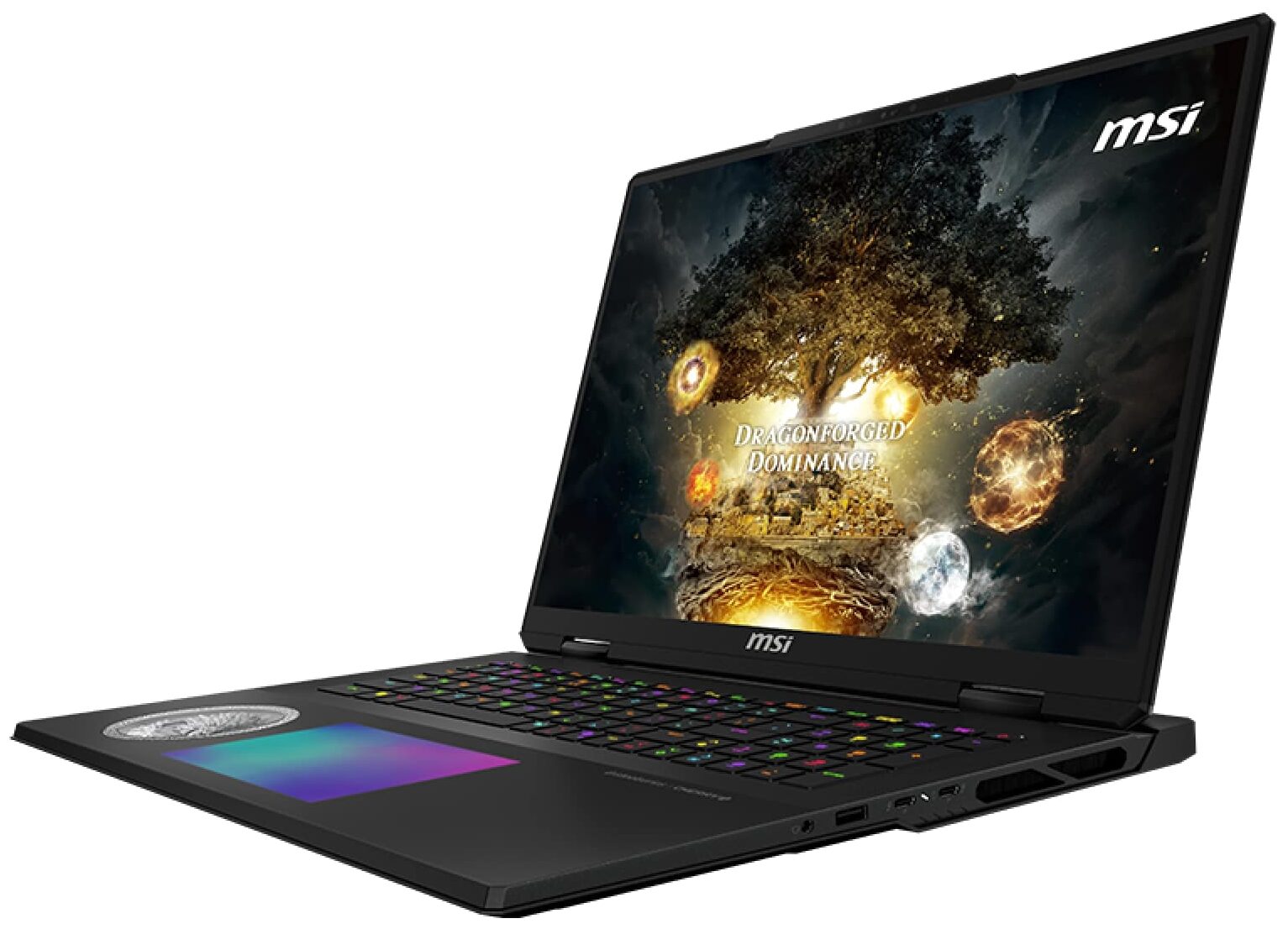
The MSI Titan 18 HX A2XW distributes its extensive port selection across three sides of the chassis.
On the left, you’ll find a high-speed USB 3.2 Gen 2 Type-A port, delivering up to 10Gbps for fast peripherals. A welcome inclusion for photographers and content creators is a full-size SD card reader, and a Kensington Lock slot is also present for physical security.

The right side houses a standard 3.5mm audio combo jack and another USB 3.2 Gen 2 Type-A port. The main feature here is the cutting-edge Thunderbolt 5 port, which supports DisplayPort for video output and Power Delivery 3.1. MSI has implemented an unusually powerful PD charging solution here, supporting up to 140W. The specifications note that this robust charging works not only when the system is off or hibernating, but also while it is running, which is a significant step up from the trickle-charging capabilities often seen on gaming laptops.

The rear of the Titan is dedicated to less-frequently accessed but essential connections. This includes the main DC-in jack for the AC adapter, which will be required for full performance. For video, there is a powerful HDMI 2.1 port, capable of driving external displays at up to 8K at 60Hz or 4K at 120Hz. Rounding out the rear I/O is a 2.5GbE RJ45 LAN port, providing a stable, high-speed wired network connection that surpasses standard Gigabit Ethernet.

Wireless connectivity is top-of-the-line, featuring the latest 802.11be Wi-Fi 7 standard, paired with Bluetooth 5.4. This ensures access to the fastest possible wireless speeds, lower latency on compatible networks, and robust connectivity for all modern peripherals.
Display and Sound Quality, Display Profiles
The screen is not eye-friendly, and this is its only drawback. If it wasn’t for the awful PWM, it would surely be the best gaming screen in our Top 100 Laptops with the Best Screens ranking page.
| MSI Titan 18 HX A2XW | UHD+ (3840 × 2400), MiniLED, 120 Hz | QHD+ (2560 × 1600), IPS-Level, 240 Hz | UHD+ (3840 × 2400), IPS-Level, 220 Hz |
| Diagonal | 18.0 inches (45.7 cm) | 18.0 inches (45.7 cm) | 18.0 inches (45.7 cm) |
| Panel Type | IPS, Mini LED | IPS-Level | IPS-Level |
| Resolution | 3840 × 2400 pixels | 2560 × 1600 pixels | 3840 × 2400 pixels |
| Max Refresh Rate | 120 Hz | 240 Hz | 220 Hz |
| Aspect Ratio | 16:10 | 16:10 | 16:10 |
| Pixel Density | 252 PPI | 168 PPI | 252 PPI |
| ‘Retina’ Distance | Greater than or equal to 35 cm | Greater than or equal to 52 cm | Greater than or equal to 35 cm |
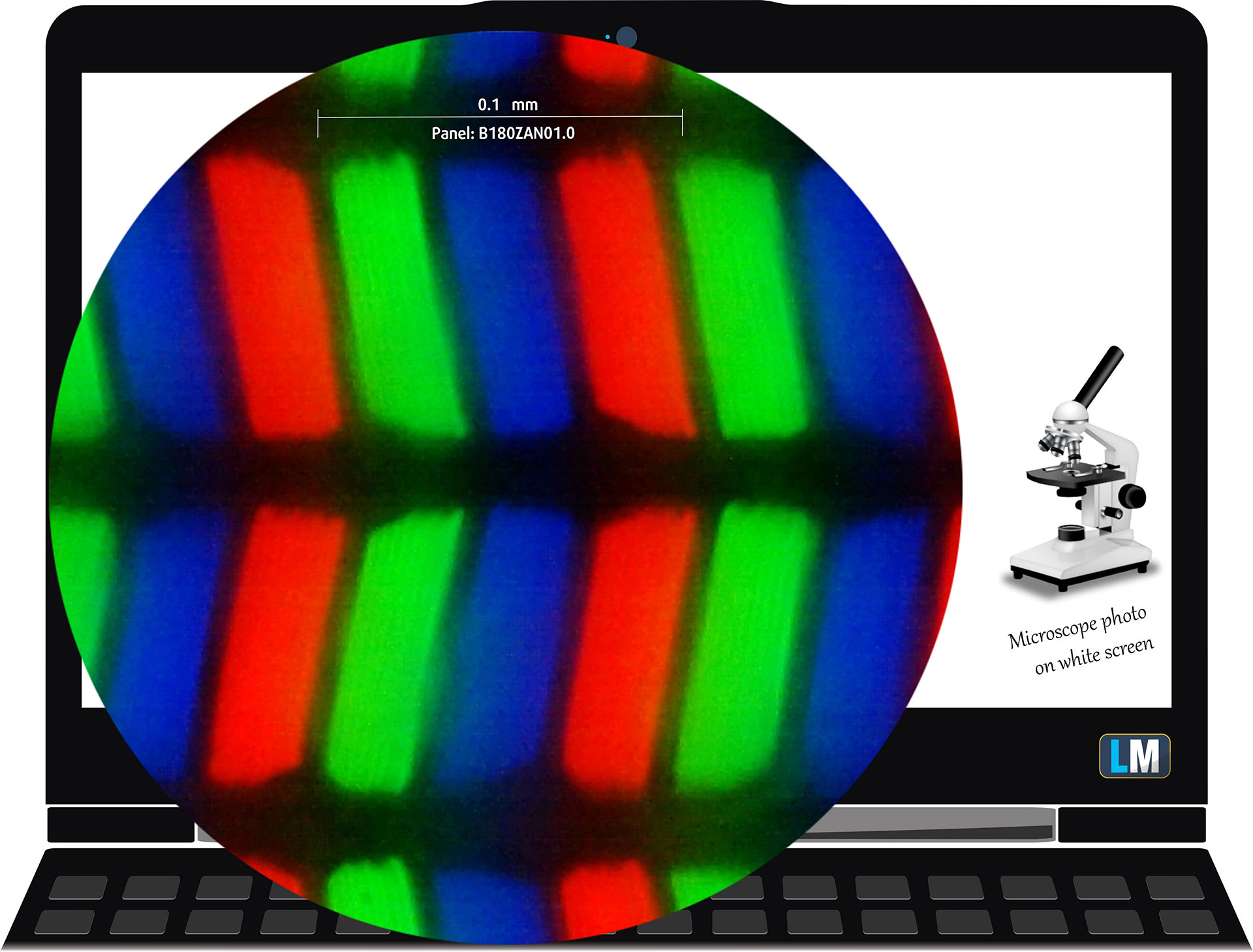
The 4K (3840 x 2400), 120 Hz, IPS, Mini LED display variant under our microscope
Viewing Angles
The viewing angles are excellent. We take photos from different angles to evaluate the quality.
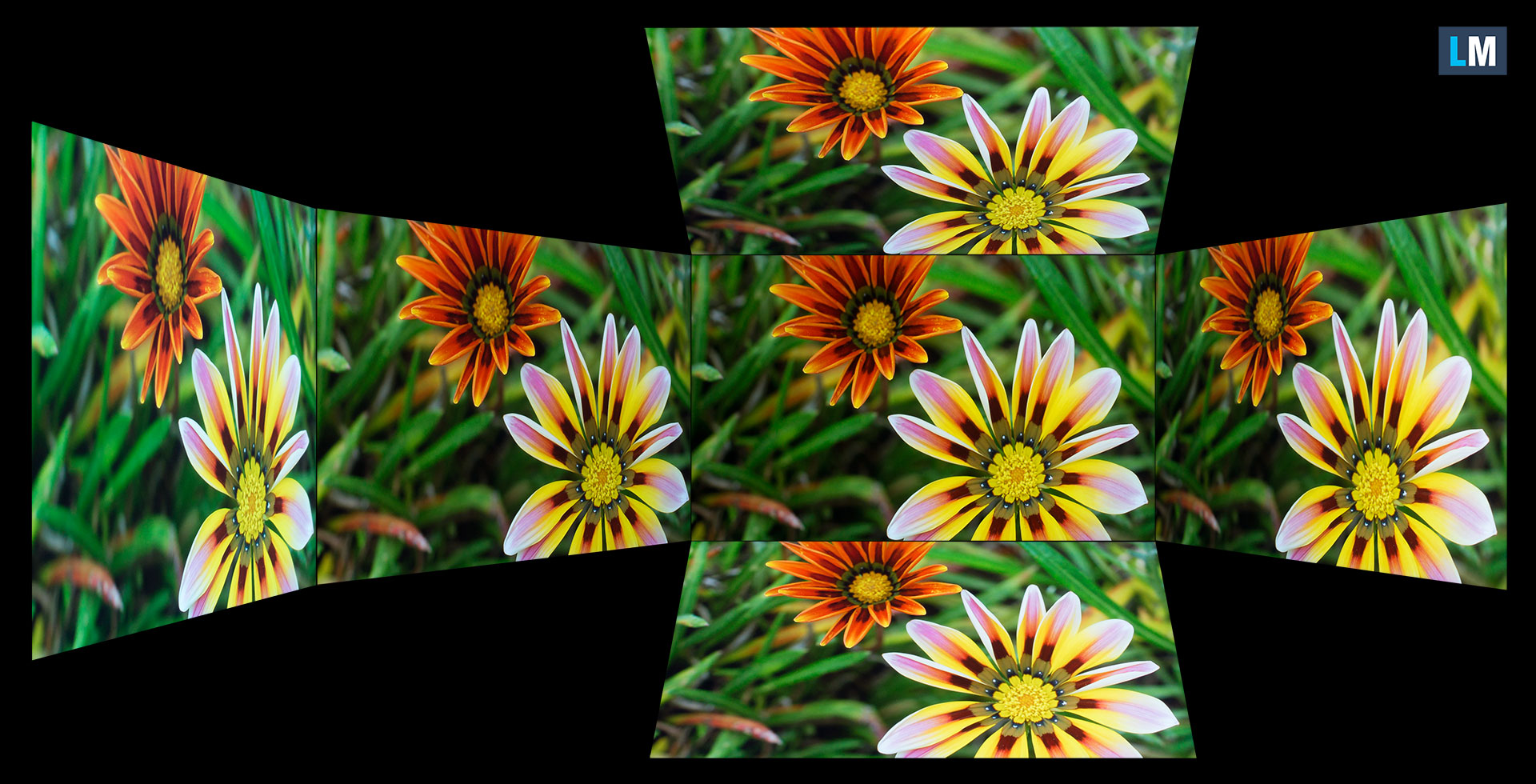
Also, a video with locked focus and exposure.
Color Coverage
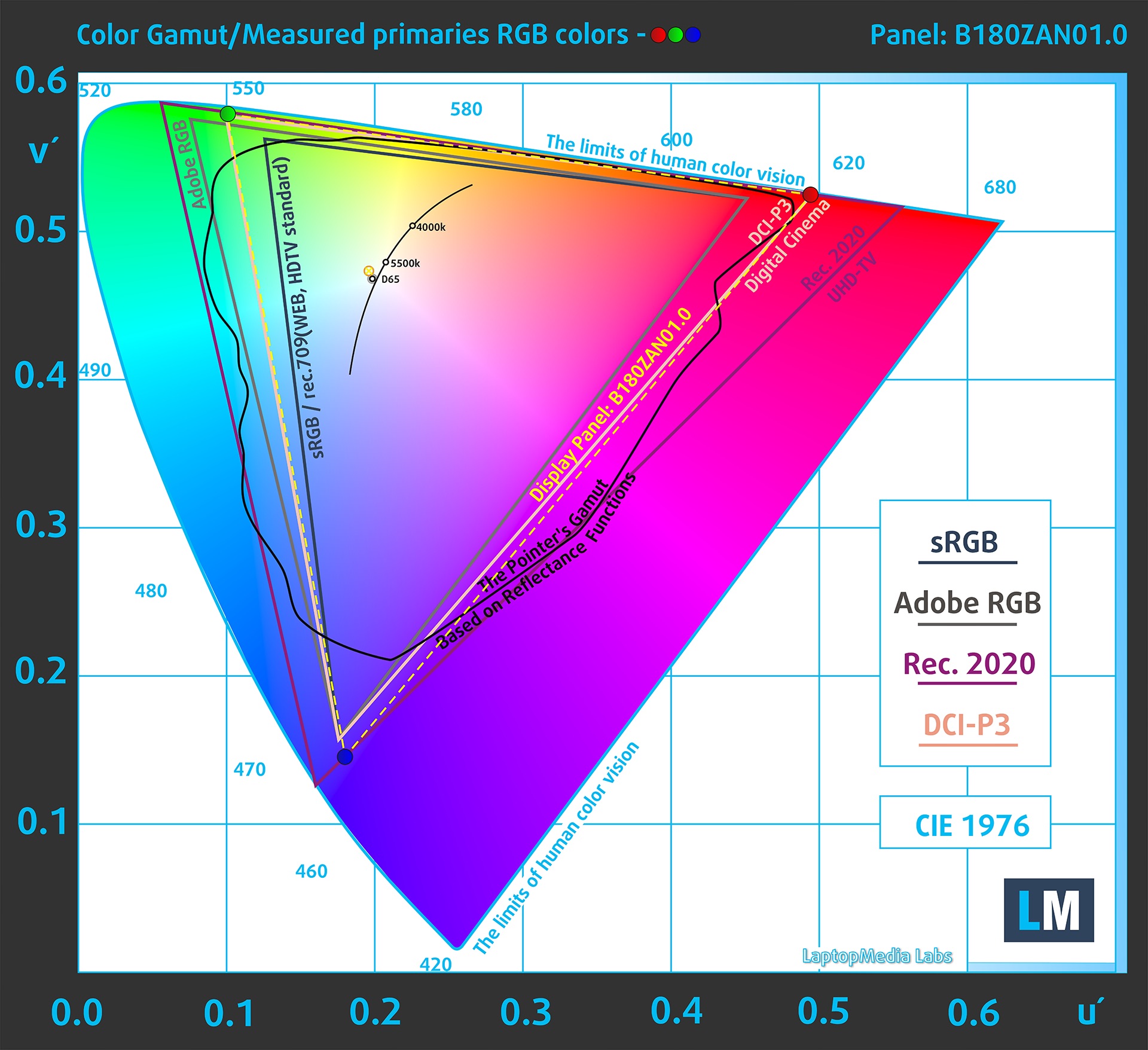
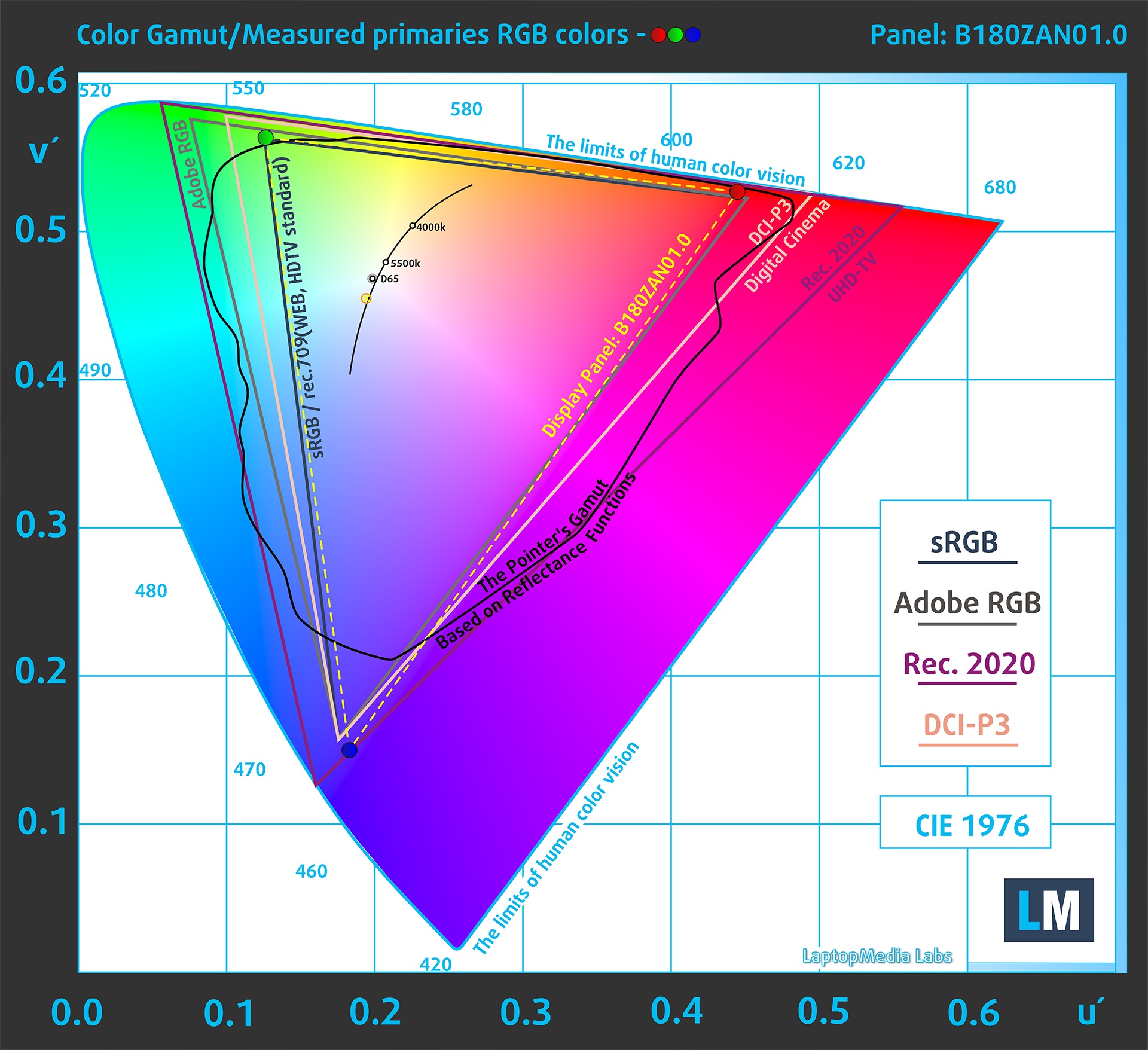
The whole “sail-shaped” map below (Fig. 1) consists of all the colors we can see, while the black crooked line shows all the colors from real-world scenes and nature around us.
Then, we’ve drawn some of the most important and interesting color spaces, compared to the colors the panel of MSI Titan 18 HX A2XW can show:
Standard/For Web: sRGB – widely used color space for most consumer devices, ideal for Web design and development
For Print: AdobeRGB – used in professional photo editing, graphic design, and print
For Photographers/Video Editors: DCI-P3 – used in high-end film production, post-production, and digital cinema
Premium HDR: Rec.2020 – the widest consumer ITU color standard, covering a massive 75.8% of the visible spectrum, a benchmark for premium HDR content
MSI Titan 18 HX A2XW: the yellow dashed triangle (– – – – – –) represents the range of colors this monitor can show.
In our tests, we calculated the total color coverage of the display at 100% of the sRGB color gamut and 100% of the DCI-P3 color gamut.
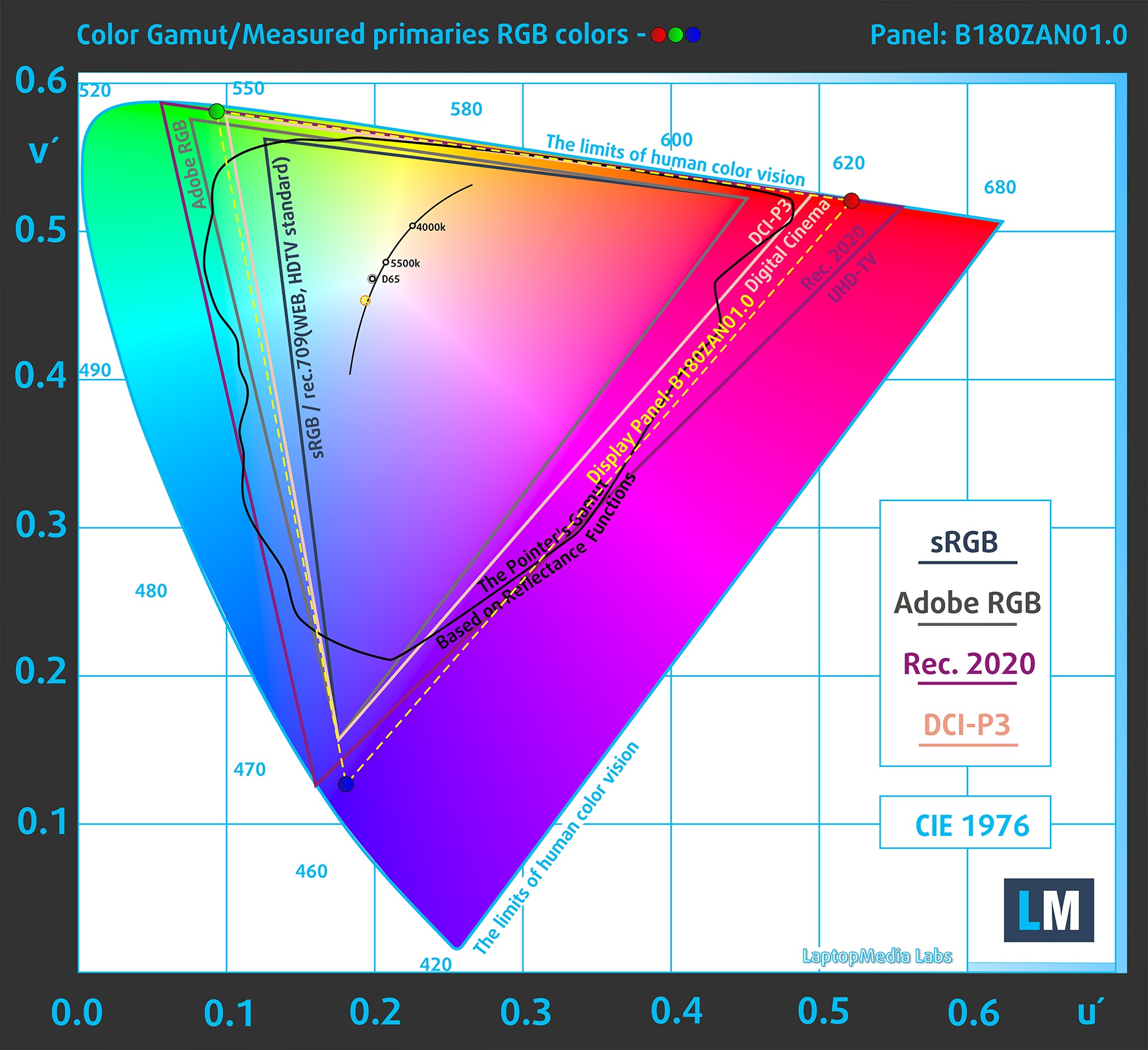
(Fig.1) MSI Titan 18 HX A2XW covers 100% of the DCI-P3 gamut
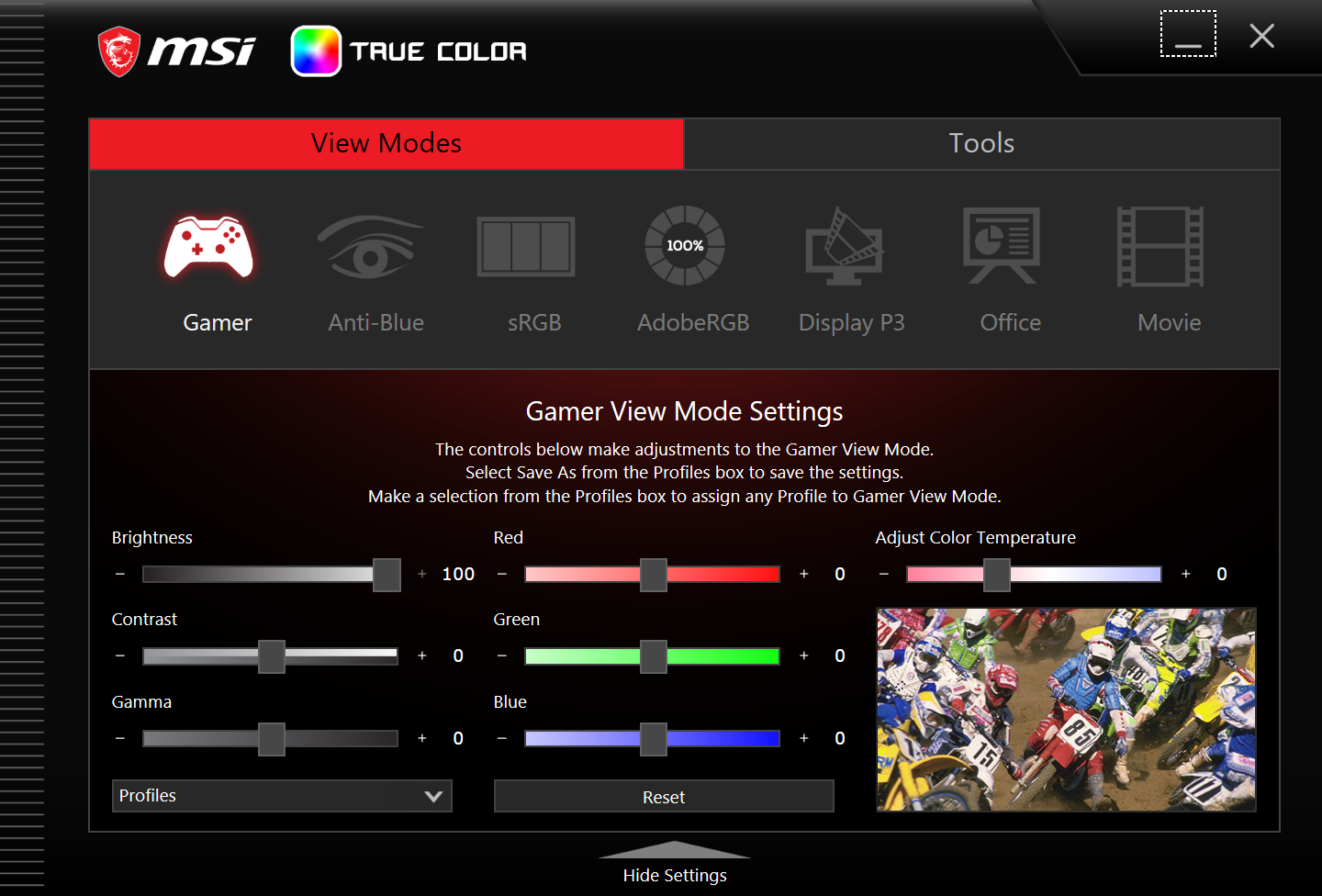
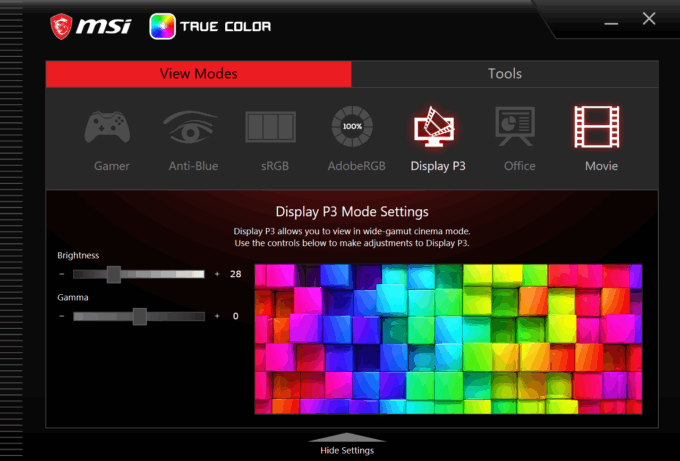
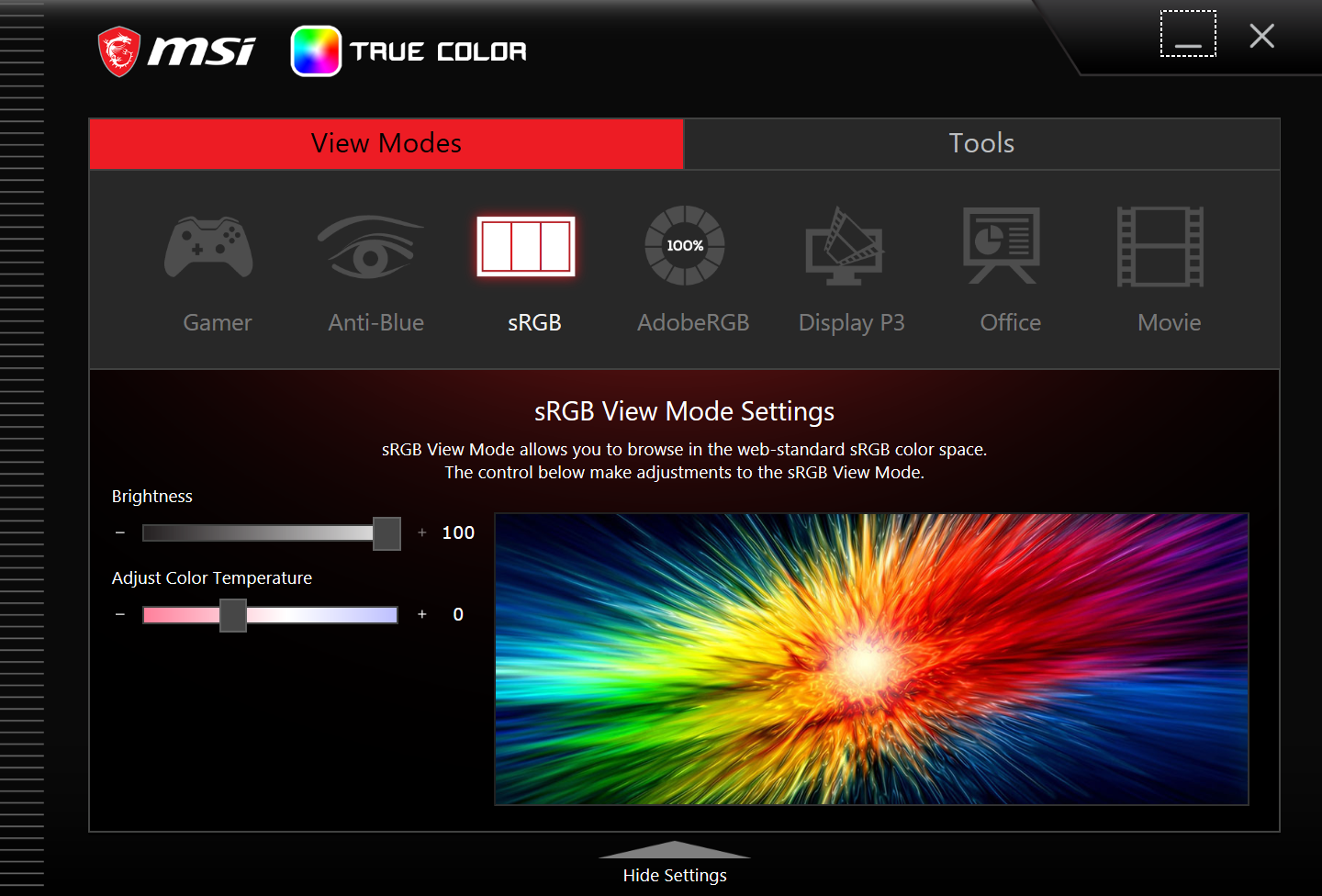
The “MSI True Color” app emulates Display P3 and sRGB color spaces.
Brightness and Contrast
The maximum brightness in HDR mode is 1160 cd/m² at 8% white fill and 730 cd/m² on a full white screen.
The maximum brightness in SDR mode is 683 cd/m² in the center of the screen and 663 cd/m² averaged across the surface with a maximum deviation of 7%.
The correlated color temperature (CCT) of a white screen at maximum brightness is 6800 K (“MSI True Color” app – “Gamer View Mode”).
The correlated color temperature (CCT) of a white screen at maximum brightness and the settings specified above is 8020K.
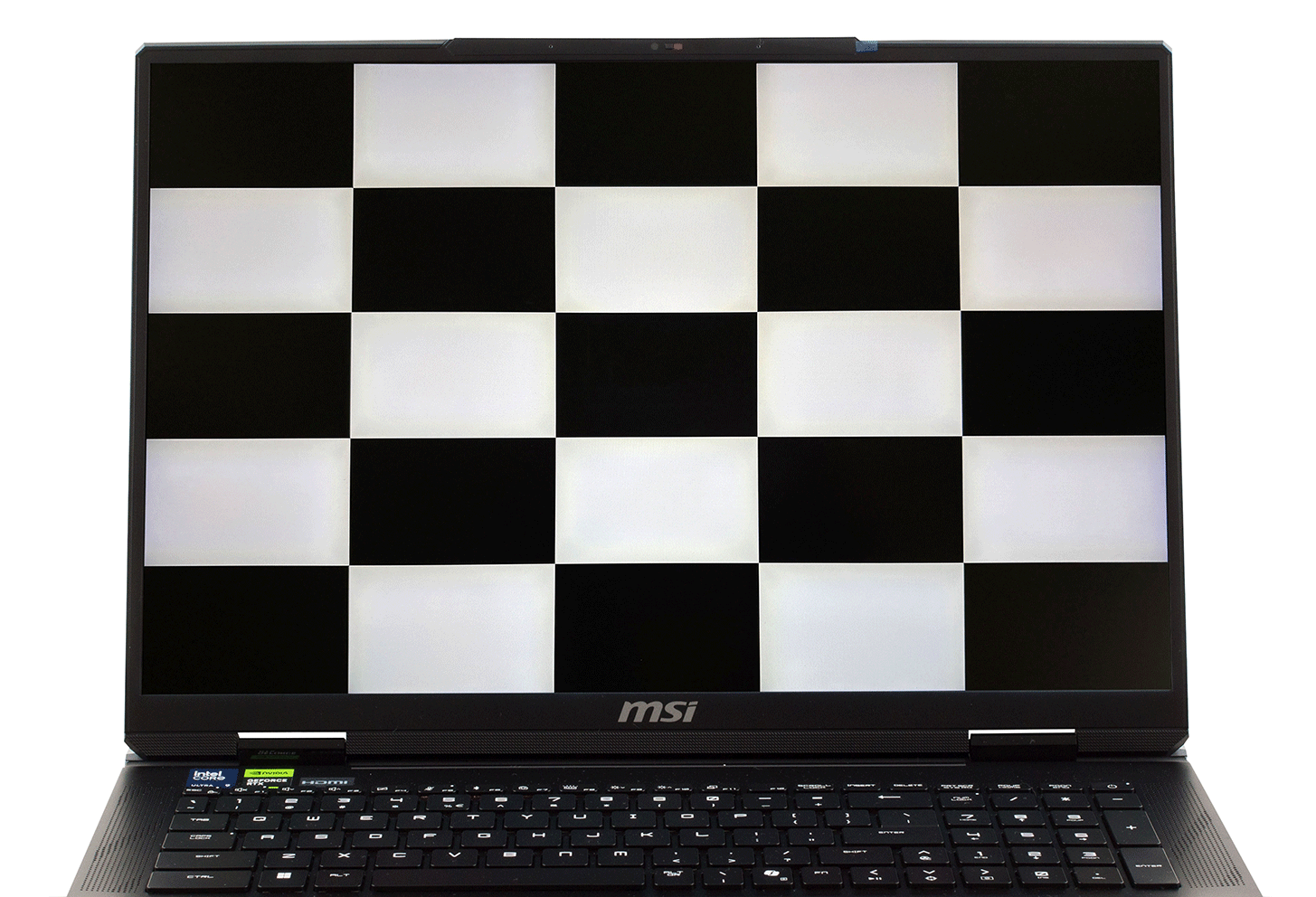
The contrast ratio (ANSI contrast) is very high – 11900:1.
ANSI contrast is lower than ON/OFF contrast due to the reasons described above (vignetting) and the measurement result will not be very accurate because it will depend on the measurement field of the measuring instrument.
Uniformity: Luminance, Contrast, and Color Deviation
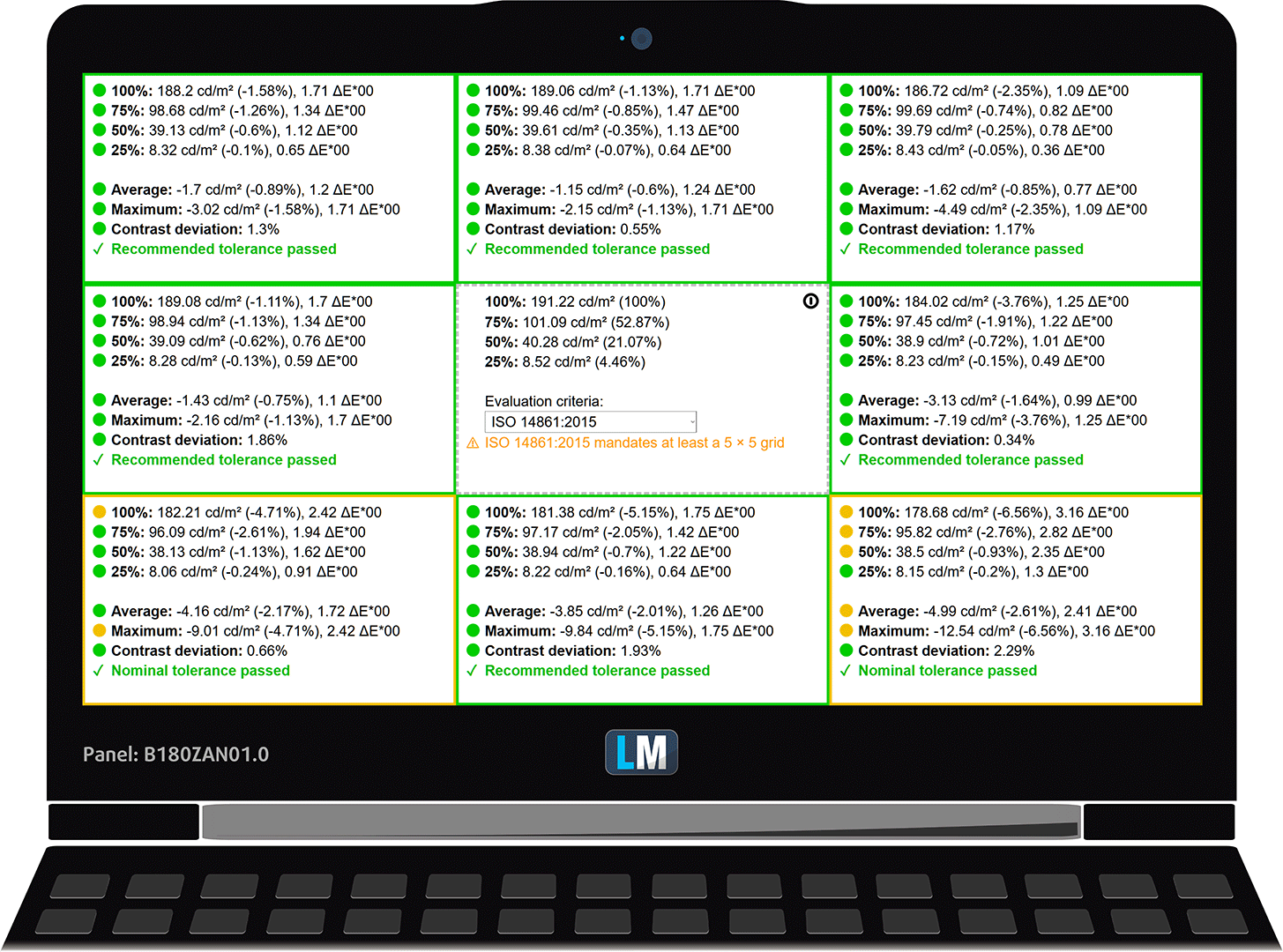
The figure below shows the results from our uniformity test across different sections of the screen. It’s measured at 191 nits (Windows slider = 24%) — a brightness level we consider typical for standard working conditions.
DeltaE values below 4.0 are acceptable for regular users. For those working with colors, screens with DeltaE values no higher than 2.0 are recommended.
Color Accuracy
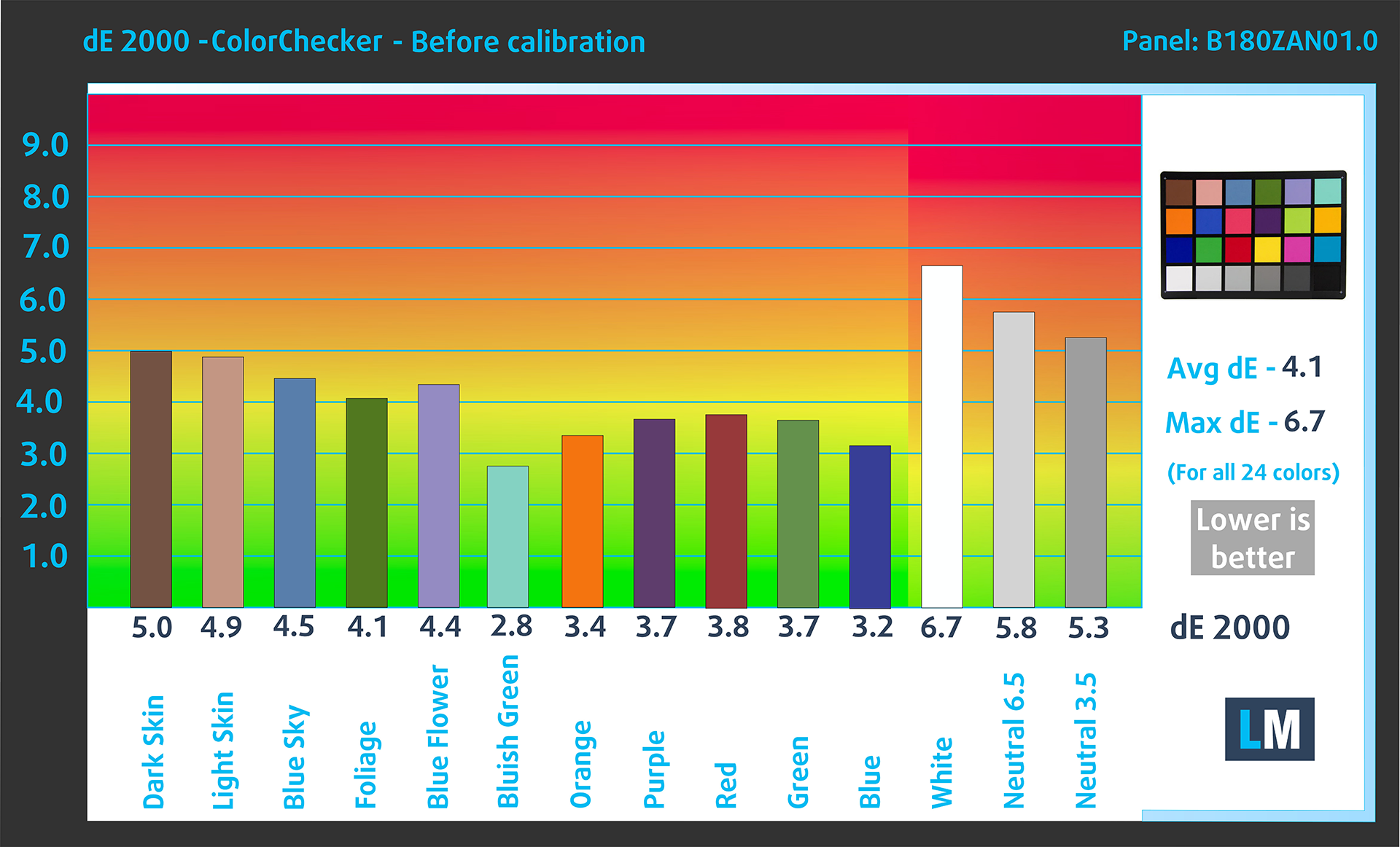
Let’s check the difference between real colors and those you’ll see on the MSI Titan 18 HX A2XW. We measure that distance in DeltaE – the higher the number, the more different they look.
Values below 4.0 are acceptable for regular users, while values below 2.0 are suitable for color-sensitive work. A value below 1.0 means the difference is indistinguishable to the naked eye.
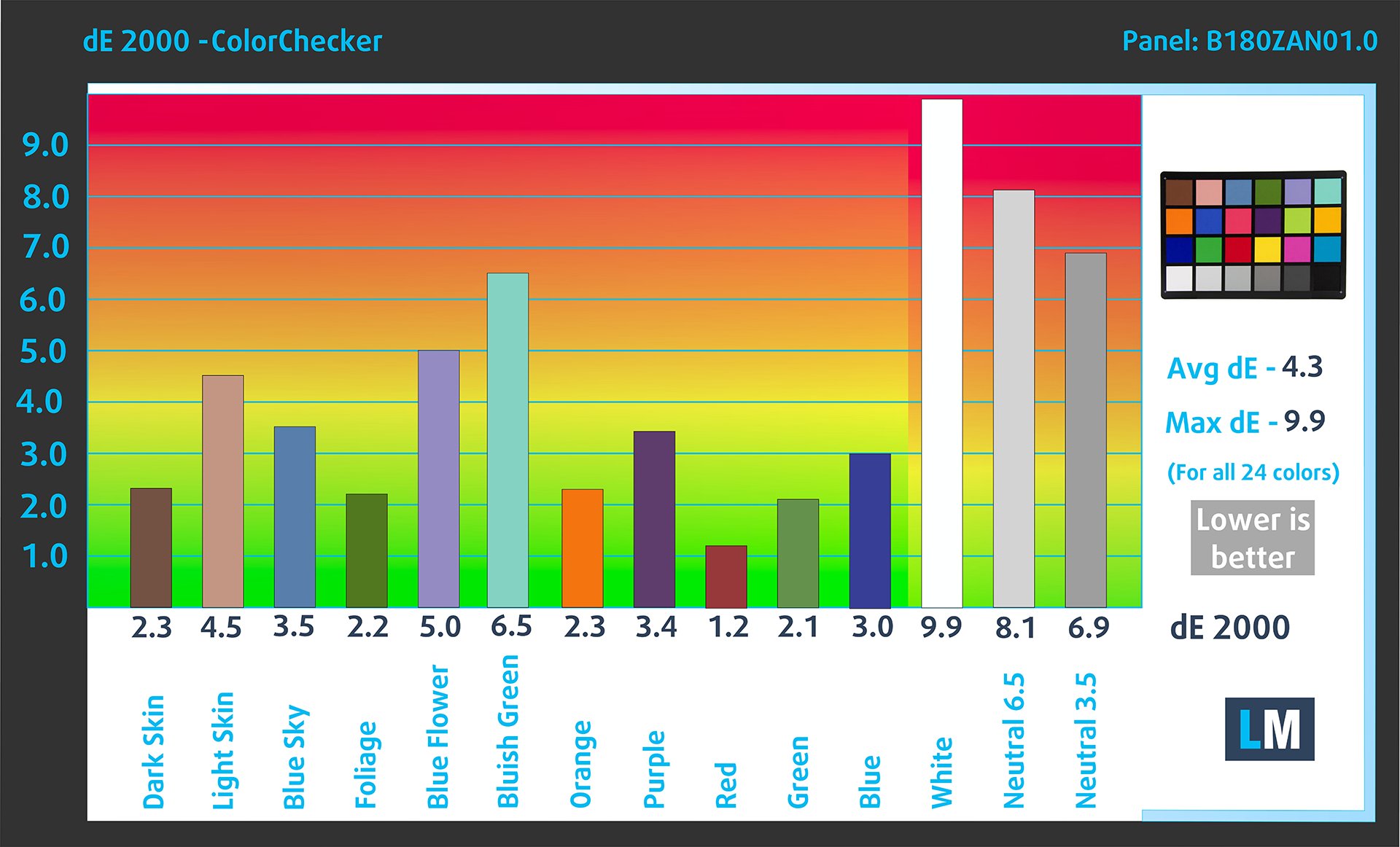
For the next graph, we’ve selected 24 common colors, including dark/light skin, blue sky, green grass, etc.
Below are the results of the MSI Titan 18 HX A2XW in its factory condition (HDR Off plus the corresponding settings in “MSI True Color”) compared to Display P3 and sRGB color spaces.
4X improvement in color accuracy with our display profile is a remarkable result!
MSI Titan 18 HX A2XW in its factory condition
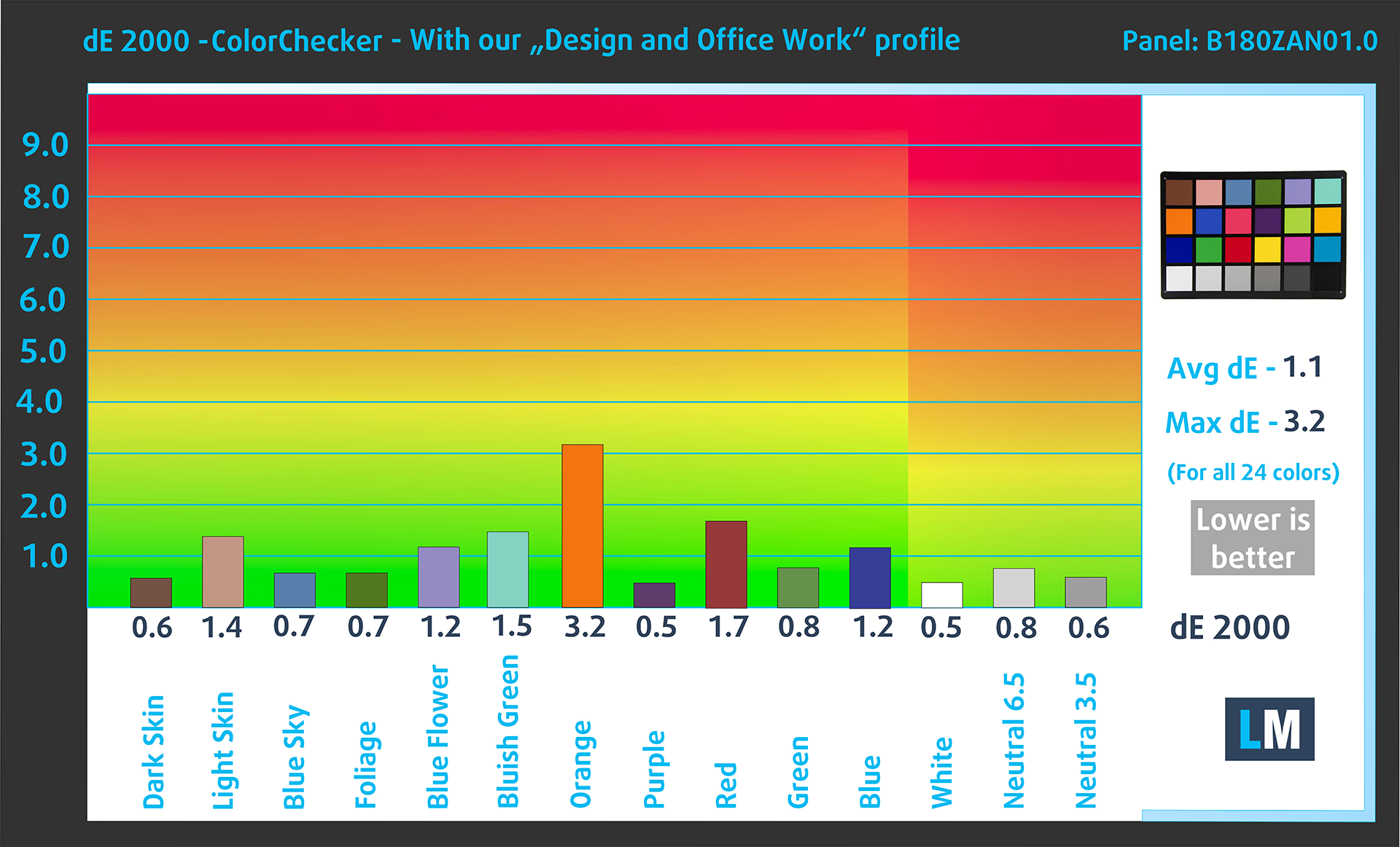
MSI Titan 18 HX A2XW with our display profile
Comparison in the Display P3 color space.
Below are the results of the MSI Titan 18 HX A2XW in its factory condition (“MSI True Color” app – ” sRGB View Mode”) compared to sRGB color space.
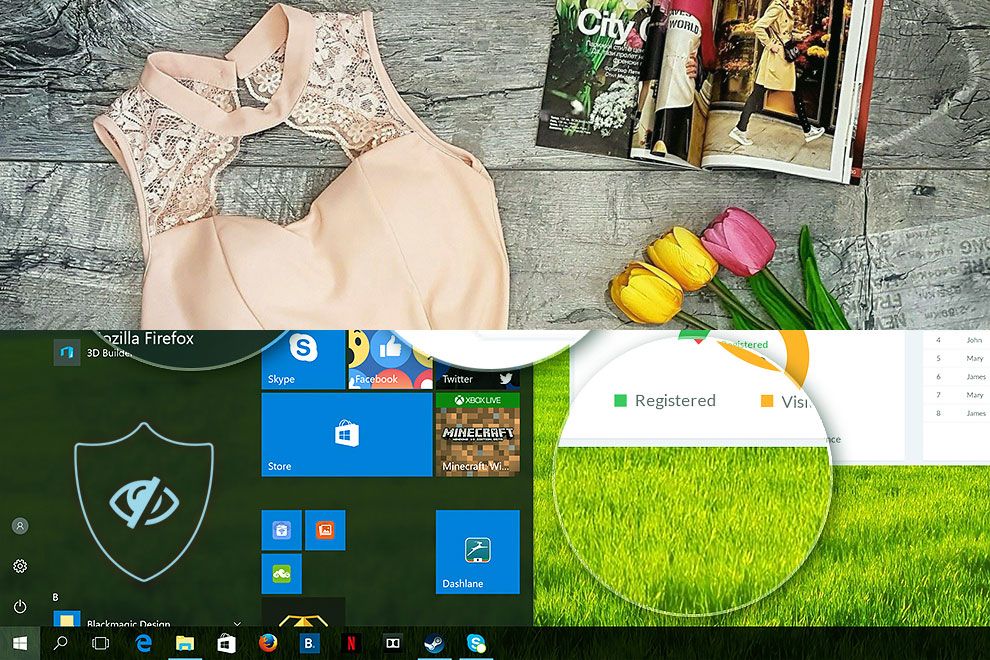
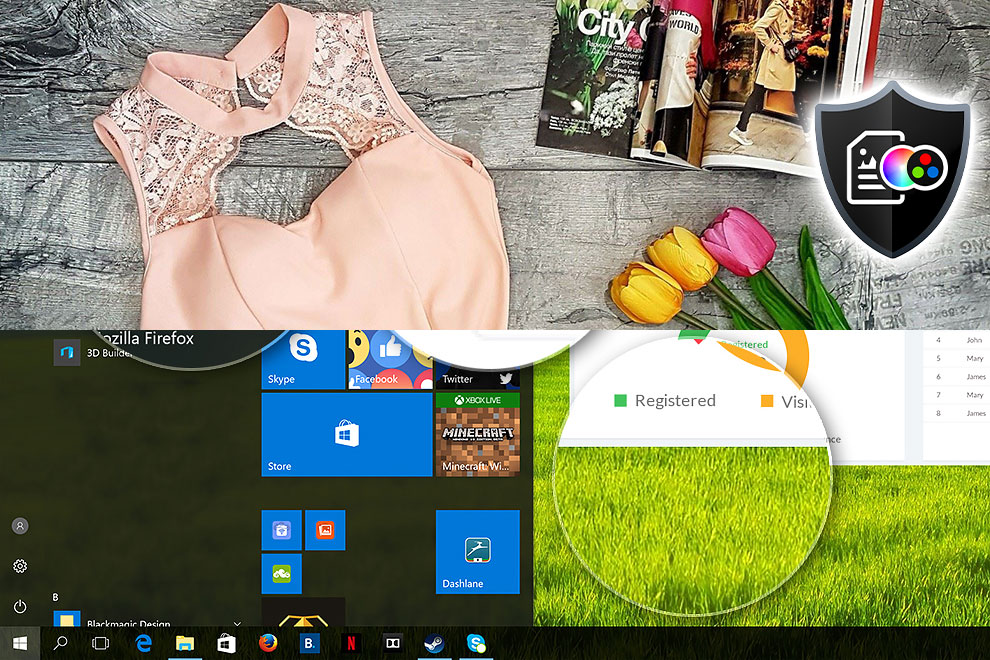
Here’s an illustration of what the Design and Office profile aims to deliver:
Left: No Profile | Drag the slider to see the difference | Right: Design & Office Profile
Visibility in dark scenes
Have you ever watched a movie with dark scenes where you could barely see anything? This often happens because many display panels struggle to differentiate the darkest nuances, making them appear the same.
The next figure illustrates how well the display reproduces these dark nuances. The left side of the image shows the display with stock settings, and the right side shows it with our Gaming and movies profile activated (Comparison is in “MSI True Color” app – “Gamer View Mode”).
On the horizontal axis are the grayscale levels, and on the vertical axis – the corresponding display brightness.
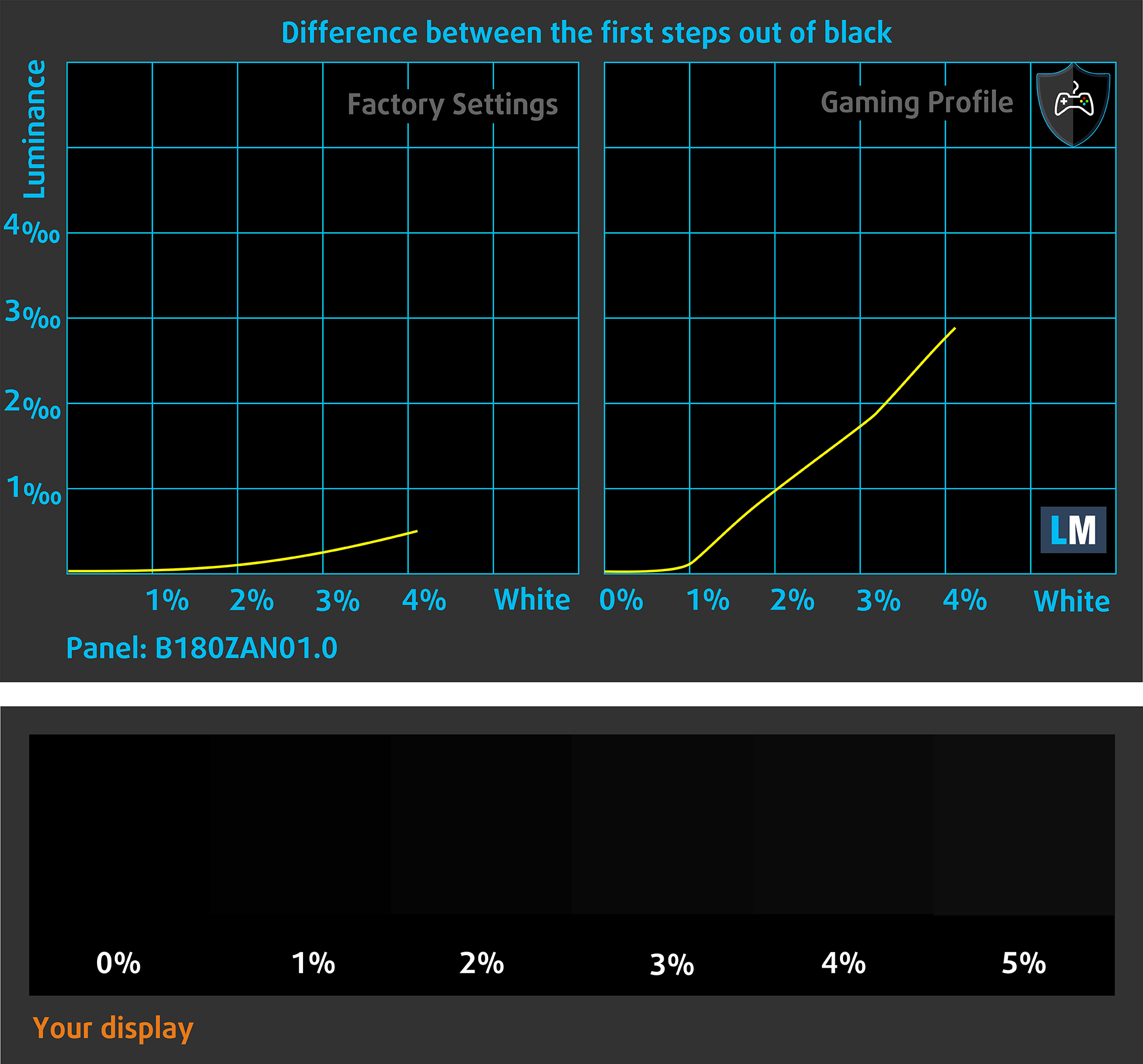
You can also check how your display handles the darkest nuances but keep in mind that this also depends on the settings of your current display and the surrounding light conditions.
Health Impact: PWM (Screen flickering)
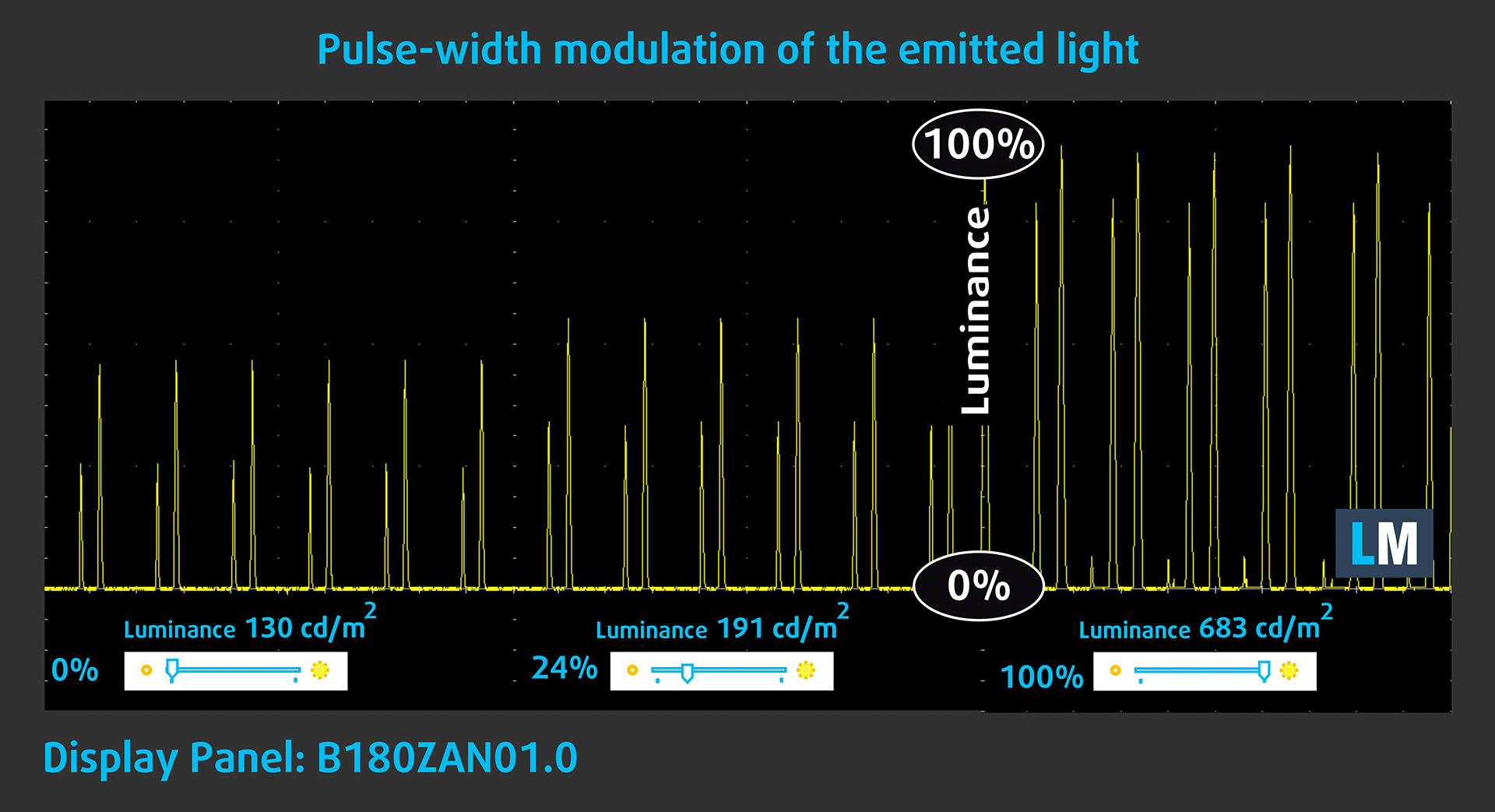
Some use PWM to regulate their brightness, which means that instead of reducing the light intensity, they pulse or flicker. Our brain merges the image, so it appears darker, but this strains both it and our vision, especially when the frequency of the pulses is low. You can read more about that in our dedicated article on PWM.
In the graph below, you see the intensity of light at different brightness levels—on the vertical axis is the brightness of the emitted light, and on the horizontal axis—time.
The backlight of the MSI Raider A18 HX A9W display has significant pulsations. Their frequency is high, but the fill factor is very low. In this regard, we believe that the MSI Raider A18 HX A9W display may have a negative impact on people with sensitive vision.
Health Impact: Blue light emissions
Installing our Health-Guard profile reduces harmful Blue Light emissions while keeping the colors of the screen perceptually accurate.
If you’re not familiar with the Blue light, the TL;DR version is – emissions that negatively affect your eyes, skin, and your whole body. You can find more information about that in our dedicated article on Blue Light.
Health Impact: Screen Reflectance
Glossy-coated displays can cause eye fatigue in high ambient light conditions due to reflections. We measure the level of screen reflection with the display turned off, at a 60° angle.
The reflectance of the MSI Titan 18 HX A2XW’s screen is 42.9 GU. This is a great result.
High Gloss: >70 GU
Medium Gloss: 30 – 70 GU
Low Gloss: <30 GU
Get our profiles
Since our profiles are tailored for each individual display model, this article and its respective profile package are meant for MSI Titan 18 HX A2XW configurations with B180ZAN01.0 (AUOC5AC), 3840 х 2400, IPS miniLED panel.
*Should you have problems with downloading the purchased file, try using a different browser to open the link you’ll receive via e-mail. If the download target is a .php file instead of an archive, change the file extension to .zip or contact us at [email protected].
Read more about the profiles HERE.
In addition to receiving efficient and health-friendly profiles, by buying LaptopMedia's products you also support the development of our labs, where we test devices in order to produce the most objective reviews possible.

Design and Office
The Design and Office profile makes display colors as close to real as possible.Ideal not only for professionals but also for everyday users, it meets sRGB standards (D65 white point, sRGB gamma) with minimal DeltaE for precise color reproduction on your panel.

Gaming and Movies
Have you ever watched a movie where, during dark scenes, you can barely see anything? Many displays fail to distinguish dark tones properly. Our Gaming and Movies profile enhances low-light performance, like HDR tech, using a gamma curve tailored to human perception — ideal for gamers seeking faster reactions and clearer visuals.

Health-Guard
Our Health-Guard profile protects your eyes by eliminating PWM flickering, reducing strain and fatigue, and minimizing harmful Blue light exposure that can disrupt sleep and health. It uses software dimming and a gamma curve tailored to human perception for comfort and safety during screen use.
Get All The Profiles With 33% Discount!

Sound
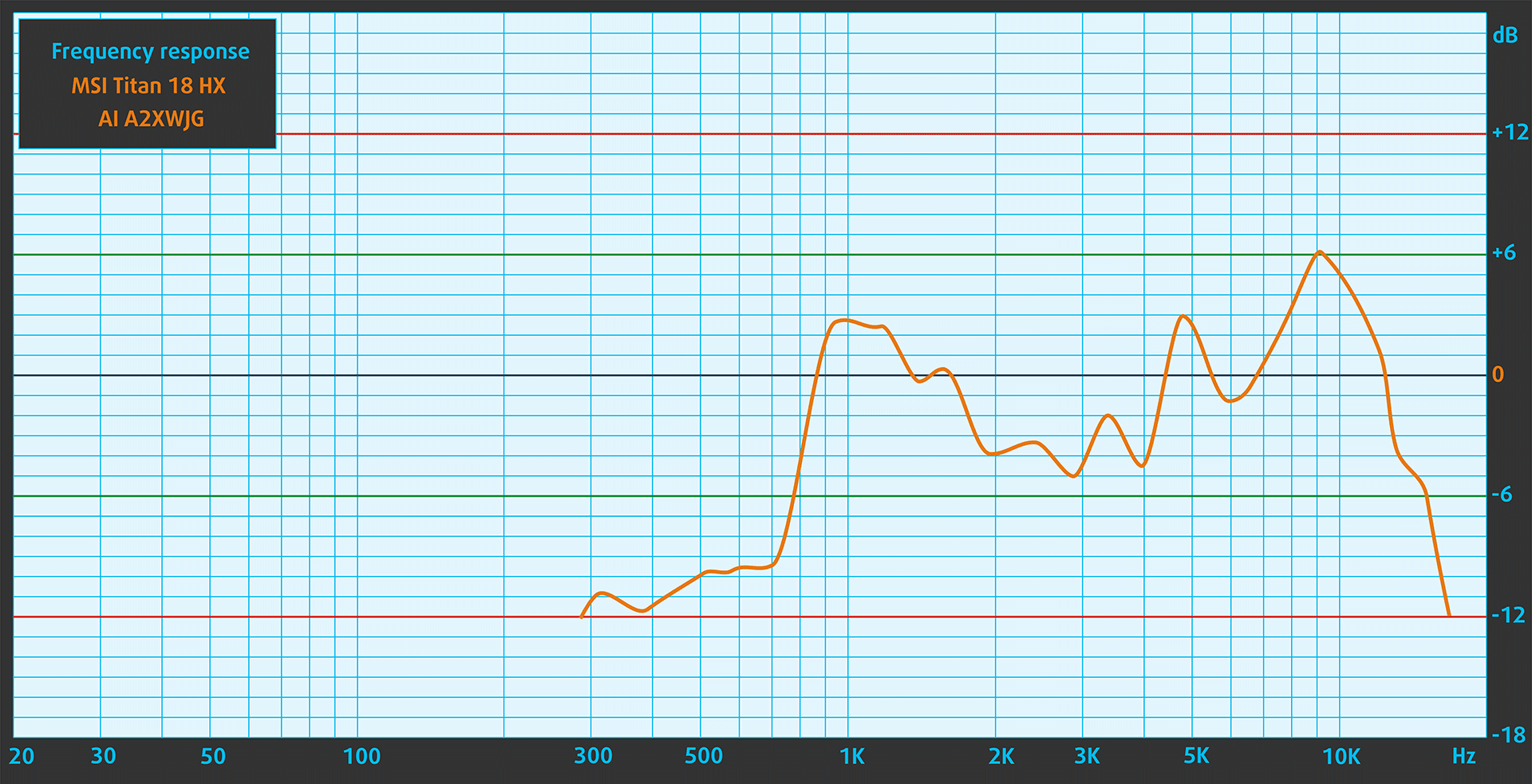
MSI Titan 18 HX A2XW has 6 speakers: 4x Tweeters – for crisp highs and spatial clarity and 2x Woofers – for deep, punchy bass. When we subjectively listen to a sound file through the built-in speakers, the sound quality offered by MSI Titan 18 HX A2XW is very good.
Work Performance: CPU, Storage, AI
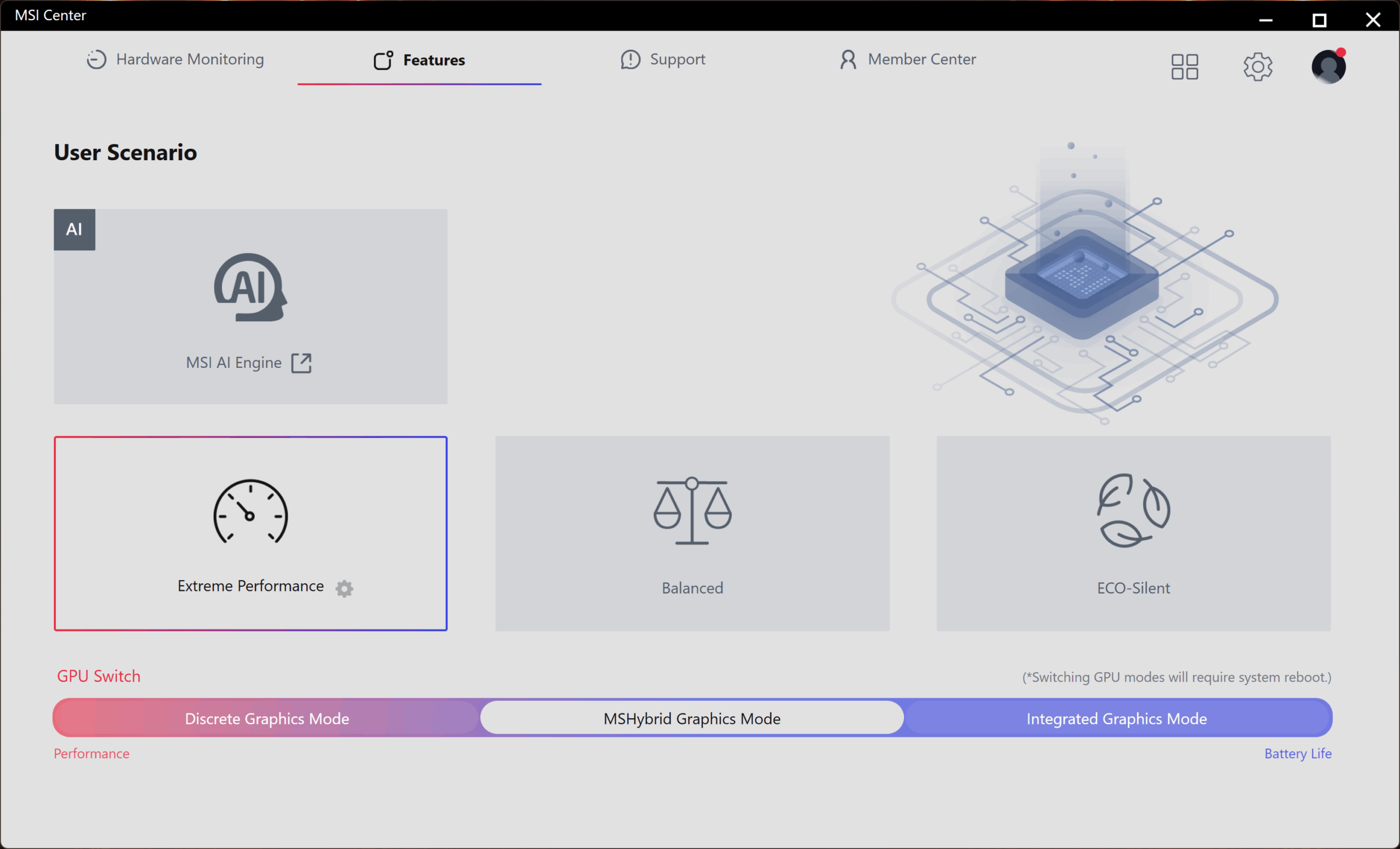
All performance and temperature tests are conducted with “Extreme Performance” activated in MSI Center:
CPU and Work Performance
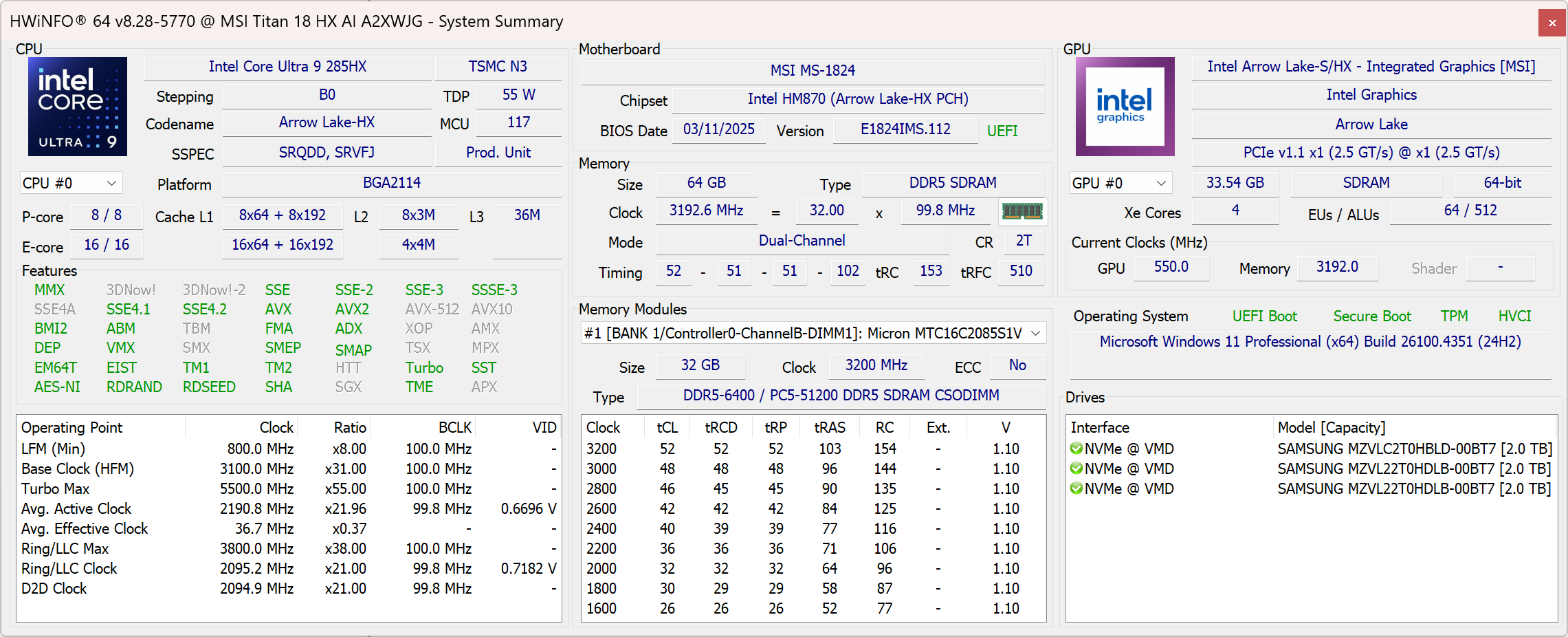
The MSI Titan 18 HX A2XW is equipped with top-tier hardware aimed at users who need maximum performance. It features the Intel Core Ultra 9 285HX, currently ranked #1 in our Top Laptop CPU Ranking. With 16 cores and high boost frequencies, this processor is designed for heavy multitasking, gaming, and professional workloads that push modern laptops to their limits.
The Intel Core Ultra 9 285HX in MSI Titan 18 HX AI is the fastest CPU we’ve ever tested! Check out the 2nd and 3rd tabs, the performance leap for heavy work is even bigger.
Single-core performance ensures smooth operation and responsiveness in operating systems, providing a better user experience.
Results are from the Geekbench 6 Single-Core test (higher is better)
Multi-core performance is essential for handling complex and demanding tasks, such as Video editing, CAD, and Scientific simulations.
Results are from the Geekbench 6 Multi-Core test (higher is better)
Here, we evaluate the CPU's performance using a real-world 3D rendering task, assessing its ability to handle complex computations and rendering workloads efficiently.
Results are from the Cinebench 2024 Multi-Core test (higher is better)
Storage Performance
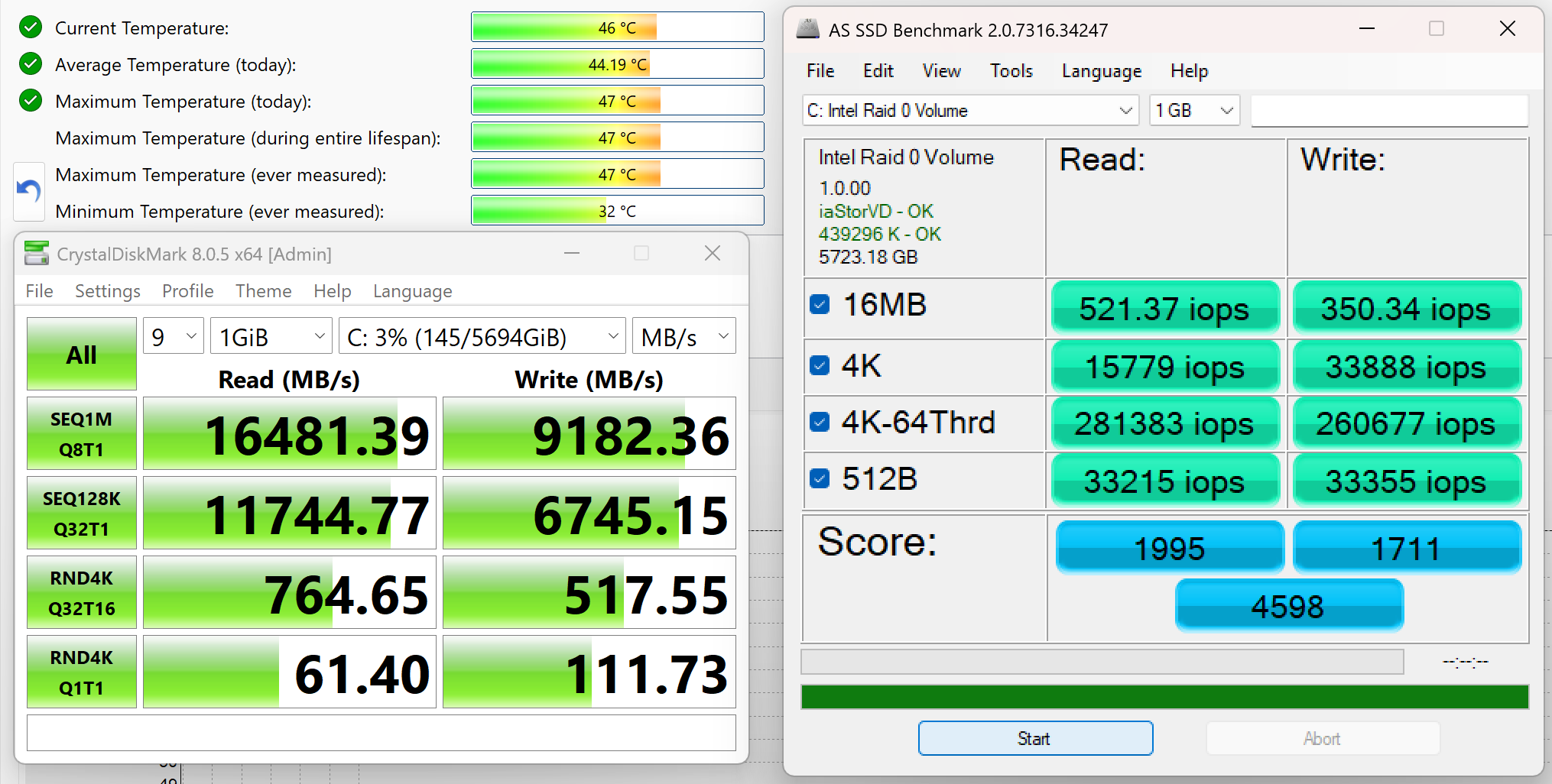
The MSI Titan 18 HX A2XW offers a phenomenal storage configuration, both in terms of speed and capacity. It has FOUR M.2 slots – 1x PCIe Gen 5.0 and 3x PCIe Gen 4.0. We ordered the 6TB configuration and it arrived with a massive 6TB of total storage, configured as 1x Samsung PM9E1 (2TB, PCIe 5.0 x4) and 2x Samsung PM9A1a (2TB each, PCIe 4.0 x4). Leveraging the Super RAID 5 configuration with support for both PCIe Gen 5 and Gen 4 drives, this setup achieved real-world sequential read speeds of up to 16,481 MB/s and write speeds above 9,182 MB/s. All that while keeping the temperatures low. The Gen 5 slot has it’s own heatsink and dedicated cooling pipe!
Users working with massive datasets, high-resolution video editing, or extreme multitasking workloads will undoubtedly appreciate the Titan’s unmatched storage capabilities.
AI Performance
Here you can see the position of the GPUs and CPUs (NPUs) found within the MSI Titan 18 HX AI (A2XWx) in our AI Hardware Performance Rankings based on their AI processing power, measured in TOPS (Tera Operations Per Second) - a critical metric indicating the computational throughput, particularly for AI tasks.
The first column shows peak performance for INT8/FP8 precision, which is the most widespread metric for evaluating AI inference capabilities. We exclude Sparsity to provide a more accurate reflection of AI performance in dense computation scenarios where sparsity optimizations may not be applicable. The second and third columns show the performance with Sparsity, and FP4 TFLOPS, when supported.
For SoCs, the results reflect the peak performance of the integrated NPU. Additionally, it’s important to note that, according to Microsoft, a NPU must have at least 40 TOPS of AI computing power for the PC to be considered “AI-capable.”
| # | GPU / CPU (NPU) | TOPS INT8/FP8 No Sparsity | TOPS INT8/FP8 Sparsity | TFLOPS FP4 Sparsity |
|---|---|---|---|---|
| 171. | NVIDIA GeForce RTX 5090 (Laptop) | 363 | 726 | 1452 |
| 416. | NVIDIA GeForce RTX 5080 (Laptop) | 281 | 562 | 1124 |
| 1736. | Intel Core Ultra 9 285HX | 13 | — | — |
GPU and Gaming Performance
For graphics, the laptop offers two of the most powerful mobile GPUs available: the NVIDIA GeForce RTX 5080 and RTX 5090, the latter being the highest-ranked in our Top Laptop Graphics Ranking. Both options are based on the latest architecture and are suitable for 4K gaming, real-time ray tracing, and AI-assisted content creation. These GPUs also support high TGP configurations, ensuring they deliver performance close to their desktop counterparts.
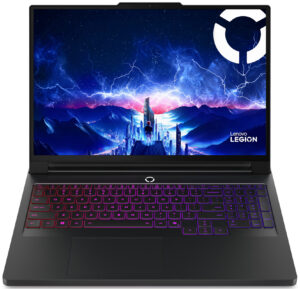
The performance of the RTX 5090 in Titan 18 HX AI is a bit lower than the RTX 5090 in Lenovo Legion Pro 7i (16″, Gen 10) even though the Pro 7i is smaller. The difference among the other RTX 5090 laptops we’ve tested is negligible but still, we expected the Titan to be on top of them all.
The results are from 3DMark Time Spy (Graphics). Higher is better.
The results are from 3DMark Wild Life Extreme Unlimited. Higher is better.
MSI Titan 18 HX AI (A2XWx) GPU variants
Here you can see an approximate comparison between the GPUs that can be found in the MSI Titan 18 HX AI (A2XWx) models on the market. This way you can decide for yourself which MSI Titan 18 HX AI (A2XWx) model is the best bang for your buck.
Note: The chart shows the cheapest different GPU configurations so you should check what the other specifications of these laptops are by clicking on the laptop’s name / GPU.
The results are from 3DMark Time Spy (Graphics). Higher is better.
Results are from the 3DMark: Wild Life (Graphics) benchmark (higher the score, the better)
Gaming tests

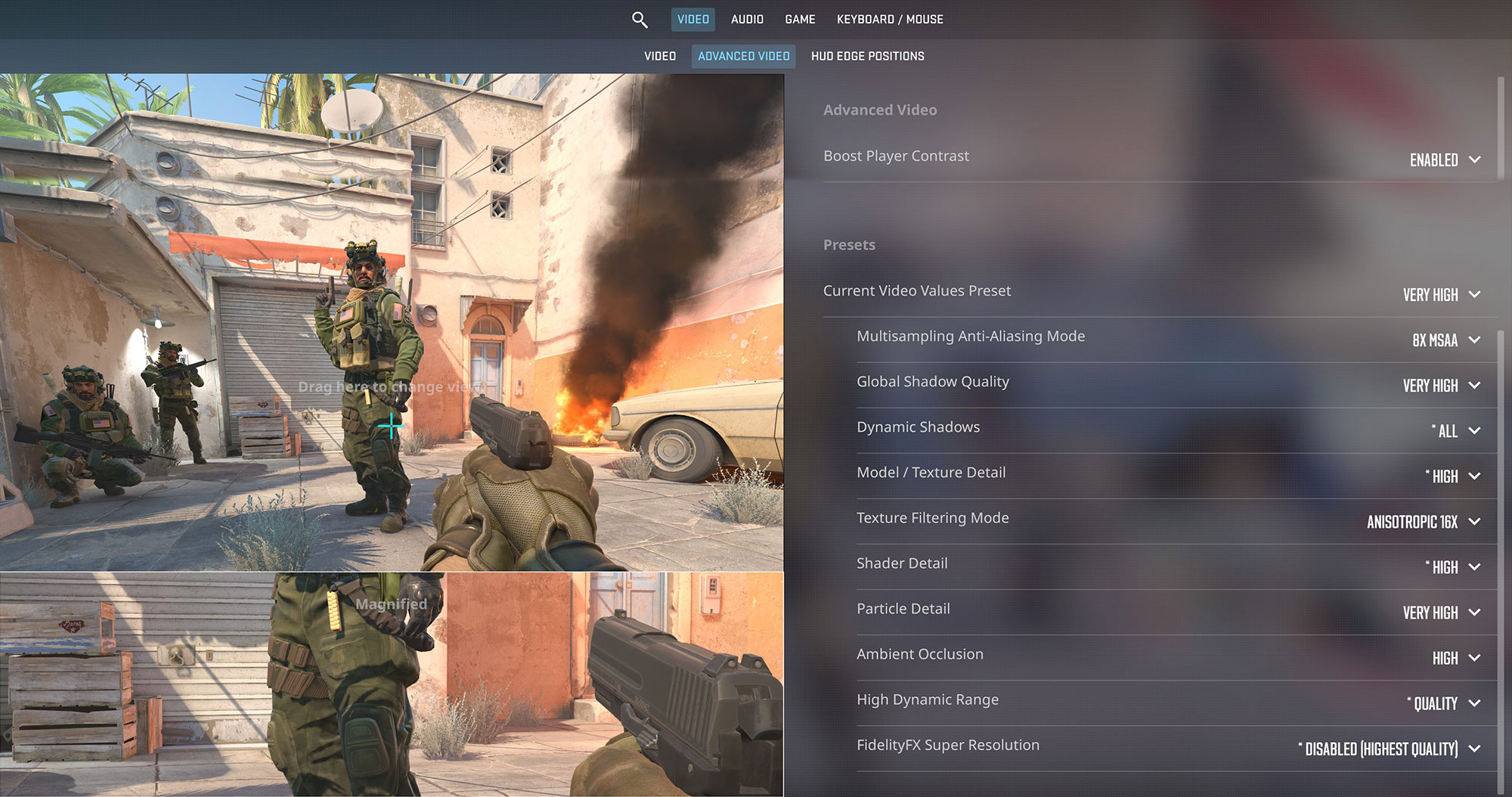
In a competitive shooter like Counter-Strike 2, the MSI Titan 18 HX delivers exceptional performance. At the native 2400p resolution and Very High settings, it pushes a very high 147 FPS, ensuring a super smooth and responsive gaming experience.
| Counter Strike 2 | 2400p, Very High (Check settings) |
| Average FPS | 147 FPS |

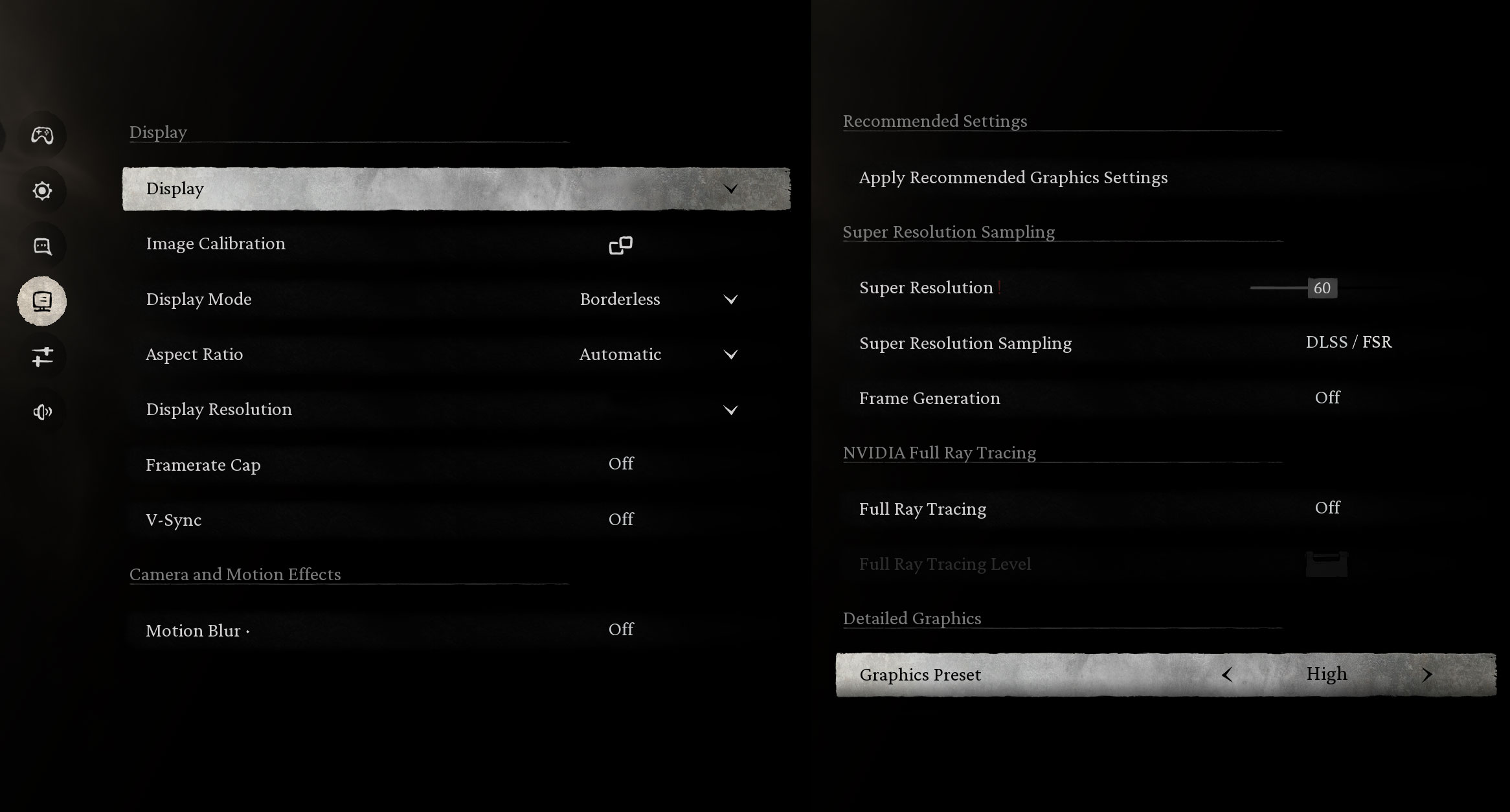
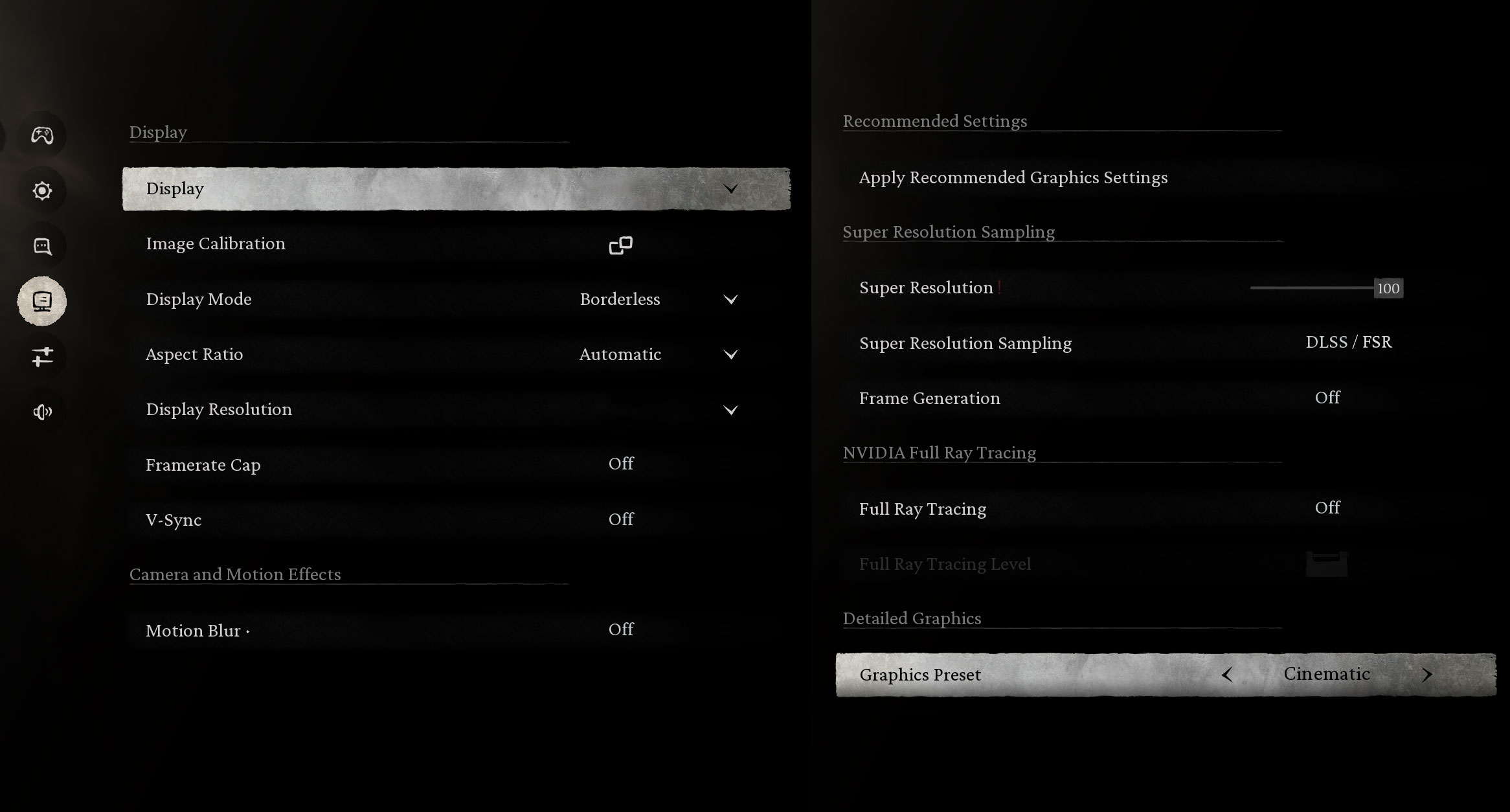
The visually stunning Black Myth: Wukong runs beautifully on this machine. At 1200p, you can enjoy very high frame rates on High settings or a solid 67 FPS on the demanding Cinematic preset. Pushing it to the native 2400p on Cinematic is challenging, yielding 33 FPS, but it’s still a testament to the GPU’s power.
| Black Myth: Wukong | 1200p, High (Check settings) | 1200p, Cinematic (Check settings) | 2400p, Cinematic (Check settings) |
| Average FPS | 141 FPS | 67 FPS | 33 FPS |

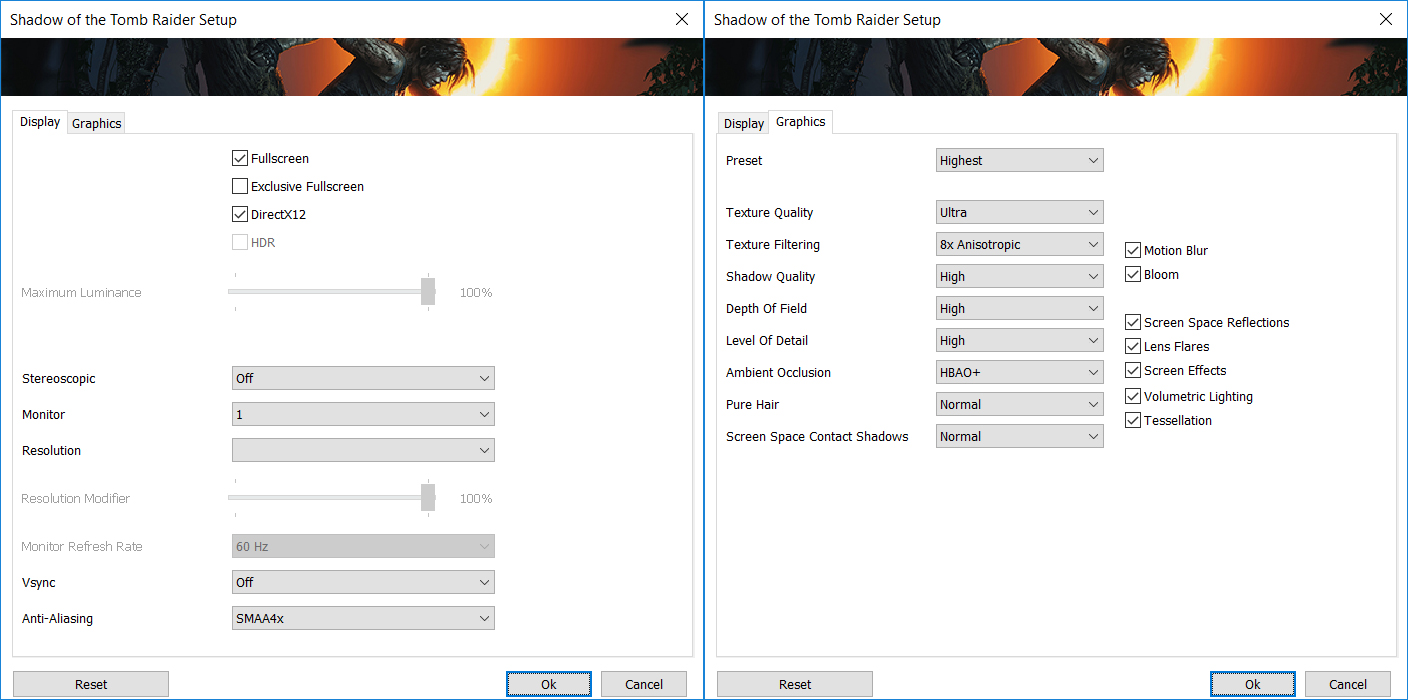
Shadow of the Tomb Raider is no match for the RTX 5090. The game achieves an incredible 202 FPS at 1200p on the Highest settings. Even at the native 2400p resolution, it maintains a very smooth 73 FPS, offering a flawless visual experience.
| Shadow of the Tomb Raider | 1200p, Highest (Check settings) | 2400p, Highest (Check settings) |
| Average FPS | 202 FPS | 73 FPS |

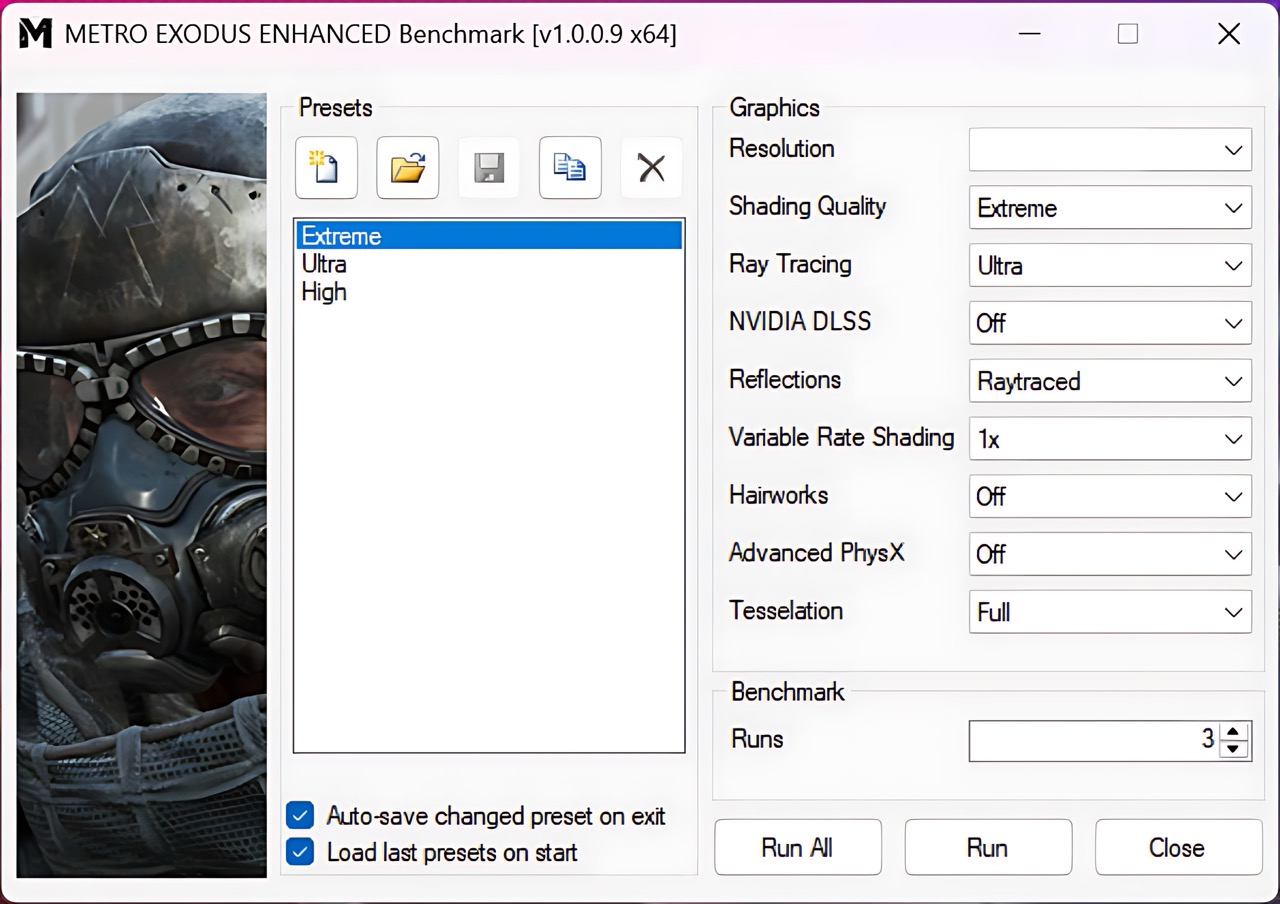
As one of the most graphically intensive ray-tracing titles, Metro Exodus Enhanced Edition puts the hardware to the test. The Titan 18 HX achieves an impressive 97 FPS at 1200p on Extreme settings. At the native 2400p, it delivers a playable 41 FPS, which is a great result for such a demanding game and preset.
| Metro Exodus Enhanced Edition | 1200p, Extreme (Check settings) | 2400p, Extreme (Check settings) |
| Average FPS | 97 FPS | 41 FPS |
[eBook Guide + Tools] How to MAX OUT Your Laptop
You can make your laptop Faster. LaptopMedia has tested thousands of models in the last 15 years, and we have yet to see a notebook that couldn't be made more powerful through modifications.
That's why we decided to bundle everything we know about how to achieve this in an Easy-to-Follow, Step-by-Step, and Laboratory-Tested, all in one project.
Read more about it here:
[eBook Guide + Tools] How to MAX OUT Your Laptop
🛠️ GPU Modifications: vBIOS, Overclocking, Undervolting
⚙️ Building Fast/Reliable RAID configuration
💻 Hardware upgrade tips for best results
🖼 Display enhancing
💾 OS Optimization for best performance
Temperatures and Comfort, Noise, Stability
At idle, the CPU package of the MSI Titan 18 HX AI (A2XWx) maintains a temperature of 53ºC, and the notebook remains completely silent.
Office Work, Web Development, Design
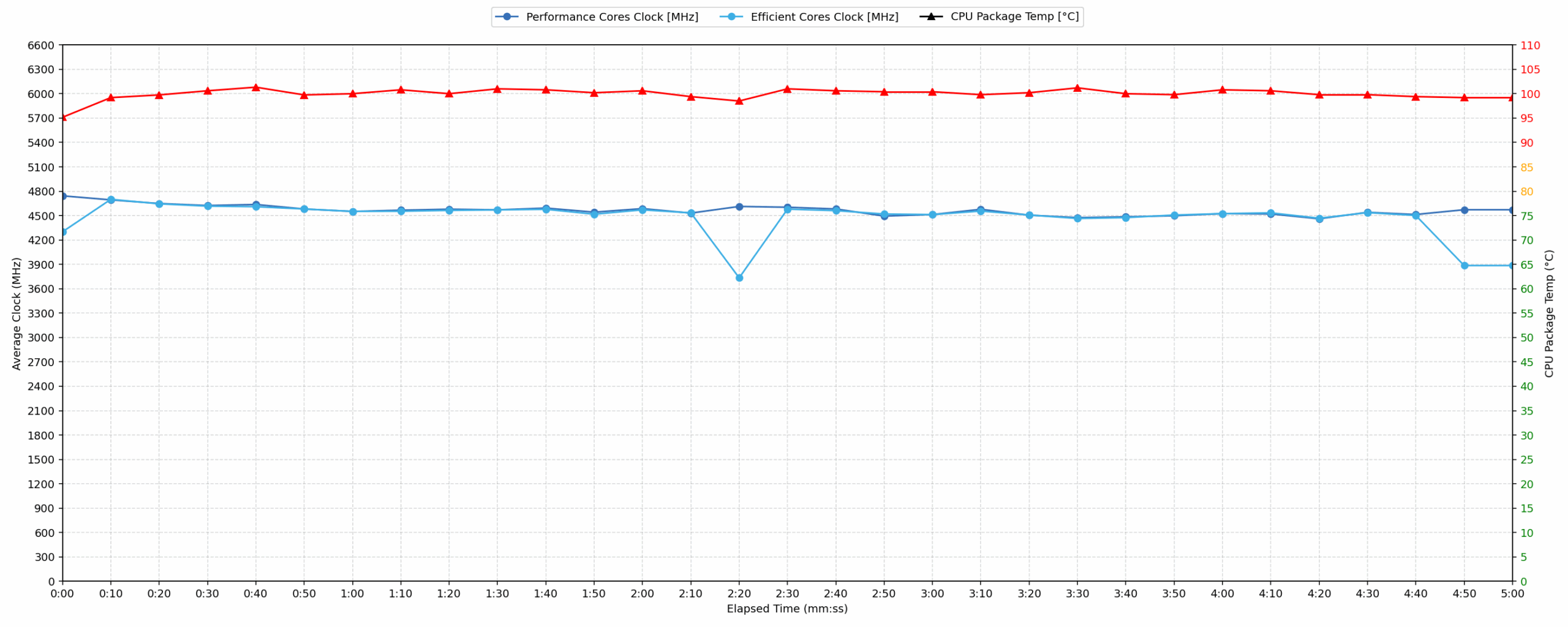
Short periods (0:00 – 0:10 s) of 100 % CPU load
This test shows the CPU behavior during short periods of serious load. It’s important for users who are looking for laptops suitable for tasks like Web Design and Programming.
| Intel Core Ultra 9 285HX | Avg. P-Core Clock | Avg. CPU Temp. | Avg. CPU Power |
| MSI Titan 18 HX A2XW | 4746 MHz | 99 °C | 194 W |
The MSI Titan 18 HX A2XW demonstrates strong initial CPU performance, achieving a peak clock of 4788 MHz within the first 5 seconds and an average of 4743 MHz over 10 seconds. This indicates excellent responsiveness for burst tasks such as web design or programming. However, the CPU experiences high temperatures, peaking at 103 °C and averaging 95 °C during this brief period. These temperatures are considered high. The CPU also draws significant power, reaching a peak of 170W. While performance is robust, the immediate thermal response is notable.
Video editing, Scientific computing, Software compilation, 3D rendering
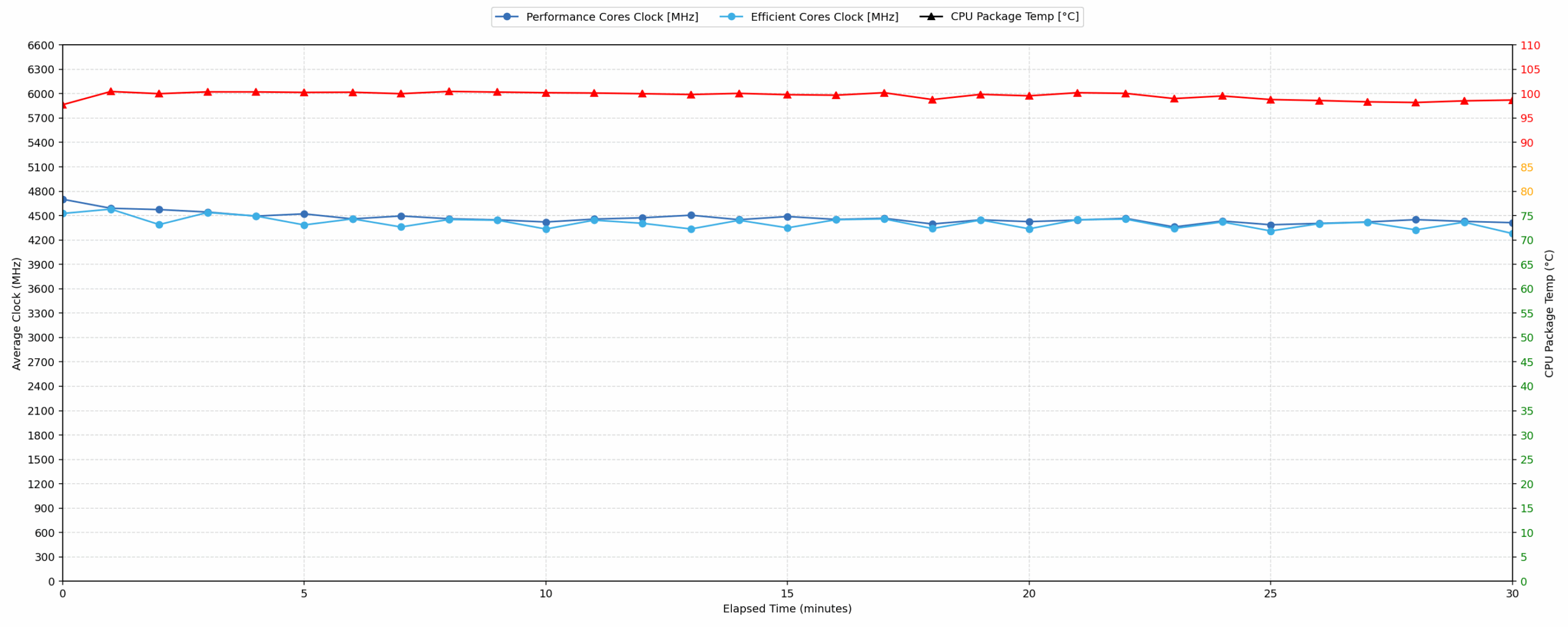
Long periods (0:00 – 30:00 min) of 100 % CPU load
This test shows the CPU behavior during long periods of serious load. It’s important for users who are looking for laptops suitable for tasks like Video Editing and 3D Rendering.
| Intel Core Ultra 9 285HX | Avg. P-Core Clock | Avg. CPU Temp. | Avg. CPU Power |
| MSI Titan 18 HX A2XW | 4464 MHz | 99 °C | 184 W |
Under sustained 30-minute CPU load, the MSI Titan 18 HX A2XW maintains a strong average clock speed of 4464 MHz. This consistent performance, with only a 343 MHz drop from peak, is excellent for demanding tasks like video editing or 3D rendering. However, the CPU operates at persistently high temperatures, averaging 99 °C and peaking at 103 °C. This thermal profile is high. The average power draw is a substantial 184W. Relative to its own prior 30-minute test (4434 MHz, 98 °C), current results indicate slightly better clock stability at marginally higher temperatures.
Gaming Stability
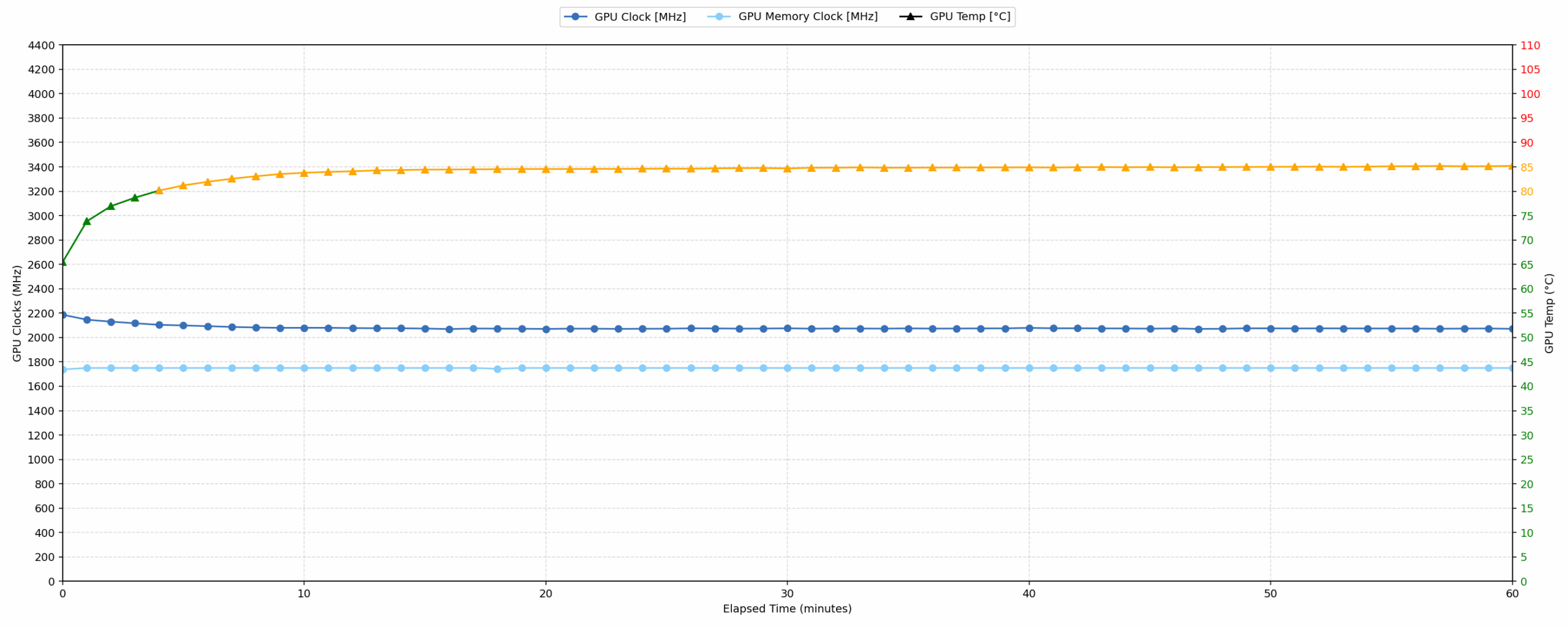
Continuous gaming (1-hour test)
This test evaluates the laptop’s performance under sustained GPU load and high CPU usage.
| NVIDIA GeForce RTX 5090 | Avg. GPU Clock | Avg. GPU Temp. | Avg. Memory Clock | Avg. GPU Mem Temp. | Avg. GPU Power |
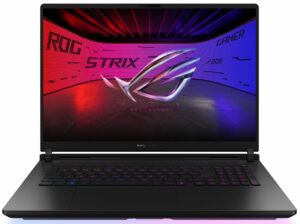
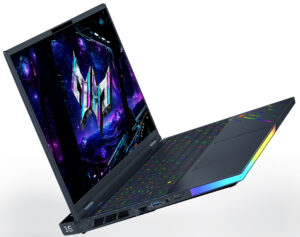
| Lenovo Legion Pro 7i Gen 10 (16″ Intel) | 2238 MHz | 79 °C | 1463 MHz | 78 °C | 171 W |
| MSI Titan 18 HX A2XW | 2079 MHz | 83 °C | 1749 MHz | 81 °C | 172 W |
| Acer Predator Helios 16 AI (PH16-73) | 2053 MHz | 85 °C | 1626 MHz | 79 °C | 163 W |
| MSI Raider A18 HX (A9Wx) | 2046 MHz | 78 °C | 2313 MHz | 75 °C | 161 W |
| ASUS ROG Strix SCAR 18 G835 (2025) | 1959 MHz | 73 °C | 2350 MHz | 72 °C | 159 W |
During a 60-minute gaming session, the MSI Titan 18 HX A2XW maintains a strong average GPU clock of 2079 MHz, indicating good stability with a minimum sustained clock of 2025 MHz. GPU core temperatures average 83 °C, peaking at 85 °C, which are well within acceptable limits. Similarly, GPU memory temperatures remain good, averaging 81 °C and peaking at 84 °C. The average GPU power draw settles at 172W. Relative to other RTX 5090 laptops, the Titan’s average GPU core clock is competitive, exceeding most tested models, though it is lower than the Lenovo Legion Pro 7i Gen 10’s 2238 MHz. Its thermal performance for both core and memory is good.
Battery Life
MSI Titan 18 HX AI has a 99.99Wh battery – the absolute limit for a laptop.
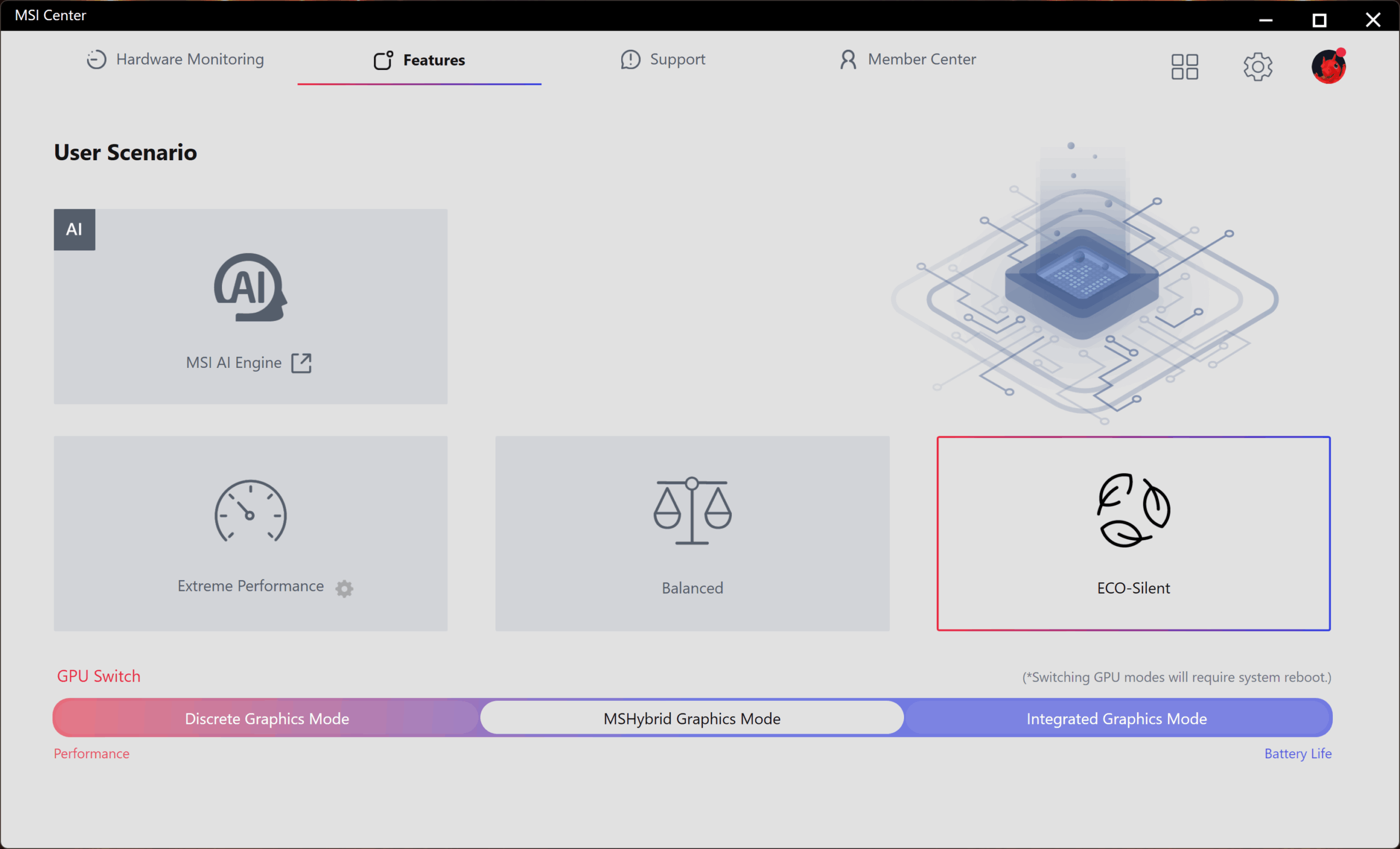
We tested it with the ECO-Silent mode selected in MSI Center.
In terms of battery life, the MSI Titan 18 HX AI (A2XWx) is one of the worst laptops we’ve ever tested. Despite the huge 99.99Wh battery, its juice is enough for just 2 hours and 29 minutes! For comparison, the 18-inch ASUS ROG Strix SCAR 18 G835 (2025) got us more than 4:30 hours on a single charge.
Brightness: 180 nits; Display Mode: SDR
Time to Full Discharge: Higher is Better
Disassembly, Upgrade options, and Maintenance
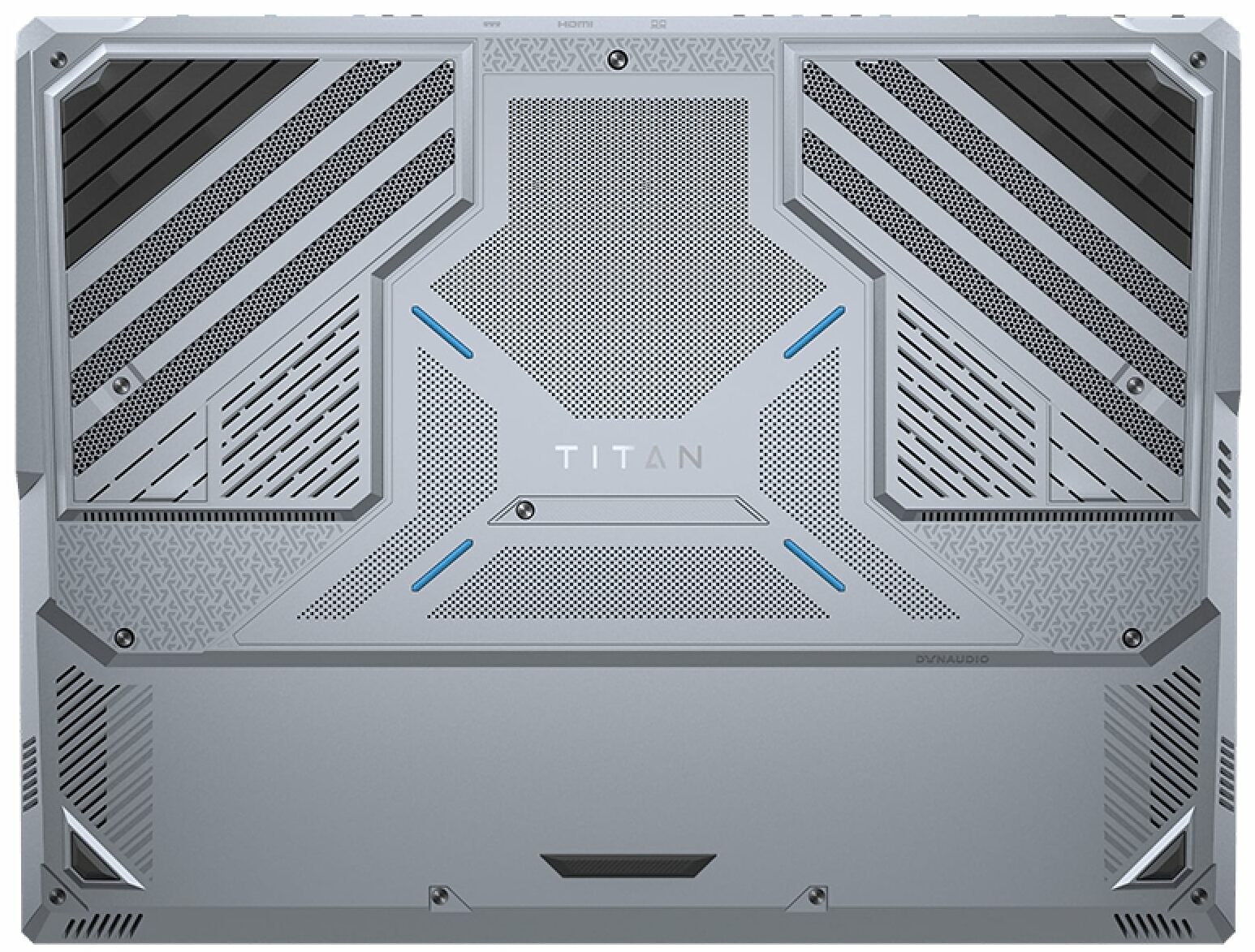
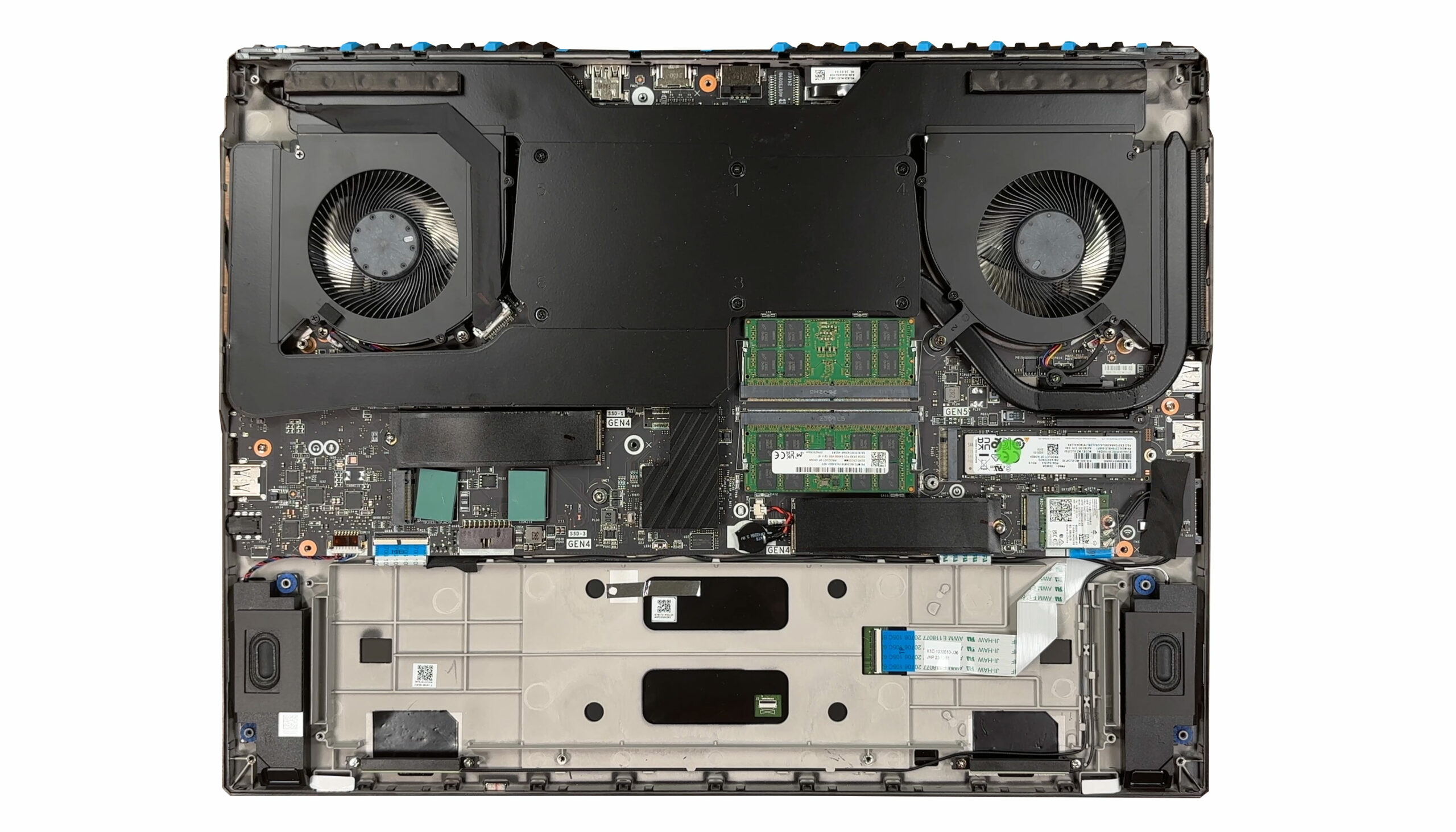
Undoing a dozen JIS #1 screws and working a plastic pick around the edge lets the bottom panel pop free, immediately revealing a chassis dominated by a 99.9 Wh Li-Poly pack that stretches across the front next to the downward-firing speakers. Labelled BTY-M6M4, the pack is rated at 15.2 V and 6250 mAh (6578 mAh typical), which translates to 99.9 Wh—the largest capacity allowed for carry-on flights.
Cooling duties fall to two turbine fans, a full-width vapor chamber, four exhaust vents, and that extra pipe feeding the Gen5 SSD, so the Core Ultra 9 285HX and RTX 5090 Laptop should maintain their lofty 270 W combined limit.
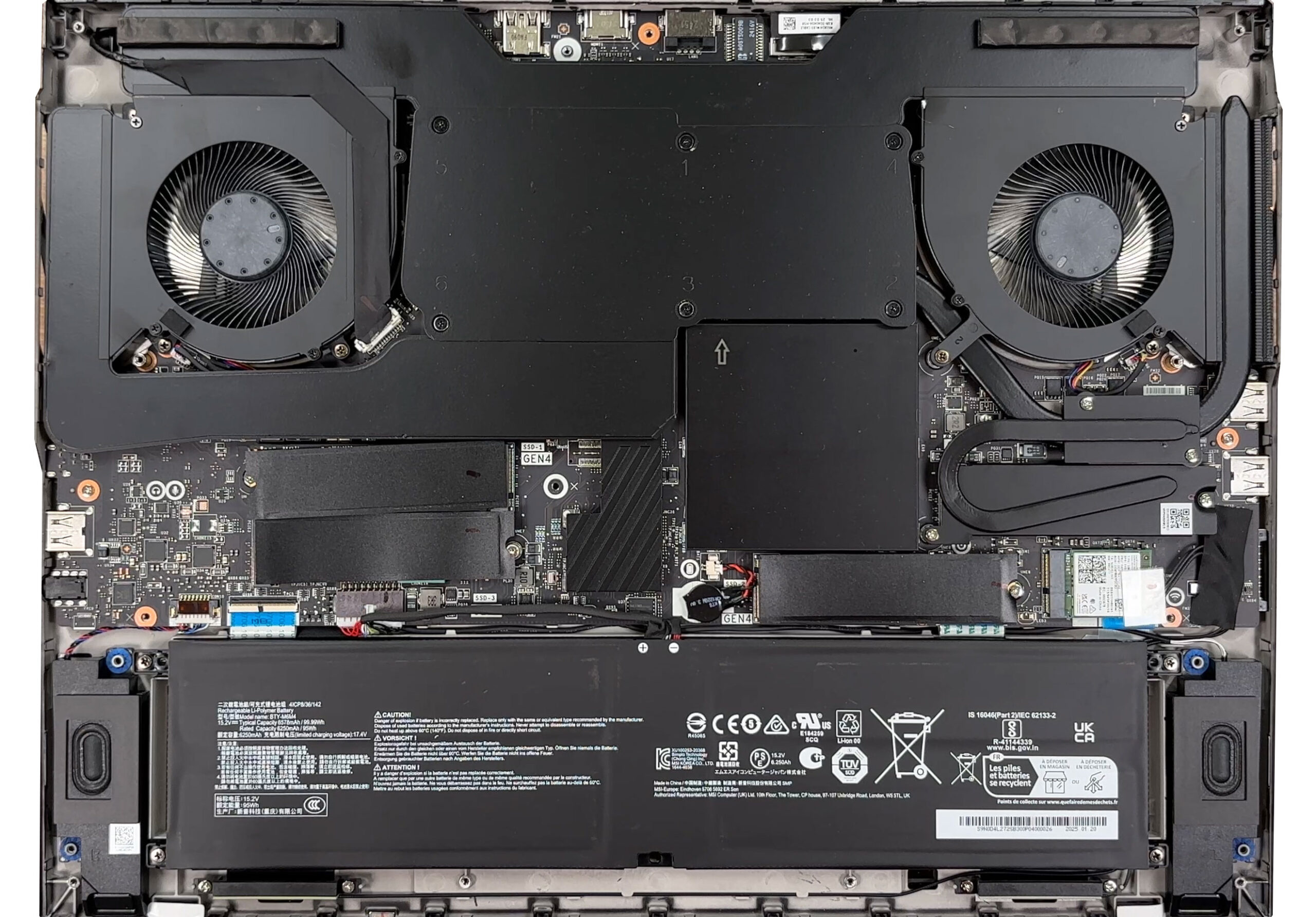
Most other components hide beneath matte-black shields, but the sprawling dual-fan Cooler Boost Titan vapor-chamber assembly is still the first thing to catch the eye, spanning almost the full width of the motherboard.
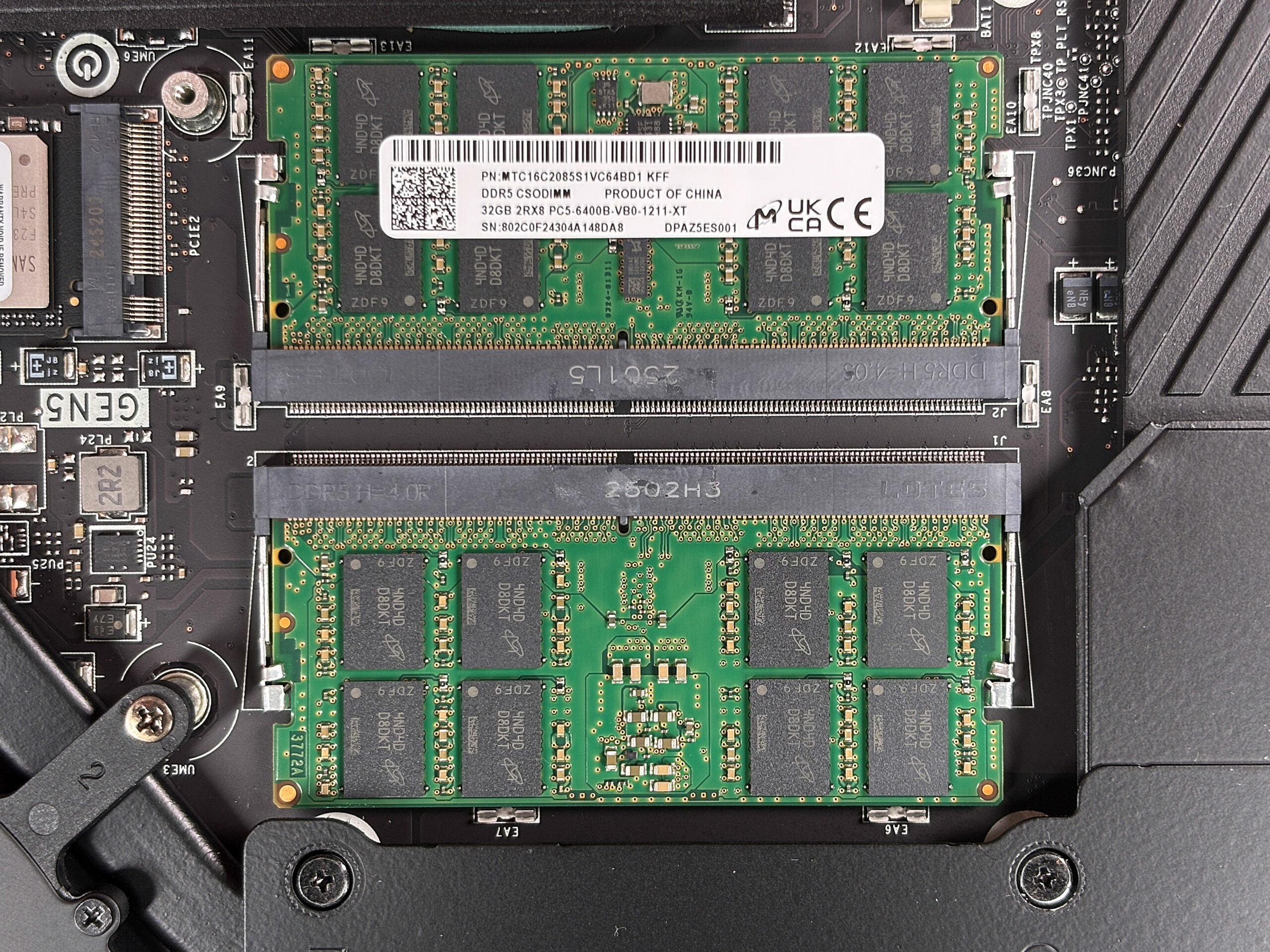
A removable metal box just left of centre hides two DDR5 slots; lifting it (a suction cup works best) exposes Micron CSODIMM sticks whose extra CKD chip in the middle of the PCB guarantees clean signalling at the factory 6400 MT/s. The system accepts up to 64 GB.
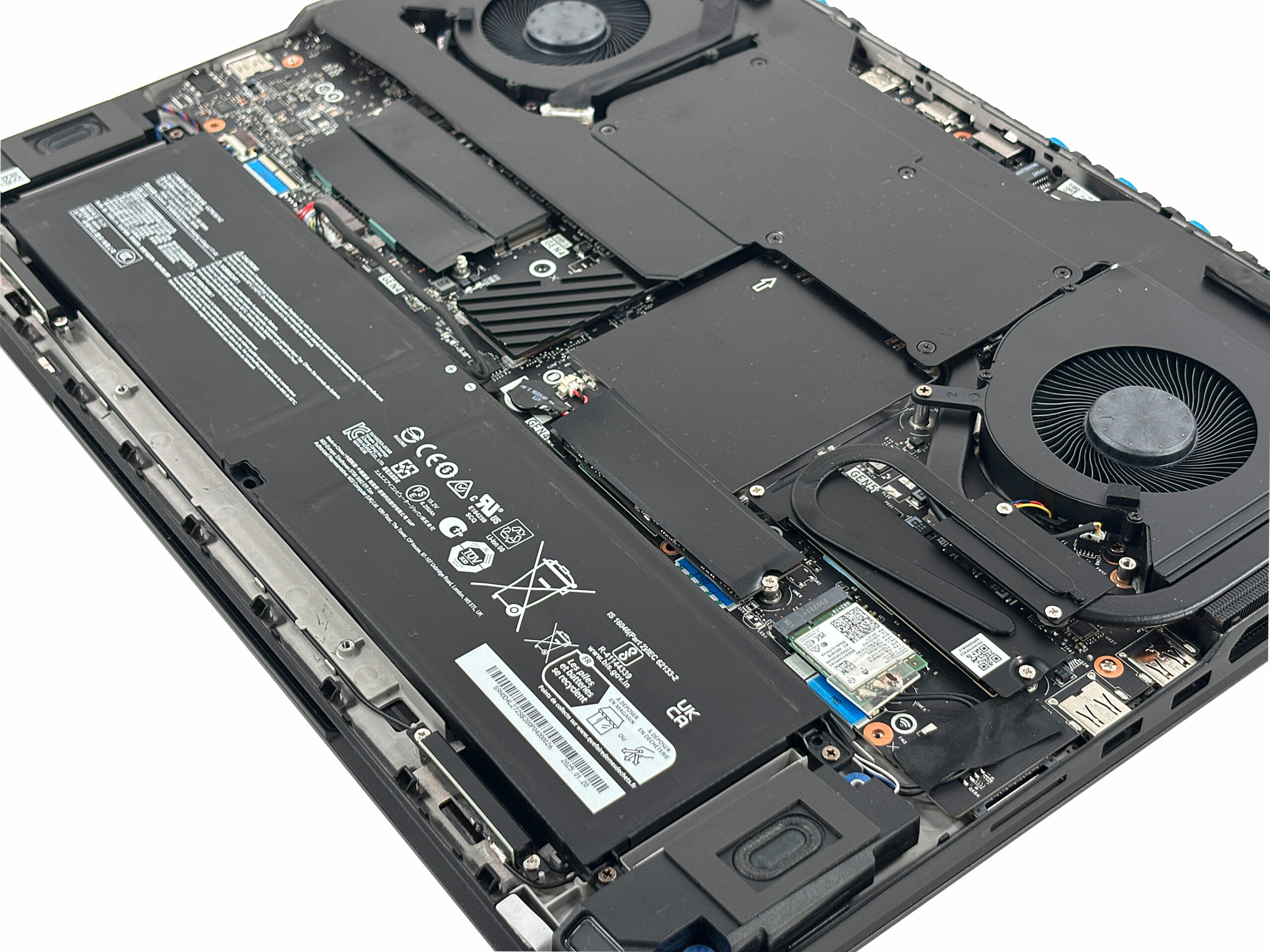
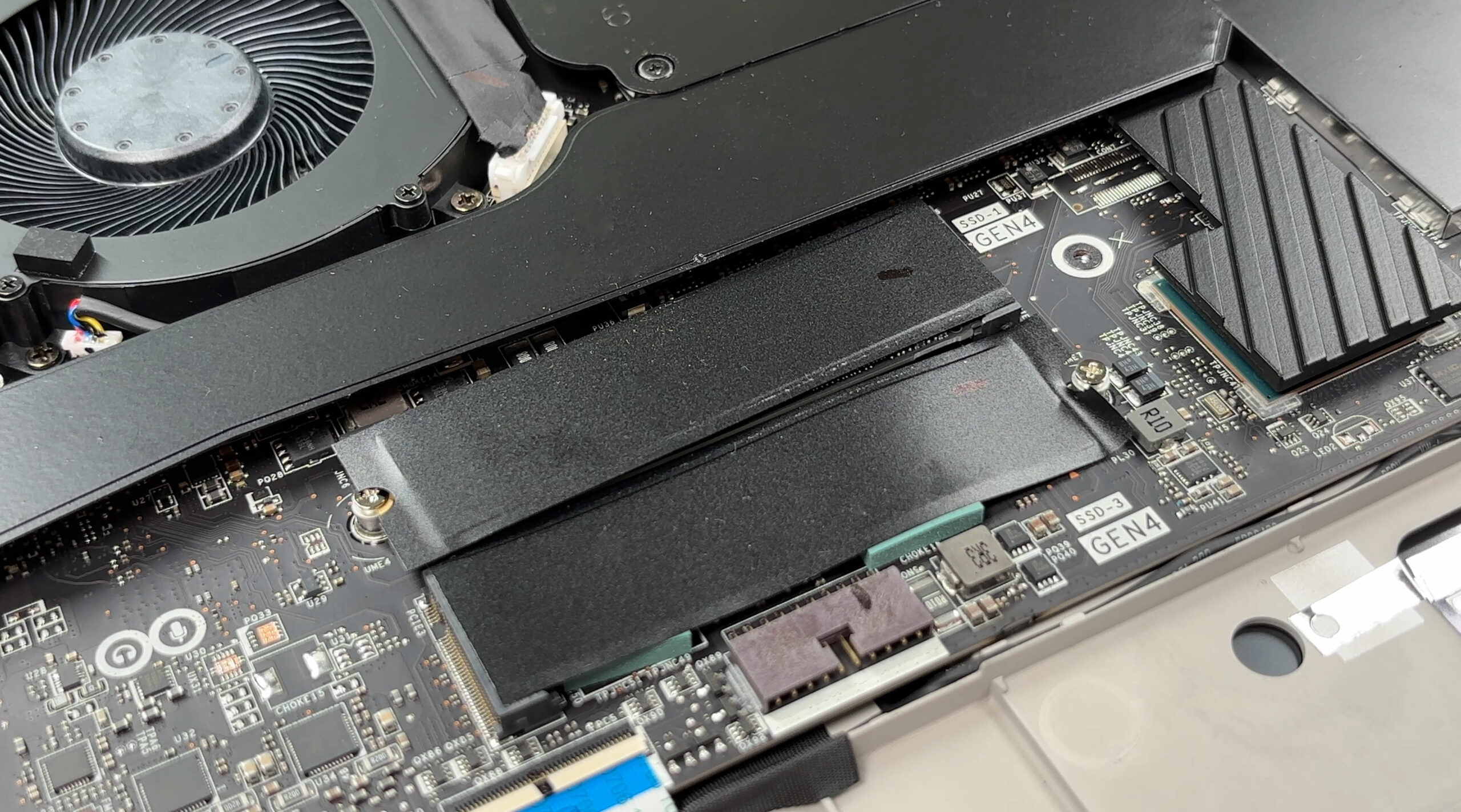
Storage is more than generous! Three PCIe 4.0 M.2 slots sit under low-profile EMI lids secured by a single screw and adhesive pads, while a fourth PCIe 5.0 slot lives on the right under its own heatsink and dedicated cooling pipe—ideal for an ultra-fast Gen5 drive.
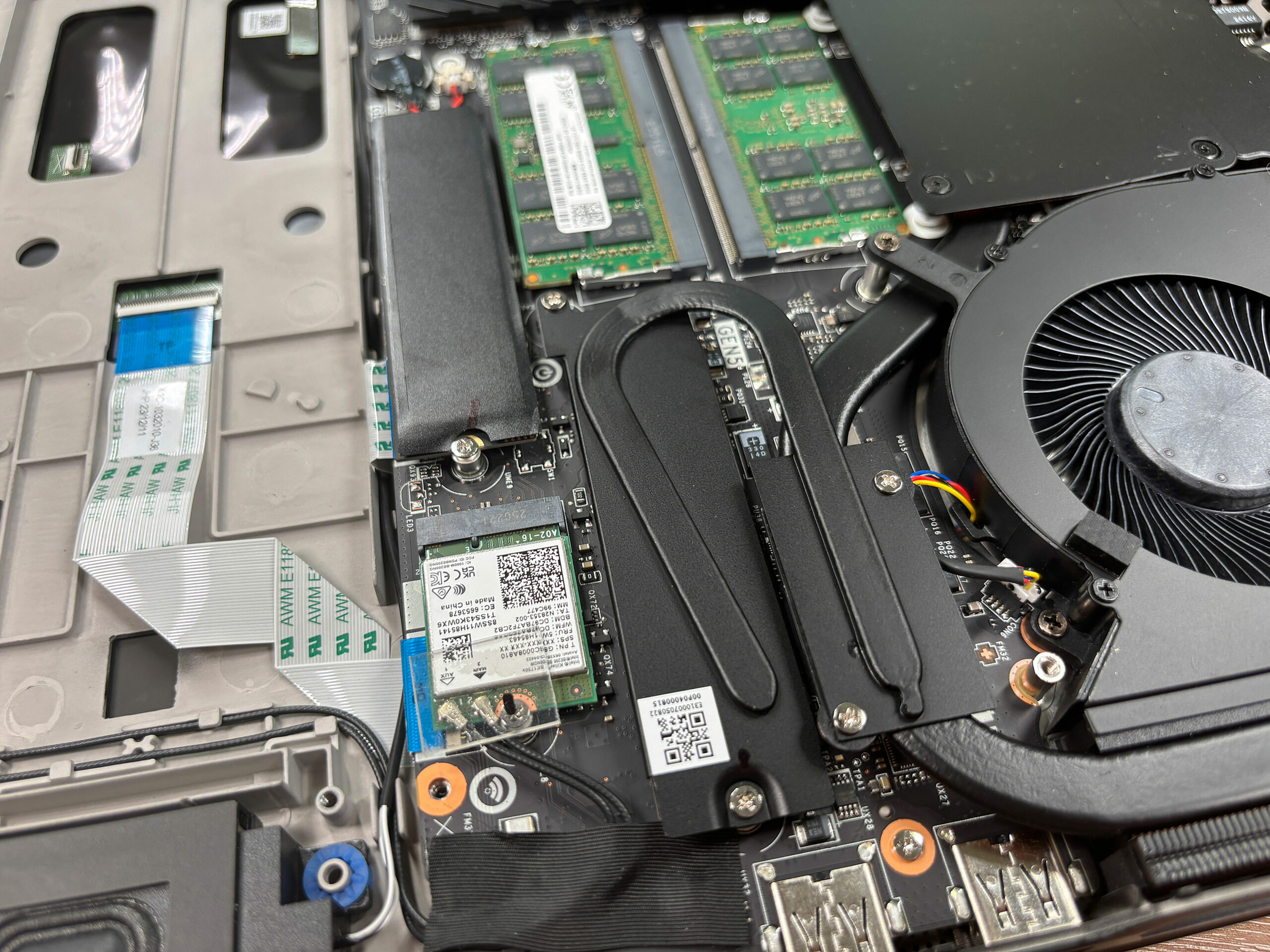
The Gen5 slot’s plate needs three screws plus the drive retainer removed before the SSD can be angled out; the adhesive is tenacious, so gentle heat helps prevent bending the board during upgrades.
Both speakers, the Wi-Fi 7 card, CMOS cell and even the ribbon-fed keyboard backlight are serviceable without pulling the motherboard, though many shields rely on sticky thermal pads that demand patience during reassembly.
The Titan 18 HX has great options for upgrades but the process is complicated. Watch our video above to see it.
Verdict
The MSI Titan 18 HX A2XW is not so much a laptop as it is a statement. It is an unapologetic, flagship desktop replacement that throws subtlety to the wind in a relentless pursuit of power, features, and sheer presence. This is a machine for the enthusiast who wants everything – the best CPU, a top-tier GPU, an incredible keyboard, and storage options that defy logic…and is willing to accept the significant trade-offs in portability and battery life that come with it.
MSI has engineered a true monolith of mobile computing here. It is an awe-inspiring, deeply impressive, and equally flawed machine that represents the absolute peak of what is currently possible in a portable (in the loosest sense of the word) form factor.
✅ The Good
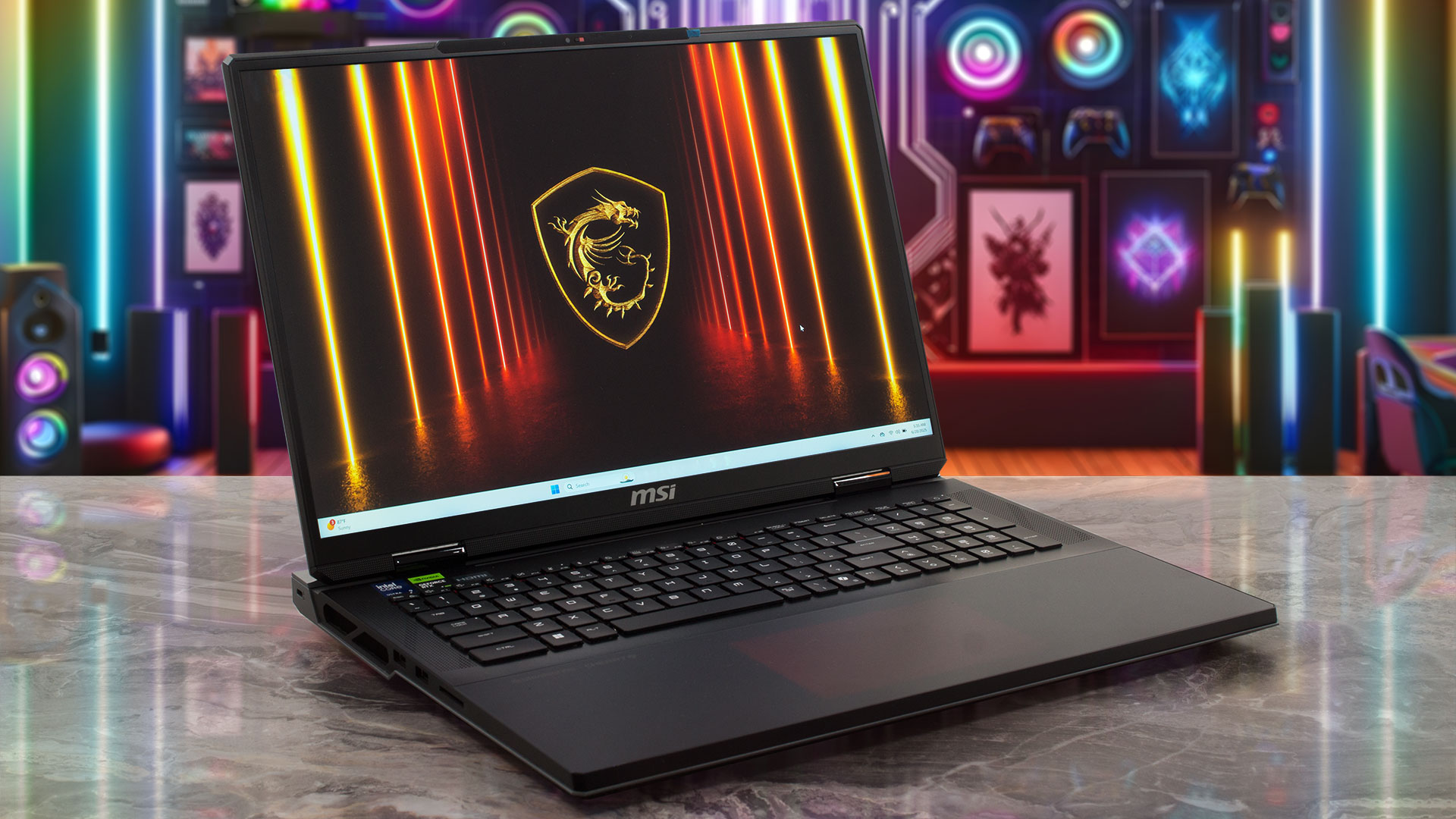 The Titan’s highlights are as massive as its chassis. The build quality is simply exceptional, utilizing a premium Mg-Al alloy that feels incredibly robust and well-engineered. The star of the user experience is the Cherry MX mechanical keyboard, which provides a tactile, satisfying typing and gaming experience that is arguably the best we have ever used on a laptop.
Internally, the Titan is in a class of its own. It boasts the fastest CPU performance we’ve ever tested and storage capabilities that are nothing short of phenomenal, featuring four M.2 slots with RAID support and dedicated cooling for the Gen5 drive. The 4K MiniLED display is another triumph, offering incredible brightness, 100% DCI-P3 coverage, and a breathtaking contrast ratio that makes content pop.
To top it off, connectivity is utterly future-proof, with a powerful Thunderbolt 5 port that supports an impressive 140W PD charging, alongside Wi-Fi 7 and a full-sized SD card reader.
❌ The Bad
The Titan’s biggest strengths are mirrored by its most significant weaknesses. The battery life is abysmally poor, lasting less than two and a half hours, making it one of the worst performers we’ve ever tested and firmly tethering it to a wall outlet. The otherwise stunning MiniLED display is severely hampered by aggressive PWM flickering, which is a major concern for users with sensitive eyes.
The fantastic mechanical keyboard also suffers from a bizarre inconsistency: only the main keys are mechanical, while the function row and NumPad are membrane, creating a jarring experience. And despite its enormous size, its RTX 5090 GPU performance surprisingly falls slightly short of smaller, more efficient competitors.
🆚 The Competitors
When pitted against its main rival, the Lenovo Legion Pro 7i (detailed review), the Titan’s philosophy becomes clear. The Legion, despite being a smaller 16-inch machine, delivers better raw GPU performance and more than double the battery life. It represents a more balanced and practical approach to high-end gaming.
The ASUS ROG Strix SCAR 18 G835 2025 (detailed review) also highlights the Titan’s poor efficiency with its vastly superior battery longevity. The MSI Titan 18 HX doesn’t win on pure performance-per-dollar or portability; it wins by offering an unmatched feature set for the user who wants the most of everything, even if it’s not always the most optimized.
You can check the prices and configurations in our Specs System: https://laptopmedia.com/series/msi-titan-18-hx-ai-a2xwx/
Pros
- Exceptional and premium Mg-Al alloy build quality
- Phenomenal Cherry MX mechanical keyboard on the main deck
- Unrivaled storage options with four M.2 slots (1x Gen5) and insane RAID speeds
- Stunning and bright 4K MiniLED display with 100% DCI-P3 coverage
- Chart-topping CPU performance, the fastest we’ve tested
- Future-proof connectivity with a powerful 140W Thunderbolt 5 port
Cons
- Extremely poor battery life, one of the worst on record
- Aggressive PWM on the display is a major concern for eye comfort
- Inconsistent keyboard with a mix of mechanical and membrane switches
- GPU performance is slightly behind шге Legion Pro 7i Gen 10 (16″ Intel)
- Difficult to open and upgrade
 Author: Simeon NikolovEditor-in-Chief at LaptopMedia.com with 20+ years of experience in testing and analyzing laptops and mobile devices.
 Author: eng. Kroum NikolovHead of Engineering at LaptopMedia.com, inventor and innovator with 40+ years of experience in electronics and high technology.
TOP 100 GAMING LAPTOPS


TOP LAPTOP RATINGS
HIGHLIGHTS view more
Preliminary Comparison: MSI Claw 8 EX AI+ vs Predator Atlas 8 vs ROG Xbox Ally X20
Jun 13, 2026![[May 2026] Amazon Global: Top 10 Best-Selling Gaming Laptops – Budget-Friendly ASUS TUF Gaming A15 Dominates the Market](https://laptopmedia.com/wp-content/uploads/2026/06/Best-Selling-Gaming-Laptops-GLOBAL-Top-10-400x225.jpg)
[May 2026] Amazon Global: Top 10 Best-Selling Gaming Laptops – Budget-Friendly ASUS TUF Gaming A15 Dominates the Market
Jun 09, 2026![[May 2026] Amazon Global: Top 10 Best-Selling Laptops – Apple’s Affordable ‘MacBook Neo’ Takes the Crown Amidst Strong Air and Pro Sales](https://laptopmedia.com/wp-content/uploads/2026/06/Best-Selling-Laptops-GLOBAL-Top-10-400x225.jpg)
[May 2026] Amazon Global: Top 10 Best-Selling Laptops – Apple’s Affordable ‘MacBook Neo’ Takes the Crown Amidst Strong Air and Pro Sales
Jun 09, 2026![[May 2026] Best-Selling Laptop Brands on Amazon Global – Apple Dominates in Units and Revenue](https://laptopmedia.com/wp-content/uploads/2026/06/GLOBAL-Best-Brands-400x225.jpg)
[May 2026] Best-Selling Laptop Brands on Amazon Global – Apple Dominates in Units and Revenue
Jun 09, 2026
The Most Interesting Displays We Saw at COMPUTEX 2026: OLED, 1000Hz, Creator Panels, and Their Caveats
Jun 08, 2026
REVIEWS view more
Lenovo Legion 7a (16″, Gen 11) review – Premium OLED Gaming in a Slim Body
Jun 16, 2026Lenovo Yoga Pro 9i Aura Edition (16″, Gen 11) review – MacBook Pro Rival with RTX Graphics?
Jun 11, 2026Dell 15 (DC15250) review – Practical Office Laptop with Big Configuration Traps
Jun 05, 2026MSI Cyborg 17 B13W review – Big Screen, Low RTX Power
Jun 02, 2026Apple MacBook Air 15.3″ (M5) – The Best 15-Inch Laptop for Everyday Use?
May 30, 2026