How to open HP EliteBook 830 G11 – disassembly and upgrade options

Opening the Device
Hint: Ensure the laptop is powered off and disconnected from any power source before starting.
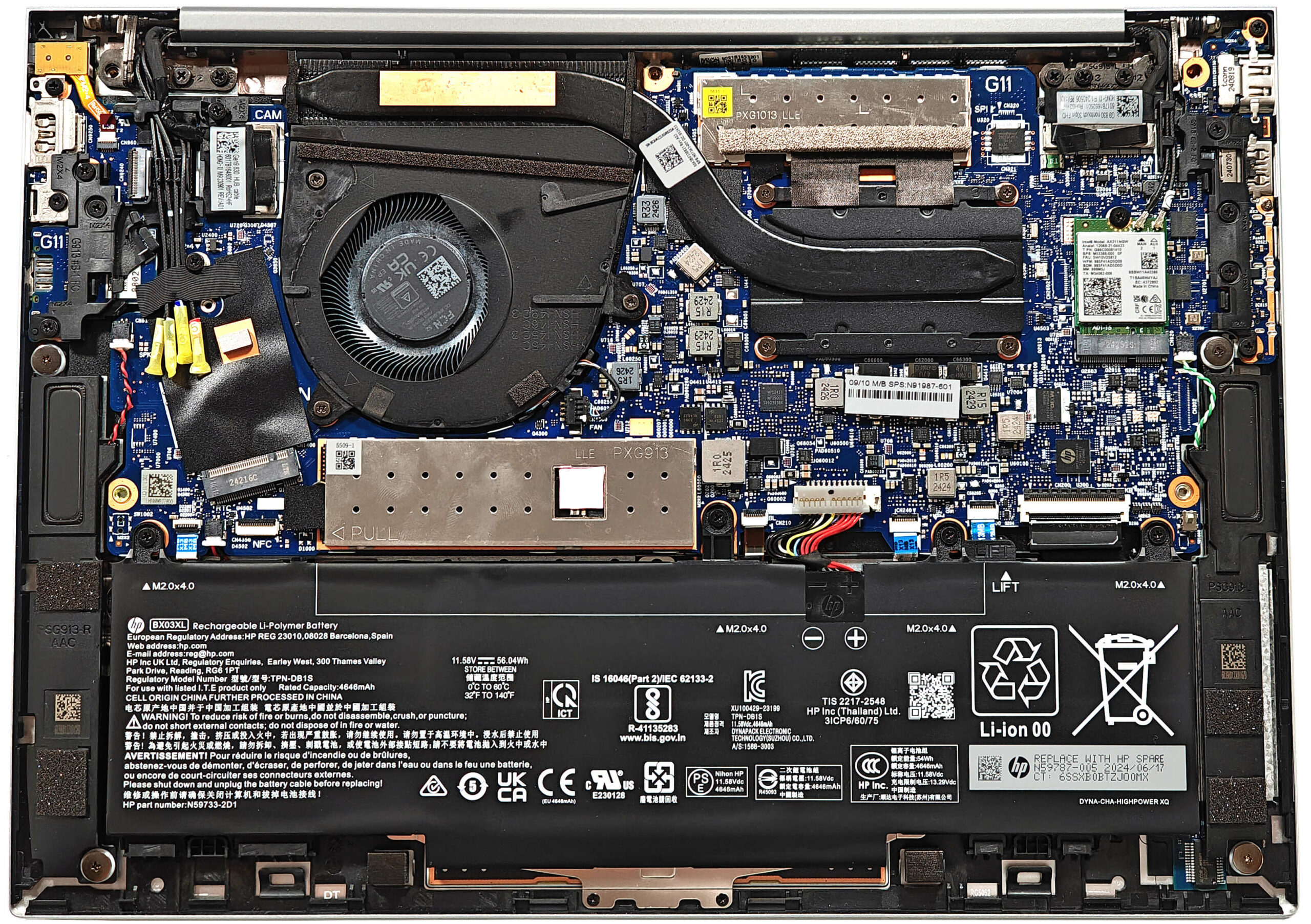
- Undo the five captive Phillips-head screws on the bottom panel of the laptop.
- Use a lever tool to pop the back in the hinge cover zone as close as possible to the top corners.
- Pry the middle section.
- If the upper edges and the rear are not fully popped, use a thin plastic tool to pry the rear.
- Work your way around the sides and the front to fully remove the back cover.
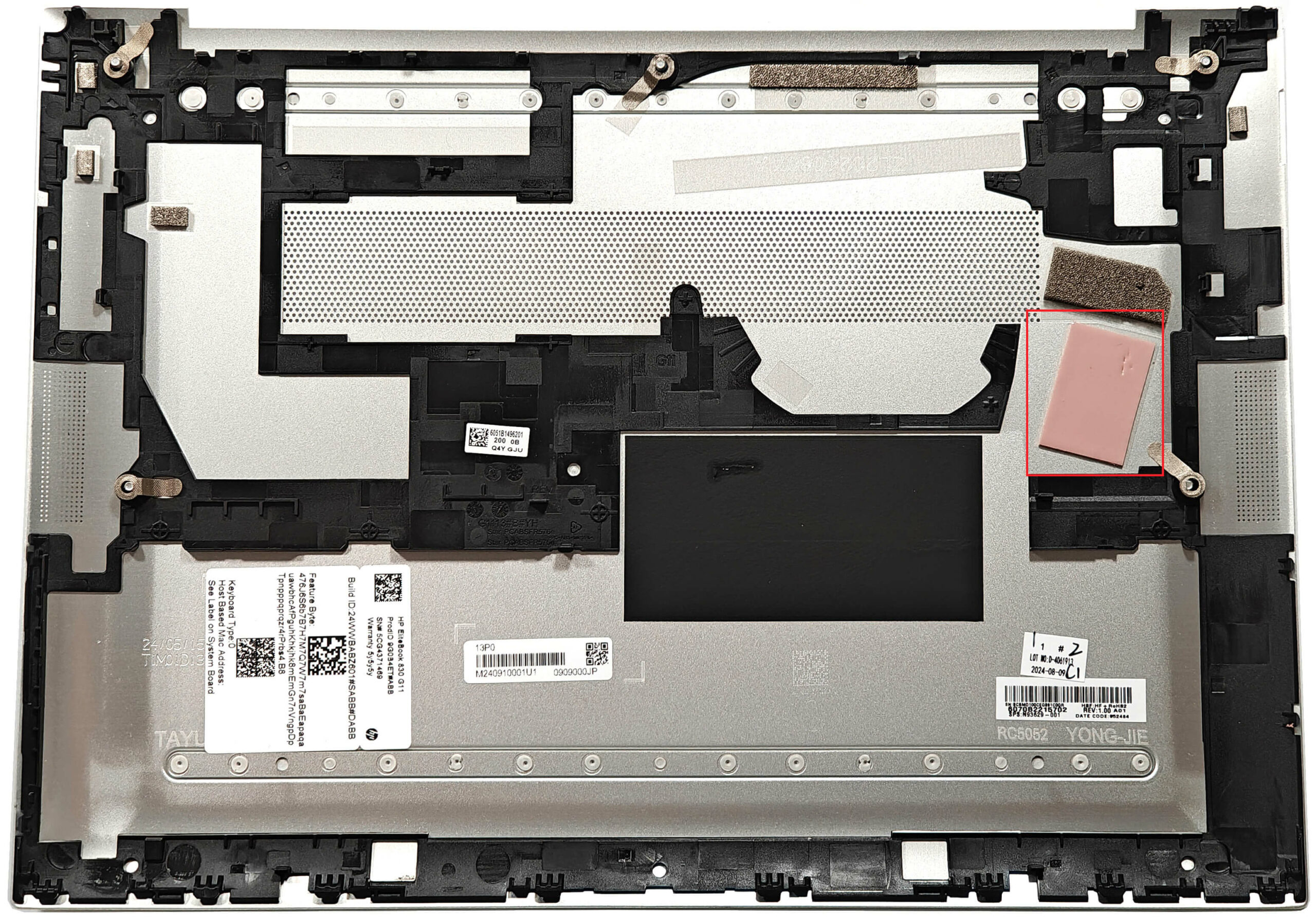
More info: The inside of the bottom plate features a large cooling pad for the WWAN slot.
Battery Removal
Caution: Handle the battery with care to avoid damage or injury.
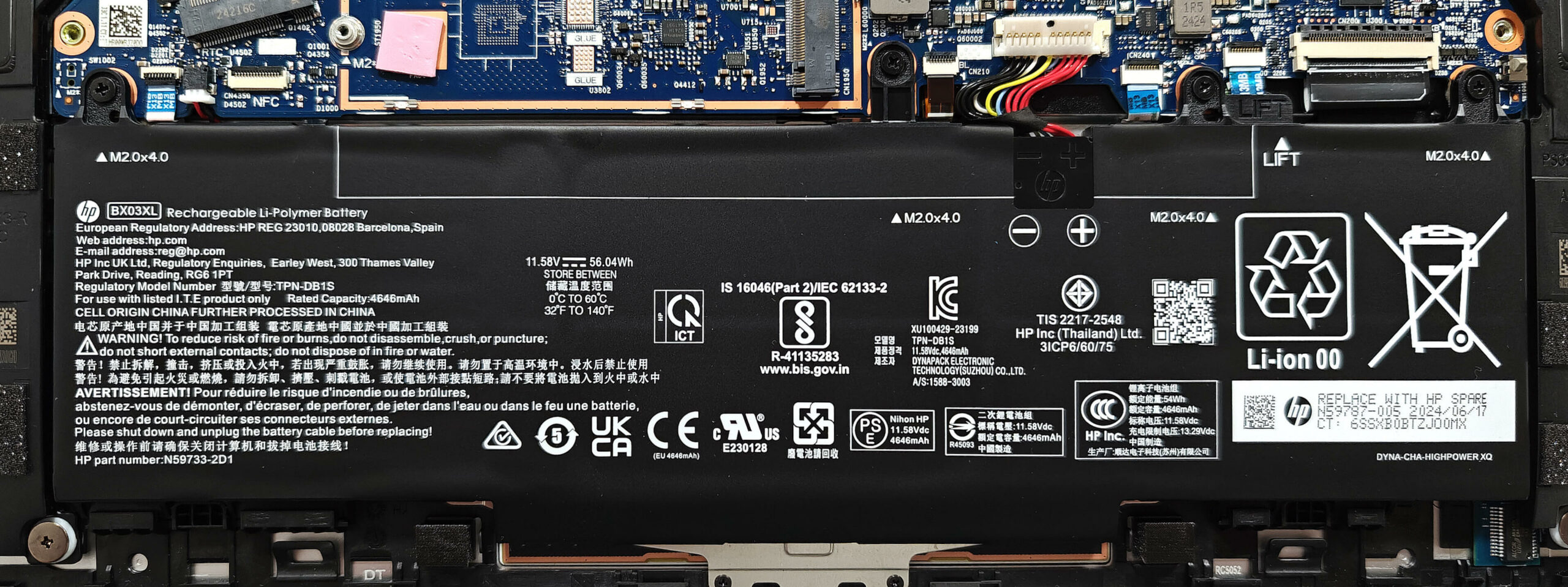
- Detach the connector from the motherboard by pulling it towards the battery.
- Undo the four Phillips-head screws that secure the 56Wh battery unit to the base.
- Carefully unglue the battery unit starting from the left side. The double-sided tape on both sides is very sticky, so pull hard without bending the battery.
- Detach the battery from the laptop.
More info: The laptop is equipped with a 56Wh battery, providing around 14 and a half hours of video playback.
You can buy compatible batteries here: Buy from Amazon.com (#CommissionsEarned)
Memory Upgrade
Note: The memory is soldered and not user-upgradable.
More info: This laptop comes with up to 32GB of LPDDR5x-6400MHz memory in dual-channel mode, which should be sufficient for normal home or office tasks in the long term.
Storage Upgrade
Hint: Handle the SSD with care to avoid any data loss or damage during installation.
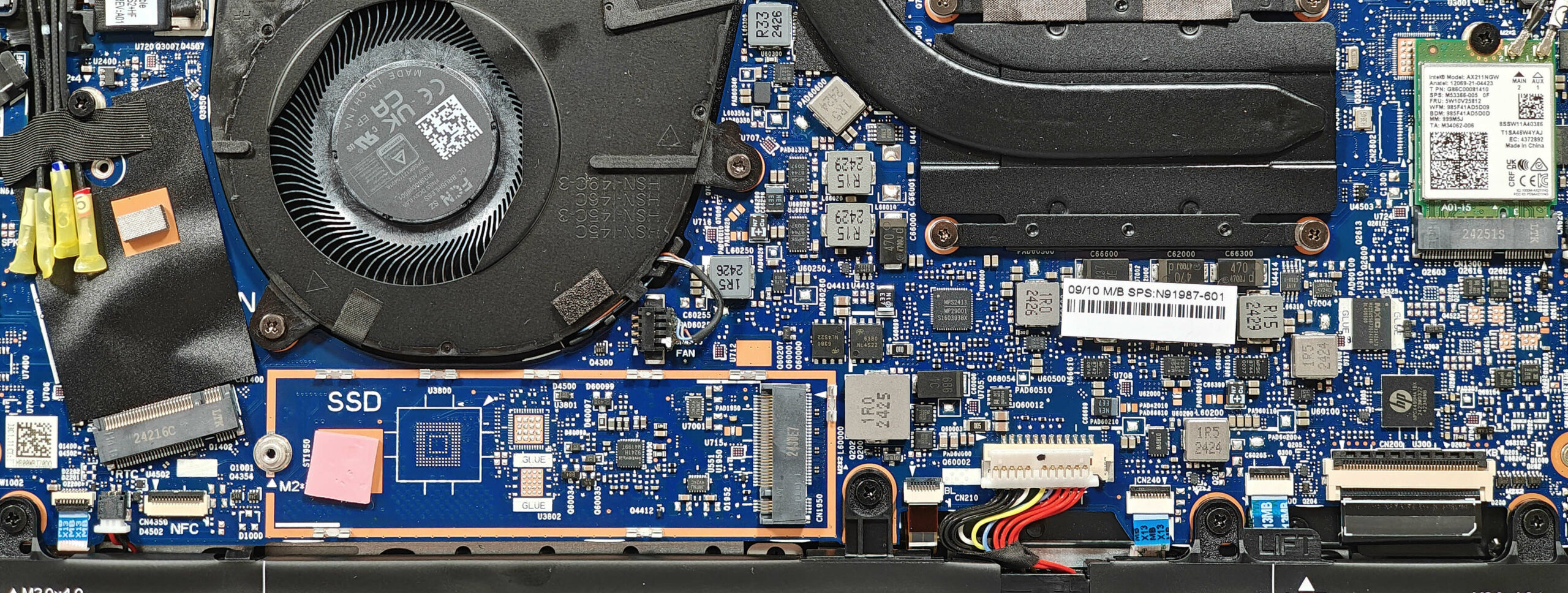
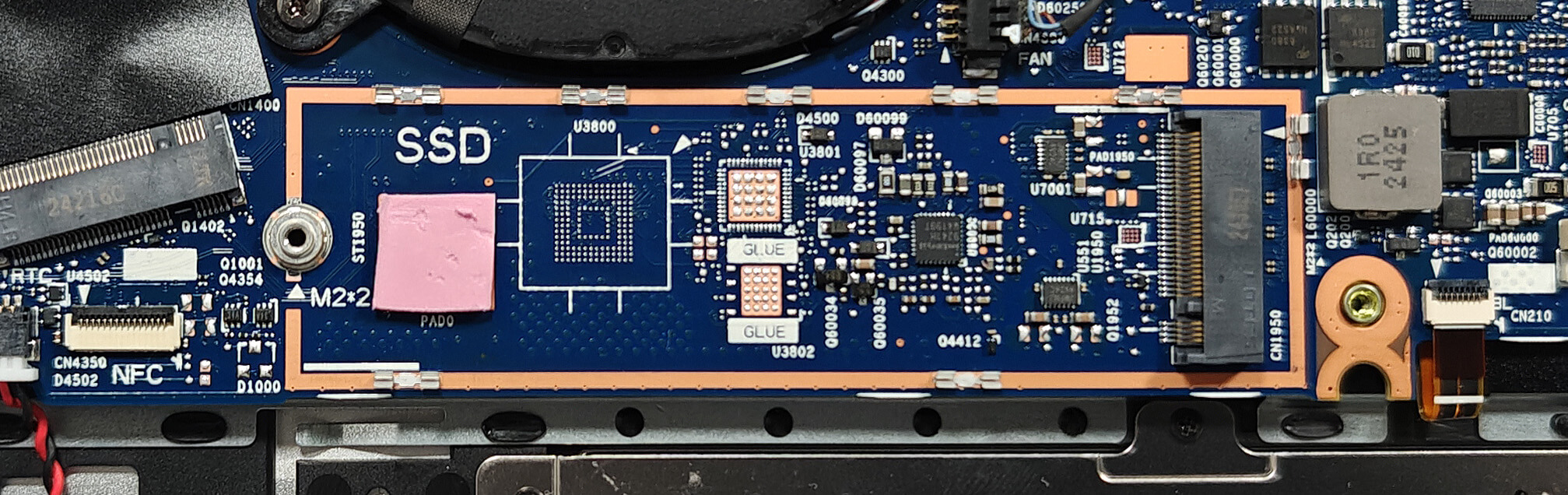
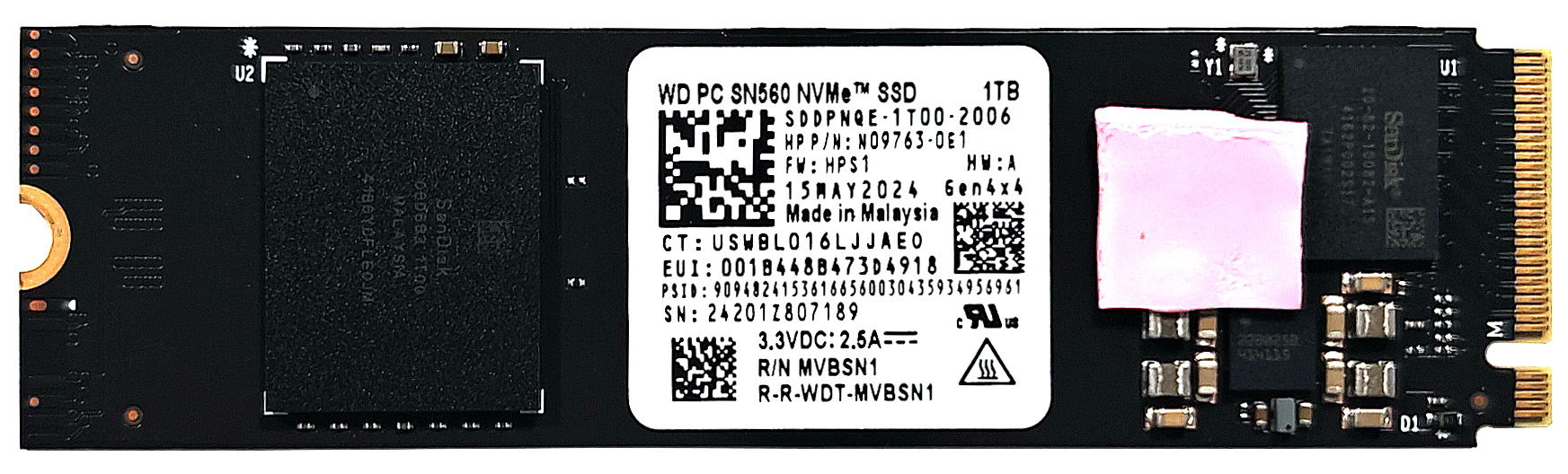
- Locate the single M.2 slot compatible with 2280 Gen 4 SSDs.
- Remove the metal shield covering the SSD by undoing the single Phillips-head screw.
- Slide the metal shield to the left and lift it away from the chassis.
- Insert the new Gen 4 M.2 SSD into the slot and secure it with the screw.
More info: The SSD is cooled by small thermal pads on both sides. The position of the lower pad isn’t perfect but can be fixed easily.
Hint: Don’t forget to check out our Top M.2 SSDs Performance Rankings for insights on the best storage options available.
You can buy compatible SSDs here: Buy from Amazon.com (#CommissionsEarned)
Wi-Fi Card
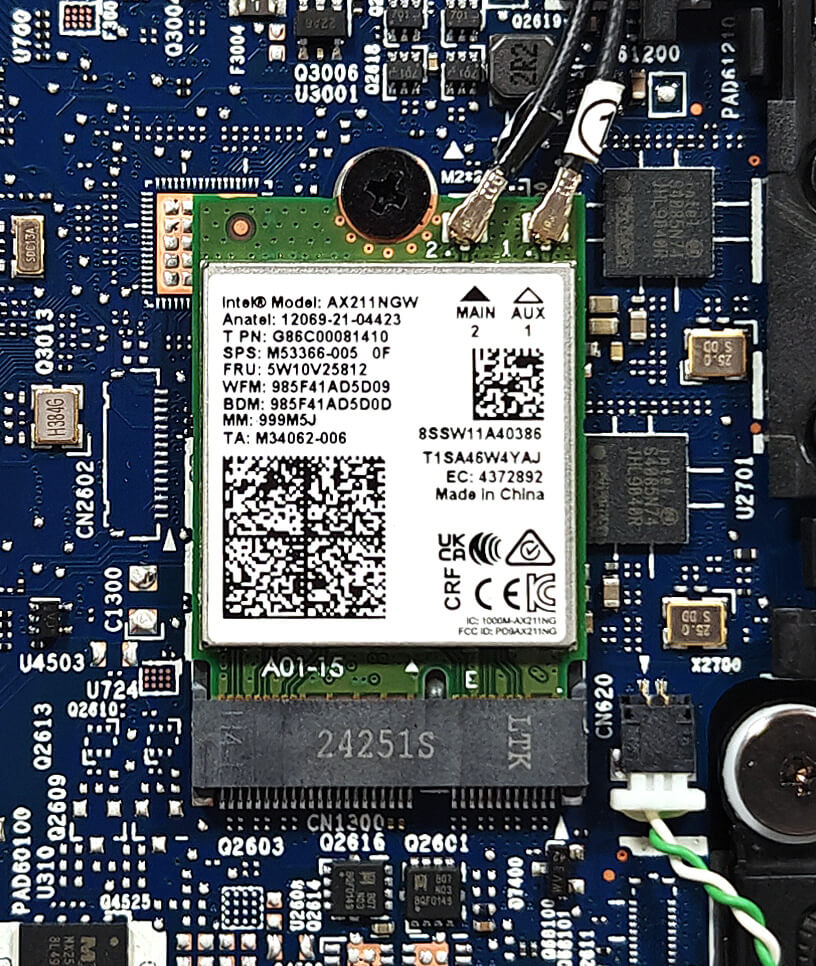
More Info: The Wi-Fi 6E card is placed in front of the heat sink. The WWAN slot for optional 5G or 4G LTE connectivity is positioned close to the fan.
Cooling System Overview
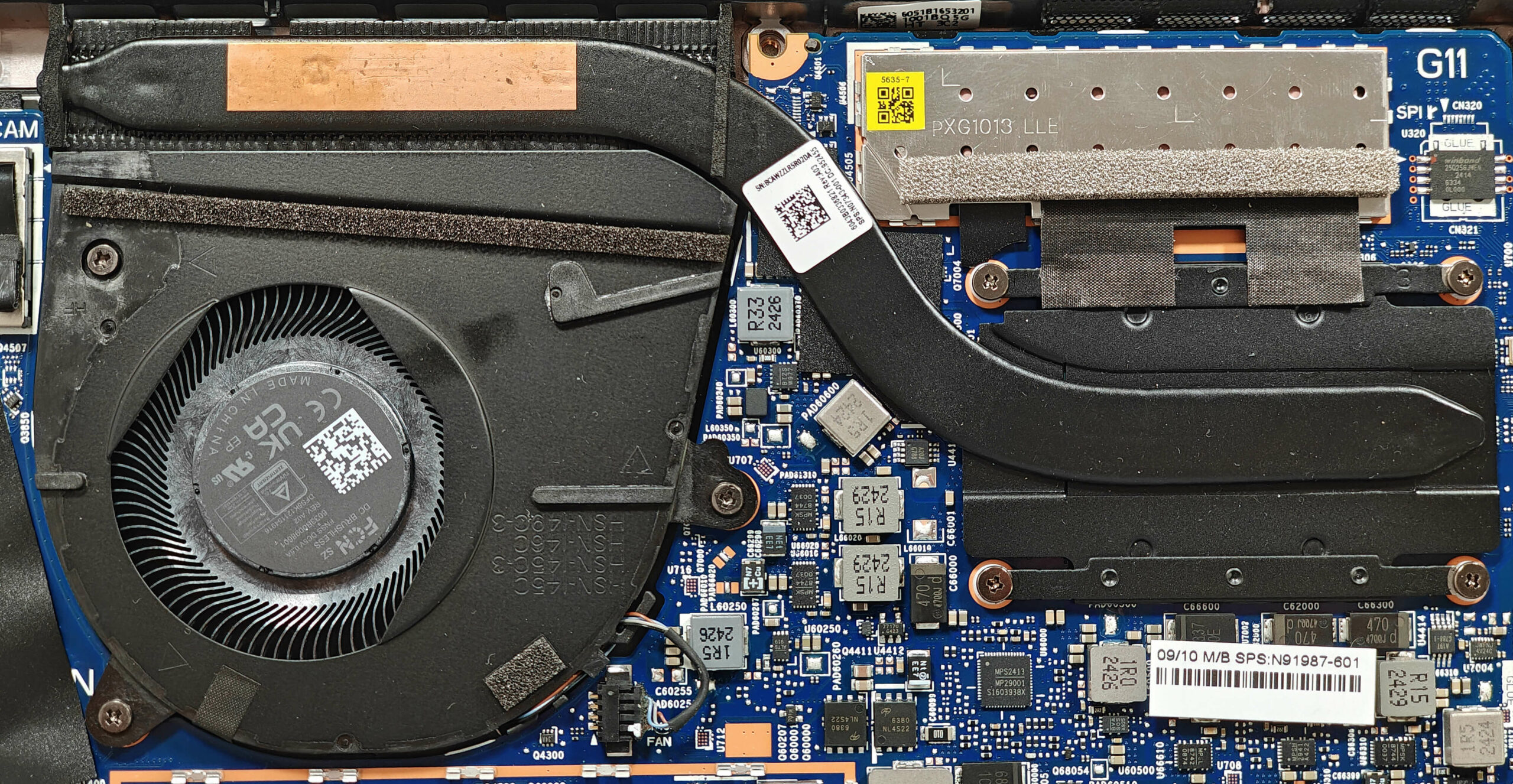
More info: The cooling system comprises one large fan, a single heat pipe, a heat sink, and a heat spreader, ensuring effective thermal management.
- Inspect the large fan to ensure it is free of dust and debris.
- Check the single heat pipe for any signs of wear or damage.
- Verify that the heat sink is properly seated and unobstructed.
- Ensure that the heat spreader is securely in place to maintain optimal cooling performance.
HP EliteBook 830 G11 in-depth review
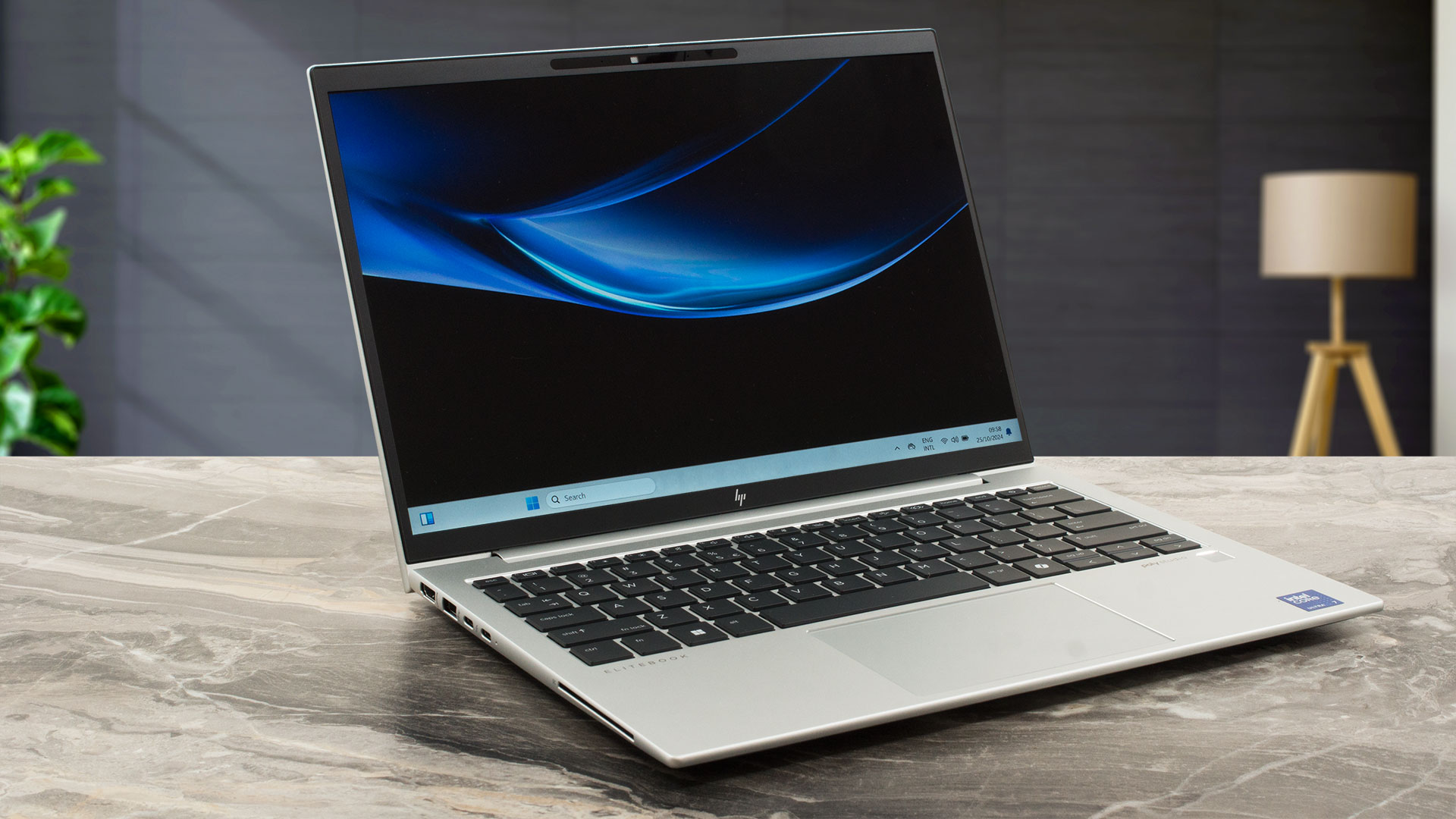
The 13.3" EliteBook 830 G11 can be mistaken for the slightly bigger 840 G11 sibling because both look nearly the same and have similar keyboards and touchpads. The differences between the two are mainly hidden under the bonnet. The smaller machine has more modest cooling and soldered RAM. Still, the WWAN card, the Wi-Fi 6E card, and the SSD are replaceable. The port selection remains identical to the abovementioned 14-incher, which is positive. Also, the 830 version is powered by 15W Meteor Lake-U chips. There are no 28W options.Five display variants are available. All are 60Hz 1200p units[...]
Pros
- Solid metal build
- The matte finish picks almost zero smudges
- Compact (1.293 kg / 8.905 - 16.35 mm)
- The Core Ultra 7 155U sustains 3.98 GHz / 3.32 GHz P and E core clocks in short loads
- Wide viewing angles + 16:10 aspect ratio (LGD0792)
- 329 nits of max brightness (LGD0792)
- PWM-free (LGD0792)
- Great spill-resistant keyboard
- Smooth and accurate touchpad
- 2x Thunderbolt 4 + 2x Type-A ports
- The fan is quiet in "Performance" mode during heavy CPU loads
- An even quieter fan in "Smart Sense" mode during heavy CPU loads
- Long battery battery life considering the small 56Wh capacity (~14 hours and a half of video playback)
- 5MP Web camera with a privacy shutter
- Decently fast and well-cooled NVMe (WD PC SN560 SDDPNQE-1T00-2006)
- Lid with a lever design
- Good sound quality
- Smart Card Reader, NFC, fingerprint reader, IR Web camera, vPro, Intel Evo, eSIM, backlit keyboard (all are optional)
- Up to 32GB LPDDR5x memory
- Replaceable WWAN and Wi-Fi cards
Cons
- Just one M.2 slot + soldered RAM
- Too many optional features
- 52% sRGB coverage (LGD0792)
- The lid can't be opened with one hand
- 94°C CPU temperature in medium loads
 Author: Dimitar Stalev

![[August 2026] Amazon Global: Top 10 Best-Selling Laptops – Apple MacBook Neo Dominates the Charts as Budget and Mid-Range Windows Portables Fight for Volume](https://laptopmedia.com/wp-content/uploads/2026/09/Best-Selling-Laptops-GLOBAL-Top-10-400x225.jpg)
![[August 2026] Best-Selling Laptop Brands on Amazon Global – Apple Dominates Revenue While HP Leads in Model Variety](https://laptopmedia.com/wp-content/uploads/2026/09/GLOBAL-Best-Brands-400x225.jpg)
![[August 2026] Amazon Global: Top 10 Best-Selling Gaming Laptops – HP Victus 15 Captures the Crown as Budget-Friendly Models Dominate the Charts](https://laptopmedia.com/wp-content/uploads/2026/09/Best-Selling-Gaming-Laptops-GLOBAL-Top-10-400x225.jpg)
![[August 2026] Best-Selling Laptop Brands on Amazon Japan – Apple Dominates Market Share and Revenue Led by Strong Unit Sales](https://laptopmedia.com/wp-content/uploads/2026/09/CO.JP-Best-Brands-1-400x225.jpg)
![[August 2026] Best-Selling Laptop Brands on Amazon USA – Apple Dominates Market Revenue and Volume Despite Lower Model Diversity](https://laptopmedia.com/wp-content/uploads/2026/09/COM-Best-Brands-1-400x225.jpg)
