Lenovo Yoga 7a 2-in-1 (16″, Gen 11) review – Premium Feel, Hidden Limits

The Lenovo Yoga 7a 2-in-1 (16″, Gen 11) aims to bring flagship luxury to the masses. Dressed in a sophisticated, fingerprint-resistant “Seashell” aluminum chassis, it looks and feels like a laptop that should cost significantly more. With its expansive, vibrant OLED display and the versatility of a 360-degree hinge, it’s designed to be a centerpiece for both creativity and entertainment. But achieving this premium aesthetic at a more accessible price point inevitably means compromises must be made behind the scenes. We dive deep to find out if its restrictive upgrade options and middling battery life are acceptable trade-offs for its stunning design and display.
TESTED CONFIGURATION:
– AMD Ryzen AI 7 445
– AMD Radeon 840M
– 32GB RAM
– 1TB SSD NVMe
– 16.0″, 2.8K (2880 x 1800), 120 Hz, OLED
You can check the prices and configurations in our Specs System: https://laptopmedia.com/series/lenovo-yoga-7a-2-in-1-16-gen-11/
Contents
Specs, Drivers, What’s in the box
Lenovo Yoga 7a 2-in-1 (16", Gen 11) - Specs

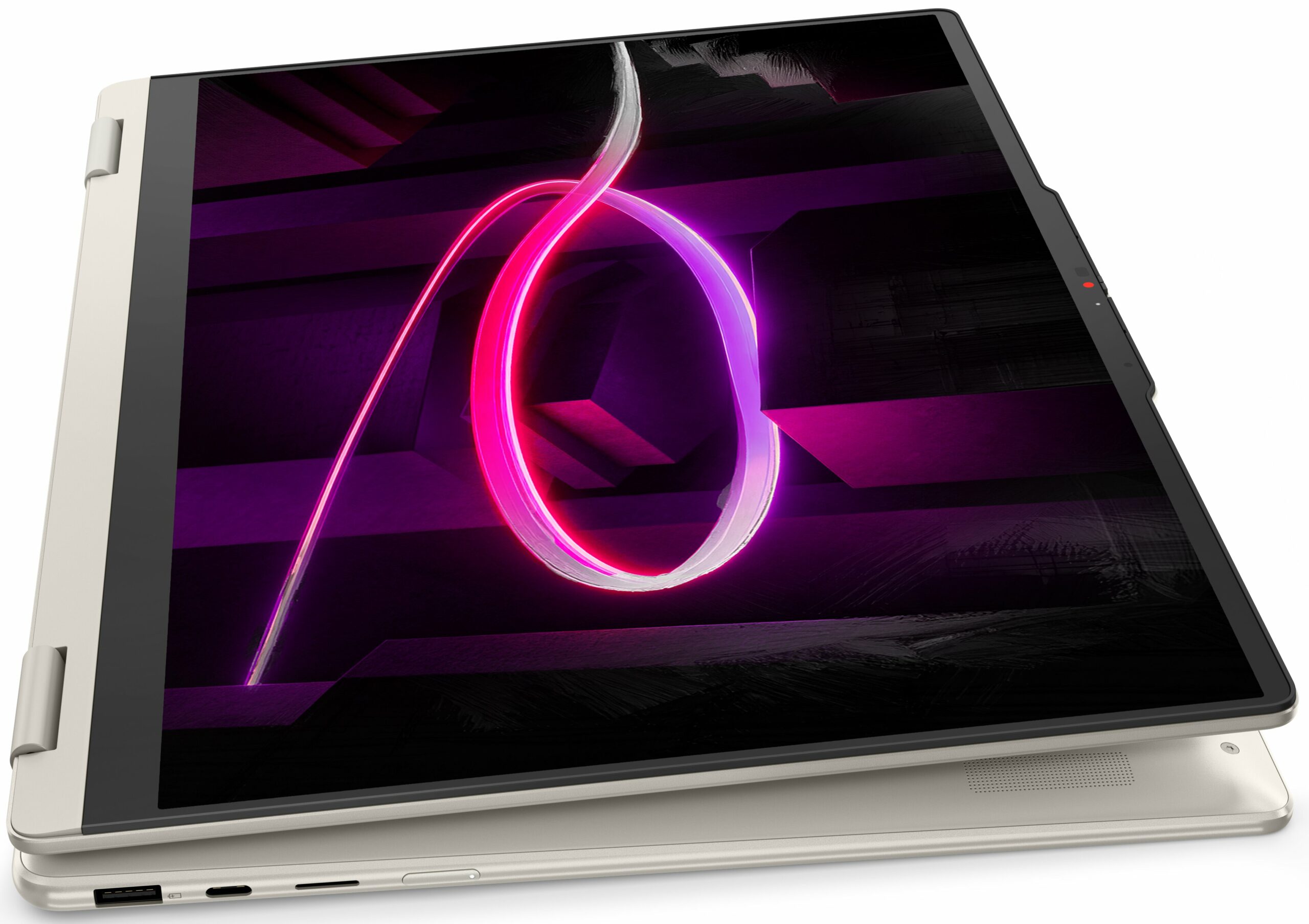
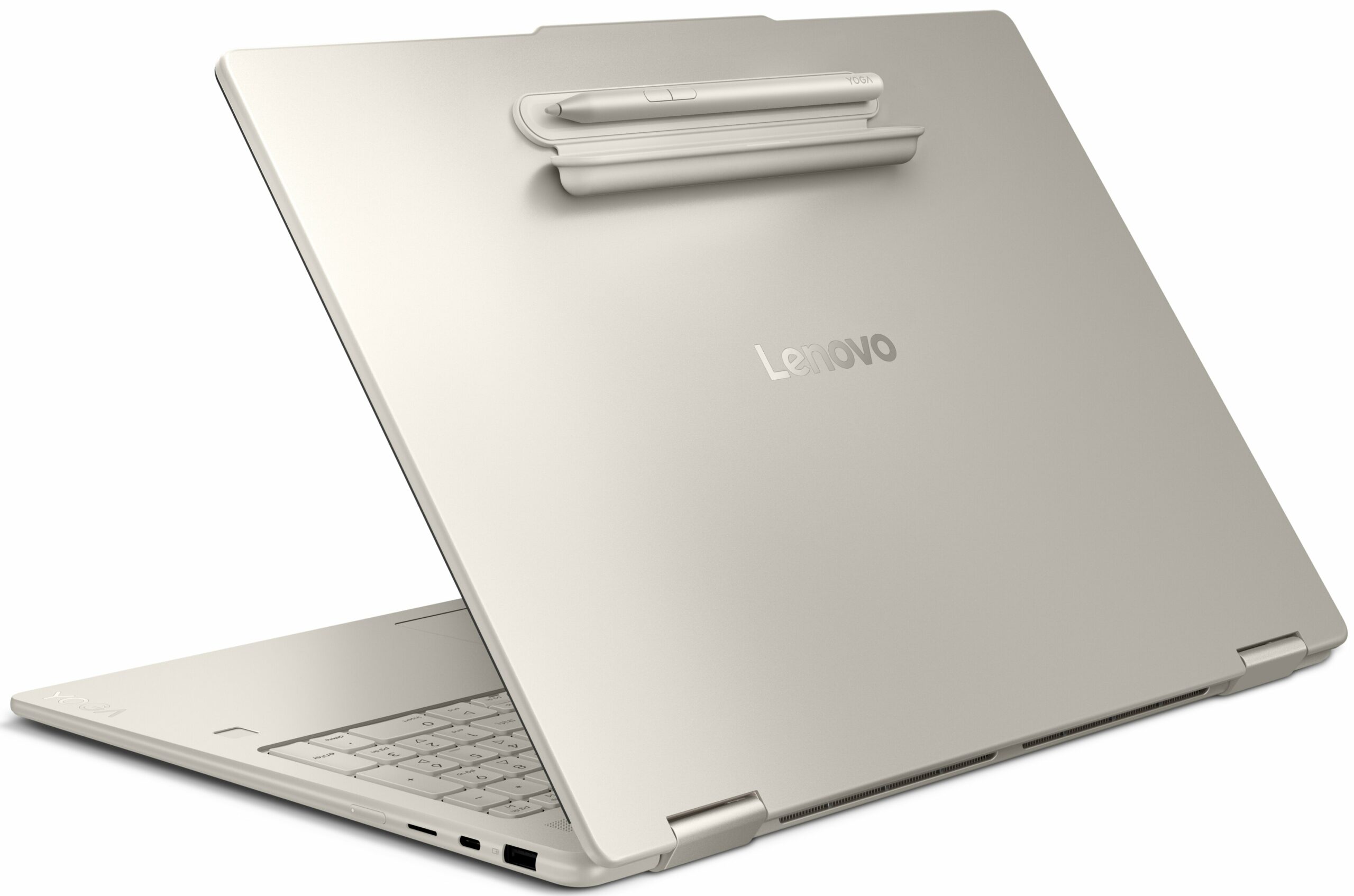

- HDD/SSD
- up to 2000GB SSD
- M.2 Slot
- 1x 2242 M.2 NVMe PCIe 4.0 x4 See photo
- RAM
- up to 32GB
- OS
- Windows 11 Home, Windows 11 Pro
- Battery
- 70Wh
- Body material
- Aluminum
- Dimensions
- 360 x 257 x 15.85 mm (14.17" x 10.12" x 0.62")
- Weight
- 1.74 kg (3.8 lbs)
- Ports and connectivity
- 1x USB Type-A
- 3.2 Gen 1 (5 Gbps), Sleep and Charge
- 1x USB Type-C
- 3.2 Gen 2 (10 Gbps), Power Delivery (PD), DisplayPort
- HDMI
- 2.1 (4K@60Hz)
- Card reader
- microSD (microSD, microSDHC, microSDXC)
- Ethernet LAN
- Wi-Fi
- Wi-Fi 7
- Bluetooth
- 5.4
- Audio jack
- 3.5mm Combo Jack
- Features
- Fingerprint reader
- optional
- Web camera
- 5.0MP + IR, with privacy shutter, fixed focus
- Backlit keyboard
- Microphone
- Quad-microphone array, 3D array
- Speakers
- 4 stereo speakers, 2W x2 (woofers), 2W x2 (tweeters), optimized with Dolby Atmos®, Smart Amplifier (AMP)
- Security Lock slot
All Lenovo Yoga 7a 2-in-1 (16″, Gen 11) configurations
Drivers
All drivers and utilities for this notebook can be found here: https://pcsupport.lenovo.com/us/en/products/laptops-and-netbooks/yoga-series/yoga-7-2-in-1-16agp11/downloads
What’s in the box?
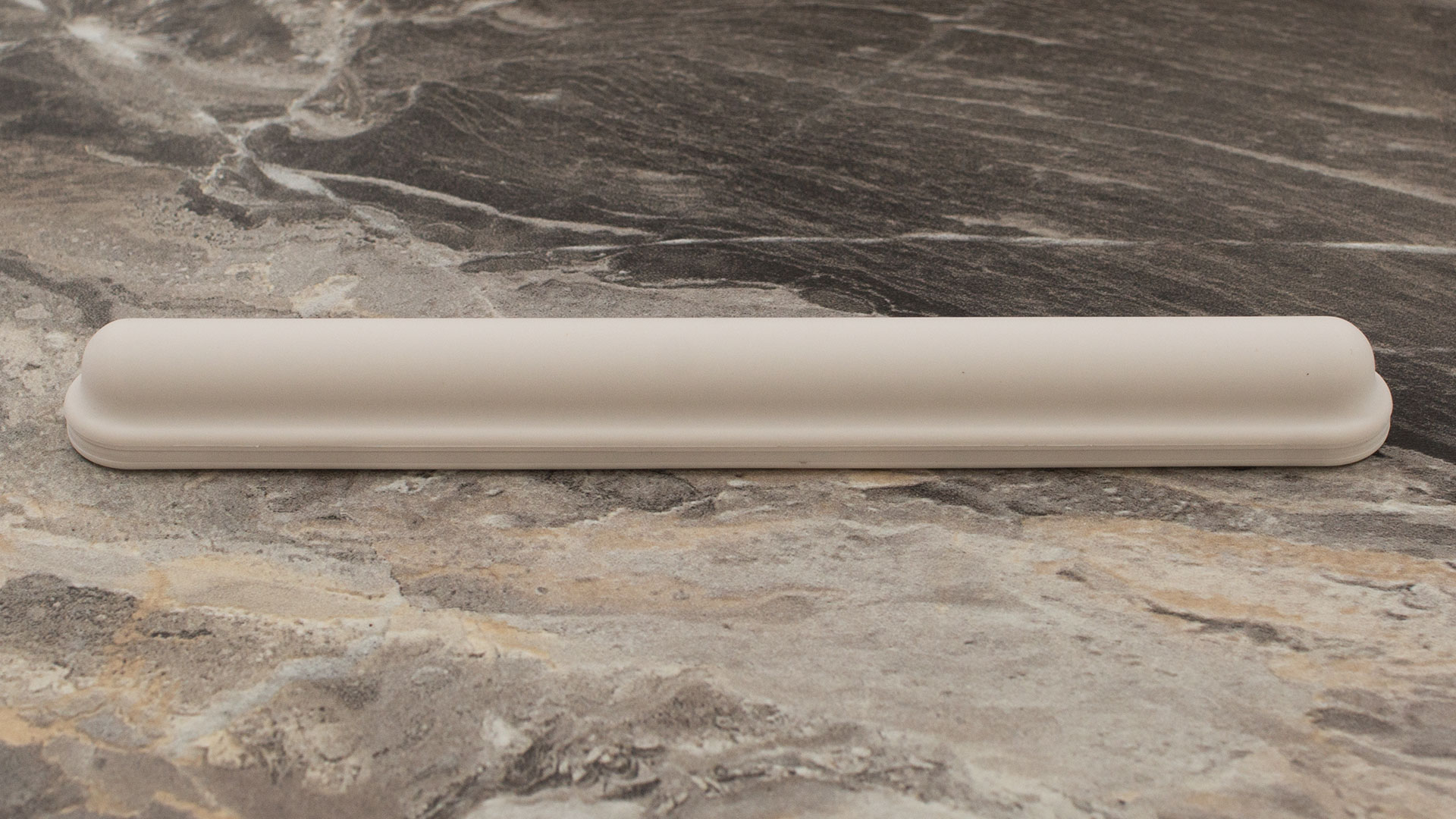
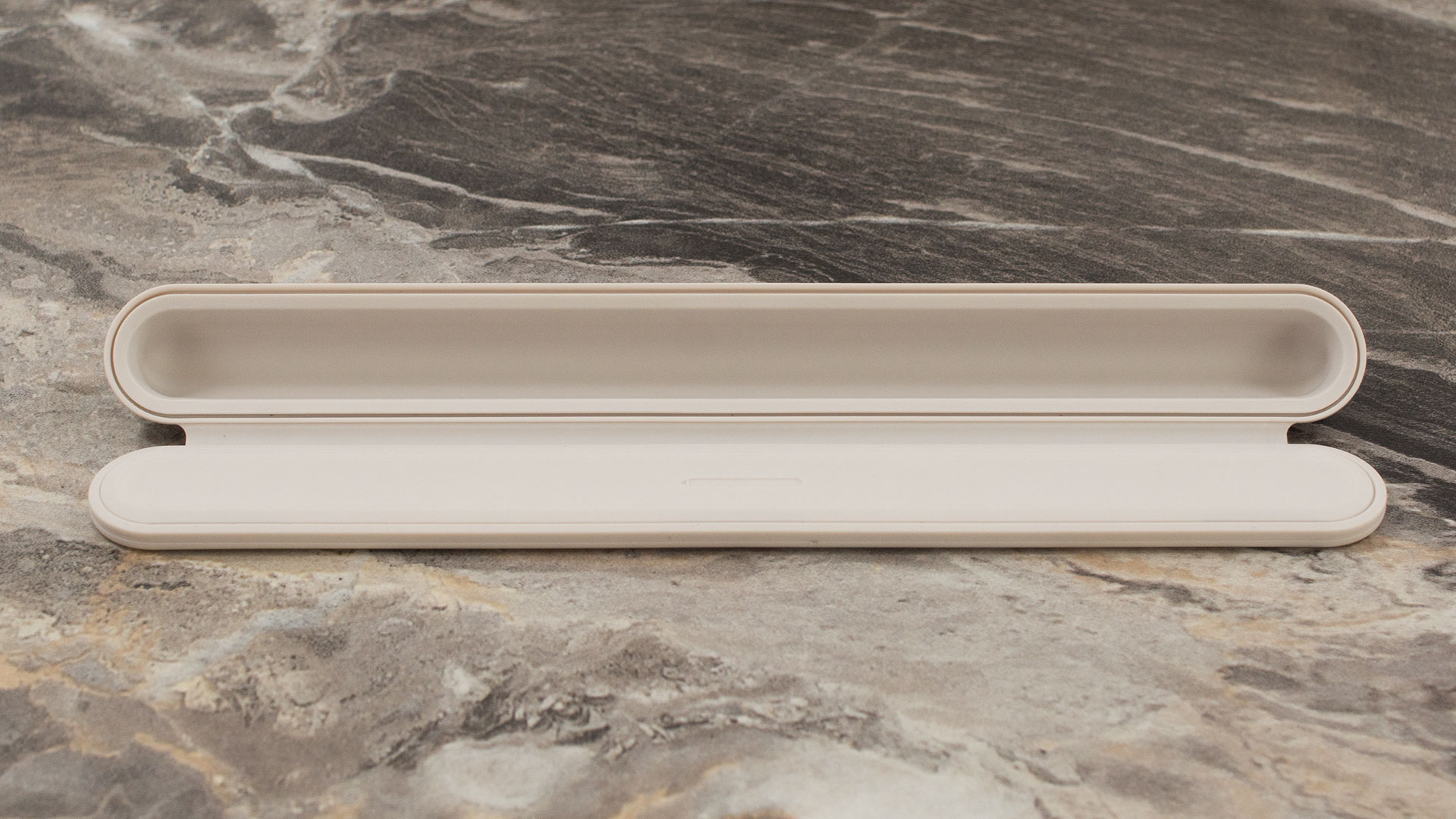
Cracking open the box for the Yoga 7a reveals the essentials for creativity: the sleek 65W USB-C Slim charger and the Seashell-toned Yoga Pen Gen 2, which thankfully comes with its own protective case.
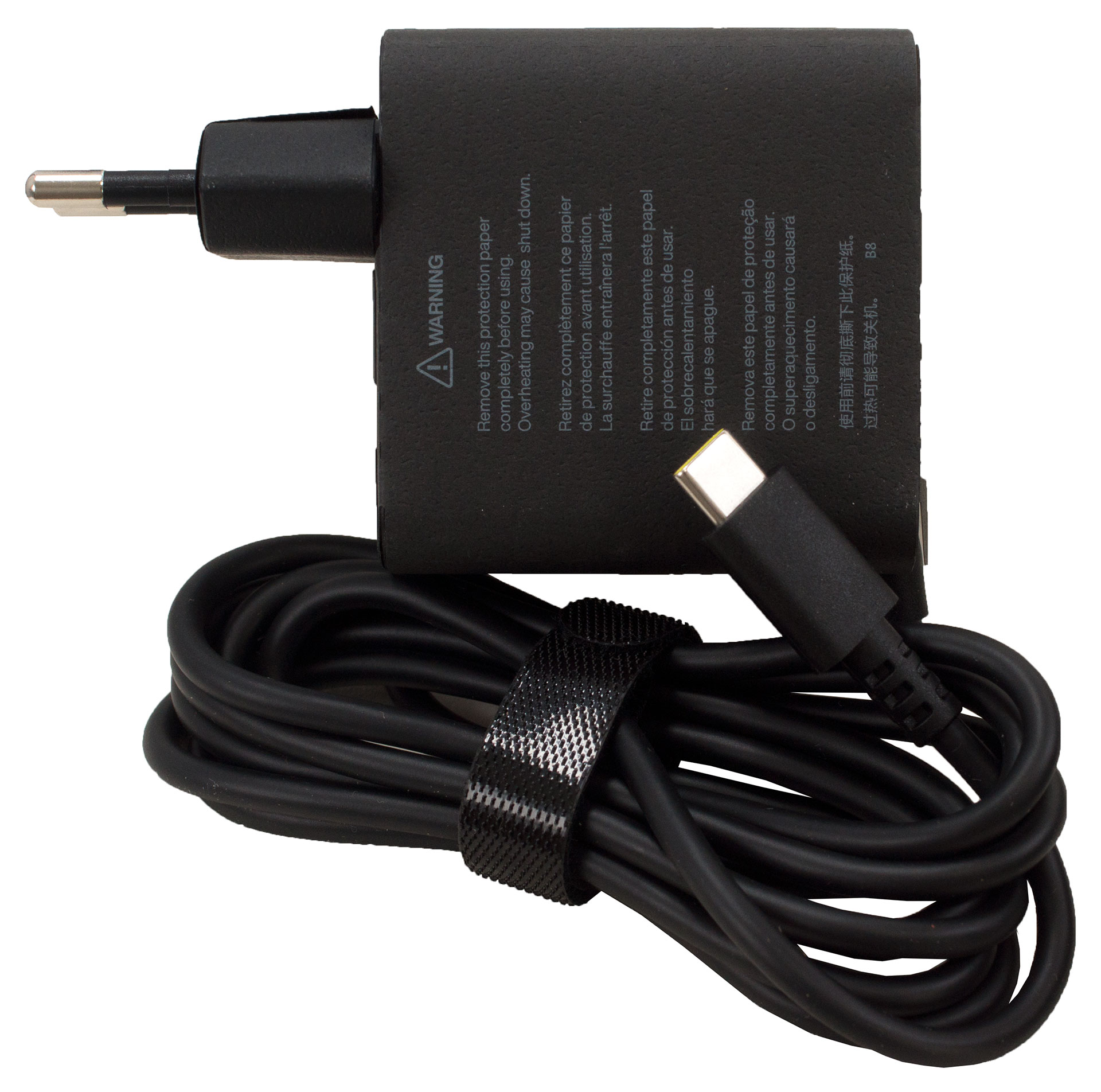
While every buyer gets the basics, some might score a “regional lottery” bonus like a matching mouse or a 16-inch Tote Sleeve, so check your box carefully!
Design and construction
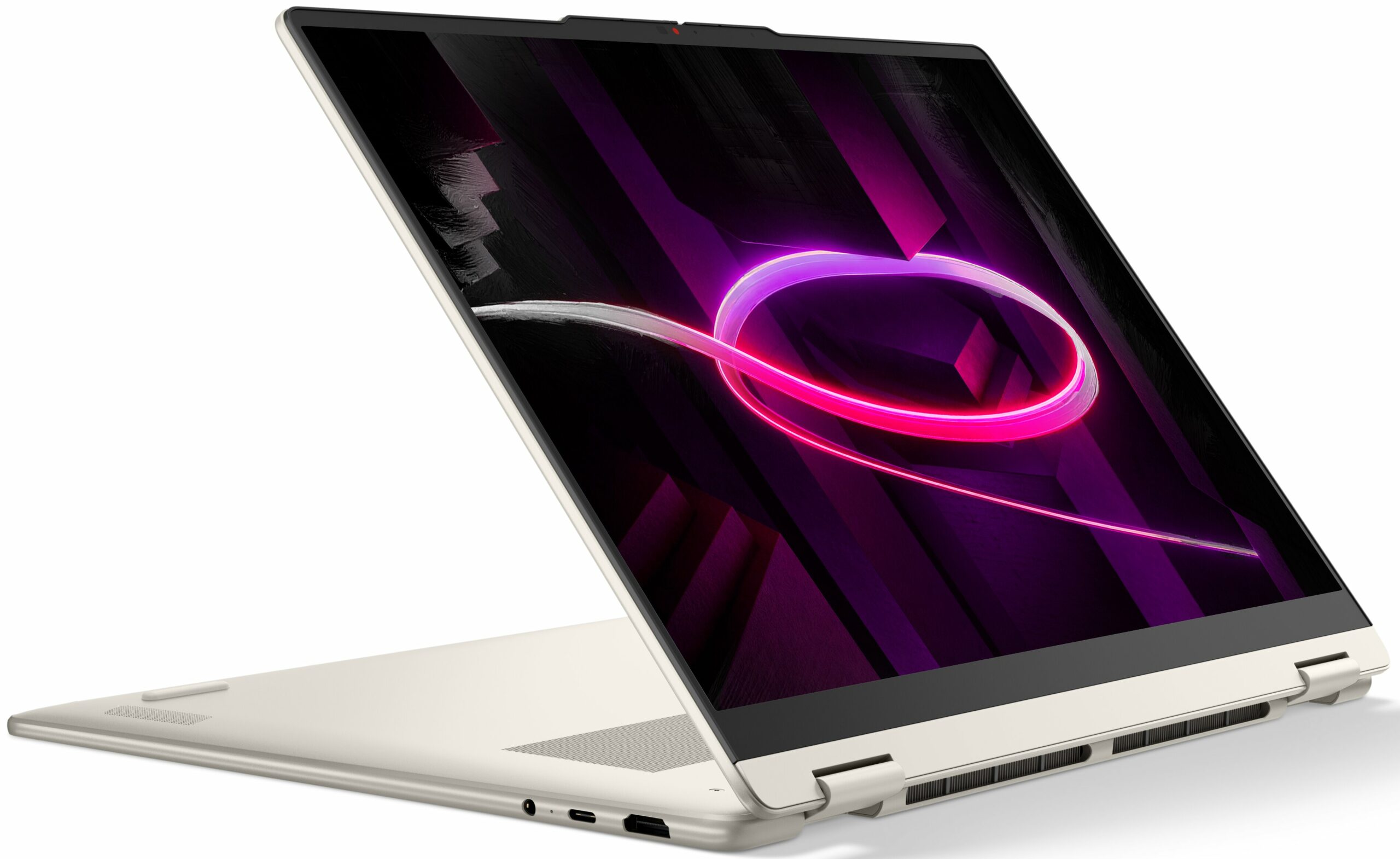
The Lenovo Yoga 7a 2-in-1 (16″, Gen 11) is a masterclass in minimalist elegance. It’s available exclusively in a stunning “Seashell” colourway – a sophisticated grey with the faintest whisper of champagne.
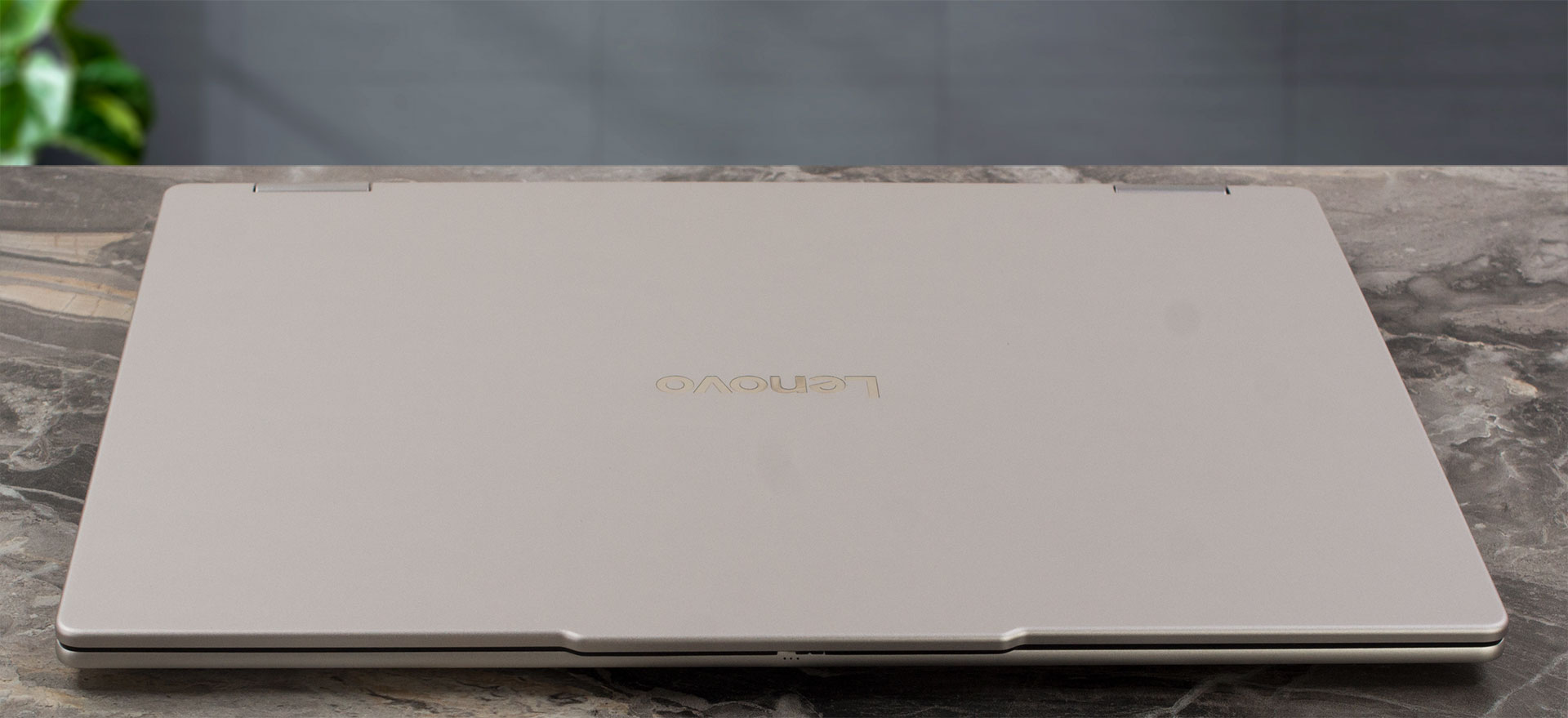
It features soft, rounded corners and an incredibly clean, uncluttered aesthetic. Crafted entirely from aluminium with an anodized sandblasted finish on both the top and bottom covers, the build quality is absolutely top-tier, genuinely rivaling the premium, unyielding feel of an Apple device. There is virtually no flex even when applying deliberate pressure to the chassis. It is also remarkably resistant to fingerprints; we purposefully left our review unit un-wiped for several weeks of rigorous testing, and it still looks fresh out of the box. This tank-like rigidity makes its MIL-STD-810H military certification (passing 21 separate tests) feel completely earned rather than just a marketing bullet point on a spec sheet.
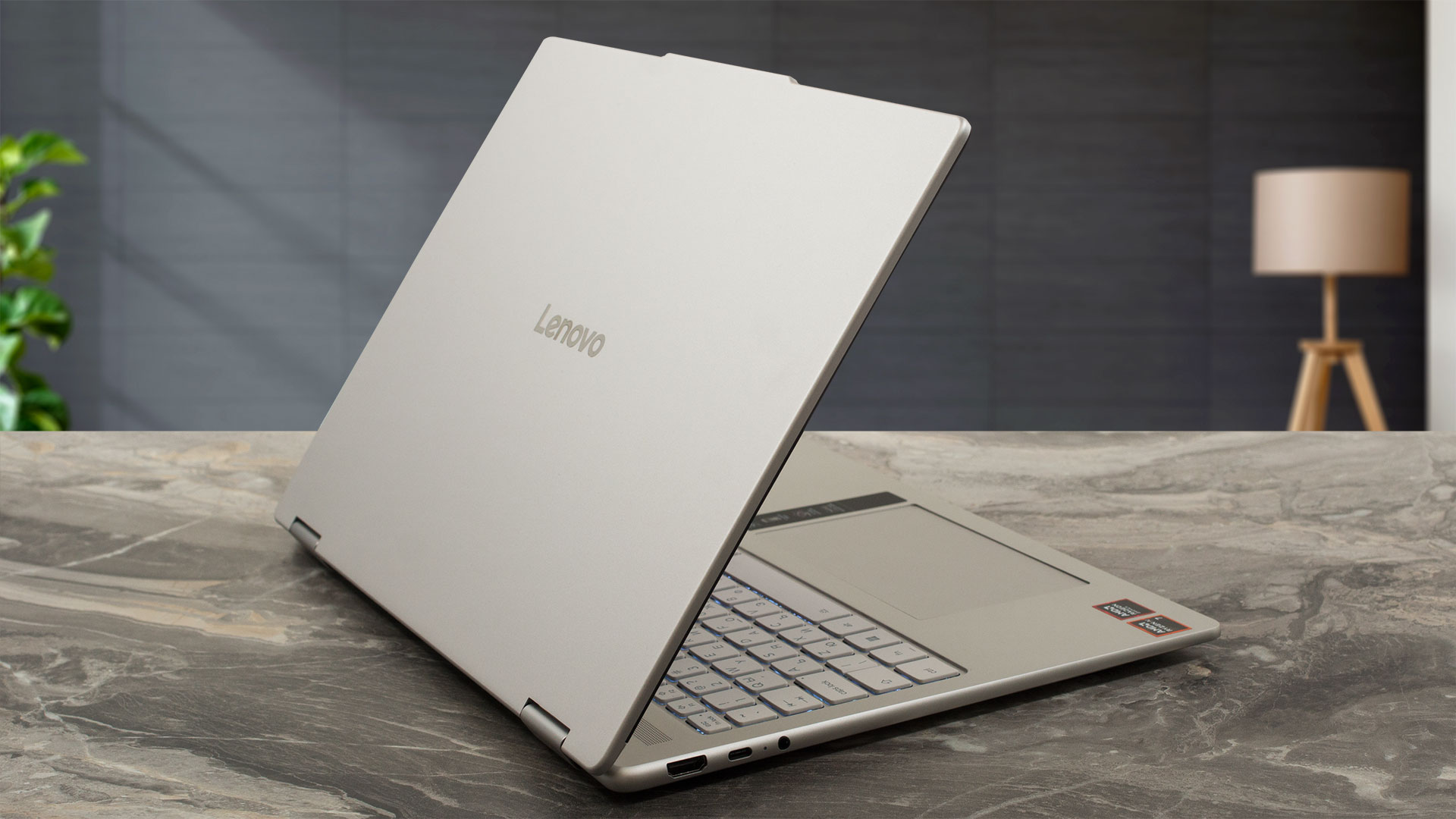
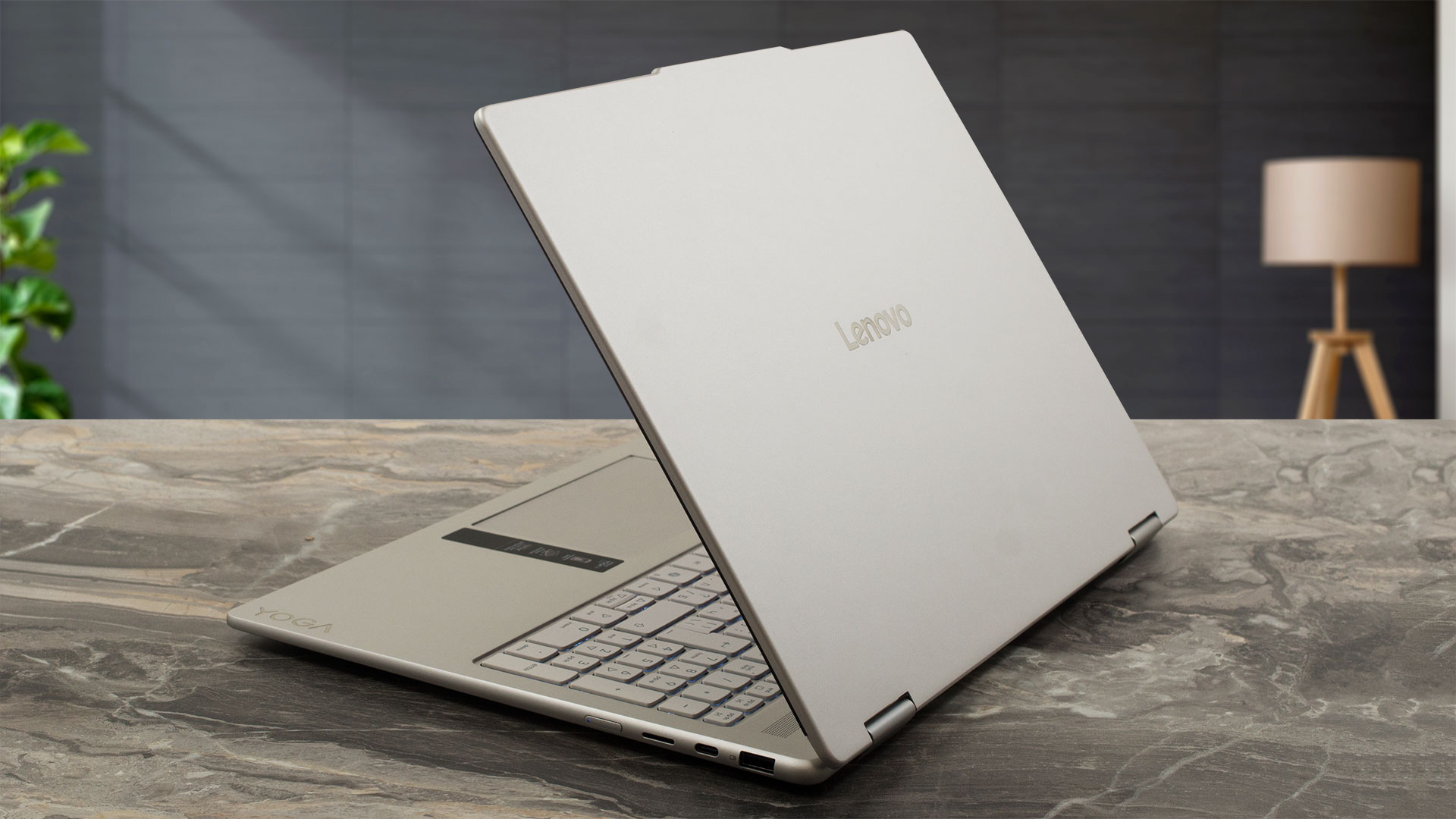
For a versatile 16-inch convertible, it manages to keep its footprint surprisingly portable, striking a great balance between a large workspace and an easy-to-carry form factor:
| Lenovo Yoga 7a 2-in-1 (16″, Gen 11) | Dimensions | Weight |
| Metric units | 360 x 257 x 15.85 mm | Starting at 1.74 kg |
| U.S. customary | 14.17 x 10.11 x 0.62 in | Starting at 3.84 lbs |
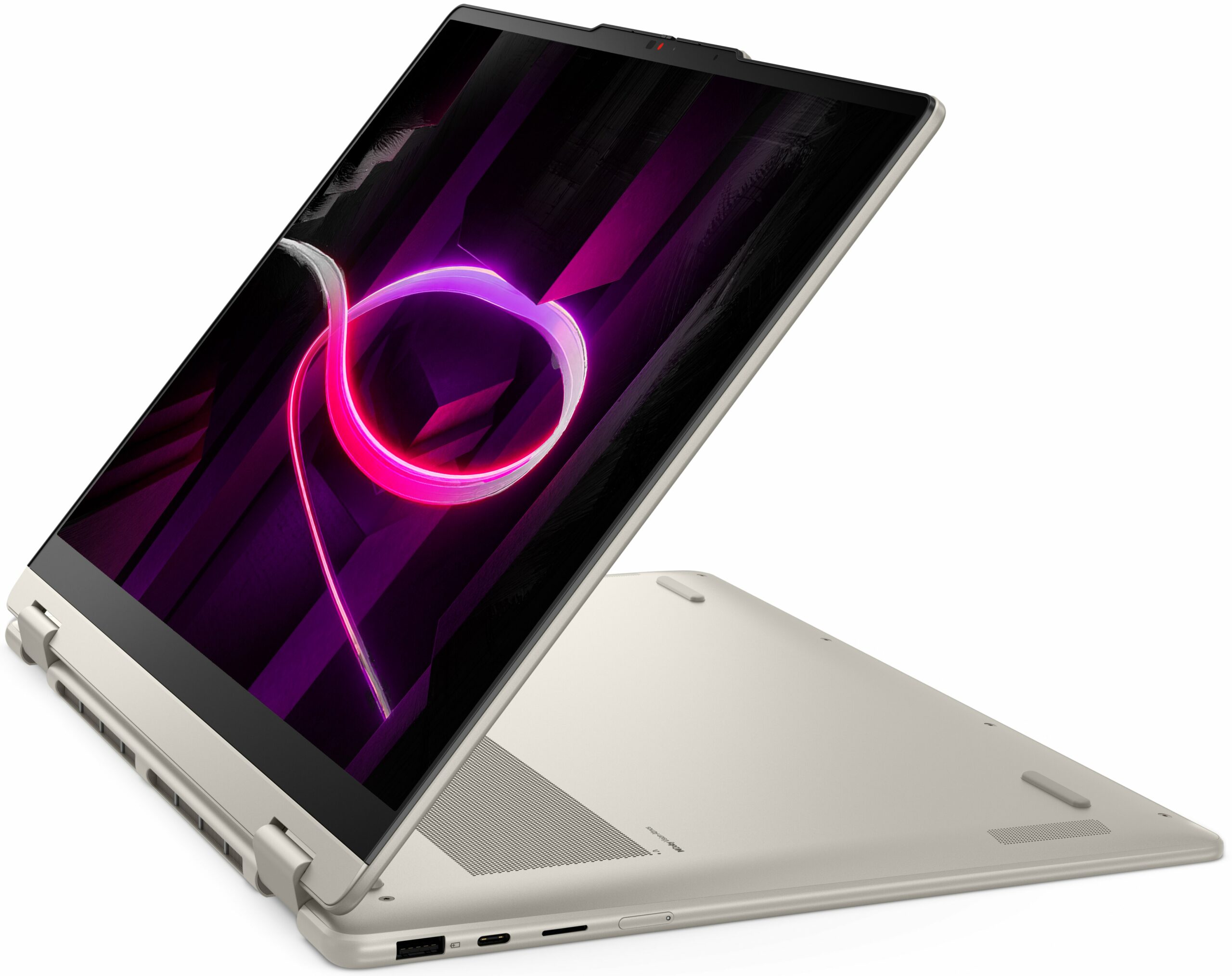
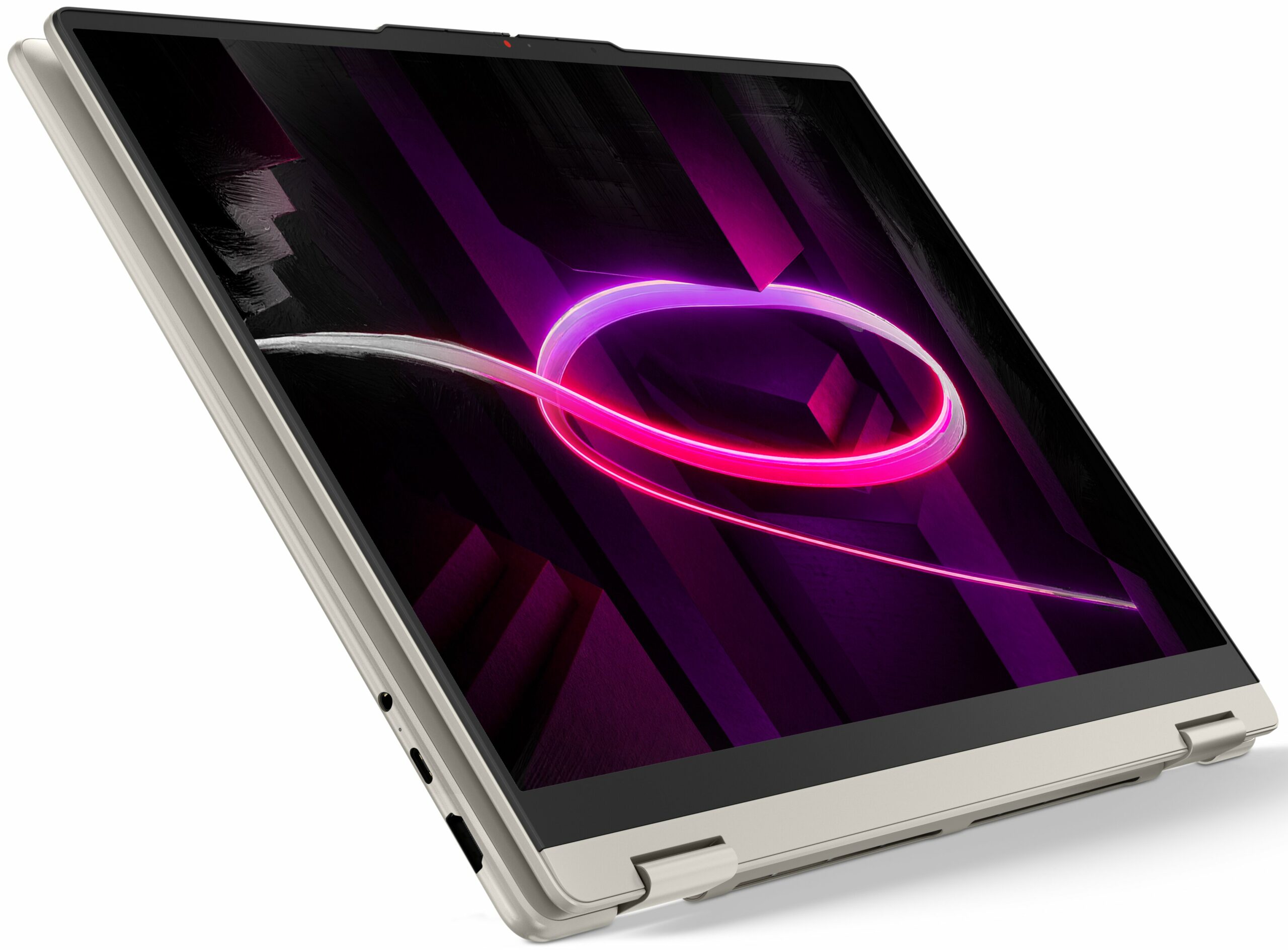
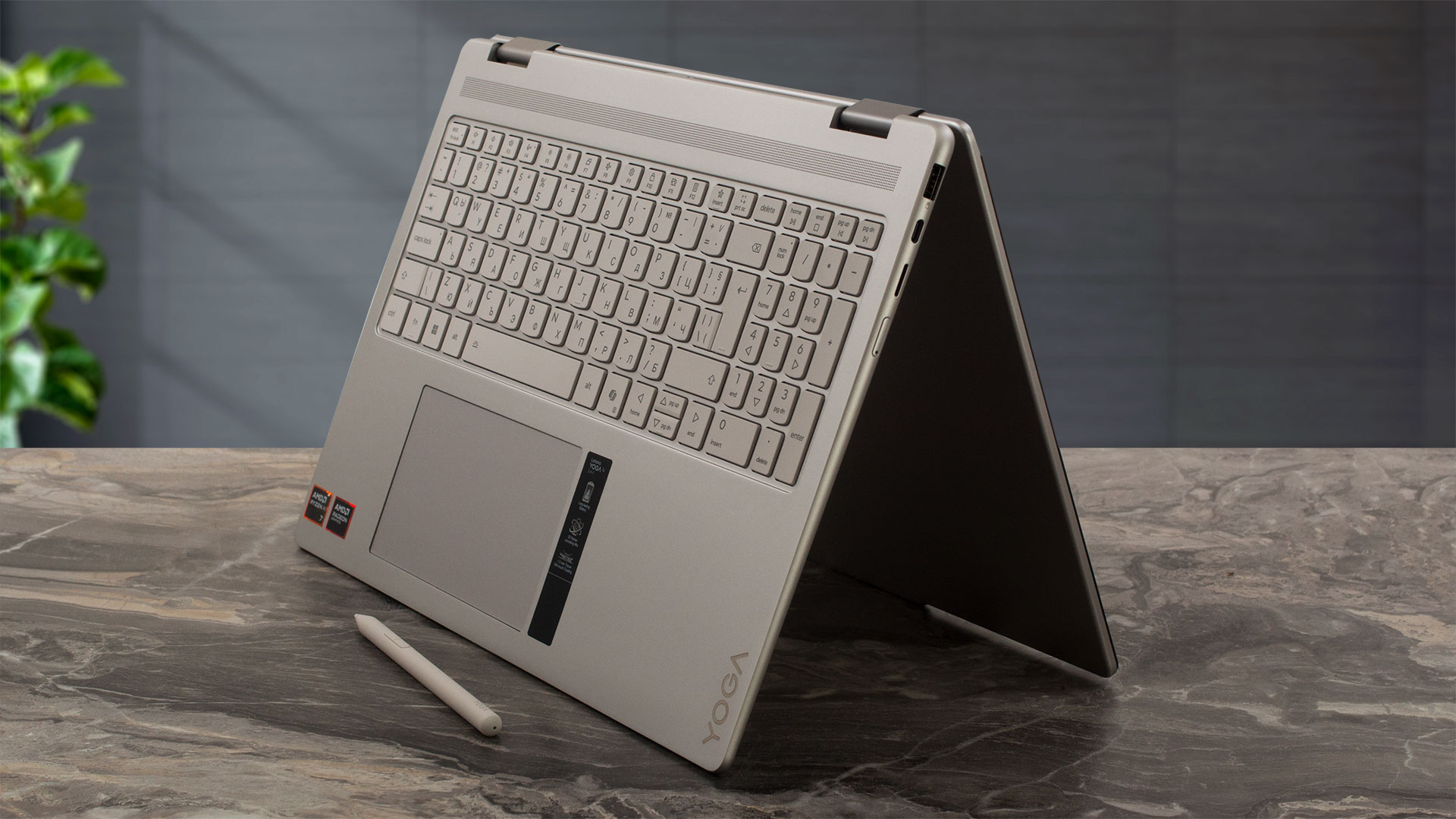
You won’t be opening this laptop with a single hand. The hinges are tuned to be exceptionally stiff, but we can easily forgive this trait. Because this is a true 2-in-1 device, those hinges need to securely hold the large 16-inch display absolutely steady at any angle throughout its full 360-degree rotation, whether you are using it in traditional laptop mode, propping it up like a tent for media consumption, or folding it flat into a massive tablet.
Once open, the display is highly immersive, boasting a 90.24% active area ratio (AAR). The side bezels are pleasantly thin, though the top bezel is more pronounced, featuring a slight “bump” extending outward in the center. This extra space is put to excellent use, housing a high-resolution 5.0MP camera paired with an IR sensor for Windows Hello, as well as a sophisticated 3D quad-microphone array.
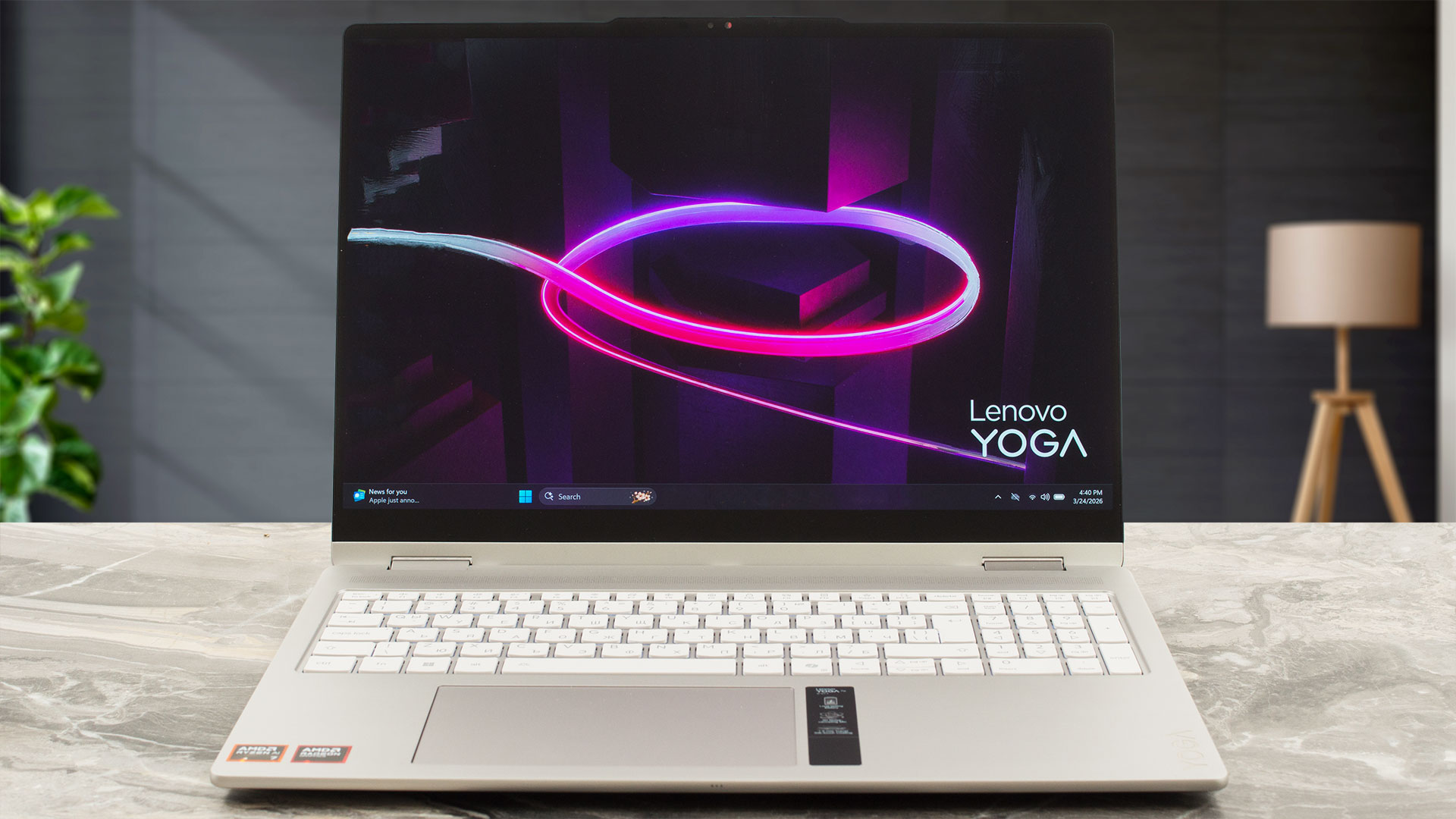
For peace of mind, Lenovo has thoughtfully included a physical privacy shutter for the webcam.

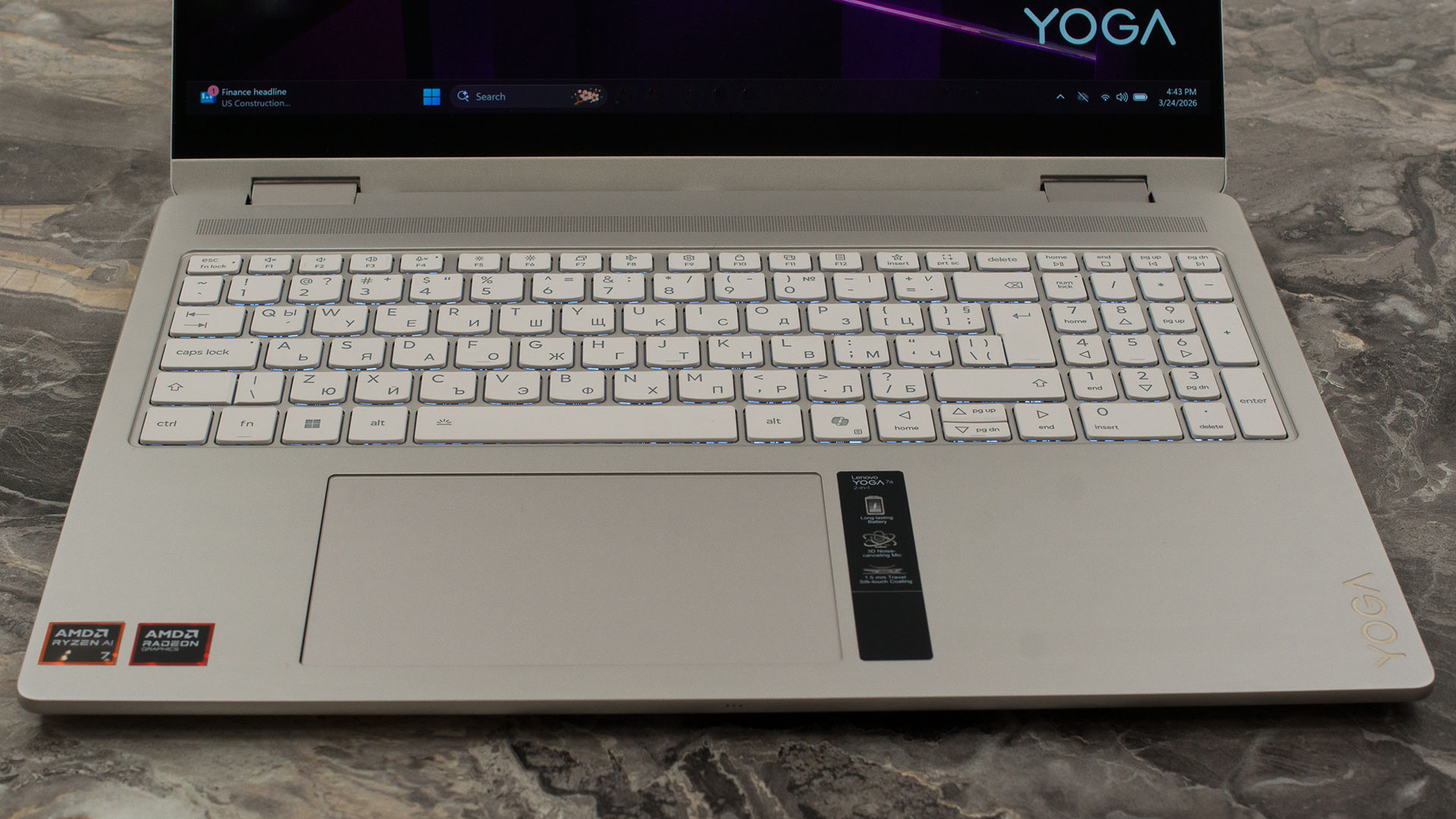
The spacious 16-inch deck allows for a full 6-row keyboard complete with a NumPad. While the numeric keys are slightly shrunken compared to the main cluster, they remain quite comfortable for quick data entry. The typing experience is excellent, offering a satisfying 1.5mm of key travel, multimedia Fn keys, a dedicated Copilot key, and a clean white backlight. Depending on your specific configuration, you might also find a fingerprint reader integrated directly into the palm rest, giving you an alternative biometric login alongside the IR camera.
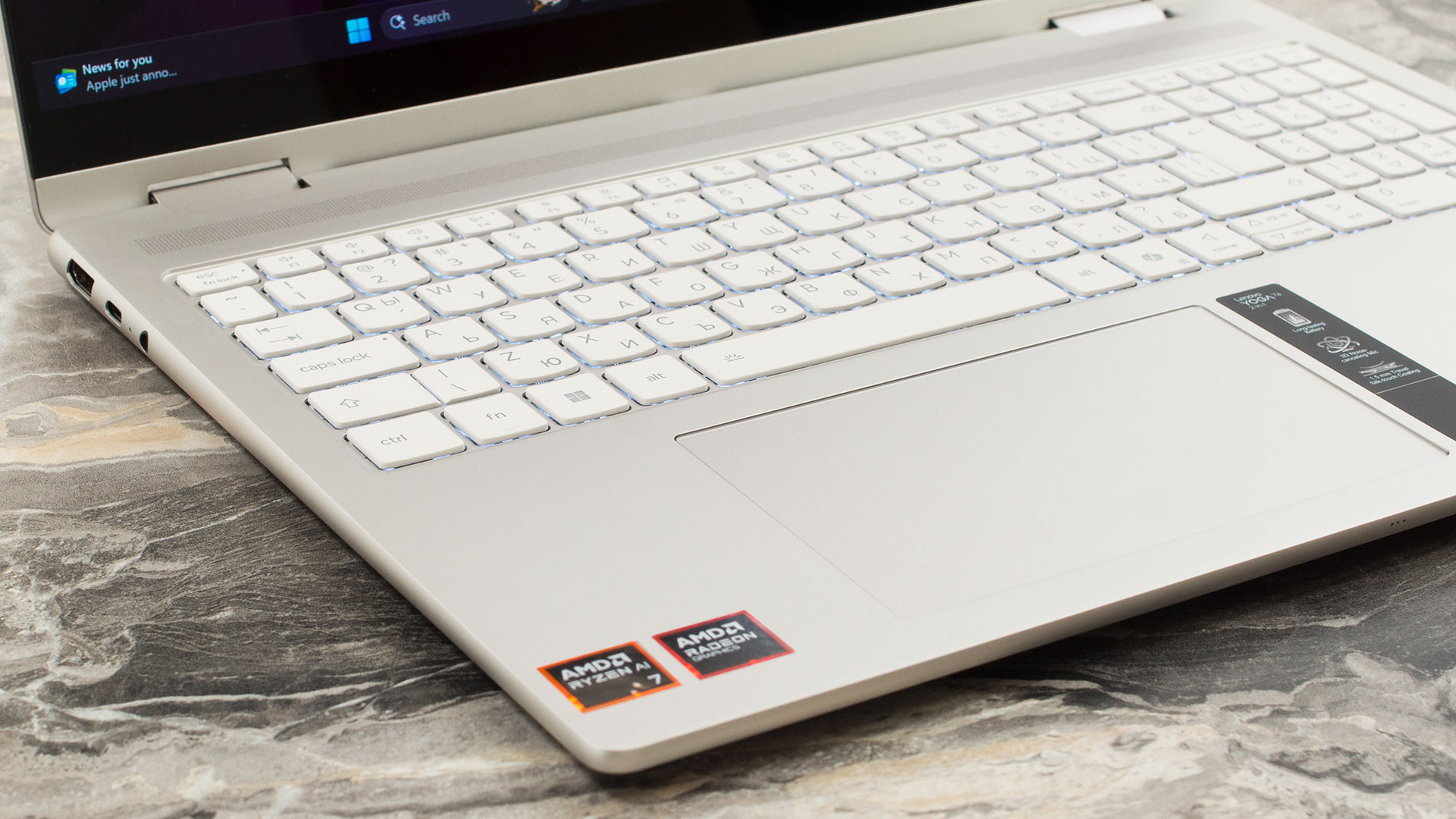
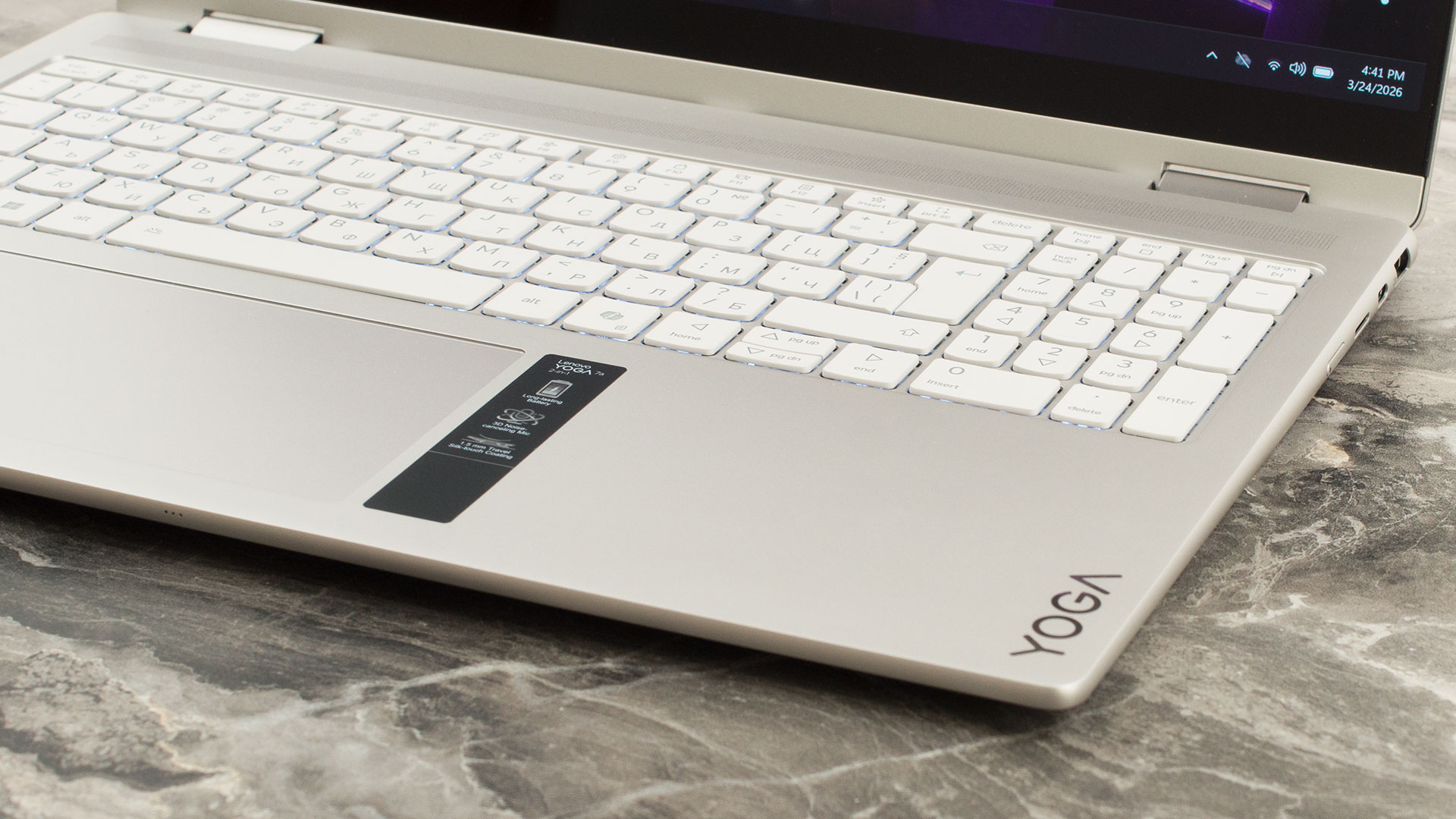
Rounding out the stellar input devices is a premium, buttonless glass trackpad measuring a generous 80 x 135 mm (3.15 x 5.31 inches). It supports Precision TouchPad (PTP) gestures and offers a beautifully smooth, accurate glide that makes navigating the OS a joy.
Ports and Connectivity
The Lenovo Yoga 7a 2-in-1 (16″, Gen 11) features a well-distributed port selection along its left and right edges, leaving the rear clean to accommodate its 360-degree hinge mechanism. On the left side, you will find a USB Type-A port operating at 5Gbps (USB 3.2 Gen 1) that includes an ‘Always On’ feature, allowing you to charge external devices like smartphones even when the laptop is closed or powered down. Alongside it is a versatile USB Type-C port offering 10Gbps data speeds (USB 3.2 Gen 2), DisplayPort 1.4a for video output, and support for 45-65W Power Delivery. This side also conveniently houses a microSD card reader for quick media transfers and the physical power button, which is side-mounted for easy access when the device is folded into tablet mode.

Moving to the right side, the laptop provides a dedicated HDMI port. While labeled as HDMI 2.1, Lenovo specifies a maximum video output of 4K at 60Hz, meaning its practical capabilities align more closely with HDMI 2.0 standards rather than supporting the 120Hz or 8K outputs associated with full-bandwidth HDMI 2.1. This is accompanied by a second 10Gbps USB Type-C port. Like the left-side port, it supports 45-65W Power Delivery (giving you the flexibility to charge the laptop from either side) but it upgrades the video output to the newer DisplayPort 2.1 (UHBR10) standard for connecting to advanced external monitors. A standard 3.5mm combo audio jack completes the physical I/O. Users should note that while these USB-C ports are highly functional, they max out at 10Gbps and do not support 40Gbps USB4 or Thunderbolt standards.

Internally, the device includes an accelerometer and a Hall sensor, which are essential for its convertible form factor, handling automatic screen rotation and lid detection. When it comes to wireless connectivity, the Yoga 7a is exceptionally future-proof. It is equipped with a cutting-edge Wi-Fi 7 (802.11be) module utilizing a 2×2 antenna configuration, ensuring access to the fastest possible wireless speeds, increased capacity, and lower latency on compatible networks. This is paired with Bluetooth 5.4, which is notably listed as being hardware-ready for the upcoming Bluetooth 6.0 standard, ensuring long-term compatibility with next-generation wireless peripherals.

Display and Sound Quality, Display Profiles
We ordered the Lenovo Yoga 7a 2-in-1 (16″, Gen 11) with the most premium display option – a 2.8K (2880 × 1800) OLED touchscreen (LEN160WQ+ / LEN8BAF). If you want a more affordable configuration, Lenovo also offers two 1920 × 1200 touchscreen panels: a basic IPS variant and a step-up OLED option.
| Lenovo Yoga 7a 2-in-1 (16″, Gen 11) | 16″, WUXGA (1920 x 1200), IPS, OGS touch | 16″, WUXGA (1920 x 1200), OLED, OGS touch | 16″, 2.8K WQXGA+ (2880 x 1800), OLED, OGS touch (LEN160WQ+ / LEN8BAF) |
| Diagonal | 16.0 inches (40.6 cm) | 16.0 inches (40.6 cm) | 16.0 inches (40.6 cm) |
| Panel Type | IPS | OLED | OLED |
| Resolution | 1920 x 1200 pixels | 1920 x 1200 pixels | 2880 x 1800 pixels |
| Max Refresh Rate | 60 Hz | 60 Hz | 120 Hz |
| Aspect Ratio | 16:10 | 16:10 | 16:10 |
| Pixel Density | 141 PPI | 141 PPI | 212 PPI |
| ‘Retina’ Distance | Greater than or equal to 62 cm | Greater than or equal to 62 cm | Greater than or equal to 41 cm |
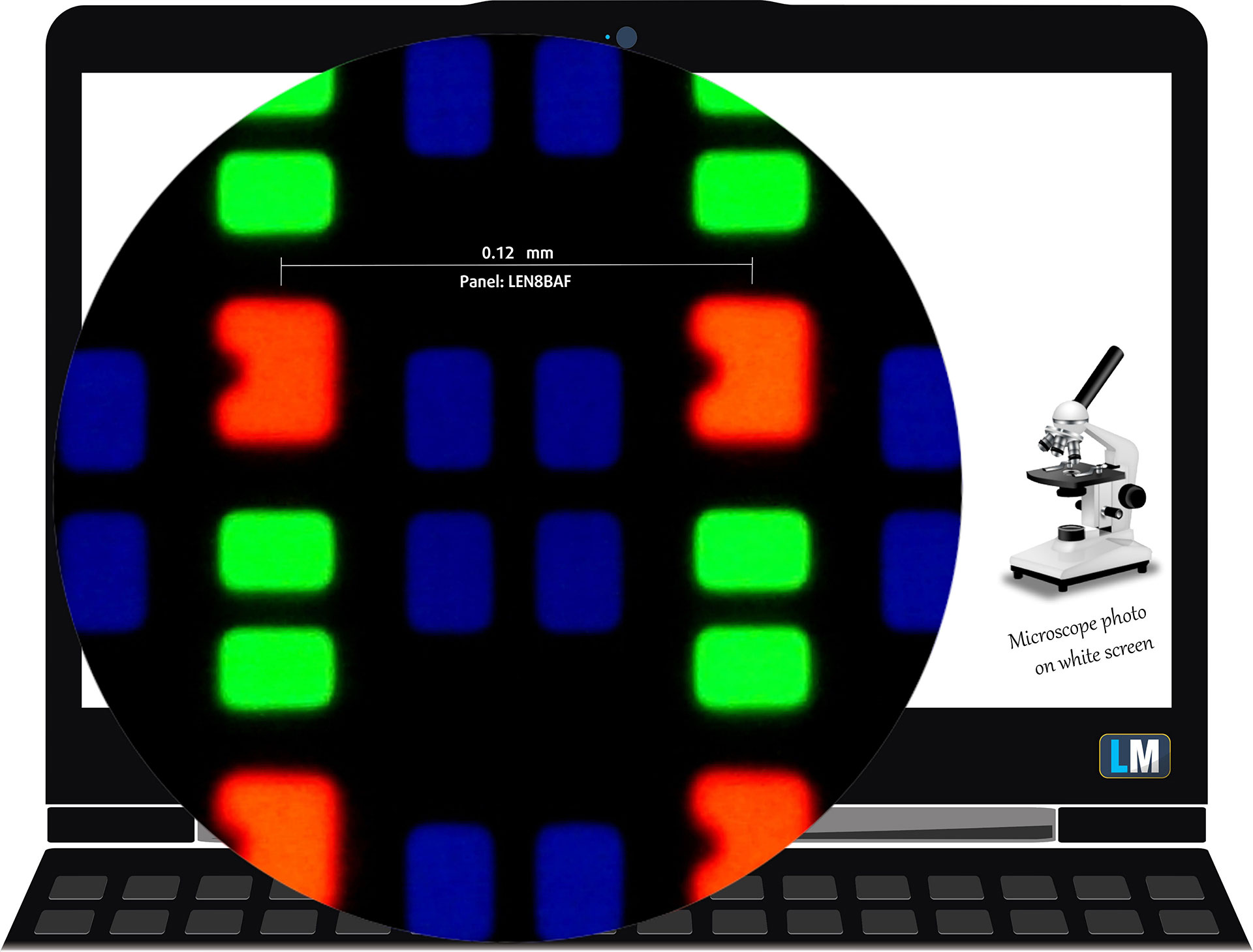
The WQXGA+ (2880 × 1800), 120 Hz, OLED display variant under our microscope
Viewing Angles
Viewing angles are good. We take photos from different angles to evaluate the quality.
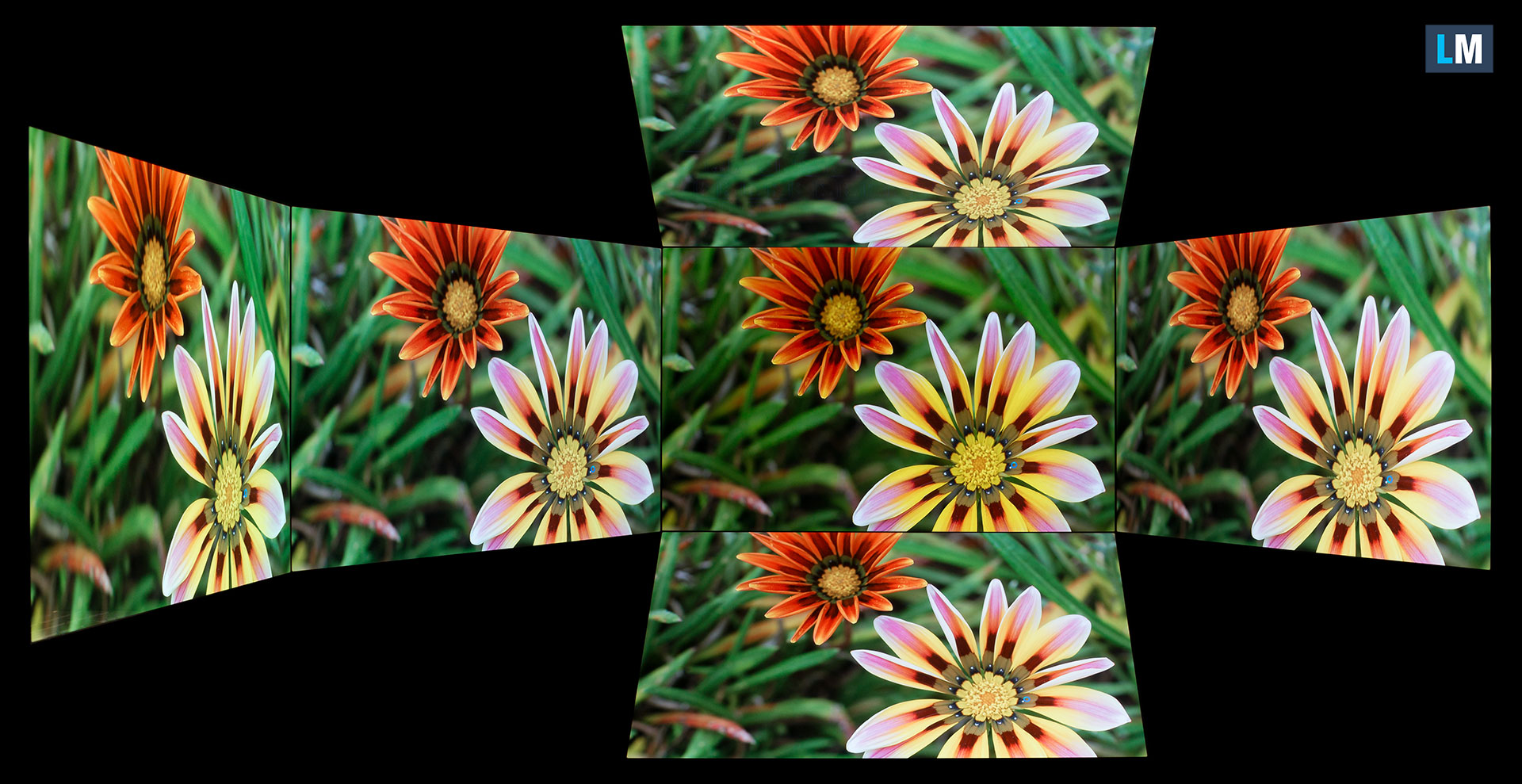
Also, a video with locked focus and exposure.
Color Coverage
The whole “sail-shaped” map below (Fig. 1) consists of all the colors we can see, while the black crooked line shows all the colors from real-world scenes and nature around us.
Then, we’ve drawn some of the most important and interesting color spaces, compared to the colors the panel of Lenovo Yoga 7a 2-in-1 (16″, Gen 11) can show:
Standard/For Web: sRGB – widely used color space for most consumer devices, ideal for Web design and development
For Print: AdobeRGB – used in professional photo editing, graphic design, and print
For Photographers/Video Editors: DCI-P3 – used in high-end film production, post-production, and digital cinema
Premium HDR: Rec.2020 – the widest consumer ITU color standard, covering a massive 75.8% of the visible spectrum, a benchmark for premium HDR content.
Lenovo Yoga 7a 2-in-1 (16″, Gen 11): the yellow dashed triangle (– – – – – –) represents the range of colors this display can show.
In our tests, we calculated the total color coverage of the display at 100% of the sRGB color gamut and 100% of the DCI-P3 color gamut.
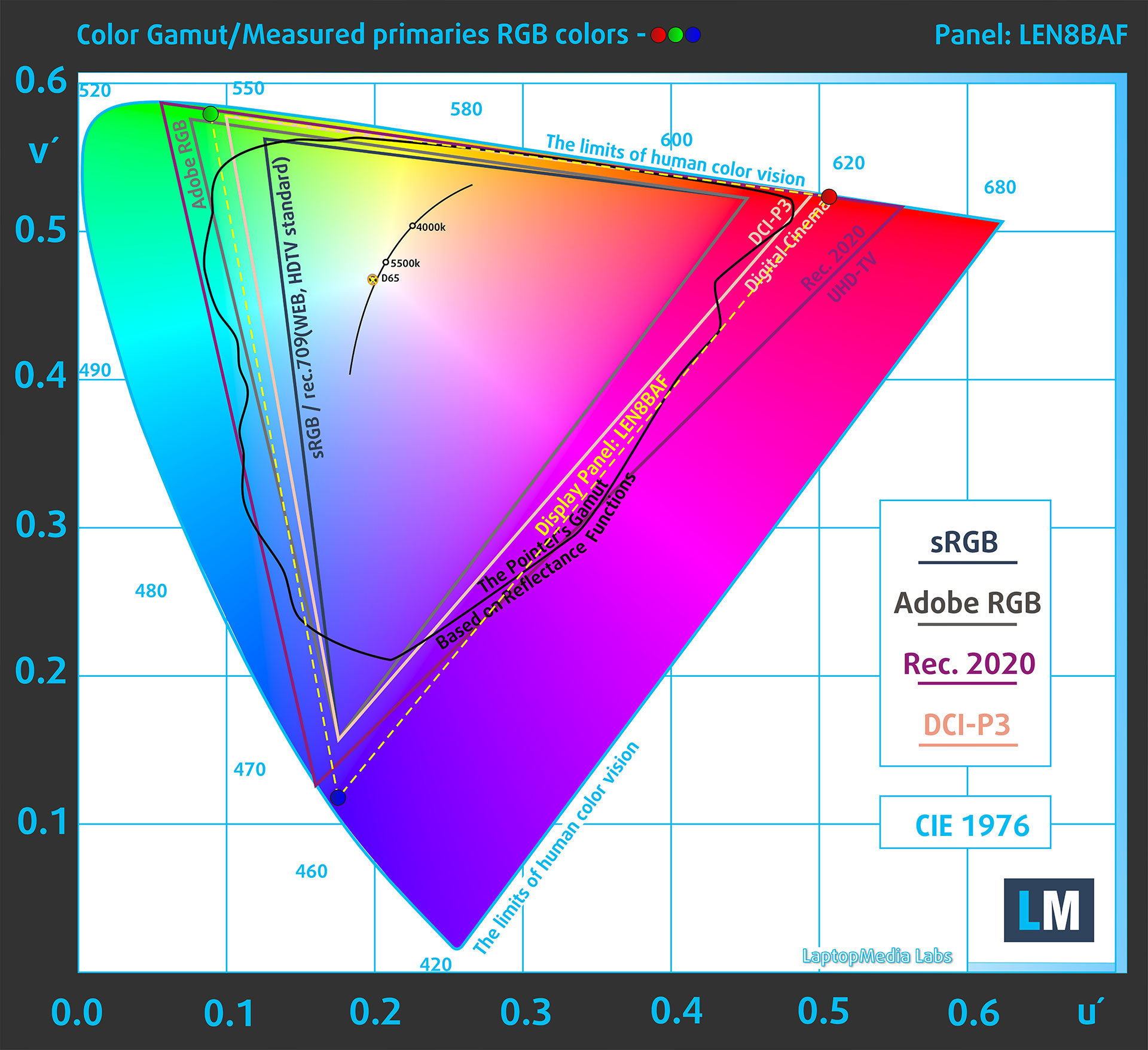
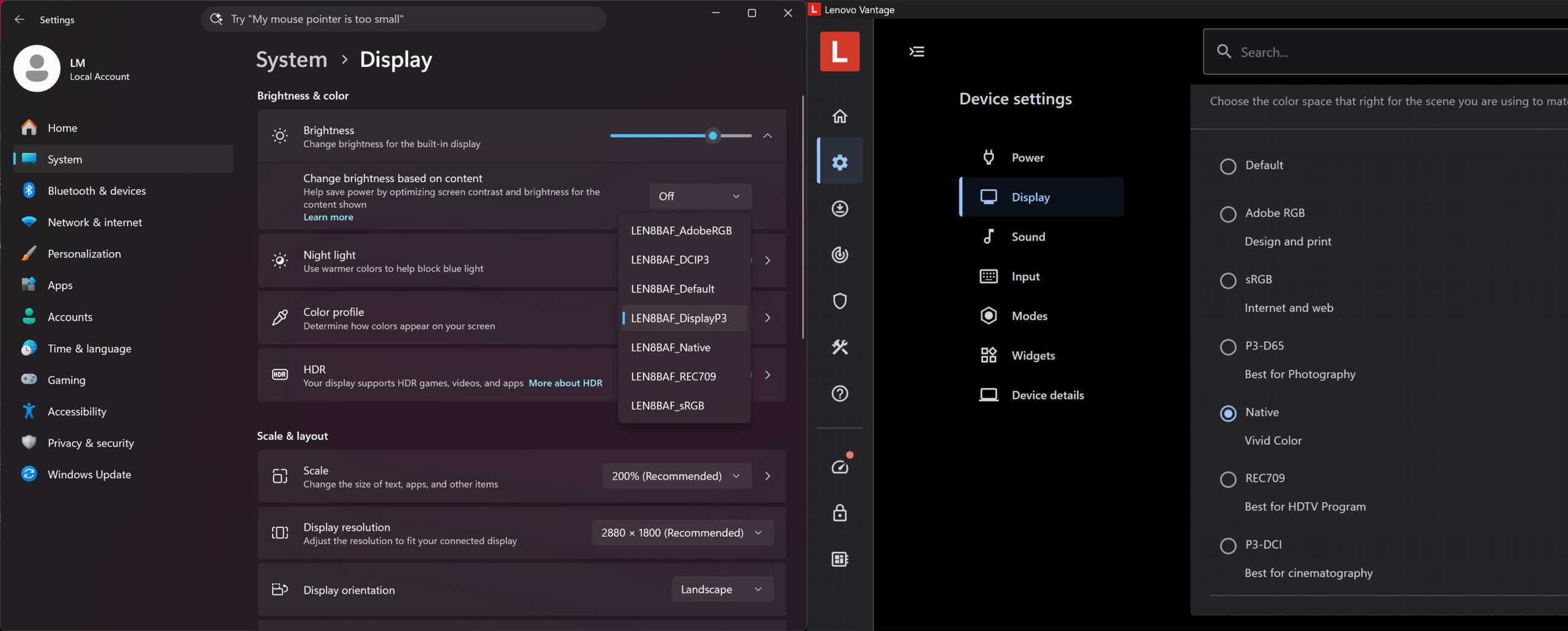
(Fig.1) Lenovo Yoga 7a 2-in-1 (16″, Gen 11) covers 100% of the DCI-P gamut
The laptop Lenovo Yoga 7a 2-in-1 (16″, Gen 11) emulates Display P3 and sRGB color spaces.
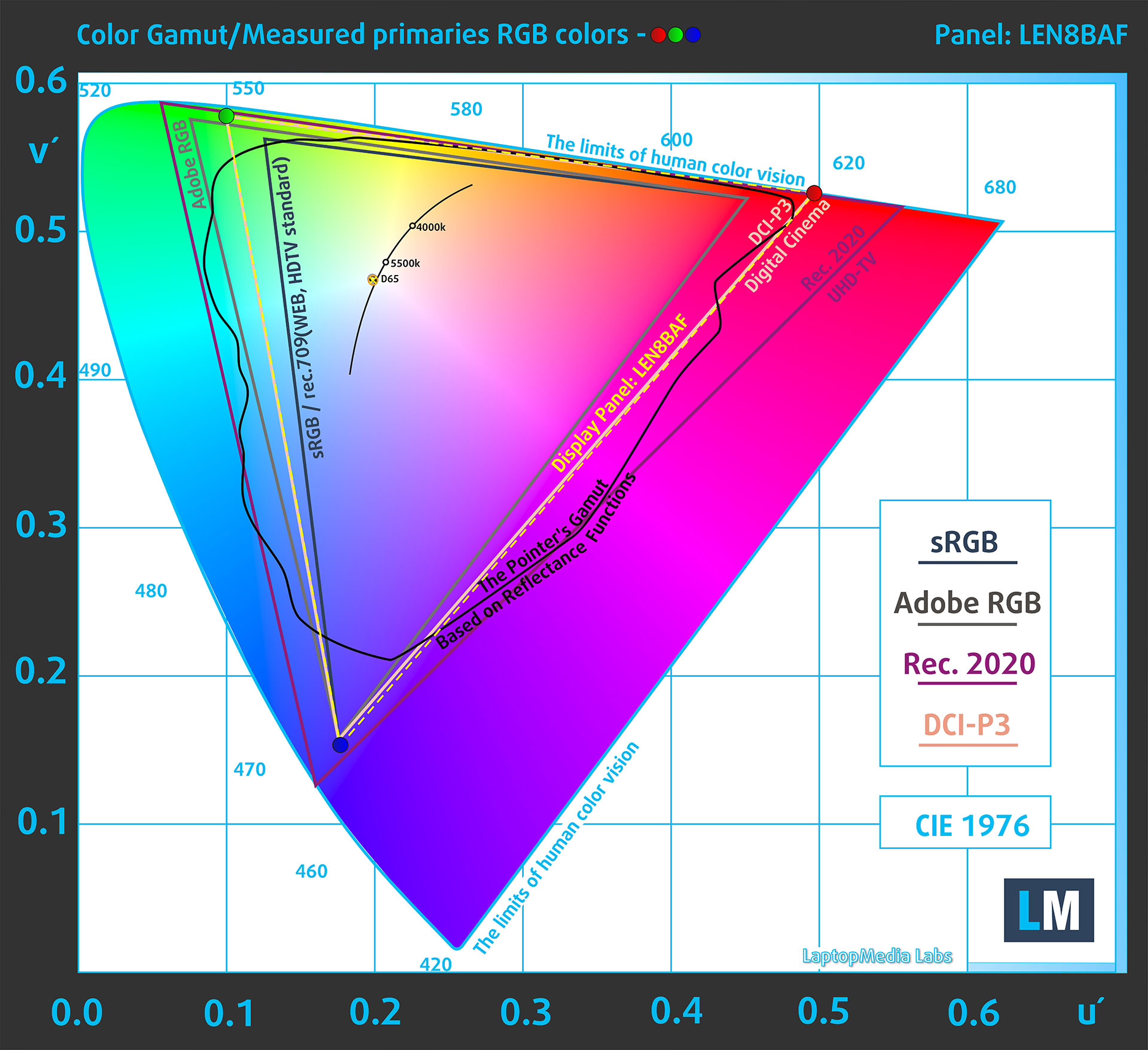
(Fig.2) Display P3
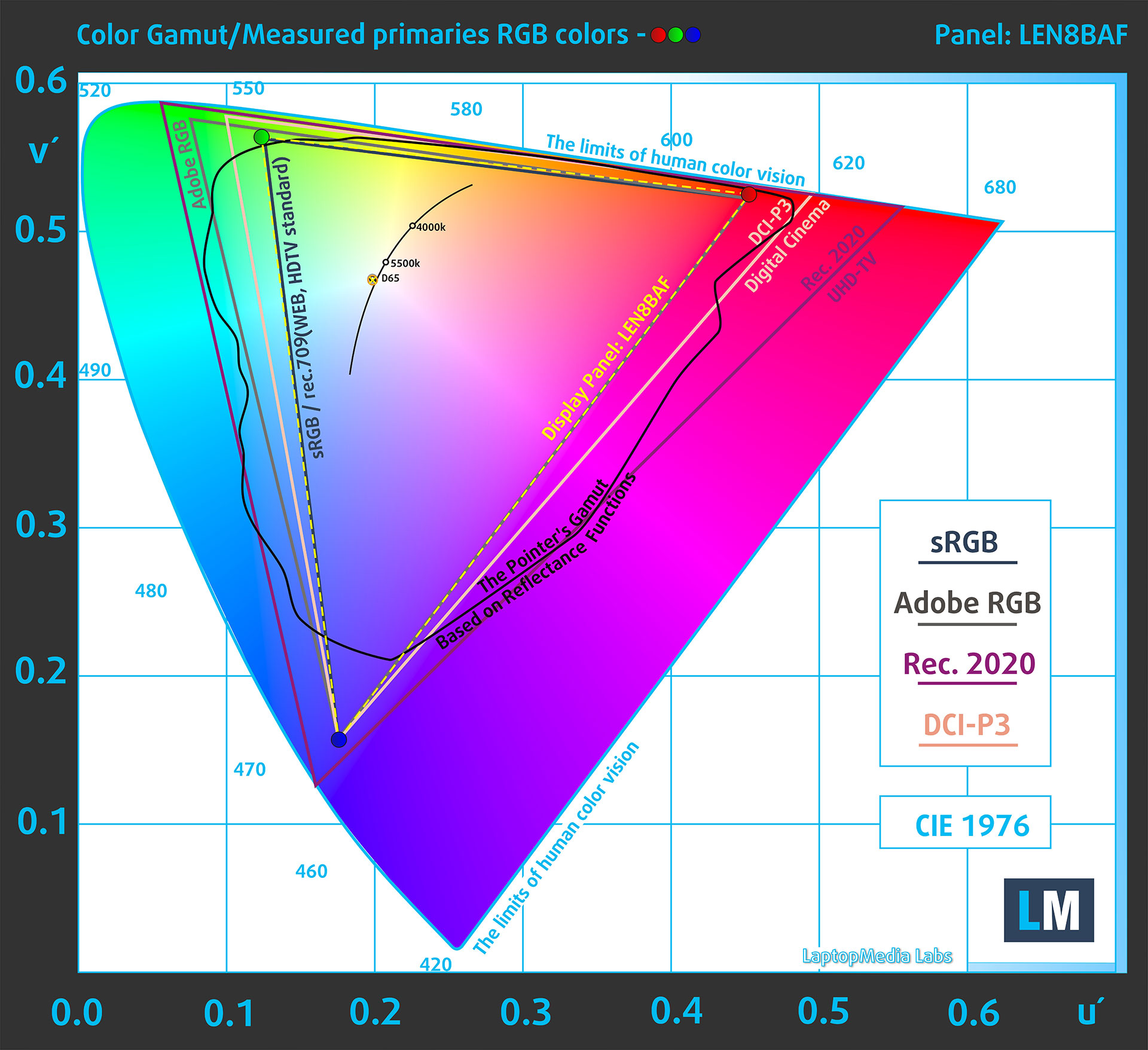
(Fig.3) sRGB
Brightness and Contrast
The maximum brightness in HDR mode is 1030 cd/m² at 8% white fill and 575 cd/m² on a full white screen.
The maximum brightness in SDR mode is 486 cd/m² in the center of the screen and 487 cd/m² averaged across the surface with a maximum deviation of 2%.
The Correlated Color Temperature (CCT) on a white screen at maximum brightness is 6530K.
The contrast ratio of OLED panels is excellent because the pixels turn off completely when displaying black.

Uniformity: Luminance, Contrast, and Color Deviation
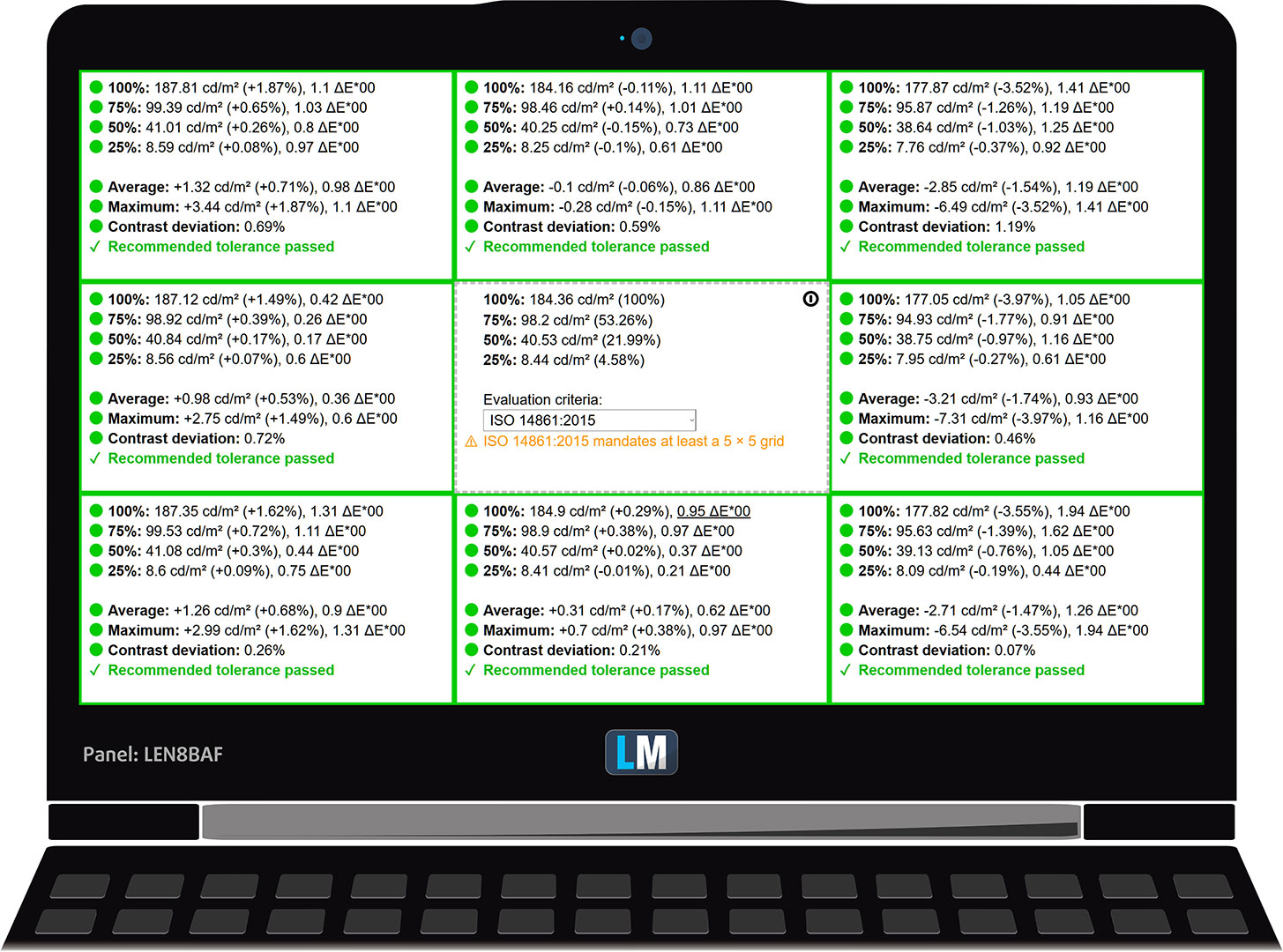
The figure below shows the results from our uniformity test across different sections of the screen. It’s measured at 184 nits (Windows slider = 66%) – a brightness level we consider typical for standard working conditions.
DeltaE values below 4.0 are acceptable for regular users. For those working with colors, screens with DeltaE values no higher than 2.0 are recommended.
Color Accuracy
Let’s check the difference between real colors and those you’ll see on the Lenovo Yoga 7a 2-in-1 (16″, Gen 11). We measure that distance in DeltaE – the higher the number, the more different they look.
Values below 4.0 are acceptable for regular users, while values below 2.0 are suitable for color-sensitive work. A value below 1.0 means the difference is indistinguishable to the naked eye.
For the next graph, we’ve selected 24 common colors, including dark/light skin, blue sky, green grass, etc.
Below are the results of the Lenovo Yoga 7a 2-in-1 (16″, Gen 11) in its factory condition (“sRGB” mode in Windows) compared to sRGB color space.
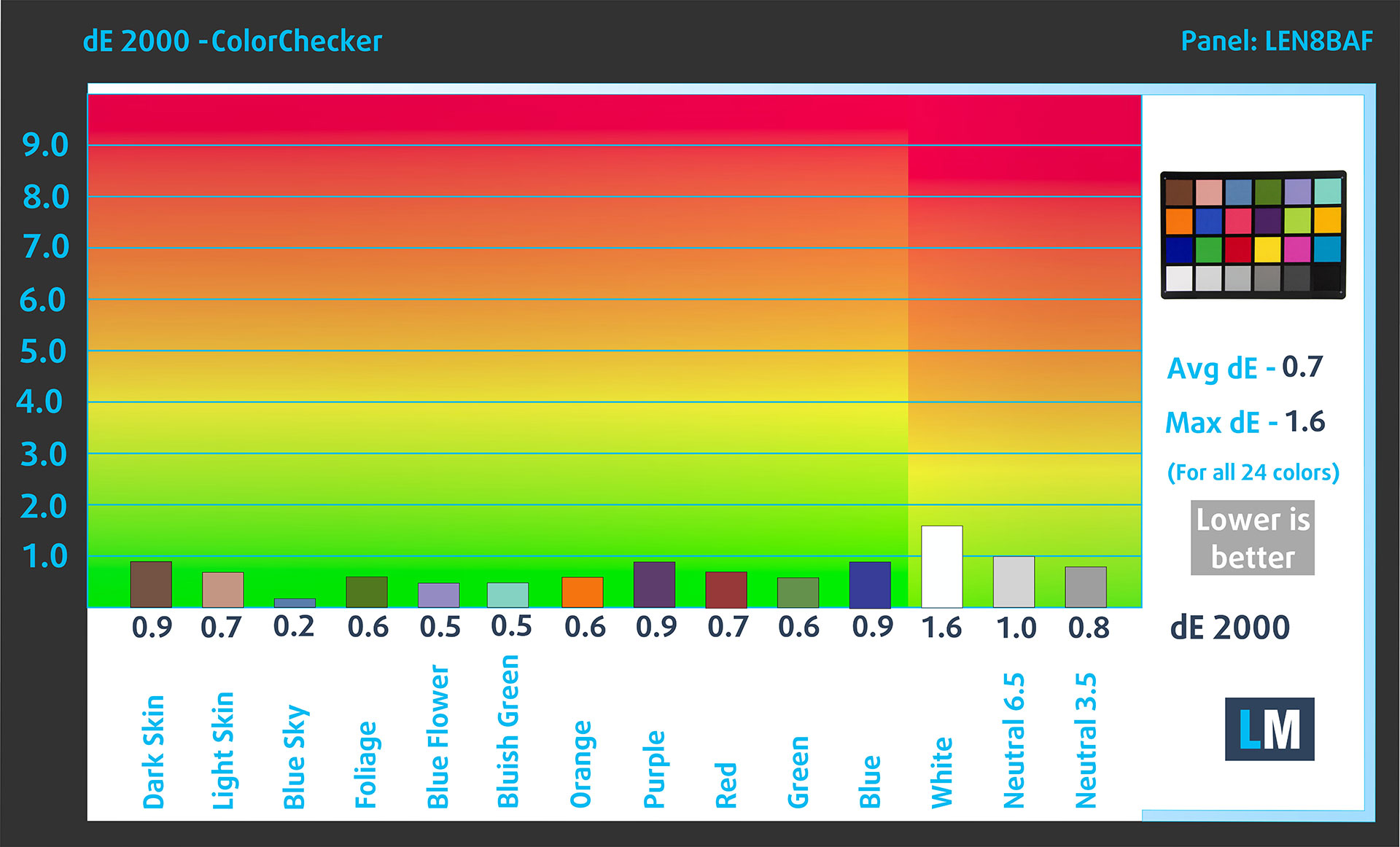
Comparison in the sRGB color space.
Below are the results of the Lenovo Yoga 7a 2-in-1 (16″, Gen 11) in its factory condition (“Display P3” mode in Windows) compared to Display P3 color space.
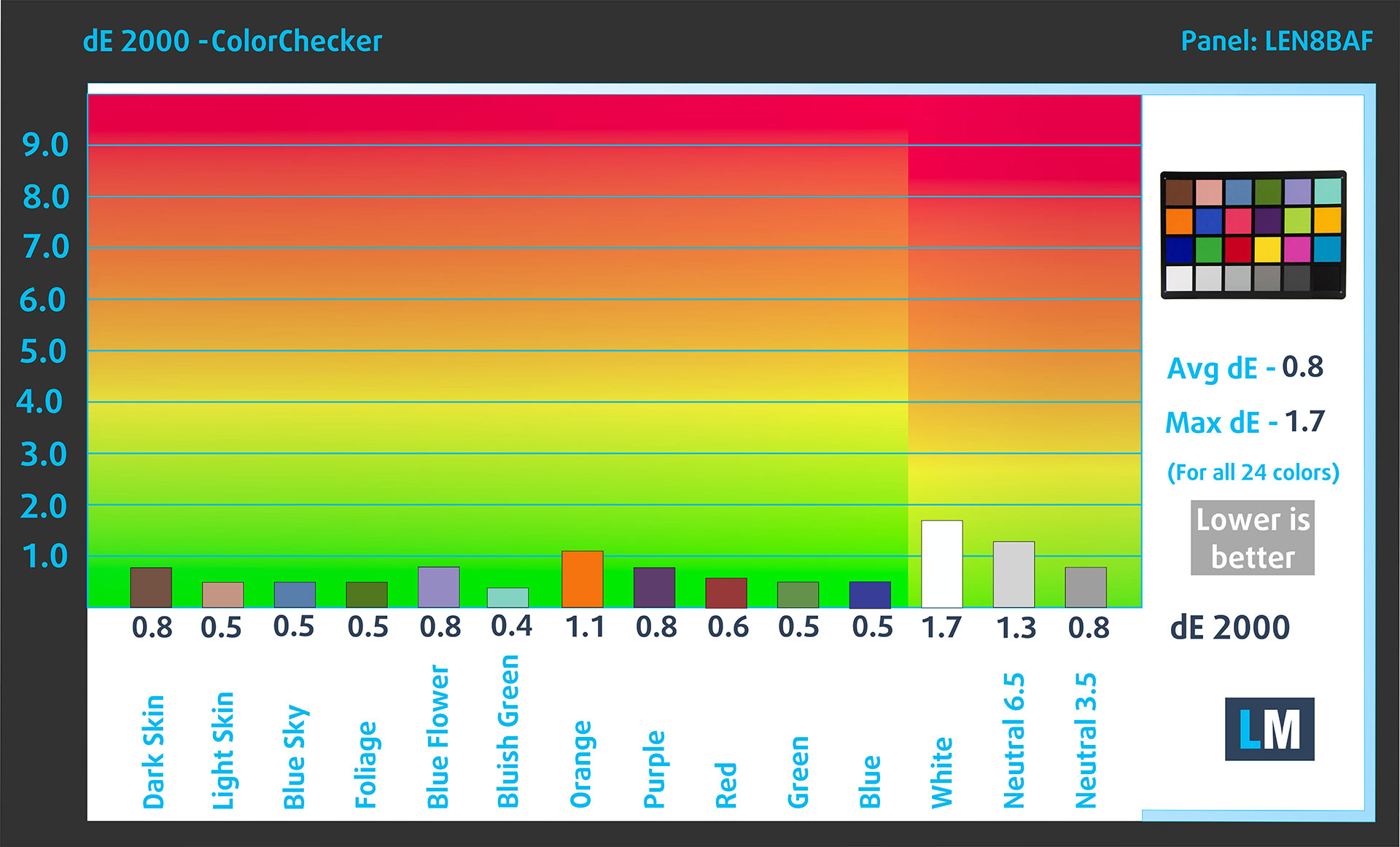
Comparison in the Display P3 color space.
The factory settings are perfect.
Health Impact: PWM (Screen flickering)
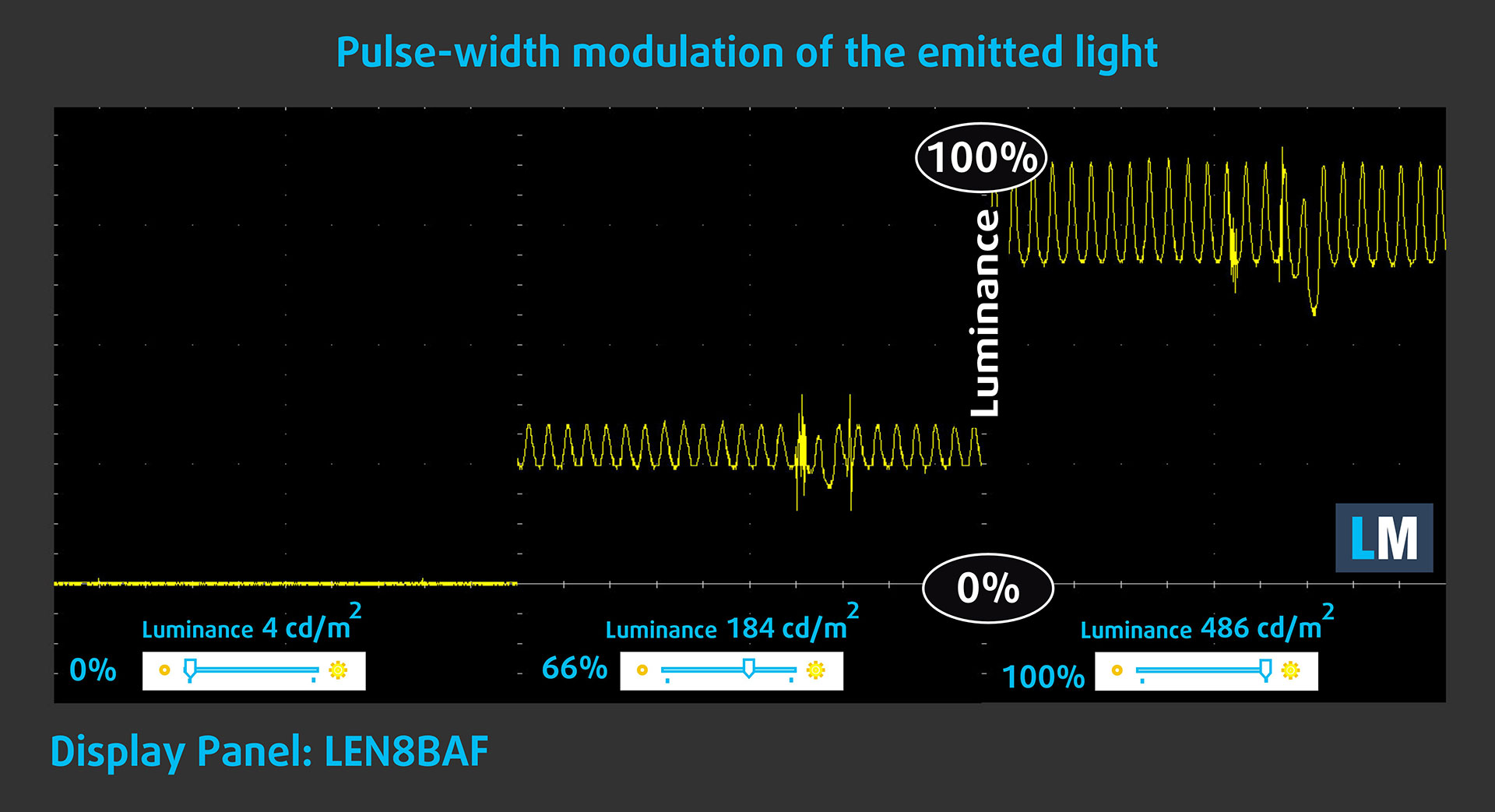
Some use PWM to regulate their brightness, which means that instead of reducing the light intensity, they pulse or flicker. Our brain merges the image, so it appears darker, but this strains both it and our vision, especially when the frequency of the pulses is low. You can read more about that in our dedicated article on PWM.
In the graph below, you see the intensity of light at different brightness levels—on the vertical axis is the brightness of the emitted light, and on the horizontal axis—time.
The display light of the Lenovo Yoga 7a 2-in-1 (16″, Gen 11) pulsates, but with limited amplitude across the entire brightness range. In this regard, we find the display relatively
comfortable on the eyes.
Health Impact: Screen Reflectance
Glossy-coated displays can cause eye fatigue in high ambient light conditions due to reflections. We measure the level of screen reflection with the display turned off, at a 60° angle.
The reflectance of the Lenovo Yoga 7a 2-in-1 (16″, Gen 11)’s screen is 133 GU. Not a good result.
High Gloss: >70 GU
Medium Gloss: 30 – 70 GU
Low Gloss: <30 GU
Sound
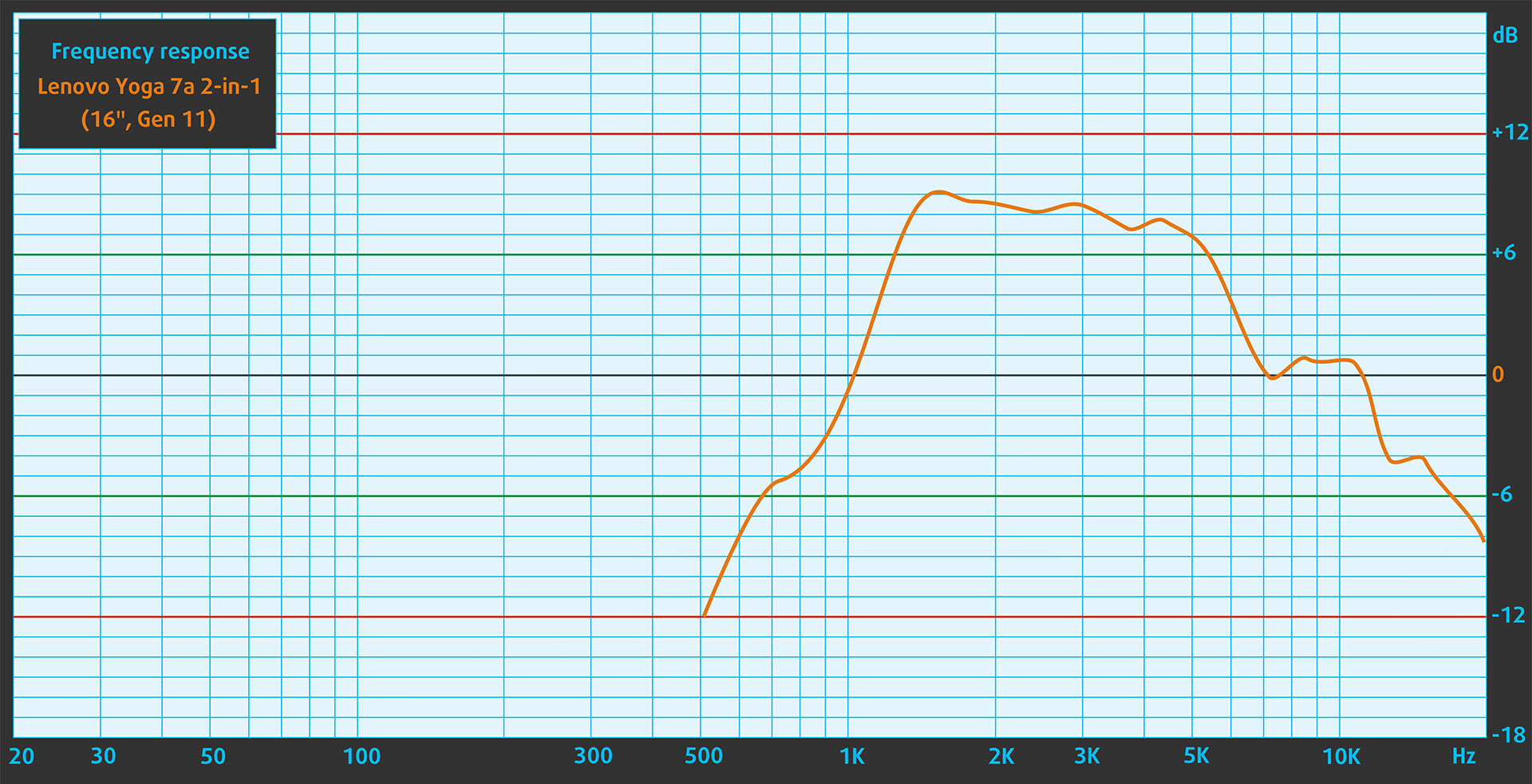
The sound from the Lenovo Yoga 7a’s speakers is good. The low, mid, and high frequencies are clear.
Work Performance: CPU, Storage, AI
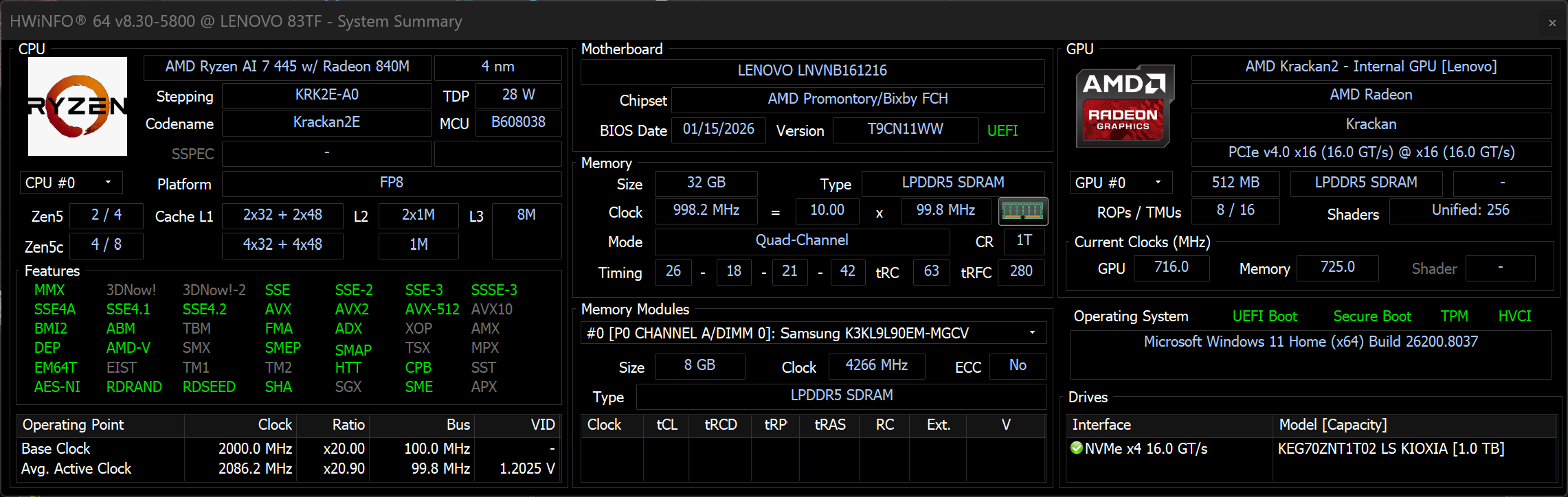
All performance and temperature tests are conducted with Performance mode activated in Lenovo Vantage:
CPU and Work Performance
The Lenovo Yoga 7a 2-in-1 (16″, Gen 11) is offered with AMD’s Ryzen AI processors, including the Ryzen AI 7 445 and the more affordable Ryzen AI 5 435 and 430. These chips are designed for efficient performance in thin-and-light convertibles, combining solid everyday responsiveness with integrated AI capabilities for modern applications. If you want to compare their performance against other processors, you can check our Top Laptop CPU Ranking.
AMD Ryzen AI 7 445 is a very strong choice for everyday work while it trails AI 9 for heavy tasks.
Single-core performance ensures smooth operation and responsiveness in operating systems, providing a better user experience.
Results are from the Geekbench 6 Single-Core test (higher is better)
Multi-core performance is essential for handling complex and demanding tasks, such as Video editing, CAD, and Scientific simulations.
Results are from the Geekbench 6 Multi-Core test (higher is better)
Here, we evaluate the CPU's performance using a real-world 3D rendering task, assessing its ability to handle complex computations and rendering workloads efficiently.
Results are from the Cinebench 2024 Multi-Core test (higher is better)
AI Performance
Here you can see the position of the GPUs and CPUs (NPUs) found within the Lenovo Yoga 7a 2-in-1 (16", Gen 11) in our AI Hardware Performance Rankings based on their AI processing power, measured in TOPS (Tera Operations Per Second) - a critical metric indicating the computational throughput, particularly for AI tasks.
The first column shows peak performance for INT8/FP8 precision, which is the most widespread metric for evaluating AI inference capabilities. We exclude Sparsity to provide a more accurate reflection of AI performance in dense computation scenarios where sparsity optimizations may not be applicable. The second and third columns show the performance with Sparsity, and FP4 TFLOPS, when supported.
For SoCs, the results reflect the peak performance of the integrated NPU. Additionally, it’s important to note that, according to Microsoft, a NPU must have at least 40 TOPS of AI computing power for the PC to be considered “AI-capable.”
| # | GPU / CPU (NPU) | TOPS INT8/FP8 No Sparsity | TOPS INT8/FP8 Sparsity | TFLOPS FP4 Sparsity |
|---|---|---|---|---|
| 1559. | AMD Ryzen AI 5 430 | 50 | — | — |
| 1565. | AMD Ryzen AI 5 435 | 50 | — | — |
| 1570. | AMD Ryzen AI 7 445 | 50 | — | — |
GPU Performance
Graphics are handled by the integrated AMD Radeon 840M, which is intended for everyday tasks such as media consumption, office work, and light creative applications. It is not aimed at gaming or heavy GPU workloads, but it provides sufficient performance for a 2-in-1 device focused on portability and efficiency. For a broader comparison with other GPUs, visit our Top Laptop Graphics Ranking.
Radeon 840M is not intended for gaming, and while many iGPUs are good for many games, this one is not.
The results are from 3DMark Time Spy (Graphics). Higher is better.
Temperatures and Comfort, Noise, Stability
At idle, the CPU package of the AMD Ryzen AI 7 445 maintains a super low temperature of 29ºC, and the notebook remains completely silent.
Office Work, Web Development, Design
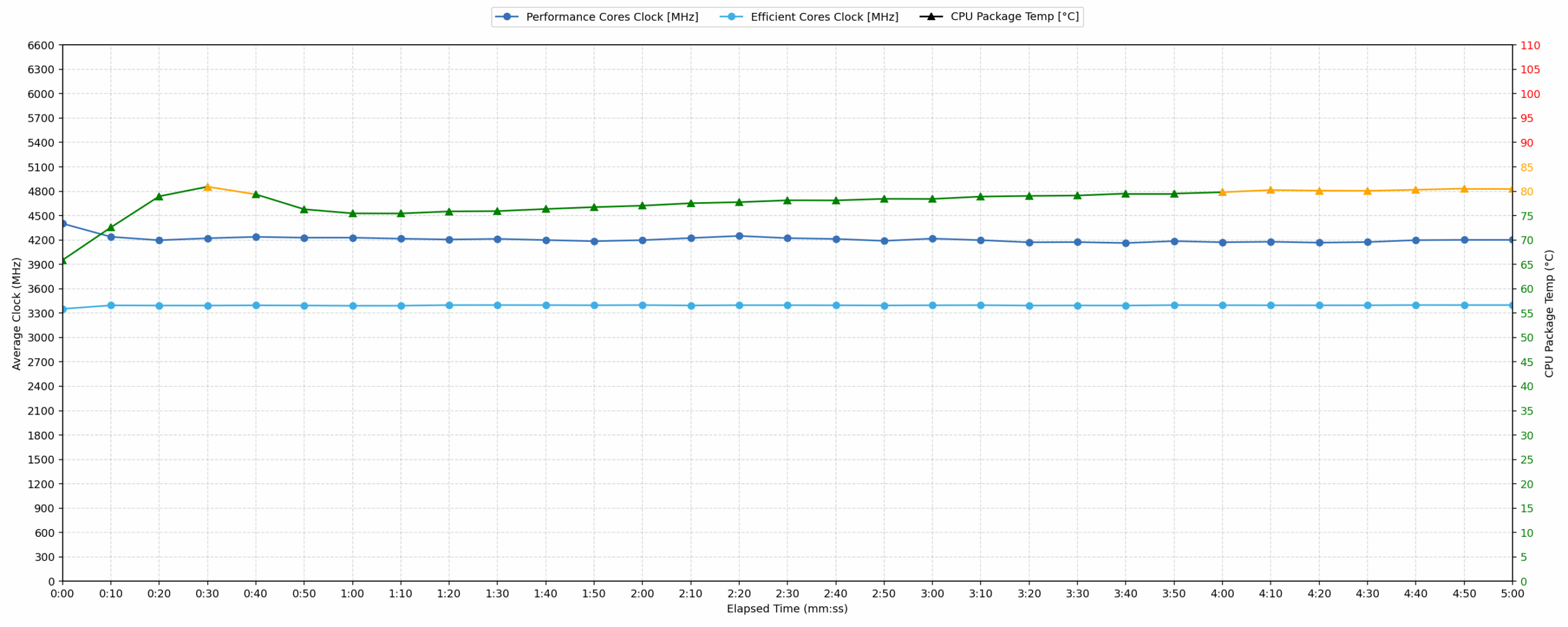
Short periods (0:00 – 0:10 s) of 100 % CPU load
This test shows the CPU behavior during short periods of serious load. It’s important for users who are looking for laptops suitable for tasks like Web Design and Programming.
| AMD Ryzen AI 7 445 | Avg. P-Core Clock | Avg. CPU Temp. | Avg. CPU Power |
| Lenovo Yoga 7a 2-in-1 (16″, Gen 11) | 4402 MHz | 65 °C | 42 W |
During the initial 10-second burst phase, the AMD Ryzen AI 7 445 reaches a peak clock speed of 4540 MHz and a peak power output of 49 W. Averaged over the first ten seconds, the CPU maintains a high frequency of 4402 MHz while drawing 42 W of power. Thermal management is highly effective during these short loads, with the average temperature recorded at 65 °C. This is well within the good range, staying significantly below 80 °C, which ensures snappy performance for quick tasks like loading complex web pages or starting professional software applications.
Video editing, Scientific computing, Software compilation, 3D rendering
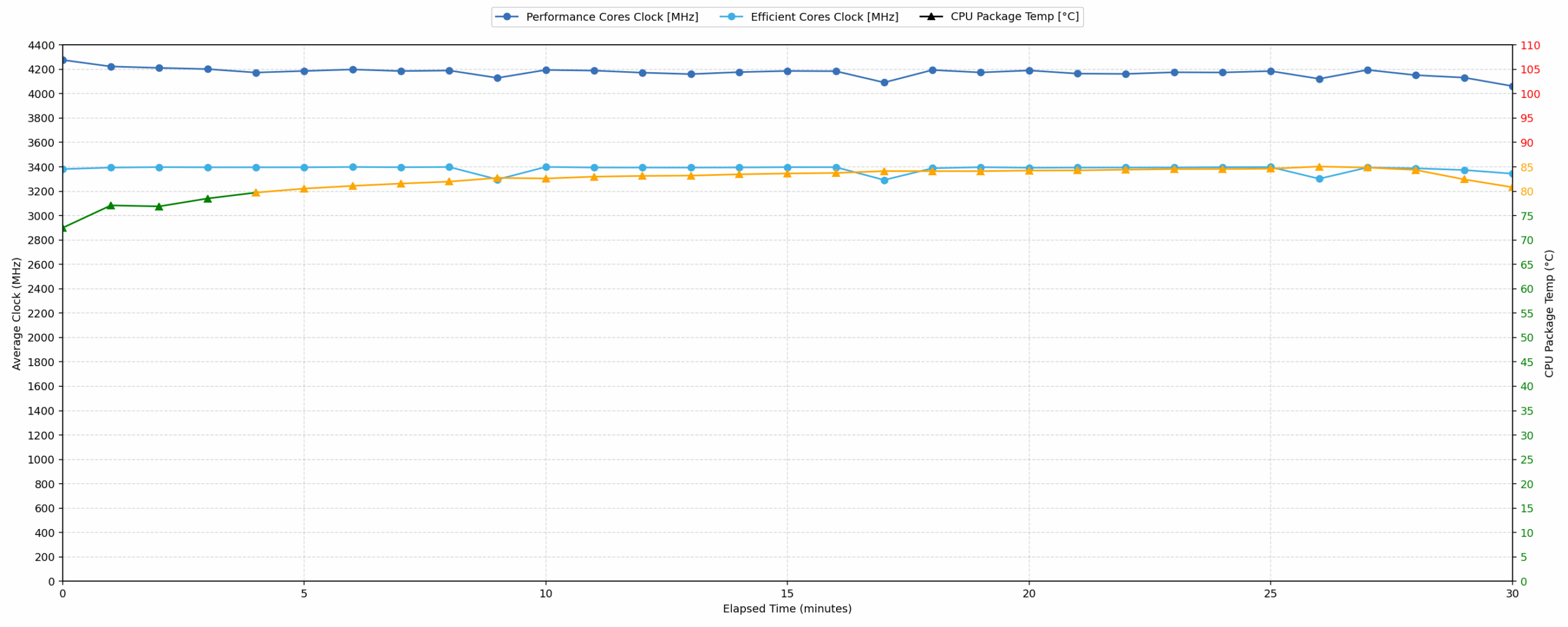
Long periods (0:00 – 30:00 min) of 100 % CPU load
This test shows the CPU behavior during long periods of serious load. It’s important for users who are looking for laptops suitable for tasks like Video Editing and 3D Rendering.
| AMD Ryzen AI 7 445 | Avg. P-Core Clock | Avg. CPU Temp. | Avg. CPU Power |
| Lenovo Yoga 7a 2-in-1 (16″, Gen 11) | 4175 MHz | 82 °C | 36 W |
When subjected to a continuous 100% load for 30 minutes, the processor maintains an average clock speed of 4175 MHz. The power consumption stabilizes at an average of 36 W, while the clock speed stays above a minimum of 4150 MHz. Temperatures increase during this extended period, reaching a peak of 88 °C with an average of 82 °C. These thermal results are categorized as acceptable, as they remain below the 90 °C threshold. This data indicates that the laptop can handle heavy, sustained computational workloads like video editing without suffering from significant thermal throttling or excessive heat.
Battery Life
The battery of the Lenovo Yoga 7a 2-in-1 (16″, Gen 11) is a 4-cell Li-ion, model L24M4PK5. Its nominal voltage is 15.48V and stores 70Wh of electrical energy.
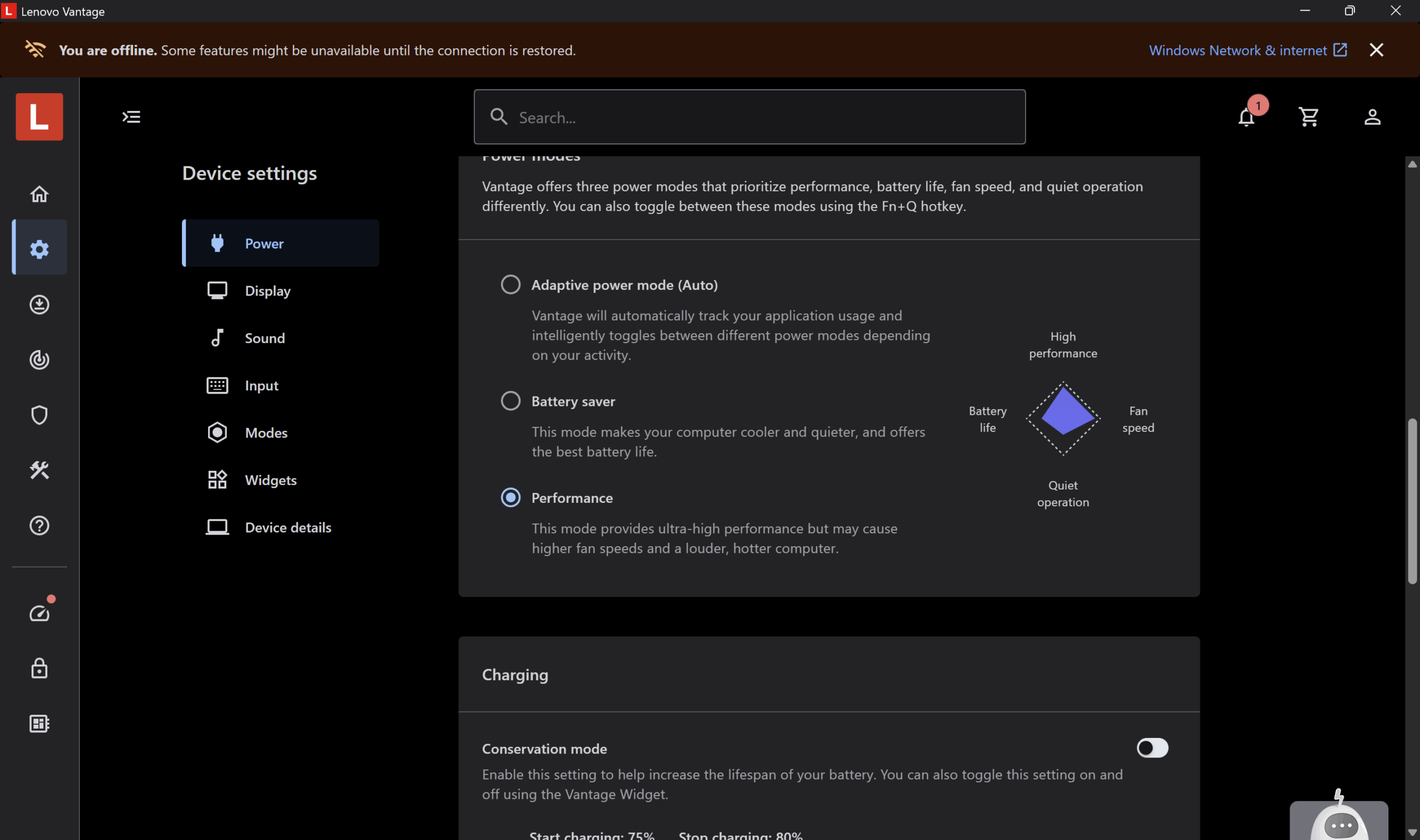
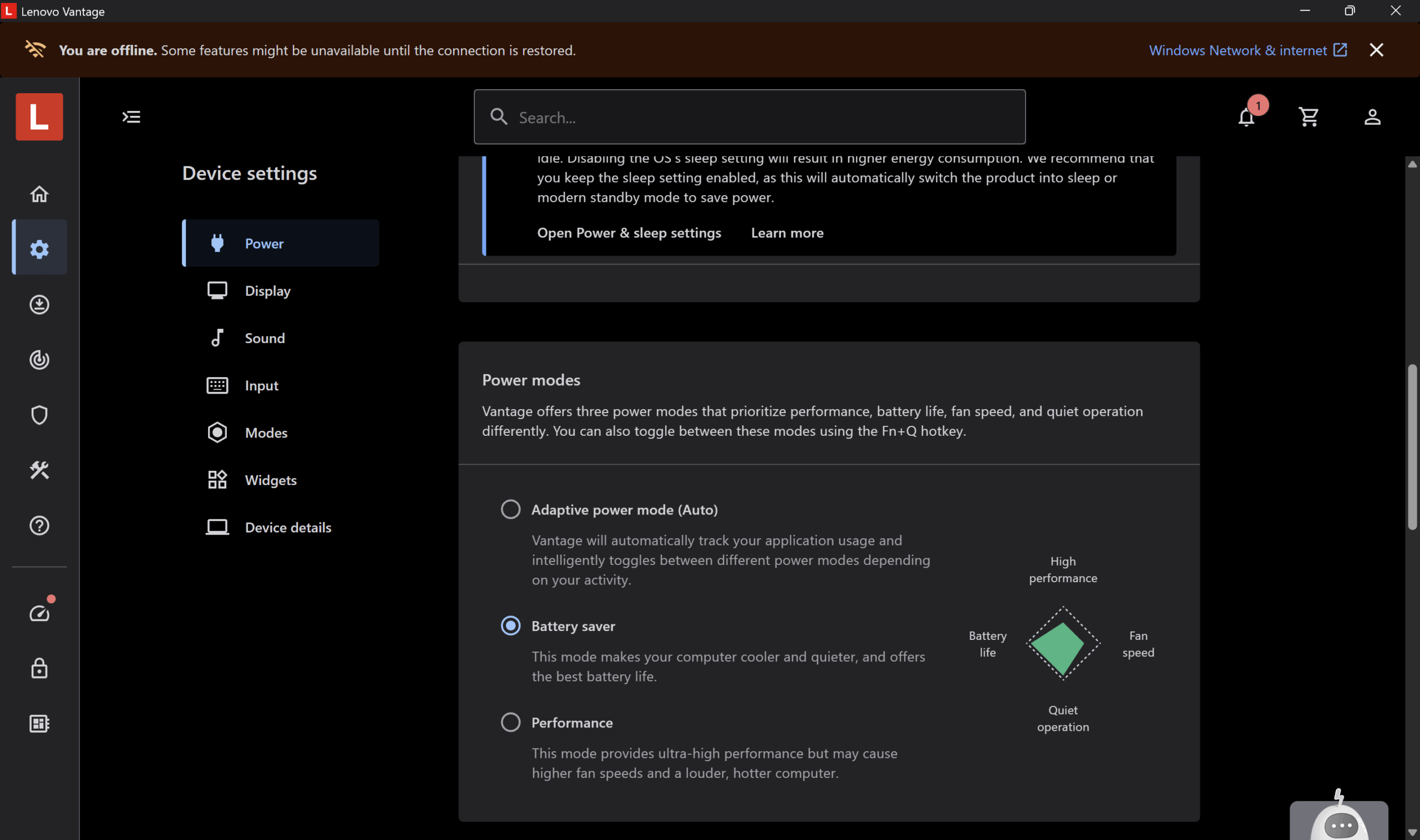
We tested the battery with Battery Saver mode activated in Lenovo Vantage.
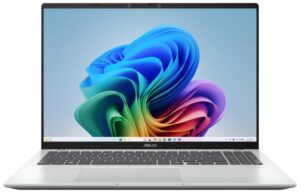
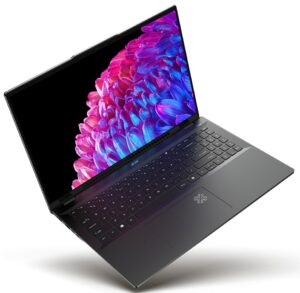
9 hours and 14 minutes on a single charge is a good result, although twice lower than ASUS Vivobook 16 X1607 (detailed review) and its Qualcomm Snapdragon X chip. Acer Swift 16 AI SF16-51 (detailed review) is another great choice if you need longer battery life, stopping our counter at 15 hours and 48 minutes.
Brightness: 180 nits; Display Mode: SDR
Time to Full Discharge: Higher is Better



Disassembly, Upgrade options, and Maintenance
Getting inside the Lenovo Yoga 7a 2-in-1 (16″, Gen 11) is fairly straightforward. The bottom plate is secured by seven Torx T5 screws, and once the clips are released you are greeted by a clean internal layout with the battery at the front, the cooling system across the upper half, and the upgradable modules concentrated on the right side.
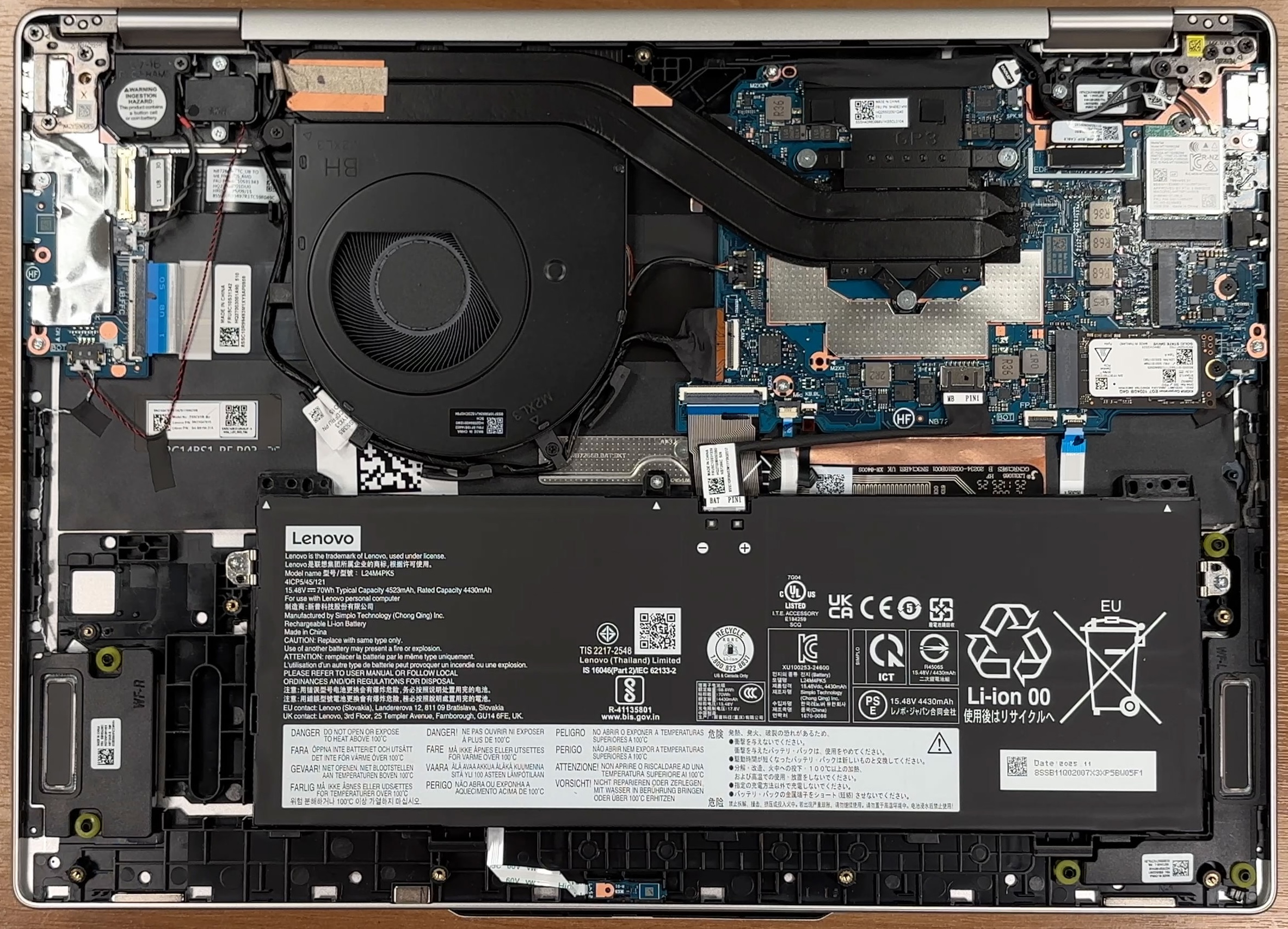
Cooling is handled by a single fan, a substantial heatpipe assembly, and a wide rear heatsink stretching toward the hinge area. The processor sits under the cooling module, while the fan is easy to access for cleaning once the cover is off. It is a simple layout, but it should also make routine maintenance like dust removal less intimidating.
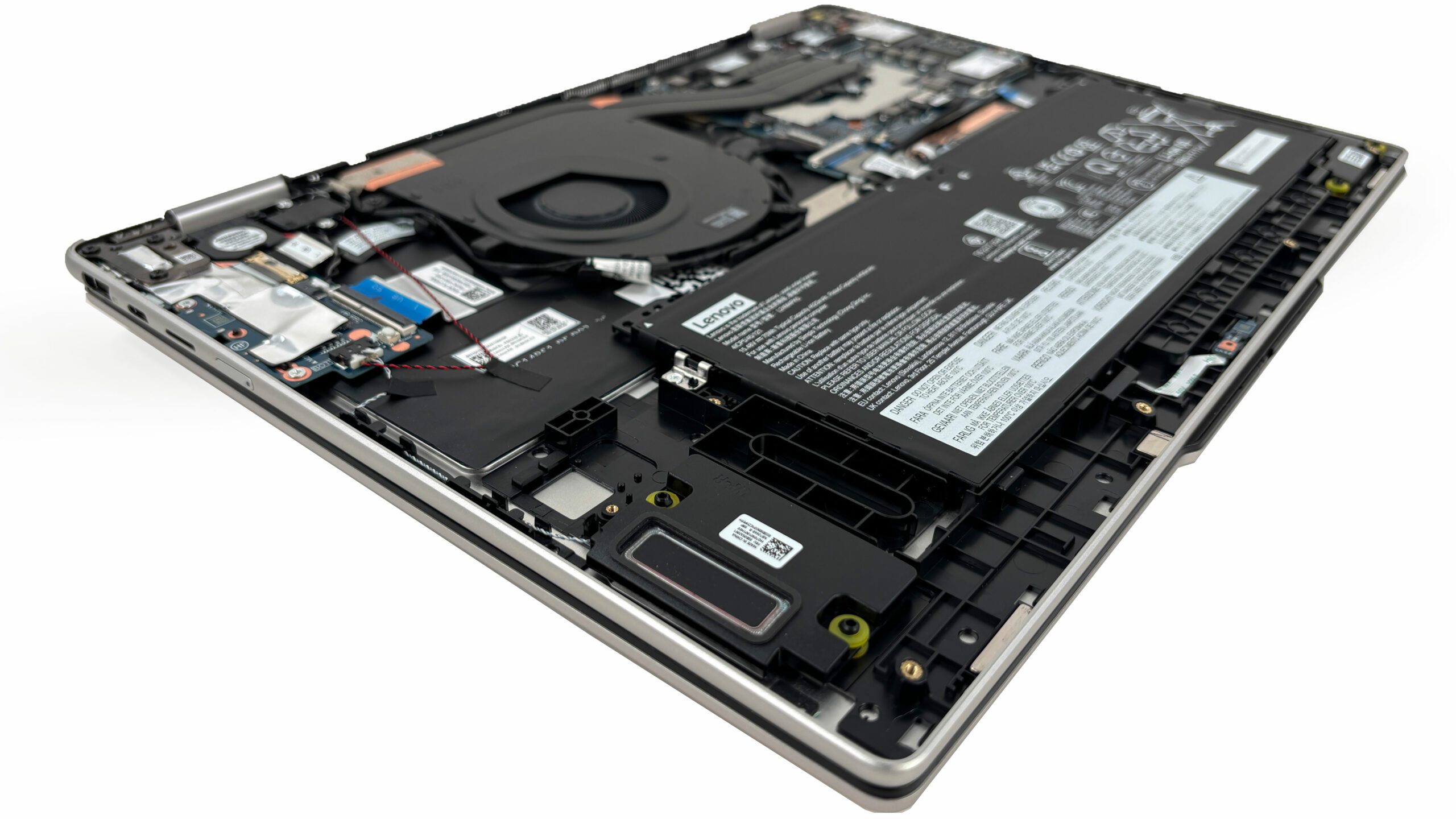
Storage upgrades are limited, but still possible. There is only one M.2 slot, and it is for the shorter 2242 form factor rather than the more common 2280 size, so upgrade options are narrower. Lenovo rates the slot for PCIe 4.0 x4 drives up to 2TB, while our configuration comes with a 1TB Kioxia EG7 SSD installed. The good news is that the drive is easy to reach and replace once the battery is disconnected.
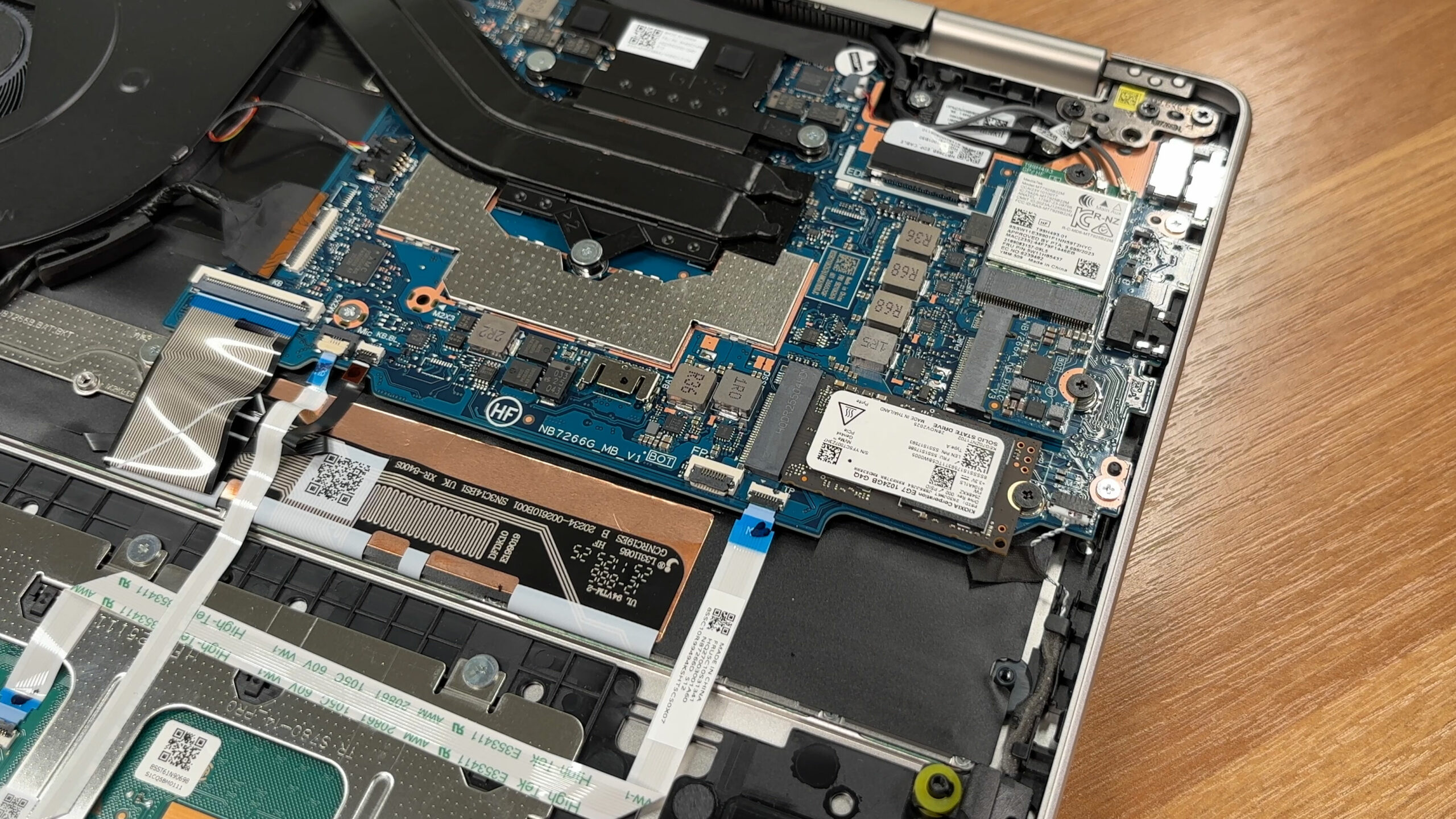
Memory is where the platform becomes far less flexible. The RAM is soldered directly to the motherboard, which means there are no SODIMM slots and no path for future upgrades. In this case that is less painful than usual, because the reviewed machine is configured with 32GB of LPDDR5X-8000 memory running in dual-channel mode, which is also the maximum officially listed for this model.
The wireless card is modular and sits next to the SSD, so it can be replaced if needed. Our machine uses a Wi-Fi 7 solution with Bluetooth 5.4 support. Power comes from a 70Wh battery pack secured by three screws and connected through a straightforward cable, making battery replacement much easier than on machines with heavily buried or glued-in units.
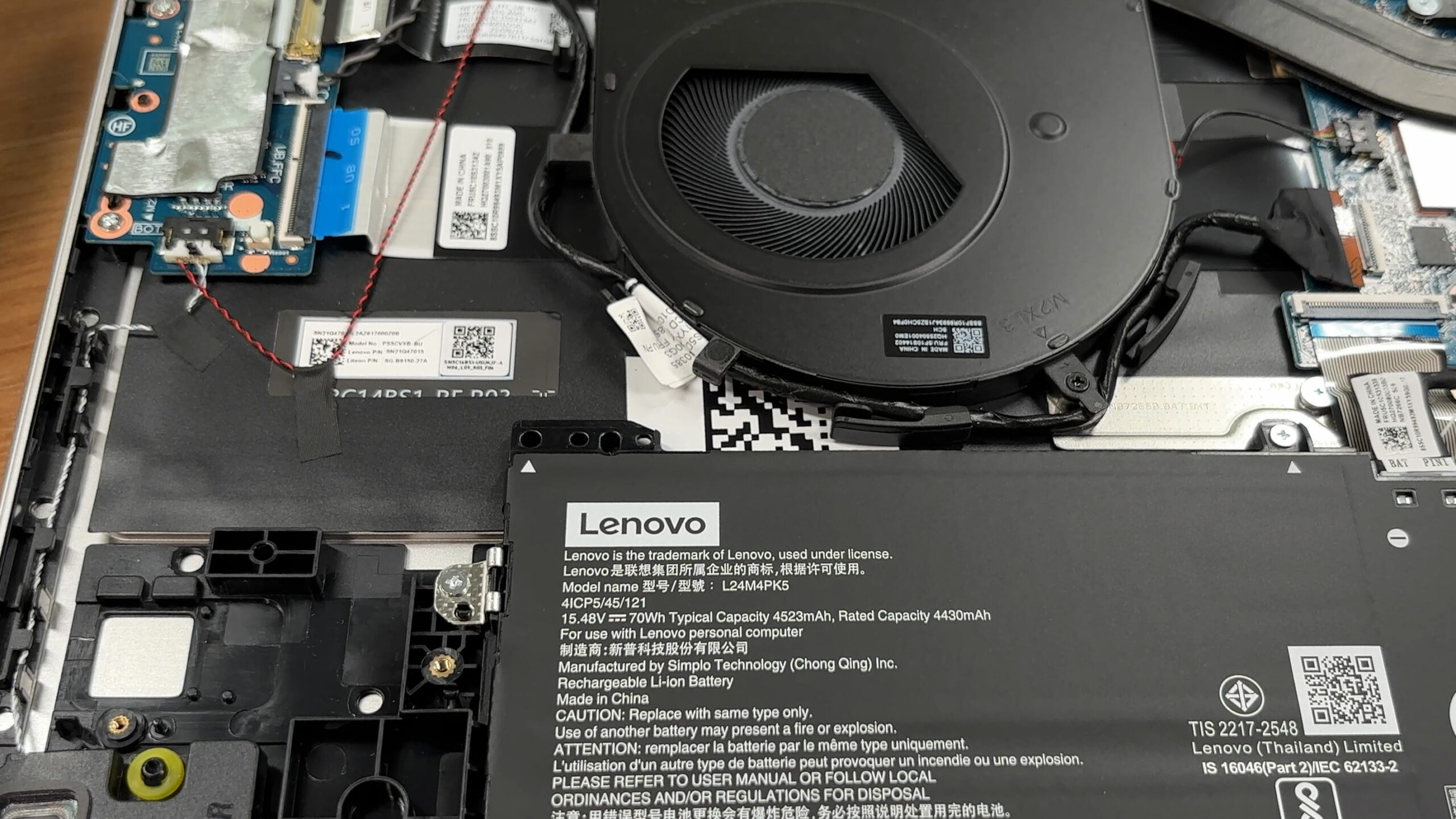
All things considered, the Yoga 7a is easy enough to service for cleaning, battery replacement, and SSD or Wi-Fi swaps, but the soldered memory and single short M.2 slot clearly limit its long-term upgrade potential.
Verdict
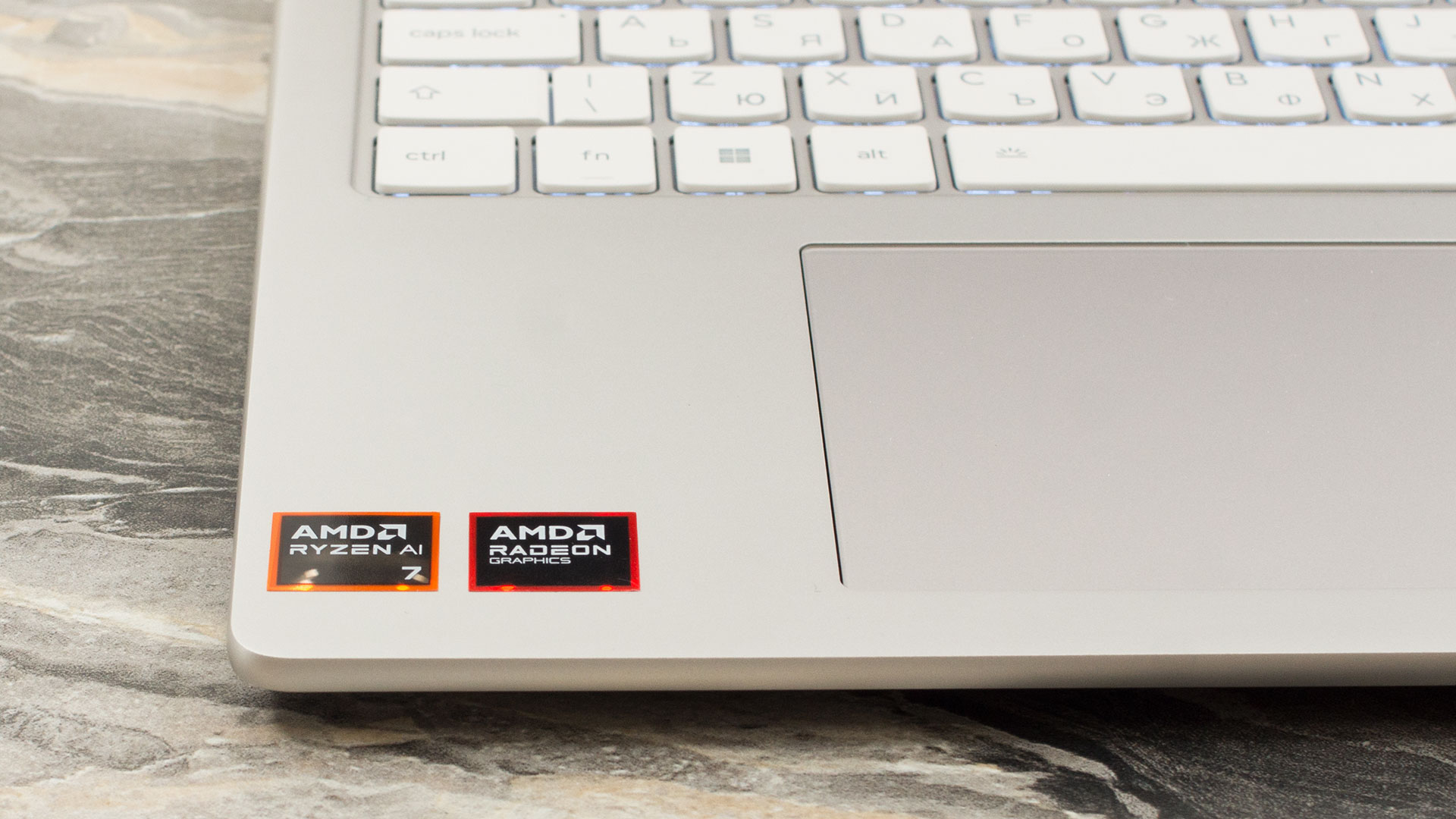 The Lenovo Yoga 7a 2-in-1 (16″, Gen 11) is a beautifully crafted machine that proves you don’t need to spend flagship prices to get a premium look and feel. With its sophisticated all-aluminium “Seashell” chassis, it offers a robust, flexible, and highly portable 16-inch convertible experience that is perfect for students, professionals, and anyone who values a sleek, minimalist aesthetic.
However, this elegant exterior hides some very real limitations. While it excels in build quality and input comfort, potential buyers must carefully weigh its restricted upgradeability and middling battery life against its undeniable charm and versatility.
You can check the prices and configurations in our Specs System: https://laptopmedia.com/series/lenovo-yoga-7a-2-in-1-16-gen-11/
✅ The Good
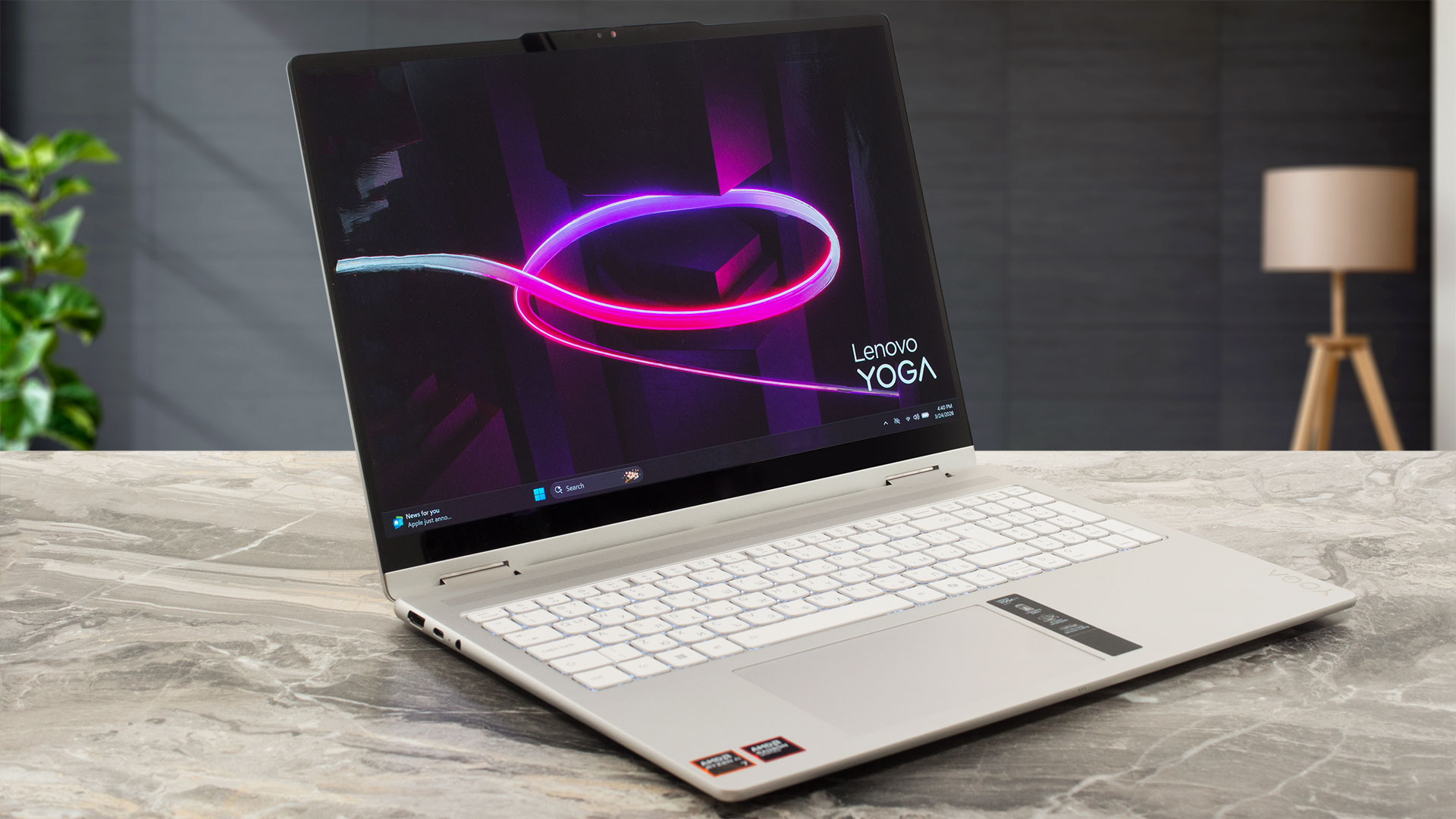 The immediate standout feature is the exceptional, tank-like build quality. The all-aluminium chassis is incredibly sturdy, and the anodized finish does a remarkable job of repelling fingerprints, keeping the laptop looking pristine with almost no effort. This premium feel extends to the inputs, with a highly comfortable keyboard featuring a NumPad, and a smooth, spacious glass trackpad.
We also love the stunning 2.8K 120Hz OLED display. With perfect contrast, full DCI-P3 color coverage, and excellent color accuracy right out of the box, it delivers a visually breathtaking experience for media and creative work. Crucially, the display is also PWM-free, ensuring eye comfort during long sessions. The performance for daily tasks is snappy, and the inclusion of Wi-Fi 7 and a physical privacy shutter are excellent modern touches.
The 360-degree hinge is firm and reliable, allowing the large 16-inch screen to confidently transform into a massive tablet or presentation mode.
❌ The Bad
The most significant long-term drawback is the completely soldered RAM. With no SODIMM slots, you are permanently locked into the memory configuration you buy, which severely limits the laptop’s future-proofing. The storage situation is only slightly better; while replaceable, the single M.2 slot is limited to the smaller, less common 2242 form factor.
Battery life is another area of concern, lasting just over 9 hours. While not bad, it is noticeably lower than many competitors in this class, meaning you might need to carry the charger on longer days. Finally, the gorgeous OLED screen is highly reflective, which can be a nuisance in brightly lit environments, and the laptop lacks Thunderbolt/USB4 connectivity, capping USB-C speeds at 10Gbps.
🆚 The Competitors
When compared to a rival like the Acer Swift 16 AI (detailed review), the Yoga 7a’s battery weakness becomes apparent. The Acer, despite not being a convertible, offers a massive 71% longer battery life (nearly 16 hours), making it a far superior choice for users who prioritize endurance above all else.
Against a battery champion like the ASUS Vivobook 16 X1607 (detailed review) with its Snapdragon processor, the Yoga 7a is completely outclassed in runtime, with the ASUS lasting over twice as long (19+ hours). The Yoga 7a justifies itself with its premium 2-in-1 form factor and stunning OLED screen, but for users who need a laptop to survive a long haul away from a plug, it is outmatched by clamshell competitors.
Pros
- Stunning 2.8K 120Hz OLED display with perfect colors
- Exceptional, tank-like all-aluminium build quality
- Finish is highly resistant to fingerprints
- PWM-free display is great for eye comfort
- Comfortable keyboard and smooth glass trackpad
- Physical privacy shutter for the webcam
Cons
- Soldered RAM with no upgrade options
- Only one M.2 slot, limited to the short 2242 format
- Battery life is underwhelming compared to rivals
- Highly reflective glossy screen
- No USB4 or Thunderbolt support
 Author: Simeon NikolovEditor-in-Chief at LaptopMedia.com with 20+ years of experience in testing and analyzing laptops and mobile devices.
 Author: eng. Kroum NikolovHead of Engineering at LaptopMedia.com, inventor and innovator with 40+ years of experience in electronics and high technology.

![[June 2026] Best-Selling Laptop Brands on Amazon Global – Apple’s Unrivaled Dominance in Units and Revenue](https://laptopmedia.com/wp-content/uploads/2026/07/GLOBAL-Best-Brands-400x225.jpg)
![[June 2026] Amazon Global: Top 10 Best-Selling Laptops – Apple’s New MacBook Neo Storms to #1, Reshaping the Market with Affordability](https://laptopmedia.com/wp-content/uploads/2026/07/Best-Selling-Laptops-GLOBAL-Top-10-400x225.jpg)
![[June 2026] Amazon Global: Top 10 Best-Selling Gaming Laptops – Acer’s Nitro V 16S AI Dominates Sales, While ASUS Leads Overall Revenue](https://laptopmedia.com/wp-content/uploads/2026/07/Best-Selling-Gaming-Laptops-GLOBAL-Top-10-400x225.jpg)
![[June 2026] Global Ranking of Best-Selling Laptop GPUs on Amazon – NVIDIA RTX 5060 is the Top-Selling Dedicated GPU](https://laptopmedia.com/wp-content/uploads/2026/07/Best-Selling-GPUs-GLOBAL-Top-10-400x225.jpg)
![[June 2026] Global Ranking of Best-Selling Laptop CPUs on Amazon – Apple M5 Dominates, AMD Ryzen 7 260 Gets Solid Premium Share](https://laptopmedia.com/wp-content/uploads/2026/07/Best-Selling-CPUs-GLOBAL-Top-10-400x225.jpg)