How to open MSI Cyborg 17 (B13W) – disassembly and upgrade options
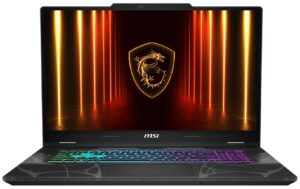
Step 1: Removing the bottom panel
- Power off the laptop and place it on a soft, clean surface.
- Remove the screws securing the bottom panel.
- Use a thin plastic pry tool to carefully release the clips around the perimeter.
- Lift the bottom cover away from the chassis.
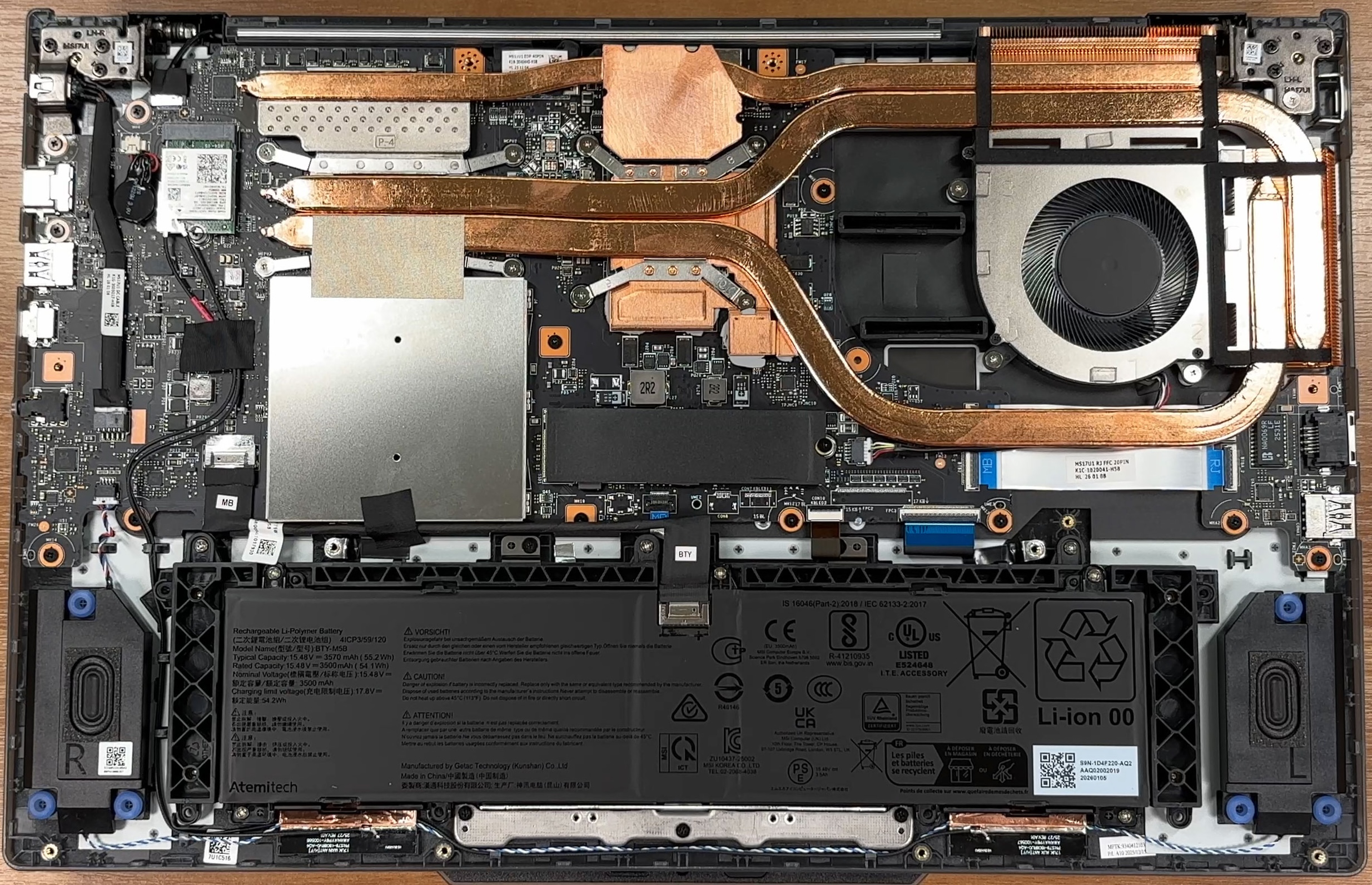
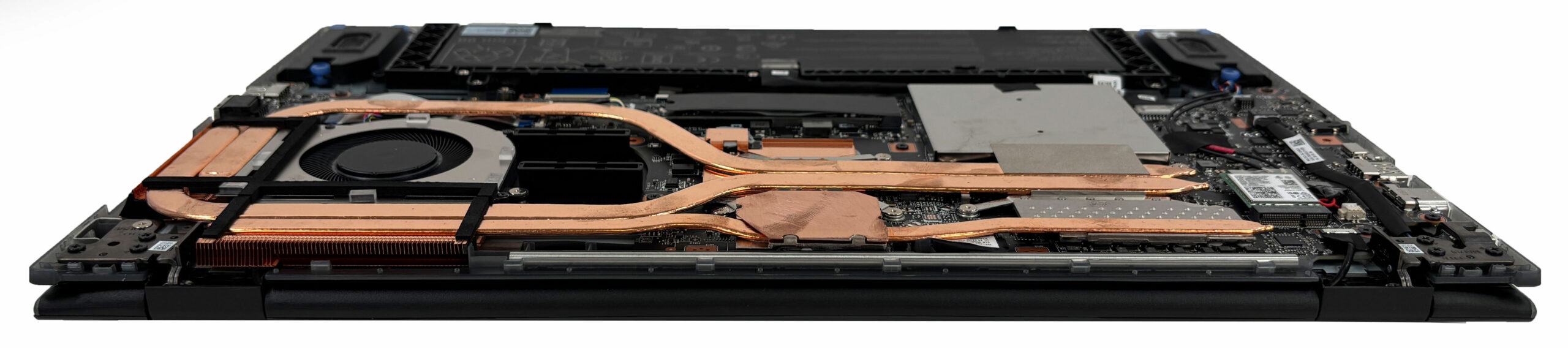
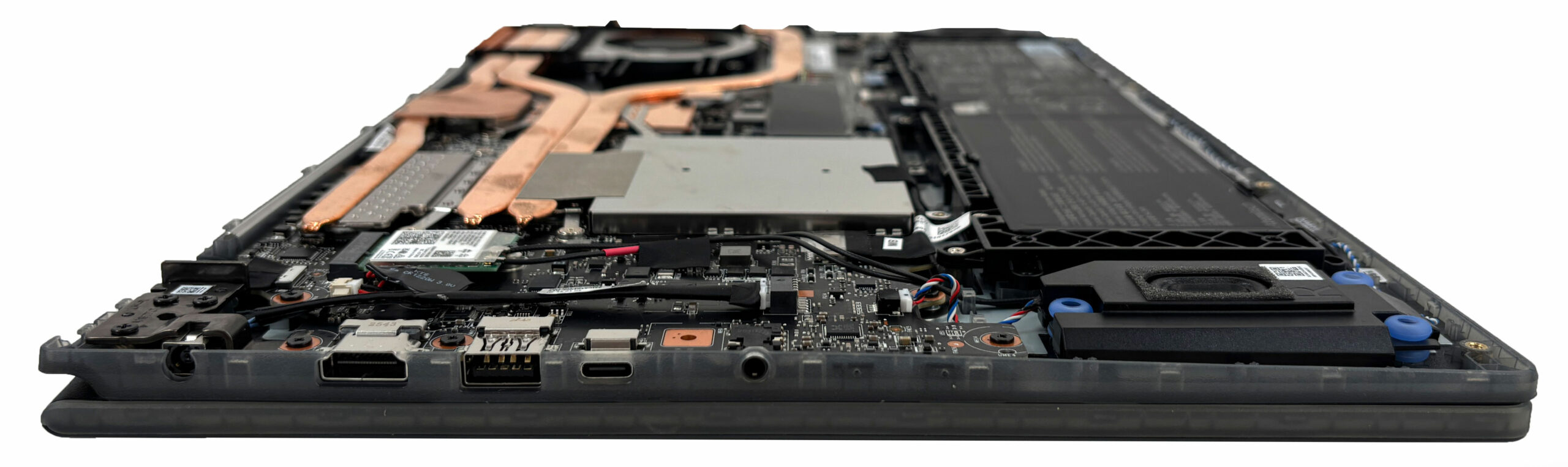
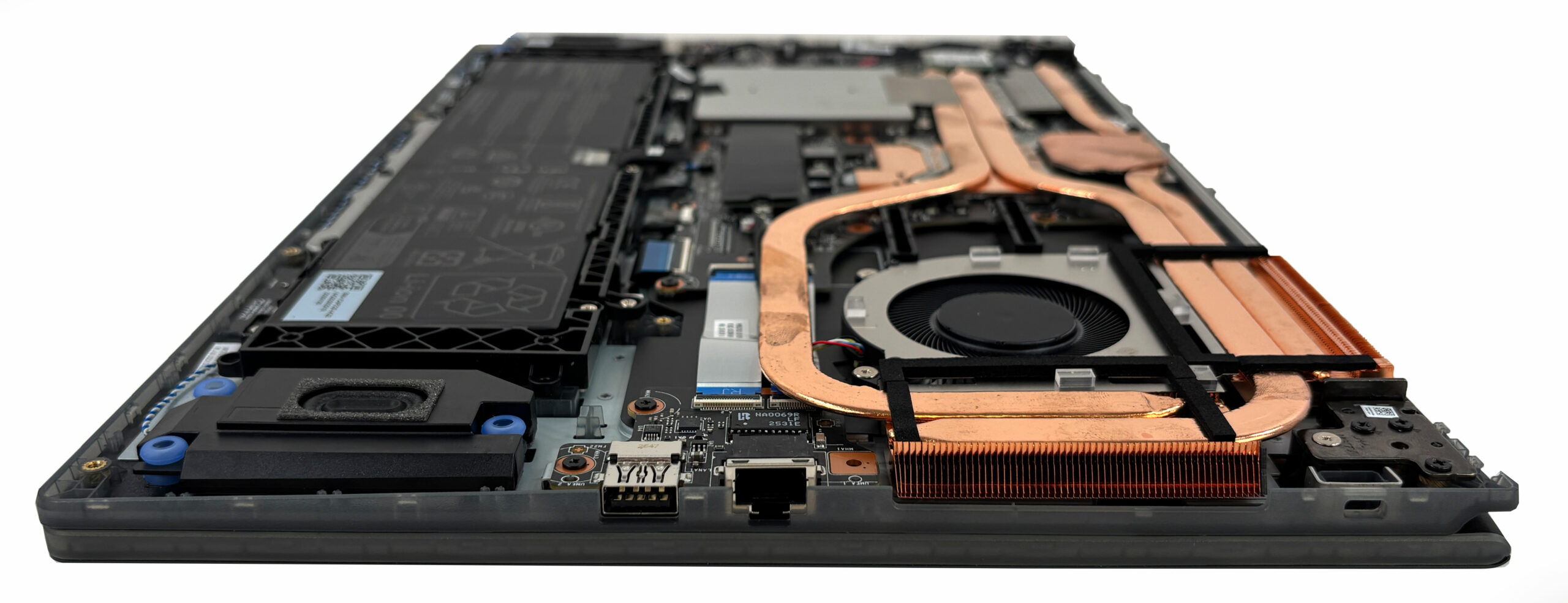
More info: Once inside, the layout is fairly serviceable, with the battery along the front edge, the memory and SSD in the middle-left area, and the cooling system stretching across the upper side of the chassis.
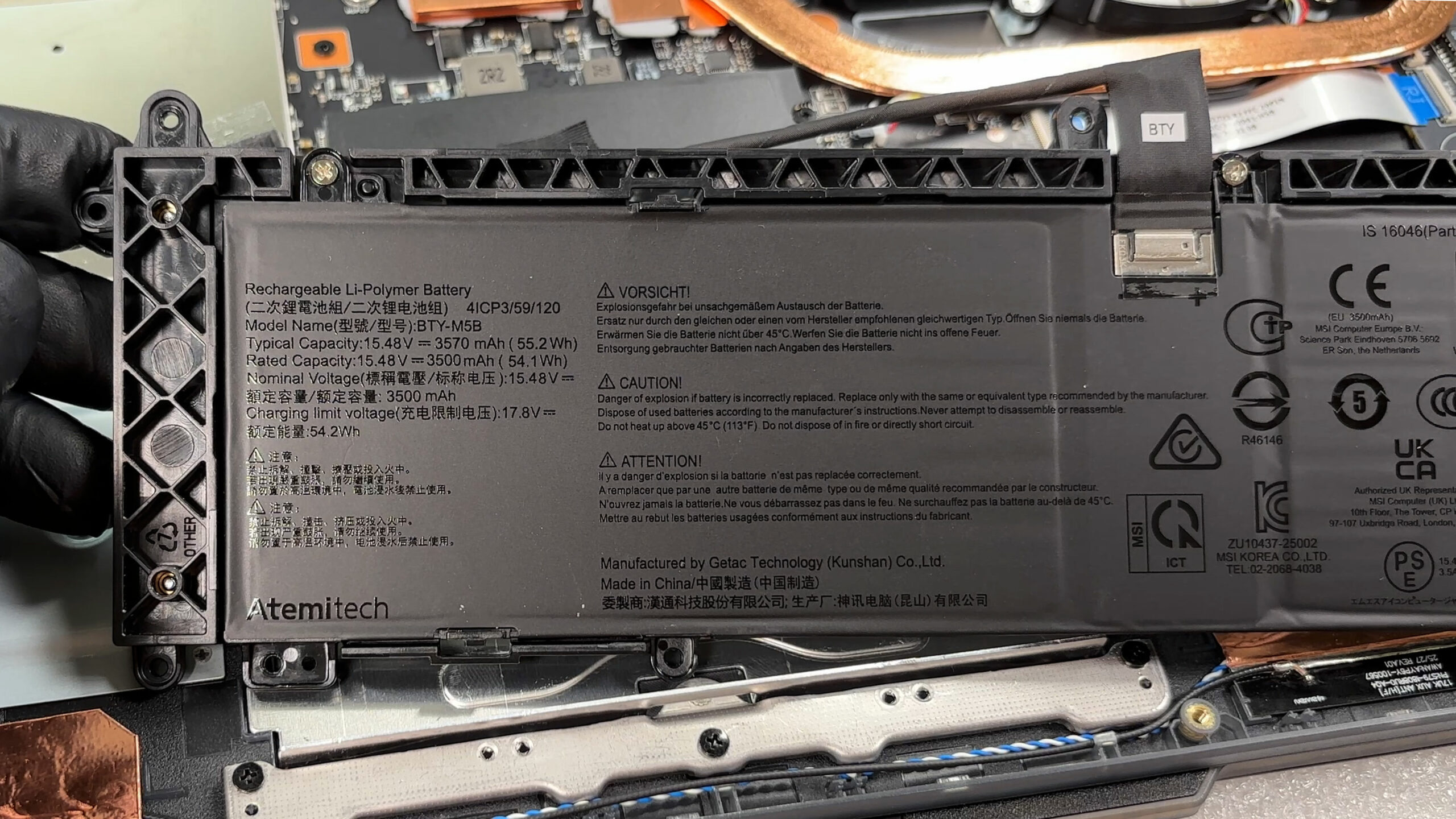
Step 2: Battery removal
- Disconnect the battery connector from the motherboard before touching any other internal component.
- Remove the screws securing the additional battery frame to the chassis.
- Lift the frame and battery assembly out carefully.
More info: The battery is a 4-cell unit with a typical capacity of 55.2Wh. Since it is mounted inside an additional frame, removal takes a bit more time than on some simpler designs.
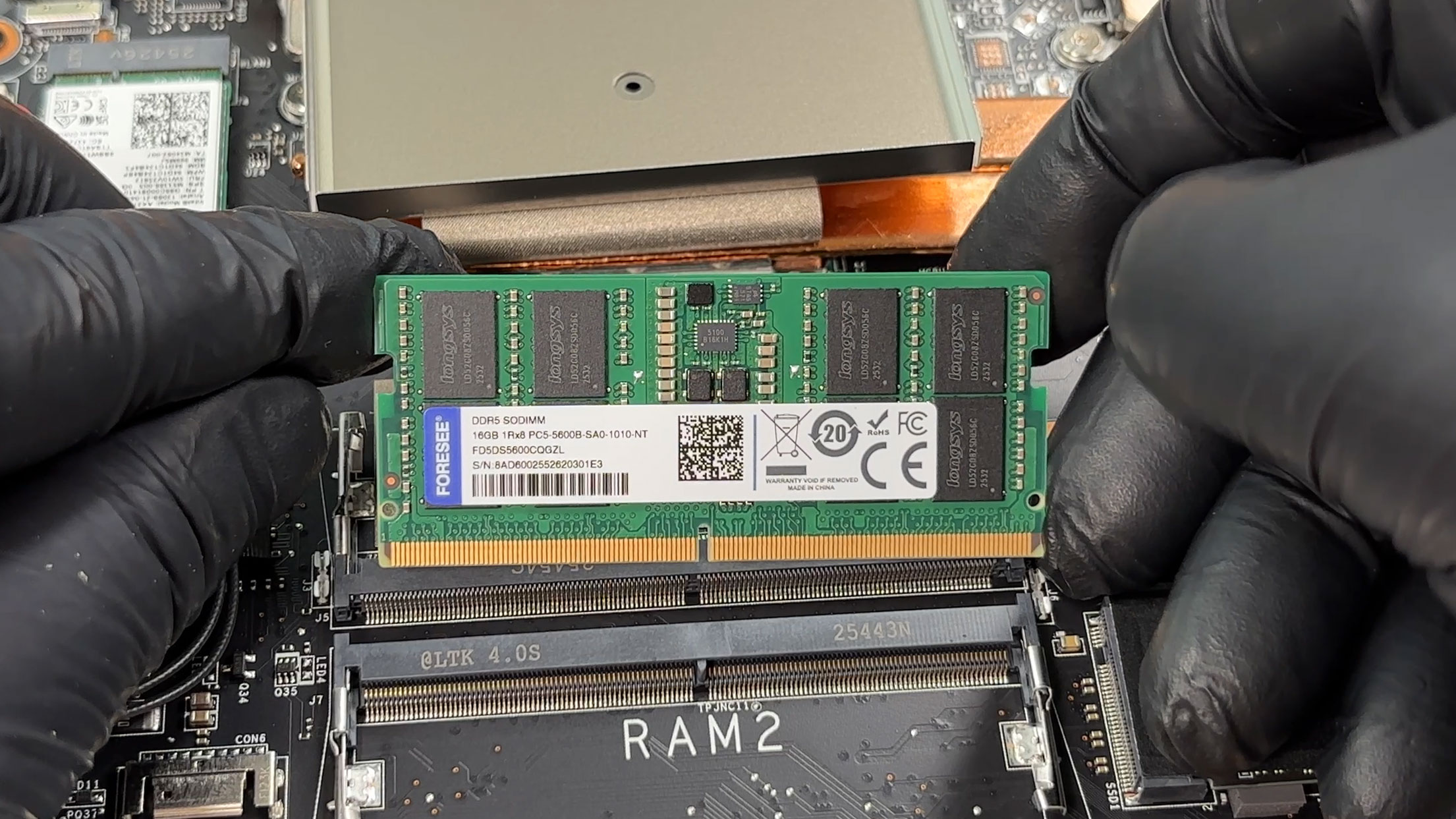
Step 3: Memory Upgrade
- The laptop has two SO-DIMM slots for DDR5 memory.
- MSI officially rates the series for DDR5-5200 support and up to 96GB in total.
- Our unit comes with one 16GB DDR5 SO-DIMM module installed.
- The second slot is free, making a dual-channel upgrade easy.
- Final memory speed can depend on the installed RAM combination and CPU support.
You can buy DDR5 RAM modules here: Buy from Amazon.com (#CommissionsEarned)
Step 4: Storage Upgrade
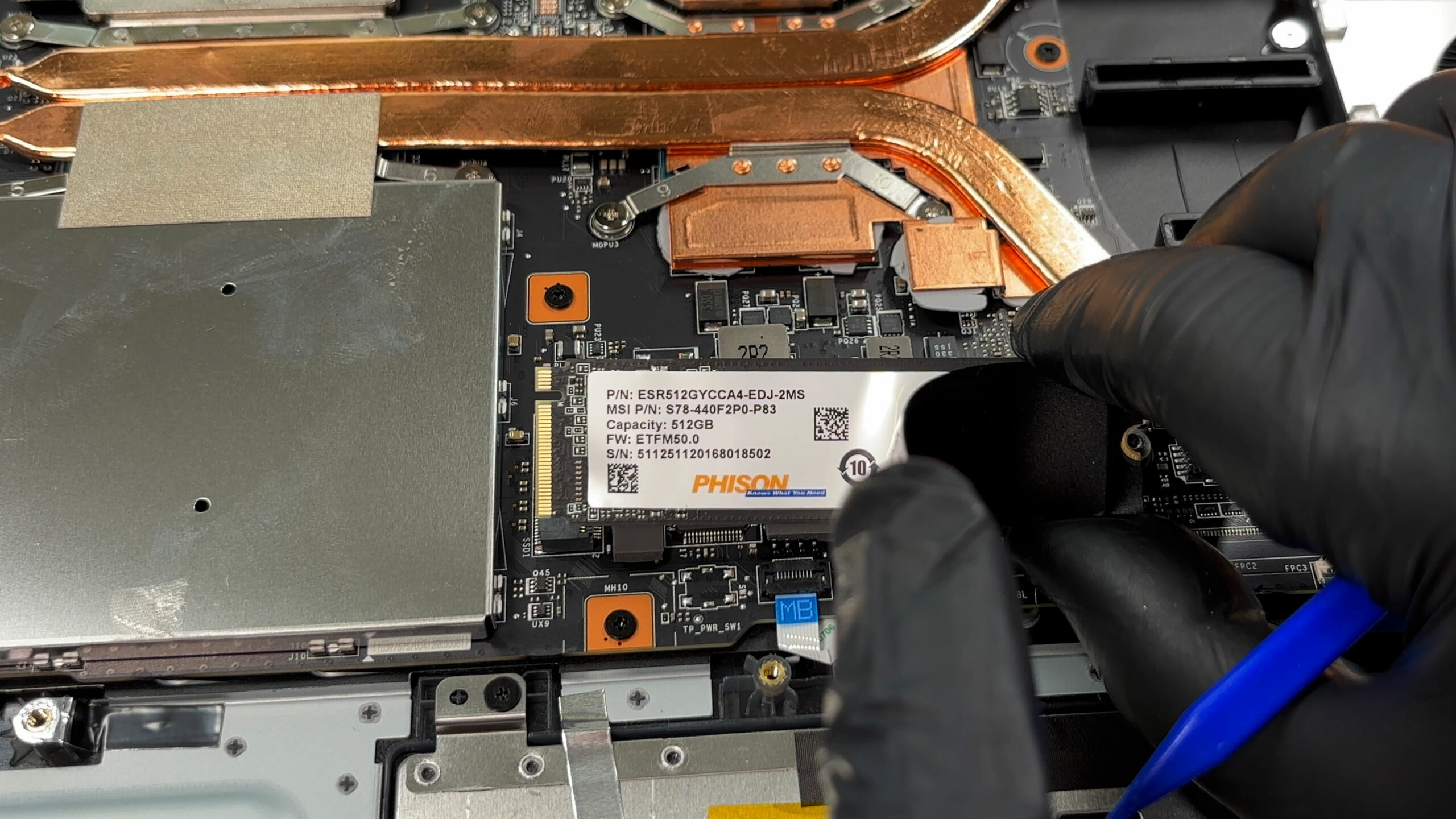
- The MSI Cyborg 17 B13W has one M.2 slot for NVMe SSDs.
- The slot supports PCIe Gen 4 storage.
- Our machine is equipped with a 512GB Phison NVMe SSD.
- Since there is no second SSD slot, storage expansion means replacing the factory drive rather than adding another one.
You can buy Gen 4 M.2 SSDs here: Buy from Amazon.com (#CommissionsEarned)
Hint: Don’t forget to check out our Top M.2 SSDs Performance Rankings for insights on the best storage options available.
Step 5: Cooling system overview
- The cooling system uses a single fan and a set of copper heat pipes shared between the processor and the dedicated GPU.
- The CPU sits close to the memory area, while the dGPU is positioned under the heatsink assembly toward the upper-middle part of the motherboard.
- This is not an extravagant cooling setup, but it leaves clear access to the main upgradeable components without removing the heatsink.
- Basic fan and heatsink cleaning is straightforward once the bottom cover is removed.
More info: The Wi-Fi card is replaceable. Our unit uses an Intel AX211 module with Wi-Fi 6E and Bluetooth 5.3 support, while wired networking is covered by Gigabit LAN.
More info: The main upgrade limits are the single M.2 storage slot and the compact single-fan cooling design. On the positive side, the RAM, SSD, battery, and Wi-Fi card are accessible and replaceable, making the MSI Cyborg 17 B13W reasonably easy to maintain once the bottom cover is off.
MSI Cyborg 17 (B13Wx / B2RWx) in-depth review
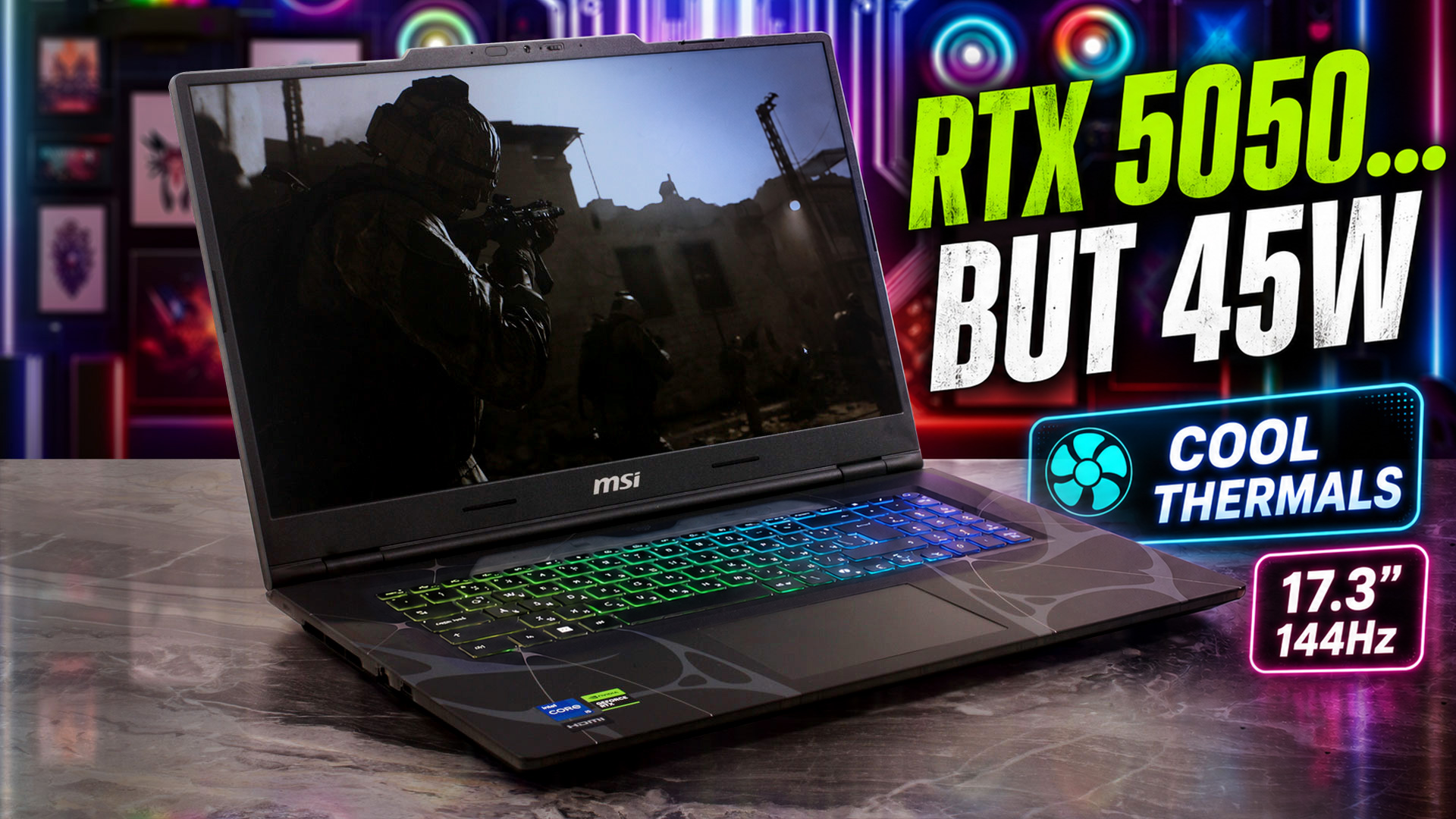
The MSI Cyborg 17 (B13W / B2RW) enters the budget gaming arena with a clear mission: to stand out. Instead of following the usual plain black-box formula, it embraces a sci-fi-inspired translucent design that gives the laptop a much more distinctive personality than most machines in this price class.On paper, the recipe sounds tempting: a large 17.3-inch display, Intel H-series processors, and NVIDIA RTX 50-series graphics in a more affordable package. But as always with budget gaming laptops, the details matter. In this case, the most important detail is not just which GPU you get, but ho[...]
Pros
- Strong sustained CPU performance for the price
- Cool and stable operation under long CPU and GPU loads
- Unique translucent cyberpunk-inspired design
- Two user-accessible DDR5 RAM slots, up to 96GB
- Fast PCIe 4.0 NVMe SSD in our configuration
- PWM-free display, good for long-term viewing comfort
- Physical privacy shutter for the webcam
- Comfortable keyboard with 4-zone RGB backlight
Cons
- Low GPU power limit limits RTX 5050 performance
- Base Full HD display has limited color coverage
- Only one M.2 slot for storage
- Battery life is acceptable, but not impressive
- Half-height arrow keys on a 17-inch gaming laptop
- No SD card reader
 Author: Dimitar Stalev

![[June 2026] Best-Selling Laptop Brands on Amazon Global – Apple’s Unrivaled Dominance in Units and Revenue](https://laptopmedia.com/wp-content/uploads/2026/07/GLOBAL-Best-Brands-400x225.jpg)
![[June 2026] Amazon Global: Top 10 Best-Selling Laptops – Apple’s New MacBook Neo Storms to #1, Reshaping the Market with Affordability](https://laptopmedia.com/wp-content/uploads/2026/07/Best-Selling-Laptops-GLOBAL-Top-10-400x225.jpg)
![[June 2026] Amazon Global: Top 10 Best-Selling Gaming Laptops – Acer’s Nitro V 16S AI Dominates Sales, While ASUS Leads Overall Revenue](https://laptopmedia.com/wp-content/uploads/2026/07/Best-Selling-Gaming-Laptops-GLOBAL-Top-10-400x225.jpg)
![[June 2026] Global Ranking of Best-Selling Laptop GPUs on Amazon – NVIDIA RTX 5060 is the Top-Selling Dedicated GPU](https://laptopmedia.com/wp-content/uploads/2026/07/Best-Selling-GPUs-GLOBAL-Top-10-400x225.jpg)
![[June 2026] Global Ranking of Best-Selling Laptop CPUs on Amazon – Apple M5 Dominates, AMD Ryzen 7 260 Gets Solid Premium Share](https://laptopmedia.com/wp-content/uploads/2026/07/Best-Selling-CPUs-GLOBAL-Top-10-400x225.jpg)
