Inside Acer ConceptD 7 (CN715-71) – disassembly and upgrade options
Acer ConceptD 7 (CN715-71) uses the same body and chassis as the Predator Triton 500. This makes it a little hard to disassemble, however, this is the price to pay if you want a powerful but thin laptop.
Check out all Acer ConceptD 7 (CN715-71) prices and configurations in our Specs System or read more in our In-depth Review.
1. Remove the bottom plate
Taking the bottom plate away from the device is just the beginning in the rather long way to upgrading your ConceptD 7. After you do that, you have to remove the battery and the Wi-Fi card. Then you can proceed with removing the black protective layer on top of the motherboard. Upon finishing with peeling the guy away, there are some screws that hold the motherboard in place (two of them are hiding around the dual-fan assembly).
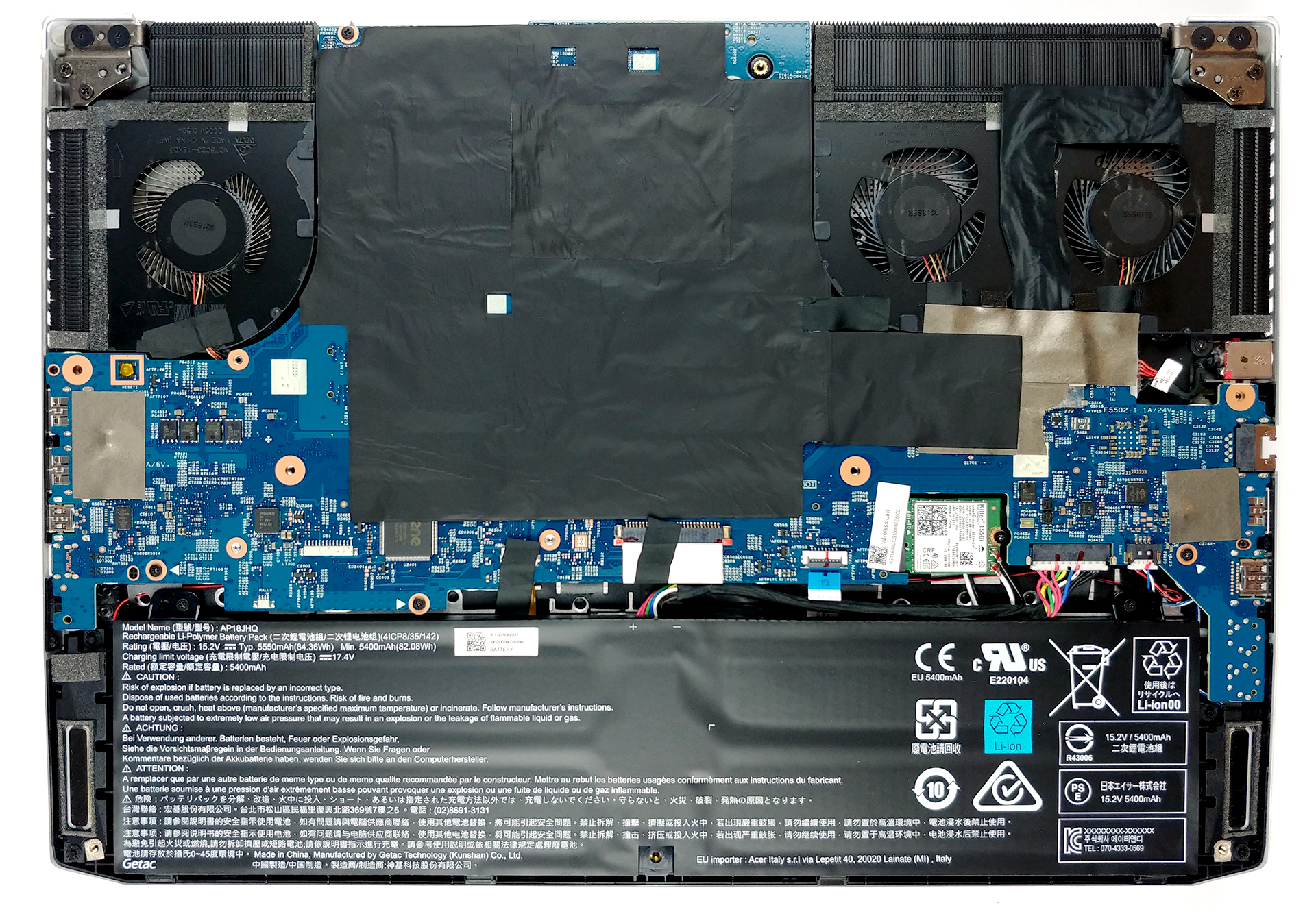
Then you disconnect all of the connectors you see attached to it and you can finally remove the motherboard itself from the chassis of the laptop.
2. Battery
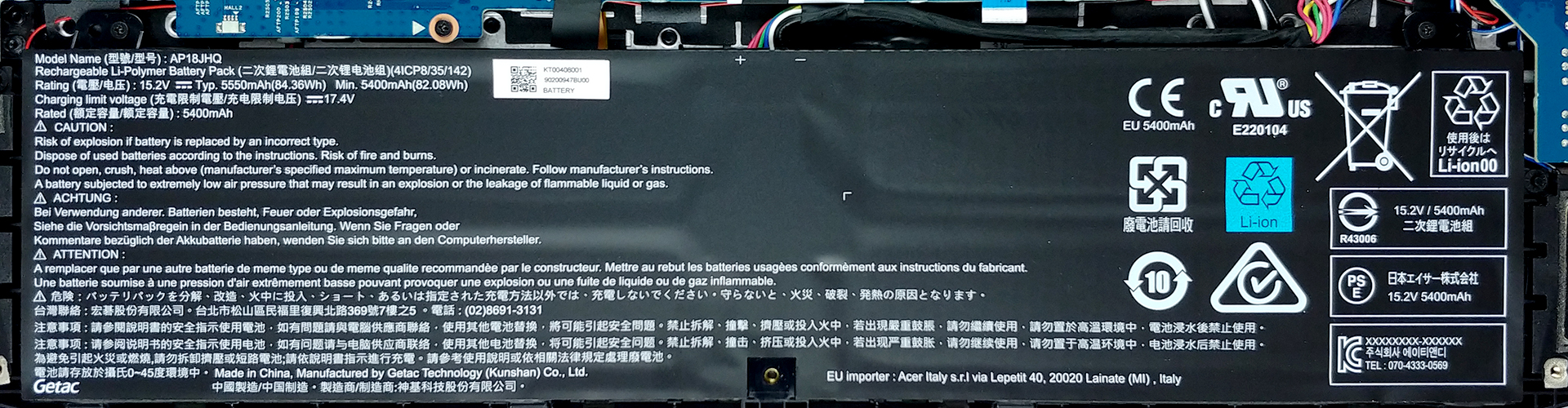
The battery we were talking about is pretty large – 84Wh and can actually feed the laptop through 11 hours of web browsing and 7 hours and 40 minutes of video playback.
Brightness: 180 nits; Display Mode: SDR
Time to Full Discharge: Higher is Better
In order to simulate real-life conditions, we used our own script for automatic web browsing through over 70 websites.
We use F1 2017’s built-in benchmark on loop in order to simulate real-life gaming.
3. Memory and storage
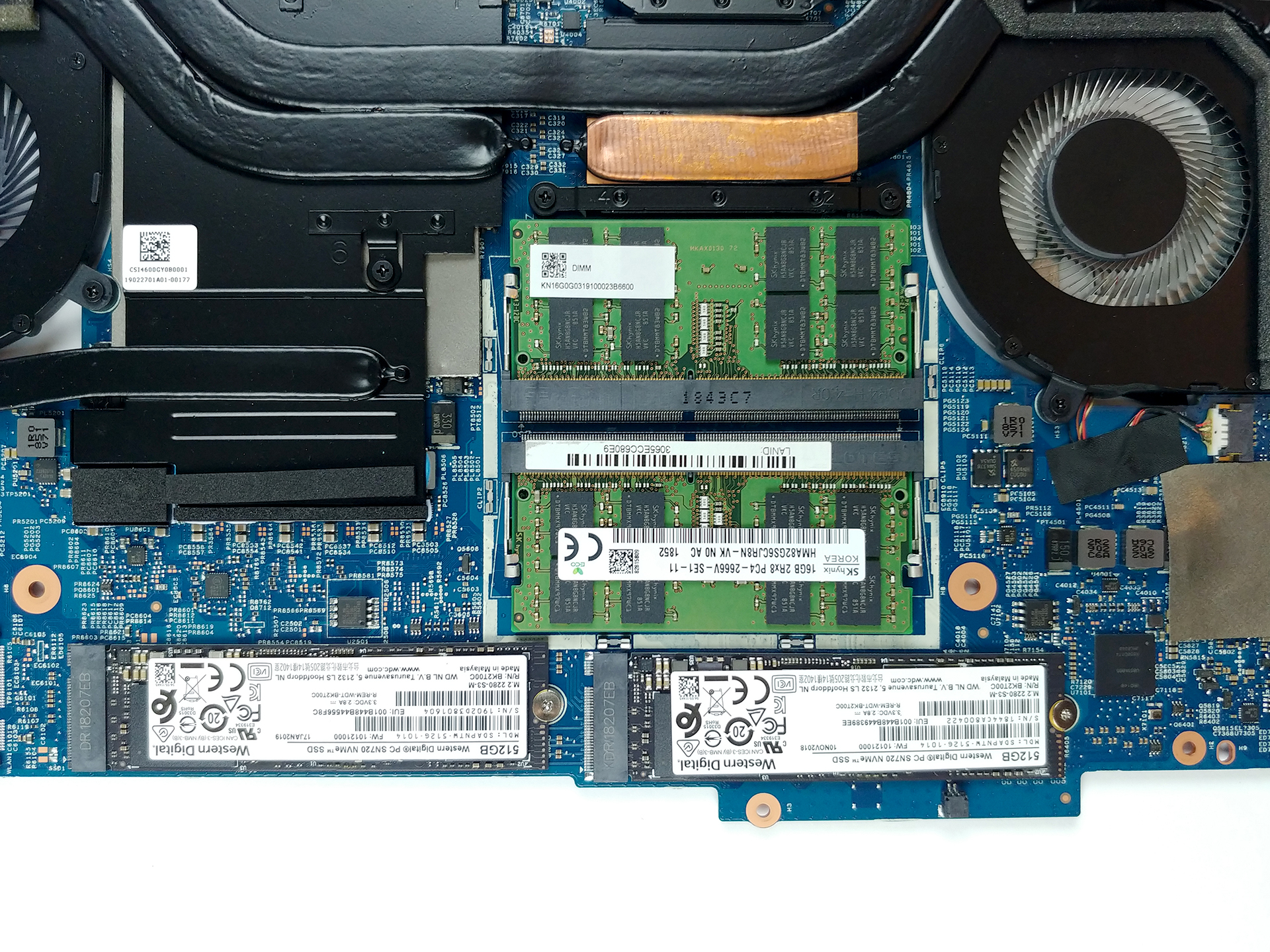
All of the memory and storage options are placed on the back of the motherboard, so you can’t upgrade it without doing so. It can hold up to 32GB of DDR4 memory and it supports RAID 0 via its two M.2 NVMe slots. There are no 2.5″ SATA drive slots to be found on the laptop.
4. Cooling system
If you’ve seen the Inside article of the Acer Predator Triton 500 you’ll see a pretty familiar picture with the cooling… in fact – it is exactly the same one as the ConceptD 7. It includes a total of five heat pipes, four heatsinks, and three fans. The one that is alone by itself is made out of metal. As far as the heat pipes – one of them is common for the CPU and the GPU. There is one more each for either of them as well as one cooling the VRMs and one cooling the graphics memory.
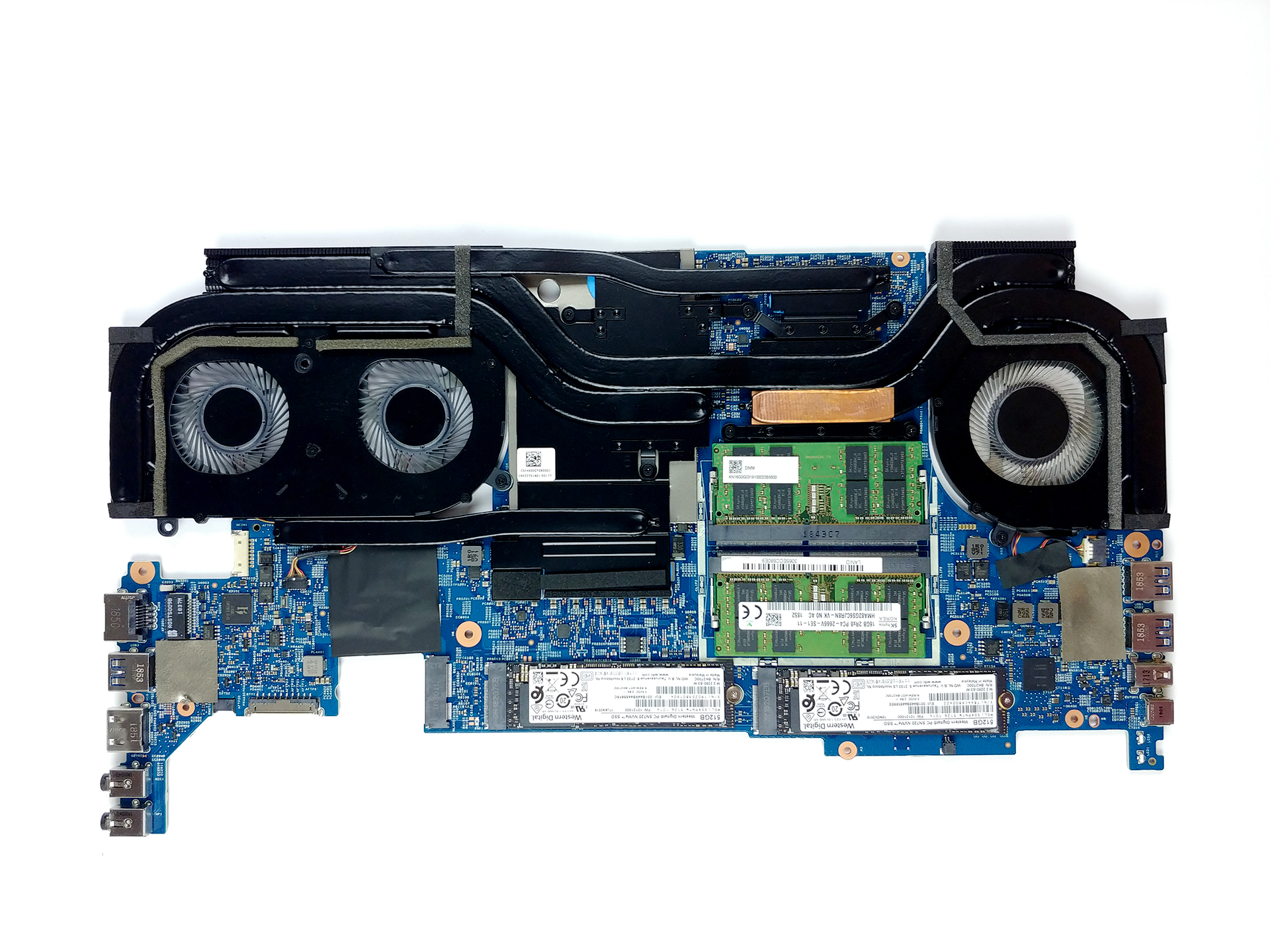
Check out all Acer ConceptD 7 (CN715-71) prices and configurations in our Specs System or read more in our In-depth Review.
 Author: Alex Iliev

![[August 2026] Amazon Italy: Top 10 Best-Selling Laptops – Apple MacBook Neo Claims the Crown as Budget and Mid-Range Windows Machines Dominate Volume](https://laptopmedia.com/wp-content/uploads/2026/09/Best-Selling-Laptops-IT-Top-10-400x225.jpg)
![[August 2026] Amazon Italy: Top 7 Best-Selling Gaming Laptops – ASUS V16 Claims the #1 Spot Amid Strong Mid-Range Demand](https://laptopmedia.com/wp-content/uploads/2026/09/Best-Selling-Gaming-Laptops-IT-Top-10-400x225.jpg)
![[August 2026] Best-Selling Laptop Brands on Amazon Italy – Lenovo Dominates Market Share and Revenue Leadership](https://laptopmedia.com/wp-content/uploads/2026/09/IT-Best-Brands-400x225.jpg)
![[August 2026] Amazon India: Top 10 Best-Selling Laptops – Apple MacBook Neo Dominates the Charts with Massive Sales Lead](https://laptopmedia.com/wp-content/uploads/2026/09/Best-Selling-Laptops-IN-Top-10-400x225.jpg)
![[August 2026] Amazon India: Top 10 Best-Selling Gaming Laptops – HP Victus 15 Dominates the Market with Massive Unit Lead](https://laptopmedia.com/wp-content/uploads/2026/09/Best-Selling-Gaming-Laptops-IN-Top-10-400x225.jpg)
