Inside Lenovo Yoga 3 (14-inch) – disassembly, internal photos and upgrade options
 The latest generation of Lenovo Yoga is already on the market and you can find the non-Pro models in 11 and 14-inch variants. For our review and tests, we chose the latter, which is aimed at the people who want maximum portability but without sacrificing the screen diagonal. Actually, the thin-and-light notebook’s display is 14.6-inch (35.56 cm) that gives you a plenty of workspace, especially given the fact that we’re talking about 1.36 kg / 17.8 mm (3.5 lbs / 0.7”) machine.
But is that body big enough to take the important components you’ll need? How easy is the maintenance? Can you upgrade it? That’s what we’re going to check in this article, giving you the steps you have to go through, in order to get full access to your new laptop.
We’re working on an in-depth review too, so you can rest assured that we’ll give you all the information you might need to know about the new Lenovo Yoga 3.
Update: Here is the full review:
http://laptopmedia.com/review/lenovo-yoga-3-14-inch-review-a-powerful-convertible-that-you-can-actually-afford/
Video
Removing the bottom cover
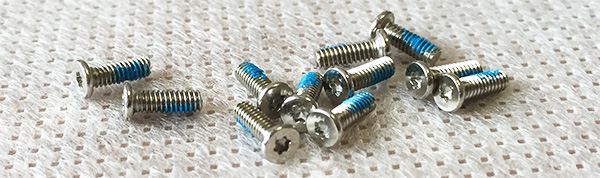
First, you have to remove 11 Torx screws and pry up the bottom cover.
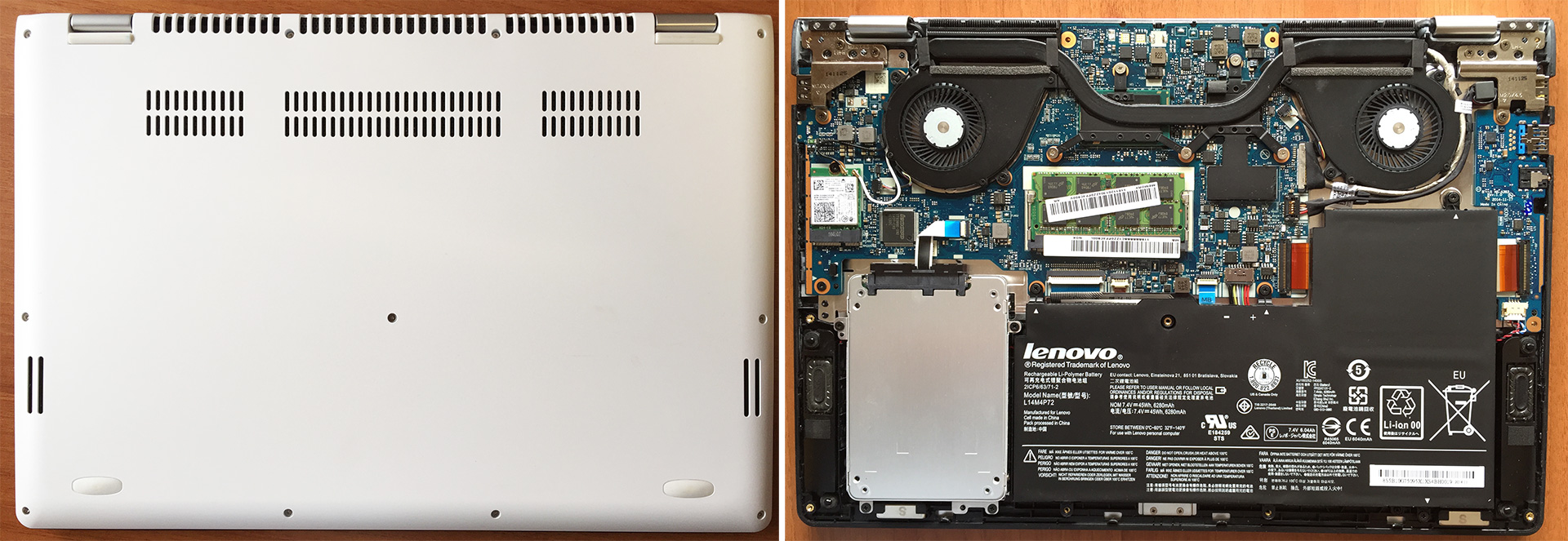
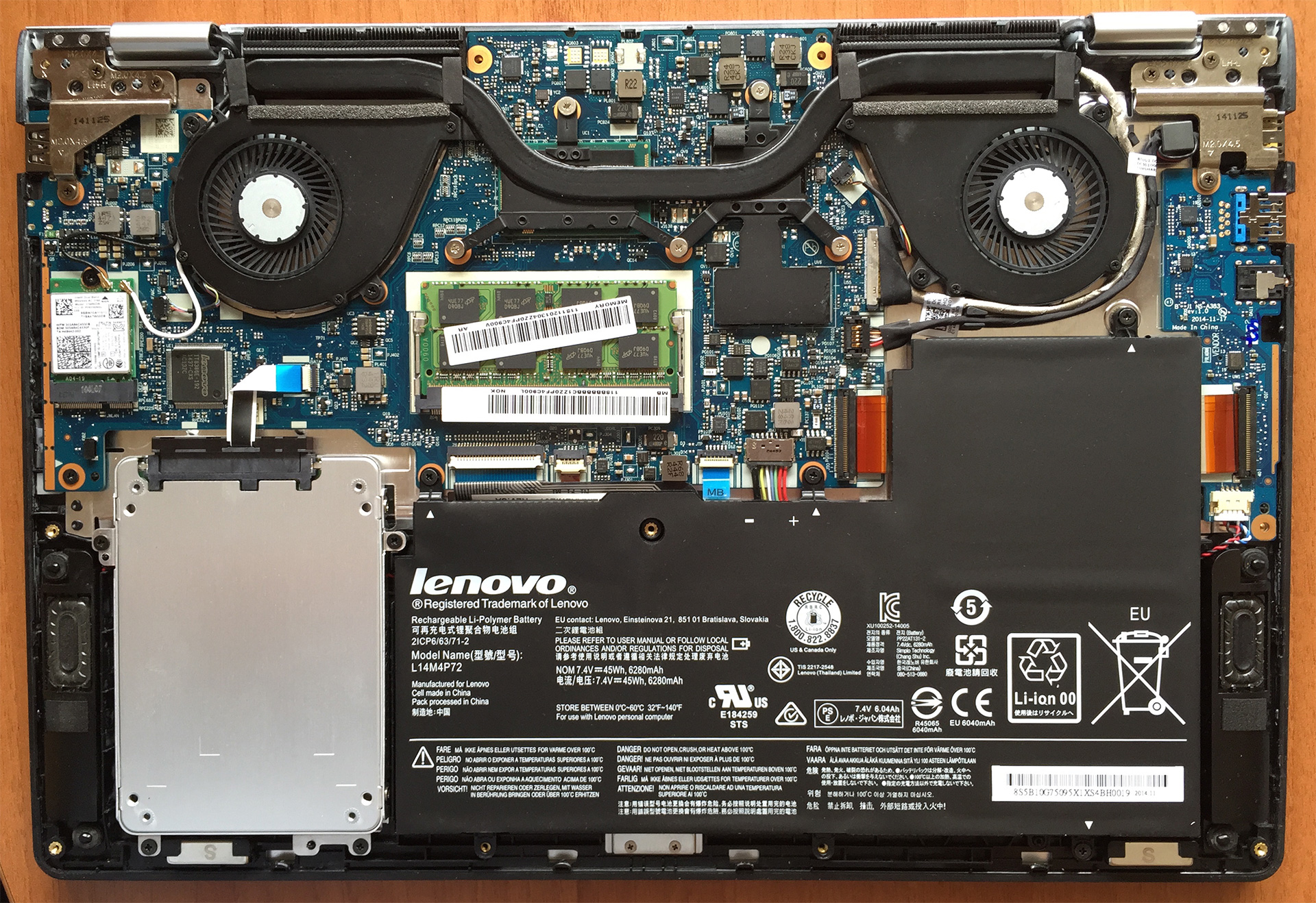
2.5” SSD drive, WLAN, RAM, Fans, Battery
That will give you access to all of the main components, including the battery, 2.5” SSD drive, WLAN, heat sinks and the cooling fans. The RAM memory slot is only one, but the good news is that it isn’t soldered into the motherboard, so if you’ve got the 4GB configuration, you can easily upgrade it.
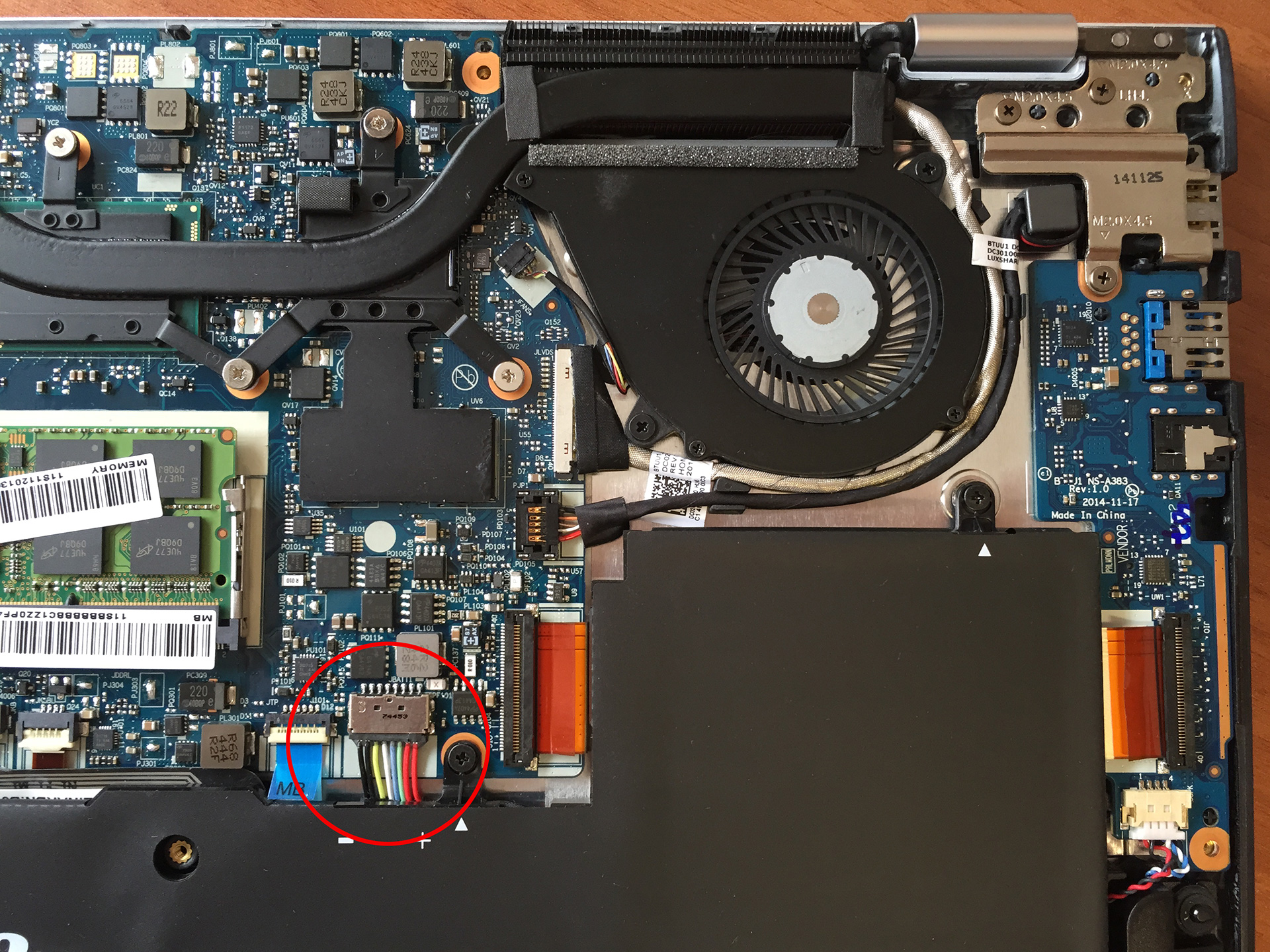
If you’re planning to take out components or do an upgrade, be sure that you’ve disconnected the battery first (Photo 1).

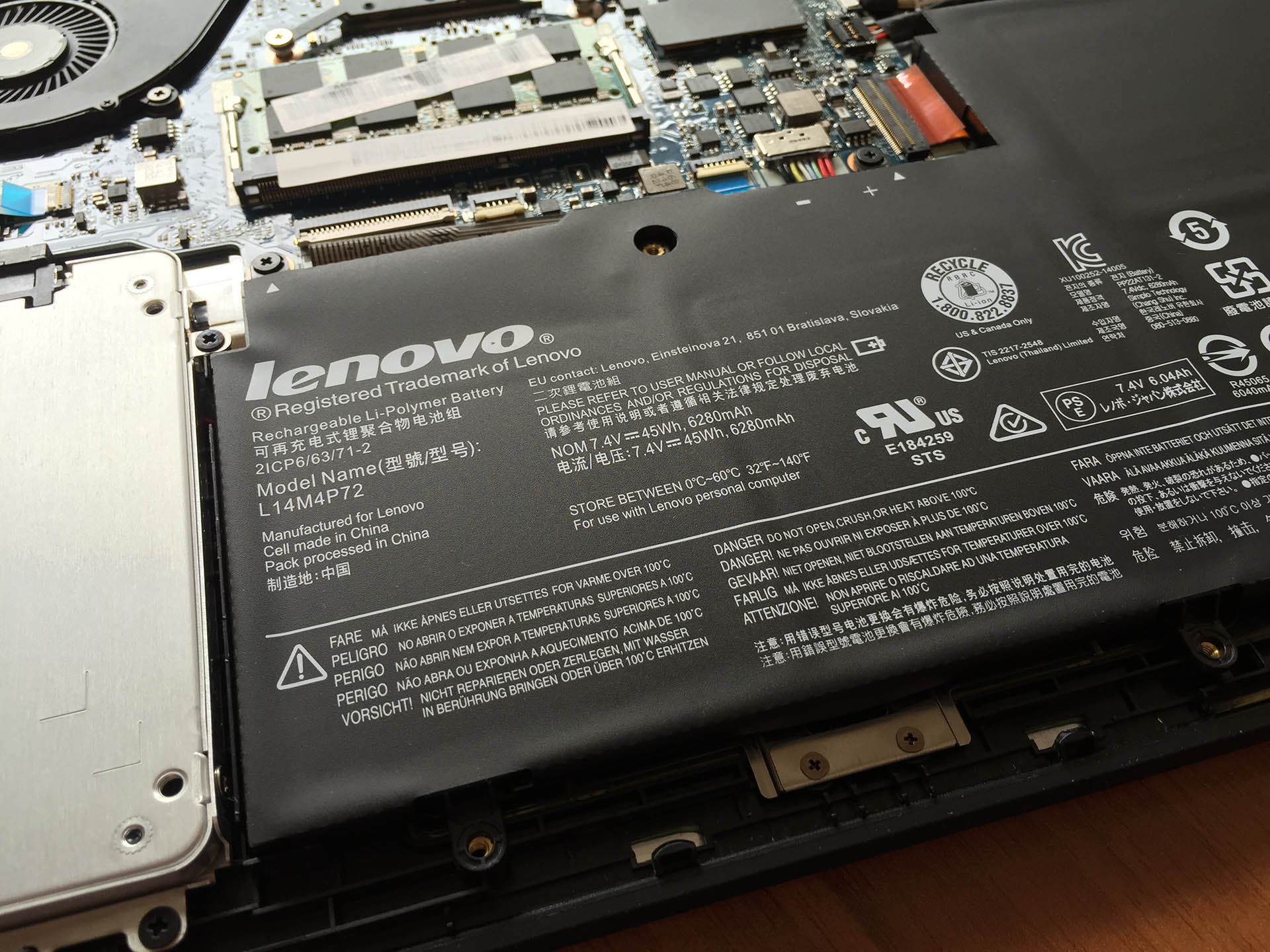
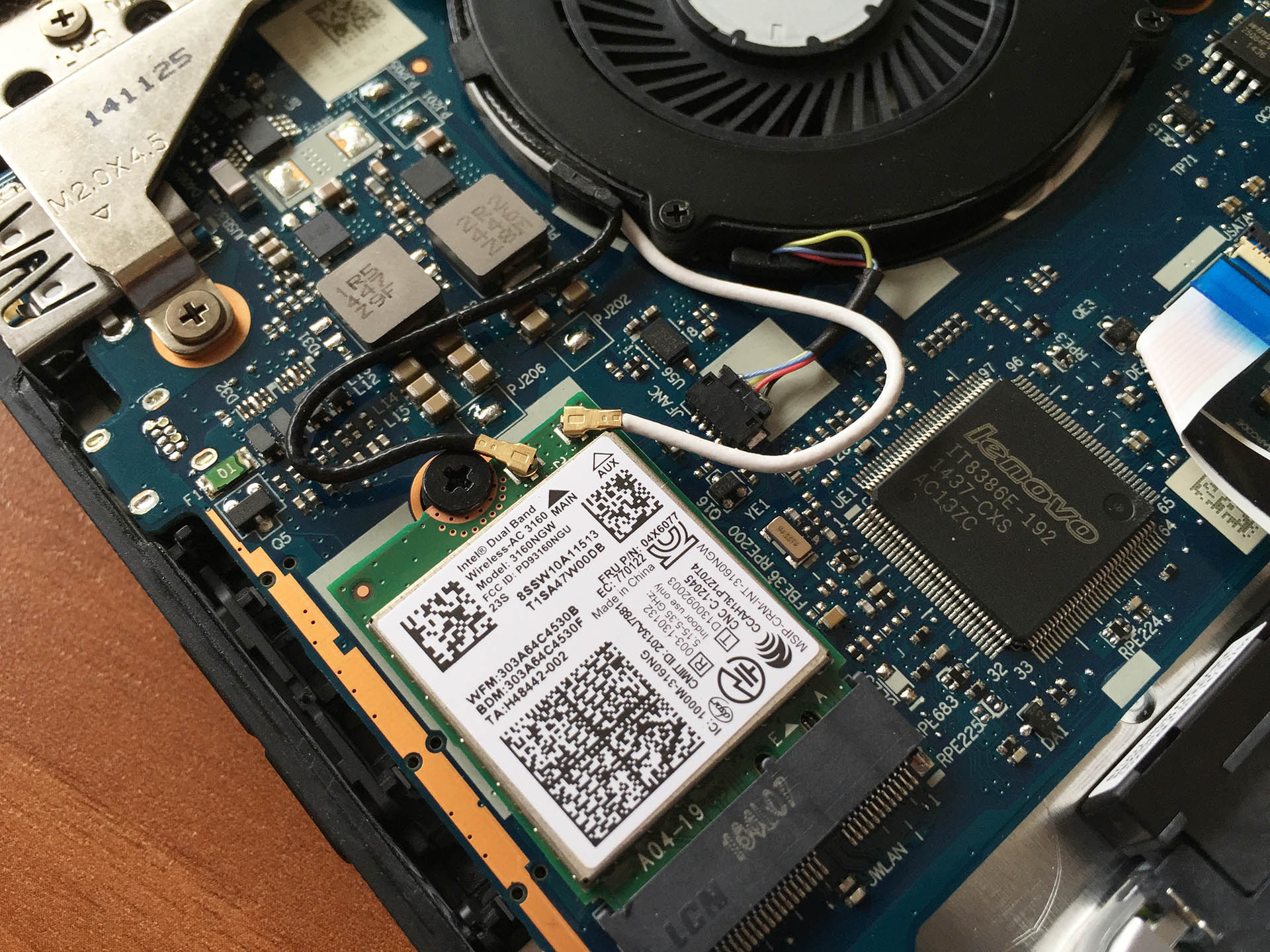
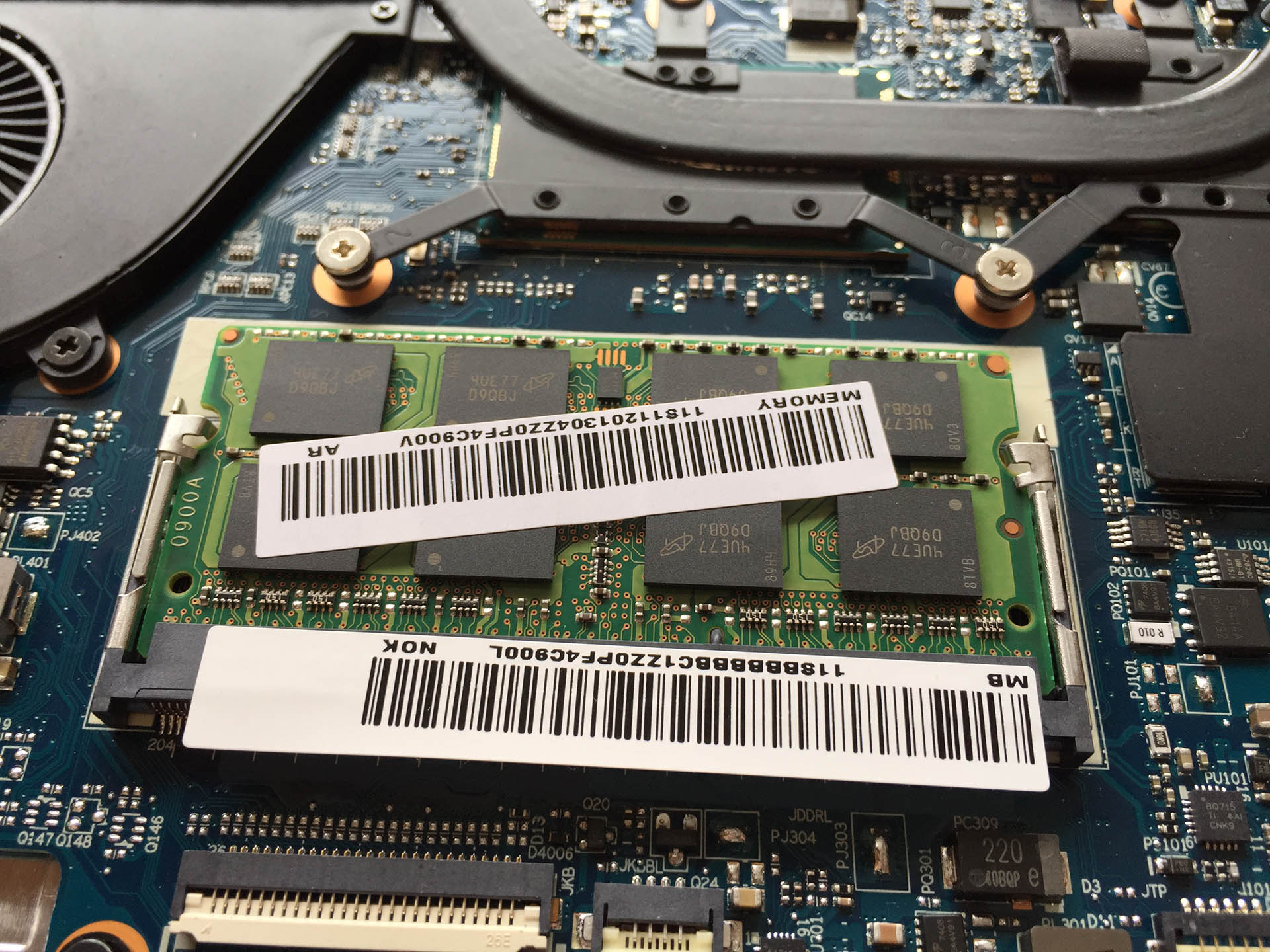
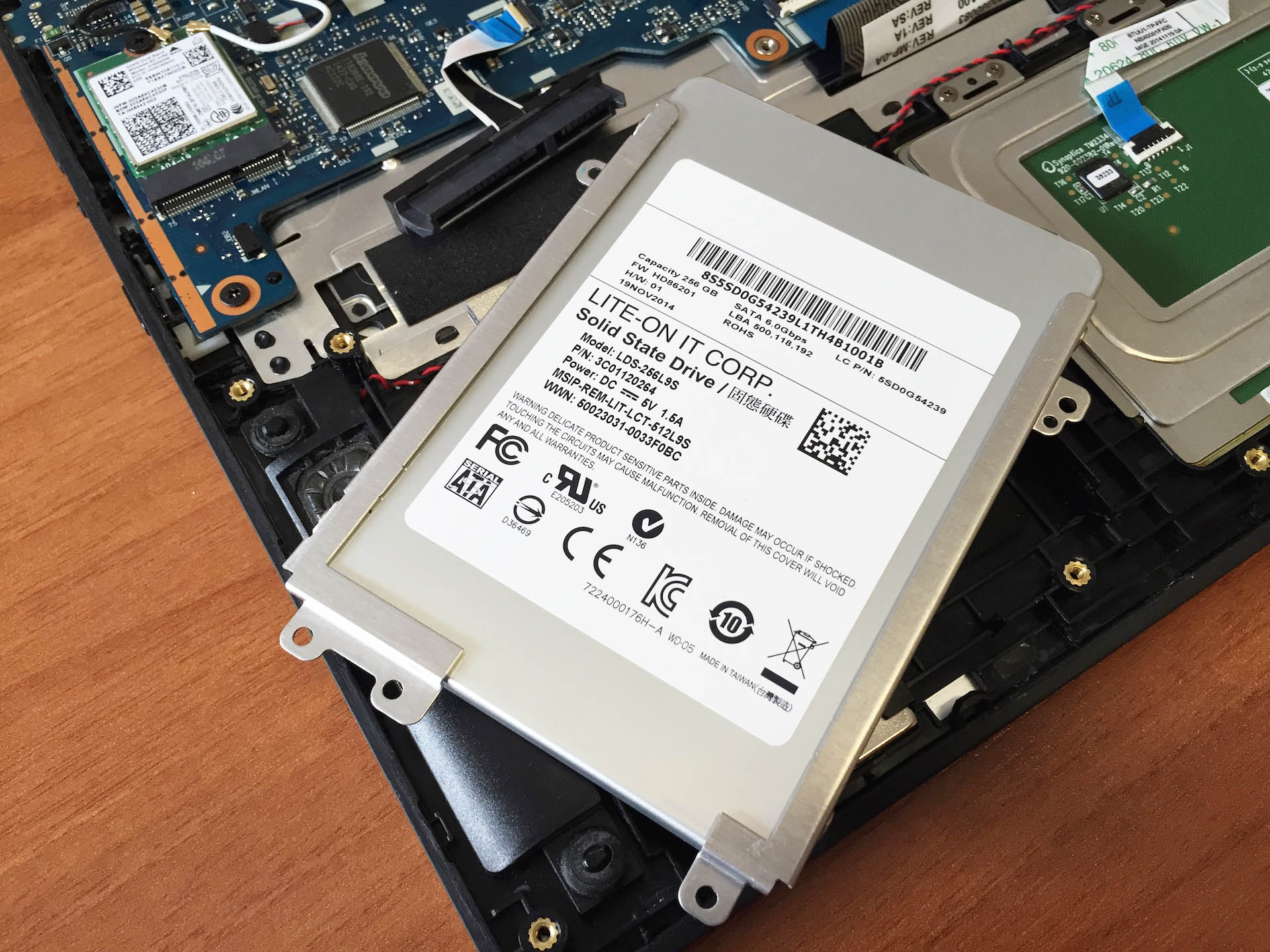
- The battery is SIMPLO “Haydn” 2S2P (7.4V / 45Wh)
- The Wi-Fi card is Intel Dual-Band Wireless AC 3160 (3160NGW)
- The RAM memory is 2rx8 Micron Technology (MT16KTF1G64HZ-1G6E1, PC3L-12800S-11-11-FP)
- The SSD drive is Lite-On LDS-2569LS (256GB, SATA 6.0 Gbps)
You have to remove the battery if you want to access the touchpad.
The size of the SSD drive is 5 mm x 70 mm x 100 mm.
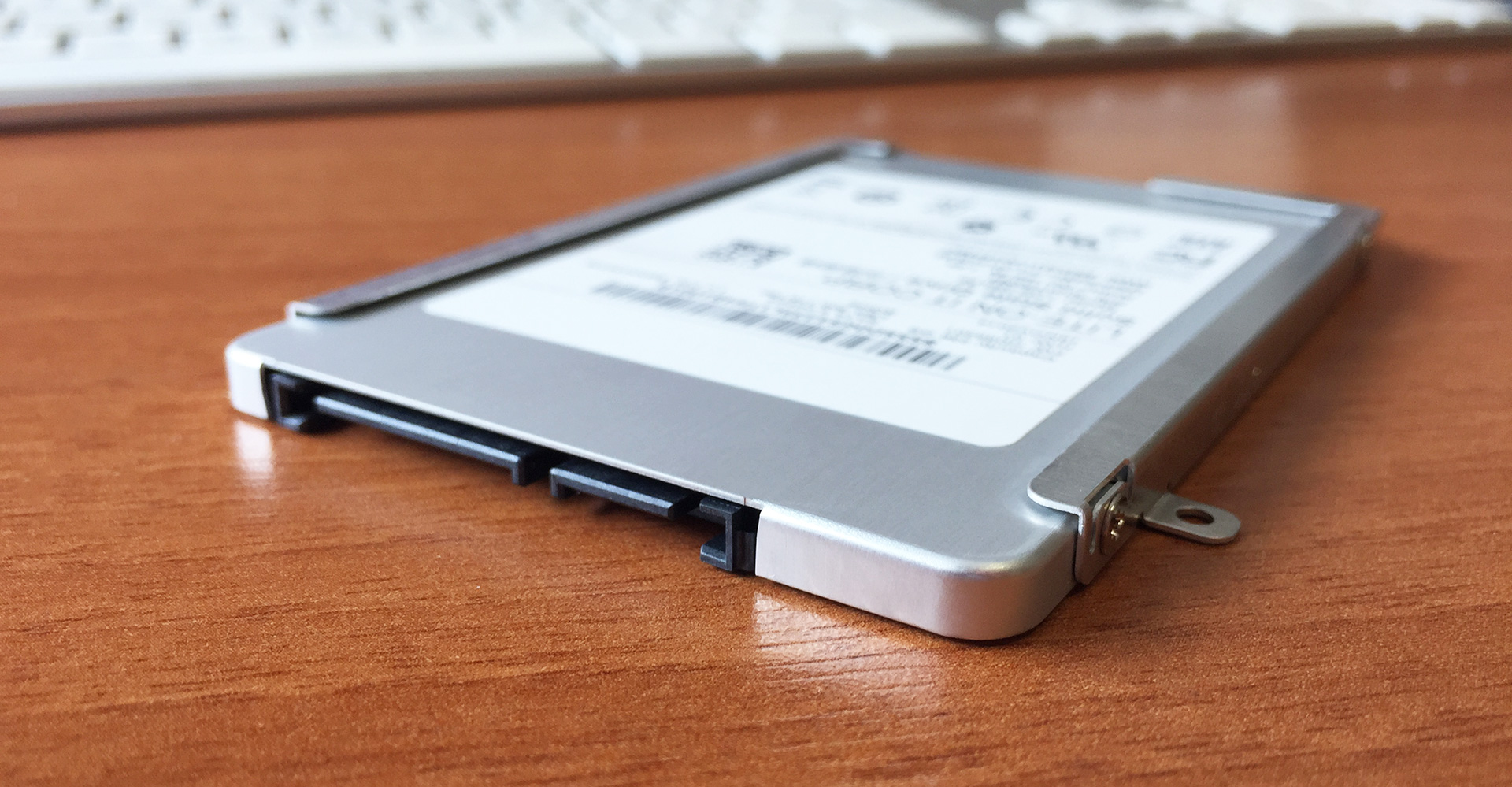
Unfortunately, there isn’t an M.2 slot for an additional storage drive.
 Author: Simeon NikolovEditor-in-Chief at LaptopMedia.com with 20+ years of experience in testing and analyzing laptops and mobile devices.

![[June 2026] Best-Selling Laptop Brands on Amazon Global – Apple’s Unrivaled Dominance in Units and Revenue](https://laptopmedia.com/wp-content/uploads/2026/07/GLOBAL-Best-Brands-400x225.jpg)
![[June 2026] Amazon Global: Top 10 Best-Selling Laptops – Apple’s New MacBook Neo Storms to #1, Reshaping the Market with Affordability](https://laptopmedia.com/wp-content/uploads/2026/07/Best-Selling-Laptops-GLOBAL-Top-10-400x225.jpg)
![[June 2026] Amazon Global: Top 10 Best-Selling Gaming Laptops – Acer’s Nitro V 16S AI Dominates Sales, While ASUS Leads Overall Revenue](https://laptopmedia.com/wp-content/uploads/2026/07/Best-Selling-Gaming-Laptops-GLOBAL-Top-10-400x225.jpg)
![[June 2026] Global Ranking of Best-Selling Laptop GPUs on Amazon – NVIDIA RTX 5060 is the Top-Selling Dedicated GPU](https://laptopmedia.com/wp-content/uploads/2026/07/Best-Selling-GPUs-GLOBAL-Top-10-400x225.jpg)
![[June 2026] Global Ranking of Best-Selling Laptop CPUs on Amazon – Apple M5 Dominates, AMD Ryzen 7 260 Gets Solid Premium Share](https://laptopmedia.com/wp-content/uploads/2026/07/Best-Selling-CPUs-GLOBAL-Top-10-400x225.jpg)

Bought a 7mm SSD for my Yoga 3 14 on the basis of this article and it doesn’t fit. Not happy! Be warned.
Rob are u sure ?
There’s an error about ssd dimension
I think, height is 7mm
Rob, the article says 5mm not 7mm, so maybe your fault, not the article? but according to a user on the Lenovo support forums, you can fit a 7mm if you do away with the housing, because it fits so snugly anyway, that it won’t move around
Why on earth would you do away with the housing?!?
He said the size is 5mm…
So i bought this machine and i’m very happy with it so far but i was wondering i could the hdd that i know have on it to and ssd and if i could add a graphic card
What size is the torx screws
Where does one find a 5mm ssd. Can anyone tell me any models?
Or is there a mSATA to SATA adaptor that is 5mm. That should also work. Any ideas?
Is it possible to get 16GB Ram. Could you post a link of compatible one please?
https://www.amazon.com/Crucial-Single-PC3L-12800-204-Pin-SODIMM/dp/B0123BRIDK
Same question, is it possible to upgrade it to 16GB Ram? I have the i7 model with 256Gb SSD
Same question for Yoga 3 14 (model 80 JH). Any solution ?
https://www.amazon.com/Crucial-Single-PC3L-12800-204-Pin-SODIMM/dp/B0123BRIDK
Hello, Yes i want know too if we can put 16gb, it was niceeee
ANYONE KNOWS WHETHER I CAN UPGRADE THE BLOODY RAM TO 16GB ??????
Yes, this one works https://www.amazon.com/Crucial-Single-PC3L-12800-204-Pin-SODIMM/dp/B0123BRIDK
Did you UG the Yoga 3 Pro “can’t be upgraded”?
I will try to go into a shop and to ask if they can try the update to 16
need 16gb of ram anyone know if motherboard supports it? feel like this should be a forum post.
I’ve upgraded to 16gb ram on this machine & worked perfectly, used 16GB DDR3L-1600 SODIMM
That’s great !
Hello, Ele!
Could you please send us your device model number. I want to compare the modifiications.
It is strange that manufacturer resticted RAM capacity.
Are you referring to the Yoga 3 Pro “can’t be upgraded”?