Inside Acer Predator Triton 500 (PT515-52) – disassembly and upgrade options
Disassembling this laptop is definitely easier than it looks, but upgrading it is another matter.
Check out all Acer Predator Triton 500 (PT515-52) prices and configurations in our Specs System or read more in our In-Depth review.
1. Remove the bottom plate
Having such a tight body, means you have to sacrifice something. The biggest sacrifice altogether is the ease of upgrading this laptop. Surely, you can do it, but you have to have some skill and balls to open the Triton 500 up.
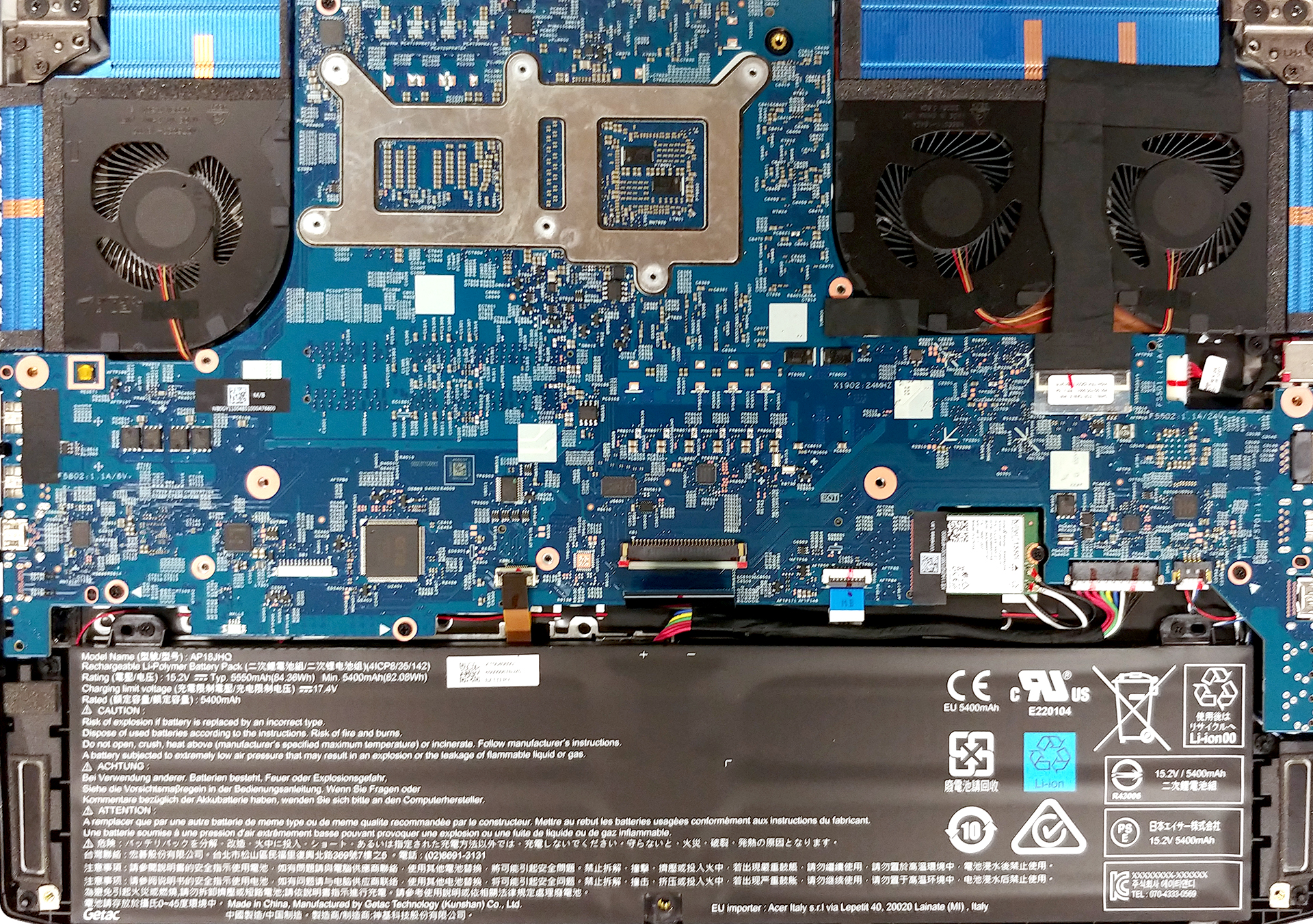
The first step is basically the same as any other notebook on the market – remove the screws, then pry the bottom panel up and voila – you’re inside. However, this leads you to nothing, except for a possible battery change. In order to have access to the viable internals, you need to dig further.
2. Battery
Next, you have to remove the hefty 84Wh battery, which is held in place by two Phillips head screws.

3. Remove the motherboard
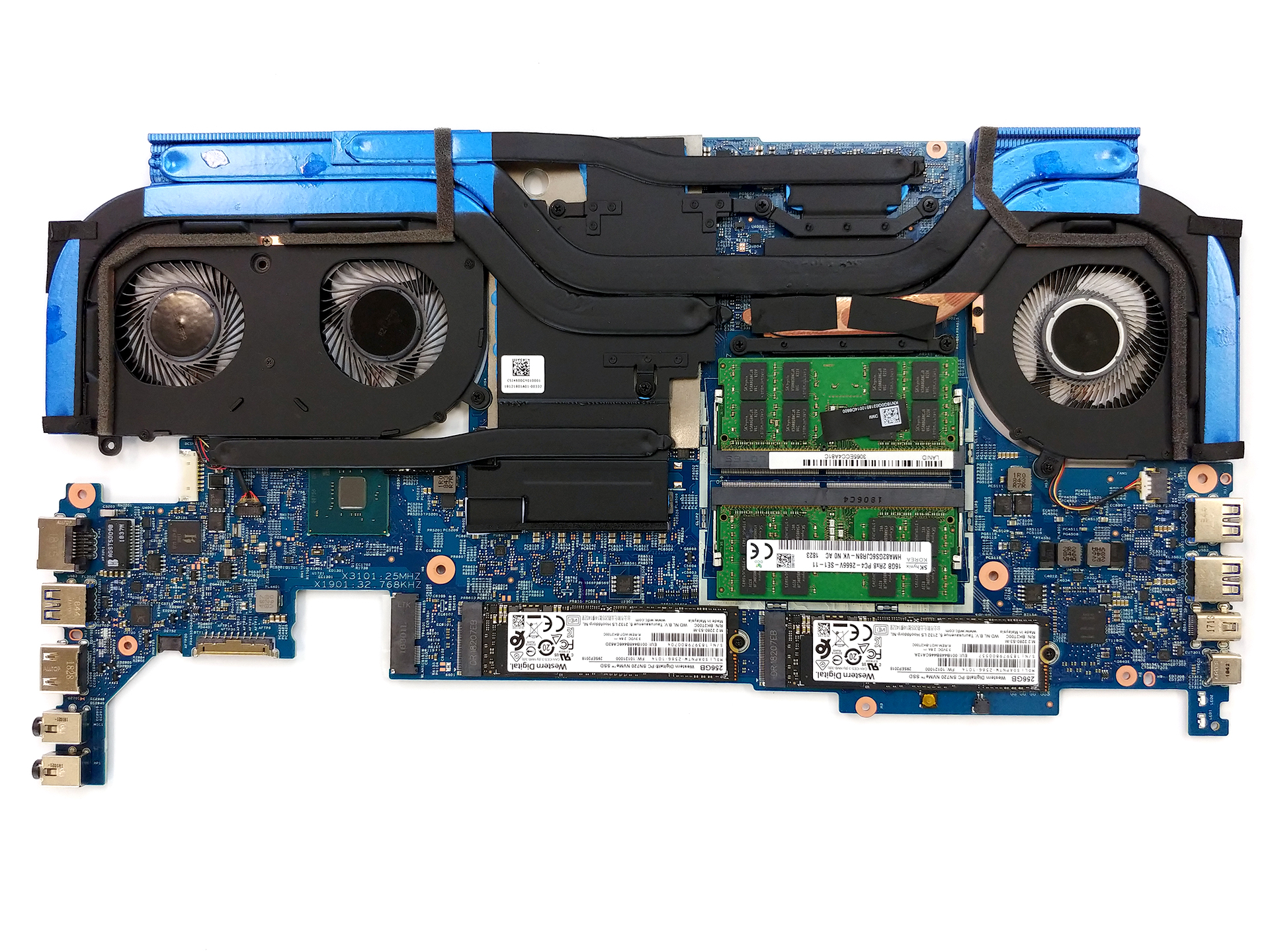
After that, you have to carefully disconnect a couple of ribbon cables from the motherboard. Then, there are seven screws to be removed, some hidden by the screen cable (between the two fans). For most accurate instructions just take a look at our video at the beginning of this segment of the article.
4. Cooling system
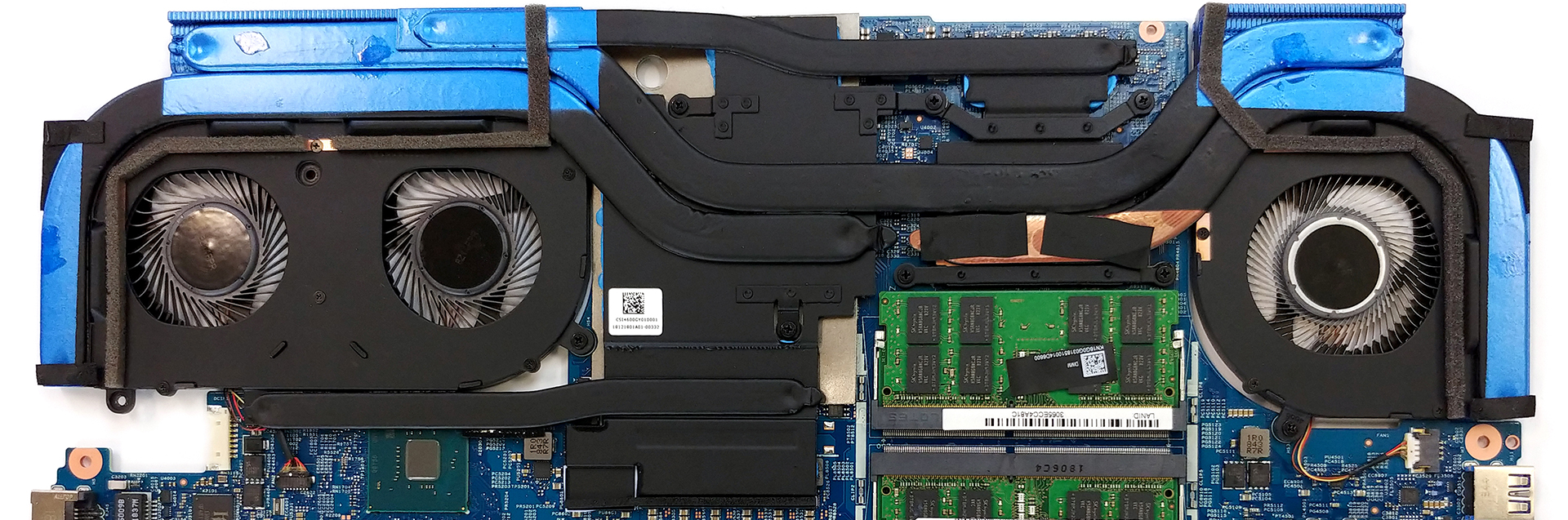
Acer Predator Triton 500 is equipped with a very sophisticated cooling solution. There are a total of five heat pipes – one common for the CPU and GPU. One each for either of them, as well as one dedicated to the system’s VRMs and one for the VRAM. They are bent and twisted in such a way, that forces the fans to blow both backward and sideways.
5. Memory and storage
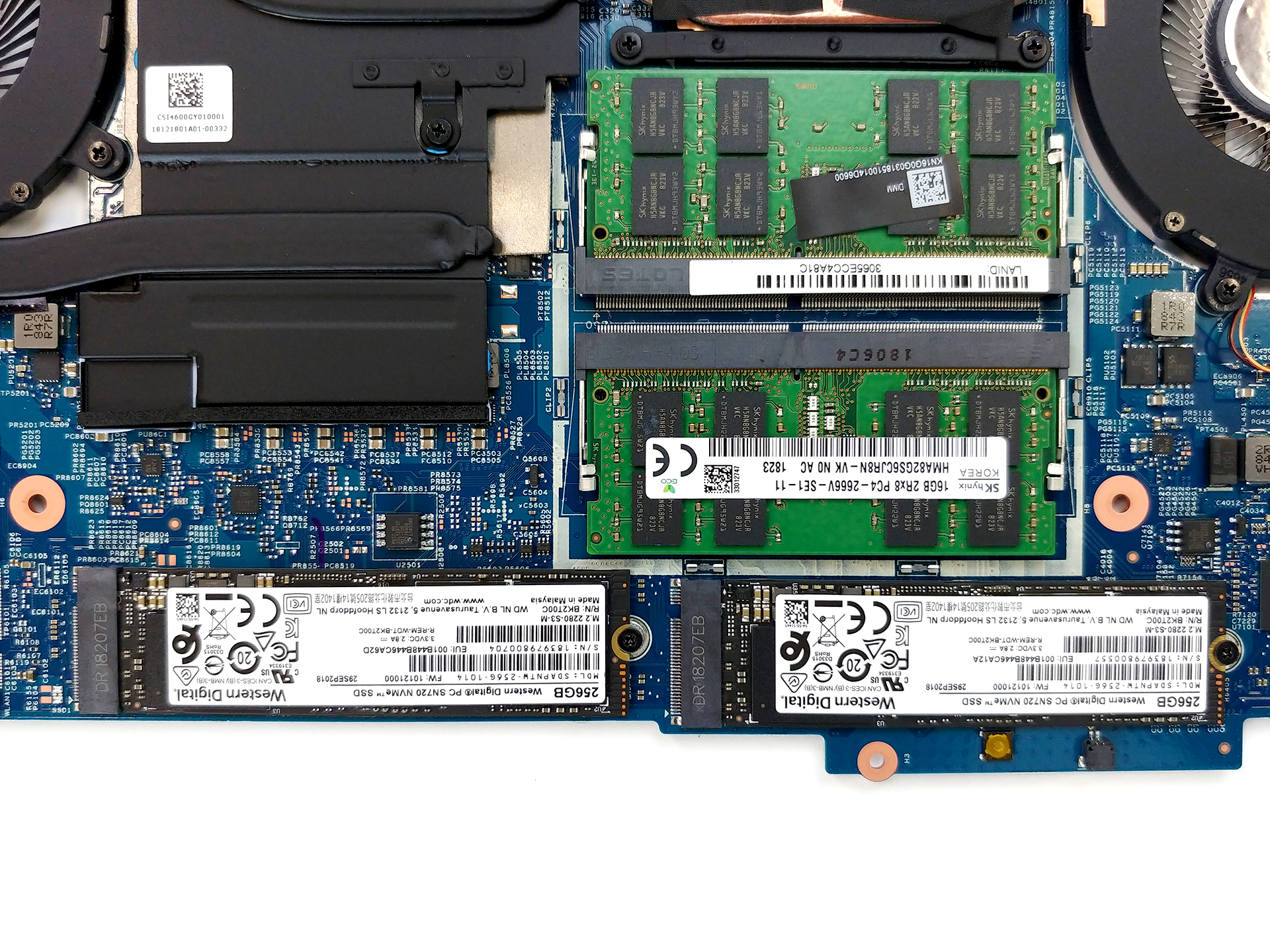
The storage options comprise of two M.2 NVMe slots in RAID 0. We further impressed to see two RAM DIMMs on this motherboard.
Check out all Acer Predator Triton 500 (PT515-52) prices and configurations in our Specs System or read more in our In-Depth review.
 Author: Alex Iliev

![[June 2026] Best-Selling Laptop Brands on Amazon Global – Apple’s Unrivaled Dominance in Units and Revenue](https://laptopmedia.com/wp-content/uploads/2026/07/GLOBAL-Best-Brands-400x225.jpg)
![[June 2026] Amazon Global: Top 10 Best-Selling Laptops – Apple’s New MacBook Neo Storms to #1, Reshaping the Market with Affordability](https://laptopmedia.com/wp-content/uploads/2026/07/Best-Selling-Laptops-GLOBAL-Top-10-400x225.jpg)
![[June 2026] Amazon Global: Top 10 Best-Selling Gaming Laptops – Acer’s Nitro V 16S AI Dominates Sales, While ASUS Leads Overall Revenue](https://laptopmedia.com/wp-content/uploads/2026/07/Best-Selling-Gaming-Laptops-GLOBAL-Top-10-400x225.jpg)
![[June 2026] Global Ranking of Best-Selling Laptop GPUs on Amazon – NVIDIA RTX 5060 is the Top-Selling Dedicated GPU](https://laptopmedia.com/wp-content/uploads/2026/07/Best-Selling-GPUs-GLOBAL-Top-10-400x225.jpg)
![[June 2026] Global Ranking of Best-Selling Laptop CPUs on Amazon – Apple M5 Dominates, AMD Ryzen 7 260 Gets Solid Premium Share](https://laptopmedia.com/wp-content/uploads/2026/07/Best-Selling-CPUs-GLOBAL-Top-10-400x225.jpg)

picture is wrong
Is there a video or series of photos showing the inner parts from the other side? How it looks when you remove the keyboard and access it from that side. I recently spilled some water on my keyboard, and in the process of removing the keyboard side to check if there was water leaked through, I yanked out the ribbon cable connected to the touchpad. I tried to fit it back in, but I didn’t do something right because my touchpad no longer works. If you have anything showing how the ribbon cable for the touchpad is supposed to be… Read more »
I am a loyal Acer customer through and through. The Triton 500, unfortunately, seems to have some sort of hardware display related issue. There are too many reports of problems such as stack of horizontal lines on the bottom of the laptop’s screen. This is hardware issue. For example, the culprit could be on how the screen is connected to the motherboard, some sort of loose connection. Whatever this hardware issue is, this laptop is investment of a lifetime for people considering the price tag. “Take it to a professional technician” advise does not suffice from brand point of view.… Read more »