Boost your gaming performance with up to 37%, just by choosing correct RAM type
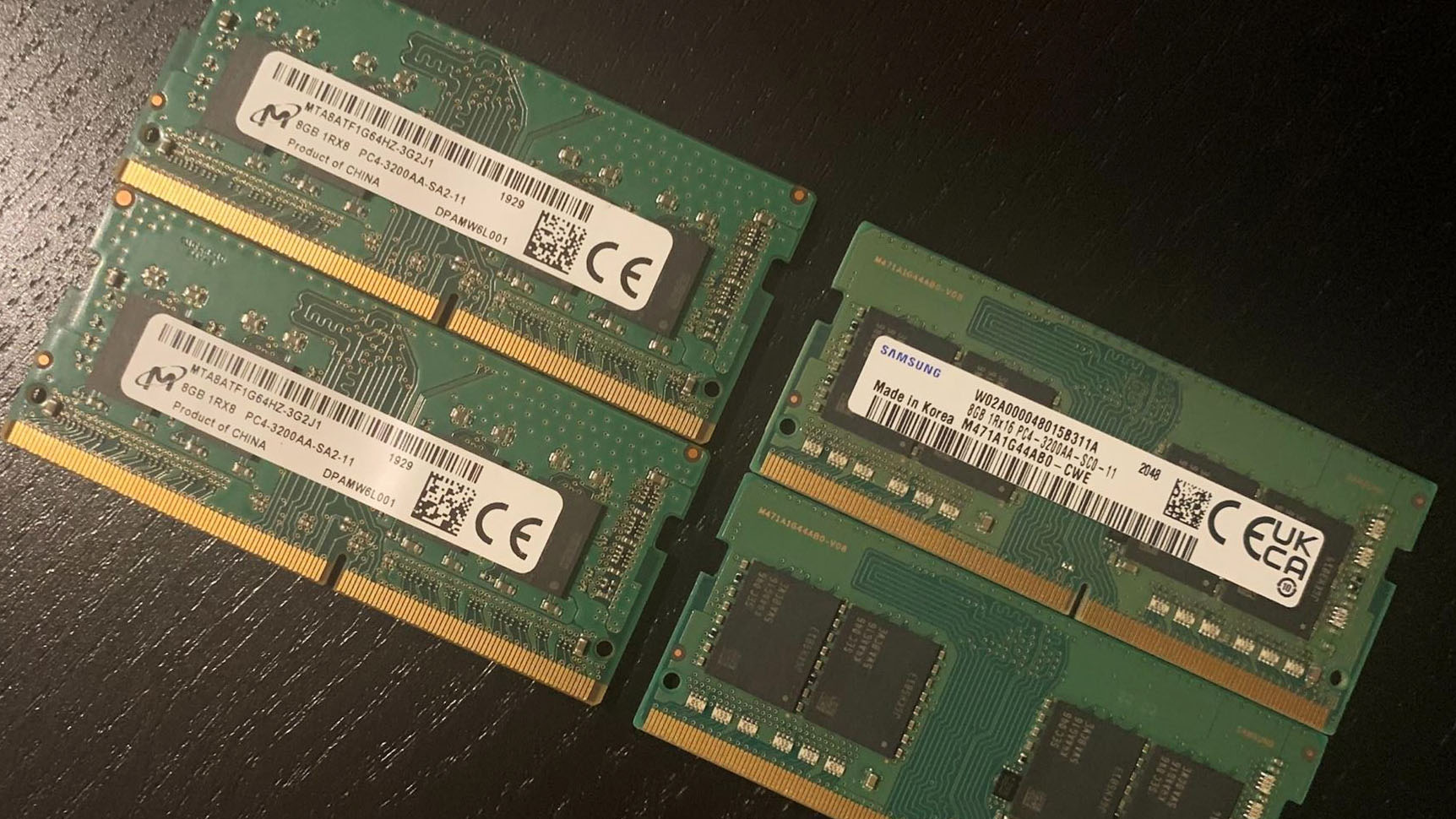 What exactly do 1Rx8 and 1Rx16 mean? Well, simply said, memory is divided into ranks (the R in the aforementioned sequence of characters) of 64 bits. x8 means that 64 bits are divided by 8, to get 8 chips on a stick of memory. Respectively x16 means you get 4 chips on the board.
Higher chip count means that in some occasions (presumably like gaming) means that the memory controller on your CPU has a better chance of correctly getting the bits of data on your RAM more quickly. Also, due to the advancements in technology, it is now cheaper to make higher-density memory (1Rx16) in this case, hence, a lot of manufacturers prefer to use it.
To no surprise, the memory modules we initially found in both of our IdeaPad Gaming 3i laptops were of this type. What is even more unsettling, is that most of the laptops released last year, shipped with 1Rx16 modules. For the purposes of this test, we purchased a set of two 8GB DDR4 1Rx8 SODIMM sticks, working at 3200MHz. They are nothing special, and you can find them in pretty much every computer hardware store.
Again, we are going to use the same set of benchmarks and games as we used in our previous article, and we are going to compare the performance deviation between the Core i5 and Core i7 models.
You can buy 1Rx8 RAM modules here: Buy from Amazon.com (#CommissionsEarned)
Contents
Specs Sheet
| Testing machines | Laptop 1 | Laptop 2 |
|---|---|---|
| Processor | Intel Core i5-11300H / Intel Core i7-11370H | Intel Core i5-11300H / Intel Core i7-11370H |
| Graphics card | NVIDIA GeForce RTX 3050 (90W) | NVIDIA GeForce RTX 3050 (90W) |
| RAM | 8GB 1Rx16 DDR4 3200MHz | 8GB 1Rx8 DDR4 3200MHz |
| Storage | 256GB SSD | 256GB SSD |
| Display | Full HD IPS 60Hz | Full HD IPS 60Hz |
| OS | Windows 10 | Windows 10 |
Synthetic benchmarks
When it comes to benchmarks, the 8GB of 1Rx8 memory shows a marginal improvement over 8GB of 1Rx16 RAM. Surprisingly, the latter shows better scores in Unigine’s Superposition, but we think that the difference here is within the margin of error, which makes it negligible.
| GPU Benchmarks | 3DMark Firestrike (Graphics) | 3DM TimeSpy (Graphics) | 3DM Wildlife Unlimited | Unigine Heaven 4 | Unigine Superposition |
|---|---|---|---|---|---|
| Core i5-11300H + RTX 3050 RAM: 8GB, 1Rx16 | 12003 | 4923 | 29291 | 2717 | 2832 (+1%) |
| Core i5-11300H + RTX 3050 RAM: 8GB, 1Rx8 | 12068 (+1%) | 5014 (+2%) | 30023 (+2%) | 2765 (+2%) | 2811 |
| GPU Benchmarks | 3DMark Firestrike (Graphics) | 3DM TimeSpy (Graphics) | 3DM Wildlife Unlimited | Unigine Heaven 4 | Unigine Superposition |
|---|---|---|---|---|---|
| Core i7-11370H + RTX 3050 RAM: 8GB, 1Rx16 | 12529 | 5121 | 31592 | 2922 | 3069 (+1%) |
| Core i7-11370H + RTX 3050 RAM: 8GB, 1Rx8 | 12545 | 5141 | 31713 | 2982 (+2%) | 3045 |
Gaming tests
To see some clarification on the matter in a real-world scenario we move to the gaming tests. This is where the higher bandwidth of the 1Rx8 modules provides a bigger impact on the performance. Ultimately, the lower the graphics quality, the bigger the difference. This is due to the higher fps count, meaning more frames are being processed by the memory and the CPU. In Shadow of the Tomb Raider, and to some extent – in Rise of the Tomb Raider, there is an advantage for the Core i7-11370H, over the Core i5-11300H.

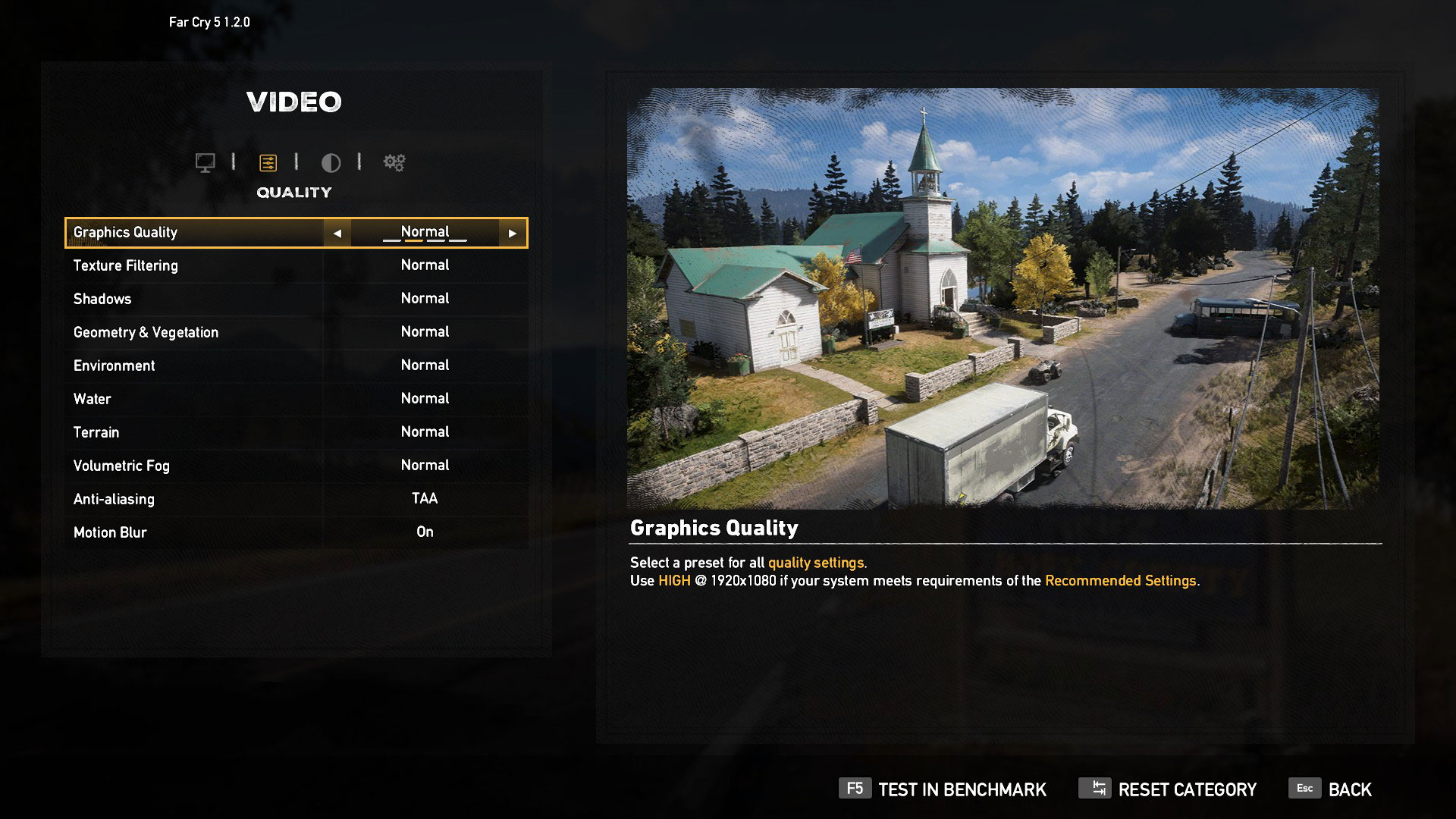
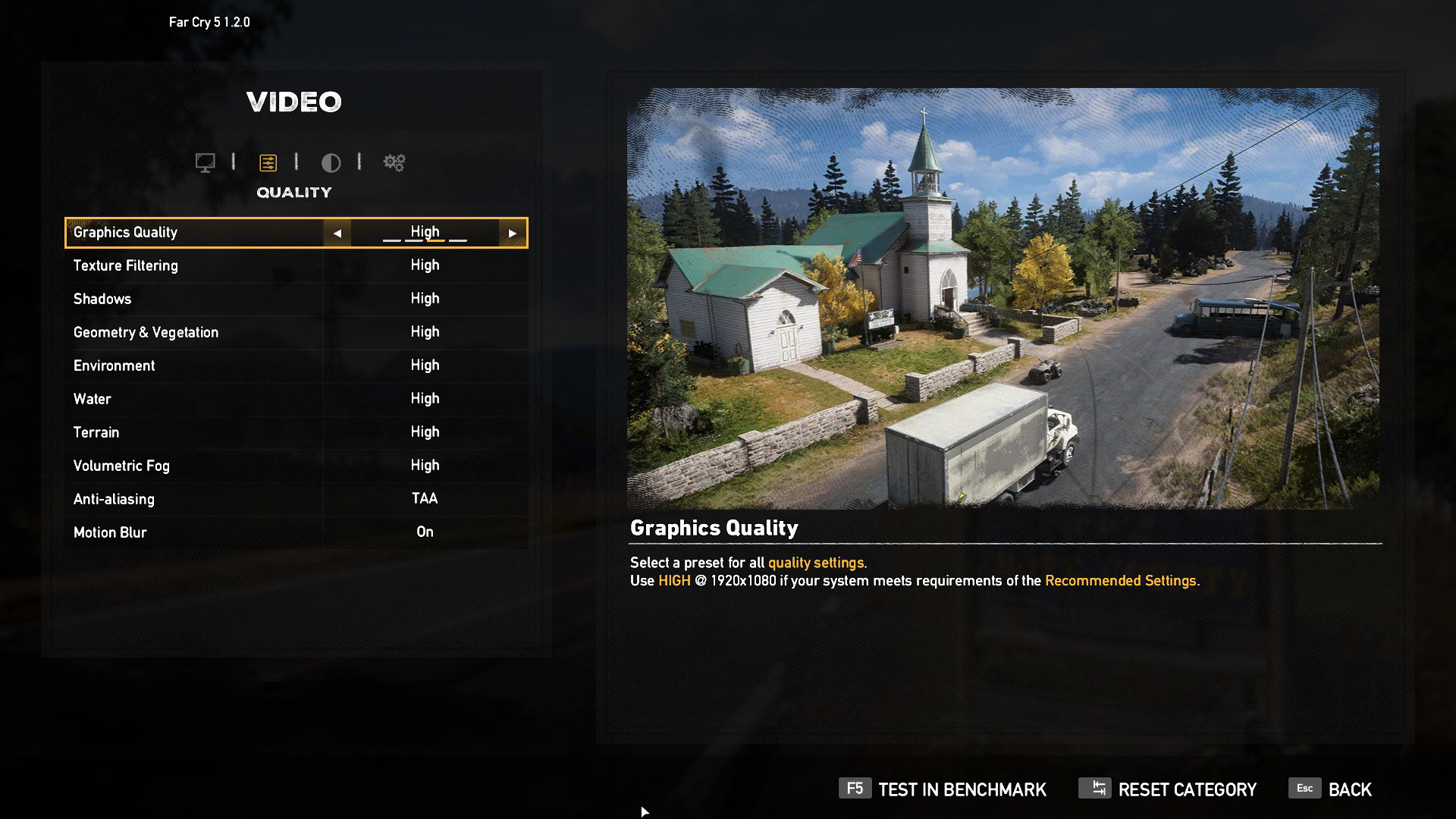
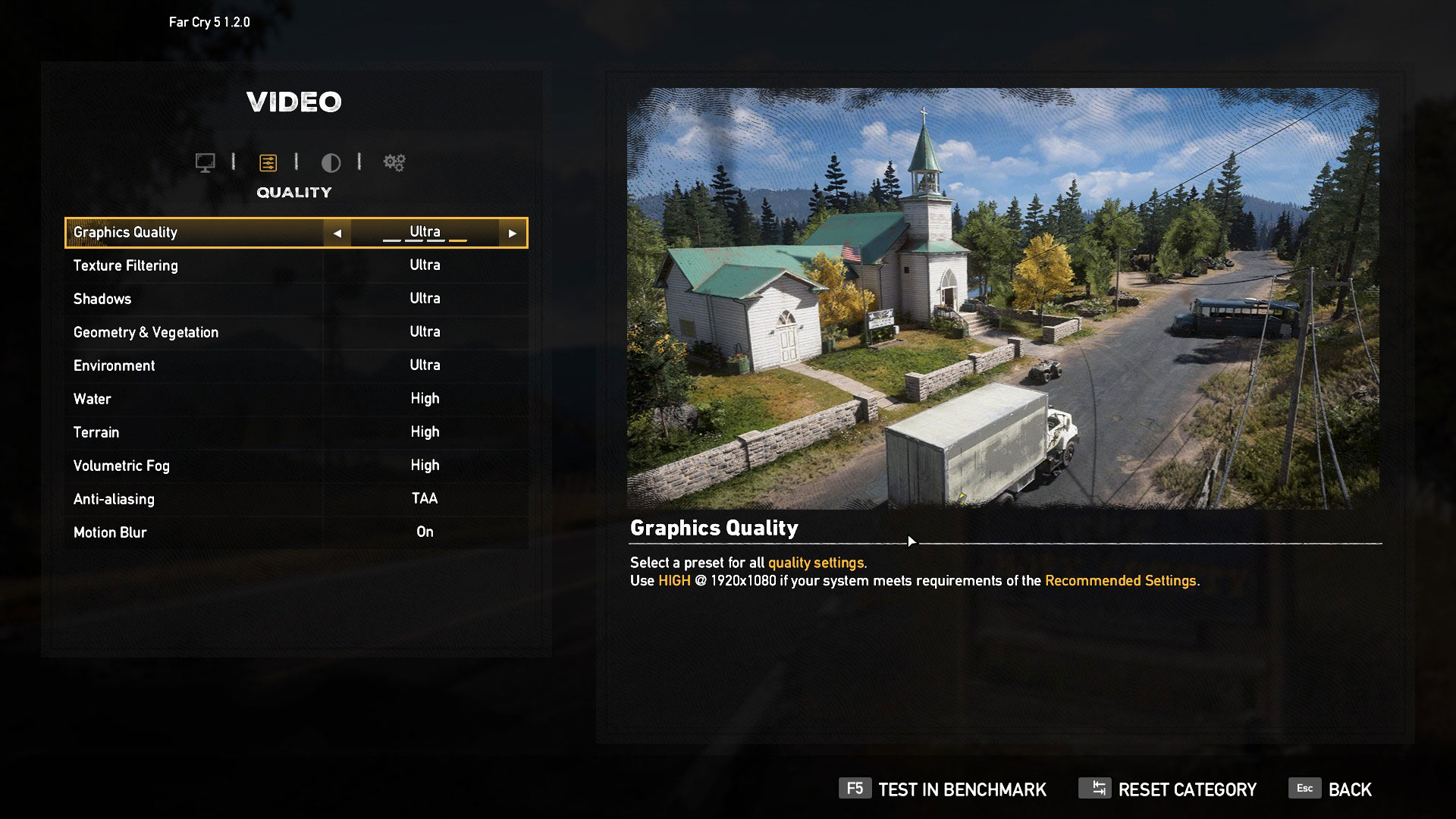
| Far Cry 5 | Full HD, Normal (Check settings) | Full HD, High (Check settings) | Full HD, Ultra (Check settings) |
|---|---|---|---|
| Core i5-11300H + RTX 3050 RAM: 8GB, 1Rx16 | 58 fps | 57 fps | 54 fps |
| Core i5-11300H + RTX 3050 RAM: 8GB, 1Rx8 | 73 fps (+26%) | 69 fps (+21%) | 64 fps (+19%) |
| Far Cry 5 | Full HD, Normal (Check settings) | Full HD, High (Check settings) | Full HD, Ultra (Check settings) |
|---|---|---|---|
| Core i7-11370H + RTX 3050 RAM: 8GB, 1Rx16 | 59 fps | 57 fps | 54 fps |
| Core i7-11370H + RTX 3050 RAM: 8GB, 1Rx8 | 73 fps (+24%) | 69 fps (+21%) | 64 fps (+19%) |

| Rise of the Tomb Raider (2016) | Full HD, Lowest (Check settings) | Full HD, Medium (Check settings) | Full HD, Very High (Check settings) |
|---|---|---|---|
| Core i5-11300H + RTX 3050 RAM: 8GB, 1Rx16 | 81 fps | 71 fps | 52 fps |
| Core i5-11300H + RTX 3050 RAM: 8GB, 1Rx8 | 111 fps (+37%) | 91 fps (+28%) | 53 fps (+2%) |
| Rise of the Tomb Raider (2016) | Full HD, Lowest (Check settings) | Full HD, Medium (Check settings) | Full HD, Very High (Check settings) |
|---|---|---|---|
| Core i7-11370H + RTX 3050 RAM: 8GB, 1Rx16 | 81 fps | 73 fps | 52 fps |
| Core i7-11370H + RTX 3050 RAM: 8GB, 1Rx8 | 119 fps (+47%) | 96 fps (+32%) | 53 fps (+2%) |

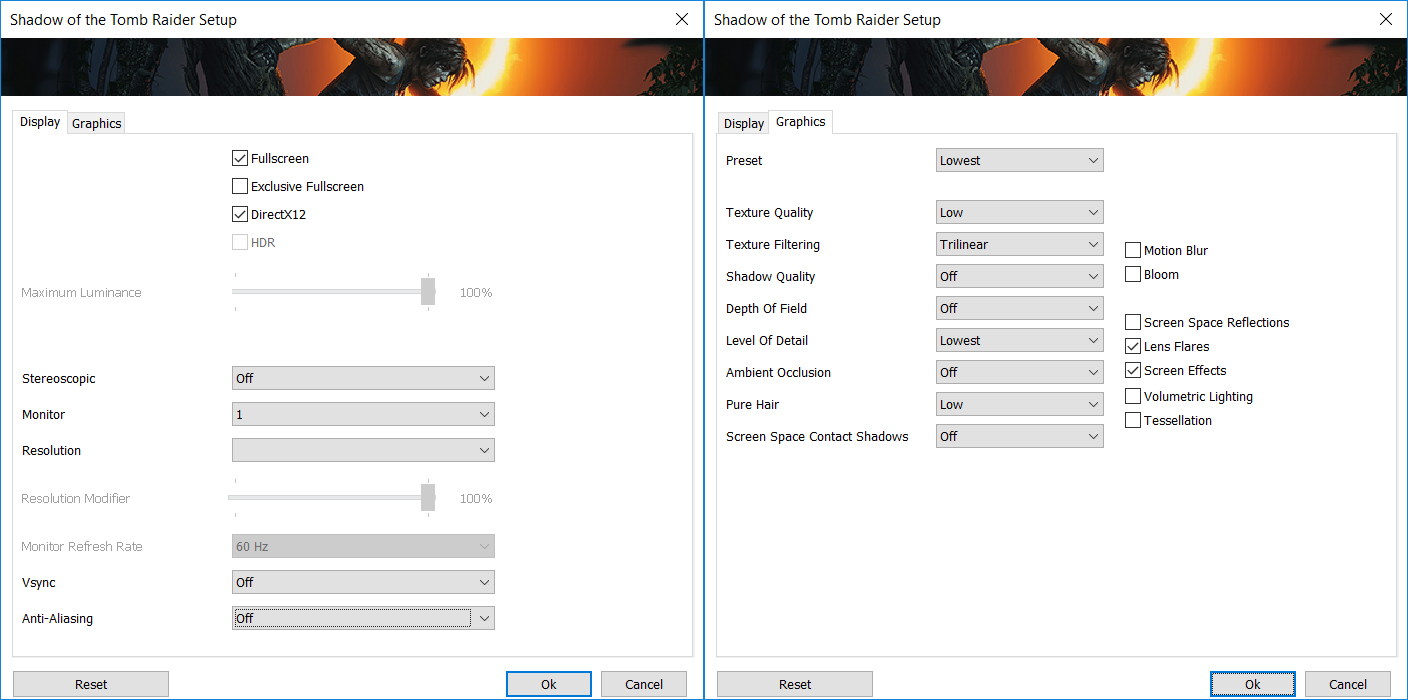
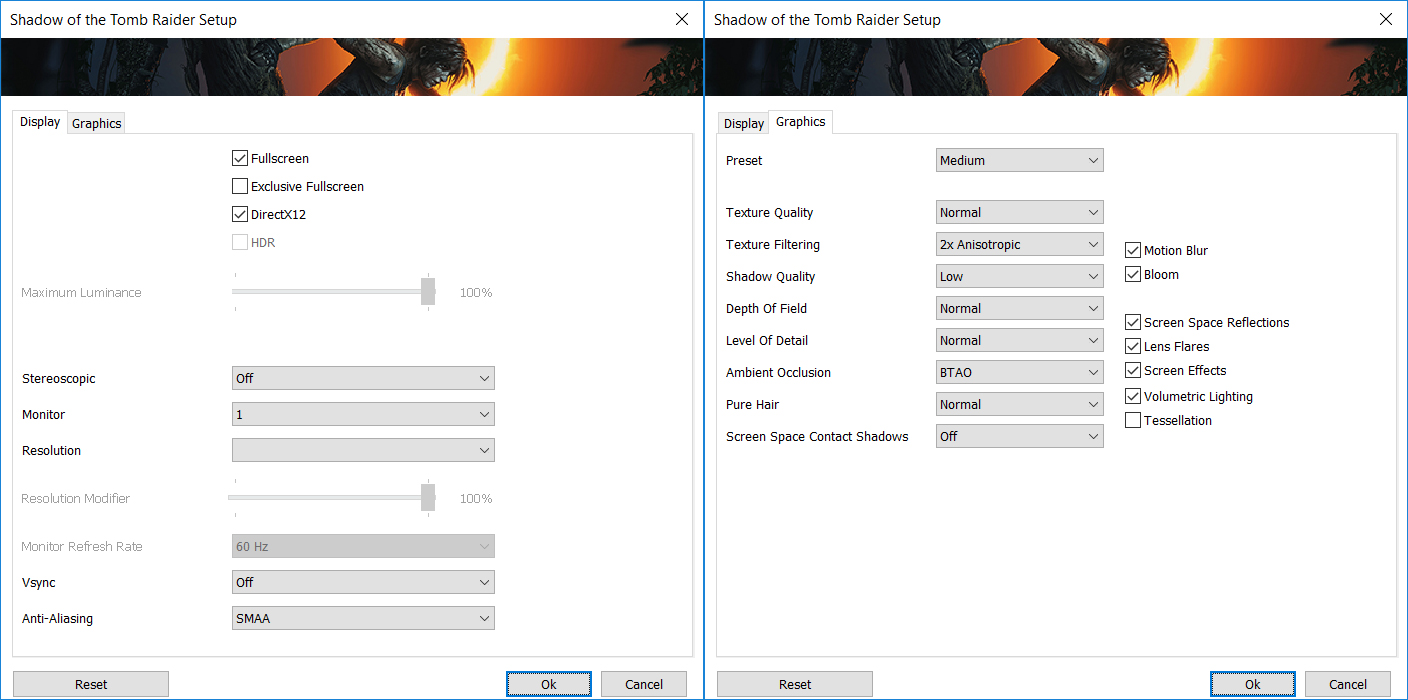
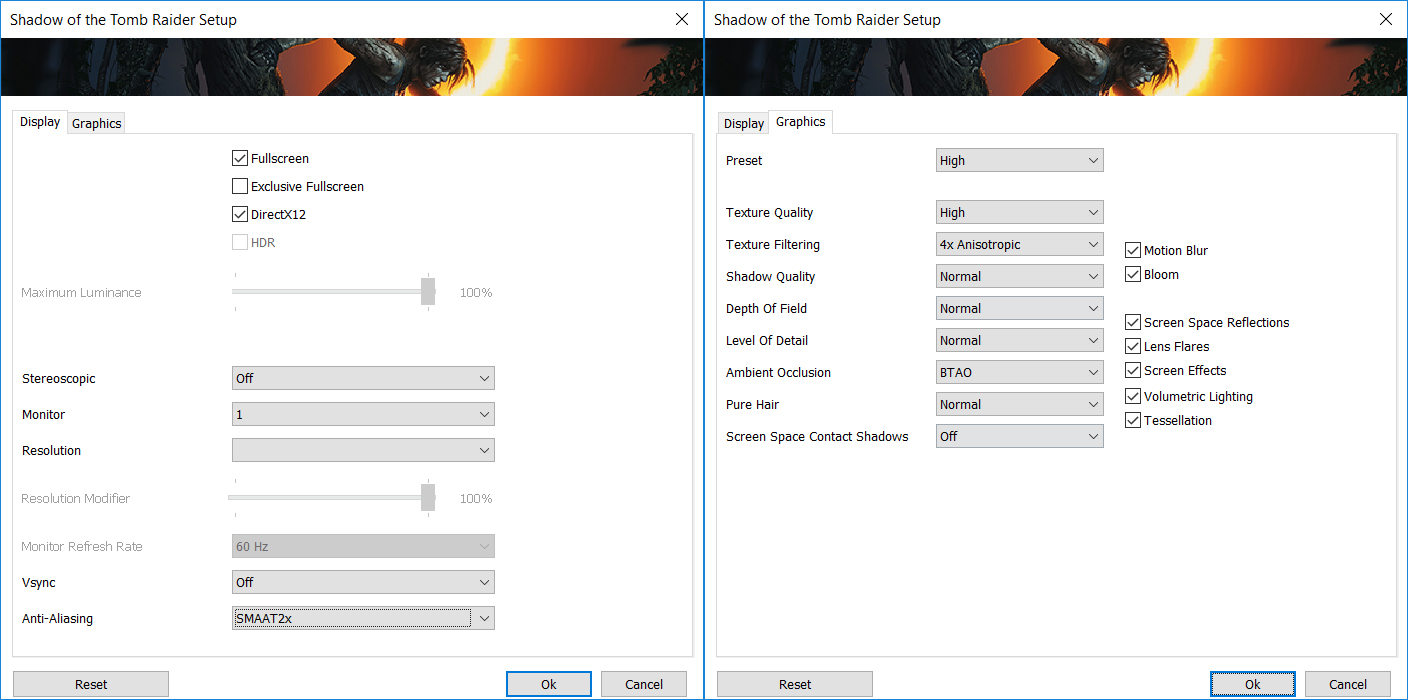
| Shadow of the Tomb Raider | Full HD, Lowest (Check settings) | Full HD, Medium (Check settings) | Full HD, High (Check settings) |
|---|---|---|---|
| Core i5-11300H + RTX 3050 RAM: 8GB, 1Rx16 | 63 fps | 54 fps | 46 fps |
| Core i5-11300H + RTX 3050 RAM: 8GB, 1Rx8 | 83 fps (+32%) | 69 fps (+28%) | 56 fps (+22%) |
| Shadow of the Tomb Raider | Full HD, Lowest (Check settings) | Full HD, Medium (Check settings) | Full HD, High (Check settings) |
|---|---|---|---|
| Core i7-11370H + RTX 3050 RAM: 8GB, 1Rx16 | 59 fps | 53 fps | 47 fps |
| Core i7-11370H + RTX 3050 RAM: 8GB, 1Rx8 | 83 fps (+41%) | 70 fps (+32%) | 58 fps (+23%) |

| Tom Clancy’s Ghost Recon Wildlands | Full HD, Medium (Check settings) | Full HD, High (Check settings) | Full HD, Very High (Check settings) |
|---|---|---|---|
| Core i5-11300H + RTX 3050 RAM: 8GB, 1Rx16 | 54 fps | 51 fps | 45 fps |
| Core i5-11300H + RTX 3050 RAM: 8GB, 1Rx8 | 59 fps (+9%) | 55 fps (+8%) | 49 fps (+9%) |
| Tom Clancy’s Ghost Recon Wildlands | Full HD, Medium (Check settings) | Full HD, High (Check settings) | Full HD, Very High (Check settings) |
|---|---|---|---|
| Core i7-11370H + RTX 3050 RAM: 8GB, 1Rx16 | 55 fps | 51 fps | 46 fps |
| Core i7-11370H + RTX 3050 RAM: 8GB, 1Rx8 | 61 fps (+11%) | 56 fps (+10%) | 50 fps (+9%) |
Conclusion
The performance benefit of the 1Rx8 memory is so big, that in our opinion, it is unthinkable for a manufacturer to put a 1Rx16 memory module in their device. This obviously cripples the machine. Well, the difference is felt mainly in higher frame rate occasions, but nevertheless, it shouldn’t be so bad. Unfortunately, there is a reason some manufacturers do this. And it is the shortage. Yes, it is cheaper, but sometimes they just can’t find memory sticks with a 1Rx8 setup. On the bright side, if you are lucky enough to have a SODIMM slot on your device, it means that you can upgrade your memory at all times.
Do you know who else is lucky? You! Because our series is not yet over. And do you know why? Because we haven’t yet covered the difference between single and dual-channel memory. In the next article, you are going to find what are the benefits of having two sticks of RAM over one, and again, we’re going to compare the difference between 1Rx8 and 1Rx16 sticks used in both conditions.
You can buy 1Rx8 RAM modules here: Buy from Amazon.com (#CommissionsEarned)
 Author: Alex Iliev

![[August 2026] Amazon Italy: Top 10 Best-Selling Laptops – Apple MacBook Neo Claims the Crown as Budget and Mid-Range Windows Machines Dominate Volume](https://laptopmedia.com/wp-content/uploads/2026/09/Best-Selling-Laptops-IT-Top-10-400x225.jpg)
![[August 2026] Amazon Italy: Top 7 Best-Selling Gaming Laptops – ASUS V16 Claims the #1 Spot Amid Strong Mid-Range Demand](https://laptopmedia.com/wp-content/uploads/2026/09/Best-Selling-Gaming-Laptops-IT-Top-10-400x225.jpg)
![[August 2026] Best-Selling Laptop Brands on Amazon Italy – Lenovo Dominates Market Share and Revenue Leadership](https://laptopmedia.com/wp-content/uploads/2026/09/IT-Best-Brands-400x225.jpg)
![[August 2026] Amazon India: Top 10 Best-Selling Laptops – Apple MacBook Neo Dominates the Charts with Massive Sales Lead](https://laptopmedia.com/wp-content/uploads/2026/09/Best-Selling-Laptops-IN-Top-10-400x225.jpg)
![[August 2026] Amazon India: Top 10 Best-Selling Gaming Laptops – HP Victus 15 Dominates the Market with Massive Unit Lead](https://laptopmedia.com/wp-content/uploads/2026/09/Best-Selling-Gaming-Laptops-IN-Top-10-400x225.jpg)





That’s very informative. Thank you
Hey man nice job! cheer up for you and your test, from Madrid.
Interesting article. I would be most interested in 1440p or 1600p, like in my lenovo laptop.