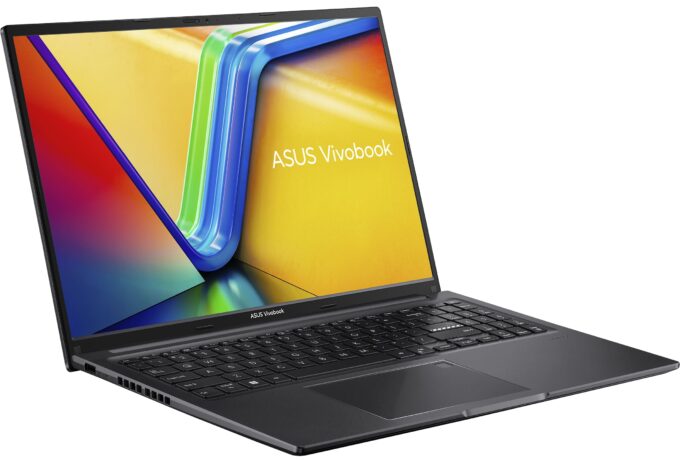
ASUS Vivobook 16
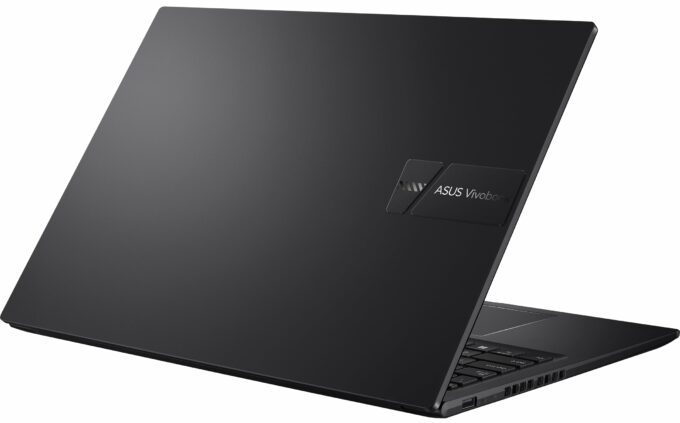
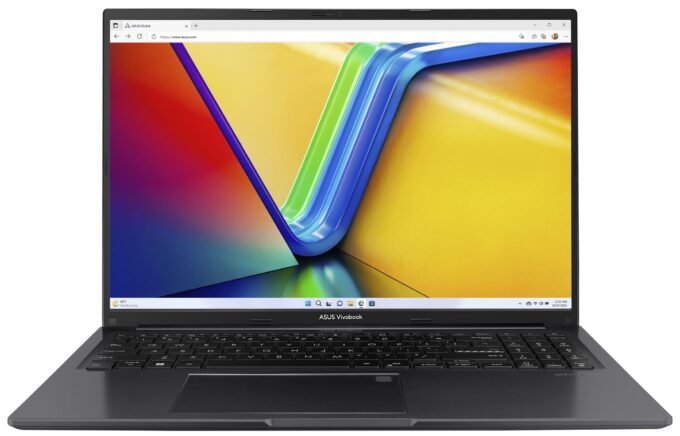
- Date Published: 07 Jul 2026
- AMD Ryzen 7 7730U
- AMD Radeon RX Vega 8 (R4000/5000, 15W)
- 16.0”, WUXGA (1920 x 1200), IPS
- 8000GB SSD
- 24GB RAM
- 1.88 kg (4.1 lbs)
Specs
- Display

- HDD/SSD
- 8000GB SSD
- M.2 Slot
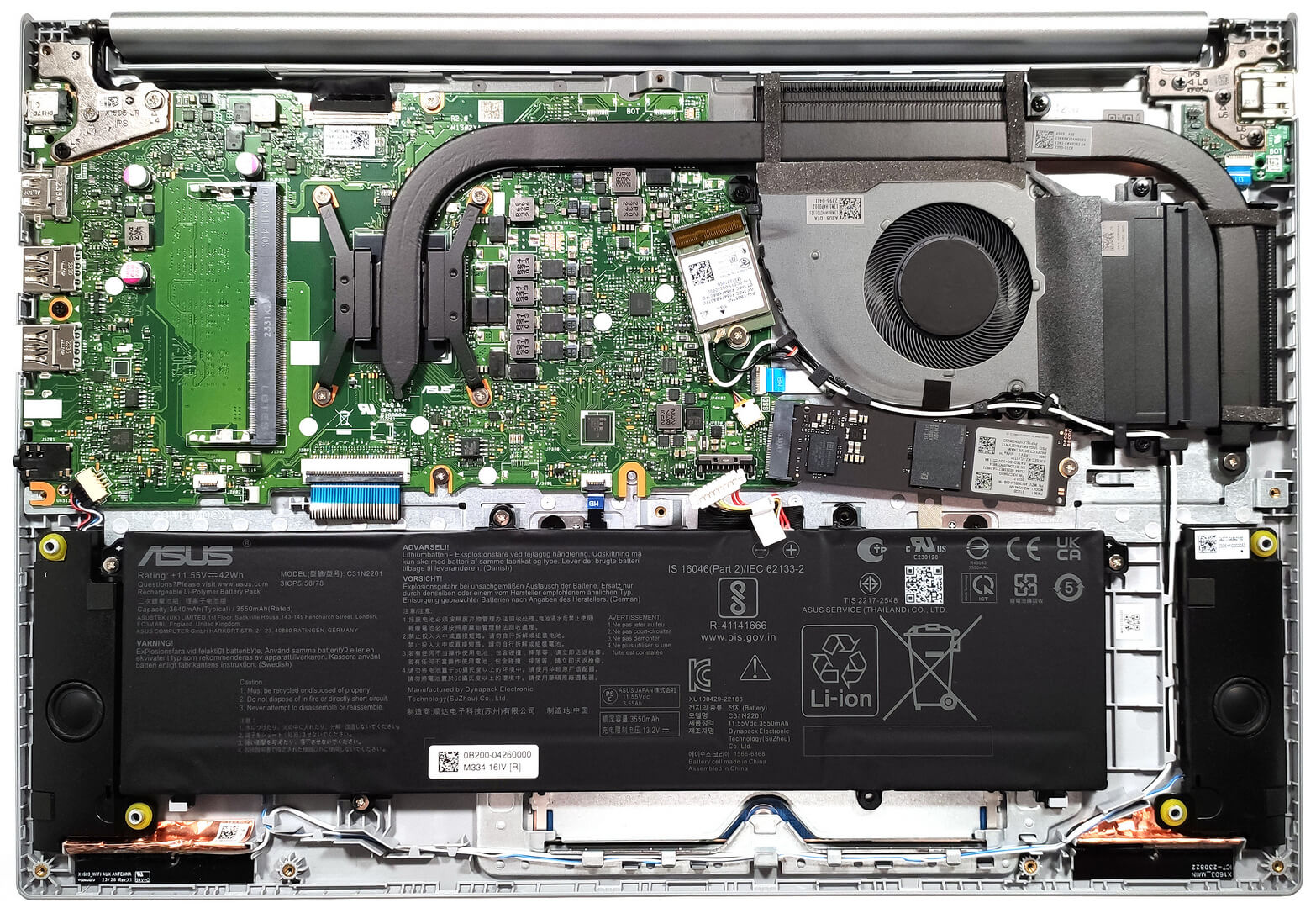
- 1x 2280 M.2 NVMe PCIe 4.0 x4 or 1x 2280 M.2 NVMe PCIe 3.0 x4 See photo
- RAM
- 24GB RAM
- OS
- Windows 11 Home
- Body Material
- Plastic / Polycarbonate
- Dimensions
- 358.7 x 249.5 x 19.9 mm (14.12" x 9.82" x 0.78")
- Weight
- 1.88 kg (4.1 lbs)
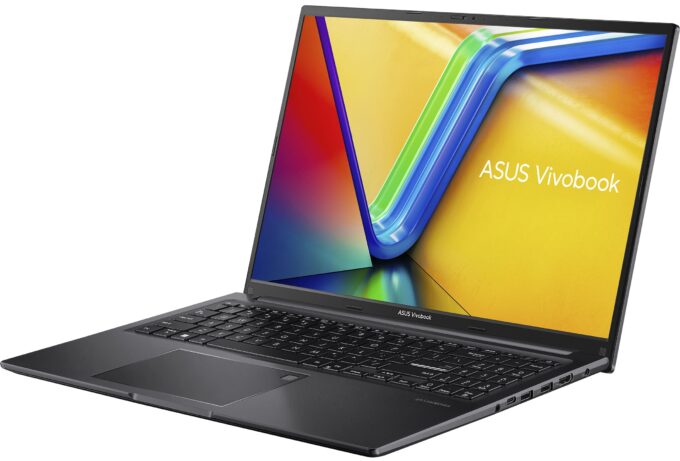
- Ports and connectivity
- 1x USB Type-A
- 2.0
- 2x USB Type-A
- 3.2 Gen 1 (5 Gbps)
- 1x USB Type-C
- 3.2 Gen 1 (5 Gbps), Power Delivery (PD)
- HDMI
- 1.4
- Card Reader
- Ethernet LAN
- Wi-Fi
- 802.11ax
- Bluetooth
- 5.0
- Audio jack
- 3.5mm Combo Jack
- Features
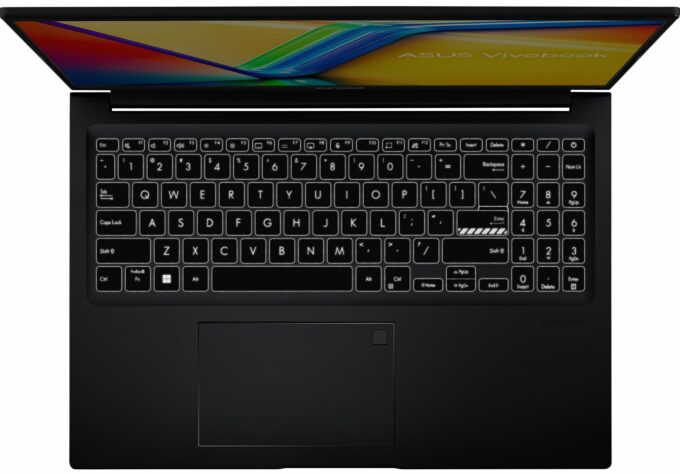
- Fingerprint reader
- Web camera
- HD with privacy shutter
- Backlit keyboard
- Microphone
- Array Microphone with Cortana and Alexa voice rec.
- Speakers
- Speakers by SonicMaster
- Security Lock slot
- Gifts
- DKZ USB Port Expander
Portability
Review
ASUS Vivobook 16 in-depth review
The ASUS Vivobook 16 (M1605) is offered with Zen 3 (Refresh) CPUs or Zen 4 chips. The machines with the newer processor platform rely on DDR5 memory, Gen 4 M.2 slot, bigger battery variants (50Wh or 70Wh), and an optional 3.2K OLED display. If you don't need all these features, the Zen 3-based notebooks can be found at a lower price since they have DDR4 memory, Gen 3 SSDs, a smaller 42Wh battery capacity, and you can't opt for the fancy OLED display.The rest is standard for all machines - Wi-Fi 5 / Bluetooth 5.1 or Wi-Fi 6E / Bluetooth 5.3 for connectivity, so-so I/O, and limited upgradability. We decided to buy a laptop with DDR4 memory to see how long the modest battery could last on a single charge when it has to deal with a not-so-powerful processor and a 1200p IPS display.Oh, [...]
Read the full review
Pros
- 16:10 IPS panel with good viewing angles (Innolux N160JCE-ELL (CMN1618)
- PWM-free (Innolux N160JCE-ELL (CMN1618)
- Antibacterial coating
- Comfortable input devices
- 720p Web camera with a privacy shutter
- 1x SODIMM for dual-channel memory
- Very long battery life
- High and stable processor frequencies under any kind of load
Cons
- Just 5 Gbps USB ports
- Not the best chassis rigidity
- Limited upgradability
- High CPU temperatures in prolonged periods of 100% CPU stress
Disassembly, maintenance and upgrade options
Opening the NotebookEnsure the device is powered off and unplugged from any power source. Remove the 10 Phillips-head screws from the bottom panel. Gently lift the bottom panel near one of the top two corners to create a gap. Use a thin plastic tool to pry the plate starting from the back and work your way around the sides and the front.Battery ReplacementDisconnect the battery connector from the motherboard. Undo the 4 Phillips-head screws to remove the battery.More info: This laptop comes with options for a 42Wh, 50Wh, or 70Wh battery. The 42Wh version[...]
Read more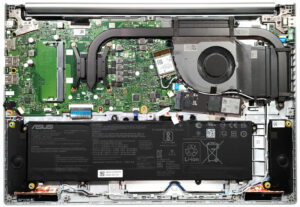


![[August 2026] Global Ranking of Best-Selling Laptop GPUs on Amazon – Apple Reigns Supreme, NVIDIA’s RTX 5060 Tops Dedicated Chart](https://laptopmedia.com/wp-content/uploads/2026/09/Best-Selling-GPUs-GLOBAL-Top-10-400x225.jpg)
![[August 2026] Global Ranking of Best-Selling Laptop CPUs on Amazon – Apple Dominates Both Budget and Premium: A18 Pro and M5 Crush Intel and AMD in August 2026](https://laptopmedia.com/wp-content/uploads/2026/09/Best-Selling-CPUs-GLOBAL-Top-10-400x225.jpg)
![[August 2026] Amazon Global: Top 10 Best-Selling Laptops – Apple MacBook Neo Dominates the Charts as Budget and Mid-Range Windows Portables Fight for Volume](https://laptopmedia.com/wp-content/uploads/2026/09/Best-Selling-Laptops-GLOBAL-Top-10-400x225.jpg)
![[August 2026] Best-Selling Laptop Brands on Amazon Global – Apple Dominates Revenue While HP Leads in Model Variety](https://laptopmedia.com/wp-content/uploads/2026/09/GLOBAL-Best-Brands-400x225.jpg)
![[August 2026] Amazon Global: Top 10 Best-Selling Gaming Laptops – HP Victus 15 Captures the Crown as Budget-Friendly Models Dominate the Charts](https://laptopmedia.com/wp-content/uploads/2026/09/Best-Selling-Gaming-Laptops-GLOBAL-Top-10-400x225.jpg)