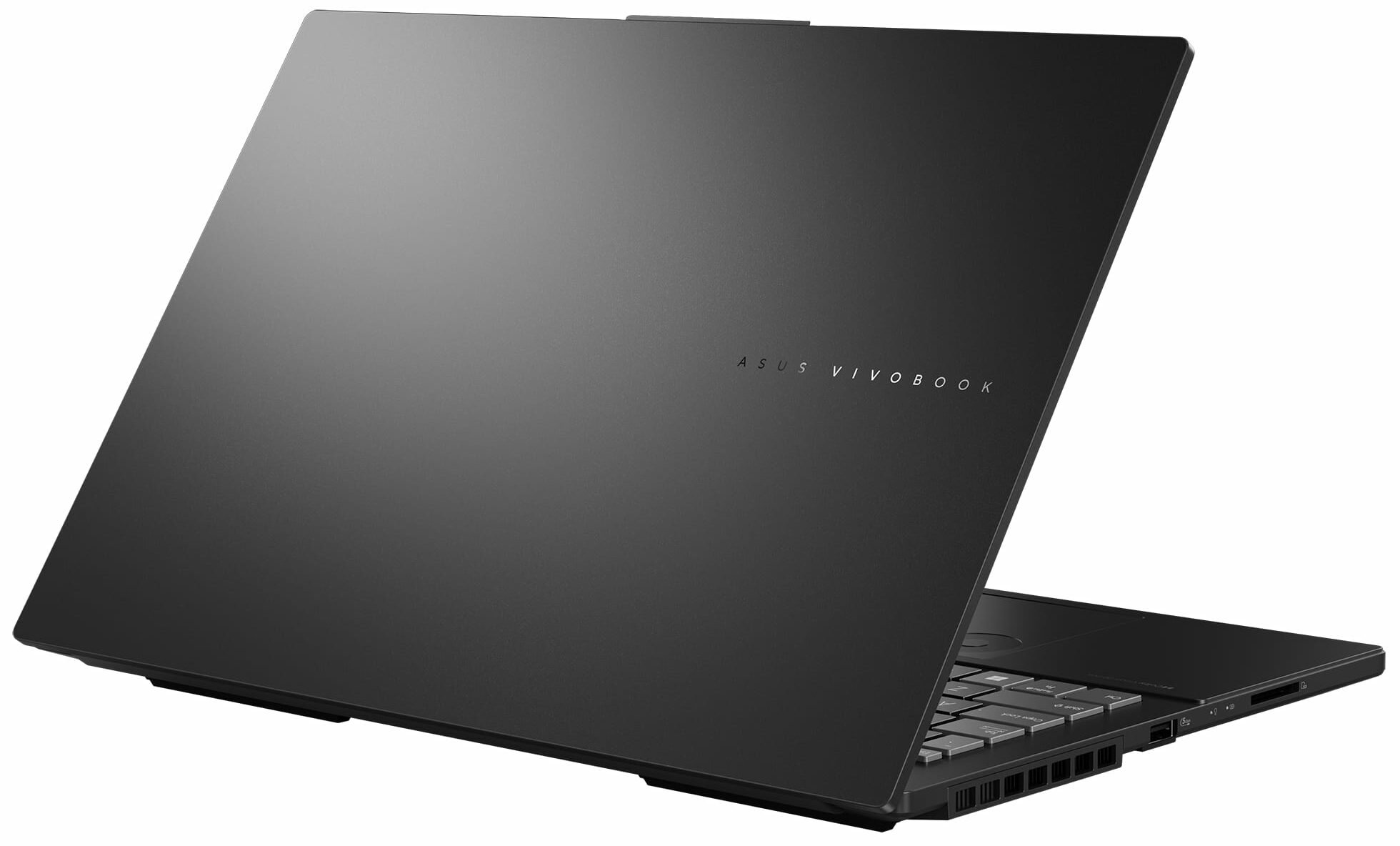
ASUS Vivobook Pro 15 OLED
_000043.jpg)




- Date Published: 18 Aug 2025
- Intel Core Ultra 9 285H
- NVIDIA GeForce RTX 4050 (Laptop)
- 15.6″, 2.8K (2880 x 1620), 120 Hz, OLED
- 1000GB SSD
- 16GB RAM
- 1.80 kg (4 lbs)

Specs

- HDD/SSD
- 1000GB SSD
- M.2 Slot
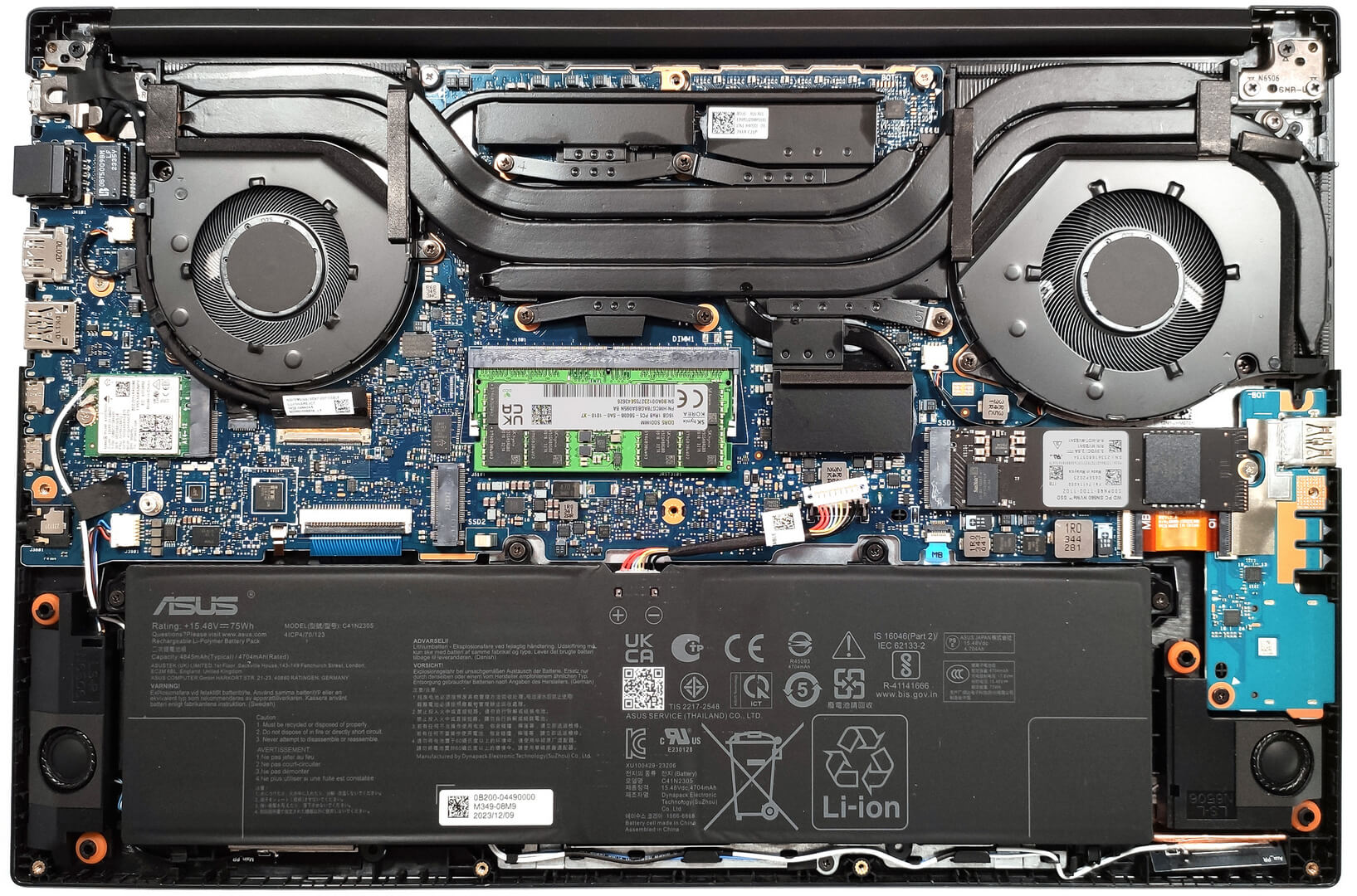
- 2x 2280 M.2 NVMe PCIe 4.0 x4 See photo
- RAM
- 16GB RAM
- OS
- Windows 11 Home
- Body Material
- Plastic / Polycarbonate, Aluminum
- Dimensions
- 355.7 x 235.3 x 19.9 mm (14.00" x 9.26" x 0.78")
- Weight
- 1.80 kg (4 lbs)
- Ports and connectivity
- 2x USB Type-A
- 3.2 Gen 1 (5 Gbps)
- 1x USB Type-C
- 3.2 Gen 2 (10 Gbps), Power Delivery (PD), DisplayPort
- 1x USB Type-C
- 4.0, Thunderbolt 4, Power Delivery (PD), DisplayPort
- HDMI
- 2.1
- Card Reader
- SD (SD, SDHC, SDXC)
- Ethernet LAN
- 10, 100, 1000 Mbit/s
- Wi-Fi
- Wi-Fi 6E
- Bluetooth
- 5.3
- Audio jack
- 3.5mm Combo Jack
- Features
- Fingerprint reader
- Web camera
- 5.0MP with privacy shutter
- Backlit keyboard
- Microphone
- Array Microphone with Cortana Support
- Speakers
- Speaker, Smart Amp Technology, harman/kardon
- Security Lock slot
Portability
Review
ASUS Vivobook Pro 15 OLED in-depth review
The ASUS Vivobook Pro 15 OLED (N6506) is a device that is suitable for content creation and gaming thanks to its powerful hardware and useful features. The well-known ASUS DialPad is here and as always, it's built into the touchpad. You can use it while working with Adobe apps such as Photoshop to change the size of the brush and the font, or you may just increase or decrease the volume of the speakers. It looks pretty fancy and in reality, this feature is very handy when you get used to it.After work, you can play some games with this device. The hardware is modern and up to the standards for a capable multipurpose machine. You can choose between two Intel Meteor Lake-H CPUs and two NVIDIA RTX 4000 GPUs. The most powerful combo for the series is the Core Ultra 9 185H plus the GeForce [...]
Read the full review
Pros
- Superb OLED display that covers fully the sRGB and DCI-P3 gamuts (Samsung ATNA56AC02-1 (SDC4180))
- Infinite contrast ratio (Samsung ATNA56AC02-1 (SDC4180))
- Has a MUX switch
- "OLED Flicker-Free Dimming" function in MyASUS software
- Smooth touchpad with ASUS DialPad
- Quiet and comfortable keyboard
- 5MP IR Web camera with a privacy shutter
- Good performance for both content creation and gaming
- Quiet fan in "Whisper" mode
- Very long battery life
- High CPU and GPU clocks under any kind of load
- Modern port selection
- Offers an SD Card reader
- Solid base
- 2x M.2 Gen 4 slots + 1x SODIMM for dual-channel mode
Cons
- 8GB of soldered memory
- High NVMe temperatures during benchmarking
- PWM usage without the "Flicker-Free Dimming" mode (Samsung ATNA56AC02-1 (SDC4180))
- Not the best lid rigidity
Disassembly, maintenance and upgrade options
Step 1: Opening the ASUS Vivobook Pro 15 OLED (N6506)Ensure the ASUS Vivobook Pro 15 OLED is turned off and placed on a soft surface to prevent damage. Remove the 10 Torx-head screws securing the bottom panel of the laptop. Use a lever tool to gently lift the bottom panel from one of the top corners, creating an initial gap. Employ a thin plastic tool to carefully pop the panel off, paying extra attention around vents and ports to avoid damage.Step 2: Battery RemovalDisconnect the battery connector from the motherboard for safety. Remove the 4 Phillips-head [...]
Read more


![[June 2026] Best-Selling Laptop Brands on Amazon Global – Apple’s Unrivaled Dominance in Units and Revenue](https://laptopmedia.com/wp-content/uploads/2026/07/GLOBAL-Best-Brands-400x225.jpg)
![[June 2026] Amazon Global: Top 10 Best-Selling Laptops – Apple’s New MacBook Neo Storms to #1, Reshaping the Market with Affordability](https://laptopmedia.com/wp-content/uploads/2026/07/Best-Selling-Laptops-GLOBAL-Top-10-400x225.jpg)
![[June 2026] Amazon Global: Top 10 Best-Selling Gaming Laptops – Acer’s Nitro V 16S AI Dominates Sales, While ASUS Leads Overall Revenue](https://laptopmedia.com/wp-content/uploads/2026/07/Best-Selling-Gaming-Laptops-GLOBAL-Top-10-400x225.jpg)
![[June 2026] Global Ranking of Best-Selling Laptop GPUs on Amazon – NVIDIA RTX 5060 is the Top-Selling Dedicated GPU](https://laptopmedia.com/wp-content/uploads/2026/07/Best-Selling-GPUs-GLOBAL-Top-10-400x225.jpg)
![[June 2026] Global Ranking of Best-Selling Laptop CPUs on Amazon – Apple M5 Dominates, AMD Ryzen 7 260 Gets Solid Premium Share](https://laptopmedia.com/wp-content/uploads/2026/07/Best-Selling-CPUs-GLOBAL-Top-10-400x225.jpg)