ASUS VivoBook S13 S330
- Date Published: 04 Jul 2025
- Intel Core i3-8130U
- Intel UHD Graphics 620
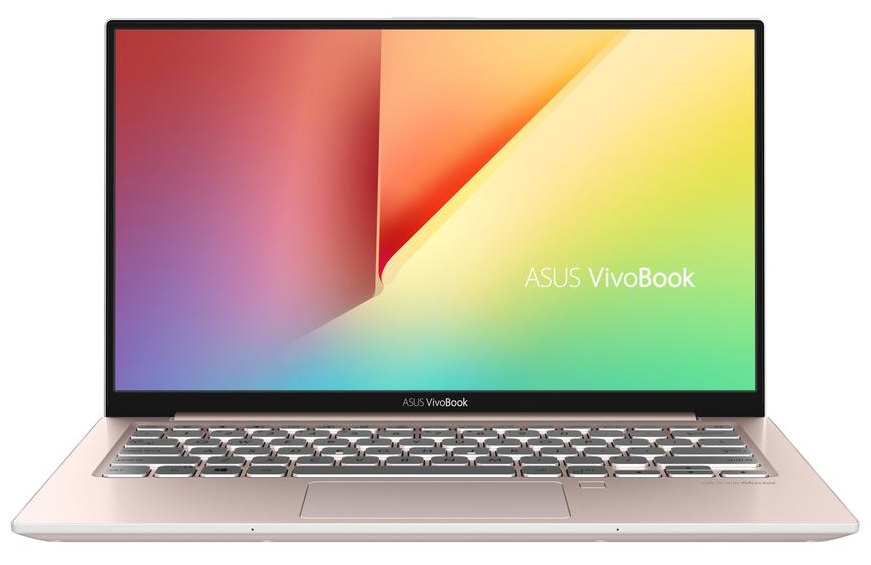
- 13.3”, Full HD (1920 x 1080), IPS
- 128GB SSD
- 4GB RAM
- 1.20 kg (2.6 lbs)
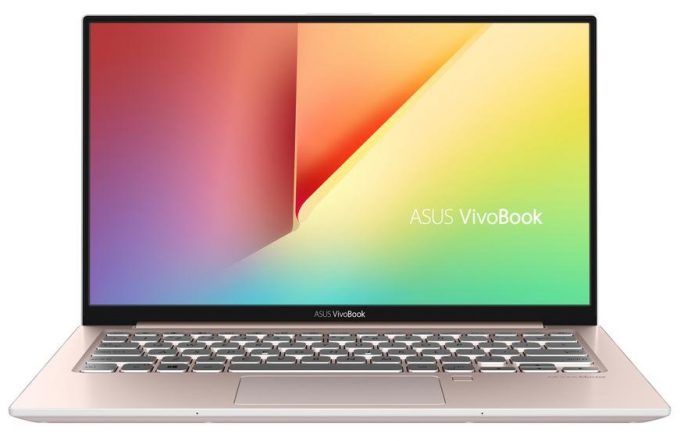
Specs

- HDD/SSD
- 128GB SSD
- M.2 Slot
- 1x 2280 M.2 NVMe slot
- RAM
- 4GB RAM
- OS
- Windows 10 Home
- Body Material
- Plastic / Polycarbonate, Aluminum
- Dimensions
- 306 x 196 x 17.9 mm (12.05" x 7.72" x 0.70")
- Weight
- 1.20 kg (2.6 lbs)
- Ports and connectivity
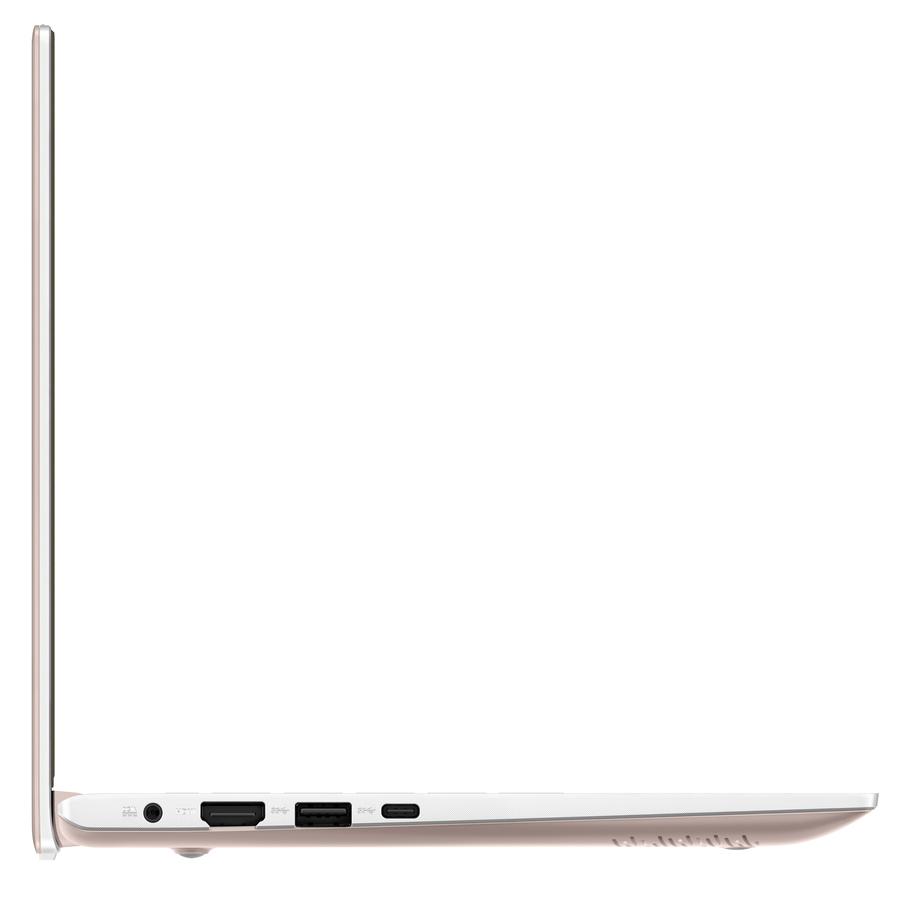
- 1x USB Type-C
- 3.2 Gen 1 (5 Gbps)
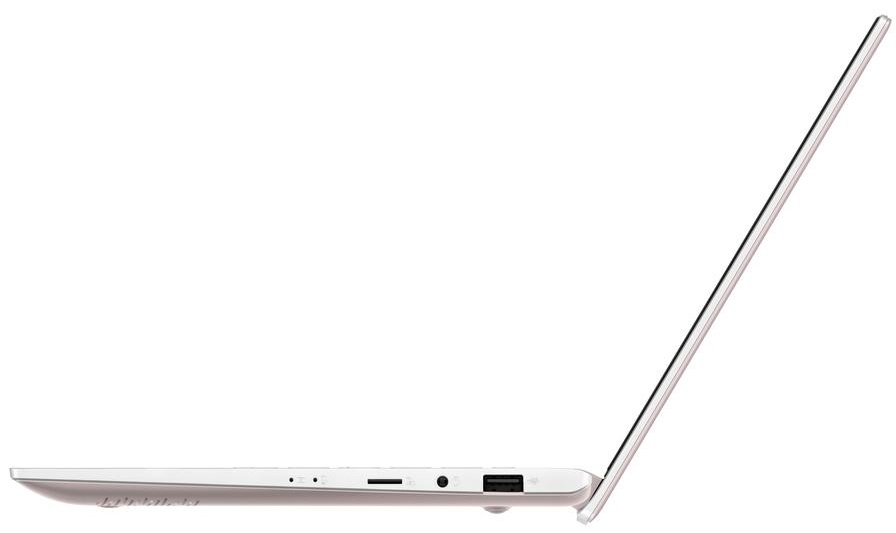
- 1x USB Type-A
- 3.2 Gen 1 (5 Gbps)
- 1x USB Type-A
- 2.0
- HDMI
- Card Reader
- Micro SD
- Ethernet LAN
- Wi-Fi
- 802.11ac
- Bluetooth
- 4.2
- Audio jack
- combo audio / microphone jack
- Features
- Fingerprint reader
- Backlit keyboard
- Microphone
- Speakers
- Security Lock slot
Portability
Review
ASUS VivoBook S13 S330 in-depth review
ASUS' VivoBook laptops provide the closest possible experience to a ZenBook device, being significantly cheaper. Here we have the VivoBook S13 S330, which we tested together with the ZenBook 13 UX333. Either of the devices is aimed at students, daily users, and fashion stars. ...okay we might have made the last one up, but it is clearly a good choice for people on the go. By the way, the similarity in their names is no coincidence. VivoBook S13 S330 looks pretty much like what it is - a cheaper alternative to the ZenBook 13 UX333 - both on the outside and on the inside.ASUS is very proud of the thin bezels of this device. They claim it translates in 89% screen to body ratio. But at what price, you ask? Well, you know how some manufacturers, like Huawei, hide their cameras in one of th[...]
Read the full review
Pros
- Impressive battery life
- Thin and light bezel-less design
- Very high contrast and decent brightness (BOE NV133FHM-N46)
- It doesn't use PWM to adjust screen brightness (BOE NV133FHM-N46)
- Quiet under heavy load
Cons
- Limited upgradability
- Cheap feeling build
- Narrow color coverage - 53% of sRGB (BOE NV133FHM-N46)
- Lacks a camera
Disassembly, maintenance and upgrade options
When cost-cutting and innovation meet, interesting sacrifices have to be made. In a laptop that looks quite good on the outside, one can be baffled how old its internals can feel.Check out all ASUS VivoBook S13 S330 prices and configurations in our Specs System or read more in our In-Depth review.1. Remove the bottom plate There are 11 Phillips-head screws and an awful lot of super tight clips that hold the bottom panel of this laptop. Be patient and use a plastic tool for the prying process, so you can minimize the chances of damaging the plate itself.2. Battery Its batt[...]
Read more


![[June 2026] Best-Selling Laptop Brands on Amazon Global – Apple’s Unrivaled Dominance in Units and Revenue](https://laptopmedia.com/wp-content/uploads/2026/07/GLOBAL-Best-Brands-400x225.jpg)
![[June 2026] Amazon Global: Top 10 Best-Selling Laptops – Apple’s New MacBook Neo Storms to #1, Reshaping the Market with Affordability](https://laptopmedia.com/wp-content/uploads/2026/07/Best-Selling-Laptops-GLOBAL-Top-10-400x225.jpg)
![[June 2026] Amazon Global: Top 10 Best-Selling Gaming Laptops – Acer’s Nitro V 16S AI Dominates Sales, While ASUS Leads Overall Revenue](https://laptopmedia.com/wp-content/uploads/2026/07/Best-Selling-Gaming-Laptops-GLOBAL-Top-10-400x225.jpg)
![[June 2026] Global Ranking of Best-Selling Laptop GPUs on Amazon – NVIDIA RTX 5060 is the Top-Selling Dedicated GPU](https://laptopmedia.com/wp-content/uploads/2026/07/Best-Selling-GPUs-GLOBAL-Top-10-400x225.jpg)
![[June 2026] Global Ranking of Best-Selling Laptop CPUs on Amazon – Apple M5 Dominates, AMD Ryzen 7 260 Gets Solid Premium Share](https://laptopmedia.com/wp-content/uploads/2026/07/Best-Selling-CPUs-GLOBAL-Top-10-400x225.jpg)
