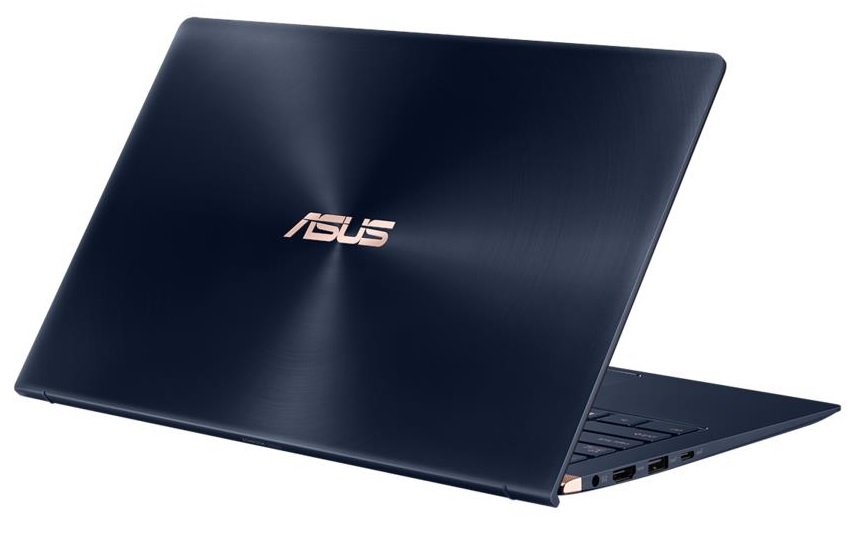
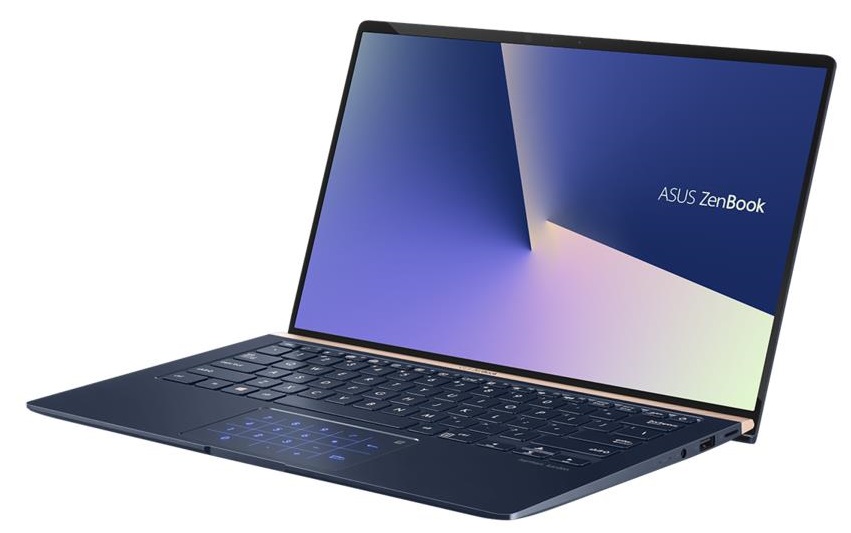
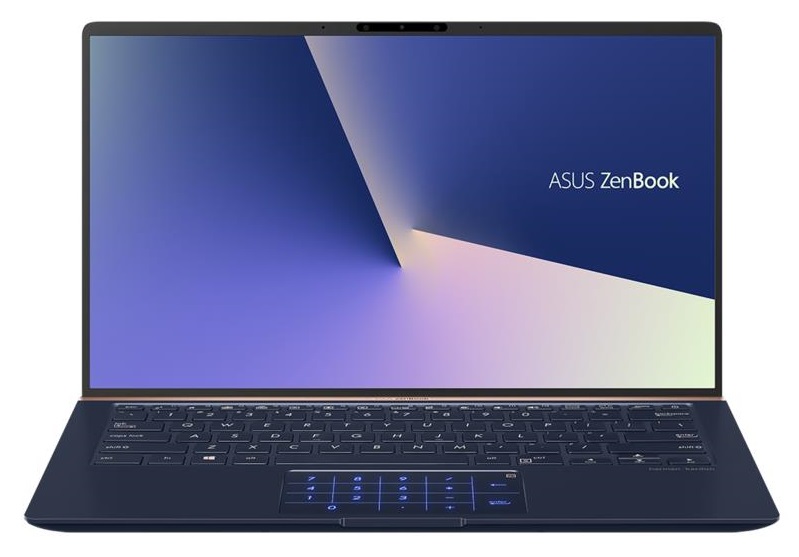
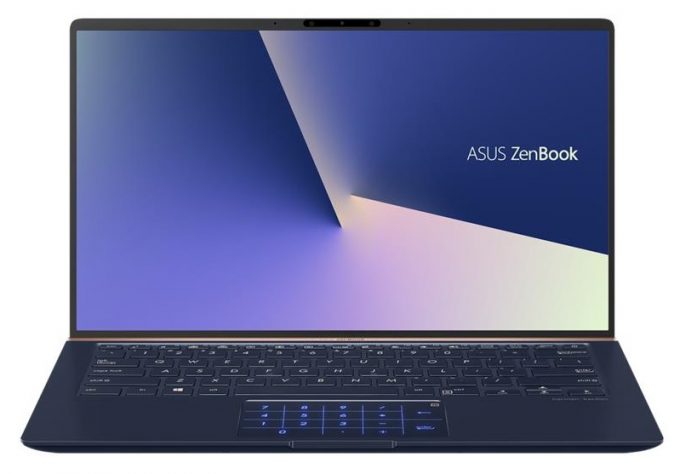
ASUS ZenBook 14 UX433
- Date Published: 17 Feb 2025
- Intel Core i7-8565U
- Intel UHD Graphics 620
- 14.0”, Full HD (1920 x 1080), IPS
- 512GB SSD
- 8GB RAM
- 1.09 kg (2.4 lbs)
Review
ASUS ZenBook 14 UX433 in-depth review
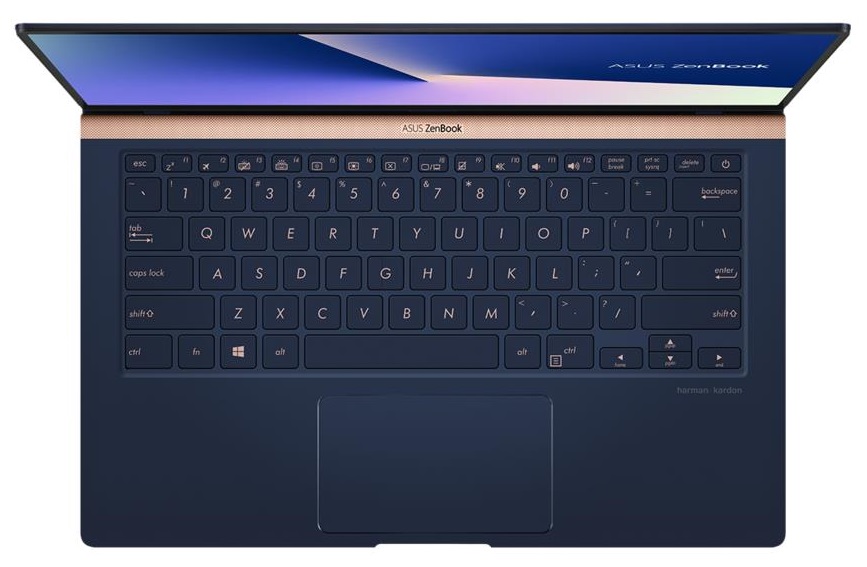
Once again ASUS is trying to reinvent portability. The ZenBook 14 UX433 (which visually is very reminiscent of the UX480) is branded like a 14-inch notebook in a 13-inch form factor. Well, this is usually a gimmick used by the manufacturers to say that their laptop is very small in terms of area. Expectedly, the case is the same with this device as well - it simply can't be the same length as a smaller-screen device. However, with the help of the ErgoLift technology, it is considerably narrower than most of the notebooks.Even though they have limited space inside, ASUS has equipped their premium laptop with Whiskey Lake CPUs. In addition to that, you have the option to get it with NVIDIA's GeForce MX150 on board. This puts it one step ahead of one of their main competitors - Acer S[...]
Read the full review
Pros
- 13 hours of web browsing on battery power
- Elegant super small form factor
- GeForce MX150 option
- Decently bright and colorful screen (AUO B140HAN03.2)
- It doesn't use PWM to adjust screen brightness (AUO B140HAN03.2)
- ScreenPad option and adequate keyboard
Cons
- Huge light bleed from the bottom right corner (AUO B140HAN03.2)
- Lack of Type-C charging
DISPLAY: 14-inch, 1920 x 1080, IPS
- Name
- AUO B140HAN03.2
- Diagonal
- 14"
- Pixel density
- 157.35 ppi
- Brightness
- 354 cd/m2
- sRGB
- 93%
- Panel Type
- IPS
- Resolution
- 1920 x 1080
- Becomes "Retina" from
- 22 inches (56 cm)
- Contrast
- 1400:1
- dE Color Checker
- 5.9 1.6

Buy our profiles for AUO B140HAN03.2
In addition to receiving efficient and health-friendly profiles, by buying LaptopMedia's products you also support the development of our labs, where we test devices in order to produce the most objective reviews possible.

Office Work
Office Work should be used mostly by users who spend most of the time looking at pieces of text, tables or just surfing. This profile aims to deliver better distinctness and clarity by keeping a flat gamma curve (2.20), native color temperature and perceptually accurate colors.

Design and Gaming
This profile is aimed at designers who work with colors professionally, and for games and movies as well. Design and Gaming takes display panels to their limits, making them as accurate as possible in the sRGB IEC61966-2-1 standard for Web and HDTV, at white point D65.

Health-Guard
Health-Guard eliminates the harmful Pulse-Width Modulation (PWM) and reduces the negative Blue Light which affects our eyes and body. Since it’s custom tailored for every panel, it manages to keep the colors perceptually accurate. Health-Guard simulates paper so the pressure on the eyes is greatly reduced.



![[August 2026] Amazon Global: Top 10 Best-Selling Laptops – Apple MacBook Neo Dominates the Charts as Budget and Mid-Range Windows Portables Fight for Volume](https://laptopmedia.com/wp-content/uploads/2026/09/Best-Selling-Laptops-GLOBAL-Top-10-400x225.jpg)
![[August 2026] Best-Selling Laptop Brands on Amazon Global – Apple Dominates Revenue While HP Leads in Model Variety](https://laptopmedia.com/wp-content/uploads/2026/09/GLOBAL-Best-Brands-400x225.jpg)
![[August 2026] Amazon Global: Top 10 Best-Selling Gaming Laptops – HP Victus 15 Captures the Crown as Budget-Friendly Models Dominate the Charts](https://laptopmedia.com/wp-content/uploads/2026/09/Best-Selling-Gaming-Laptops-GLOBAL-Top-10-400x225.jpg)
![[August 2026] Best-Selling Laptop Brands on Amazon Japan – Apple Dominates Market Share and Revenue Led by Strong Unit Sales](https://laptopmedia.com/wp-content/uploads/2026/09/CO.JP-Best-Brands-1-400x225.jpg)
![[August 2026] Best-Selling Laptop Brands on Amazon USA – Apple Dominates Market Revenue and Volume Despite Lower Model Diversity](https://laptopmedia.com/wp-content/uploads/2026/09/COM-Best-Brands-1-400x225.jpg)
