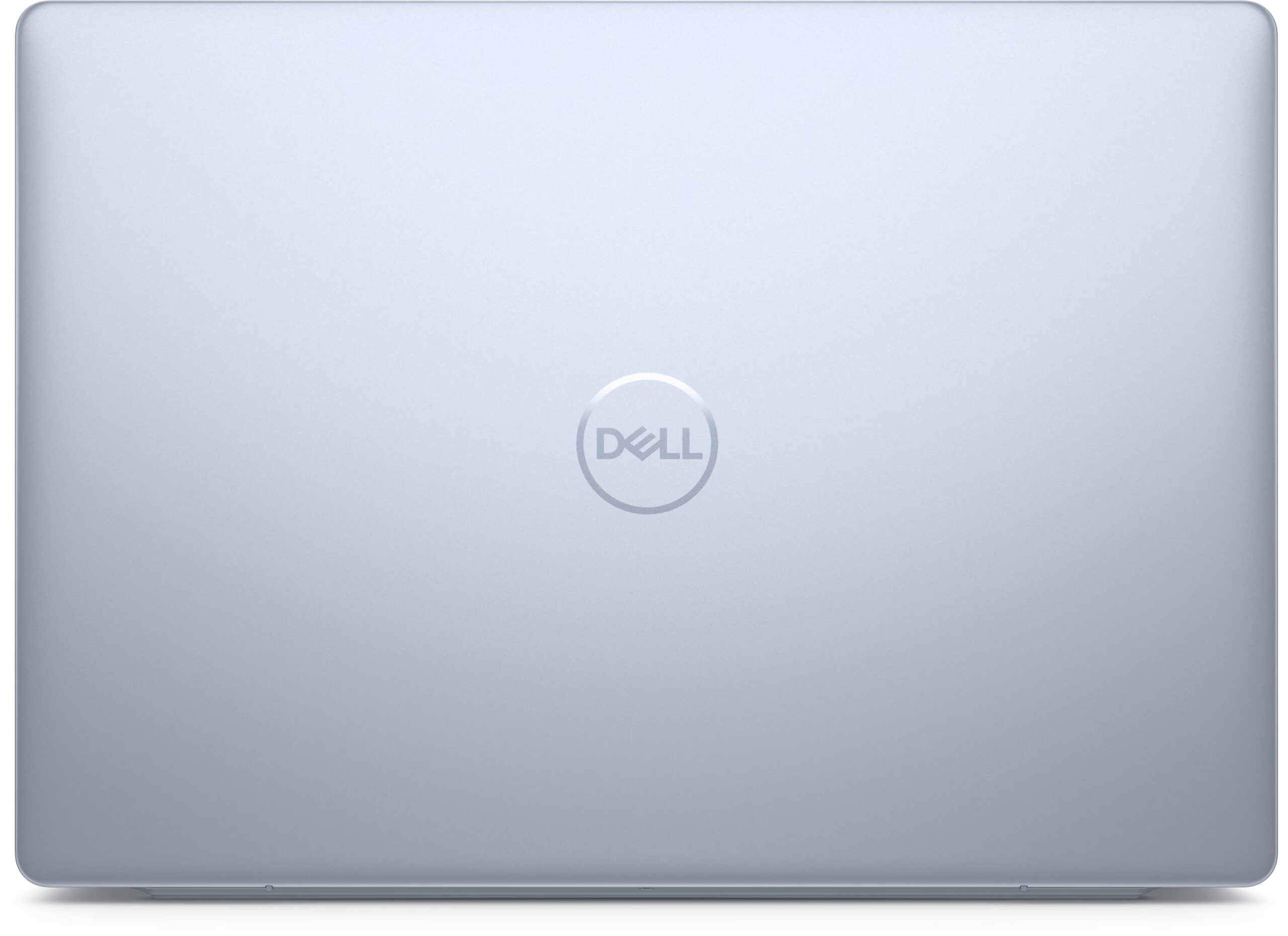
Dell Inspiron 16 Plus 7640



- Date Published: 18 Aug 2025
- Intel Core Ultra 7 155H
- NVIDIA GeForce RTX 4060 (Laptop)
- 16.0", WQXGA (2560 x 1600), 120 Hz, IPS
- 1000GB SSD
- 32GB RAM
- 1.90 kg (4.2 lbs)

Specs
- HDD/SSD
- 1000GB SSD
- M.2 Slot
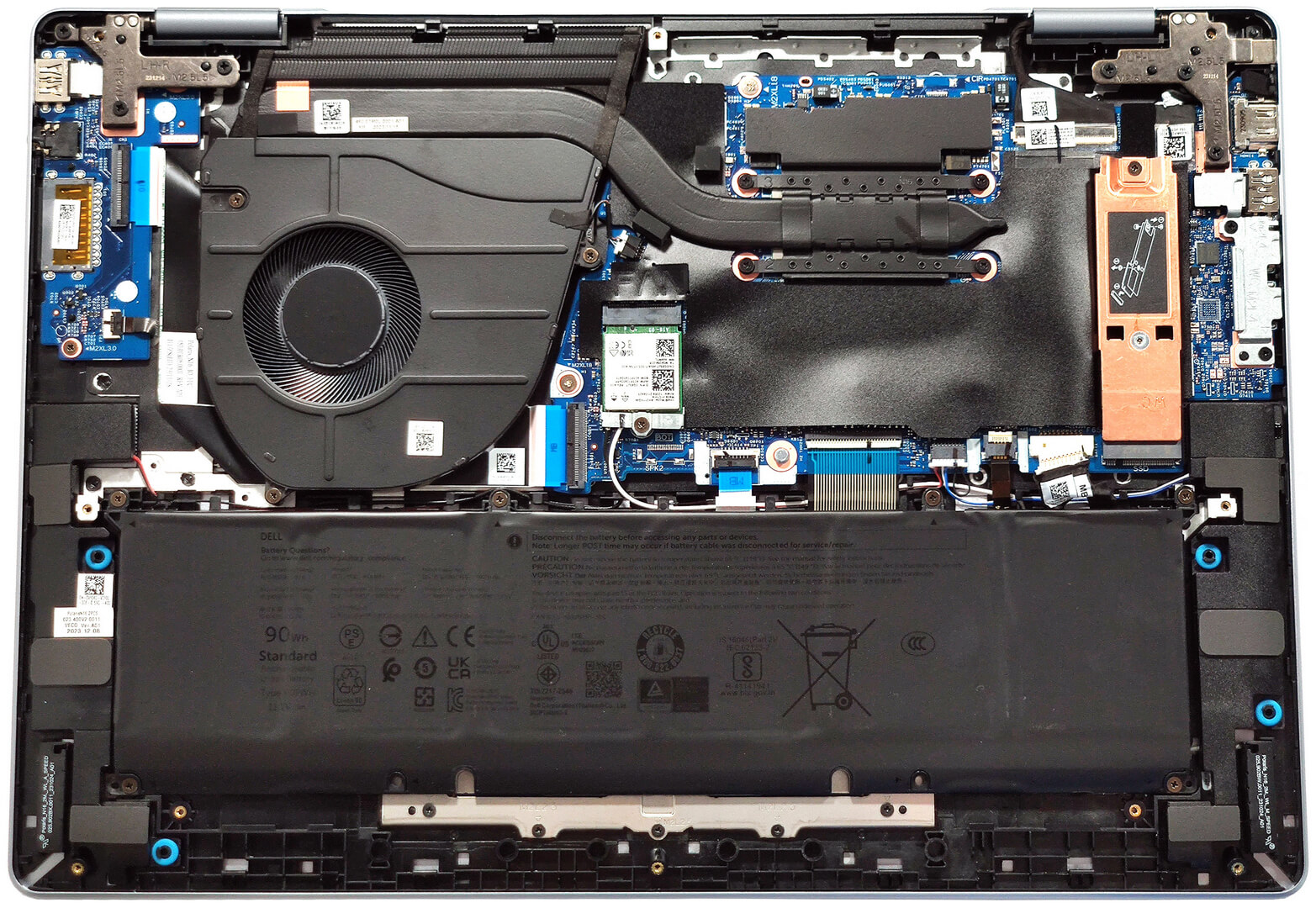
- 1x 2230 / 2280 M.2 NVMe PCIe 4.0 x4 See photo
- RAM
- 32GB RAM
- OS
- Windows 11 Pro
- Body Material
- Aluminum
- Dimensions
- 356.78 x 250.60 x 16.70 - 18.20 / 30 mm (14.05" x 9.87" x 0.66")
- Weight
- 1.90 kg (4.2 lbs)
- Ports and connectivity
- 2x USB Type-A
- 3.2 Gen 1 (5 Gbps)
- 1x USB Type-C
- Thunderbolt 4, Power Delivery (PD), DisplayPort
- HDMI
- 1.4
- Card Reader
- SD (SD, SDHC, SDXC)
- Ethernet LAN
- Wi-Fi
- 802.11be
- Bluetooth
- 5.4
- Audio jack
- 3.5mm Combo Jack
- Features
- Fingerprint reader
- Web camera
- FHD
- Backlit keyboard
- Microphone
- Digital Array Microphones
- Speakers
- 2x 2.5W Stereo Speakers
- Security Lock slot
- Gifts
- Wireless Mouse
- Gifts
- External CD/DVD Drive
- Gifts
- 1TB Portable SSD
- Gifts
- USB Port Covers
- Gifts
- Webcam Cover
- Gifts
- Clean Cloth
Portability
Review
Dell Inspiron 16 Plus 7640 in-depth review
The Dell Inspiron 16 Plus 7640 shares a lot of similarities with its smaller 7440 sibling, which we also have reviewed. This includes the large variety of CPU options of Core Ultra as well as Alder and Raptor Lake chips. Curiously, the bigger 7640 iteration can be found as an iGPU-only model (with soldered memory) or with a dGPU as well. The laptops with GeForce RTX 4050 and RTX 4060 have two SODIMMs which makes them future-proof.The port selection is decent - the machine with an iGPU boasts an SD card reader while the other devices lack this extra. The backlight and the fingerprint reader are optional. The Alder Lake-based notebooks have a 1200p 60Hz display but you can also opt for the top-end 1600p 120Hz unit that is also available for all devices no matter the CPU version. The gadg[...]
Read the full review
Pros
- Modern design
- Compact and light for a 16-incher
- High P and E core clocks during full CPU loads (2.74 GHz / 2.28 GHz)
- The fan isn't too noisy
- Metal chassis
- PWM-free (AUO73AB)
- Adequate max brightness (323 cd/m2) + 100% sRGB coverage (AUO73AB)
- Very good color accuracy with our "Design and Gaming" profile (AUO73AB)
- Thunderbolt 4 port
- Great battery life
- Comfortable keyboard with optional backlight
- Optional fingerprint reader
- Snappy performance
- 1080p Web camera with a privacy shutter
- Optional RTX GPUs that come with a bonus - 2x SODIMMs
- Wi-Fi 7 + Bluetooth 5.4 (option)
Cons
- Soldered memory for the iGPU-only devices
- Only one M.2 slot
- High CPU temperatures in medium and long loads (99°C - 90°C)
- The NVMe gets hot during benchmarking (77°C)
- The port selection is a bit limited
- The lid and the base could be more stable
Disassembly, maintenance and upgrade options
Step 1: Opening the Dell Inspiron 16 Plus 7640Ensure the laptop is powered off and placed on a clean, flat surface. Remove the 8 Phillips-head screws from the bottom of the laptop. The screws in the top two corners are captive and will slightly lift the panel once unscrewed. Use a lever tool to gently raise the areas behind the hinges, then pop the midsection of the rear. Insert a thin plastic tool between the plate and the base to pry the sides, then lift to pop the panel. Finally, pry the front to fully remove the bottom plate.Step 2: Battery RemovalLocate the[...]
Read more


![[August 2026] Amazon Global: Top 10 Best-Selling Laptops – Apple MacBook Neo Dominates the Charts as Budget and Mid-Range Windows Portables Fight for Volume](https://laptopmedia.com/wp-content/uploads/2026/09/Best-Selling-Laptops-GLOBAL-Top-10-400x225.jpg)
![[August 2026] Best-Selling Laptop Brands on Amazon Global – Apple Dominates Revenue While HP Leads in Model Variety](https://laptopmedia.com/wp-content/uploads/2026/09/GLOBAL-Best-Brands-400x225.jpg)
![[August 2026] Amazon Global: Top 10 Best-Selling Gaming Laptops – HP Victus 15 Captures the Crown as Budget-Friendly Models Dominate the Charts](https://laptopmedia.com/wp-content/uploads/2026/09/Best-Selling-Gaming-Laptops-GLOBAL-Top-10-400x225.jpg)
![[August 2026] Best-Selling Laptop Brands on Amazon Japan – Apple Dominates Market Share and Revenue Led by Strong Unit Sales](https://laptopmedia.com/wp-content/uploads/2026/09/CO.JP-Best-Brands-1-400x225.jpg)
![[August 2026] Best-Selling Laptop Brands on Amazon USA – Apple Dominates Market Revenue and Volume Despite Lower Model Diversity](https://laptopmedia.com/wp-content/uploads/2026/09/COM-Best-Brands-1-400x225.jpg)