Dell Precision 14 5490


- Date Published: 07 Nov 2024
- Intel Core Ultra 9 185H
- NVIDIA RTX 1000 Ada Generation
- 14.0”, WUXGA (1920 x 1200), IPS
- 1024GB SSD
- 32GB RAM
- 1.49 kg (3.3 lbs)

Specs
- Display

- HDD/SSD
- 1024GB SSD
- M.2 Slot
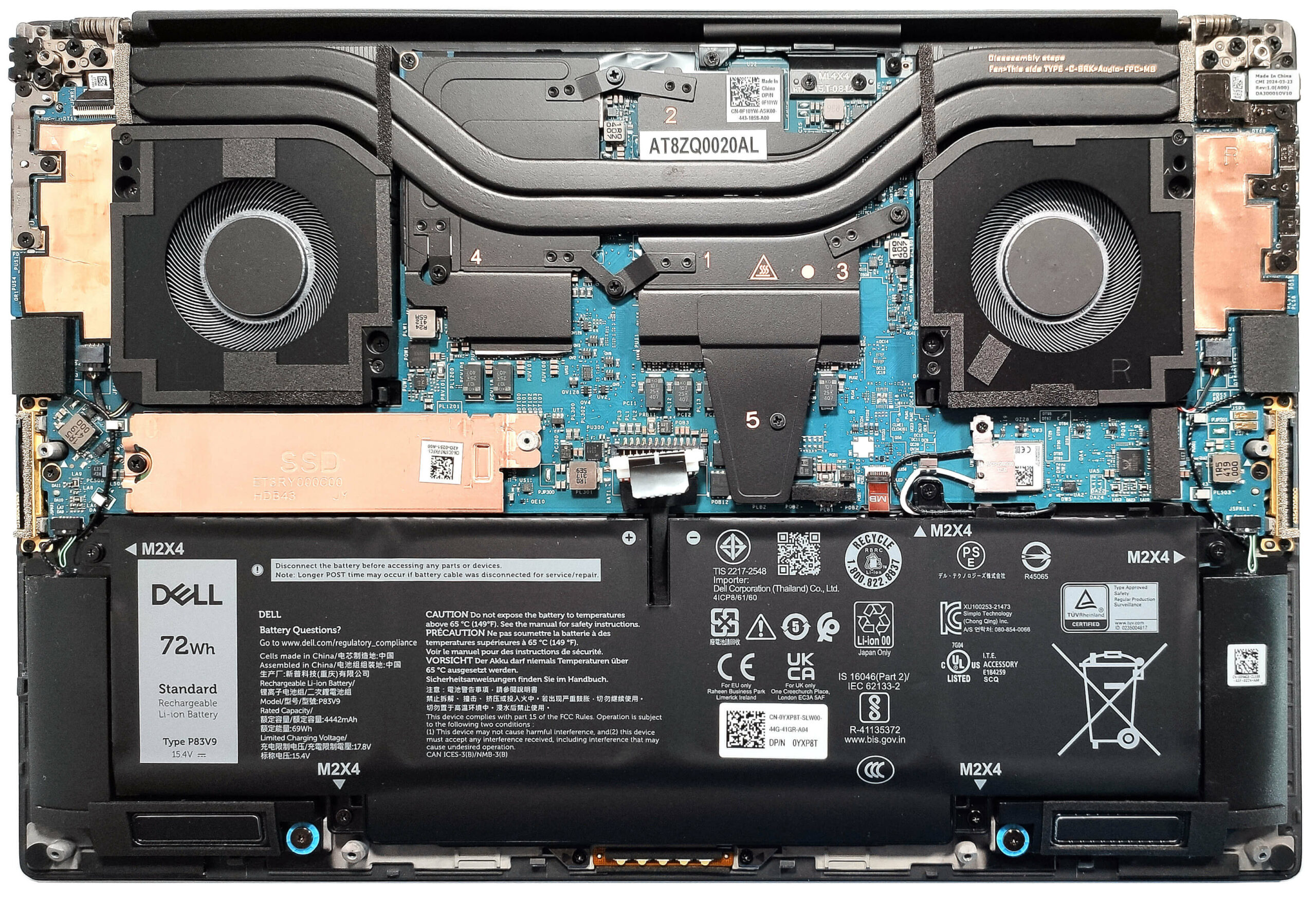
- 1x 2280 M.2 NVMe PCIe 4.0 x4 See photo
- RAM
- 32GB RAM
- OS
- Windows 11 Home
- Body Material
- Carbon, Magnesium alloy
- Dimensions
- 310.60 x 210.35 x 7.49 - 18.95 mm (12.23" x 8.28" x 0.29")
- Weight
- 1.49 kg (3.3 lbs)
- Ports and connectivity
- 4x USB Type-C
- Thunderbolt 4, Power Delivery (PD), DisplayPort
- Card Reader
- microSD (microSD, microSDHC, microSDXC)
- Ethernet LAN
- Wi-Fi
- 802.11be
- Bluetooth
- 5.4
- Audio jack
- 3.5mm Combo Jack
- Features
- Fingerprint reader
- Web camera
- HD
- Backlit keyboard
- Microphone
- Dual Digital Array Microphones
- Speakers
- 4x Stereo Speakers (2x 2.5W Tweeters + 2x 2.5W Woofers), SoundWire
- Security Lock slot
- Wedge Lock
Portability
Review
Dell Precision 14 5490 in-depth review
Year by year, the compact workstations are getting more powerful. That's the case with the Dell Precision 5490 which is treated with 28W Intel Meteor Lake-H CPUs and NVIDIA RTX Ada Generation graphics cards. That sounds pretty punchy for a 14-incher. Of course, given the size of this thing, there are some compromises here and there compared to the big heavy-duty iterations meant for 24/7 workloads.The memory is soldered and the storage options are as limited as it gets. Still, at least you can order the device with plenty of RAM and the port selection is one of the most up-to-date ones that we've ever seen. The opening of the bottom plate isn't too complicated but perhaps this shouldn't be that important for most users since the only part you can change on the inside is the NVMe (yep, [...]
Read the full review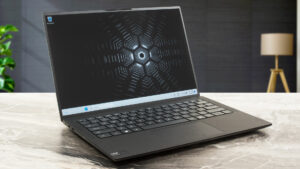
Pros
- Compact and light for the hardware under the hood
- Solid and premium build
- Comfortable keyboard and touchpad
- PWM-free (AUOF99A)
- 100% sRGB coverage + accurate color with our "Design and Gaming" profile (AUOF99A)
- Wide viewing angles and a high max brightness of 466 nits (AUOF99A)
- 1860:1 contrast ratio (AUOF99A)
- 4x Thunderbolt 4 ports
- Very long battery life (more than 14 hours of videos)
- IR Web camera
- Fingerprint reader, NFC, and Smart card reader (all are optional)
- The CPU can maintain ~3.60 GHz in short and ~2.80 GHz P-core clock in long loads
- The SSD (1TB SK Hynix PC811) is fast and well-cooled (it reaches just 51°C during benchmarking)
- Up to 64GB of LPDDR5x-7467 MHz RAM in dual-channel mode
Cons
- Soldered memory and just one M.2 slot
- 720p Web camera
- Too many optional extras
- High price
- No Type-A ports
Disassembly, maintenance and upgrade options
Opening the DeviceUndo the 8 Torx-head screws securing the bottom panel. Pop the zones close to the top two corners with a lever tool to create gaps in these sections. Use a thin plastic tool to pry the sides and the front. Pop the back with a lever tool to remove the bottom panel.More info: Here's how the bottom plate looks on the inside.Battery RemovalUnplug the battery connector from the mainboard. Undo the 5 Phillips-head screws securing the battery. Lift the battery to remove it from the device.Note: The laptop uses a 72Wh battery, provid[...]
Read more


![[June 2026] Best-Selling Laptop Brands on Amazon Global – Apple’s Unrivaled Dominance in Units and Revenue](https://laptopmedia.com/wp-content/uploads/2026/07/GLOBAL-Best-Brands-400x225.jpg)
![[June 2026] Amazon Global: Top 10 Best-Selling Laptops – Apple’s New MacBook Neo Storms to #1, Reshaping the Market with Affordability](https://laptopmedia.com/wp-content/uploads/2026/07/Best-Selling-Laptops-GLOBAL-Top-10-400x225.jpg)
![[June 2026] Amazon Global: Top 10 Best-Selling Gaming Laptops – Acer’s Nitro V 16S AI Dominates Sales, While ASUS Leads Overall Revenue](https://laptopmedia.com/wp-content/uploads/2026/07/Best-Selling-Gaming-Laptops-GLOBAL-Top-10-400x225.jpg)
![[June 2026] Global Ranking of Best-Selling Laptop GPUs on Amazon – NVIDIA RTX 5060 is the Top-Selling Dedicated GPU](https://laptopmedia.com/wp-content/uploads/2026/07/Best-Selling-GPUs-GLOBAL-Top-10-400x225.jpg)
![[June 2026] Global Ranking of Best-Selling Laptop CPUs on Amazon – Apple M5 Dominates, AMD Ryzen 7 260 Gets Solid Premium Share](https://laptopmedia.com/wp-content/uploads/2026/07/Best-Selling-CPUs-GLOBAL-Top-10-400x225.jpg)