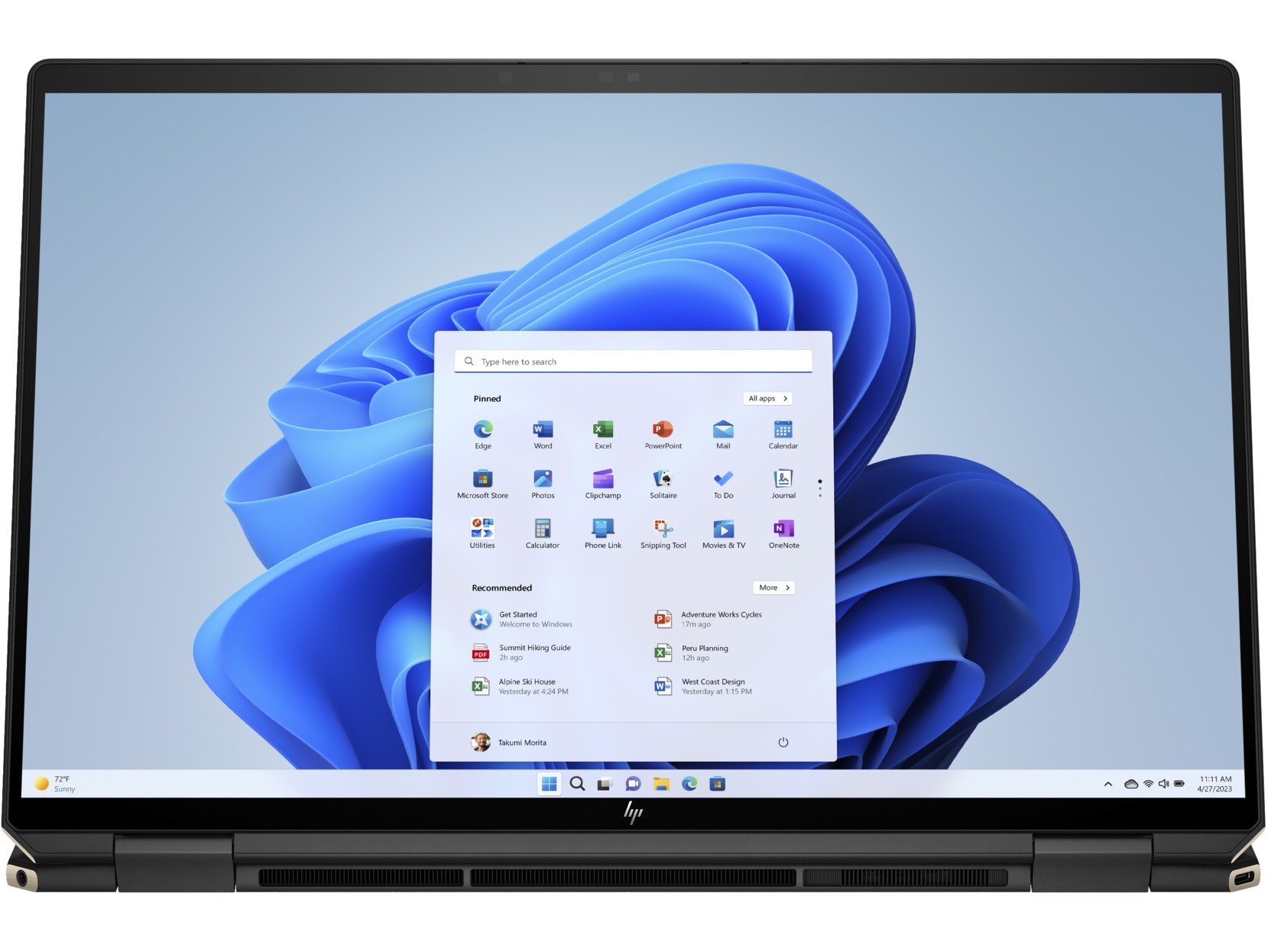
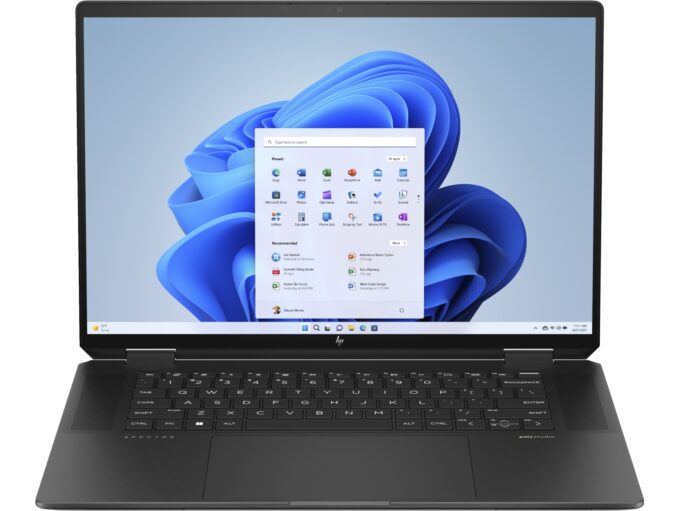
HP Spectre x360 16
_000045.jpg)




- Date Published: 12 Jun 2025
- Intel Core Ultra 7 155H
- Intel Arc (8-Cores)
- 16.0″, 2.8K (2880 x 1800), 120 Hz, OLED
- 4000GB SSD
- 32GB RAM
- 2.08 kg (4.6 lbs)
Specs
- HDD/SSD
- 4000GB SSD
- M.2 Slot
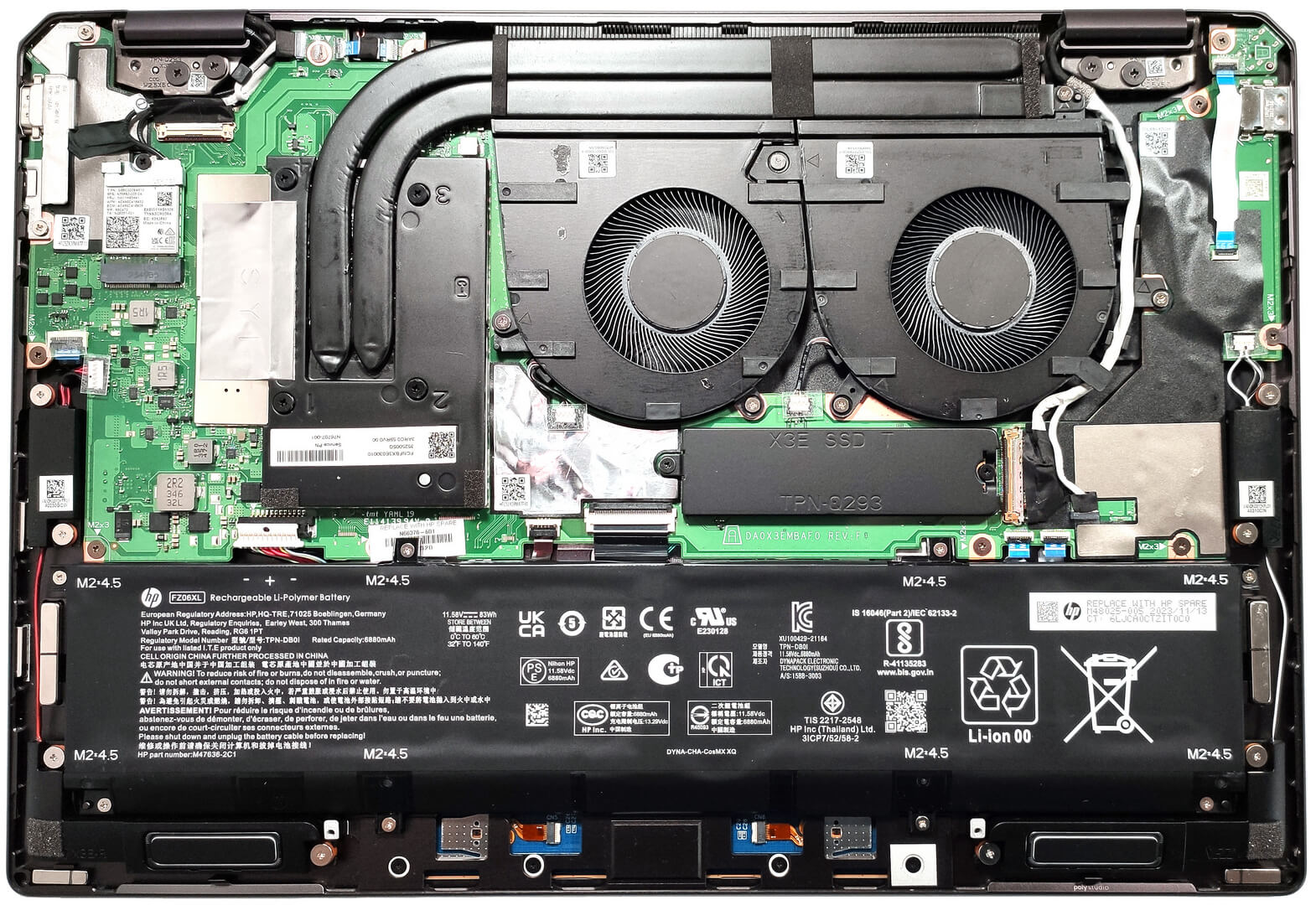
- 1x 2280 M.2 NVMe PCIe 4.0 x4 See photo
- RAM
- 32GB RAM
- OS
- Windows 11 Home
- Body Material
- Aluminum
- Dimensions
- 355.6 x 245.6 x 19.9 mm (14.00" x 9.67" x 0.78")
- Weight
- 2.08 kg (4.6 lbs)
- Ports and connectivity
- 1x USB Type-A
- 3.2 Gen 2 (10 Gbps), Sleep and Charge
- 2x USB Type-C
- 4.0, Thunderbolt 4, Power Delivery (PD), DisplayPort, Sleep and Charge
- HDMI
- 2.1
- Card Reader
- Ethernet LAN
- Wi-Fi
- 802.11ax
- Bluetooth
- 5.3
- Audio jack
- 3.5mm Combo Jack
- Features
- Fingerprint reader
- Web camera
- 9MP IR with camera shutter, temporal noise reduction
- Backlit keyboard
- Microphone
- Dual Array Digital Microphones
- Speakers
- Quad Speakers, HP Audio Boost, DTS:X Ultra, Poly Studio
- Security Lock slot
- Gifts
- Dockztorm Portable USB Hub
Portability
Review
HP Spectre x360 16 in-depth review
The HP Spectre x360 16 (16-aa0000) is a versatile 2-in-1 device with a big 16" display. The machine is suitable for designers, artists, content creators, office employees, and even gamers if you opt for the optional NVIDIA GeForce RTX 4050 (Laptop). Just a quick reminder that the integrated Intel Arc (8-Cores) is super fast and in our case, it can show around 190 FPS on average in CS:GO on Medium quality. So, gamers in the office should be happy.The high FPS scores in not-so-demanding titles pair well with the fast display. Here, you get a choice of two touch 120Hz 16:10 panel variants - the base one is a 1600p IPS unit and you can get the optional 2.8K OLED model. The Intel Core Ultra 7 155H is the only CPU for the series but that's okay considering the 16 cores and the 22 threads of [...]
Read the full review
Pros
- Very long battery life
- The device is built like a tank
- Great backlit keyboard that offers extra long key travel
- Enormous super smooth and precise touchpad
- 9MP IR Web camera with an E-shutter + a fingerprint reader
- Wide viewing angles and high max brightness (BOE BOE0BFA)
- PWM-free (BOE BOE0BFA)
- 93% sRGB coverage + accurate colors thanks to our "Design and Gaming" profile (BOE BOE0BFA)
- Snappy 1600p IPS panel with 120Hz refresh rate (BOE BOE0BFA)
- Up-to-date I/O with two Thunderbolt 4 ports
- The myHP app offers six performance presets
- High clocks even under full CPU load
- Quality quad-speaker audio setup
- 360-degree hinge
- Optional Wi-Fi 7 + Bluetooth 5.4
- The two fans are near-silent even in "Performance" mode
- Great comfort under full CPU load
- Low NVMe temperatures during benchmarking
Cons
- Soldered RAM and just one M.2 slot
- The three USB ports can be a limitation factor for some users
Disassembly, maintenance and upgrade options
Step 1: Opening the HP Spectre x360 16 (16-aa0000)Ensure the HP Spectre x360 16 is powered off and placed on a protective surface to avoid scratches. Remove the four Torx-head screws located at the bottom of the laptop. Use a lever tool around the hinge areas to gently lift the bottom panel, then use a plastic pry tool to detach the rear, sides, and front of the panel.Step 2: Battery RemovalDisconnect the 83Wh battery by detaching its connector from the motherboard. Remove the eight Philips head screws and carefully take the battery out of its compartment.M[...]
Read more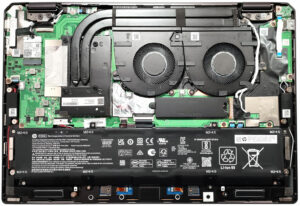


![[August 2026] Global Ranking of Best-Selling Laptop GPUs on Amazon – Apple Reigns Supreme, NVIDIA’s RTX 5060 Tops Dedicated Chart](https://laptopmedia.com/wp-content/uploads/2026/09/Best-Selling-GPUs-GLOBAL-Top-10-400x225.jpg)
![[August 2026] Global Ranking of Best-Selling Laptop CPUs on Amazon – Apple Dominates Both Budget and Premium: A18 Pro and M5 Crush Intel and AMD in August 2026](https://laptopmedia.com/wp-content/uploads/2026/09/Best-Selling-CPUs-GLOBAL-Top-10-400x225.jpg)
![[August 2026] Amazon Global: Top 10 Best-Selling Laptops – Apple MacBook Neo Dominates the Charts as Budget and Mid-Range Windows Portables Fight for Volume](https://laptopmedia.com/wp-content/uploads/2026/09/Best-Selling-Laptops-GLOBAL-Top-10-400x225.jpg)
![[August 2026] Best-Selling Laptop Brands on Amazon Global – Apple Dominates Revenue While HP Leads in Model Variety](https://laptopmedia.com/wp-content/uploads/2026/09/GLOBAL-Best-Brands-400x225.jpg)
![[August 2026] Amazon Global: Top 10 Best-Selling Gaming Laptops – HP Victus 15 Captures the Crown as Budget-Friendly Models Dominate the Charts](https://laptopmedia.com/wp-content/uploads/2026/09/Best-Selling-Gaming-Laptops-GLOBAL-Top-10-400x225.jpg)