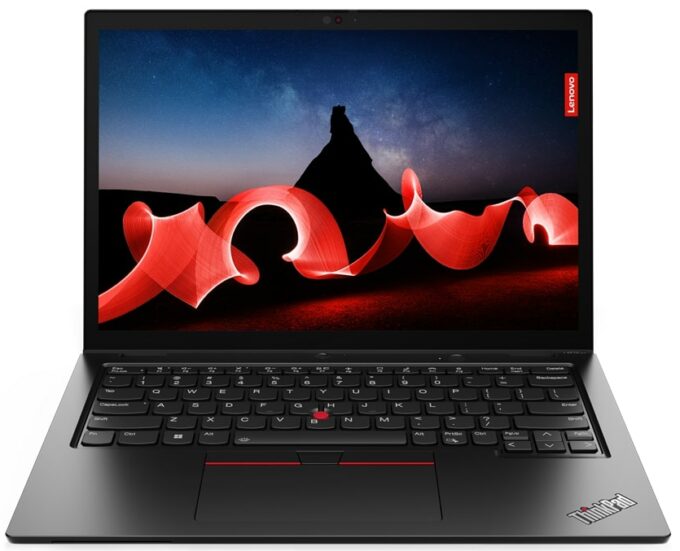
Lenovo ThinkPad L13 Yoga Gen 4


- Date Published: 30 Sep 2025
- Intel Core i7-1355U
- Intel Iris Xe Graphics G7 (96EU)
- 13.3”, WUXGA (1920 x 1200), IPS
- 1000GB SSD
- 32GB RAM
- 1.32 kg (2.9 lbs)
Specs
- Display

- HDD/SSD
- 1000GB SSD
- M.2 Slot
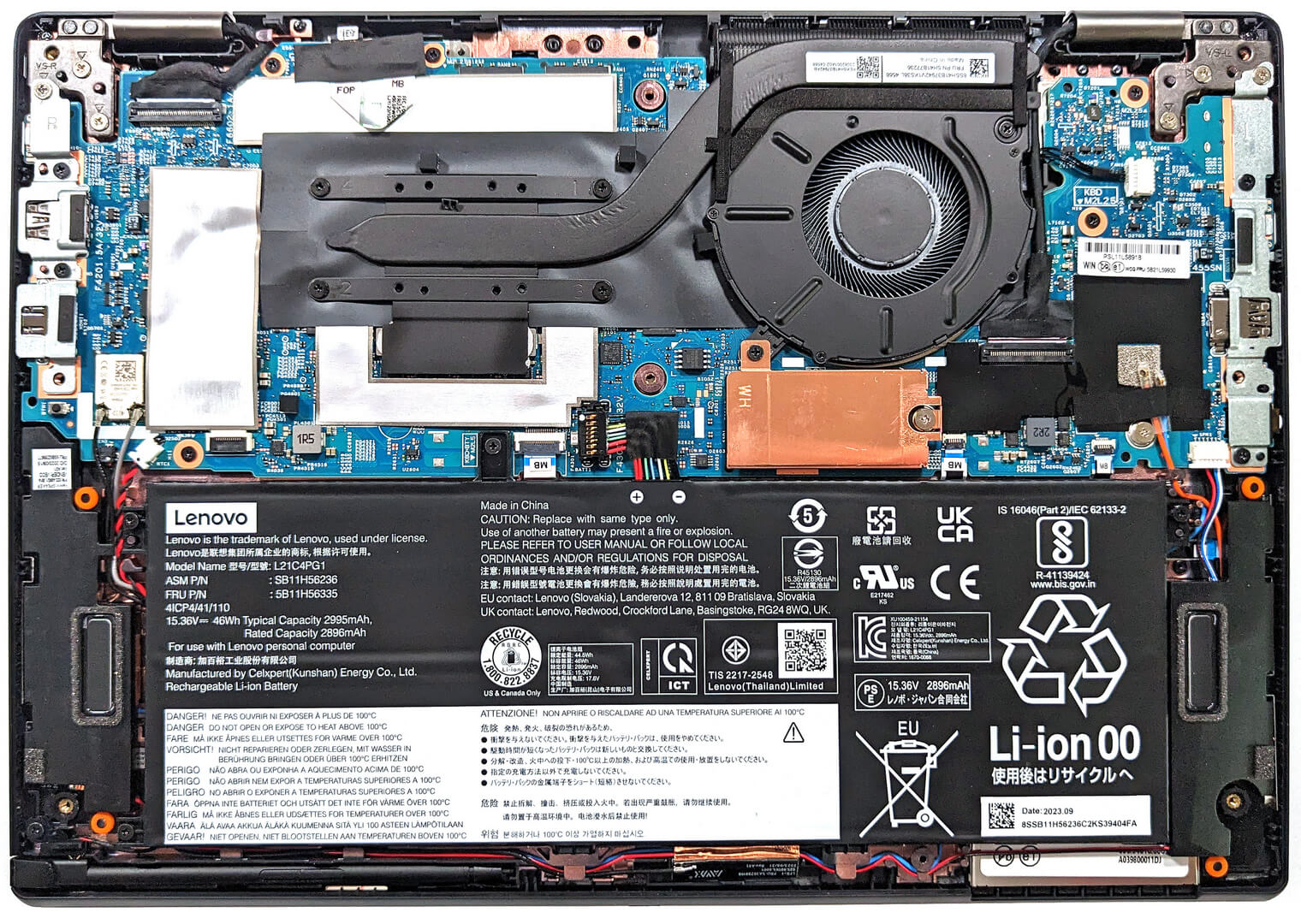
- 1x 2242 M.2 NVMe PCIe 4.0 x4 See photo
- RAM
- 32GB RAM
- OS
- Windows 11 Pro
- Body Material
- Plastic / Polycarbonate, Aluminum, Glass Fiber
- Dimensions
- 305 x 218 x 17.06 mm (12.01" x 8.58" x 0.67")
- Weight
- 1.32 kg (2.9 lbs)
- Ports and connectivity
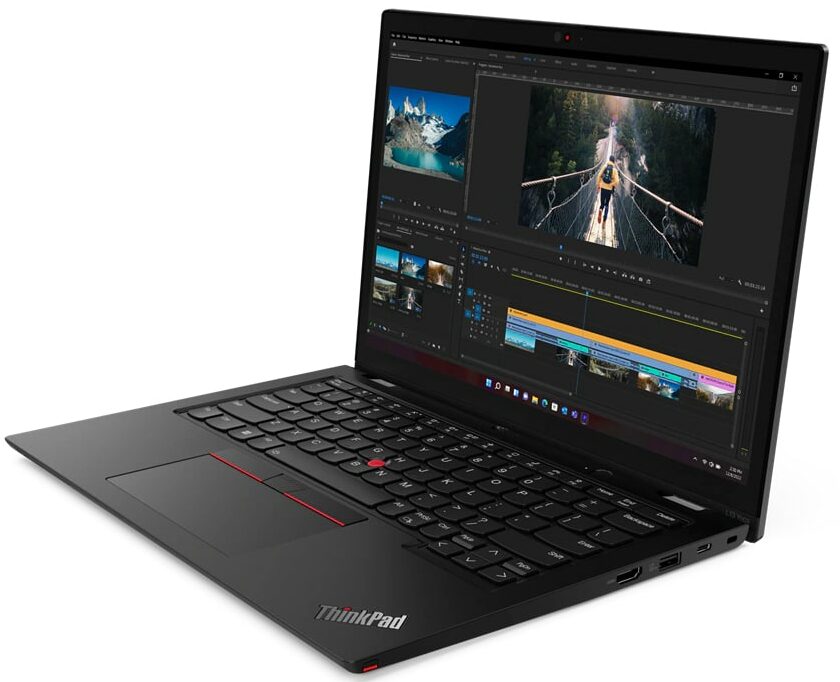
- 1x USB Type-A
- 3.2 Gen 1 (5 Gbps)
- 1x USB Type-A
- 3.2 Gen 1 (5 Gbps), Sleep and Charge
- 1x USB Type-C
- 3.2 Gen 2 (10 Gbps), Power Delivery (PD), DisplayPort
- 1x USB Type-C
- 4.0, Thunderbolt 4, Power Delivery (PD), DisplayPort
- HDMI
- 2.1 (4K@60Hz)
- Card Reader
- Ethernet LAN
- Wi-Fi
- 802.11ax
- Bluetooth
- 5.1
- Audio jack
- 3.5mm Combo Jack
- Features
- Fingerprint reader
- Web camera
- HD / FHD with Privacy Shutter, Fixed Focus
- Backlit keyboard
- Microphone
- Dual Microphone Array, far-field, Dolby Voice
- Speakers
- 2x 2W Stereo Speakers, Dolby Audio
- Security Lock slot
- Kensington Nano Lock
Portability
Review
Lenovo ThinkPad L13 Yoga Gen 4 in-depth review
Not so long ago, a convertible laptop was a rare find. These days, you can see such devices in many different price categories and form factors. The Lenovo ThinkPad L13 Yoga Gen 4 (Intel) is a not-so-expensive 2-in-1 office machine with a touchscreen and powerful enough hardware for business needs.Speaking of which, you can choose between five 15W Intel Raptor Lake U-series CPUs. These chips seem like the right choice for a thin and light 13-incher. There are no dGPU options but the iGPUs are paired with a LPDDR5 memory in dual-channel mode and the overall performance is at least decent. Yep, gamers in the office should be happy - our laptop can show around 86FPS in CS:GO on Max details which is a respectable result.Aside from that, you can transform this machine into a well-secure[...]
Read the full review
Pros
- Has an optional stylus in the box
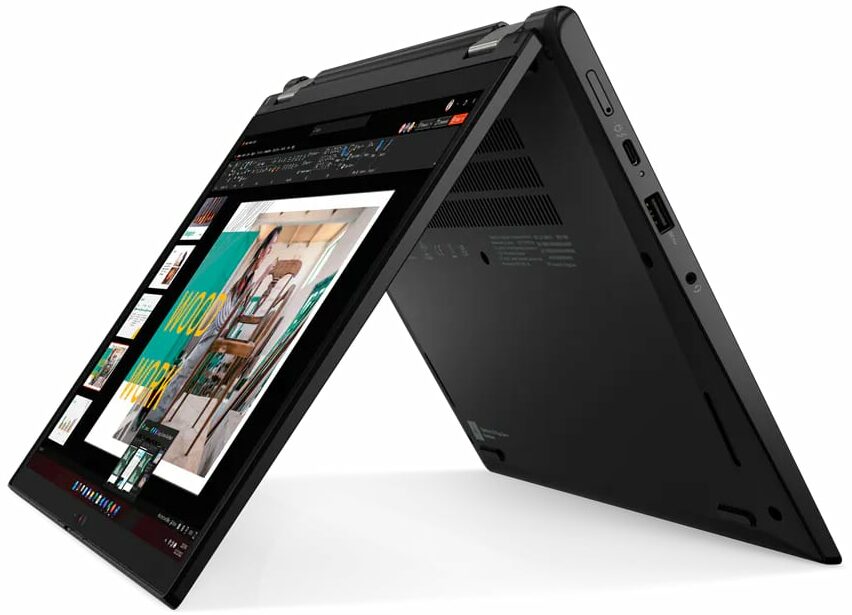
- Compact and light 2-in-1 device that supports tablet, tent, and stand modes
- Web camera with a privacy shutter
- Optional IR face recognition + fingerprint reader, FHD camera, Nano-SIM card slot, Smart card reader, and 4G support
- PWM-free (BOE NV133WUM-N61 (LEN41A0))
- Good I/O with Thunderbolt 4 / USB4
- 98% sRGB coverage + greatly improved color accuracy with our "Design and Gaming" profile (BOE NV133WUM-N61 (LEN41A0))
- Up to 32GB of LPDDR5 memory in dual-channel mode
- Great comfort under full CPU load
- Comfortable input devices
Cons
- Soldered RAM
- The CPU clocks during 100% processor load are unimpressive
- Just one M.2 slot
- Not the best chassis rigidity
Disassembly, maintenance and upgrade options
Step 1: Accessing the Internal ComponentsEnsure the Lenovo ThinkPad L13 Yoga Gen 4 (Intel) is powered off and placed on a soft, clean surface to prevent scratches or damage. Remove the 8 captive Phillips-head screws from the laptop's bottom. These screws will stay attached to the bottom panel, minimizing the risk of loss. Use a thin plastic tool to pry the bottom panel off, starting from the back of the notebook. It's not necessary to remove the pen from its housing for this process. Avoid prying from the front; simply tilt the panel until you hear a slight click, indicating [...]
Read more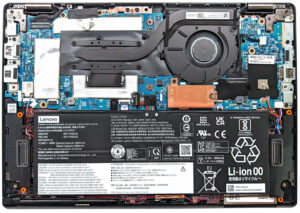


![[June 2026] Best-Selling Laptop Brands on Amazon Global – Apple’s Unrivaled Dominance in Units and Revenue](https://laptopmedia.com/wp-content/uploads/2026/07/GLOBAL-Best-Brands-400x225.jpg)
![[June 2026] Amazon Global: Top 10 Best-Selling Laptops – Apple’s New MacBook Neo Storms to #1, Reshaping the Market with Affordability](https://laptopmedia.com/wp-content/uploads/2026/07/Best-Selling-Laptops-GLOBAL-Top-10-400x225.jpg)
![[June 2026] Amazon Global: Top 10 Best-Selling Gaming Laptops – Acer’s Nitro V 16S AI Dominates Sales, While ASUS Leads Overall Revenue](https://laptopmedia.com/wp-content/uploads/2026/07/Best-Selling-Gaming-Laptops-GLOBAL-Top-10-400x225.jpg)
![[June 2026] Global Ranking of Best-Selling Laptop GPUs on Amazon – NVIDIA RTX 5060 is the Top-Selling Dedicated GPU](https://laptopmedia.com/wp-content/uploads/2026/07/Best-Selling-GPUs-GLOBAL-Top-10-400x225.jpg)
![[June 2026] Global Ranking of Best-Selling Laptop CPUs on Amazon – Apple M5 Dominates, AMD Ryzen 7 260 Gets Solid Premium Share](https://laptopmedia.com/wp-content/uploads/2026/07/Best-Selling-CPUs-GLOBAL-Top-10-400x225.jpg)