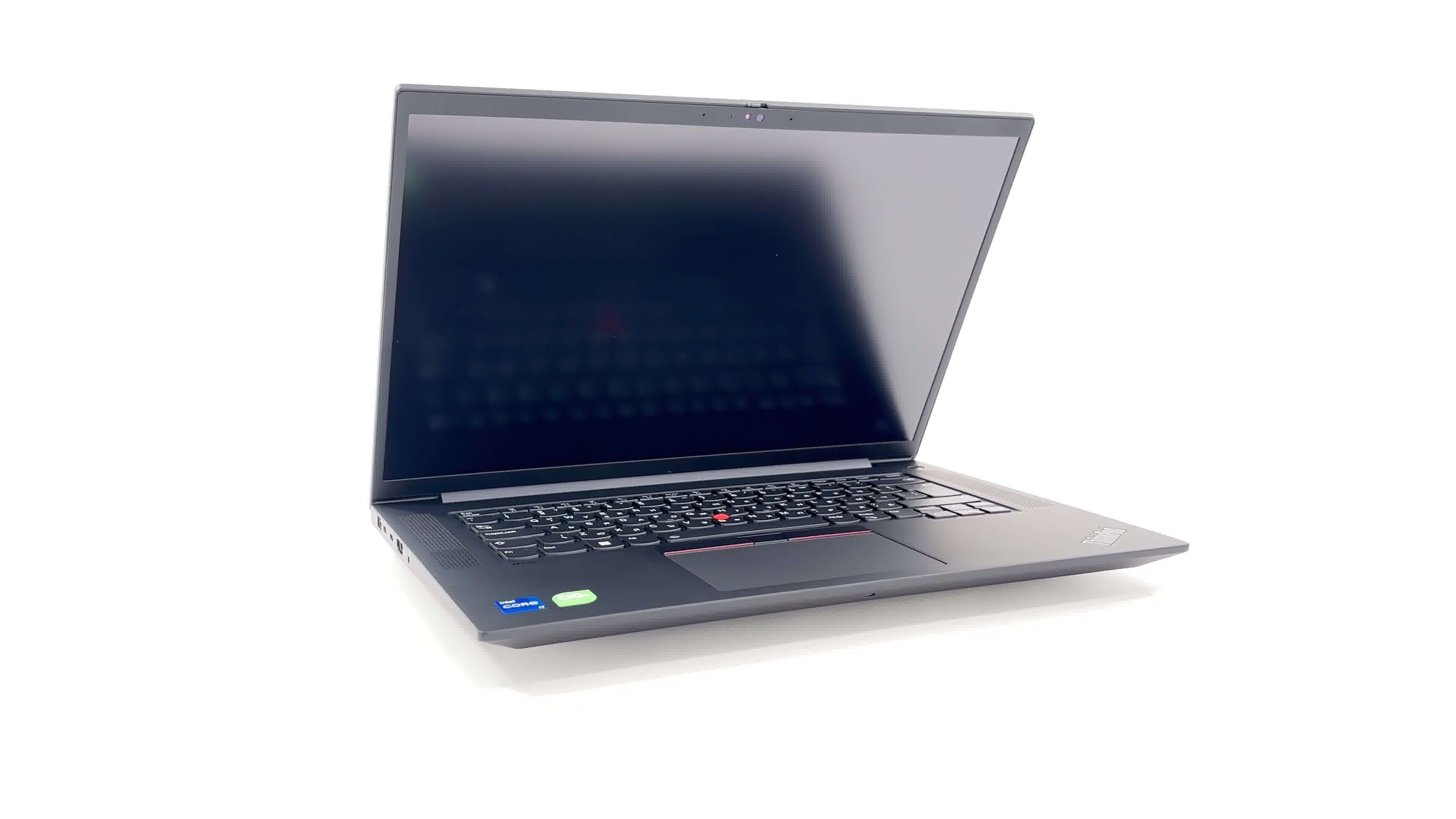
Lenovo ThinkPad P1 Gen 6



- Date Published: 20 Jul 2024
- Intel Core i9-13900H
- NVIDIA GeForce RTX 4090 (Laptop, 80W)
- 16.0", WQXGA (2560 x 1600), 165 Hz, IPS
- 2000GB SSD
- 64GB RAM
- 1.78 kg (3.9 lbs)

Specs
- HDD/SSD
- 2000GB SSD
- M.2 Slot
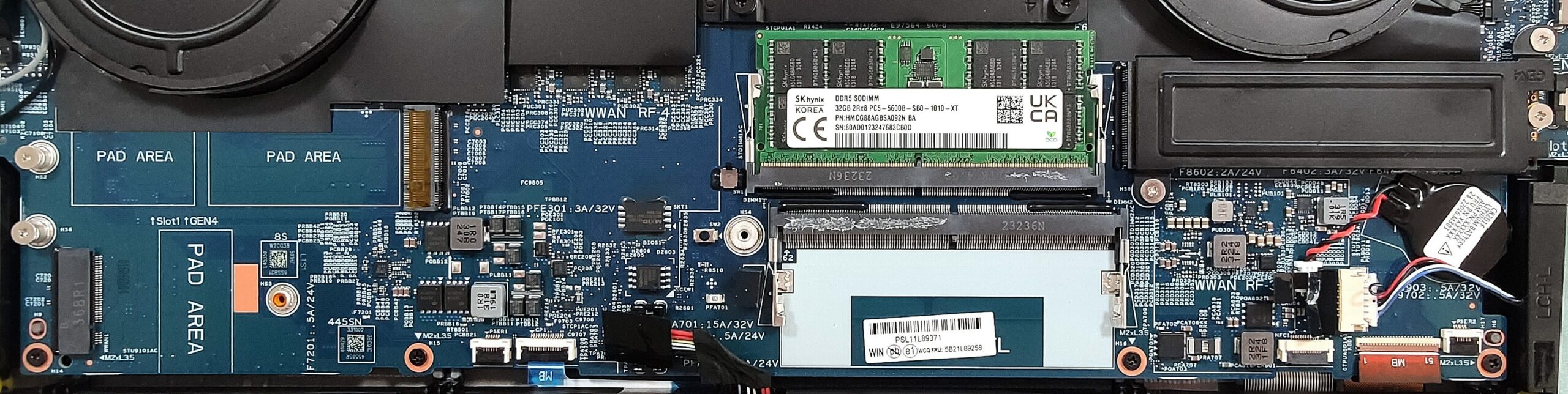
- 2x 2280 M.2 NVMe PCIe 4.0 x4 See photo
- RAM
- 64GB RAM
- OS
- Windows 10 Pro
- Body Material
- Aluminum, Carbon, Glass Fiber
- Dimensions
- 359.5 x 253.8 x 17.3 - 17.5 mm (14.15" x 9.99" x 0.68")
- Weight
- 1.78 kg (3.9 lbs)
- Ports and connectivity
- 1x USB Type-A
- 3.2 Gen 2 (10 Gbps)
- 1x USB Type-A
- 3.2 Gen 2 (10 Gbps), Sleep and Charge
- 2x USB Type-C
- 4.0, Thunderbolt 4, Power Delivery (PD), DisplayPort
- HDMI
- 2.1 (8K@60Hz)
- Card Reader
- SD (SD, SDHC, SDXC)
- Ethernet LAN
- Wi-Fi
- 802.11ax
- Bluetooth
- 5.3
- Audio jack
- 3.5mm Combo Jack
- Features
- Fingerprint reader
- Web camera
- FHD IR with privacy shutter and Ultrasonic Human Presence Detection, fixed focus
- Backlit keyboard
- Microphone
- Dual Microphone Array, far-field, Dolby Voice
- Speakers
- 2x 2W Stereo Speakers, Dolby Atmos
- Security Lock slot
- Kensington Nano Lock
Portability
Review
Lenovo ThinkPad P1 Gen 6 in-depth review
The Lenovo ThinkPad P1 Gen 6 is a mobile workstation that should attract many business users because of its high-end hardware. You can choose between three Intel Raptror Lake-H CPU options and eight GPU variants including the professional NVIDIA RTX 5000 Ada Generation and the GeForce RTX 4090 (Laptop). The device can be configured with tons of RAM and the machines with the two least powerful GPUs have two M.2 slots.In addition, the display options include three 16:10 panels. Two of them are IPS units with 1200p and 1600p resolution respectively. The top-end model is a factory-color calibrated 3840x2400p touchscreen OLED display. With this one, the end price is sky-high, that's why we settled for the base model.Since it's a business-centric notebook, the security extras are a must.[...]
Read the full review
Pros
- 2x SODIMMs + 2x Gen 4 slots with RAID support
- Feels snappy during usage
- Good comfort under load
- No PWM (CSOT MNG007JA1-3 (LEN41B5))
- 90% of sRGB coverage and accurate colors with our "Design and Gaming" profile (CSOT MNG007JA1-3 (LEN41B5))
- Wide viewing angles and high contrast ratio (CSOT MNG007JA1-3 (LEN41B5))
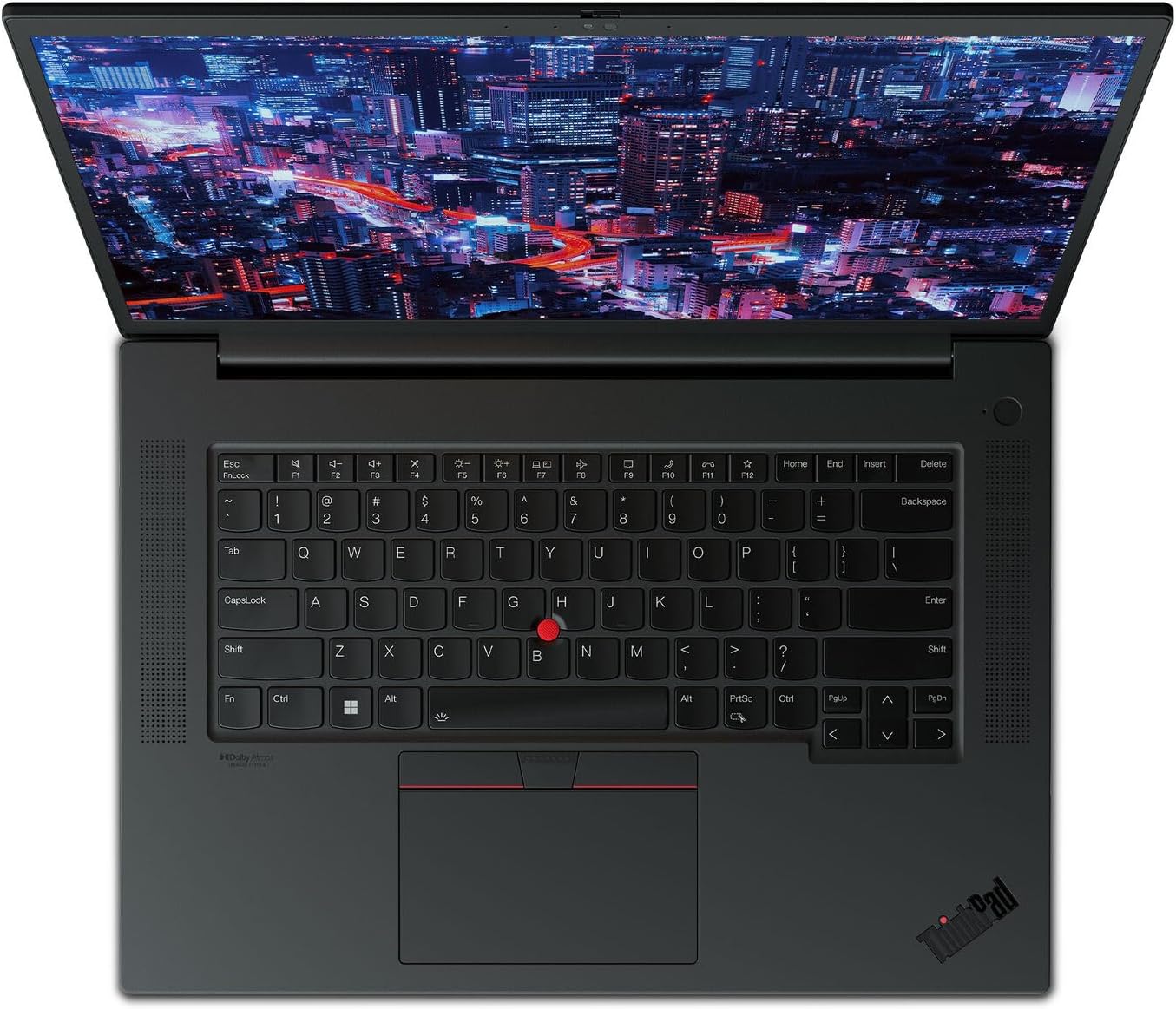
- Comfortable backlit spill-resistant keyboard
- Smooth and fast touchpad
- Good battery life
- 2x Thunderbolt 4 +SD card reader and optional LTE connectivity
- Web camera with privacy shutter and IR face recognition, fingerprint reader, and tamper detection
- Good CPU clock under load
- The GPU can maintain its maximum possible TGP during long stress
- Premium build quality
- MIL-STD-810H certification
Cons
- Pricey
- High CPU temperatures
- No NumPad
- Just 1x M.2 slot if you opt for a more powerful GPU
Disassembly, maintenance and upgrade options
Step 1: Accessing the Internal ComponentsPower off the Lenovo ThinkPad P1 Gen 6 and place it on a soft, clean surface to avoid damage. Undo the 7 captive Phillips-head screws on the back of the laptop. These screws remain attached to the bottom panel, reducing the risk of loss. Use a pry tool to gently lift the bottom panel, starting from the top corners or the zone behind the hinge, to expose the internal components.Hint: Proceed with care to avoid damaging the clips or the laptop casing.Step 2: Removing the BatteryDisconnect the battery by pulling out its co[...]
Read more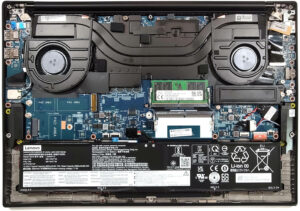


![[August 2026] Global Ranking of Best-Selling Laptop GPUs on Amazon – Apple Reigns Supreme, NVIDIA’s RTX 5060 Tops Dedicated Chart](https://laptopmedia.com/wp-content/uploads/2026/09/Best-Selling-GPUs-GLOBAL-Top-10-400x225.jpg)
![[August 2026] Global Ranking of Best-Selling Laptop CPUs on Amazon – Apple Dominates Both Budget and Premium: A18 Pro and M5 Crush Intel and AMD in August 2026](https://laptopmedia.com/wp-content/uploads/2026/09/Best-Selling-CPUs-GLOBAL-Top-10-400x225.jpg)
![[August 2026] Amazon Global: Top 10 Best-Selling Laptops – Apple MacBook Neo Dominates the Charts as Budget and Mid-Range Windows Portables Fight for Volume](https://laptopmedia.com/wp-content/uploads/2026/09/Best-Selling-Laptops-GLOBAL-Top-10-400x225.jpg)
![[August 2026] Best-Selling Laptop Brands on Amazon Global – Apple Dominates Revenue While HP Leads in Model Variety](https://laptopmedia.com/wp-content/uploads/2026/09/GLOBAL-Best-Brands-400x225.jpg)
![[August 2026] Amazon Global: Top 10 Best-Selling Gaming Laptops – HP Victus 15 Captures the Crown as Budget-Friendly Models Dominate the Charts](https://laptopmedia.com/wp-content/uploads/2026/09/Best-Selling-Gaming-Laptops-GLOBAL-Top-10-400x225.jpg)