Lenovo ThinkPad X1 Carbon Gen 11
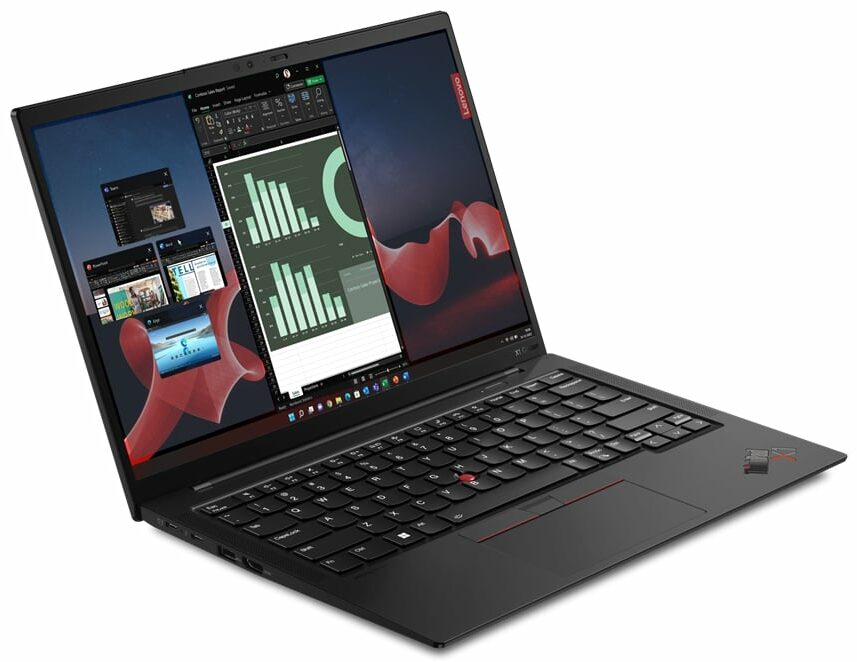


- Date Published: 28 Jul 2023
- Intel Core i7-1365U
- Intel Iris Xe Graphics G7 (96EU)
- 14.0”, WUXGA (1920 x 1200), IPS
- 2000GB SSD
- 32GB LPDDR5x
- 1.12 kg (2.5 lbs)
Review
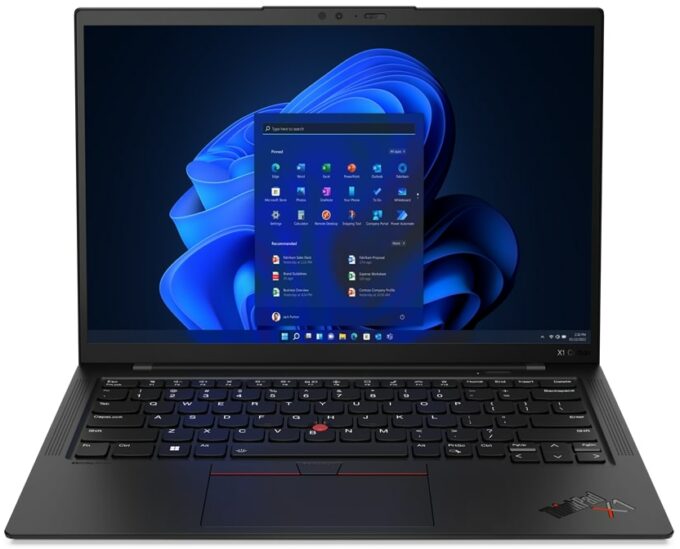
Lenovo ThinkPad X1 Carbon Gen 11 in-depth review
Lenovo offers so many business and office devices that sometimes the regular user can be confused about when choosing a new laptop. Still, there is nothing wrong with a wide variety of machines in different categories and price classes. Today we will show a notebook that wealthy users should like - the Lenovo ThinkPad X1 Carbon Gen 11.The main focus here is the weight which is a bit over a kilo. In addition to that, considering how light this device is, there aren't any visible cut-downs in terms of features. There are seven CPU variants and some of them are 28W Raptor Lake chips but we decided to buy a laptop with a 15W U-series CPU since it costs less and it's more battery-friendly.As expected, the security is on point. We can spot a Web camera with a privacy shutter, dTPM 2.0 m[...]
Read the full review
Pros
- Good comfort under load
- 98% sRGB coverage and accurate color representation with our profile (CSOT MNE007JA1-1 (LEN403A))
- Wide viewing angles, high contrast ratio, and 16:10 aspect ratio (CSOT MNE007JA1-1 (LEN403A))
- PWM-free (CSOT MNE007JA1-1 (LEN403A))
- Two Thunderbolt 4 connectors (both can be used for charging)
- Wi-Fi 6E support plus optional IR face recognition, fingerprint reader, and 5G support (option)
- Up to 64GB of LPDDR5x-6000MHz
- The two fans aren't spinning until the CPU reaches 50°C
- Inlet keycaps
- Comfortable input devices
- Ultra-low weight combined with a thin profile
- Premium build quality
- Good P and E core clocks under load given the dimensions
Cons
- High CPU temperature in short and medium-long stress
- Memory is soldered to the motherboard
- High price
Disassembly, maintenance and upgrade options
Opening the LaptopUndo the 5 captive Phillips-head screws securing the bottom panel of the laptop. Use a plastic pry tool to gently separate the bottom panel from the chassis, starting from one of the top corners near the hinge.Caution: Be gentle to avoid damaging the internal components or the clips that hold the bottom panel in place.Removing the BatteryWear gloves to prevent short circuits when handling the battery connector, which is built into the unit. Disconnect the battery connector from the mainboard. Undo the 6 Phillips-head screws that secure the[...]
Read more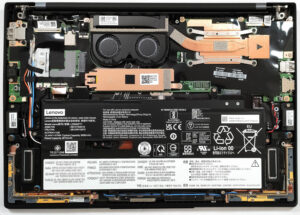
DISPLAY: 14-inch, 1920 x 1200, IPS
- Name
- CSOT MNE007JA1-1
- Diagonal
- 14"
- Pixel density
- 161.73 ppi
- Brightness
- 395 cd/m2
- sRGB
- 97%
- Panel Type
- IPS
- Resolution
- 1920 x 1200
- Becomes "Retina" from
- 21 inches (54 cm)
- Contrast
- 1700:1
- dE Color Checker
- 2.0 1.0

Buy our profiles for CSOT MNE007JA1-1
In addition to receiving efficient and health-friendly profiles, by buying LaptopMedia's products you also support the development of our labs, where we test devices in order to produce the most objective reviews possible.

Office Work
Office Work should be used mostly by users who spend most of the time looking at pieces of text, tables or just surfing. This profile aims to deliver better distinctness and clarity by keeping a flat gamma curve (2.20), native color temperature and perceptually accurate colors.

Design and Gaming
This profile is aimed at designers who work with colors professionally, and for games and movies as well. Design and Gaming takes display panels to their limits, making them as accurate as possible in the sRGB IEC61966-2-1 standard for Web and HDTV, at white point D65.

Health-Guard
Health-Guard eliminates the harmful Pulse-Width Modulation (PWM) and reduces the negative Blue Light which affects our eyes and body. Since it’s custom tailored for every panel, it manages to keep the colors perceptually accurate. Health-Guard simulates paper so the pressure on the eyes is greatly reduced.



![[August 2026] Amazon Global: Top 10 Best-Selling Laptops – Apple MacBook Neo Dominates the Charts as Budget and Mid-Range Windows Portables Fight for Volume](https://laptopmedia.com/wp-content/uploads/2026/09/Best-Selling-Laptops-GLOBAL-Top-10-400x225.jpg)
![[August 2026] Best-Selling Laptop Brands on Amazon Global – Apple Dominates Revenue While HP Leads in Model Variety](https://laptopmedia.com/wp-content/uploads/2026/09/GLOBAL-Best-Brands-400x225.jpg)
![[August 2026] Amazon Global: Top 10 Best-Selling Gaming Laptops – HP Victus 15 Captures the Crown as Budget-Friendly Models Dominate the Charts](https://laptopmedia.com/wp-content/uploads/2026/09/Best-Selling-Gaming-Laptops-GLOBAL-Top-10-400x225.jpg)
![[August 2026] Best-Selling Laptop Brands on Amazon Japan – Apple Dominates Market Share and Revenue Led by Strong Unit Sales](https://laptopmedia.com/wp-content/uploads/2026/09/CO.JP-Best-Brands-1-400x225.jpg)
![[August 2026] Best-Selling Laptop Brands on Amazon USA – Apple Dominates Market Revenue and Volume Despite Lower Model Diversity](https://laptopmedia.com/wp-content/uploads/2026/09/COM-Best-Brands-1-400x225.jpg)
