MSI Prestige 16 AI Studio




- Date Published: 05 Jan 2024
- Intel Core Ultra 9 185H
- NVIDIA GeForce RTX 4050 (Laptop, 55W)
- 16.0", WQXGA (2560 x 1600), IPS
- 2000GB SSD
- 32GB LPDDR5
- 1.60 kg (3.5 lbs)

Specs
- Display
- HDD/SSD
- 2TB SSD
- M.2 Slot
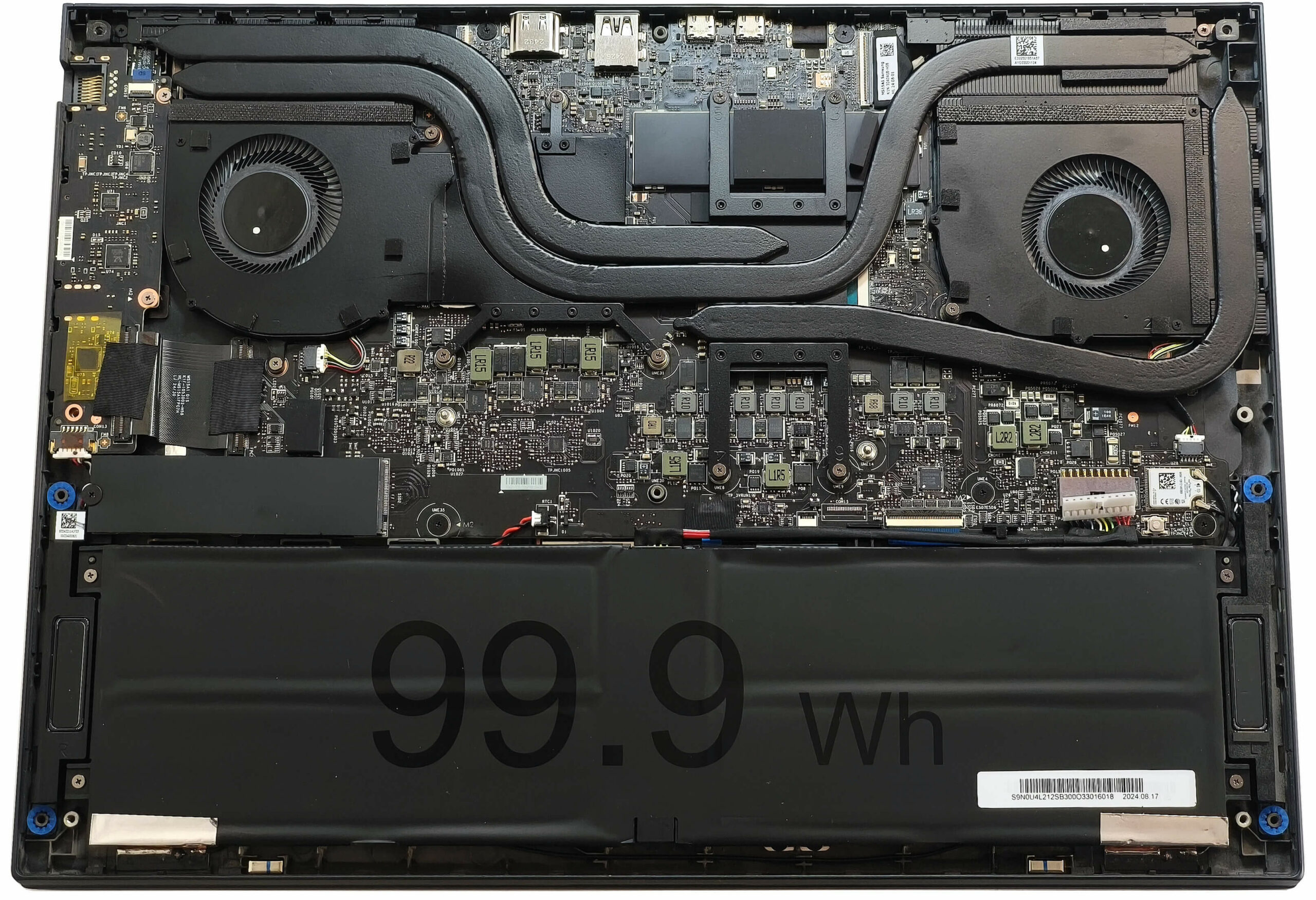
- 1x 2280 M.2 NVMe PCIe 4.0 x4 See photo
- RAM
- 32GB LPDDR5
- OS
- Windows 11 Home
- Body Material
- Aluminum, Magnesium alloy
- Dimensions
- 358.4 x 254.4 x 16.85 - 18.95 mm (14.11" x 10.02" x 0.66")
- Weight
- 1.60 kg (3.5 lbs)
- Ports and connectivity
- 2x USB Type-A
- 3.2 Gen 2 (10 Gbps)
- 1x USB Type-C
- 3.2 Gen 2 (10 Gbps), Power Delivery (PD), DisplayPort
- 1x USB Type-C
- Thunderbolt 4, Power Delivery (PD), DisplayPort
- HDMI
- 2.1 (8K@60Hz / 4K@120Hz)
- Card Reader
- SD (SD, SDHC, SDXC)
- Ethernet LAN
- 10, 100, 1000 Mbit/s
- Wi-Fi
- 802.11be
- Bluetooth
- 5.4
- Audio jack
- 3.5mm Combo Jack
- Features
- Fingerprint reader
- Web camera
- FHD IR with privacy shutter and Ultrasonic Human Presence Detection, fixed focus
- Backlit keyboard
- Microphone
- 3x Spatial Array Microphone with AI Noise Cancellation Pro
- Speakers
- 2x 2W Stereo Speakers, DTS Audio Processing
- Optical drive
- Security Lock slot
- Kensington Lock
Portability
Review
MSI Prestige 16 AI Studio in-depth review
Thin business devices aren't exactly a rare find these days. MSI Prestige 16 AI Studio B1V could be a dream come true for professionals who travel a lot and need a compact big-screen machine with punchy hardware. Inside, you'll find Intel Meteor Lake-H CPU options, and yes, they include an NPU for all your AI productivity needs. The notebook is offered with NVIDIA Ada Lovelace dGPUs but since the profile is thin, the TGPs are limited to just 55W. The compact design has a couple of trade-offs, including soldered memory and a non-upgradable Wi-Fi 7 card.You get a choice of two high-res displays. The base one is a 1600p IPS model and you can opt for the optional 3840x2400 OLED (just like we did). We can hint that the latter is pretty good which is somehow expected.The security also lo[...]
Read the full review
Pros
- Good overall performance for a light 16-incher
- Up to 32GB LPDDR5
- Infinite contrast ratio + wide viewing angles (SDC4191)
- 100% DCI-P3 coverage + accurate color with our "Design and Office" profile (SDC4191)
- ~ 400 nits of max brightness in SDR and 619 nits in HDR mode (SDC4191)
- 3840x2400 resolution (SDC4191)
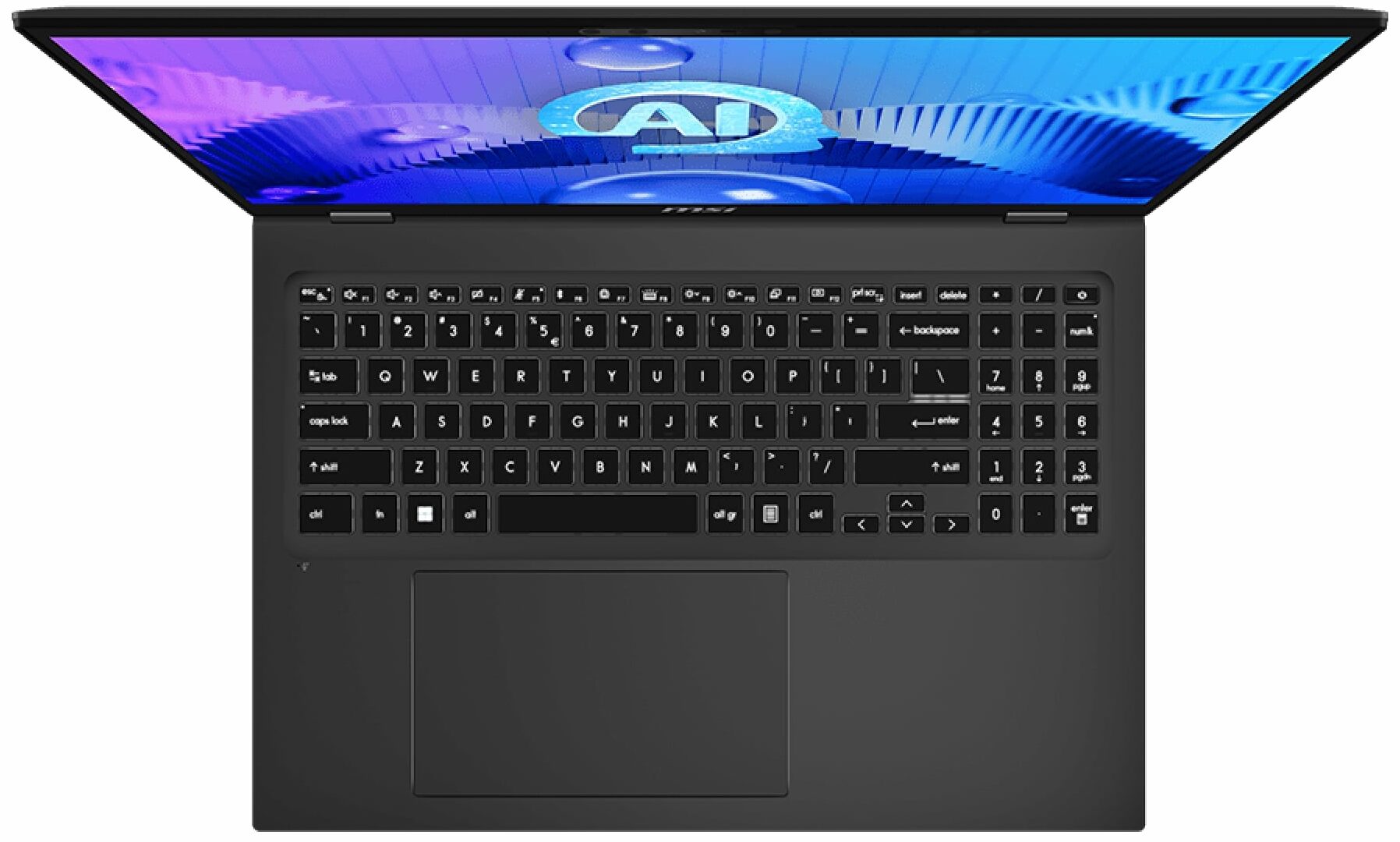
- Comfortable backlit keyboard
- Huge touchpad that is also smooth and accurate
- Solid magnesium-aluminum chassis
- The Core Ultra 9 185H maintains a 3.50 GHz / 2.82 P and E core clock in medium loads
- The MSI Center offers plenty of customizations
- 1x 10 Gbps Type-C + Thunderbolt 4+ 1x 10 Gbps Type-A port
- SD Card Reader
- Pretty big thermal system given the low weight of the laptop
- 1080p IR Web camera with privacy shutter
- Fingerprint reader, dTPM 2.0 chip, Lock Slot + Tobii Aware tech
- The fans aren't intrusive in "Extreme Performance" mode
- Snappy SSD (1TB Samsung PM9C1)
- Pretty compact 140W Type-C adapter
- 99.9Wh battery that lasts for around 10 hours of videos on a single charge
- Intel Evo-certified laptop
- Wi-Fi 7 + Bluetooth v5.4
- Light (1.60 kg)
Cons
- Expensive
- Just three USB ports
- Limited upgradability
Disassembly, maintenance and upgrade options
Opening the MSI Prestige 16 AI Studio B1V Hint: Make sure the device is powered off and unplugged before starting.Undo the eight Phillips-head screws securing the bottom panel to the chassis. Insert a thin plastic tool around the USB Type-A port on the rear and begin prying the back side of the panel. Carefully work your way along the sides and front, releasing all internal clips step by step.More info: The bottom panel provides access to the battery, SSD, and cooling components, while memory and Wi-Fi remain soldered.Battery Removal Caution: Use plastic t[...]
Read more


![[June 2026] Best-Selling Laptop Brands on Amazon Global – Apple’s Unrivaled Dominance in Units and Revenue](https://laptopmedia.com/wp-content/uploads/2026/07/GLOBAL-Best-Brands-400x225.jpg)
![[June 2026] Amazon Global: Top 10 Best-Selling Laptops – Apple’s New MacBook Neo Storms to #1, Reshaping the Market with Affordability](https://laptopmedia.com/wp-content/uploads/2026/07/Best-Selling-Laptops-GLOBAL-Top-10-400x225.jpg)
![[June 2026] Amazon Global: Top 10 Best-Selling Gaming Laptops – Acer’s Nitro V 16S AI Dominates Sales, While ASUS Leads Overall Revenue](https://laptopmedia.com/wp-content/uploads/2026/07/Best-Selling-Gaming-Laptops-GLOBAL-Top-10-400x225.jpg)
![[June 2026] Global Ranking of Best-Selling Laptop GPUs on Amazon – NVIDIA RTX 5060 is the Top-Selling Dedicated GPU](https://laptopmedia.com/wp-content/uploads/2026/07/Best-Selling-GPUs-GLOBAL-Top-10-400x225.jpg)
![[June 2026] Global Ranking of Best-Selling Laptop CPUs on Amazon – Apple M5 Dominates, AMD Ryzen 7 260 Gets Solid Premium Share](https://laptopmedia.com/wp-content/uploads/2026/07/Best-Selling-CPUs-GLOBAL-Top-10-400x225.jpg)