Inside ASUS ROG GL552 – disassembly, internal photos and upgrade options
Another interesting notebook from ASUS is on the horizon and this time its an ultra-budget ROG sibling. We are currently working on the full review of the model and we are eager to share some “inside” info on the GL552. Firstly, it’s relatively easy to disassemble and secondly, the most necessary parts for upgrade are hiding under the main service cover. Proceed below to see the full disassembly of the machine and upgrade options.
1. Removing the service cover
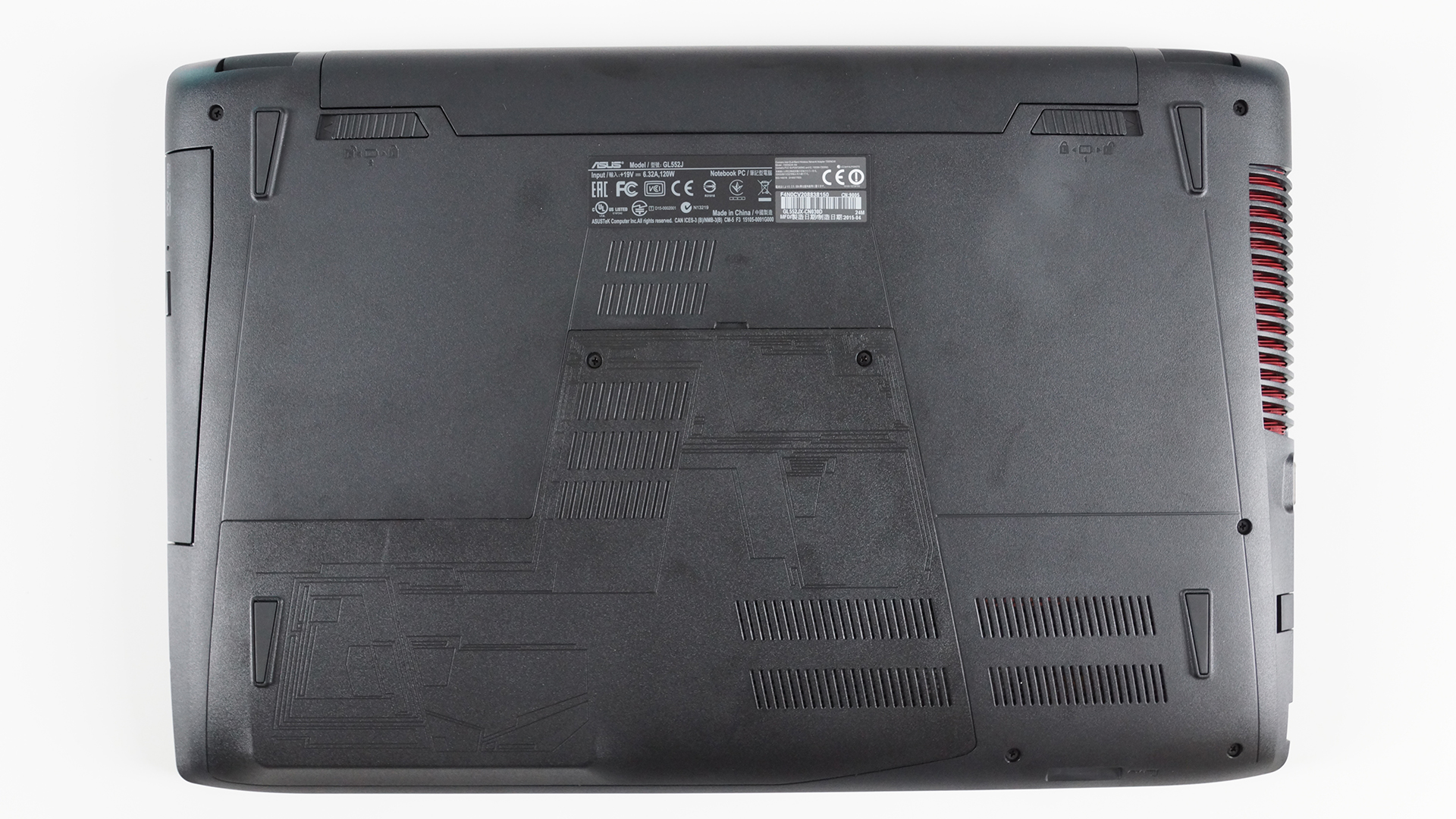
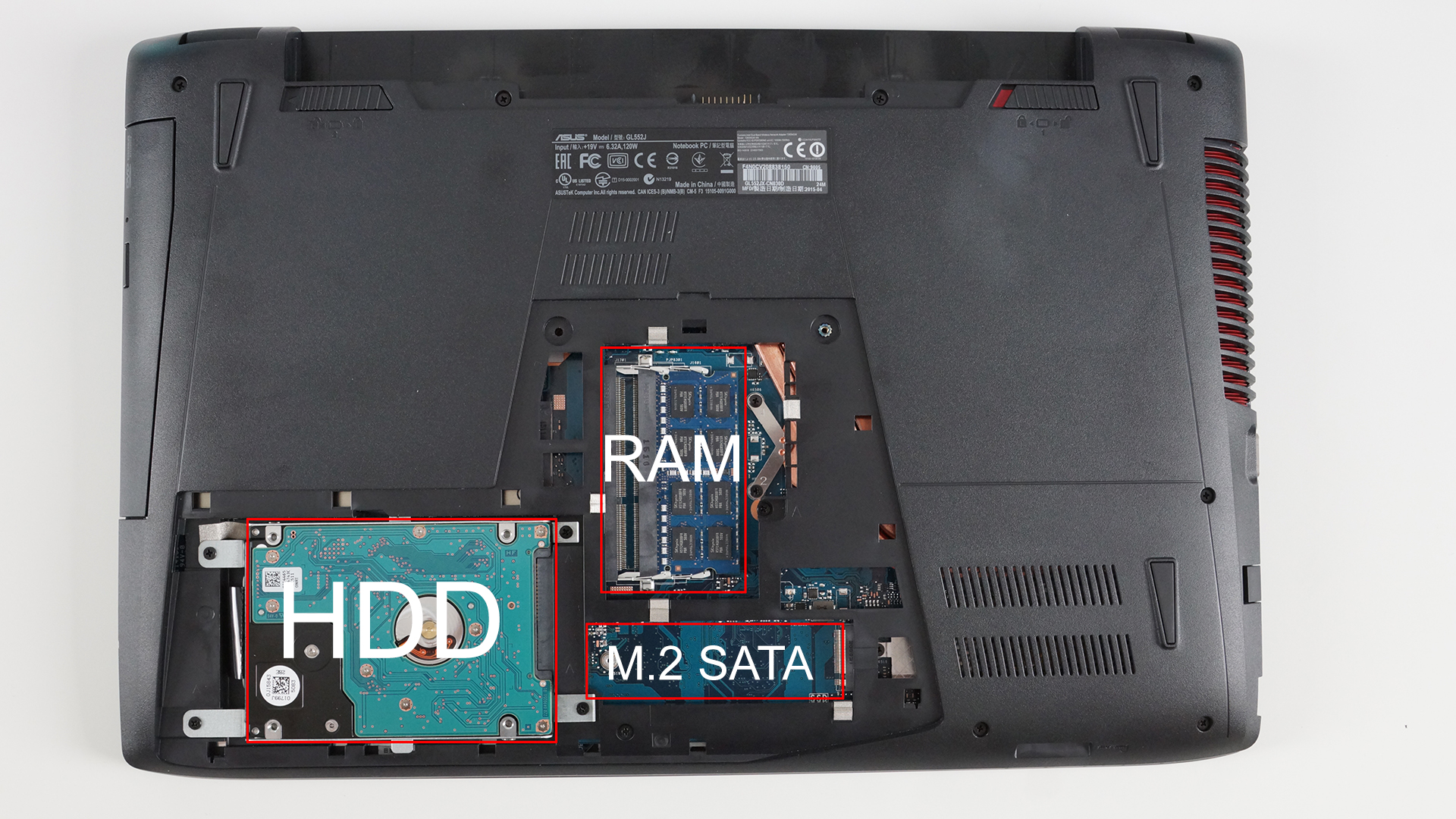
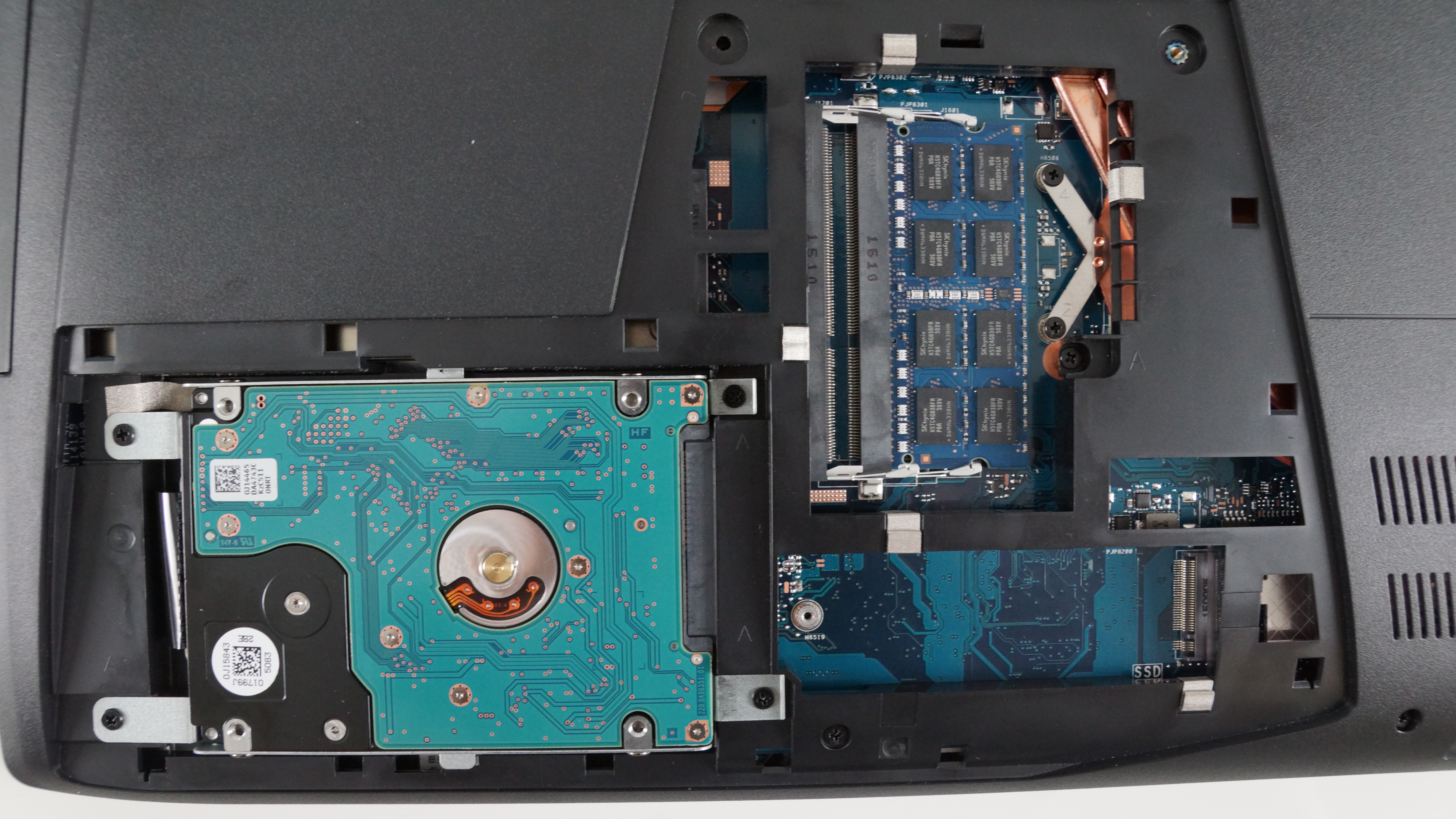
The service cover is held by two screws and once you remove them, be careful with opening it, since it’s a bit tricky. The right photos show what you’ll find under the cover – HDD/SSD, RAM chips, and an empty M.2 SATA SSD slot, measuring at 80mm with M key edge connector.
2. Removing the keyboard
First, you’ll have to take care of the extra screws at the bottom of the machine and once you’ve removed all of them, you can proceed by popping out the keyboard.

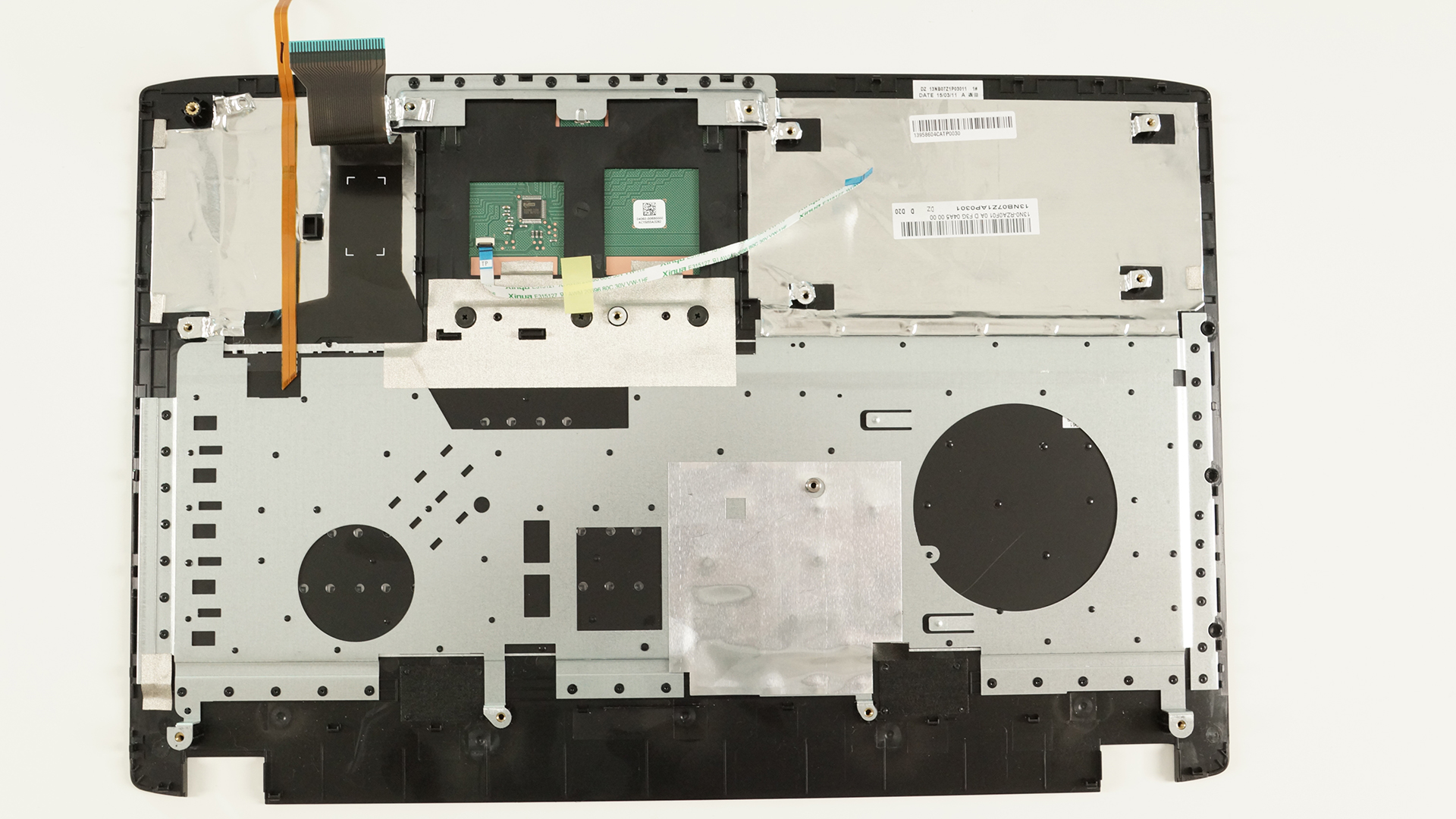
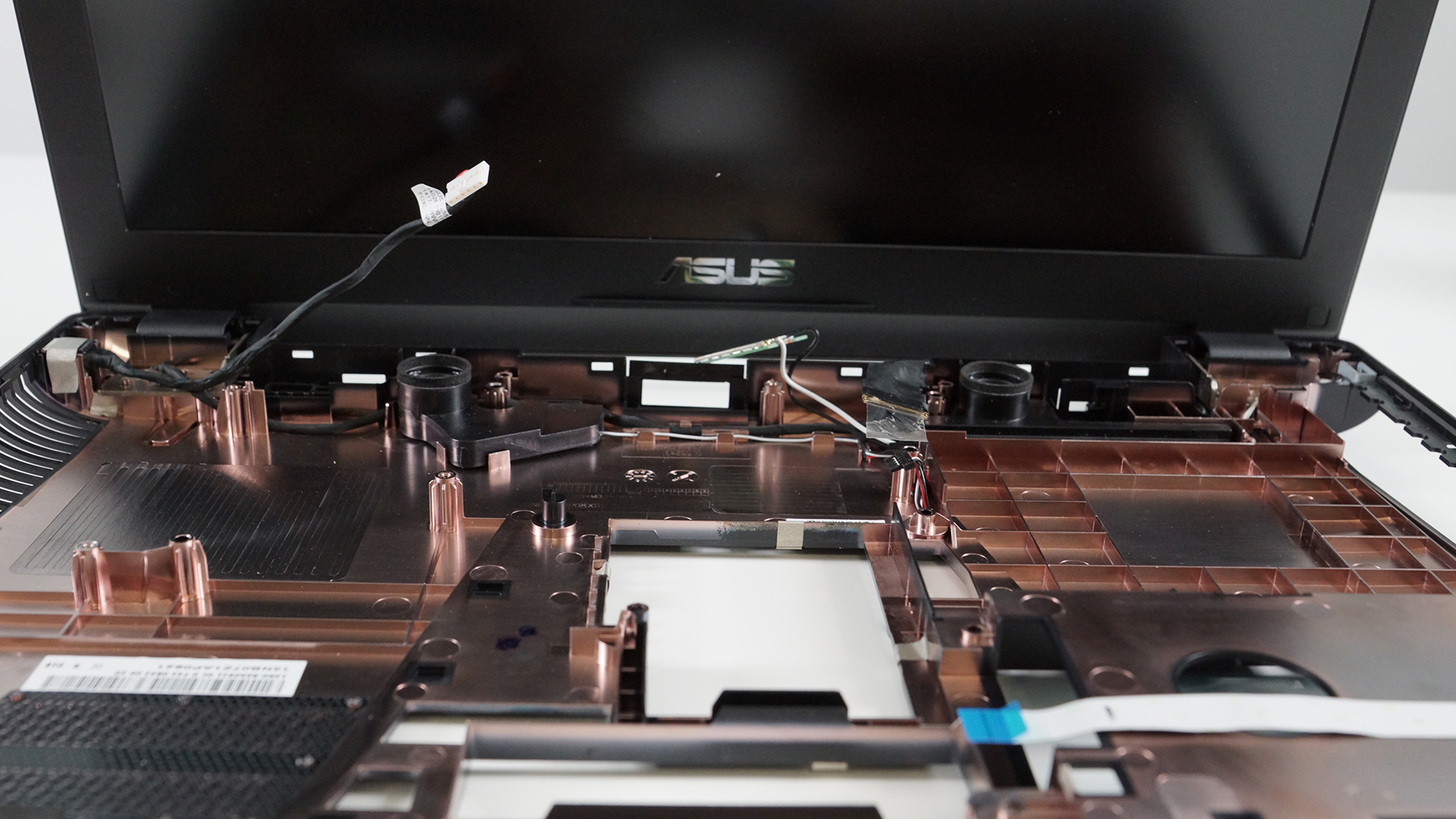
3. Full disassembly
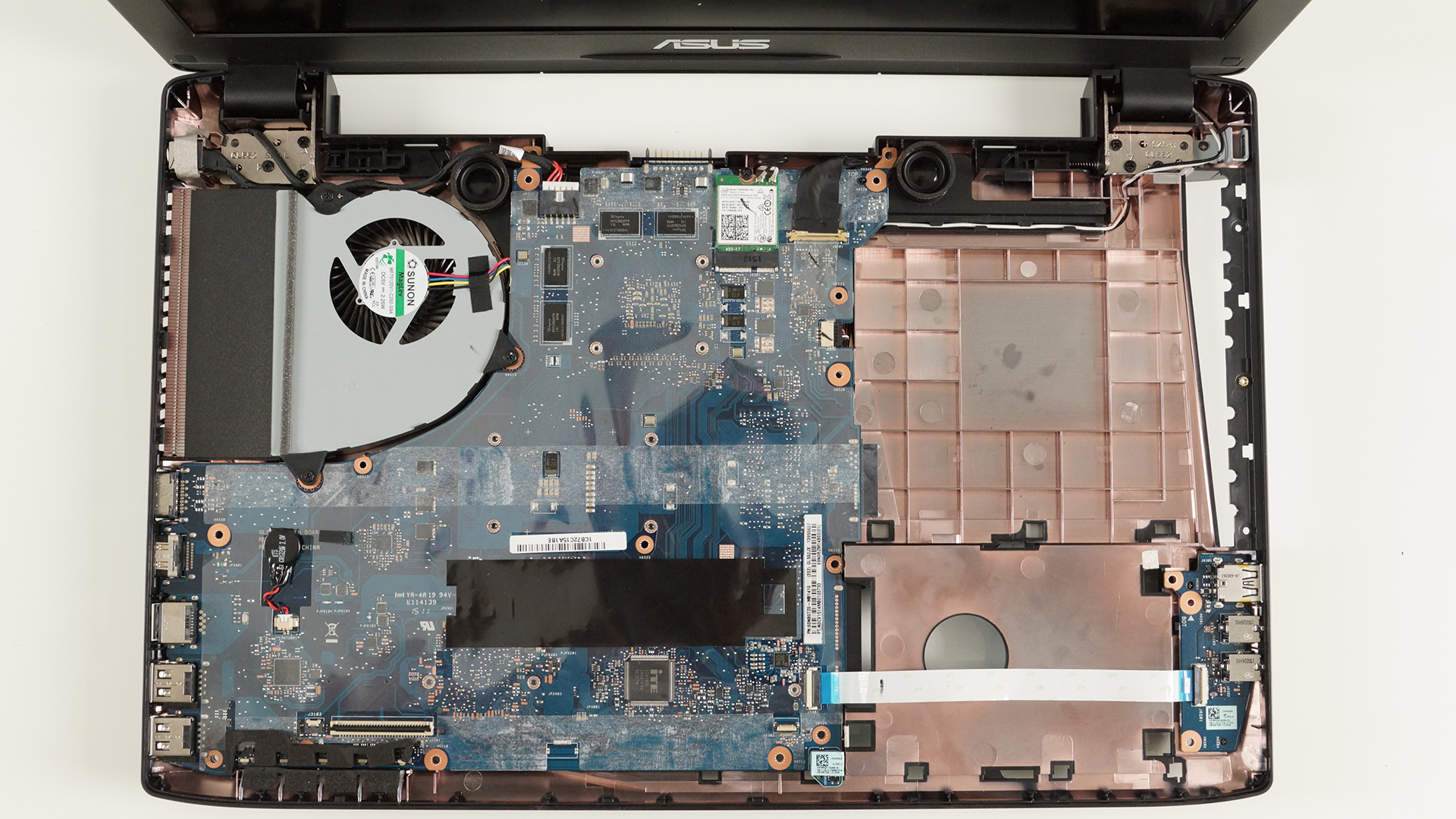
This one is also fairly easy. Just make sure you’ve removed all the cables attached and the screws holding the motherboard and then you can perform your CPU and GPU fan spring cleaning.
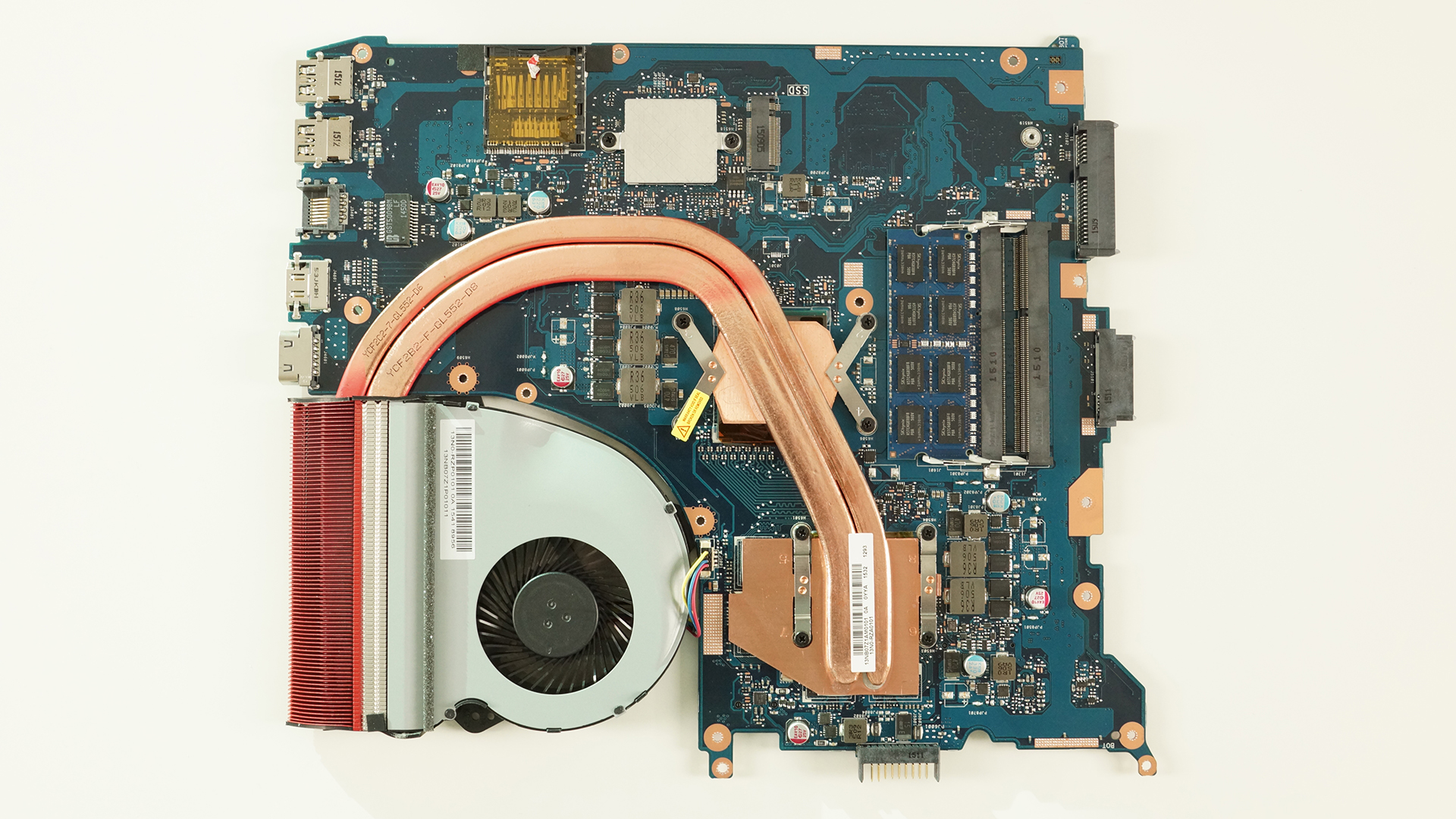

 Author: Rossen Pandev

![[June 2026] Best-Selling Laptop Brands on Amazon Global – Apple’s Unrivaled Dominance in Units and Revenue](https://laptopmedia.com/wp-content/uploads/2026/07/GLOBAL-Best-Brands-400x225.jpg)
![[June 2026] Amazon Global: Top 10 Best-Selling Laptops – Apple’s New MacBook Neo Storms to #1, Reshaping the Market with Affordability](https://laptopmedia.com/wp-content/uploads/2026/07/Best-Selling-Laptops-GLOBAL-Top-10-400x225.jpg)
![[June 2026] Amazon Global: Top 10 Best-Selling Gaming Laptops – Acer’s Nitro V 16S AI Dominates Sales, While ASUS Leads Overall Revenue](https://laptopmedia.com/wp-content/uploads/2026/07/Best-Selling-Gaming-Laptops-GLOBAL-Top-10-400x225.jpg)
![[June 2026] Global Ranking of Best-Selling Laptop GPUs on Amazon – NVIDIA RTX 5060 is the Top-Selling Dedicated GPU](https://laptopmedia.com/wp-content/uploads/2026/07/Best-Selling-GPUs-GLOBAL-Top-10-400x225.jpg)
![[June 2026] Global Ranking of Best-Selling Laptop CPUs on Amazon – Apple M5 Dominates, AMD Ryzen 7 260 Gets Solid Premium Share](https://laptopmedia.com/wp-content/uploads/2026/07/Best-Selling-CPUs-GLOBAL-Top-10-400x225.jpg)

Can’t wait for full review 🙂
What about the x501 model?
Upcaming review 🙂
C’mon
How difficult is it to remove the dvd drive? Is it possible after removing only the service cover, or do you have to do the full disassembly?
There’s no screw provided to hold down the M.2 SSD drive. What do I do?
Hi.Is the black plastic strip design to remove the hard drive or something else. I actually tucked it in the gap beside the hard drive as shown above in the pictures but i have seen other pictures on internet that the plastic strip is not tucked in. I am very much worried if i did wrong or right by tucking in the plastic strip?
I have the same issue as Vinayak. WTF is wrong with ASUS? They spent so much time designing the aesthetics and forgot about putting 1 screw for the M.2 SSD.
anybody find specs or a screw that works for the M.2 SSD slot? I get all happy unwrapping it then…..
anyway, can’t believe they didn’t provide a screw.
I just got mine and installed a m2 in it.
I took a small star head screw from a Seagate hhd, it works.
To what kind of port is the optical drive connected?
I would think it’s a SATA
but i don’t lose my warranty if i open to upgrade?
No, especially with ASUS advertising easy upgrades
Thank you for answer. i will buy an SSD.
how you set up the equalizer to best quality in laptop speakers? because with default settings of AudioWizard is hearing very loud and terrible quality…
Hi Flavius, I also noticed that and I fixed it using the equalizer “Smart Audio” (Control Panel). Leave a message in [email protected] and I’ll send you a screenshot of the configurations. Greetings.
Hi.Is the black plastic strip design to remove the hard drive or something else. I actually tucked it in the gap beside the hard drive as shown above in the pictures but i have seen other pictures on internet that the plastic strip is not tucked in. I am very much worried if i did wrong or right by tucking in the plastic strip?
how do i take the keyboard off?
hey guys, I’ve owned my laptop a few weeks .and the keyboard won’t work on start up so i can’t use the keys it only lights afterward how ever still the keys do nothing. is there a way to fix this with out sending it away under warranty
There’s a few things to try.
Power off and remove the battery, power back on, (it might work)
Use a usb keyboard and check your keyboard driver/reinstall the driver.
Remove the keyboard and reseat the connection.
If none of that works you will prob have to send it in for keyboard replacement.
I attempted reinstalling the drivers but that didn’t work. The good news was to start up in bios mode and then head to the security password section and just test the actual keystrokes themselves,which did work.(This is probably the best idea to rule out hardware failure).
Still something had corrupted in the driver files or the registry and unfortunately the only way for me was to fix the issue was a Windows system reinstall. I believe if i had system restore to a previous time it may have worked ok. The laptop hasn’t missed a beat since.
Glad you got it worked out
Same thing happened to me, several drivers shut down, so i restarted my computer, and the keyboard wouldn’t work. then i went into BIOS and after that it was fixed! Maybe BIOS also runs a more advanced troubleshooter for windows that outpowers the normal troubleshooter. Also, did you have Win. 10 too?
can you upload some video tutorial how to remove the keyboard?? its kinda hard by lookin the pic, thanks for further answers
which m.2 sata ssd is best for gl552jx
Samsung 950
samsung 950? Nvme one? can it work in gl552?
Yes it’s uses a m2 slot that supports up to the largest m2 drives
Only 85O EVO works.
For the memory can i install DDR 4? or better DDR3? thanks
The GL552 only accepts DDR4 RAM.