ASUS ROG Xbox Ally X (2025) review – The Final Boss of All Handheld Consoles

This month marks a significant moment for handheld gaming as Microsoft officially enters the market – not by building a console from scratch, but by partnering with ASUS to debut the ROG Xbox Ally and the more powerful ROG Xbox Ally X. Today, we’re looking at the Ally X: the premium model for enthusiasts. It’s an ambitious device that combines the rich Xbox ecosystem (Game Pass, Xbox Live) with powerful PC hardware from ASUS in a direct attack on the Steam Deck’s dominance.
As the successor to the original ROG Ally X (2024), this “Xbox” model aims to fix the shortcomings of its predecessor. One of the biggest hurdles for Windows-based handhelds has always been the OS itself. While Windows is feature-rich, many gamers prefer the simplicity of a console, a need that Valve’s SteamOS brilliantly fulfilled. Now, ASUS and Xbox have their answer: the Xbox Full-Screen Experience. This is a custom Windows 11 mode that boots directly into a full-screen, Xbox Dashboard-style menu, finally making the PC handheld experience feel intuitive and console-like. This isn’t just an update; it’s the first officially Xbox-branded handheld PC, and we’re here to see if it lives up to the hype.
You can check the prices and configurations in our Specs System: https://laptopmedia.com/series/asus-rog-xbox-ally-x/
Contents
- Specs, Drivers, What’s in the box
- Design and construction
- Display and Sound Quality, Display Profiles
- Get our profiles
- Software
- ASUS ROG Xbox Ally X as a PC: CPU, Storage, AI Performance
- GPU and Gaming Performance
- Temperatures and Comfort, Noise, Stability
- Battery Life
- Disassembly, Upgrade options, and Maintenance
- Verdict
Specs, Drivers, What’s in the box
ASUS ROG Xbox Ally X - Specs

- HDD/SSD
- up to 1000GB SSD
- M.2 Slot
- 1x 2280 M.2 NVMe PCIe 4.0 x4 See photo
- RAM
- up to 24GB
- OS
- Windows 11 Home
- Body material
- Plastic / Polycarbonate
- Dimensions
- 290 x 121 x 27.5 - 50.9 mm (11.42" x 4.76" x 1.08")
- Weight
- 0.71 kg (1.6 lbs)
- Ports and connectivity
- 1x USB Type-C
- 3.2 Gen 2 (10 Gbps), Power Delivery (PD), DisplayPort
- 1x USB Type-C
- 4.0, Thunderbolt 4, Power Delivery (PD), DisplayPort
- Card reader
- microSD (microSD, microSDHC, microSDXC)
- Ethernet LAN
- Wi-Fi
- Wi-Fi 6E
- Bluetooth
- 5.2
- Audio jack
- 3.5mm Combo Jack
- Features
- Fingerprint reader
- Web camera
- Backlit keyboard
- Microphone
- Array Microphone with AI noise-canceling technology
- Speakers
- 2x Stereo Speakers, Smart Amp, Dolby Atmos
- Security Lock slot
All ASUS ROG Xbox Ally X configurations
Drivers
All drivers and utilities for this gaming console can be found here: https://rog.asus.com/gaming-handhelds/rog-ally/rog-xbox-ally-x-2025/helpdesk/
What’s in the box?
Unboxing the ASUS ROG Ally X is straightforward with a couple of very welcome surprises.
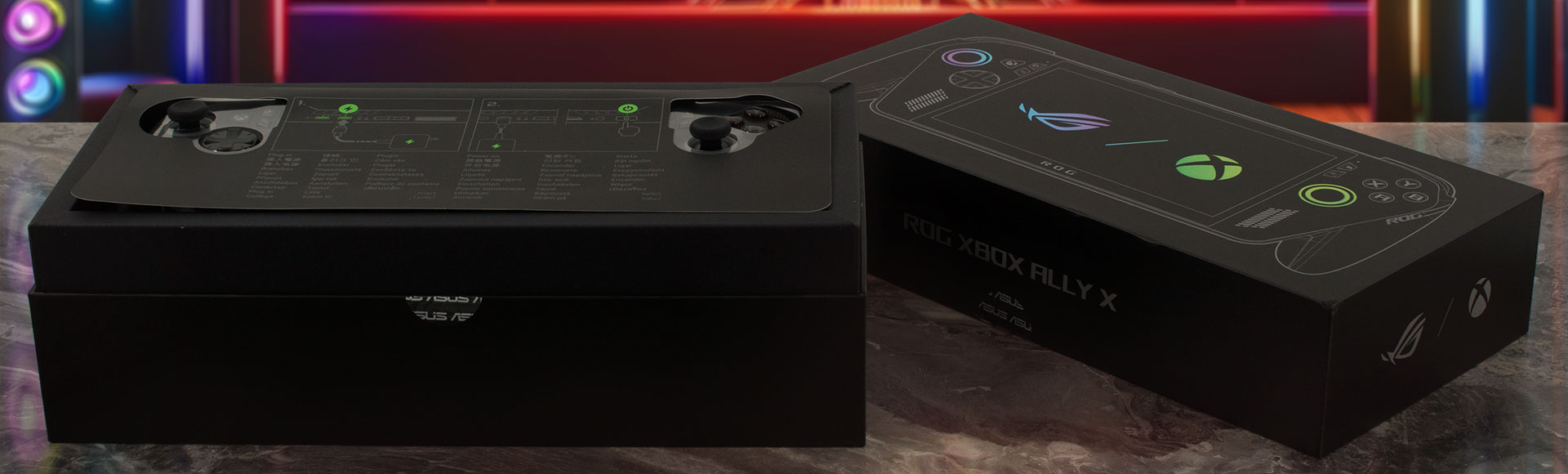
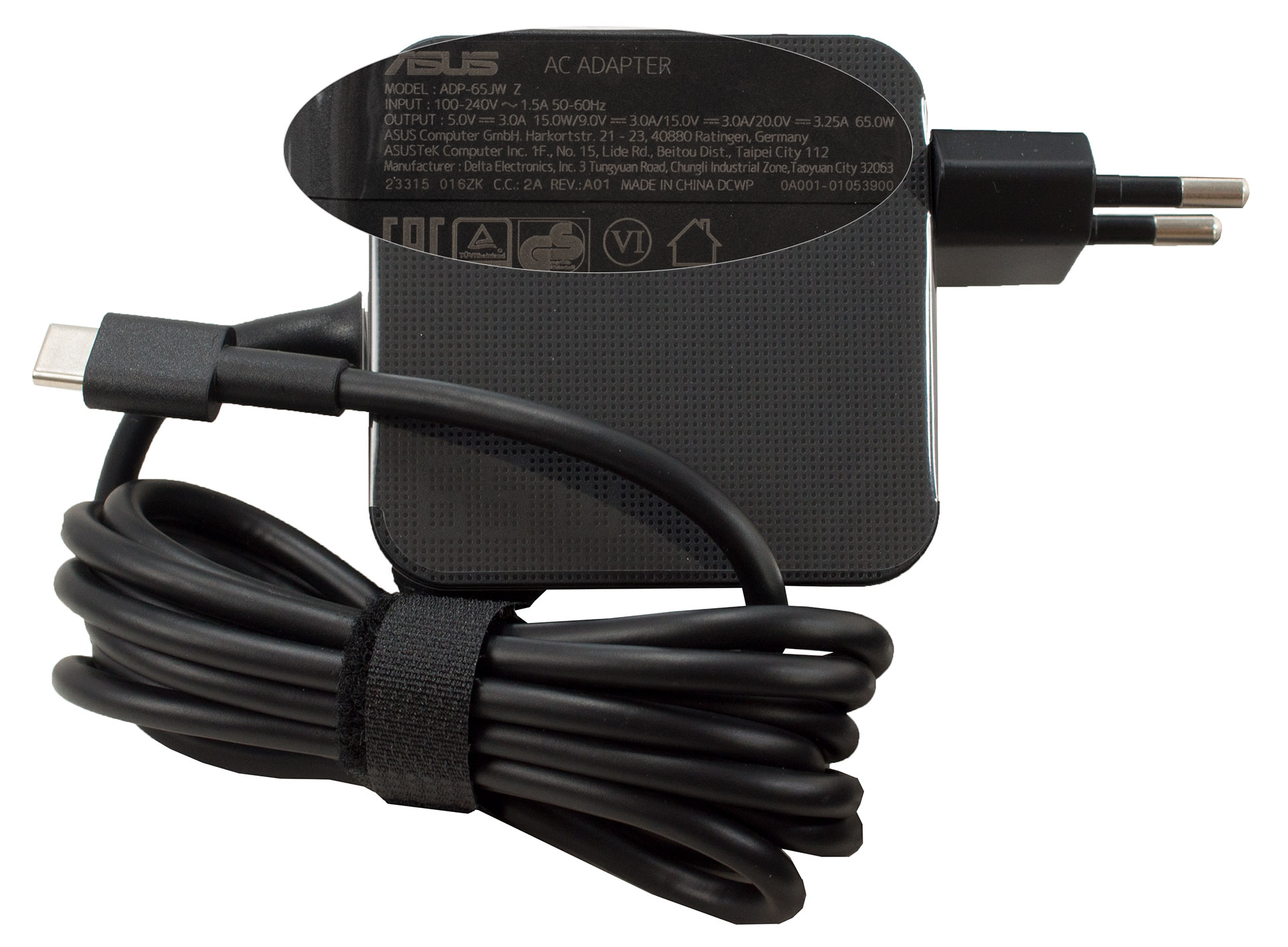
In addition to the device itself and its 65W charger, ASUS includes a genuinely useful kickstand for tabletop play.
They also get your game library started immediately with an included 3-month subscription to Game Pass.
Design and construction
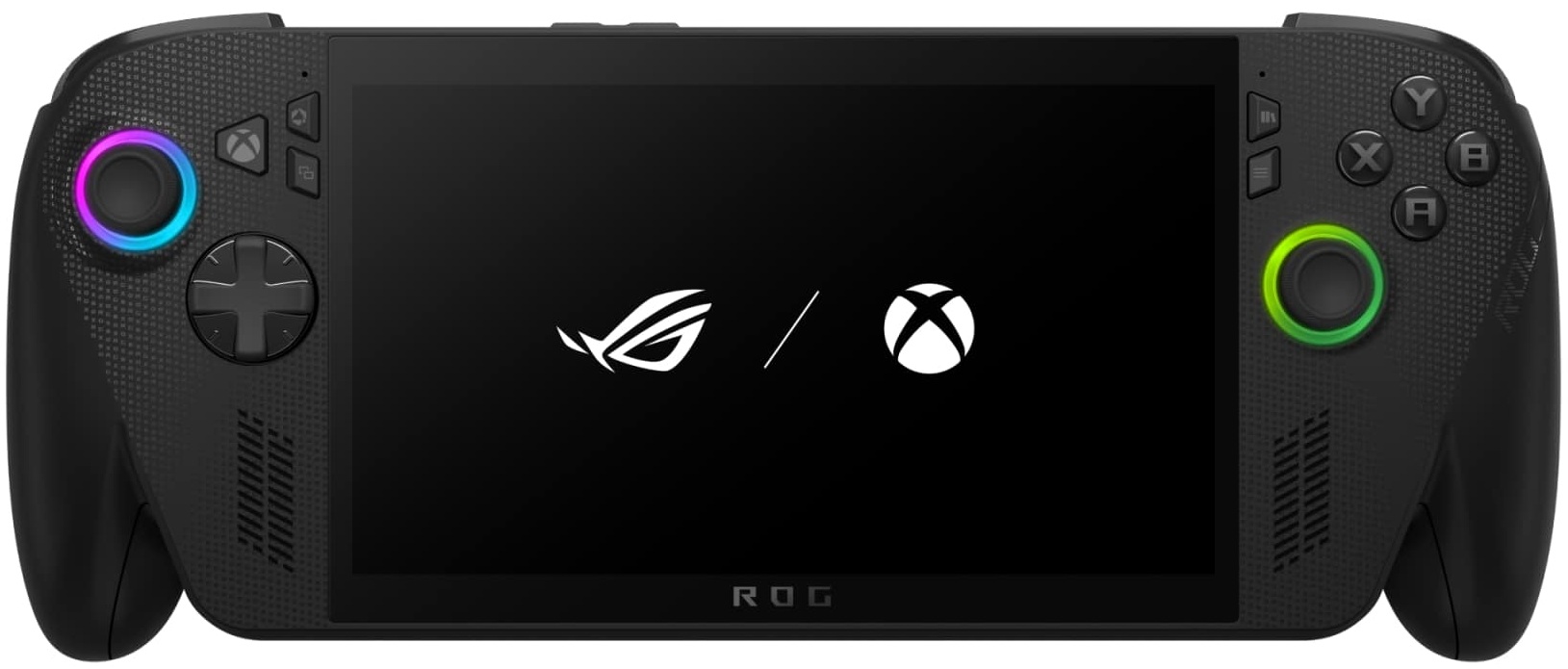
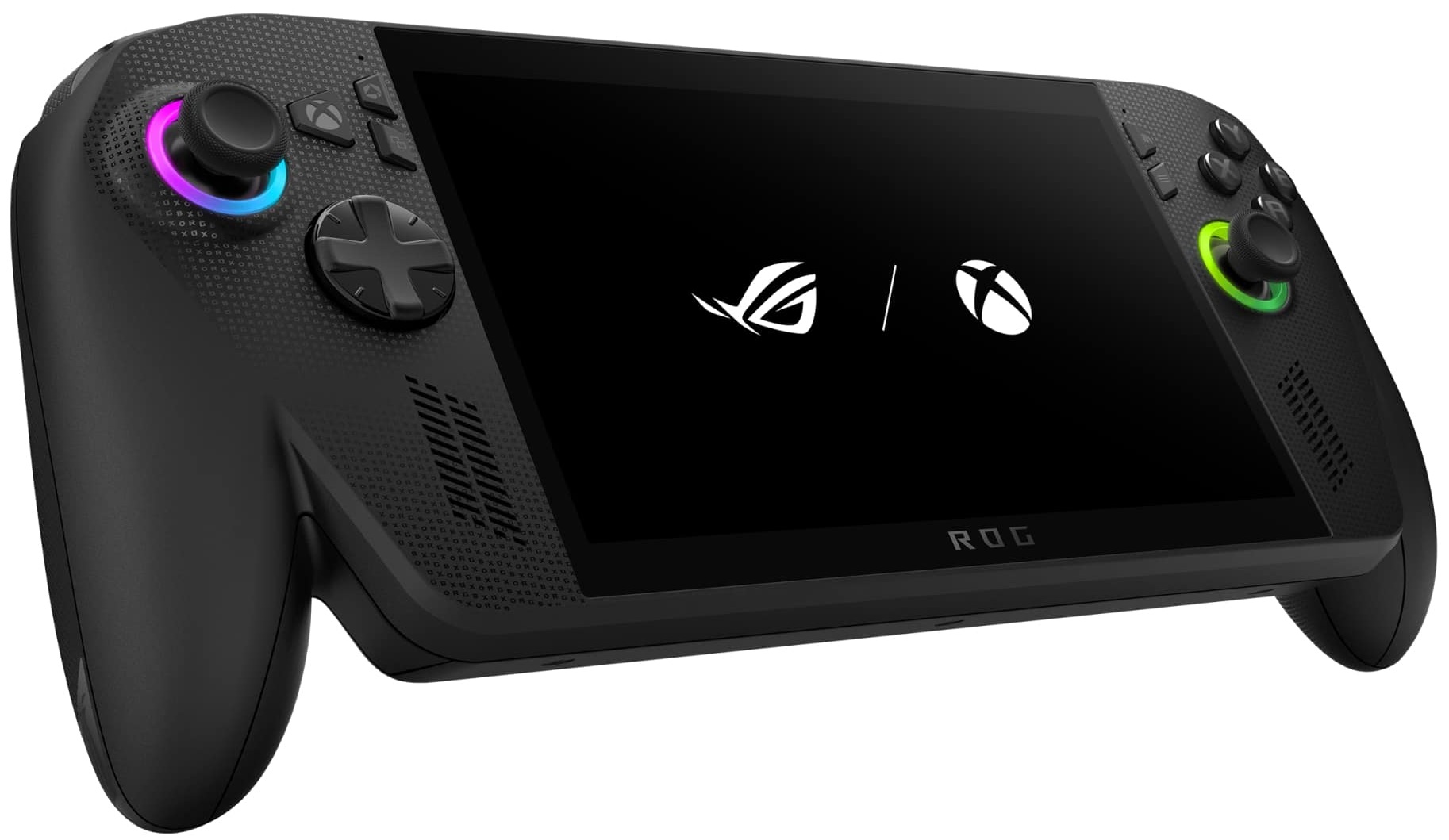
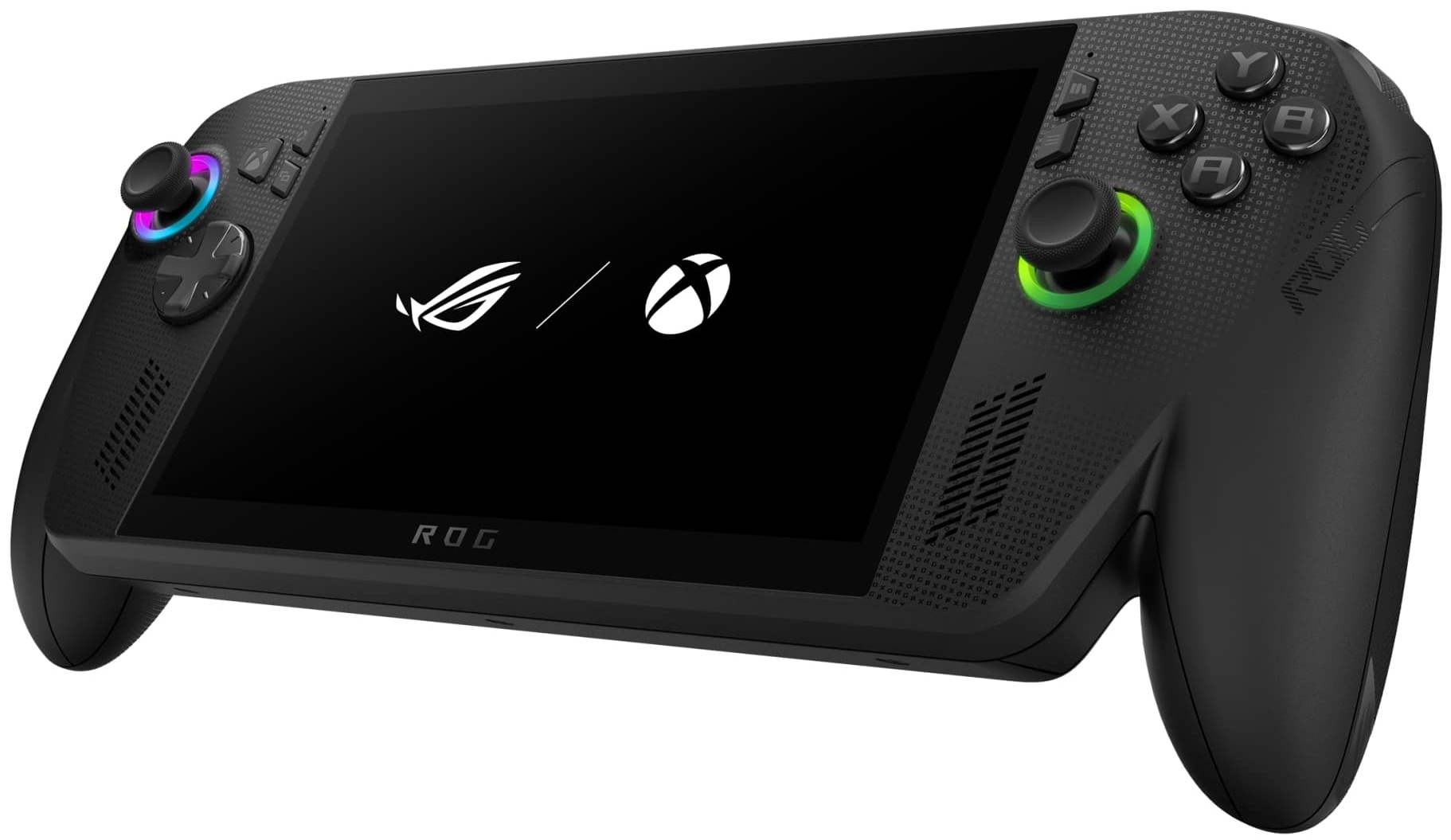
The Ally X comes in a sleek new black colourway, a departure from the white of the original Ally, which generally keeps smudges at bay on the front face. While the rear grips might show slight marks, they are barely noticeable. The chassis is constructed from plastic, but it feels remarkably sturdy, with no creaking or flex, lending a reassuring sense of durability.
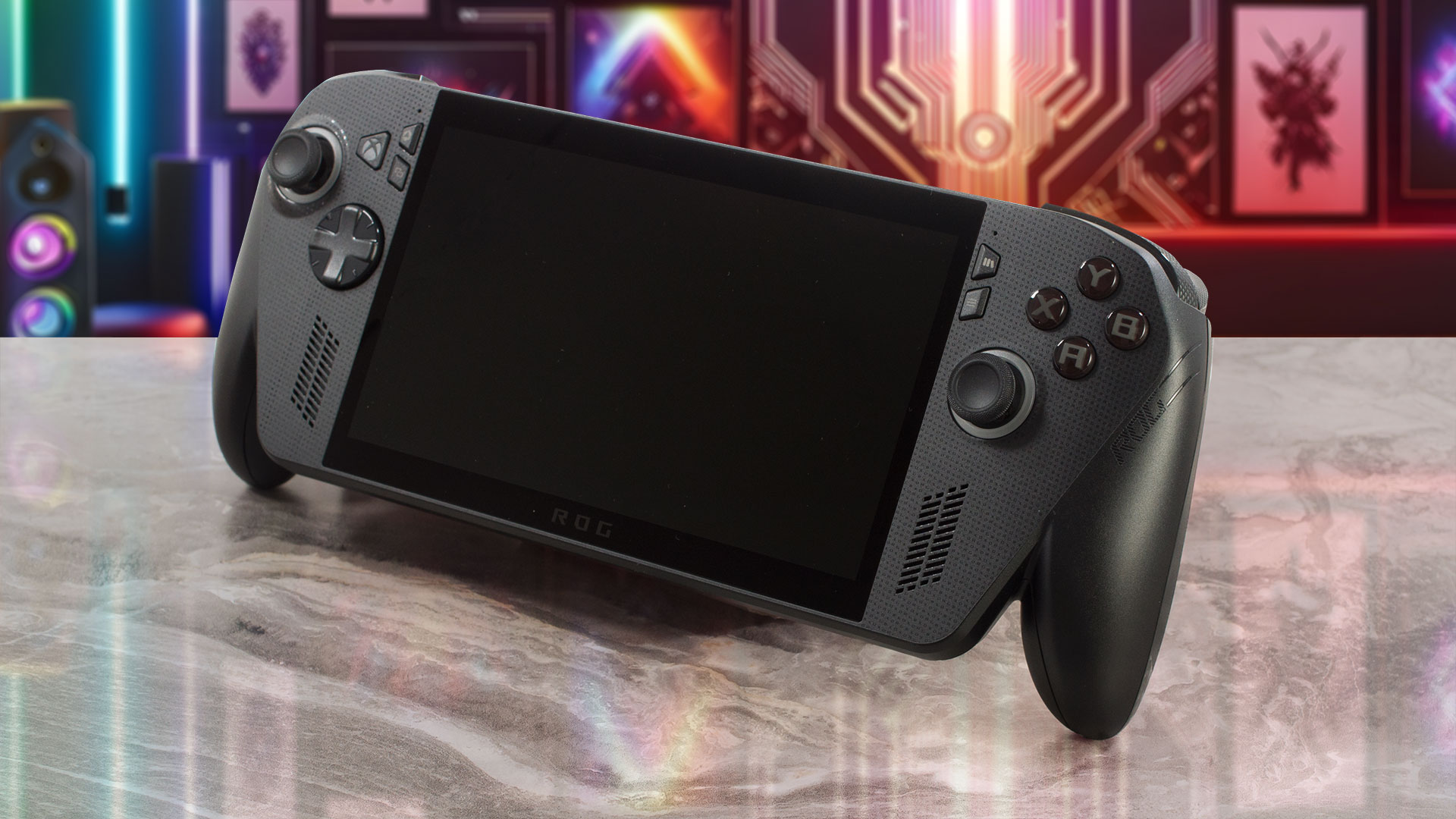
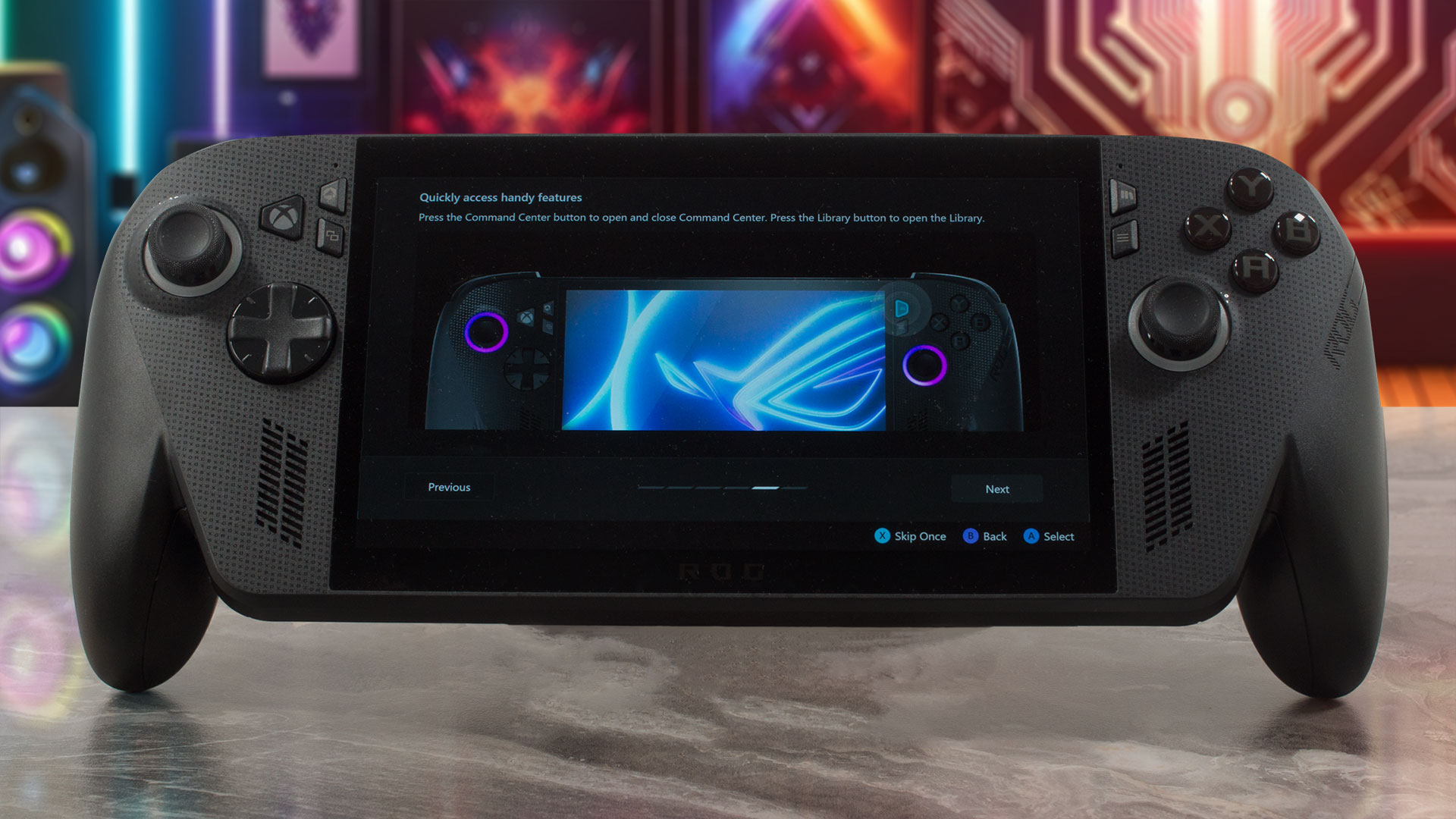
The display is surrounded by bezels that, while not the absolute thinnest, are quite reasonable, measuring about 5mm (0.2″) on the sides and 9.5mm (0.37″) at the top and bottom. The top bezel houses the camera, and for convenient and secure login, a fingerprint reader is integrated into the power button.
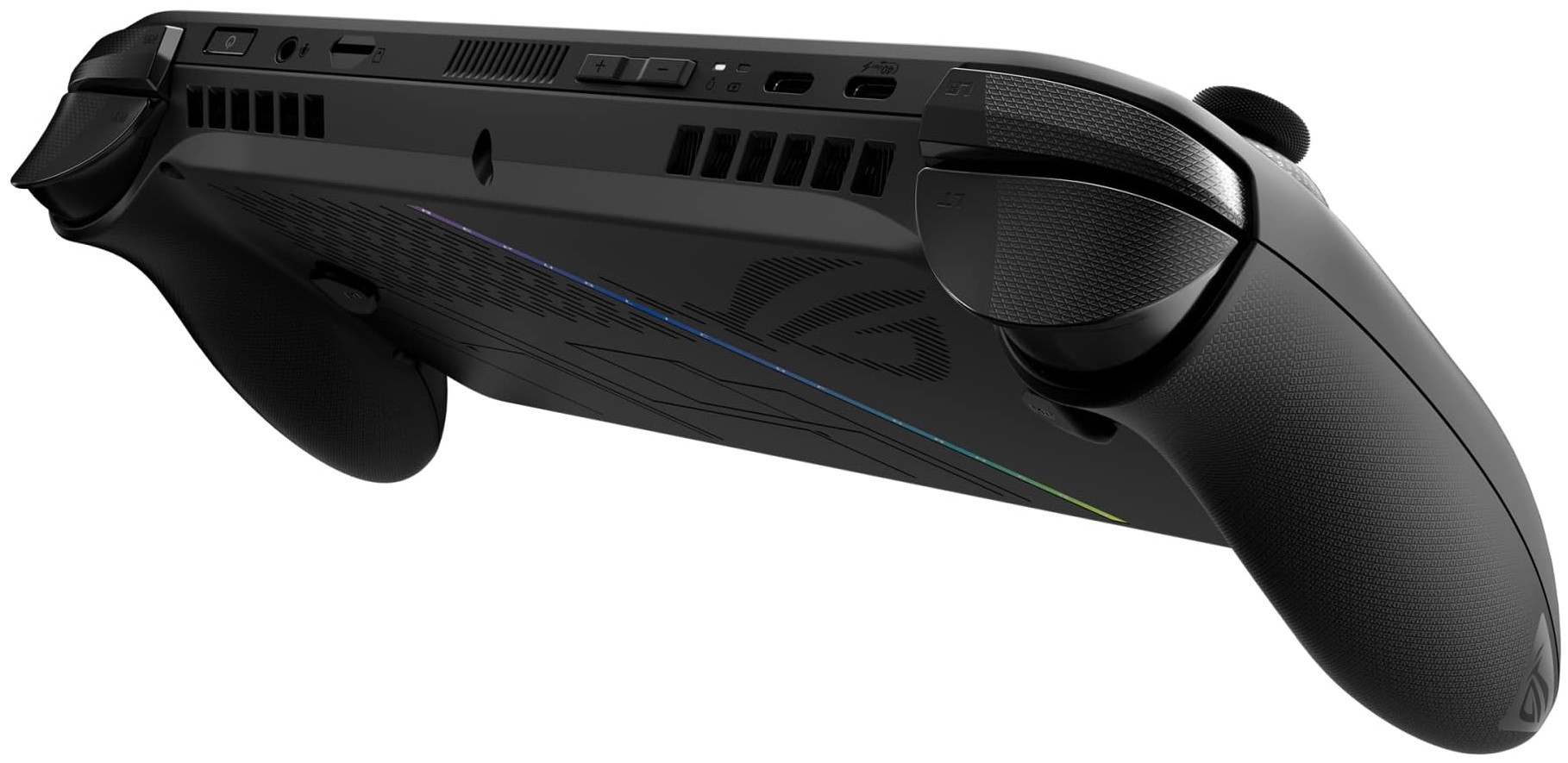
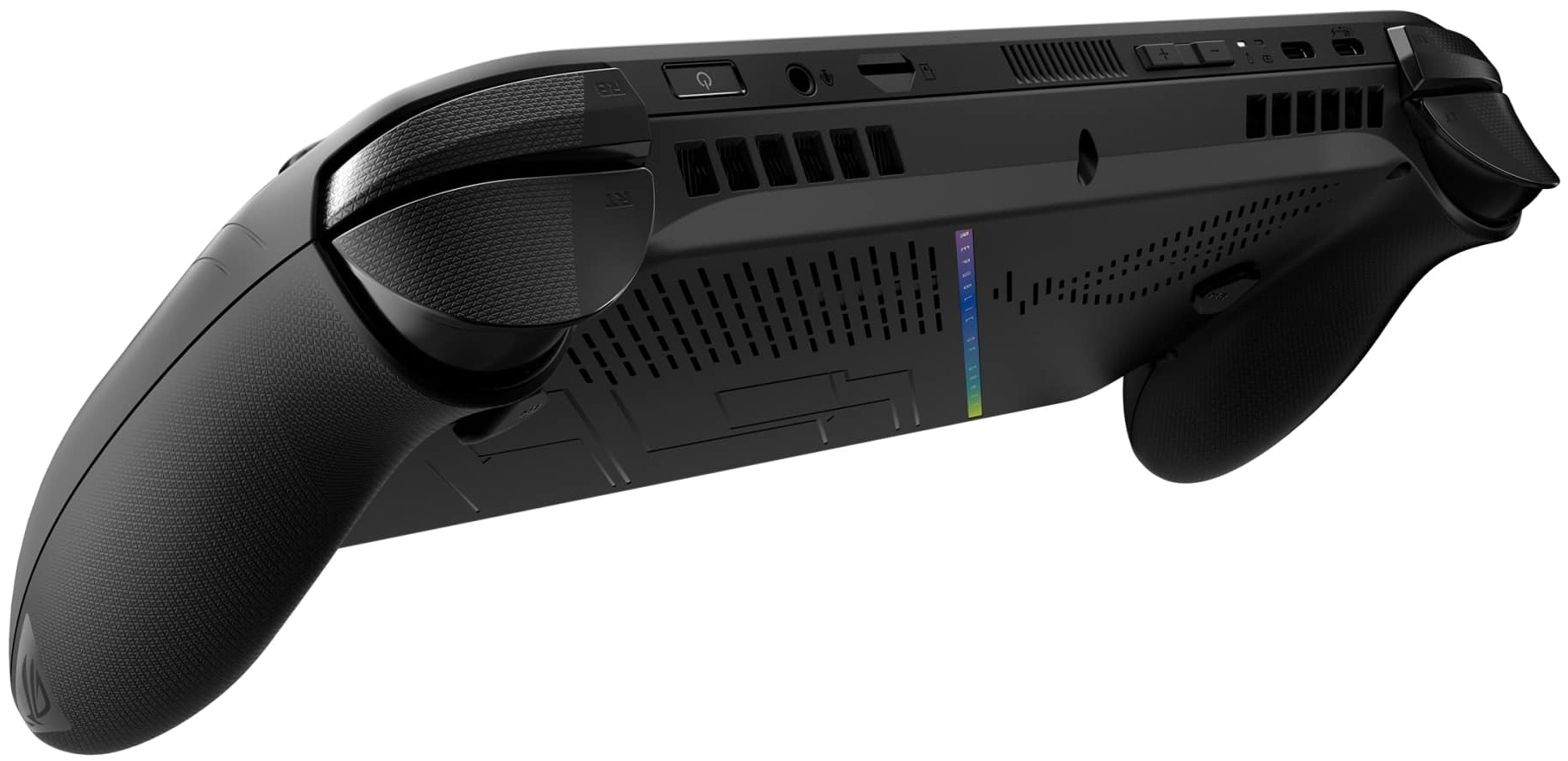
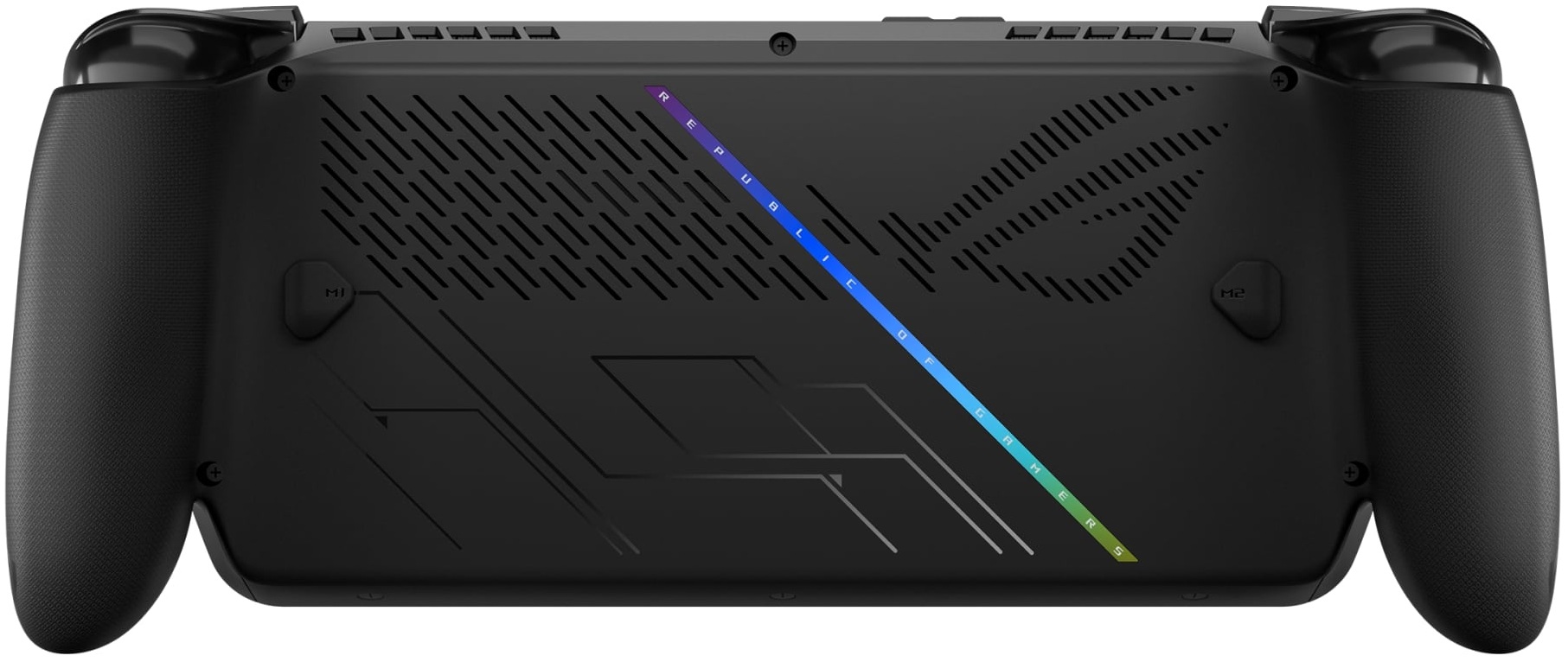
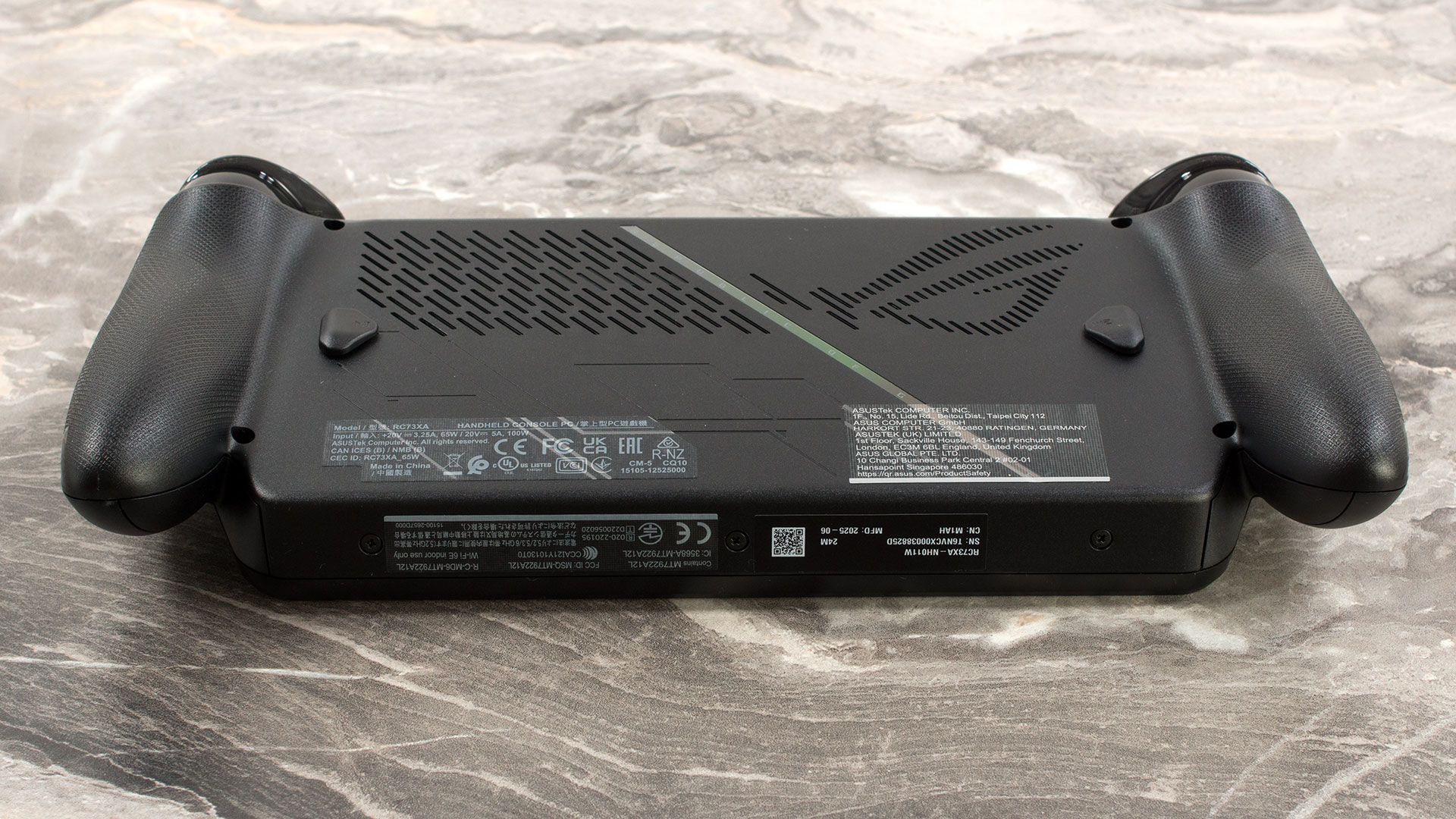
The ASUS ROG Xbox Ally X is designed with a blend of subtle ROG flair and practical functionality. While it doesn’t overtly scream “gamer,” you’ll find tasteful ROG flourishes like microprinting on the palm rest grips with the text “R O G.” The iconic ROG “Fearless Eye” logo cleverly doubles as an air intake on the rear, a neat nod to the Republic of Gamers lineage. These design elements are stylish yet serve a purpose.
The Ally X also incorporates “impulse” triggers, offering haptic feedback similar to Xbox controllers, a notable upgrade from the basic Ally’s Hall-effect analogue triggers. Ergonomically, the device is very comfortable to hold. The controller grips are well-shaped, ensuring a stable and comfortable feel in the hands, even during extended gaming sessions, despite its weight.
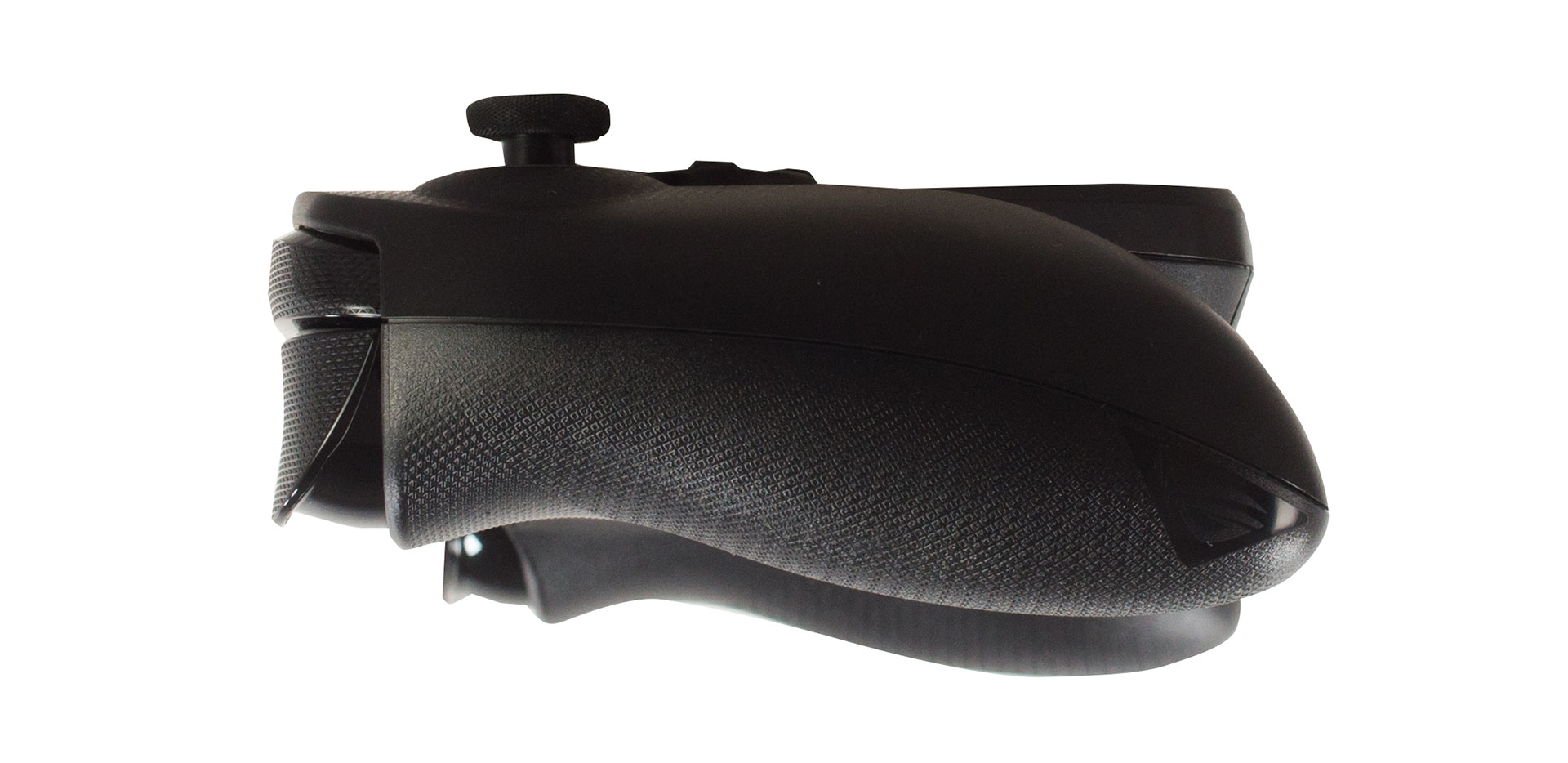
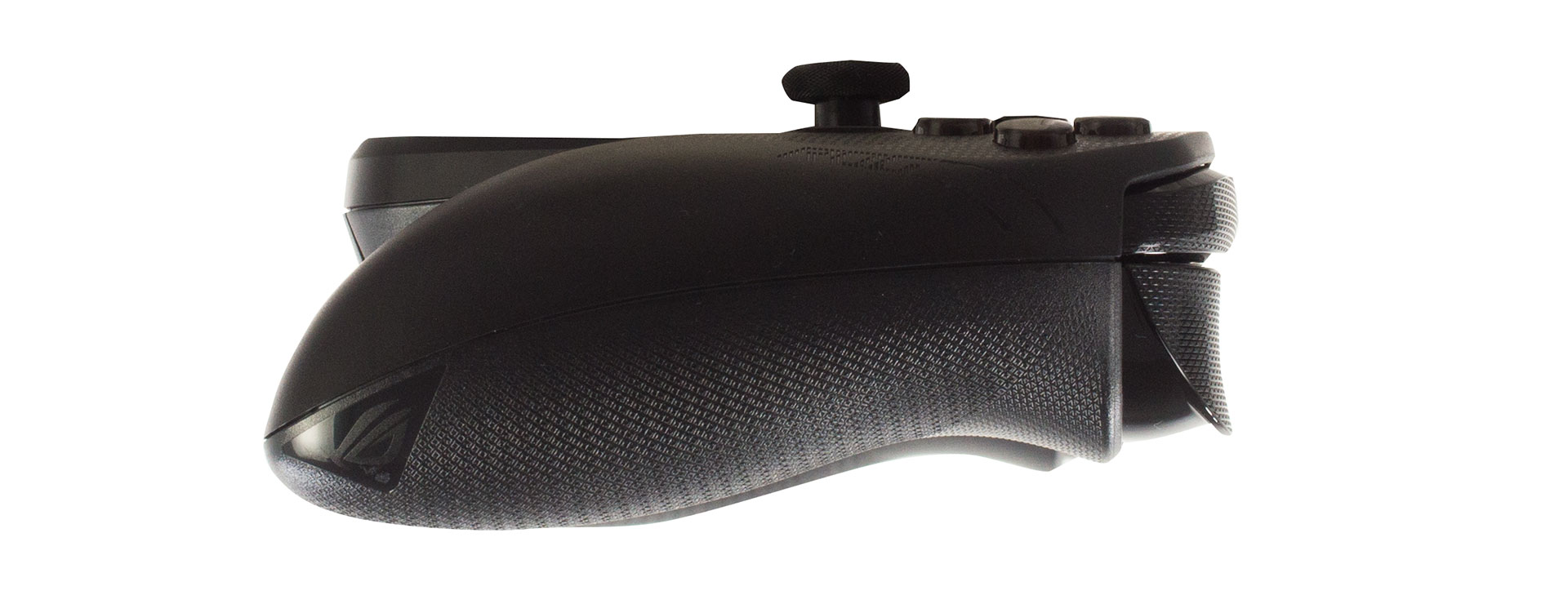
The ROG Ally X maintains the same core form factor as the standard Ally, featuring a 7-inch display and a weight of approximately 1.5 lb (around 0.68 kg). However, the Ally X does gain a bit of girth and weight to accommodate its larger 80 Wh battery (up from 40 Wh on the original Ally). Let’s compare its dimensions and weight to other popular handheld gaming PCs:
| Device | Dimensions (mm) | Dimensions (in) | Weight (g) | Weight (lb) |
|---|---|---|---|---|
| ASUS ROG Xbox Ally X (7”) | 290 × 121 × 27.5–50.9 mm | 11.42 × 4.76 × 1.08–2.00 in | 715 g | 1.58 lbs |
| ASUS ROG Xbox Ally (7”) | 290 × 121 × 27.5–50.9 mm | 11.42 × 4.76 × 1.08–2.00 in | 670 g | 1.48 lbs |
| Valve Steam Deck (7”, LCD) | 298 × 117 × 49 mm | 11.7 × 4.6 × 1.9 in | 669 g | 1.47 lbs |
| Valve Steam Deck (7.4”, OLED) | 298 × 117 × 49 mm | 11.7 × 4.6 × 1.9 in | 640 g | 1.41 lbs |
| Lenovo Legion Go S (8″) | 298.5 × 127.55 × 22.6–43.4 mm | 11.75 × 5.02 × 0.89–1.71 in | 740 g | 1.63 lbs |
| Lenovo Legion Go (8.8”) | 298.83 × 131 × 40.7 mm | 11.76 × 5.16 × 1.60 in | 854 g | 1.88 lbs |
Ports and Connectivity
All physical connectivity on the ASUS ROG Ally X is conveniently located along the top edge of the device, nestled between the shoulder buttons and triggers. Here you will find a 3.5mm combo audio jack for headsets, a set of volume buttons, and the power button, which also integrates a fingerprint reader for quick and secure logins. The main I/O consists of two USB-C ports and a high-performance microSD card reader, offering a significant upgrade in flexibility and speed over many handhelds.
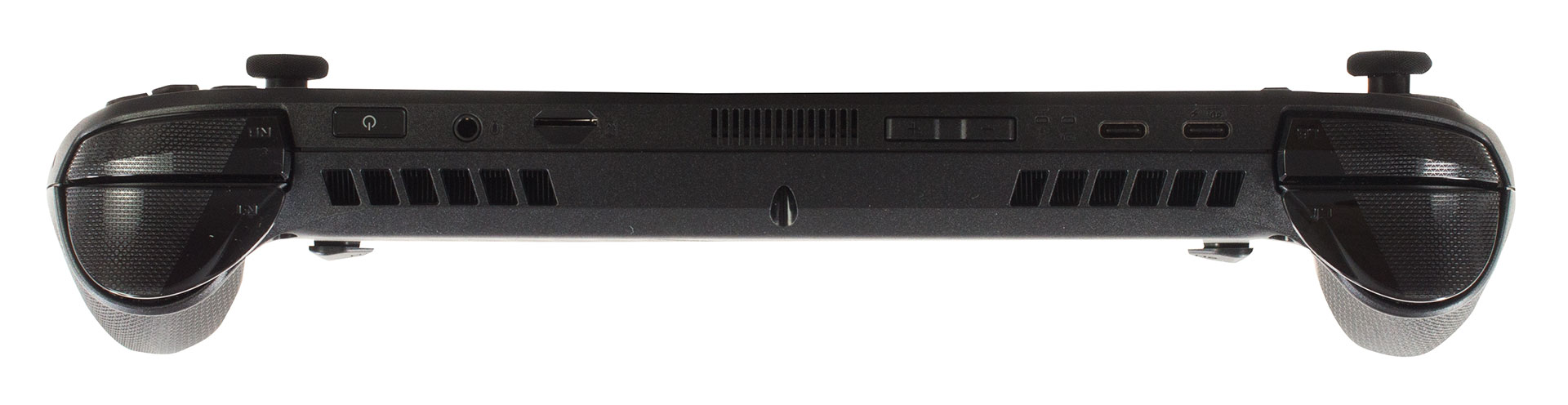
The inclusion of two USB-C ports is a major advantage. One is a USB 3.2 Gen 2 Type-C port, while the other is a more powerful USB4 port. Both support Power Delivery 3.0 for charging and DisplayPort 2.1 for video output. The premium addition on this Ally X model is the USB4 port, which is compatible with Thunderbolt 4, unlocking the potential for high-performance docks and even external GPUs. Another significant, though more subtle, upgrade is the UHS-II microSD card reader. This not only provides faster transfer speeds with newer UHS-II cards (ideal for running games directly from the card) but also supports DDR200 mode for older UHS-I cards. In practical terms, this means it extracts the best possible performance even from more common UHS-I cards, a feature the standard Ally model lacks.
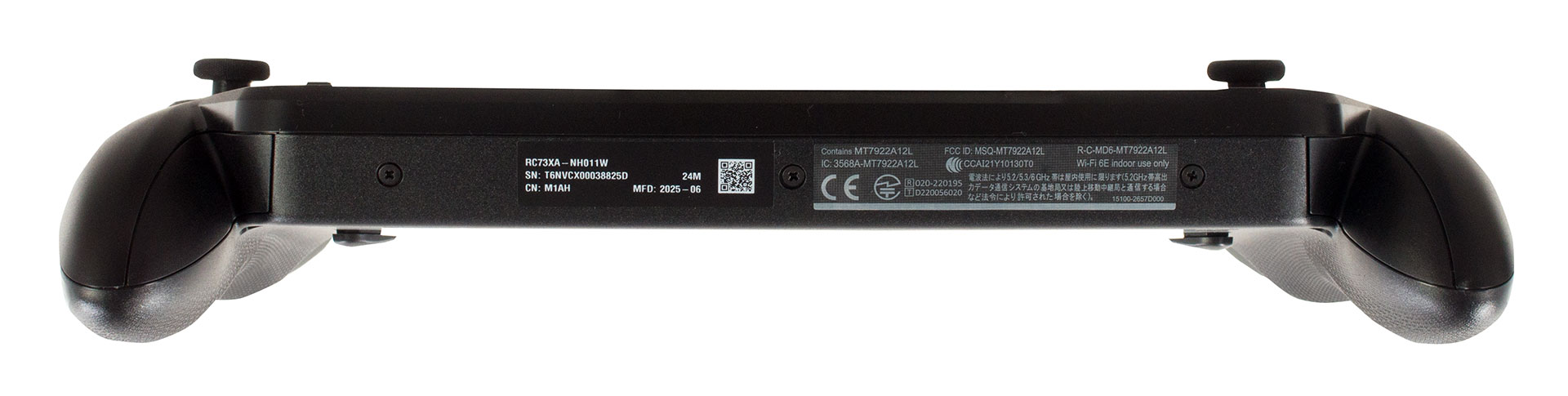
For wireless connectivity, the Ally X is equipped with Wi-Fi 6E (802.11ax). This is a strong feature, as it supports triple-band operation (2.4 GHz, 5 GHz, and the less-congested 6 GHz band) and utilizes a 2×2 antenna configuration. For gamers, connecting to a 6 GHz network can significantly reduce latency and interference, leading to a smoother online experience. This is paired with Bluetooth 5.2 for reliably connecting wireless controllers, headphones, and other accessories.
Display and Sound Quality, Display Profiles
There’s only one screen option for ASUS ROG Xbox Ally X – 7.0-inch IPS, 120 Hz. It’s covered with Gorilla Glass Victus protective glass and DXC anti-reflection coating.
| ASUS ROG Xbox Ally X (2025) | TL070FVXS01-0 (TMX0002) |
| Diagonal | 7.0 inches (17.8 cm) |
| Panel Type | IPS |
| Resolution | 1920 x 1080 pixels |
| Max Refresh Rate | 120 Hz |
| Aspect Ratio | 16:9 |
| Pixel Density | 315 PPI |
| ‘Retina’ Distance | Greater than or equal to 28 cm |
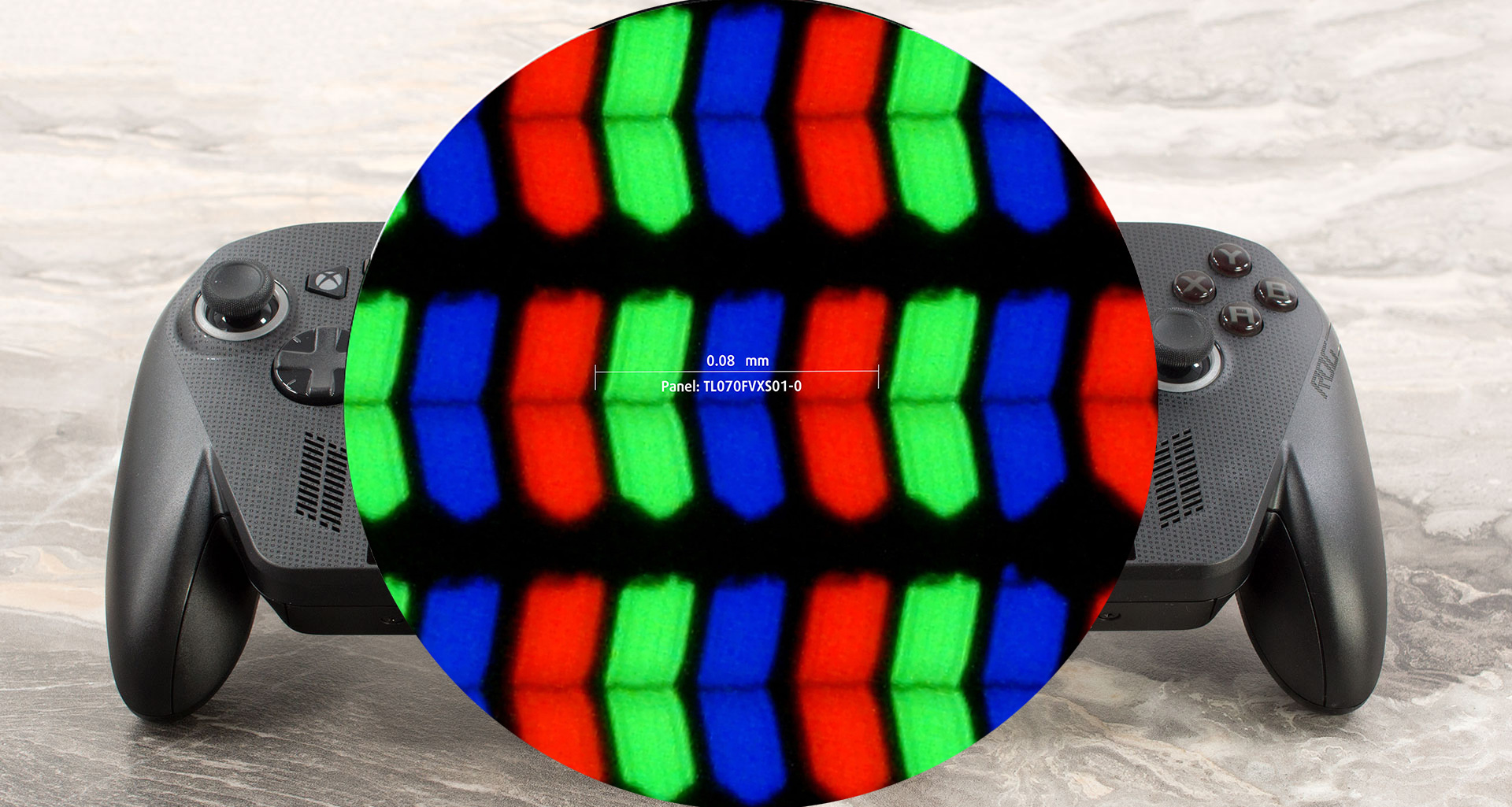 The Full HD (1920 ×1080), 120 Hz, IPS display variant under our microscope
Viewing Angles
Viewing angles are good. We take photos from different angles to evaluate the quality.

Also, a video with locked focus and exposure.
Color Coverage
The whole “sail-shaped” map below (Fig. 1) consists of all the colors we can see, while the black crooked line shows all the colors from real-world scenes and nature around us.
Then, we’ve drawn some of the most important and interesting color spaces, compared to the colors the panel of ASUS ROG Xbox Ally X (2025) can show:
Standard/For Web: sRGB – widely used color space for most consumer devices, ideal for Web design and development
For Print: AdobeRGB – used in professional photo editing, graphic design, and print
For Photographers/Video Editors: DCI-P3 – used in high-end film production, post-production, and digital cinema
Premium HDR: Rec.2020 – the widest consumer ITU color standard, covering a massive 75.8% of the visible spectrum, a benchmark for premium HDR content.
ASUS ROG Xbox Ally X (2025): the yellow dashed triangle (– – – – – –) represents the range of colors this display can show.
In our tests, we calculated the total color coverage of the display at 94% of the sRGB color gamut and 75% of the DCI-P3 color gamut.
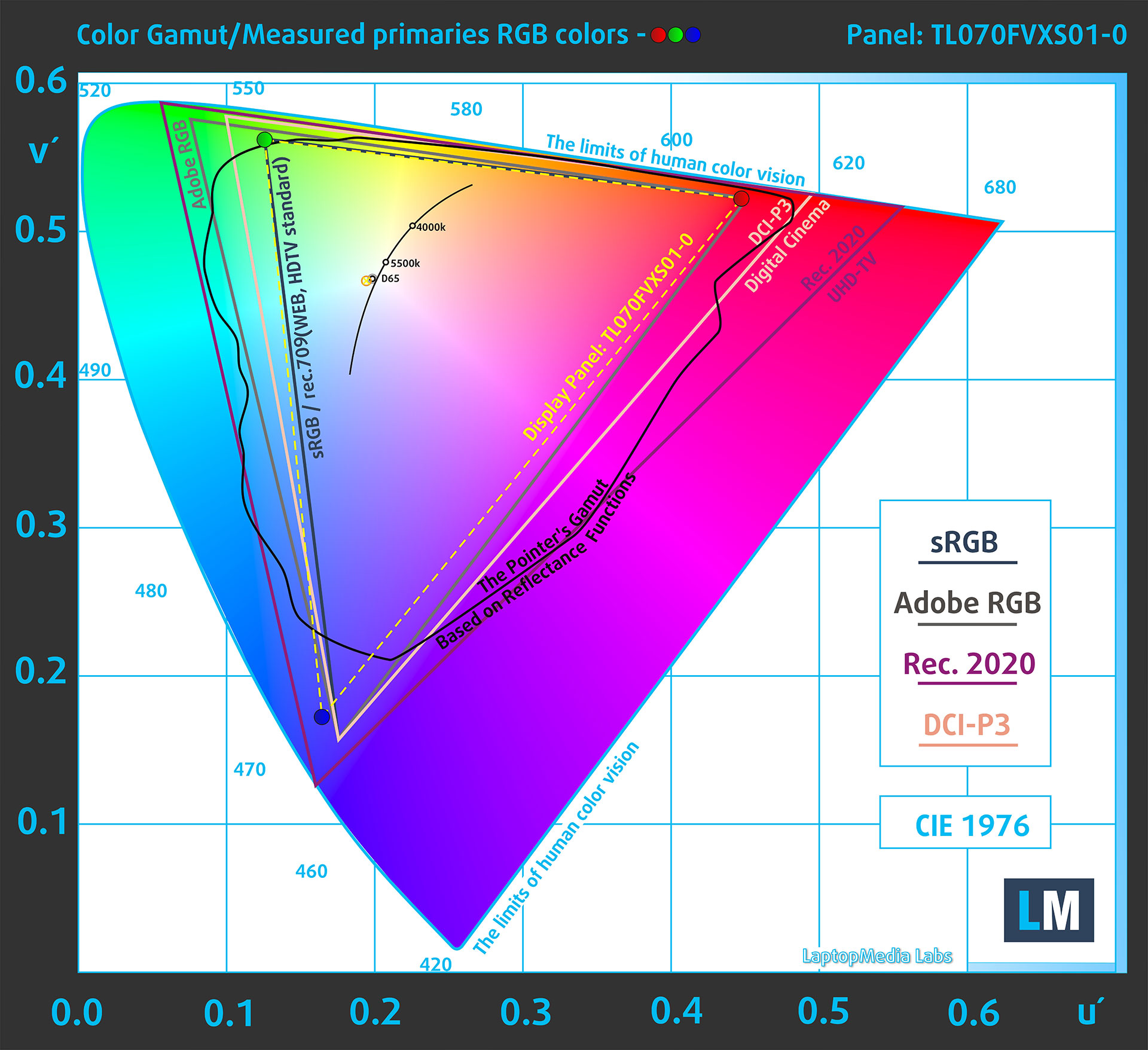
(Fig.1) ASUS ROG Xbox Ally X (2025) covers 94% of the sRGB gamut
Brightness and Contrast
The maximum brightness in SDR mode is 456 cd/m² in the center of the screen and 419 cd/m² averaged across the surface with a maximum deviation of 13%.
The Correlated Color Temperature (CCT) on a white screen at maximum brightness is 7100K.
The contrast ratio is 1280:1.

Uniformity: Luminance, Contrast, and Color Deviation
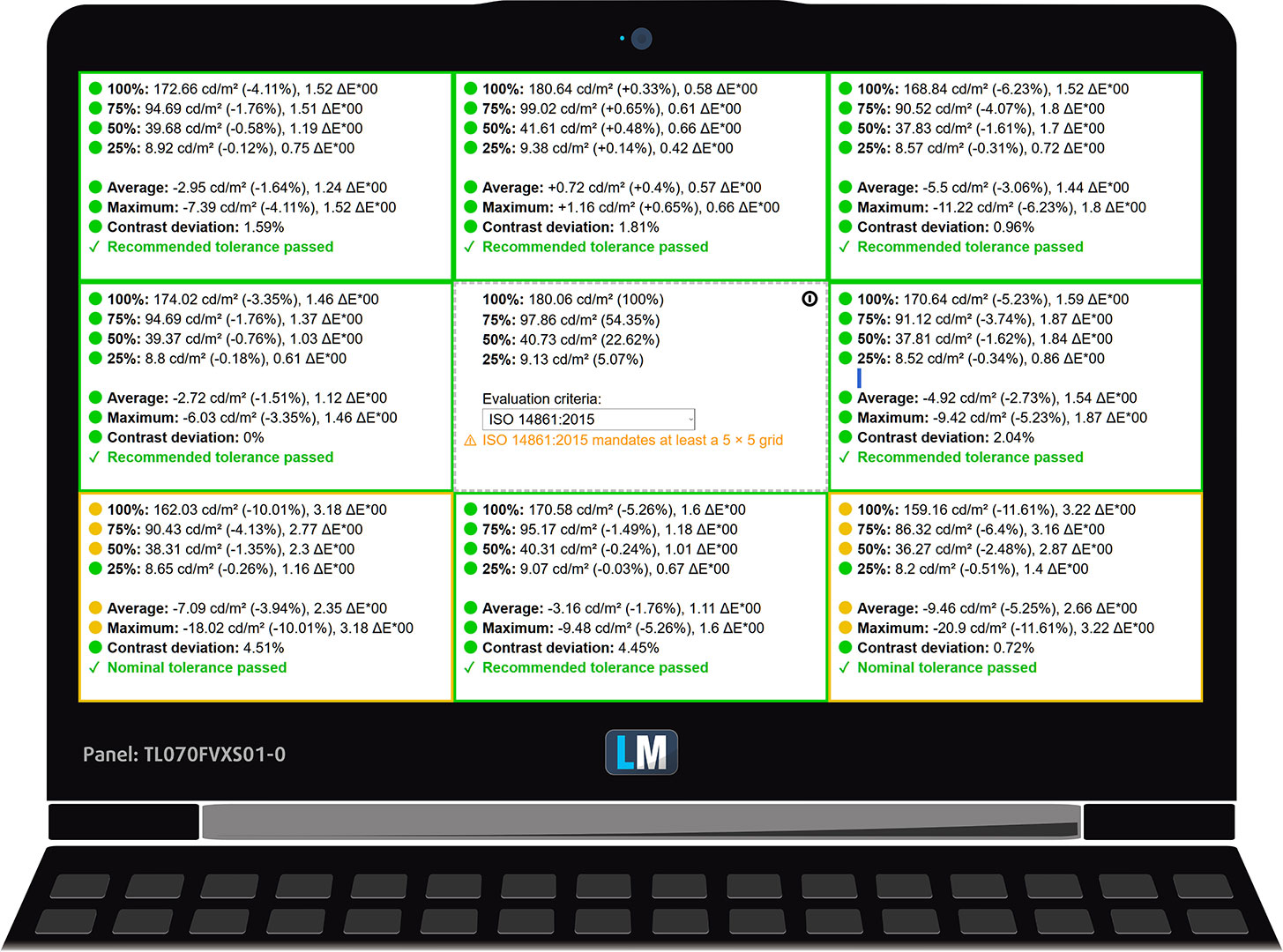
The figure below shows the results from our uniformity test across different sections of the screen. It’s measured at 180 nits (Windows slider = 50%) – a brightness level we consider typical for standard working conditions.
DeltaE values below 4.0 are acceptable for regular users. For those working with colors, screens with DeltaE values no higher than 2.0 are recommended.
Color Accuracy
Let’s check the difference between real colors and those you’ll see on the ASUS ROG Xbox Ally X (2025). We measure that distance in DeltaE – the higher the number, the more different they look.
Values below 4.0 are acceptable for regular users, while values below 2.0 are suitable for color-sensitive work. A value below 1.0 means the difference is indistinguishable to the naked eye.
For the next graph, we’ve selected 24 common colors, including dark/light skin, blue sky, green grass, etc.
Before our calibration of the ASUS ROG Xbox Ally X (2025), the Average color accuracy was 2.8 dE (Fig. 2), and with our Design and Gaming profile, it lowered to 1.6 dE (Fig. 3).
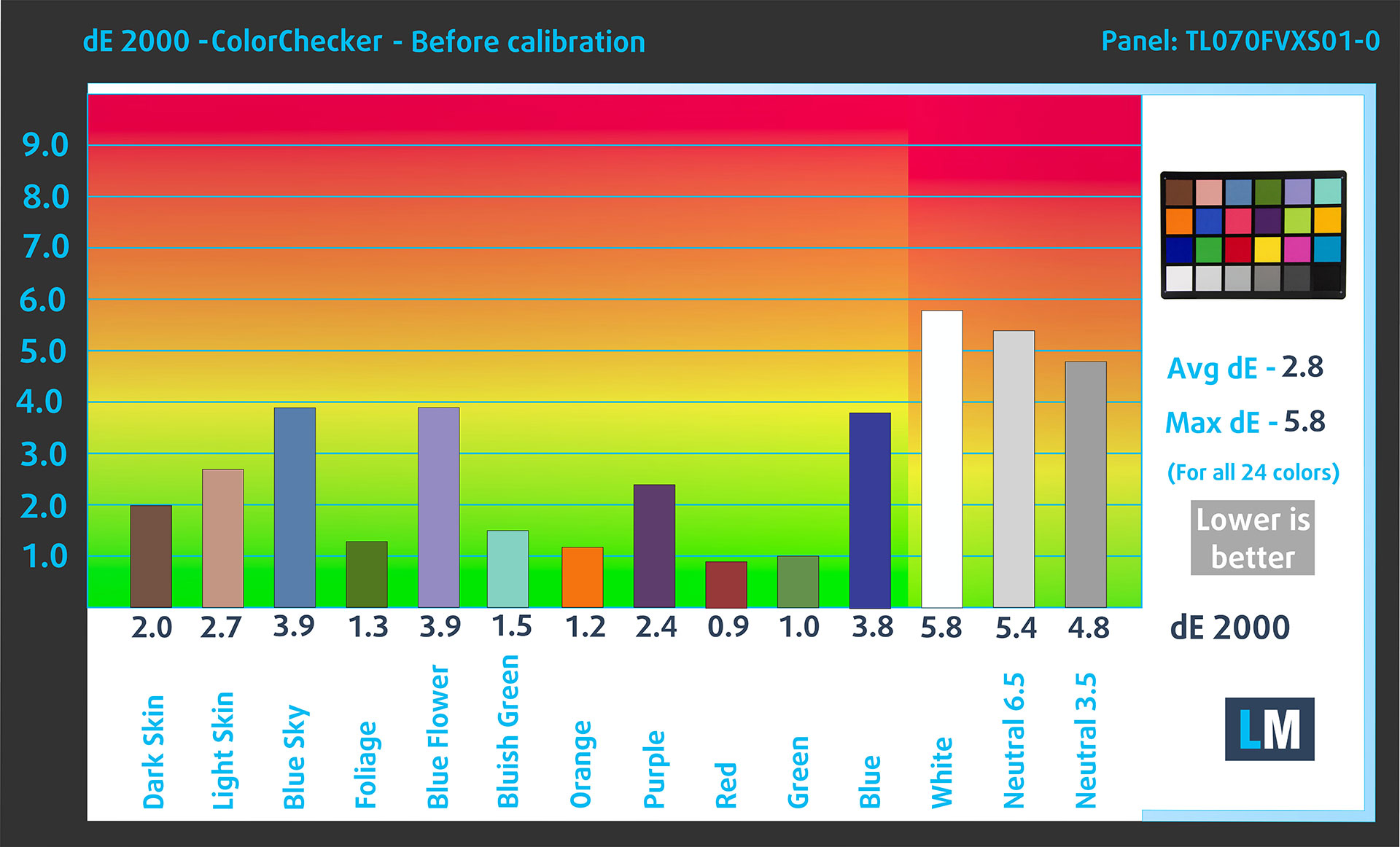
(Fig. 2) ASUS ROG Xbox Ally X (2025) in its factory condition
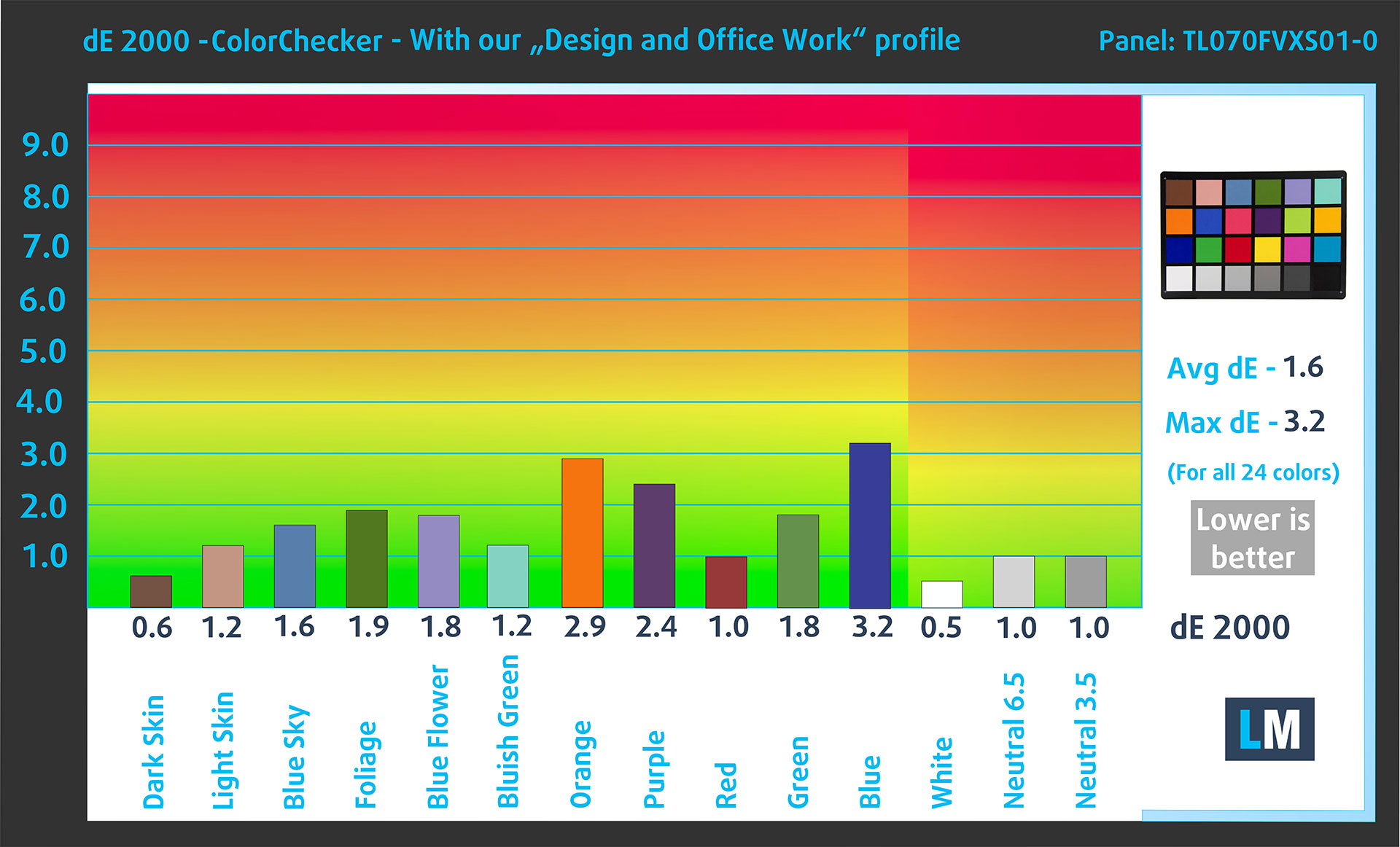
(Fig. 3) ASUS ROG Xbox Ally X (2025) with our display profile
Comparison in the sRGB color space.
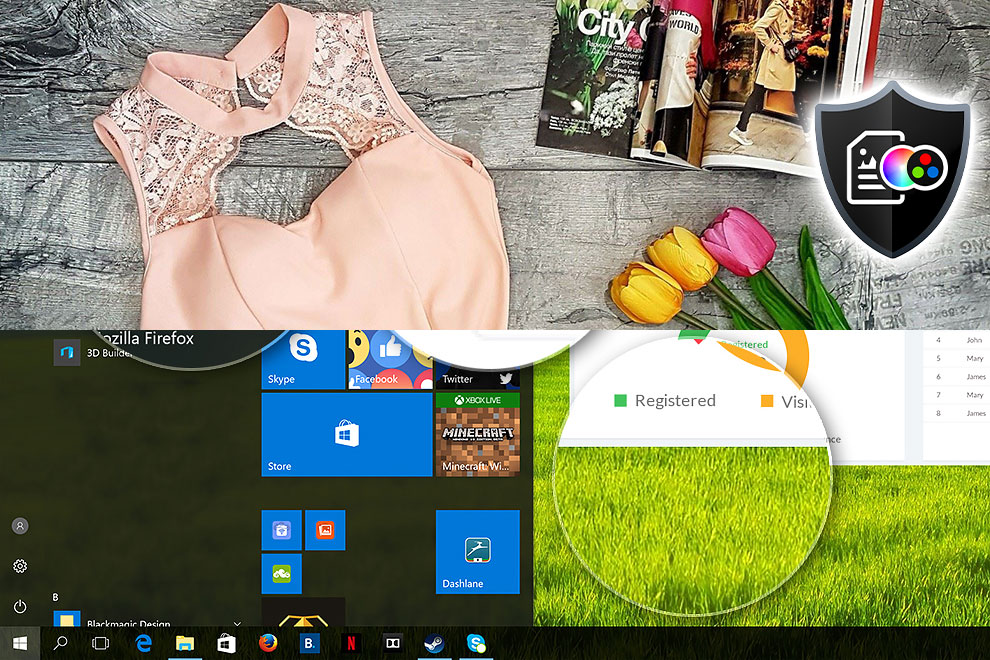
Here’s an illustration of what the Design and Office profile aims to deliver:
Left: No Profile | Drag the slider to see the difference | Right: Design & Office Profile

Visibility in dark scenes
Have you ever watched a movie with dark scenes where you could barely see anything? This often happens because many display panels struggle to differentiate the darkest nuances, making them appear the same.
The next figure illustrates how well the display reproduces these dark nuances. The left side of the image shows the display with stock settings, and the right side shows it with our Gaming and movies profile activated.
On the horizontal axis are the grayscale levels, and on the vertical axis – the corresponding display brightness.
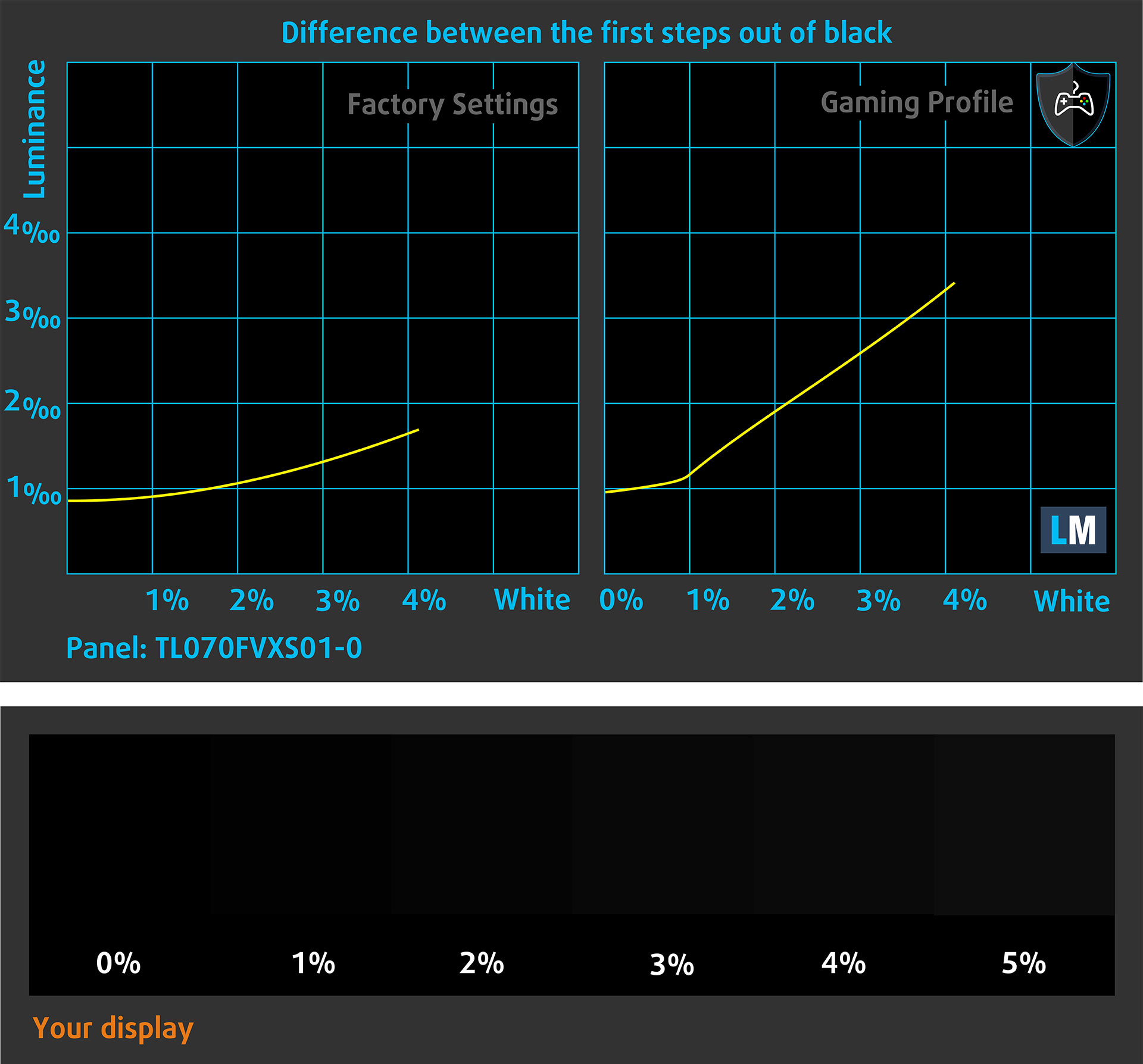
You can also check how your display handles the darkest nuances but keep in mind that this also depends on the settings of your current display and the surrounding light conditions.
Response time (Gaming capabilities)
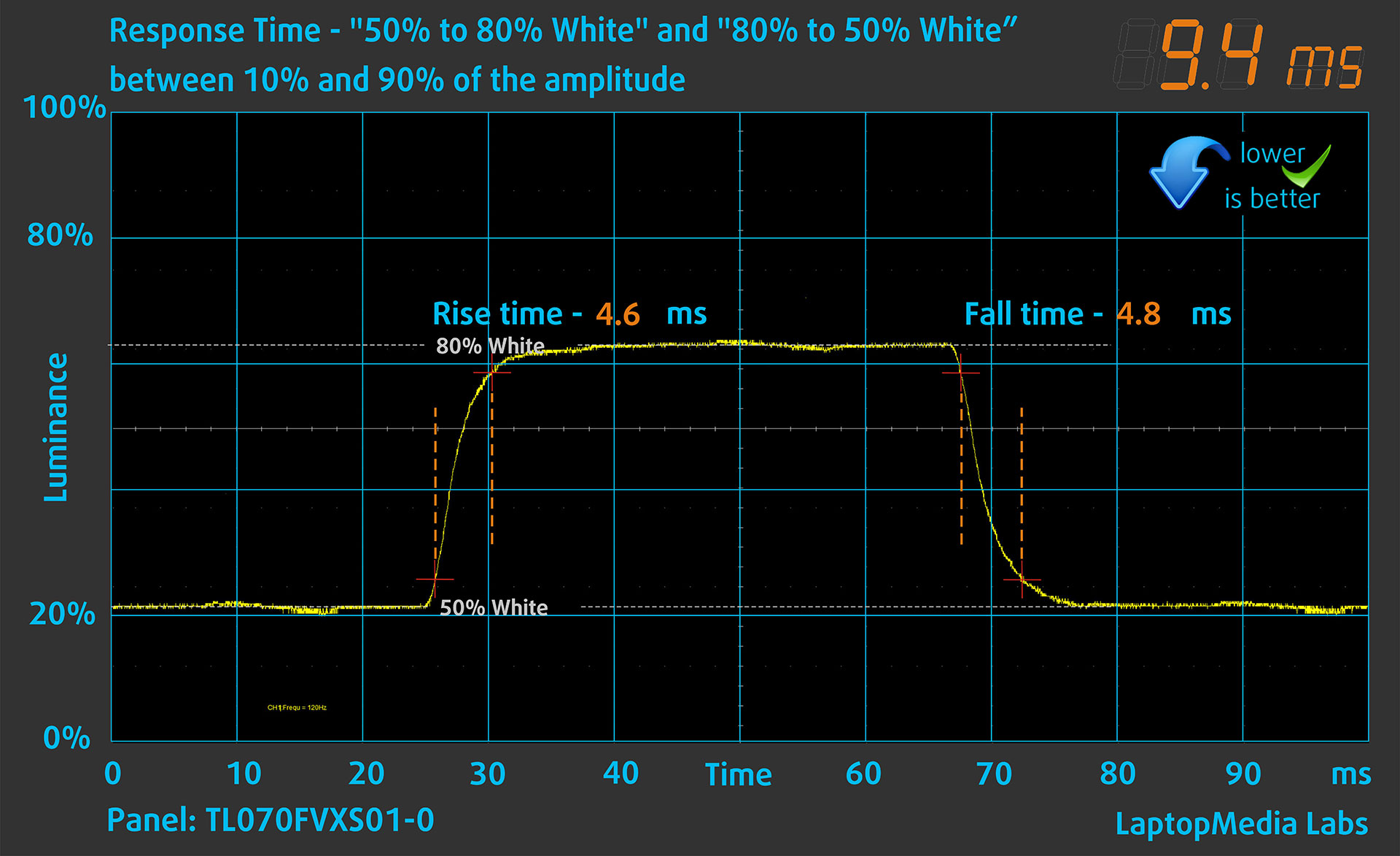
We test the reaction time of the pixels with the usual “black-to-white” and “white-to-black” method from 10% to 90% and vice versa.
We recorded Fall Time + Rise Time = 6.6 ms. Short pixel response time is a prerequisite for a smooth picture in dynamic scenes.
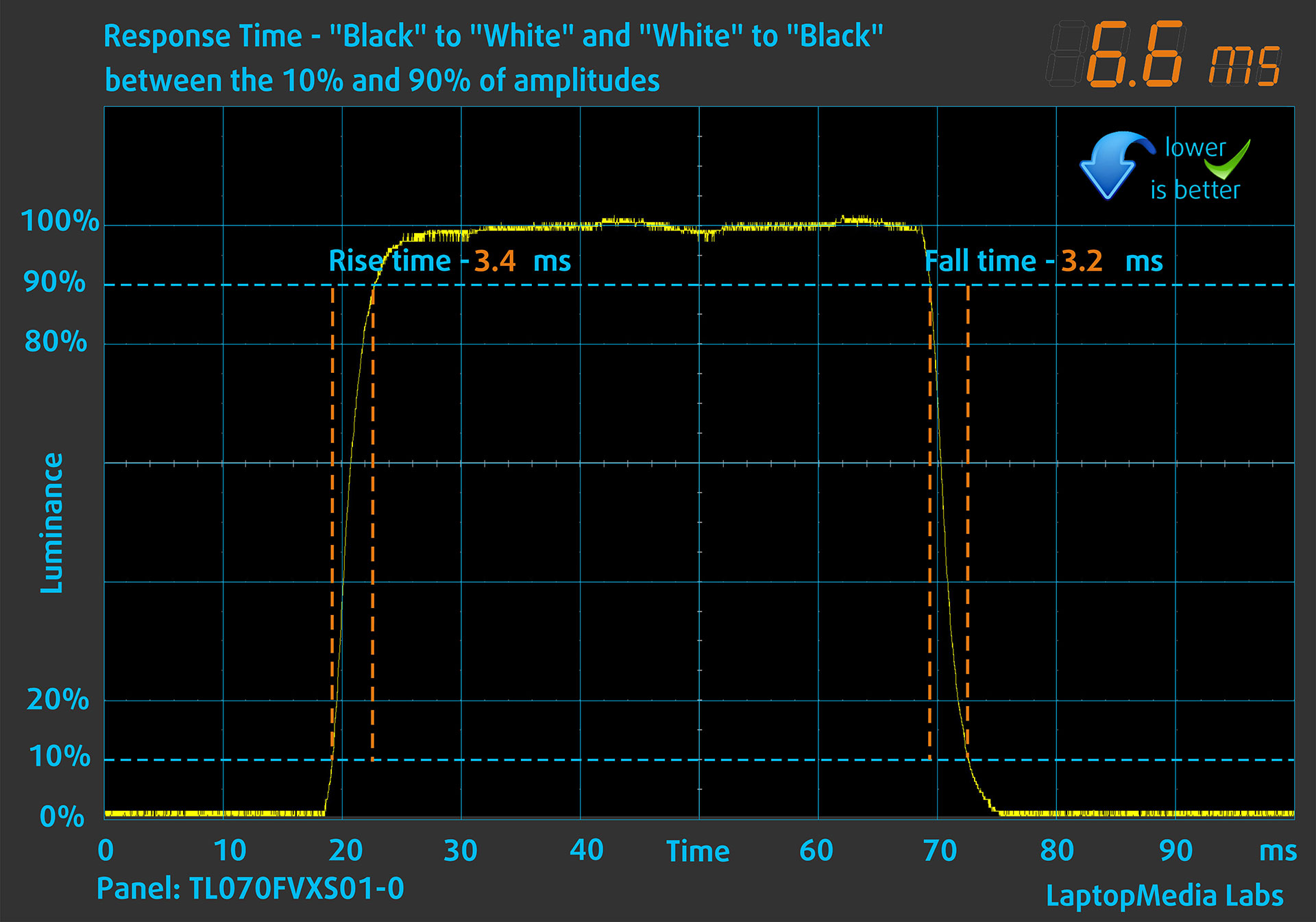
After that, we test the reaction time of the pixels with the usual “Gray-to-Gray” method from 50% White to 80% White and vice versa between 10% and 90% of the amplitude.
Health Impact: PWM (Screen flickering)
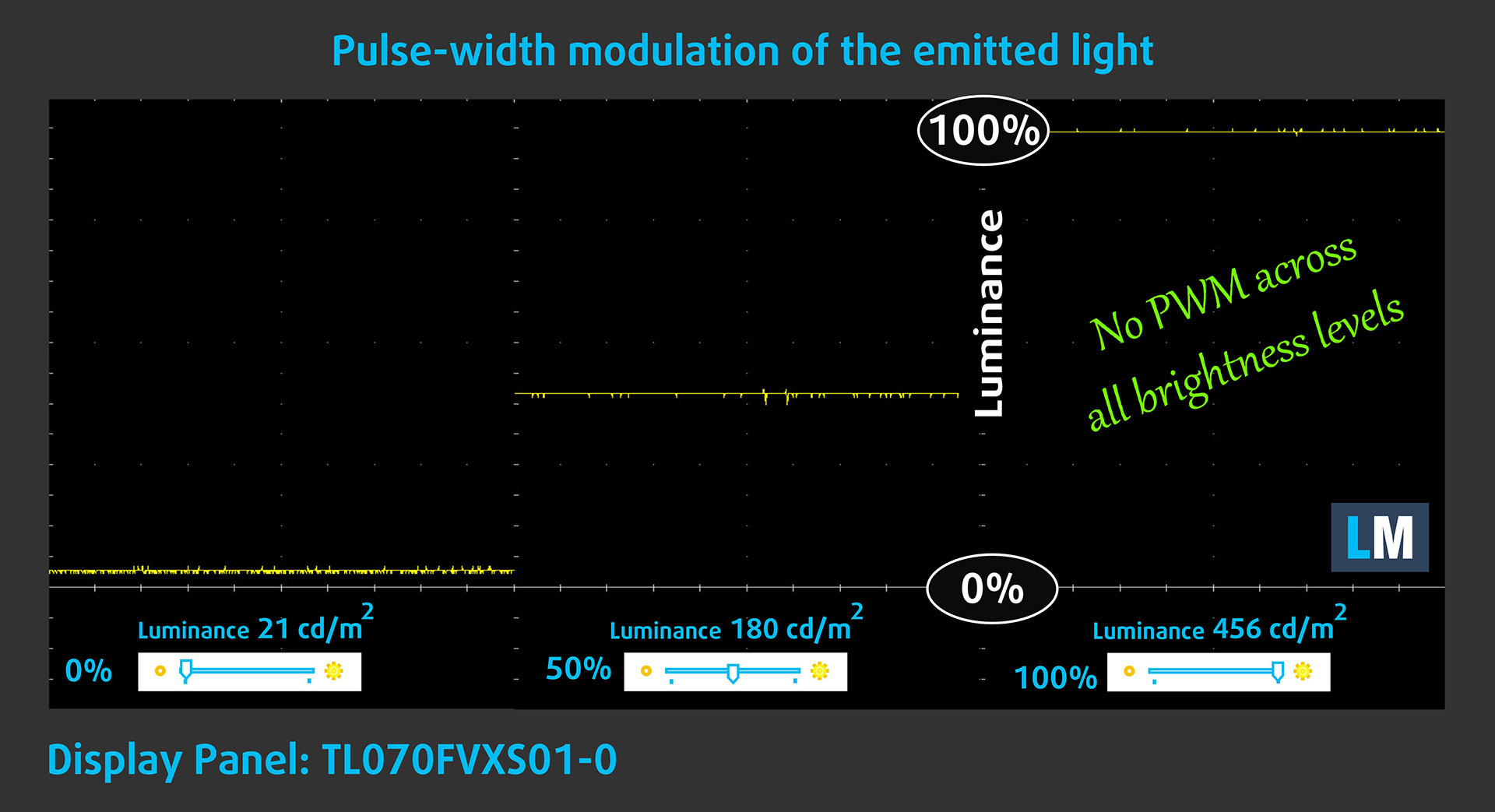
Some use PWM to regulate their brightness, which means that instead of reducing the light intensity, they pulse or flicker. Our brain merges the image, so it appears darker, but this strains both it and our vision, especially when the frequency of the pulses is low. You can read more about that in our dedicated article on PWM.
In the graph below, you see the intensity of light at different brightness levels—on the vertical axis is the brightness of the emitted light, and on the horizontal axis—time.
The light from the backlight of the ASUS ROG Xbox Ally X (2025) display is not pulse-width modulated, providing visual comfort in the discussed aspect.
Health Impact: Blue light emissions
Installing our Health-Guard profile reduces harmful Blue Light emissions while keeping the colors of the screen perceptually accurate.
If you’re not familiar with the Blue light, the TL;DR version is – emissions that negatively affect your eyes, skin, and your whole body. You can find more information about that in our dedicated article on Blue Light.
Health Impact: Screen Reflectance
Glossy-coated displays can cause eye fatigue in high ambient light conditions due to reflections. We measure the level of screen reflection with the display turned off, at a 60° angle.
The reflectance of the ASUS ROG Xbox Ally X (2025)’s screen is 46.6 GU. This is a very good result, achieved thanks to the special DXC anti-reflection coating.
High Gloss: >70 GU
Medium Gloss: 30 – 70 GU
Low Gloss: <30 GU
Get our profiles
Since our profiles are tailored for each individual display model, this article and its respective profile package are meant for ASUS ROG Xbox Ally X (2025) configurations with TL070FVXS01-0 (TMX0002), 1920 x 1080, IPS panel.
*Should you have problems with downloading the purchased file, try using a different browser to open the link you’ll receive via e-mail. If the download target is a .php file instead of an archive, change the file extension to .zip or contact us at [email protected].
Read more about the profiles HERE.
In addition to receiving efficient and health-friendly profiles, by buying LaptopMedia's products you also support the development of our labs, where we test devices in order to produce the most objective reviews possible.

Design and Office
The Design and Office profile makes display colors as close to real as possible.Ideal not only for professionals but also for everyday users, it meets sRGB standards (D65 white point, sRGB gamma) with minimal DeltaE for precise color reproduction on your panel.

Gaming and Movies
Have you ever watched a movie where, during dark scenes, you can barely see anything? Many displays fail to distinguish dark tones properly. Our Gaming and Movies profile enhances low-light performance, like HDR tech, using a gamma curve tailored to human perception — ideal for gamers seeking faster reactions and clearer visuals.

Health-Guard
Our Health-Guard profile protects your eyes by eliminating PWM flickering, reducing strain and fatigue, and minimizing harmful Blue light exposure that can disrupt sleep and health. It uses software dimming and a gamma curve tailored to human perception for comfort and safety during screen use.
Get All The Profiles With 33% Discount!

Sound
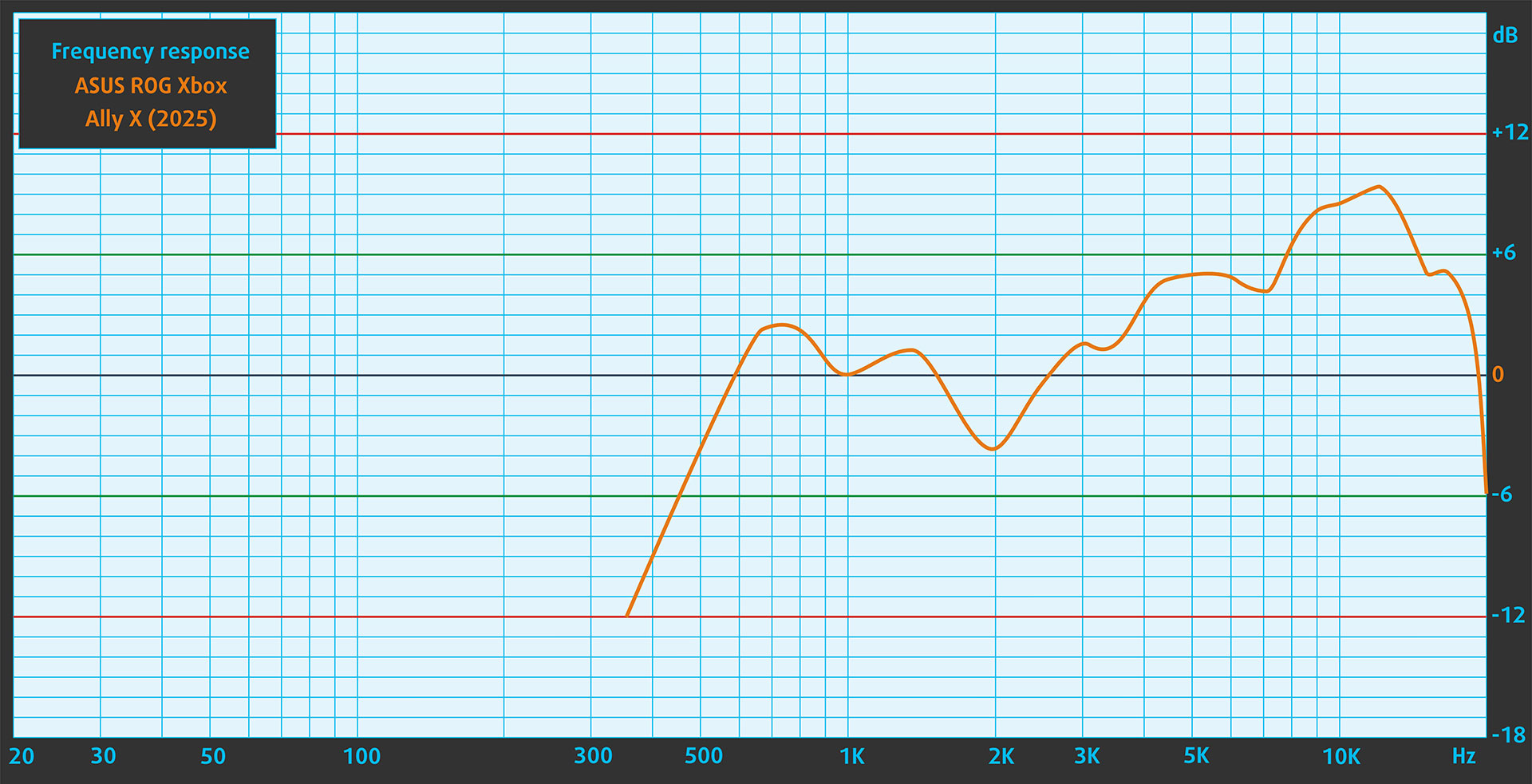
When we subjectively listen to a sound file through the built-in speakers (2-speaker system with Smart Amplifier Technology), the sound quality offered by the ASUS ROG Xbox Ally X (2025) is very good. The low, mid, and high frequencies are clear.
Software
The Ally X boots straight into Xbox Full-Screen Experience (FSE) – a console-style shell for Windows 11 that aggregates your games from Xbox/Game Pass, Steam, Epic, GOG, Battle.net and more in one library. It’s controller-first and lets you launch titles without touching a mouse, which finally makes Windows feel at home on a handheld. Under the hood it’s still Windows, so you can pop back to the desktop when you need installers, mods, or launchers that FSE doesn’t expose.
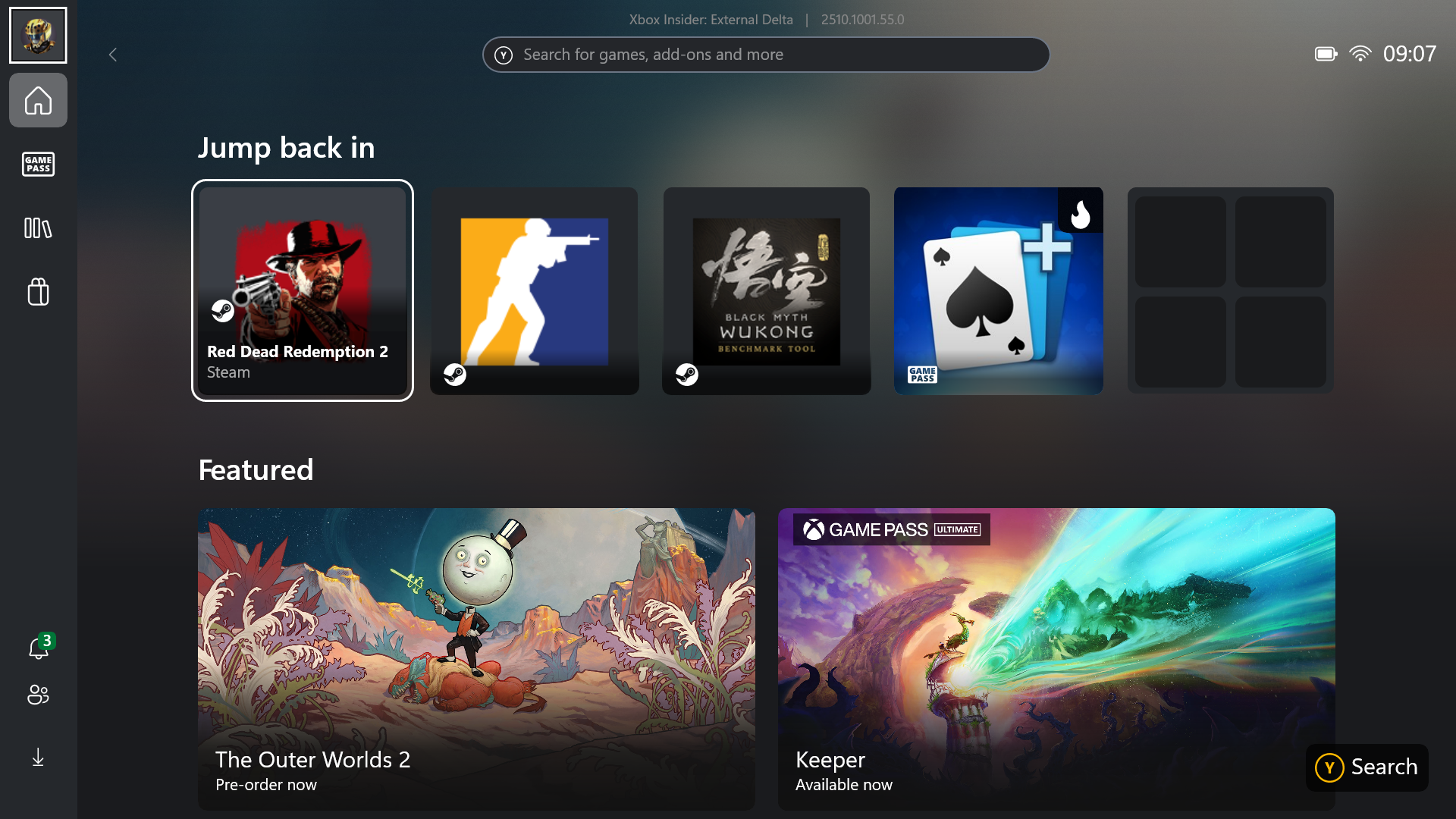
FSE is a meaningful step forward, but it isn’t a new OS. Microsoft and ASUS co-developed this interface with the goal of removing unnecessary desktop elements. There’s no taskbar, wallpaper, or background telemetry loaded, which saves about 2 GB of RAM and reduces power consumption. It’s a major improvement compared to previous Windows-based handhelds, where the full Windows interface often felt clunky when used with touch controls or a gamepad.
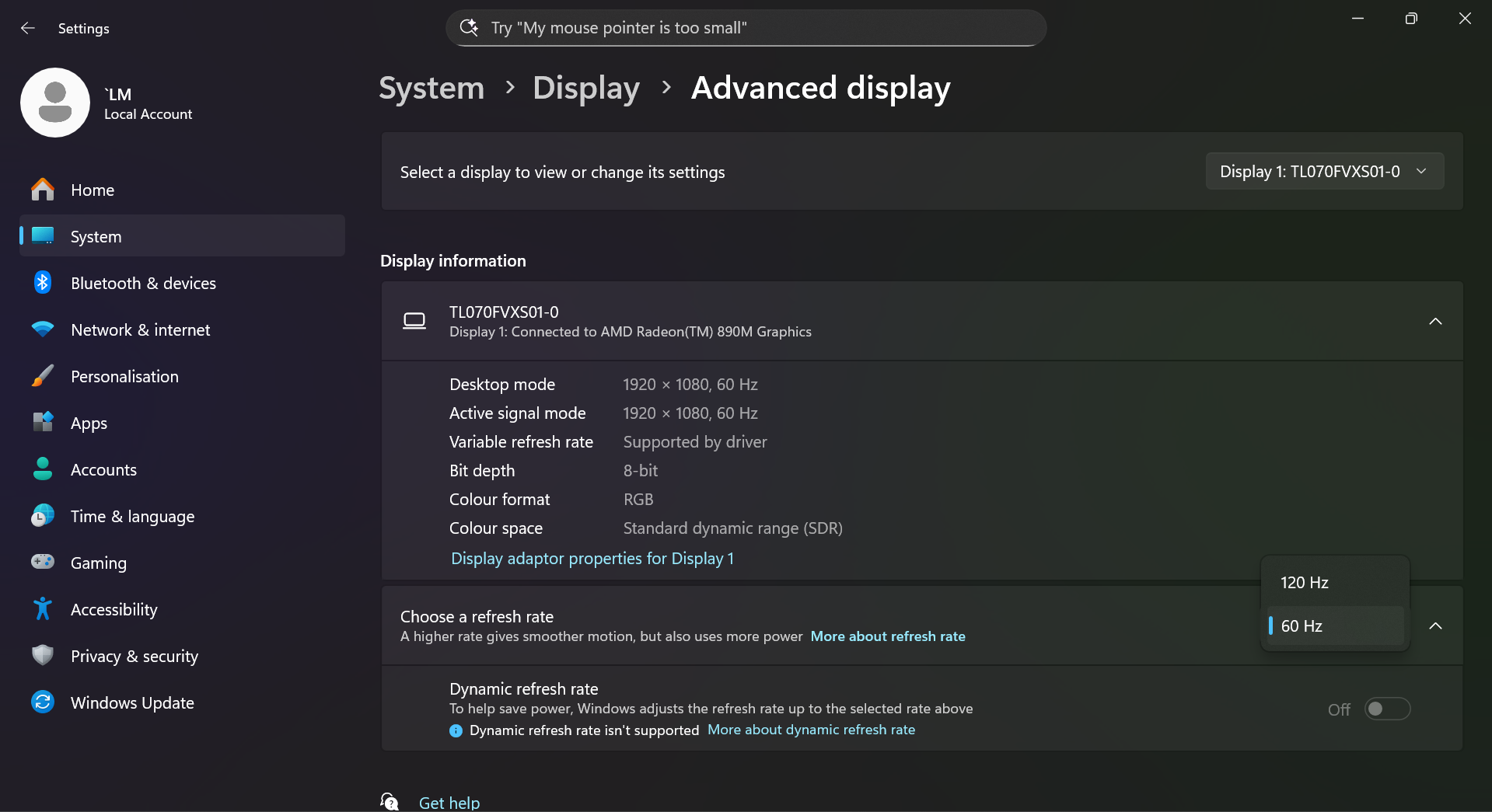
You can still switch to the standard Windows Desktop when needed — for example, to install an app outside the supported platforms. This is done easily by swiping up from the bottom of the screen. Still, it’s important to remember that this is a Windows-based device, not a dedicated console like the Nintendo Switch. Expect occasional patches, driver updates, and some tinkering in the settings. But if you’re a PC gamer, that shouldn’t scare you.
What’s coming?
Microsoft and ASUS are rolling out Auto Super Resolution (Auto SR) and AI highlight reels for Ally X. Auto SR is a system-level, NPU-accelerated upscaler that boosts clarity and framerate for games rendered at lower resolutions—no developer integration required. AI highlight reels automatically detect big moments (boss kills, wins) and compile short clips for sharing. Both features are slated to arrive via updates starting early 2026, so they weren’t enabled at launch but are part of the near-term roadmap.
If you need a PC for school, the ROG Xbox Ally X is a great choice!
…Okay, that may sound like a stretch – but as we’ve already mentioned, this is a fully capable mini PC, not just a gaming device. And that versatility is one of its biggest strengths. Let’s test it.
ASUS ROG Xbox Ally X as a PC: CPU, Storage, AI Performance
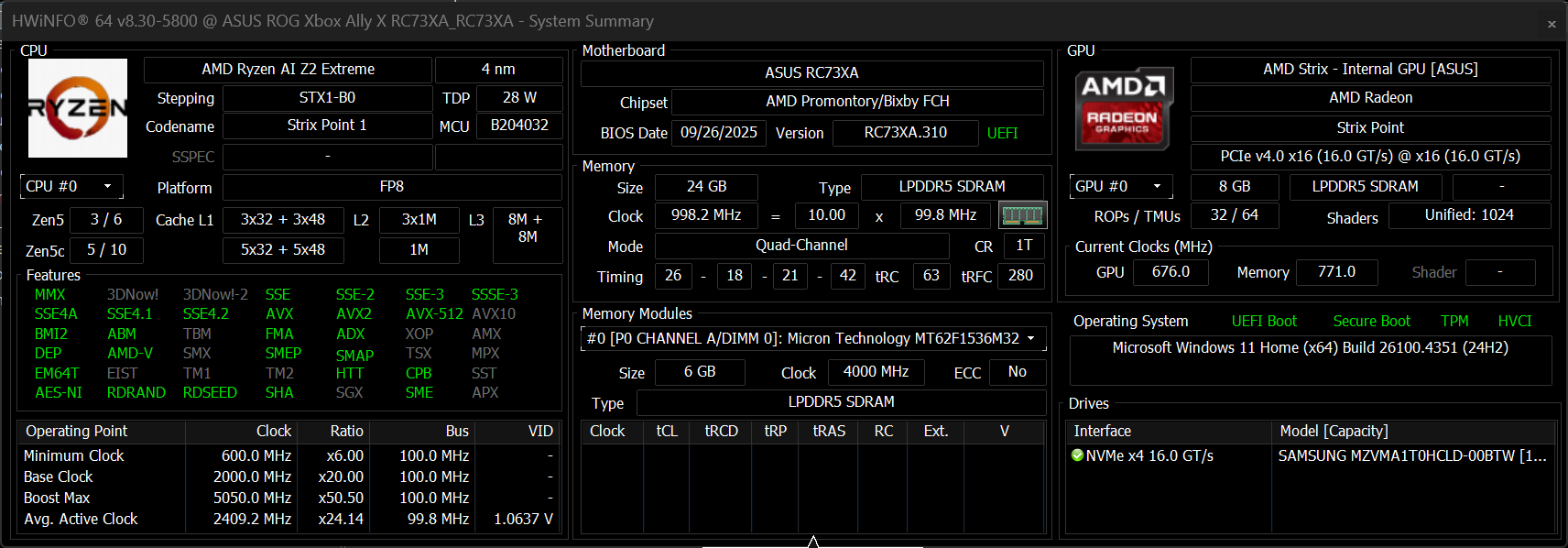
The ASUS ROG Xbox Ally X comes with 24 GB of LPDDR5X RAM (up to 8000 MHz) and a 1 TB SSD – significantly more memory and storage than the standard Ally, which has 16 GB of RAM and a 512 GB SSD.
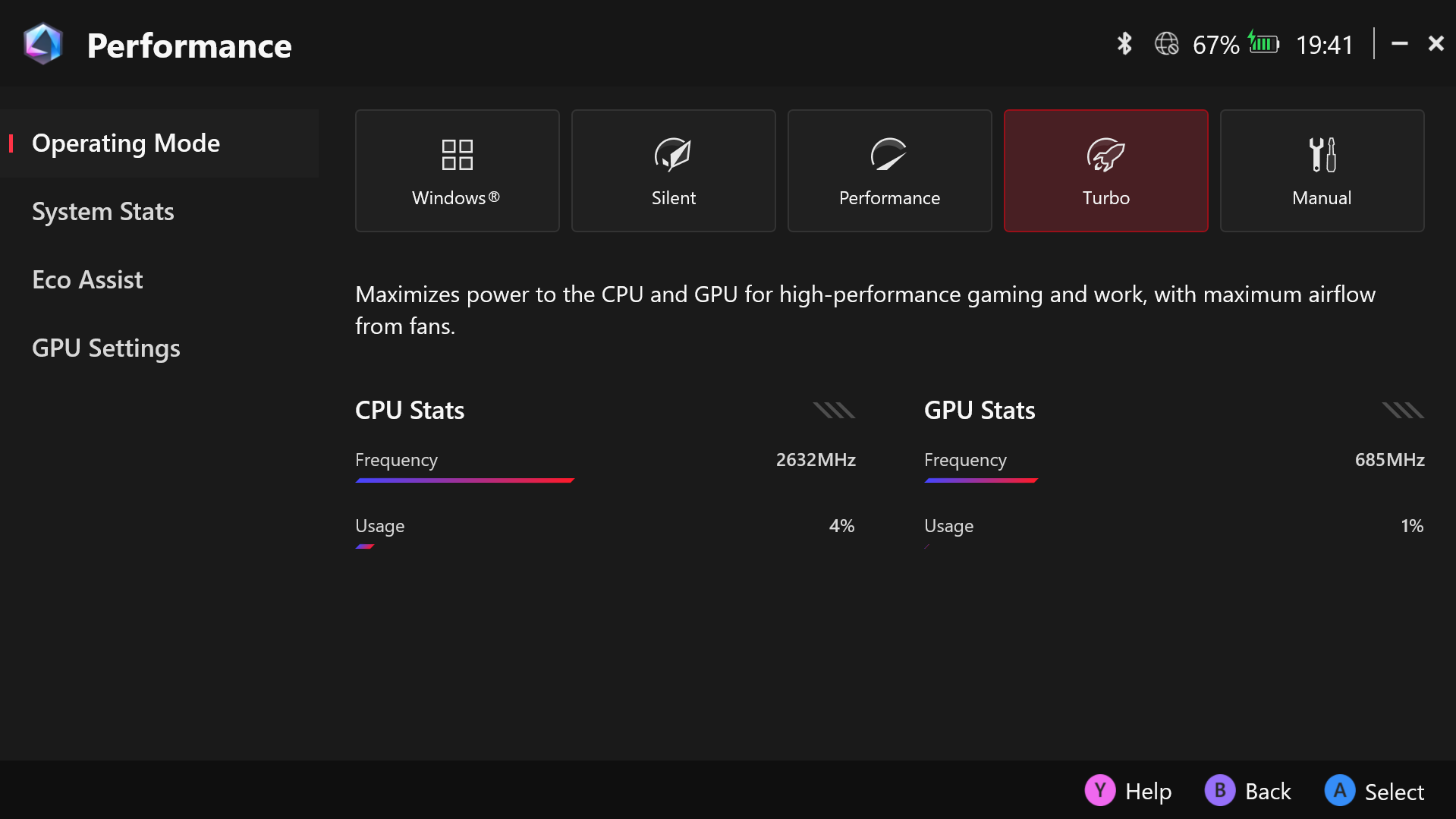
All performance and temperature tests are conducted with Turbo Mode activated in Armoury Crate SE. Scroll down to the temperature section to read what you can expect from each mode.
CPU and Work Performance
The AMD Ryzen AI Z2 Extreme is a handheld-oriented APU that combines 8 cores and 16 threads (Zen 5 + Zen 5c architecture) with an integrated NPU for AI workloads, and high-speed LPDDR5X memory. It is sitting just behind the Intel Core i7-13705H which is considered a high-end mobile processor for laptops, in our Top Laptop CPU Ranking.
Currently, the ASUS ROG Xbox Ally X is the only device equipped with this mobile beast of an APU. As you see, the performance is incredible – Z2 Extreme is 64% faster than Z2 Go in Legion Go S, and it is also twice as fast as the custom APU in the Steam Deck..
Single-core performance ensures smooth operation and responsiveness in operating systems, providing a better user experience.
Results are from the Geekbench 6 Single-Core test (higher is better)


Multi-core performance is essential for handling complex and demanding tasks, such as Video editing, CAD, and Scientific simulations.
Results are from the Geekbench 6 Multi-Core test (higher is better)
Here, we evaluate the CPU's performance using a real-world 3D rendering task, assessing its ability to handle complex computations and rendering workloads efficiently.
Results are from the Cinebench 2024 Multi-Core test (higher is better)

Storage Performance
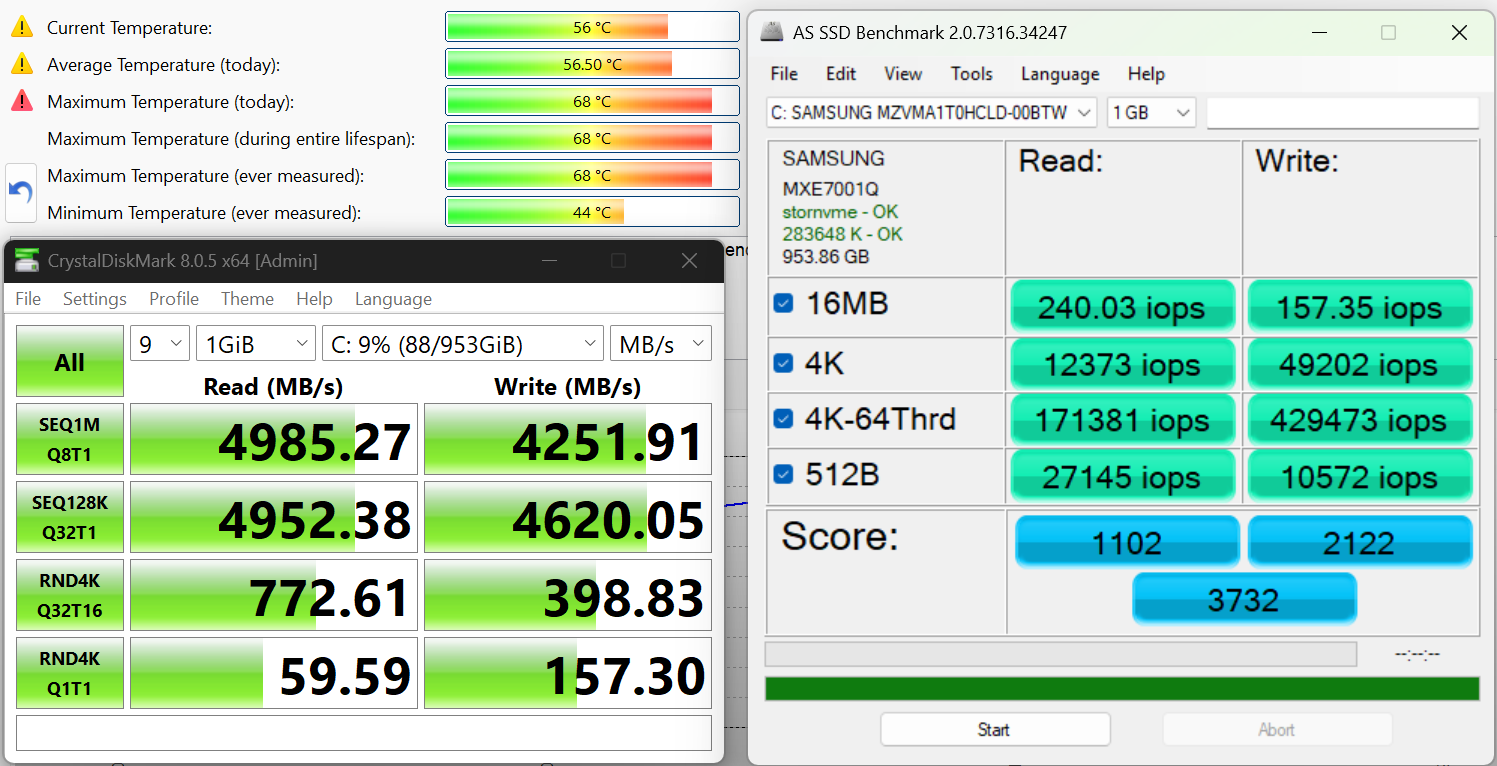
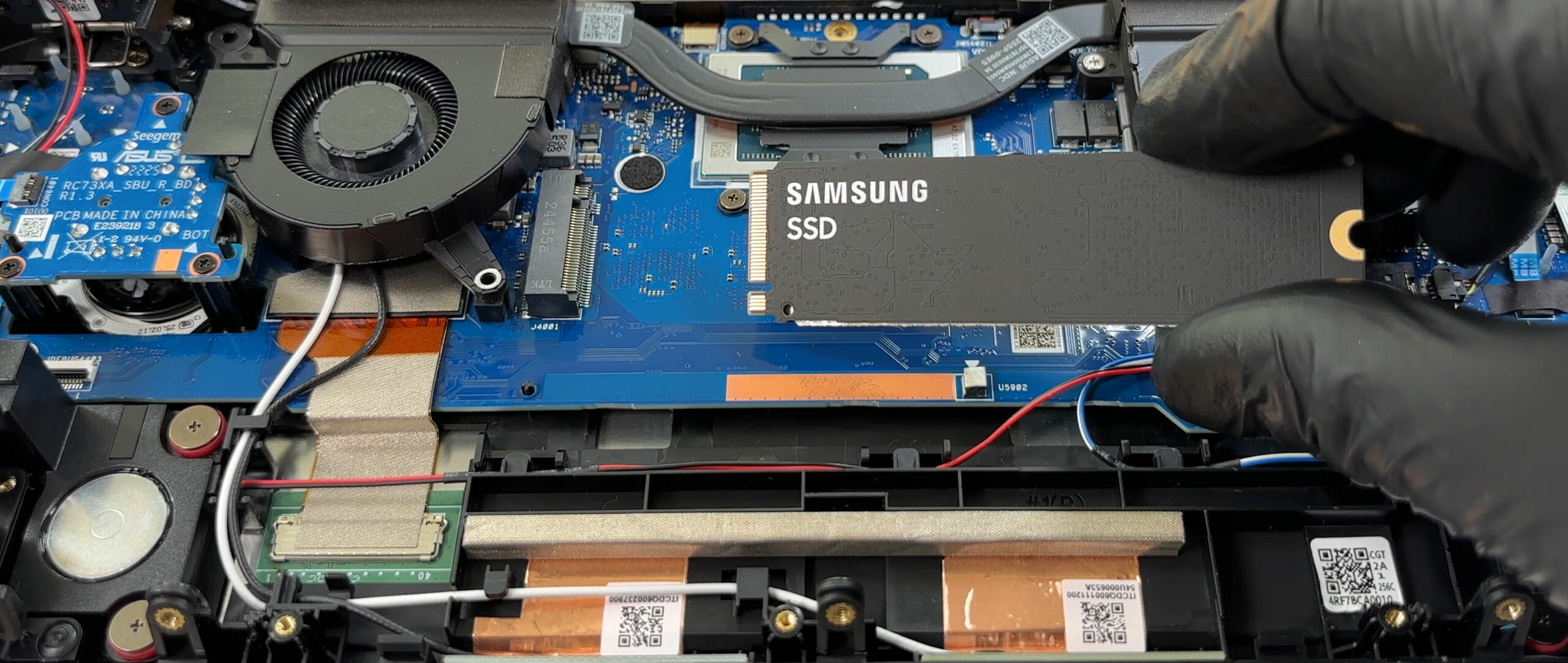
ASUS ROG Xbox Ally X uses Samsung MZVMA1T0HCLD-00BTW NVMe – a regular, 2280-sized M.2 SSD! This is great news as it can be easily replaced or upgraded with an „off-the-shelf“ M.2. But would you need to upgrade? It has a 5.0GB/sec sequential read, and 4.3GB/sec sequential write speeds, while keeping its temperature in check.
AI Performance
Here you can see the position of the GPUs and CPUs (NPUs) found within the ASUS ROG Xbox Ally X in our AI Hardware Performance Rankings based on their AI processing power, measured in TOPS (Tera Operations Per Second) - a critical metric indicating the computational throughput, particularly for AI tasks.
The first column shows peak performance for INT8/FP8 precision, which is the most widespread metric for evaluating AI inference capabilities. We exclude Sparsity to provide a more accurate reflection of AI performance in dense computation scenarios where sparsity optimizations may not be applicable. The second and third columns show the performance with Sparsity, and FP4 TFLOPS, when supported.
For SoCs, the results reflect the peak performance of the integrated NPU. Additionally, it’s important to note that, according to Microsoft, a NPU must have at least 40 TOPS of AI computing power for the PC to be considered “AI-capable.”
| # | GPU / CPU (NPU) | TOPS INT8/FP8 No Sparsity | TOPS INT8/FP8 Sparsity | TFLOPS FP4 Sparsity |
|---|---|---|---|---|
| 1548. | AMD Ryzen AI Z2 Extreme | 50 | — | — |
GPU and Gaming Performance
On the graphics side, the device uses AMD Radeon 890M, an integrated GPU based on RDNA 3+ architecture.
It’s a great performer but it’s also interesting to see the performance difference when the device is plugged-in, and when it’s being used on battery, so we did all the tests with and without the adapter.
The performance drop is about 3% on average when ASUS ROG Xbox Ally X (2025) is away from the charger:
| Benchmark | Plugged-In | On Battery | Performance Drop (%) |
|---|---|---|---|
| 3DM Steel Nomad Light Unlimited | 3483 | 3436 | -1.35% |
| 3DMark Time Spy (G) | 3692 | 3555 | -3.71% |
| 3DM Wild Life Extreme Unlimited | 7830 | 7502 | -4.19% |
AMD Radeon 890M is the fastest handheld console GPU! It’s 15-30% faster than AMD Radeon 780M in Legion Go and Ally (2023), and 2X faster than AMD Radeon 680M in Lenovo Legion Go S.
The results are from 3DMark Time Spy (Graphics). Higher is better.
The results are from 3DMark Wild Life Extreme Unlimited. Higher is better.
Gaming tests

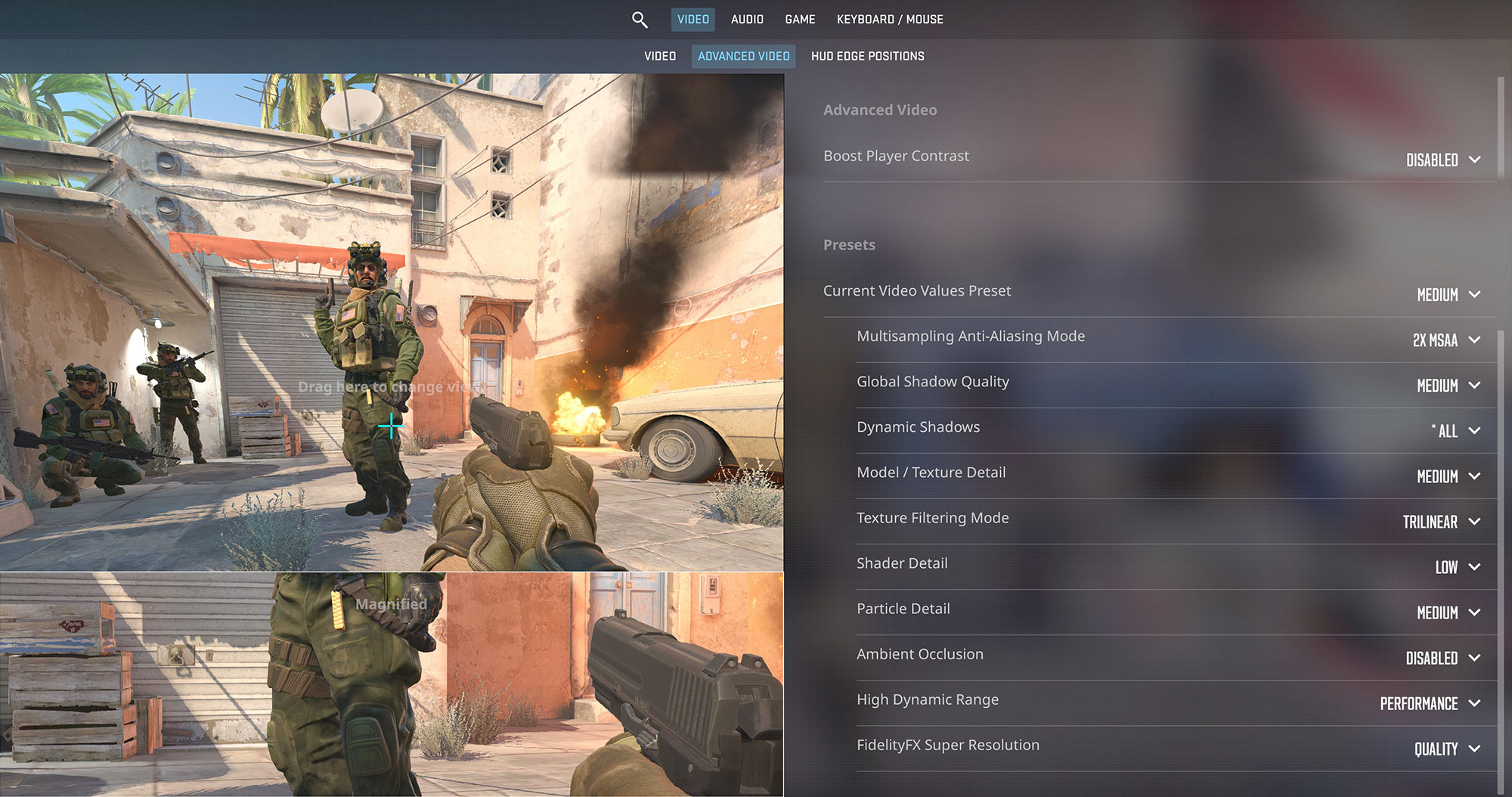
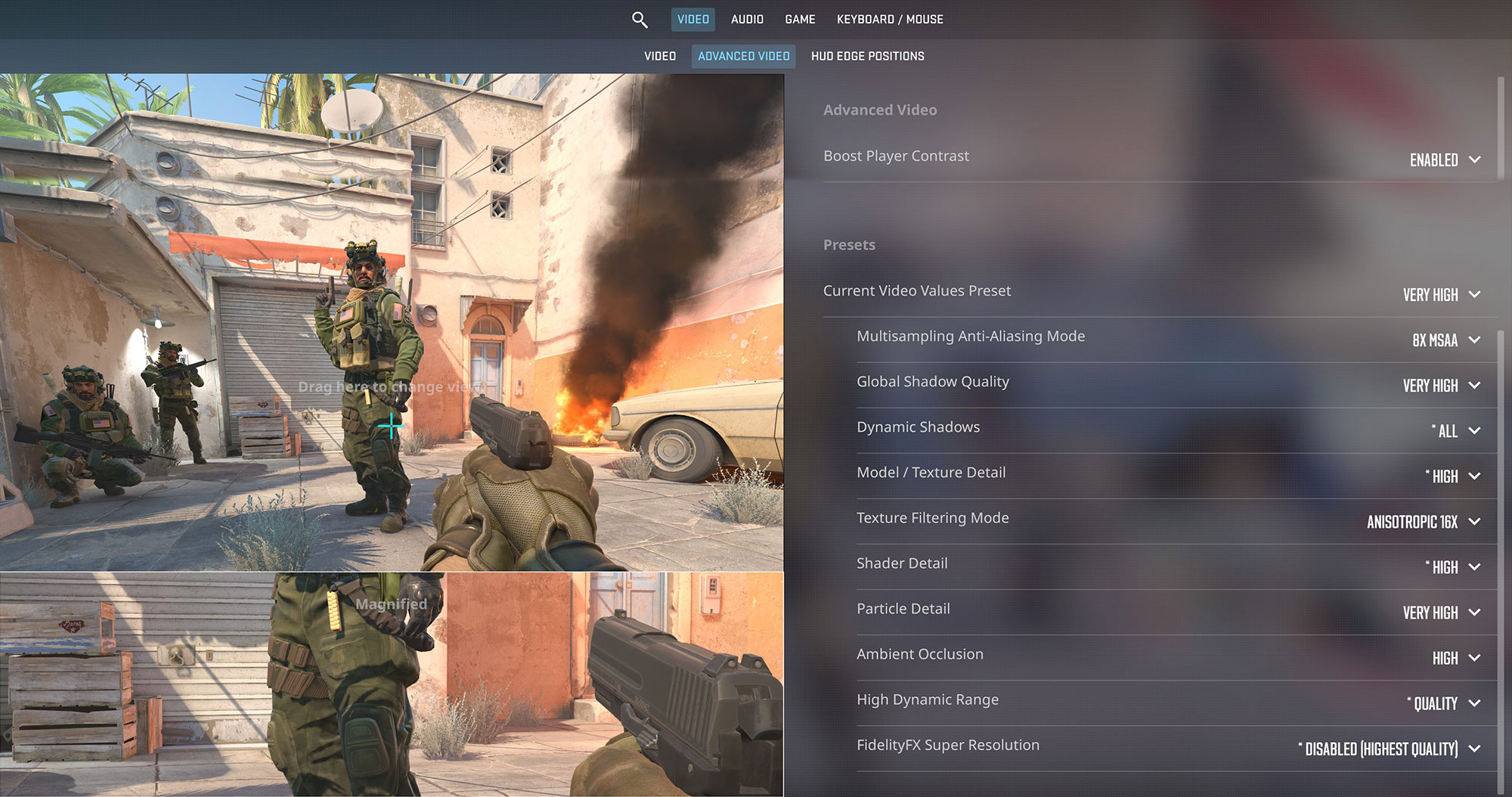
While it’s not intended for competitive titles, the ROG Xbox Ally X shows its strength in Counter-Strike 2. When plugged in, it delivers an excellent 123 FPS on Medium settings, taking full advantage of the 120Hz screen. Even on Very High, it maintains a playable 57 FPS. Performance remains consistent on battery power.
| Counter Strike 2 | 1080p, Medium (Check settings) | 1080p, Very High (Check settings) |
| Average FPS, plugged-in | 123 FPS | 57 FPS |
| Average FPS, on battery | 113 FPS | 58 FPS |

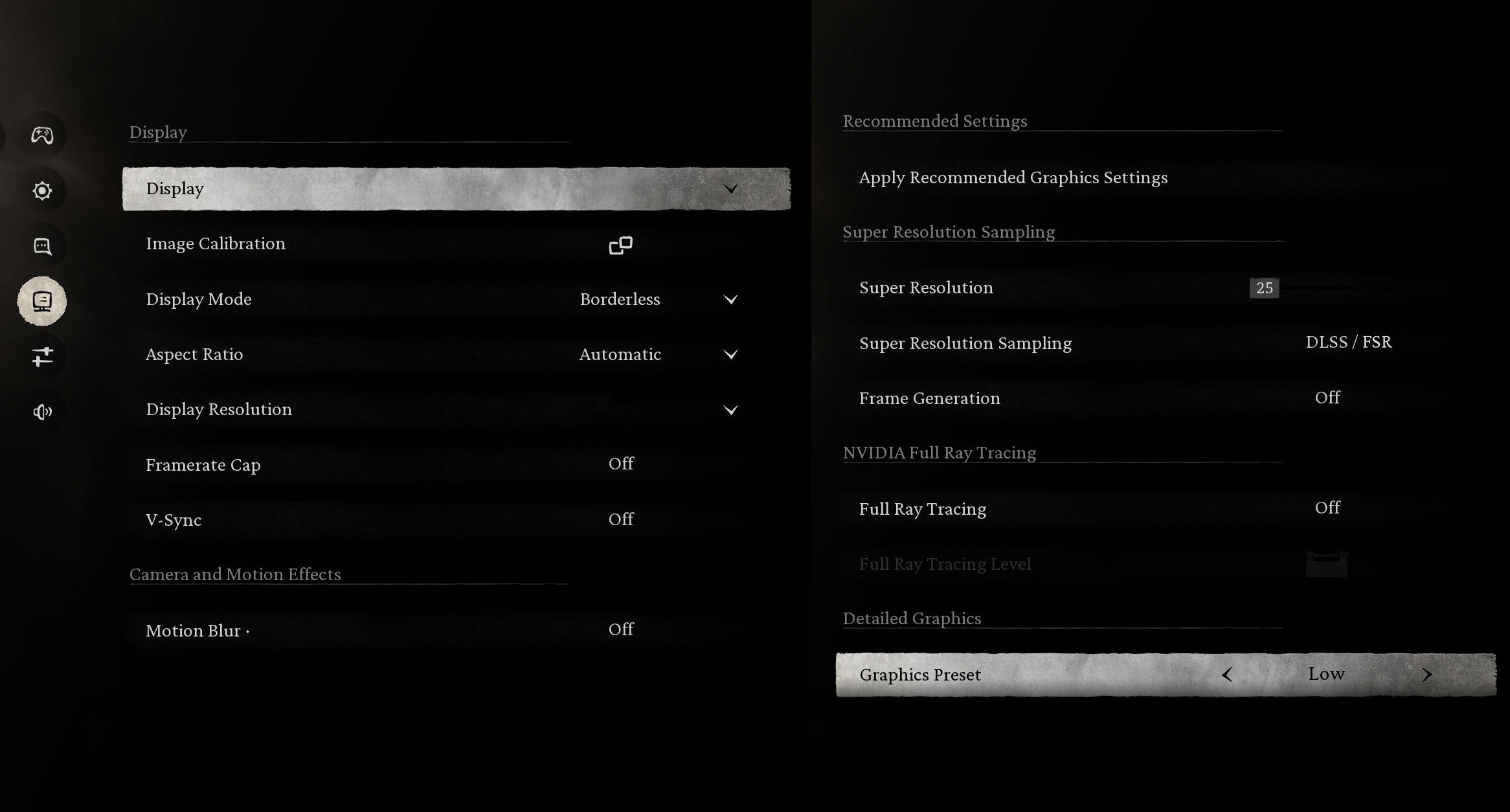
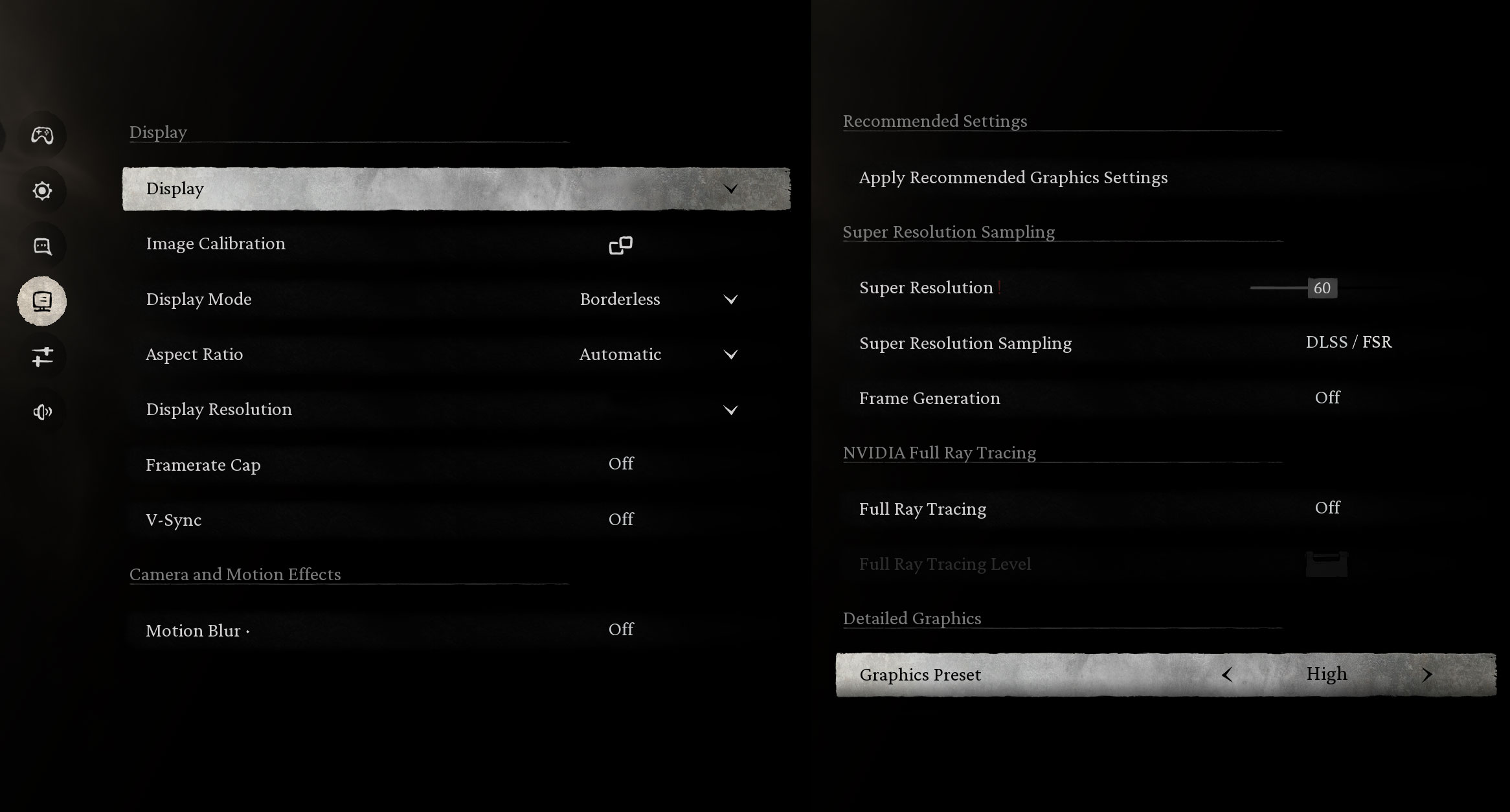
In the demanding Black Myth: Wukong, the Xbox Ally X provides a very smooth 87 FPS on Low settings. Pushing to High settings yields a console-like 33 FPS. The performance drop on battery is minimal, ensuring a great experience even when untethered.
| Black Myth: Wukong | 1080p, Low (Check settings) | 1080p, High (Check settings) |
| Average FPS, plugged-in | 87 FPS | 33 FPS |
| Average FPS, on battery | 78 FPS | 31 FPS |

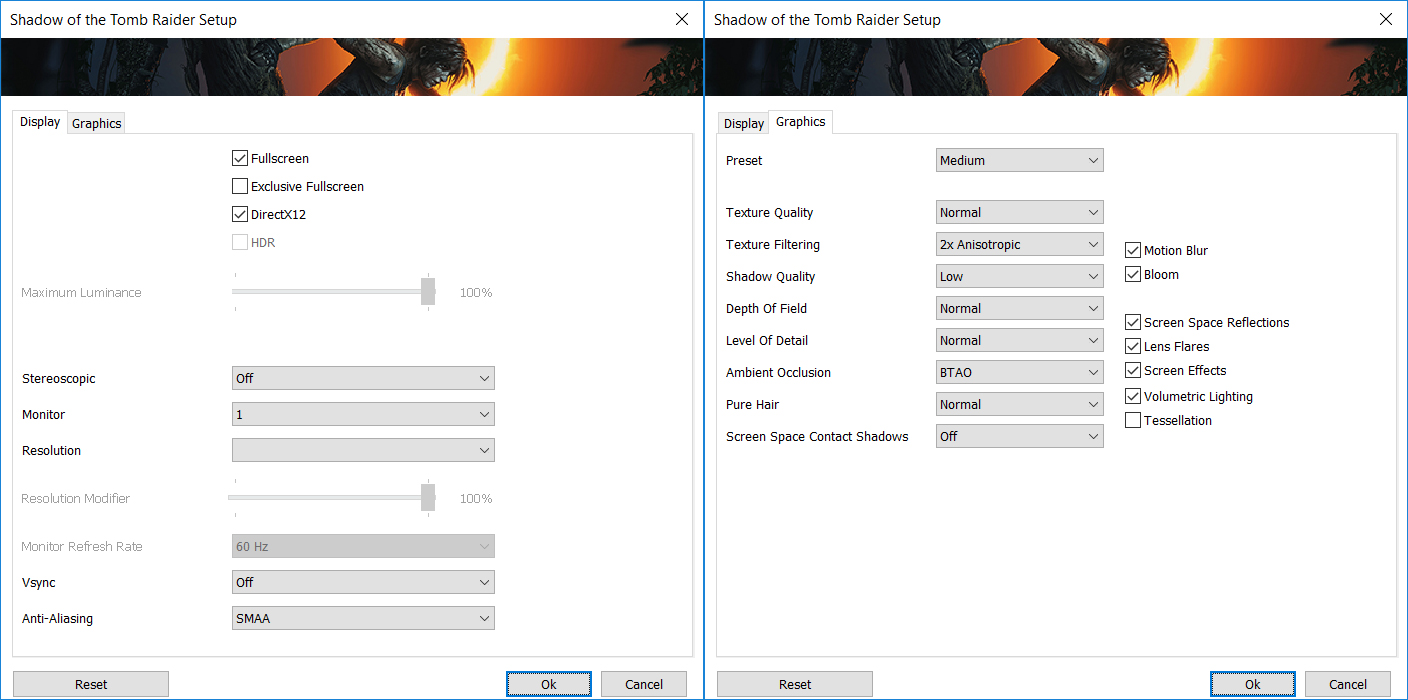
The device delivers a solid single-player experience in Shadow of the Tomb Raider, achieving a very playable 50 FPS on Medium settings. Impressively, there is virtually no performance difference when playing on battery power, which is fantastic for a handheld.
| Shadow of the Tomb Raider | 1080p, Medium (Check settings) |
| Average FPS, plugged-in | 50 FPS |
| Average FPS, on battery | 49 FPS |

In the vast open world of Red Dead Redemption 2, the Xbox Ally X provides a stable, console-quality experience. On Medium settings, it runs at 35 FPS plugged-in and 34 FPS on battery, which is a great result for such a visually impressive and demanding game on a handheld.
| Red Dead Redemption 2 | 1080p, Medium (Check settings) |
| Average FPS, plugged-in | 35 FPS |
| Average FPS, on battery | 34 FPS |
Temperatures and Comfort, Noise, Stability
At idle, the CPU package of the AMD Ryzen AI Z2 Extreme maintains a temperature of 51ºC, and the console remains completely silent, with minimal coil whine which is almost impossible to hear when using from a normal distance (30-40 cm / 10-15 in).
The table below shows detailed power profiles for the ROG Xbox Ally X, with distinct wattage ceilings for steady, short, and peak boost periods depending on the selected mode. These numbers are quite impressive for a handheld, especially the 55W peak in Turbo mode when plugged in — it allows the device to deliver near-desktop performance for short bursts. Even on battery, the sustained and boost power levels remain high, showing how well ASUS has optimized performance-per-watt for mobile use.
| Operating Mode | Silent | Performance | Turbo (on battery/plugged-in) | Manual (range) |
| Sustained Power Limit (steady) | 13W | 17W | 25W / 35W | 7 – 35W |
| Short-term Package Power Tracking (~200s) | 19W | 24W | 30W / 45W | 13 – 45W |
| Fast Package Power Tracking (~10s) | 23W | 30W | 35W / 55W | 19 – 55W |
| System Acoustics | 20 dBA | 22 dBA | 25 dBA / 30 dBA | 18 – 38 dBA |
Battery Life
The battery capacity of the ASUS ROG Ally X is 80Wh, significantly higher than most of its competitors. The standard Ally has a 60Wh battery, but it’s also lighter – 670 g. The Ally X’s battery is one of the largest in its class, which is a major advantage since battery life is critically important for this type of device.
Support for fast charging is another plus – the Ally X supports up to 100W USB-C PD charging, which is handy for those moments when you realize your battery is low just before heading out.
We tested the Xbox Ally X in Silent mode which is the most energy-efficient one:
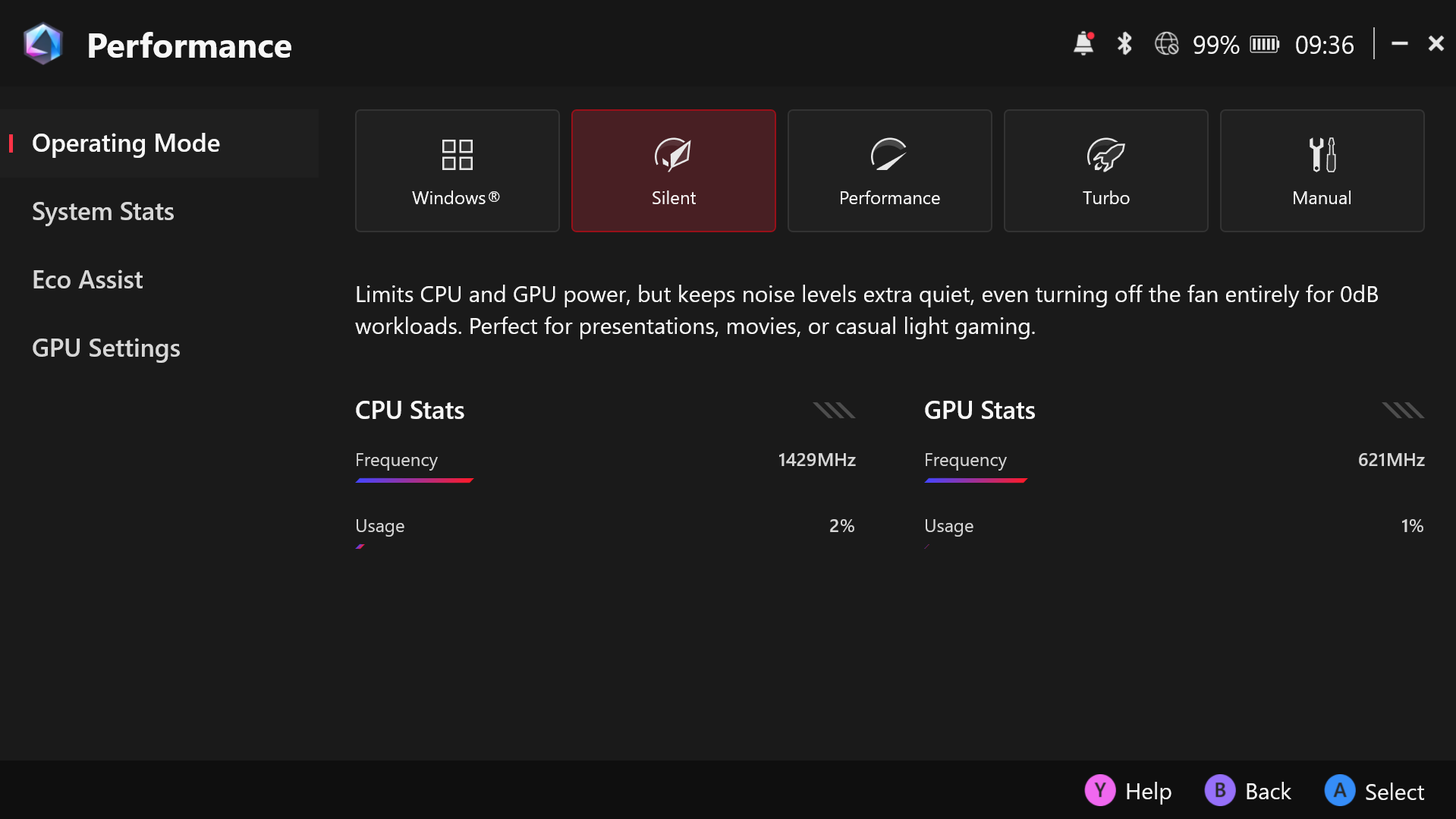
You can expect around 2–2.5 hours in Turbo mode (~25W) with demanding AAA games, 2–3 hours in Performance mode, and about 4 hours in Silent mode.
For regular use you can expect much longer life. We test all devices with the same Video playback test.
The battery of Xbox Ally X is twice bigger than the one in ASUS ROG Ally 2023 (40 Wh vs 80 Wh), and the battery life is almost twice longer – 9h 30min vs 17h 50 min – a great result!
Compared to Lenovo Legion Go the difference is even bigger. The Legion Go lasts for 5h 40min on a single charge, less than 1/3 of the Xbox Ally X battery life.
Disassembly, Upgrade options, and Maintenance
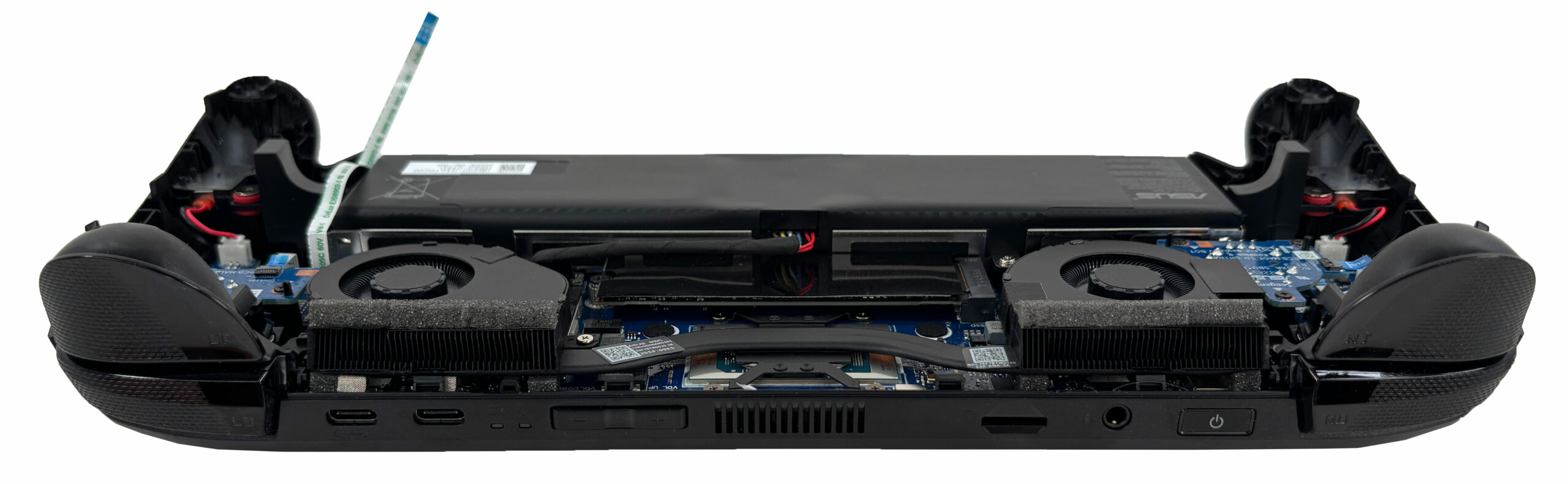
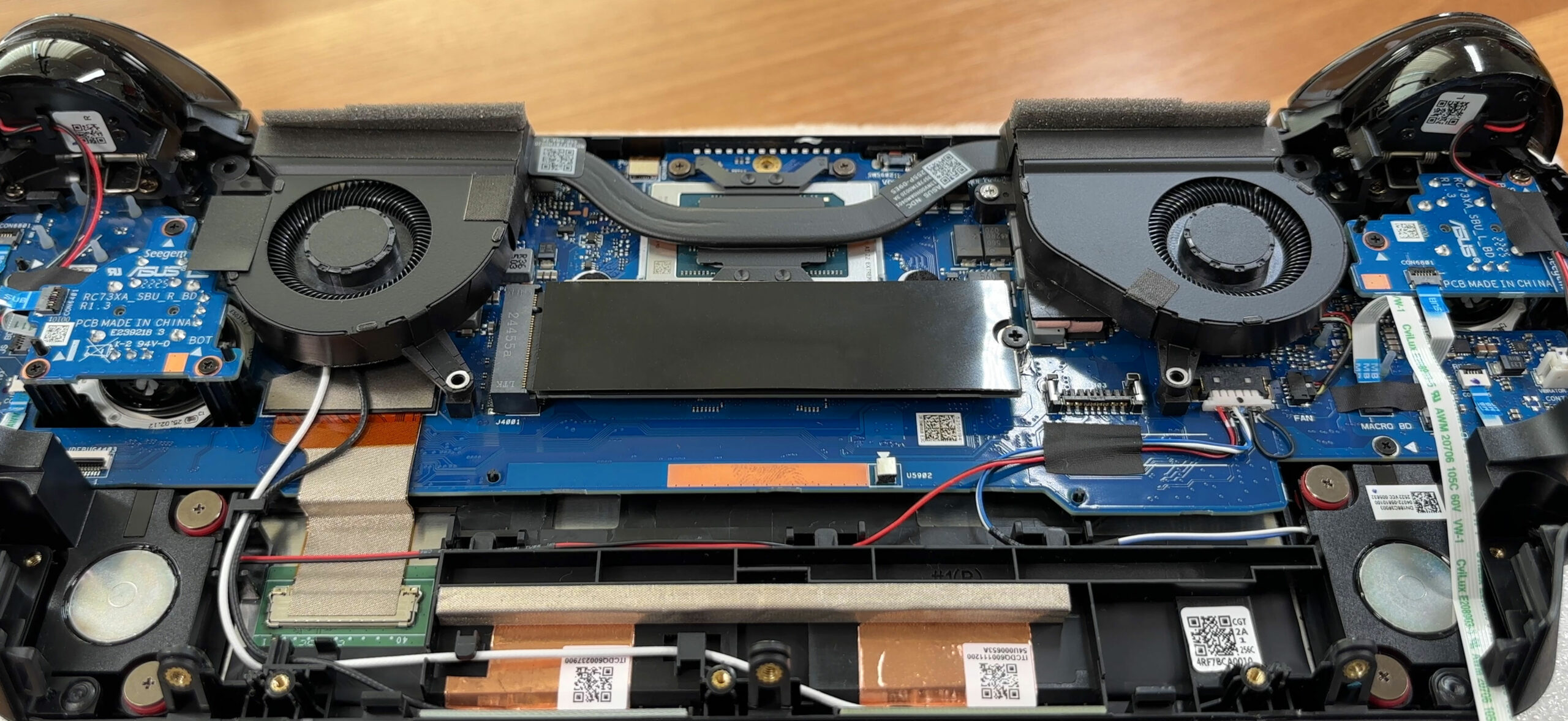
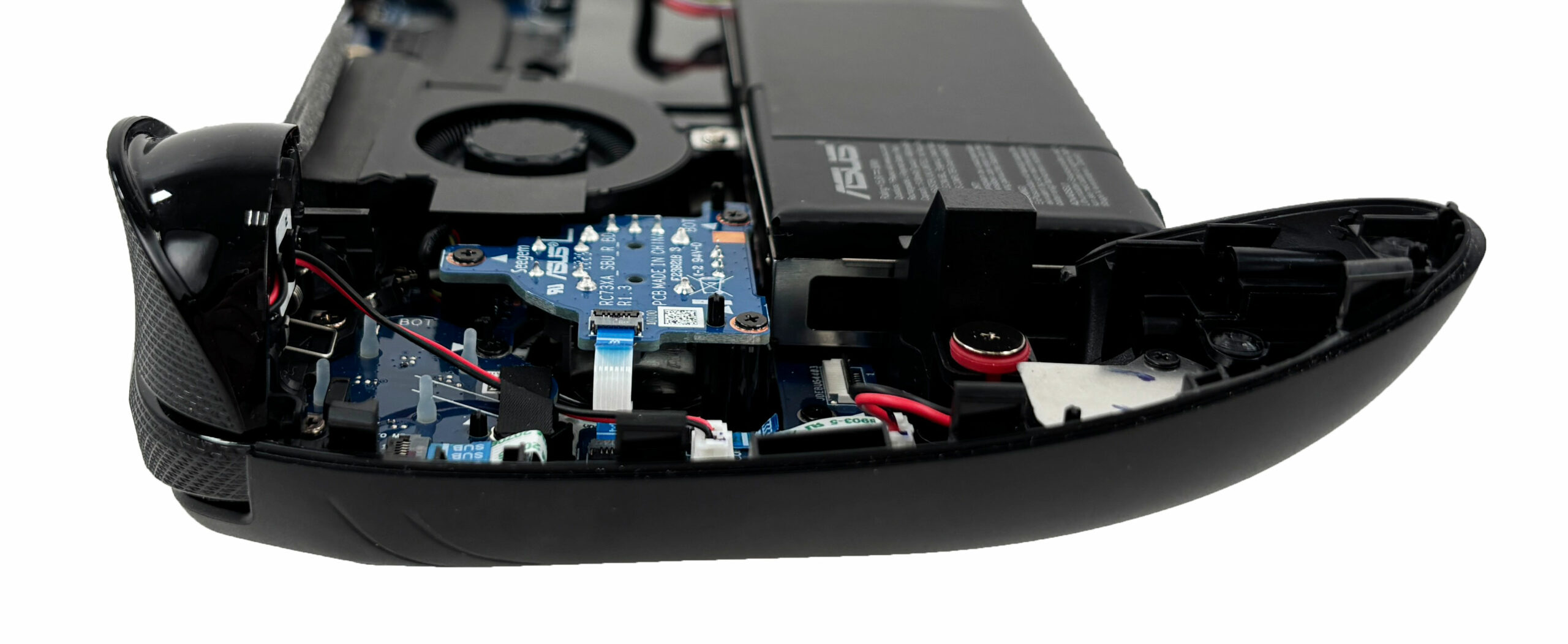
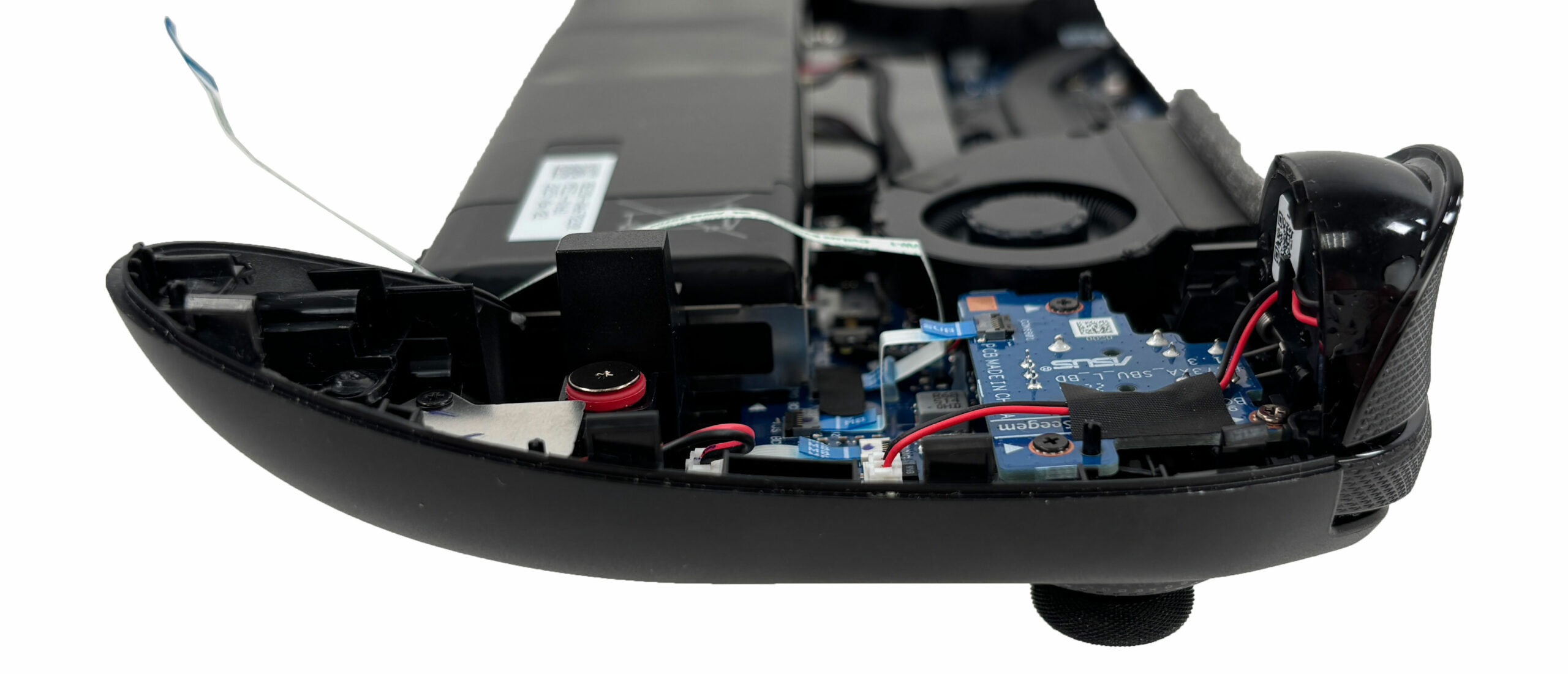
Opening the shell of the ASUS ROG Xbox Ally X reveals a very compact layout dominated by the battery at the bottom and a twin-fan cooling assembly up top. The motherboard is centered, while the speakers and small daughterboards for the side controls sit in the corners, leaving decent service access once the cover is off.
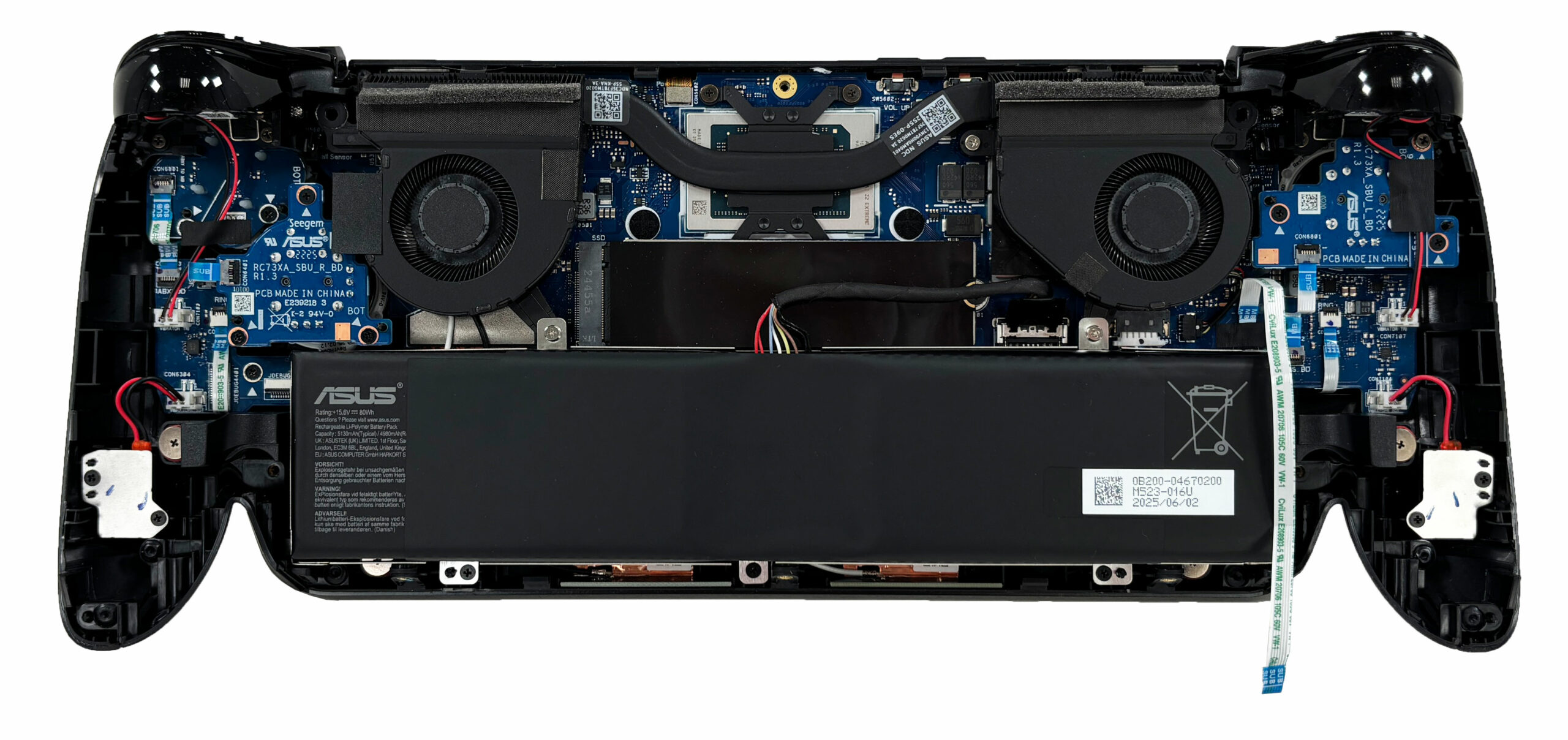
The cooling relies on two radial blowers that push air through dense fin stacks, tied together by a shared heat pipe over the APU. Foam barriers around the heatsinks help seal the airflow path and reduce recirculation. The design is clearly space-optimized for a handheld, but the dual-fan arrangement still provides symmetrical exhaust on both sides.
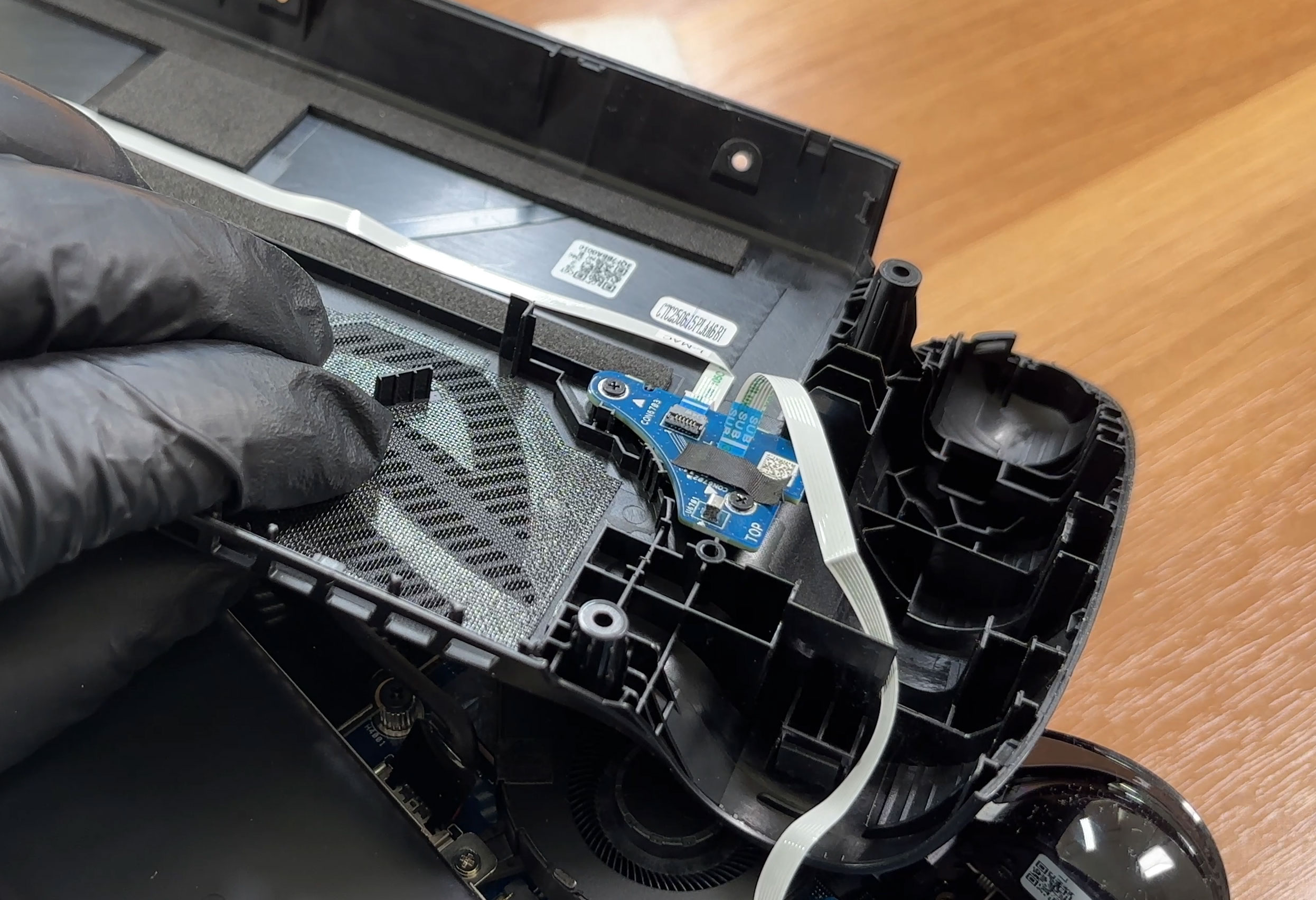
There is a fine mesh and small plastic baffles under the top cover that act as dust catchers around the intake area. These can be cleaned during maintenance to keep the fins from clogging over time.
Storage is straightforward: a single M.2 2280 slot wired for PCIe 4.0 NVMe drives. The default storage size is 1TB, and there is room to replace it with a faster or larger model. The drive is covered by EMI shielding and a thermal interface, which we recommend keeping in place or replacing with an equivalent when upgrading.
System memory is not upgradeable. The Ally X carries 24GB of LPDDR5X soldered to the board, running in dual-channel mode for higher bandwidth.
The battery is a 80Wh four-cell pack secured by several screws and connected with a straight-up pull plug that has no latch. Replacement is simple once the pack is unscrewed and the connector is gently lifted, making this one of the more serviceable components in the device.
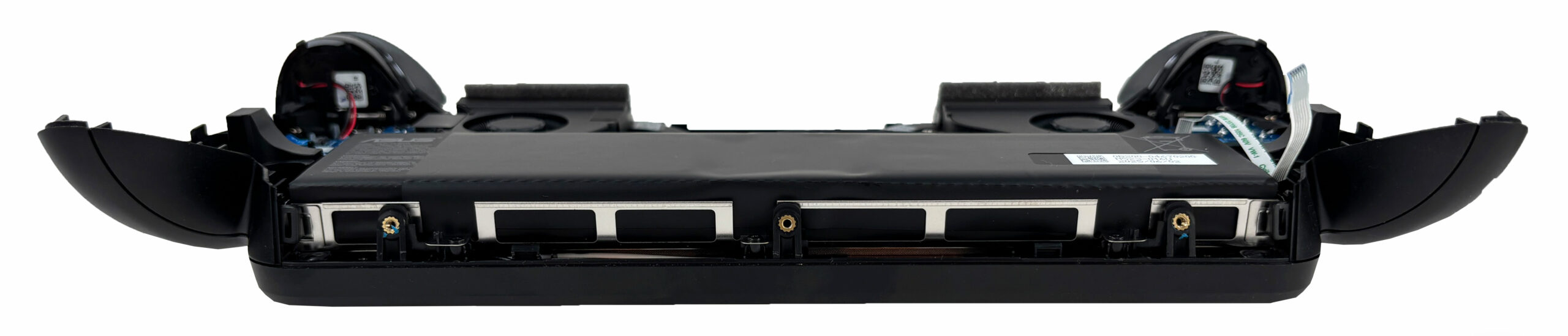
Other replaceable parts include both cooling fans, which are individually screwed down, and the stereo speakers that are easy to access once the bottom cover is removed. The shoulder and side buttons are handled by small modular PCBs connected with ribbon cables, so accidental failures can be addressed without changing the main board – just take care when unlocking and re-locking the ribbon latches during reassembly.
Verdict
 The ASUS ROG Xbox Ally X is not just an update; it’s a redemption. It takes the promising but flawed concept of the original Ally and refines it into the handheld PC gaming device that users wanted all along. By directly addressing the biggest pain points (most notably the battery life), and layering on meaningful hardware and software improvements, ASUS and Microsoft have crafted what is the most powerful and versatile handheld on the market today.
This is a machine that feels less like a first-generation experiment and more like a mature, confident, and incredibly capable product. It is a superb piece of engineering that delivers a true, no-compromise PC gaming experience in the palm of your hands.
Ally X launches at a starting price of $999 in the U.S. – significantly higher than most competing devices. It’s a powerful computer in a compact chassis, and the premium is aimed squarely at enthusiasts.
✅ The Good
The single most significant and game-changing improvement is the monumental leap in battery life. By doubling the battery capacity to 80Wh, ASUS has transformed the Ally X from a device tethered to a power bank into a truly portable machine, delivering almost 18 hours of video playback in our tests. This is, without a doubt, a class-leading achievement.
This incredible endurance is paired with class-leading performance. The new AMD Ryzen AI Z2 Extreme APU is an absolute beast, delivering the best gaming performance we’ve seen from a handheld, with a negligible drop when running on battery. The user experience is further elevated by the Xbox Full-Screen Experience, a brilliant software layer that finally makes Windows feel native and intuitive on a controller-first device.
The hardware improvements continue with an excellent 120Hz display that is fast, color-accurate, PWM-free, and features a great anti-glare coating. The connectivity is also a huge win, with two USB-C ports, one of which is a full-featured USB4/Thunderbolt 4 port, and the welcome inclusion of a user-replaceable, standard 2280 M.2 SSD.
❌ The Bad
The massive battery also comes with an unavoidable trade-off: the Ally X is noticeably heavier and slightly thicker than its predecessor and the Steam Deck OLED, while still having 7-inch screen.
While the display is fantastic for an IPS panel, it is still an IPS panel, and cannot match the perfect blacks and vibrant contrast of the OLED screen found on the Steam Deck. And despite the excellent Xbox software shell, it is still Windows underneath, which means users should expect the occasional need for updates and tinkering that comes with the PC ecosystem.
🆚 The Competitors
The ASUS ROG Xbox Ally X firmly establishes itself as the new king of Windows handhelds. It comprehensively crushes its predecessor, the original ASUS ROG Ally (detailed review), and the Lenovo Legion Go (detailed review) in both battery life and overall performance, making it the clear choice in this category.
Versus Valve’s Steam Deck OLED, the differences are philosophical. The Ally X outclasses Steam Deck on hardware (newer architecture, more RAM, higher-resolution and higher-refresh display), while the Deck counters with a lower price, a better console-like OS in SteamOS (extremely polished for controllers), and a huge community and accessory ecosystem. The Ally X is the more powerful (albeit more expensive) choice for enthusiasts who want Windows flexibility (all launchers, mods, Windows apps) and top-tier performance.
Lenovo Legion Go / Legion Go 2 are similar Windows handhelds; notably, Legion Go offers Switch-style detachable controllers.
❓ Is ROG Ally X Worth It If You Already Own ROG Ally (2023)?
ASUS ROG Ally X delivers roughly 20–30% better performance thanks to the Ryzen Z2 Extreme (vs. Z1 Extreme in the original) and higher clocks, has 50% more RAM, a battery that’s doubled in capacity, and brings a few new perks (such as haptic triggers and a faster port). If your budget allows and you want maximum mobile performance plus the flexibility of full Windows, the upgrade has a strong case.
Conclusion
If your budget allows, ROG Ally X gives you the most powerful portable PC with access to the entire PC games library and ecosystem.
You can check the prices and configurations in our Specs System: https://laptopmedia.com/series/asus-rog-xbox-ally-x/
Pros
- Game-changing, class-leading battery life
- Exceptional CPU and GPU performance, the best in its class
- Excellent 120Hz display that is fast, color-accurate, and PWM-free
- Xbox Full-Screen Experience makes Windows feel like a console
- Great connectivity with two USB-C ports, including USB4/Thunderbolt 4
- Uses a standard, user-replaceable 2280 M.2 SSD
Cons
- Heavier and thicker than the competition
- Display is IPS, not OLED
- Higher starting price ($999 in the U.S.)
 Author: Simeon NikolovEditor-in-Chief at LaptopMedia.com with 20+ years of experience in testing and analyzing laptops and mobile devices.
 Author: eng. Kroum NikolovHead of Engineering at LaptopMedia.com, inventor and innovator with 40+ years of experience in electronics and high technology.

![[June 2026] Best-Selling Laptop Brands on Amazon Global – Apple’s Unrivaled Dominance in Units and Revenue](https://laptopmedia.com/wp-content/uploads/2026/07/GLOBAL-Best-Brands-400x225.jpg)
![[June 2026] Amazon Global: Top 10 Best-Selling Laptops – Apple’s New MacBook Neo Storms to #1, Reshaping the Market with Affordability](https://laptopmedia.com/wp-content/uploads/2026/07/Best-Selling-Laptops-GLOBAL-Top-10-400x225.jpg)
![[June 2026] Amazon Global: Top 10 Best-Selling Gaming Laptops – Acer’s Nitro V 16S AI Dominates Sales, While ASUS Leads Overall Revenue](https://laptopmedia.com/wp-content/uploads/2026/07/Best-Selling-Gaming-Laptops-GLOBAL-Top-10-400x225.jpg)
![[June 2026] Global Ranking of Best-Selling Laptop GPUs on Amazon – NVIDIA RTX 5060 is the Top-Selling Dedicated GPU](https://laptopmedia.com/wp-content/uploads/2026/07/Best-Selling-GPUs-GLOBAL-Top-10-400x225.jpg)
![[June 2026] Global Ranking of Best-Selling Laptop CPUs on Amazon – Apple M5 Dominates, AMD Ryzen 7 260 Gets Solid Premium Share](https://laptopmedia.com/wp-content/uploads/2026/07/Best-Selling-CPUs-GLOBAL-Top-10-400x225.jpg)


Great review. The best I’ve read from people who seem to be tech knowledgeable. Lenovo Legion Go 2 next?
Thank you very much! And good idea, we’ll get the Go 2 as soon as we can 🙂