ASUS ROG Zephyrus G14 (GA403, Ryzen AI 300) review – RTX 5070 Ti, OLED, and True Portability
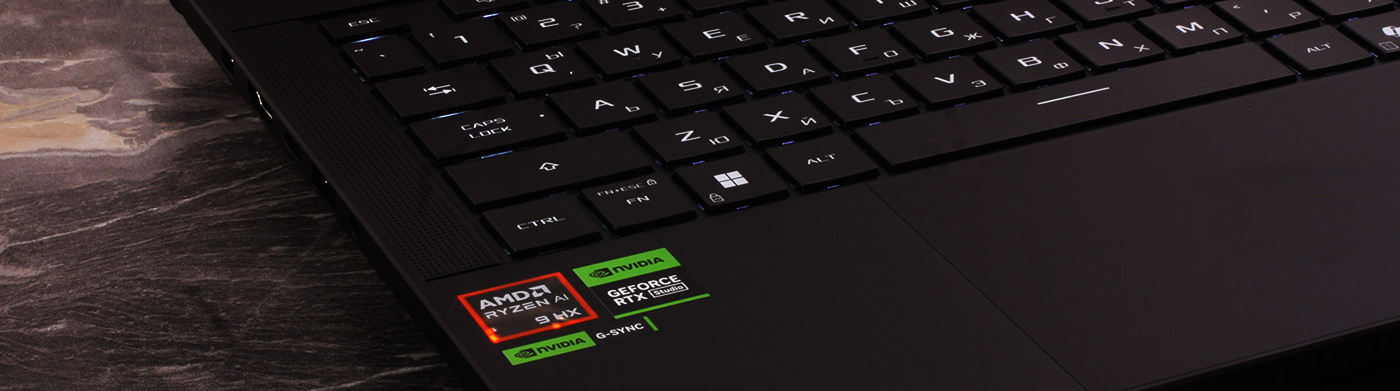
The 14-inch gaming laptop is one of the hardest categories to get right. Manufacturers have to balance high-end performance, effective cooling, battery life, and real portability, all inside a chassis that leaves very little room for error. With the ROG Zephyrus G14 (GA403, Ryzen AI 300), ASUS is clearly aiming for that difficult sweet spot: a compact premium machine that can handle serious gaming and creator workloads without looking or feeling like a traditional bulky gaming laptop.
Instead of an aggressive “gamer” design, the G14 uses a clean CNC-machined aluminium chassis, a 120Hz OLED display, AMD Ryzen AI processors, and NVIDIA RTX 50-series graphics. Depending on the configuration, the series can weigh as little as 1.50 kg, while our RTX 5070 Ti version comes in at 1.57 kg. That makes the promise very tempting: high-end performance, premium build quality, and long battery life in a laptop you can actually carry every day. The question is whether ASUS has managed to control the heat, noise, and upgradeability compromises that usually come with this much hardware in a 14-inch body.
TESTED CONFIGURATION:
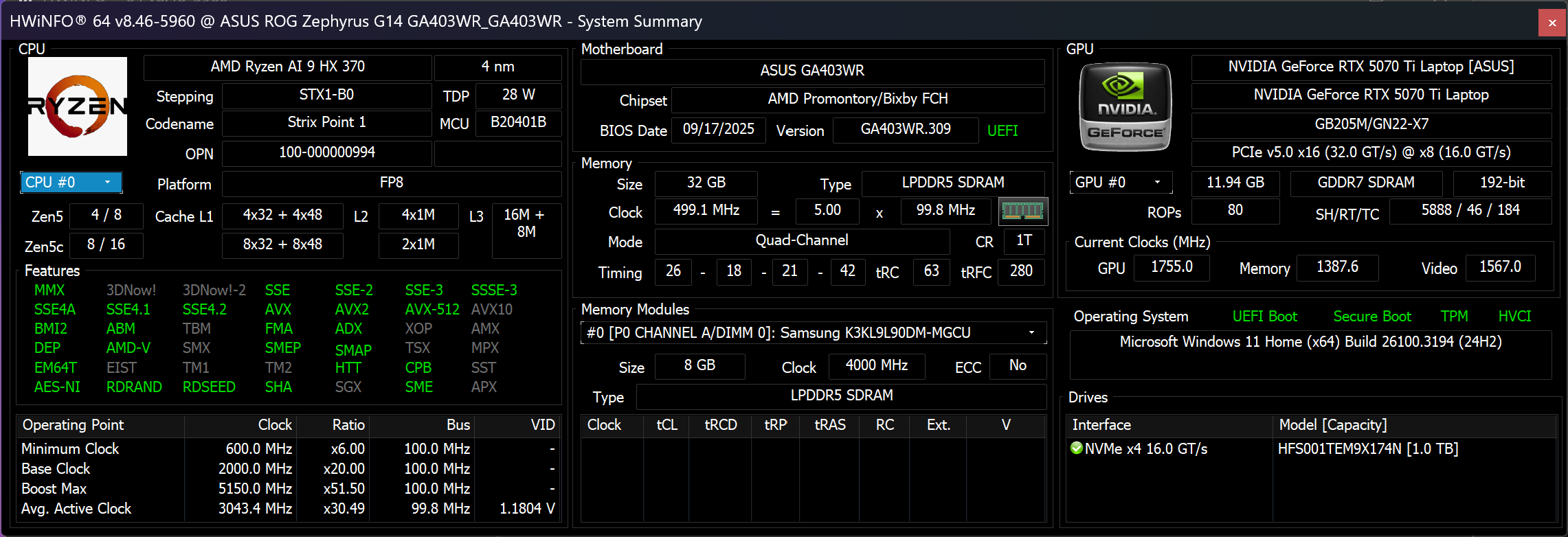
– AMD Ryzen AI 9 HX 370
– NVIDIA GeForce RTX 5070 Ti
– 32GB RAM
– 1TB SSD NVMe
– 14″, 2880 x 1800 (2.8K), 120Hz OLED
You can check the prices and configurations in our Specs System: https://laptopmedia.com/series/asus-rog-zephyrus-g14-ga403/

Contents
Specs, Drivers, What’s in the box
ASUS ROG Zephyrus G14 GA403 - Specs


- GPU
- NVIDIA GeForce RTX 5080 (Laptop) #2 in Top GPUs NVIDIA GeForce RTX 5070 Ti (Laptop) #14 in Top GPUs NVIDIA GeForce RTX 5070 (Laptop, 8GB GDDR7) #28 in Top GPUs NVIDIA GeForce RTX 5060 (Laptop) #72 in Top GPUs NVIDIA GeForce RTX 5050 (Laptop) #126 in Top GPUs NVIDIA GeForce RTX 4070 (Laptop, 90W) #36 in Top GPUs NVIDIA GeForce RTX 4060 (Laptop, 90W) #56 in Top GPUs NVIDIA GeForce RTX 4050 (Laptop, 90W) #121 in Top GPUs

- HDD/SSD
- up to 8000GB SSD
- M.2 Slot
- 1x 2280 M.2 NVMe PCIe 4.0 x4
- RAM
- up to 64GB
- OS
- Windows 11 Home, Windows 11 Pro, Windows 10 Pro, Windows 10 Home, DOS
- Battery
- 73Wh, 73Wh, 4-cell
- Body material
- Aluminum
- Dimensions
- 311 x 220 x 15.9 - 16.3 mm (12.24" x 8.66" x 0.63")
- Weight
- 1.50 kg (3.3 lbs)
- Ports and connectivity
- 2x USB Type-A
- 3.2 Gen 2 (10 Gbps)
- 1x USB Type-C
- 3.2 Gen 2 (10 Gbps), Power Delivery (PD), DisplayPort
- 2x USB Type-C
- 4.0, Power Delivery (PD), DisplayPort
- HDMI
- 2.1
- Card reader
- microSD (microSD, microSDHC, microSDXC)
- Ethernet LAN
- Wi-Fi
- 802.11ax
- Bluetooth
- 5.3
- Audio jack
- 3.5mm Combo Jack
- Features
- Fingerprint reader
- Web camera
- FHD IR with Windows Hello
- Backlit keyboard
- Microphone
- 3x Microphone Array with AI noise-canceling
- Speakers
- 4 Speaker (dual force woofer) system with Smart Amplifier Technology, 2 Tweeters, Dolby Atmos
- Optical drive
- Security Lock slot
All ASUS ROG Zephyrus G14 GA403 configurations

Drivers
All drivers and utilities for this notebook can be found here: https://rog.asus.com/laptops/rog-zephyrus/rog-zephyrus-g14-2024/helpdesk_download/
What’s in the box?
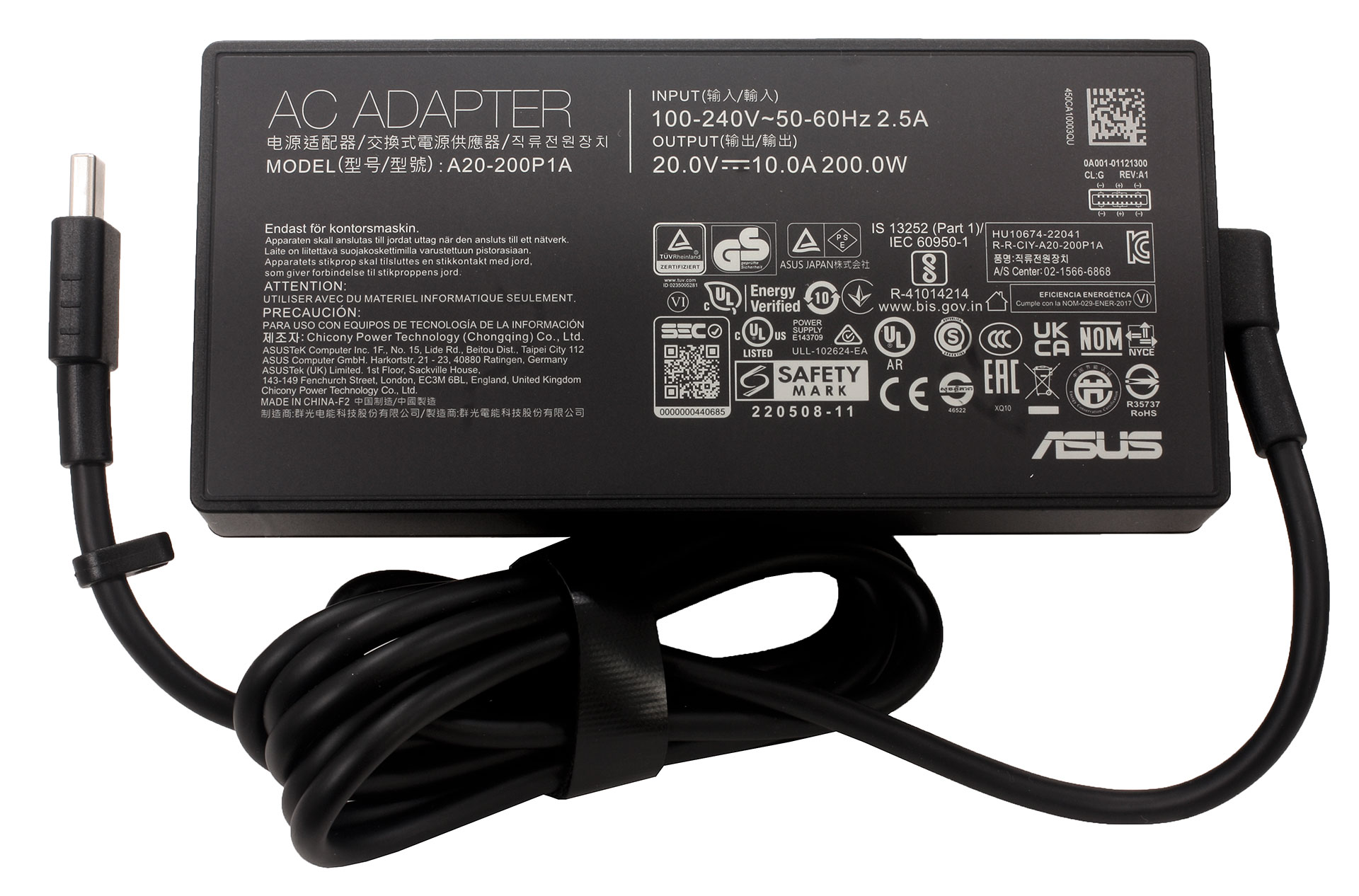
Inside the box, we found the laptop itself, the 200W power adapter, and the usual documentation. Our EU retail unit also came with a bonus carrying bag, which is a nice extra for a compact premium machine like this one. There is also a 2-month Xbox Game Pass Premium code included in the package, but as usual with such bonuses, availability may depend on the region and retailer.
Design and construction
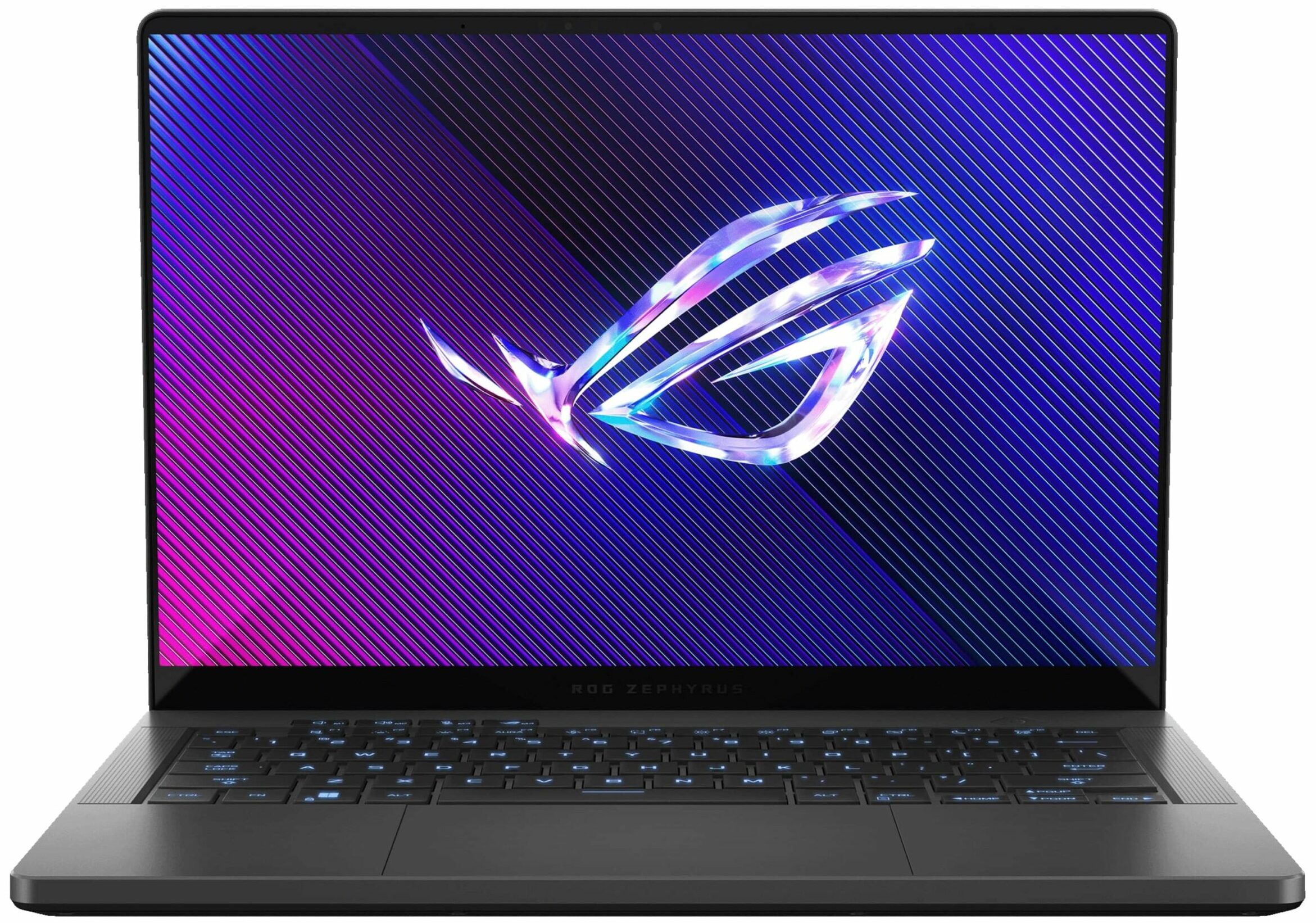
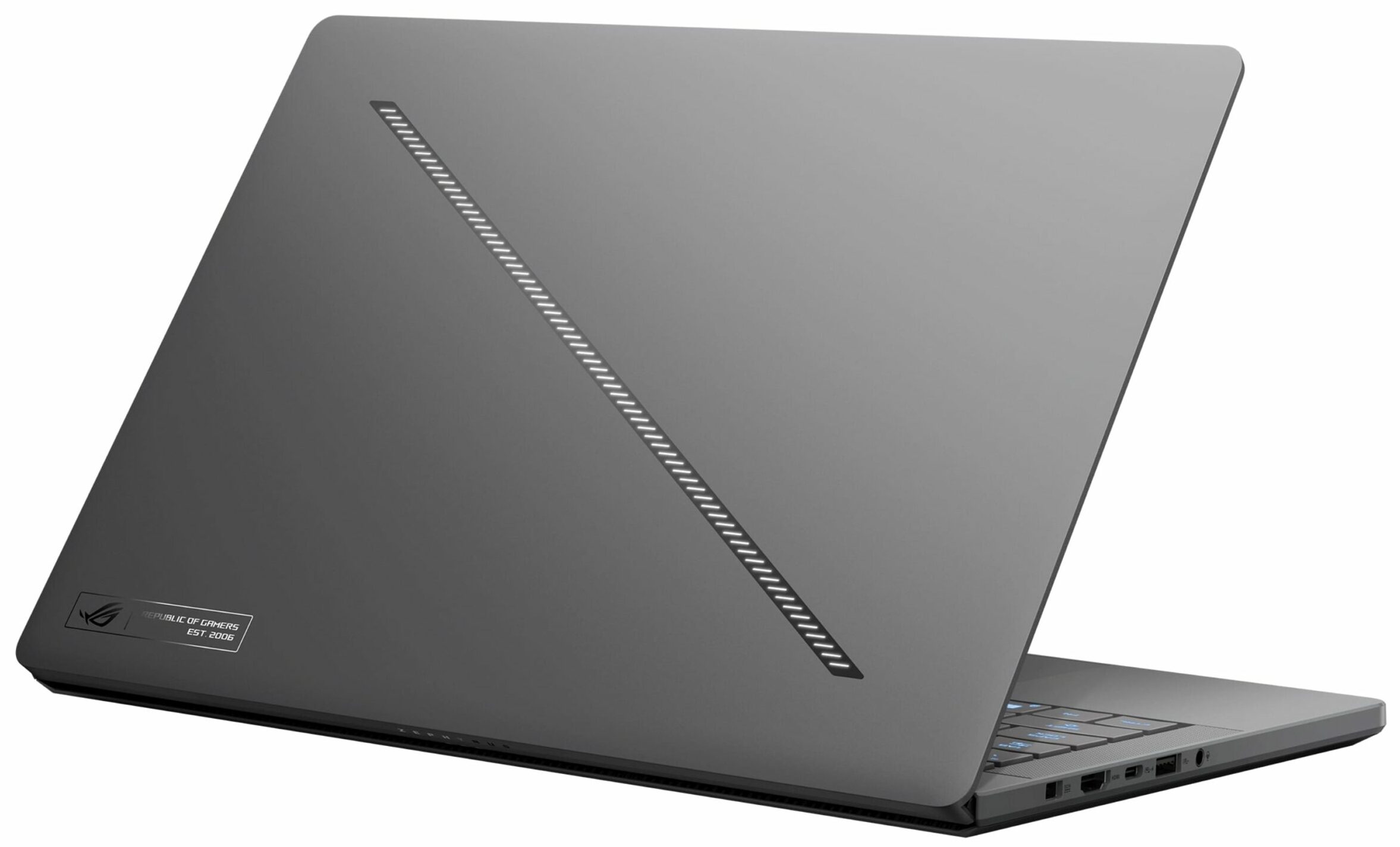
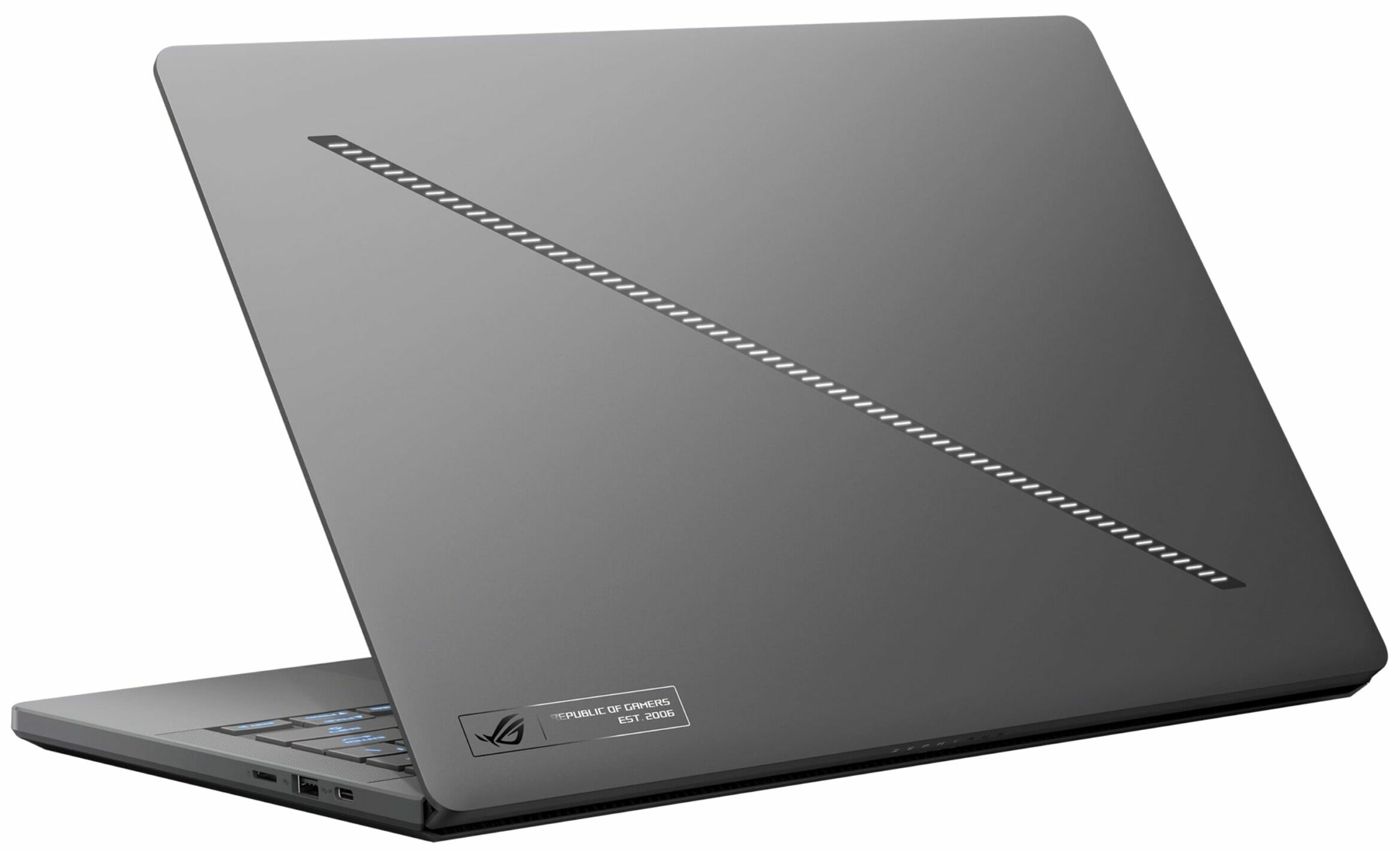
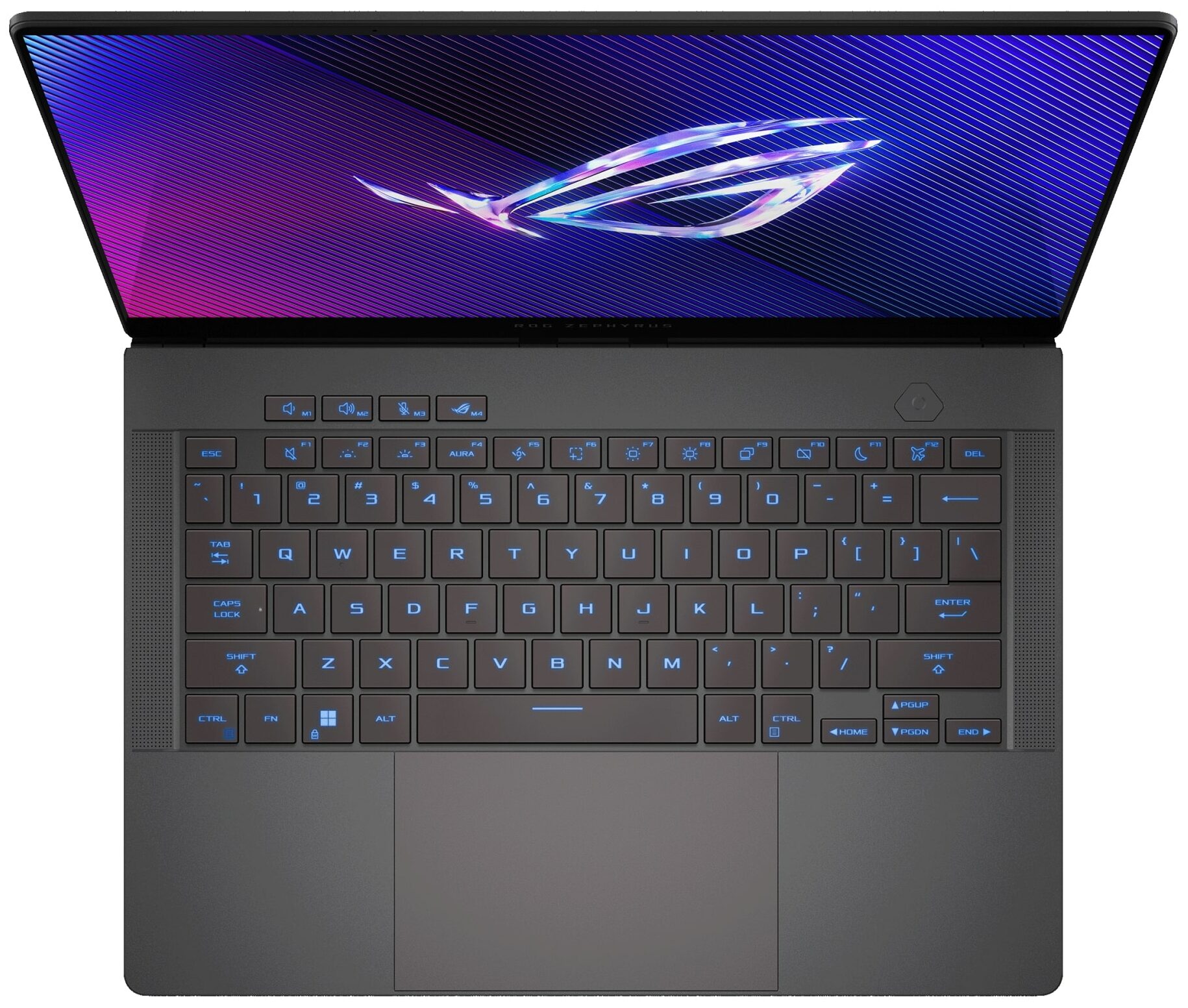
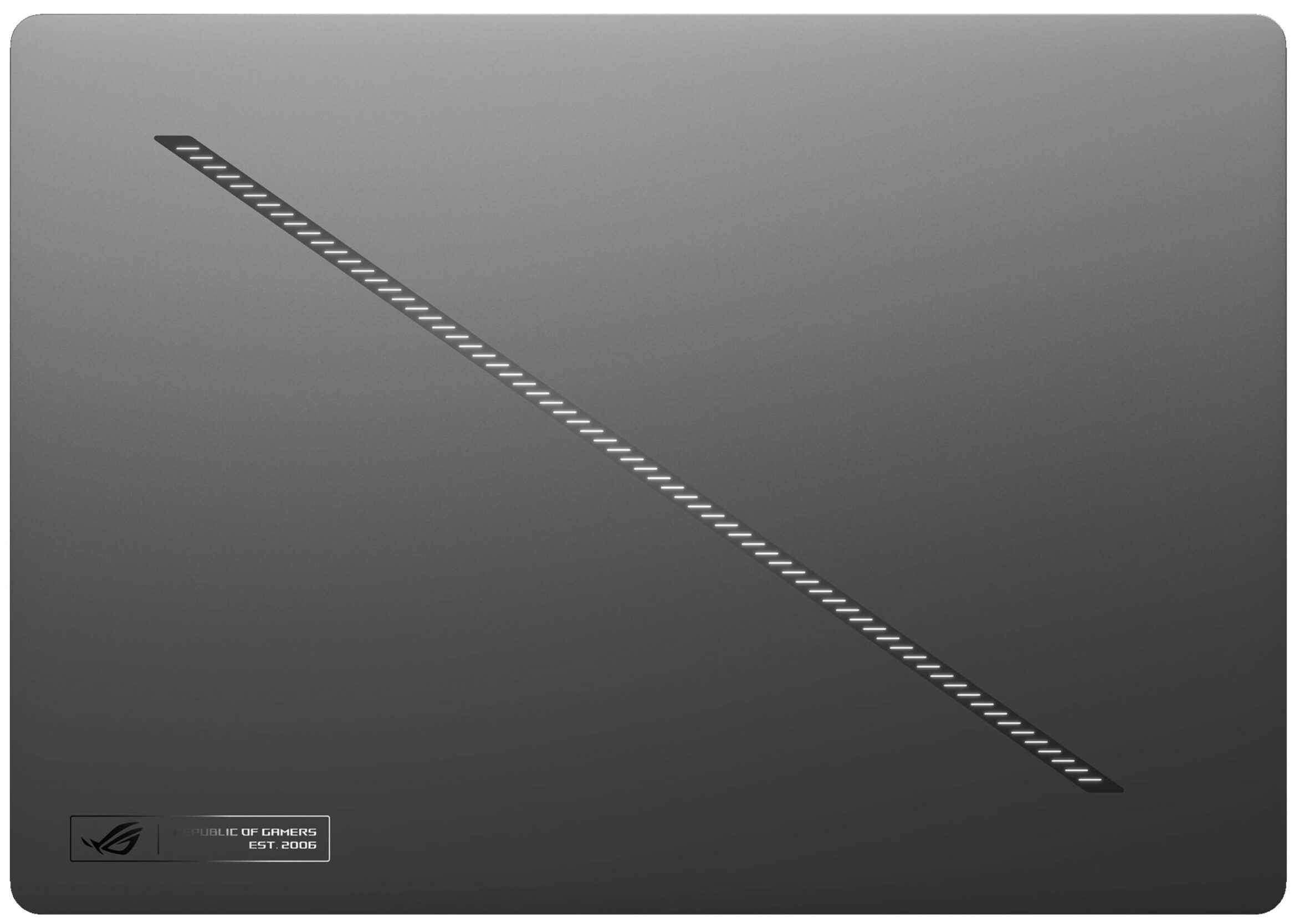
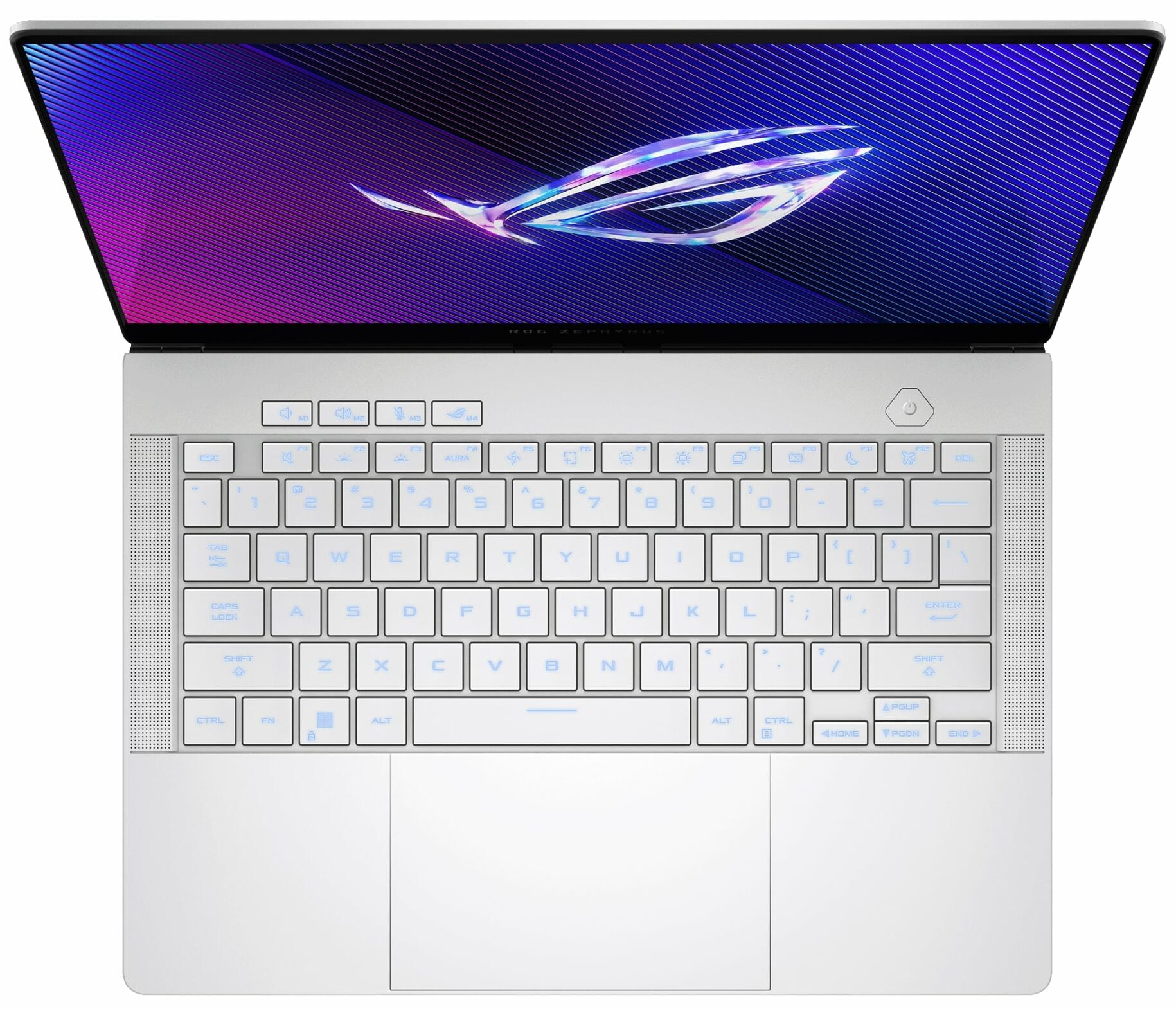
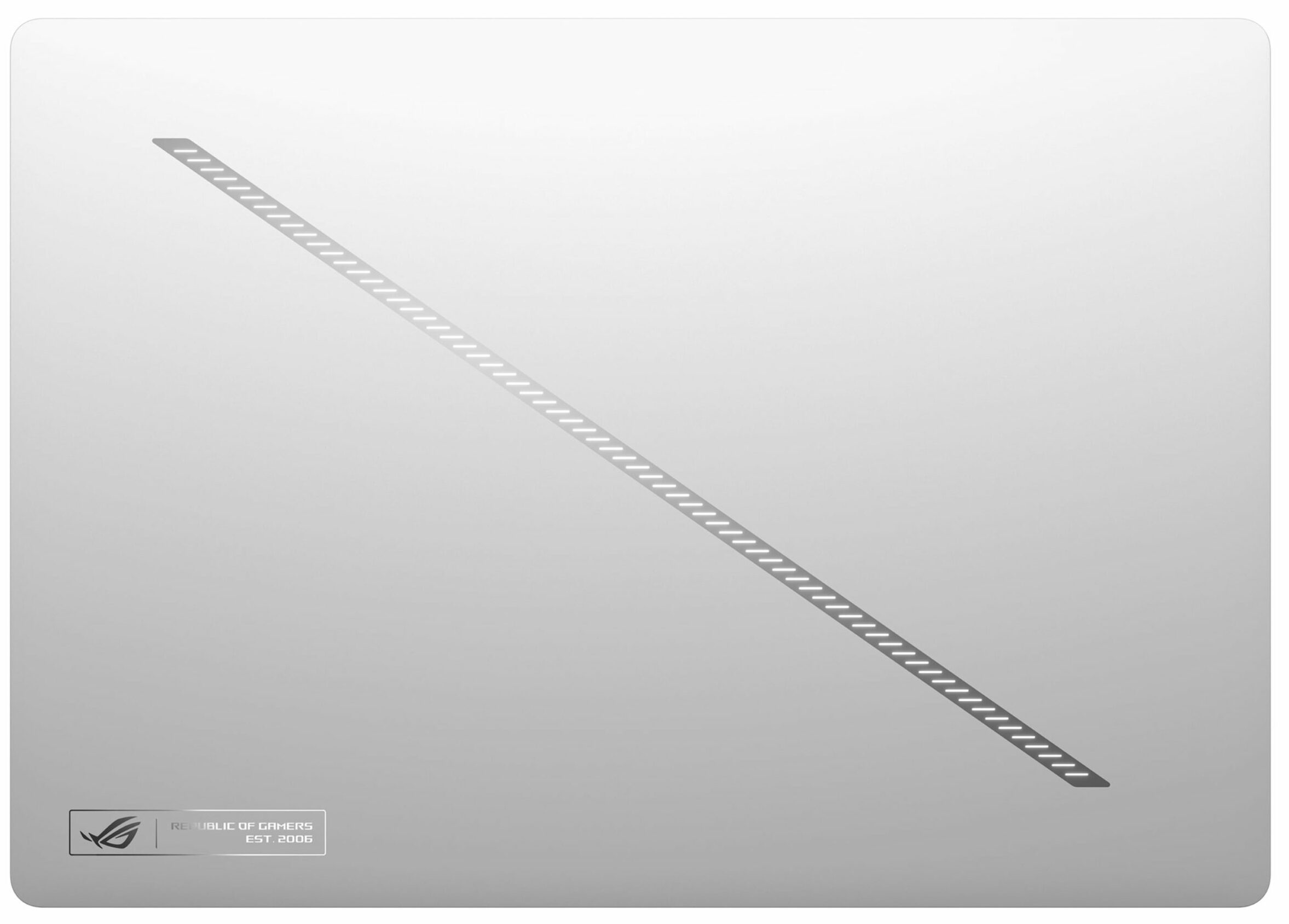
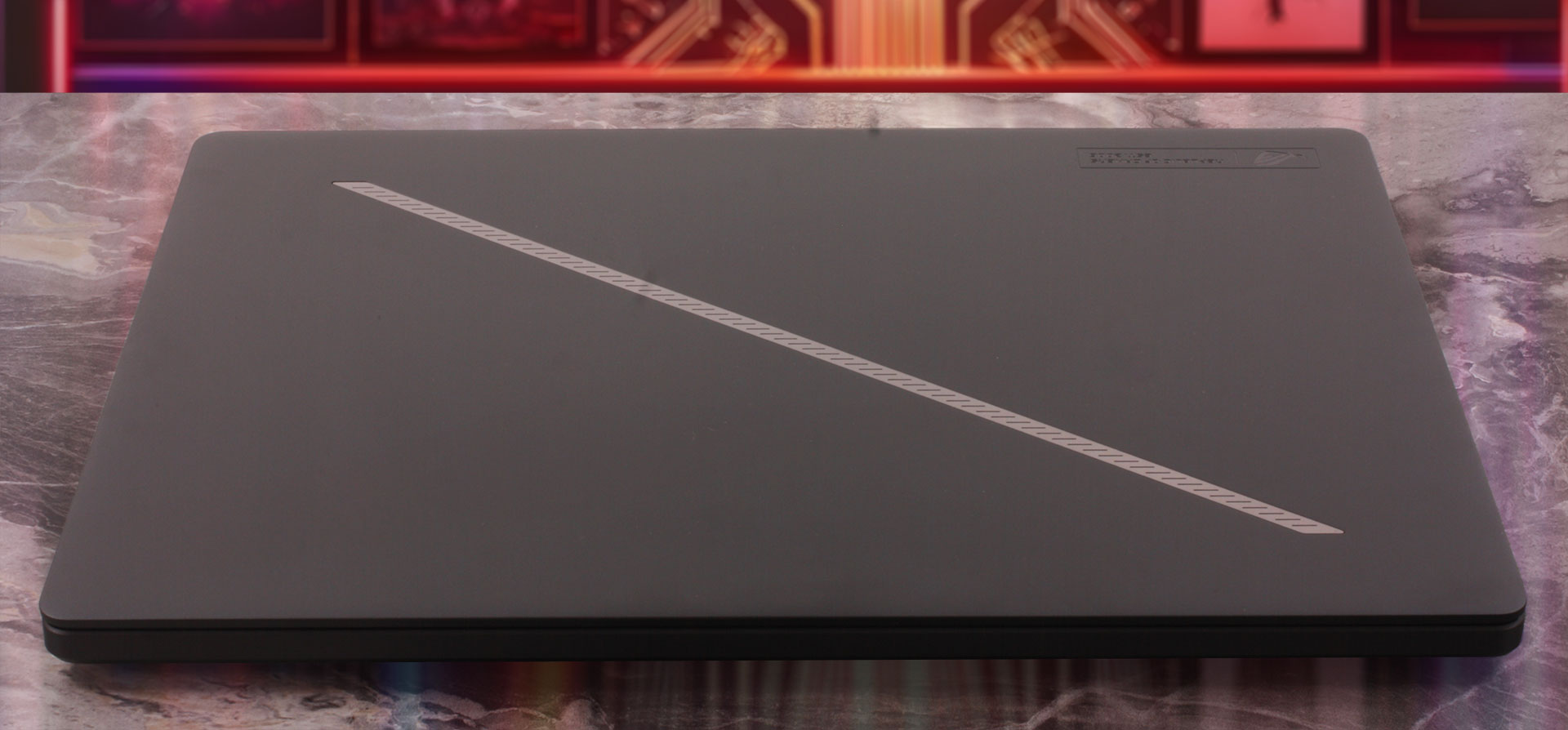
The ASUS ROG Zephyrus G14 (GA403, Ryzen AI 300) looks more elegant and premium than aggressive. This is not the typical flashy gaming laptop with sharp lines and excessive RGB elements. Instead, ASUS has gone for a cleaner, thinner, and more mature design. Still, the ROG identity is easy to spot thanks to the diagonal Slash Lighting strip on the lid. The laptop is available in two color options: Eclipse Gray and Platinum White. We chose the Eclipse Gray version, which gives the machine a darker and more serious appearance.
| ASUS ROG Zephyrus G14 (GA403, Ryzen AI 300) | Dimensions | Weight |
| RTX 5060 version | 311 x 220 x 15.9 – 16.3 mm / 12.24 x 8.66 x 0.63 – 0.64 in | 1.50 kg / 3.31 lbs |
| RTX 5070 Ti version | 311 x 220 x 15.9 – 18.3 mm / 12.24 x 8.66 x 0.63 – 0.72 in | 1.57 kg / 3.46 lbs |
Our configuration has a GeForce RTX 5070 Ti GPU, which makes it the slightly thicker and heavier version of the series. Even so, at 1.57 kg and up to 18.3 mm thick, this is still a remarkably compact machine considering the hardware inside. The RTX 5060 version is a little thinner and lighter, but the overall footprint remains the same.
Fingerprints and smudges are visible on our Eclipse Gray unit, especially on the darker metal surfaces. We expect the Platinum White version to perform better in this regard, at least visually, since lighter finishes usually hide marks more easily.
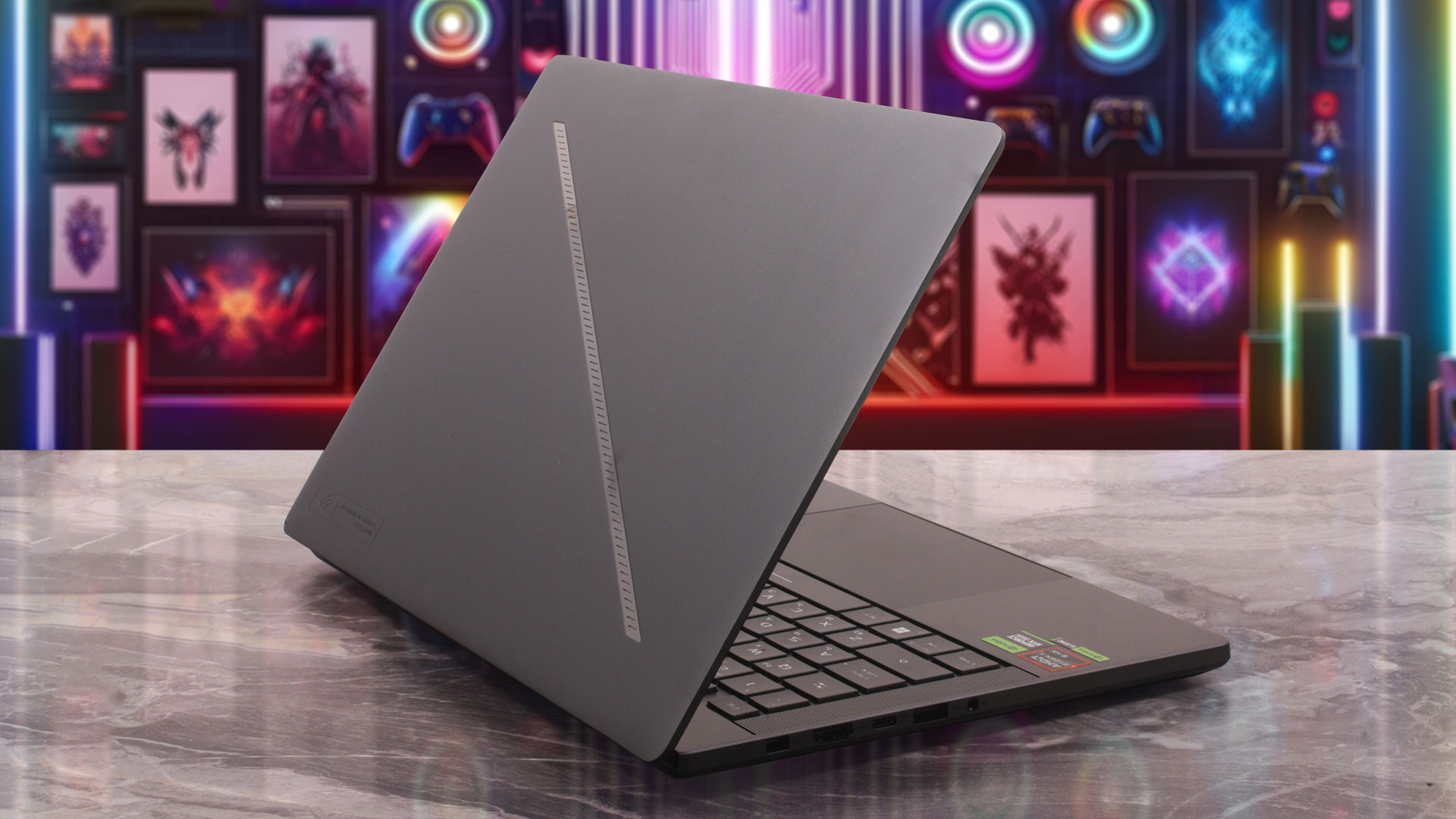
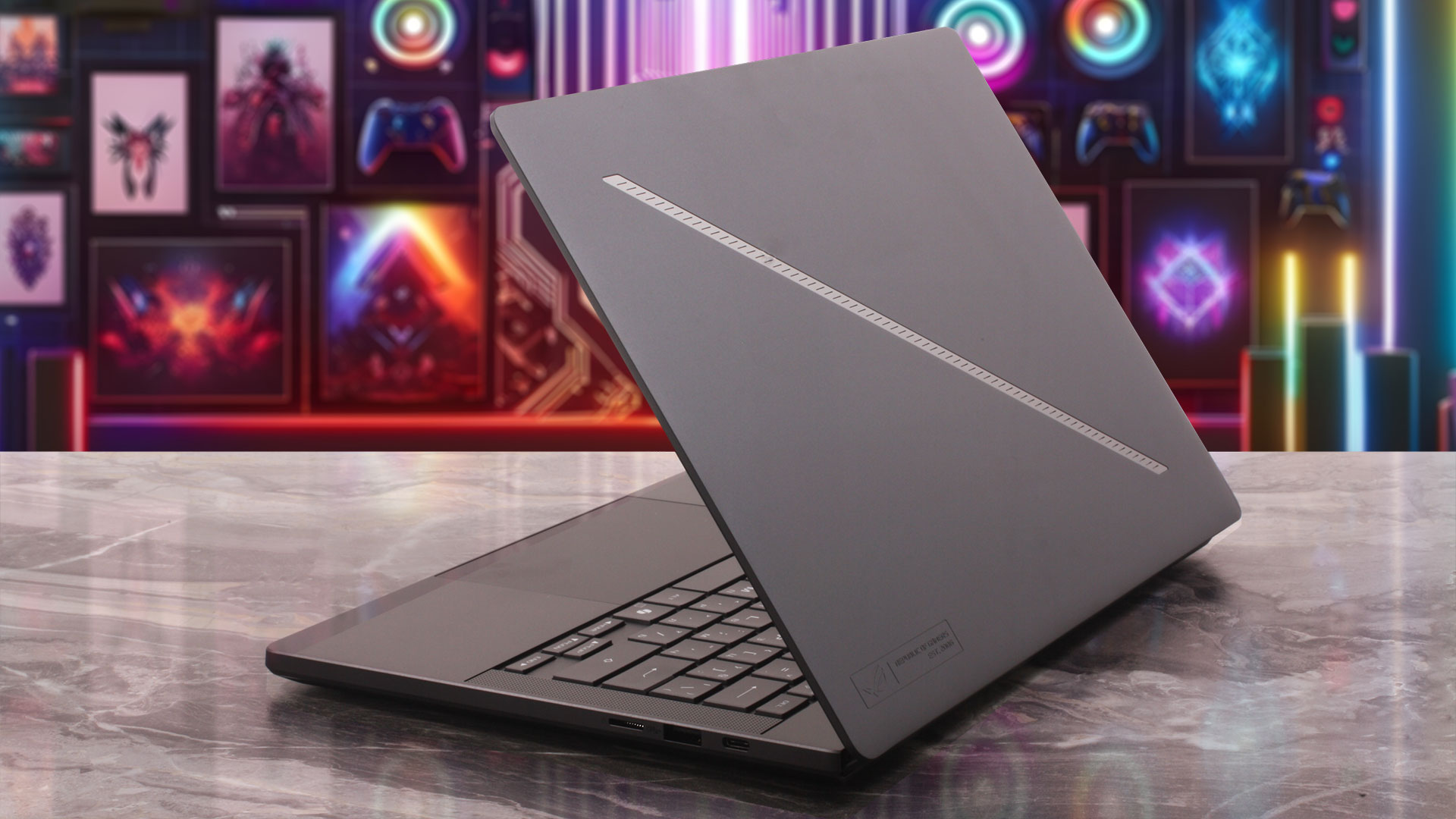
The chassis is made from CNC-machined aluminum alloy, and the result is excellent. This does not feel like a plastic gaming laptop trying to look premium. It feels like a genuinely high-end device. The base is very solid, there is no noticeable flex during normal use, and the whole machine gives an absolutely premium impression.
The lid can be opened with one hand, which is always a good sign for hinge tuning. The hinges feel stable, but not overly stiff, so the laptop is easy to open without lifting the base from the desk.
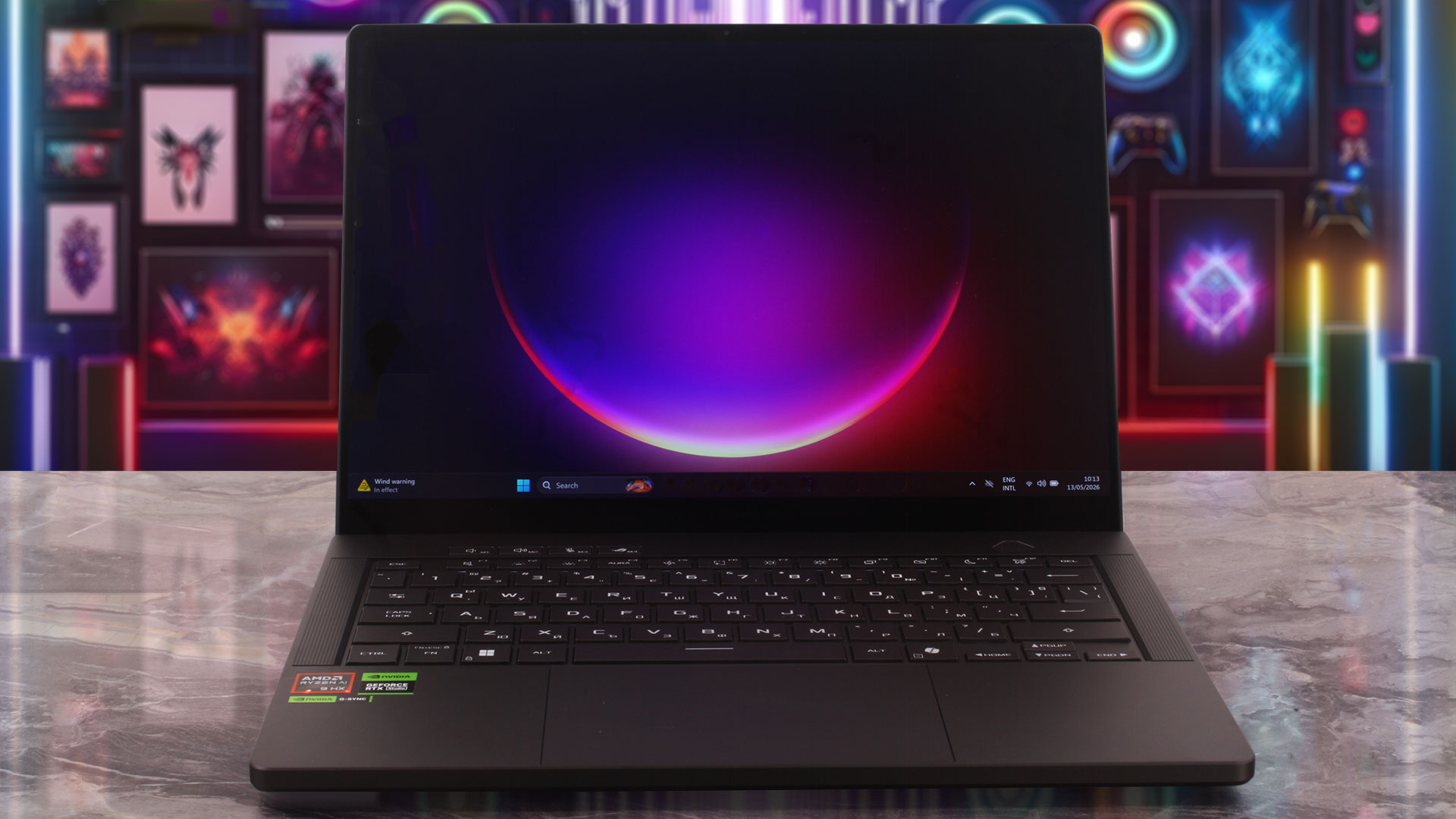
The bezels around the display are thin, especially on the sides. The top bezel is slightly thicker, but it has a good reason to be there: it houses a 1080p FHD IR camera with Windows Hello facial recognition support, regardless of the configuration you choose. There is no physical privacy shutter.
The display does not open to a full 180 degrees. With this design, the maximum opening angle is around 130 degrees. The cooling system is oriented toward the back, with hot air being exhausted from the rear side of the chassis.
There is no NumPad, and that is completely expected for a 14-inch laptop. There simply is not enough space for one without compromising the main keyboard layout.
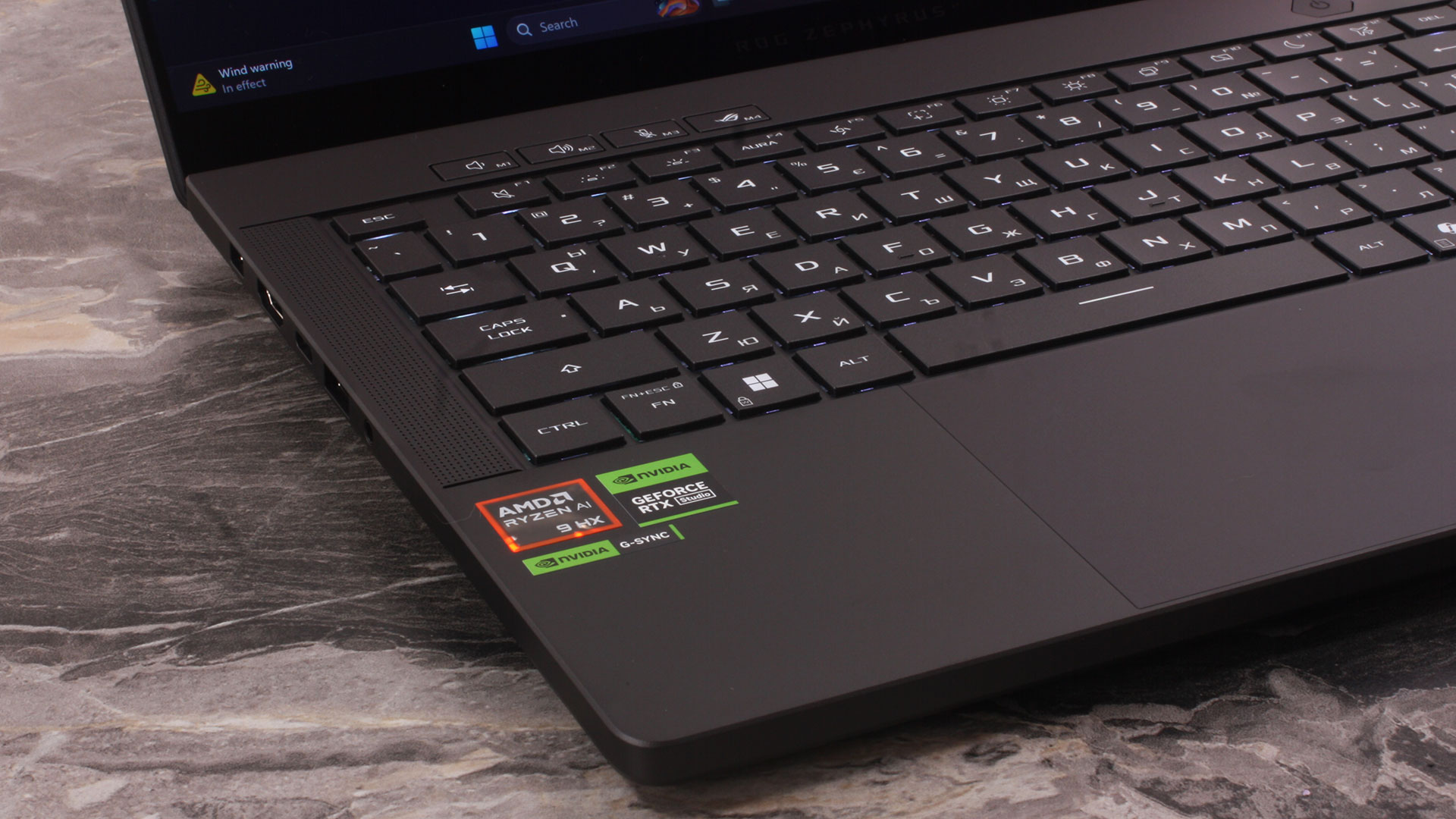
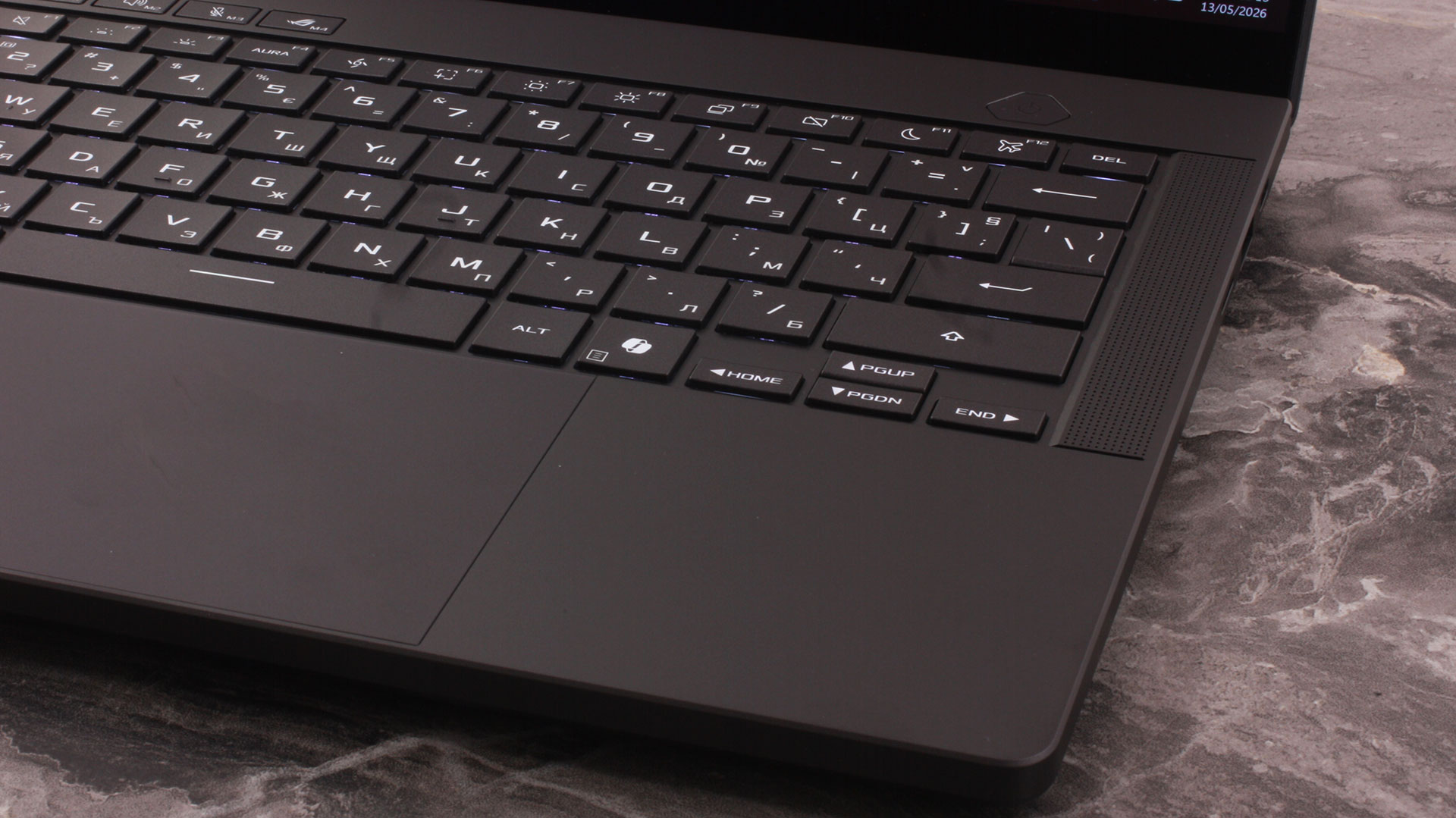
The keyboard has single-zone RGB backlighting and offers 1.7 mm of key travel, which is very good for such a thin 14-inch machine. It feels comfortable for both typing and gaming. The arrow keys are present, but they are half-sized, so they are not as spacious or convenient as the ones on a larger 16-inch laptop.
There is no fingerprint reader. Biometric login is handled through the IR camera and Windows Hello facial recognition instead.
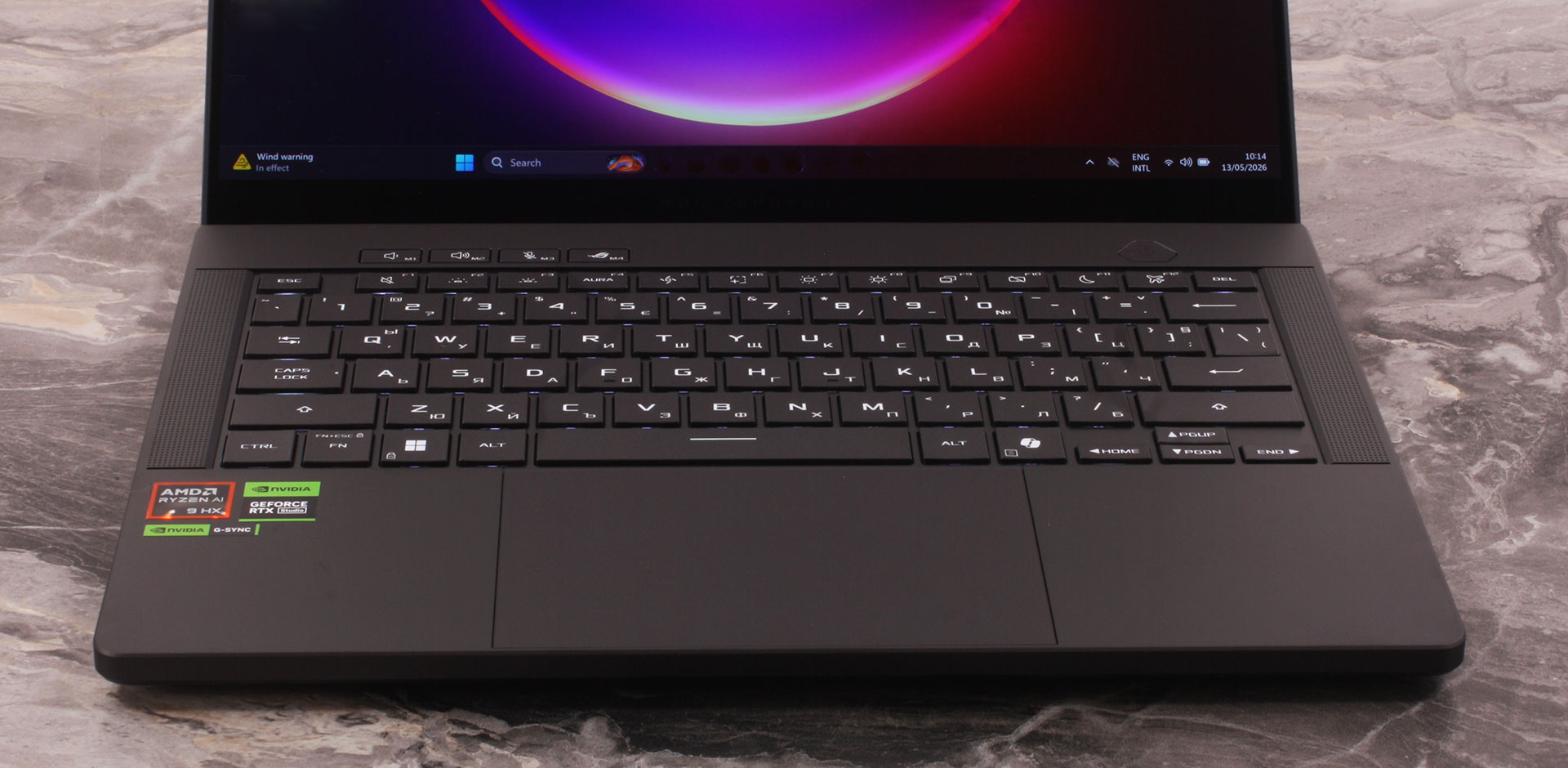
The touchpad is large for a 14-inch laptop and is centered below the keyboard. ASUS has used almost all the available space on the palm-rest area, and the result is a spacious and comfortable touchpad for everyday use, gestures, and scrolling.
Ports and Connectivity
The ASUS ROG Zephyrus G14 (GA403, Ryzen AI 300) offers a strong port selection for a compact 14-inch gaming laptop. On the left side, there is the ASUS Slim Power Jack, an HDMI 2.1 FRL port, a USB4 Type-C port with DisplayPort and Power Delivery support, one USB 3.2 Gen 2 Type-A port, and a 3.5 mm combo audio jack.

On the right side, you get a UHS-II microSD card reader, another USB 3.2 Gen 2 Type-A port, and a USB 3.2 Gen 2 Type-C port with DisplayPort, Power Delivery, and G-SYNC support. This is a very practical setup, especially for such a small machine, since you still get both full-size USB-A ports and modern Type-C connectivity.

There are no ports on the rear. This area is reserved for the cooling system and exhaust vents, which makes sense given the amount of hardware ASUS has packed into this chassis.
Wireless connectivity is excellent: the laptop comes with Wi-Fi 7 (802.11be), triple-band, 2×2, plus Bluetooth 5.4. There is no RJ-45 LAN port and no SIM / WWAN option, so wired networking will require a USB adapter or a docking station.
Display and Sound Quality, Display Profiles
We ordered the ASUS ROG Zephyrus G14 (GA403) with a 14.0″, 2.8K (2880 x 1800), 120 Hz, OLED screen. We didn’t find another option.
| ASUS ROG Zephyrus G14 (GA403, Ryzen AI 300) | Samsung ATNA40CU05-0 (SDC419C) |
| Diagonal | 14.0 inches (35.6 cm) |
| Panel Type | OLED |
| Resolution | 2880 x 1800 pixels |
| Max Refresh Rate | 120 Hz |
| Aspect Ratio | 16:10 |
| Pixel Density | 242 PPI |
| ‘Retina’ Distance | Greater than or equal to 36 cm |
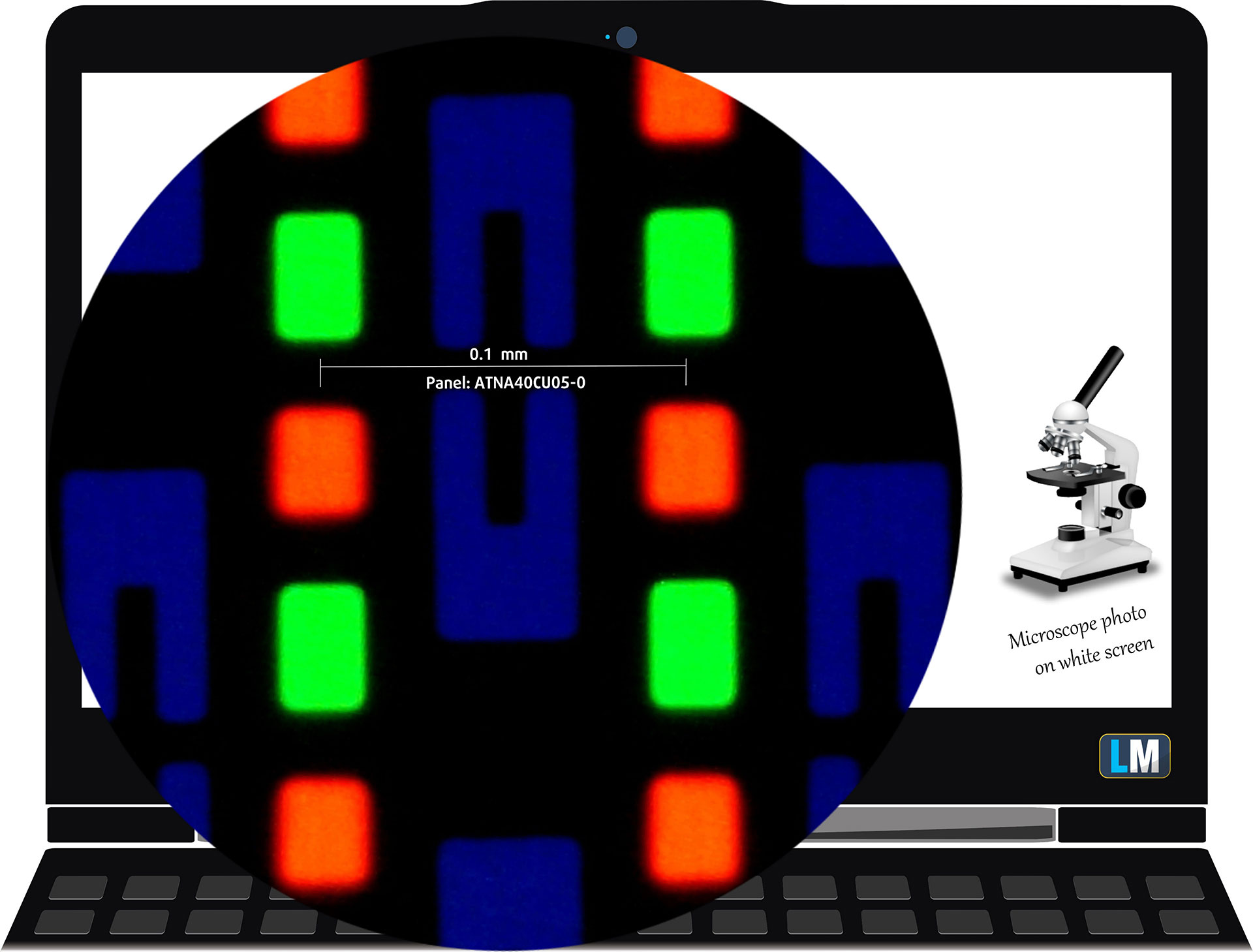
The WQXGA+ (2880 × 1800), 120 Hz, OLED display variant under our microscope
Viewing Angles
Viewing angles are good. We take photos from different angles to evaluate the quality.

We also include a video recorded with locked focus and exposure.
Color Coverage
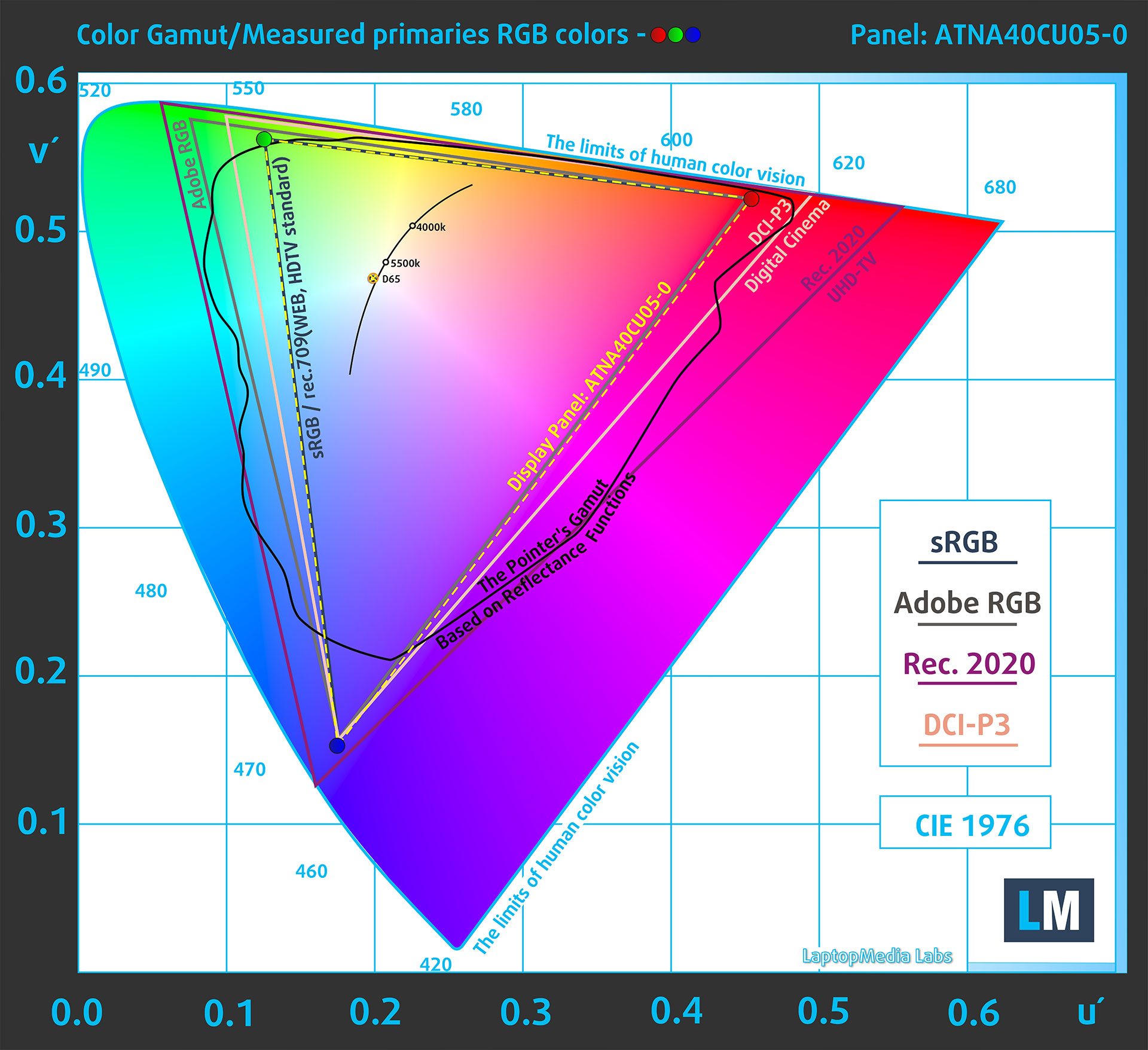
The whole “sail-shaped” map below (Fig. 1) consists of all the colors we can see, while the black crooked line shows all the colors from real-world scenes and nature around us.
Then, we’ve drawn some of the most important and interesting color spaces, compared to the colors the panel of ASUS ROG Zephyrus G14 (GA403, Ryzen AI 300) can show:
Standard/For Web: sRGB – widely used color space for most consumer devices, ideal for Web design and development
For Print: AdobeRGB – used in professional photo editing, graphic design, and print
For Photographers/Video Editors: DCI-P3 – used in high-end film production, post-production, and digital cinema
Premium HDR: Rec.2020 – the widest consumer ITU color standard, covering a massive 75.8% of the visible spectrum, a benchmark for premium HDR content.
ASUS ROG Zephyrus G14 (GA403, Ryzen AI 300): the yellow dashed triangle (– – – – – –) represents the range of colors this display can show.
In our tests, we calculated the total color coverage of the display at 100% of the sRGB color gamut and 100% of the DCI-P3 color gamut.
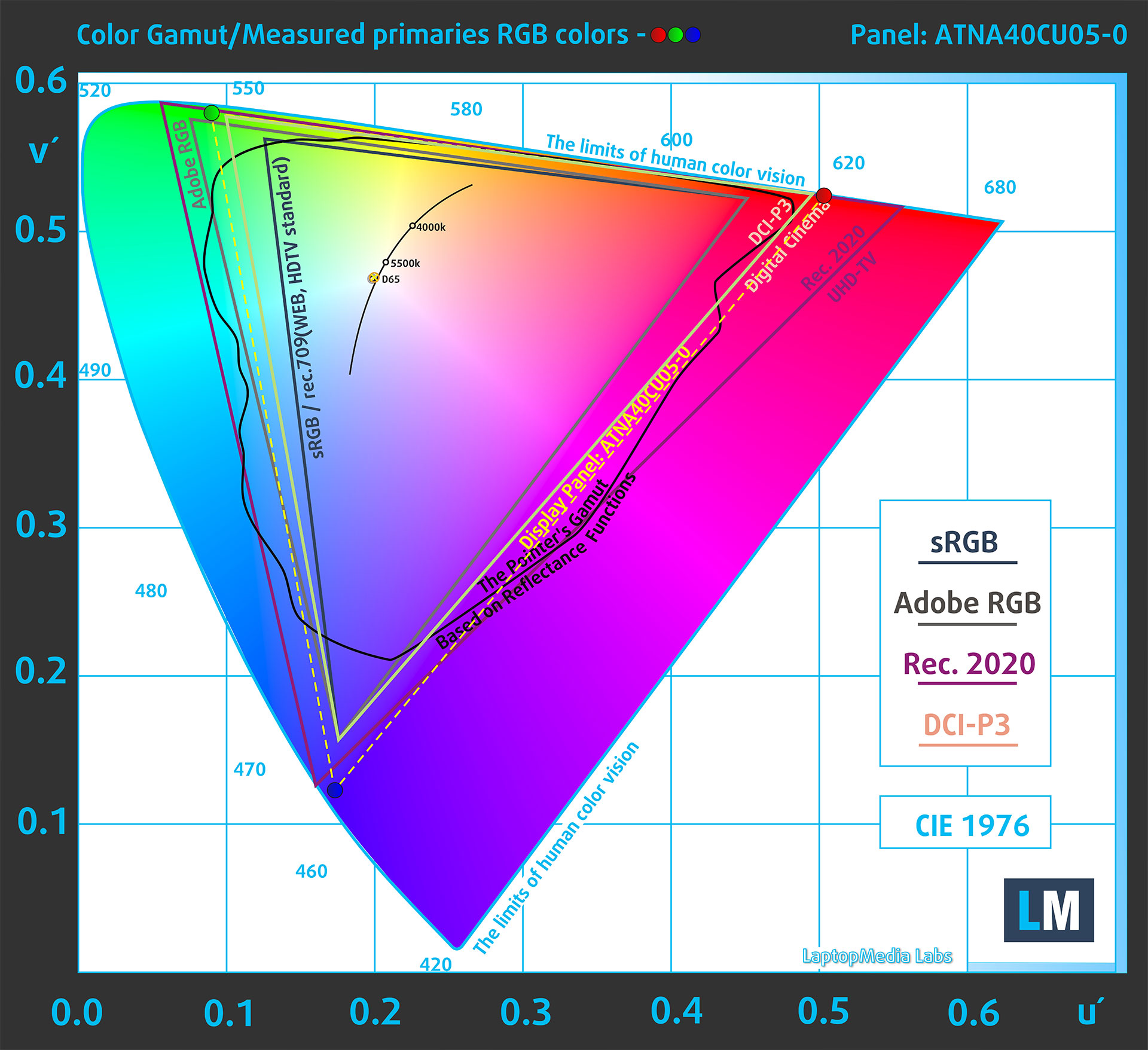
(Fig.1) ASUS ROG Zephyrus G14 (GA403, Ryzen AI 300) covers 100% of the DCI-P3 gamut
The ASUS ROG Zephyrus G14 (GA403, Ryzen AI 300) can emulate the Display P3 and sRGB color spaces Display P3 and sRGB color spaces.
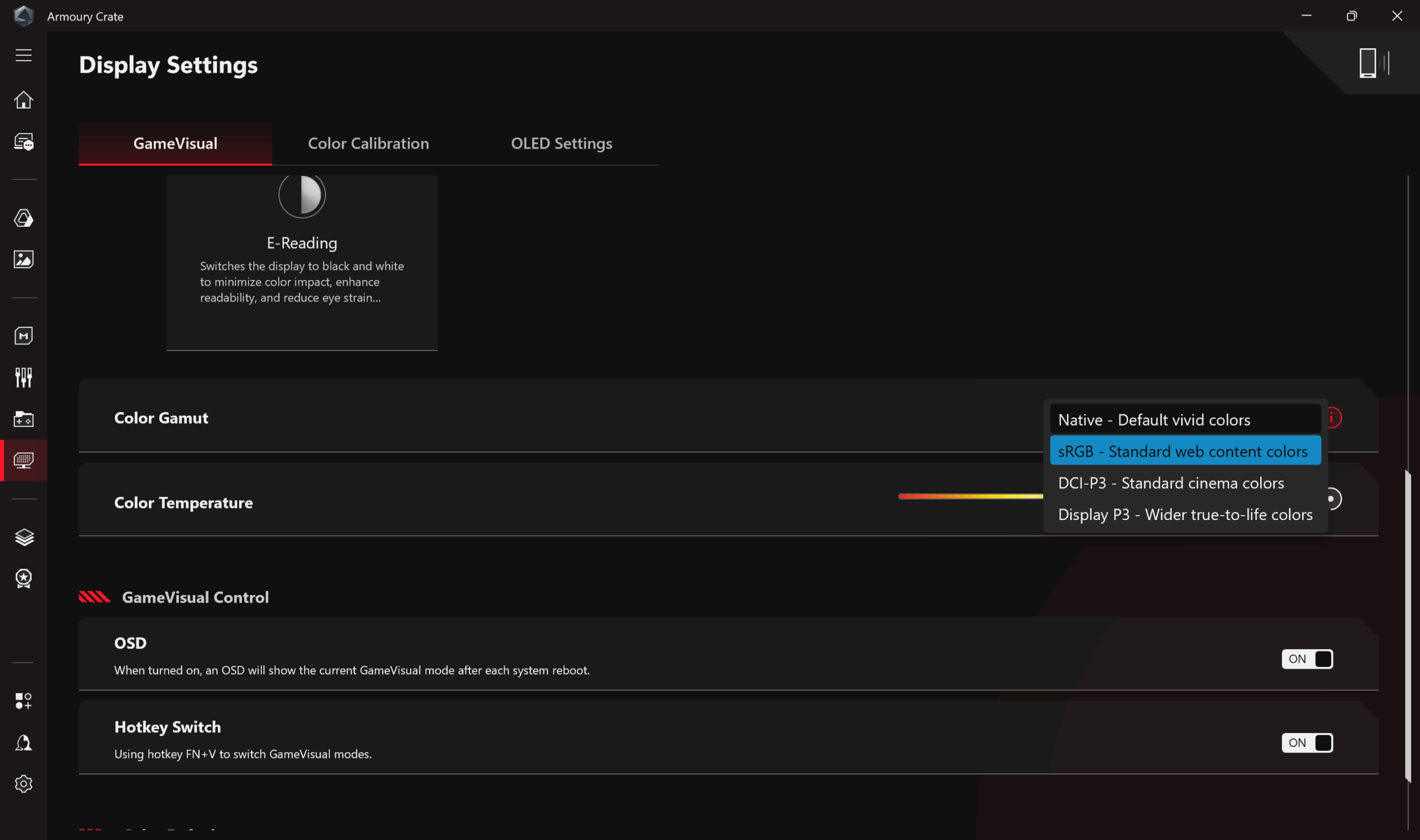
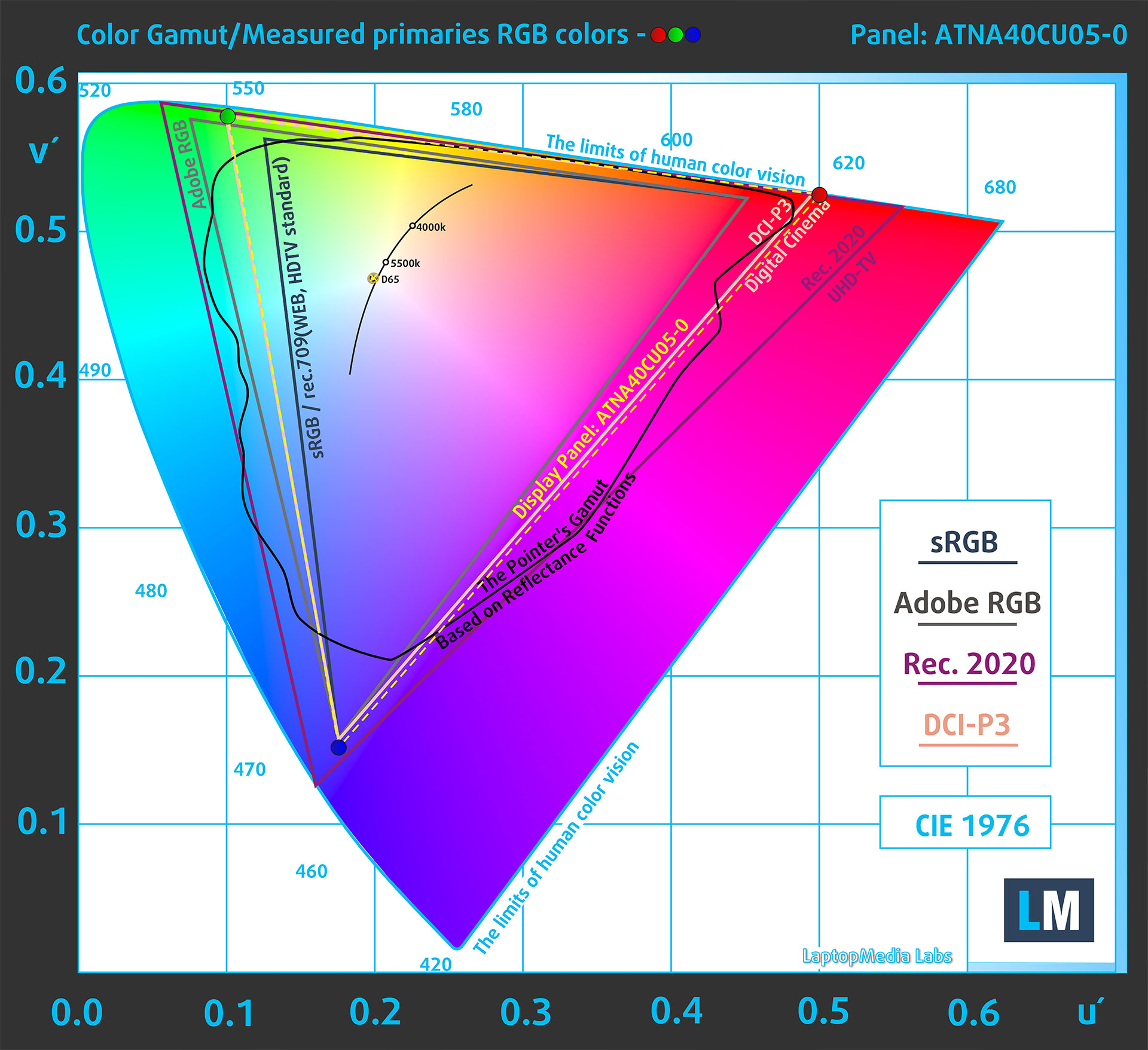
(Fig.2) Display P3
(Fig.3) sRGB
Brightness and Contrast
The maximum brightness in HDR mode is 628 cd/m² at 8% white fill and 620 cd/m² on a full white screen.
The maximum brightness in SDR mode is 380 cd/m².
The Correlated Color Temperature (CCT) on a white screen at maximum brightness is 6430K.
The contrast ratio of OLED panels is excellent because the pixels turn off completely when displaying black.
Color Accuracy
Let’s check the difference between real colors and those you’ll see on the ASUS ROG Zephyrus G14 (GA403, Ryzen AI 300). We measure that distance in DeltaE – the higher the number, the more different they look.
Values below 4.0 are acceptable for regular users, while values below 2.0 are suitable for color-sensitive work. A value below 1.0 means the difference is indistinguishable to the naked eye.
For the next graph, we’ve selected 24 common colors, including dark/light skin, blue sky, green grass, etc.
Below are the results of the ASUS ROG Zephyrus G14 (GA403, Ryzen AI 300) in its factory condition (“sRGB” mode in Windows) compared to sRGB color space.
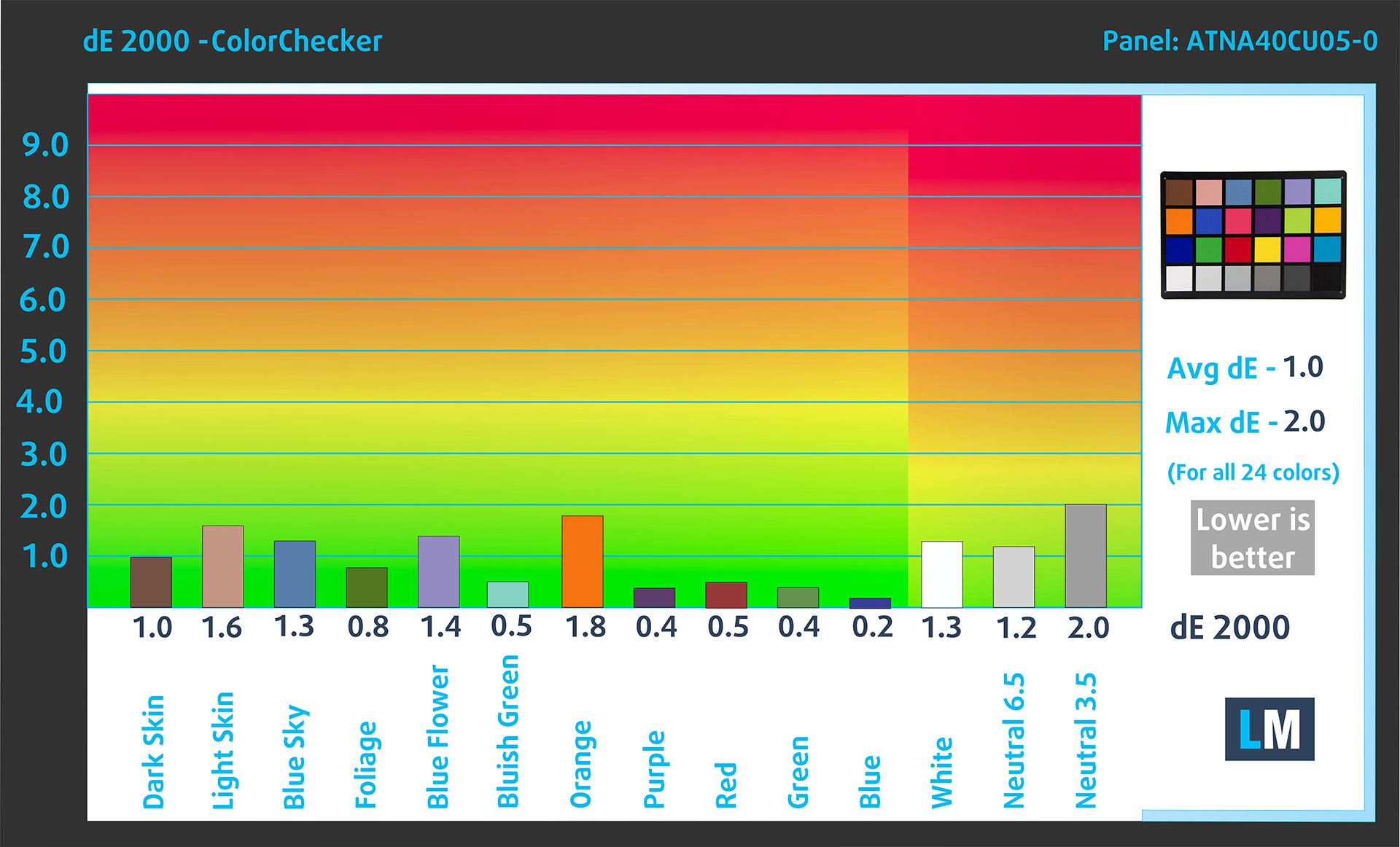
Comparison in the sRGB color space.
Below are the results of the ASUS ROG Zephyrus G14 (GA403, Ryzen AI 300) in its factory condition (“Display P3” mode in Windows) compared to Display P3 color space.
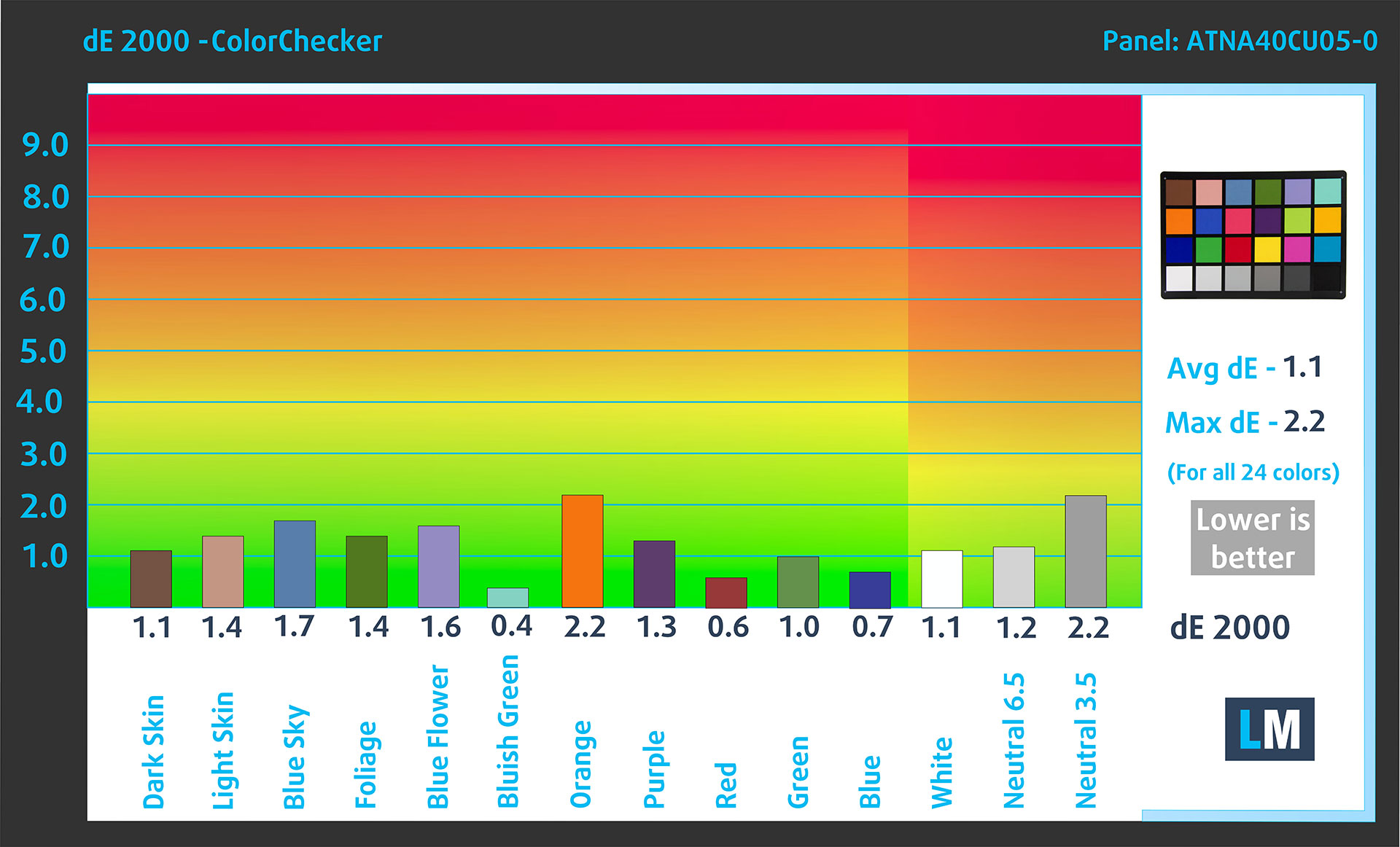
Comparison in the Display P3 color space.
The factory settings are perfect.
Health Impact: PWM (Screen flickering)
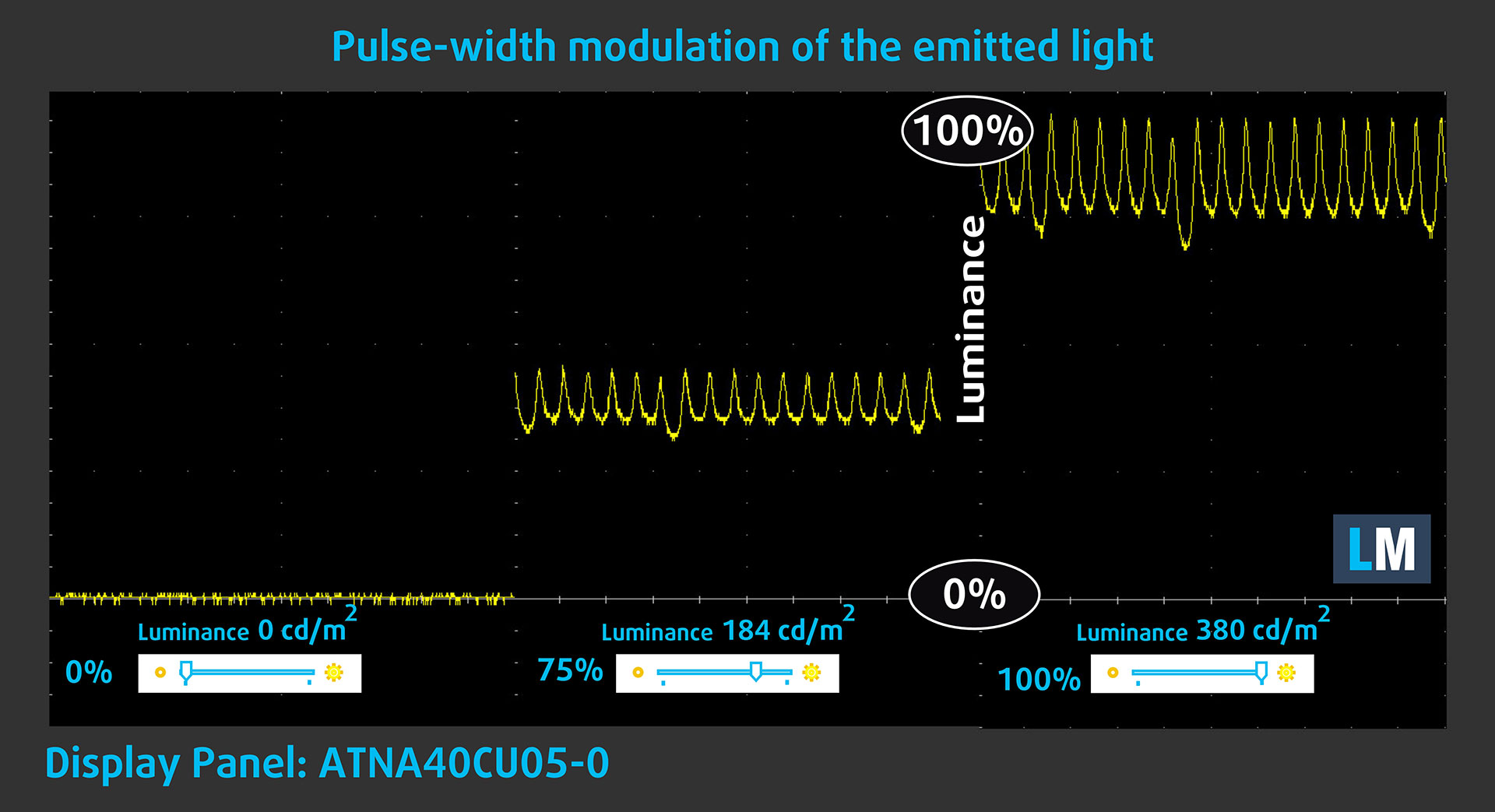
Some displays use PWM to regulate brightness, which means that instead of reducing the light intensity, they pulse or flicker. Our brain merges the image, so it appears darker, but this can increase eye strain, especially when the pulse frequency is low. You can read more about that in our dedicated article on PWM.
In the graph below, you see the intensity of light at different brightness levels—on the vertical axis is the brightness of the emitted light, and on the horizontal axis—time.
The display light of the ASUS ROG Zephyrus G14 (GA403, Ryzen AI 300) pulsates, but with limited amplitude across the entire brightness range. In this regard, we find the display relatively comfortable on the eyes.
Health Impact: Screen Reflectance
Glossy-coated displays can cause eye fatigue in high ambient light conditions due to reflections. We measure the level of screen reflection with the display turned off, at a 60° angle.
The reflectance of the ASUS ROG Zephyrus G14’s screen is 119 GU.
High Gloss: >70 GU
Medium Gloss: 30 – 70 GU
Low Gloss: <30 GU
Sound
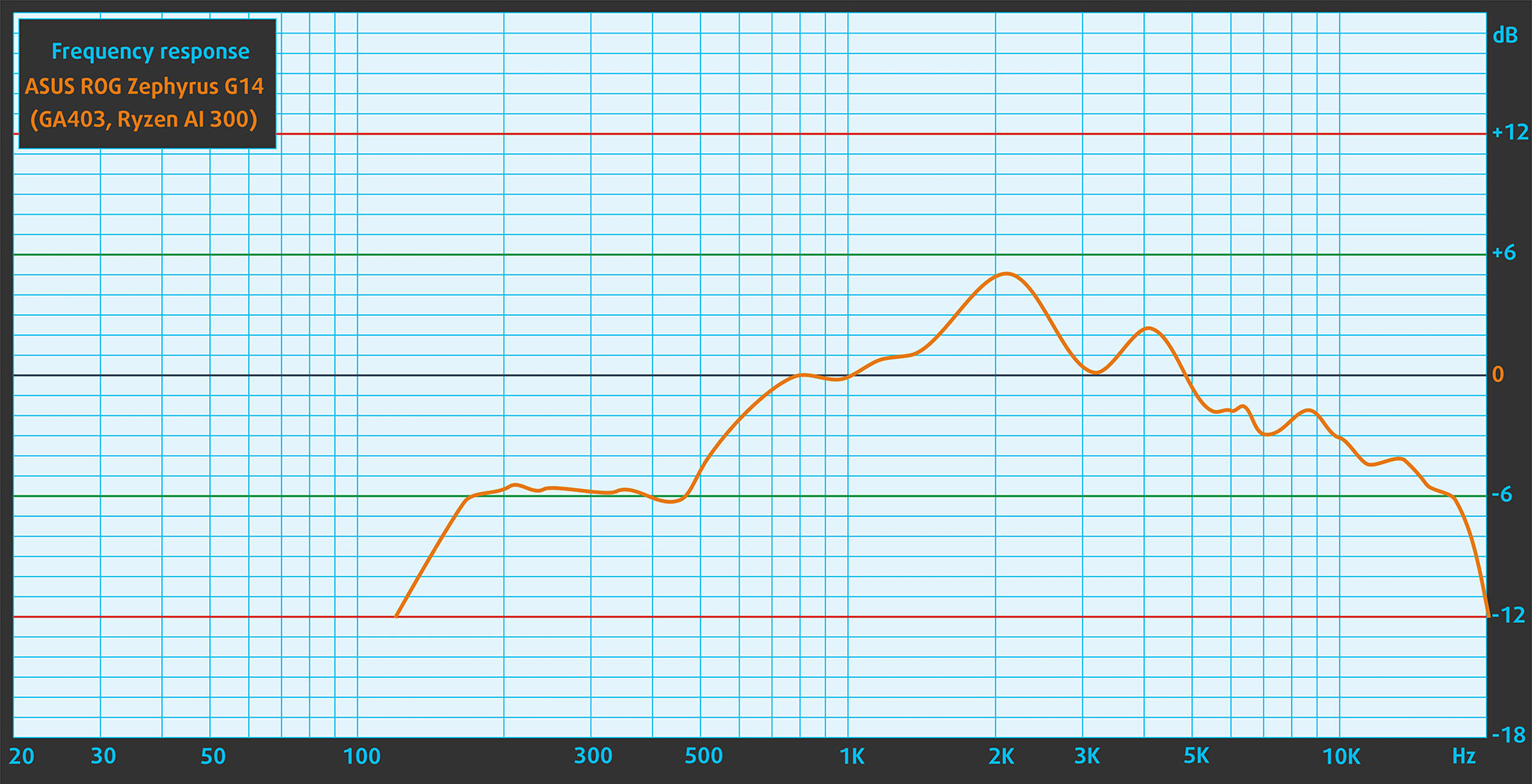
The sound from the ASUS ROG Zephyrus G14’s speakers is good. The low, mid, and high frequencies are clear.
Work Performance: CPU, Storage, AI
All performance and temperature tests are conducted with Turbo / dGPU (Ultimate) mode activated in Armoury Crate.
CPU and Work Performance
In this review, we are looking at the Ryzen AI 300 version of the ASUS ROG Zephyrus G14 (GA403), but the series can be found with a much wider selection of AMD processors. The lineup includes the Ryzen AI 9 HX 370, ranked #28 in our Top Laptop CPU Ranking, as well as the Ryzen 9 8945HS (#60) and Ryzen 7 8845HS (#64). Other configurations may also feature the Ryzen 9 PRO 8945HS or Ryzen 9 270, so checking the exact CPU before buying is important, especially because the performance gap between configurations can be noticeable.
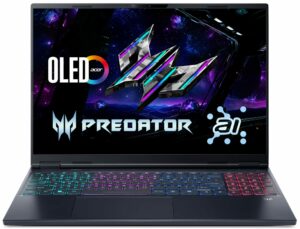
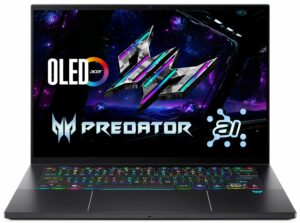
Direct comparison is not perfectly fair here, because most laptops in the chart are much larger than the Zephyrus G14 and use higher-power HX-class processors with more cooling headroom. Still, the GA403 performs very well for its size. Its single-core score is close to the larger flagship machines, which is great for everyday responsiveness, while its multi-core result naturally falls behind the big 16-inch models. The most meaningful comparison is against the Acer Predator Triton 14 AI, the only other 14-inch gaming laptop here, where the G14 is almost twice as fast in Cinebench 2024 Multi-Core. That makes the Ryzen AI 9 HX 370 version a very capable compact workstation, not just a small gaming laptop.
Single-core performance ensures smooth operation and responsiveness in operating systems, providing a better user experience.
Results are from the Geekbench 6 Single-Core test (higher is better)
Multi-core performance is essential for handling complex and demanding tasks, such as Video editing, CAD, and Scientific simulations.
Results are from the Geekbench 6 Multi-Core test (higher is better)
Here, we evaluate the CPU's performance using a real-world 3D rendering task, assessing its ability to handle complex computations and rendering workloads efficiently.
Results are from the Cinebench 2024 Multi-Core test (higher is better)
Storage Performance
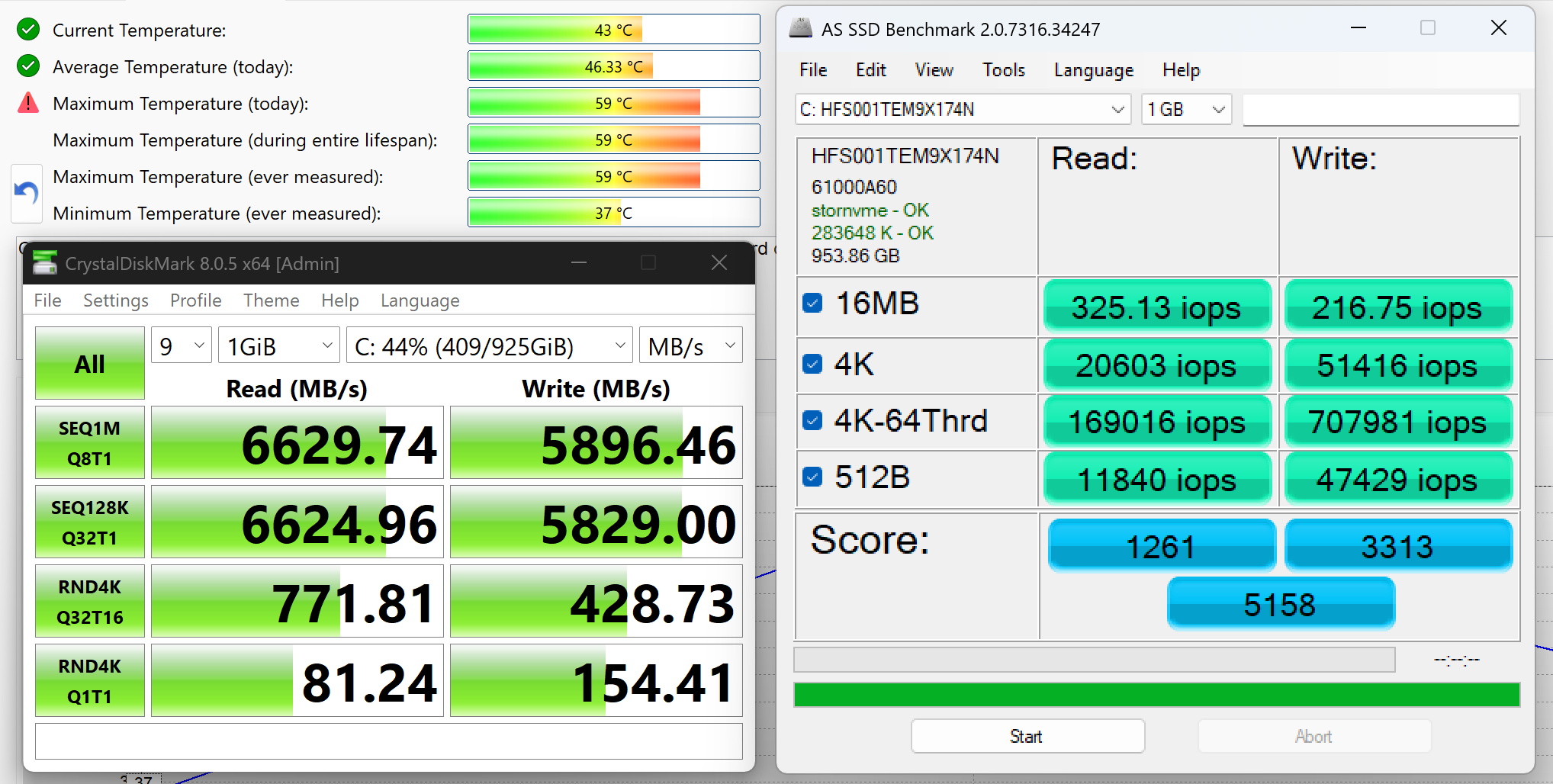
We ordered a configuration with 1TB of storage and the ASUS ROG Zephyrus G14 (GA403) arrived with SK Hynix HFS001TEM9X174N.
It’s a fast PCIe 4.0 NVMe drive, reaching 6.6GB/sec sequential read and 5.9GB/sec sequential write speeds in our benchmark, while keeping the temperatures XXXXX.
AI Performance
Here you can see the position of the GPUs and CPUs (NPUs) found within the ASUS ROG Zephyrus G14 GA403 in our AI Hardware Performance Rankings based on their AI processing power, measured in TOPS (Tera Operations Per Second) - a critical metric indicating the computational throughput, particularly for AI tasks.
The first column shows peak performance for INT8/FP8 precision, which is the most widespread metric for evaluating AI inference capabilities. We exclude Sparsity to provide a more accurate reflection of AI performance in dense computation scenarios where sparsity optimizations may not be applicable. The second and third columns show the performance with Sparsity, and FP4 TFLOPS, when supported.
For SoCs, the results reflect the peak performance of the integrated NPU. Additionally, it’s important to note that, according to Microsoft, a NPU must have at least 40 TOPS of AI computing power for the PC to be considered “AI-capable.”
| # | GPU / CPU (NPU) | TOPS INT8/FP8 No Sparsity | TOPS INT8/FP8 Sparsity | TFLOPS FP4 Sparsity |
|---|---|---|---|---|
| 416. | NVIDIA GeForce RTX 5080 (Laptop) | 281 | 562 | 1124 |
| 669. | NVIDIA GeForce RTX 5070 Ti (Laptop) | 209 | 418 | 836 |
| 849. | NVIDIA GeForce RTX 5070 (Laptop, 8GB GDDR7) | 173 | 346 | 692 |
| 919. | NVIDIA GeForce RTX 4070 (Laptop) | 160 | 320 | — |
| 1010. | NVIDIA GeForce RTX 5060 (Laptop) | 133 | 266 | 532 |
| 1149. | NVIDIA GeForce RTX 4060 (Laptop) | 116 | 232 | — |
| 1285. | NVIDIA GeForce RTX 4050 (Laptop) | 97 | 194 | — |
| 1552. | AMD Ryzen AI 9 465 | 50 | — | — |
| 1564. | AMD Ryzen AI 9 HX 370 | 50 | — | — |
| 1704. | AMD Ryzen 9 270 | 16 | — | — |
| 1705. | AMD Ryzen 7 8845HS | 16 | — | — |
| 1707. | AMD Ryzen 9 8945HS | 16 | — | — |
GPU and Gaming Performance
The graphics options are even broader, covering both newer RTX 50-series and older RTX 40-series laptop GPUs. At the high end, the model can be configured with the GeForce RTX 5080 (Laptop), ranked #2 in our Top Laptop Graphics Ranking, followed by the RTX 5070 Ti (#12), RTX 5070 (#27), RTX 5060 (#72), and RTX 5050 (#104). Some versions also use the RTX 4070, RTX 4060, or RTX 4050 with 90W power limits, which makes the GA403 family quite diverse in terms of gaming and GPU-accelerated performance.
Direct comparison is tricky here, because every other RTX 5070 Ti laptop we have tested so far is much larger and heavier than the Zephyrus G14. None of them comes close to the GA403’s 1.57 kg body, so for context we included some of the lightest RTX 5070 Ti models in our database, even though they still weigh almost twice as much at around 2.7 kg / 6 lbs.
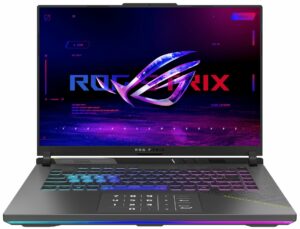
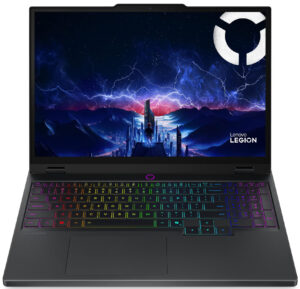
This makes the result more interesting than it may look at first glance. The Zephyrus G14 is clearly behind full-size RTX 5070 Ti machines like the ASUS ROG Strix G16 and MSI Vector 16 HX AI, but that is expected given its much lower GPU power limit and dramatically smaller chassis. At the same time, it performs almost on par with one of the strongest RTX 5070 laptops we have tested, the Lenovo Legion 5i 15, while staying ahead of the only other 14-inch gaming laptop in this comparison, the Acer Predator Triton 14 AI.
In other words, the GA403 is not trying to beat large 16-inch gaming laptops at their own game. Its real strength is delivering high-end GPU performance in a body that belongs to a completely different weight class.
The results are from 3DMark Time Spy (Graphics). Higher is better.
The results are from 3DMark Wild Life Extreme Unlimited. Higher is better.
ASUS ROG Zephyrus G14 GA403 GPU variants
Here you can see an approximate comparison between the GPUs that can be found in the ASUS ROG Zephyrus G14 GA403 models on the market. This way you can decide for yourself which ASUS ROG Zephyrus G14 GA403 model is the best bang for your buck.
Note: The chart shows the cheapest different GPU configurations so you should check what the other specifications of these laptops are by clicking on the laptop’s name / GPU.
The results are from 3DMark Time Spy (Graphics). Higher is better.
Results are from the 3DMark: Fire Strike (Graphics) benchmark (higher the score, the better)
Results are from the 3DMark: Wild Life (Graphics) benchmark (higher the score, the better)
Results are from the Unigine Superposition benchmark (higher the score, the better)
Gaming tests

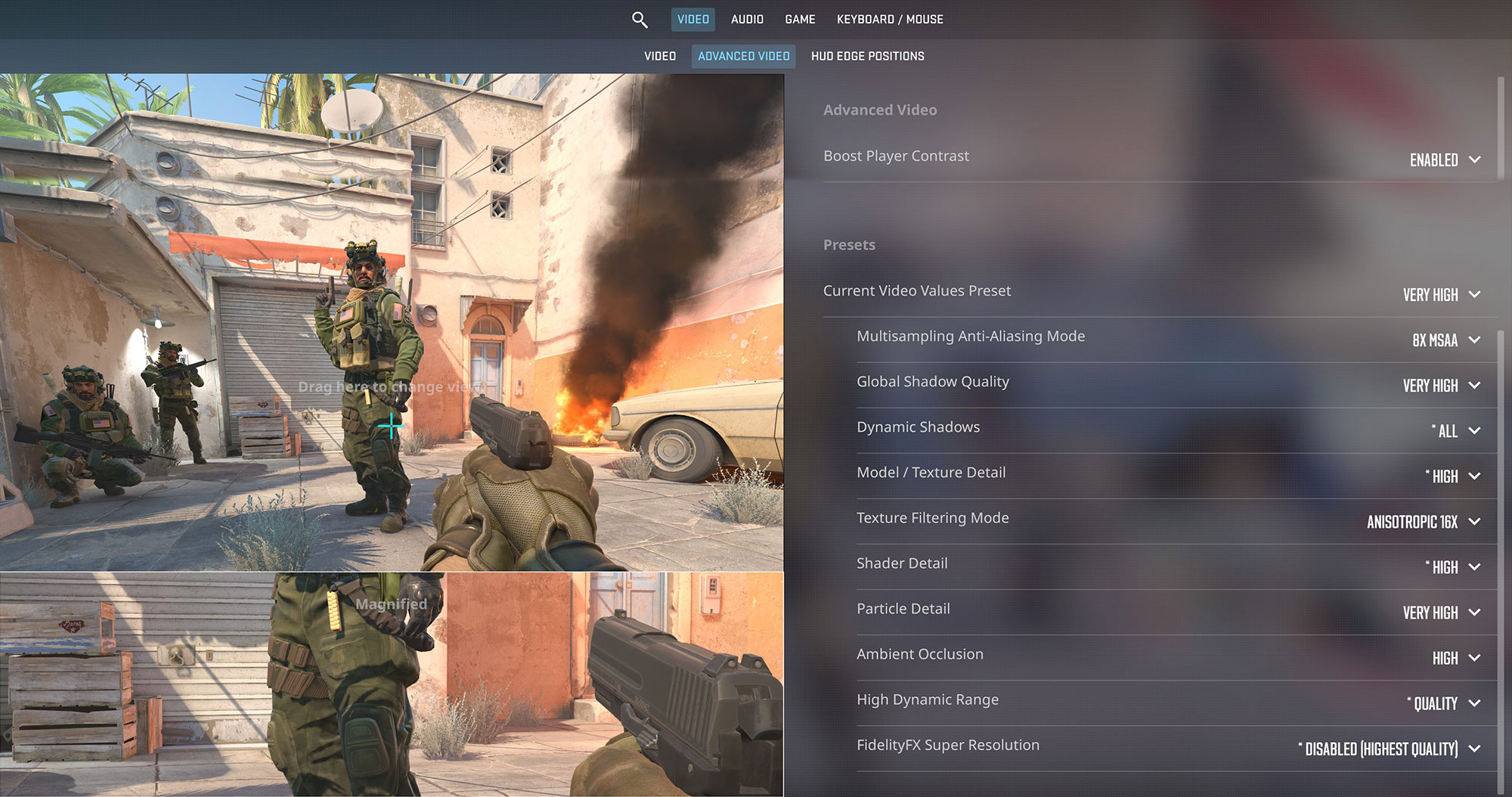
The ASUS ROG Zephyrus G14 is an ultra-portable esports powerhouse. In Counter-Strike 2, the RTX 5070 Ti delivers an outstanding 170 FPS at the native 2.8K (1800p) resolution on Very High settings, easily maximizing the beautiful 120Hz OLED display.
| Counter Strike 2 | 1800p, Very High (Check settings) |
| Average FPS | 170 FPS |

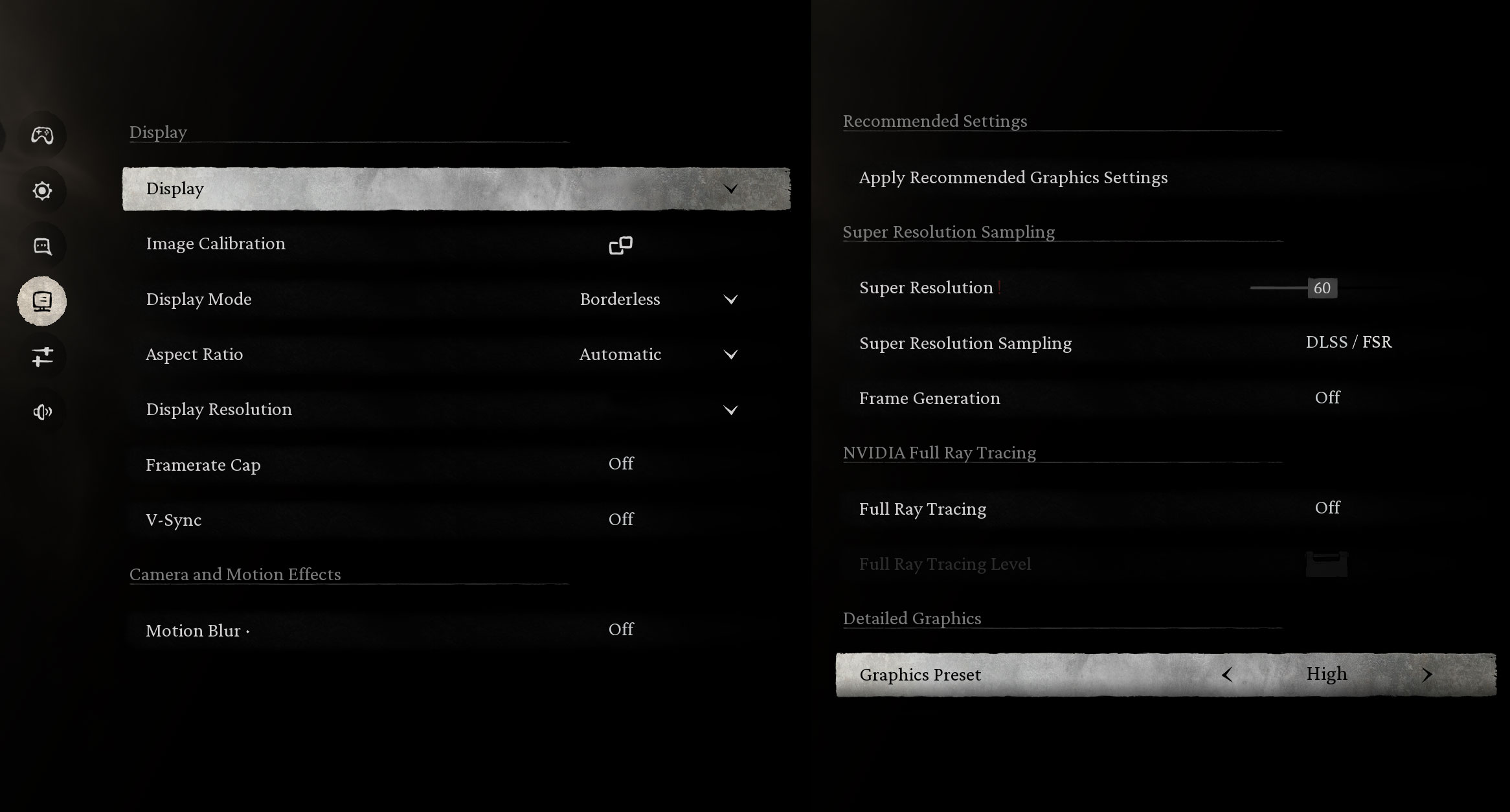
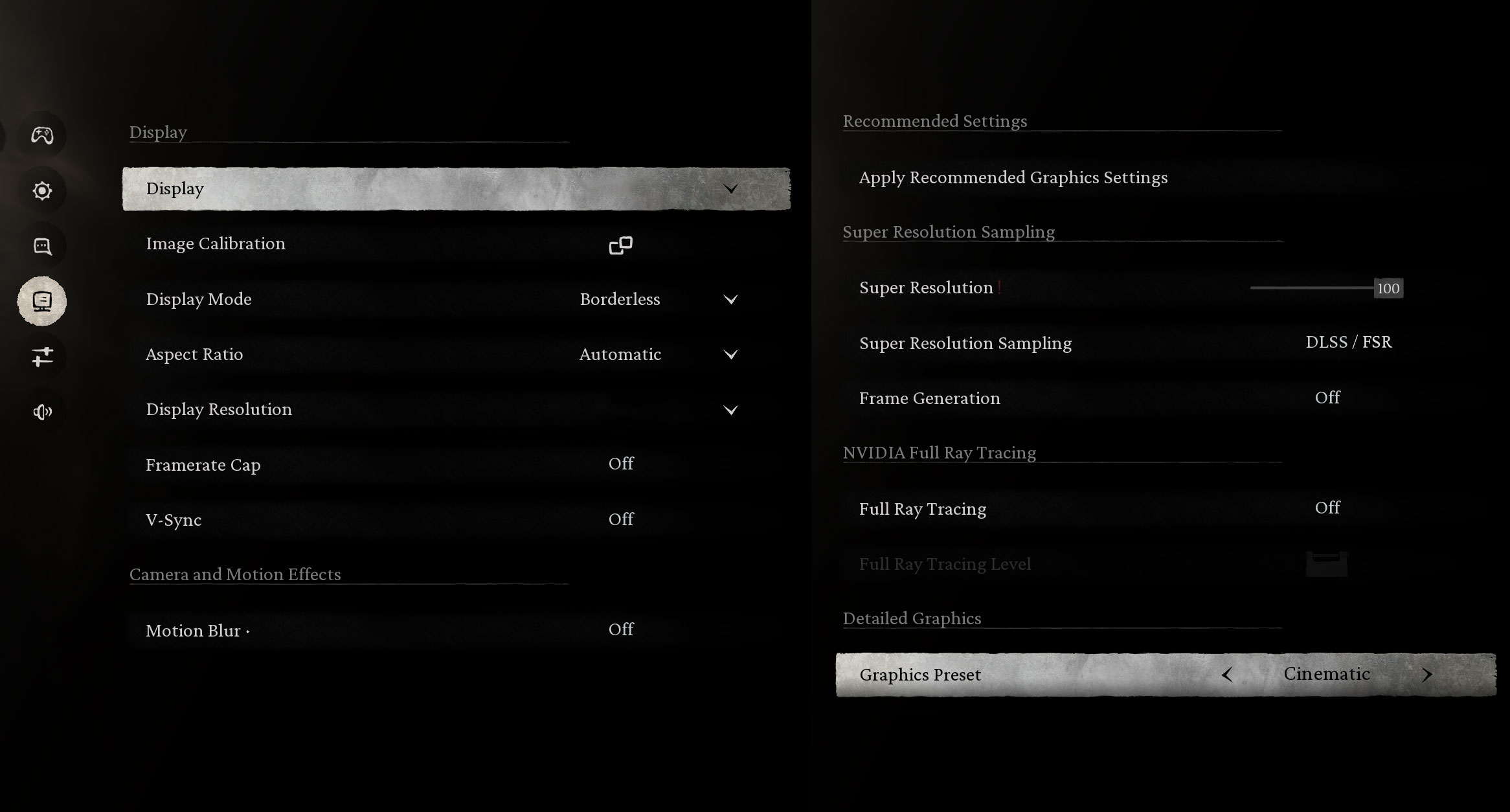
In the visually demanding Black Myth: Wukong, the laptop performs admirably at its native 1800p resolution, maintaining a smooth 77 FPS on High settings. The crushing Cinematic preset drops the frame rate to 28 FPS, meaning you’ll want to rely on DLSS or stick to High settings for the best experience.
| Black Myth: Wukong | 1800p, High (Check settings) | 1800p, Cinematic (Check settings) |
| Average FPS | 77 FPS | 28 FPS |

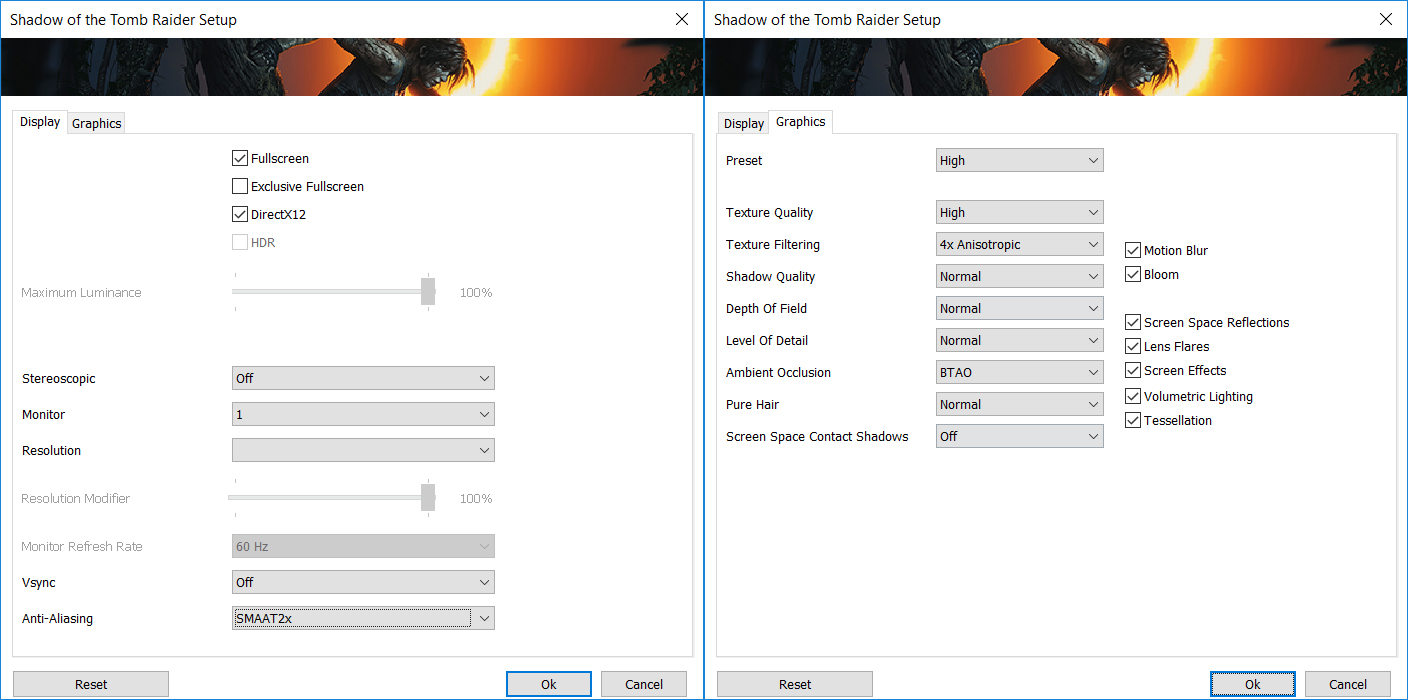
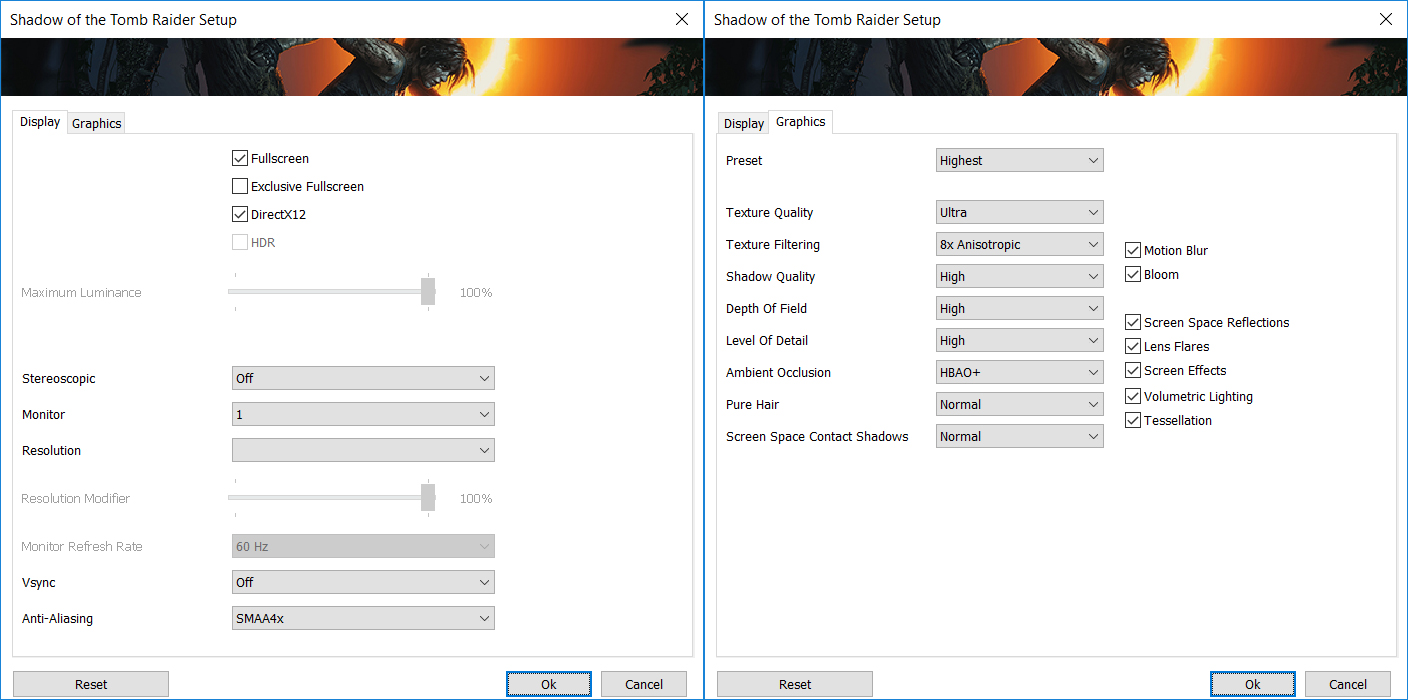
Shadow of the Tomb Raider looks incredible on the 14-inch OLED panel. The machine easily achieves 116 FPS on the High preset and a very fluid 71 FPS on the Highest settings at 1800p, guaranteeing an immersive and stutter-free adventure.
| Shadow of the Tomb Raider | 1800p, High (Check settings) | 1800p, Highest (Check settings) |
| Average FPS | 116 FPS | 71 FPS |

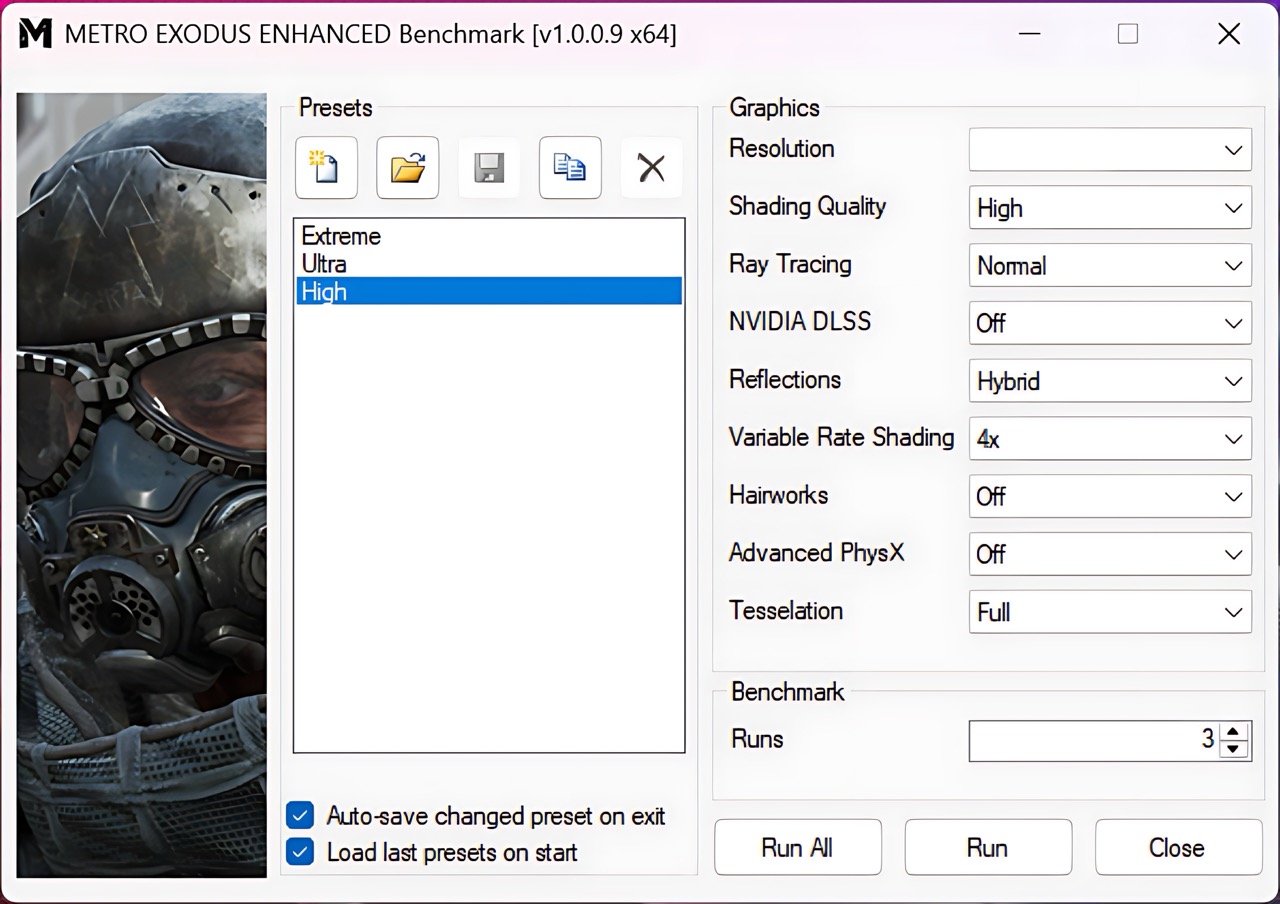
For heavy ray-tracing workloads like Metro Exodus Enhanced Edition, the laptop delivers a blistering 110 FPS at 1200p on High settings. At the much sharper native 1800p resolution, it sits just shy of the 60 FPS mark at 57 FPS, which remains highly playable for a single-player game.
| Metro Exodus Enhanced Edition | 1200p, High (Check settings) | 1800p, High (Check settings) |
| Average FPS | 110 FPS | 57 FPS |
Temperatures and Comfort, Noise, Stability
At idle, the CPU package of the AMD Ryzen AI 9 HX 370 maintains a temperature of 41ºC, and the notebook is audible. If you want complete silence, you have to use the Silent mode (F5) but it makes your PC slower.
Office Work, Web Development, Design
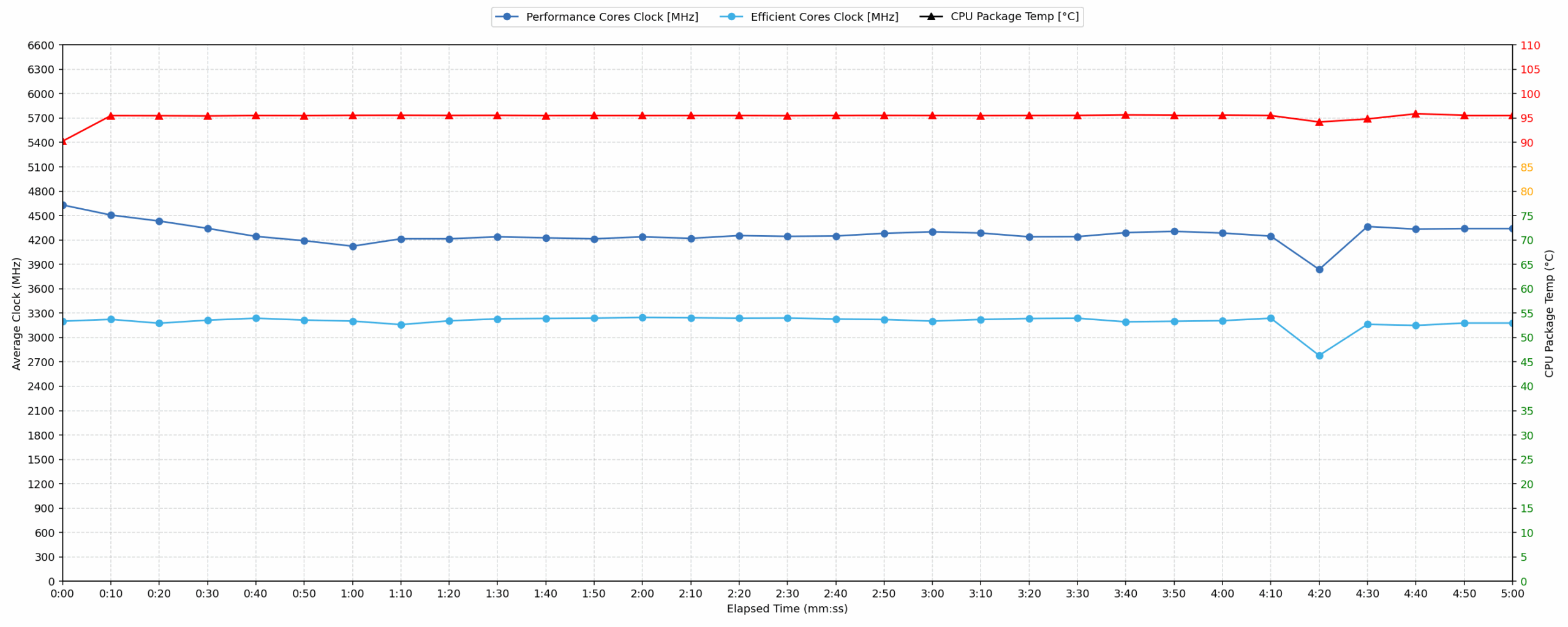
Short periods (0:00 – 0:10 s) of 100 % CPU load
This test shows the CPU behavior during short periods of serious load. It’s important for users who are looking for laptops suitable for tasks like Web Design and Programming.
| AMD Ryzen AI 9 HX 370 | Avg. P-Core Clock | Avg. CPU Temp. | Avg. CPU Power |
| ASUS ROG Zephyrus G14 (GA403, Ryzen AI 300) | 4631 MHz | 90 °C | 74 W |
| ASUS ProArt P16 H7606 (2025) | 3644 MHz | 58 °C | 76 W |
During short bursts of activity, the ASUS ROG Zephyrus G14 drives its AMD Ryzen AI 9 HX 370 very aggressively. The CPU reaches a peak clock of 4697 MHz and maintains an excellent average of 4631 MHz during the first 10 seconds, with an average package power of 74 W. The trade-off is temperature: the chip quickly rises to an average of 90 °C. This is high, but it also shows that ASUS is prioritizing very strong short-term responsiveness in this compact 14-inch chassis. The ASUS ProArt P16 H7606 runs much cooler in the same test, but it also operates at a noticeably lower average clock speed.
Video editing, Scientific computing, Software compilation, 3D rendering
Long periods (0:00 – 30:00 min) of 100 % CPU load
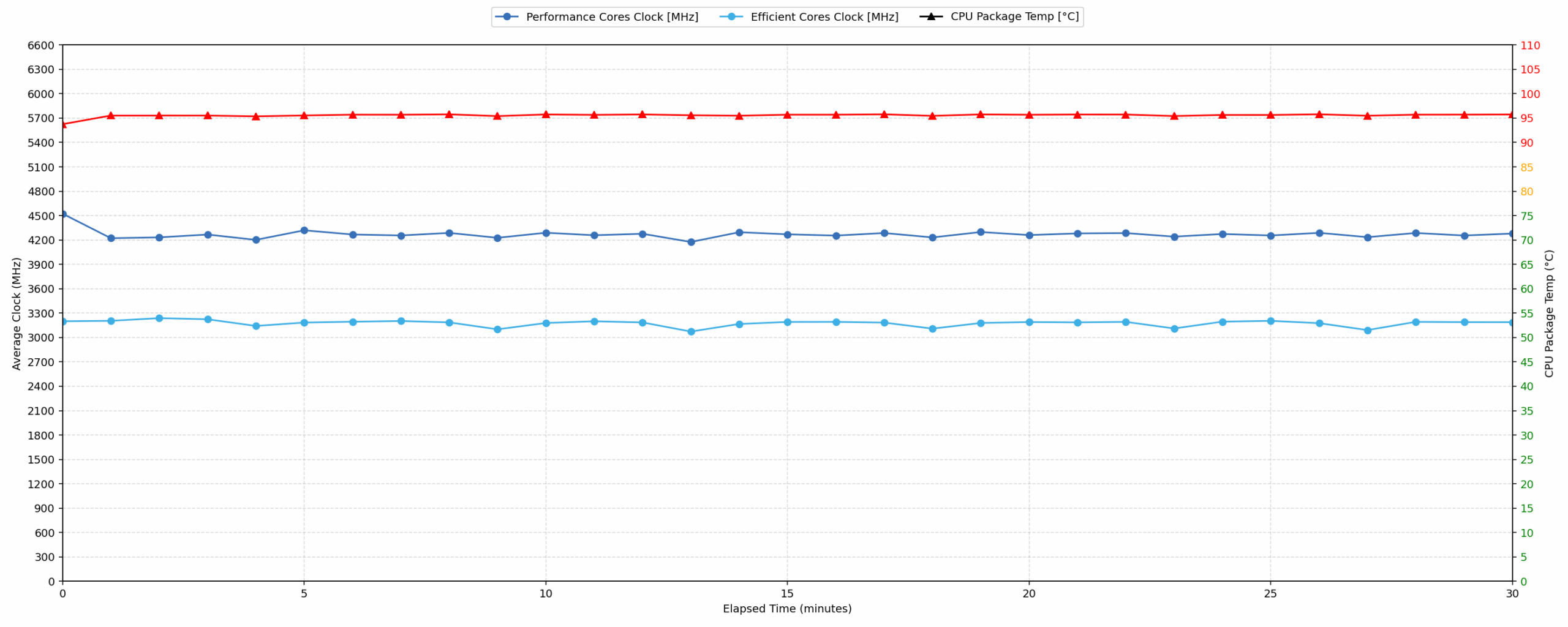
This test shows the CPU behavior during long periods of serious load. It’s important for users who are looking for laptops suitable for tasks like Video Editing and 3D Rendering.
| AMD Ryzen AI 9 HX 370 | Avg. P-Core Clock | Avg. CPU Temp. | Avg. CPU Power |
| ASUS ROG Zephyrus G14 (GA403, Ryzen AI 300) | 4265 MHz | 95 °C | 62 W |
| ASUS ProArt P16 H7606 (2025) | 3617 MHz | 70 °C | 79 W |
Under sustained 100% CPU load, the Zephyrus G14 continues to deliver strong performance for its size, averaging 4265 MHz over 30 minutes. That is considerably higher than the ASUS ProArt P16 H7606 in our comparison. However, the compact chassis has to work hard to maintain this level of performance: the CPU averages 95 °C and peaks at 96 °C. We also observed a clock drop to 3222 MHz during the 30-second to 5-minute interval, before the system stabilized for the longer run. In other words, this is a very fast 14-inch laptop under prolonged CPU load, but it achieves that by running close to its thermal limits.
Gaming Stability
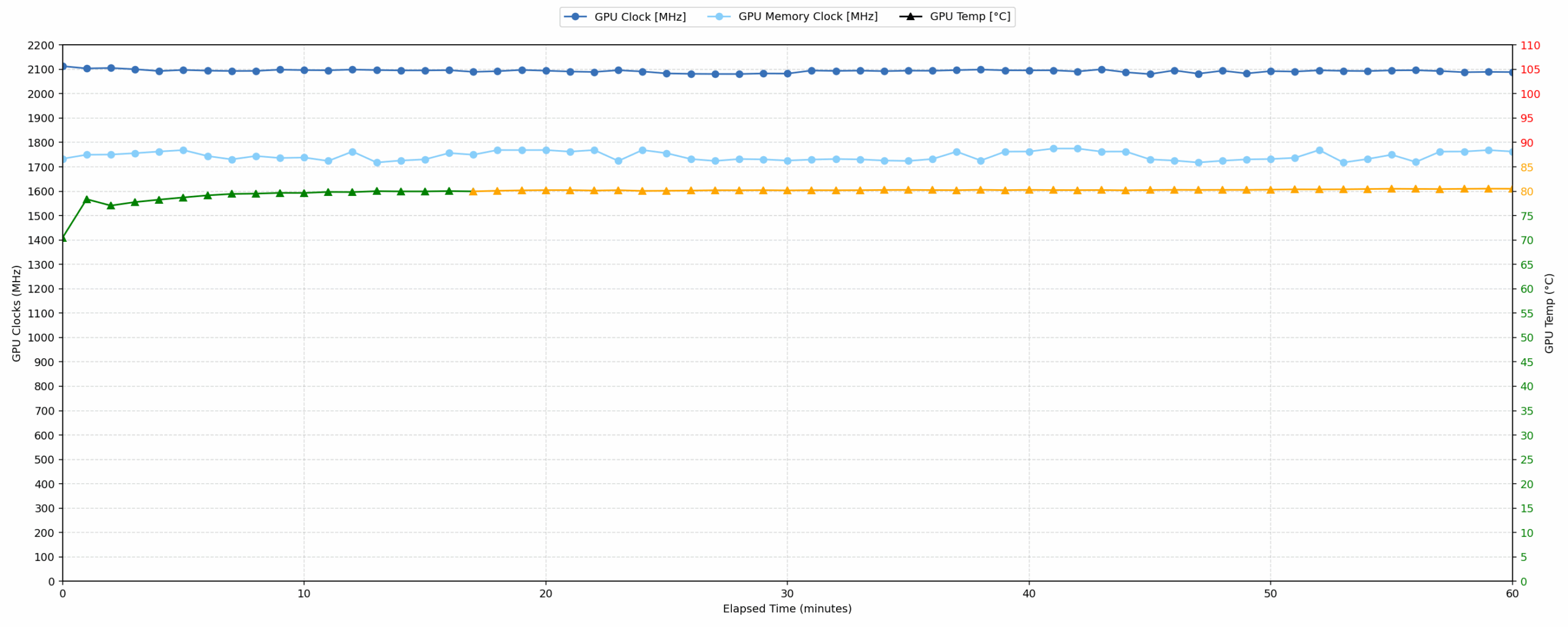
Continuous gaming (1-hour test)
This test evaluates the laptop’s performance under sustained GPU load and high CPU usage.
| NVIDIA GeForce RTX 5070 Ti | Avg. GPU Clock | Avg. GPU Temp. | Avg. Memory Clock | Avg. GPU Mem Temp. | Avg. GPU Power |
| HP OMEN MAX 16 (AMD, 16-ab0000, ak0000) | 2441 MHz | 75 °C | 1128 MHz | 76 °C | 138 W |
| ASUS ROG Strix G16 G614 (2025) | 2422 MHz | 80 °C | 1172 MHz | 77 °C | 138 W |
| ASUS ROG Strix G18 G815 (2025) | 2416 MHz | 71 °C | 1762 MHz | 72 °C | 138 W |
| ASUS ROG Strix G16 G615 | 2376 MHz | 79 °C | 1685 MHz | 77 °C | 138 W |
| MSI Vector 16 HX AI A2XW | 2362 MHz | 74 °C | 1750 MHz | 77 °C | 139 W |
| Acer Predator Helios Neo 16 AI (PHN16-73) | 2331 MHz | 82 °C | 1569 MHz | 81 °C | — |
| Acer Predator Helios Neo 18 AI (PHN18-72) | 2291 MHz | 84 °C | 1774 MHz | 87 °C | 138 W |
| ASUS ROG Zephyrus G14 (GA403, Ryzen AI 300) | 2093 MHz | 79 °C | 1744 MHz | 85 °C | 105 W |
| Acer Predator Helios Neo 16S AI (PHN16S-71) | 1935 MHz | 79 °C | 1125 MHz | 83 °C | 89 W |
During the 1-hour gaming test, the RTX 5070 Ti Laptop GPU in the Zephyrus G14 averages 2093 MHz at 105 W. This places it below the larger, higher-powered RTX 5070 Ti laptops in our comparison, which is expected given the much smaller 14-inch chassis and lower GPU power limit. Still, the result is very strong for the form factor. The average GPU core temperature of 79 °C is well controlled, while the 85 °C average memory temperature is also very good for such a compact gaming laptop. Compared to bigger gaming machines such as the HP OMEN MAX 16 and the ROG Strix models, the G14 sacrifices some sustained GPU clock speed, but it maintains stable performance with minimal clock drops.
Battery Life
The battery of the ASUS ROG Zephyrus G14 (GA403, Ryzen AI 300) is a 4-cell Li-Polymer, model C41N2302. Its nominal voltage is 15.48V and stores 73Wh of electrical energy.
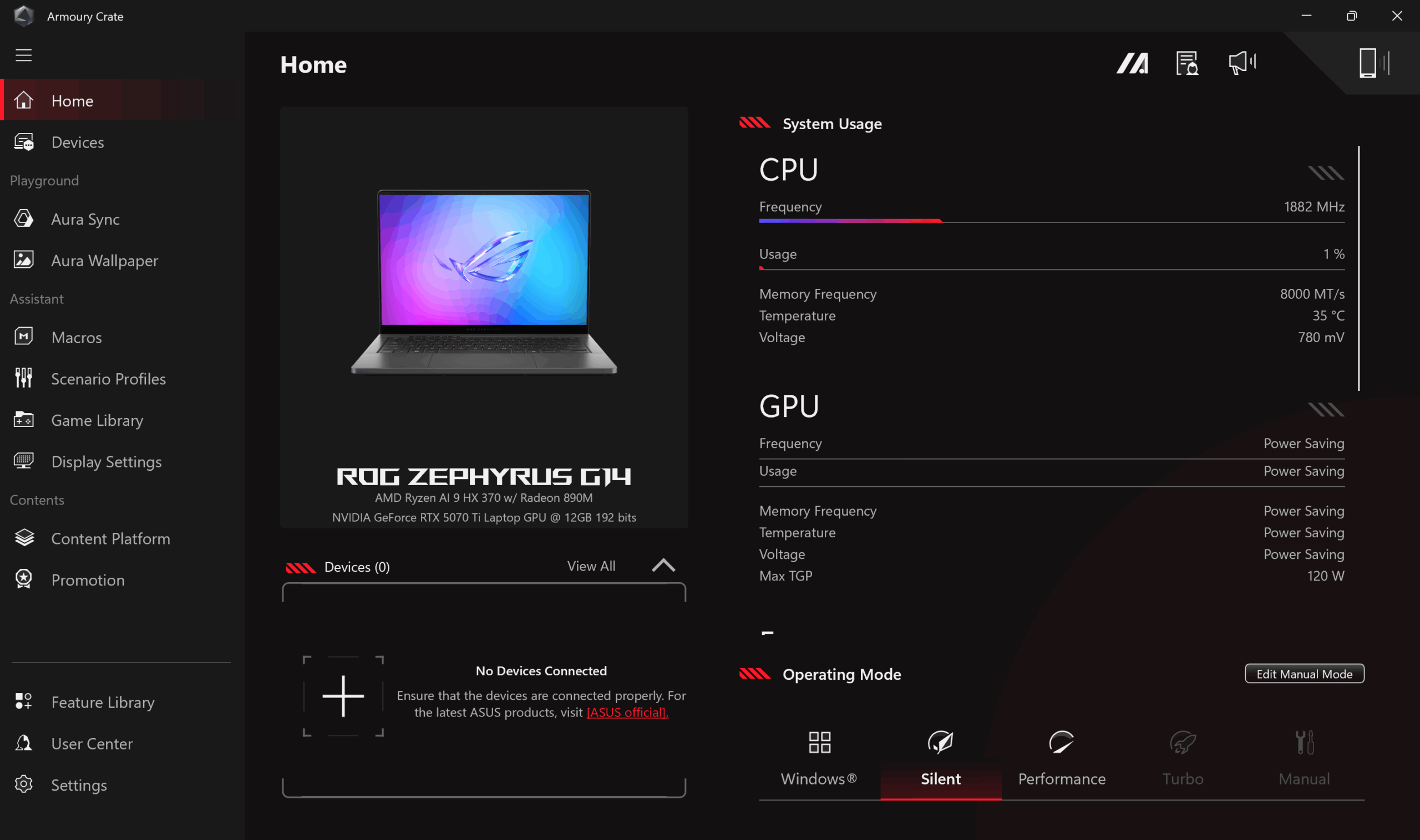
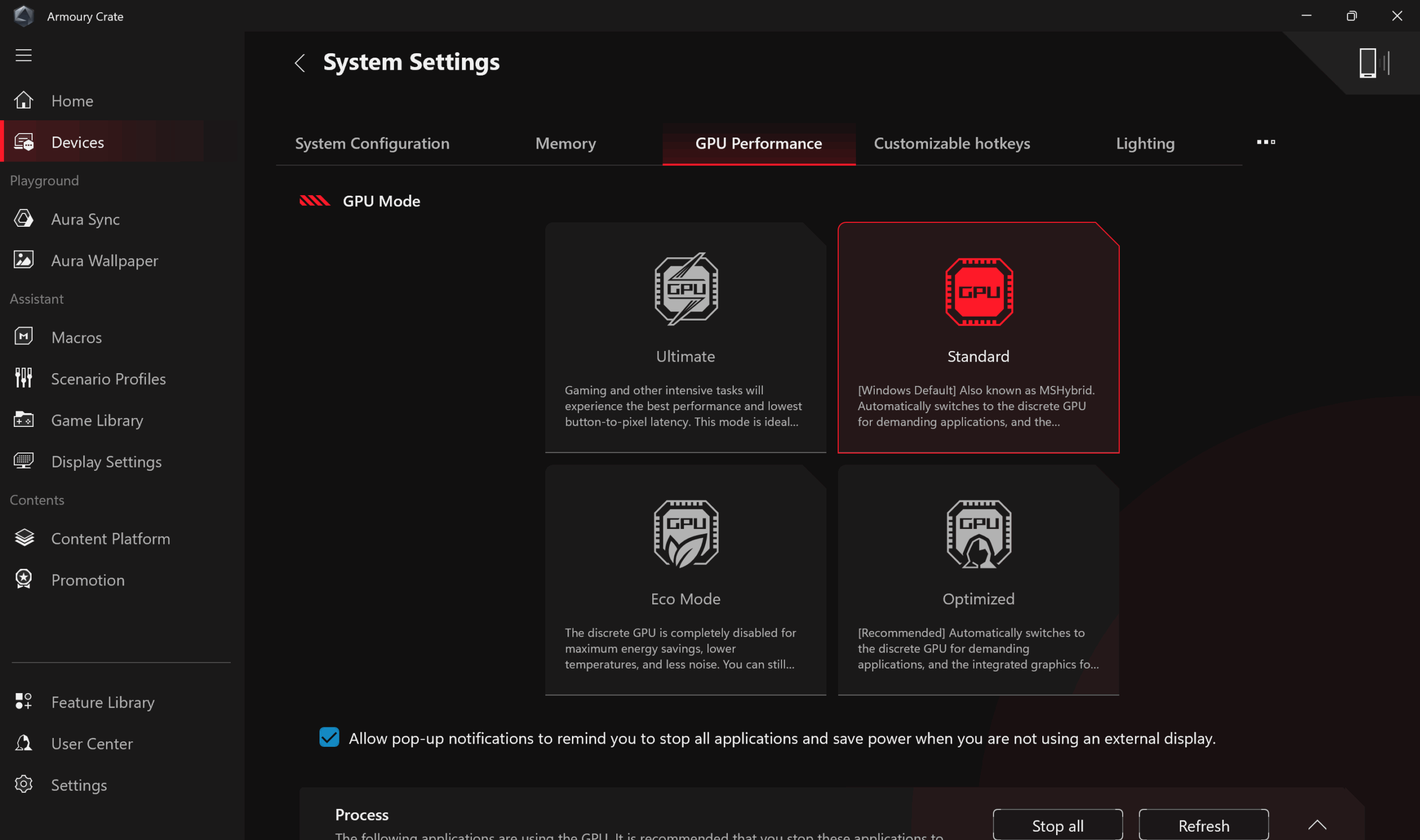
We tested the laptop with Silent mode selected in Armoury Crate, Best Power Efficiency in Windows Settings and Standard (MSHybrid) mode for the GPU.
Battery life is one of the strongest surprises here. In our video playback test at 180 nits and SDR mode, the ASUS ROG Zephyrus G14 lasted 10 hours and 46 minutes on a single charge. That is an excellent result for a compact gaming laptop with this level of hardware and a 73Wh battery. The G14 easily outlasts the larger gaming machines in this group, including models with 76Wh, 80Wh, and even 90Wh batteries. The only laptop ahead of it is the ASUS ProArt P16, but that machine uses a larger 90Wh battery and is aimed more at creator workloads than compact gaming portability.
Of course, this does not mean you should expect the same endurance while gaming on battery power. But for video playback, travel, and light everyday use, the Zephyrus G14 proves that a powerful 14-inch gaming laptop can still be genuinely portable.
Brightness: 180 nits; Display Mode: SDR
Time to Full Discharge: Higher is Better
Disassembly, Upgrade options, and Maintenance
To get inside the ASUS ROG Zephyrus G14 (GA403), you have to remove the bottom panel, which gives access to the battery, SSD, Wi-Fi card, cooling system, speakers, and the internal side of the touchpad area. The bottom cover itself is not just a simple plate, as it also includes large dust-filtered intake zones for the fans, thermal pads, and several contact points that help guide airflow and support the internal structure.
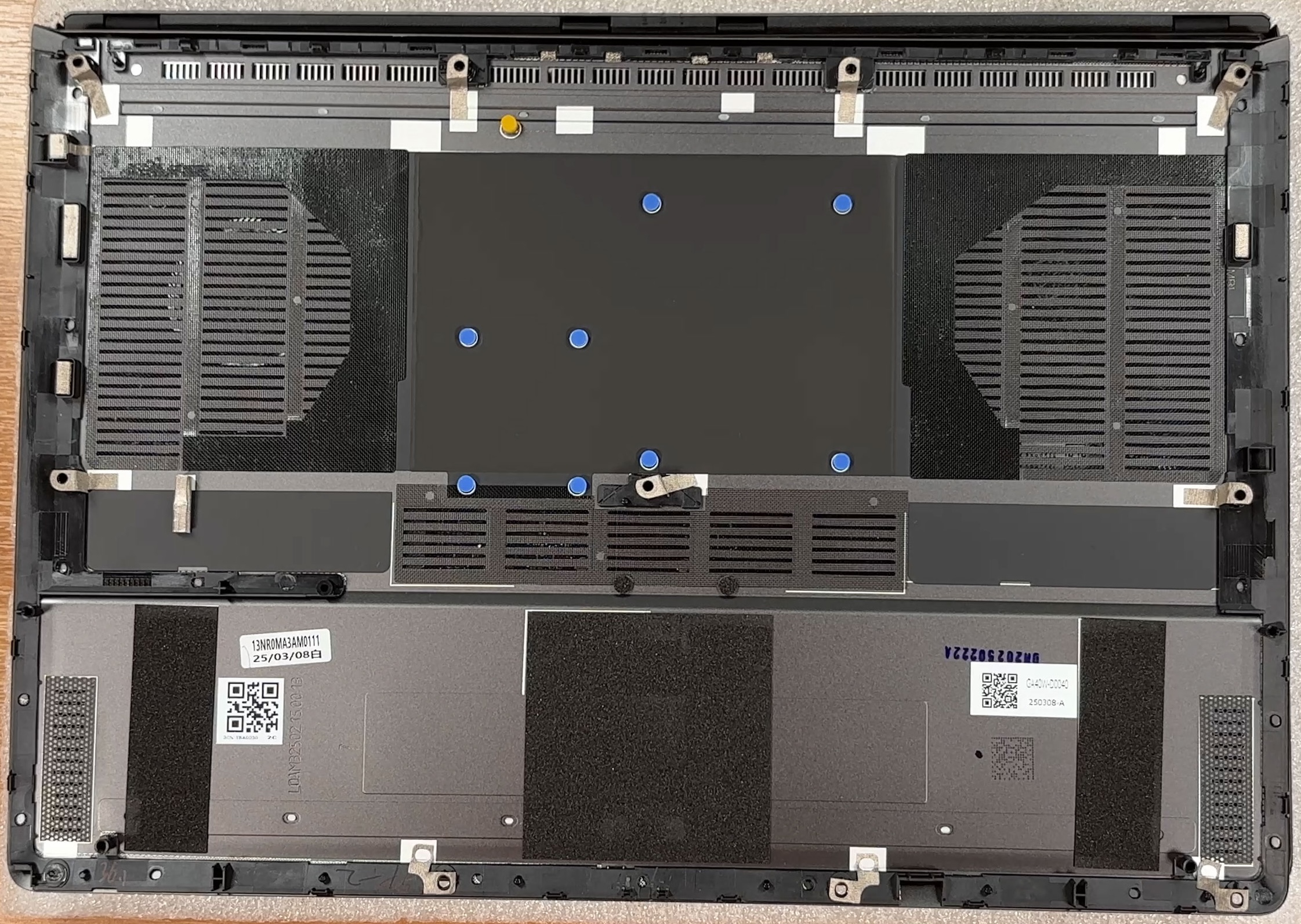
The cooling system is compact but serious for a 14-inch machine. It uses two fans, several heat pipes, and a wide heatsink array that exhausts heat toward the rear and sides of the chassis. The CPU and the discrete GPU are both hidden under the main cooling assembly, while the surrounding VRM and memory-related components are also covered by the cooling plate. For a thin gaming laptop, this is a dense layout, but ASUS has used almost the full internal width for heat dissipation.
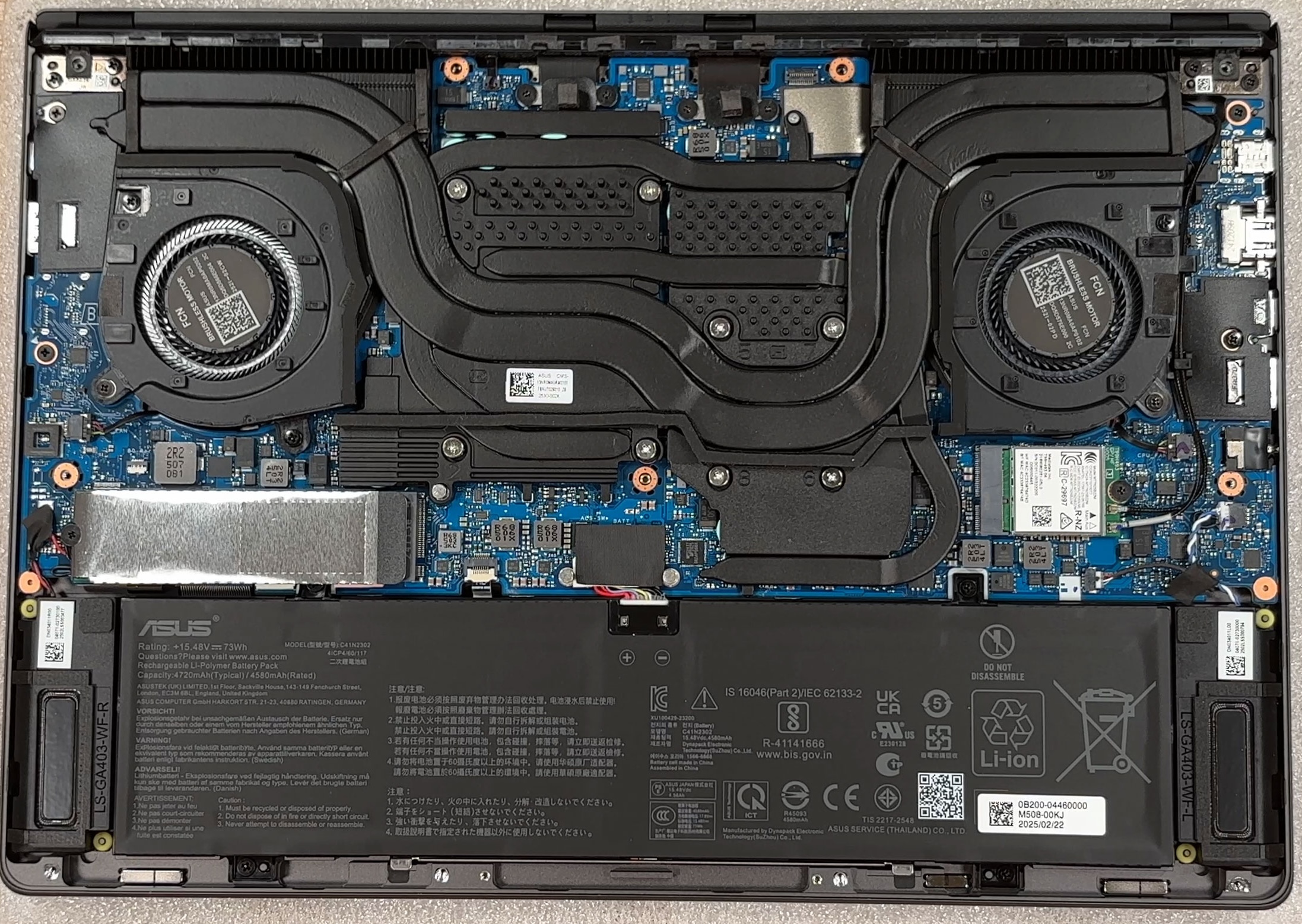
Memory is soldered to the motherboard, so there are no SODIMM slots and no RAM upgrade path after purchase. Depending on the configuration, this series can be found with different memory capacities, while our unit is equipped with 32GB of LPDDR5X memory working in dual-channel mode. This is enough for gaming, heavy multitasking, and creator workloads, but buyers should choose the RAM configuration carefully because it is permanent.
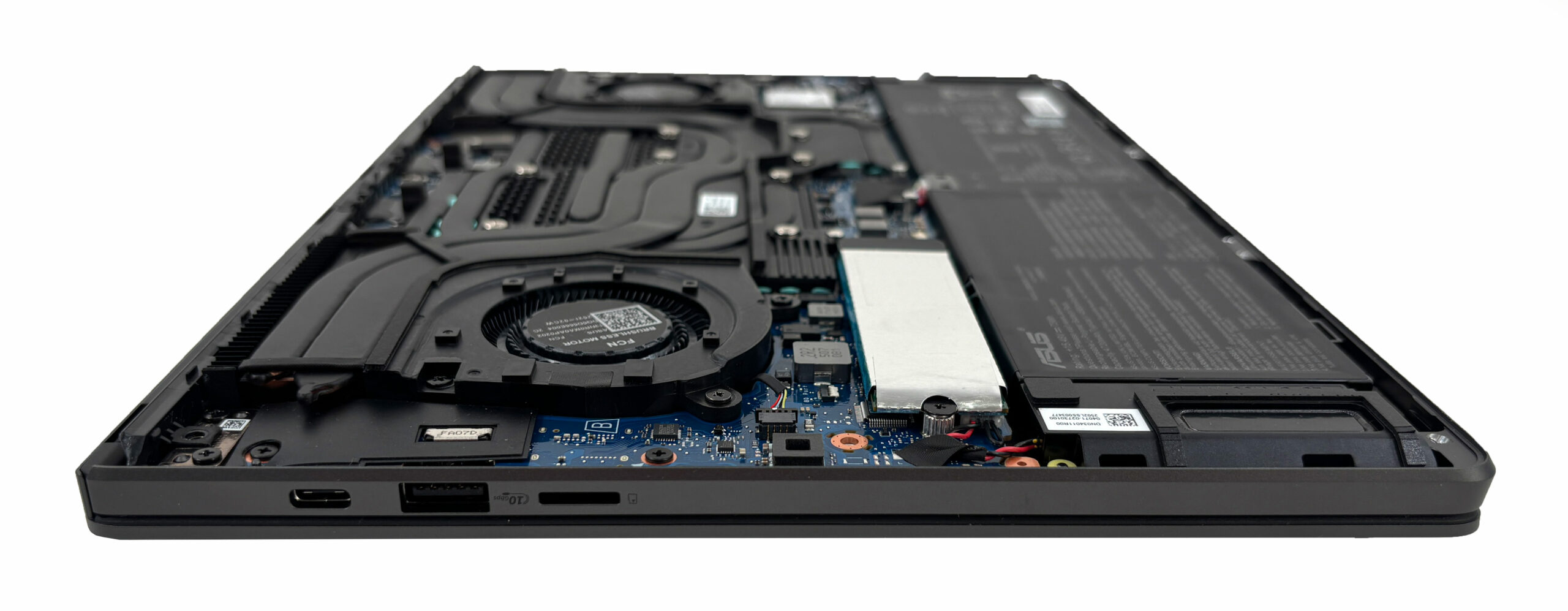
Storage upgradeability is limited to a single M.2 slot. Our configuration comes with a 1TB SK Hynix NVMe SSD, covered by a metal EMI/RFI shield. The slot uses a PCIe 4.0 x4 interface, and some configurations of this laptop can ship with a 2TB drive instead. Since there is only one SSD slot, upgrading storage means replacing the existing drive rather than adding a second one.
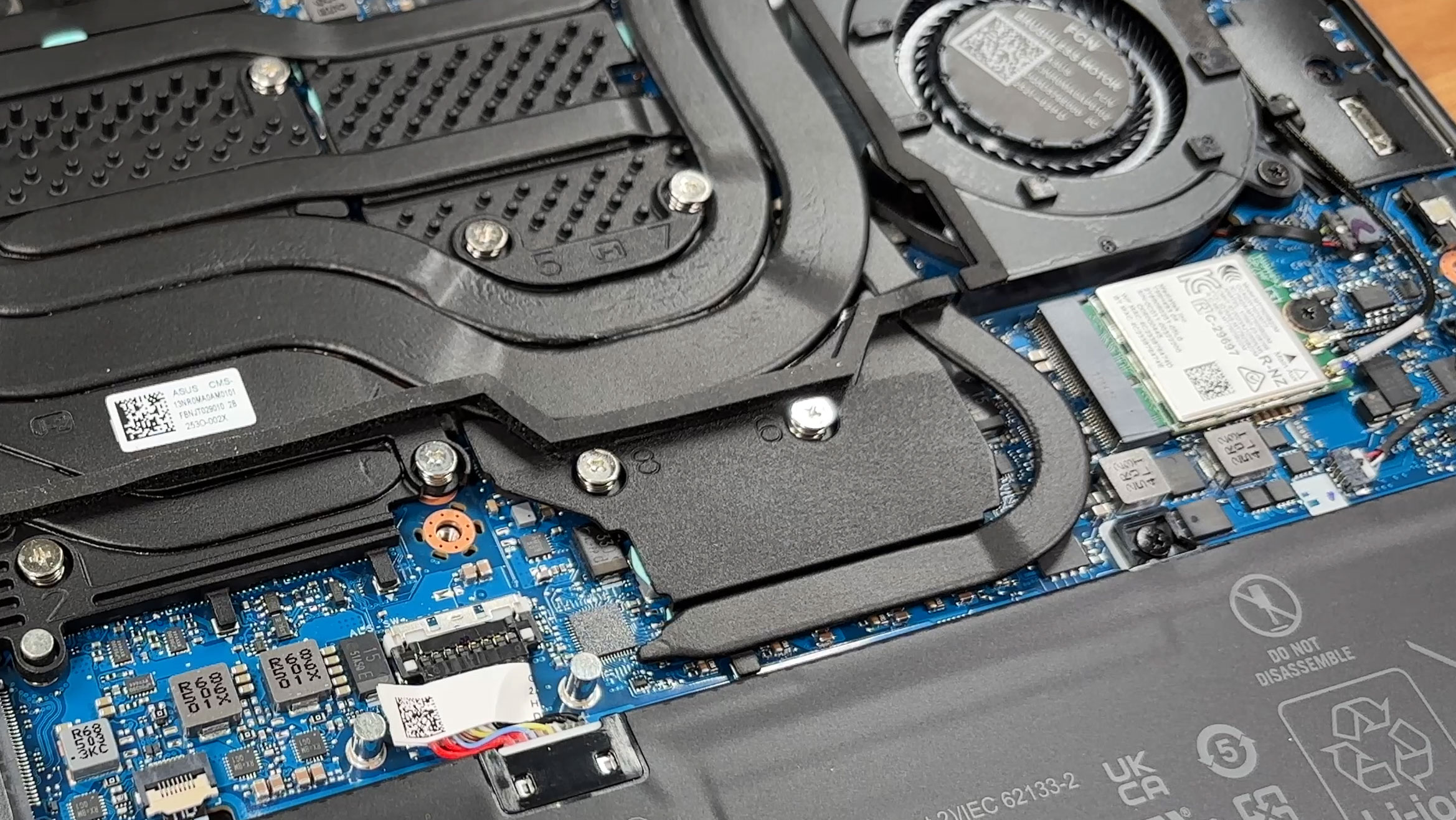
The Wi-Fi card is replaceable, which is good news for long-term servicing. This unit uses a MediaTek MT7925 module with Wi-Fi 7 and Bluetooth 5.4 support. The card is positioned next to the cooling system and battery area, so it is easy to identify once the bottom cover is removed, but the antenna connectors are small and should be handled carefully.
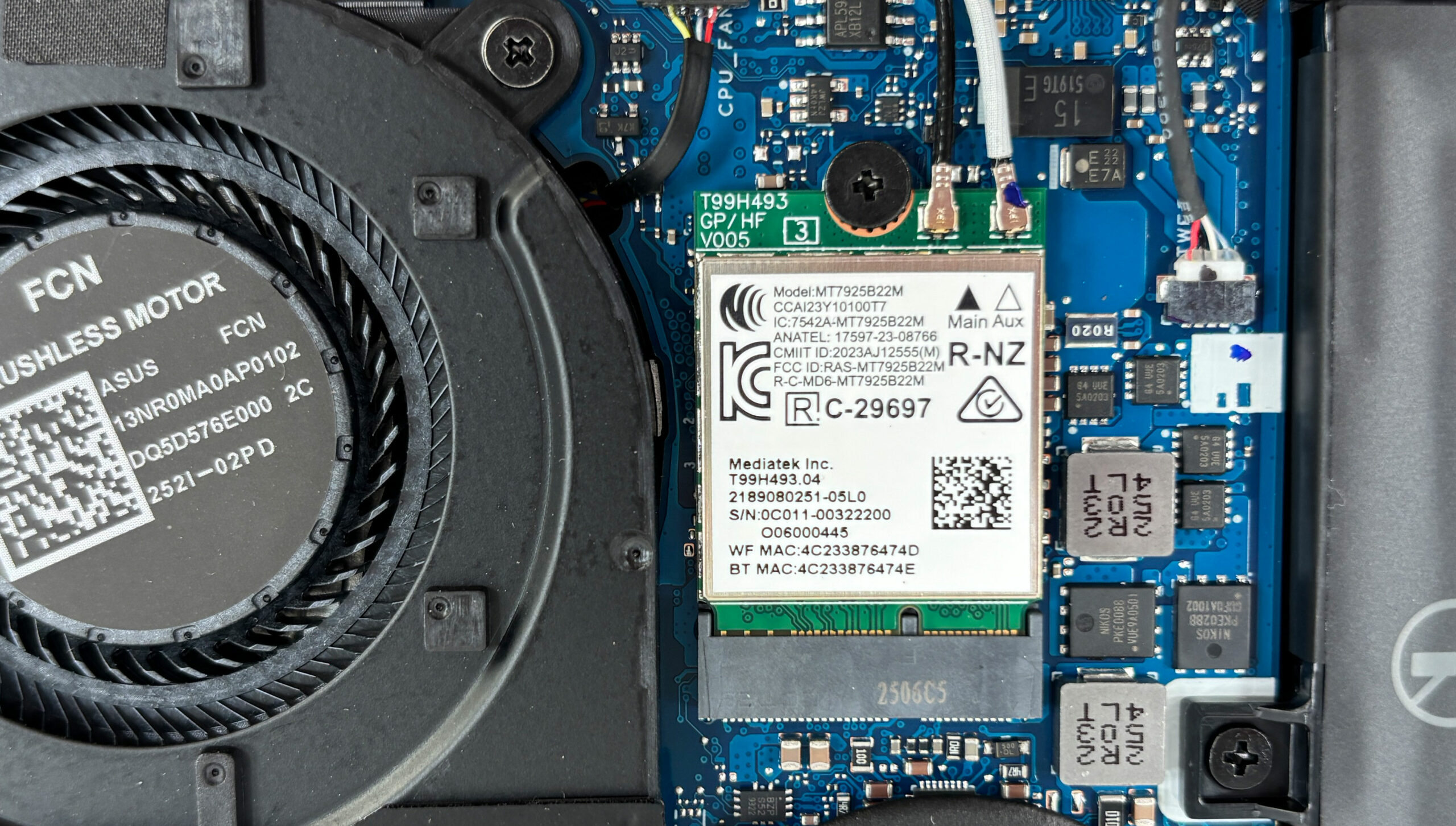
The battery is a 73Wh lithium-polymer unit, model C41N2302. It is fixed with several screws, and one of them is hidden under the SSD area, so the SSD has to be removed first if you want to take the battery out completely. The connector uses a locking mechanism, and it should be disconnected before doing any further work inside the laptop.
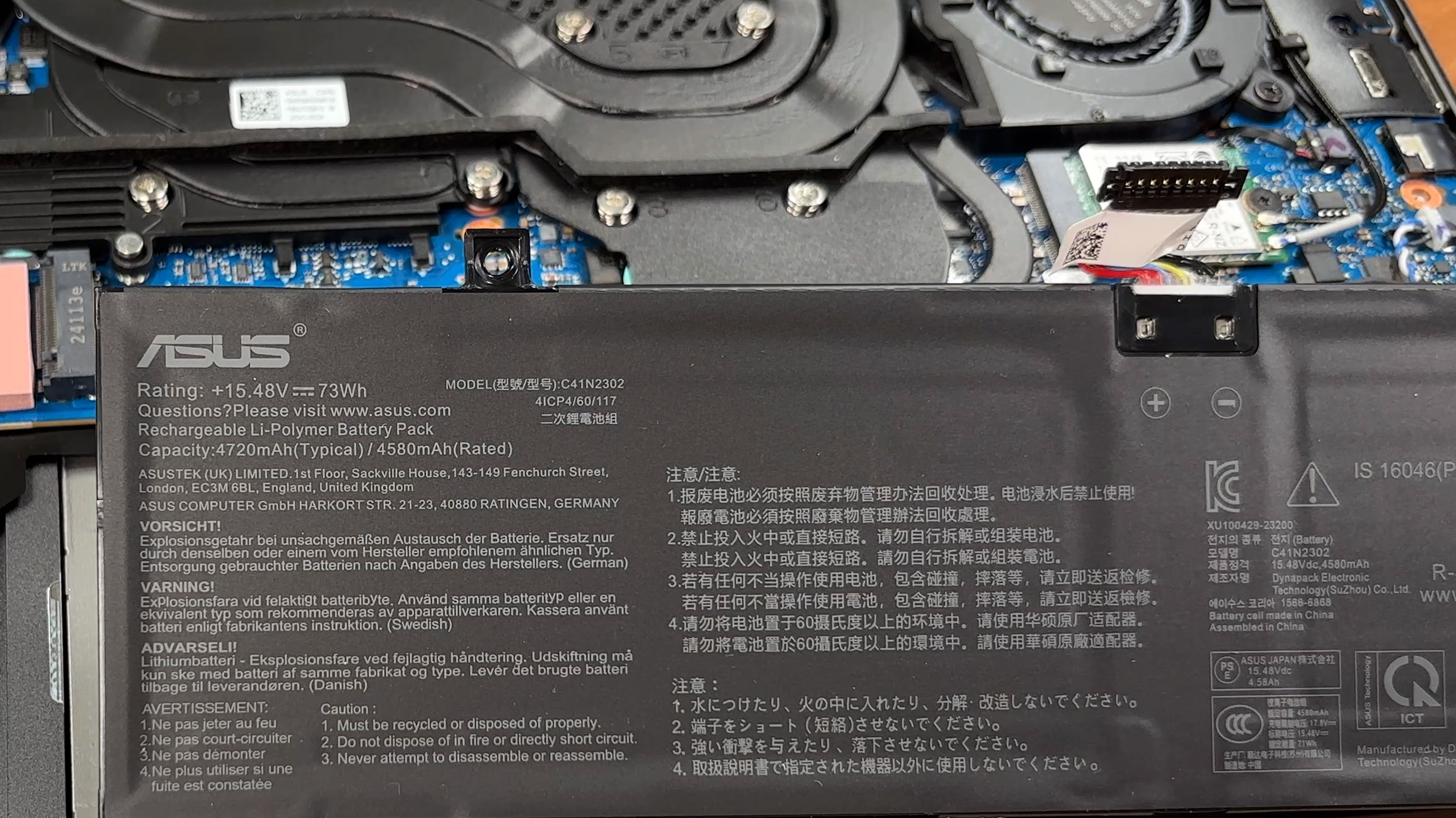
Other replaceable parts include the SSD, Wi-Fi module, battery, fans, and speakers, at least from a practical service point of view. The CPU, GPU, and memory are soldered, so performance upgrades are not possible. Cleaning the fans and heatsinks should be manageable, but removing the full cooling system is a more advanced procedure because it covers both main chips and several surrounding components.
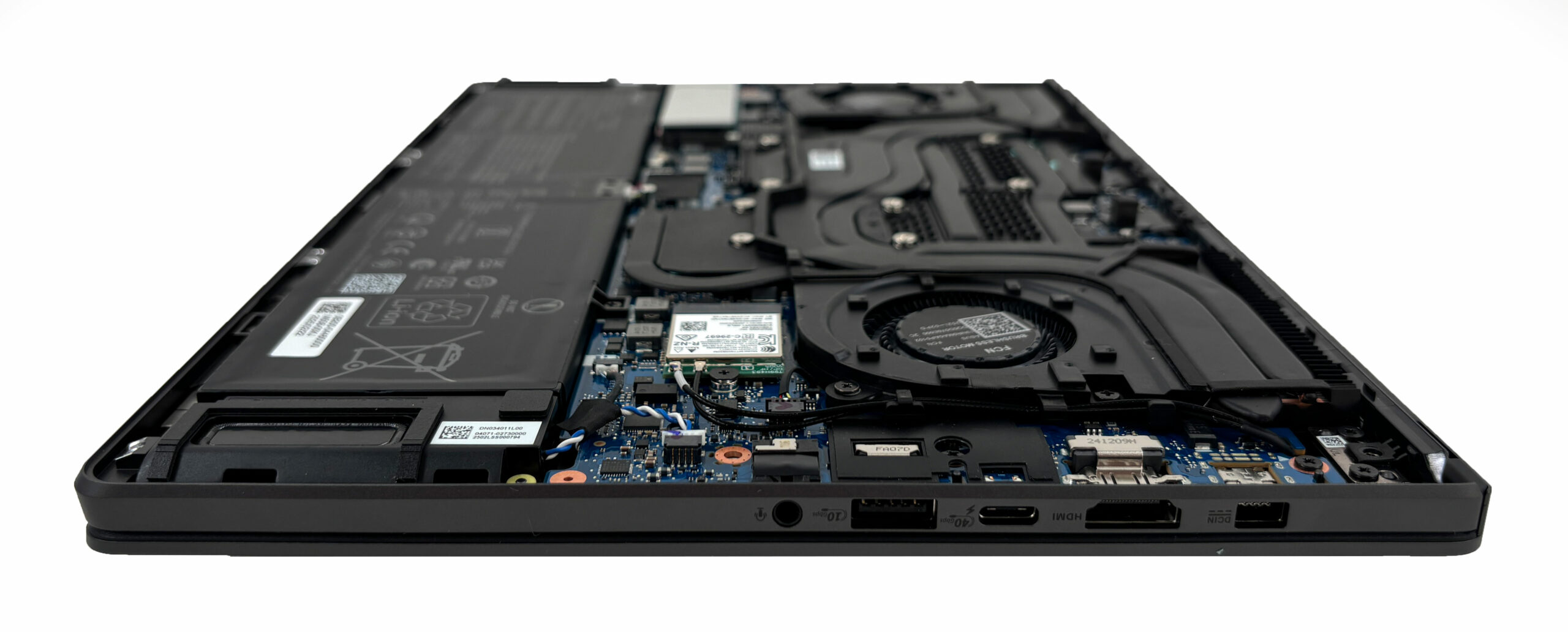
Overall, the Zephyrus G14 (GA403) is reasonably serviceable for cleaning, battery replacement, and swapping the SSD or Wi-Fi card, but its single storage slot and soldered memory make upgradeability limited.
Verdict
The ASUS ROG Zephyrus G14 (GA403, Ryzen AI 300) is one of the most impressive compact gaming laptops we have tested recently. It does not try to look like a typical bulky gaming machine, and that is part of its appeal. The design is clean, mature, and genuinely premium, while the CNC-machined aluminium chassis gives it the kind of rigidity and finish you would expect from a high-end ultraportable. At the same time, the hardware inside is powerful enough to make this 14-inch machine much more than just a stylish travel laptop.
This is a laptop for users who want strong gaming and creator performance in a truly portable body, without giving up build quality, display quality, or battery life. It is not cheap, and it is not a direct replacement for a large 16-inch gaming notebook with higher power limits, but it makes a very convincing case for itself if mobility is high on your priority list.
You can check the prices and configurations in our Specs System: https://laptopmedia.com/series/asus-rog-zephyrus-g14-ga403/
✅ The Good
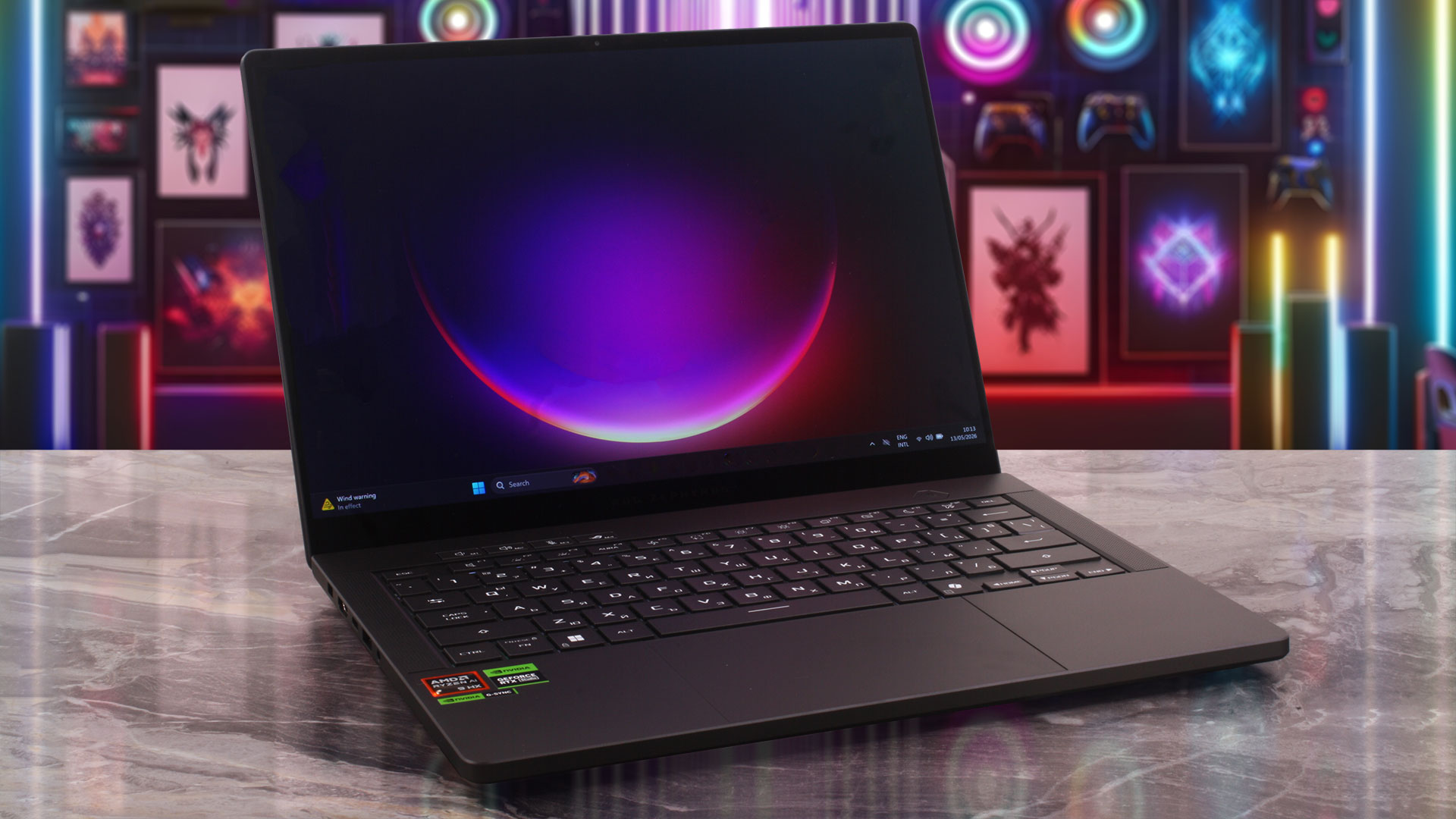 The display is one of the biggest highlights of the Zephyrus G14. The 120Hz OLED panel delivers deep blacks, excellent contrast, full DCI-P3 coverage, and very accurate colors straight out of the box. It is a fantastic screen for gaming, media consumption, and creative work. Just as importantly, in our tests, it does not show aggressive low-frequency PWM flickering, which makes it more comfortable than many OLED panels in long-term use.
Build quality is another major strength. The CNC-machined aluminium chassis feels extremely solid, with no meaningful flex in normal use. Despite weighing just 1.57 kg in our RTX 5070 Ti configuration, the laptop feels dense, rigid, and properly premium. ASUS has also done a great job with the input devices: the keyboard is comfortable, the large touchpad makes excellent use of the available space, and the overall everyday experience feels polished.
Performance is very strong for this form factor. The RTX 5070 Ti version cannot match larger 16-inch gaming laptops with higher GPU power limits, but that is expected. What matters more is that the G14 delivers serious gaming performance in a chassis that is dramatically smaller and lighter than those machines. It also performs very well in CPU-heavy workloads for a 14-inch laptop, although the processor runs close to its thermal limits under sustained load.
Battery life is another pleasant surprise. In our video playback test, the Zephyrus G14 lasted nearly 11 hours, which is excellent for a compact gaming laptop with this level of hardware and a 73Wh battery. Combined with the USB4 port, Wi-Fi 7, good keyboard, large touchpad, and premium construction, this makes the G14 feel like a genuinely portable high-performance machine, not just a gaming laptop that happens to be small.
❌ The Bad
The biggest drawback is the completely soldered RAM. There are no SODIMM slots, so the memory configuration you buy is the one you will keep for the lifetime of the laptop. This is especially important if you plan to use the G14 for heavy multitasking, content creation, or future AI-related workloads. Storage expansion is also limited because there is only one M.2 slot, meaning that upgrading the SSD requires replacing the existing drive instead of simply adding a second one.
The compact design also comes with thermal consequences. The GPU is handled well for such a small chassis, but the AMD Ryzen AI 9 HX 370 runs very hot under sustained CPU load, averaging around 95°C in our stress test. This does not make the laptop slow, but it does show how aggressively ASUS is pushing the hardware inside this 14-inch body. Finally, the lack of a physical privacy shutter for the webcam is a small but notable omission on such a premium device.
🆚 The Competitors
Compared to the Acer Predator Triton 14 AI (detailed review), the only other 14-inch gaming laptop in our recent tests, the Zephyrus G14 is the more complete machine overall. The ASUS offers vastly better battery life, a more premium all-aluminium build, a stronger OLED display experience, and significantly better CPU performance in heavier workloads. The Acer handles some thermals differently, but as a full package, the G14 feels more refined and more practical.
Against larger rivals like the ASUS ROG Strix G16 (detailed review), the trade-off is very clear. The Strix G16 delivers higher raw gaming performance and has more thermal headroom thanks to its larger chassis and higher power limits. The Zephyrus G14 counters with far better portability, excellent battery life, and a more compact premium design. In other words, the Strix is the better choice if maximum FPS is the goal, while the G14 is the more attractive option if you want high-end performance in a machine you can comfortably carry every day.
Pros
- Excellent 120Hz OLED display with full DCI-P3 coverage and great color accuracy
- Exceptional CNC-machined aluminium build quality
- Fantastic battery life for a gaming laptop, nearly 11 hours in our test
- Thin, light, and genuinely portable at 1.57 kg
- Strong gaming performance for a 14-inch chassis
- Very good GPU thermals for such a compact machine
- Comfortable keyboard and large touchpad
- Modern port selection including USB4
Cons
- Soldered RAM with no upgrade options
- Only one M.2 slot limits storage expansion
- No physical privacy shutter for the webcam
 Author: Simeon NikolovEditor-in-Chief at LaptopMedia.com with 20+ years of experience in testing and analyzing laptops and mobile devices.
 Author: eng. Kroum NikolovHead of Engineering at LaptopMedia.com, inventor and innovator with 40+ years of experience in electronics and high technology.

![[June 2026] Best-Selling Laptop Brands on Amazon Global – Apple’s Unrivaled Dominance in Units and Revenue](https://laptopmedia.com/wp-content/uploads/2026/07/GLOBAL-Best-Brands-400x225.jpg)
![[June 2026] Amazon Global: Top 10 Best-Selling Laptops – Apple’s New MacBook Neo Storms to #1, Reshaping the Market with Affordability](https://laptopmedia.com/wp-content/uploads/2026/07/Best-Selling-Laptops-GLOBAL-Top-10-400x225.jpg)
![[June 2026] Amazon Global: Top 10 Best-Selling Gaming Laptops – Acer’s Nitro V 16S AI Dominates Sales, While ASUS Leads Overall Revenue](https://laptopmedia.com/wp-content/uploads/2026/07/Best-Selling-Gaming-Laptops-GLOBAL-Top-10-400x225.jpg)
![[June 2026] Global Ranking of Best-Selling Laptop GPUs on Amazon – NVIDIA RTX 5060 is the Top-Selling Dedicated GPU](https://laptopmedia.com/wp-content/uploads/2026/07/Best-Selling-GPUs-GLOBAL-Top-10-400x225.jpg)
![[June 2026] Global Ranking of Best-Selling Laptop CPUs on Amazon – Apple M5 Dominates, AMD Ryzen 7 260 Gets Solid Premium Share](https://laptopmedia.com/wp-content/uploads/2026/07/Best-Selling-CPUs-GLOBAL-Top-10-400x225.jpg)
I love the G14’s size, but fan noise is literally the one thing that’d push me toward a bigger laptop
Yes, fan noise while writing e-mails is a distracting. Still you can switch to Silent mode with F5 – not optimal but it’s a solution