Inside ASUS ROG GL752VW – disassembly, internal photos and upgrade guide
We are preparing a full review of the new ASUS ROG GL752VW 17-inch gaming notebook and even inside, the laptop is pretty close to its 15-inch sibling. The notebook integrates roughly the same cooling design as the smaller version and also offers the same upgrade options. Here’s our disassembly guide and a bit more info on the hardware.
You can check for prices and configurations at the following link: http://amzn.to/1QQfa4H
1. Removing the service lid
The service lid provides easy access to the motherboard battery, RAM chips, 2.5-inch drive and the M.2 SATA SSD. You just need to remove two screws and then pry up the cover.

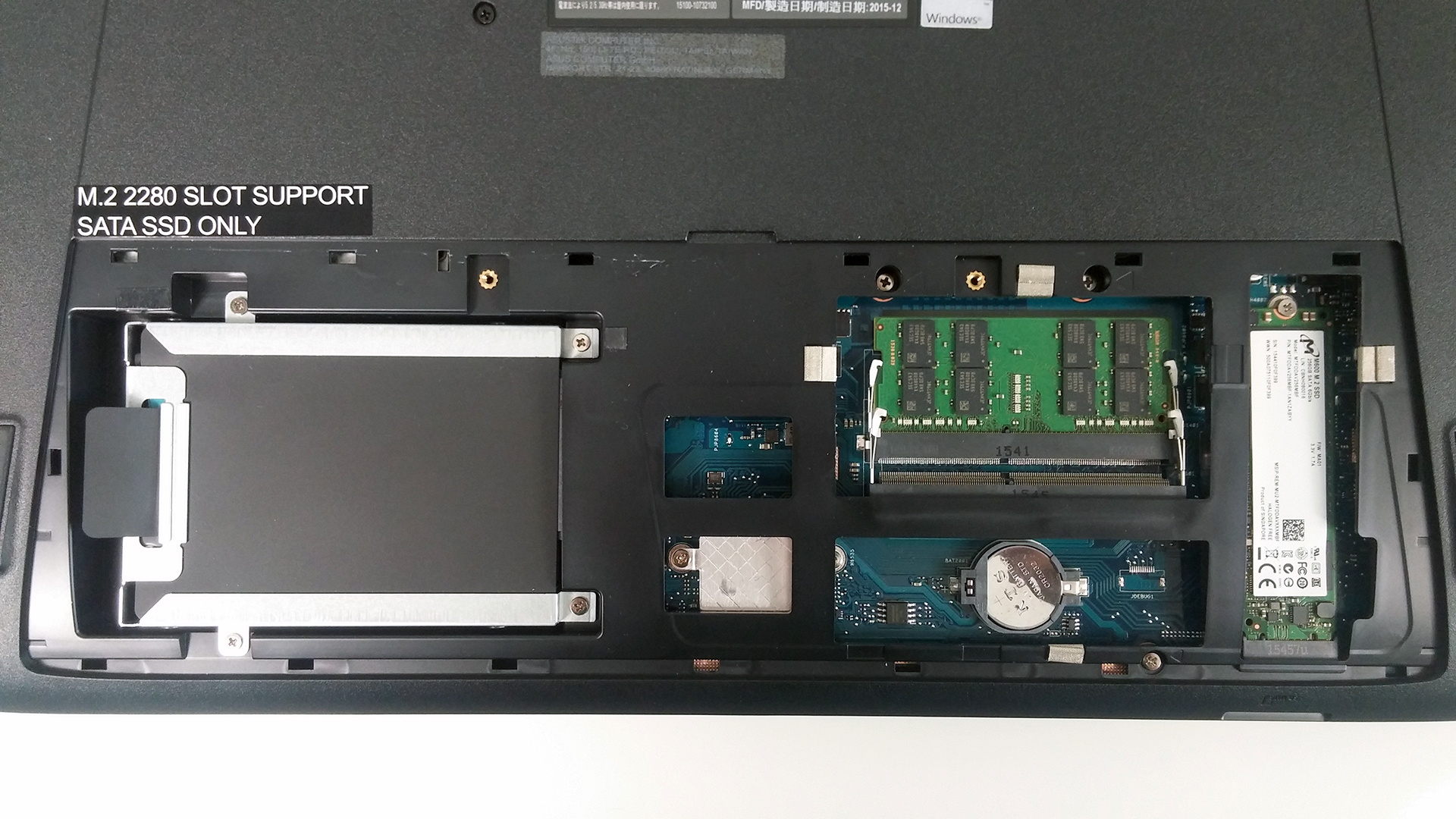
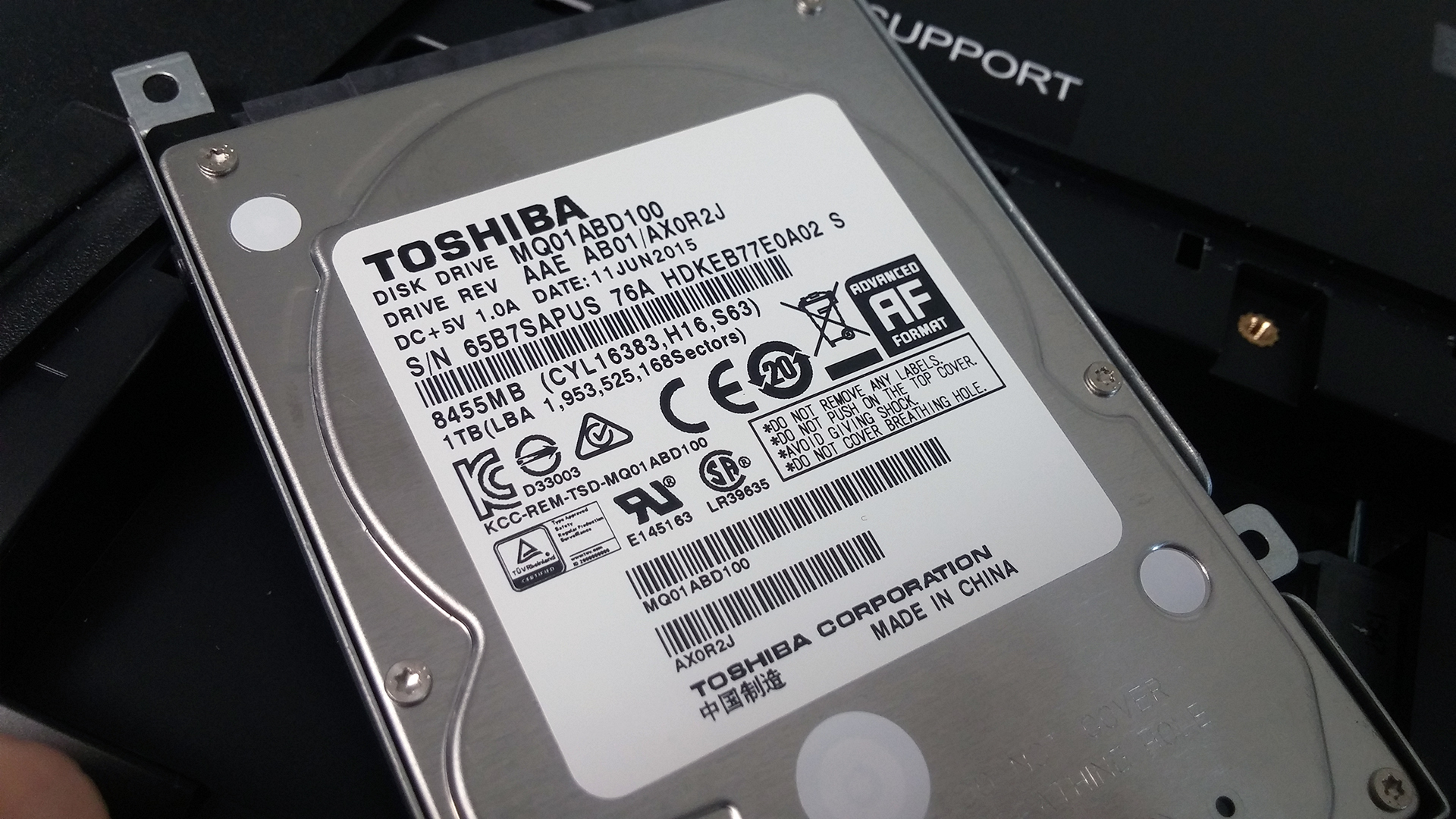
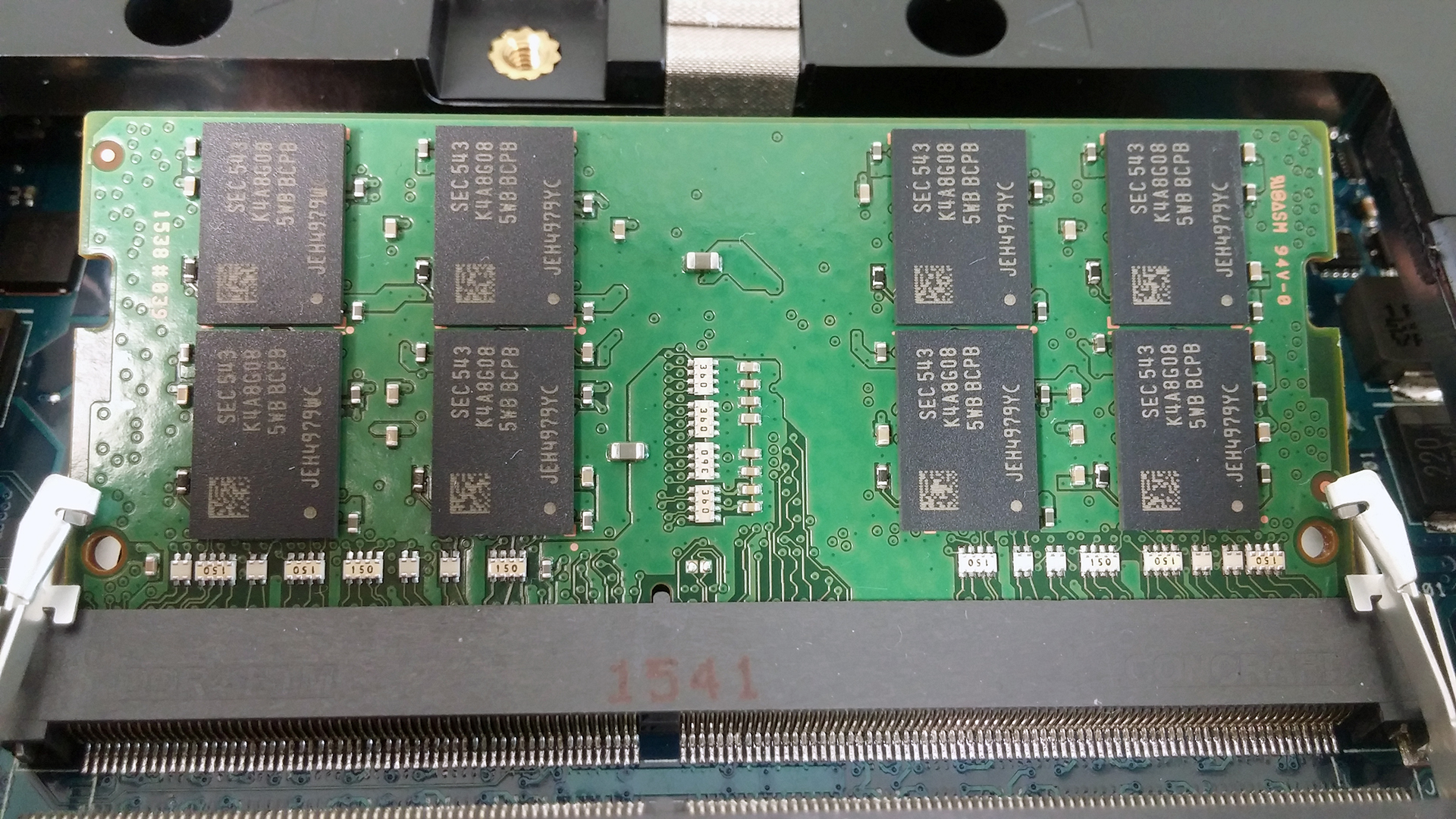
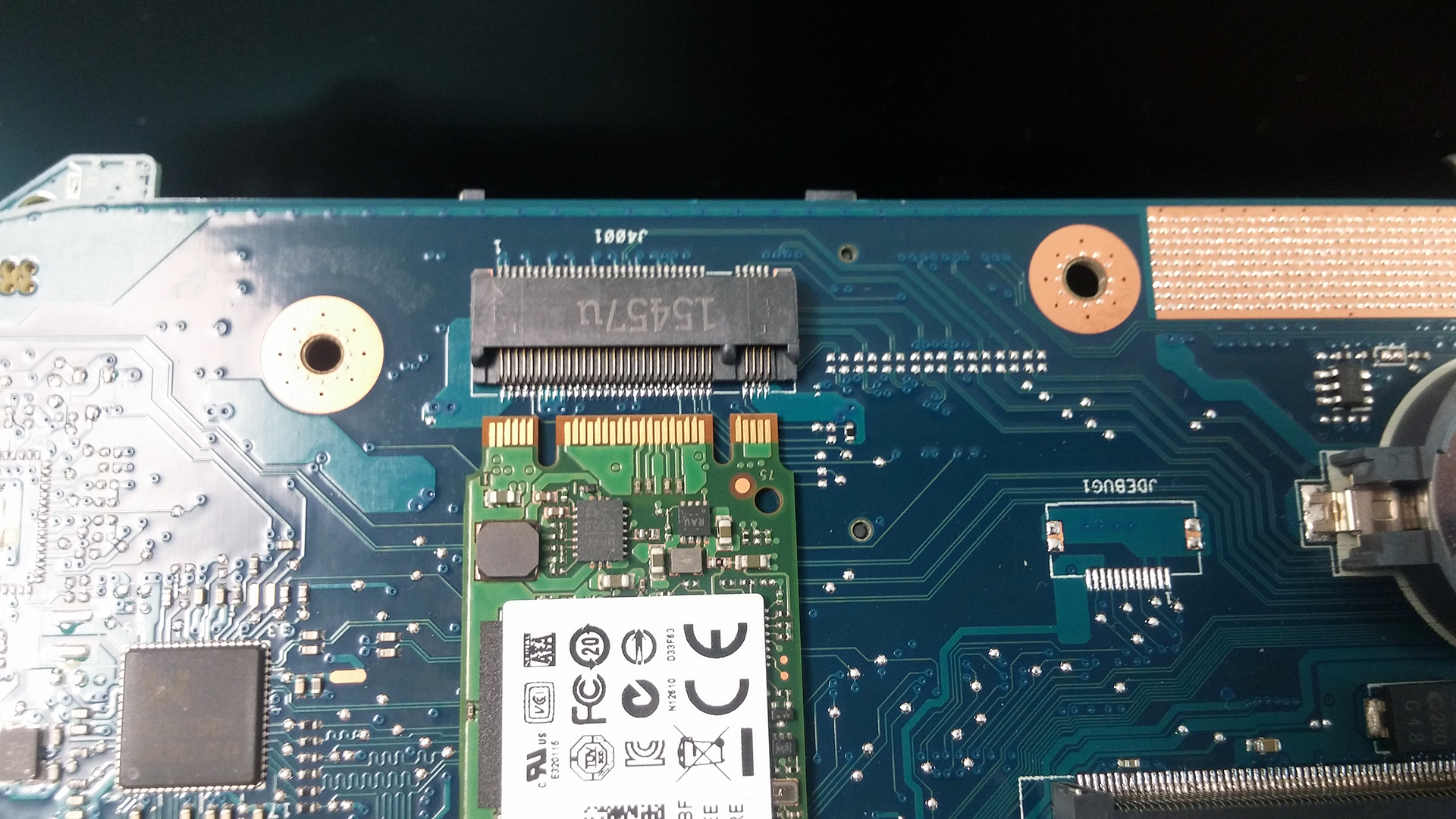
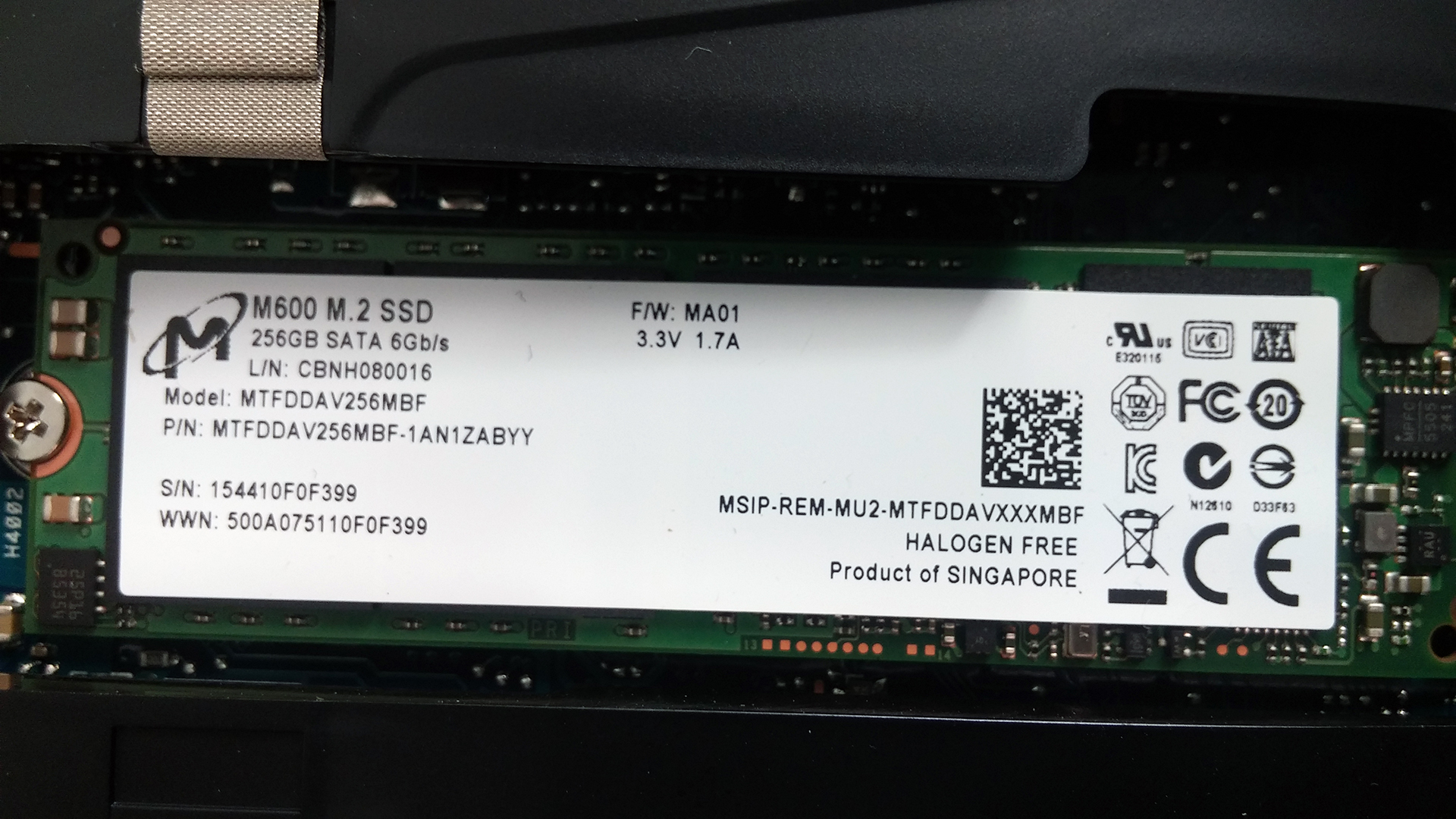
When removed, you will see one 8GB DDR4-2133 SDRAM chip while the other slot is free for upgrade. There’s also a 2.5-inch 1 TB 5400 rpm HDD manufactured by Toshiba that goes along with 256GB M.2 SATA SSD by Micron. It uses B&M edge key connector while the slot supports M key.
2. Removing the whole bottom piece
This is just as easy. Make sure you’ve unscrewed all the bolts around the chassis and also the two hiding under the service cover. And don’t forget to remove the optical drive as there are another three small screws hiding beneath.
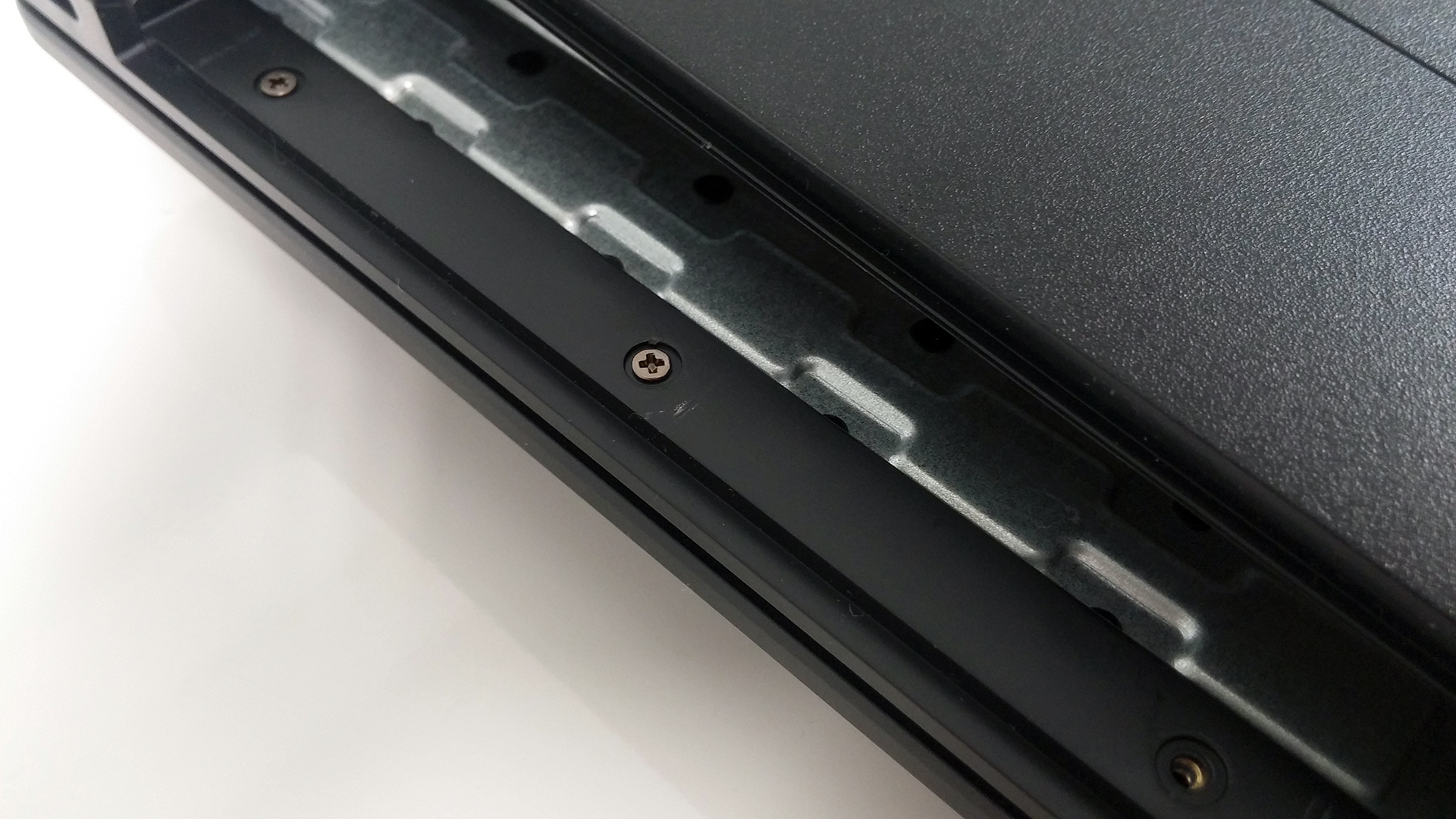
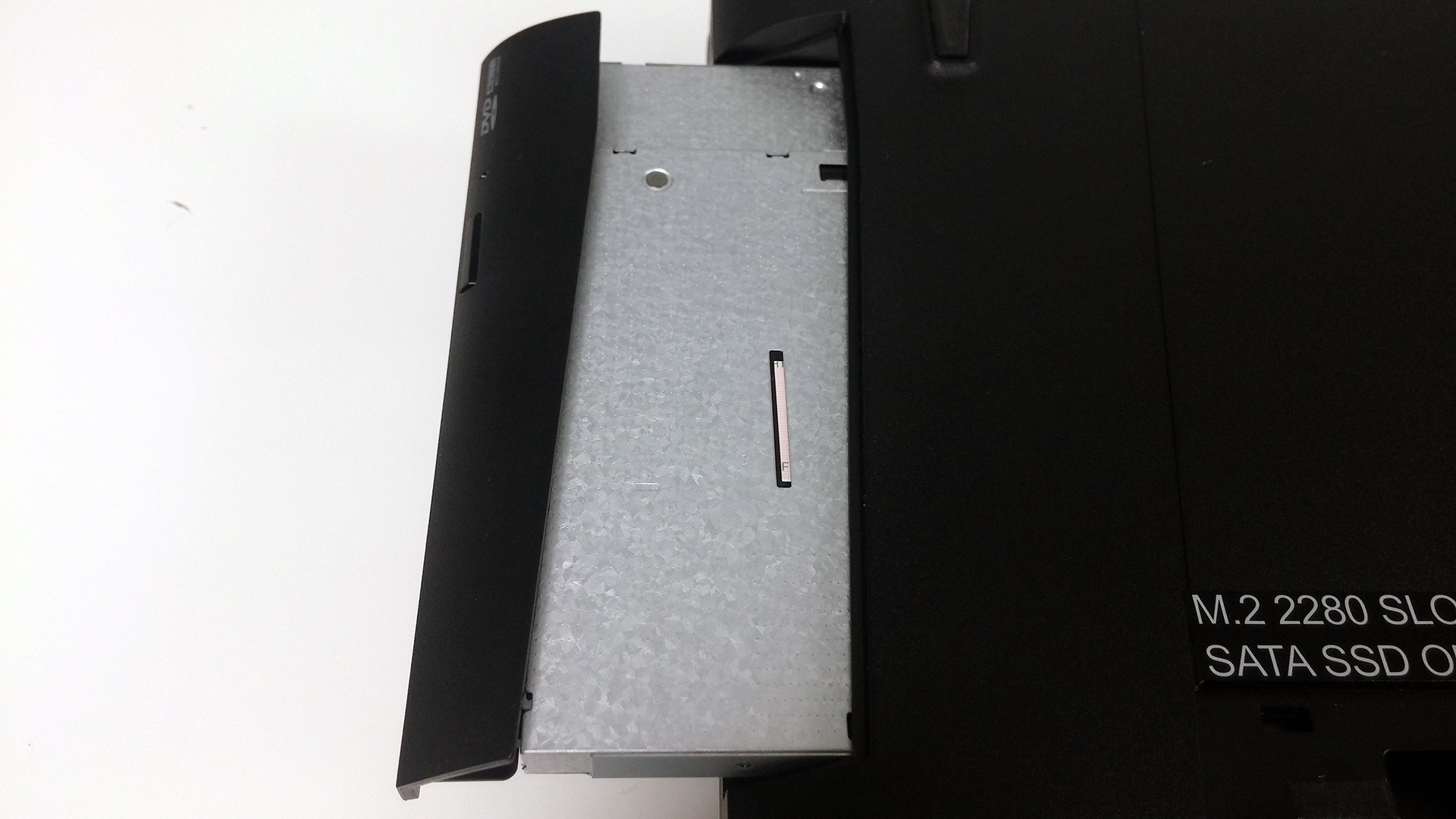
Once you’re done with the screws, proceed with prying up the keyboard tray with a plastic tool or a credit card. This should do the trick as well and be careful because there are three cables near the front that need to be disconnected as well.
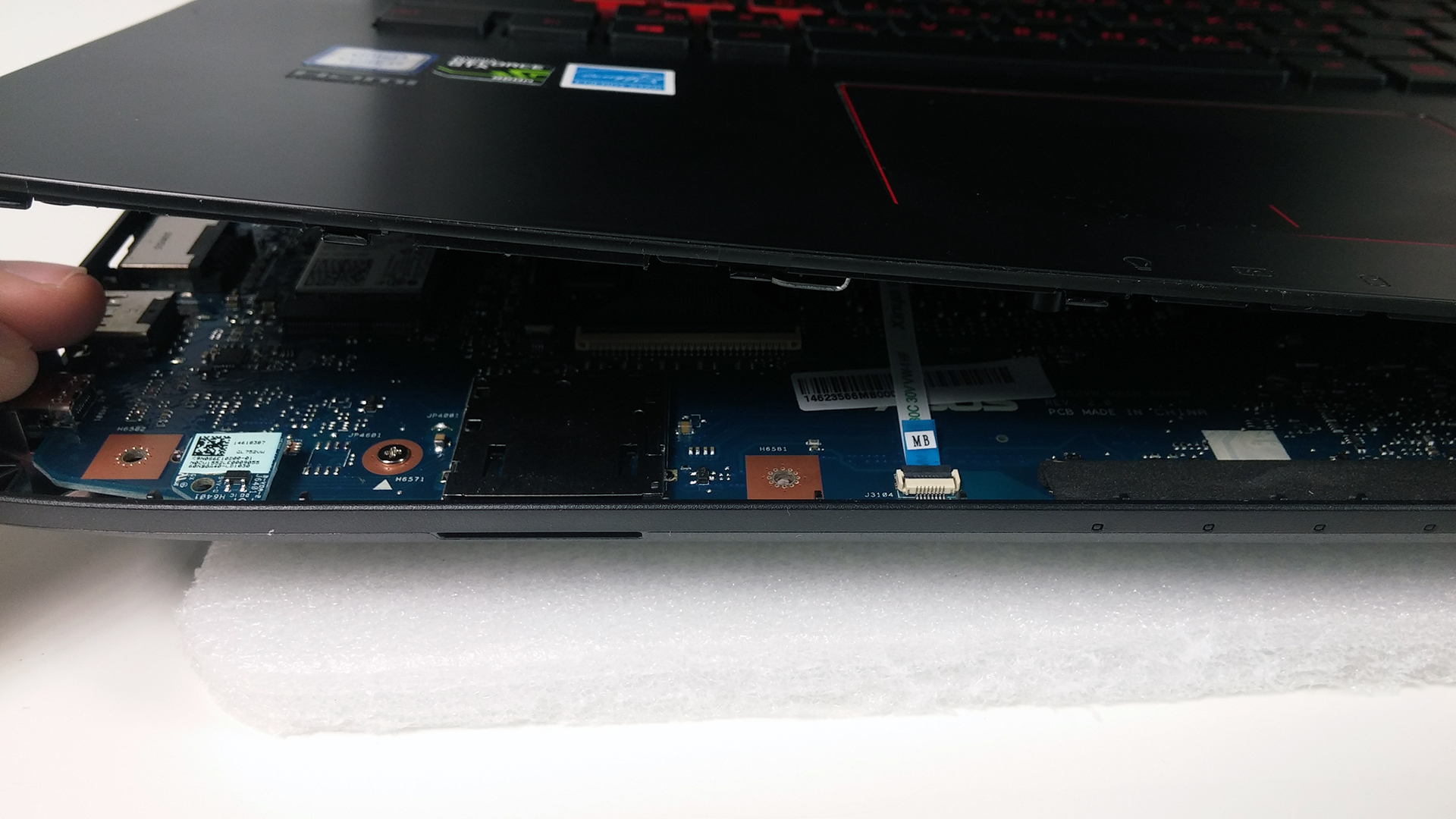

3. Detaching the motherboard
Before flipping the motherboard, disconnect the battery, which is a 4-cell unit rated at 48Wh, and remove the rest of the cables and screws. You will also have access to the Wi-Fi module – Intel Dual Band Wireless-AC 7265.
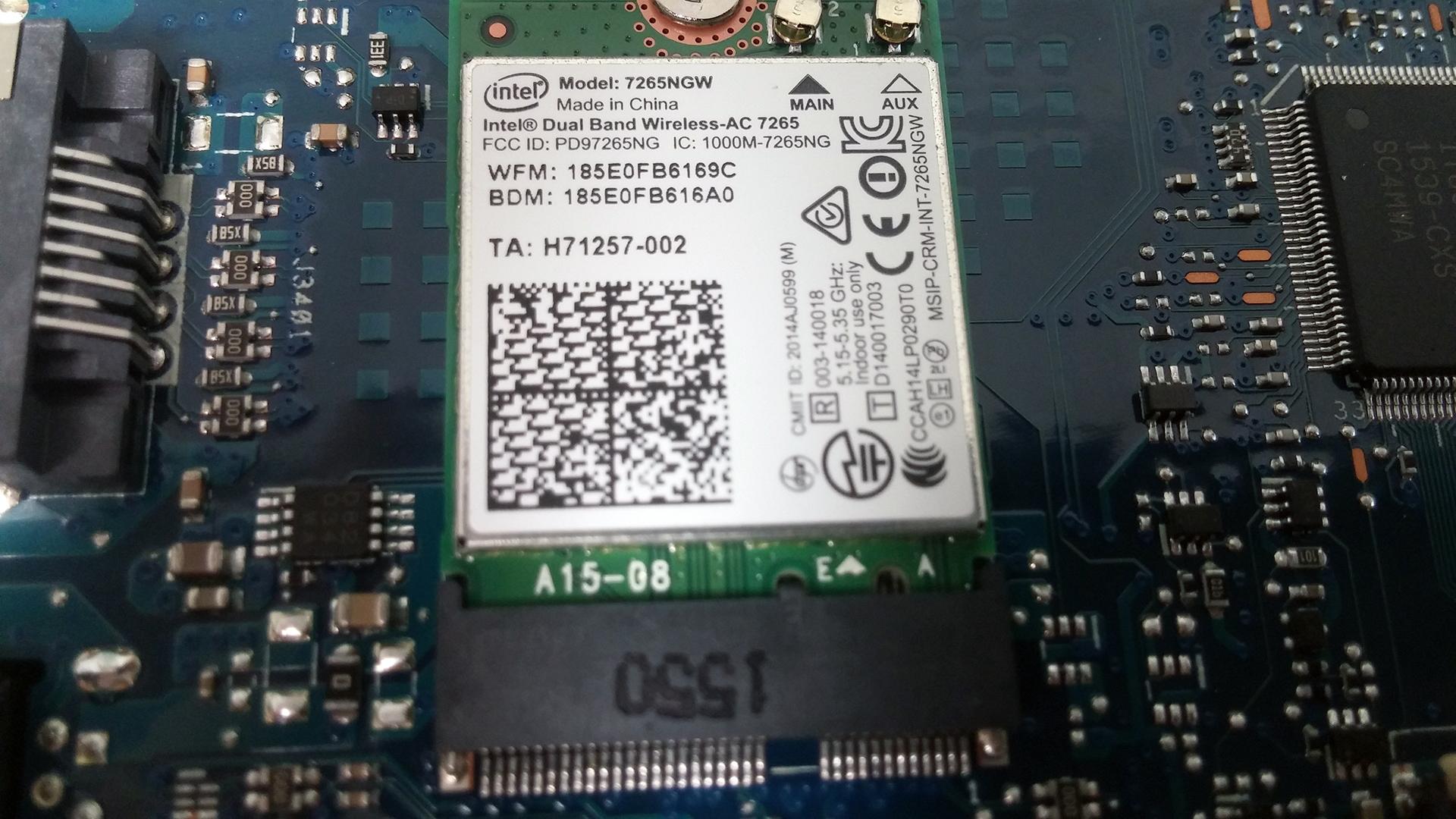
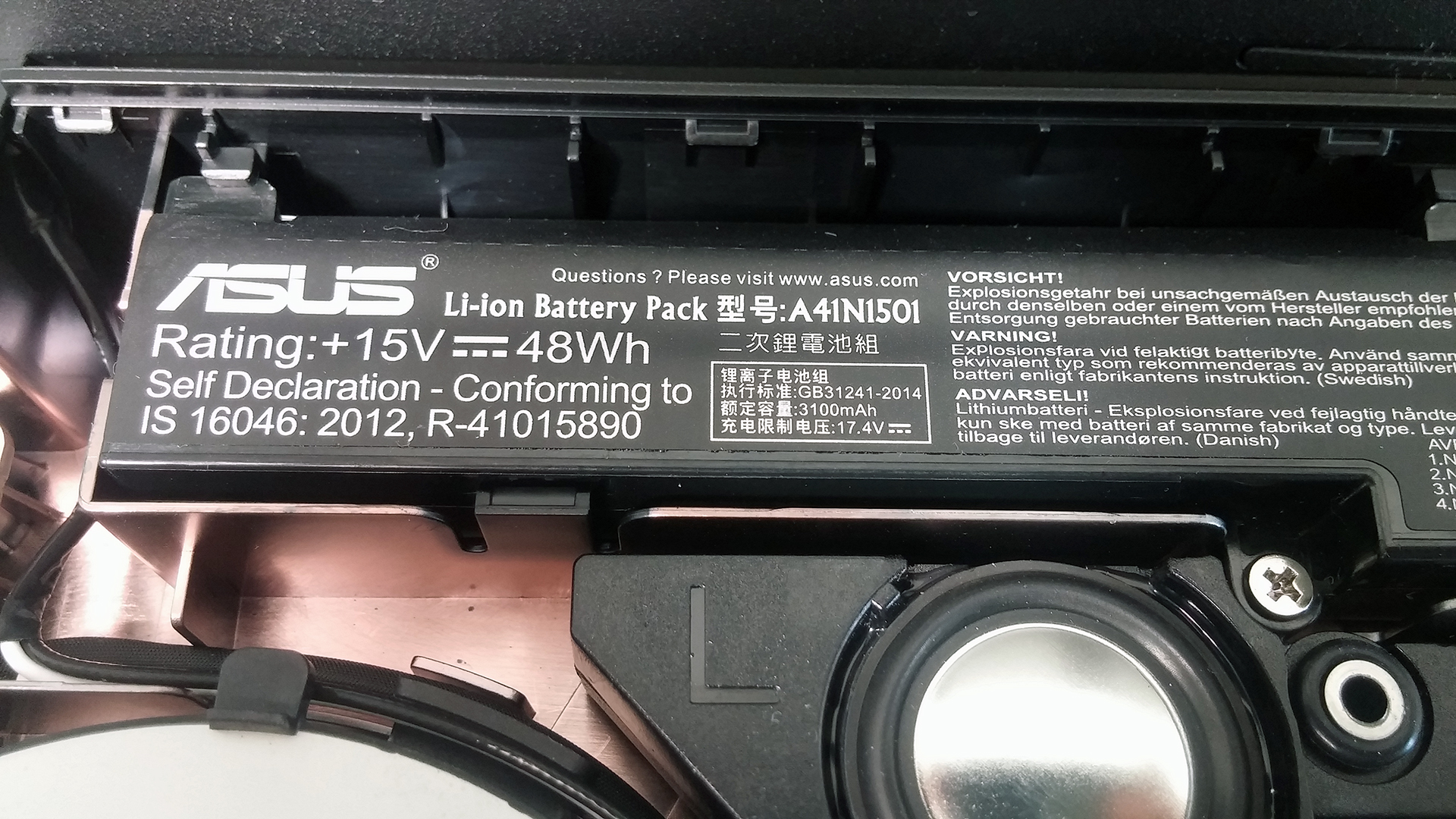
You can see that the cooling design isn’t much different than the one on the GL552VW and the G552VW, which is good. It did a pretty good job keeping the internals and outer chassis cool without causing any thermal throttling.

You can check for prices and configurations at the following link: http://amzn.to/1QQfa4H
 Author: LaptopMedia Team

![[June 2026] Best-Selling Laptop Brands on Amazon Global – Apple’s Unrivaled Dominance in Units and Revenue](https://laptopmedia.com/wp-content/uploads/2026/07/GLOBAL-Best-Brands-400x225.jpg)
![[June 2026] Amazon Global: Top 10 Best-Selling Laptops – Apple’s New MacBook Neo Storms to #1, Reshaping the Market with Affordability](https://laptopmedia.com/wp-content/uploads/2026/07/Best-Selling-Laptops-GLOBAL-Top-10-400x225.jpg)
![[June 2026] Amazon Global: Top 10 Best-Selling Gaming Laptops – Acer’s Nitro V 16S AI Dominates Sales, While ASUS Leads Overall Revenue](https://laptopmedia.com/wp-content/uploads/2026/07/Best-Selling-Gaming-Laptops-GLOBAL-Top-10-400x225.jpg)
![[June 2026] Global Ranking of Best-Selling Laptop GPUs on Amazon – NVIDIA RTX 5060 is the Top-Selling Dedicated GPU](https://laptopmedia.com/wp-content/uploads/2026/07/Best-Selling-GPUs-GLOBAL-Top-10-400x225.jpg)
![[June 2026] Global Ranking of Best-Selling Laptop CPUs on Amazon – Apple M5 Dominates, AMD Ryzen 7 260 Gets Solid Premium Share](https://laptopmedia.com/wp-content/uploads/2026/07/Best-Selling-CPUs-GLOBAL-Top-10-400x225.jpg)

Though I like the reviews on https://fanreviews.co/gaming/asus-rog-g752vt-gaming-laptop-2015/asus-rog-g752vt-gaming-laptop-complete-overview I am awaiting for a full review on the laptop from Laptop media. Though the hardware of the laptop looks good am not very happy with the price tag – around 1600 USD is bit high. But it is always good to have such high performance laptop where I can play graphics intensive games while I am traveling.
Hoping to see your review before I decide to buy it.
thank you. you saved me hours of searching the internet and figuring out stuff.
How to you remove the battery? I don’t even see where it is.
How do you remove the dvd drive?
Would be great if you explained how to remove the optical drive.
If you guys had bothered to pull on it a little, you would have seen that one of screws that you took out of the bottom held the optical drive in.
“yeah guys just yank on it”
okay so how many screws are there? can we just force the keyboard up after unscrewing it, or will that break something?
this is the only tutorial i could find and I’m still stuck with a laptop in a million pieces and a still-dirty fan.
does anyone have a link for an actually helpful disassembly?
Ya not the best tutorial, missing shots, lacking explanation
Hello !
big thanks for this tutorial !
i would like to know if it’s possible to change CPU in first time and eventually GPU on this laptop ?
Thanks in advance for you answer
No. Most of the laptops don’t have changeable CPU and GPU. Both chips are soldered to the motherboard.
Not agree with you.
A lot of laptop (alienware for example and a lot differents models) allow cpu and gpu MXM format that allow to change the processor and the GPU
Here a list of MXM laptop tested for upgrade:
http://www.mxm-upgrade.com/Table.html
It doesn’t seems that asus rog are MXM laptop
can we change the gpu of gl752vw ?
No.
I have broken the black part of the connector of the keyboard. where i can find it?
Just to be clear, i have broken the black leaver that press the biggest flat cable.
Right now i have fix it with tapes pieces but some key are not working.
Where i can buy the connector in order to replace the part?
in the pictures in step two there is a small card in the lower left it was loose in my pc when I opened it but cannot figure out what it is for. Anyone know?
That is your WiFi card those connectors will rotate on the socket but they should of been snapped on they come off easy but if u were having WiFi issues then that would of been the cause
Wifi or lib board underneath? Got an answer? Managed to repair?
Hello!! First of all I wish you a Happy New Year! I have the gl752vw and I wonder if could replace the battery for another one more powerfull, at least double (96wh) or so, because the computer is nice but the battery is authentic shit (sorry) the average is 2 hours in normal use.
Do you know where get a decent battery replacement (not asus please) ??
Thanks a lot!!
Getting the keyboard off to fix the wifi issue because ASUS used Killer instead of Intel is A NIGHTMARE!!!! It isn’t easy to use a credit card to snap it off. I still haven’t gotten it off and gave up because the flimsy plastic near the optical drive broke. The GL753 has the wifi on the bottom! im really angry because I shipped this back under warranty, they didn’t fix it, now it’s out of warranty!
how many ssd slots in this laptop
Bonjour, problème de demarage! S’arrête sur Asus et plus rien…. En démontant j’ai vu mon lid board flottant ( pas soudé? ) et s’est déconnecté a peine touché … comment le reconnecter ? C’est flottant comme truc et ne tiens pas… Merci d’avance
C’est la petite pièce en bas a gauche de la carte mère, qui dépasse…. Plus bas que la carte WiFi !