Meet our next-generation display profiles – “Health-Guard”, “Design and Gaming” and “Office Work”
We’re proud to announce that after countless days and nights of analysis and development in our laboratory, the new generation of the custom-tailored LaptopMedia profiles is here. It comes with several major changes which should improve panel performance and user comfort and take them to a next level. Again, we focus on three types of profiles – “Health-Guard”, “Design and Gaming” and “Office Work”.
What are the profiles for?
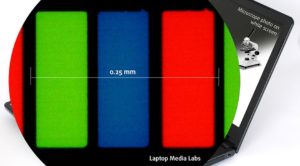 Have you ever felt eyestrain or a headache after a long session in front of your computer? You’re not alone. And you should know why this is so and how you could protect your health. We faced this problem some years ago and began developing a solution for our users. We found that most screens on the market use aggressive PWM (screen flickering) for brightness control which is an easier and cheaper solution for manufacturers but it has a very negative impact on our eyes (read more). But that’s not all.
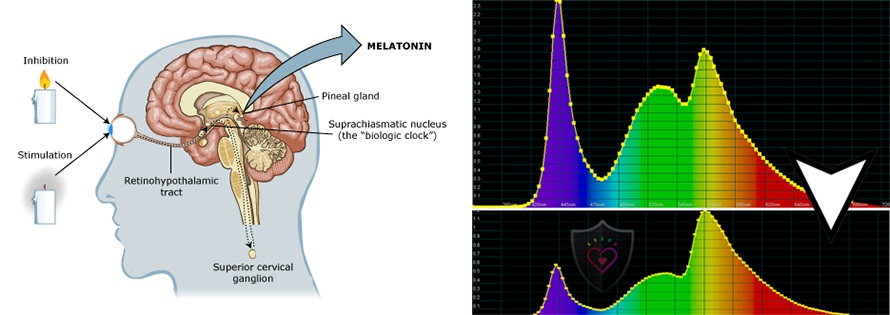
You should also become familiar with the Blue Light and its health impact, not just on your eyes but on your whole body. Nearly all displays on the market (not including AMOLED-equipped units, which doesn’t, however, make them completely safe) are of the LCD type (liquid-crystal systems). They make use of a light source based on LEDs. Budgetary concerns have rendered White LEDs (blue diodes with phosphorous coatings to achieve the desired spectral result) very popular. Artificial Blue light (~443nm) affects melatonin synthesis severely. There is a research (see here) indicating that out of the entire visible spectrum, it is precisely the blue section (415-445nm) that triggers the brain into ‘day mode’, which stops melatonin synthesis, and then cortisol kicks in.
As indicated in various medical sources, natural melatonin produced by the pineal gland has a vital role in securing our health, in addition to being the key to falling asleep. Lack of sufficient melatonin can lead to a wide variety of diseases and conditions, including fatigue and migraines, to name a few of the more mundane ones. Read more HERE. Luckily, we found a solution to both PWM and Blue Light – the Health-Guard profile.
For every laptop that visits our laboratory, we also create Design and Gaming and Office Work profiles. The first one is made for Web designers and Gamers while the latter is made to be of great help for everyday work or surfing. Scroll down to find out what our profiles do and how you can get them.
Contents
Health-Guard
 The first and most important profile (in our opinion) is the Health-Guard – when being used with our LM Profiles application, Health-Guard eliminates the harmful Pulse-Width Modulation (PWM) and reduces the negative Blue Light which affects our eyes and body. Since it’s custom tailored for every panel, it manages to keep the colors perceptually accurate (they may seem strange at first but after a few minutes our brain will start recognizing them as accurate ones – that’s how Health-Guard differs from alternatives like f.lux).
Now the profile has a higher color temperature which makes it suitable for working through the whole day (not only at night) and simulates paper so the pressure on the eyes is greatly reduced.
*Please keep your Windows brightness slider at its max position, and use the LM profiles’ integrated “No PWM brightness slider” for controlling the luminance.
Pro Tip: As the Health-Guard profile simulates paper and has as accurate as possible colors, it could be a great tool for prepress designers!
Left: No Profile | Drag the slider to see the difference | Right: Health-Guard Profile


Read more about PWM | Read more about Blue Light
Design and Gaming
 The second profile type is Design and Gaming – it combines our previous “Web Design” and “Gaming and Movie Nights” profiles in one, so it’s aimed at designers who work with colors professionally, and for games and movies as well (or maybe you’re a designer who likes to relax with some games or movies from time to time?).
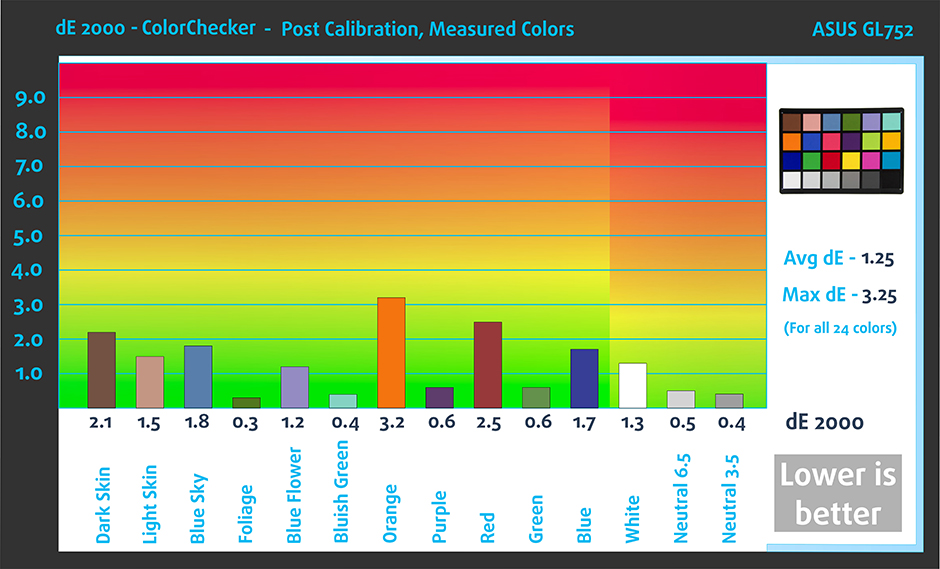
“Design and Gaming” takes display panels to their limits, making them as accurate as possible in the sRGB IEC61966-2-1 standard for Web and HDTV, at white point D65.
Color accuracy (lower result indicators are better)

Left: No Profile | Drag the slider to see the difference | Right: Design & Gaming Profile


Just as our previous Gaming profile, this one also regulates the first steps out of black so you can have even faster reflexes when playing in dark virtual environments…or just see everything in the darkest scenes in movies.
Left: No Profile | Drag the slider to see the difference | Right: Design & Gaming Profile


Office Work
 The third profile is Office Work and it should be used mostly by users who spend most of the time looking at pieces of text, tables or just surfing.
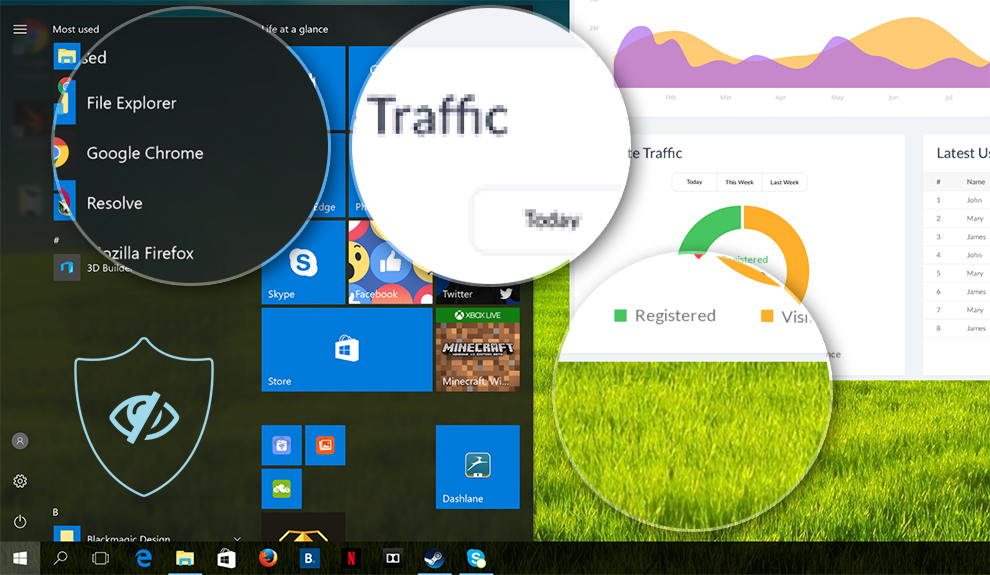
Office Work aims to deliver better distinctness and clarity by keeping a flat gamma curve (2.20), native color temperature and perceptually accurate colors.
Left: No Profile | Drag the slider to see the difference | Right: Office Work Profile
How to buy our profiles?
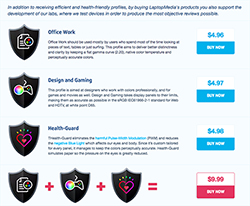 You can purchase our profiles from the “Buy our profiles” section of our Reviews or through our PWM ranking / Supported laptops pages.
If you buy the three profiles together you’ll get a major discount. All of the profits immediately go to our laboratory for further research & development, so you can expect even more detailed and interesting reviews in the future.
If you’d like to contact us, drop us a line at [email protected].
*If the download target is a .php file instead of an archive, change the file extension to .zip.
Installation and Usage
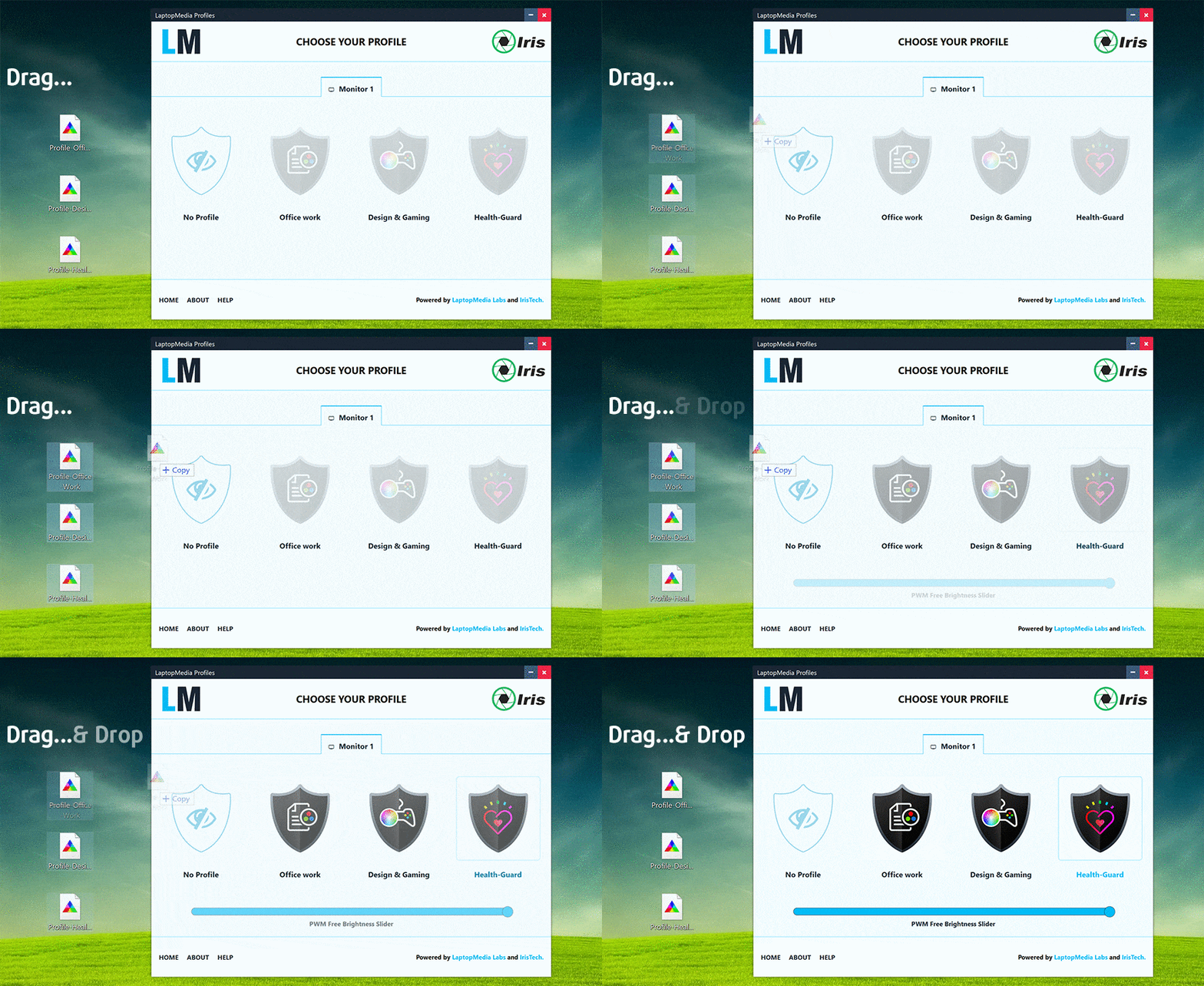
The profiles require no installation. Simply save them to your hard drive. To effortlessly use and swap profiles, in collaboration with Iristech.co, we have developed the LM Profiles 2.0 application. Just download it and Drag & Drop the profiles over the app. That’s it! Now you can easily switch modes and take advantage of the PWM Free Brightness Slider in the Health-Guard section.
 Author: Simeon NikolovEditor-in-Chief at LaptopMedia.com with 20+ years of experience in testing and analyzing laptops and mobile devices.

![[August 2026] Amazon Italy: Top 10 Best-Selling Laptops – Apple MacBook Neo Claims the Crown as Budget and Mid-Range Windows Machines Dominate Volume](https://laptopmedia.com/wp-content/uploads/2026/09/Best-Selling-Laptops-IT-Top-10-400x225.jpg)
![[August 2026] Amazon Italy: Top 7 Best-Selling Gaming Laptops – ASUS V16 Claims the #1 Spot Amid Strong Mid-Range Demand](https://laptopmedia.com/wp-content/uploads/2026/09/Best-Selling-Gaming-Laptops-IT-Top-10-400x225.jpg)
![[August 2026] Best-Selling Laptop Brands on Amazon Italy – Lenovo Dominates Market Share and Revenue Leadership](https://laptopmedia.com/wp-content/uploads/2026/09/IT-Best-Brands-400x225.jpg)
![[August 2026] Amazon India: Top 10 Best-Selling Laptops – Apple MacBook Neo Dominates the Charts with Massive Sales Lead](https://laptopmedia.com/wp-content/uploads/2026/09/Best-Selling-Laptops-IN-Top-10-400x225.jpg)
![[August 2026] Amazon India: Top 10 Best-Selling Gaming Laptops – HP Victus 15 Dominates the Market with Massive Unit Lead](https://laptopmedia.com/wp-content/uploads/2026/09/Best-Selling-Gaming-Laptops-IN-Top-10-400x225.jpg)

Hi
I have Ubuntu 20.04 on my Dell vostro 3559 laptop.
once I buy the relevant profile, How may I install it ?
I have made payment $9.99 for my display profile for Thinkpad T570. Expecting to received your email soon
Farbprofil nicht erhalten
Ich hab es auch für 9,99 gekauft , aber nicht erhalten bzw kam eine Fehlermeldung
Hallo! Könnten Sie eine kurze E-Mail mit einigen Informationen zu Ihrem Kauf an [email protected] senden? Schauen Sie in der Zwischenzeit bitte in Ihrem SPAM-Ordner nach, die Auto-Mail ist wahrscheinlich dort 🙂
I have made payment 19.99 for my display bundle profiles for acer swift 3 sf314-512. Expecting to received your email soon
Hey Rafal! I’ve resent the auto-email and also sent one manually, just in case 🙂 Have a great weekend!
hello , i just ordered gaming and design profile , didn’t receive it yet
Hello Croc, sorry for the late reply. I’ve just sent you the digital download manually. Please check your email!
done , ty
Three days ago I made a payment of $19.90 for a display profile package for the Dell G16 7630. Unfortunately, until today I have not received the download link on my email. I made two attempts to contact the vendor (via email and the vendor’s website), but received no response. It looks to me like a scam attempt, which I want to warn others against. Fortunately, I was able to get a refund on paypal.
oooooh my god lets hope this will not happen to me cuz i didnt get it either ,its been one day now . i will update my response if something changed , other than that it means it is a SCAM
Hello Marek, sorry for the late reply. I’ve just sent you the digital download manually. Please check your email!
The files have arrived in the mail. Thank you!
UPDATE: i got the profile and everything is work fine 🔥
Hello 👋, LaptopMedia admin here. We’ve noticed that a small portion of the auto-emails hasn’t been received by the customers, so we went through and manually sent the digital downloads for these orders.
Please message me if you need help, or you could also reach us at [email protected] or via the contact page. Thank you!
Hi. I also did not get a confirmation message with download link. I have e-mailed the contact form on the site too. Thanks.
Hello there, I got ahead of you and manually sent you the link just after your purchase, check your Inbox 🙂 Have a nice weekend!
I just paid for LGD064C (HP ProBook 450 G8) – Gaming and Web design profile by PayPal. But instead of email with download link i saw “Sorry, trouble retrieving order receipt” on the “Thank you for your purchase!” page.
Can you message me the link to download, thanks!!
Hello, Dimo! I see that you’ve downloaded the file, but I’ve also sent you an email with the package, just in case. 🙂 Have a great week!
I have to pay 3 profile last week already but don’t answer at the mail ,can contact please?
Hello Maurizio, I’ve emailed you the profiles along with instructions. Please let me know if there’s anything else you need!
I’ve noticed that people usually get the profiles they paid for only after posting a comment here. Perhaps something is wrong with the email address and/or the contact form…
Anyways, after two failed attempts for contact using both ways, I decided to do like everyone else and write a comment here.
Could you please send me an email with a download link?
Hello Ivailo, sorry, we still haven’t figured out why some of our auto-emails aren’t delivered, I sent you the package as a link. Please let me know if there’s anything else you need!
Many people seemed to have to wait, so I’ll just write here in hopes of speeding it up.
Hey Samw, I sent you and e-mail at your Gmail!
Have not received email to download profile bundle for https://laptopmedia.com/in/screen/csot-mnh301ca3-1-cso1702/
Please send over email
Hello, Surya! I see that you’ve downloaded the profile package. Let me know if you need anything else! Have a great weekend!
Hello, I bought the Health-Guard profile for my Surface Pro 9 two days ago but still have not received anything. Would love to get an email sent with the download link please.
Hello, Amit! I see that my colleague has sent you the profile package. Let me know if you need anything else! Have a great weekend!
I haven’t received my email with my download link and i bought the profile for the xps 16 2-3 days ago. can i get some help?
Hey Marco! I see that you’ve already downloaded it but I sent you a link for your purchase on your mail, just in case.
Let me know if I can help you further!
Hello. I need Dell P2422H color profile. Please, help.
Here you are, Ramon:
https://laptopmedia.com/review/quick-review-dell-p2422h-reaching-color-accuracy-with-a-180-monitor/p2/
It’s disaster. I use your profile and follow all your advise but the screen is unreadable. I want to ruturn my money.
Hello, Anton! Please send us your Order ID to [email protected], and meanwhile please check whether you’ve ordered the right profile for your exact panel model (you can check it with an app like Hwinfo) – my colleague will assist you, if you need help.