Lenovo LOQ 16 vs Acer Nitro 16 (AN16-41/51) – Two of the Best Budget Gaming Laptops
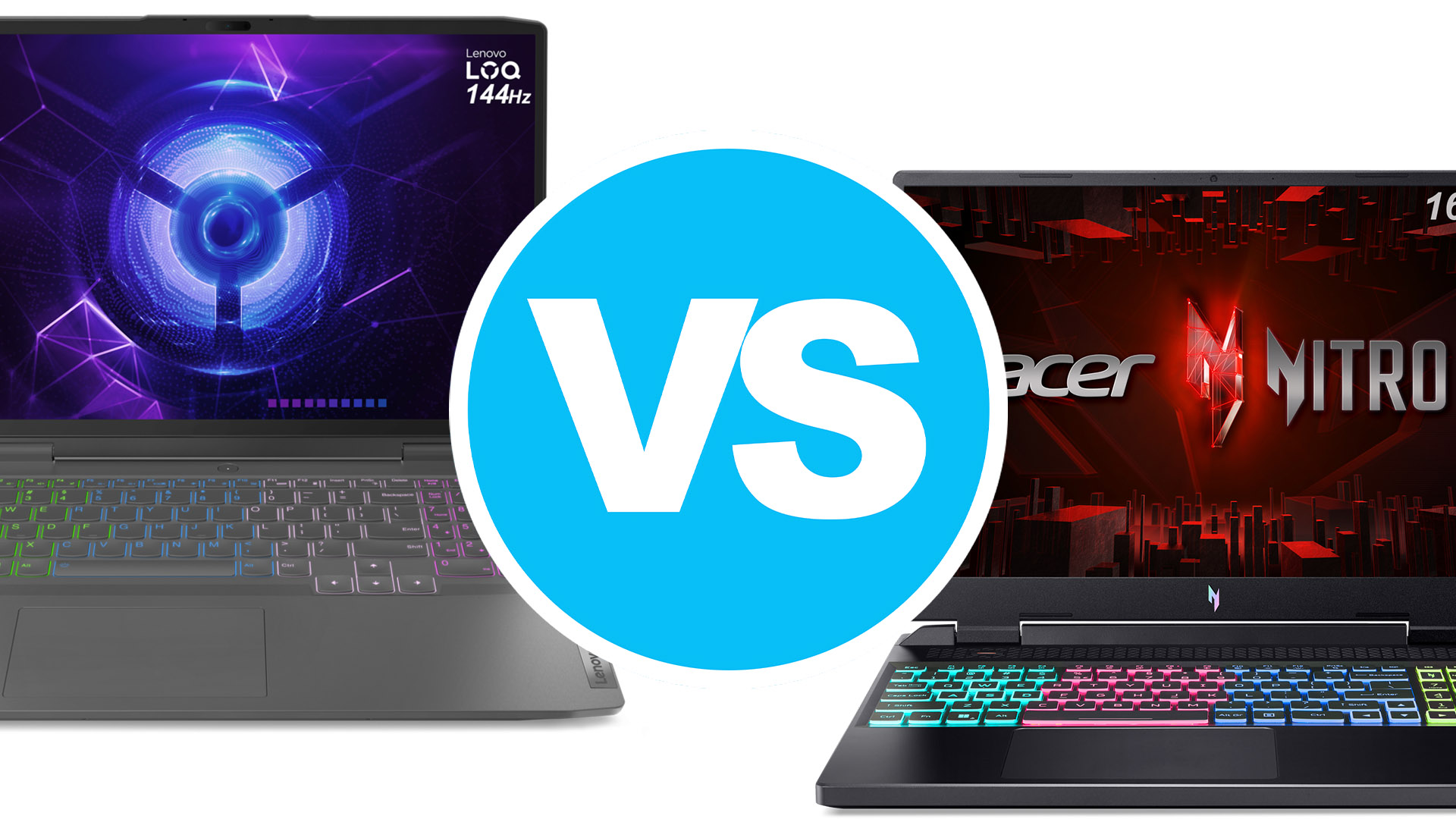 Lenovo, Acer, and ASUS are always in the conversation for the best gaming laptops, and today we have the former two going head-to-head with two of their best devices. The LOQ 16 is a powerful gaming laptop with a slight creator spin on it, thanks to a taller 16-inch display options that manage to perform quite well in our display tests that we use to measure how ready a panel is for Creator work.
Going against it is the Acer Nitro 16. Previously referred to as the Nitro 5, the Nitro series has evolved to reach the mid-range segment, with a more durable chassis and more powerful components, including high-powered graphics that reach 140W. There’s also up to a Ryzen 9 CPU, in addition to the Core i7, so you can get a beastly configuration regardless of where on the AMD vs Intel debacle you’re on.
Today we’re comparing these two laptops on pretty much everything, from the chassis, keyboards, displays, ports, performance, battery life, cooling, and whatever else we think of.
Lenovo LOQ 16: Full Specs (Intel) / Full Specs (AMD) / In-depth Review
Acer Nitro 16 (AN16-41/51): Full Specs (Intel) / Full Specs (AMD) / In-depth Review (Intel) / In-depth Review (AMD)
Lenovo LOQ 16 configurations:
Acer Nitro 16 (AN16-41/51) configurations:
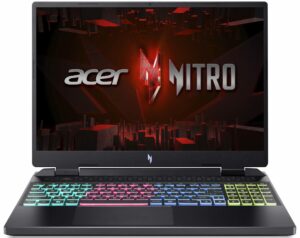
Specs table
| Specification | Lenovo LOQ 16 | Acer Nitro 16 (AN16-41/51) |
|---|---|---|
| Processor | Intel Core i7-13700H AMD Ryzen 7 7840HS Intel Core i7-13620H Intel Core i5-13500H AMD Ryzen 5 7640HS | AMD Ryzen 9 7940HS Intel Core i7-13700H AMD Ryzen 7 7840HS AMD Ryzen 7 7735HS Intel Core i5-13620H AMD Ryzen 7 7640HS |
| GPU | NVIDIA GeForce RTX 4060 (Laptop, 115W) NVIDIA GeForce RTX 4050 (Laptop, 95W) NVIDIA GeForce RTX 3050 (Laptop, 95W) | NVIDIA GeForce RTX 4070 (Laptop, 140W) NVIDIA GeForce RTX 4060 (Laptop, 140W) NVIDIA GeForce RTX 4050 (Laptop, 140W) |
| Display | 16.0″, WUXGA (1920 x 1200), 144 Hz, IPS 16.0″, WQXGA (2560 x 1600), 165 Hz, IPS | 16.0″, WUXGA (1920 x 1200), 165 Hz, IPS 16.0″, WQXGA (2560 x 1600), 165 Hz, IPS |
| Memory | up to 64GB | up to 64GB |
| Battery | 60Wh, 80Wh | 90Wh |
| Weight | 5.7 lbs (2.60 kg) | 5.7 lbs (2.60 kg) – Intel 6 lbs (2.70 kg) – AMD |
| Dimensions | 14.16″ x 10.93″ x 0.83″ (359.6 x 277.6 x 21 – 25.9 mm) | 14.18″ x 11.02″ x 1.02″ (360.1 x 279.9 x 25.9 – 27.9 mm) |
| Ports |
|
|
Unboxing
The LOQ 16 offers some variety in terms of chargers, with several adapters, depending on the power requirements of your config (130W, 170W, or 230W). On the other hand, the Nitro 16 brings a 230W charger for its Intel models and an optional 330W charger for its AMD configurations.
| Lenovo LOQ 16 | Acer Nitro 16 (AN16-41/51) | |
|---|---|---|
| Charger power | 130W, 170W, or 230W | 230W or 330W |
 Lenovo LOQ 16
 Acer Nitro 16 (AN16-41/51)
Design and construction
Both laptops weigh the same and look pretty good, with plastic being used for the entire chassis. In terms of thickness, the LOQ 16 is the thinner of the two.
| Lenovo LOQ 16 | Acer Nitro 16 (AN16-41/51) | |
|---|---|---|
| Weight | 5.7 lbs (2.60 kg) | 5.7 lbs (2.60 kg) – Intel 6 lbs (2.70 kg) – AMD |
| Dimensions | 14.16″ x 10.93″ x 0.83″ (359.6 x 277.6 x 21 – 25.9 mm) | 14.18″ x 11.02″ x 1.02″ (360.1 x 279.9 x 25.9 – 27.9 mm) |
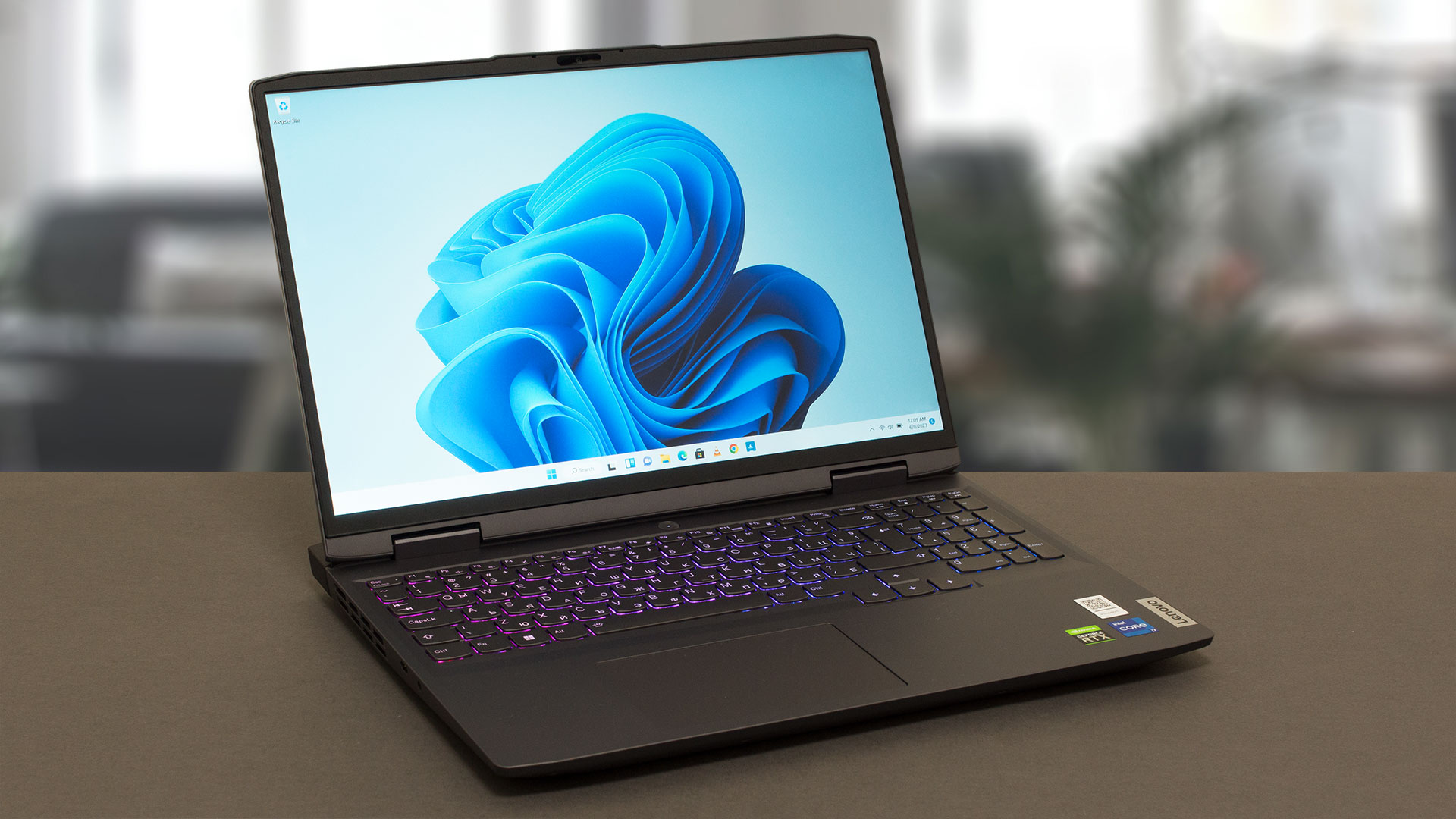 Lenovo LOQ 16
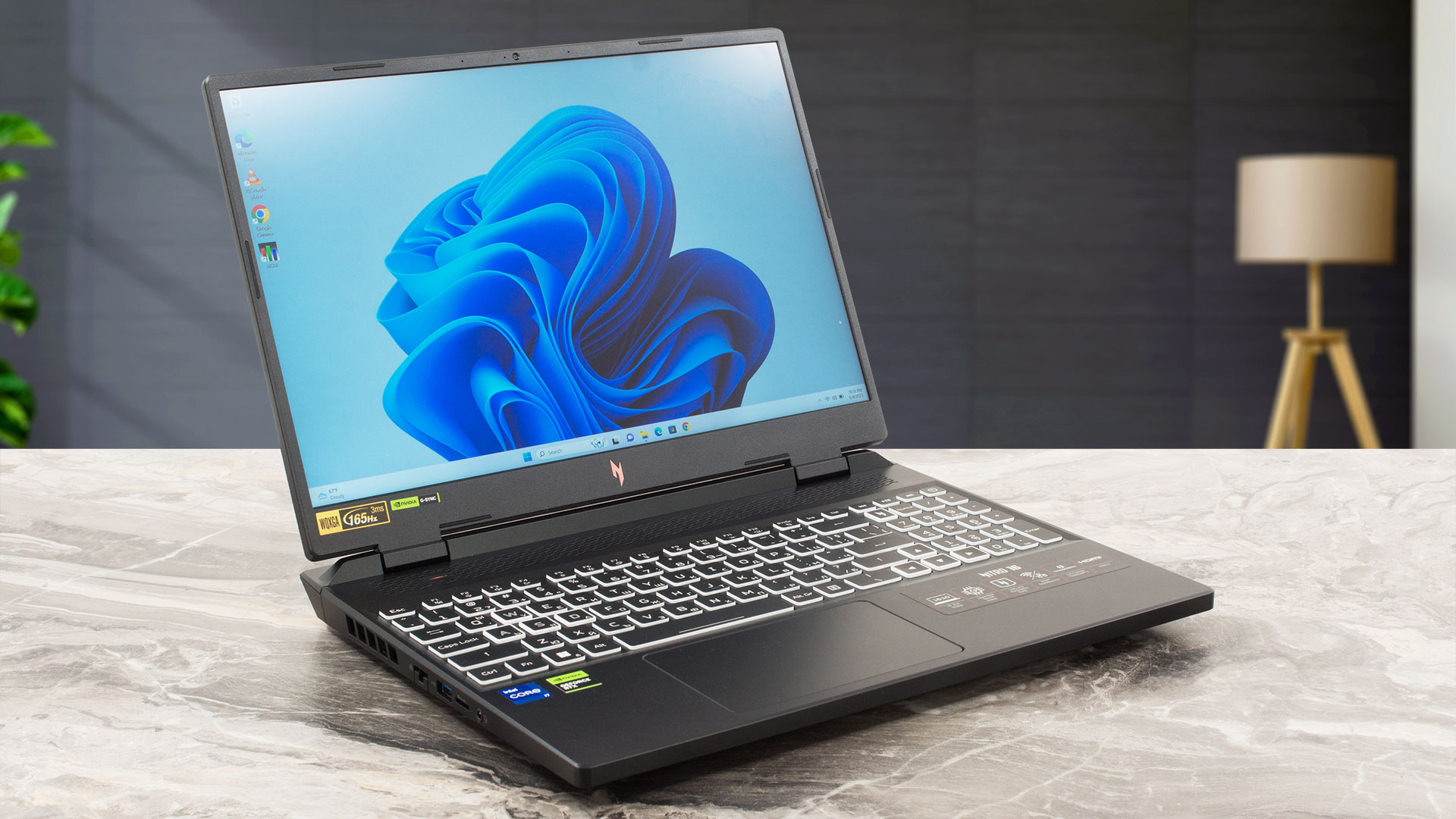 Acer Nitro 16 (AN16-41/51)
Keyboard and touchpad
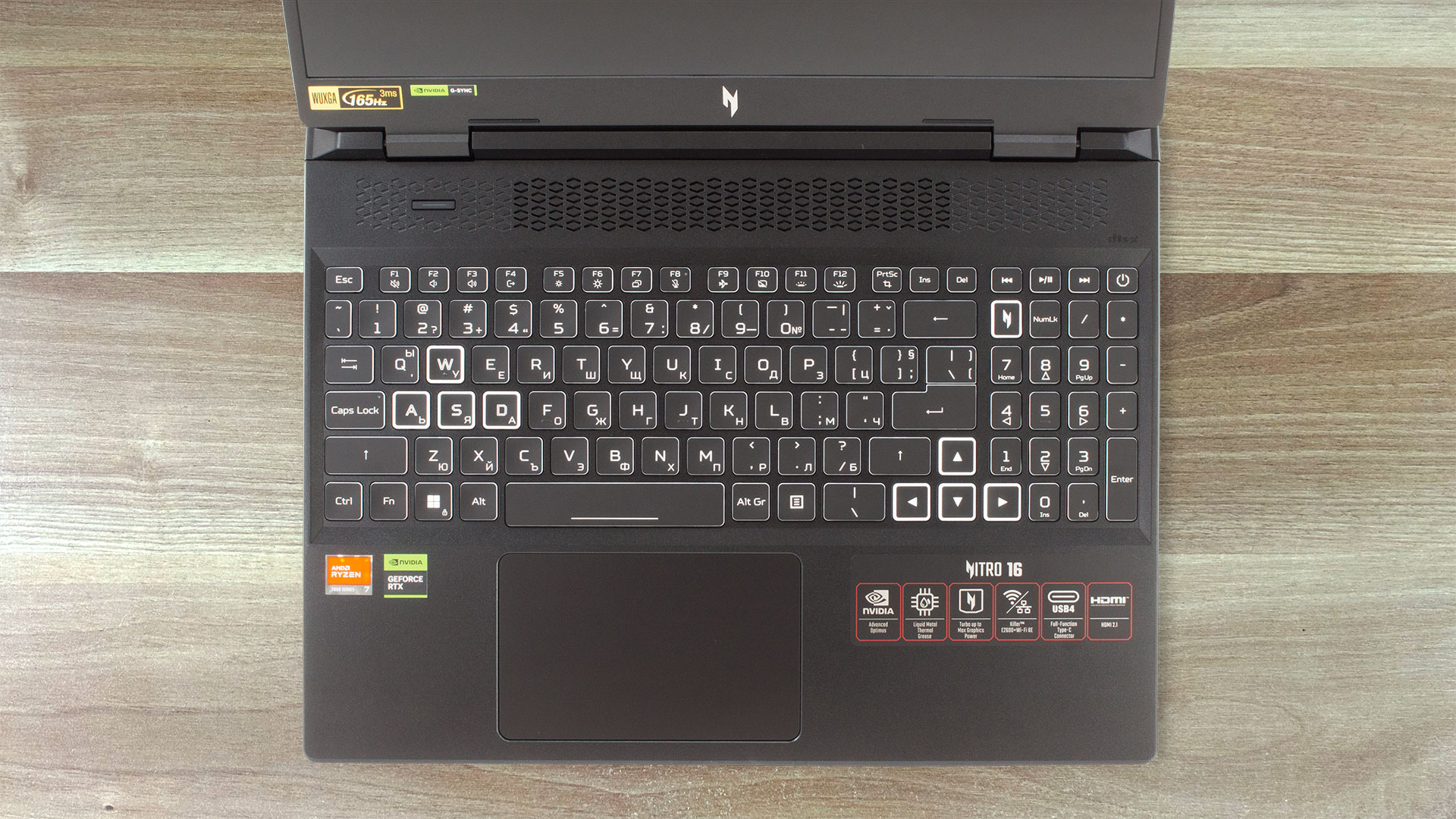
The LOQ 16 has either a White or a 4-zone RGB backlight, while the Nitro 16 carries only a 4-zone RGB backlight. Both keyboards offer an excellent typing experience, with long key travel and clicky feedback. The touchpads are large and smooth, with a Mylar surface for the LOQ 16 and a plastic shiny surface for the Nitro.
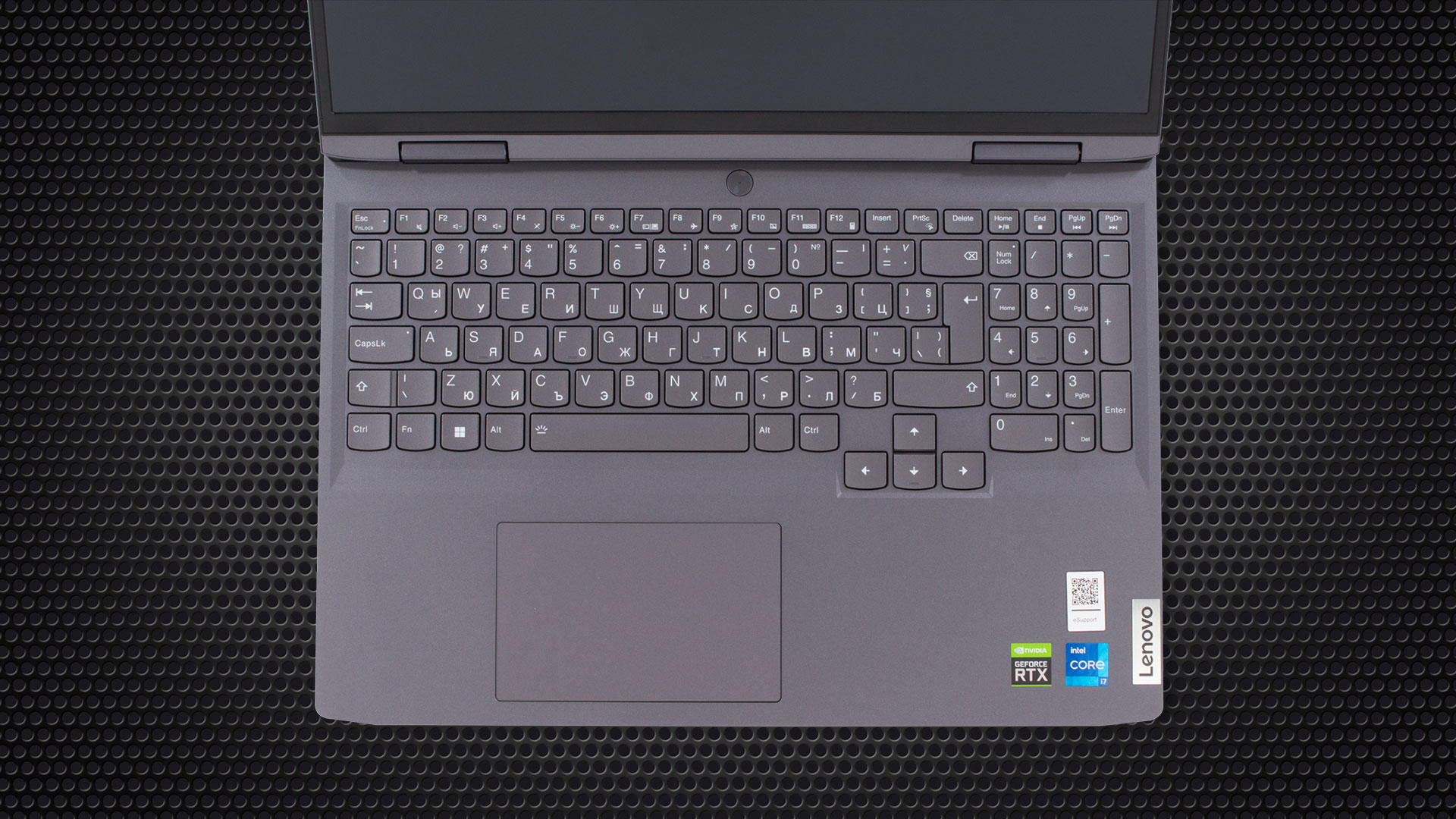 Lenovo LOQ 16
 Acer Nitro 16 (AN16-41/51)
Ports
The Nitro 16 overall has more ports, with a second USB Type-C port. On the other hand, the LOQ 16 brings the best HDMI 2.1 specification, for up to an 8K@60Hz signal. Since both laptops have AMD variants, there are some changes to the ports specifications if you opt-in for an AMD system. Firstly, one of the Type-A ports is downgraded to 2.0 speeds, while also swapping the Thunderbolt 4 for regular Type-C USB 3.2 Gen 2 ports.
| Lenovo LOQ 16 | Acer Nitro 16 (AN16-41/51) | |
|---|---|---|
| Ports |
|
|


 Lenovo LOQ 16

 Acer Nitro 16 (AN16-41/51)
Display and Sound Quality
The LOQ 16 offers two 16:10 IPS panels with either Full HD+ or QHD+ resolution and either 144Hz or 165Hz refresh rate. The same panels are available on the Nitro 16, so you can pick a more pixel-dense screen if you appreciate lots of details and sharp images. We have bought and reviewed both the Intel and AMD versions of the Nitro 16, which came with two distinct panels. We thought it would be fair to compare the FHD+ panels of the LOQ 16 and the Nitro 16.
| Lenovo LOQ 16 | Acer Nitro 16 (AN16-41/51) | |
|---|---|---|
| Resolution | 1920 x 1200 | 1920 x 1200 |
| Aspect ratio | 16:10 | 16:10 |
| Panel technology | IPS | IPS |
| Pixel density | 142PPI | 142 PPI |
| Dot pitch | 0.18 x 0.18 mm | 0.18 x 0.18 mm |
| Retina distance | 24″ (61 cm) | 24″ (61 cm) |
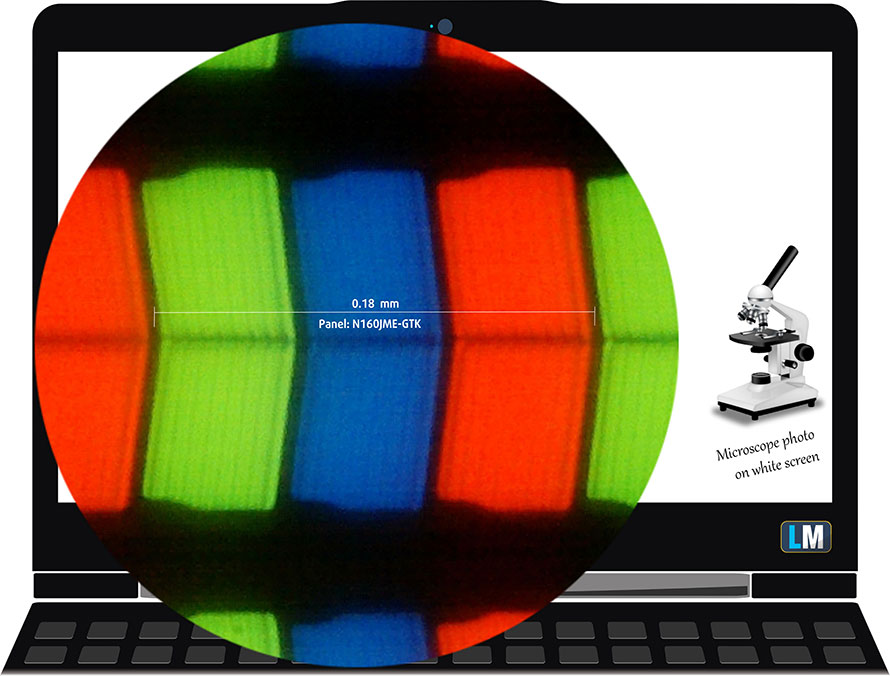 Lenovo LOQ 16
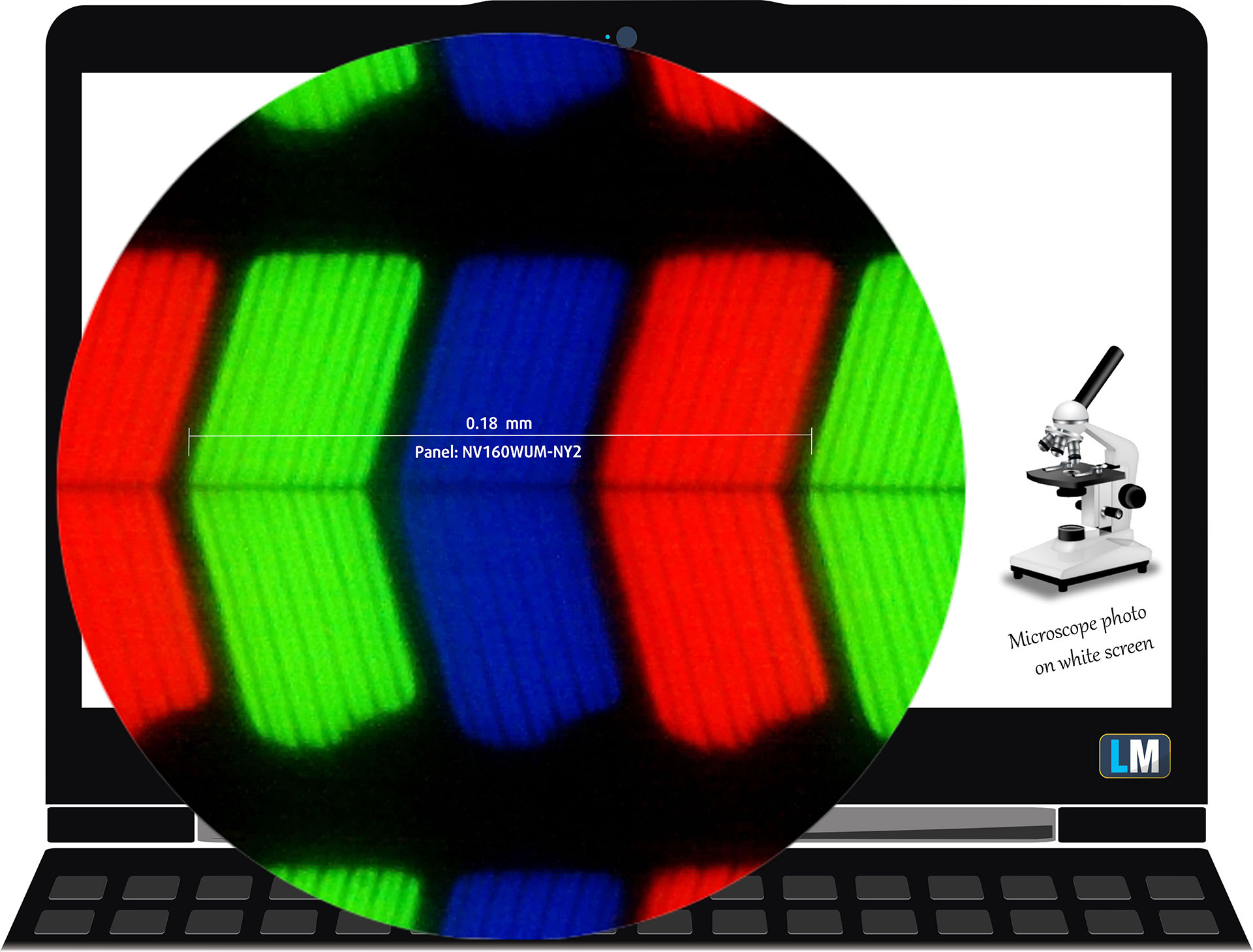 Acer Nitro 16 (AN16-41/51)
Here you can compare the viewing angles of both laptops, as we’ve taken videos at 45 degrees to evaluate the quality.
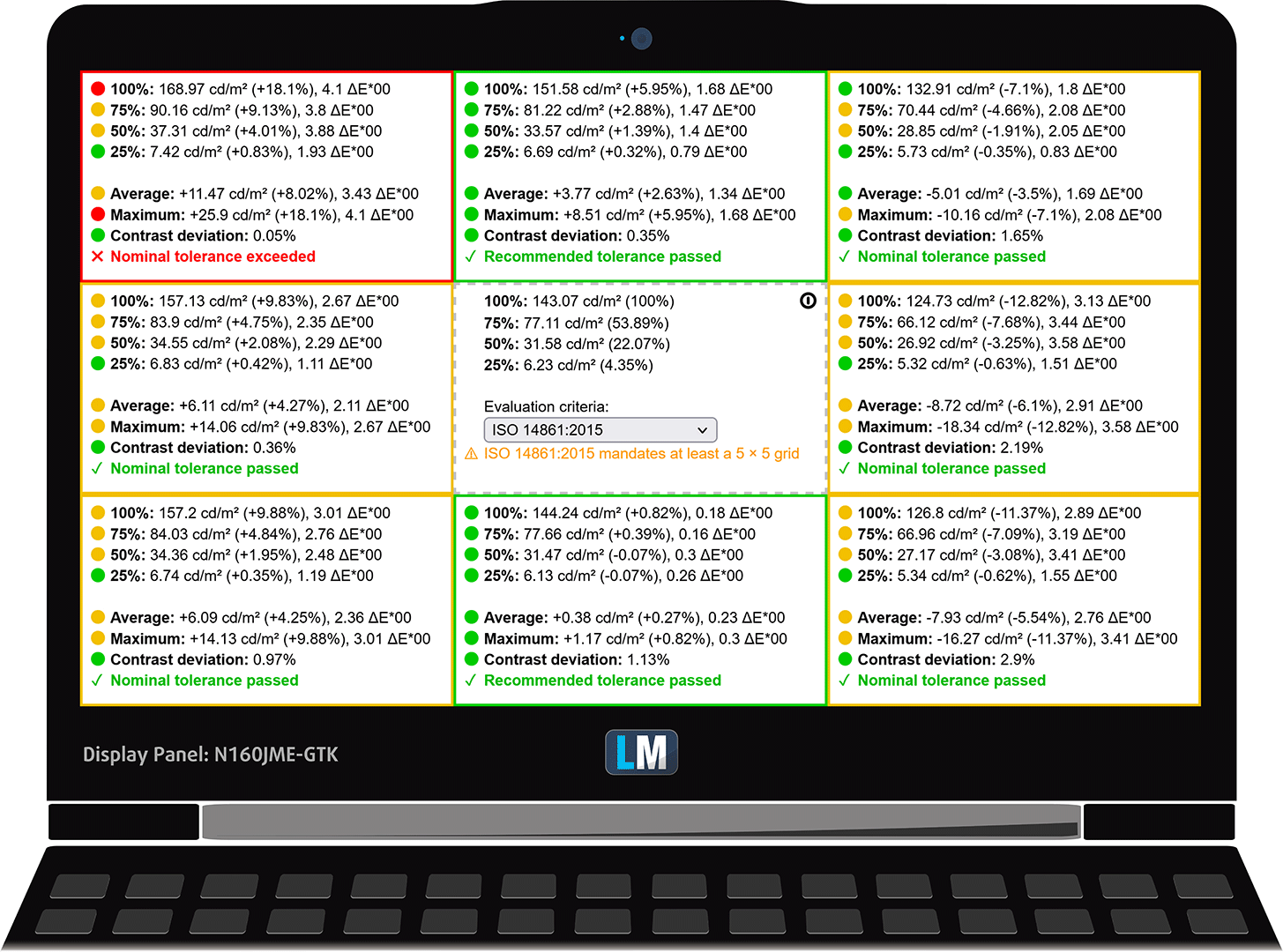
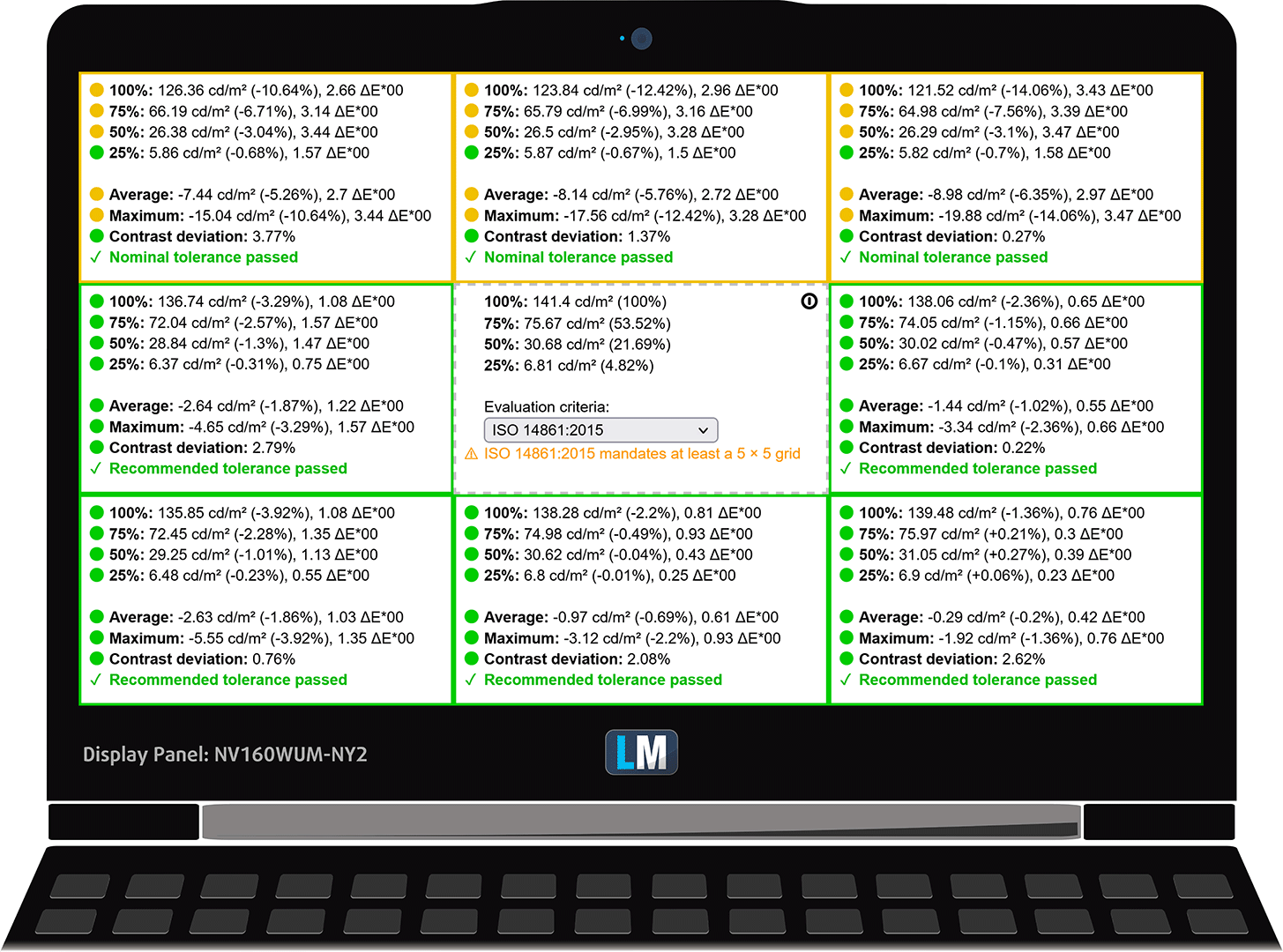
The Acer Nitro 16’s panel gets 40% brighter while having an overall better brightness uniformity. The LOQ 16’s panel exceeds the limits of uniformity, which means that the upper right corner will look a bit different, which is not got for Creator work. However, the LOQ 16 boasts 36% higher contrast ratio – 1500:1, which is exceptional for a budget system.
| Full HD+ 16:10 IPS panel | Lenovo LOQ 16 | Acer Nitro 16 (AN16-41/51) |
|---|---|---|
| Peak brightness (middle of the screen/average for the entire display area) | 347/348 nits | 484/451 nits |
| Max deviation | 19% | 13% |
| Color temperature (on white screen) | 6200K | 6870K |
| Contrast ratio | 1500:1 | 1100:1 |
 Lenovo LOQ 16
 Acer Nitro 16 (AN16-41/51)
Color coverage
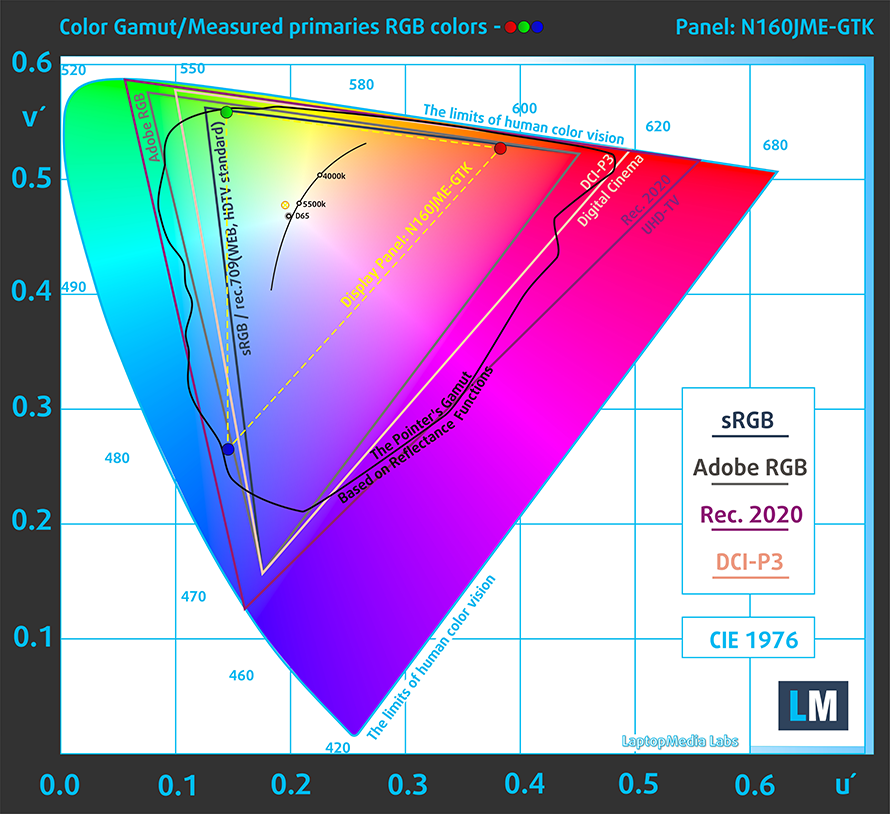
Here are some illustrations (Fig. 1) & (Fig. 2). The whole “sail-shaped” map below consists of all the colors we can see, while the black crooked line shows all the colors from real-world scenes and nature around us.
Then, we’ve drawn some of the most important and interesting color spaces, compared to the colors that the panels of the laptops can display:
Standard/For Web: sRGB – widely used color space for most consumer devices, ideal for Web design and development
For Print: AdobeRGB – used in professional photo editing, graphic design, and print
For Photographers/Video Editors: DCI-P3 – used in high-end film production, post-production, and digital cinema
Premium HDR: Rec.2020 – the widest consumer ITU color standard, covering a massive 75.8% of the visible spectrum, a benchmark for premium HDR content
The yellow dotted line shows the color coverage of the Lenovo LOQ 16 and the Acer Nitro 16 (AN16-41/51).
The Nitro 16 can display many more colors than its competitor, offering a much more vivid picture.
| Full HD IPS panel | Lenovo LOQ 16 | Acer Nitro 16 (AN16-41/51) |
|---|---|---|
| sRGB | 53% | 98% |
| DCI-P3 | 42% | 79% |
 Lenovo LOQ 16
 Acer Nitro 16 (AN16-41/51)
Color accuracy
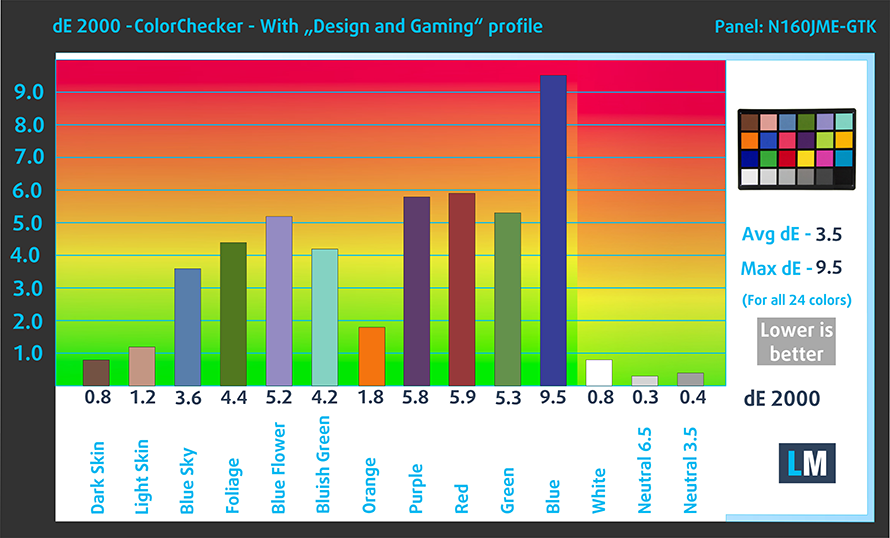
Now let’s see how big is the difference between the real colors and the ones you’ll see on the three laptops. We measure that distance in DeltaE – the bigger the number, the more different they look.
For the next illustration, we’ve chosen 24 common colors like dark and light skin, blue sky, green grass, etc.
Below you can see the results of the two laptops with our Web Design and Office Work profile applied. The Acer Nitro 16 is by far the more accurate of the two, with a dE value of 1.1.
 Lenovo LOQ 16
 Acer Nitro 16 (AN16-41/51)
Buy our profiles
Lenovo LOQ (16″ Intel, 2023) ″ Innolux N160JME-GTK (CMN1621) (1920×1200) IPS: Buy our profiles
Acer Nitro 16 (AN16-41, AMD) 16.0″ BOE NV160WUM-NY2 (BOE0B72) (1920×1200) IPS: Buy our profiles
Acer Nitro 16 (AN16-51, Intel) 16.0″ BOE NE160QDM-NY1 (BOE0A2C) (2560×1600) IPS: Buy our profiles
Response time (Gaming capabilities)
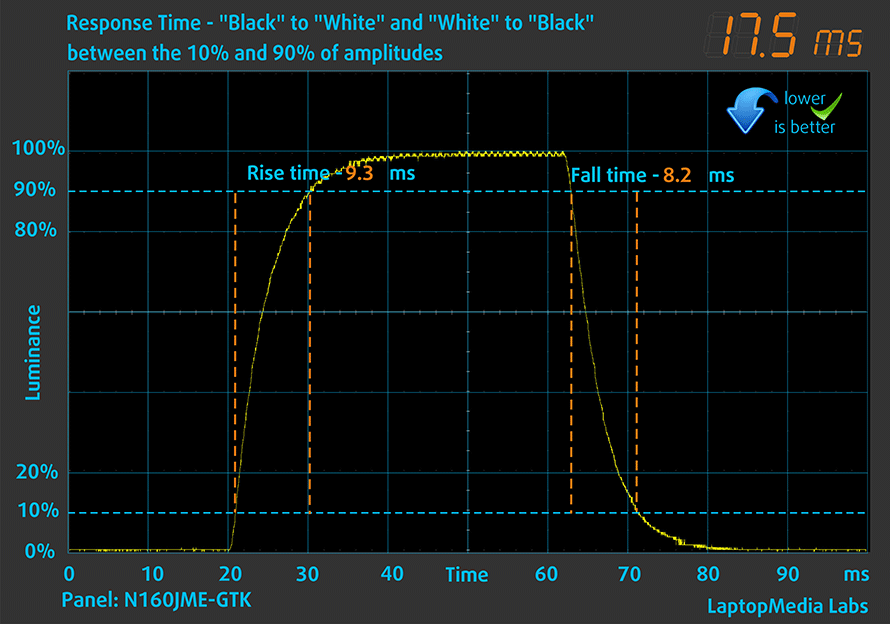
We test the reaction time of the pixels with the usual “black-to-white” and “white-to-black” method from 10% to 90% and vice versa.
The Nitro 16 has a lower Fall Time + Rise Time = 10.4 ms. Short pixel response time is a prerequisite for a smooth picture in dynamic scenes. Gamers should be happy.
 Lenovo LOQ 16
 Acer Nitro 16 (AN16-41/51)
PWM
Pulse Width Modulation or flickering, is a fool-proof way for displays to adjust brightness. By constantly switching on and off with a high frequency, you get less light into your eyes, thus perceiving the display as darker and more dim. However, this has its drawbacks, as while you don’t distinguish the flickers, your eyes do and constantly have to adjust their aperture, which can cause headaches and tire the eye itself. You can read more about it in our dedicated PWM article.
Thankfully, both displays show no PWM usage across all brightness levels.
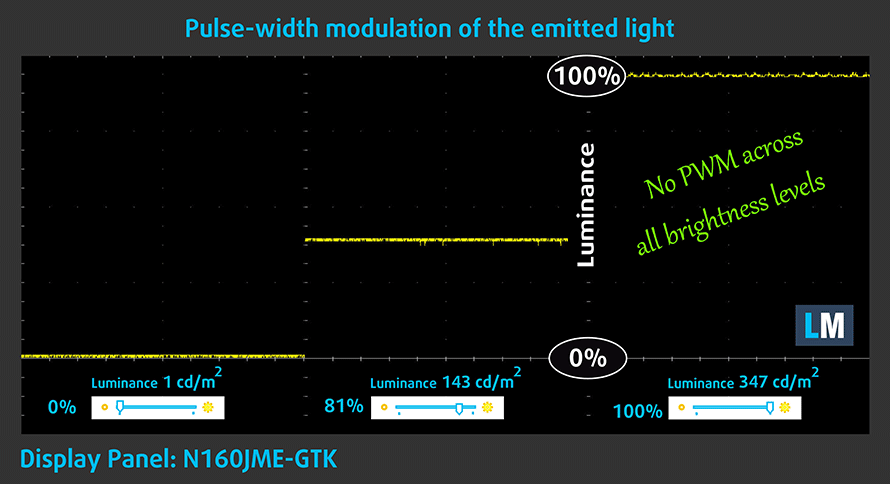 Lenovo LOQ 16
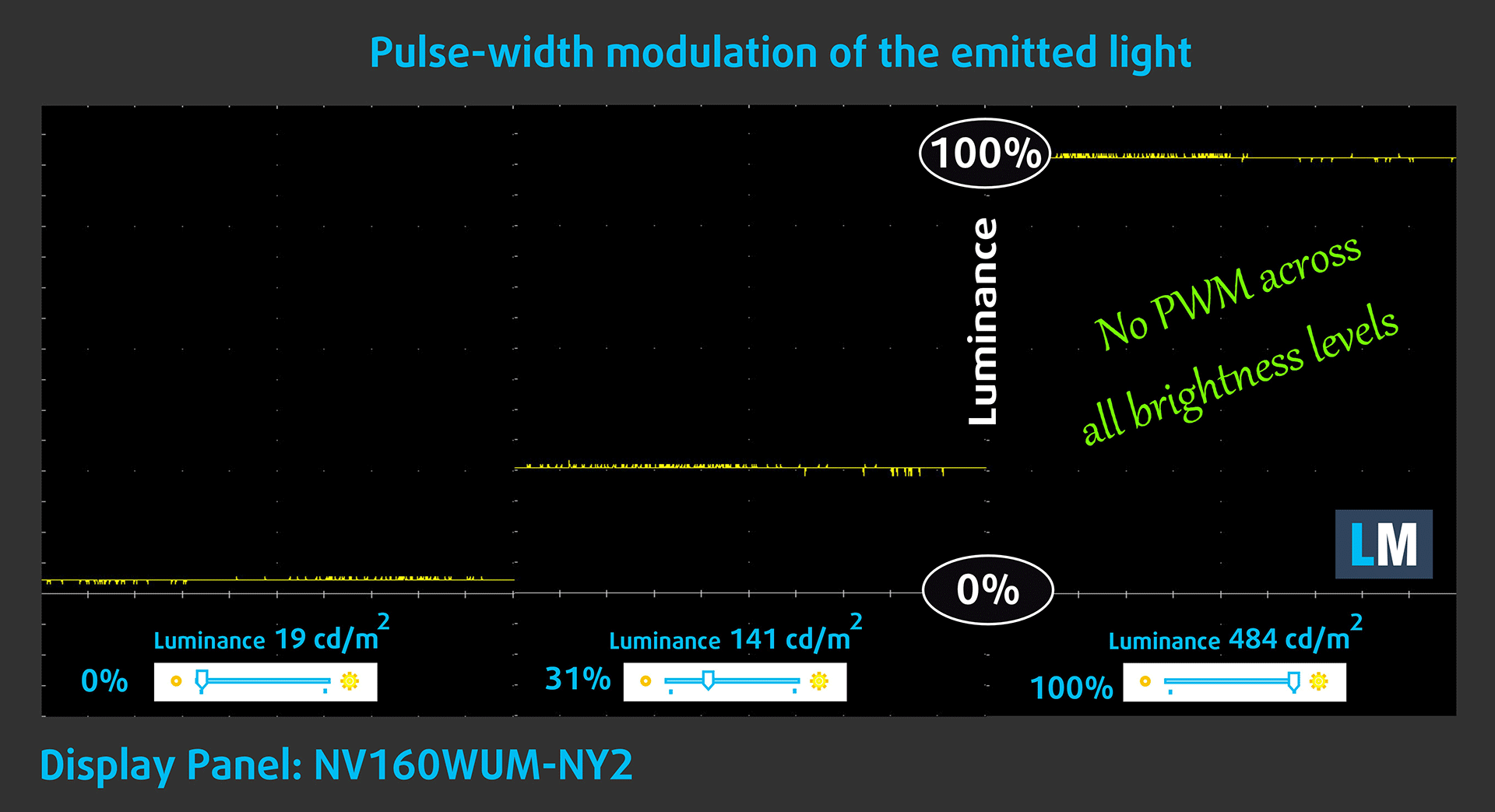 Acer Nitro 16 (AN16-41/51)
Sound
Both laptops have bottom-firing setups that deliver loud audio with no deviations across the entire frequency range.
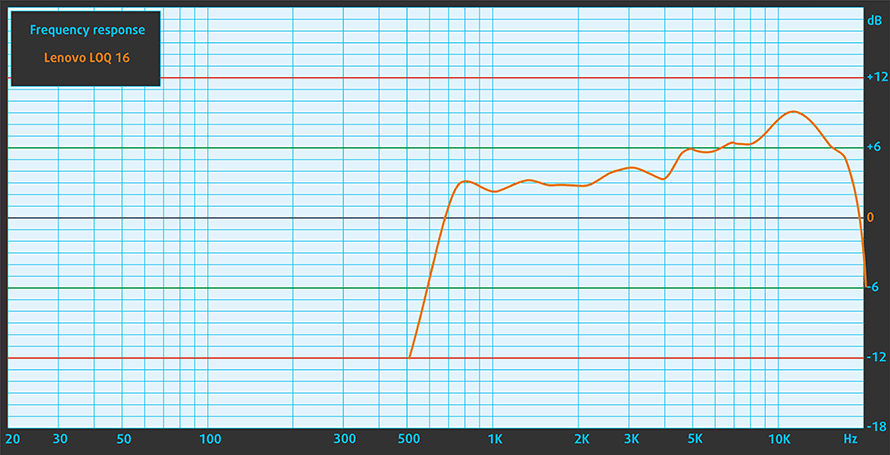 Lenovo LOQ 16
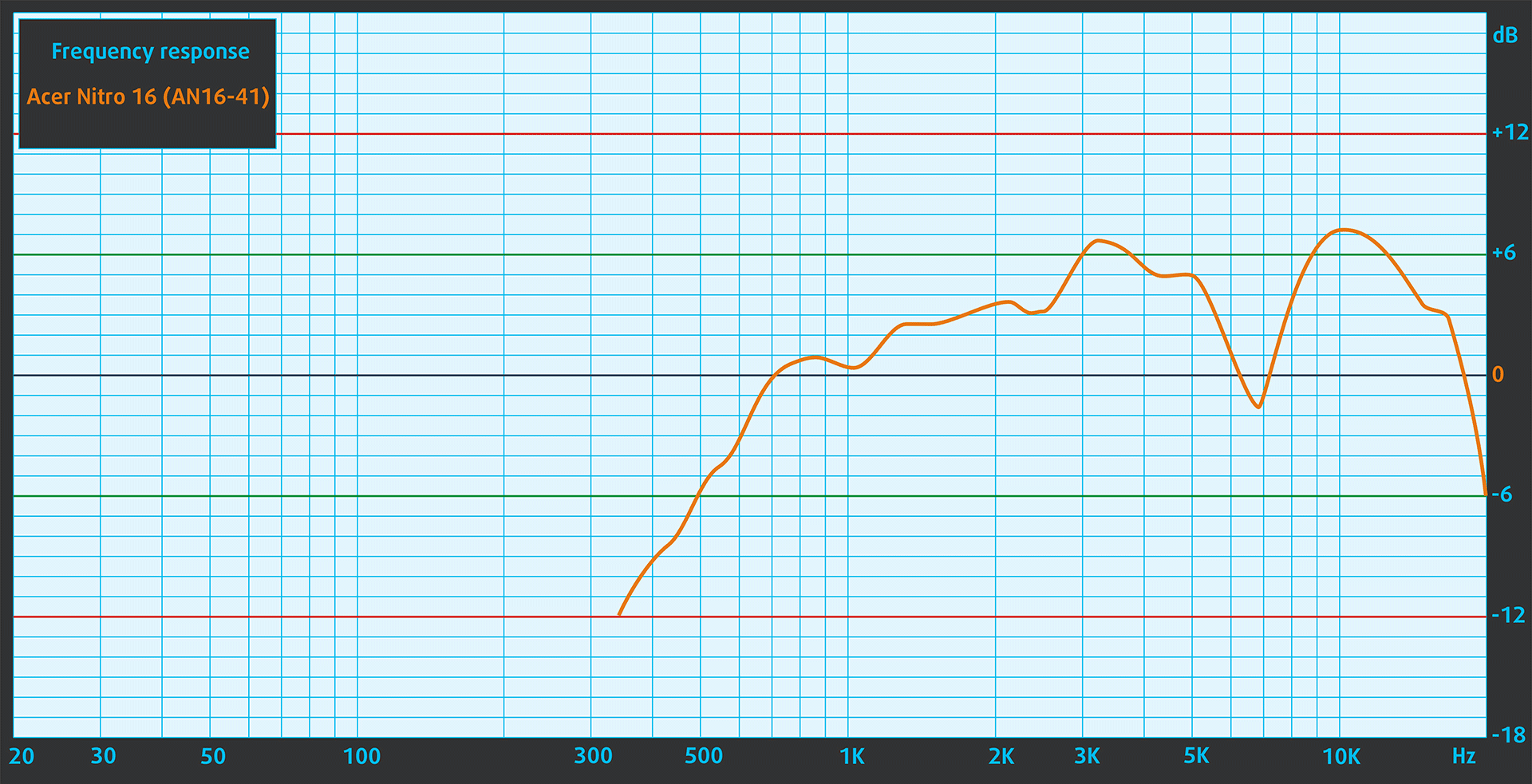 Acer Nitro 16 (AN16-41/51)
Performance – CPU, GPU, Gaming, Storage
Here we’ve highlighted the exact components that each configuration uses. We’ll include both the AMD and the Intel versions of the Nitro 16 since we’ve got them both on hand.
| Lenovo LOQ 16 | Acer Nitro 16 (AN16-41/51) | |
|---|---|---|
| Processor | Intel Core i7-13700H AMD Ryzen 7 7840HS Intel Core i7-13620H Intel Core i5-13500H AMD Ryzen 5 7640HS | AMD Ryzen 9 7940HS Intel Core i7-13700H AMD Ryzen 7 7840HS AMD Ryzen 7 7735HS Intel Core i5-13620H AMD Ryzen 7 7640HS |
| GPU | NVIDIA GeForce RTX 4060 (Laptop, 115W) NVIDIA GeForce RTX 4050 (Laptop, 95W) NVIDIA GeForce RTX 3050 (Laptop, 95W) | NVIDIA GeForce RTX 4070 (Laptop, 140W) NVIDIA GeForce RTX 4060 (Laptop, 140W) NVIDIA GeForce RTX 4050 (Laptop, 140W) |
CPU benchmarks
Comparing the two configurations with a Ryzen 7 7840HS, the Nitro 16 is slightly more powerful, with a 3% higher Cinebench R23 score.
Results are from the Cinebench R23 CPU test (the higher the score, the better)
GPU benchmarks
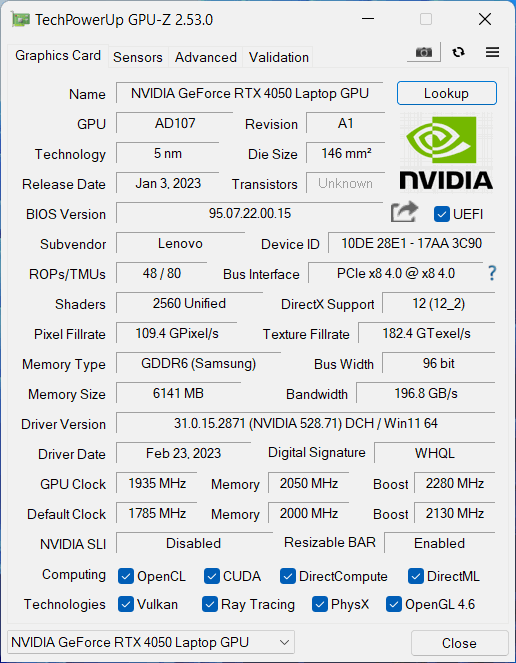
In terms of graphics, the RTX 4050 95W in the LOQ 16 is quicker than the 140W RTX 4050 inside the Nitro 16 in all tests that we ran.
The results are from 3DMark Time Spy (Graphics). Higher is better.
Results are from 3DMark Fire Strike (Graphics) benchmark (higher the score, the better)
The results are from 3DMark Wild Life Extreme Unlimited. Higher is better.
Results are from the Unigine Superposition benchmark (higher the score, the better)
Gaming tests
 Lenovo LOQ 16 – RTX 4050 95W
 Acer Nitro 16 – RTX 4050 140W
| Borderlands 3 | Full HD, Medium (Check settings) | Full HD, High (Check settings) | Full HD, Badass (Check settings) |
|---|---|---|---|
| Lenovo LOQ 16 – RTX 4050 95W | 135 fps | 96 fps | 74 fps (+1%) |
| Acer Nitro 16 – RTX 4050 140W | 146 fps (+8%) | 97 fps (+1%) | 73 fps |
Battery
The two systems with identical CPUs and GPUs, the Nitro 16 offers around half an hour longer battery life in the video playback test and 2 hours 20 minutes more battery life in the web browsing test.
Brightness: 180 nits; Display Mode: SDR
Time to Full Discharge: Higher is Better
In order to simulate real-life conditions, we used our own script for automatic web browsing through over 70 websites.
Cooling and temperatures
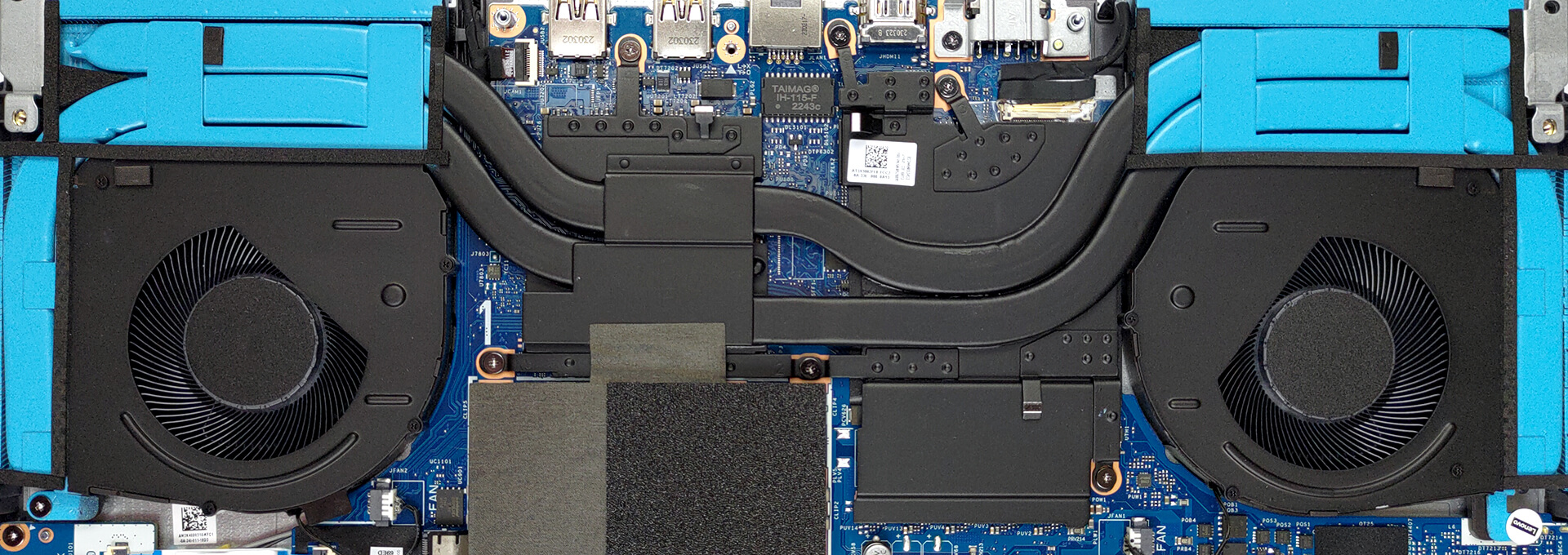
The Nitro 16 has more heat pipes, however, the heat pipes on the LOQ 16 are thicker. Let’s see how it works.
 Lenovo LOQ 16
 Acer Nitro 16 (AN16-41/51)
Real-life gaming
Here you can see how the two laptops manage the RTX 4050. Despite running the GPU at lower power limits, the LOQ 16 is able to extract 6% higher clock speeds. However, it comes at the cost of 18% higher temperature. We should note that 79°C is still a very low GPU temperature for a gaming laptop so LOQ’s temperature is great while Nitro 16’s is exceptional.
| NVIDIA GeForce RTX 4050 | GPU frequency/ Core temp (after 2 min) | GPU frequency/ Core temp (after 30 min) |
|---|---|---|
| Lenovo LOQ (16″ Intel, 2023) | 2685 MHz @ 71°C @ 88W | 2670 MHz @ 79°C @ 90W |
| Acer Nitro 16 (AN16-51) | 2520 MHz @ 67°C @ 92W | 2520 MHz @ 67°C @ 91W |
Upgradeability
Both laptops offer two SODIMM slots for DDR5 memory and two SSD slots for PCIe Gen 4 drives. There’s a problem with LOQ 16 units and one of the SSD slots (READ MORE HERE).
Verdict
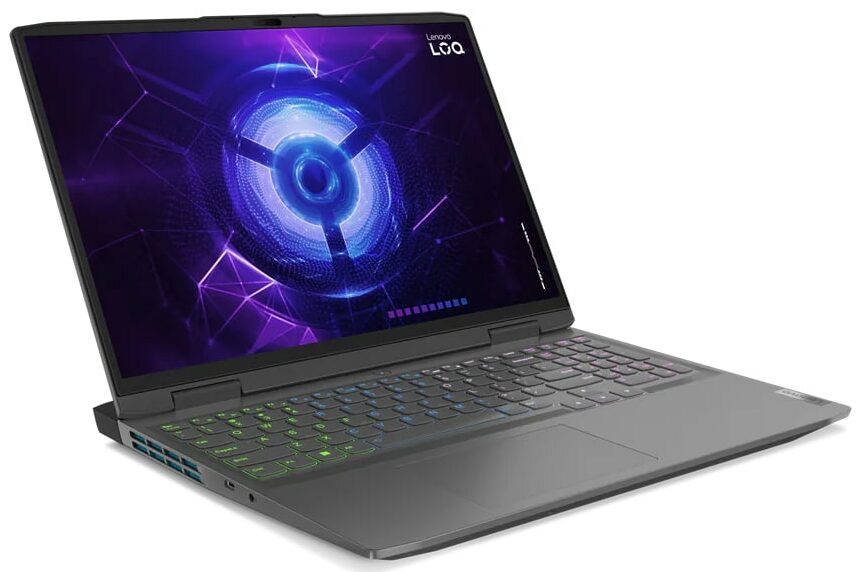
 Looking at these two laptops from the gamer’s perspective, the Lenovo LOQ 16 is able to extract slightly more performance out of its RTX 4050, which would put it to be the favorite in this comparison. On the other hand, Nitro 16 has a bit of advantage in terms of CPU power.
Of course, pure performance isn’t the only thing that we deem necessary for a great gaming experience, especially in 2024.
We here at LaptopMedia think the display is a pretty important part. After all, it’s what you’re constantly looking at and experiencing your games through. In that regard, the Nitro 16 is the better choice, as it comes with a brighter screen that covers more colors, thus providing a much more vivid image. This is also helpful for Creators, who need a color-accurate panel, which the Nitro 16’s display is, once you get our Display Profiles. We have to mention that LOQ 16 leads in terms of contrast ratio.
Lastly, both cooling solutions are able to maintain the processors inside and have them perform well enough for both gaming and other workloads. Nitro 16 is exceptional in that regard, as the GPU maintains a temperature below 70°C even while gaming.
As for battery life, the two devices are decently efficient for gaming laptop standards, with a lead in favor of the Nitro 16.
Lastly, Lenovo has a better track record of software support after a while.
Lenovo LOQ 16: Full Specs (Intel) / Full Specs (AMD) / In-depth Review
Acer Nitro 16 (AN16-41/51): Full Specs (Intel) / Full Specs (AMD) / In-depth Review (Intel) / In-depth Review (AMD)
Lenovo LOQ 16 configurations:
Acer Nitro 16 (AN16-41/51) configurations:
 Author: Severin Kolakov

![[August 2026] Amazon Italy: Top 10 Best-Selling Laptops – Apple MacBook Neo Claims the Crown as Budget and Mid-Range Windows Machines Dominate Volume](https://laptopmedia.com/wp-content/uploads/2026/09/Best-Selling-Laptops-IT-Top-10-400x225.jpg)
![[August 2026] Amazon Italy: Top 7 Best-Selling Gaming Laptops – ASUS V16 Claims the #1 Spot Amid Strong Mid-Range Demand](https://laptopmedia.com/wp-content/uploads/2026/09/Best-Selling-Gaming-Laptops-IT-Top-10-400x225.jpg)
![[August 2026] Best-Selling Laptop Brands on Amazon Italy – Lenovo Dominates Market Share and Revenue Leadership](https://laptopmedia.com/wp-content/uploads/2026/09/IT-Best-Brands-400x225.jpg)
![[August 2026] Amazon India: Top 10 Best-Selling Laptops – Apple MacBook Neo Dominates the Charts with Massive Sales Lead](https://laptopmedia.com/wp-content/uploads/2026/09/Best-Selling-Laptops-IN-Top-10-400x225.jpg)
![[August 2026] Amazon India: Top 10 Best-Selling Gaming Laptops – HP Victus 15 Dominates the Market with Massive Unit Lead](https://laptopmedia.com/wp-content/uploads/2026/09/Best-Selling-Gaming-Laptops-IN-Top-10-400x225.jpg)
