How to open Acer Aspire 5 (A515-58P) – disassembly and upgrade options

Opening the Acer Aspire 5
Hint: Ensure the laptop is powered off and unplugged before starting.
- Undo the 11 Phillips-head screws securing the bottom panel to the chassis.
- Use a lever tool to pop the panel in the zones behind the hinges.
- Fully pry the rear with a thin plastic tool, then carefully work your way around the sides and front to release all clips.
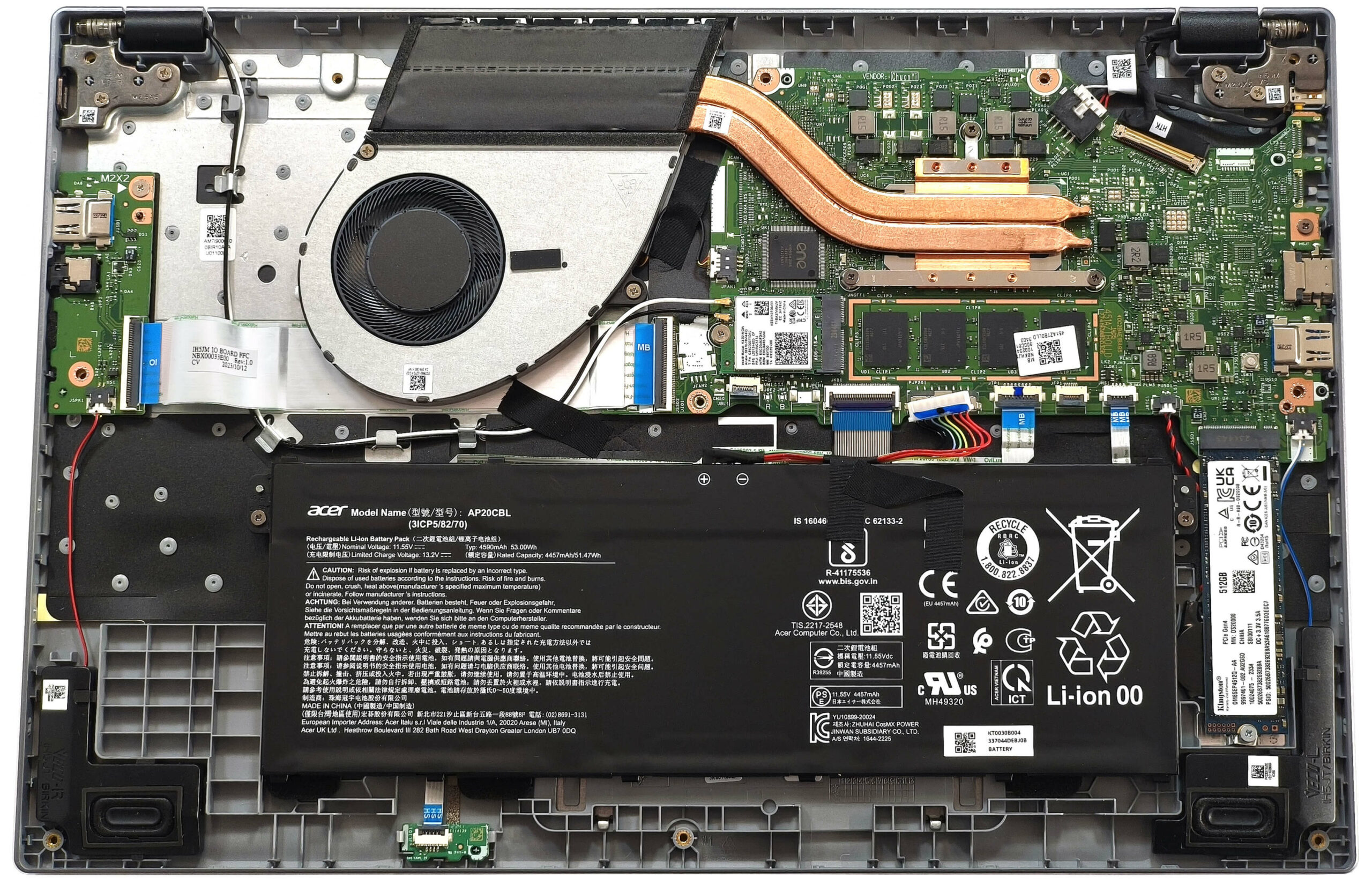
More info: The bottom panel provides access to internal components for maintenance and upgrades.
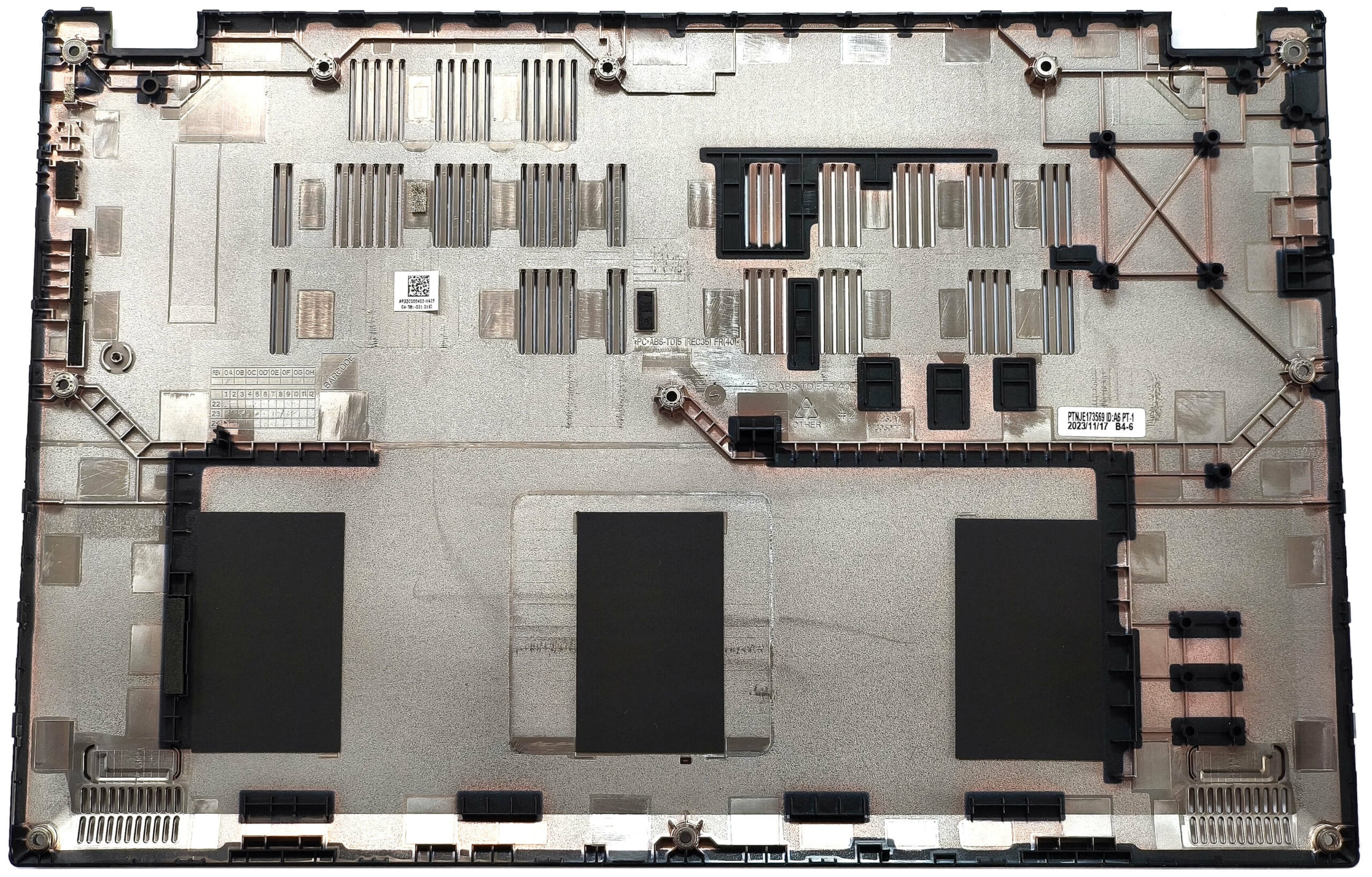
Battery Removal
Caution: Handle the battery with care to avoid damage or electrical hazards.
- Disconnect the battery connector by pulling it gently towards the battery.
- Undo the two Phillips-head screws securing the 53Wh battery to the chassis.
- Lift and remove the battery from the laptop.
More info: The 53Wh battery provides up to 8.5 hours of video playback, making it suitable for extended use.
You can find compatible batteries here: Buy from Amazon.com (#CommissionsEarned)
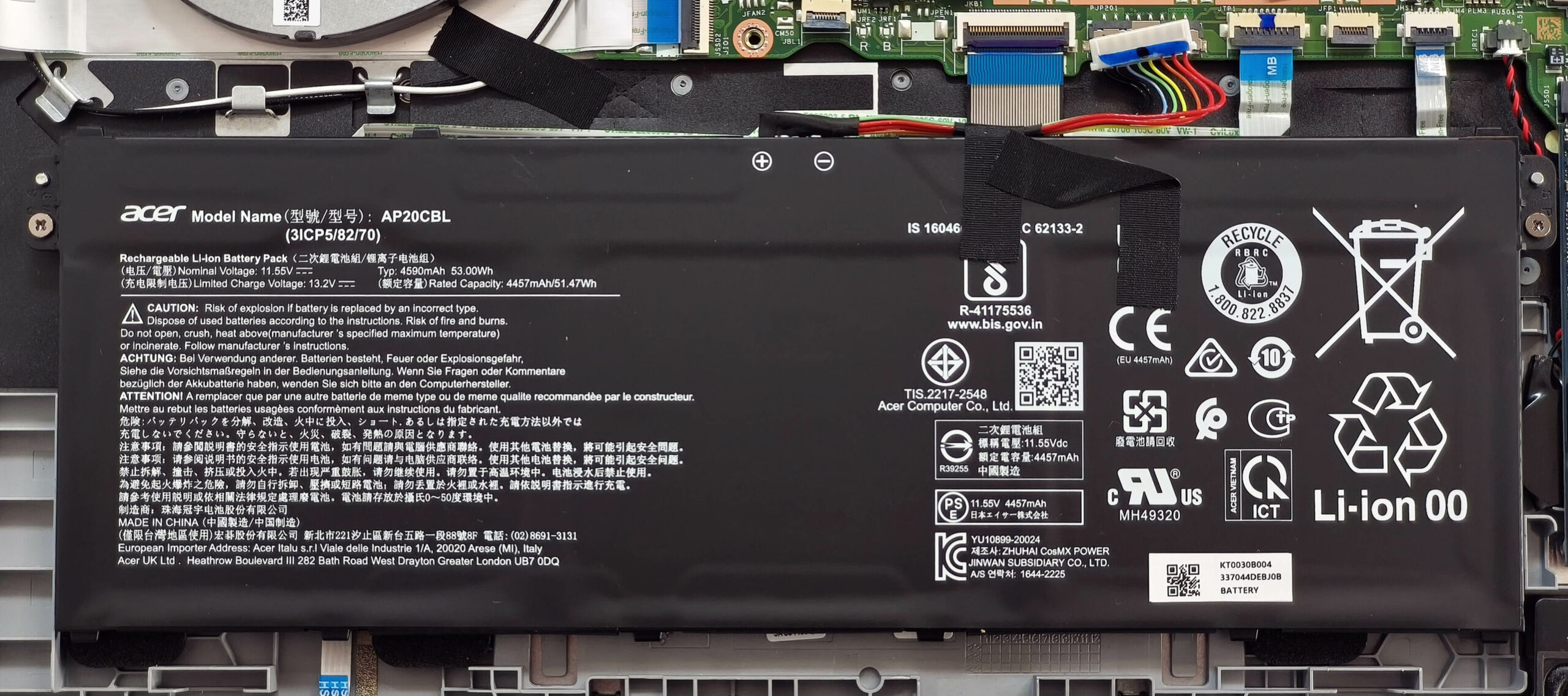
Memory Upgrade
Note: The memory is soldered and cannot be upgraded.
More info: The laptop comes with up to 32GB of LPDDR5-4800MHz RAM in dual-channel mode, offering sufficient performance for normal work tasks. Ensure your chosen configuration matches your needs when purchasing.

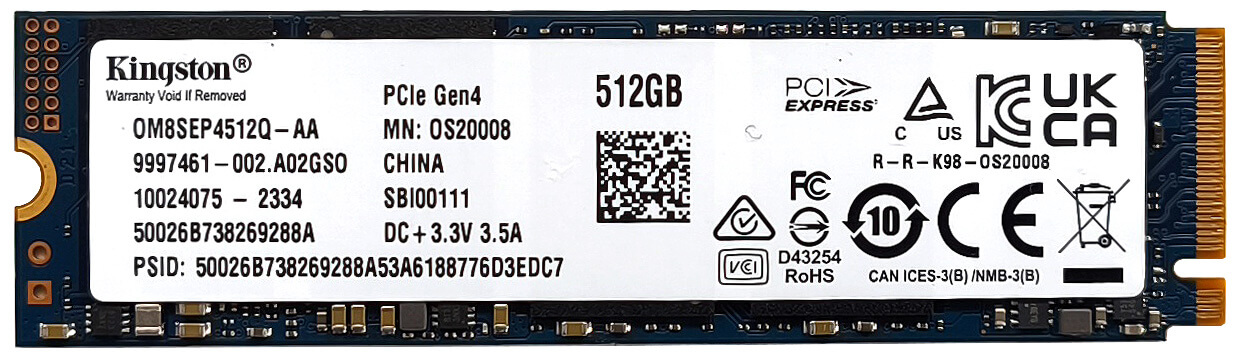
Storage Upgrade
Hint: Handle SSD components carefully to avoid damage or data loss.
- Locate the single M.2 slot compatible with 2280 Gen 4 SSDs.
- Install the new SSD into the slot at a slight angle, ensuring it is fully seated.
More info: The Gen 4 compatibility offers fast storage options, but the single slot limits expansion.
You can find compatible SSDs here: Buy from Amazon.com (#CommissionsEarned)
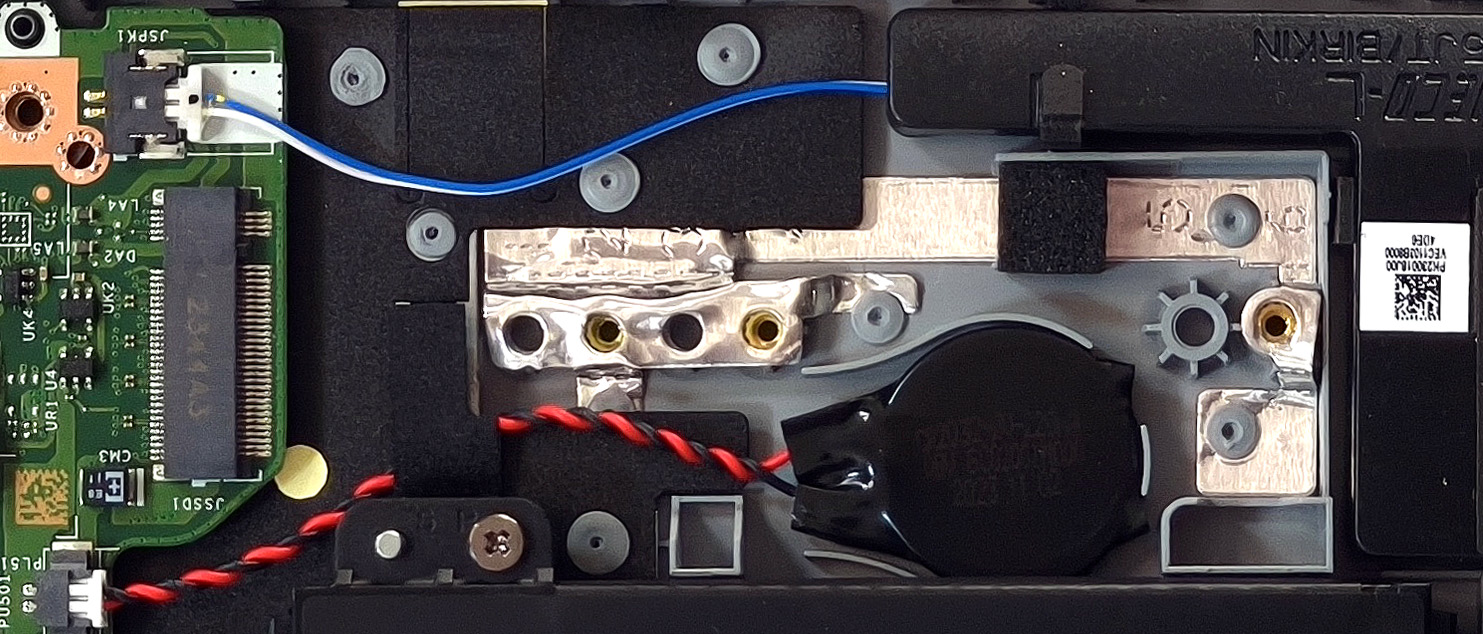
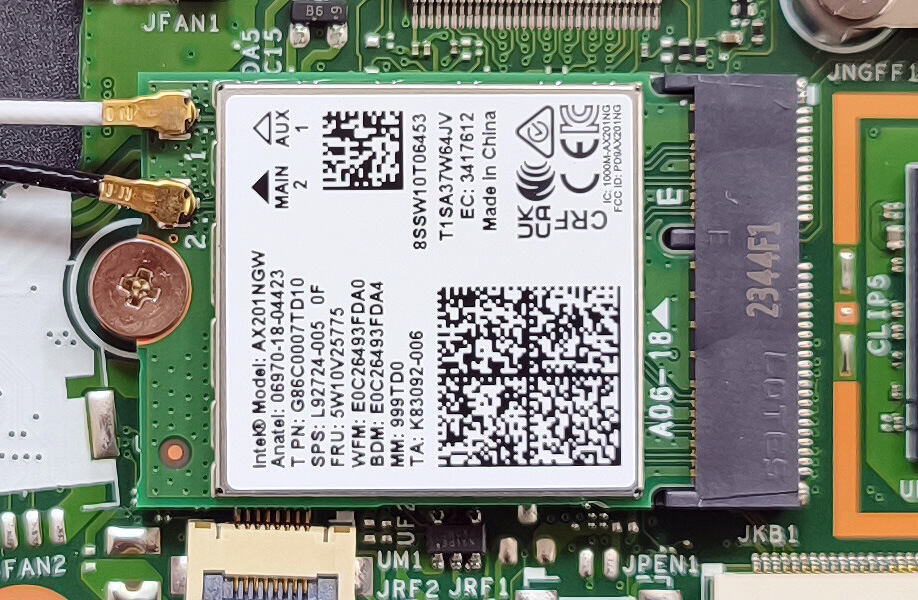
Connectivity Options
More info: The Wi-Fi 6 card, located to the right of the fan, is upgradable, allowing for future connectivity improvements or replacements.
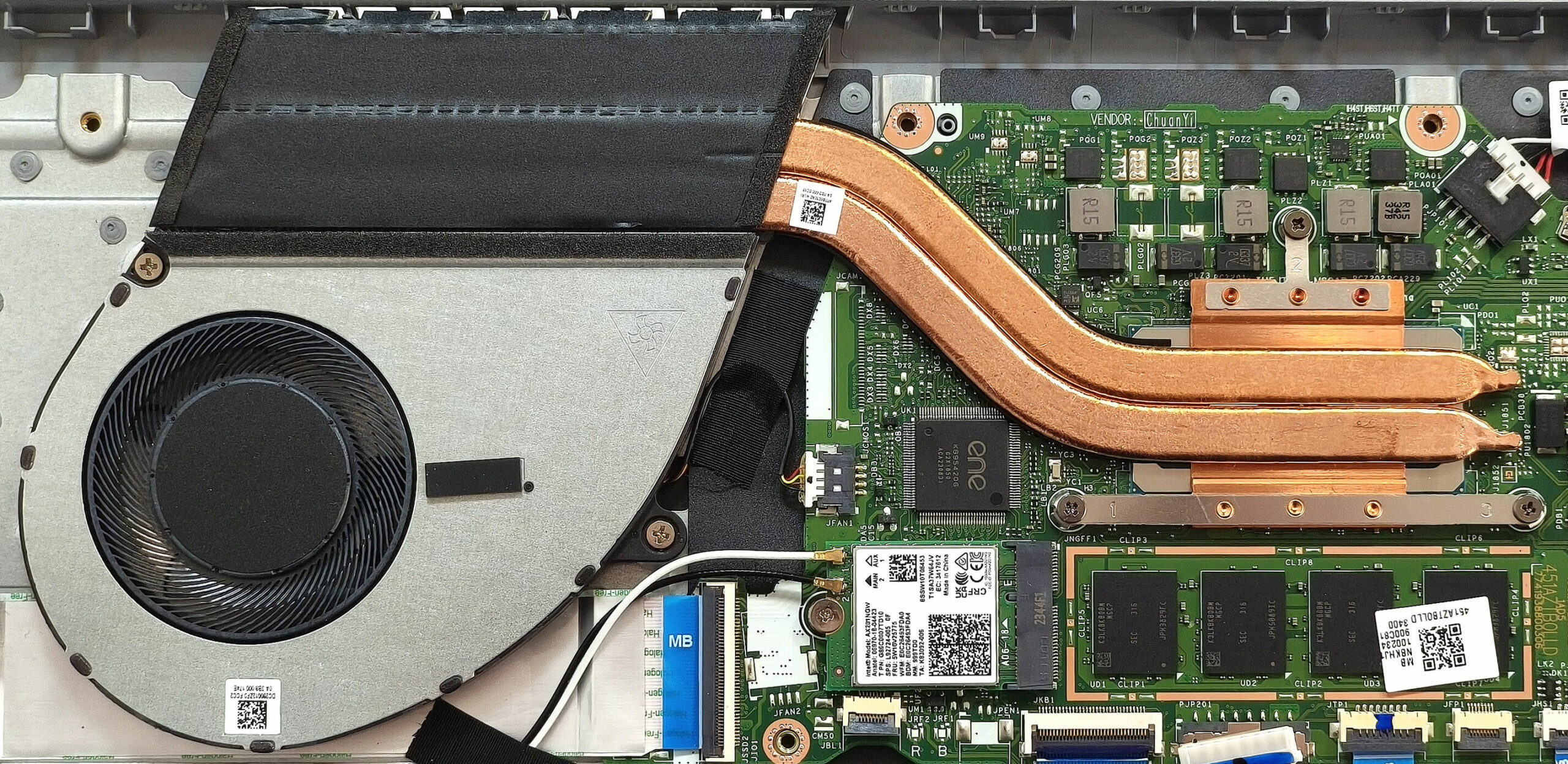
Cooling System Overview
More info: The Acer Aspire 5 features a capable cooling system for everyday tasks and moderate workloads.
- The system includes a single fan for airflow management.
- Two heat pipes transfer heat away from the CPU and other critical components.
- One top-mounted heat sink and a heat spreader contribute to heat dissipation.
Tip: Regularly clean the fan and heat sink to maintain optimal cooling performance.
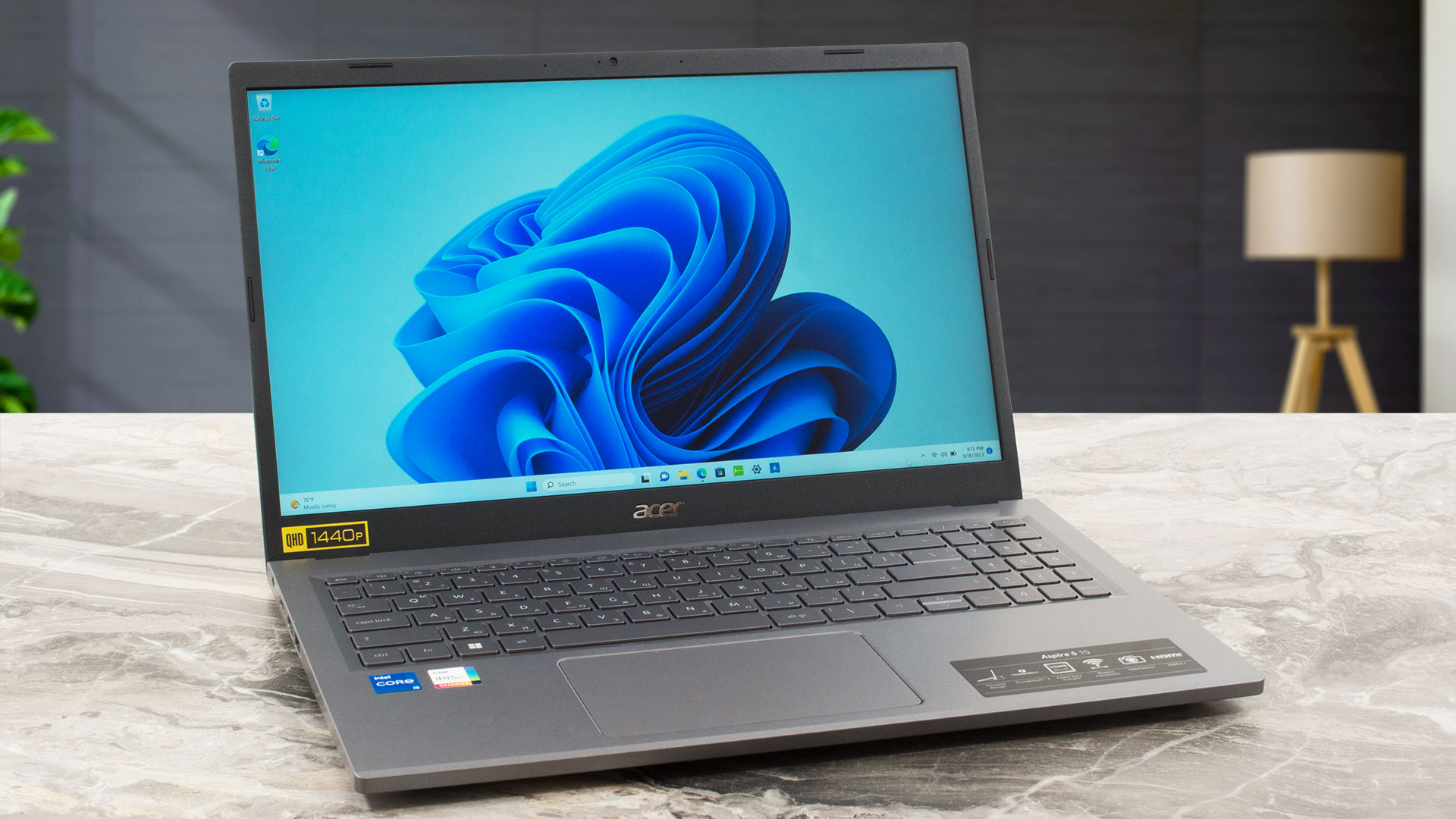
Acer Aspire 5 (A515-58M / A515-58P) in-depth review
In 2023, you can find a lot of affordable devices with Intel Raptor Lake U CPUs. The Acer Aspire 5 (A515-58M) can be configured with these Intel chips and on top of that, the price of the notebook isn't hefty. This Acer machine offers a good amount of extras for the class.You can choose between three 15.6" 16:9 display options - two of them are 1080p variants - one IPS and one TN. Avoid the latter unless your budget is super tight. The top panel model is a 1440p display which isn't something ordinary for this kind of price tag. That's why we bought a laptop with the exact same display mode[...]
Pros
- Great battery life
- Surprisingly good cooling solution and performance
- Optional 1440p IPS panel with 90% sRGB coverage and high color accuracy when Gaming and Web design profile is installed (BOE NE156QHM-N61 (BOE0AFE))
- Comfortable viewing angles (BOE NE156QHM-N61 (BOE0AFE))
- No PWM (BOE NE156QHM-N61 (BOE0AFE))
- Light chassis with a metal lid
- Decent I/O with Thunderbolt 4 port and optional fingerprint reader
Cons
- Soldered memory and just one M.2 slot
- The lid can't be opened with a single hand
 Author: Dimitar Stalev

![[August 2026] Amazon USA: Top 10 Best-Selling Laptops – Apple MacBook Neo Dominates the Market with Massive Unit Sales!](https://laptopmedia.com/wp-content/uploads/2026/09/Best-Selling-Laptops-COM-Top-10-400x225.jpg)
![[August 2026] Amazon USA: Top 10 Best-Selling Gaming Laptops – ASUS ROG Strix G16 Dominates the Market with Massive Unit Sales](https://laptopmedia.com/wp-content/uploads/2026/09/Best-Selling-Gaming-Laptops-COM-Top-10-400x225.jpg)
![[July 2026] Amazon Global: Top 10 Best-Selling Laptops – Apple MacBook Neo Dominates the Charts as Budget and Premium Notebooks Split the Market](https://laptopmedia.com/wp-content/uploads/2026/08/Best-Selling-Laptops-GLOBAL-Top-10-400x225.jpg)
![[July 2026] Amazon Global: Top 10 Best-Selling Gaming Laptops – ASUS ROG Strix G16 Dominates the Global Market with Record-Breaking Unit Sales](https://laptopmedia.com/wp-content/uploads/2026/08/Best-Selling-Gaming-Laptops-GLOBAL-Top-10-400x225.jpg)
![[July 2026] Global Ranking of Best-Selling Laptop GPUs on Amazon – RTX 5060 Dominate Premium, Intel Still Rules Budget](https://laptopmedia.com/wp-content/uploads/2026/08/Best-Selling-GPUs-GLOBAL-Top-10-400x225.jpg)
