How to open Acer Nitro V 15 (ANV15-52) – disassembly and upgrade options

Opening the Acer Nitro V 15 (ANV15-52)
Hint: Use a plastic pry tool to avoid damaging the clips or chassis.
- Remove eleven Phillips-head screws securing the bottom panel.
- Unlatch the clips around the edges using a plastic tool.
- Carefully lift and remove the bottom panel to expose the internals.
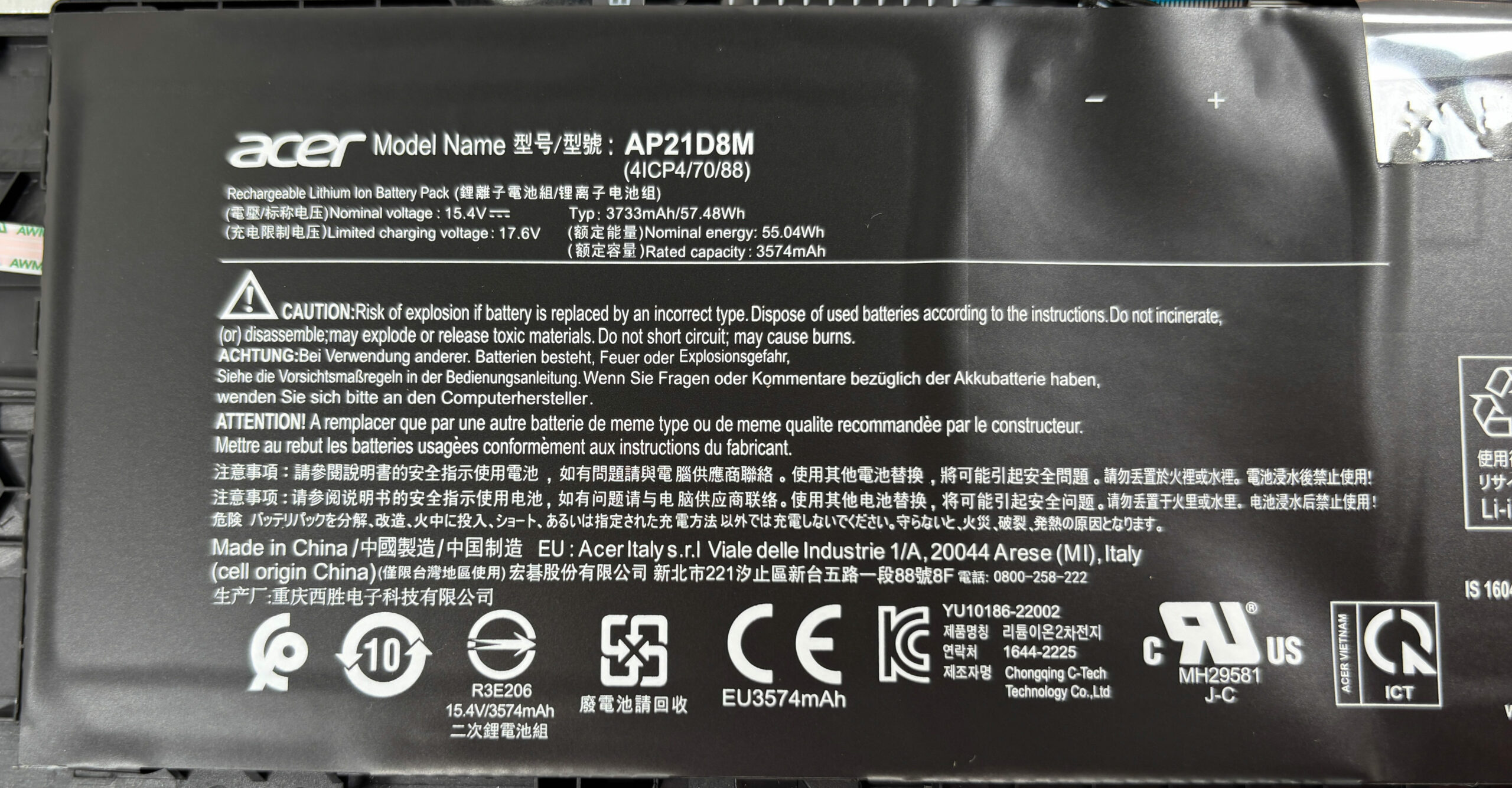
Battery removal
Caution: Always disconnect the battery before performing upgrades or servicing.
- Locate the 57Wh battery pack (model AP21D8M, 15.4V) secured with adhesive.
- Peel back the small piece of tape covering the connector.
- Unplug the battery connector from the motherboard.
- Gently lift the battery to remove it from the chassis.
More info: Some configurations come with a larger 76Wh battery option.
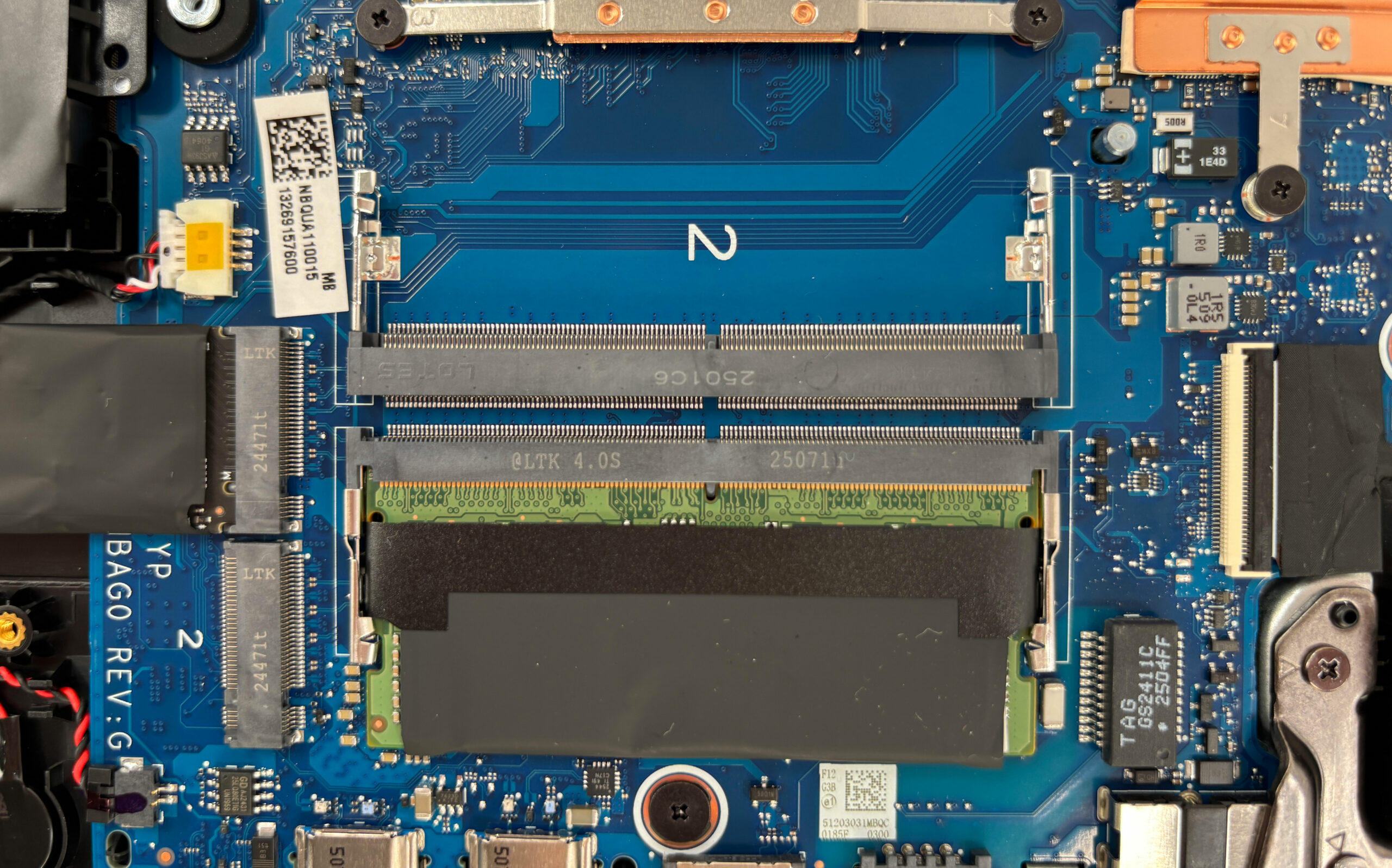
Memory upgrade
Hint: For best performance, install two identical modules to enable dual-channel mode.
- Locate the two SO-DIMM slots under the EMI shield.
- Release the retention clips on each side of the module.
- Insert the new RAM module at an angle, then press it down until it clicks into place.
More info:
The laptop supports up to 32 GB of dual-channel RAM.
• Intel Core 7 models → DDR5-5600
• Intel Core 5 models → DDR5-5200
• Some GN22-B2 configurations (13th Gen chips) → DDR4-3200
You can buy compatible RAM modules here: Buy from Amazon.com (#CommissionsEarned)
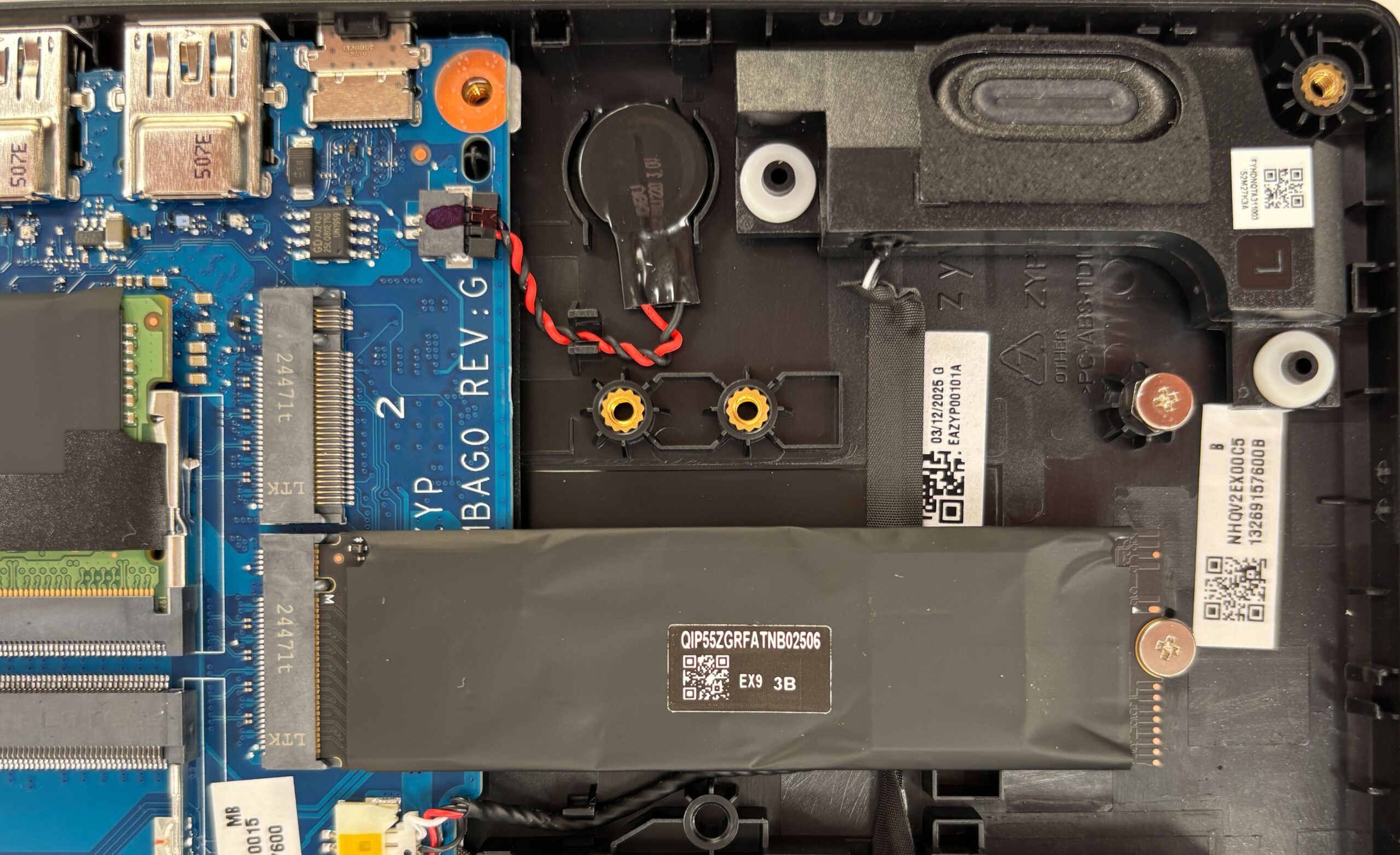
Storage upgrade
Hint: Don’t forget to check out our Top M.2 SSDs Performance Rankings for insights on the best storage options available.
- Locate the two M.2 2280 PCIe Gen 4 NVMe slots positioned away from the CPU.
- Remove any pre-installed drive by loosening its retention screw.
- Insert the new SSD at a slight angle, push it down, and secure it with the screw.
More info: Certain GM22-B2 configurations provide only a single SSD slot. No thermal pads are included by default.
You can buy compatible SSDs here: Buy from Amazon.com (#CommissionsEarned)
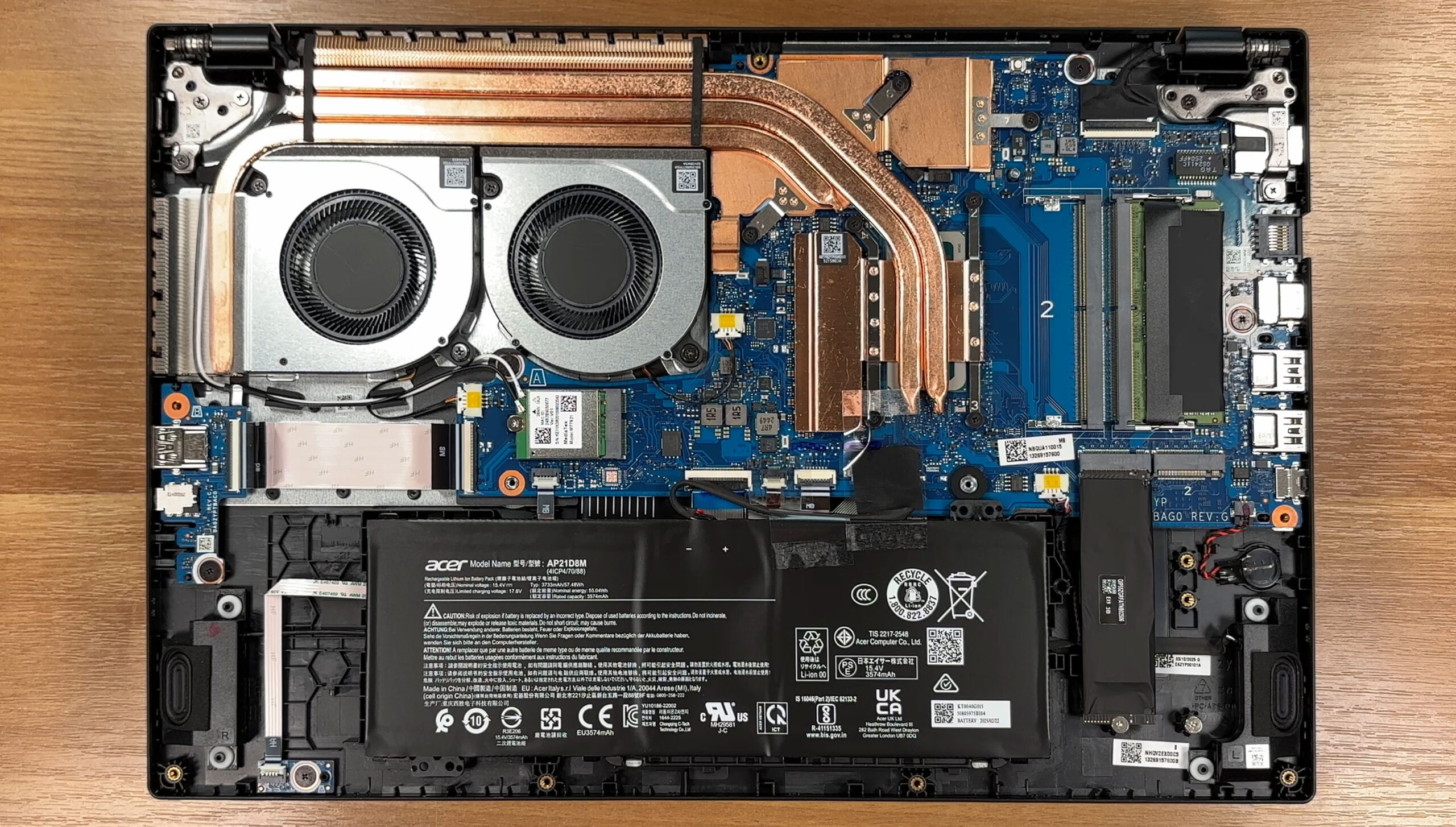
Cooling system overview
The cooling solution includes:
- Two radial fans positioned side by side.
- A dense fin stack for efficient heat dissipation.
- Several copper heat pipes spanning both CPU and GPU areas.
- Metal plates that help spread heat away from hotspot components.
More info: Both fans, the speakers, the wireless card (MediaTek MT7921, Wi-Fi 6 + Bluetooth 5.2), and the coin-cell RTC battery are replaceable. The hinge brackets are reinforced and well secured to the chassis.
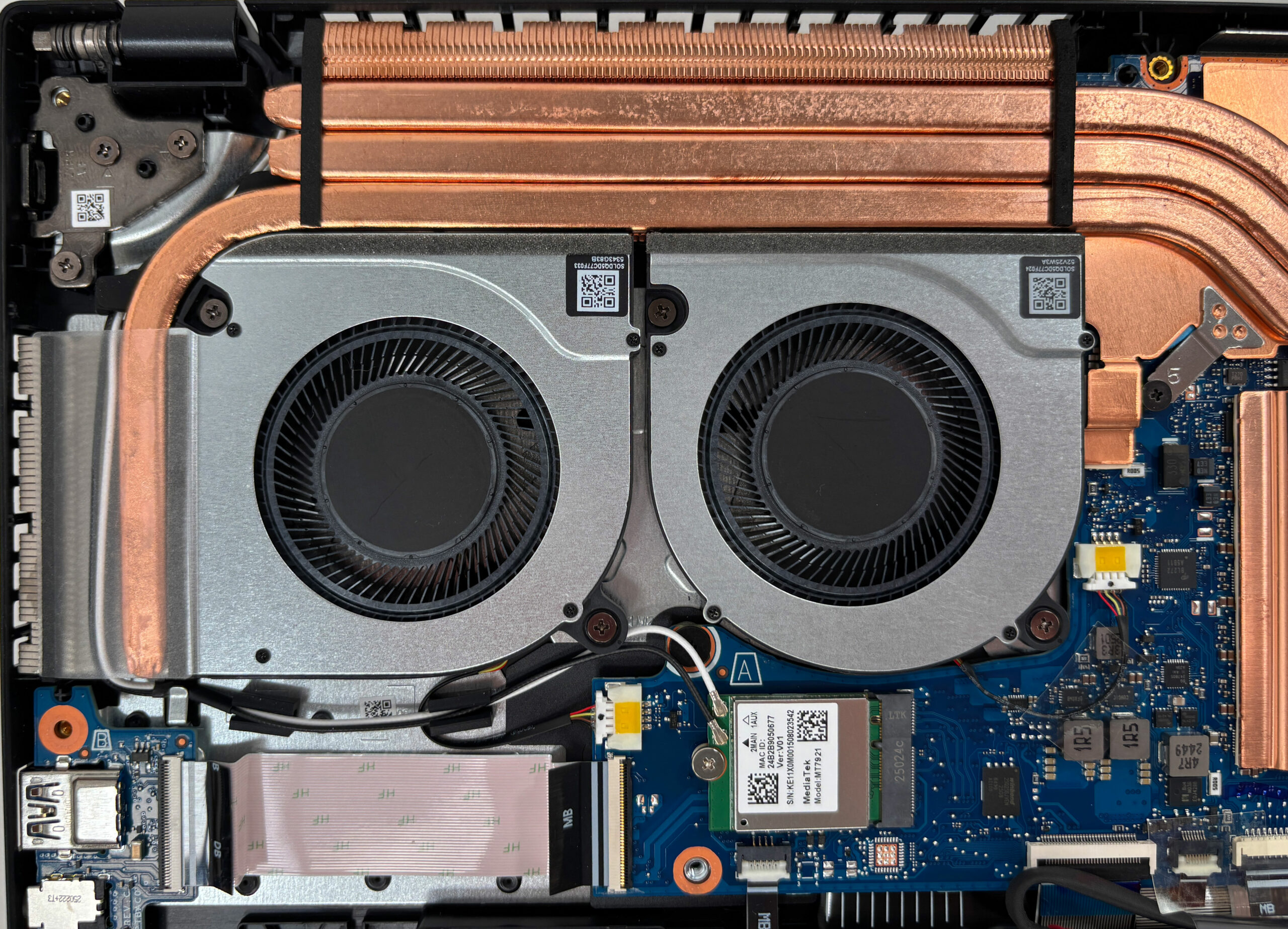
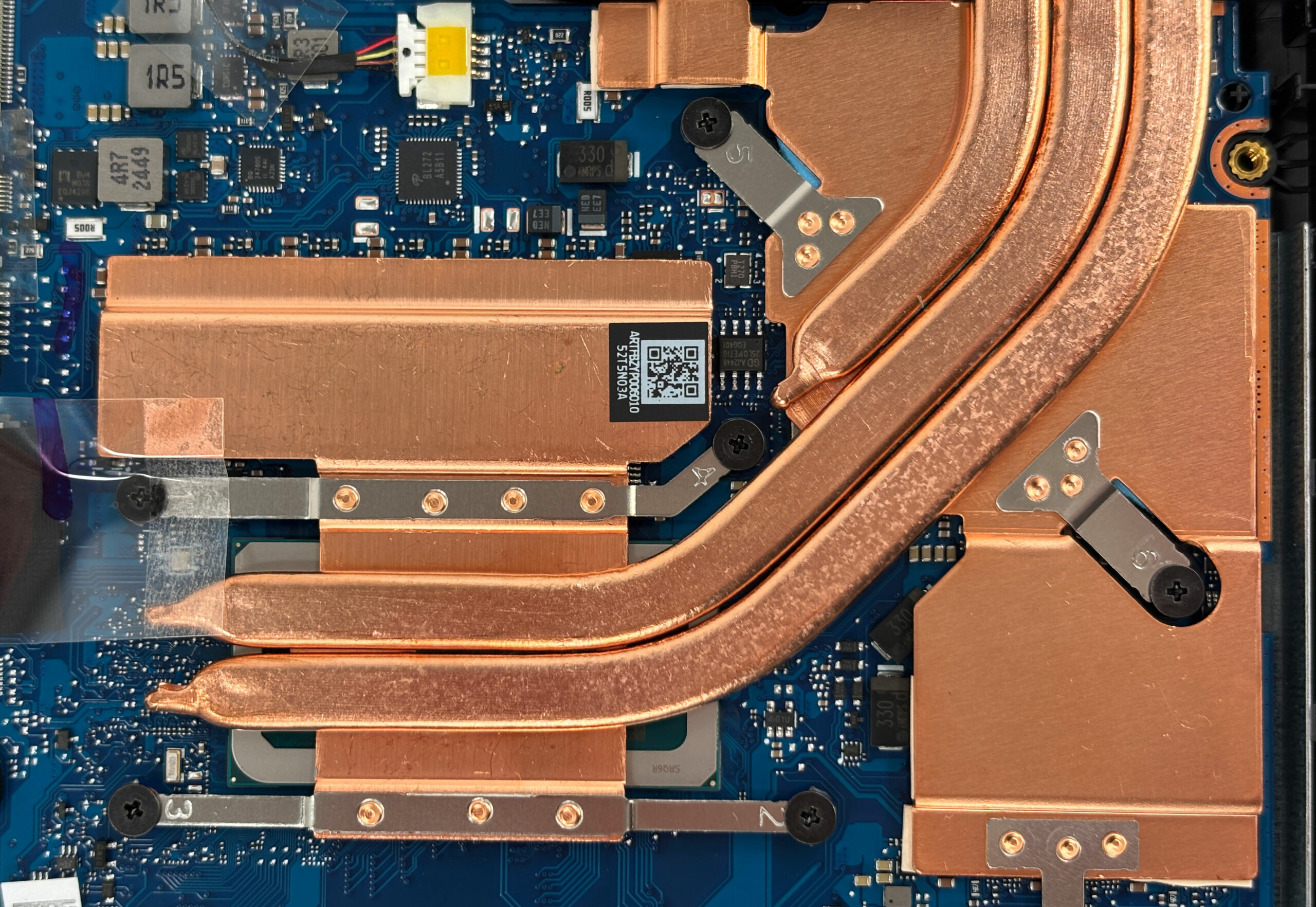
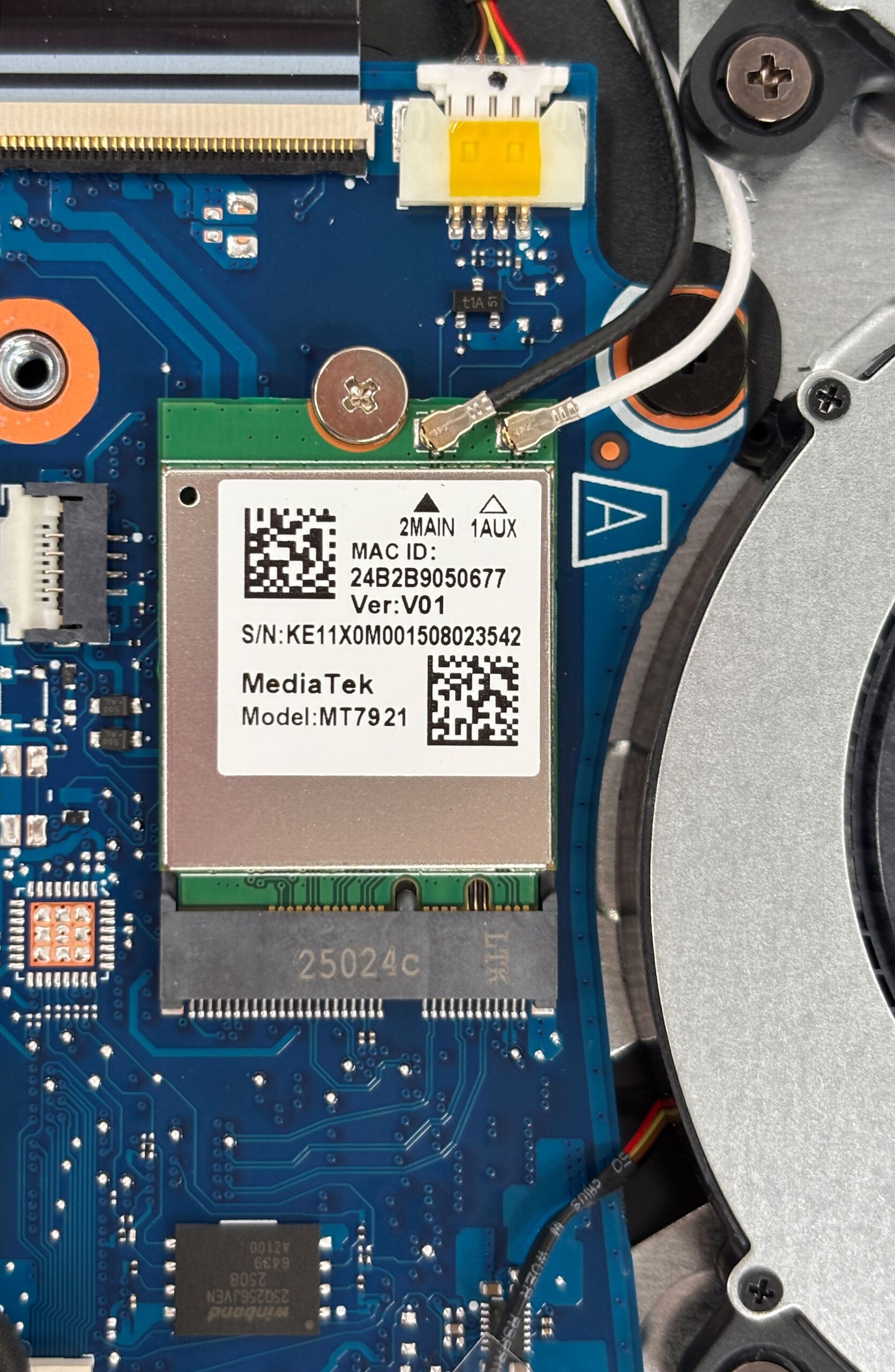
Other replaceable parts include both fans, the speakers, and the coin-cell RTC battery. The hinge brackets are sturdy and well anchored to the chassis.
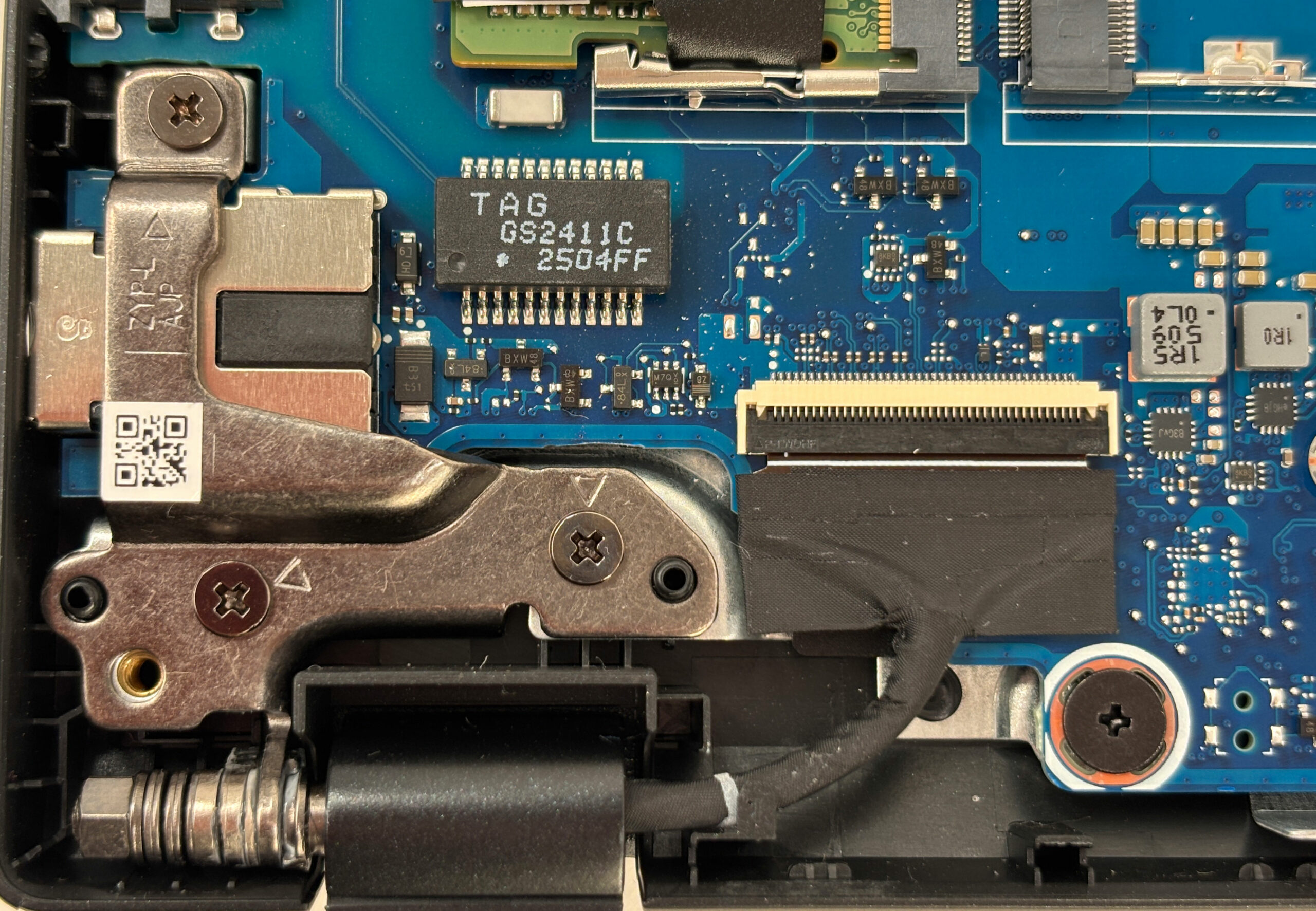
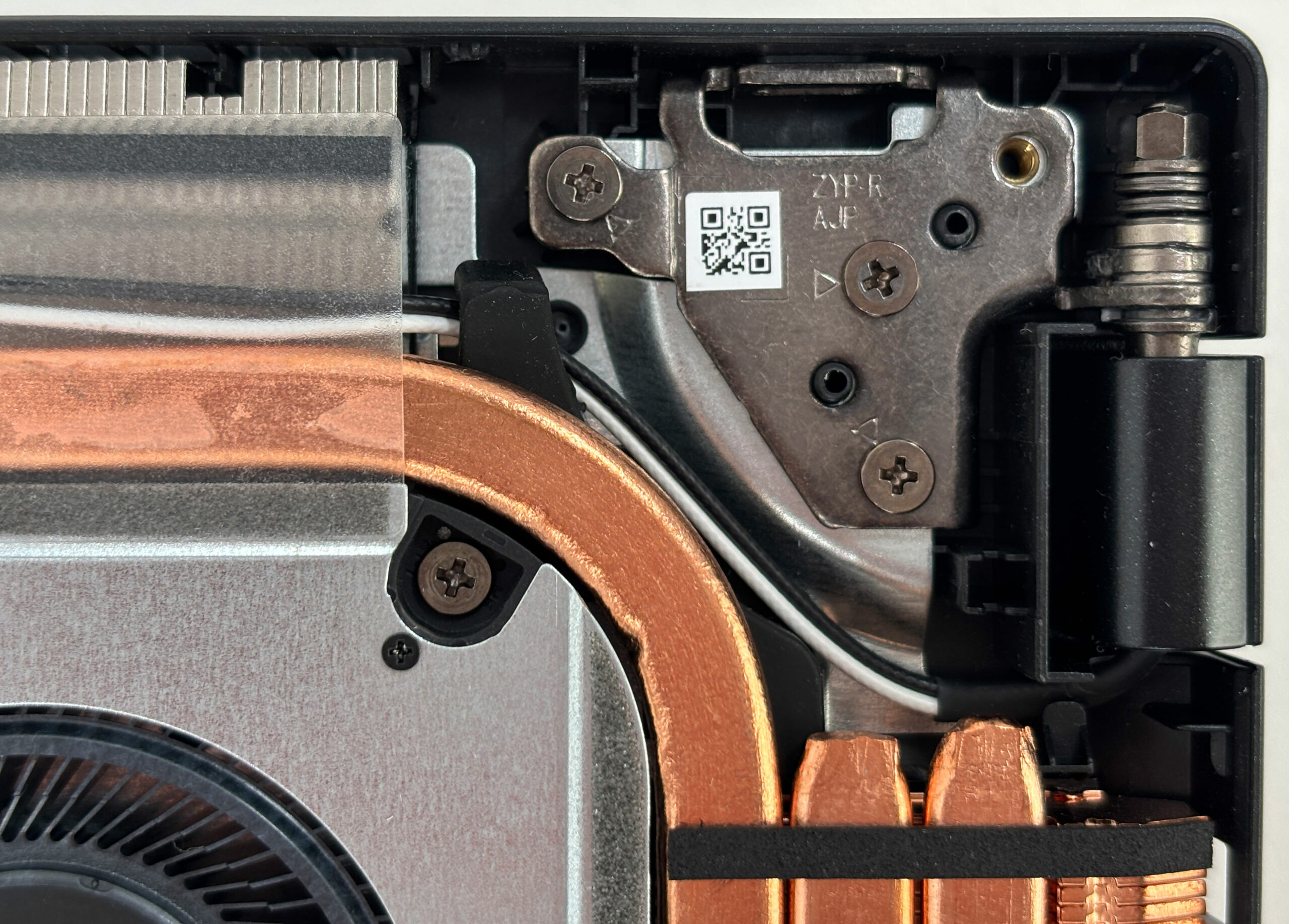
Overall, the Nitro V 15 offers straightforward maintenance with easy access to RAM, storage, wireless, and the battery, plus a robust dual-fan cooling system.
Acer Nitro V 15 (ANV15-52) in-depth review
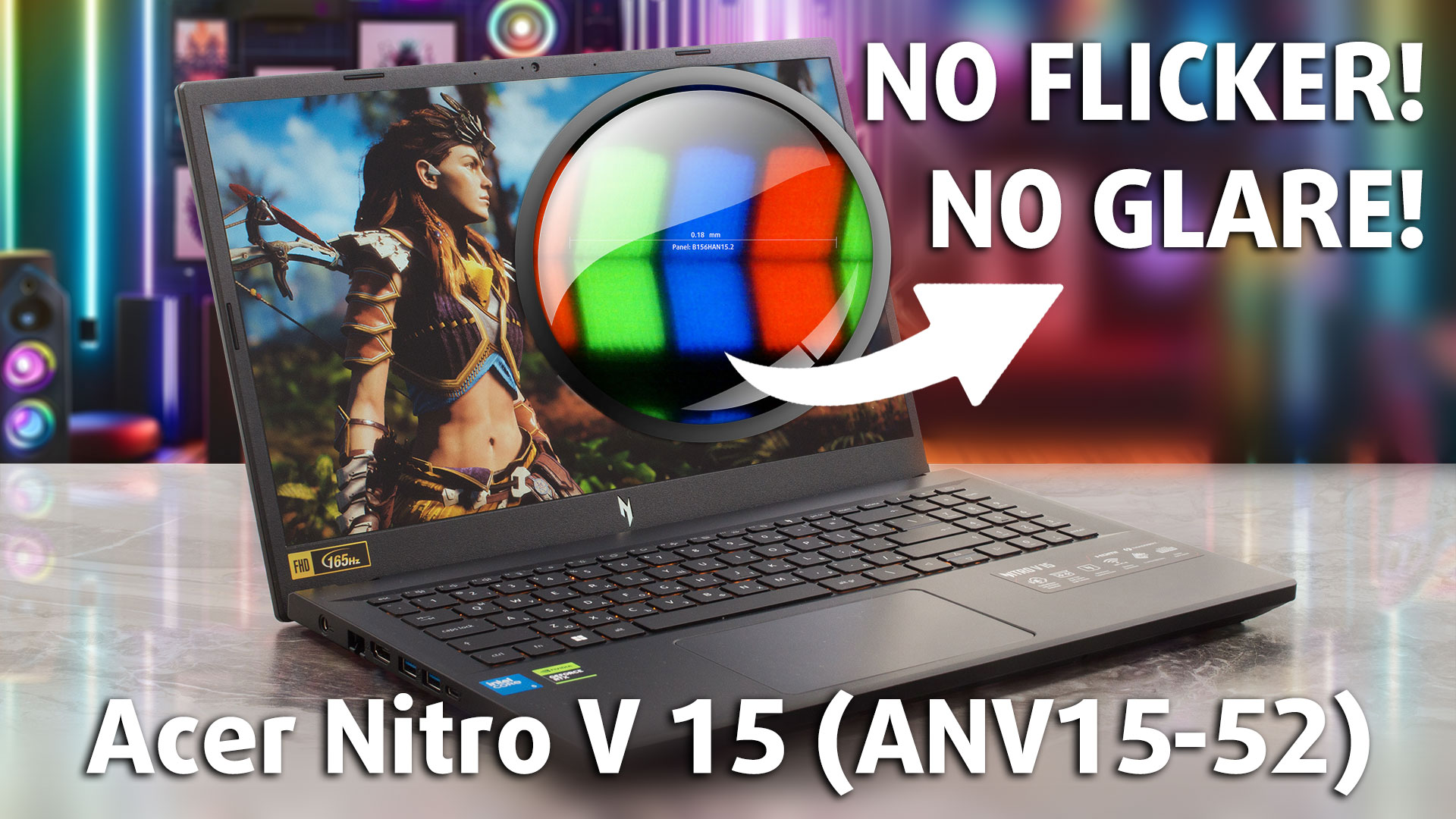
The Acer Nitro V 15 (ANV15-52) is a textbook example of a gateway to PC gaming. It’s a no-frills machine built with a clear mission: to deliver a solid, stable 1080p gaming experience without costing a fortune. To achieve this, Acer has made some very deliberate sacrifices in areas like the display's color and battery life. The result is a laptop that offers surprising performance and some thoughtful features for its price, but it’s a machine of clear compromises. The real question is, does it strike the right balance for a new gamer, or do the cuts run too deep?You can check the p[...]
Pros
- Excellent 1080p gaming performance for the price
- Superb thermal management keeps the GPU cool and stable
- Fantastic upgrade options with 2x RAM and 2x M.2 slots
- Great port selection, including a Thunderbolt 4 port
- PWM-free display with a very effective anti-glare finish
- Fingerprint-resistant chassis
Cons
- Display has very poor color coverage (54% sRGB)
- Very poor battery life
- Extremely loud under load
- No physical camera shutter or fingerprint reader
 Author: Dimitar Stalev

![[August 2026] Amazon Italy: Top 10 Best-Selling Laptops – Apple MacBook Neo Claims the Crown as Budget and Mid-Range Windows Machines Dominate Volume](https://laptopmedia.com/wp-content/uploads/2026/09/Best-Selling-Laptops-IT-Top-10-400x225.jpg)
![[August 2026] Amazon Italy: Top 7 Best-Selling Gaming Laptops – ASUS V16 Claims the #1 Spot Amid Strong Mid-Range Demand](https://laptopmedia.com/wp-content/uploads/2026/09/Best-Selling-Gaming-Laptops-IT-Top-10-400x225.jpg)
![[August 2026] Best-Selling Laptop Brands on Amazon Italy – Lenovo Dominates Market Share and Revenue Leadership](https://laptopmedia.com/wp-content/uploads/2026/09/IT-Best-Brands-400x225.jpg)
![[August 2026] Amazon India: Top 10 Best-Selling Laptops – Apple MacBook Neo Dominates the Charts with Massive Sales Lead](https://laptopmedia.com/wp-content/uploads/2026/09/Best-Selling-Laptops-IN-Top-10-400x225.jpg)
![[August 2026] Amazon India: Top 10 Best-Selling Gaming Laptops – HP Victus 15 Dominates the Market with Massive Unit Lead](https://laptopmedia.com/wp-content/uploads/2026/09/Best-Selling-Gaming-Laptops-IN-Top-10-400x225.jpg)
