How to open Acer Predator Helios 16 AI (PH16-73) – disassembly and upgrade options

Step 1: Opening the Acer Predator Helios 16 AI (PH16-73)
- Power off the laptop and place it on a soft surface.
- Undo 10 Torx T6 screws from the bottom panel.
- Use a plastic pry tool to work around the edges until the panel separates from the base.
- Lift the bottom plate to reveal the internals.
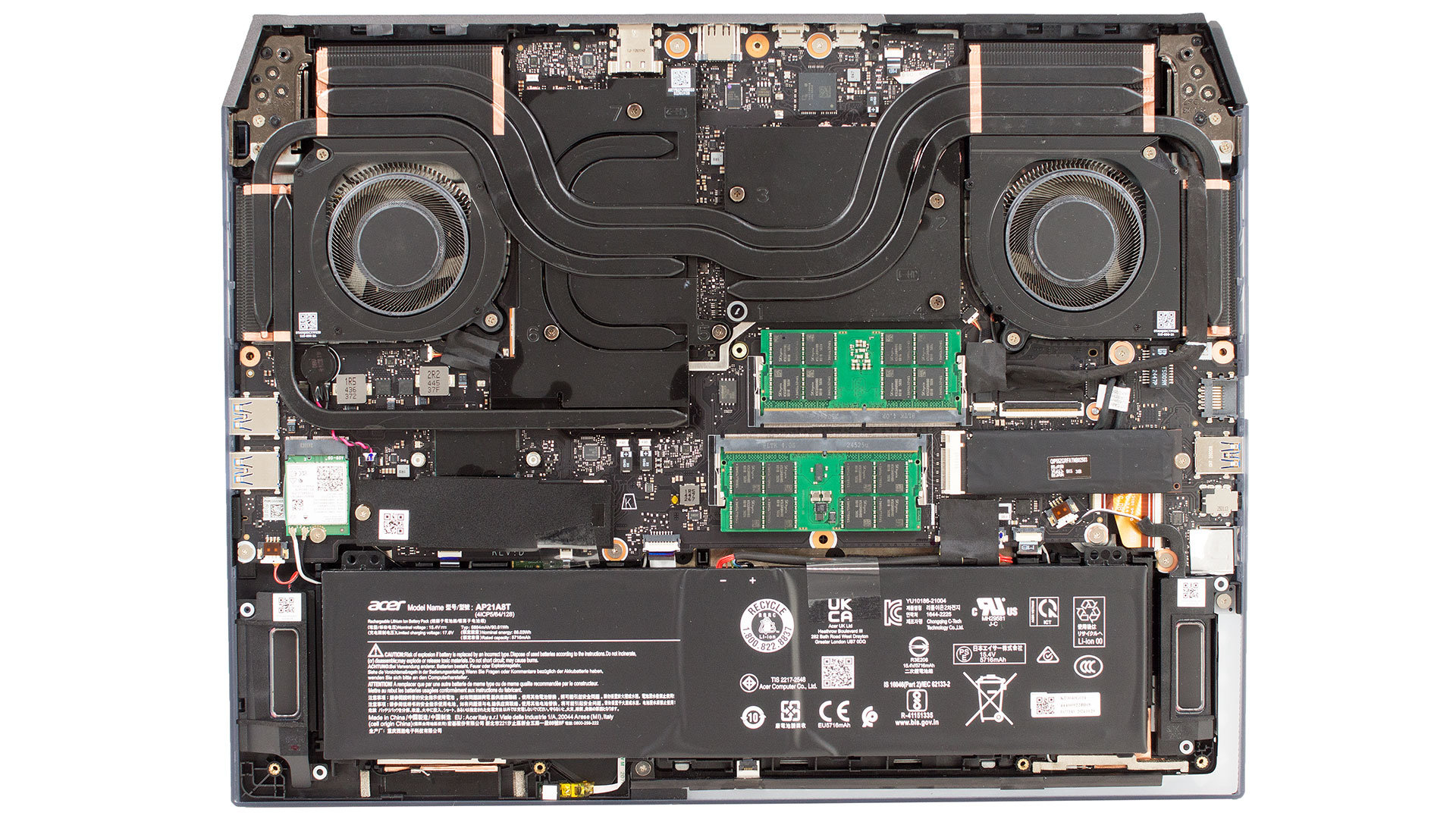
Battery
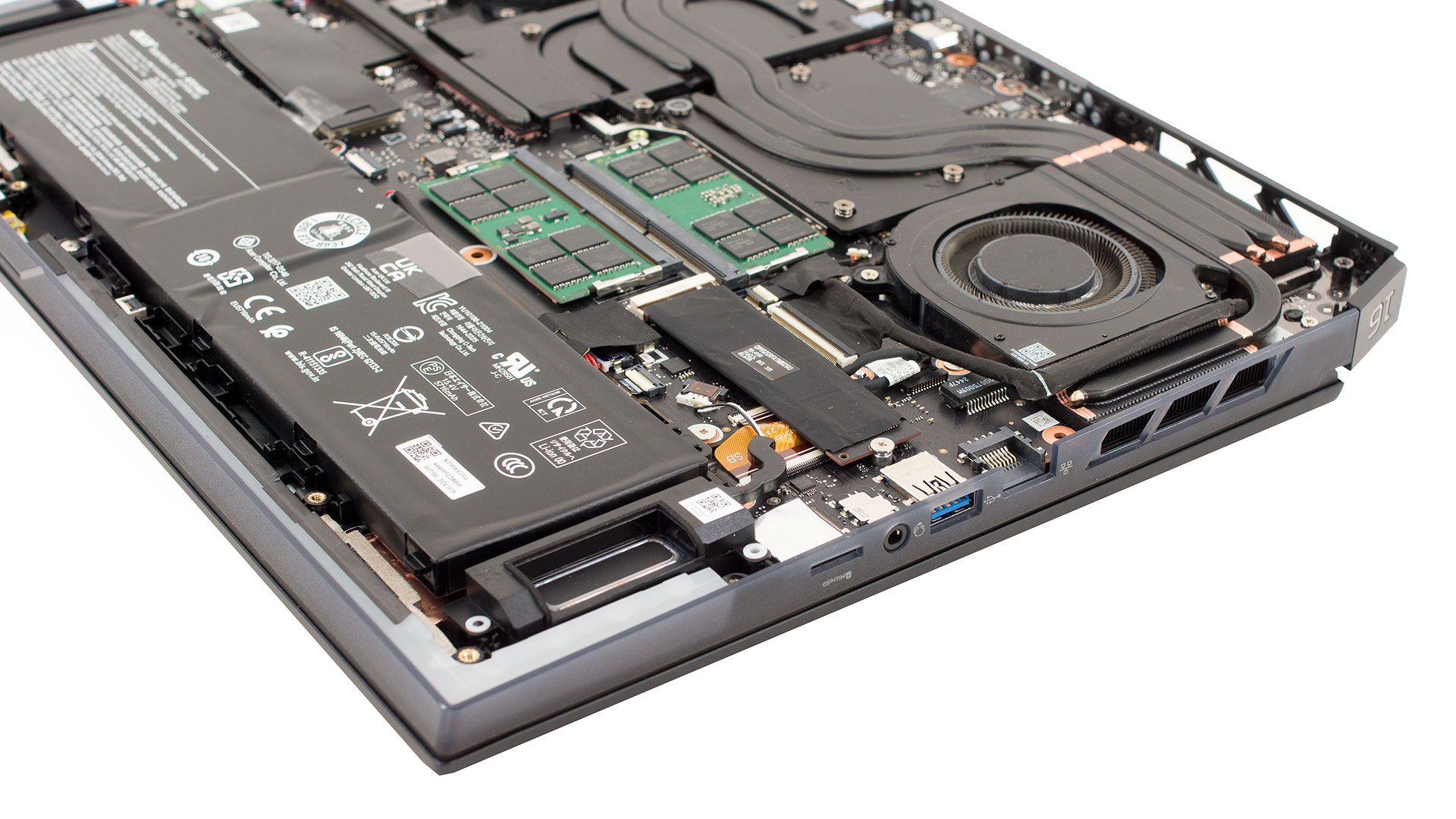
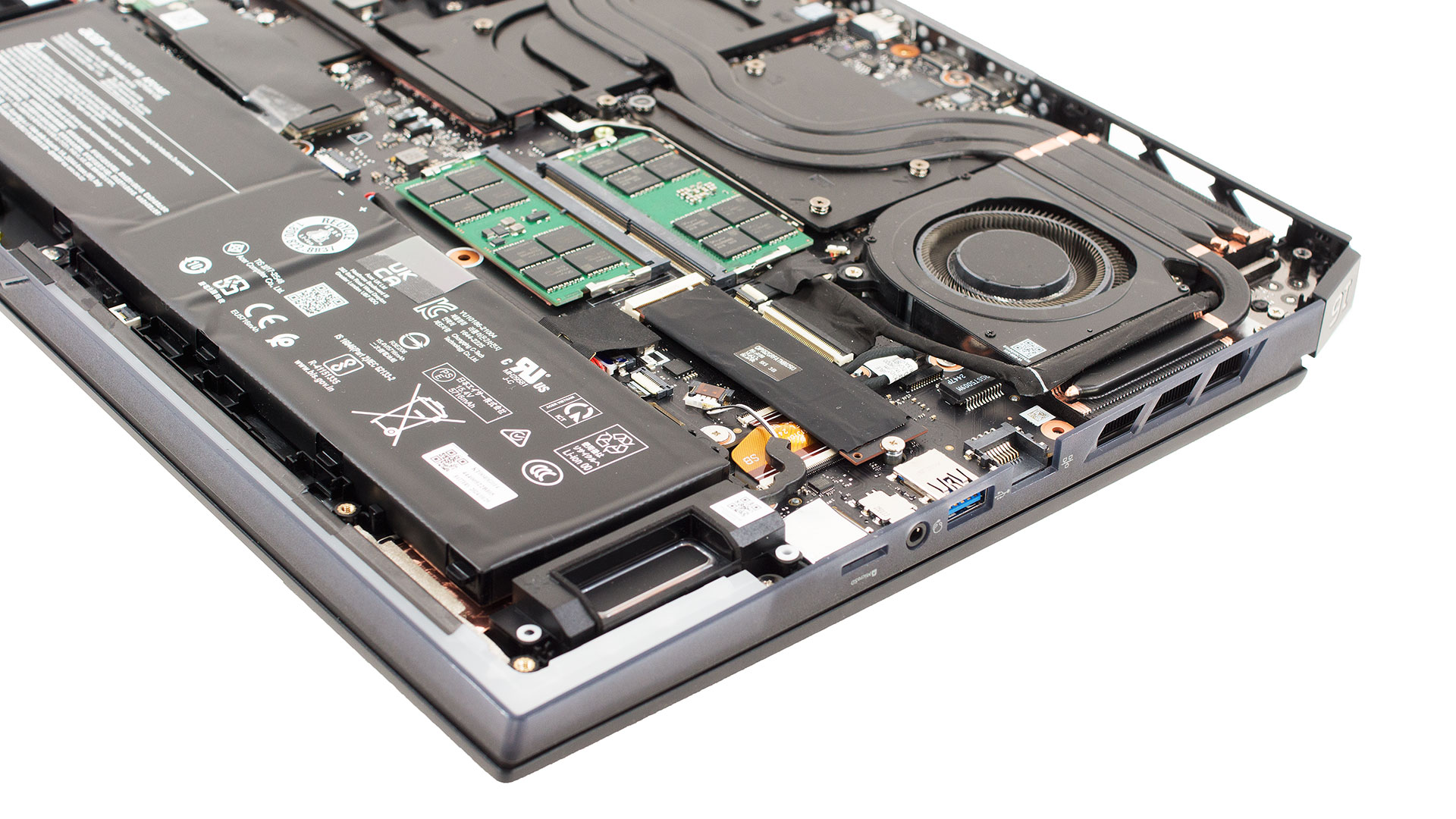
- The 90 Wh four-cell battery spans the front edge of the chassis.
- It is secured only by its connector—once unplugged, the pack lifts straight out.
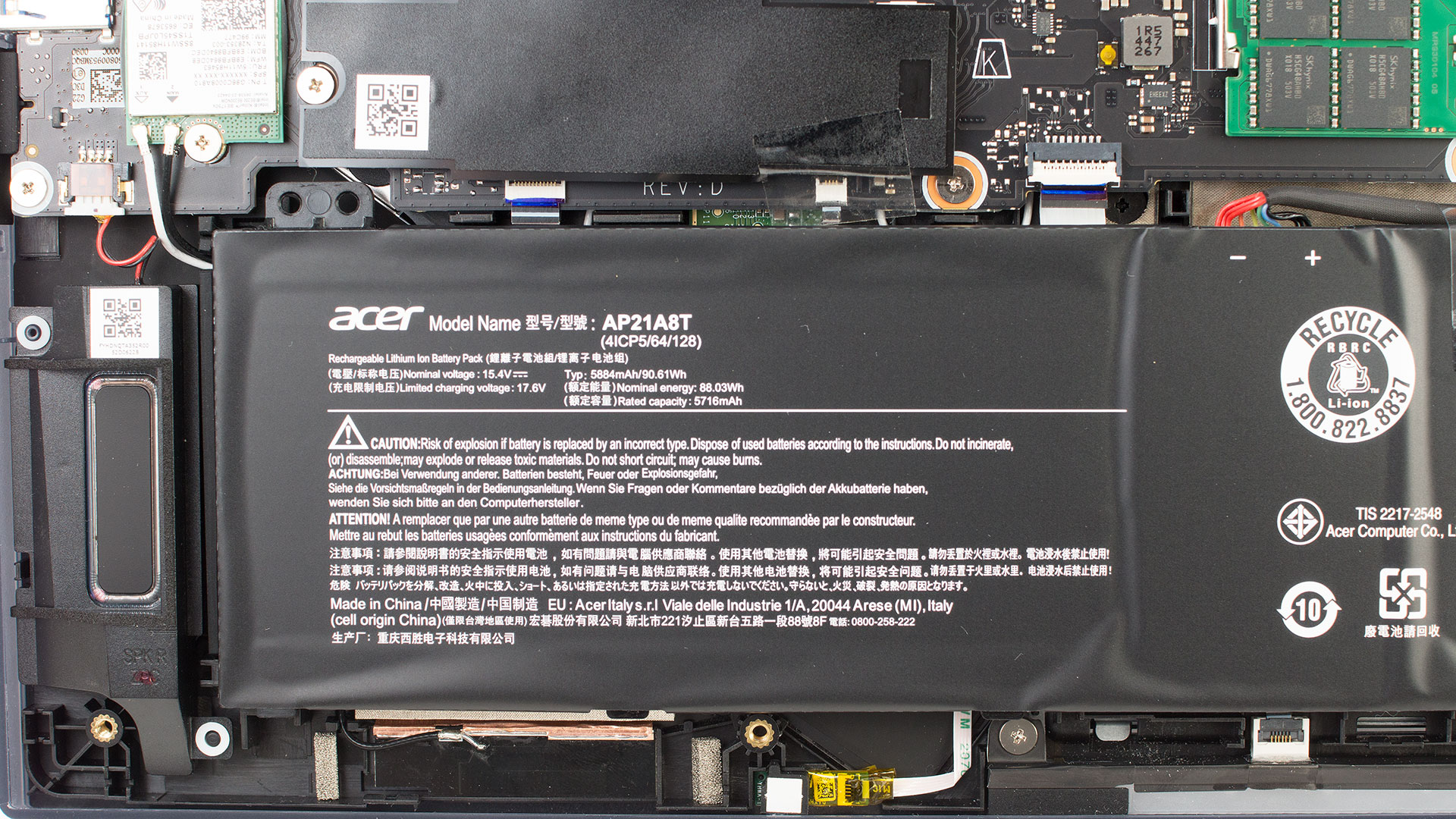
Memory Upgrades
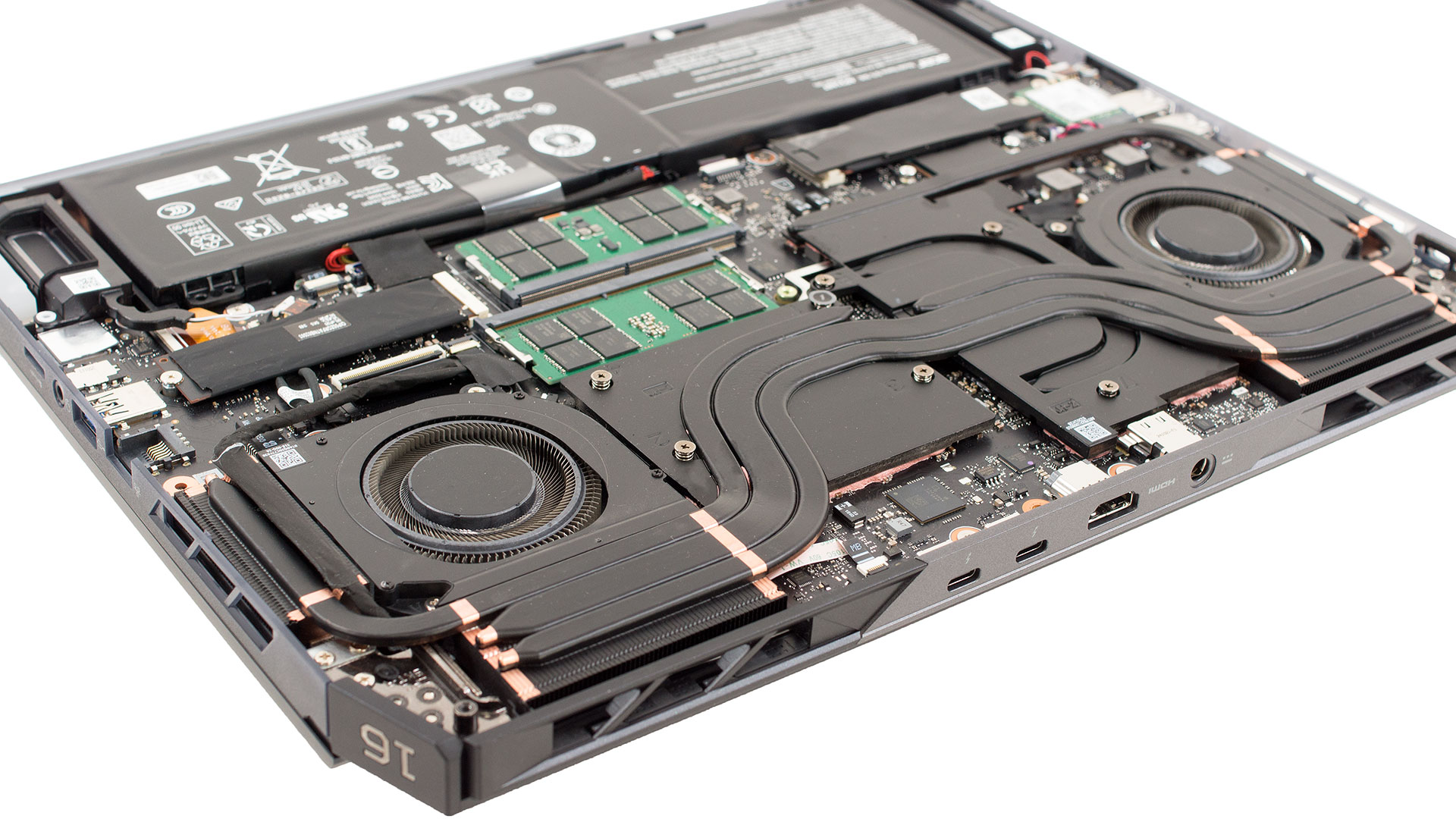
- Two DDR5 SO-DIMM slots are placed between the fans, fully visible and easy to access.
- The slots support up to 64 GB of DDR5-6400 RAM in dual-channel mode (official spec).
You can buy DDR5 SO-DIMM memory here: Buy from Amazon.com (#CommissionsEarned)
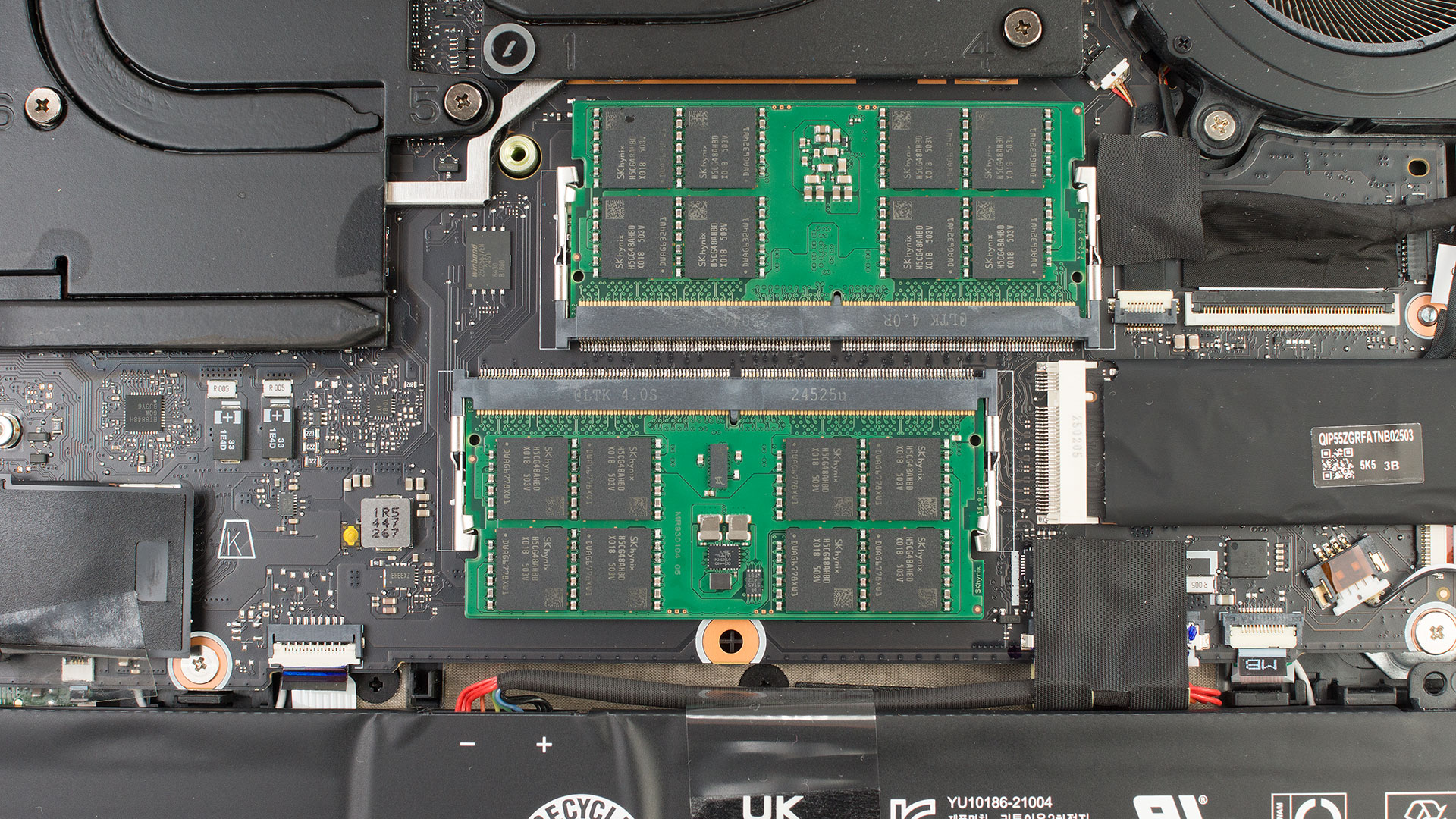
Storage Upgrades
- The main M.2 slot is located to the left of the battery, next to the Wi-Fi card. It supports PCIe Gen 5 NVMe drives.
- A secondary M.2 bay is located on the right side and supports PCIe Gen 4 NVMe SSDs.
- Both slots come with foil EMI covers and pre-applied thermal pads. The covers can be peeled back partially to preserve pad alignment.
- Officially, each slot supports SSDs up to 2 TB in size.
Hint: Don’t forget to check our Top M.2 SSDs Performance Rankings for the best storage options.
You can buy Gen 5 SSDs here: Buy from Amazon.com (#CommissionsEarned)
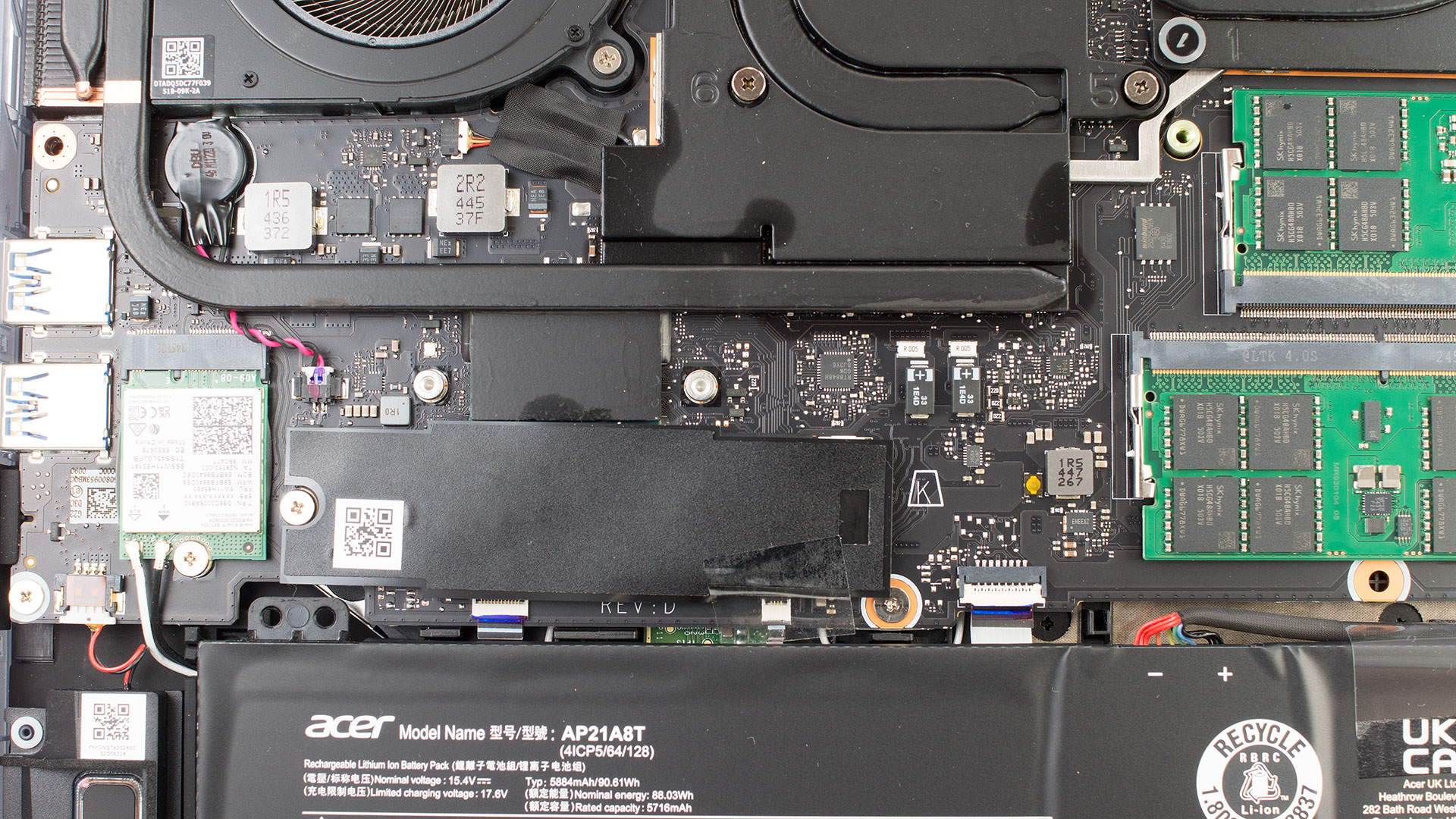
Wireless Connectivity
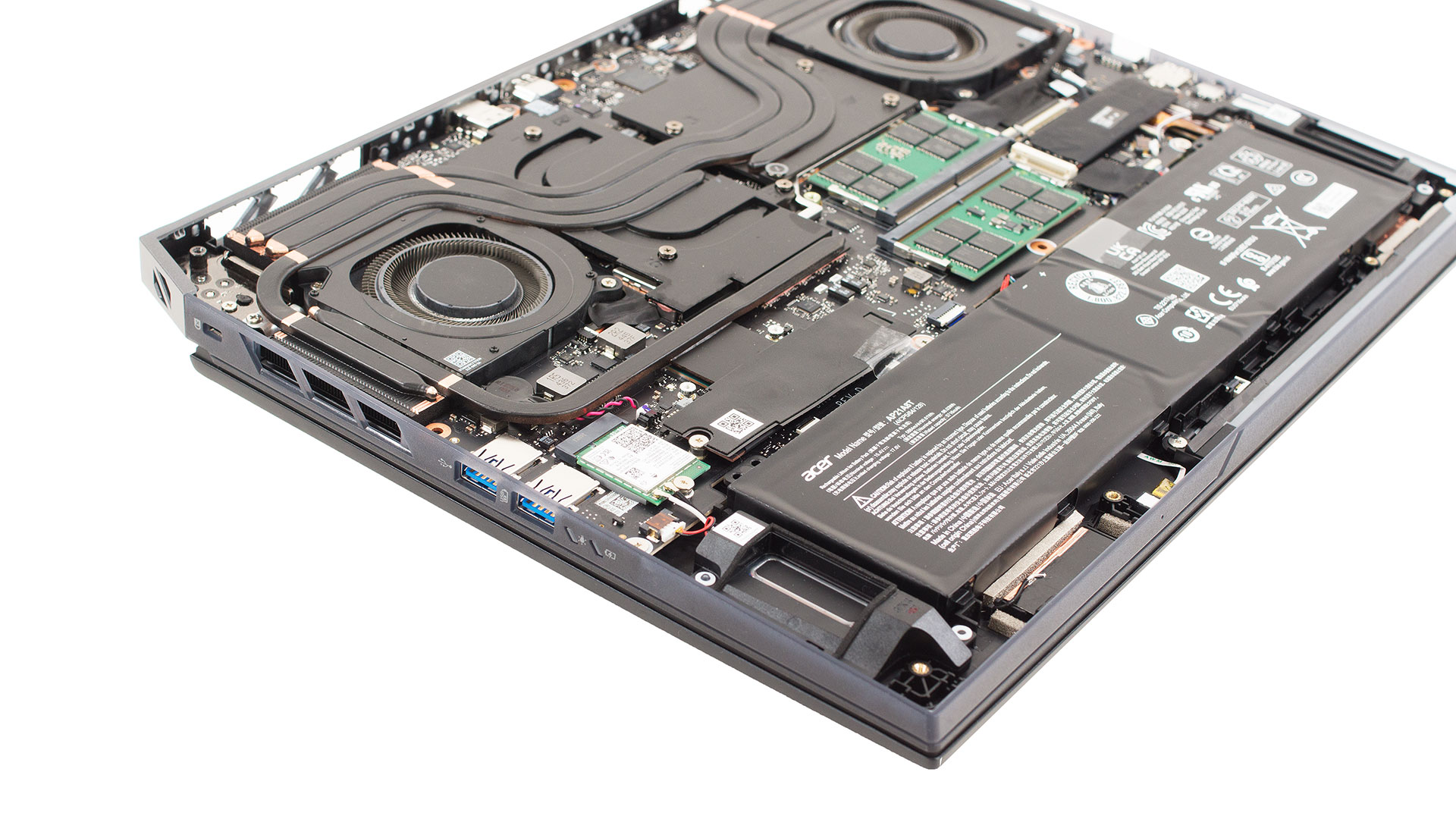
- The laptop uses an Intel Killer Wi-Fi 7 card in a standard M.2 2230 form factor.
- It is secured by a single screw and two antenna leads, making upgrades or replacements easy.
Cooling System
- The Helios 16 AI uses two 6th-gen AeroBlade 3D fans, designed to push ~20% more air than the previous generation.
- Three thick copper heat pipes run over the CPU, GPU, and VRM plates before leading into wide fin stacks at the rear.
- Dual exhaust vents at the back expel hot air, while numerous cut-outs in the bottom plate feed fresh air into the system.
Audio
- The stereo speaker boxes are positioned in the front corners of the chassis.
Summary: The Predator Helios 16 AI (PH16-73) offers excellent upgradeability with socketed memory, dual NVMe slots (Gen 5 + Gen 4), and a user-replaceable Wi-Fi 7 card, while the large 90 Wh battery and advanced cooling ensure long runtimes and sustained performance.
Acer Predator Helios 16 AI (PH16-73) in-depth review
The Acer Predator Helios 16 AI (PH16-73) isn't just another gaming laptop; it's a declaration of dominance. Acer has thrown everything but the kitchen sink into this machine: a flagship NVIDIA RTX 5090, a breathtaking 240Hz OLED display, and next-generation connectivity like Thunderbolt 5. It’s a machine built to be the best, seemingly without compromise, wrapping top-of-the-line specs in a surprisingly well-managed thermal package. But does stacking the spec sheet this high translate to the ultimate, real-world gaming experience? We pushed this beast to its limits to see if it truly liv[...]
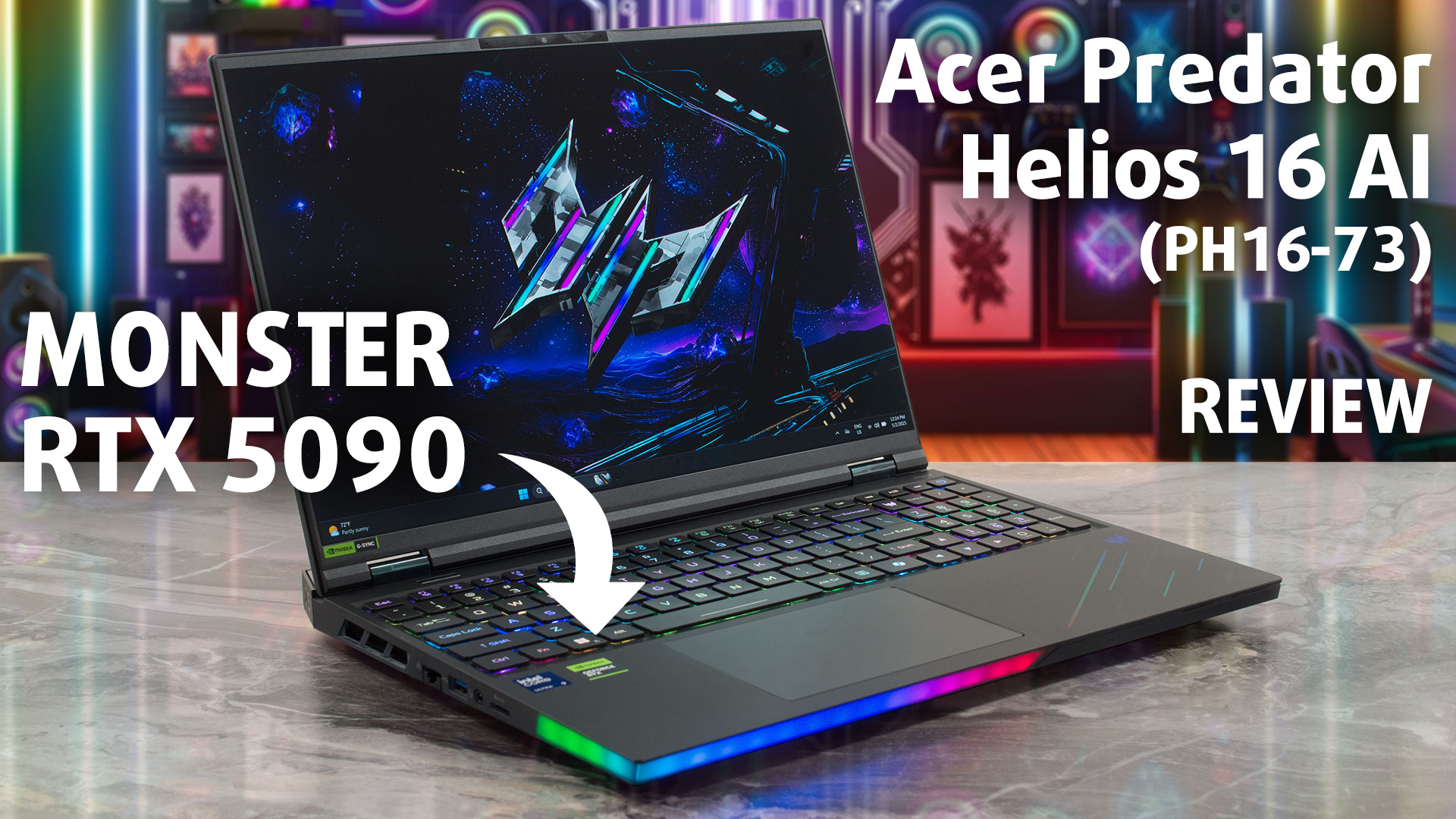
Pros
- Absolutely top-tier CPU and GPU performance
- Stunning 240Hz OLED display with 100% DCI-P3 coverage
- Future-proof connectivity with two Thunderbolt 5 ports and Wi-Fi 7
- Very good battery life for a high-performance gaming laptop
- Excellent upgradeability with dual RAM and dual M.2 slots (+ PCIe Gen 5!)
- Comfortable keyboard with a NumPad and swappable MagKeys
Cons
- The OLED screen is extremely glossy
- Uses PWM for brightness control, which may affect sensitive users
- No physical privacy shutter for the webcam
 Author: Dimitar Stalev

![[August 2026] Amazon USA: Top 10 Best-Selling Laptops – Apple MacBook Neo Dominates the Market with Massive Unit Sales!](https://laptopmedia.com/wp-content/uploads/2026/09/Best-Selling-Laptops-COM-Top-10-400x225.jpg)
![[August 2026] Amazon USA: Top 10 Best-Selling Gaming Laptops – ASUS ROG Strix G16 Dominates the Market with Massive Unit Sales](https://laptopmedia.com/wp-content/uploads/2026/09/Best-Selling-Gaming-Laptops-COM-Top-10-400x225.jpg)
![[July 2026] Amazon Global: Top 10 Best-Selling Laptops – Apple MacBook Neo Dominates the Charts as Budget and Premium Notebooks Split the Market](https://laptopmedia.com/wp-content/uploads/2026/08/Best-Selling-Laptops-GLOBAL-Top-10-400x225.jpg)
![[July 2026] Amazon Global: Top 10 Best-Selling Gaming Laptops – ASUS ROG Strix G16 Dominates the Global Market with Record-Breaking Unit Sales](https://laptopmedia.com/wp-content/uploads/2026/08/Best-Selling-Gaming-Laptops-GLOBAL-Top-10-400x225.jpg)
![[July 2026] Global Ranking of Best-Selling Laptop GPUs on Amazon – RTX 5060 Dominate Premium, Intel Still Rules Budget](https://laptopmedia.com/wp-content/uploads/2026/08/Best-Selling-GPUs-GLOBAL-Top-10-400x225.jpg)
