How to open Acer Predator Helios Neo 16 AI (PHN16-73) – disassembly and upgrade options
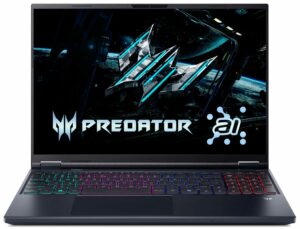
Opening the device
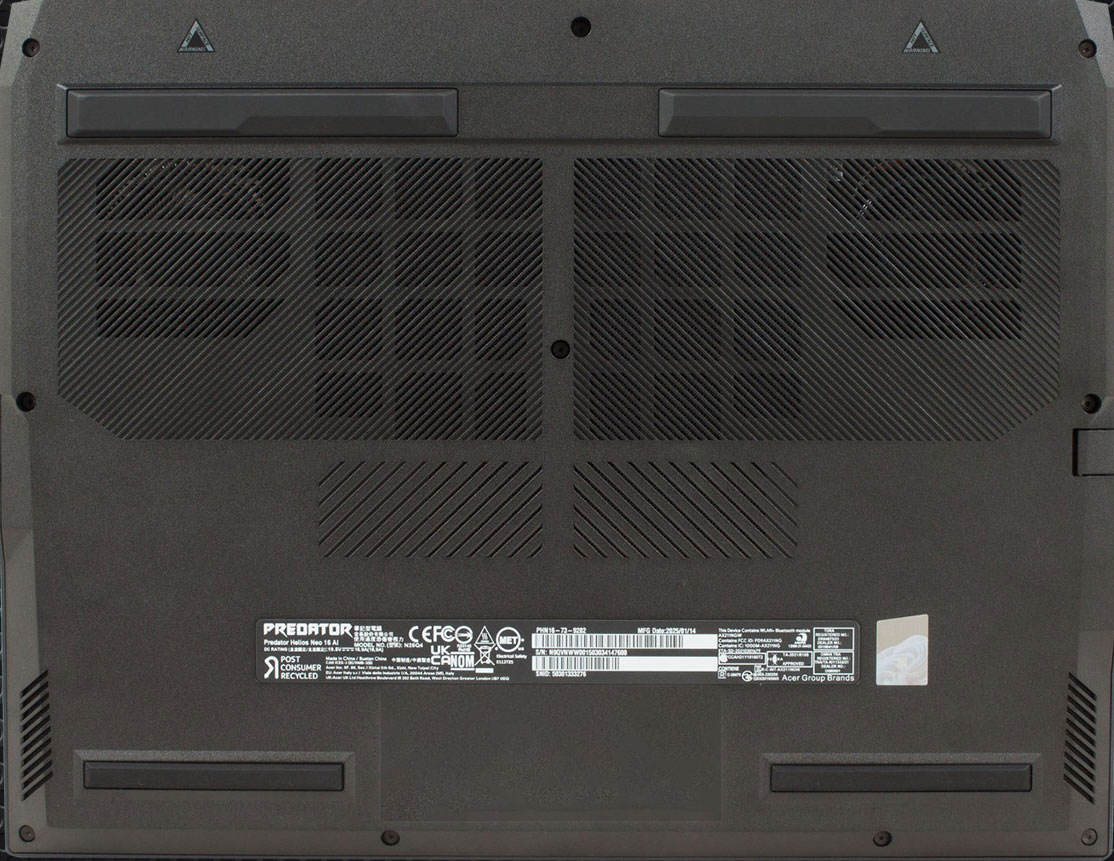
Hint: Use a Torx T6 screwdriver and a plastic pry tool to avoid scratching the chassis.
- Remove the ten Torx T6 screws from the bottom panel.
- Release the clips around the perimeter using a plastic tool.
- Lift the panel away to expose the internals.
Battery removal
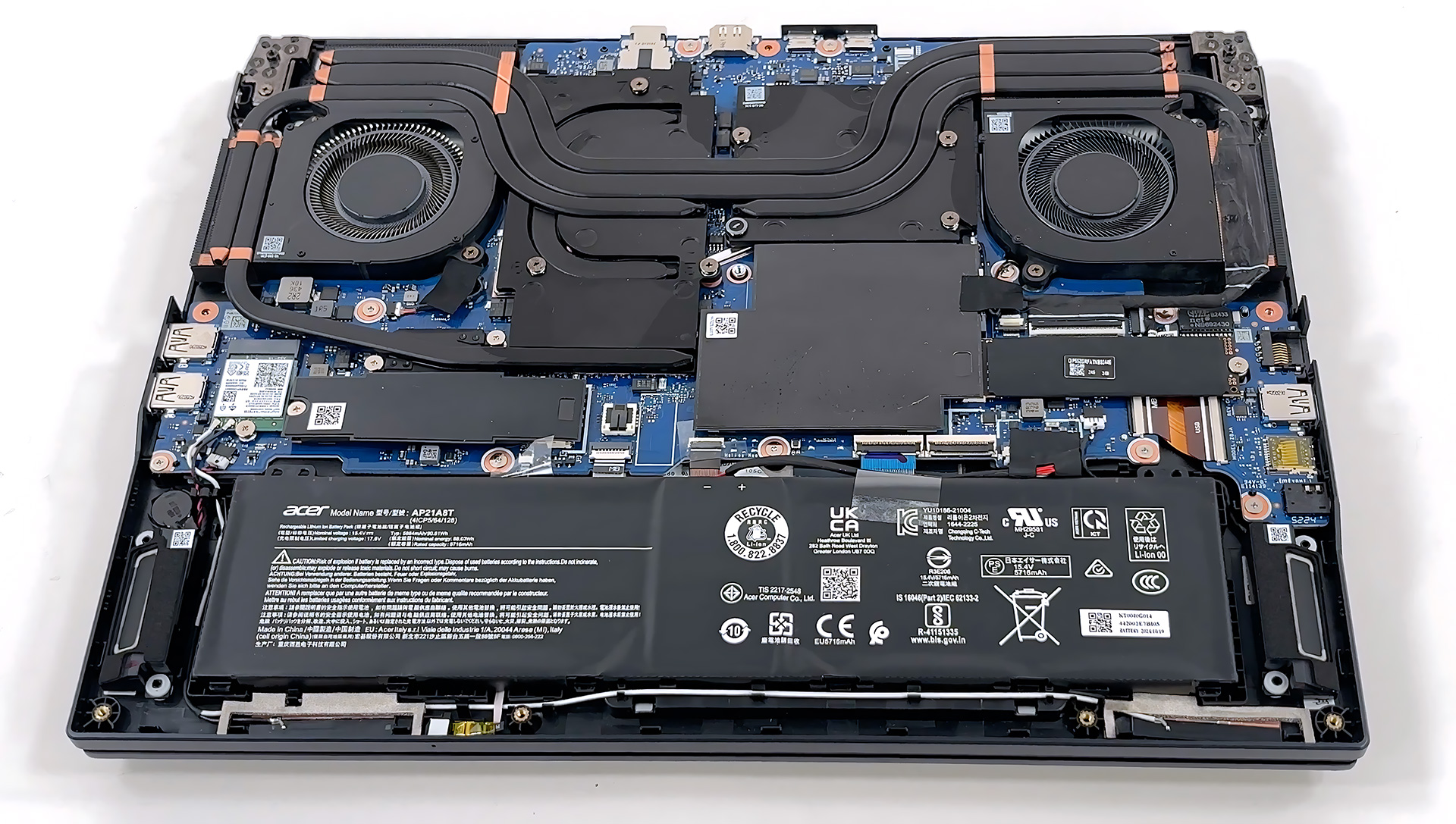
Caution: The 90 Wh battery has exposed cells—handle carefully to avoid puncturing.
- Locate the four-cell 90 Wh battery pack in the lower section.
- Disconnect the battery cable from the motherboard.
- Lift the battery free of the frame—no brackets or screws secure it.
Memory upgrade
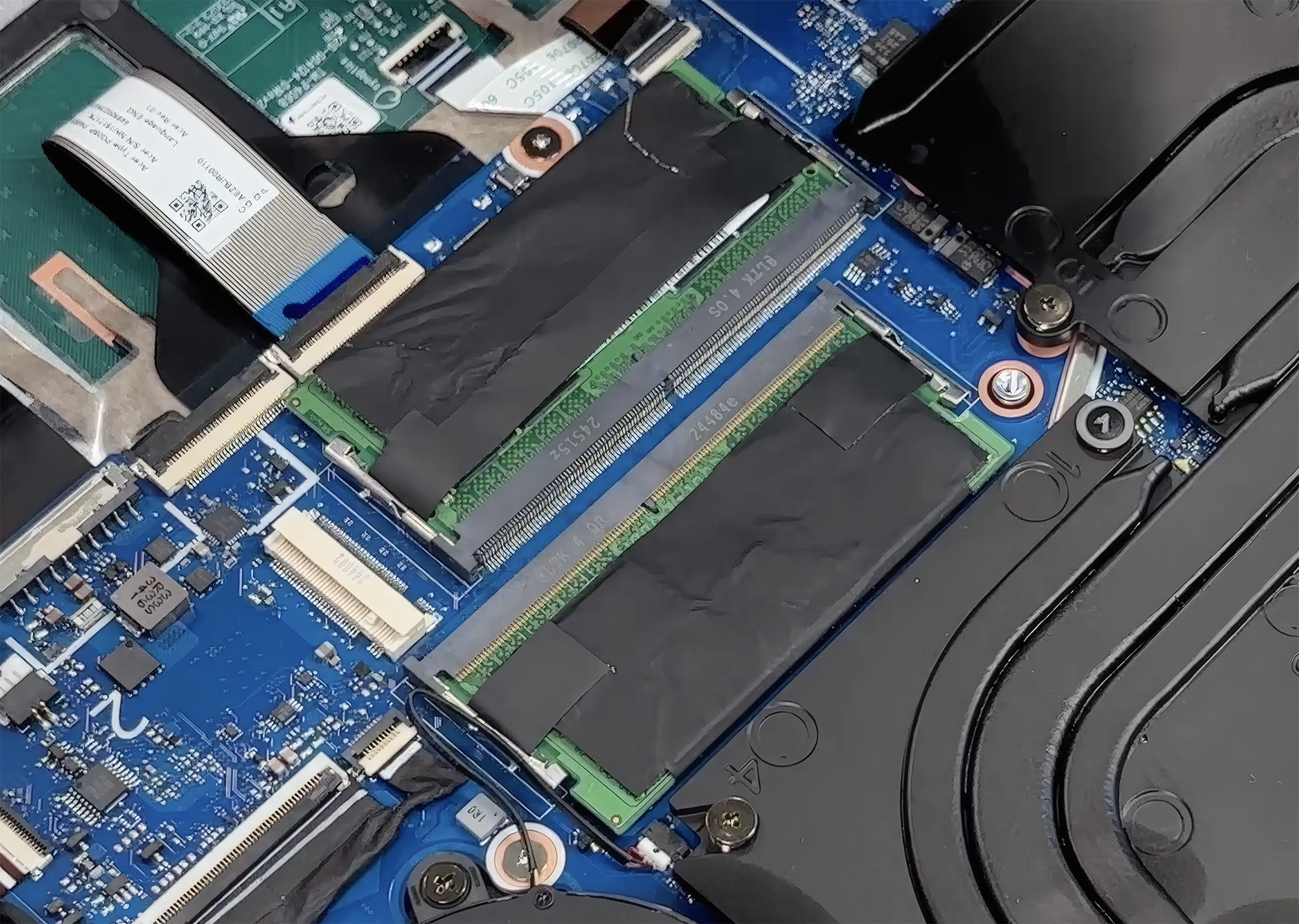
Hint: Install two identical RAM sticks to benefit from dual-channel performance.
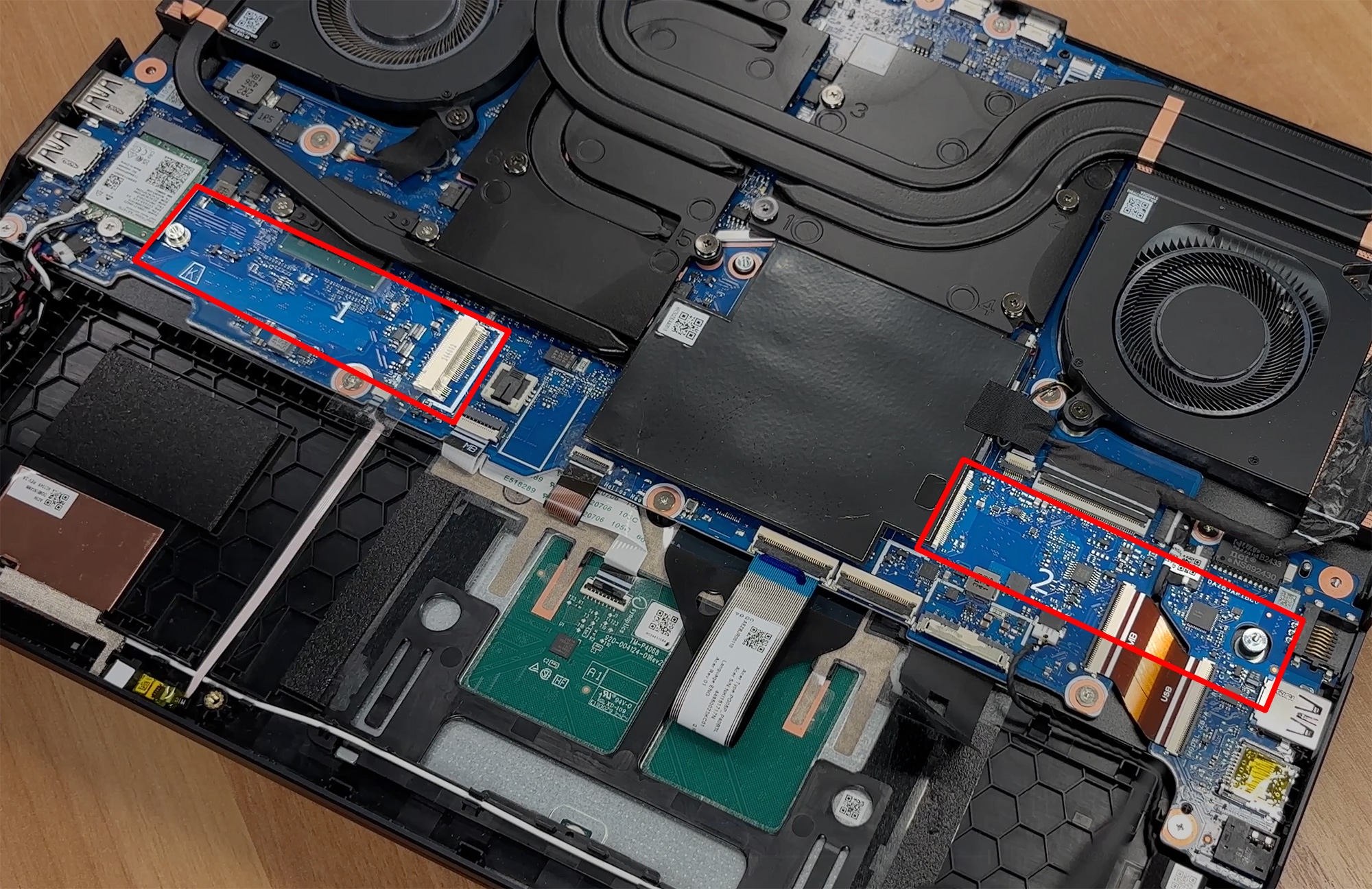
- Locate the two SO-DIMM slots under the EMI shield.
- Push the retaining clips aside to release the current modules.
- Insert new DDR5 sticks at an angle, then press down until they click.
More info: The system supports up to 64 GB of DDR5 RAM at speeds up to 6400 MT/s.
You can buy compatible RAM modules here: Buy from Amazon.com (#CommissionsEarned)
Storage upgrade
Hint: Don’t forget to check out our Top M.2 SSDs Performance Rankings for insights on the best storage options available.
- Locate the two full-length M.2 PCIe Gen4 slots.
- Remove the EMI shield covering the slot you wish to use.
- Insert the new SSD into the slot and secure it with the retention screw.
- Reapply the EMI shield to ensure proper heat spreading.
More info: Each slot supports up to 2 TB drives.
You can buy compatible SSDs here: Buy from Amazon.com (#CommissionsEarned)
Cooling system overview
The cooling solution includes:
- Two fifth-generation AeroBlade 3D fans.
- Four shared copper heat pipes spanning CPU and GPU.
- Liquid-metal thermal compound applied to the CPU.
- Side and rear fin stacks for heat dissipation.
More info: The wireless card (Intel Wi-Fi 6E 1675i in M.2 2230 format) is replaceable, as are the fans and heatsink assembly, allowing for straightforward maintenance and upgrades.
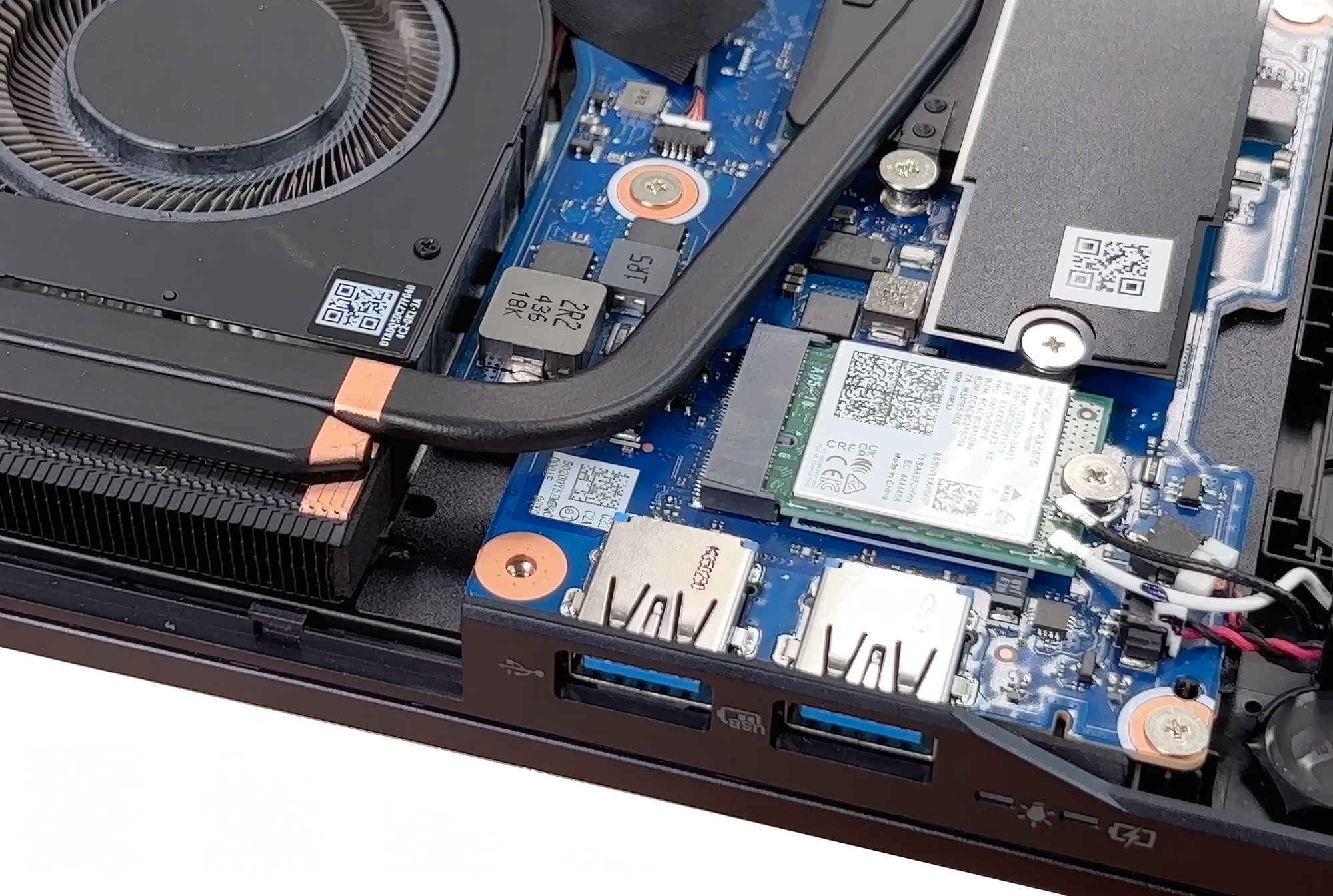
With socketed RAM, dual Gen‑4 SSD slots, a removable wireless card and an unsecured battery, the Helios Neo offers refreshingly good upgradeability for a modern gaming laptop, and the cooling assembly is accessible for routine maintenance.
Acer Predator Helios Neo 16 AI (PHN16-73) in-depth review
The Acer Predator Helios Neo 16 AI (PHN16-73) arrives as a compelling contender in the high-performance gaming laptop space, aiming to strike that elusive sweet spot between raw power, a premium feel, and a manageable form factor. On paper, it's a winner, centered around a spectacular 240Hz OLED display that promises a top-tier visual experience. However, this machine is a true paradox. As we discovered, its greatest strength, that beautiful screen, is also the source of its most significant and frustrating flaws. This is a story of a laptop that gets so much right, yet stumbles badly on t[...]
Pros
- Stunning 240Hz OLED display with 100% DCI-P3 coverage
- Excellent and stable gaming performance
- Fantastic upgradeability with two RAM and two M.2 slots
- Great port selection, including a Thunderbolt 4 port
- Comfortable keyboard with full-sized arrow keys and a NumPad
- Premium-feeling and chic design
Cons
- Extremely reflective glossy screen, one of the worst measured + PWM for brightness control, bad for eye-safety
- Mediocre battery life for a 90Wh capacity
- No physical privacy shutter for the webcam
 Author: Dimitar Stalev

![[August 2026] Amazon Italy: Top 10 Best-Selling Laptops – Apple MacBook Neo Claims the Crown as Budget and Mid-Range Windows Machines Dominate Volume](https://laptopmedia.com/wp-content/uploads/2026/09/Best-Selling-Laptops-IT-Top-10-400x225.jpg)
![[August 2026] Amazon Italy: Top 7 Best-Selling Gaming Laptops – ASUS V16 Claims the #1 Spot Amid Strong Mid-Range Demand](https://laptopmedia.com/wp-content/uploads/2026/09/Best-Selling-Gaming-Laptops-IT-Top-10-400x225.jpg)
![[August 2026] Best-Selling Laptop Brands on Amazon Italy – Lenovo Dominates Market Share and Revenue Leadership](https://laptopmedia.com/wp-content/uploads/2026/09/IT-Best-Brands-400x225.jpg)
![[August 2026] Amazon India: Top 10 Best-Selling Laptops – Apple MacBook Neo Dominates the Charts with Massive Sales Lead](https://laptopmedia.com/wp-content/uploads/2026/09/Best-Selling-Laptops-IN-Top-10-400x225.jpg)
![[August 2026] Amazon India: Top 10 Best-Selling Gaming Laptops – HP Victus 15 Dominates the Market with Massive Unit Lead](https://laptopmedia.com/wp-content/uploads/2026/09/Best-Selling-Gaming-Laptops-IN-Top-10-400x225.jpg)
