How to open Acer Predator Helios Neo 16S AI (PHN16S-71) – disassembly and upgrade options

Step 1: Opening the Acer Predator Helios Neo 16S AI (PHN16S-71)
- Power off the laptop and place it on a stable surface.
- Undo the ten Torx-T6 screws securing the bottom panel.
- Use a thin plastic tool to pry around the perimeter until all clips release, then lift the panel away.
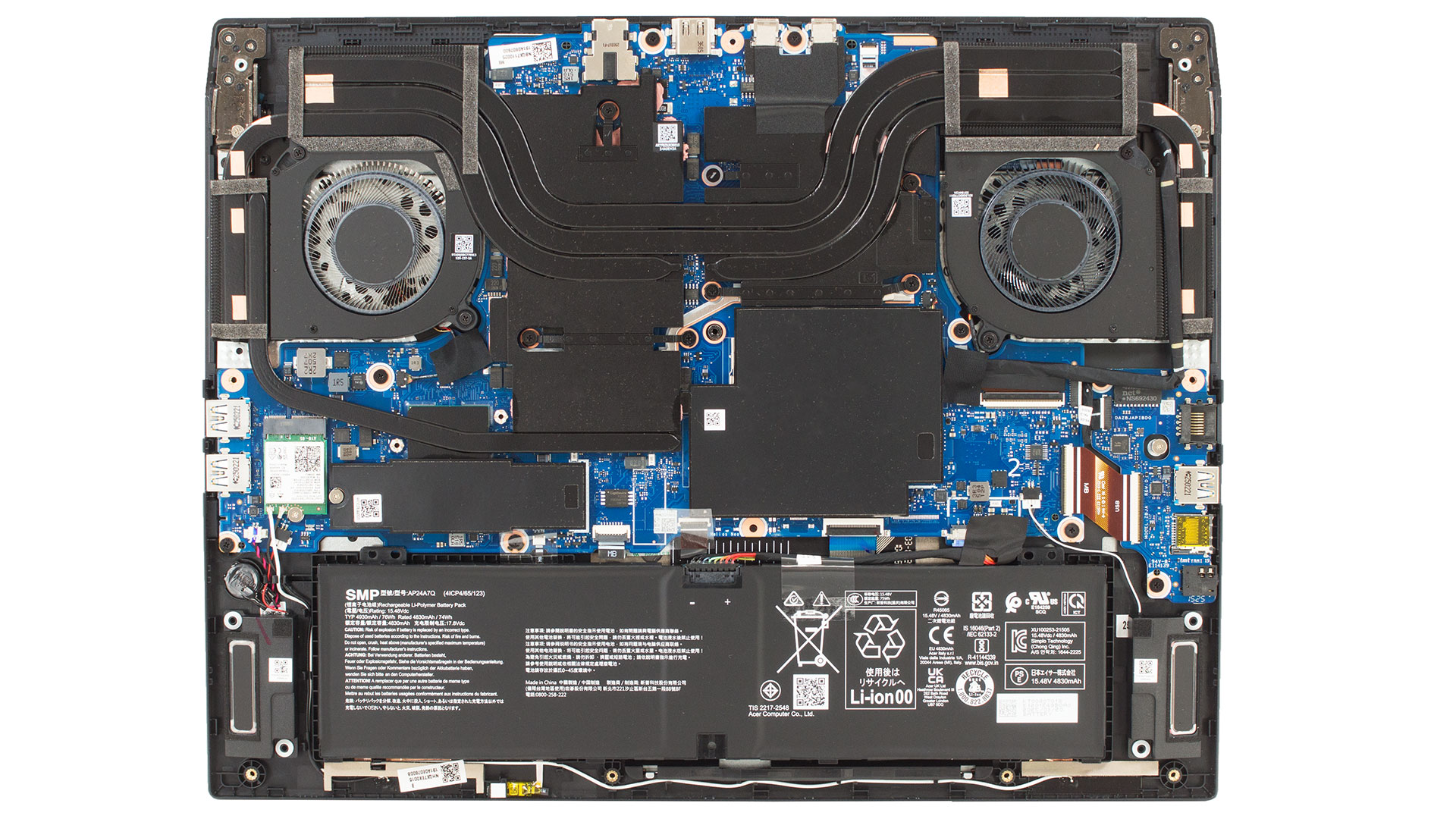
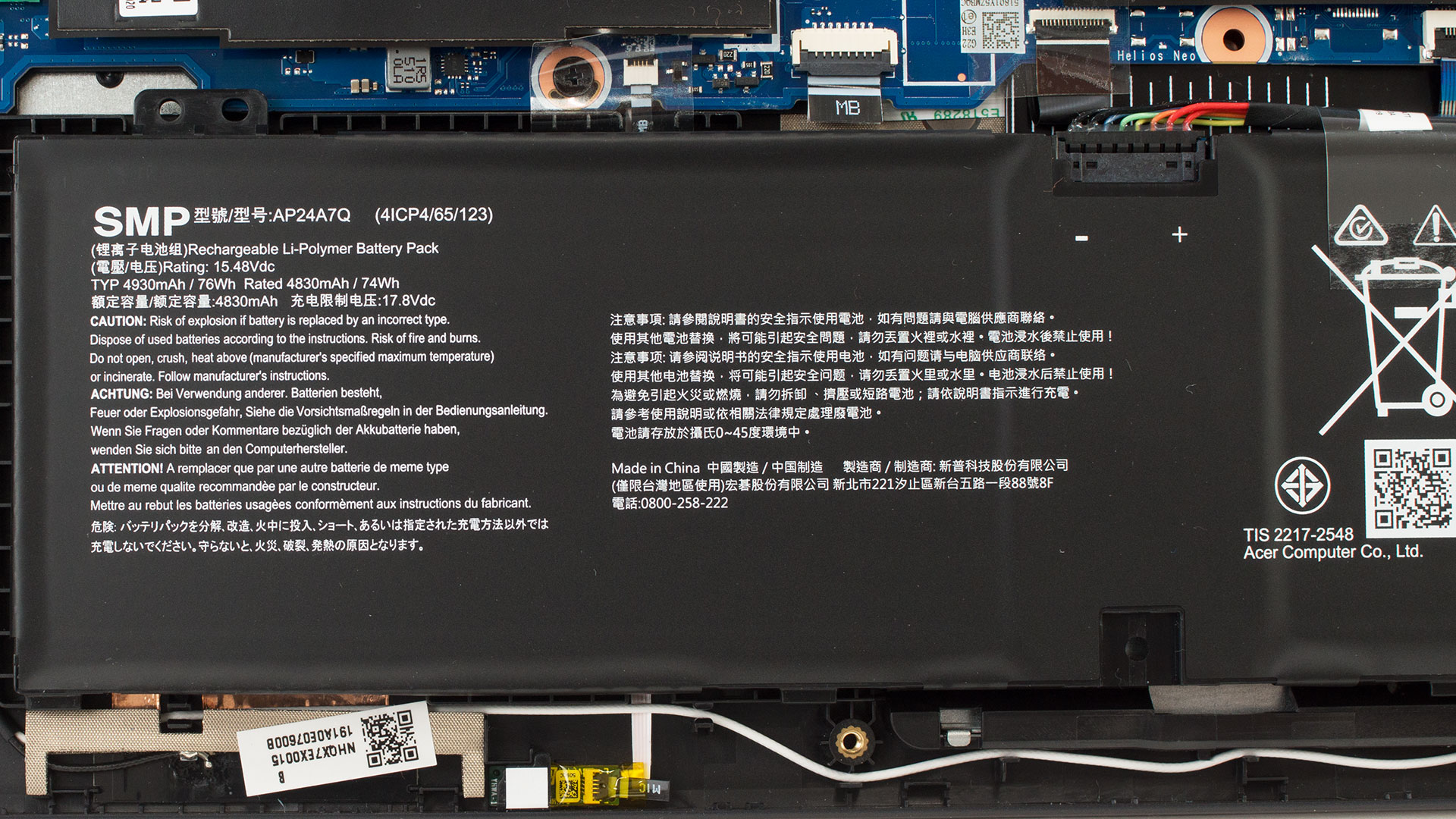
Battery Removal
- The 76Wh four-cell Li-Ion battery is held in place only by friction and its connector cable—no screws.
- Disconnect the plug from the motherboard and lift the unit out to remove it.
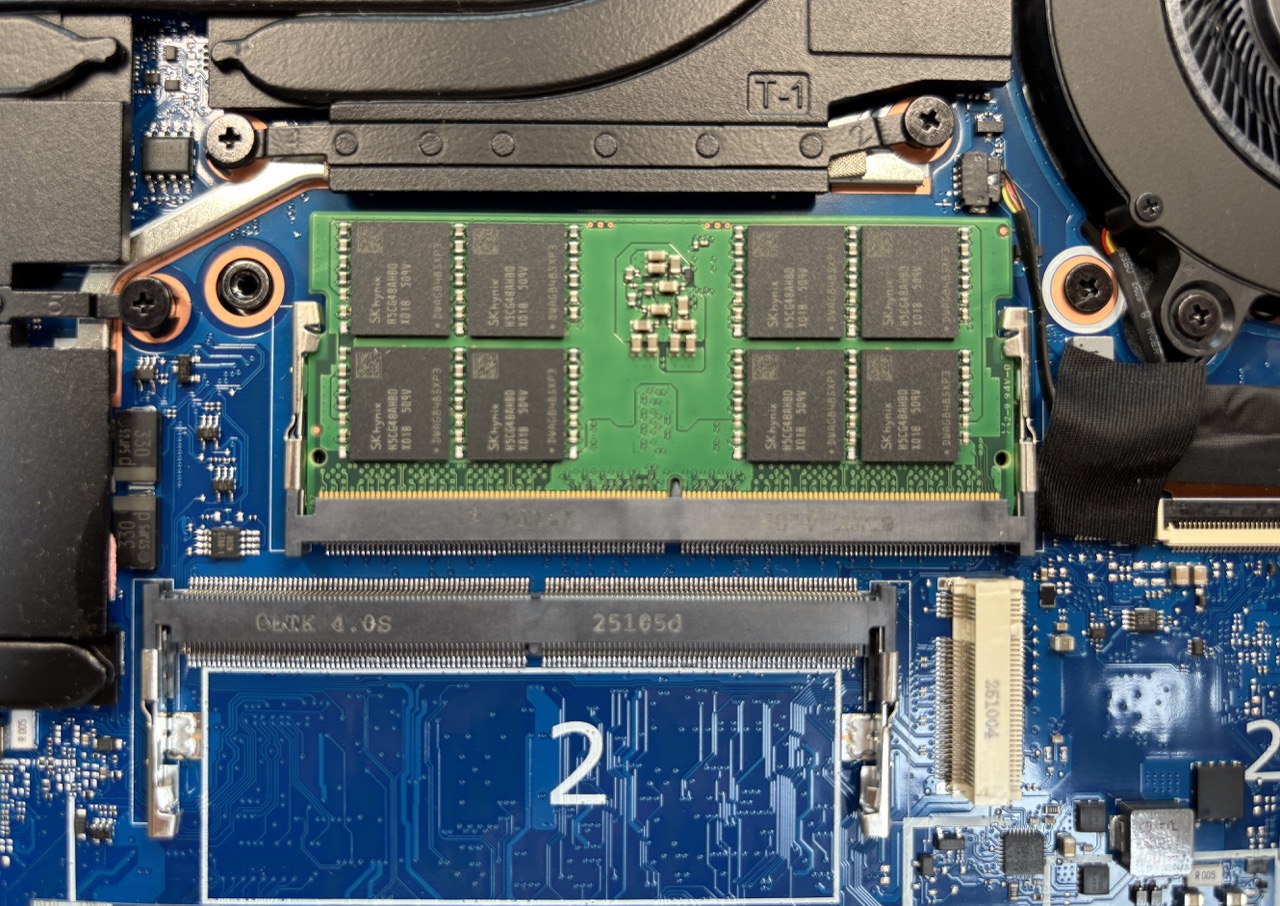
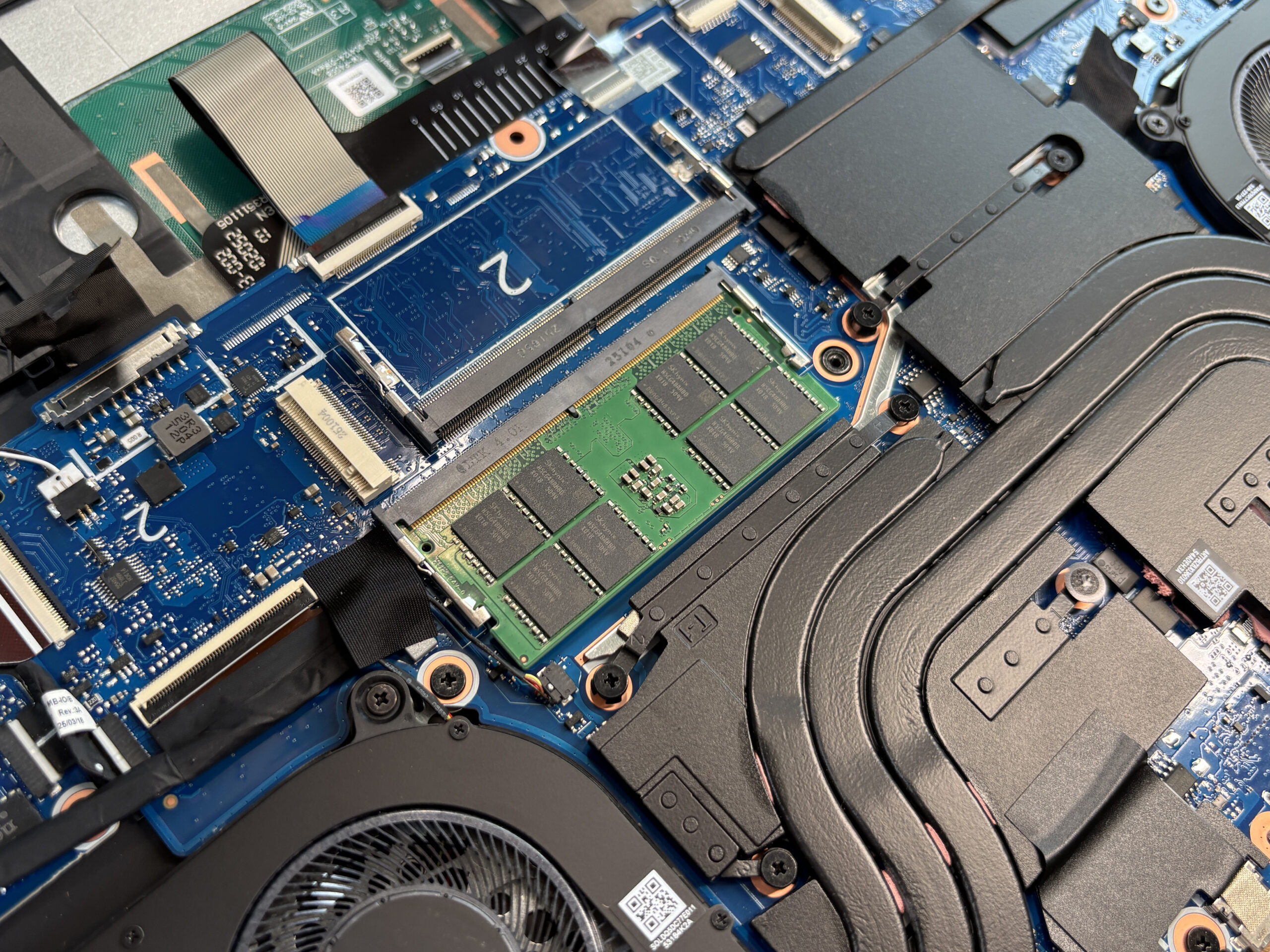
Memory Upgrade
- The device has two DDR5 SO-DIMM slots, supporting up to 64GB of RAM at speeds up to 6400 MT/s.
- One slot is free in the default configuration, allowing easy dual-channel upgrades.
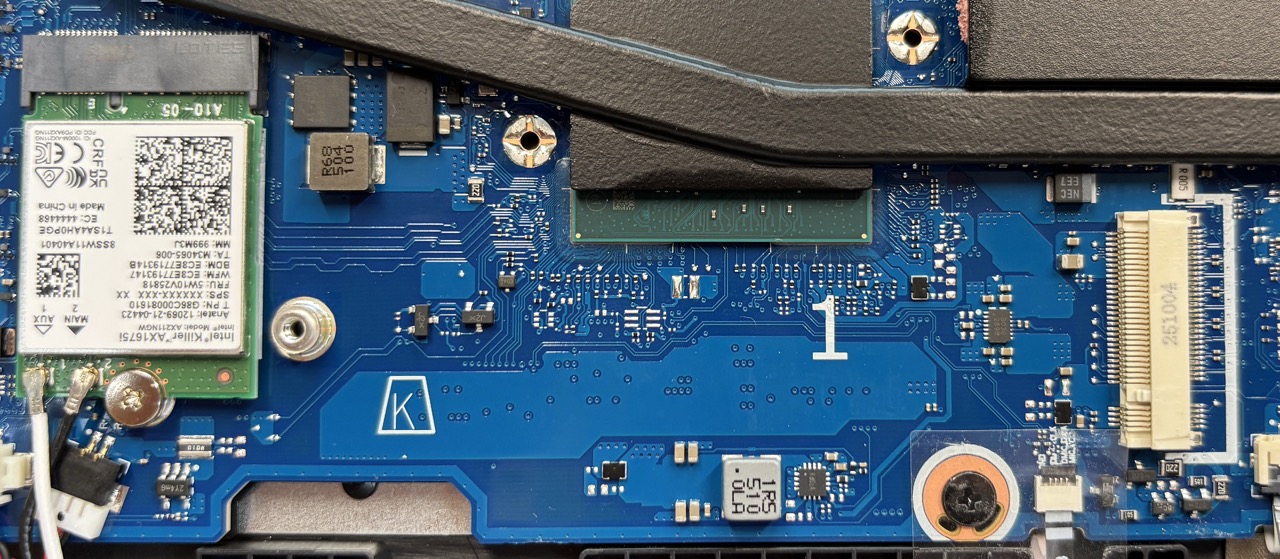
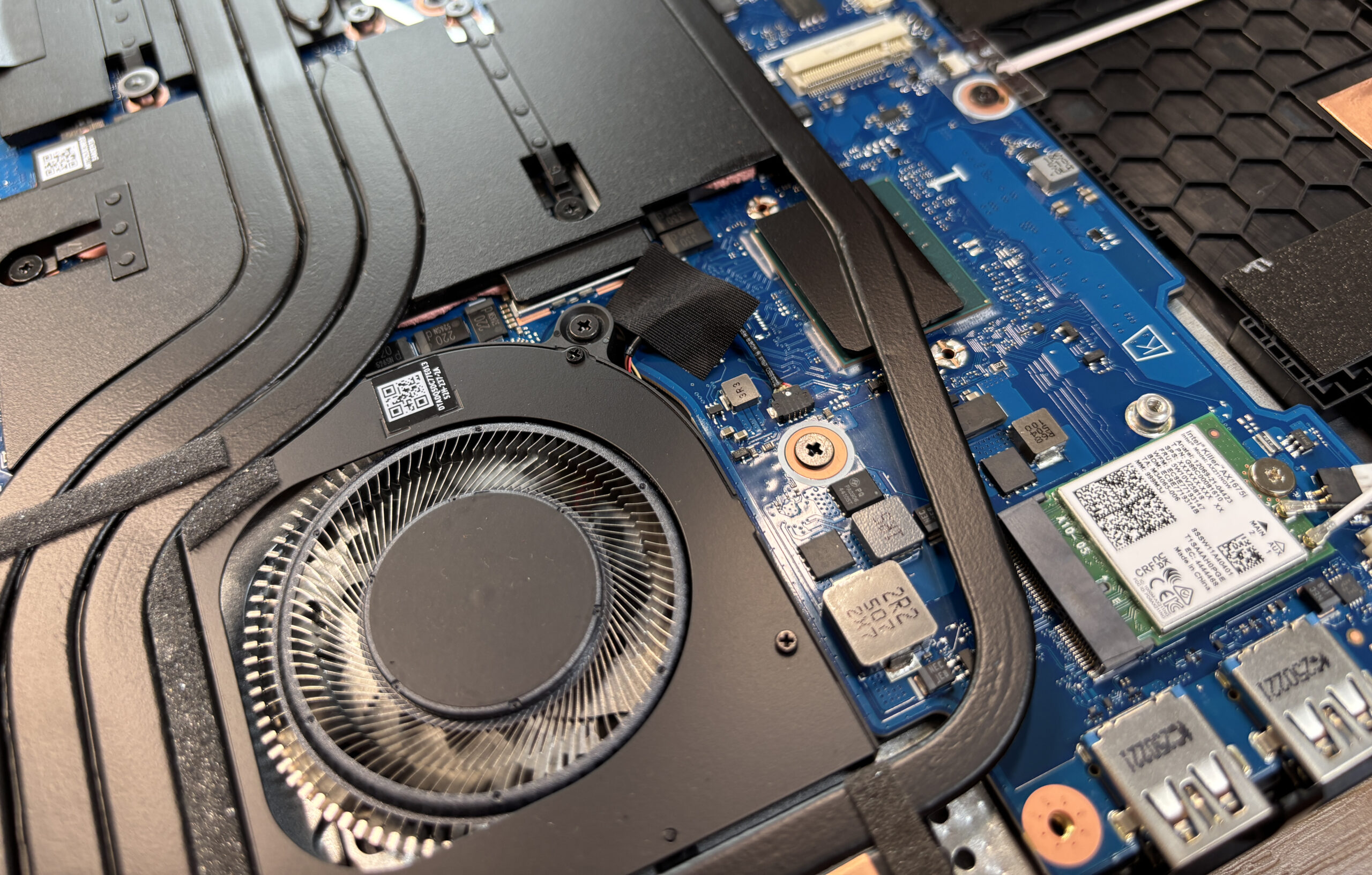
- The second slot is located beneath the heat pipes but has enough clearance to install modules without removing shrouds.
You can buy DDR5 RAM modules here: Buy from Amazon.com (#CommissionsEarned)
Storage Upgrade
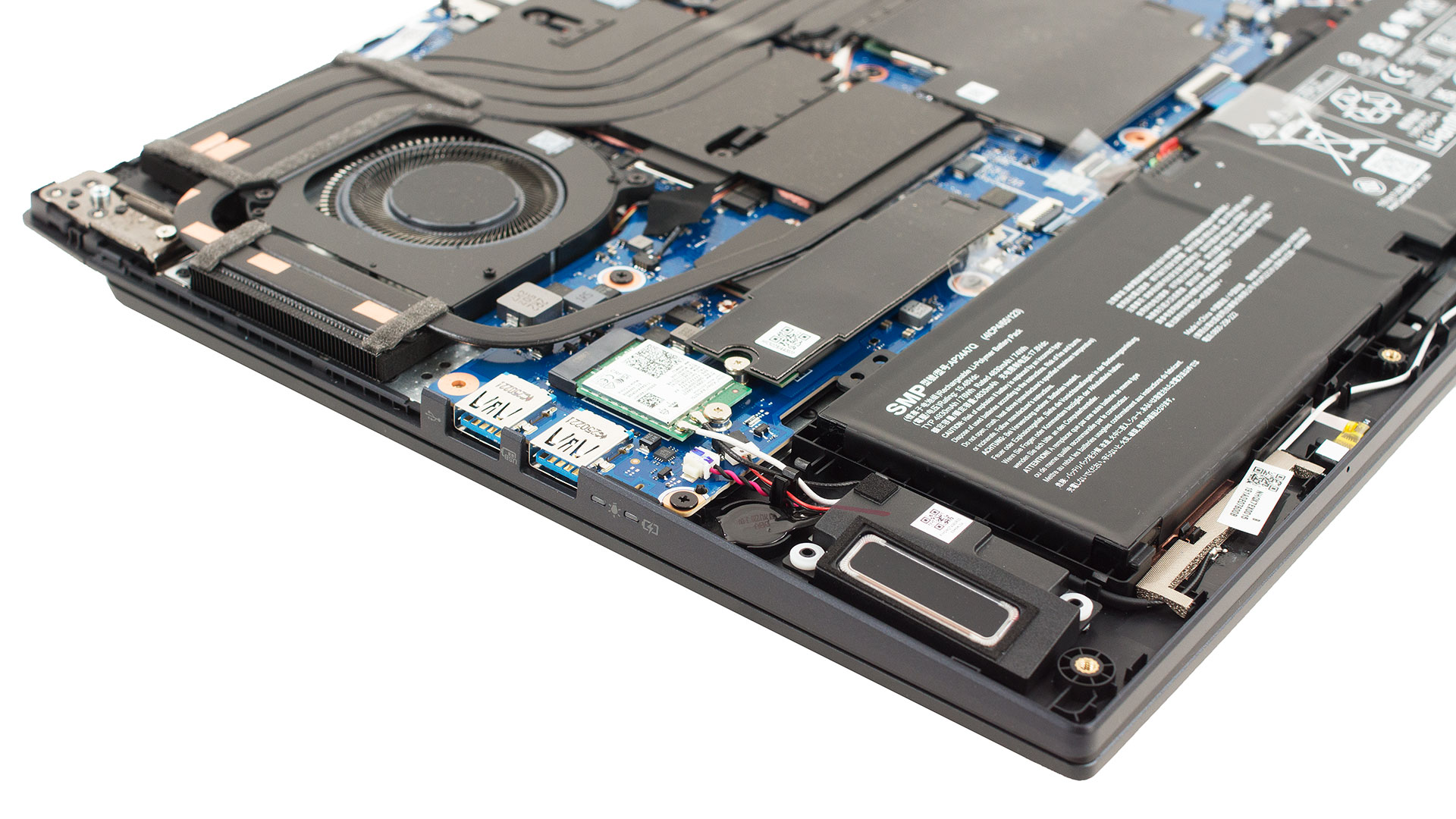
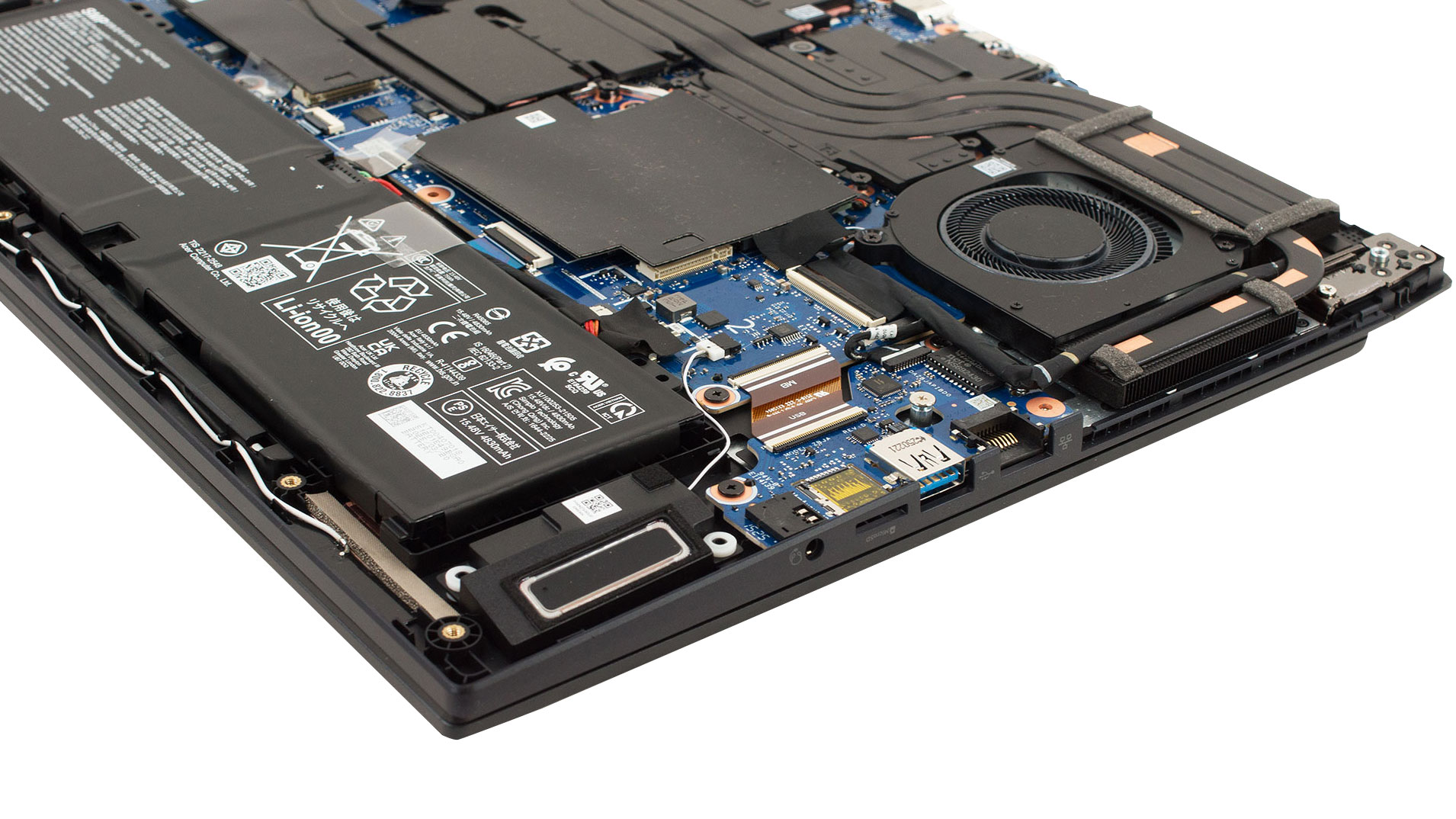
- The laptop has two M.2 slots for NVMe SSDs.
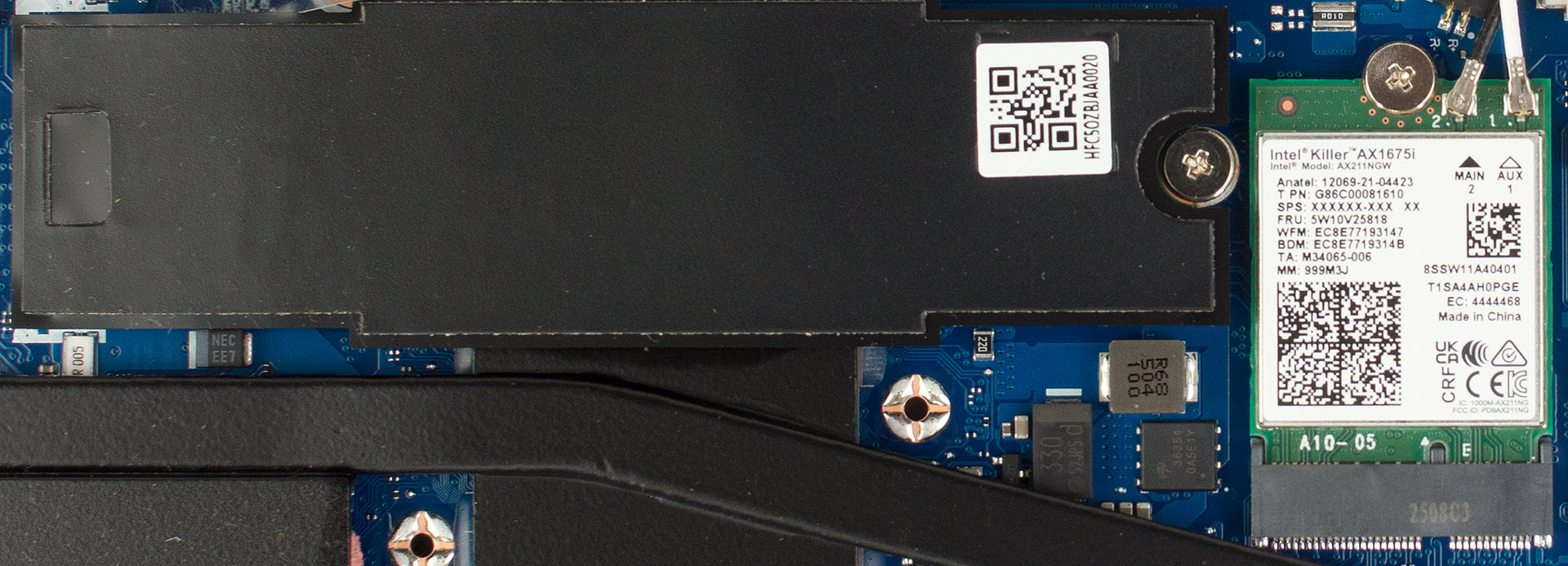
- The left slot is under a large black EMI cover next to the Intel Killer AX1675i Wi-Fi 6E card. Swapping drives requires undoing just one screw.
- The second slot sits on the opposite side of the board, easily accessible once the panel is off.
Hint: Consider reviewing our Top M.2 SSDs Performance Rankings to select the best storage solution for your needs.
You can buy Gen 4 NVMe SSDs here: Buy from Amazon.com (#CommissionsEarned)
Wireless Module
- The Intel Killer AX1675i Wi-Fi 6E card is replaceable, using the standard M.2 2230 form factor with two antenna leads.
Cooling System
- The cooling solution features dual fans and five heat pipes.
- Three heat pipes are shared between the CPU and GPU, while two are dedicated to pushing heat toward side-mounted fin stacks.
- Thick graphite pads and foil shields cover the VRMs and memory chips, and the assembly can be lifted as a single unit for repasting.
Acer Predator Helios Neo 16S AI (PHN16S-71) in-depth review
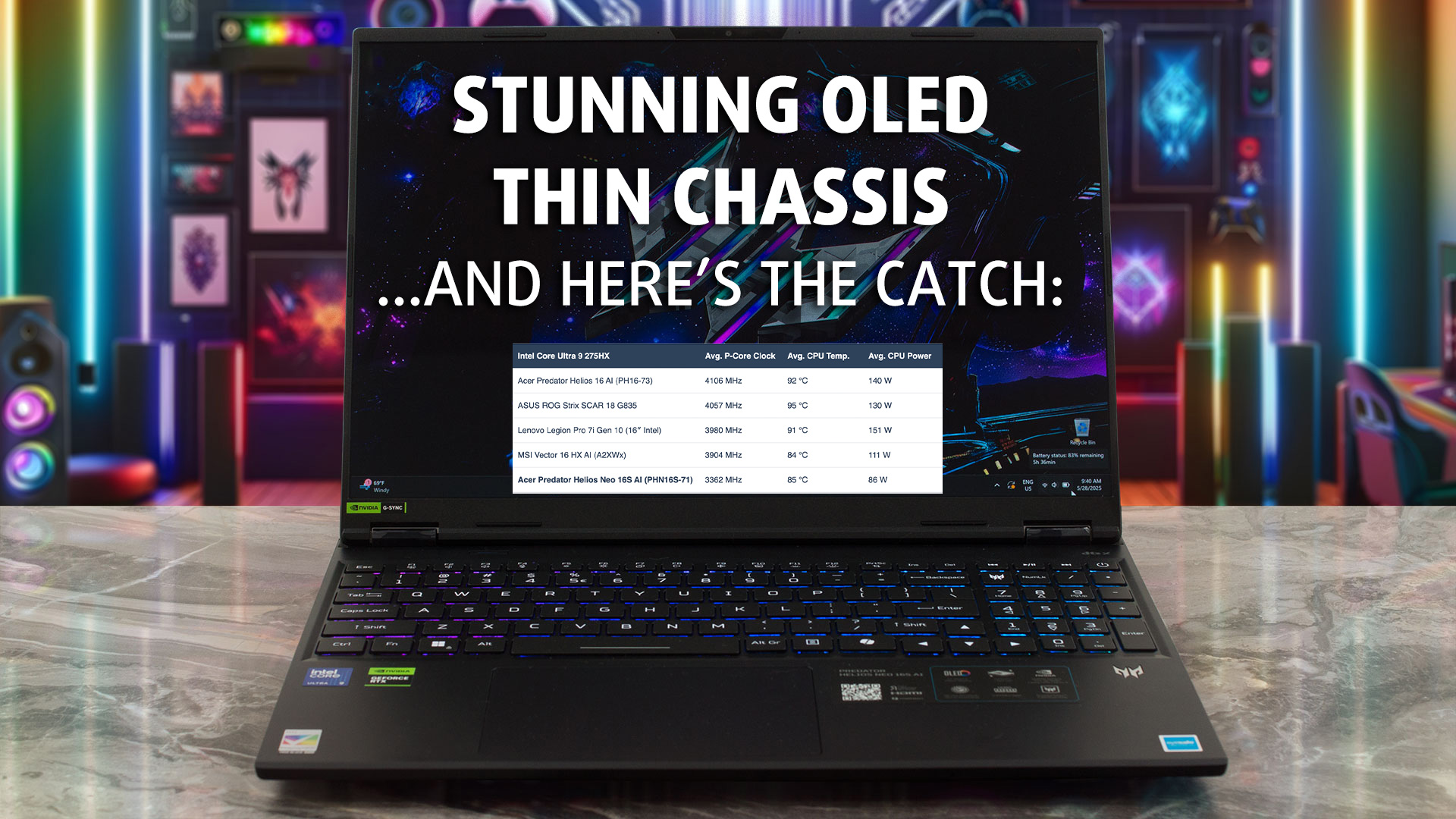
The Acer Predator Helios Neo 16S AI isn't playing the same game as its rivals. Instead of chasing the highest benchmark scores, Acer has made a bold choice: to prioritize a stunning visual experience and a sleek, portable design above all else. The result is a laptop with one of the most breathtaking OLED displays on the market, wrapped in a chassis that’s impressively thin and light. But this elegance comes at a direct cost to performance, with hardware that's intentionally reined in. So, is this a brilliant new direction for gaming laptops, or a beautiful machine that's ultimately held[...]
Pros
- Stunning 240Hz OLED display with 100% DCI-P3 coverage
- Incredibly thin and light design for a gaming laptop
- Excellent port selection including Thunderbolt 4 and 2.5GbE LAN
- Comfortable keyboard with a full-sized NumPad
- User-upgradeable RAM with two SODIMM slots
- Good thermal management keeps components within safe limits
Cons
- Throttled CPU and GPU performance compared to competitors
- Highly reflective glossy screen
- Uses PWM for brightness control, which may affect sensitive users
 Author: Dimitar Stalev

![[June 2026] Best-Selling Laptop Brands on Amazon Global – Apple’s Unrivaled Dominance in Units and Revenue](https://laptopmedia.com/wp-content/uploads/2026/07/GLOBAL-Best-Brands-400x225.jpg)
![[June 2026] Amazon Global: Top 10 Best-Selling Laptops – Apple’s New MacBook Neo Storms to #1, Reshaping the Market with Affordability](https://laptopmedia.com/wp-content/uploads/2026/07/Best-Selling-Laptops-GLOBAL-Top-10-400x225.jpg)
![[June 2026] Amazon Global: Top 10 Best-Selling Gaming Laptops – Acer’s Nitro V 16S AI Dominates Sales, While ASUS Leads Overall Revenue](https://laptopmedia.com/wp-content/uploads/2026/07/Best-Selling-Gaming-Laptops-GLOBAL-Top-10-400x225.jpg)
![[June 2026] Global Ranking of Best-Selling Laptop GPUs on Amazon – NVIDIA RTX 5060 is the Top-Selling Dedicated GPU](https://laptopmedia.com/wp-content/uploads/2026/07/Best-Selling-GPUs-GLOBAL-Top-10-400x225.jpg)
![[June 2026] Global Ranking of Best-Selling Laptop CPUs on Amazon – Apple M5 Dominates, AMD Ryzen 7 260 Gets Solid Premium Share](https://laptopmedia.com/wp-content/uploads/2026/07/Best-Selling-CPUs-GLOBAL-Top-10-400x225.jpg)
