How to open Acer Swift Go (SFG16-72) – disassembly and upgrade options

Opening the Acer Swift Go
Hint: Ensure the laptop is powered off and unplugged before starting.
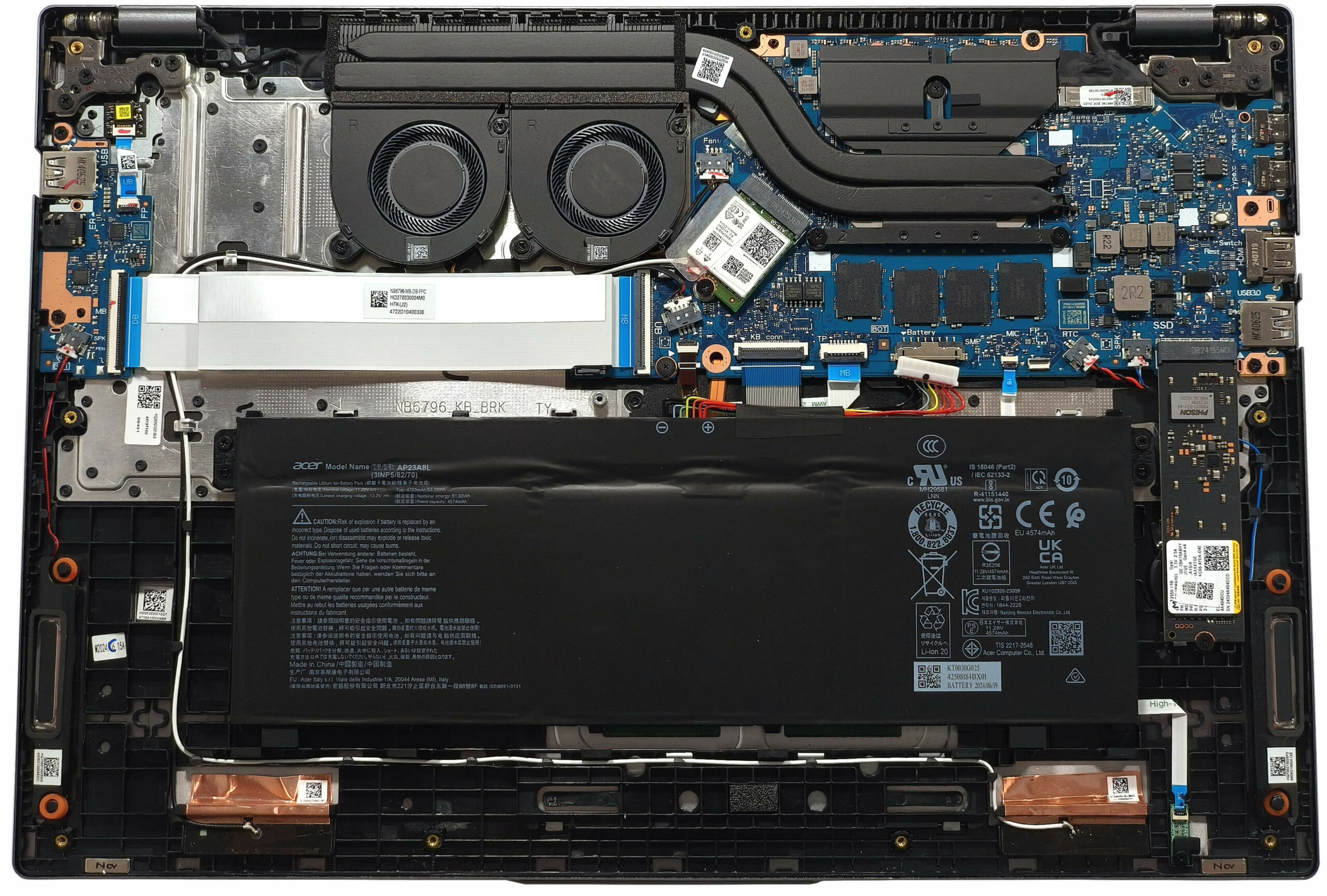
- Undo the 10 Torx-head screws securing the bottom panel of the laptop.
- Pop the panel in the zones behind the hinges. Pry the rear carefully with a thin plastic tool to release the internal clips.
- If lifting the back does not release all clips, use the plastic tool to pry around the sides and front to fully detach the panel.
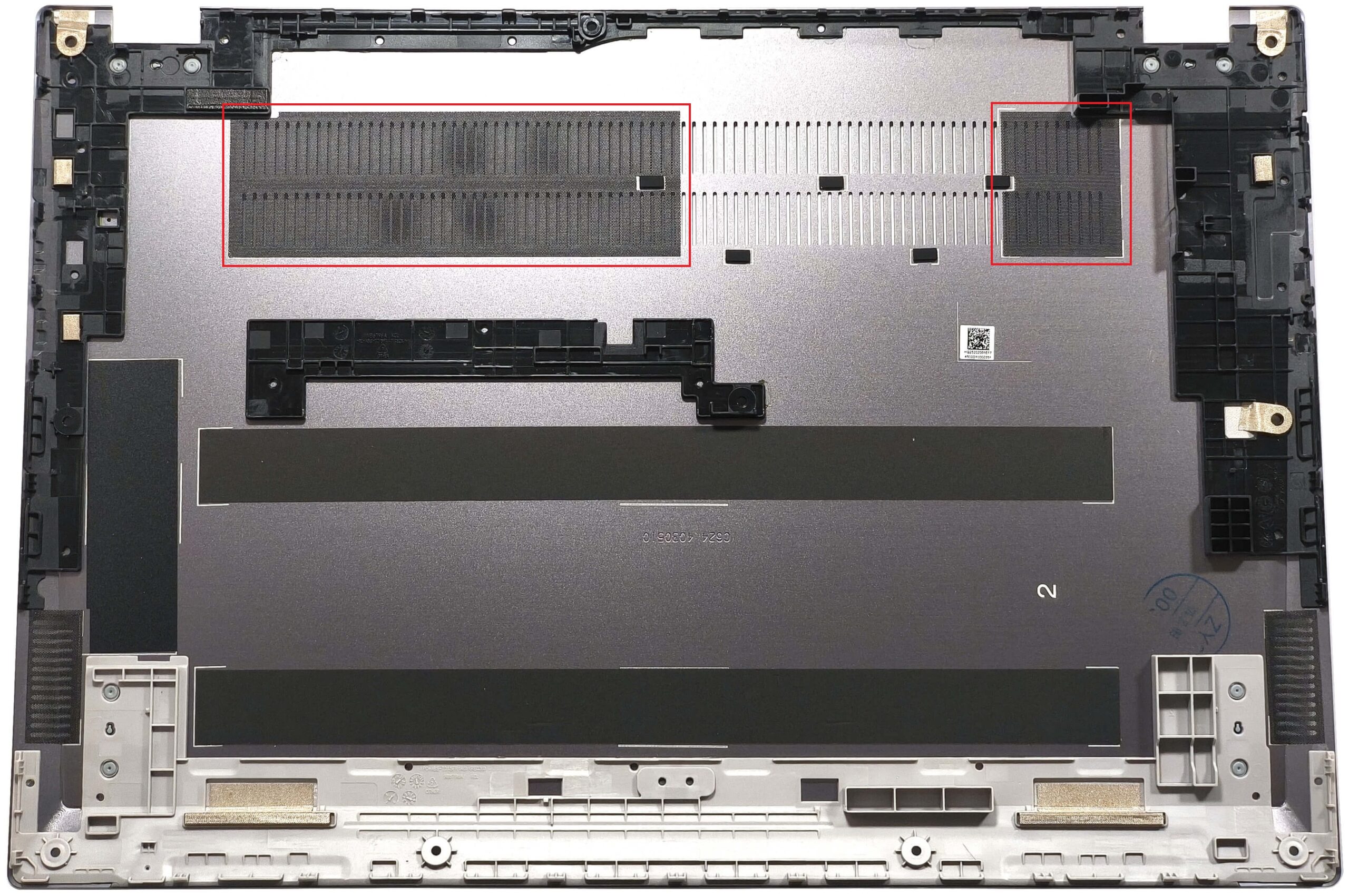
More info: The inside of the bottom cover houses two dust filters in front of the ventilation grill to aid in airflow and reduce dust accumulation.
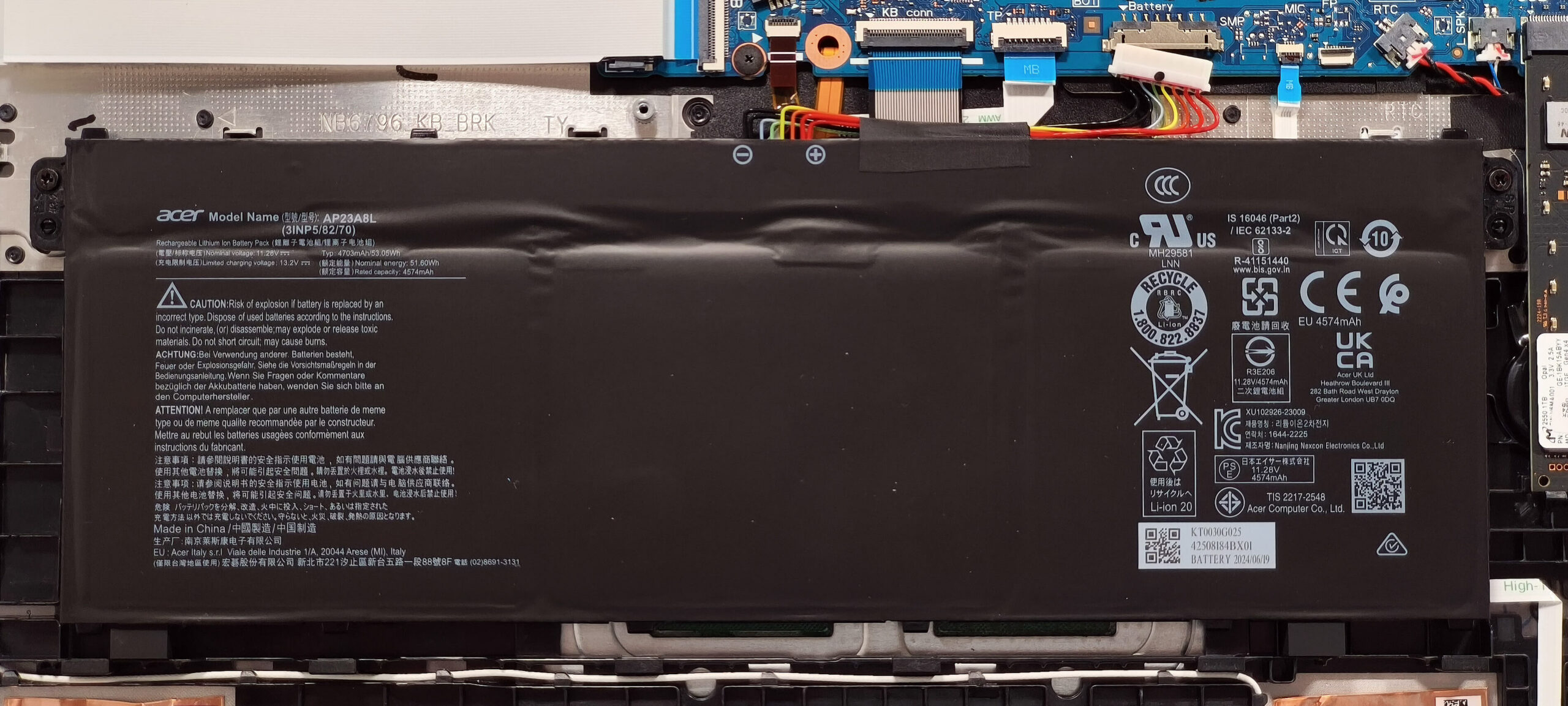
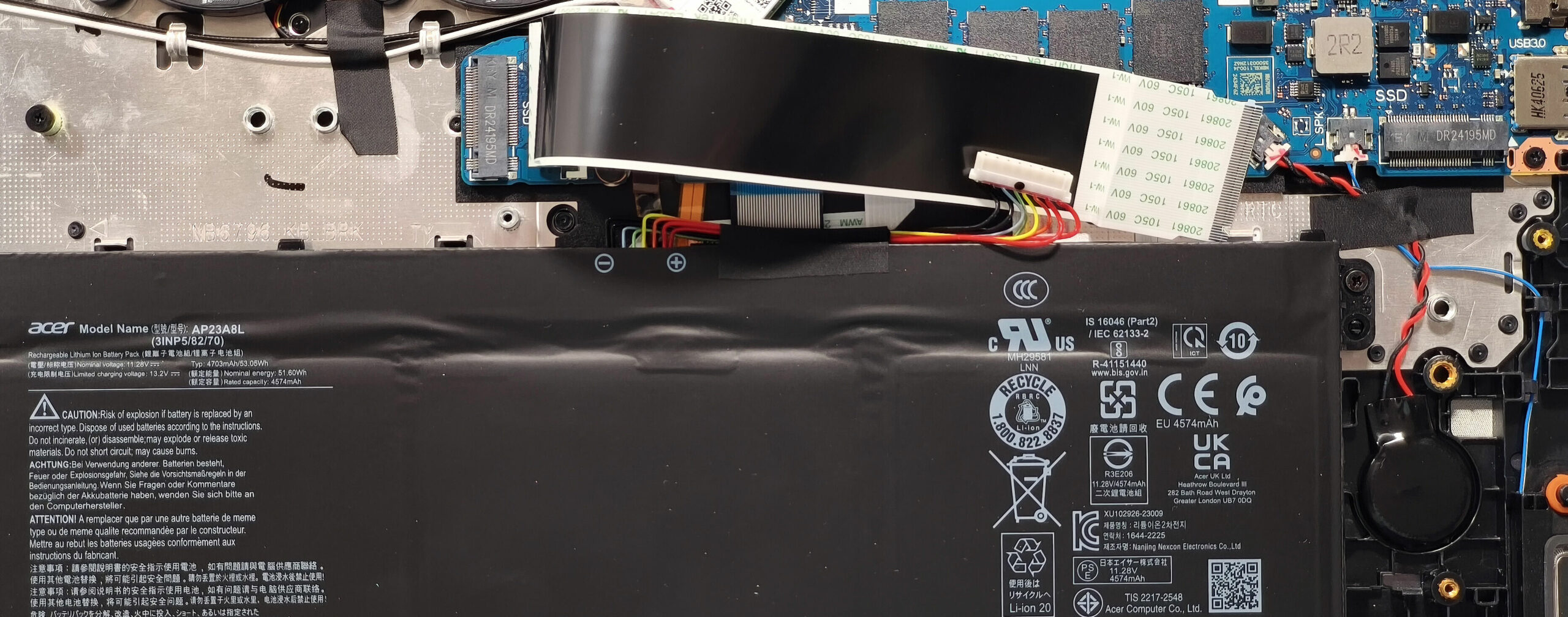
Battery Removal
Caution: Handle the battery carefully to avoid damage or electrical hazards.
- Detach the battery connector by pulling it gently towards the battery.
- Undo the two Phillips-head screws securing the 53Wh battery to the chassis.
- Carefully lift and remove the battery from the laptop.
More info: The default 53Wh battery offers approximately 7 hours of video playback. For extended use, opt for the 65Wh version.
You can find compatible batteries here: Buy from Amazon.com (#CommissionsEarned)
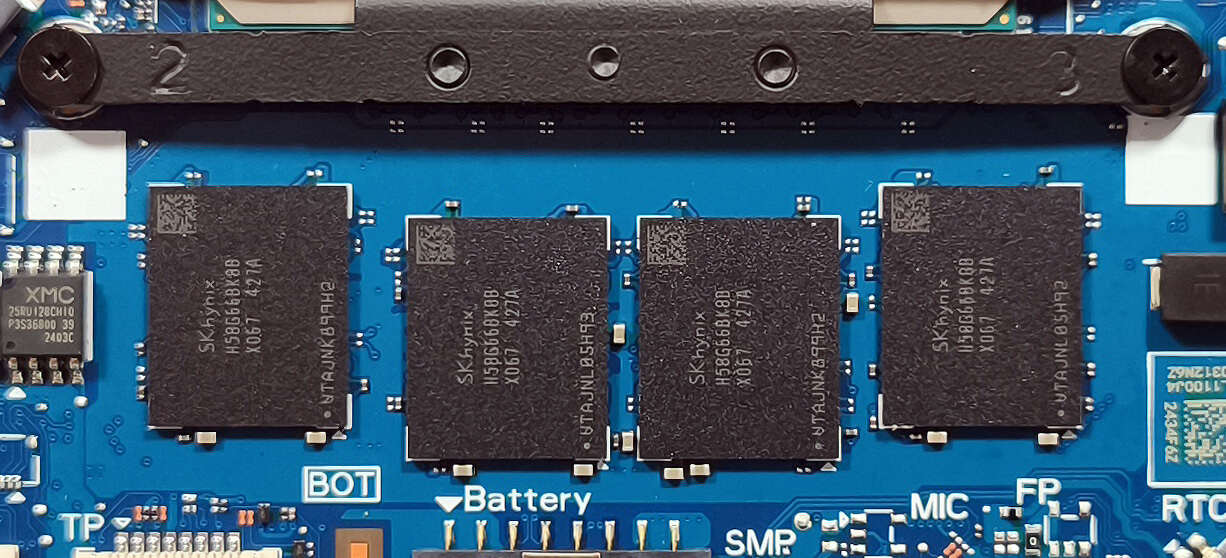
Memory Upgrade
Note: The memory is soldered and not user-upgradeable.
More info: The laptop supports up to 32GB of LPDDR5x-6400MHz RAM in dual-channel mode, sufficient for most use cases. Ensure your chosen configuration matches your long-term needs.
Storage Upgrade
Hint: Handle SSD components carefully to avoid damage or data loss.
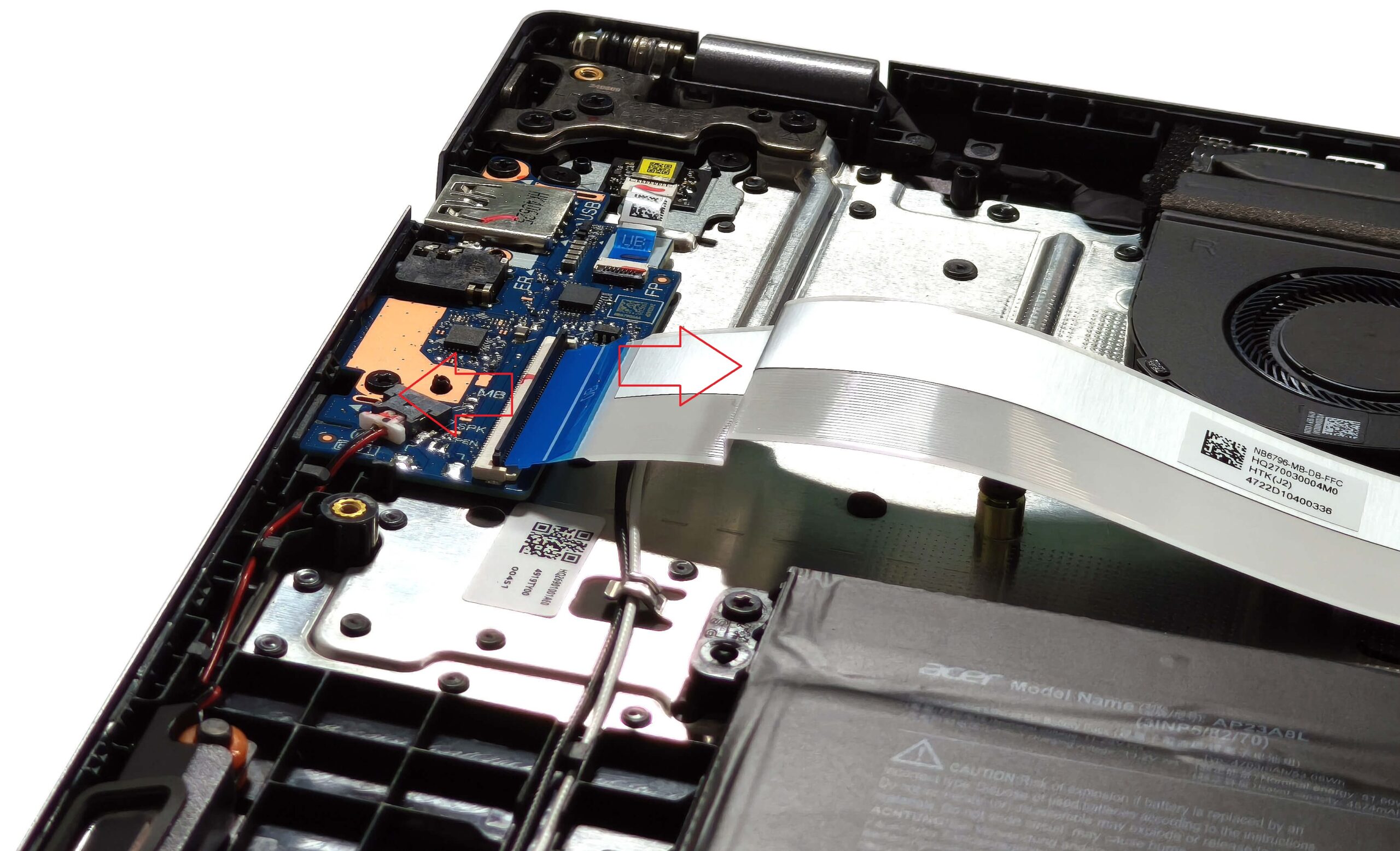
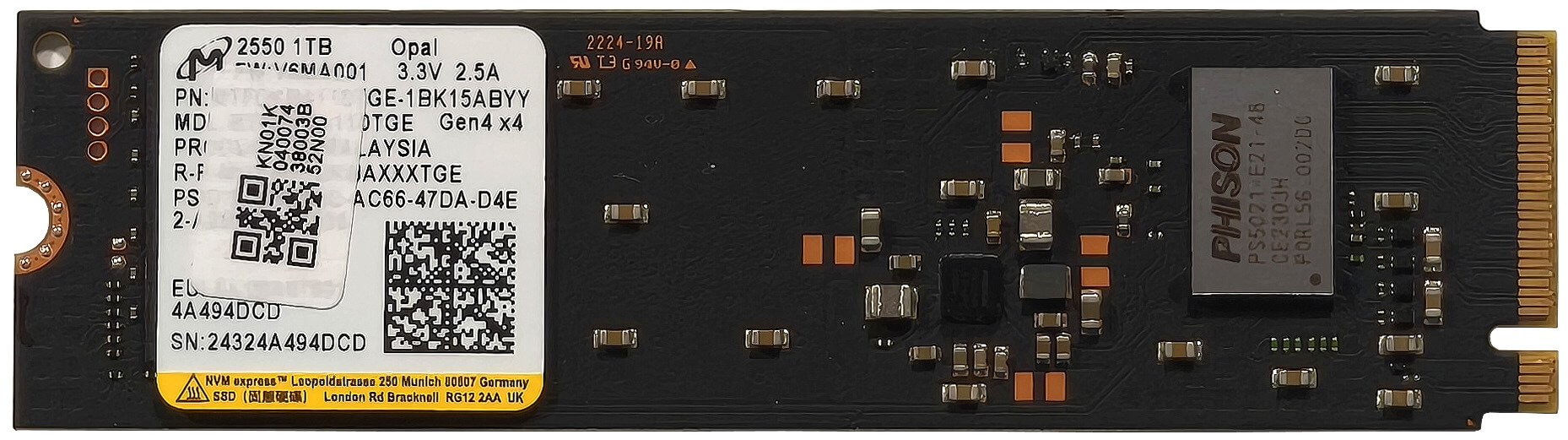
- Locate the two M.2 slots compatible with 2280 Gen 4 SSDs.
- The slot above the battery is covered by a ribbon connector. Gently unplug this connector before installing a new SSD.
- Flip up the locking latch to unlock the ribbon cable, then carefully pull it out of the socket to expose the SSD slot.
- Install the SSD into the slot at an angle, ensuring it is securely seated, and reconnect the ribbon cable afterward.
More info: With dual M.2 slots, the device offers flexible storage upgrade options.
You can find compatible SSDs here: Buy from Amazon.com (#CommissionsEarned)
Wi-Fi Card
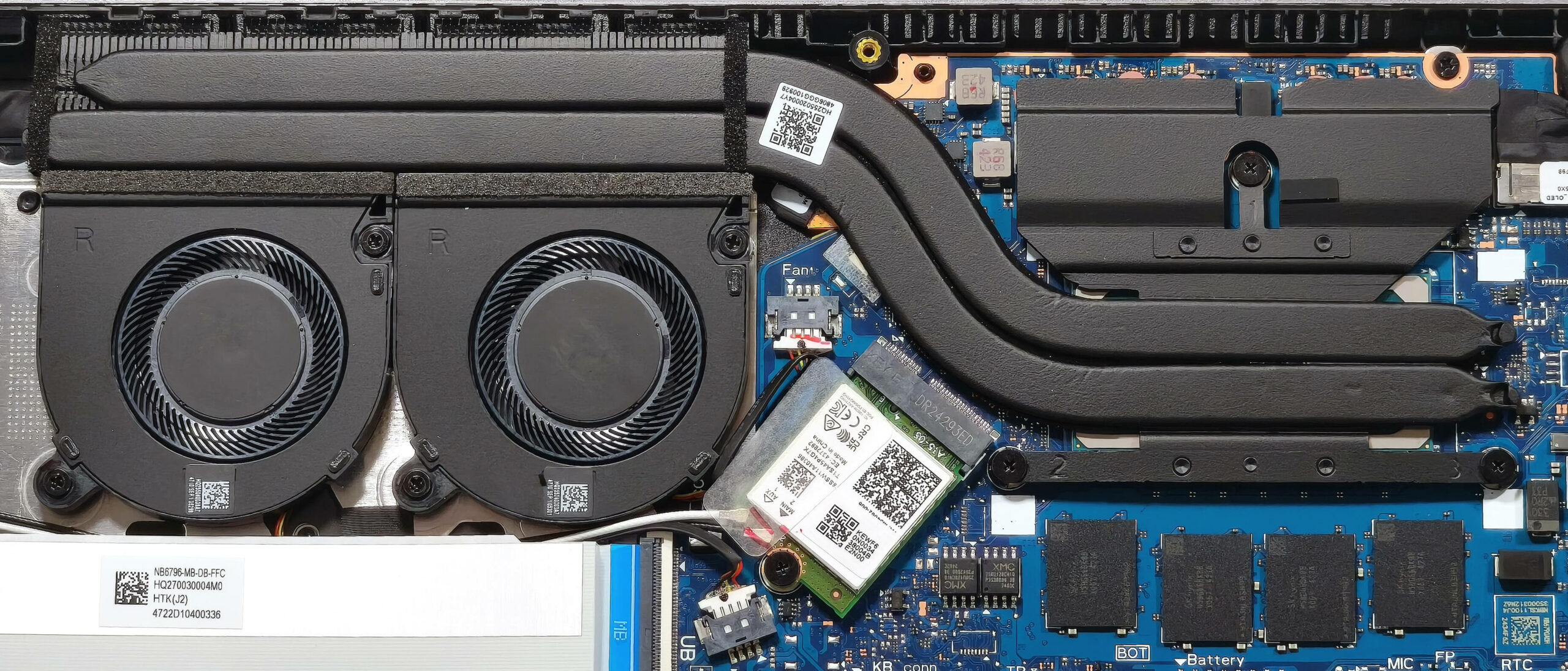
More Info: The Wi-Fi card isn’t soldered and it’s placed between the cooling and the RAM.

Cooling System Overview
- Two small fans maintain airflow to manage heat during usage.
- A pair of heat pipes transfer heat away from critical components.
- One long heat sink and a heat spreader enhance thermal efficiency, ensuring stable performance.
Tip: Regularly clean the fans and dust filters to maintain optimal cooling performance.
Acer Swift Go 16 (SFG16-72T) in-depth review
It's great that most manufacturers offer big-screen laptops that aren't hefty at the same time. Acer Swift Go (SFG16-72) has a thin profile but you can configure it with punchy Intel Meteor Lake-H CPUs which come with a dedicated NPU unit for AI-enhanced productivity. If you value longer battery life over performance, you can pick a machine with a 15W U-series chip. To achieve such compact dimensions, Acer had to make some sacrifices. Yep, no SODIMMs here but on the flip side, you get good storage upgradability and a modern port selection. Wi-Fi 7 connectivity is optional.Three display cho[...]
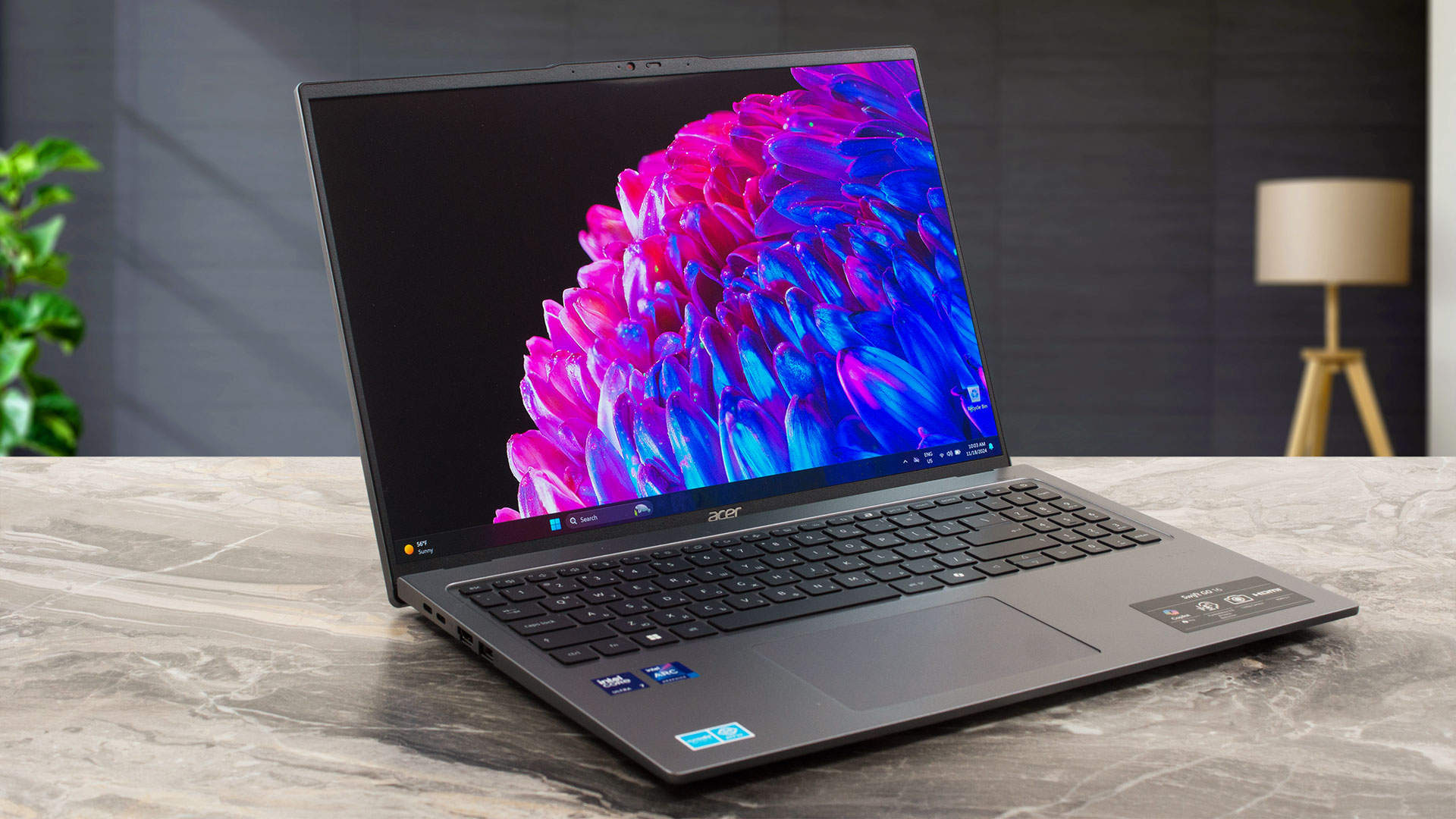
Pros
- 100% sRGB and DCP-P3 coverage + improved color accuracy with our "Design and Office" profile (SDC418D)
- Infinite contrast ratio (SDC418D)
- 598 nits of max brightness in HDR mode and 395 nits of peak brightness while viewing SDR content (SDC418D)
- Light and thin aluminum chassis (1.60 kg / 14.9 mm)
- Lid with a lever design
- Fingerprint reader
- 1440p Web camera with a privacy shutter
- 2x USB4 ports + MicroSD card reader
- 2x M.2 slots + upgradable Wi-Fi card
- Optional Wi-Fi 7 connectivity
- Fast SSD (Micron 2550)
- Up to 32GB of LPDDR5x RAM
- Adequate performance no matter the thin profile
- Decent P core clock and impressively high P and E core frequencies in long CPU loads (1.81 GHz / 2.71 GHz / 2.44 GHz)
- Acceptable battery life given the modest 53Wh capacity and the high-res OLED panel (~7 hours of videos)
- Great iGPU performance
- 180-degree hinge
- Intel Evo Edition laptop (option)
- Quality sound
Cons
- Soldered memory
- PWM usage (SDC418D)
- 100°C CPU temperature in long stress
- The bottom display bezel is heated up to 58°C during heavy loads
- Noisy-ish fans in "Performance mode"
 Author: Dimitar Stalev

![[June 2026] Best-Selling Laptop Brands on Amazon Global – Apple’s Unrivaled Dominance in Units and Revenue](https://laptopmedia.com/wp-content/uploads/2026/07/GLOBAL-Best-Brands-400x225.jpg)
![[June 2026] Amazon Global: Top 10 Best-Selling Laptops – Apple’s New MacBook Neo Storms to #1, Reshaping the Market with Affordability](https://laptopmedia.com/wp-content/uploads/2026/07/Best-Selling-Laptops-GLOBAL-Top-10-400x225.jpg)
![[June 2026] Amazon Global: Top 10 Best-Selling Gaming Laptops – Acer’s Nitro V 16S AI Dominates Sales, While ASUS Leads Overall Revenue](https://laptopmedia.com/wp-content/uploads/2026/07/Best-Selling-Gaming-Laptops-GLOBAL-Top-10-400x225.jpg)
![[June 2026] Global Ranking of Best-Selling Laptop GPUs on Amazon – NVIDIA RTX 5060 is the Top-Selling Dedicated GPU](https://laptopmedia.com/wp-content/uploads/2026/07/Best-Selling-GPUs-GLOBAL-Top-10-400x225.jpg)
![[June 2026] Global Ranking of Best-Selling Laptop CPUs on Amazon – Apple M5 Dominates, AMD Ryzen 7 260 Gets Solid Premium Share](https://laptopmedia.com/wp-content/uploads/2026/07/Best-Selling-CPUs-GLOBAL-Top-10-400x225.jpg)
